
Cobrowsing for Customer Support
UserView delivers secure, browser-native cobrowsing technology built for customer support and product teams. Launch real-time sessions instantly, guide users through complex workflows, and maintain full control over privacy, access, and session behavior.
Powering leading customer service teams across the globe




















In-session collaboration tools
Everything you need to guide customers effectively when using co-browsing technology
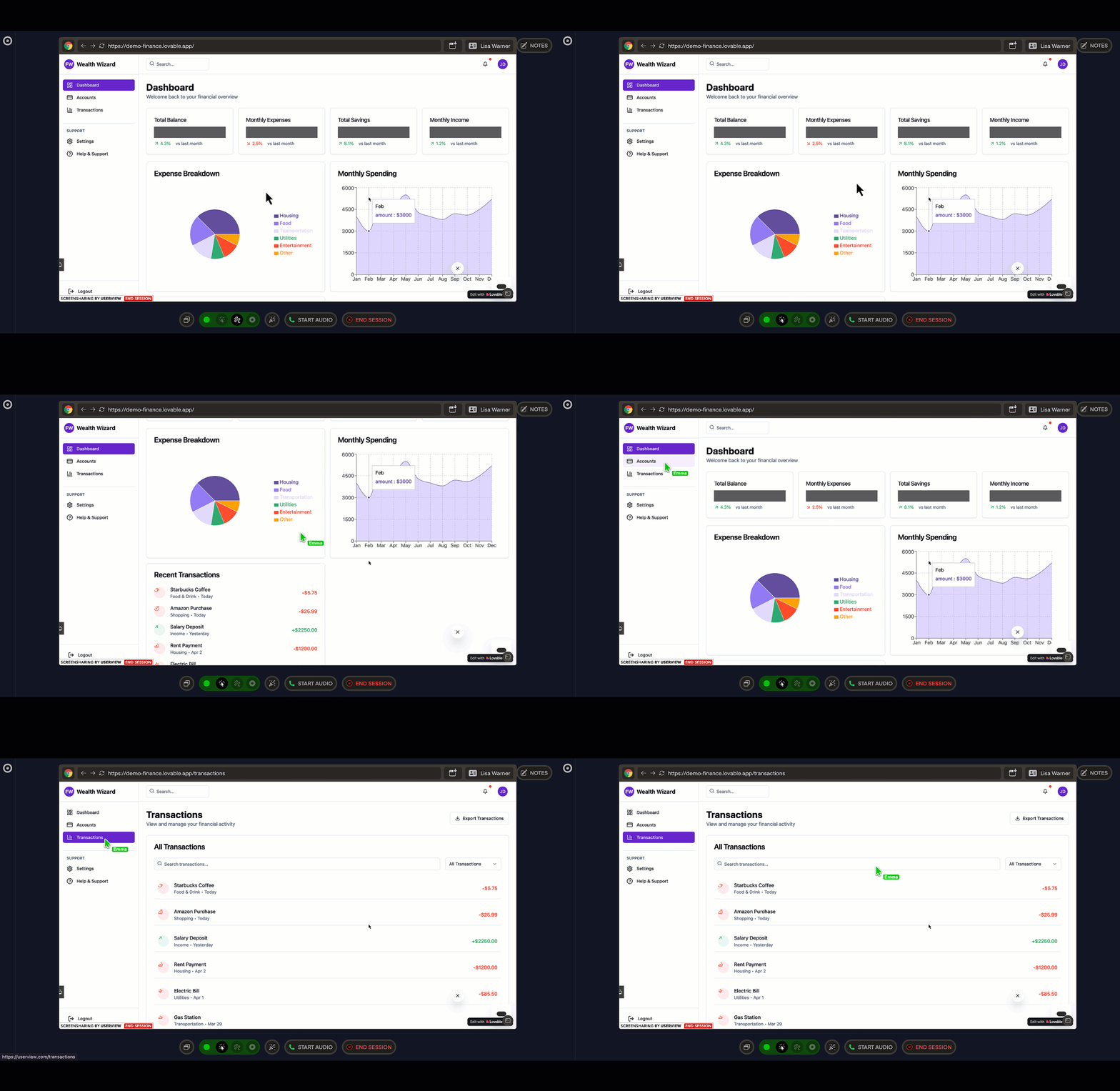
Core cobrowsing features
UserView's cobrowsing technology allows your support agents and customers to browse the same web page together in real time. By sharing the active browser tab agents are able to navigate pages, and assist with complex workflows directly within the browser for faster, more effective support.
Instant, browser-based sessions
Start secure cobrowsing sessions with a single click. No downloads, extensions, or installations required for customers. Sessions run directly within the browser environment for minimal friction and maximum adoption.
Built-in data masking
Sensitive elements such as passwords and payment fields are automatically masked. Define custom masking rules for specific HTML elements, classes, or fields. Masked data never leaves the user's browser.
Controlled remote interaction
Agents can scroll, click, navigate, or type on behalf of the customer. Permissions are session-based and can be revoked at any time.
Cross-platform support
UserView technology supports web applications (SPA and traditional), iOS and Android (native SDKs) with consistent session behavior across desktop, tablet, and mobile environments.
Session recording
Automatically record session activity for QA, training, and compliance review. Recordings are accessible from the session history dashboard with detailed event tracking.
Enterprise Security
End-to-end encryption, SOC 2 compliance, and comprehensive audit logs keep your data protected.
Connect with customers easily
Our cobrowsing technology gives you multiple ways to establish a sessions, making it easy for both agents and customers.
Start from live chat
Open a session straight from Intercom, Zendesk and the rest.
Search by name
Find them in your dashboard by name or account ID.
Share a lookup code
They read out the short code shown in their browser.
They ask for help
A "Request help" button in your product pings your agents.
One cobrowsing session
However it starts, you land in the same place — the customer's live screen, in their browser, with nothing for them to download or install.
Try the interactive demoHand it to a colleague
If someone else should take over, pass the session on. The customer stays on the same screen — nothing to reconnect.
Notes land where you work
When the session ends, a summary note is posted to the linked Zendesk ticket or Intercom conversation, and the ticket is tagged so you can report on it.
Native mobile SDKs
Cobrowsing inside your mobile app
The same session, the same agent console — on iOS, Android, Flutter and React Native. Native views, not a wrapped web page.
iOS
Swift Package Manager or CocoaPods
Android
Gradle
Flutter
flutter pub add upscopeio_flutter_sdk
React Native
npm install @upscopeio/react-native-sdk
Remote tap and scroll
Agents can tap and scroll for the customer, each permission controlled separately from your dashboard. Require an explicit approval prompt before remote input, or supply your own UI for that prompt.
Masking that fails closed
Mask native views outright, or redact fields inside a WebView by CSS selector — the same masked-elements list the web SDK uses. Whenever the SDK can't trust element positions, mid-load or mid-scroll, it masks the entire view rather than risk a leak.
Start without a chat widget
A customer on the phone to your support line can shake their device to bring up a lookup code and read it out. No chat session, no link to click.
Each remote-control permission is switched on per team in your dashboard. Read the mobile SDK docs.
Advanced Customization Technology and Developer Controls
Our cobrowsing technology is built for deep product integration.
SDK and API Access
Use JavaScript SDKs and native mobile SDKs to control session start behavior, permission flows, masking logic, UI triggers, and event hooks.
Custom UI and Text Control
Modify all user-facing strings, prompts, and button labels. Localize for global audiences and align with brand voice.
Custom Prompt and Consent Flows
Design your own consent dialogs and session approval experiences. Maintain compliance while preserving product UX consistency.
Event-Based Triggers
Trigger sessions based on user behavior, page state, or internal support workflows using API logic.
Transform Your Customer Support
Join hundreds of companies using UserView to deliver faster, more effective customer support experiences.
