Log inSign up
Microsoft Support
531.8K posts
Microsoft Support profile banner
@MicrosoftHelps

Microsoft Support

@MicrosoftHelps
The official account of Microsoft Customer Service & Support; YouTube: msft.it/6005e3Ya9│Support community: msft.it/6005e3YmF
support.microsoft.com
Joined September 2009
57
Following
589.3K
Followers
RepliesRepliesRepostsRepostsMediaMedia

Log in or sign up for X

See what’s happening and join the conversation

Continue with phone
or
Log in with username or email
Terms·Privacy·Cookies·Accessibility·Ads Info·© 2026 X Corp.
  • @MicrosoftHelps
    Microsoft Support
    @MicrosoftHelps
    5h
    Whether you're team e-book or team audiobook, Edge has tools to help you out. msft.it/6012aXCCg
    Image
    00:00
    2
  • @MicrosoftHelps
    Microsoft Support
    @MicrosoftHelps
    7h
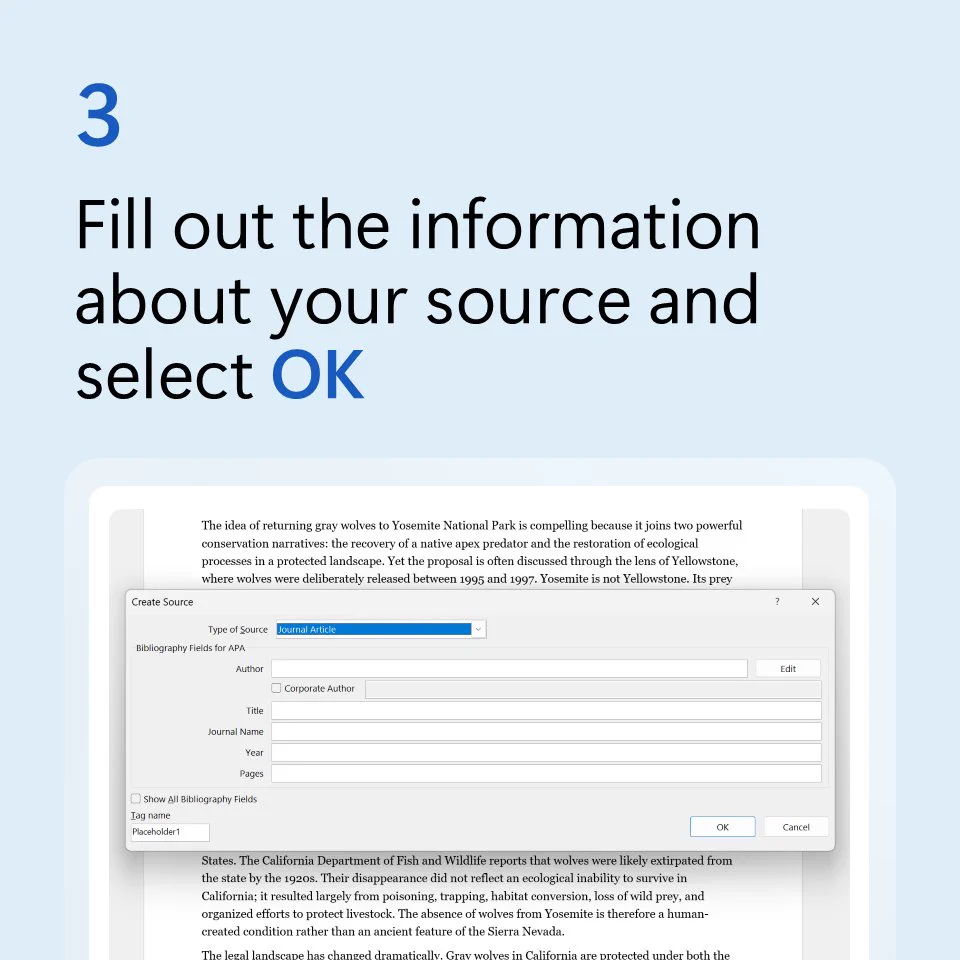
    Kids today will never know the pain of losing points because works were cited in the wrong format. Microsoft Word makes bibliographies easy ⬇️ msft.it/6018aX0Eq
    Text above a Windows 11 laptop running Microsoft Word says add citation in Microsoft Word.
    Text above a partial screenshot of a Word document says place your cursor, then go to reference, then style to choose a citation style.
    Text above a partial screenshot of a Word document says select Insert Citation, then Add New Source.
    Text above a partial screenshot of a Word document says fill out the information about your source and select OK.
    2
  • @MicrosoftHelps
    Microsoft Support
    @MicrosoftHelps
    Sep 7
    No excuses. Check your grammar. Use Microsoft Editor to help review: msft.it/6014aXu4A
    Image
    00:00
    9
  • @MicrosoftHelps
    Microsoft Support
    @MicrosoftHelps
    Sep 5
    Our seasonal menu pick: PSL ☕ Our "secret Start menu" pick: Hard to choose just one 🤔 Press Windows key + X to see it.
    Image
    GIF
    15
  • @MicrosoftHelps
    Microsoft Support
    @MicrosoftHelps
    Sep 4
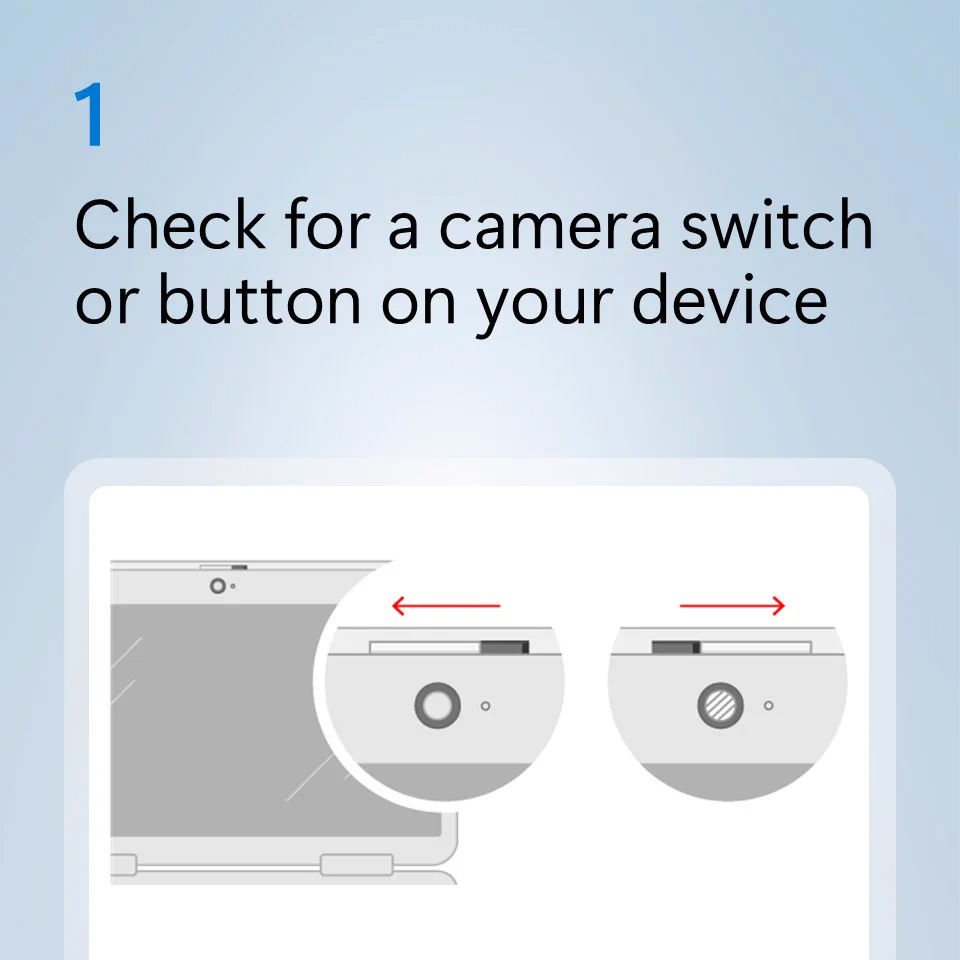
    Something about your camera not clicking? 📷 Try these tips to troubleshoot: msft.it/6012aVoIy
    Text beside a close-up photo of a device’s front-facing camera says troubleshoot camera problems.
    Text above an illustration showing how to open the lens cover on a laptop’s webcam says check for a camera switch or button on your device.
    Text above a screenshot of Windows 11 camera settings says check that your apps have permission to use the camera.
    Text above a screenshot of Windows 11 device manager says check your hardware drivers in Device Manager.
    6
Advertisement
Advertisement