-
-
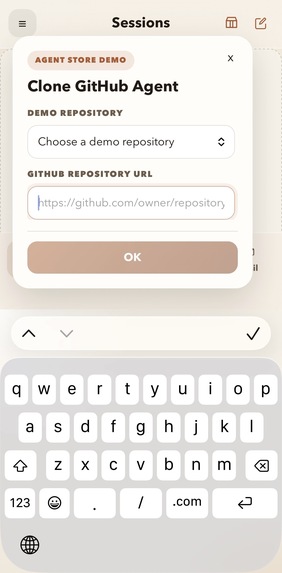
Agent Store
-
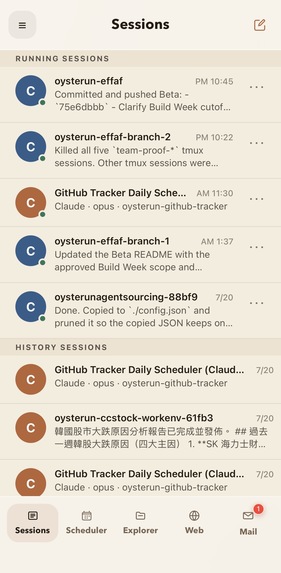
Sessions List
-
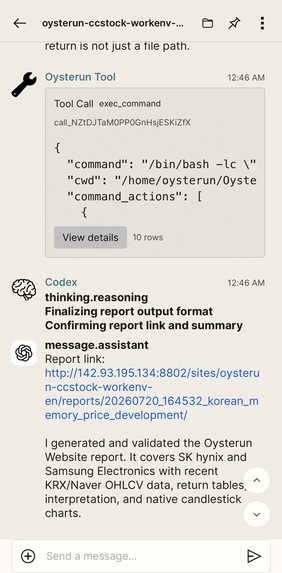
Session Chat Page
-
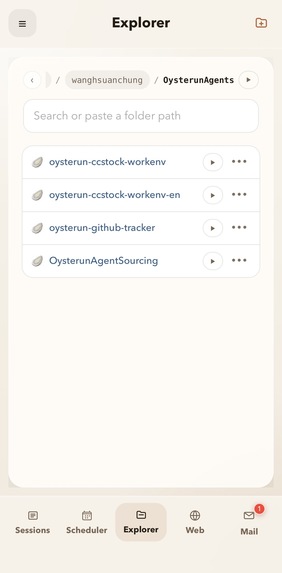
Explorer
-
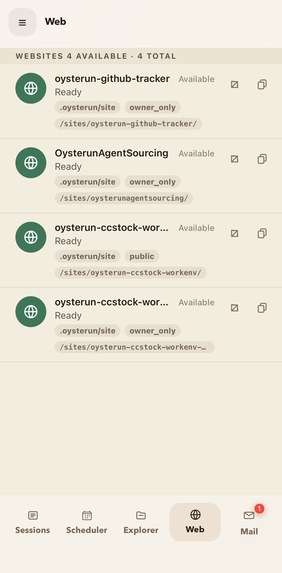
Websites
-
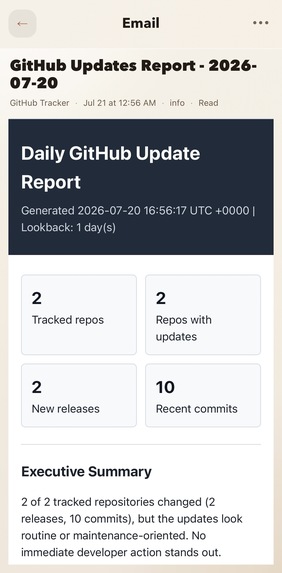
Mail Page
-
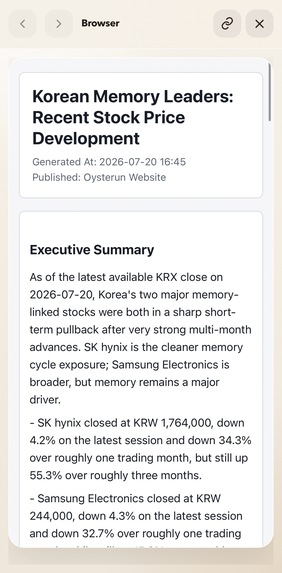
Web Page (html report viewer)
-
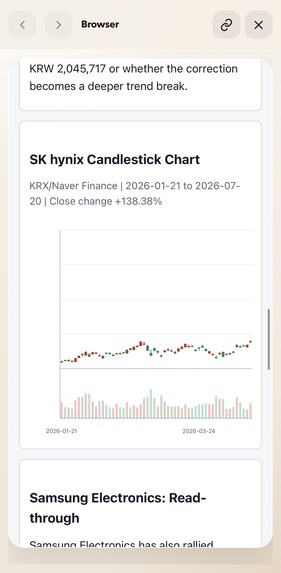
Web Page 2 (html report viewer)
-
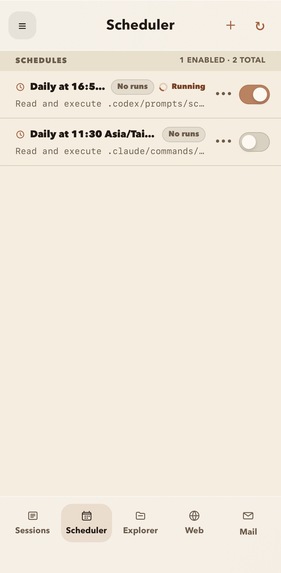
Scheduler List
-
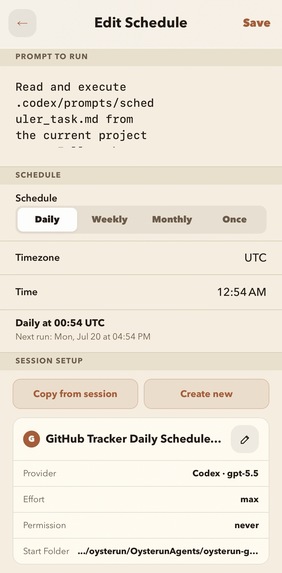
Scheduler Edit


Inspiration
A prompt can be copied. A skill can be installed. But what people actually need is an agent that works immediately.
That sounds obvious. In reality, it is surprisingly difficult.
A few months ago, I built a stock research agent. My goal was simple: I wanted my mother to press one button to use a stock research agent.
At first, this sounded like a prompting problem. It was not. The agent could already perform the research. The real problem was everything required to make that agent usable:
To make one agent usable, I unexpectedly had to solve:
- AI subscriptions
- Fixed IP or remote networking
- A web server to publish HTML reports
- Email delivery (SMTP)
- A scheduler to run every morning
That experience changed how I viewed AI agents. GitHub is full of impressive agent projects, but most people can only star them. Very few can actually use them. The models are already capable—the deployment experience is what keeps them out of everyday life.
That led to the central idea behind Oysterun:
The biggest barrier to mainstream AI agents is no longer AI capability. It is deployment.
Oysterun exists to close that gap.
What it does
Oysterun (Existing Platform)
Oysterun is an existing open-source deployment platform for AI agents. It provides the runtime, scheduling, websites, reports, notifications, and mobile access required to operate long-running agents.
Build Week Contribution — Oysterun AgentStore
During the Build Week submission period, we added the Oysterun AgentStore to the existing Oysterun platform, allowing anyone to clone, deploy, and operate complete AI agents on their own computer with one click.
- Available today:
- Stock Research Agent
- GitHub Repository Review
- Planned
- ClickUp Agent
- Travel Guide Agent
- Daily News Review
- Social Media Review
- Shopping Assistant
- Dating Assistant
- Community Uploads & GitHub Imports
For example, a Stock Research Agent can be cloned from the AgentStore, scheduled to run every morning, collect market information, generate an HTML report, publish it as a website, and notify the user when the report is ready. The user never has to manage terminals, schedulers, networking, or deployment infrastructure.
Agents continue running on the user's own Mac or Linux machine while remaining accessible from an iPhone or web browser.
How we built it
Apart from the traditional single-agent interactive development workflow, Oysterun also supports a persistent AI engineering team running on Oysterun itself, continuously, 24/7.
Oysterun has been developed with this workflow for more than three months. The Build Week submission extends the existing Oysterun platform using the same AI engineering workflow.
This workflow continued while I worked at my full-time job and even during a month-long trip across Switzerland, with the AI team running continuously on a Mac mini back home in Taiwan.
We also used this workflow throughout the Build Week submission period to maximize our development output.
AI Team
- Assistant x 2
- Project Manager x 1
- Team Lead x 1
- Engineer x 1 ~3
Development Loop
- Assistant2 collaborates with me to prepare detailed requirements, verification plans, and a TODO queue.
- Every two minutes, the Project Manager checks whether engineers are idle, reviews completed work, and requests the next task from the Team Lead.
- The Team Lead ensures it aligns with the project requirements and architectural direction.
- Engineers implement the assigned work and return it for verification, allowing the loop to continue automatically.
- Every 30 minutes, Assistant1 summarizes the team's overall progress, estimates completion percentage, and reports project status to me.
Every two minutes, a Project Manager agent wakes up, reviews progress, assigns new work, and keeps the engineering team moving without human intervention.
Once the requirements and verification plan were completed, I no longer needed to coordinate the engineering organization itself. I reviewed a summarized progress report roughly every 30 minutes and only intervened when product requirements changed.
During the Build Week submission period, the AI engineering team completed many of the major infrastructure tasks and large-scale refactoring work. This included the migration from JSON-based chat storage to SQLite, together with supporting implementation, verification, and integration work.
Challenges we ran into
The real challenge was not writing code with AI. It was building an engineering workflow that could keep improving without constant human coordination.
Since I have a full-time job and limited development time, the progress should be continued while I was away instead of waiting for me to coordinate every engineering task.
Verification blockers in a 24/7 AI development lifecycle.
The biggest blocker in autonomous AI software development is verification.
To keep the AI engineering team continuously moving without waiting for human intervention, I applied three strategies:
Separate tasks that can and cannot be automated.: Only tasks that can be verified confidently by the AI team should be fully automated or it will waste engineering time.
Separate development progress from verification progress.: The engineering team should not stop after every implementation waiting for verification.
Minimize manual verification effort.: Apart from AI team first round of auto-verification, it also prepares the verification environment and steps to enable me to review the task efficiently in a few batches.
Context pollution for agents
Initially, the Project Manager was responsible for both operational work—such as coordinating the team and running the scheduling loop—and decision work, including requirement alignment and verification.
I found that constantly switching between operational coordination and technical reasoning polluted the agent's context and significantly reduced its decision quality.
To solve this, I introduced a dedicated Team Lead responsible for architectural decisions, verification.
This separation significantly improved decision quality because each agent only needed to maintain the context required for its own responsibility.
Accomplishments that we're proud of
A cloneable AgentStore is now a reality. During the Build Week submission period, we added a cloneable AgentStore to Oysterun, allowing my mom to clone and use a stock research agent with one click.
We proved that a persistent AI engineering organization can continuously build production software while being managed remotely from a phone.
What we learned
Deployment is now more important than prompting: The biggest obstacle to AI agents is no longer model capability. Once an agent becomes useful, deployment quickly becomes the dominant problem.
Context management is becoming more important than model capability: As AI engineering teams grow, performance depends less on using a better model and more on giving each agent the right context for its responsibility.
Designing the verification workflow is the key to maximizing automation: The goal is not to automate every verification task. It is to automate everything leading up to the final human judgment while minimizing manual effort.
What's next for Oysterun
The next goal is simple: remove every remaining deployment step between discovering an agent and actually using it.
Today, every additional deployment requirement eliminates another group of potential users. Our roadmap is therefore focused on removing those barriers one by one.
Next milestones
- Android support — Bring the same experience to more users.
- One-click Tunnel Service — Every Host automatically receives a secure HTTPS endpoint under
oysterun.com, without requiring public IPs, domains, or reverse proxy configuration. - One-click Micro VM deployment — Launch isolated Firecracker microVMs for agents without requiring users to manage infrastructure.
- BYOS (Bring Your Own Subscription) — Continue allowing users to use their own OpenAI, Anthropic, or other AI subscriptions instead of locking them into a proprietary platform.
- Additional AI providers — Make working agents portable across different models and coding agents.
The long-term vision remains unchanged.
Anyone should be able to discover an agent, press one button, and immediately benefit from it—without understanding prompts, infrastructure, or deployment.


Log in or sign up for Devpost to join the conversation.