Find the Right Tool for Every Need

Discover tools matched to your business goals, workflows, and everyday challenges.

Top Projects Launching Today

New launches in
00h
:
00m
:
00s
Clonella logo

Clonella is an AI companion platform where you can create your own characters, chat with them, request images or videos, and interact through a social-style feed. Customize appearance, personality, voice, and behavior to create a more personal and dynamic experience.

Yesterday's Launches

MultiTool Pro logo

MultiTool Pro: The Ultimate All-in-One Toolkit MultiTool Pro is a revolutionary all-in-one utility application designed to consolidate over 80 professional tools, an advanced AI Hub, a built-in browser, various converters, and even games into a single, accessible platform. Its primary purpose is to eliminate the need for multiple individual apps, offering comprehensive functionality absolutely free. This powerful SaaS is ideal for a broad target audience, including students, professionals, and everyday users who seek to enhance productivity, streamline daily tasks, and access a wide range of utilities without any subscription fees or paywalls. Key Features Extensive Toolset (80+): Access advanced calculators, password generators, unit converters, QR code generators, BMI calculators, world clocks, and much more. Integrated AI Hub: Leverage AI for paraphrasing, grammar & spell checks, summarization, sentiment analysis, keyword extraction, readability checks, and text enhancement with six distinct modes. Massive Online Resources (100+): Directly access popular media streaming services (Netflix, Disney+), social platforms (Reddit, WhatsApp Web), TV/Radio, PDF tools, image/document editors, AI translation services, and gaming platforms (Steam, Roblox). Smart AI Assistant: Interact with an intelligent chatbot that understands every tool and supports voice input for seamless navigation and assistance. Premium User Experience: Enjoy features like dark/light themes, mutable sound effects, a searchable grid for tools, a random tool picker, and the ability to translate entire pages into 25+ languages. Use Cases MultiTool Pro serves a multitude of practical scenarios, significantly improving efficiency and convenience. For students and writers, the AI Hub is invaluable for refining essays, checking grammar, summarizing research papers, or generating Lorem Ipsum text for design mockups. Professionals can utilize tools like the JSON formatter, live currency converter, date difference calculator, or Base64 encoder/decoder for various technical and business tasks. The password generator ensures strong security, while the unit converter is perfect for quick measurements across different fields. Beyond productivity, MultiTool Pro also caters to entertainment and daily life. Users can access their favorite streaming services or gaming platforms directly within the app, eliminating the need to switch between applications. The world clock is essential for coordinating across time zones, and the IP geolocation tool provides quick geographical information. Even simple tasks like rolling dice or flipping a coin are covered, alongside a collection of fresh jokes for a quick break. Pricing Information MultiTool Pro operates on a completely free model. It is explicitly stated as "absolutely FREE – no paywalls, no subscriptions," "Free forever," and "No trial, no subscription." Users can download and utilize all 80+ tools and features without any cost. User Experience and Support The application prioritizes a user-friendly experience with customizable dark/light themes, optional sound effects, and a highly functional searchable grid that allows users to quickly find any tool. A unique random tool picker adds an element of discovery. The integrated Smart AI Assistant acts as a comprehensive guide, capable of answering questions about any tool and supporting voice input, effectively serving as an in-app support system. Additional support is available via the provided developer email. Technical Details While specific programming languages or frameworks are not detailed, MultiTool Pro's extensive feature set, including its AI Hub and integration with numerous online resources, suggests a robust architecture capable of handling diverse functionalities. The AI capabilities likely leverage advanced machine learning models for text processing and enhancement. Pros and Cons Pros: Extremely comprehensive, replacing dozens of individual apps. Completely free with no hidden costs or subscriptions. Powerful AI Hub for text processing and enhancement. Vast array of online resources integrated for convenience. User-friendly interface with customization options. Always updated with new features. Cons: The sheer number of tools might present a learning curve for new users. Reliance on internet connectivity for many online resources and AI features. Data safety information indicates sharing of Device or other IDs with third parties. Conclusion MultiTool Pro stands out as an unparalleled all-in-one utility, offering a vast array of free tools and AI capabilities to streamline daily tasks and enhance productivity across various domains. Its commitment to being perpetually free, combined with continuous updates, makes it an indispensable addition to any digital toolkit. Download MultiTool Pro now to consolidate your apps and experience comprehensive functionality without cost.

Last Week's Top

Stripto logo

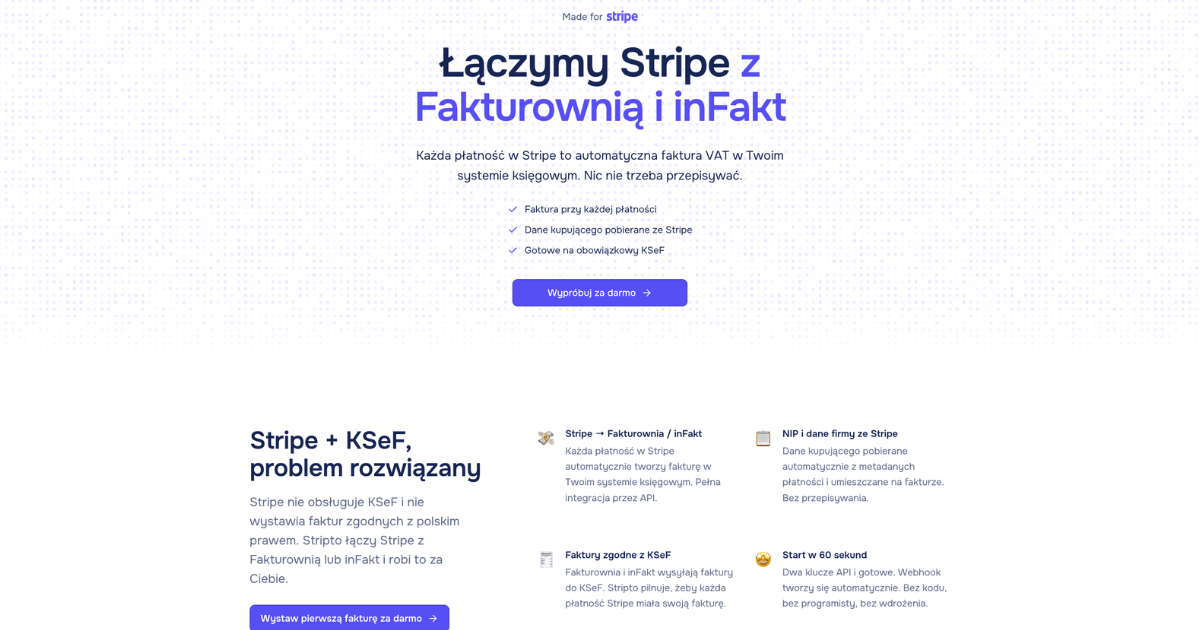
Brief Introduction Stripto is an innovative SaaS solution designed to seamlessly connect your Stripe account with Polish invoicing systems or directly with KSeF (National e-Invoicing System). Its primary purpose is to automate the generation of VAT invoices compliant with KSeF for every payment processed through Stripe, streamlining financial operations for businesses in Poland. Target Audience This service is ideal for freelancers, small to medium-sized businesses, and growing companies operating in Poland that utilize Stripe for processing payments and need to ensure full compliance with the mandatory KSeF regulations. Key Features Automated VAT Invoice Generation: Every Stripe payment automatically triggers the creation of a KSeF-compliant VAT invoice. KSeF Compliance: Offers direct integration with KSeF or via popular Polish accounting systems like Fakturownia, inFakt, and wFirma. Automatic Data Retrieval: NIP (Tax Identification Number) and company details are automatically pulled from Stripe payment metadata, eliminating manual data entry. Comprehensive Stripe Payment Support: Works with all Stripe payment types, including one-time payments, subscriptions, and payment links. EU B2B Reverse Charge: Automatically recognizes B2B transactions within the EU and applies the reverse charge mechanism on invoices. Secure Data Handling: Ensures the security of your data and API keys through encryption and minimal Stripe permissions (read-only access). Use Cases Stripto is particularly beneficial for e-commerce businesses in Poland that process a high volume of transactions via Stripe. It eliminates the tedious and error-prone manual creation of invoices after each sale, ensuring immediate KSeF compliance and freeing up valuable time for business owners. Freelancers and service providers offering subscription-based services or recurring payments through Stripe will find Stripto invaluable. It automates the entire invoicing process for these cyclical transactions, guaranteeing consistent compliance without any manual intervention. Furthermore, for companies engaging in cross-border B2B sales within the EU, Stripto simplifies complex invoicing by automatically applying the correct reverse charge, reducing the risk of errors and ensuring adherence to international tax regulations. Pricing Information Stripto operates on a tiered subscription model, offering plans tailored to different business needs. The "Mini" plan costs 19 PLN/month for up to 25 invoices, "Starter" is 39 PLN/month for up to 100 invoices, and "Pro" is 79 PLN/month for up to 1000 invoices. All plans include a free trial for the first 5 invoices, requiring no credit card to start. Users have the flexibility to change or cancel their plan at any time without hidden fees. User Experience and Support The platform boasts a simple and intuitive user interface, with setup described as taking less than a minute to connect Stripe and your chosen accounting system or KSeF. This ease of use is highlighted by testimonials praising its quick configuration and automation capabilities. While specific documentation or tutorial details are not extensively provided, the service offers direct support for inquiries ("Napisz do nas") and a "Pomoc (baza wiedzy)" section, indicating resources for users. Technical Details Stripto integrates with Stripe using a restricted API key, ensuring that the system only has read access to your account, preventing any unauthorized transfers or edits. It connects with Fakturownia, inFakt, and wFirma, or directly with KSeF, leveraging their respective API infrastructures. A strong emphasis is placed on data security, with API keys and integration tokens stored in encrypted form, and the assurance that customer card numbers are never accessed or stored by Stripto, remaining securely within Stripe. Pros and Cons Pros: Ensures full KSeF compliance for all Stripe payments. Significantly reduces manual workload and saves time through automation. Extremely quick and easy setup, often under 2 minutes. High level of data security with encrypted keys and minimal Stripe permissions. Supports diverse Stripe payment types and automates EU B2B reverse charge. Integrates with popular Polish accounting software. Cons: Primarily focused on the Polish market due to KSeF integration. Specific to Stripe as the payment gateway. Monthly invoice limits on plans may require upgrades for high-volume businesses. No free-forever tier, only a limited free trial. Conclusion Stripto provides an indispensable, automated solution for Polish businesses utilizing Stripe, ensuring seamless and compliant VAT invoicing with KSeF. Its combination of ease of use, robust feature set, and commitment to security makes it an invaluable tool for optimizing financial workflows. We encourage you to explore Stripto further by trying it for free and experiencing the benefits of automated invoicing.

Mog Omegle logo

Mog Omegle is an innovative AI-powered SaaS platform designed for comprehensive facial comparison. It allows users to upload two clear face photos and receive a detailed Perceived Sexual Market Value (PSL) rating, complete with an eight-dimension radar chart and a comparative verdict. This tool is ideal for individuals interested in objective facial aesthetics analysis, settling 'looks discourse' debates, or generating engaging social media content.Key Features:AI-driven PSL rating comparison for two faces (0-8 scale).Detailed eight-dimension radar chart (Symmetry, Harmony, Proportions, Skin quality, Facial structure, Averageness, Sexual dimorphism, Memorable features).Comparative verdict line for easy understanding.Choice of 'Scientific' or 'Roast' commentary modes.Exportable shareable PNG result card for social media.Privacy-focused: photos are not stored after processing.Use Cases:Mog Omegle serves as a unique tool for quantifying subjective facial aesthetics. Users can leverage it to settle friendly debates about perceived attractiveness, comparing themselves or others side-by-side. It's also perfect for content creators looking to generate engaging, data-backed posts for social media, providing a visual and numerical breakdown of facial features.The platform helps users understand the specific aspects contributing to overall facial harmony and structure, moving beyond mere subjective opinions to a more analytical perspective. Whether for personal curiosity or public discussion, Mog Omegle offers a consistent rubric for evaluating faces.Pricing Information:Each full comparison on Mog Omegle costs 20 credits. While new accounts receive welcome credits, the service operates on a credit-based, paid model for ongoing use. There is no explicit mention of a free trial or money-back guarantee.User Experience and Support:The user experience is streamlined: simply upload two front-facing photos, select your desired analysis mode (scientific or roast), and the AI generates the results. The platform then presents overall scores, a comparison line, individual breakdowns, and an intuitive radar overlay, all bundled into a downloadable PNG card. The process is designed for ease of use, making complex facial analysis accessible.Technical Details:Mog Omegle utilizes advanced AI for multimodal evaluation of facial features. While specific programming languages or frameworks are not detailed, its core functionality relies on sophisticated image recognition and machine learning algorithms to process and score faces across the eight defined dimensions.Pros and Cons:Pros:Provides objective, AI-driven facial analysis.Detailed eight-dimension breakdown offers deep insights.Shareable PNG results for social media engagement.Two distinct commentary modes (scientific/roast).Focus on user privacy; photos are not stored.Cons:Credit-based system requires payment for extensive use.AI results may not perfectly align with human subjective taste.No explicit mention of extensive customer support or tutorials.Conclusion:Mog Omegle offers a compelling and unique service for anyone interested in the analytical comparison of facial aesthetics. Its AI-powered insights, detailed radar charts, and shareable results make it a powerful tool for both personal exploration and social engagement. Explore Mog Omegle today to gain a new perspective on facial harmony and structure.

PDF to MD Converter logo

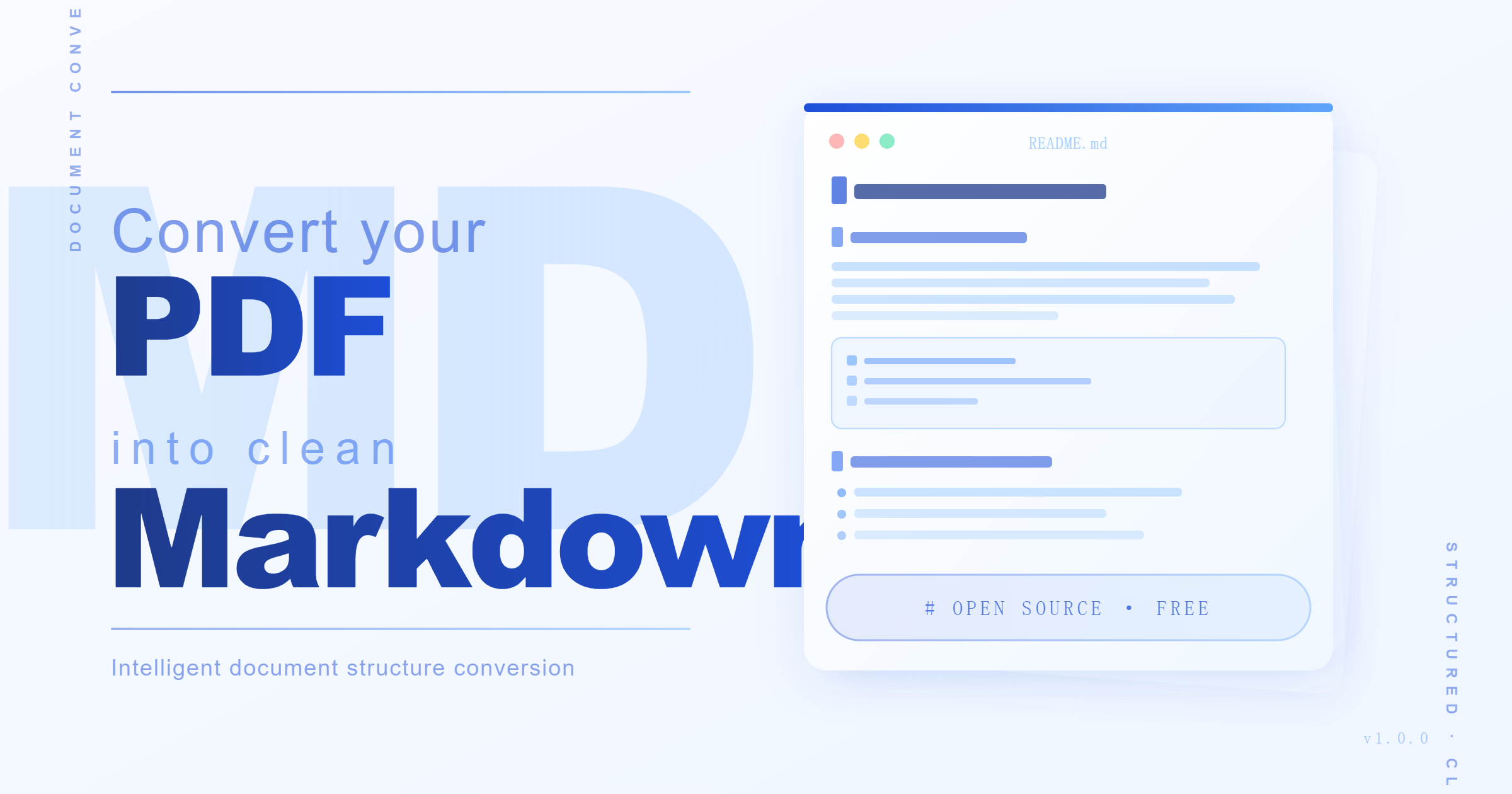
Introduction PDF to MD Converter is an AI-powered SaaS solution designed to transform complex PDF documents into clean, structured Markdown. It offers high accuracy in preserving document hierarchy, tables, and images, making content easier to edit, search, and reuse. This tool is ideal for researchers, students, developers, technical writers, and knowledge teams. Key Features AI-based layout detection and vision language models for high accuracy (95%+). Supports long PDFs (hundreds of pages) with efficient background processing. Preserves tables, images, headings, and reading order for structured output. Currently supports both Chinese and English languages. Generates Markdown optimized for AI-assisted writing and analysis workflows. Offers 100 free credits for logged-in users to get started. Use Cases Researchers and students can leverage the PDF to MD Converter to transform academic papers, lecture notes, and extensive reading packets into easily searchable and summarizable Markdown. This significantly streamlines study and analysis workflows, making content more accessible for review and integration into personal knowledge bases. Documentation teams will find this tool invaluable for migrating PDF manuals, release notes, and legacy guides into modern documentation systems, websites, and knowledge bases. It ensures that critical information retains its structure and can be efficiently updated, searched, and published. For businesses, the converter facilitates the transformation of reports, policy documents, and internal knowledge archives into structured Markdown. This improves content review processes, enhances internal search capabilities, and provides cleaner input for AI analysis, ultimately boosting overall content management and collaboration. Pricing Information The PDF to MD Converter operates on a credit-based system, where each PDF page costs 1 credit. Logged-in users receive 100 free credits upon first login, sufficient for 100 pages. Monthly subscription plans are available: Basic Monthly (300 pages for $9), Pro Monthly (1,000 pages for $19), and Team Monthly (3,000 pages for $49). Users also have the option to purchase extra credit packs as needed. User Experience and Support The platform offers a straightforward conversion workflow: users upload a PDF, the AI parses it in the background, and the result is available for preview and download on a dedicated task page. The user interface is designed for ease of use, handling complex OCR-style parsing and model work behind the scenes. While specific documentation or direct support channels are not explicitly detailed, the intuitive process aims to make the tool accessible for ordinary users. Technical Details The converter leverages advanced AI layout detection and vision language models to ensure high-quality Markdown output. It processes files asynchronously, allowing users to leave the homepage while long PDFs are handled in the background. Source PDFs are securely uploaded to private Cloudflare R2 storage, and the output includes generated Markdown along with an asset archive for extracted images. Pros and Cons Pros: High accuracy (95%+) in preserving document structure, including headings, tables, and images. AI-powered conversion provides superior output quality compared to basic text extractors. Supports long and complex PDFs with efficient background processing. Handles multiple languages (Chinese and English). Generates structured Markdown ideal for AI tools and knowledge bases. Offers free credits for new users to try the service. Cons: Credit-based system means costs for extensive or frequent use. Specific support channels or detailed documentation are not explicitly mentioned. May not be the cheapest or fastest option for very simple, plain text PDF extractions. Output quality is dependent on the clarity and structure of the source PDF document. Conclusion The PDF to MD Converter stands out for its AI-driven approach to delivering highly accurate and structured Markdown from PDFs. It's an invaluable tool for anyone needing to transform static PDF content into an editable, searchable, and AI-ready format, significantly enhancing productivity and content utility. Explore its capabilities with free credits today and experience the difference AI-based conversion makes.

CoveragePush logo

CoveragePush.com is a premier SaaS platform designed to dramatically boost your business's online visibility, authority, and search engine rankings. It achieves this by securing placements on hundreds of high-authority news and media publications, enhancing your brand's credibility and digital footprint. This service is ideal for businesses, startups, coaches, consultants, and e-commerce stores that are looking to improve their SEO, gain social proof, and ensure their brand is recognized by search engines and AI tools like ChatGPT, Perplexity, and Gemini. Key Features Get featured on 500+ high-authority publications including Yahoo Finance, Business Insider, and AP News. Boost your Domain Rating (DR), SEO rankings, social proof, and AI visibility. Professional, custom-written articles by experienced writers. Comprehensive report with all live links and Google ranking data. "As Seen On" trust badge for instant website credibility. Guaranteed placements on elite news networks with a 100% Money-Back Guarantee. Use Cases Many businesses struggle with online invisibility because search engines and AI tools require backlinks and authoritative content to recognize a brand. CoveragePush.com directly addresses this by generating powerful backlinks from trusted sites, which Google interprets as votes of confidence. This moves your business from obscurity to the first page of search results, making it verifiable for potential customers who might otherwise turn to competitors. For brands aiming to attract investors, launch new products, or make major announcements, CoveragePush.com provides the maximum authority needed. By securing features on top-tier outlets like Yahoo Finance and Business Insider, it builds instant credibility that can be leveraged for significant business milestones. Furthermore, with content about your brand on trusted sites, you ensure that AI platforms like ChatGPT and Gemini will include your business in their recommendations, expanding your reach to a new generation of searchers. Pricing Information CoveragePush.com operates on a simple, transparent one-time payment model with no recurring fees. Packages include Starter ($249 for 100+ outlets), Growth ($499 for 200+ outlets including AP News, FOX, ABC, NBC local stations), and Authority ($899 for 300+ premium outlets including Yahoo Finance, Business Insider, and AP News). All packages include a professional article, permanent media features, a full report, and Google AI listing. A 100% Money-Back Guarantee backs guaranteed placements. User Experience and Support The service is designed for ease of use, requiring no account or login and taking only two minutes to get started. Users simply provide their name, website, and a one-sentence description of their business. A dedicated support team is available to assist at every step, ensuring a smooth and efficient publishing process. Results are typically delivered within 5-14 business days, depending on the chosen package. Technical Details While specific programming languages or frameworks are not disclosed, CoveragePush.com leverages advanced SEO strategies and a vast network of verified news outlets to achieve its results. The platform focuses on generating high Domain Authority backlinks and ensuring content is optimized for both traditional search engines and modern AI visibility algorithms. Pros Rapid authority and visibility building (5-14 business days). Access to a network of 500+ high-authority publications (DA up to 94). Significant boost in SEO rankings and AI visibility. Professional article writing included, saving time and effort. 100% Money-Back Guarantee for guaranteed placements. Provides "As Seen On" badge to enhance website trust and conversions. One-time payment model with no hidden fees. Cons No free trial or freemium option available. Specific control over article content might be limited as it's professionally written by their team. Conclusion CoveragePush.com offers an unparalleled solution for businesses seeking to establish strong online authority, improve search engine rankings, and gain crucial AI visibility. By streamlining the process of getting featured on top media outlets, it provides a fast-track to enhanced credibility and increased organic traffic. Get started today to transform your brand's online presence and unlock new growth opportunities.

PerplexityAI logo

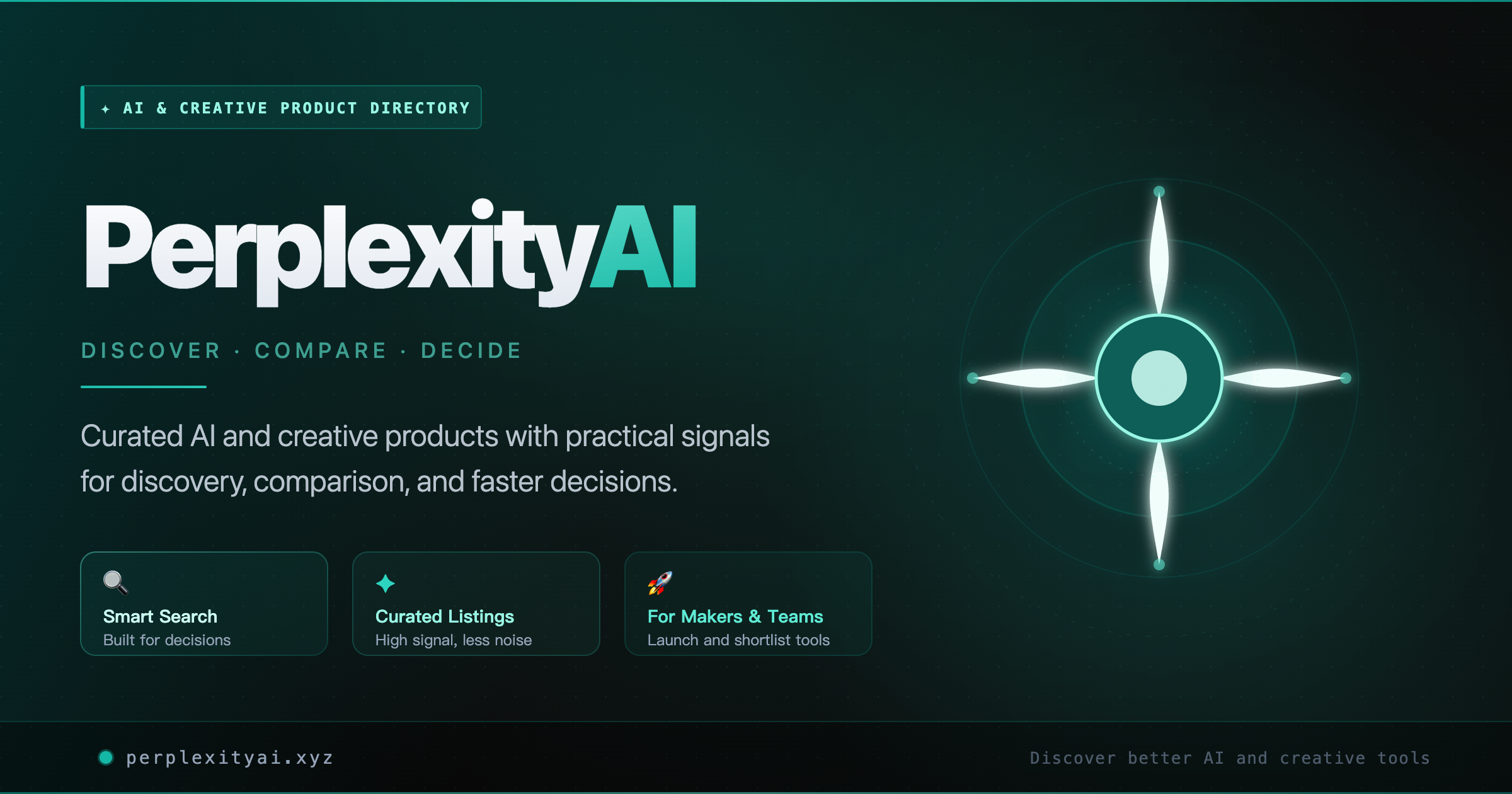
Introduction PerplexityAI is a comprehensive, curated navigation directory designed to help users discover, compare, and confidently choose from over 5000 handpicked AI and creative tools. It serves as an essential resource for anyone looking to streamline their search for innovative digital solutions. Target Audience This platform is ideal for individuals, developers, creators, and businesses seeking to find the right AI and creative tools across various use-case categories, facilitating fast search, clear comparison, and informed decision-making. Key Features Browse 5000+ handpicked AI and creative tools across 10+ use-case categories. Features dedicated sections for "Featured," "Newest," and "Most Used" products. Offers fast search capabilities and clear comparison points for listed tools. Includes a filter to easily discover "Free Tools" available on the platform. Provides premium placement options for creators seeking enhanced visibility. Curated collection ensures quality and relevance of listed products. Use Cases PerplexityAI is invaluable for professionals and enthusiasts alike who need to quickly identify specific AI tools for tasks such as design, marketing, development, or productivity. For instance, a graphic designer could use it to find AI-powered image generation tools, while a marketer might search for AI analytics platforms. It also serves as an excellent resource for comparing different solutions before making a commitment, helping users understand the landscape of available tools and their unique offerings. Furthermore, creators can leverage the platform to gain visibility for their own AI and creative products through submission and premium placement options. Pricing Information Browsing the extensive directory of AI and creative tools on PerplexityAI is completely free. For creators wishing to submit their products, there are premium placement options available, offering faster approval and better visibility within the directory. User Experience and Support PerplexityAI is built for a seamless user experience, emphasizing fast search and clear comparison to enable confident decisions. The intuitive interface allows users to easily navigate through categories, featured lists, and search results. While direct support options for the directory itself aren't explicitly detailed, the platform's design prioritizes ease of discovery and information access. Technical Details As a web-based directory, PerplexityAI leverages standard web technologies to provide its comprehensive listing and search functionalities. The platform is designed for accessibility and performance across various web browsers, ensuring a smooth experience for users exploring its vast collection of tools. Pros and Cons Pros: Extensive and diverse directory (5000+ tools), well-organized by categories, features curated and trending lists, free browsing for users, offers premium visibility for product creators, simplifies tool discovery. Cons: Lacks explicit user reviews/ratings for individual tools, direct side-by-side comparison features are not detailed, information relies on creator submissions, no direct support channels mentioned for directory users. Conclusion PerplexityAI stands out as a highly valuable resource for anyone navigating the rapidly evolving world of AI and creative tools. Its curated approach and extensive database simplify the process of finding, comparing, and selecting the perfect solution for your needs. Explore PerplexityAI today to unlock a world of innovative possibilities.

Last Month's Top

Garden Letters logo

Garden Letters is an innovative SaaS platform designed to transform personal messages into rich, electronic letters. It allows users to combine their heartfelt words with beautiful floral designs, custom AI-generated background images, and optional AI-created music, making it perfect for expressing deep emotions that a plain text message cannot convey. This unique service caters to individuals seeking to add a special touch to their communications for love, anniversaries, apologies, friendship, family gratitude, and other significant personal moments. Key Features AI-Powered Personalization: Generate custom background images from mood, color, season, and story prompts. Text-to-Song Generation: Turn your letter's text into lyrics and create a unique song to accompany the message. Rich Visual Design: Choose from various floral designs, card styles, and typography to perfectly match the letter's sentiment. Ceremonial Opening Experience: Recipients open a sealed electronic envelope, enhancing the anticipation and impact of the message. Privacy-First Approach: Non-public letters remain private, with options for share codes and exclusion from the Public Garden. Versatile Sharing & Saving: Share via a sealed link, download as an image, or keep letters privately in your personal garden. Use Cases Garden Letters excels in scenarios where a standard message feels insufficient. For romantic gestures, it provides a softer stage for confessions, allowing users to express love honestly with elegant floral designs and a personalized soundtrack. Similarly, for anniversaries or long-distance relationships, it helps preserve shared memories with a garden background and music that makes the moment feel cherished and revisitable. The platform is also invaluable for sensitive communications, such as apologies. It enables users to craft apology notes with care, revising wording and protecting the share with a considered link that conveys sincerity. For family gratitude or encouraging friends, Garden Letters transforms simple thanks or support into a memorable keepsake, combining readable words with soft visuals and gentle music, making the message feel deliberate and deeply appreciated. Pricing Information Garden Letters operates on a credit-based model for its advanced AI features, specifically for generating AI background images and AI songs. The required credits are clearly displayed before any generation process. Users can still utilize manual writing and preset design options without incurring these generation costs, offering flexibility for different needs and budgets. User Experience and Support The user interface of Garden Letters is designed for intuitive creation, guiding users from writing their message to selecting designs and adding music with live previews. The recipient's experience is a core part of the product's value, featuring a "ceremony of opening" where a sealed envelope unfolds to reveal the words, visuals, and optional music, creating a lasting impression. While specific support channels aren't detailed, the platform emphasizes ease of use and a guided creation process. Technical Details Garden Letters leverages artificial intelligence for its unique background image and song generation capabilities. While specific programming languages or frameworks are not disclosed, the service is delivered as a web-based application, accessible through standard web browsers. The AI models are integral to transforming text into lyrical songs and generating custom visual aesthetics based on user prompts. Pros and Cons Pros: Creates highly personalized and emotionally resonant electronic letters. Unique combination of text, custom visuals (AI-generated), and AI-generated music. Enhances the recipient's experience with a ceremonial opening. Strong emphasis on user privacy for sensitive communications. Versatile for various personal occasions (love, apologies, gratitude, encouragement). Cons: AI features require credits, adding to the cost for full functionality. No explicit mention of advanced customization beyond AI prompts and preset designs. Reliance on AI for unique elements might limit creative control for some users. No information provided on direct customer support channels. Conclusion Garden Letters offers a truly unique and heartfelt way to communicate, transforming simple messages into memorable, multimedia experiences. By blending personal words with AI-powered design and music, it provides an unparalleled platform for expressing deep emotions. Explore Garden Letters today to create a blooming letter that truly speaks volumes.

MultiTool Pro logo

MultiTool Pro: The Ultimate All-in-One Toolkit MultiTool Pro is a revolutionary all-in-one utility application designed to consolidate over 80 professional tools, an advanced AI Hub, a built-in browser, various converters, and even games into a single, accessible platform. Its primary purpose is to eliminate the need for multiple individual apps, offering comprehensive functionality absolutely free. This powerful SaaS is ideal for a broad target audience, including students, professionals, and everyday users who seek to enhance productivity, streamline daily tasks, and access a wide range of utilities without any subscription fees or paywalls. Key Features Extensive Toolset (80+): Access advanced calculators, password generators, unit converters, QR code generators, BMI calculators, world clocks, and much more. Integrated AI Hub: Leverage AI for paraphrasing, grammar & spell checks, summarization, sentiment analysis, keyword extraction, readability checks, and text enhancement with six distinct modes. Massive Online Resources (100+): Directly access popular media streaming services (Netflix, Disney+), social platforms (Reddit, WhatsApp Web), TV/Radio, PDF tools, image/document editors, AI translation services, and gaming platforms (Steam, Roblox). Smart AI Assistant: Interact with an intelligent chatbot that understands every tool and supports voice input for seamless navigation and assistance. Premium User Experience: Enjoy features like dark/light themes, mutable sound effects, a searchable grid for tools, a random tool picker, and the ability to translate entire pages into 25+ languages. Use Cases MultiTool Pro serves a multitude of practical scenarios, significantly improving efficiency and convenience. For students and writers, the AI Hub is invaluable for refining essays, checking grammar, summarizing research papers, or generating Lorem Ipsum text for design mockups. Professionals can utilize tools like the JSON formatter, live currency converter, date difference calculator, or Base64 encoder/decoder for various technical and business tasks. The password generator ensures strong security, while the unit converter is perfect for quick measurements across different fields. Beyond productivity, MultiTool Pro also caters to entertainment and daily life. Users can access their favorite streaming services or gaming platforms directly within the app, eliminating the need to switch between applications. The world clock is essential for coordinating across time zones, and the IP geolocation tool provides quick geographical information. Even simple tasks like rolling dice or flipping a coin are covered, alongside a collection of fresh jokes for a quick break. Pricing Information MultiTool Pro operates on a completely free model. It is explicitly stated as "absolutely FREE – no paywalls, no subscriptions," "Free forever," and "No trial, no subscription." Users can download and utilize all 80+ tools and features without any cost. User Experience and Support The application prioritizes a user-friendly experience with customizable dark/light themes, optional sound effects, and a highly functional searchable grid that allows users to quickly find any tool. A unique random tool picker adds an element of discovery. The integrated Smart AI Assistant acts as a comprehensive guide, capable of answering questions about any tool and supporting voice input, effectively serving as an in-app support system. Additional support is available via the provided developer email. Technical Details While specific programming languages or frameworks are not detailed, MultiTool Pro's extensive feature set, including its AI Hub and integration with numerous online resources, suggests a robust architecture capable of handling diverse functionalities. The AI capabilities likely leverage advanced machine learning models for text processing and enhancement. Pros and Cons Pros: Extremely comprehensive, replacing dozens of individual apps. Completely free with no hidden costs or subscriptions. Powerful AI Hub for text processing and enhancement. Vast array of online resources integrated for convenience. User-friendly interface with customization options. Always updated with new features. Cons: The sheer number of tools might present a learning curve for new users. Reliance on internet connectivity for many online resources and AI features. Data safety information indicates sharing of Device or other IDs with third parties. Conclusion MultiTool Pro stands out as an unparalleled all-in-one utility, offering a vast array of free tools and AI capabilities to streamline daily tasks and enhance productivity across various domains. Its commitment to being perpetually free, combined with continuous updates, makes it an indispensable addition to any digital toolkit. Download MultiTool Pro now to consolidate your apps and experience comprehensive functionality without cost.

Docusaurus logo

Docusaurus is an open-source static site generator designed to help developers and teams quickly build optimized documentation websites, blogs, and marketing pages. It empowers users to focus on content creation by leveraging modern web technologies and a pluggable architecture.Targeted at open-source projects, engineering teams, and anyone needing robust, versioned, and localized content sites, Docusaurus streamlines the process of publishing high-quality web content.Key Features Powered by MDX: Write documentation and blog posts using Markdown with embedded React components for rich, interactive content. Built Using React: Extend and customize your site's layout and functionality with familiar React components. Ready for Translations: Out-of-the-box localization support, compatible with Git, Crowdin, and other translation managers. Document Versioning: Maintain multiple versions of your documentation, keeping it in sync with project releases. Content Search: Integrated search functionality, proudly supporting Algolia for efficient content discovery. Pluggable Architecture: Design and customize your site while reusing data created by Docusaurus plugins.Use CasesDocusaurus is ideal for open-source projects like Redux, React Native, and Temporal, where maintaining comprehensive and up-to-date documentation is crucial. It allows project maintainers to easily manage content, support multiple versions, and provide localized experiences to a global audience. Companies like Supabase also leverage Docusaurus to build and maintain their product documentation efficiently, reducing the time spent on infrastructure and focusing on delivering valuable content.Beyond documentation, Docusaurus serves as an excellent tool for creating content-focused websites, personal blogs, and marketing pages. Its ability to embed React components within Markdown makes it versatile for interactive tutorials and dynamic content, while features like versioning and localization ensure scalability and reach for any content-driven initiative.Pricing InformationDocusaurus is an open-source project, making it free to use. While there's no direct pricing model, the community and project maintainers are supported through sponsorships, as highlighted by Temporal's contribution.User Experience and SupportUsers consistently praise Docusaurus for its ease of setup and use, allowing them to "focus on content" rather than complex configurations. Its intuitive approach makes it "simple to setup" and "friendly for new contributors." The project boasts a strong community with support available via Stack Overflow, Discord, and GitHub, ensuring users can find help and contribute to its ongoing development.Technical DetailsBuilt upon React, Docusaurus processes MDX files to generate static HTML, CSS, and JavaScript. This approach ensures optimized performance and easy deployment. Its pluggable architecture allows for deep customization and integration with various tools and services, making it a flexible choice for modern web development.Pros and Cons Pros: Optimized static site generation, MDX support for rich content, React extensibility, built-in localization and versioning, integrated search, strong community, easy to set up and maintain, ideal for documentation and content sites. Cons: Requires familiarity with React for advanced customization, primarily focused on static content generation (less suitable for highly dynamic, server-rendered applications without additional tooling).ConclusionDocusaurus stands out as a robust and developer-friendly solution for building and maintaining high-quality, content-focused websites. Its blend of modern web technologies, powerful features, and an active community makes it an excellent choice for anyone looking to create efficient, scalable, and well-documented online presences. Explore Docusaurus today to streamline your content delivery!

Stripto logo

Brief Introduction Stripto is an innovative SaaS solution designed to seamlessly connect your Stripe account with Polish invoicing systems or directly with KSeF (National e-Invoicing System). Its primary purpose is to automate the generation of VAT invoices compliant with KSeF for every payment processed through Stripe, streamlining financial operations for businesses in Poland. Target Audience This service is ideal for freelancers, small to medium-sized businesses, and growing companies operating in Poland that utilize Stripe for processing payments and need to ensure full compliance with the mandatory KSeF regulations. Key Features Automated VAT Invoice Generation: Every Stripe payment automatically triggers the creation of a KSeF-compliant VAT invoice. KSeF Compliance: Offers direct integration with KSeF or via popular Polish accounting systems like Fakturownia, inFakt, and wFirma. Automatic Data Retrieval: NIP (Tax Identification Number) and company details are automatically pulled from Stripe payment metadata, eliminating manual data entry. Comprehensive Stripe Payment Support: Works with all Stripe payment types, including one-time payments, subscriptions, and payment links. EU B2B Reverse Charge: Automatically recognizes B2B transactions within the EU and applies the reverse charge mechanism on invoices. Secure Data Handling: Ensures the security of your data and API keys through encryption and minimal Stripe permissions (read-only access). Use Cases Stripto is particularly beneficial for e-commerce businesses in Poland that process a high volume of transactions via Stripe. It eliminates the tedious and error-prone manual creation of invoices after each sale, ensuring immediate KSeF compliance and freeing up valuable time for business owners. Freelancers and service providers offering subscription-based services or recurring payments through Stripe will find Stripto invaluable. It automates the entire invoicing process for these cyclical transactions, guaranteeing consistent compliance without any manual intervention. Furthermore, for companies engaging in cross-border B2B sales within the EU, Stripto simplifies complex invoicing by automatically applying the correct reverse charge, reducing the risk of errors and ensuring adherence to international tax regulations. Pricing Information Stripto operates on a tiered subscription model, offering plans tailored to different business needs. The "Mini" plan costs 19 PLN/month for up to 25 invoices, "Starter" is 39 PLN/month for up to 100 invoices, and "Pro" is 79 PLN/month for up to 1000 invoices. All plans include a free trial for the first 5 invoices, requiring no credit card to start. Users have the flexibility to change or cancel their plan at any time without hidden fees. User Experience and Support The platform boasts a simple and intuitive user interface, with setup described as taking less than a minute to connect Stripe and your chosen accounting system or KSeF. This ease of use is highlighted by testimonials praising its quick configuration and automation capabilities. While specific documentation or tutorial details are not extensively provided, the service offers direct support for inquiries ("Napisz do nas") and a "Pomoc (baza wiedzy)" section, indicating resources for users. Technical Details Stripto integrates with Stripe using a restricted API key, ensuring that the system only has read access to your account, preventing any unauthorized transfers or edits. It connects with Fakturownia, inFakt, and wFirma, or directly with KSeF, leveraging their respective API infrastructures. A strong emphasis is placed on data security, with API keys and integration tokens stored in encrypted form, and the assurance that customer card numbers are never accessed or stored by Stripto, remaining securely within Stripe. Pros and Cons Pros: Ensures full KSeF compliance for all Stripe payments. Significantly reduces manual workload and saves time through automation. Extremely quick and easy setup, often under 2 minutes. High level of data security with encrypted keys and minimal Stripe permissions. Supports diverse Stripe payment types and automates EU B2B reverse charge. Integrates with popular Polish accounting software. Cons: Primarily focused on the Polish market due to KSeF integration. Specific to Stripe as the payment gateway. Monthly invoice limits on plans may require upgrades for high-volume businesses. No free-forever tier, only a limited free trial. Conclusion Stripto provides an indispensable, automated solution for Polish businesses utilizing Stripe, ensuring seamless and compliant VAT invoicing with KSeF. Its combination of ease of use, robust feature set, and commitment to security makes it an invaluable tool for optimizing financial workflows. We encourage you to explore Stripto further by trying it for free and experiencing the benefits of automated invoicing.

PDF to MD Converter logo

Introduction PDF to MD Converter is an AI-powered SaaS solution designed to transform complex PDF documents into clean, structured Markdown. It offers high accuracy in preserving document hierarchy, tables, and images, making content easier to edit, search, and reuse. This tool is ideal for researchers, students, developers, technical writers, and knowledge teams. Key Features AI-based layout detection and vision language models for high accuracy (95%+). Supports long PDFs (hundreds of pages) with efficient background processing. Preserves tables, images, headings, and reading order for structured output. Currently supports both Chinese and English languages. Generates Markdown optimized for AI-assisted writing and analysis workflows. Offers 100 free credits for logged-in users to get started. Use Cases Researchers and students can leverage the PDF to MD Converter to transform academic papers, lecture notes, and extensive reading packets into easily searchable and summarizable Markdown. This significantly streamlines study and analysis workflows, making content more accessible for review and integration into personal knowledge bases. Documentation teams will find this tool invaluable for migrating PDF manuals, release notes, and legacy guides into modern documentation systems, websites, and knowledge bases. It ensures that critical information retains its structure and can be efficiently updated, searched, and published. For businesses, the converter facilitates the transformation of reports, policy documents, and internal knowledge archives into structured Markdown. This improves content review processes, enhances internal search capabilities, and provides cleaner input for AI analysis, ultimately boosting overall content management and collaboration. Pricing Information The PDF to MD Converter operates on a credit-based system, where each PDF page costs 1 credit. Logged-in users receive 100 free credits upon first login, sufficient for 100 pages. Monthly subscription plans are available: Basic Monthly (300 pages for $9), Pro Monthly (1,000 pages for $19), and Team Monthly (3,000 pages for $49). Users also have the option to purchase extra credit packs as needed. User Experience and Support The platform offers a straightforward conversion workflow: users upload a PDF, the AI parses it in the background, and the result is available for preview and download on a dedicated task page. The user interface is designed for ease of use, handling complex OCR-style parsing and model work behind the scenes. While specific documentation or direct support channels are not explicitly detailed, the intuitive process aims to make the tool accessible for ordinary users. Technical Details The converter leverages advanced AI layout detection and vision language models to ensure high-quality Markdown output. It processes files asynchronously, allowing users to leave the homepage while long PDFs are handled in the background. Source PDFs are securely uploaded to private Cloudflare R2 storage, and the output includes generated Markdown along with an asset archive for extracted images. Pros and Cons Pros: High accuracy (95%+) in preserving document structure, including headings, tables, and images. AI-powered conversion provides superior output quality compared to basic text extractors. Supports long and complex PDFs with efficient background processing. Handles multiple languages (Chinese and English). Generates structured Markdown ideal for AI tools and knowledge bases. Offers free credits for new users to try the service. Cons: Credit-based system means costs for extensive or frequent use. Specific support channels or detailed documentation are not explicitly mentioned. May not be the cheapest or fastest option for very simple, plain text PDF extractions. Output quality is dependent on the clarity and structure of the source PDF document. Conclusion The PDF to MD Converter stands out for its AI-driven approach to delivering highly accurate and structured Markdown from PDFs. It's an invaluable tool for anyone needing to transform static PDF content into an editable, searchable, and AI-ready format, significantly enhancing productivity and content utility. Explore its capabilities with free credits today and experience the difference AI-based conversion makes.

Subscribe to Newsletter

Subscribe to our newsletter to get the best products weekly.

Latest Blogs