Stop sending silent PDFs.
Add a video walkthrough, track opens in real-time, and see exactly how people engage with your documents.


Add Context That Converts
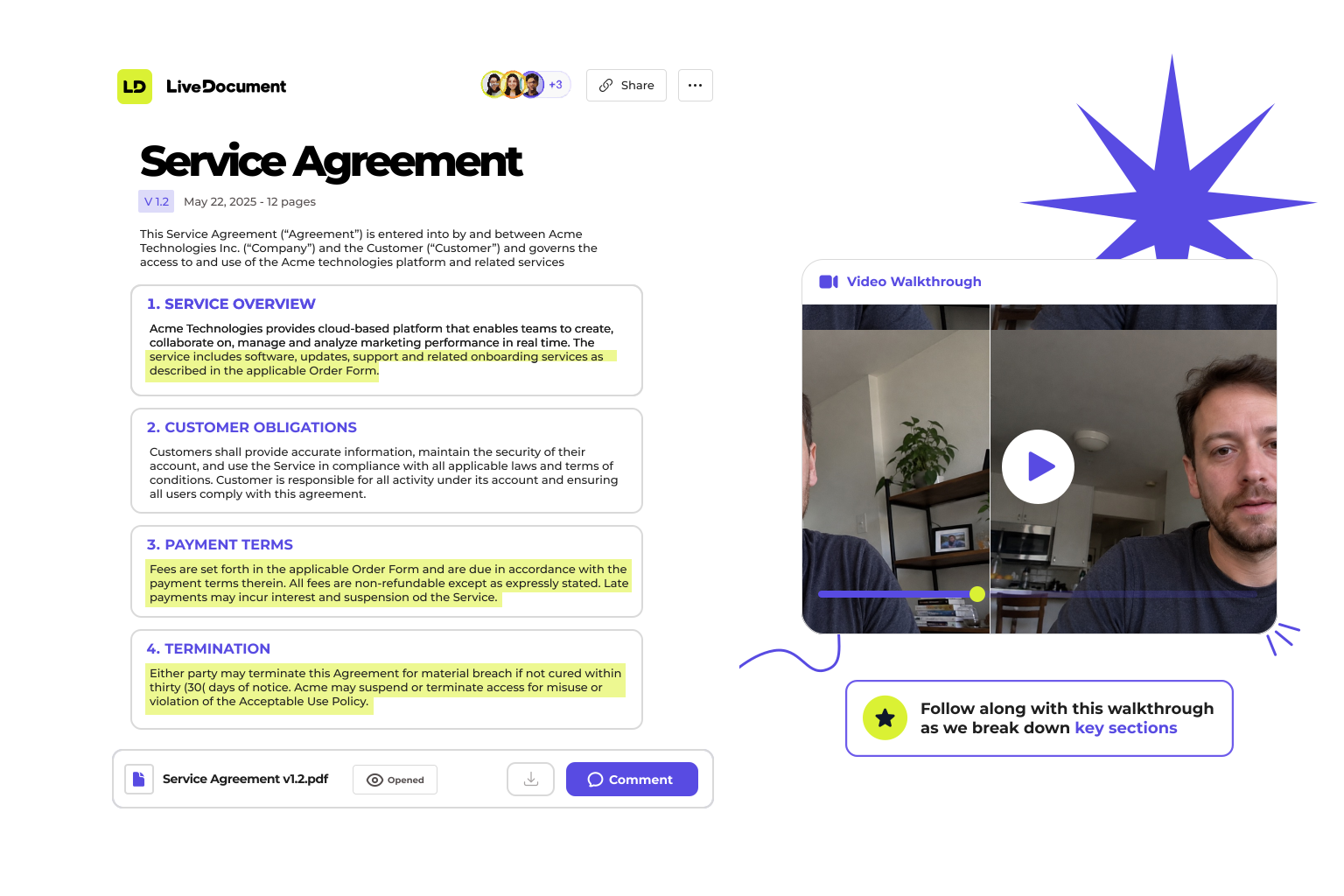
Record a short video to explain what matters, walk someone through a proposal, or replace a call with a clear explanation.
Real-Time Alerts
Get notified the moment someone opens your document. Follow up at exactly the right time.

Email Collection
Require an email before viewing. Turn anonymous viewers into known leads.
See How People Engage
Understand what people spend time on, and what they skip. Get page-level view times and actionable insights.
- Page-level view time
- Clear, readable activity feed
- Enough insight to guide a follow-up

Built for people who send documents that matter
Send proposals that actually get read
Walk prospects through your pricing, address objections in your own voice, and know exactly when they lingered on the numbers.
Deliver reports without a follow-up call
Record your findings once. Clients can revisit any insight by clicking the highlights — no need to schedule another hour.
Explain complex documents without jargon
Highlight critical clauses and narrate what they mean. Clients click a section, hear your explanation instantly — fewer misunderstandings, faster sign-off.
Make investor decks actually watchable
Narrate your projections, highlight your traction slides, and see which investors spent time on what. Know who's serious before the call.
Loved by people who send documents
Founders, sales teams and advisors use LiveDocument to make every document explain itself.
“Our client managers are always firing off fairly heavy PDFs to their POCs. So getting open notifications and seeing which pages they spent time on are super useful nuggets of info for our team.”
“So so so helpful seeing which pages clients spend the most time on!”
“Seeing exactly which page someone got stuck on is a superpower I didn't know I needed. @livedocument”
“@livedocument shows me which page pupils got stuck on, so I plan lessons already knowing which parts they found tricky.”
“Clicked a highlight, jumped straight to that bit of the video. @livedocument gets it.”
“One link instead of a doc plus a huge email is soooo much better.”
“LiveDocument saves me a lot of back and forth over contracts”
“Our client managers are always firing off fairly heavy PDFs to their POCs. So getting open notifications and seeing which pages they spent time on are super useful nuggets of info for our team.”
“So so so helpful seeing which pages clients spend the most time on!”
“Seeing exactly which page someone got stuck on is a superpower I didn't know I needed. @livedocument”
“@livedocument shows me which page pupils got stuck on, so I plan lessons already knowing which parts they found tricky.”
“Clicked a highlight, jumped straight to that bit of the video. @livedocument gets it.”
“One link instead of a doc plus a huge email is soooo much better.”
“LiveDocument saves me a lot of back and forth over contracts”
“Our client managers are always firing off fairly heavy PDFs to their POCs. So getting open notifications and seeing which pages they spent time on are super useful nuggets of info for our team.”
“So so so helpful seeing which pages clients spend the most time on!”
“Seeing exactly which page someone got stuck on is a superpower I didn't know I needed. @livedocument”
“@livedocument shows me which page pupils got stuck on, so I plan lessons already knowing which parts they found tricky.”
“Clicked a highlight, jumped straight to that bit of the video. @livedocument gets it.”
“One link instead of a doc plus a huge email is soooo much better.”
“LiveDocument saves me a lot of back and forth over contracts”
“Our client managers are always firing off fairly heavy PDFs to their POCs. So getting open notifications and seeing which pages they spent time on are super useful nuggets of info for our team.”
“So so so helpful seeing which pages clients spend the most time on!”
“Seeing exactly which page someone got stuck on is a superpower I didn't know I needed. @livedocument”
“@livedocument shows me which page pupils got stuck on, so I plan lessons already knowing which parts they found tricky.”
“Clicked a highlight, jumped straight to that bit of the video. @livedocument gets it.”
“One link instead of a doc plus a huge email is soooo much better.”
“LiveDocument saves me a lot of back and forth over contracts”
“So so so helpful seeing which pages clients spend the most time on!”
“Seeing exactly which page someone got stuck on is a superpower I didn't know I needed. @livedocument”
“@livedocument shows me which page pupils got stuck on, so I plan lessons already knowing which parts they found tricky.”
“Clicked a highlight, jumped straight to that bit of the video. @livedocument gets it.”
“One link instead of a doc plus a huge email is soooo much better.”
“LiveDocument saves me a lot of back and forth over contracts”
“Our client managers are always firing off fairly heavy PDFs to their POCs. So getting open notifications and seeing which pages they spent time on are super useful nuggets of info for our team.”
“So so so helpful seeing which pages clients spend the most time on!”
“Seeing exactly which page someone got stuck on is a superpower I didn't know I needed. @livedocument”
“@livedocument shows me which page pupils got stuck on, so I plan lessons already knowing which parts they found tricky.”
“Clicked a highlight, jumped straight to that bit of the video. @livedocument gets it.”
“One link instead of a doc plus a huge email is soooo much better.”
“LiveDocument saves me a lot of back and forth over contracts”
“Our client managers are always firing off fairly heavy PDFs to their POCs. So getting open notifications and seeing which pages they spent time on are super useful nuggets of info for our team.”
“So so so helpful seeing which pages clients spend the most time on!”
“Seeing exactly which page someone got stuck on is a superpower I didn't know I needed. @livedocument”
“@livedocument shows me which page pupils got stuck on, so I plan lessons already knowing which parts they found tricky.”
“Clicked a highlight, jumped straight to that bit of the video. @livedocument gets it.”
“One link instead of a doc plus a huge email is soooo much better.”
“LiveDocument saves me a lot of back and forth over contracts”
“Our client managers are always firing off fairly heavy PDFs to their POCs. So getting open notifications and seeing which pages they spent time on are super useful nuggets of info for our team.”
“So so so helpful seeing which pages clients spend the most time on!”
“Seeing exactly which page someone got stuck on is a superpower I didn't know I needed. @livedocument”
“@livedocument shows me which page pupils got stuck on, so I plan lessons already knowing which parts they found tricky.”
“Clicked a highlight, jumped straight to that bit of the video. @livedocument gets it.”
“One link instead of a doc plus a huge email is soooo much better.”
“LiveDocument saves me a lot of back and forth over contracts”
“Our client managers are always firing off fairly heavy PDFs to their POCs. So getting open notifications and seeing which pages they spent time on are super useful nuggets of info for our team.”
Enterprise-grade security, built in
Every document you send is encrypted in transit and at rest, backed by independently audited controls and the compliance standards your legal and security teams already trust.
- HIPAA compliant
- GDPR compliant
- ISO 27001 certified
- SOC 2 · AICPA SOC


Frequently asked questions
LiveDocument embeds a lightweight tracking pixel and JavaScript snippet into your shared documents. When a recipient opens the link, you'll see exactly who viewed it, when, and how long they spent on each section — all in real time.
Yes. LiveDocument supports PDFs, slide decks, proposals, and web-based documents. Simply upload your file, record or attach a video walkthrough, and share the link. Recipients can watch your narration alongside the document.
You'll receive instant notifications via email or in-app alerts the moment someone opens your document. You can also see which pages they viewed, how long they spent, and whether they re-visited specific sections.
Sign up, upload your first document, and optionally record a video walkthrough. You'll get a shareable link instantly, and you can start tracking views immediately.
Find answers to some of the most common questions about LiveDocument and how it works.
We're here to help with your questions and support you in getting started with LiveDocument.
Ask a questionReady to get started?
Create your first LiveDocument in minutes.
