CoverageBook updates
www.coveragebook.com

We've added Folder and Report name columns to our CSV data


New


When you export a CSV of data from the Coverage Vault, it'll now include two extra columns for report and folder name. This helps give you much more context for each clip in the CSV, showing the report, section and folder that each clip has been added to!
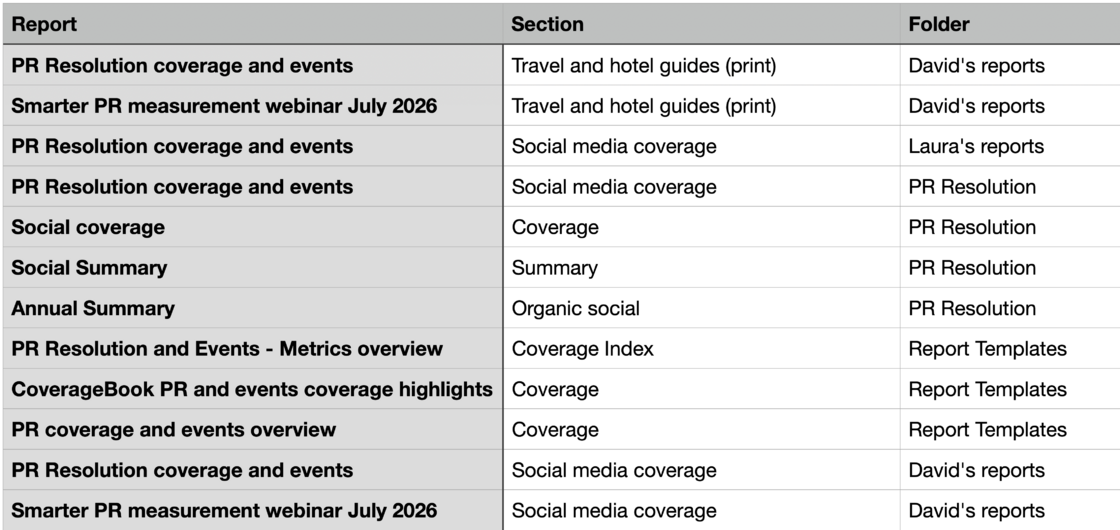
Screenshot 2026-07-29 at 16.22.53.png

For more info on how to export data to CSV and spreadsheet check out our guide on this here!

Password protect your shared reports


New


We've enhanced the security of reports by adding password protection! Head to the Settings page of your report and you can secure the share link with a password of your choice.

GIF_password protection.gif

Check our our guide on setting a password for your reports here!

Track which PR activity led to your coverage


New


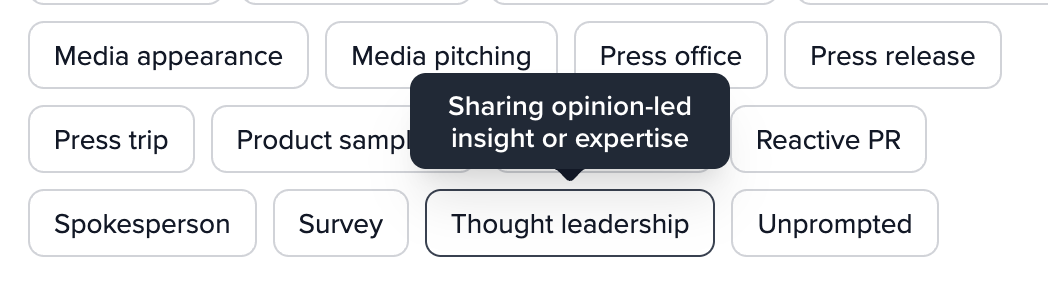
What tactic or action led to your coverage? Adding PR activity tags helps you record what drove each piece of coverage. For example, a mention might come from a product launch, an event, a thought leadership piece, or feature a key spokesperson.

Adding this context gives you a clearer way to group coverage by the activity behind it, not just by when it appeared or where it was published.

This is part of our wider set of analysis features including coverage type, brand prominence and sentiment.

Learn more about tagging your PR activities here .

Screenshot 2026-06-10 at 15.34.28.png

Screenshot 2026-06-10 at 15.35.23.png

Show the prominence of your brand's mentions


New


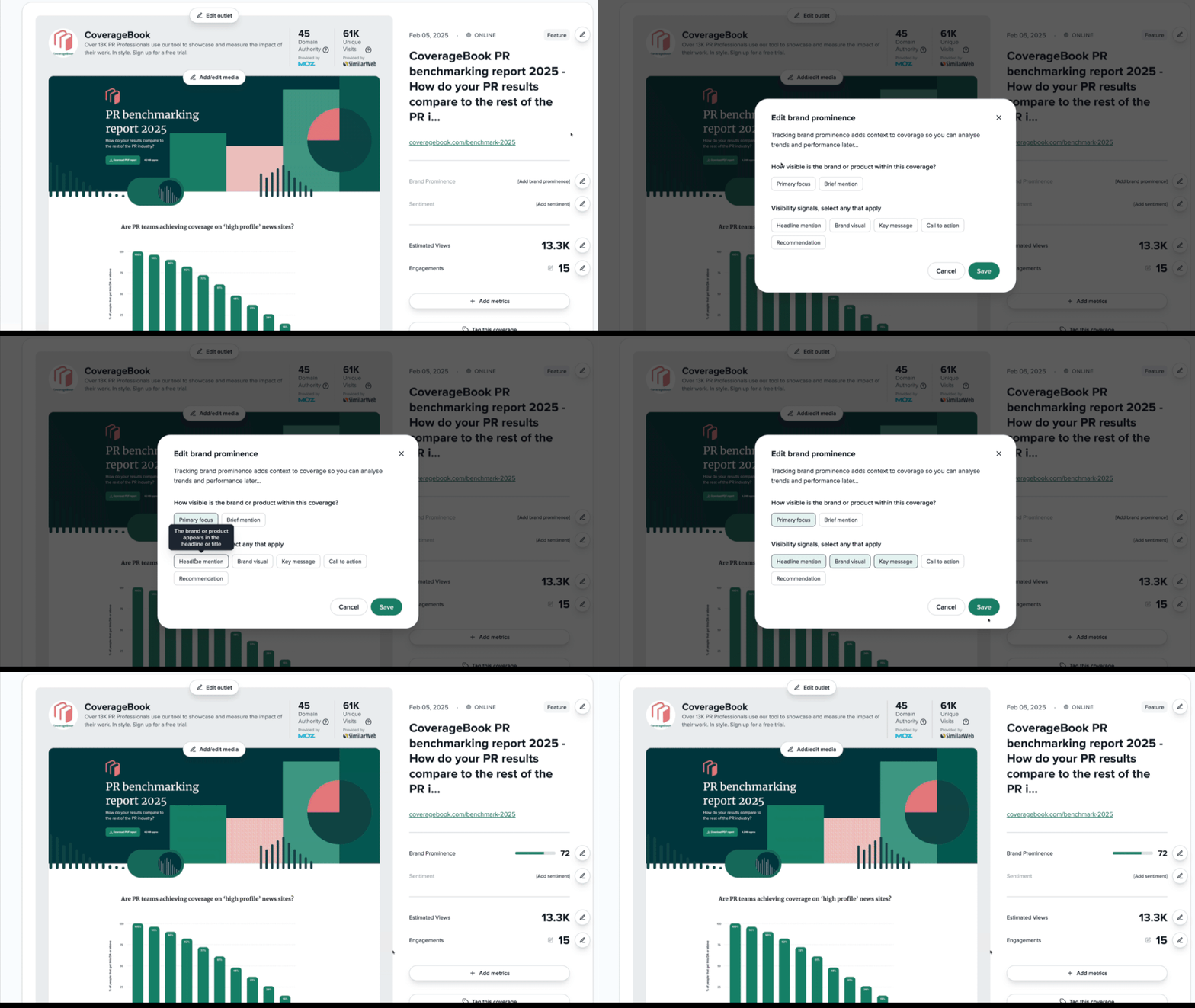
Not all brand mentions in coverage are equal. CoverageBook's brand prominence score (out of 100) helps you understand how visible and influential your brand was within a piece of coverage. Combined with metrics like Estimated Views, Engagements, Sentiment and Coverage Type, it adds valuable context that helps you analyse performance, spot trends and understand what's driving PR success.

Learn how to score your coverage here.

Brand Prominence GIF.gif

Track the sentiment of your coverage


New


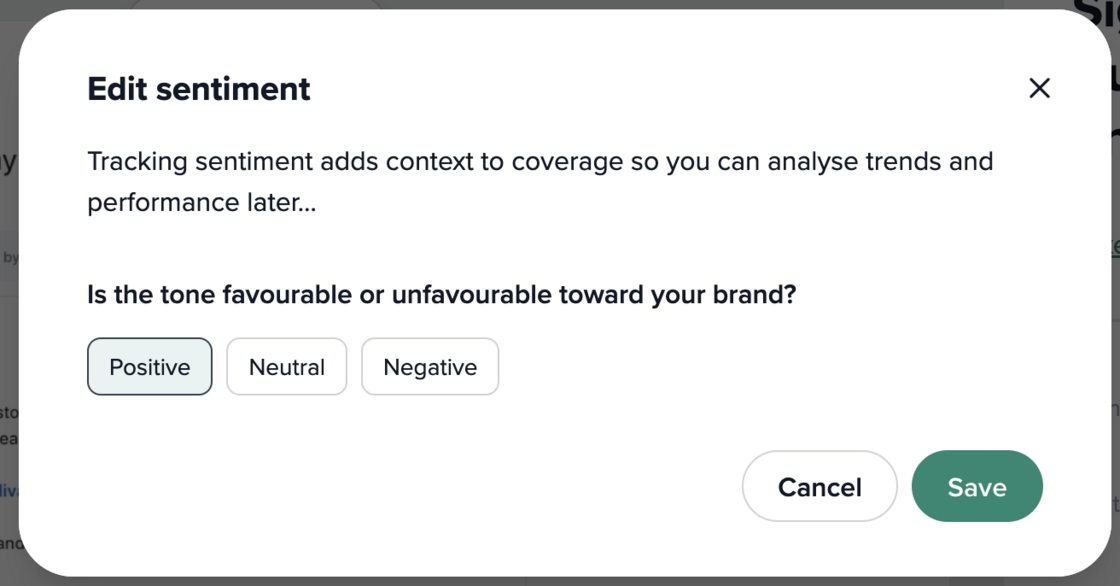
You can now add a sentiment tag to your coverage and track it inside CoverageBook instead of keeping this data in a separate sheet. This makes it easier to filter reports, compare campaigns and export cleaner data on how your coverage landed.

Sentiment is part of our new set of analysis features! Learn how to add this to your reports here.

Screenshot 2026-06-10 at 09.53.59.png

Screenshot 2026-06-10 at 09.58.57.png

Classify your coverage by type


New


Coverage Type is the first part of a new set of features (more coming soon!) that will help you to analyse and classify your coverage more easily.

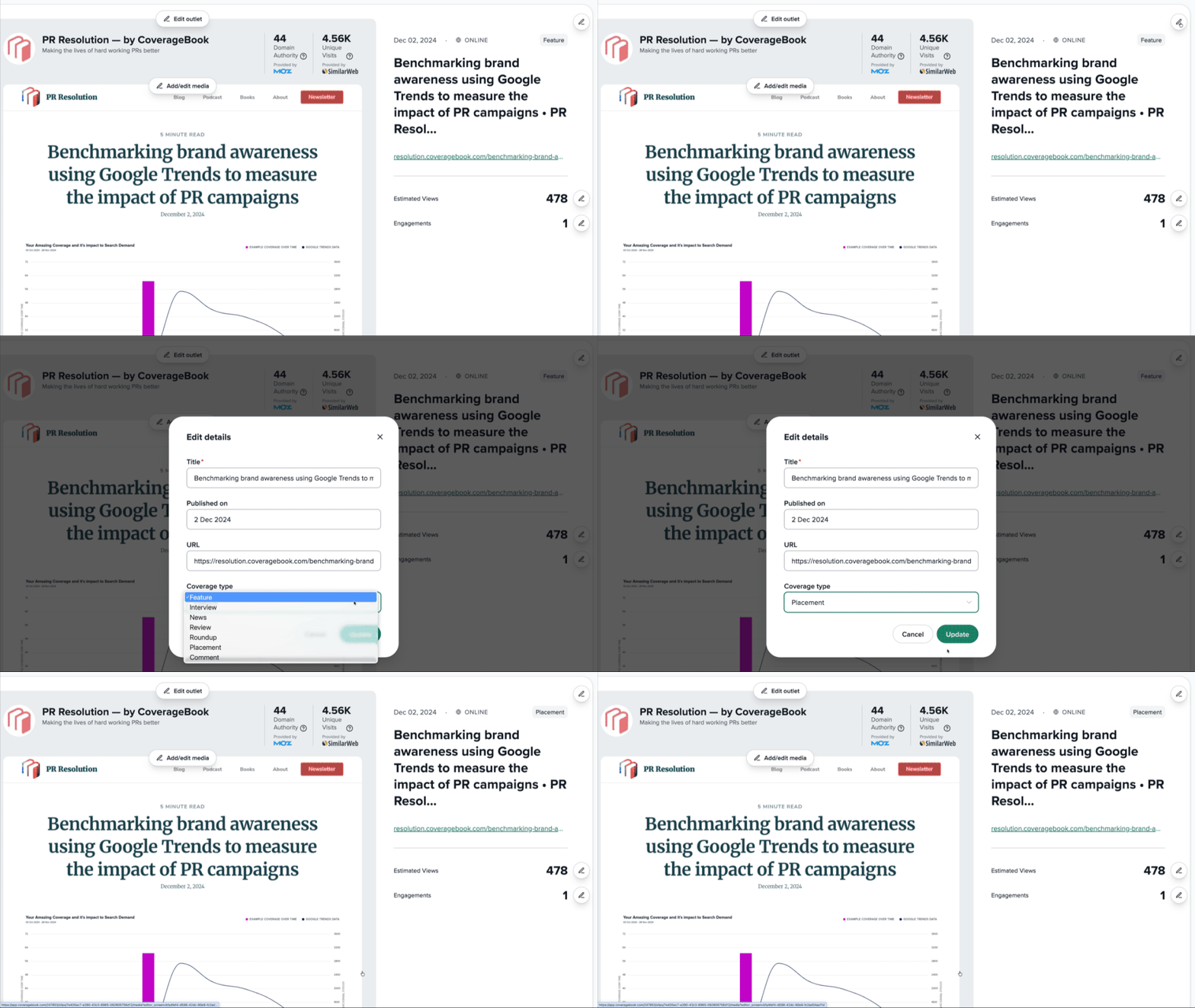
When you add online and print coverage, we'll automatically include the type of coverage it is, so you won't have to scan the clip manually to spot things like which ones were a review, interview, feature, roundup or news article.

This makes it possible to pull out all reviews from a product launch, separate interviews from a campaign report, or see the mix of coverage you’ve earned. You can also filter by coverage type in your coverage library, and see the data at a glance in our CSV export.

You'll see the coverage type label appear on your clips in the top right corner. If you want to make a change or add a type to any other clip, hit the edit button to update it.

coverage type gif.gif

Share reports in different languages!


New


Previously, CoverageBook's default report text like metrics, labels and explainers appeared in English, even if you were sharing reports with someone in another country.

Now, you can choose a language for each report from the settings menu on the main Overview tab.

Currently you can share CoverageBook's online report link and PDF in English, Spanish, French, or German (with more languages to follow!).

Also, if you're sharing your report as a CSV, the default column headers will be translated.

Report language GIF.gif

If you'd like to suggest a language for sharing your report in, get in touch and we'll see what we can do (we might even ask you to help us get the translation perfect!).

Add Facebook photo and video URLs!


Improvement


We've made even more improvements to the types of Facebook content you can add, including Photo posts and Videos (/watch and /video URLs).Photos collect engagements (likes, comments) and videos collect engagements and views.

Facebook Photo and Video GIF.gif

Support for Instagram Stories is live!


Improvement


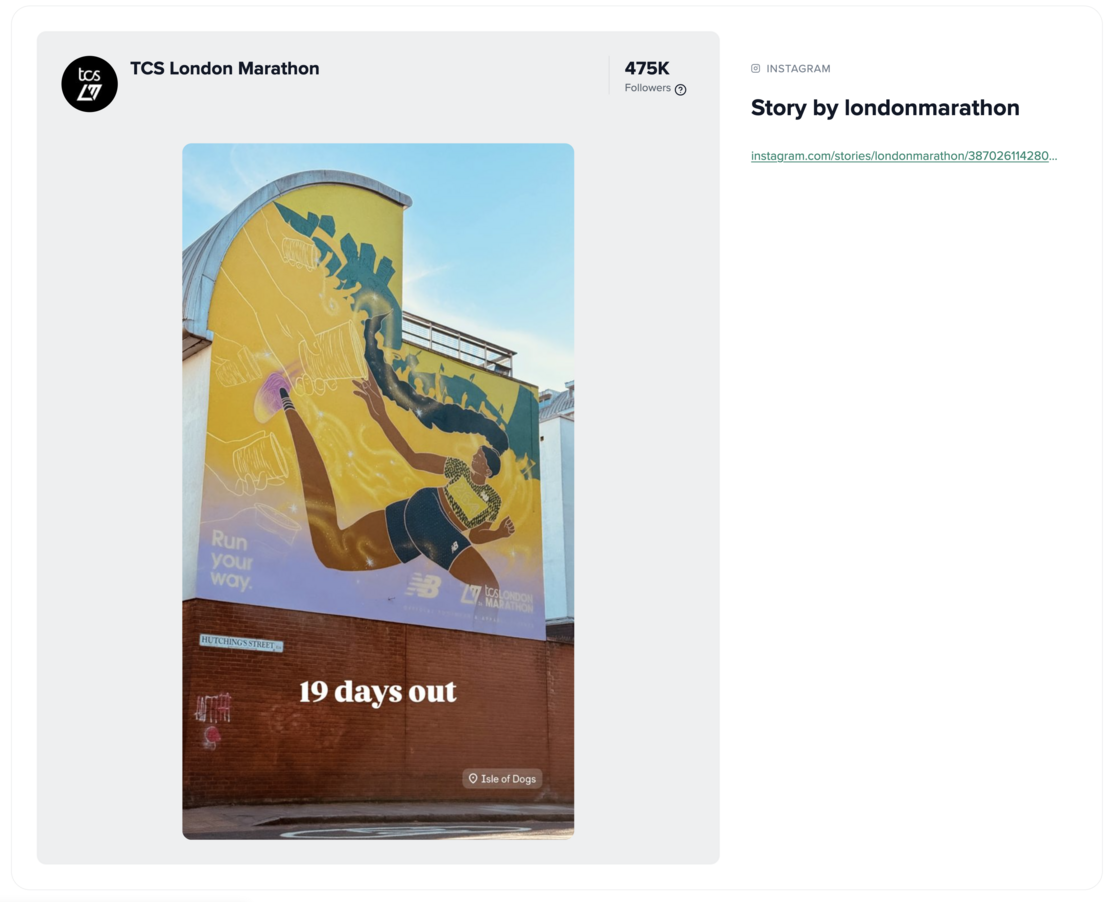
We're excited to announce that we've added support for uploading Instagram Stories! Just grab the URL of a live story and we'll automatically collect an image/video, plus key account details and data like followers. You can also upload an account's main stories link and we’ll pull in all available Stories for you!

Screenshot 2026-04-14 at 14.47.38.png

Check out our latest video on this update here, and we have a how to guide on adding stories in our FAQ

Facebook improvements for reels, pages and events


Improvement


We have improved the data and images that we can now collect for Facebook reels, pages and events!

GIF - FB updates (1).gif

David explains the changes in detail here.