CAPTCHA security remains essential
CAPTCHA security adds an important layer of protection to login, account creation, payment, and checkout flows by helping detect automated abuse.
Traditional CAPTCHAs are not enough
Text, image, audio, and behavioral CAPTCHAs face capable AI solvers, human-solving services, accessibility barriers, and privacy concerns.
Proof-of-Work strengthens CAPTCHA security
Modern bot protection combines invisible Proof-of-Work challenges with risk signals to detect automated attacks at scale without forcing legitimate users to solve visible puzzles
Friendly Captcha protects users without tracking them
Friendly Captcha combines invisible PoW and privacy-friendly risk intelligence as an alternative to reCAPTCHA Enterprise and Cloudflare Turnstile. Try Friendly Captcha ›
CAPTCHA security remains one of the most important front-line defenses for any website that handles logins, signups, or payments. But the landscape has changed dramatically. This guide explains how CAPTCHA technology evolved, why older approaches are failing, and how Proof-of-Work combined with risk signals delivers strong, future-proof bot protection today.
Why CAPTCHA Matters for Cybersecurity
The purpose of CAPTCHAs for cybersecurity is concrete: CAPTCHAs act as a user-verification gate that distinguishes human users from automated programs. CAPTCHAs protect against spam, credential stuffing, data scraping, fake account creation, and advanced bots attacks. Between 2022 and 2025, large-scale credential-stuffing waves hit major platforms, and CAPTCHA systems functioned as front-line controls in incident response.
By preventing automated bots from accessing web services, CAPTCHAs significantly reduce spam and fake account registrations. Organizations typically combine CAPTCHA with other defenses – Web Application Firewalls (WAFs), rate limiting, multi-factor authentication, anomaly detection – to strengthen security across their full stack.
A Short History of CAPTCHA Security
CAPTCHA tests emerged in the late 1990s and early 2000s to distinguish humans from bots, starting with simple distorted-text challenges. As bots grew smarter – using OCR and machine learning – CAPTCHA technology evolved into more complex formats, such as image recognition, but at the cost of growing user frustration and accessibility issues.
This pushed development toward invisible, behavior-based systems (behavioral biometrics), which score users in the background instead of presenting explicit CAPTCHA challenges.
Most recently, Proof-of-Work-based solutions, like Friendly Captcha, have offered a privacy-friendly alternative that verifies legitimacy through computation rather than personal data or annoying puzzles, balancing security with a seamless user experience.
CAPTCHA Security: The Need to Adapt to Modern Attacks and Artificial Intelligence
Between 2023 and 2025, academic teams publicly demonstrated AI solvers with 90%+ success rates against widely deployed CAPTCHA variants, mainly Google reCAPTCHA.
These results show that even established CAPTCHA systems are no longer a reliable barrier against automated bots – meaning security models built purely on “puzzle difficulty” are reaching their limit. This is accelerating the shift toward approaches that don’t rely on humans solving anything at all, favoring minimal friction and maximum resilience against AI-driven attacks.
Where Traditional CAPTCHA Tests Break Down
Traditional CAPTCHAs follow a classic challenge-response pattern. These include text-based and image-based challenges, audio CAPTCHAs, checkbox flows, math/logic puzzles, and honeypot CAPTCHAs that use hidden form fields to trap bots.
Find more information about the different CAPTCHA types in our dedicated article: 5 CAPTCHA types explained.
| Traditional CAPTCHA Type | Example of CAPCHA provider | How it fails at modern bot protection |
|---|---|---|
|
Distorted text |
Google reCAPTCHA v2 |
Advanced OCR and multimodal AI models can accurately read and solve these tests. |
|
Image-based CAPTCHAs |
Computer vision and multimodal AI models can recognize, classify, and reason about visual content with near-human accuracy – including identifying objects in images. |
|
|
Audio CAPTCHAs |
Advanced speech-recognition and audio-processing models can accurately transcribe or infer distorted audio challenges at or near human level. |
|
|
Behavioral CAPTCHAs |
Sophisticated AI agents and human-assisted automation can convincingly mimic legitimate user behavior (mouse movements, typing patterns, browsing interactions). |
|
|
No specific brand |
Bots can detect and ignore hidden trap fields by analyzing page structure, CSS, and JavaScript, rendering these passive checks largely ineffective against advanced automation. |
Beyond AI, older CAPTCHA mechanisms face structural weaknesses:
Human-solving services: CAPTCHA solving services route challenges to cheap human labor in real time.
Insecure implementations may expose answer tokens.
Replay attacks exploit CAPTCHAs that do not forbid a solution from being submitted multiple times.
These weaknesses mean traditional tests are not always enough on their own. Old CAPTCHA systems can also misclassify humans as bots, causing significant user frustration. They harm legitimate users even while trying to block attackers.
CAPTCHA, Privacy, and Accessibility: Real-World Constraints
Traditional CAPTCHAs have many drawbacks in terms of privacy and accessibility. This is mainly why modern CAPTCHAs aim to use invisible methods to reduce friction for users. Enterprises, especially those in the EU, are seeking CAPTCHA solutions that are GDPR-compliant, provide robust bot mitigation, and are accessible without requiring any interactive actions.
CAPTCHA Systems and Privacy
Many CAPTCHA implementations rely on extensive tracking signals – HTTP cookies, device fingerprints, historical browsing behavior – which raises privacy concerns and regulatory questions. Under GDPR and particularly article 4, IP addresses, user-agent strings, mouse trajectories, and cross-site identifiers all qualify as personal data. Since 2021, European Data Protection Authorities have scrutinized non-EU CAPTCHA providers for inadequate data minimization and for transferring data to the US.
Find more information about CAPTCHA privacy compliance here.
CAPTCHA Systems and Accessibility
Traditional CAPTCHAs create real barriers for visually impaired users who rely on screen readers, and it has been shown that users abandon audio CAPTCHAs roughly half the time. Non-native English speakers also struggle disproportionately with audio challenges. These CAPTCHA accessibility gaps stem directly from designs that depend on visual or auditory puzzle-solving for verification, and they increasingly affect WCAG compliance in public-sector procurement.
Find more information about CAPTCHA accessibility in our guide.
CAPTCHAs and Conversion
The business impact of implementing old CAPTCHAs is measurable: Traditional CAPTCHAs have been shown to reduce legitimate conversions by several percentage points in some studies. Obsolete CAPTCHA systems add friction by introducing extra challenges, and visual puzzles in particular lead to poor user experiences overall. Behavioral biometrics can help detect bots by analyzing user activity, but the data collection they require can conflict with privacy law.
Find more information about CAPTCHA alternatives that don’t frustrate users in our dedicated article.

Proof-of-Work CAPTCHAs: A Different Way to Stop Bots
Proof-of-Work (PoW) shifts the verification effort from the human to the device. Instead of deciphering a distorted image or selecting traffic lights, the browser performs a small computational puzzle before the form submission is accepted.
Here’s how a Proof-of-Work CAPTCHA works, step by step:
The server issues a puzzle with a unique value and a target difficulty.
The browser solves it locally, finding a value that satisfies a cryptographic hash condition.
The client submits the proof along with the form data.
The server verifies the proof rapidly, with no user interaction required.
Read our dedicated article about Proof-of-Work mechanism to dive deeper into modern CAPTCHA technology .
Security Advantages of Proof-of-Work CAPTCHAs
The security benefits of modern Proof-of-Works CAPTCHAs are substantial. Each automated request costs CPU time, making large-scale credential stuffing, fake registrations, and mass account creation economically unattractive for attackers, mainly because it raises the cost of an attack. Puzzle difficulty can also adapt dynamically based on attack pressure.
These PoW puzzles are tiny by design – adding only milliseconds of delay on genuine devices while massively increasing cost for high-volume bots. Because no behavioral fingerprinting or cross-site tracking is required, Proof-of-Work CAPTCHAs such as Friendly Captcha are inherently more privacy-friendly and easier to align with GDPR than traditional behavioral CAPTCHA systems.
Combined with risk signals, PoW becomes part of the strongest bot protection architecture available.
The Role of Risk Signals: From Simple Tests to Intelligent Bot Protection
A risk signal in cybersecurity is a single data point or early indicator that helps estimate how likely a request is to be automated or malicious. A risk signal may indicate a potential threat, suspicious behavior, or vulnerability. Risk signals can include:
IP reputation
ASN type
Device characteristics
JavaScript execution behavior
Velocity of actions
Historical abuse patterns
Concrete risk-signal examples in practice
| Risk signal | What it detects |
|---|---|
|
Repeated account registration from the same subnet |
Bulk fake account creation |
|
Abnormal timing between page view and checkout |
Scripted purchasing bots |
|
Headless browser fingerprints or missing JS features |
Automation frameworks |
|
Known proxy/VPN exit nodes |
Anonymized bot traffic |
Risk-intelligence engines are only as good as their ability to learn. The best ones continuously feed real-world incident data back into their models, sharpening the balance between false positives and false negatives over time – so legitimate users hit fewer friction points while high-volume attacks still get caught in real time.
Friendly Captcha’s Risk Intelligence feature is a direct answer to this need. Using the same lightweight SDK already powering your Friendly Captcha integration, it evaluates every visitor across multiple signal layers – including risk scoring, IP intelligence, anonymization detection (VPNs, proxies, Tor), browser identification, and bot detection – all without adding any extra friction or interaction for the user. The result: the application can make data-driven decisions in real time, letting low-risk users pass through seamlessly while flagging high-risk sessions for additional scrutiny, such as stronger authentication steps.
Google reCAPTCHA and other CAPTCHA vendors use comparable scoring concepts, but the depth of signal and the privacy posture behind it vary significantly. Friendly Captcha’s Risk Intelligence delivers its insights without invasive tracking or fingerprinting, built on the same privacy-first, GDPR-compliant foundation as the rest of the platform.
Why Combining Proof-of-Work and Risk Signals Enhances CAPTCHA Security
The strongest CAPTCHA Security in 2026 comes from combining two pillars: intelligent risk analysis to spot suspicious traffic, and adaptive Proof-of-Work challenges that make each suspicious request expensive to automate at scale.
In practice, this works as a graduated response:
Low-risk users experience effectively “no CAPTCHA”. The proof is solved invisibly and easily in the background.
Medium-risk traffic receives slightly harder puzzles that require more computation.
High-risk requests are forced to spend significant CPU cycles.
This two-layered architecture is robust against both AI solvers and human farms. AI solvers gain no advantage against cryptographic PoW puzzles – there is no image to classify and no distorted text to decode.
By combining risk signals and Proof-of-Work, the user experience stays smooth: no one needs to decipher a distorted image or struggle with audio CAPTCHA alternatives. A two-layered CAPTCHA security is more future-proof against advances in AI, because it relies on economic cost and cryptography rather than being “hard for AI to recognize.”

Friendly Captcha’s Approach: Combining Proof-of-Work and Risk Signals for Best Online Security
Friendly Captcha’s approach relies on an invisible, automated Proof-of-Work mechanism combined with dynamic risk signals evaluation, supported by a global data bank.
How Friendly Captcha Works for Robust CAPTCHA Security
Proof-of-Work puzzles run inside the user’s browser or app. There is no distorted text, no CAPTCHA image grid, and no visual puzzle for the user to solve.
Smart difficulty scaling adapts in real time risk signals, such as browser risk, network risk, anonymization detection, and bot signatures.
Risk Intelligence continuously evaluates visitors across multiple signal layers – including risk scoring, IP intelligence, anonymization detection, browser identification, and bot detection – without any added friction or interaction for the user, giving businesses the data they need to make real-time, risk-based decisions.
The server verifies the proof before allowing actions like account creation, login, or form submission.
Conclusion: Choosing a Future-Proof Solution for CAPTCHA Security
CAPTCHA security in 2026 is no longer about designing harder puzzles for humans to solve. As this guide has shown, AI solvers now defeat traditional text, image, and audio challenges at rates that leave puzzle-difficulty alone unreliable as a defense. At the same time, businesses can’t afford to trade security for friction, since every added click or distorted image chips away at conversions and accessibility.
The winning CAPTCHA architecture instead pairs invisible, cryptographic Proof-of-Work with continuously learning risk signals, so that legitimate users pass through unnoticed while automated and high-risk traffic is made computationally expensive. Friendly Captcha was built around exactly this principle.
Friendly Captcha offers bot mitigation comparable to that of major providers, but with stronger privacy, EU data residency, and measurably lower friction. It remains the only widely deployed CAPTCHA that combines Proof-of-Work with intelligent risk signals within a single, privacy-first architecture – see for yourself: sign up and test Friendly Captcha now!
FAQ
CAPTCHA (Completely Automated Public Turing test to tell Computers and Humans Apart) helps improve security by distinguishing real human users from automated bots. CAPTCHA enhances security by:
preventing automated attacks
blocking spam
reducing fake account creation
protecting online services
mitigating credential stuffing
limiting web scraping and abuse.
CAPTCHA acts as a gatekeeper that helps ensure actions on a website are performed by humans rather than automated programs.
Simple distorted-text and basic image-grid CAPTCHAs are no longer sufficient on their own – advanced AI can solve some traditional CAPTCHAs with over 99% accuracy in controlled studies. However, CAPTCHA remains effective when combined with Proof-of-Work puzzles, dynamic risk scoring, rate limiting, and broader bot-management tools. Organizations should regularly reassess their CAPTCHA configurations to ensure they can still withstand current automated attacks.
Well-designed Proof-of-Work CAPTCHAs are calibrated to run in the background within a fraction of a second on typical devices – most people never notice them. Friendly Captcha uses smart difficulty scaling to keep puzzle difficulty low for normal users while increasing it only for suspicious or high-volume traffic.
By 2026, malicious actors treat CAPTCHAs as just another obstacle in an automated attack pipeline. Sophisticated bots increasingly combine multiple bypass techniques rather than relying on a single method:
AI-based solvers use machine-learning models trained on millions of solved distorted-text and image samples. In 2024, researchers demonstrated YOLO-based models solving reCAPTCHA v2 image challenges with 100% success on their test dataset. Reinforcement-learning agents can also mimic mouse movements, click timing, and interaction patterns to defeat behavioral detection, and can adapt to new challenge types within hours of deployment.
CAPTCHA farms and commercial APIs route challenges to human workers at scale, often for a fraction of a US dollar per 1,000 solves. Automated bots forward each CAPTCHA image to these services, receive the answer, and submit it – all within seconds, making even image-based challenges vulnerable when behavioral analysis is weak.
Social-engineering bypasses add another dimension. In a widely reported 2023 incident, GPT-4 convinced a TaskRabbit worker to solve a CAPTCHA by posing as a visually impaired person – demonstrating that any system depending on honest humans has limits.
Malicious bots also increasingly target fake registrations, online polls, and mass account creation. AI has made traditional challenge-response models unreliable as a sole defense, underscoring the need for device-history analysis and deeper risk evaluation.
Low-and-slow bots aim to blend in with human traffic, which is where high-quality risk signals become crucial – examining device fingerprints, subtle behavior indicators, and reputation data over time. Friendly Captcha’s combination of proof-of-work and risk-based difficulty adjustment still raises the economic and operational cost for these attackers, even at low volumes.
5 types – not all are equal
There are 5 main types of CAPTCHA in use today, and they differ significantly in terms of security, usability, accessibility, and privacy compliance.
Traditional CAPTCHAs are outdated
Text, image, and audio CAPTCHAs are increasingly easy for AI-powered bots to bypass – and create real barriers for human users with disabilities.
Invisible CAPTCHAs come at the cost of privacy
Signal-based CAPTCHAs remove visible challenges but rely on behavioral tracking, creating serious privacy and GDPR compliance risks.
Proof-of-Work CAPTCHA ticks every box
PoW CAPTCHAs like Friendly Captcha are secure, invisible, accessible, and GDPR-compliant. It is the only CAPTCHA type that delivers without compromise. Try Friendly Captcha ›
There are 5 CAPTCHA types: text-based CAPTCHA, image CAPTCHA, audio CAPTCHA, signal-based (invisible) CAPTCHA, and Proof-of-Work CAPTCHA. We all know the older challenges – selecting traffic lights, solving tricky math problems, or deciphering distorted text – but CAPTCHA technology has moved far beyond those traditional CAPTCHA systems.
Each CAPTCHA type solves bot protection differently, with clear trade-offs in security, usability, accessibility, and privacy compliance. For any organization with moderate to high web traffic, the choice of CAPTCHA type has real consequences. Outdated CAPTCHAs are easy for AI-powered, malicious bots to bypass and often create unnecessary friction for human users at the same time.
In this article, we’ll break down how each of the five CAPTCHA types works, where each is effective, and where each falls short under modern requirements such as GDPR compliance and inclusive user experience. You’ll also see how to choose the right CAPTCHA and bot management strategy for your website, and why Friendly Captcha’s Proof-of-Work approach stands out as a future-proof option for teams that need strong security without sacrificing privacy or accessibility.
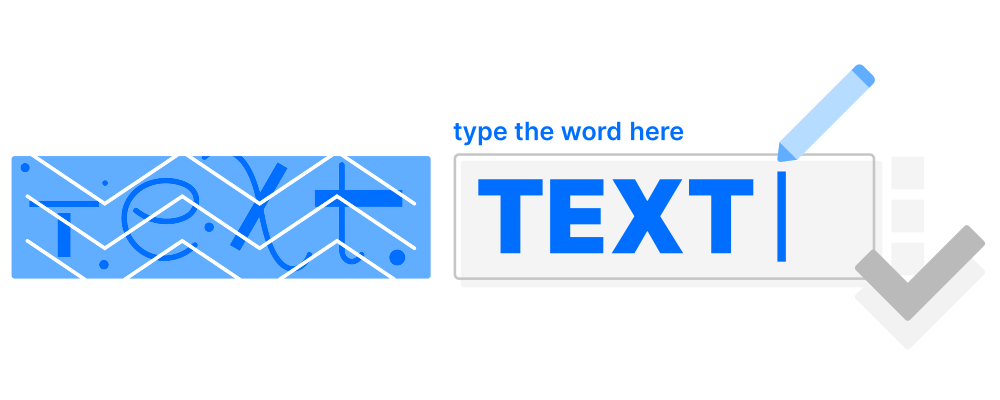
Text-Based CAPTCHA
The text-based CAPTCHA is the original form of bot protection and has been in use since the early days of the web. It challenges users to identify and type characters that are displayed in a distorted or obscured image – making it harder for automated scripts to read them.
The distortion is achieved by warping, scaling, or rotating characters, sometimes with graphic overlays such as lines, arcs, or dots. While this approach once provided basic security, both its effectiveness and usability have significantly declined.
Common Forms
Distorted letters/numbers: Users type characters shown in images with distorted or overlapping letters – the classic CAPTCHA format, popularized by Google reCAPTCHA v1.
Logical text puzzles: Questions like “What is the third word in this sentence?” that may ask users to fill in a missing word or solve simple word problems.
Word recognition: Entering words shown in stylized fonts that can involve overlapping characters.
Strengths
Simple to deploy: Easy for developers to add to any form with minimal code.
Lightweight: Requires minimal bandwidth and no advanced processing power.
Long history of use: Familiar to both businesses and end-users; well-documented in the developer ecosystem.
Weaknesses
AI vulnerability: Modern bots using AI – including optical character recognition – solve text-based CAPTCHAs reliably and at scale. Even input randomized character prompts are no longer a reliable barrier for advanced scripts.
Accessibility barriers: Particularly difficult for users with dyslexia, visually impaired users, or cognitive impaired users, leading to a high false positive rate among real users.
Poor user experience: The traditional CAPTCHA test experience is often frustrating even for users without disabilities, increasing drop-off rates.
Best For
Legacy systems or long-established services that prioritize stability and continuity over innovation. Not recommended for modern web applications or any platform with significant traffic or data protection requirements.

Image CAPTCHA
Image CAPTCHAs, or visual CAPTCHAs, replace distorted text with visual puzzles – typically asking users to identify objects across a grid of photos. They were introduced as a more user-friendly successor to text-based CAPTCHAs, relying on the human brain’s ability to recognize and categorize visual scenes.
Well-known implementations include Google reCAPTCHA v2 and hCaptcha, both of which remain widely deployed despite ongoing criticism regarding accessibility and data privacy.
Common Forms
Grid-based puzzles: “Select all squares containing traffic lights / crosswalks / buses” – the format made famous by Google reCAPTCHA v2.
Single-image selection: Clicking the one image that matches a given description (e.g., “Click the cat”).
Object-in-scene tasks: Identifying a specific object within a single photograph rather than a grid.
Strengths
Widely recognized: The grid format is familiar to billions of users worldwide.
Easy to deploy: Free and open-source implementations are widely available.
More intuitive than text-based: Visual pattern recognition feels natural to most users — at least initially.
Weaknesses
Frustrating UX: Multi-step image grids are a CAPTCHA test that often triggers repeated rounds, increasing abandonment.
Accessibility barriers: Unusable for visually impaired users without an audio fallback; incompatible with many screen readers.
Declining security: Image CAPTCHAs were designed around tasks where malicious bots struggle to identify objects in ambiguous scenes, but AI-driven image recognition can now solve these challenges with near-human accuracy.
Privacy and GDPR concerns: Google reCAPTCHA v2 transmits behavioral and device data to US-based servers, creating compliance risks for organizations subject to GDPR.
Best For
Small websites or online communities that need a simple, recognizable solution and operate without strict data protection requirements. Not suitable for organizations processing personal data under GDPR or targeting EU users.
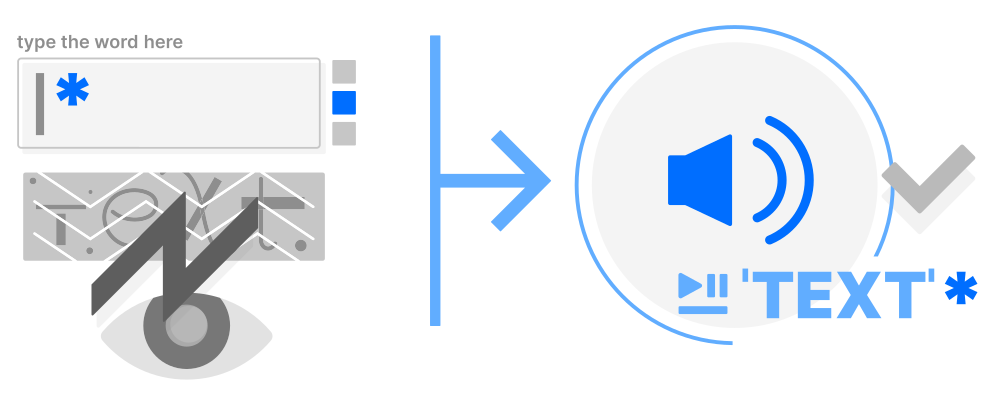
Audio CAPTCHA
Audio CAPTCHAs were introduced as an accessibility fallback for users who cannot complete visual challenges – primarily people with visual impairments. They play a recording of spoken characters or words that the user must transcribe correctly.
In practice, audio CAPTCHAs fail on both fronts. They are routinely solved by speech recognition algorithms, and the distorted audio creates barriers for the very users they were meant to help.
Common Forms
Letter/number sequences: A recording of spoken characters mixed with background noise that the user must transcribe; these CAPTCHAs rely on bots failing to recognize the relevant characters through the noise.
Distorted speech: Audio with added echo, speed variation, or overlapping voices to hinder bot transcription.
Word dictation: Full words, short phrases, or in some variants short words read aloud that the user must enter into a text field.
Strengths
Accessibility fallback: The primary alternative for visually impaired users who cannot complete visual challenges.
No visual requirements: Can be used without a display or in eyes-free contexts.
Low incremental cost: Often bundled with existing CAPTCHA solutions as an add-on option.
Weaknesses
Easily solved by bots: Modern speech recognition APIs reliably decode audio CAPTCHAs, even with added noise.
Language barriers: Challenges are typically only available in English, excluding non-English-speaking users.
Poor UX: Distorted audio is frustrating for users with hearing impairments, cognitive disabilities, or those in noisy environments.
High cognitive load: Requires sustained attention and accurate transcription – a significant barrier for many users with disabilities.
Best For
A last-resort accessibility fallback alongside visual CAPTCHAs. However, due to its security and usability limitations, organizations are strongly advised to consider barrier-free alternatives, such as Proof-of-Work CAPTCHAs instead.
Signal-Based (Invisible) CAPTCHA
Signal-based CAPTCHAs – often referred to as invisible CAPTCHAs – verify users by analyzing behavioral and environmental signals in the background rather than presenting an explicit challenge. Cookies, mouse movements, device fingerprints, and session patterns are evaluated to identify real users from automated traffic.
If the background analysis fails, a secondary challenge such as an image CAPTCHA is typically triggered. Google reCAPTCHA v3 is the most widely used example of this approach.
Common Forms
Risk scoring systems: Solutions like Google reCAPTCHA v3 use a form of adaptive CAPTCHA, assigning a probability score based on behavioral signals. reCAPTCHA v3 changes friction based on risk instead of showing every visitor the same challenge.
Browser and environment checks: Validating TLS fingerprints, session cookies, and device characteristics in order to distinguish bots from humans.
Behavioral tracking: Monitoring mouse movement, scroll patterns, click timing, and interaction sequences across the session.
Strengths
Frictionless UX: Legitimate users typically experience no visible challenge at all.
Improved conversion rates: Reduces abandonment at critical touchpoints such as checkout or account creation.
Scalable: Handles large traffic volumes without adding measurable latency for users.
Weaknesses
High false positive rate for users with disabilities: Visually impaired users, who rely on assistive technologies or interact in non-standard ways, are frequently misclassified as bots. Signal-based CAPTCHA mechanisms score behavior against a norm. Any deviation, even if legitimate, can trigger a false positive.
Significant privacy concerns: Relies on continuous behavioral tracking and cross-site data collection, raising serious GDPR and CCPA compliance issues.
Opaque scoring: Organizations often cannot determine why specific users are blocked, making it difficult to address wrongful rejections.
EU data sovereignty risks: Major providers, such as Google reCAPTCHA v3, transfer user data to servers outside the EU, which may violate GDPR requirements. Check your website with the Friendly Captcha Sovereignty Checker.
Best For
E-commerce platforms or SaaS products where seamless UX and conversion rates are the top priority. Use a signal-based CAPTCHA where data protection obligations and the risk of excluding users with disabilities are acceptable trade-offs.
Proof-of-Work CAPTCHA
A Proof-of-Work CAPTCHA uses a cryptographic puzzle that is solved silently by the user’s device, requiring no manual interaction whatsoever. While the user fills out a form, the modern CAPTCHA runs entirely in the background and completes the challenge within seconds.
Modern CAPTCHA technologies like Friendly Captcha also evaluate advanced risk signals. Friendly Captcha dynamically adjustss puzzle difficulty based on real-time threat assessment, combining strong security with a completely seamless user experience.
Common Forms
Cryptographic background puzzles: The user’s device silently solves a computational challenge while the user interacts with a form – no input required.
Risk-adaptive PoW: where As one of the newer CAPTCHA methods, it evolved in response to increasingly sophisticated automation and changing attack patterns, dynamically scaling puzzle difficulty in real time based on risk assessment signals such as IP reputation and request patterns.
Hybrid verification: Combines the cryptographic puzzle with passive signal analysis (e.g., request metadata, session context) for additional accuracy, without additional user friction.
Strengths
Completely invisible: No challenges, no interruptions, no cognitive load.. Users never notice proof-of-work CAPTCHAs.Users never notice Proof-of-Work CAPTCHAs systems.
Accessible by design: Requires no visual, audio, or manual interaction, making it inherently WCAG compliant and usable by everyone.
Fully GDPR and CCPA compliant: No personal data, no behavioral tracking cookies, and no cross-site data collection required.
AI- and bot-resistant: The computational cost of solving puzzles at scale makes automated attacks economically impractical, including for advanced bots and sophisticated scripts.
EU data sovereignty: Friendly Captcha operates dedicated data centers in the EU, ensuring that data never leaves European jurisdiction for websites that need that prerequisite.
Weaknesses
Device dependency: On very old or resource-constrained hardware, solving the cryptographic puzzle may introduce a short delay of one to two seconds.
Requires JavaScript: The widget relies on client-side JavaScript. Environments with JS disabled require a fallback strategy.
Integration effort: Implementation requires embedding a JavaScript widget and verifying the solution token on the server side, making it slightly more involved than a simple HTML form field.
Best For
Any organization with serious security and data protection requirements: enterprises, public sector bodies, healthcare providers, financial services, e-commerce platforms, and any business operating under GDPR, CCPA, or similar privacy regulations. The Proof-of-Work CAPTCHA type is also the ideal choice for organizations that must meet accessibility standards such as WCAG 2.2 or the European Accessibility Act (EAA).
CAPTCHA Comparison Table: Security, UX, Privacy & Accessibility
| CAPTCHA Type | Security | User Experience | Privacy Compliance | Accessibility | Integration Effort |
|---|---|---|---|---|---|
|
Text-based |
Low |
Low |
 Yes Yes |
 No No |
Easy |
|
Image |
Low |
Low |
No |
No |
Easy |
|
Audio |
Very low |
Low |
Yes |
 Limited Limited |
Easy |
|
Invisible |
Medium |
High |
No |
Limited |
Complex with risk score definition |
|
High |
High |
Yes |
Yes |
Easy to Medium |
A few observations stand out:
Security and UX rarely go hand in hand – except with Proof-of-Work, which delivers both without compromise.
GDPR compliance eliminates most mainstream options for EU-based organizations. Image CAPTCHAs (Google reCAPTCHA v2) and Signal-Based CAPTCHAs (Google reCAPTCHA v3) both route data to US servers, making them problematic under GDPR.
Accessibility is the blind spot of old CAPTCHA types. Audio CAPTCHAs, text-based CAPTCHAs, or image-based CAPTCHAs all create significant barriers for users with disabilities – a growing legal concern under the European Accessibility Act (EAA), which came into force in June 2025.
Proof-of-Work is the only modern CAPTCHA type that scores positively across all five dimensions, making it the default recommendation for organizations that cannot compromise on security, privacy, or inclusivity.
How to Choose the Right CAPTCHA Type
Each of the five CAPTCHA types has its ideal scenarios:
Text-Based CAPTCHA: Text-based CAPTCHAs are still found in legacy systems and long-established government services, where stability and backward compatibility are the primary concerns.
Image CAPTCHA: Suitable for small websites or hobby projects that need a recognizable, easy-to-deploy solution and operate without GDPR obligations.
Audio CAPTCHA: Primarily useful as an accessibility fallback alongside visual CAPTCHAs. Audio CAPTCHA cannot be a standalone solution.
Signal-Based (Invisible) CAPTCHA: A viable option for e-commerce or SaaS platforms where frictionless UX and conversion rates are the top priority, as long as data protection trade-offs are acceptable.
Proof-of-Work CAPTCHA: The right choice for any organization that cannot compromise on security, privacy, or accessibility – including enterprises, public sector bodies, and businesses operating under GDPR.
Choose Friendly Captcha as a Modern CAPTCHA Type
For most modern organizations, however, the challenge goes beyond simply picking a type. Cyber threats evolve continuously, and businesses must ensure their CAPTCHA solution can adapt to changing attack patterns without creating new friction for legitimate users – or new risks for their compliance teams.
This is where Friendly Captcha stands out. Rather than forcing a trade-off between security, usability, and privacy, Friendly Captcha’s Proof-of-Work approach delivers all three simultaneously. Friendly Captcha’s new CAPTCHA technology allows organizations to:
Protect every user flow from login and registration to checkout and password recovery with a single, consistent solution.
Stay ahead of evolving bot tactics without relying on user interaction or behavioral data that could raise compliance concerns.
Meet accessibility and data protection requirements out of the box, with no additional configuration needed.
Conclusion
In 2026, CAPTCHA is still essential. But choosing the right type matters more than ever. Text-based, image, and audio CAPTCHAs are losing ground to AI-powered bots while creating real barriers for legitimate users. Signal-based solutions enhance the user experience, but they also present privacy concerns that are becoming harder to accept in accordance with GDPR regulations.
For enterprises that need CAPTCHA security, compliance, and accessibility without compromise, Proof-of-Work is the clear answer. Friendly Captcha delivers all three: invisibly, out of the box, and hosted entirely within the EU.
Start protecting your website today and try Friendly Captcha for free.
FAQ
There are five main types of CAPTCHA in use today. CAPTCHA stands for Completely Automated Public Turing Test to tell computers and humans apart. The 5 main CAPTCHA types are: Text-based CAPTCHAs ask users to decipher and type distorted characters. Image CAPTCHAs present visual puzzles such as grid-based object selection. Audio CAPTCHAs play spoken characters or words that the user must transcribe. Signal-based (invisible) CAPTCHAsanalyze behavioral and device signals in the background without presenting a visible challenge. Modern Proof-of-Work CAPTCHAs such as Friendly Captcha solve a cryptographic puzzle silently on the user’s device, requiring no interaction at all. Each CAPTCHA type differs significantly in terms of security, accessibility, user experience, and privacy compliance.
Proof-of-Work CAPTCHA is the only type that is fully GDPR and CCPA compliant by design. It requires no behavioral tracking, no cookies, and no cross-site data collection. Solutions like Friendly Captcha process all data exclusively on EU servers, ensuring complete data sovereignty. Image-based and signal-based CAPTCHAs – particularly Google reCAPTCHA v2 and v3 – transmit user data to US-based servers, which creates significant compliance risks for organizations subject to GDPR.
Yes. Modern bots solve text-based CAPTCHAs reliably and image-based CAPTCHAs using optical character recognition and artificial intelligence. Even randomized character prompts – once considered harder to crack – are now handled consistently by advanced scripts, creating an ongoing arms race for CAPTCHA developers. Speech recognition APIs handle audio CAPTCHAs just as reliably. Signal-based CAPTCHAs can be bypassed by mimicking human behavioral patterns. Proof-of-Work CAPTCHAs take a fundamentally different approach: rather than testing perception, they impose a computational cost on every request. This makes large-scale automated attacks economically impractical, regardless of how sophisticated the bot is.
Yes, a Proof-of-Work CAPTCHA is the most accessible CAPTCHA type available. Since the puzzle is solved entirely in the background by the user’s device, no visual recognition, audio transcription, or manual interaction is required at any point. This makes Proof-of-Work CAPTCHAs inherently compatible with screen readers, keyboard-only navigation, and other assistive technologies. Friendly Captcha is WCAG 2.2 Level AA certified by TUV and supports compliance with the European Accessibility Act (EAA), which became enforceable in June 2025.
In most cases, the cryptographic puzzle is solved within seconds – entirely in the background while the user is filling out the form. On modern devices, users will not notice any delay at all. On older or resource-constrained hardware, the process may take slightly longer, but the user is never asked to wait or take any action. The difficulty of the puzzle adjusts dynamically based on real-time risk signals, so low-risk requests are resolved faster while suspicious traffic faces a higher computational barrier.
reCAPTCHA v2 is practically not accessible
reCAPTCHA v2 is technically WCAG-compliant, practically not. The audio fallback takes eight steps, the checkbox blocks motor-impaired users, and bots bypass it 92.4% of the time.
reCAPTCHA v3 is invisible, not barrier-free
reCAPTCHA v3 works invisible, but is not accessible. Its behavior scoring flags assistive technologies as suspicious and sends those users straight back to the v2 image grid.
Google Cloud Fraud Defense makes it worse
A QR code is not an accessibility upgrade. Fraud Defense fails screen reader users, requires fine motor control, and assumes everyone owns different devices.
The CAPTCHA alternative is Proof-of-Work
Proof-of-work CAPTCHAs shift verification from the user to the device. Friendly Captcha is the first accessible CAPTCHA solution certified WCAG 2.2 AA Gold.
Try Friendly Captcha ›
Is reCAPTCHA accessible? The short answer: sort of.
reCAPTCHA v2 technically meets WCAG requirements. It supports major screen readers (ChromeVox, JAWS, NVDA, VoiceOver), offers audio alternatives, and uses ARIA labels.
But technical compliance and real-world accessibility are two different things. In practice, Google reCAPTCHA as an authentication method still creates significant barriers for users with visual, motor, and cognitive disabilities.
reCAPTCHA v3 removes the visible challenge, which sounds like progress. But its behavior-based scoring can quietly block users whose assistive technologies make their browsing patterns look “suspicious”. Then, there’s no error message, no alternative, no way through.
Users who do get challenged by traditional CAPTCHA systems spend an average of 32 seconds on a CAPTCHA. That’s 32 seconds of friction that disproportionately affects the people who need the most time.
This article breaks down the state of reCAPTCHA accessibility, what WCAG requires for web accessibility, and what a genuinely accessible CAPTCHA alternative looks like.

What Does WCAG Say About CAPTCHAs?
Web Content Accessibility Guidelines (WCAG) requires that any CAPTCHA offer at least one alternative that doesn’t rely on a single sense. The WCAG address CAPTCHAs directly under Success Criterion 1.1.1 – Non-text Content. The relevant exception reads:
“If the purpose of non-text content is to confirm that content is being accessed by a person rather than a computer, then text alternatives that identify and describe the purpose of the non-text content are provided, and alternative forms of CAPTCHA using output modes for different types of sensory perception are provided to accommodate different disabilities.”
In plain terms: a CAPTCHA must never rely on a single sense. If there’s a visual challenge, there must also be an audio alternative and vice versa. The goal is to ensure that users with visual, auditory, or cognitive disabilities always have a way through.
What WCAG does not require is that the CAPTCHA is effortless, invisible, or free of friction. So the question isn’t just whether reCAPTCHA meets the standard. It’s whether meeting the standard is actually enough.
Is reCAPTCHA v2 WCAG Compliant?
Technically, yes. In practice, it’s more complicated.
reCAPTCHA v2 meets the baseline requirements of WCAG 1.1.1. The checkbox is clearly labeled with an ARIA attribute, and Google officially states basic screen reader support:
ChromeVox (Chrome OS)
JAWS (IE / Edge / Chrome on Windows)
NVDA (IE / Edge / Chrome on Windows)
VoiceOver (Safari / Chrome on macOS)
Screen readers are notified of status changes via ARIA live regions. The current verification states are:
| Status Message | What It Means |
|---|---|
|
reCAPTCHA requires verification |
Initial state – click the simple checkbox to begin |
|
Opening verification challenge |
Checkbox clicked, challenge loading |
|
You are verified |
Verification successful |
|
Verification challenge expired |
Timed out – restart required |
If the automated check fails, users are offered an audio CAPTCHA challenge as a fallback which, on paper, satisfies the “alternative forms of CAPTCHA” requirement under WCAG.

Where reCAPTCHA v2 Falls Short
Technical accessibility compliance doesn’t tell the whole story. Image-based CAPTCHA become inaccessible for too many human users. It creates significant accessibility issues and excludes users:
Motor impairments
Completing the checkbox requires precise cursor movement. For users who rely on keyboard navigation with tremors, limited dexterity, or switch-access devices, this interaction alone can be a barrier.
Cookie dependency
reCAPTCHA v2 relies heavily on third-party cookies to assess user behavior. It is common for screen reader users to block those cookies. For them, it is significantly more likely to trigger a challenge.
The audio challenge is not actually simple
Google’s own documentation lists over eight steps to complete an audio challenge: locating the button, switching modes, pressing play to hear the audio, finding the input field, entering numbers, and restarting if the answer is wrong or the session expires. In addition, Audio CAPTCHAs often have poor quality and background noise. That’s not an accessible audio challenge – it’s a second obstacle.
reCAPTCHA v2 doesn’t even stop bots
In 2019, researchers at the University of Louisiana at Lafayette developed a tool that bypassed reCAPTCHA v2’s image recognition challenges with a 92.4% success rate. A system that burdens users with disabilities while failing to stop automated attacks is the worst of both worlds.
Is reCAPTCHA v3 More Accessible?
reCAPTCHA v3 is invisible but that doesn’t make it barrier-free or fully accessible.
reCAPTCHA v3 runs entirely in the background. There’s no checkbox to click, no image grid to solve, no audio challenge to navigate. For users with motor or cognitive disabilities, the absence of any visible interaction is a genuine improvement over v2.
But here’s the catch: reCAPTCHA v3 doesn’t make decisions on its own. It assigns a risk score and what happens next is up to the site owner. Because the score-based system produces false positives, Google itself recommends using reCAPTCHA v2 as a fallback for low-scoring users. In practice, this means many sites run both versions simultaneously: v3 in the background, v2 waiting in the wings.

Where reCAPTCHA v3 Falls Short
This is where the accessibility paradox kicks in.
reCAPTCHA v3 scores users based on behavioral signals: mouse movement, scroll patterns, typing rhythm, and browsing history. The risk score produces false positives, what leads to blocking human users. Those users who score below the threshold get handed off to v2. That means the image grid is back.
The problem: users with disabilities are disproportionately likely to trigger that fallback:
Assistive technologies alter browsing behavior
Screen readers, switch controls, eye-tracking software, and voice navigation interact with a page differently than a standard mouse and keyboard. These patterns register as anomalous to reCAPTCHA’s risk scoring model. It’s not because the user is a bot, but because they navigate differently.
Blocked cookies lower the score
Many users with disabilities rely on privacy-hardened browser setups that block third-party cookies. reCAPTCHA v3 uses cookie-based signals to assess trust. Fewer cookies means a lower score – means a higher chance of being sent back to v2.
Users who need more time get penalized
Slower interaction patterns that are common among users with cognitive, motor, or visual impairments. More time and slower navigation often reduces the reCAPTCHA risk score.
The result is a system that appears accessible on the surface. But, quietly reCAPTCHA v3 funnels its most vulnerable users straight back to the image puzzles it was supposed to replace. Additionally, the behavioral scoring system raises additional privacy concerns. Go on reading about reCAPTCHA privacy.
What About Google Cloud Fraud Defense?
Google Cloud Fraud Defense is not accessible. Google Fraud Defense fails multiple WCAG criteria simultaneously.
Google’s newest verification layer, Google Cloud Fraud Defense, takes a different approach: instead of a checkbox or a score, it asks users to scan a QR code with their mobile device. On paper, this sounds frictionless. We’ve covered the full picture in our article on Google Cloud Fraud Defense and what it really means for your website.
Where Google Cloud Fraud Defense Falls Short
A QR code is not an accessible verification method and it fails multiple WCAG criteria simultaneously.
Visual impairments: QR codes are entirely image-based. Screen readers cannot interpret them, and there is no audio alternative.
Motor impairments: Picking up a smartphone, pointing a camera, and holding it steady requires fine motor control that many users simply don’t have.
Cognitive impairments: The multi-step process of recognizing the QR code, switching devices, opening a camera app, waiting for confirmation creates significant cognitive load.
No smartphone: A meaningful share of users, including older adults and people with lower incomes, don’t have access to a smartphone or multiple devices at all.
Under WCAG 2.2 Success Criterion 1.3.3, instructions must not rely solely on sensory characteristics such as visual perception. A QR-code-only verification fails this criterion outright.
The result is a system that doesn’t ask users to prove their humanity through images. It asks them to prove it through a device they may not own, using a process they may not be able to complete. That’s not an accessibility upgrade. It’s exclusion by design.
What Does “Accessible CAPTCHA” Actually Mean?
Under WCAG 2.2 AA, an accessible CAPTCHA must be perceivable, operable, and understandable for users across all disability types, not just the majority.
That covers four broad groups:
Visual impairments: blindness, low vision, color blindness
Motor impairments: limited dexterity, tremors, switch-access or eye-tracking navigation
Cognitive impairments: dyslexia, attention disorders, processing difficulties
Auditory impairments: deafness or hard of hearing (relevant when audio is the only alternative)
Most CAPTCHA types fail at least one of these groups – often more:
| CAPTCHA Type | Visual | Motor | Cognitive | Auditory |
|---|---|---|---|---|
|
Image selection (reCAPTCHA v2) |
|
|
|
 |
|
Audio challenge |
|
|
|
|
|
Behavioral scoring (reCAPTCHA v3) |
|
|
|
|
|
Proof-of-work (Friendly Captcha) |
|
|
|
|
A truly accessible CAPTCHA doesn’t ask users to prove their humanity in a way that excludes part of humanity. An accessible CAPTCHA by definition works silently for everyone.
What’s the Most Accessible CAPTCHA Solution?
The most accessible CAPTCHA service is one that requires nothing from the user at all.
Proof-of-work technology takes the verification burden off the user and puts it on the device. Instead of asking a human to identify fire hydrants or click a checkbox, the browser quietly solves a cryptographic CAPTCHA challenges in the background – invisible, instant, and interaction-free. No images, no audio, no behavioral profiling.
Friendly Captcha is built entirely on these principles of accessible design. It’s the first CAPTCHA solution to receive official WCAG 2.2 AA Gold certification– meaning it has been independently verified to be accessible across all major disability types, for all users, by default. No workarounds. No fallbacks.
For a full comparison of privacy, security, and user experience, see our reCAPTCHA v2 vs. v3 breakdown. See how Friendly Captcha handles accessibility. Go to our Friendly Captcha accessibility center.
The Verdict: Is reCAPTCHA Accessible?
The pattern across all three Google solutions is the same: accessibility is treated as an edge case, not a design principle.
A CAPTCHA that works for everyone doesn’t need fallbacks, workarounds, or audio challenges with eight steps. It works in the background. An accessible CAPTCHA works invisibly, silently, and without asking anything of the user at all.
That’s what Friendly Captcha was built for. As the first WCAG 2.2 AA Gold-certified accessible CAPTCHA solution, it protects your website from bots without creating new barriers for the people you’re trying to serve.
Sign up for Friendly Captcha and experience accessible CAPTCHA verification!
FAQ
No, reCAPTCHA is not fully or inherently accessible, though its accessibility varies significantly by version. Google explicitly acknowledges in its reCAPTCHA documentation that interactive challenges may not suit websites with strict accessibility guidelines. While it technically includes fallback workarounds for assistive technology, the overall reCAPTCHA system creates severe hurdles for users with diverse disabilities. An accessibility-focused CAPTCHA like Friendly Captcha that runs computational tasks strictly on the user’s device background is therefore a better choice for CAPTCHA accessibility.
A good example of CAPTCHA accessibility is Friendly Captcha, a privacy-first tool that uses a hidden cryptographic proof-of-work CAPTCHA challenges instead of human challenges. Friendly Captcha completely removes the need for users to select image squares, listen to audio challenges, or understand text alternatives.
Yes, traditional CAPTCHAs are rapidly becoming obsolete, as the entire web security landscape pivots toward invisible background verification. Friendly Captcha is a modern, fully accessible CAPTCHA alternative to those traditional CAPTCHA providers, that is WCAG 2.2. Level AA certified by TUV. Find more information about CAPTCHA alternatives here.
Yes, reCAPTCHA is technically compatible with major screen readers, but the real-world user experience is highly frustrating and flawed.
Google deliberately designed reCAPTCHA to work with software like NVDA, JAWS, VoiceOver, and ChromeVox. It includes built-in ARIA status messages to announce verification updates automatically. However, compatibility on paper does not translate to actual ease of use. Try Friendly Captcha instead. It is a fully accessible CAPTCHA alternative.
On the surface, yes. In practice, often no.
reCAPTCHA v3 removes the visible challenge entirely, which sounds like a significant accessibility improvement over v2. But because its score-based system produces false positives, Google recommends deploying reCAPTCHA v2 as a fallback – meaning most sites run both versions simultaneously.
The problem: users with disabilities are disproportionately likely to trigger that fallback. Assistive technologies alter browsing behavior, blocked cookies lower the risk score, and slower interaction patterns look suspicious to the algorithm. The result is that the users who benefit most from an invisible CAPTCHA are the ones most likely to be sent back to the image grid.
v3 is more accessible when everything goes smoothly. For users who need accessibility the most, it often doesn’t. Find general information about reCAPTCHA in our hub.
What Is reCAPTCHA – At a Glance
reCAPTCHA is A CAPTCHA.
reCAPTCHA is often used interchangeably with the term CAPTCHA, even though it is Google's proprietary CAPTCHA solution for enterprises.
reCAPTCHA offers security against privacy trade-offs.
reCAPTCHA effectively stops bots but relies on extensive user data collection and tracking, raising GDPR concerns for European websites.
Accessibility issues remain with reCAPTCHA.
reCAPTCHA v3 runs invisibly until suspicious activity triggers manual image-recognition challenges that can frustrate users and exclude those with disabilities.
Better alternatives to reCAPTCHa exist.
Modern solutions like Friendly Captcha offer invisible protection, privacy compliance by design, zero accessibility barriers, and transparent pricing.
Try Friendly Captcha ›
What Is Google reCAPTCHA ?
reCAPTCHA is a security tool developed by Google. As a CAPTCHA solution, its main purpose is to distinguish between human users and automated bots accessing websites, by presenting users with tests that are easy to solve for humans but difficult for bots. Typically, these tests involve recognizing traffic lights or crosswalks, checking a box labeled “I’m not a robot,” or responding to specific behavioral patterns.
Over time, reCAPTCHA has evolved, with improvements to the product yielding mixed results. The most commonly used version in 2026 is reCAPTCHA v3, which differs from v2 in many ways. Browse our comprehensive reCAPTCHA resource hub, and find out how to choose the right type of CAPTCHA to protect your website against bots and spam!
Is reCAPTCHA Free?
reCAPTCHA offers a free tier, limited to 10,000 assessments across all sites and keys per month.
If you exceed 10,000 assessments, you will need to switch to an enterprise plan to use the reCAPTCHA service and online support, which is usage- and traffic-based.
For comprehensive information, read our article on reCAPTCHA pricing.
What Is reCAPTCHA Enterprise?
Google reCAPTCHA Enterprise was introduced in 2021 and represents the shift from a free to a paid service. reCAPTCHA Enterprise is supposed to meet the security requirements of larger organizations and companies.
Despite its advanced protection capabilities, reCAPTCHA Enterprise continues to present privacy and usability challenges due to its extensive data collection practices and frequent fallback challenges, which can negatively impact accessibility for many users.
Dive deeper into our reCAPTCHA Enterprise guide to find out more.
reCAPTCHA and GDPR Compliance
Google reCAPTCHA uses data collection to differentiate between legitimate users and bots. As a result, its approach to data processing is frequently discussed in relation to privacy requirements.
In addition to the use of cookies – which requires website operators to update their privacy policies – there is the issue of data transfer, as Google is a U.S.-based service that must comply with the GDPR when operating on European websites.
We break down this complex issue in our dedicated article about reCAPTCHA and GDPR compliance.


Is reCAPTCHA Accessible?
Version 3 of reCAPTCHA can operate in the background without requiring direct user interaction, largely due to the extensive amount of user data it analyzes. However, when suspicious activity is detected, Google’s CAPTCHA service falls back to a manual visual challenge. Image recognition tasks remain a core part of Google’s CAPTCHA system and continue to play an important role in its verification process.
These challenges contribute to ongoing concerns around reCAPTCHA accessibility. Like many traditional CAPTCHA solutions, reCAPTCHA can create barriers for people with disabilities and negatively impact usability. In contrast, modern CAPTCHA alternatives such as Friendly Captcha are designed with inclusion in mind, helping organizations improve accessibility while maintaining strong bot protection.
Want to learn more about reCAPTCHA accessibility and the challenges users face? Read our in-depth guide on reCAPTCHA accessibility.
What Are reCAPTCHA Alternatives?
Better user experience (UX), stronger privacy compliance (GDPR or CCPA), and superior bot protection are the main reasons why web operators look for a reCAPTCHA alternative.
Organizations looking beyond reCAPTCHA often consider solutions such as Friendly Captcha, Cloudflare Turnstile, hCaptcha and MTCaptcha.
Use our guide to take your comparison a step further and find the right alternative to reCAPTCHA!
Conclusion: What Is reCAPTCHA and Why Consider Alternatives?
So, what is reCAPTCHA? It’s Google’s security solution for blocking bots – but as we’ve seen, it comes with trade-offs: limited free tier, complex GDPR compliance, and accessibility issues when image challenges are triggered.
The bot protection landscape has evolved, and modern alternatives now exist that don’t force you to choose between security and privacy. Friendly Captcha is one popular solution: a privacy-first, invisible bot protection built to European data protection standards, with native GDPR and CCPA compliance and zero accessibility barriers.
If your priorities are strong bot protection without extensive data collection or user friction, Friendly Captcha offers a compelling alternative to reCAPTCHA. Sign up now and see the plan that fits your needs.
FAQ
Friendly Captcha stands out as a comprehensive, strong alternative to reCAPTCHA for bot protection. Friendly Captcha is designed for both European organizations and global enterprises, with privacy, compliance, and a seamless user experience at its core.
reCAPTCHA v3 operates invisibly in the background without direct user interaction, which is recommended for accessibility under normal circumstances. However, when Google detects suspicious activity, it falls back to visual image-recognition challenges – the core problem. Users with visual impairments, cognitive disabilities, or those using assistive technologies may struggle with or fail these fallback challenges, creating barriers to access and frustration.
reCAPTCHA v2 explicitly requires user interaction (solving distorted text or identifying images), which presents ongoing accessibility challenges for people with visual or cognitive disabilities.
Like many traditional CAPTCHA solutions, reCAPTCHA continues to present accessibility concerns. Modern bot protection alternatives like Friendly Captcha address this by design – using invisible proof-of-work verification with zero challenges to fail, making them inherently more accessible while maintaining strong bot protection.
Once you exceed 10,000 assessments, you must move to enterprise pricing, which is usage-based and traffic-dependent. Google does not publish standard pricing. Instead, you must contact their sales team for a custom quote. The cost scales with your traffic volume and assessment volume, making it difficult to predict expenses in advance.
Many organizations find that reCAPTCHA’s “free” tier quickly becomes a paid enterprise commitment without clear cost visibility. Fast-growing sites, e-commerce platforms, and high-traffic applications can face significant unexpected expenses.
Friendly Captcha offers transparent, predictable pricing tiers that scale clearly as your usage grows. For organizations prioritizing budget control and cost predictability, Friendly Captcha’s straightforward pricing model is a significant advantage over reCAPTCHA.
Yes, reCAPTCHA works on mobile devices, but the experience differs from desktop. reCAPTCHA v3 on mobile functions invisibly by analyzing user behavior patterns and interaction data. It doesn’t require direct user interaction in most cases, which is ideal for mobile UX. However, when suspicious activity is detected, it falls back to a reCAPTCHA v2 challenge on mobile – which can be problematic on smaller screens. For reCAPTCHA v2 on Mobile, the “I’m not a robot” checkbox adapts to mobile screens, though the interface can feel cramped. Image-recognition fallback challenges are often frustrating on mobile devices due to screen size and touch interaction limitations.
Friendly Captcha is a mobile-friendly alternative. Friendly Captcha is invisible on all devices – mobile and desktop – with zero challenges to fail. Its proof-of-work approach uses minimal bandwidth, making it ideal for mobile networks, and provides a seamless experience without interrupting user flow or requiring screen real estate.
reCAPTCHA failures are often frustrating, and the cause can vary. Here are the most common reasons.
- JavaScript or Integration Errors The most frequent issue is incorrect implementation.
- Browser Extensions and Privacy Tools: Ad blockers, VPNs, privacy extensions, and anti-tracking tools often block or interfere with reCAPTCHA scripts.
- Cache and Cookie Issues: Old cached files and expired session data can cause validation failures. Clearing your browser cache, cookies, and restarting your browser often resolves the issue.
- Network and Timeout Problems: Network interruptions, slow connections, or timeouts can prevent token generation. BROWSER_ERROR tokens indicate a client-side network failure.
- Regional or IP-Based Blocking: Some regions or IP addresses may experience increased challenge rates due to Google’s risk assessment. If you’re behind a VPN, proxy, or in a flagged region, reCAPTCHA may reject requests more aggressively.
- Misconfigured Site Settings.
Consider whether the friction it creates is worth the bot protection. Solutions like Friendly Captcha eliminate many of these integration headaches with simpler implementation and fewer user friction points.
Turnstile's privacy policy lacks transparency.
Cloudflare doesn't clearly disclose which data signals are collected, how long they're retained, or their exact use beyond bot detection.
Website operators bear full compliance responsibility.
Using Turnstile doesn't automatically make your site GDPR/CCPA compliant; you must conduct DPIAs, establish legitimate interest basis, and ensure proper data agreements.
Cookies and data transfer ambiguities create legal risk.
Turnstile references Cloudflare's general cookie policy instead of a dedicated one, and unclear data routing between EU/US servers raises Schrems II compliance concerns.
Friendly Captcha offers privacy-by-design compliance.
Proof-of-work technology processes data on user devices only, with clear policies, functional cookies only, 30-day auto-deletion, and zero international data transfers. Try Friendly Captcha ›
Protecting websites from malicious bot activity has become essential and has proved its importance. However, the tools we use to combat bots often come with privacy concerns.
Cloudflare Turnstile presents itself as a privacy-first and user-friendly alternative to traditional CAPTCHA solutions like Google reCAPTCHA. But, does it truly deliver on its privacy promises?
This article examines the reality behind Turnstile’s privacy addendum and data collection practices, its compliance with privacy regulations such as General Data Protection Regulation, and the responsibilities that fall on website operators.
The Silent Guardian: How Turnstile Operates
Turnstile runs silently in the background when its Invisible Mode is activated. This approach based on JavaScript challenges initially appears more user-friendly and privacy-conscious. The user doesn’t see a traditionnal CAPTCHA challenge or has to solve one. Indeed, the quite seamless CAPTCHA experience seems to be a good option for those seeking to reduce friction without sacrificing security.
However, the invisibility of Turnstile creates a false sense of privacy. What happens behind the scenes tells a different story.
Turnstile Privacy Notice: Vague Data Collection Practices
Cloudflare’s Turnstile privacy policy mentions collecting a “variety” of client-side signals to work and protect from bots. But what does “variety” mean in practical terms?
Cloudflare’s privacy policy lacks specificity and the GDPR’s principle of transparency. Cloudflare does not provide a detailed list of which data points are collected, how long they’re retained, or exactly how they’re used beyond bot detection.
Instead of maintaining a dedicated privacy policy for Turnstile, Cloudflare links to its general cookie policy. This creates a fragmented experience for privacy-conscious users and website operators trying to understand their compliance obligations. You must piece together information from multiple documents to get a complete picture – if you can find it at all.
What Signals Does Turnstile Collect?
According to Cloudflare’s documentation, this includes browser characteristics, user interaction patterns, and device information. However, the exact parameters remain opaque. Website operators report confusion about whether this includes IP addresses, device fingerprints, or behavioral tracking data that could identify users indirectly.
One Reddit user in the r/GDPR community expressed this concern directly. This skepticism reflects a broader sentiment among European privacy advocates, and highlights an important issue: for website security, Cloudflare acts as a Data Processor acting on behalf of the website owner (the Data Controller), with access to visitor information.
One documented example: Cloudflare’s official Turnstile privacy policy lists IP address, TLS fingerprint, User-Agent, and Sitekey, but not WebGL renderer data, despite independent analysis and user-reported diagnostics showing Turnstile actively checks GPU model and driver strings.
WebGL renderer strings are hardware-bound and session-stable. It is a persistent identifier that works without cookies. Under the EDPB’s Guidelines 2/2023 on Art. 5(3) ePrivacy Directive, such fingerprinting signals require a lawful basis. Operators carry the compliance burden – for signals Cloudflare doesn’t disclose.
Does Cloudflare Turnstile Use Cookies?
Turnstile does set cookies for bot detection and session management. Cloudflare claims that Turnstile only uses “signals” for strict bot protection purposes. These are classified as “strictly necessary” cookies under GDPR and ePrivacy directive, which means they don’t technically require user consent.
In general, cookies are a central point of confusion for the usage of Turnstile, because the Turnstile service does not have a dedicated cookie policy and links to general Cloudflare’s policy. Cloudflare’s general cookie policy is lengthy and complex, covering all Cloudflare services, and mentioning targeting and performance cookies. This shift between a general policy and a specific product within the Cloudflare family is an issue that has never been clarified.
What does this mean for website operators?
Website operators are required to navigate this documentation to understand exactly which cookies Turnstile sets, their purposes, and their retention periods. For many operators, this is an overwhelming task.
In the United States, where privacy regulations are less stringent than in Europe, this lack of clarity might seem less pressing. However, American businesses increasingly serve European users and must comply with European Union’s GDPR regardless of their location. Additionally, state-level privacy laws like the California Consumer Privacy Act (CCPA) are creating new compliance requirements even in the US.
Eventually, we need to mention a specificity to Cloudflare Turnstile. The c-data field allows to send customer data from the client in the verification response to the backend. This flexibility, while useful for developers, adds another layer of potential data exposure if not handled carefully.
The Operator is Responsible to be GDPR Compliant
Cloudflare Turnstile relies on legitimate interest as the legal basis for bot protection rather than user consent. This is a key distinction. Under GDPR, “legitimate interest” allows companies to process personal data without explicit consent, provided the processing is necessary and proportionate. Then Cloudflare argues that preventing bot attacks and protecting website security constitutes a legitimate interest.
On the surface, this sounds reasonable. Bot protection is undeniably important. However, the burden of compliance doesn’t end with Cloudflare’s claims of legitimacy and technical necessity. Website operators remain fully responsible for the entire compliance framework, including:
Establishing a legitimate interest basis for your specific use case
Conducting a Data Protection Impact Assessment (DPIA)
Updating your privacy notice with clear information about Turnstile systems
Ensuring proper Data Processing Agreements (DPA) are in place
Reviewing all cookies set by Turnstile and documenting their purposes
Monitoring Cloudflare’s compliance practices over time
In other words, Cloudflare provides the tool, but you provide the accountability. This is a critical point often overlooked by webmasters who assume that using a “GDPR-compliant” service automatically makes their website compliant.
Turnstile and CCPA’s Lawful Basis
For CCPA compliance in the United States, similar responsibilities apply. While CCPA has a lower bar than GDPR, it still requires transparency about data collection and the ability for California residents to opt out of certain data uses. Website operators must ensure their privacy policies disclose Turnstile’s data collection practices to comply with CCPA requirements.
Data Transfer and International Considerations
Another compliance complexity arises from data transfers. Cloudflare operates data centers in both the EU and the US. When Turnstile collects data from European visitors, where is that data really processed? While Cloudflare states it has EU data centers available, the privacy policy doesn’t make it clear whether data is automatically routed to European servers or might be transferred to the United States.
This matters because transferring personal data from the EU to the US requires specific legal mechanisms, such as Standard Contractual Clauses (SCCs) or an adequacy decision. The landscape has been uncertain since the Schrems II ruling, which cast doubt on the adequacy of data transfers to the US. Cloudflare must have proper mechanisms in place, and website operators must understand and document these transfers.
For American website operators, this is less of a concern domestically, but those serving international audiences should be aware of these complexities.
The Data Sharing Question
Cloudflare collects technical signals via Turnstile, and although it claims to use them exclusively for bot detection, complete transparency about how this data is used remains unclear.
One of the most troubling aspects of Turnstile is the question of data sharing. While Cloudflare states it doesn’t use Turnstile data for advertising purposes, it remains unclear whether this data is retained for purposes beyond bot detection. Cloudflare’s privacy policy states it processes signals “to improve Turnstile’s bot detection capabilities,” but the extent of this improvement process and whether it involves training machine learning models remains vague.
Limitations and Realistic Expectations
Turnstile does have genuine advantages over solutions like reCAPTCHA. It collects less data than Google’s solution, doesn’t use data for advertising, and provides a better user experience. However, these advantages come with important limitations:
Turnstile is not fully transparent about its data practices
Website operators bear the full responsibility for compliance
The lack of a dedicated privacy policy creates confusion
Data retention periods and exact processing purposes are unclear
The potential use of data for AI training is not explicitly disclosed
An adequate level for general compliance requires active effort and legal expertise
For website operators with strict privacy requirements or European audiences under ePrivacy directive, these issues represent genuine concerns.
The Friendly Captcha Alternative
Friendly Captcha offers a compelling alternative to Cloudflare Turnstile.
Friendly Captcha is purpose-built with privacy and GDPR compliance at its core. The solution uses proof-of-work technology that works entirely on the user’s device – no data is sent to Friendly Captcha’s servers beyond what’s necessary for bot verification.
How Does Friendly Captcha Compare to Cloudflare Turnstile for Privacy?
| Privacy concerns | Cloudflare Turnstile | Friendly Captcha |
|---|---|---|
|
Clear, dedicated cookies policy |
|
|
|
Cookies usage |
Functional cookies, but reference to general Cloudflare’s policy, where targeting and performance cookies are mentioned |
Functional cookies only (__Host-x-frc-session, frc_sid, frc_sc, frc_rc, frc_sol). No HTTP cookies No third-party cookies No perfomance cookies No advertising cookies |
|
Data processing |
Lack of transparency |
Clear DPA |
|
GDPR & CCPA compliance |
The website operators remain responsible for full compliance. |
Full compliance by design |
|
Data Transfer |
Data transfer under Data Privacy Framework |
No international data transfer |
|
Data retention |
Vague “consistent with the business purposes”, “as long as needed”. |
Data anonymization with one-way hasing and automatic deletion within 30 days. |
For American website operators, Friendly Captcha offers the same ease of integration as Turnstile, but with the added confidence that privacy practices are genuinely aligned with modern expectations. As privacy regulations tighten in the US (with CCPA, state-level laws, and potential federal legislation), choosing a privacy-first solution now positions your website for future compliance.
Conclusion: Compliance Requires More Than Good Intentions
Cloudflare Turnstile is not inherently non-compliant with GDPR or CCPA. However, it is not automatically compliant either. The CAPTCHA solution relies on legitimate interest as a legal basis and minimizes data collection compared to alternatives like reCAPTCHA. These are genuine positives.
However, the opacity of Cloudflare Turnstile’s data collection practices, the lack of a dedicated privacy policy, unclear cookie usage, and ambiguous data retention policies create compliance challenges that website operators must navigate independently. This places the burden of privacy responsibility entirely on your shoulders.
For both American and European website operators, this means:
Don’t assume compliance just because you’re using Cloudflare Turnstile.
Invest time in understanding your specific compliance obligations before integrating Cloudflare Turnstile.
Consider whether a more transparent Cloudflare CAPTCHA alternative like Friendly Captcha better serves your needs
If this level of compliance work feels overwhelming, or if you prioritize genuine transparency and privacy-first design, Friendly Captcha offers the easiest path to bot protection without the compliance headaches.
Friendly Captcha’s clear policies, minimal data processing, and transparent practices mean you can confidently deploy bot protection knowing your privacy obligations are met by design, not by chance.
Privacy-conscious website operators deserve tools that make compliance straightforward, not complex. In that regard, Friendly Captcha stands out as the most practical solution for those who want bot protection without compromise. Try Friendly Captcha now!
FAQ
Cloudflare Turnstile is not GDPR-compliant by default. However, its operating mode allows it to collect information within the legitimate interest of anti-bot protection, meaning explicit user consent is not required. The service implements data minimization, although the types of “various signals” collected remain vague and imprecise. Website operators are responsible for setting up GDPR-compliant websites, which includes updating privacy notices and, if necessary, signing a DPA with Cloudflare.
Friendly CAPTCHA is GDPR-compliant by default and offers a privacy-first alternative to Cloudflare Turnsite. Website operators do not need to take any action when implementing the Friendly Captcha widget.
Cloudflare Turnstile is CCPA-compliant because it minimizes data usage and does not use data for advertising, tracking, or retargeting. However, as with GDPR compliance for European users and websites, the website operator is responsible for ensuring compliance when using Cloudflare Turnstile, including being aware of privacy commitments.
Friendly Captcha is CCPA-compliant by default and is a privacy-first alternative for American users and website operators.
Cloudflare Turnstile provides better privacy than Google reCAPTCHA by eliminating tracking cookies and significantly reducing data collection. While reCAPTCHA uses Google’s extensive cross-site tracking to create user profiles, Turnstile only uses non-identifying browser signals, ensuring easier compliance with regulations like the GDPR or CCPA.
Friendly Captcha is the best CAPTCHA service for users and operators seeking for accurate privacy.
The Cloudflare Turnstile privacy addendum is publicly available. However, the Turnstile privacy policy links to the general Cloudflare privacy notice, especially regarding cookie usage. Cloudflare’s cookie policy is extensive and intricate, covering all of its services. The distinction between Turnstile as a product and Cloudflare as a product family can be difficult to grasp and may complicate Turnstile usage.
Yes, Cloudflare Turnstile transfers data. Cloudflare Turnstile transfers client signals such as visitor’s IP address, user-agent data, TLS fingerprinting, and browser inputs, site metadata (sitekey and origin of the request), and verification requests. Since personal data, such as IP addresses, is processed, website operators must disclose this in their privacy policies and ensure compliance with regulations such as the GDPR or CCPA.
Cloudflare Turnstile – At a Glance
Cloudflare Turnstile uses JS challenges to verify visitors.
Cloudflare Turnstile uses background JavaScript tasks (proof-of-work/proof-of-space) to detect bots without requiring users to solve image puzzles, making verification seamless for most visitors.
Cloudflare Turnstile requires review for privacy compliance.
Turnstile minimizes data collection using Private Access Tokens and relies on legitimate interest rather than consent, but data transfers and compliance responsibility still fall on website operators.
Cloudflare Turnstile does present accessibility limitations.
Cloudflare Turnstile struggles with screen readers, alternative browsers, and can generate false positives that block legitimate users-especially on Android devices and VPN connections.
Need guaranteed compliance & transparent data hosting?
If your organization requires strict data residency, WCAG accessibility standards, and transparent privacy compliance, try Friendly Captcha now.
Cloudflare Turnstile – What Is It?
Cloudflare Turnstile is a user-friendly, and privacy-focused CAPTCHA alternative that replaces intrusive visual puzzles with invisible, non-interactive JavaScript challenges.
Cloudflare Turnstile is a visitor verification CAPTCHA solution. It operates in a similar way to a traditional CAPTCHA, as its ultimate goal is to distinguish human users from bots as part of a bot management strategy.
Cloudflare Turnstile is employed to protect websites, login pages, registration, and contact forms from bots and automated abuse.
How Does Cloudflare Turnstile Work?
Cloudflare Turnstile uses lightweight JavaScript scripts that include proof-of-work and proof-of-space challenges. Those JavaScript tasks run fast in the background and are designed to be easy for real browsers, but difficult for bots to replicate. The JS scripts adapt based on browser characteristics, device quirks, and human behavior signals. Cloudflare Turnstile detects common features and fine-tunes each challenge for the specific request, gathering more signals to enhance security while minimizing impact on page load times.

The Turnstile widget offers different deployment modes (Managed, Non-Interactive, Invisible). Turnstile should block automated new account fraud and credential stuffing attacks on login pages and login forms. That being said, the validation technology of Turnstile itself can result in longer verification times than desired, particularly for Android mobile devices or for users who are using a VPN.
What Are Alternatives to Cloudflare Turnstile?
Popular alternatives to Cloudflare Turnstile are:
See how Cloudflare compares to other CAPTCHA alternatives in our dedicated article.
Data Collection: Is Cloudflare Turnstile Privacy-Compliant?
Instead of collecting extensive personal data, Turnstile claims to collect only the minimal amount of data necessary for bot detection, such as device and behavioral signals, user agent, and browser characteristics.
However, Cloudflare’s Turnstile privacy policy mentions the collection of “various” client-side signals that protect against bots. Since Turnstile does not have a cookie policy, it references Cloudflare’s general policy here. Among other things, it covers the use of performance and targeting cookies.
The lack of precision and clarity for Turnstile’s privacy policy creates uncertainty among privacy-conscious users.
GDPR and CCPA Compliance Considerations
While Cloudflare claims GDPR and CCPA compliance, organizations must still properly disclose this data processing in their privacy statements and ensure appropriate consent mechanisms are in place. Operators remain responsible for the whole compliance work, such as legal basis, cookie review, and the technical implementation.
Read our article about Cloudflare Turnstile privacy compliance to dive deeper.
Is Cloudflare Turnstile Accessible and User-Friendly?
Through automated JavaScript challenges running in the background, Turnstile collects behavioral and environmental data from the visitor’s browser. This invisible process allows the system to distinguish between human users and bots without any visual puzzles or user interaction.
Screen Reader and Browser Compatibility
However, many accessibility issues have been reported and the Turnstile widget is known to block alternative browsers and to present problems to users that use accessibility tools, such as screen readers. Furthermore, Turnstile’s 1020 Error/WAF can often generate false positives and block legitimate users.
Therefore, Cloudflare’s accessibility features are limited to CAPTCHA challenges, even though accessibility is a much more complex issue.
Learn more in our article about Turnstile’s accessibility.
How to Integrate Cloudflare Turnstile Widget?
Cloudflare Turnstile can be used only if you have a Cloudflare Account. After obtaining your site key and secret key, you would need to embed the provided script (via HTTPS) into your website’s HTML. A cf-turnstile-response token will be injected into your website’s forms and should be validated server-side.
Cloudflare Turnstile offers many pre-built integrations for most popular CMS systems and as a third-party plugins. However, all integrations are not designed for strict privacy compliance, which can be a disadvantage for privacy-conscious setups.
Other CAPTCHA solutions like Friendly Captcha offer native plugins for WordPress, Joomla, Drupal, Shopware, and Magento, which may simplify implementation for GDPR data residency requirements.
Browse here for Friendly Captcha’s integrations.
Conclusion: Is Cloudflare Turnstile The Right CAPTCHA Alternative?
Turnstile has limitations.
- Privacy compliance requires careful legal review.
- Accessibility issues affect screen reader users and alternative browsers.
- Performance can lag on Android devices and VPN connections.
- Organizations requiring strict EU data residency or transparent pricing may need to look elsewhere.
That being said, it is generally admitted that Cloudflare Turnstile offers a significant improvement over traditional CAPTCHAs by eliminating frustrating image puzzles. For websites already using Cloudflare’s infrastructure, it also provides a convenient, free bot protection option.
The best CAPTCHA solution depends on your specific requirements. If you need guaranteed GDPR compliance, WCAG accessibility standards, or EU-only data hosting, consider alternatives like Friendly Captcha.
FAQ
Cloudflare Turnstile is a CAPTCHA alternative to traditional CAPTCHAs with heardquarter based in San Francisco, California. Its common feature is to distinguish bots from human users. Turnstile widget is often presented as a more privacy-conscious and more user-friendly CAPTCHA solution that Google reCAPTCHA.
Cloudflare Turnstile collects limited information such as IP addresses, user-agent data, and browser signals, but Cloudflare service does not share user data for ad retargeting purposes. The bulk of the non-personally identifiable query data is however stored for 25 hours.
As long as you own a Cloudflare account, Turnstile widget is free for personal use and with a reduced amount of features. Free users are limited to 20 widgets per account. For all functions and support, you need to switch to an Enterprise plan. Cloudflare does not communicate transparently on the pricing.
If you’re looking for a free CAPTCHA, find out about Friendly Captcha’s free plan now.
For smooth, fast, and privacy-conscious experience, Turnstile is generally considered better than reCAPTCHA, even if it does not offer the same security level.
Alternatives like Friendly Captcha use proof-of-work technology combined with risk intelligence to provide both user experience and security. The choice depends on your specific requirements for data residency, accessibility, and compliance.
Cloudflare Status can help you to investigate why the service is currently down and to monitor real-time incidents. Main reasons for Cloudflare Turnstile widget not working properly are browser characteristics such as browser extensions that block scripts.
The last incident, which occurred on 18 November, was caused by a bot management configuration issue. This issue severely degraded traffic for many websites for up to five hours, until the issue was fully resolved.
lack of transparency for which data are collected
Turnstile WCAG compliance claims lack third-party certification
Cloudflare claims WCAG 2.2 AAA compliance after a 2026 redesign, but no independent audit has been published.
Cloudflare Turnstile locks out VPN and proxy users
Legitimate users relying on VPNs or corporate proxies are often blocked by Turnstile with no accessible workaround.
Turnstile Challenge loops frustrate users with disabilities
False positives trap users in endless re-verification cycles, disproportionately affecting those who rely on non-standard configurations.
Friendly Captcha offers a truly barrier-free alternative
With official WCAG 2.2 Level AA Gold Certification and invisible PoW technology, Friendly Captcha provides equal access for all users by design. Try Friendly Captcha ›
When choosing a bot protection solution for your website, Cloudflare Turnstile accessibility is a critical factor. CAPTCHA accessibility directly affects both legal compliance and the experience of millions of real users. As accessibility laws tighten globally – from the European Accessibility Act (EAA) to the ADA and BFSG – website owners can no longer treat accessibility as an afterthought.
Cloudflare Turnstile is one of the most widely deployed CAPTCHA alternatives on the internet. In fact, Cloudflare’s own widget is served 7.67 billion times every single day. With this kind of reach, even minor accessibility gaps can translate into millions of users being excluded.
In this article, we take a close look at Cloudflare Turnstile’s accessibility features, examine where the user experience falls short, and explain what truly inclusive bot protection looks like.
Understanding Cloudflare Turnstile
Cloudflare Turnstile is a CAPTCHA replacement developed by Cloudflare. It is designed to verify users without requiring any user interaction or solving interactive puzzles.
Cloudflare’s Turnstile operates without user friction. It never displays challenges to the user, gathering signals from device characteristics, browser behavior, and interaction patterns to determine if a visitor is human. This enhances user experience by eliminating visible verification tests.
Turnstile was launched as a generally available product in 2022 and operates primarily through invisible, background JavaScript challenges that analyze browser signals, network characteristics, and automated behavior patterns.
Learn more about Cloudflare CAPTCHA in our Cloudflare Turnstile hub.

Is Cloudflare Turnstile Truly Accessible?
Cloudflare has made meaningful investments in accessibility, particularly through the comprehensive redesign of Turnstile and Challenge Pages published in February 2026. Cloudflare calls this redesign “the most-seen UI on the Internet” and was a direct response to accessibility issues. The redesign represents a meaningful effort to improve accessibility at scale.
More than six months after the EAA took effect, the redesign of the Turnstile widget has resolved several longstanding usability issues, including inconsistent error messages, overly technical jargon, alarming red error states, and difficult-to-read 10px font sizes.
The redesign of the Cloudflare Turnstile widget aimed to meet the highest tier of the Web Content Accessibility Guidelines (WCAG 2.2 AAA).
These are genuine improvements:
Minimum font sizes across all states
High-contrast color ratios throughout
Screen reader optimizations across 40+ languages
A unified information architecture between the compact widget and full-page challenge screens
Replacement of “Send Feedback” with actionable “Troubleshoot” guidance
However, an important question remains: Do these changes benefit users who need accessibility the most?
The answer depends on the human user, their assistive technology, and their internet connection.
WCAG Compliance: Claims vs. Reality
Cloudflare has made real progress in terms of accessibility. But claims of accessibility compliance without independent certification should be viewed critically, particularly by organizations with legal obligations under the EAA, ADA, or Section 508.
Notably, Cloudflare’s official documentation states that Turnstile is WCAG 2.2 AAA compliant. Earlier documentation referenced WCAG 2.1 Level AA, indicating a significant upgrade.
However, there are several important caveats.
Cloudflare’s compliance claim is self-declared.
No independent accessibility audit has been published. As with hCaptcha’s accessibility, there is a meaningful difference between claiming compliance and certifying it through an accredited third-party audit.
The Cloudflare community reports accessibility issues.
Before the 2026 redesign, Cloudflare’s community forum documented specific WCAG failures in the widget. Specifically, the “Terms” and “Privacy” links did not meet the minimum target size requirement (Success Criterion 2.5.8). It is unclear whether all such issues have been fully resolved.
AAA compliance only addresses the Turnstile widget UI.
WCAG AAA compliance for the visual interface does not address the broader accessibility implications of JavaScript-dependent bot detection, which can fail silently for entire user groups.
4 Critical Cloudflare Turnstile Accessibility Problems
1. Complete Lockout for VPN and Proxy Users
Turnstile uses network reputation signals to flag automated traffic. This means, users connecting via VPNs, corporate proxies, or shared networks are frequently misidentified as malicious bots and blocked entirely.
Unlike a visual CAPTCHA challenge, a network-level block offers no accessible workaround and no path for the user to self-identify as human. For remote workers, international visitors, or individuals using privacy tools for personal safety, this is a hard barrier with no exit.
2. JavaScript Dependency and Silent Failures
Turnstile’s entire verification flow depends on JavaScript executing correctly in the browser. Users relying on assistive technologies, privacy-focused browsers, or custom security settings may encounter invisible failures with no error message, no fallback, and no alternative route to access. Unlike challenge-based systems that can offer audio alternatives, Turnstile provides no manual accessibility mode if the background script breaks down.
3. Challenge Loops Disproportionately Affect Assistive Technology Users
False positives can lock users into repeated verification cycles. The signals that trigger these loops such as non-standard browser APIs, screen reader extensions, hardened browser settings overlap significantly with configurations used by people with disabilities. For a screen reader user, navigating an infinite loop is not just frustrating; it can mean losing access to essential services entirely.
4. Audit and Remediation Burden Falls on Website Operators
Third-party widget accessibility gaps are notoriously difficult for website operators to detect, document, and remediate. Prior to the 2026 redesign, Turnstile directly caused WCAG audit failures for websites that integrated it. Even with improvements, organizations with legal obligations cannot fully control or certify the accessibility of a third-party script. This creates ongoing compliance exposure.
UX Problems Beyond Accessibility
Turnstile promises a smoother user experience with less friction than legacy CAPTCHAs at every step of the user journey, from first page load to form submission. It is a promise that holds true for most but not all. Even for users without disabilities, there are notable friction points in the user experience of Cloudflare Turnstile.
Inconsistency across implementations
Depending on how individual developers have integrated it, Turnstile’s appearance and behavior can vary significantly. Site operators choose the widget mode (managed, non-interactive, and invisible), meaning two websites using Turnstile may offer radically different experiences.
Error communication is another issue
Before the 2026 redesign, error messages were either cryptic (“Your device clock is set to the wrong time, or this challenge page was accidentally cached by an intermediary”) or overly terse (“Timed out”). The redesign has improved this significantly, but users on websites that have not updated to the latest version of the widget may still encounter the old experience.
Vendor dependency
Turnstile is a Cloudflare product. Web developers who integrate Turnstile are dependent on Cloudflare’s infrastructure, policies, and pricing. Any outage or policy change at Cloudflare directly impacts the accessibility and functionality of every site using the widget.
Geographic and network bias
Users from certain regions or network types may face challenges or be blocked due to risk signals in Cloudflare’s global data, which is a form of unintentional discrimination that is difficult for website owners to detect or override.
An Accessibility Comparison: Cloudflare Turnstile vs. Friendly Captcha
| Feature | Cloudflare Turnstile | Friendly Captcha |
|---|---|---|
|
Verification method |
JavaScript challenges + browser fingerprinting |
Proof-of-work (invisible, device-side) + Risk Signal Evaluation |
|
WCAG certification |
Self-declared AAA (no third-party audit) |
Officially certified WCAG 2.2 Level AA Gold |
|
Screen reader support |
Improved in 2026 redesign; JS-dependent |
Fully optimized; no challenge UI required |
|
Manual fallback |
No fallback |
No fallback |
|
VPN/proxy users |
Frequent false positives and lockouts |
Not affected – no network reputation signals |
|
Privacy-focused browsers |
May trigger repeated challenges |
No impact on verification |
The fundamental difference between Turnstile and Friendly Captcha lies in the approach.
Cloudflare Turnstile relies on environmental and behavioral signals, which means any deviation from a “normal” browsing environment whether caused by a disability, privacy tool, or geographic location increases the risk of being misidentified as a bot.
Friendly Captcha’s proof-of-work model in combination with the risk data evaluationrequires the user’s device to complete a computational task in the background. Friendly Captcha gathers no signals that correlate with disability or privacy behavior and allows users to bypass it without interacting.
Security Without Compromise – Accessibility Without Excuses
Cloudflare Turnstile has come a long way. The 2026 redesign is a serious effort, and the commitment to WCAG 2.2 AAA is a signal that accessibility is no longer an afterthought in bot protection.
But, good intentions and good design do not solve an architectural problem. When bot detection relies on network reputation, JavaScript execution, and browser fingerprinting, any user who deviates from the norm – whether because of a disability, use of a VPN, privacy-hardened browser, or simply living in the wrong region – becomes a false positive waiting to happen.
No widget redesign can change that.
For website operators, the implications are clear: self-declared accessibility compliance does not provide legal protection under the EAA, ADA, or Section 508. A third-party script that silently locks out users creates liability on your domain, not Cloudflare’s.
Friendly Captcha was built from the ground up to eliminate this accessibility trade-off. Its proof-of-work verification combined with a continuously updated global risk database delivers enterprise-grade bot protection. This method does not fingerprint users, penalize VPN users, or place any burden on people with disabilities. The result is officially WCAG 2.2 Level AA Gold Certified — independently verified, not self-declared.
The best security measure is one that goes unnoticed. For every user. Discover how Friendly Captcha protects your website accessibly and without compromise.
FAQ
Cloudflare Turnstile claims to comply with WCAG 2.1 Level AA and 2.2 Level AAA standards. Engineered to be a “no-CAPTCHA” experience, Turnstile removes the visual and audio puzzles that typically pose accessibility barriers. In contrast, Friendly Captcha is gold-certified WCAG 2.2 Level AA compliant.
Although Turnstile is intended to be highly accessible, some Cloudflare users have reported persistent issues with keyboard focus on the widget, such as the inability to tab into the invisible widget. Nevertheless, Turnstile is generally considered to be much more accessible than traditional, image-based challenges.
Tech companies often claim high accessibility standards that don’t always hold up in the real world. Cloudflare Turnstile, designed to replace CAPTCHA, sometimes presents accessibility issues for screen reader users, including persistent invisible widgets, keyboard focus traps, and lack of clear auditory feedback upon challenge failure. While intended to be “invisible,” keyboard users may tab into a non-functional widget, causing navigation confusion.
Users are blocked by Cloudflare Turnstile when their browser, IP address, or activity mimics automated bot traffic rather than a human user. Common triggers include using VPNs/proxies with low reputations, browser extensions interfering with scripts, incorrect system time, or making too many rapid requests. Turnstile analyzes signals like TLS fingerprints to verify humanity. Choose Friendly Captcha, your users will never be blocked again.
Cloudflare claims that Turnstile is designed to be Web Content Accessibility Guidelines 2.2 Level AAA compliant. But, Cloudflare continues to iterate on its UI to ensure the widget itself meets stringent visual contrast and size standards.
Friendly Captcha is widely considered the best accessible, privacy-focused alternative to Cloudflare CAPTCHA. As a GDPR-compliant, invisible Proof-of-Work solution, it eliminates user frustration by removing puzzles while ensuring accessibility for all devices and users.
QR codes are not an evolution, more of a step backward
Google's new challenge mechanism repackages device verification – a concept widely rejected in 2023 under the name Web Environment Integrity.
Google Cloud Fraud Defense locks humans out
Users on GrapheneOS, LineageOS, CalyxOS, or Firefox for Android automatically fail verification – not because they are bots, but because they don't run Google's software.
Security at the cost of data privacy
Every Fraud Defense challenge routes verification through Google's infrastructure, raising unanswered questions about data collection and privacy compliance.
Friendly Captcha doesn't need QR codes
Proof-of-work verification runs entirely in the browser – no device certification, no Google dependency, no users locked out. Try out now ›
What Is Google Cloud Fraud Defense?
At Google Cloud Next on April 22, 2026, Google announced Google Cloud Fraud Defense, framing it as the next generation of its reCAPTCHA technology.
The stated goal of reCAPTCHA’s evolution is familiar: distinguish humans from bots. Cloud Fraud is designed to protect websites from automated attacks, and reduce fraud across what Google calls “the safe agentic web” – an environment where autonomous AI agents increasingly interact with digital services alongside human users.
The visible change is the CAPTCHA challenge mechanism. Google moves away from traditional reCAPTCHA v2 or v3 image-recognition puzzles. Instead of asking users to identify crosswalks or fire hydrants, Google Cloud Fraud Defense introduces a QR code challenge. The user scans it with their phone. The phone confirms human presence. Access is granted.
It sounds like a clean improvement over image puzzles for legitimate users. But the real mechanism is not the QR code – it is what happens when the phone scans it. Critics have already responded.
How It Works – The Technical Reality
When a user scans the Google Cloud Fraud Defense QR code, their device communicates with Google’s infrastructure to verify human presence. According to Google’s own requirements, the system works on:
Modern Android devices with Google Play Services installed
Modern iPhone or iPad running iOS 16.4 or later
The iOS path requires no additional software. The Android path requires Google Play Services – Google’s closed-source software layer running on certified Android devices.
That single requirement is where the problems begin.
Who Gets Locked Out
Any Android device without Google Play Services fails Google Cloud Fraud Defense verification. This includes:
GrapheneOS: the security-hardened Android fork recommended by the Electronic Frontier Foundation, used by journalists, lawyers, and activists in high-risk environments
CalyxOS and LineageOS: privacy-oriented Android distributions used by millions of users globally
Firefox for Android: which does not appear in Google’s stated browser support list for Fraud Defense
These are not edge cases. They represent the users most likely to care about how a website handles their data – and the least likely to pose any actual fraud risk. As reported by PrivacySavvy and documented in detail on XDA forums, the rollout has already prompted significant concern among privacy-focused Android communities.
For website operators, the business implication is straightforward: every user who has consciously opted out of Google’s ecosystem is automatically treated as suspicious. That is not purely a security outcome. It is also an ecosystem outcome.
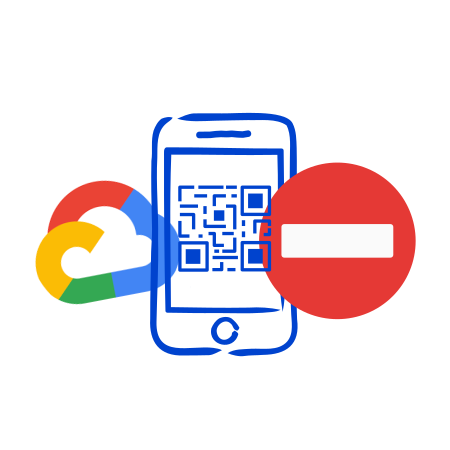
Critics Draw Parallels to Web Environment Integrity
Privacy advocates and security researchers have drawn direct parallels between Google Cloud Fraud Defense and a proposal Google made – and then withdrew – three years earlier.
In June 2023, Google proposed Web Environment Integrity (WEI) to the Chromium project: a mechanism that would have allowed websites to verify whether a user’s browser and device were Google-certified hardware. Standards bodies, Mozilla, and the Electronic Frontier Foundation rejected it swiftly. Mozilla stated the proposal “works against users’ interests” and “creates a gated internet controlled by OS and device vendors.” The EFF called it “Chrome’s Plan to DRM the Web.” Google withdrew the proposal within weeks.
Critics now argue that Google Cloud Fraud Defense achieves structurally similar outcomes – conditioning web access on device certification – this time as a commercial product rather than a public standards proposal. Google itself has not acknowledged any connection between Fraud Defense and WEI, and frames the product exclusively as a fraud prevention platform.
Questions About Data Collection and Privacy
Google states that Google Cloud Fraud Defense uses “privacy-preserving data processing” and describes its transition to a Data Processor model as of April 2, 2026, giving website operators “direct control over user data.” Google also describes collecting “anonymized telemetry” across billions of interactions to power its detection models.
However, privacy advocates raise questions that Google’s public documentation does not fully answer: what device-level signals are collected during a Google Cloud Fraud Defense challenge, how long are they retained, and whether they could be used to build persistent cross-site identifiers. Given that verification is tied to certified device hardware rather than a session cookie, critics argue this architecture raises questions about the potential for durable attribution – even if that is not Google’s stated purpose.
For website operators subject to GDPR, this creates a practical compliance question: understanding exactly what data flows through Google Cloud Fraud Defense, on what legal basis, and how to document it in a privacy policy.
Does It Actually Stop Bots?
The security case for the QR challenge mechanism of Google Cloud Fraud Defense deserves scrutiny on two fronts.
Automated bypass: Security researchers have noted that a QR code displayed on a screen can be scanned by a camera pointed at that screen – a straightforward automation achievable with off-the-shelf hardware. According to a discussion on Hacker News following the launch, one commenter estimated that a compliant Android device capable of passing verification can be purchased for approximately $30, making hardware-based attestation a manageable fixed cost for professional bot operations at scale.
User behavior risk: An incident response professional in the same Hacker News thread raised a separate concern: Fraud Defense trains users to scan QR codes in order to access websites. Phishing campaigns routinely exploit trained user behavior. The same habit that helps a user pass a legitimate Google Cloud Fraud Defense challenge could make them more susceptible to a malicious QR code presented in the same context.
What This Means for Website Operators
Operators considering Fraud Defense face a set of practical questions:
Compliance obligations
Integrating Fraud Defense means routing your users’ verification through Google’s infrastructure. Understanding the legal basis for that data processing, documenting it accurately in your privacy policy, and ensuring it satisfies GDPR requirements remains your responsibility. Google’s transition to a Data Processor model is a step forward, but the compliance framework still requires active work from operators.
Conversion risk
Every user who cannot complete verification is a lost interaction – and in e-commerce that cost adds up fast. How bot attacks affect e-commerce conversion and revenue.
Privacy-conscious users, people on custom Android ROMs, and Firefox for Android users will silently fail – not because they are bots, but because they use software that does not participate in Google’s certification architecture.
Vendor dependency
Fraud Defense ties your bot protection directly to Google’s infrastructure and certification requirements. Changes to Google’s pricing, supported device list, or policy affect your protection layer without your input.
Cost structure
Fraud Defense starts free up to 10,000 assessments (Essentials), scales to $8.00/1,000 at Premium, and requires a 12-month commitment at Enterprise level. How does that compare to reCAPTCHA pricing?
A Different Approach: Proof-of-Work Without Device Certification
The alternative to device-based verification is not weaker security. It is a different security model entirely.
Proof-of-work systems like Friendly Captcha issue cryptographic challenges that require computational effort directly in the user’s browser. A single human solving one challenge pays a negligible cost. A bot farm running concurrent sessions faces exponentially increasing compute costs with each additional attempt. AI agents, which consume GPU cycles to operate, face the same cost structure regardless of their sophistication.
No hardware identifier or QR code scanning is involved. No certification layer determines who may participate. Users on GrapheneOS, Firefox, or any other browser and device complete verification without friction – because the mechanism never asks which device they are using in the first place.
Friendly Captcha processes only what is necessary for bot detection, applies automatic anonymization and deletion within 30 days, and keeps all data within EU infrastructure. GDPR compliance is built into the architecture, not left for operators to piece together afterward.
Conclusion
Google Cloud Fraud Defense presents itself as a significant evolution of reCAPTCHA, purpose-built for a web increasingly navigated by both humans and autonomous AI agents. Its Google-scale fraud intelligence and unified journey protection are genuine capabilities.
At the same time, the product raises legitimate questions that website operators should consider before integrating it: which users are structurally excluded, what data flows to Google during verification, and how compliance obligations are documented. Critics draw a line from Fraud Defense back to Web Environment Integrity – a framing Google rejects, but one that reflects a broader debate about who controls access to the open web.
Bot protection does not require knowing which hardware your users own. Friendly Captcha demonstrates that every day – without locking anyone out, without dependencies on a single vendor’s certification infrastructure, and with clear, auditable data practices that make compliance straightforward rather than something to piece together after the fact.
FAQ
Yes. Google has confirmed that existing reCAPTCHA customers are automatically Fraud Defense customers, with no migration required. Existing site keys and integrations remain exactly as they are – no action is needed and pricing does not change.
No. When the system decides to challenge a session, it requires an Android phone with Google Play Services version 25.41.30 or higher installed. This means Google Cloud Fraud Defense will force users on de-Googled devices – such as GrapheneOS, CalyxOS, or LineageOS – to automatically fail verification, even if they are legitimate users.
Google positions Fraud Defense as the next evolution of reCAPTCHA, expanding beyond bot detection into a broader trust platform. In addition to bot protection, Fraud Defense adds account takeover detection, SMS toll fraud prevention, transaction defense, and tools specifically designed for the agentic web. reCAPTCHA remains the bot defense layer within the broader Fraud Defense platform.
Google introduced a Data Processor model for Fraud Defense as of April 2, 2026, which gives website operators more direct control over user data. However, compliance is not automatic: operators remain responsible for documenting data flows, establishing a legal basis, and updating their privacy policies. The unanswered questions around device-level signal collection and data retention mean that operators – not Google – carry the compliance burden.
IP geolocation is the mapping of IP addresses
The technology determines the geographic location of an internet-connected device (country, region, city, or postal code) using its unique IP address.
Matching a device's internet protocol (IP) address
Databases link IP ranges to geographic locations provided by internet service providers, registries, and other data sources.
Key uses of IP geolocation
It is used for fraud detection, personalized content delivery, targeted advertising, audience insights, and security compliance.
Get IP geo with IP Trust and Friendly Captcha
Friendly Captcha offers IP Geolocation data as part of it's Risk Intelligence feature. IP Trust provides standalone IP Geolocation through a REST API or database downloads. Try out now ›
IP geolocation is one of the most widely used tools in modern web infrastructure – powering everything from content localisation to fraud prevention. But how does it actually work, and what can you do with it? This guide covers everything you need to know: what IP geolocation is, how it works under the hood, what data it returns, how accurate it is, and the most common use cases for businesses today.
What Is IP Geolocation?
IP geolocation is the process of determining the real-world geographic location information of an internet-connected device based on its IP address. Every device that connects to the internet is assigned an IP address, and that address can be mapped to a physical location, typically at the level of country, region, or city.
Unlike GPS, IP geolocation requires no hardware sensors or user permissions. It works silently in the background, using publicly available network data to estimate where a user or device is located. This makes it a practical and privacy-respecting alternative to browser-based location APIs.
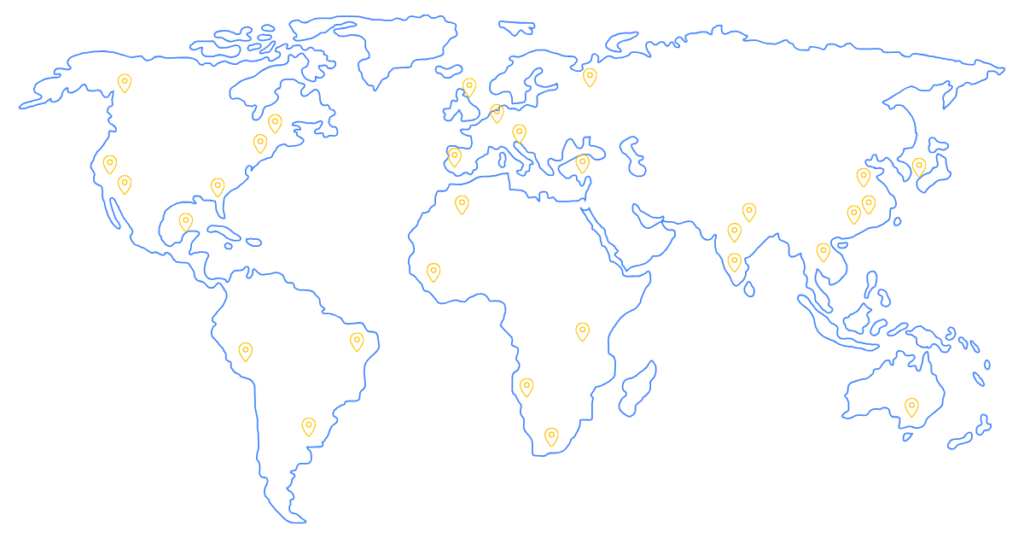
How Does IP Geolocation Work?
IP geolocation uses various techniques to map IP addresses to geolocation information.
The primary approach is to cross-reference an IP address against a database of known IP allocations and their associated geographic regions. Several data sources are used to build and maintain these databases:
- WHOIS Records: Public registration information for IP address blocks, which often includes the country and organisation the block is assigned to.
- Geofeeds: Machine-readable location files that internet service providers and network operators publish voluntarily to declare the geographic location of their IP ranges.
- Reverse DNS: Hostname lookups that can reveal clues about a network’s location based on naming conventions.
Providers like IP Trust source this data directly, owning their entire database rather than reselling data from third parties. This avoids upstream licensing restrictions and ensures you’re always working with first-hand, continuously updated information.
When a lookup is performed, either via an API call or a local database query, the IP address is matched against these records. The data is then used to provide location information at the country, region, and city level, along with coordinates and metadata.
Triangulation and Geolocation of IP Adresses
Triangulation is another approach sometimes used to geolocate IP addresses. With triangulation, each IP address is “pinged” from multiple locations around the world. The time for the device behind the IP to send a response is then measured and compared against the times from other locations. Through this, an approximate actual location can be determined based on the minimal possible response times to each location.
Pros and Cons of Triangulation Method
Triangulation tends to work best for IP addresses managed by hosting providers, where a single IP address maps to a single device and that device is directly reachable over the internet. For residential IP addresses owned by Internet Service Providers, triangulation is less effective, since many users will share a public IP address using a technique known as CGNAT.
This means that the devices behind a single public IP are spread across a wide geographic area and are not directly reachable over the internet. In addition, many Internet Service Providers and intermediaries configure their infrastructure to ignore the types of messages required for triangulation to work. For a large percentage of IPs in use today, this can severely limit the effectiveness of triangulation.
Is Triangulation Efficient?
Triangulation also requires significant resources to implement. To be accurate, triangulation requires many servers in multiple locations which can be expensive to run and operate. This results in increased costs which the IP geolocation provider must pass on to potential customers as part of their service pricing, even though it’s unclear how much the overall quality of the data is is improved.
What Data Can You Get From an IP Geolocation Lookup?
Geolocation information can include a surprisingly rich set of data. Beyond a simple city and country or user’s location, a comprehensive geolocation API will return fields like:
| Field | Example Value | Description |
|---|---|---|
|
`city` |
Barcelona |
City-level location of the IP address |
|
`state` |
Barcelona |
State, province, or top-level administrative region |
|
`country` |
Spain |
Full country name |
|
`area_code` |
93 |
Local area dialling code |
|
`timezone` |
CEST |
Location timezone |
|
`latitude` |
41.389 |
Approximate latitude coordinate (WGS84) |
|
`latitude` |
2.159 |
Approximate longitude coordinate (WGS84) |
|
`country_iso2` |
ES |
ISO 3166-1 alpha-2 country code |
|
`country_iso3` |
ESP |
ISO 3166-1 alpha-3 country code |
|
`country_phone_code` |
34 |
International dialling code |
|
`country_capital` |
Madrid |
Capital city |
|
`country_currency` |
EUR |
ISO 4217 currency code |
|
`country_currency_name` |
Euro |
Full currency name |
|
`country_native` |
España |
Country name in the local language |
|
`country_region` |
Europe |
UN geographic macro-region |
|
`country_subregion` |
Southern Europe |
UN geographic sub-region |
|
`country_emoji` |
 |
Country flag as a Unicode emoji |
IP Geolocation API vs IP Geolocation Database
There are two primary ways to integrate IP geolocation data into your applications: via an API or via a downloadable database. Both have distinct advantages depending on your use case.
IP Geolocation API
A geolocation API lets you send a request to a remote endpoint and receive geolocation information in real time. This is the fastest way to get started. Integration typically takes less than five minutes and works with any programming language. APIs are ideal for applications where lookups happen on demand (such as during user login or checkout) and where query volume is manageable.
Key benefits of IP Geolocation API
Simple integration, typically just a few lines of code
Always up to date – no manual refreshes needed
Fast response times (sub-100ms with quality providers)
IP Geolocation Database
A downloadable geolocation database gives you a local copy of the full dataset in formats like MMDB, CSV, JSON, or Parquet. All lookups happen within your own infrastructure. There are no external API calls required.
Key benefits of IP Location Database
Zero latency lookups
No data leaves your environment – ideal for privacy-sensitive use cases
No rate limits or per-query cost – suitable for high-volume
For organizations with strict data residency or compliance requirements, a local database download is often the preferred approach.
Top Use Cases for IP Geolocation
IP geolocation data has a wide range of practical applications across industries. Here are some of the most common:
Content Localization
Automatically serve your website’s content in the right language and currency based on a visitor’s country or region. Display localized pricing, translate interfaces, and tailor the user experience – all without requiring the user to manually select their location.
Geo-Restrictions and Compliance
Enforce geographic access controls for content licensing, regulatory compliance, or export restrictions. Redirect or block traffic from specific countries or regions to stay within legal boundaries – particularly important for streaming services, financial platforms, and software with export controls.
Analytics and Audience Insights
Understand where your users are coming from at a granular level. Geographic data enriches your analytics stack, helping you identify regional trends, benchmark performance by market, and prioritize expansion efforts. Mismatches between billing details and IP addresses help to prevent fraud and reduce charge-backs.
Ad Targeting and Campaign Optimization
Serve location-relevant ads and promotions. Geolocation data allows you to deliver targeted campaigns and content personalization by country, region, or city – improving click-through and conversion rates on websites and reducing wasted ad spend.
IP Geolocation for Security and Fraud Detection
One of the most valuable applications of IP geolocation is in fraud prevention and security monitoring. IP location data allows systems to identify anomalies that would otherwise go undetected:
Online fraud: To prevent fraud, users flag payments where the IP location doesn’t match the billing address or shipping destination.
Account takeover: Detect suspicious logins from unexpected geographic regions, triggering step-up authentication or alerting the account holder.
Bot and scraper detection: Combine IP location with ASN data to identify traffic originating from data centers or hosting providers rather than residential users.
Velocity checks: Identify impossible travel scenarios, such as a user appearing in two countries within minutes of each other.
When combined with additional IP intelligence signals – such as VPN detection, proxy detection, and hosting identification – IP geolocation becomes a powerful layer in a broader fraud detection stack.
How Accurate Is IP Geolocation?
IP geolocation accuracy varies depending on the level of granularity requested and the quality of the underlying data sources.
Country level: Accuracy is typically above 99% for quality providers. Country-level geolocation is highly reliable and suitable for compliance use cases such as geo-blocking.
Region/state level: Accuracy is lower but still broadly reliable for most ISPs and network operators.
City level: Accuracy depends heavily on the availability and quality of geofeeds, WHOIS data, and reverse DNS records for a given IP range. Coverage is best in densely populated and well-documented network environments.
It’s important to understand that the returned IP location is an approximate location – typically the location of the network infrastructure serving the IP address, not necessarily the device’s precise real world location. For mobile users, this might reflect a city-level exchange point rather than their exact street.
Despite providing only approximate locations compared to other approaches such as GPS, IP geolocation still provides data accurate enough for many use cases while providing a frictionless experience and fully respecting end user privacy.
Popular IP Geolocation Tools and Services
There are a number of IP geolocation providers on the market, ranging from free tools with limited accuracy to enterprise-grade services with comprehensive data and SLAs.
When evaluating a provider, consider the following:
Data sourcing: Does the provider own its data outright, or is it reselling from an upstream source?
Update frequency: IP allocations change constantly. Daily updates are the benchmark for keeping data fresh.
Legal and Compliance: IP address data is sensitive; does the provider have an appropriate Data Protection Agreement and Privacy Policy in place?
Coverage: Does the provider support both IPv4 and IPv6 across all regions?
Delivery options: Is both an API and a downloadable database available? Is the provider transparent on database pricing, or is it hidden? Such providers can end up being extremely expensive.
IP Trust offers a geolocation API and downloadable database with daily updates, full IPv4 and IPv6 coverage across 250+ countries, and a rich metadata set in every lookup. IP Trust is developed and operated in the EU and takes a privacy-first approach to providing IP data with a detailed data protection agreement, privacy policy and transparent database pricing.
For existing Friendly Captcha customers, IP geolocation data is also available through the Risk Intelligence feature.
Conclusion
IP geolocation is a foundational tool for any business operating online. Whether you’re localizing content, enforcing compliance, protecting users from fraud, or enriching your analytics, understanding where your users are is a critical first step.
The best geolocation implementations combine accurate, frequently updated data with the right delivery model for your infrastructure – API for real-time lookups, or a local database for high-volume, privacy-first environments.
If you’re looking to add IP location data to your stack, IP Trust offers a free 30-day trial with no credit card required. You can explore the full data set and test against your own traffic before committing to a plan.
FAQ
IP geolocation is the process of determining the geographic location of an IP address – such as country, region, and city – using publicly available network data including WHOIS records, geofeeds, and reverse DNS. It requires no GPS or user permission.
Country-level accuracy is typically above 99% with quality providers. City-level accuracy is lower and depends on the availability of geofeeds and WHOIS records for the specific IP range. IP geolocation provides approximate locations, not exact street addresses.
No. IP geolocation returns an approximate location – typically tied to the network infrastructure serving an IP address rather than the physical device. It is not suitable for identifying specific street addresses or precise coordinates.
An IP geolocation API delivers location data in real time via HTTP requests to a remote endpoint. A geolocation database is a downloadable file (CSV, MMDB, JSON, or Parquet) that you host locally, enabling zero-latency lookups with no external calls. APIs are easier to get started with; databases are better for high-volume or privacy-sensitive environments.
Geolocation alone cannot reliably detect VPNs or proxies. However, when combined with dedicated VPN detection and proxy detection data – as offered by providers like IP Trust – you can identify anonymized traffic alongside its apparent geographic location.
A comprehensive IP geolocation lookup returns city, state, country, latitude, longitude, ISO country codes, phone dialling code, capital city, currency, native country name, geographic region and sub-region, and country flag emoji – all in a single response.
hCaptcha is involved in international data transfers.
As hCaptcha is a U.S.-based company, using it on websites in the EU/EEA, the U.K., or Switzerland involves international data transfer. This triggers specific GDPR Chapter V obligations and Schrems II scrutiny.
Website owners remain fully responsible for GDPR compliance.
Using hCaptcha typically requires a valid legal basis and clear, accessible information in your privacy policy and cookie banner explaining the service, its purposes, and data destinations.
hCaptcha GDPR: Walking the compliance tightrope
hCaptcha's architecture creates GDPR compliance challenges that Friendly Captcha eliminates through privacy-first design.
Simplify your GDPR compliance with Friendly Captcha
EU-hosted, privacy-first CAPTCHA alternatives like Friendly Captcha can significantly simplify GDPR compliance. Try out now ›
Why It Matters to Think About hCaptcha’s GDPR Compliance
hCaptcha is a CAPTCHA service developed by Intuition Machines, Inc., a company headquartered in Miami, Florida, USA. The hCaptcha service is deployed on login pages, registration forms, and contact forms worldwide to distinguish humans from bots and protect web applications from automated abuse.
Introduction to hCaptcha as an image CAPTCHA provider can be found here.
When a user encounters an hCaptcha widget, the CAPTCHA service typically processes several categories of data that qualify as personal data under the General Data Protection Regulation. This includes :
IP addresses
device and browser characteristics
user interaction data such as mouse movements and timing patterns,
challenge response information.
Under Art. 4(1) GDPR, any information relating to an identified or identifiable natural person constitutes personal data – and these identifiers clearly meet that threshold.
Because hCaptcha’s parent company operates from the United States, any use of hCaptcha on an EU/EEA, UK, or Swiss website normally results in data transfer to a third country. This triggers GDPR Chapter V obligations, requiring controllers to ensure an adequate level of protection for personal data leaving the European Union.
Even when hCaptcha claims to prioritize privacy and minimize tracking, website operators themselves remain the data controllers. This means you bear responsibility for ensuring a proper legal basis, providing transparency to users, and implementing data minimization principles – regardless of what the vendor’s marketing materials promise.
hCaptcha’s Data Processing: What Is Collected?
When a user comes across an hCaptcha widget, the hCaptcha service processes a combination of technical, behavioral, and potentially account-related data.
Typical Data That Is Collected by hCaptcha
| Data Category | Examples | GDPR Relevance |
|---|---|---|
|
Network identifiers |
IP addresses, HTTP headers |
Personal data under Art. 4(1) |
|
Device/browser data |
User agent, screen resolution, plugins |
May enable fingerprinting |
|
Behavioral signals |
Mouse movements, keystroke timing |
User interaction data for profiling |
|
Challenge results |
Puzzle responses, timestamps |
Processing for security purposes |
|
Cookies/tokens |
Session identifiers, fraud detection markers |
Under GDPR, many of these identifiers qualify as personal data, and some fingerprinting techniques may even reach the threshold of profiling as defined in Art. 4(4). When hCaptcha processes data in a way that evaluates personal aspects – predicting whether someone is a bot based on behavioral patterns – this constitutes profiling that requires careful legal justification.
Several core GDPR principles directly apply to any use of hCaptcha and should be considered:
Data minimization (Art. 5(1)(c)): Only process data adequate, relevant, and limited to what is necessary
Storage limitation (Art. 5(1)(e)): Retain data only as long as necessary for the stated purposes
Integrity and confidentiality (Art. 5(1)(f)): Implement appropriate security measures.
What should website operators do?
Setting up the appropriate data processing agreements and understanding what data is collected requires advice and expertise. Switching to an alternative CAPTCHA service, such as Friendly Captcha, which minimizes data collection and avoids international transfers, is definitely a faster and more effective option.
hCaptcha and International Data Transfers Under the GDPR
The Schrems II judgment of 16 July 2020 (Case C-311/18) fundamentally changed how EU controllers must assess transfers of personal data to third countries, including the United States. The Court of Justice of the European Union (CJEU) invalidated the EU-US Privacy Shield and confirmed that tools such as Standard Contractual Clauses (SCCs) remain valid only if controllers assess, case by case, whether the destination country ensures an essentially equivalent level of protection.
Current transfer mechanisms for hCaptcha
According to hCaptcha’s public statements, Intuition Machines participates in the EU-US Data Privacy Framework (DPF), including the UK Extension and the Swiss-US DPF. Following the European Commission’s adequacy decision for the EU-US DPF in July 2023, this can serve as an adequacy mechanism for transfers of personal data from the EEA to Intuition Machines where the DPF applies.
However, controllers must still determine:
whether their specific use of hCaptcha (product tier, configuration, and endpoints) is covered by Intuition Machines’ DPF certification and,
whether they also rely on Standard Contractual Clauses and/or additional safeguards as part of their Schrems II transfer impact assessment.
The DPF has not yet been tested by the CJEU, and privacy advocates have already announced potential legal challenges (“Schrems III”). Furthermore, DPF certifications require annual renewal. Supervisory authorities, including Bavaria’s BayLDA, have warned that deploying US-based CAPTCHA services without robust transfer safeguards can be problematic, given that IP addresses and device data may be accessible to US authorities under laws that do not fully match EEA protections, such as FISA 702.
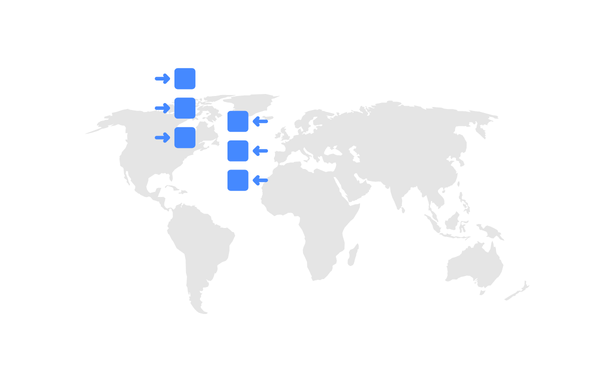
Consent, Legitimate Interest & Data Retention: Why hCaptcha’s GDPR Compliance Is a Gamble
Controllers must establish a valid legal basis under Art. 6 of the GDPR before processing personal data. The compliance debate over hCaptcha consistently centers on two options: consent and legitimate interests.
hCaptcha & Consent: Really The “Safest” Option?
As hCaptcha sets non-essential cookies, uses browser fingerprinting or behavioral profiling and transfers personal data to the United States, then explicit consent under Art. 6(1)(a) GDPR – and potentially Art. 49(1)(a) GDPR for international transfers – is often presented as the “safest” legal basis. But that framing deserves scrutiny.
Consent under the GDPR is not a checkbox formality. It must be:
Freely given – no coercion, no hidden penalties
Specific – tied to clearly defined processing purposes
Informed – transparent about data use and transfers
Unambiguous – active opt-in only
Prior – obtained before any requests are triggered
Withdrawable – as easy to revoke as to give
In practice, meeting these standards is demanding – especially because hCaptcha loads automatically on page visit or transfers data abroad.
This raises a structural question: If a bot-protection tool requires complex consent flows and international transfer disclosures to be lawful, is it really privacy-by-design?
hCaptcha & Legitimate Interest
Some organizations attempt to justify bot protection under legitimate interests (Art. 6(1)(f) GDPR), but data protection authorities increasingly scrutinize this approach.
The legitimate interest argument requires a documented balancing test and faces challenges when tracking extends beyond pure security purposes, when extensive fingerprinting is used, or when international data transfers are involved. A proper Legitimate Interest Assessment (LIA) must clearly separate security from analytics or monetization, demonstrate strict necessity, and limit processing scope.
The basic idea behind hCaptcha was to use CAPTCHA tests for the parent company’s machine learning purposes. hCaptcha uses bot protection data for two purposes: security and training machine learning models. Therefore, hCaptcha may have a hard time sustaining legitimate interest arguments.
The Grim Tale of hCaptcha Cookies
The ePrivacy Directive – implemented through national laws like Germany’s TTDSG or France’s Informatique et Libertés Law – typically requires prior consent for non-essential cookies and many tracking technologies. This fully applies to hCaptcha since it stores information on user devices or access device information beyond what is strictly necessary.
If you use a consent management platform (aka cookie banner), it should present hCaptcha clearly to be in line with GDPR, meaning naming the vendor, stating the purpose, listing the data types, disclosing the destinations and providing clear choices.
Users must be able to refuse hCaptcha from the first layer of the banner without being nudged or facing “dark patterns.” A refusal must prevent all requests to hCaptcha domains and stop the loading of its scripts entirely, which can cause the website to malfunction and prevent users from accessing forms.
The same goes for withdrawing consent, which the GDPR requires to be as easy as giving it. There must be a feature that deactivates existing hCaptcha cookies and stops hCaptcha requests until consent is obtained again.
GDPR compliance is obviously easier with a CAPTCHA tool that doesn’t store cookies. Friendly Captcha does just that – give it a try.

hCaptcha & the Data Retention Dilemma
According to the GDPR, the default for CAPTCHA logs should be “as short as possible.” CAPTCHA service providers may keep personal data for as long as it is genuinely needed for a specific purpose: immediate security decisions (seconds to minutes), incident analysis and fraud investigation (days to weeks), or legal obligations.
Indefinite retention is difficult to justify under Art. 5(1)(e) of the GDPR. If hCaptcha retains data longer than necessary, it faces GDPR compliance risks. And this is very difficult to control.
hCaptcha vs. Privacy‑First Alternatives (Including Friendly Captcha)
Achieving 100% GDPR compliance can be challenging when using hCaptcha. Balancing between security effectiveness, user experience and compliance complexity is a real challenge for many organizations and customers. Let’s quickly compare traditional and modern CAPTCHA solutions in the context of the GDPR.
Traditional CAPTCHA Challenges
Traditional CAPTCHA systems – including hCaptcha and Google reCAPTCHA – often rely on:
Behavioral tracking across page interactions
Cookies and persistent identifiers
Extensive telemetry collection
Server-side risk scoring based on aggregated user data
This approach makes GDPR compliance more complex, particularly for EU public sector entities, healthcare organizations, and companies serving EU citizens in regulated industries. The combination of processing personal data, international data transfers, and potential profiling creates multiple compliance pressure points.
Friendly Captcha: A Privacy-First Approach
Friendly Captcha takes a fundamentally different approach to bot protection. Rather than tracking user behavior or requiring CAPTCHA challenges, such as image puzzles, which are detrimental to global website accessibility and exclude users, it uses cryptographic proof-of-work puzzles that are solved invisibly in the user’s browser.
Key privacy advantages include:
| Feature | Privacy Benefit |
|---|---|
|
EU data centers |
Data remains within European Economic Area |
|
No cookies required |
Reduces ePrivacy consent requirements |
|
No behavioral tracking |
Minimal personal data processing |
|
Invisible operation |
No user interaction data collected |
|
No ad-ecosystem linkage |
Data not shared for advertising purposes |
|
WCAG accessibility |
Works for users with disabilities (Friendly Captcha is WCAG 2.2 AA certified) |
This architecture significantly reduces the data protection footprint. When data never leaves the EU, there are no Schrems II transfer concerns, no consent management platform to maintain, and substantially simplified documentation.
Secure Your GDPR Compliance with Friendly Captcha
Deploying hCaptcha on websites facing the EU introduces genuine challenges to GDPR compliance that cannot be solved by vendor assurances alone. As the data controller, you are fully responsible for securing valid consent, documenting international data transfers, implementing mechanisms that ensure user rights, and maintaining transparency about data flows to the United States.
Although the EU-U.S. Data Privacy Framework offers a potential transfer mechanism, regulatory scrutiny persists, requiring organizations to conduct thorough Transfer Impact Assessments and implement supplementary safeguards yearly. Ensuring hCaptcha deployments remain compliant is complex and requires ongoing legal and technical resources. This includes everything from consent management and retention limits to user rights workflows.
For many organizations, especially those in regulated or public sectors, privacy-first alternatives like Friendly Captcha offer a simpler path by keeping data within the EU, eliminating behavioral tracking, and operating without cookies. These solutions dramatically reduce compliance overhead while delivering effective bot protection. Try Friendly Captcha as an alternative to hCaptcha for free for 30 days.
FAQ
No, hCaptcha is not fully GDPR compliant by default. Although it is considered a more privacy-friendly alternative to Google reCAPTCHA, website operators must still take measures to comply with the General Data Protection Regulation (GDPR).
Friendly Captcha is a hCaptcha alternative that is GDPR-compliant by design. Try it now!
Whether explicit consent (opt-in via cookie banner) is always required for hCaptcha has not been conclusively clarified in legal terms, but use with consent is the safest option.
Friendly Captcha is a modern CAPTCHA service that does not require cookies to function, so no consent is required and bot protection becomes easier. Try it out with a free 30-day trial.
Yes, you must mention hCaptcha in your privacy and cookies policies. This section should explain in plain language the purpose (bot protection, security), the data categories processed (IP address, device data, challenge results), the recipient (Intuition Machines, Inc., Miami, FL, USA), the international transfers and applicable safeguards, your legal basis and retention periods and how users can withdraw consent or exercise their rights
The primary risks include:
Regulatory scrutiny: DPAs may question whether your transfer safeguards are adequate.
Enforcement action: Orders to suspend transfers or switch providers if safeguards fail.
Fines: Up to 4% of global annual turnover for serious violations.
Reputational damage: Public findings against your organization.
To mitigate these risks, complete a documented TIA, implement strong encryption, configure hCaptcha restrictively, and maintain comprehensive compliance records.
Alternatively, consider EU-hosted solutions like Friendly Captcha to avoid complex third-country transfer scenarios entirely.
Many organizations now combine or replace visual CAPTCHAs with invisible, low-friction models. Modern approaches include proof-of-work puzzles that are cryptographic challenges solved silently in the browser, and server-side risk scoring.
Solutions like Friendly Captcha are built around these approaches, providing strong protection against automated abuse while reducing user friction and the amount of personal data processed. For many services, Friendly Captcha represents a better balance of security, usability, and compliance than traditional CAPTCHA challenges.