

Say goodbye to slow,
bulky images
With NitroPack’s complete image optimization, you can have lightning-fast loading visuals with none of the quality drawbacks. Lazy load, WebP, Adaptive sizing, and more—all on autopilot.

Images make up 61.3%
of a web page

Why do you need fast images?

High data transfer costs
Images are getting larger, requiring more bandwidth to load. When unoptimized, their size directly increases the time it takes to download, contributing to slower page load times. The Bytes per Request (BPR) impacts the DOM rendering, which delays Time to Interactive (TTI), especially on mobile networks or slower connections.

Failed Core Web Vitals
68% of mobile sites feature an image as the main above-the-fold element, yet 9.1% rely on Lazy Load for their LCP <img> element—resulting in slower load times and failed Largest Contentful Paint (LCP). Even more concerning, 58% of mobile sites don’t resize images properly, leading to failed Cumulative Layout Shift (CLS).
Slow mobile page loads
Only 12% of images on the web use WebP—the fastest image format available today. Without proper encoding and efficient formats, mobile users are forced to download large files, increasing network latency, slowing page rendering, and draining the users’ data plan resources and money.
How NitroPack optimizes your images
Properly compress, format, embed, and resize all your images to pass LCP and CLS.

Lazy load images
Load images only when users scroll to them, reducing initial load times and saving bandwidth.

Lazy load iframes
Delay loading iframes to improve performance without sacrificing functionality.
Lossy & Lossless
Choose between lossy or lossless compression to balance the quality and performance of your images.
Preemptive image sizing
Automatically add height and width attributes to prevent layout shifts and improve CLS.
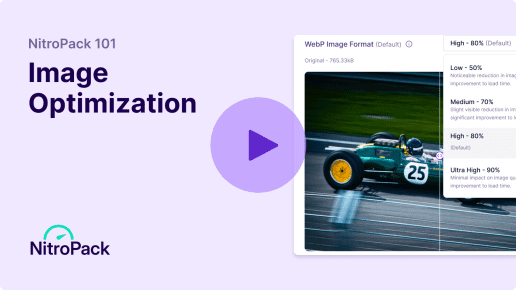
WebP conversion
Convert images, GIF, and animated PNG to the fast and efficient WebP format for smaller file sizes and quicker load times.

Adaptive image sizing
Serve perfectly sized images based on the user’s device and screen resolution, ensuring optimal performance.
87% of NitroPack users say they no longer pay for:
 Compression plugins
- Bulk resizing solutions
- Lazy loading extensions
No more image warnings in your Google PSI report
Access the Speed Insiders program as a NitroPack user to test new features and provide feedback before they become public.
 Properly size images
- Defer offscreen images
- Efficiently encode images
- Largest Contentful Paint image was lazily loaded
- Image elements do not have explicit width and height

FAQs
Will NitroPack reduce the quality of my images?
NitroPack offers both lossy and lossless compression options, allowing you to choose how much file size reduction to apply. Lossy compression provides maximum size reduction with a slight decrease in quality, while lossless compression retains full quality with moderate size reduction. This ensures your images maintain visual integrity while loading faster.
What is lazy loading, and how does it work?
Lazy loading delays the loading of images and iframes until they are needed—when users scroll to them. This reduces the initial load time of your page, saving bandwidth and improving performance. NitroPack automatically implements lazy loading for both images and iframes, boosting speed without additional configuration.
Will NitroPack work with CDN-hosted images?
Yes, NitroPack integrates seamlessly with content delivery networks (CDNs). It optimizes images before serving them through your CDN, ensuring that your visitors receive optimized, fast-loading images from the closest server.
Can I exclude specific images from being optimized?
Yes, NitroPack allows you to exclude specific images or directories from being optimized. You can set exclusions directly in your NitroPack settings, giving you complete control over which assets are optimized and which are left untouched.
What happens to my existing images if I stop using NitroPack?
If you stop using NitroPack, your existing images will revert to their original state, as NitroPack stores optimized images separately. No permanent changes are made to your original files, so you can seamlessly transition without losing image quality or content integrity.
