
Description
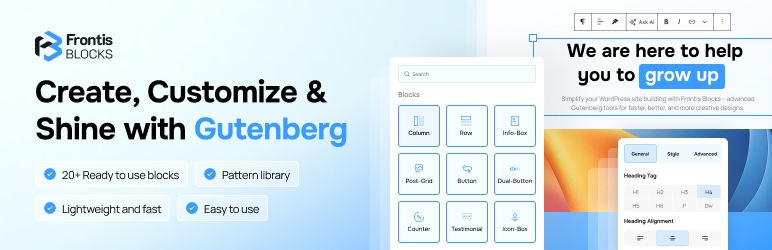
Frontis Blocks is a block library with 40+ blocks, global styles, sliders/galleries, CTAs, and map/form integrations, plus ready-made patterns to help you build pages faster in the Block Editor.
BUILD MODERN, FAST-LOADING PAGES IN THE WORDPRESS BLOCK EDITOR (GUTENBERG) WITH 40+ BLOCKS AND READY-MADE PATTERNS. NO CODING REQUIRED.
You can try a live demo of Frontis
Finally, a block library that lets you design beautiful, fast, and professional websites right inside WordPress. Frontis Blocks adds a wide set of powerful elements so you can build landing pages, blogs, portfolios, and stores in minutes. It works with any theme and pairs perfectly with the Frontis theme for a seamless full-site editing workflow.
You open the WordPress editor and just want to make a good page fast. No heavy plugin, no code, no guesswork. That’s why we built Frontis Blocks. It works right inside the Block Editor (Gutenberg Block Editor) so you can launch real pages right now. (With 40+ lightweight blocks plus premade designs.)
Add an animated heading, buttons, testimonials, pricing tables, galleries, sliders, and a map block—all with simple controls that feel consistent with the Editor.
Now, if you’ve tried big page builders — Elementor, Divi, WPBakery, Bricks, Beaver Builder — you already know the downsides: extra interfaces, extra scripts, and sometimes slower pages as your site grows. Frontis takes a different approach which is Gutenberg first. Your content stays in standard markup, so it’s easy to edit, easy to move, and built to be fast.
Why Frontis instead of heavy page builders (Elementor, Divi, etc.)?
- Native & simple: Build directly in the WordPress Block Editor, using the familiar interface you already know.
- Fast by default: Lightweight assets help pages load quickly and support SEO.
- No lock-in: You can switch themes anytime.
- Real features you’ll use: Container for layout, global control for consistent styles, Copy & Paste Styles to speed up your work.
- Launch today: Premade designs and patterns give you a head start. Just replace text and images.
Why is Frontis vs. other block libraries?
- Focused, not bloated: 40+ blocks that cover real pages — headings, CTAs, accordions/tabs, sliders, counters, post grids, teams, pricing, testimonials, galleries and more.
- Premade designs are included: Start with ready-made sections and full layouts, then tweak with global styles.
- Features: Form styling for Fluent Forms and Contact Form 7, Google Map (no API key), animated headings, sliders/carousels.
- SEO-friendly structure: Clean markup and clear structure help pages rank.
- Beginner-friendly, pro-ready: Easy controls for newcomers, deeper options when you need precision.
SOME POWERFUL FEATURES OF FRONTIS BLOCKS 💪
- Layouts – Build responsive sections with the Container (padding, gaps, backgrounds, and layout controls).
- Starter Designs & Patterns – Mix ready-made sections and layouts to assemble pages faster.
- Global Styling – Set site-wide defaults (container width, spacing, colors, typography) so every page stays consistent and no extra CSS.
- Copy & Paste Styles – Style a block once, reuse it everywhere. Reuse the same styling elsewhere for consistent pages.
- Performance & No Lock-In – Designed to keep markup clean and your content in standard blocks, so switching themes is straightforward.
- Responsive Controls — Tweak spacing and alignment for mobile, tablet, and desktop.
- Clean, SEO-Friendly Markup — Structured blocks that work well with modern themes and SEO plugins.
- Theme-Agnostic — Regular improvements to keep compatible with current WordPress releases.
- Real Support & Updates — Actively improved so your design stays modern and reliable.
Features at a Glance
Frontis Blocks includes a growing collection of custom Gutenberg blocks for WordPress, organized by purpose, so you can design faster, stay consistent, and build page-builder style layouts inside the native editor.
Headings & Text
- Advanced Heading: Create stylish headings with decorative elements, custom typography, and eye-catching designs.
- Animated Heading: Add motion to your headings for stronger visual impact and better engagement.
- Advanced Paragraph: Improve normal text with better spacing, styling controls, and readable layouts.
- Post Title: Dynamically display the current post/page title with full design control.
Buttons & Call To Action
- Advanced Button: Build modern buttons with icons, gradients, shapes, and hover effects.
- Dual Button: Show two actions side-by-side (like Buy Now / Learn More) with balanced styling.
- Call to Action: Create high-converting CTA sections with bold text + buttons that stand out.
Sliders, Carousels & Tickers
- Slider: Showcase multiple slides with smooth transitions, layouts, and controls.
- Slide Item: Add and design individual slides inside the Slider.
- Marquee Carousel: Create an infinite scrolling carousel for logos, images, or highlights.
- Marquee Carousel Item: Add each scrolling item inside the Marquee Carousel.
- News Ticker: Display scrolling headlines or updates—great for announcements and latest posts.
Tabs & Accordions
- Tabs: Organize content into clean tabbed sections to reduce scrolling and improve clarity.
- Tabs Item: Add each tab panel inside the Tabs.
- Accordion: Show collapsible content for FAQs, feature details, or compact layouts.
- Accordion Item: Add each expandable section inside the Accordion.
Images, Media & Galleries
- Advanced Image: Enhance images with overlays, gradients, layout positioning, and visual effects.
- Advanced Video: Embed videos with styled layouts such as overlays and attention-grabbing designs.
- Image Gallery: Build galleries with multiple layouts and hover effects for portfolios or showcases.
Content & Info Boxes
- Icon Box: Highlight services or features with an icon + title + short text (easy to scan).
- Info Box: Display key info in a structured layout for quick highlights or callouts.
- Flip Box: Reveal additional content on hover/click—great for compact info or team/service cards.
- Feature List: Create clean feature lists using icons and short descriptions for clarity.
- Team Member: Show team profiles with photos, roles, and social links to build trust.
- Testimonial: Display customer reviews in polished layouts to increase credibility.
- Pricing Table: Compare plans clearly with feature lists and strong call-to-action buttons.
Forms & Integrations
- Post Comment Form: Add a styled comment form layout that matches your site design.
- Contact Form 7: Display CF7 forms with design-friendly layouts that blend into your page.
- Fluent Form: Present Fluent Forms in clean, modern styles for better user experience.
Blog & Post Elements
- Post Grid: Show posts in a grid layout with flexible styling for blogs and magazines.
- Post Category: Display post categories with customizable design.
- Post Featured Image: Show featured images dynamically with layout and style control.
Social & Sharing
- Social Share: Add share buttons so visitors can share your content faster.
- Social Share Child: Build each share option inside the Social Share block.
- Social Icons: Add social profile icons with multiple styles, layouts, and spacing controls.
Counters, Timers & Progress
- Counter Number: Highlight numbers like users, downloads, or milestones with style controls.
- Progressbar: Visualize progress, skills, or stats using clean progress indicators.
- Countdown: Create countdown timers for launches, sales, events, and deadlines.
Layout & Structure
- Container: Build flexible sections and layouts with better control over spacing and alignment.
Navigation & Maps
- Advanced Navigation: Create modern menus with improved styling and layout options.
- Google Map: Add a map section for locations, contact pages, and store pages.
Technical & Performance
- Critical CSS Separator: Organize and separate critical styling sections to help manage performance-focused layouts.
This collection is designed to fit any project—whether you’re building a portfolio, business site, blog, or e-commerce store—while keeping everything inside the editor for a faster, cleaner workflow.
Frontis Blocks + Frontis Theme = Future-Ready WordPress (FSE)
Frontis Blocks works with any theme, but it works best with the Frontis Theme — both are built for Full Site Editing (FSE), which is the future of WordPress.
- One smooth workflow: Design headers, footers, and templates in the editor with the same blocks you use for pages.
- Fast & stable: Shared lightweight styles (no CSS fights) for better performance and Core Web Vitals.
- Consistent design system: Premade designs/patterns look the same site-wide—no patchwork.
- No lock-in: You can change themes at any time.
All Your Favorite Plugins—Supported
WooCommerce
Yoast SEO
Rank Math
All in One SEO
SEOPress
The SEO Framework
WP Rocket
WP-Optimize
Smush
Imagify
Contact Form 7
WPForms
Fluent Forms
Mailchimp for WordPress
Advanced Custom Fields (ACF)
LearnDash
Tutor LMS
WPML
And More
Documentation
Start with the Frontis Blocks documentation for quick setup, guides, and best practices. Clear steps, screenshots, and tips to help you build faster in the Gutenberg editor.
Support
Need help after checking the docs? Send us a message via Frontis support. Share your WordPress version, theme, and steps to reproduce—we’ll reply fast.
Say Hello, Get Help – Connect with the Frontis Team
We’re just a message away. Follow us for quick tips, release news, 60-second tutorials, and fast help from real humans. Got a question about Frontis or your setup? DM us — we’ll jump in.
- Facebook Group: https://www.facebook.com/groups/wpmessiah
- Discord: https://discord.gg/wEVmDvRbad
- YouTube Tutorials: https://www.youtube.com/@wpmessiahacademy
Screenshots


Blocks
This plugin provides 44 blocks.
- Social Icons A customizable social icons block with various styling options.
- News Ticker A customizable news ticker block with various styling options.
- Advanced Image A customizable advanced image block with various styling options.
- Call to Action A customizable call to action block with various styling options.
- Progressbar A customizable progressbar block with various styling options.
- Slide Item A customizable slide item block with various styling options.
- Slider A customizable slider block for displaying slides with various styling options.
- Container Empower dynamic and adaptable page structures through responsive flexbox containers.
- Fluent Form A customizable fluent form block with various styling options.
- Post Title Display the current post or page title.
- Marquee Carousel Create an engaging marquee carousel with smooth transitions and customizable settings.
- Accordion A customizable accordion block for organizing content in a collapsible format.
- Icon Box A customizable icon box block with various styling options.
- Counter Number A customizable counter number block with various styling options.
- Post Grid A customizable post grid block with various styling options.
- Testimonial A customizable testimonial block with various styling options.
- Pricing Table A customizable pricing table block with various styling options.
- Image Gallery A customizable image gallery block with various styling options.
- Features list A customizable features list block with various styling options.
- Social Share Add social sharing option for your posts
- Team Member A customizable team member block with various styling options.
- Advanced Button A customizable advanced button block with various styling options.
- Countdown A customizable countdown block with various styling options.
- Advanced Navigation A customizable navigation block with various styling options.
- Marquee Carousel Item A customizable slide item block with various styling options.
- Info Box A customizable info box block with various styling options.
- Business Hours Add a business hours selector
- Post Category A customizable post category block with various styling options.
- Animated Heading A customizable animated heading block with various styling options.
- Contact Form 7 A customizable contact form 7 block with various styling options.
- Tabs Create an accessible Tabs block with smooth switching and customizable content.
- Advanced Heading A customizable advanced heading block with various styling options.
- Google Map Add a Google Map to the block editor, no API key required.
- Lottie Animation A customizable lottie animation gutenberg block
- Dual Button A customizable dual button block with various styling options.
- Advanced Paragraph A customizable advanced paragraph block with various styling options.
- Post Comment Form Display the post comment form with customizable options.
- Post Featured Image Display the current post or page featured image.
- Breadcrumb A customizable breadcrumb block with various styling options.
- Advanced Video A customizable advanced video block with various styling options.
- Flip Box A customizable Flip box block with various styling options.
- Social Share Child Add social sharing option for your posts
- Tabs Item A single tab panel with its own content.
- Accordion Item A customizable accordion item block for organizing content in a collapsible format.
Installation
There is no prerequisites for installing Frontis Blocks. You can follow the steps below to complete the installation.
Automatic Installation
- Go to
Plugins > Add Newscreen from your WordPress website dashboard. - Search for
Frontis Blocks. - Install and activate the plugin, that’s it!
FAQ
-
What is Frontis Blocks?
-
Frontis Blocks is a WordPress plugin that adds powerful blocks to the Gutenberg editor (Block Editor). It helps you build modern pages fast.
-
How many blocks are included?
-
Right now, Frontis Blocks includes 40+ blocks (and growing). You’ll find headings, buttons, galleries, sliders, tabs/accordions, pricing tables, testimonials, post grids, and more.
-
Does it work with any theme?
-
Yes. Frontis Blocks works with any WordPress theme. It works best with the Frontis Theme, which is built for Full Site Editing (FSE).
-
Is Frontis Blocks free?
-
Yes. Frontis Blocks is free to install and use.
-
Will it slow down my site?
-
No. Frontis is lightweight and performance-minded. Assets are optimized so your pages stay fast and SEO-friendly.
-
Is this a page builder?
-
No. It’s a Gutenberg block library that gives you a page-builder-style workflow inside the Gutenberg editor. You get page-builder results without the extra weight or lock-in.
-
Do I need coding skills?
-
No. You can build everything with simple controls. If you’re advanced, you can still fine-tune designs with the tools you already know.
-
Do you have premade designs or patterns?
-
Yes. You can start with pre-made sections/patterns and then customize them. It helps you launch pages in minutes.
-
Does it support Full Site Editing (FSE)?
-
Yes. Frontis works great with FSE, and it’s best paired with the Frontis Theme for a smooth, future-ready setup.
-
Is it mobile-friendly?
-
Yes. All blocks are responsive. You can adjust spacing, alignment, and layout for mobile, tablet, and desktop.
-
Is Frontis Blocks good for SEO?
-
Yes. Blocks use clean, semantic markup, which helps search engines understand your content. It’s built with SEO and performance in mind.
-
Can I switch themes later?
-
Yes. Your content is standard markup, so you can switch themes or tools anytime—no lock-in.
Reviews

Contributors & Developers
“Frontis Blocks — Gutenberg Block Library for the Block Editor” is open source software. The following people have contributed to this plugin.
Contributors
“Frontis Blocks — Gutenberg Block Library for the Block Editor” has been translated into 1 locale. Thank you to the translators for their contributions.
Translate “Frontis Blocks — Gutenberg Block Library for the Block Editor” into your language.
Interested in development?
Browse the code, check out the SVN repository, or subscribe to the development log by RSS.
Changelog
1.1.6 – 29 december 2025
- Fix
- Removed GSAP library to ensure full GPL compatibility.
- Corrected text domain mismatches for internationalization.
- Improved sanitization for plugin settings.
- Resolved dynamic string issues in translation functions.
- Update
- Updated plugin name and description to meet directory guidelines.
1.1.5 – 23 december 2025
- Bug fixsing
- When saving a template, the related pages and posts will be in assets generation ( compiling ) mode, so the pages and posts will not appear broken.
1.1.4 – 12 december 2025
- Added
- Introduced a new Lottie Animation block to help you add lightweight, scalable animations using Lottie files (JSON) directly in the editor.
- Improved the block setup for smoother insertion and easier configuration inside the block editor.
- Bug fixsing
- Resolved multiple issues in the Post Category block, including more stable category rendering and improved behavior in different post/category scenarios.
- Fixed minor UI/selection inconsistencies to ensure the block works more reliably in the editor and on the frontend.
- Compatibility
- Confirmed compatibility with WordPress 6.9, ensuring the plugin works properly with the latest editor and core updates.
1.1.3 – 28 November 2025
- Added
Breadcrumbsblock for contextual navigation trails.Business Hoursblock to display location-aware time information.- Global header/footer and page title visibility controls in the settings panel.
-
Update the native setting panel UI
-
Fixed
- Advanced Video block rendering glitches when multiple instances exist on the same page.
1.1.2 – 14 November 2025
- Added
Advanced Paragraphblock.Post categoryblock.Post commentblock.-
Social Shareblock. -
Improved
-
Redesigned the dashboard with a cleaner layout, improved navigation, and better overall usability.
-
Compatibility
- Works with the latest Gutenberg and WordPress.
1.1.1 – 07 November 2025
- Added
Post Titleblock.-
Post Featured Image support for Pages and Site to speed up layout creation from the inserter.
-
Improved
-
Enhancements across existing blocks: refined controls, better defaults, and increased stability.
-
Fixed
-
Multiple bug fixes across existing blocks.
-
Compatibility
- Works with the latest Gutenberg and WordPress.
1.1.0 – 16 October 2025
- Template Patterns for Pages and Site to speed up layout creation from the inserter.
- Enhancements across existing blocks (refined controls, better defaults, stability).
- Multiple bug fixes across existing blocks.
- Works with the latest Gutenberg and WordPress
1.0.9 – 04 September 2025
New Blocks:
Advanced Navigation
Gogle map
Flip Box
Tabs
New Features:
Added Default Container Width option in the Frontis dashboard
Added Container Column Gap
Added Container Row Gap
Added Container Padding
Automatic Block Recovery
Copy & Paste Styles
Quick Action Bar
Resolved Issues:
– Advanced Button Block – Fixed background color reset, removed width limitation (now supports larger values), eliminated unnecessary icon gap for icon-only buttons, removed unwanted placeholder text when button text is cleared, and resolved wrapper conflict with slider controls.
-
Post Grid Block – Fixed “Read More” button background reset issue and ensured “Load More” button hides automatically once all posts are loaded.
-
Team Member Block – Added responsive alignment controls for both Social Profiles (Basic Tab) and Content section (Style Tab).
-
Testimonial Block – Fixed author hover color issue where the normal color was changing automatically.
-
Advanced Image Block – Fixed issue where selecting an image from the Media Library did not display it in the block. Direct upload now works as expected.
-
Global Typography Settings – Increased maximum value support for font size and line height (200px+). Fixed UI overflow bug.
1.0.8 – 23 May 2025
New Features:
-
Container Block – Introduced a flexible container block for advanced layout control.
-
Animated Heading Block – Added support for dynamic, animated headings to enhance visual engagement.
-
Counter Number Block – Implemented an animated number counter block for showcasing statistics.
-
Slider Block – Introduced a customizable slider block for showcasing content in a carousel format.
-
Marquee Slider Block – Added a continuous scrolling marquee slider for dynamic content display.
-
Custom Class and ID Options – Enabled the addition of custom CSS classes and IDs for enhanced styling and targeting.
-
Layout Position and Overflow Options – Added new layout controls including positioning and overflow handling.
-
Global Sidebar for Settings – Introduced a unified global settings sidebar for consistent control across blocks and plugin-wide configurations.
Enhancements:
- Optimized Asset Generation – All CSS files are now merged and loaded as a single stylesheet; JavaScript files are also bundled to improve performance and reduce HTTP requests.
Fixes:
- Resolved various issues related to existing blocks to improve stability and compatibility.
1.0.7 – 02 March 2025
- Fix some Emprty css render issues
1.0.6 – 27 Feb 2025
- Fix some minor issues
1.0.5 – 26 Feb 2025
- Fix dual button border radius issues
- Fix feature-list padding issues
- Fix form label margin issues
- Support Deprecated version
- Add global typography control
- Add global color control
1.0.4 – 24 Feb 2025
- Fix advanced video issues
1.0.3 – 22 Feb 2025
- Fix advanced Image padding and margin issues
1.0.2 – 22 Feb 2025
- Add Advanced Image Blocks
1.0.1 – 20 Feb 2025
- Resolved minor issues for improved stability.
- Added a redirect feature in the dashboard for better navigation.
1.0.0 – 19 Feb 2025
- Initial release.
