

Description
With Master Addons for Elementor, building a beautiful website is now easier with animated headlines, image hover effects, and creative buttons. It’s like having a magic box of 50+ premium elementor addons and 20+ elementor extensions to make your site look amazing.
Live Demo | Docs | All Widgets | Support Ticket | Upgrade Pro
From intricate navigation menus to engaging elementor media carousels, informative blogs to professional team member showcases – every element is designed with customization in mind. Adjust margins, padding, typography, borders, and more to match your unique style. Plus, captivate your audience with interactive image hover effects and image hotspots.
But that’s not all – AS an Elementor addon plugin, Master Addons goes beyond the basics with advanced extensions like Display Condition, Floating Effect, Custom CSS, Tooltip, Icon Library for Elementor and Positioning to give you complete control over your website’s look and feel.
Ready to transform your ideas into reality? Download the free version of Master Addons today and start building the website of your dreams! 🚀
Every Elementor Addon has Extensive Customization Options.
Master Addons Overview:
To use Master Addons you will have to activate the Elementor plugin in your WordPress first.
Here is the Download link for Elementor WordPress Plugin.
The Pro versions contains 10+ Premium Elementor addons, 8 Premium Elementor Extensions with lots of other added features which lets you unlock 100% customization capabilities of Elementor. All Star marked Elements, Extensions & features are available in the pro version. Without further delay let’s dive into Master Addons’ extensive list of Elements and Extensions.
⭐ Master Addons White Label
The Master Addons White Label Branding feature allows you to customize your Plugin name, plugin description, Plugin logo, Developer/Agency Name, Plugin Menu label, Plugin URL. You can even hide the plugin option panel tab to keep your dashboard less cluttered. White label Elementor branding is a must have feature for most agency owners as it allows them to establish their own branding. The White Label Elementor feature is only available on our Agency plan.
Use These Elements to Design Pages
Master Addons is an Elementor addons plugin that gives you access to the following elements and widgets for elementor.
-
Animated Headlines Elementor: Make your animated headlines pop with cool animations and colors. Perfect for grabbing attention on your homepage with dynamic text effects.
-
Dual Heading: Create stunning dual heading designs with two colors, giving your content a fun, eye-catching look that stands out.
-
Gradient Headline: Create fancy gradient headlines with color gradients that look great on any device, no coding needed.
-
Advanced Accordion: Neatly organize content with advanced accordion sections, saving space and keeping things organized.
-
Advanced Tabs: Sort your content into advanced tabs for an interactive experience that works on all devices.
-
Team Member: Introduce your team members with style. Add bios, photos, and social links to give a personal touch to your business.
-
Team Carousel Slider: Showcase your team members with a cool team slider that lets you flip through member profiles with ease using our team carousel slider element.
-
Flipbox: Share your message with a twist. Flipboxes reveals content when hovered over, adding a creative flair to your site.
-
Infobox: Use the infobox to display information beautifully. Choose from over 20 styles and customize to your heart’s content.
-
Blog Elements: Easily arrange your blog posts using cool blog layouts like grids, lists, and other blog elements. Plus, you can sort them by category.
-
⭐ News Ticker: Highlight your top posts with a scrolling news ticker that you can customize with different animations and settings.
-
Tooltip: Offer extra info to your visitors with pop-up tooltips for text, icons, and images. They’ll appear with a tap or hover.
-
Dynamic Table Builder Elementor: Get access to a dynamic table builder to create highly customizable tables without any coding. Drag and drop to add columns, colors, and even pictures.
-
Progress Bar: Show off skills or stats with animated bars. Pick from different styles and colors to match your site’s vibe.
-
Progress Bars: Display a set of colorful skill bars to represent various stats or skills in a creative way using our progress bar element.
Special Content Elements
-
Table of Contents: Help readers navigate your blog posts with an easy-to-use table of contents that you can personalize.
-
Timelines Widget: Create visual timelines for projects or step-by-step guides. Choose from horizontal or vertical layouts and easily add content using our timeline widget.
-
⭐ Toggle Content: Switch between different content sections, like monthly and yearly pricing, with a simple toggle.
-
⭐ Source Code: Display and highlight code snippets in over 70 languages with customizable themes and a copy button.
-
Search: Add a custom search bar or popup to help visitors quickly find what they’re looking for on your site.
-
Blockquote: Feature quotes in a stylish way with customizable colors, typography, and backgrounds.
-
Changelogs: Keep users informed about updates with a customizable changelog section for your digital products.
-
Current Time: Show the current time on your site, just like a newspaper. It’s easy to set up and you can choose how it looks.
- ⭐ Domain Search: Start your own domain hosting or affiliate service with a customizable search tool that fits right into your site.
Marketing Elements
-
Call to Action: Get more clicks and leads with eye-catching buttons that guide visitors to your offers or products.
-
⭐Restrict Content WordPress: Restrict content with a lock that only lets the right people in, using passwords or other conditions.
-
Counter Up: Display your achievements or fun facts with animated counters that are simple to create and customize.
-
Countdown Timer: Build excitement for events or sales with a countdown that’s easy to set up and style to match your site.
-
Pricing Table Elementor: Create attractive dynamic Elementor pricing tables with easy switchers to display your product prices. Customize to your heart’s content with various layouts.
-
Business Hours: Let customers know when you’re open with a customizable business hours table that can be placed anywhere on your site.
-
Nav Menu: Design a lively header and footer with a navigation menu that’s fully customizable and responsive.
-
Creative Button: Spice up your site with over 30 types of creative buttons, complete with creative buttons styles and effects to guide visitors where you want them to go.
-
Creative Links: Spice up your site linking using creative links with animated effects, making your text more engaging and fun.
-
Mailchimp: Easily integrate Mailchimp forms into your site and customize them without needing a pro version.
Best Image & Media Elements for Elementor
-
Image Hover Effects: Add cool titles and descriptions to your images with over 20 customizable effects. Get creative and make your images interactive.
-
Image Comparison: Show off before-and-after shots with an easy-to-use comparison tool. Perfect for photographers and designers to highlight their work.
-
Advanced Image: Change up your images on hover and add stylish ribbons. Customize the look with lightbox effects, image tilt, and more.
-
⭐ Image Hotspot: Point out details in your media with image hotspots that can show more info on click or hover. Great for explaining features of a product.
-
⭐ Gallery Slider: Create a photo gallery slider with thumbnails. Click on a thumb to see a larger image and customize the slider settings to fit your site.
-
Filterable Image Gallery: Get filterable gallery features to sort and display your images with custom labels and categories. You can even link images to other pages and control which labels show up.
-
Elementor Media Carousel(Image Carousel): Keep visitors engaged with a carousel that shows off your photos. Customize it with different navigation options and settings to fit your site perfectly.
Product Comparison & Feature Elements
-
⭐ Comparison Table: Compare products side-by-side with ease. Add titles, prices, features, and more to help customers make informed decisions.
-
⭐ Featured Product: Highlight your products with attractive layouts. Ideal for showcasing a small selection or affiliate products to catch your visitors’ attention.
Elementor Form Elements
-
Contact Form 7: Easily integrate and style Contact Form 7 in Elementor. Customize layout, colors, and more with 10 unique variations.
-
Ninja Form: Insert and style Ninja Forms without needing the pro version. Full customization options available right in Elementor.
-
WP Forms: Create and customize beautiful forms with WP Forms. The Elementor addon makes it simple to adjust layout and styling.
-
Gravity Forms: Enhance Gravity Forms with custom styles to match your brand. Edit and style forms directly in Elementor.
-
Caldera Forms: Collect feedback creatively with Caldera Forms. Customize forms in Elementor without needing CSS expertise.
-
weForms: Change the layout of weForms easily. Use pre-built styles or customize as needed in Elementor.
Best Elementor Extensions
-
Custom Breakpoints: Customize your site’s look for any device size, from large screens to mobile phones, with easy-to-set breakpoints.
-
Particles: Add cool particle effects like polygons and snow to your pages for a dynamic look.
-
⭐ Animated Gradient BG: Create beautiful, animated gradient backgrounds for your sections and columns.
-
Reading Progress Bar: Keep readers engaged with a progress bar that shows how much they’ve read.
-
Background Slider: Enhance your backgrounds with a slider featuring transitions and the Ken Burns effect.
-
Custom CSS Elementor: Elementor custom CSS allows you to write CSS directly in Elementor to personalize your site even further.
-
Custom JS Elementor: Elementor custom Javascript allows you to implement custom JavaScript directly within Elementor to add advanced functionality and interactivity to your website.
-
Positioning: Place elements anywhere on your page with different position types like static or absolute, and customize for various devices.
-
Container Extras: Control the size of sections and columns beyond default settings, using units like pixels or percentages for precise design.
-
Mega Menu: Create detailed, attention-grabbing mega menus for your site, similar to those on popular e-commerce sites and blogs.
-
⭐ Entrance Animation: Add eye-catching animations to your webpage elements with a variety of styles and customization options.
-
⭐ Transforms: Animate elements with CSS transforms, allowing you to move, rotate, scale, and skew them on your pages.
-
⭐ Rellax: Implement parallax scrolling effects to add depth and motion to your landing page, with controls for speed and layering.
-
⭐ Reveal: Create cool reveal effects for your content with customizable directions, speeds, delays, and colors.
-
Theme Builder: Design your site’s header, footer, single, 404, search, Archive and comment forms with dynamic conditions for different pages or sections.
-
⭐ Display Conditions: Show content based on user behavior like browser type or operating system, perfect for targeting specific audiences.
-
Dynamic Tags: Automatically display dynamic content like author bios or post details without manual updates.
-
⭐ Floating Effects: Add eye-catching floating animations to elements on your page to make them stand out.
-
Wrapper Link: Easily link entire sections or specific elements to keep visitors engaged and increase page views.
-
Post/Page Duplicator: Clone any post, page, or custom post type with a single click, including full support for WooCommerce products.
-
Glassmorphism: Create a modern, frosted glass effect on your elements with a background blur, enhancing accessibility and design aesthetics.
-
Icons Extended: Access a rich library of icons beyond Font Awesome, including Simple Line Icons, Elementor custom Icons, Ionic Font, Linear Icons, and Material Icons.
-
⭐ Tooltips: Add informative tooltips to any section, column, or element, with full customization of content, position, size, background, and text style.
-
Pricing Table Elementor: Create easy to understand Elementor pricing tables with smooth switchers to display your product prices. Various layouts also available.
-
Header Footer Builder: The header footer builder allows you to design and customize every aspect of your website’s header and footer with intuitive drag-and-drop functionality.
-
Comment Form Builder: The comment builder, an exclusive master addons extension that allows you to create custom comment forms to enhance user engagement and tailor the commenting experience on your website.
5 Awesome Custom Elementor Icon Library
👉 Simple Line Icons: Input any icon from this Simple Line Icons library for elementor to your webpage. This library provides a lot of minimal eye-catching icons.
👉 Elementor Icons: I hope you are already familiar with the default Elementor Icon list, enable this elementor icon library and access default Elementor icons.
👉 Iconic Font: Insert some cool Iconic Font icons inside your page and make an outstanding webpage.
👉 Linear Icons: This icon library comes with some bold handy icons that are highly recommended for any online professional.
👉 Material Icons: These bold icons will attract your visitor’s intention when they visit your Website. Just enable Material icons and insert them on any page.
Rollback to Previous Version
If an update to Master Addons for Elementor causes issues, the Rollback feature allows you to revert to a previous version easily. This can be a quick fix while you reach out to the support team for a permanent solution.
System Information
Curious about your site’s setup? The System Information feature in Master Addons lets you view your WordPress environment and server details all in one place. It’s a handy tool for troubleshooting without needing to dig through your hosting panel. If something’s not meeting the requirements, you’ll see a clear indicator, helping you pinpoint the problem.
Common Problems with Solutions:
Elementor not loading problem
– There are various reasons for Elementor not loading issue. For more details please check the Tutorial below.
Increasing PHP Memory limit from wp-config.php or php.ini file is simplest solutions. But there are others too –
View Tutorial
Why Use Master Addons For Elementor?
Easy To Implement
Master Addons makes it a breeze to build interactive pages with Elementor. Just a click to toggle, and you can add any element effortlessly to your page. It’s designed to be user-friendly, so you spend less time figuring things out and more time creating.
Built For Speed
We know your website’s performance is crucial. That’s why Master Addons lets you load only what you need, ensuring your pages run smoothly and quickly. We’re committed to keeping our code lean and efficient, so your site stays fast and responsive.
COMPLETELY CUSTOMIZABLE
The plugin is customizable by providing every element with lots of option to control every possible thing. You have the power to customize the blocks as per your choice.
LIGHTWEIGHT & INSTANT LOADING
The plugin does not allow messy code or extra assets which slow down your internet speed. It offers deactivation of unnecessary widgets for Elementor to keep your site work smoothly.
EXPERT SUPPORT
We have an excellent and friendly support team for your assistance. Put your question in the Facebook Group or you can contact us directly via live chat and Support Forum.
Liked Master Addons Plugins?
Rate us on WordPress Forum 🙂
🏆 Master Addons For Elementor Customers Feedback
[Professional, …
Screenshots
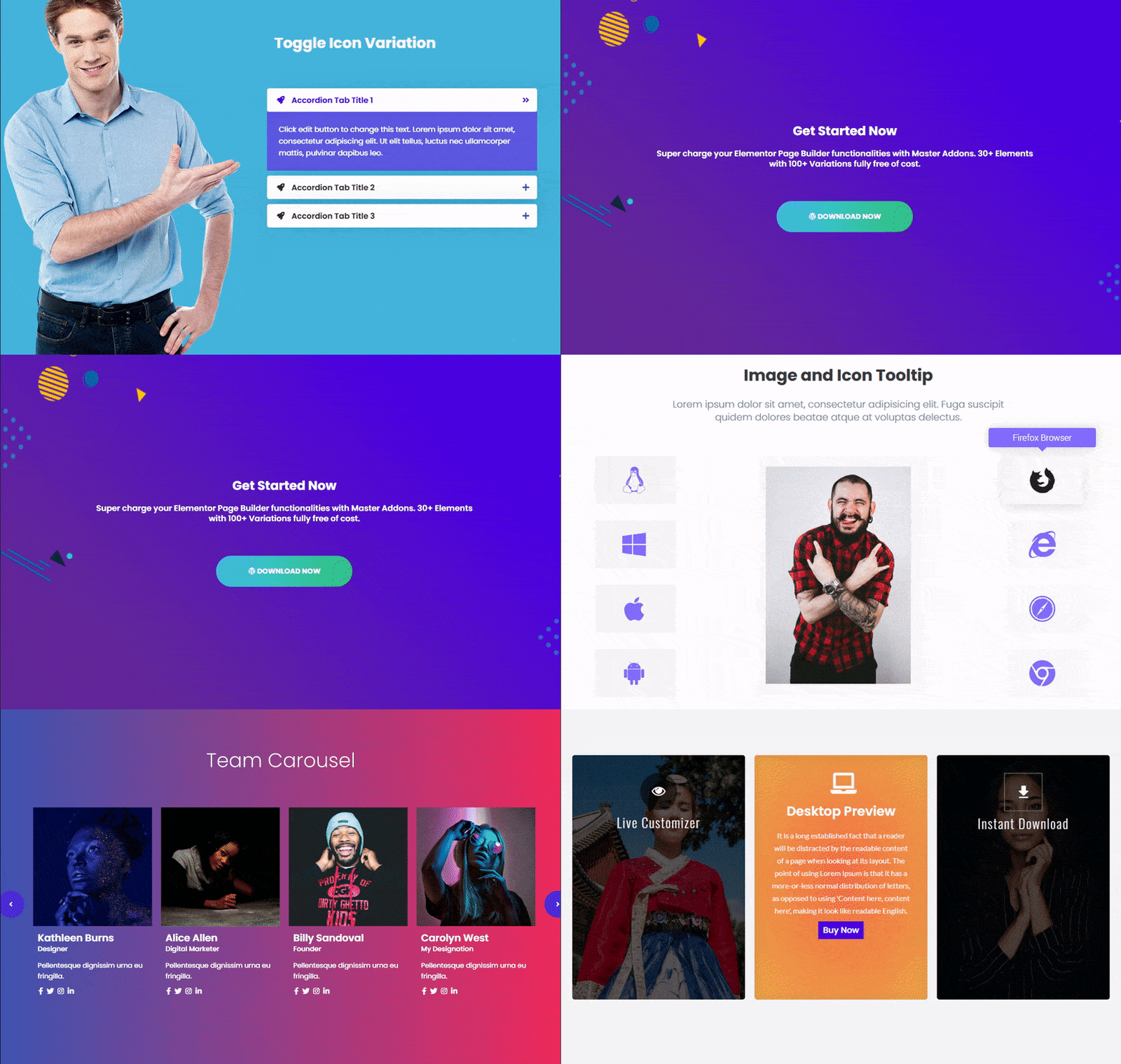
Master Addons – Elementor Accordion, Call to Action, Tooltips, Team Carousel, Flipbox, team members 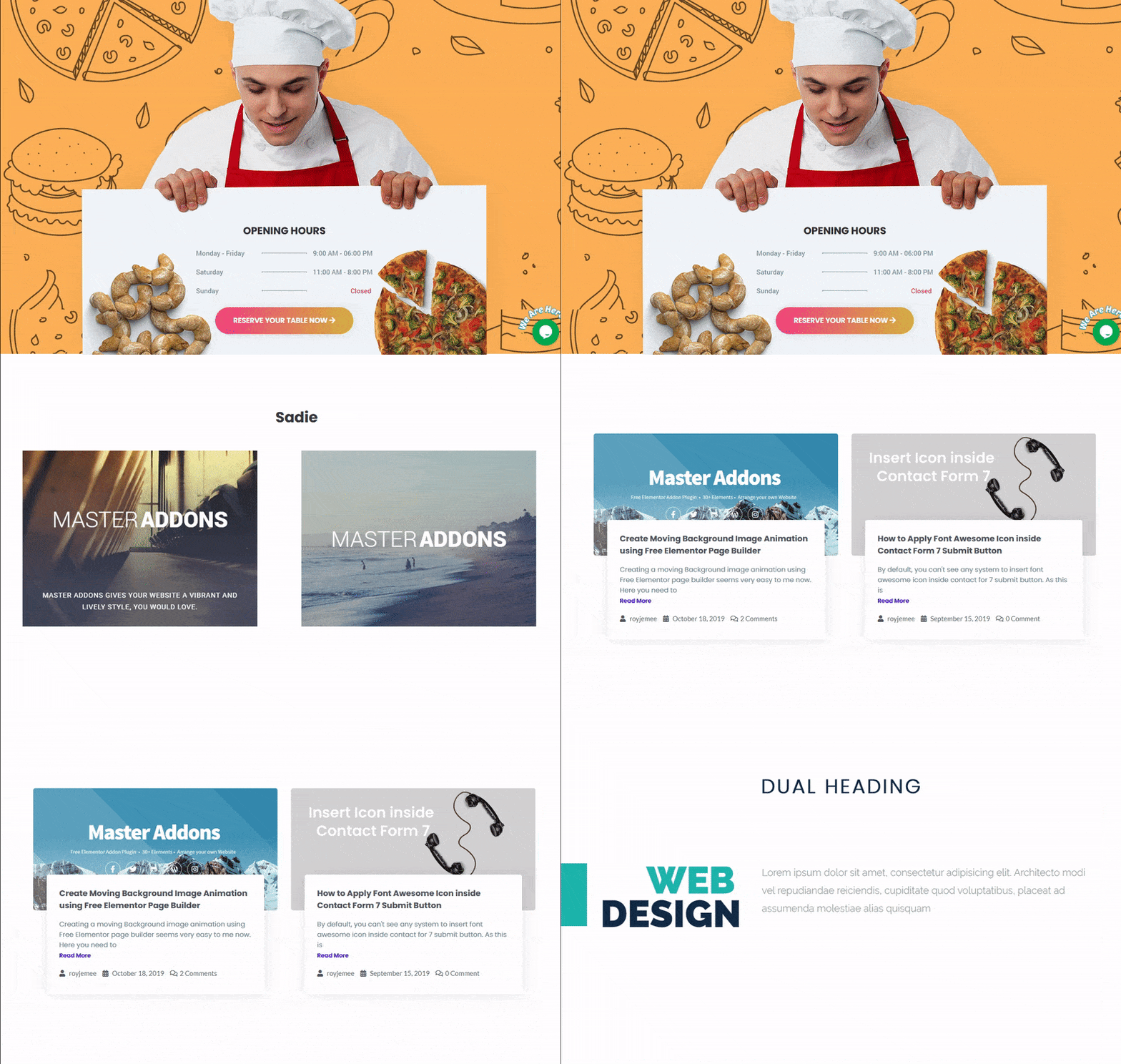
Master Addons – Business Hour, Image Hover Effects, Blog List Cards, Dual Heading 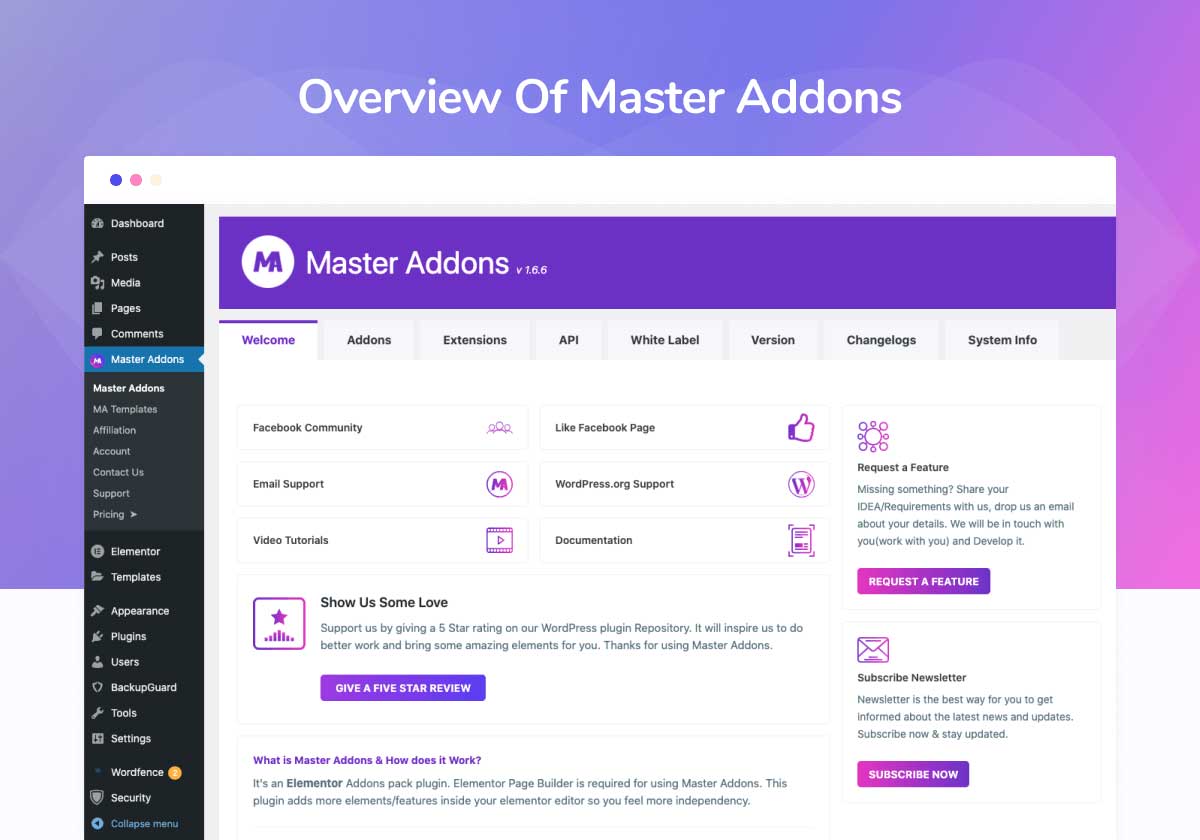
Master Addons control Panel 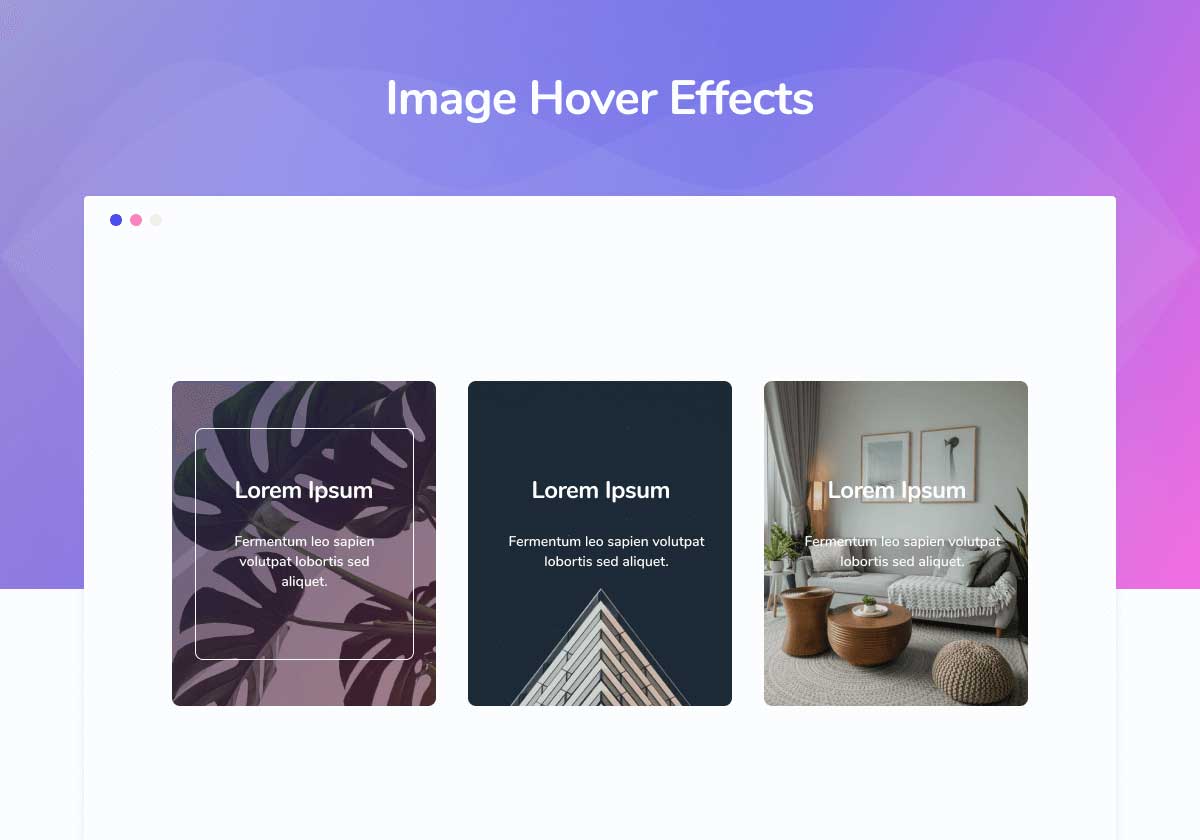
Image Hover Effects Element 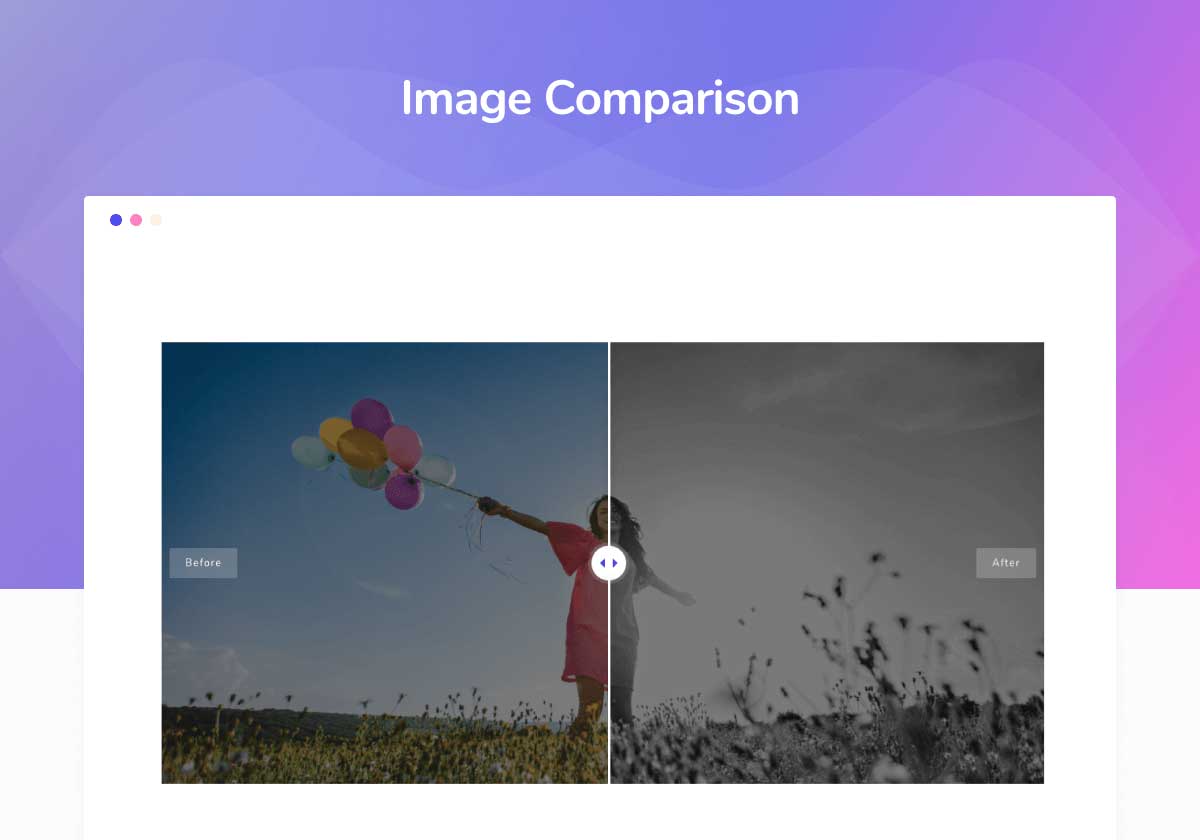
before after Image Comparison 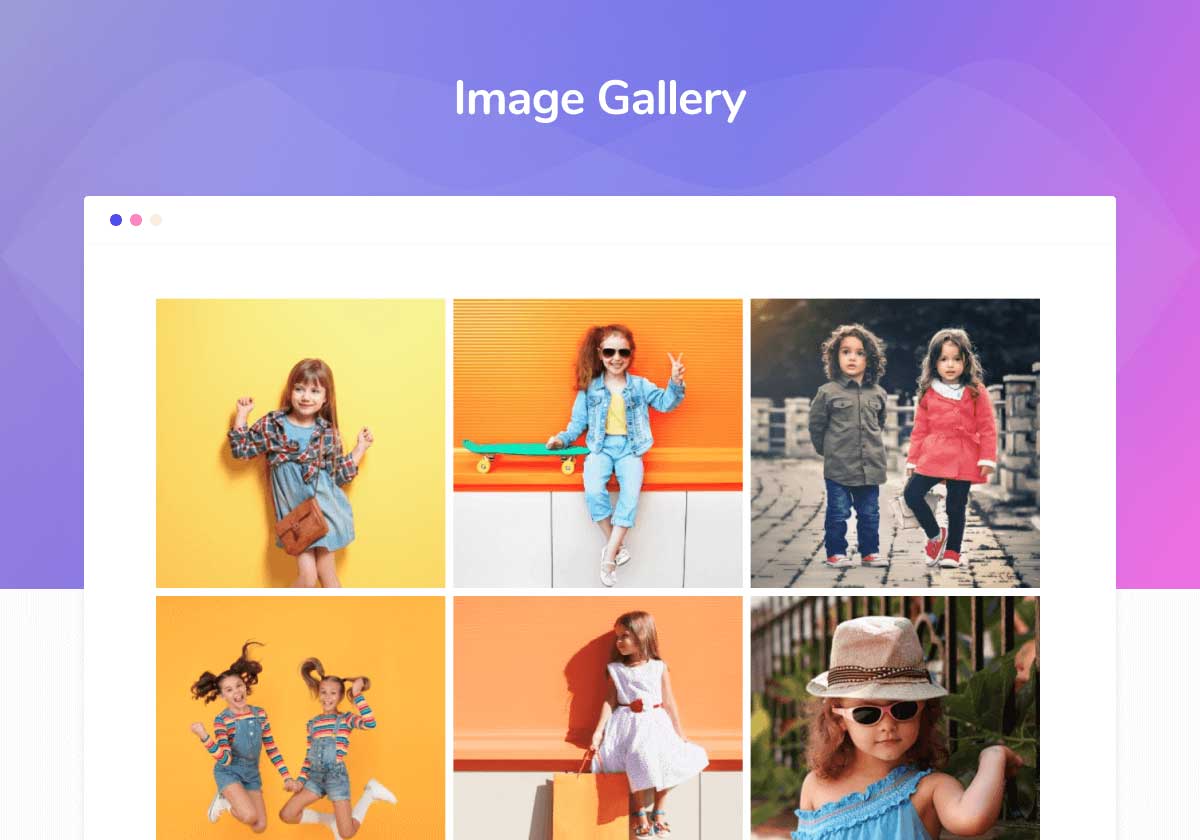
Filterable Image Gallery 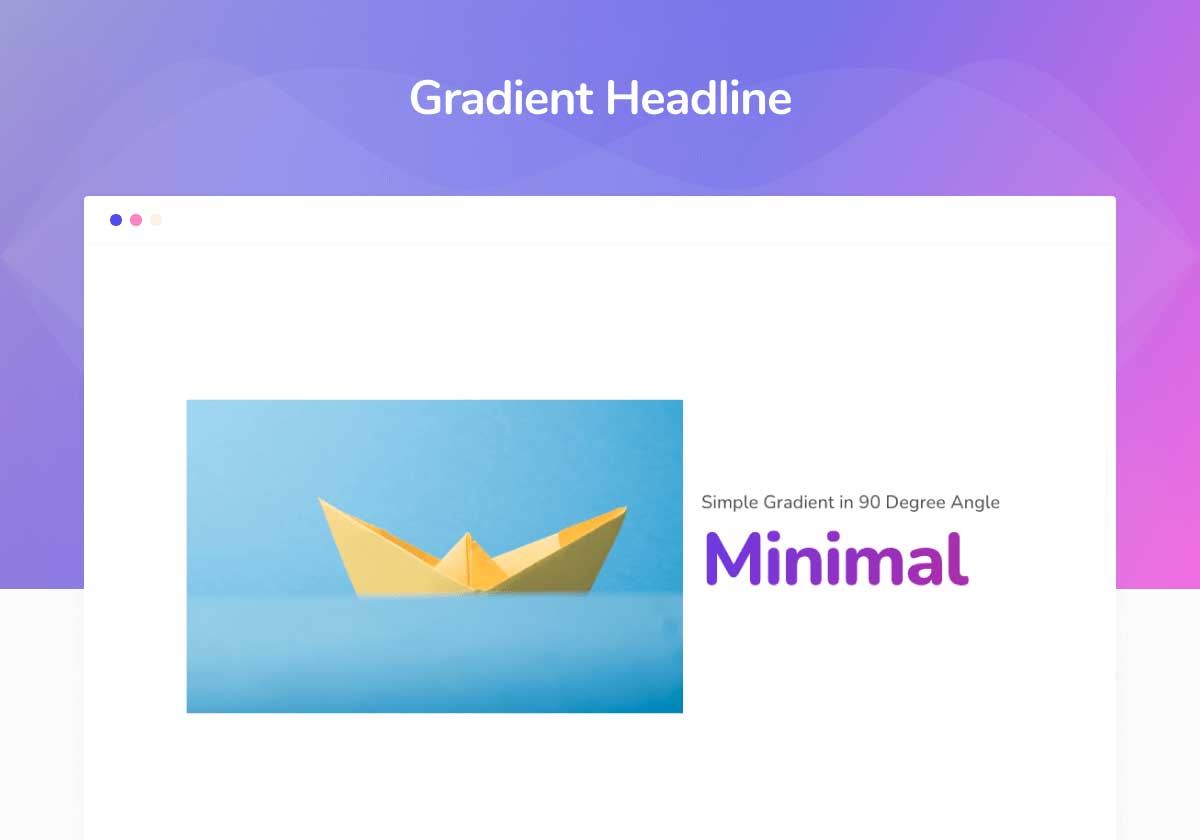
Gradient Headline 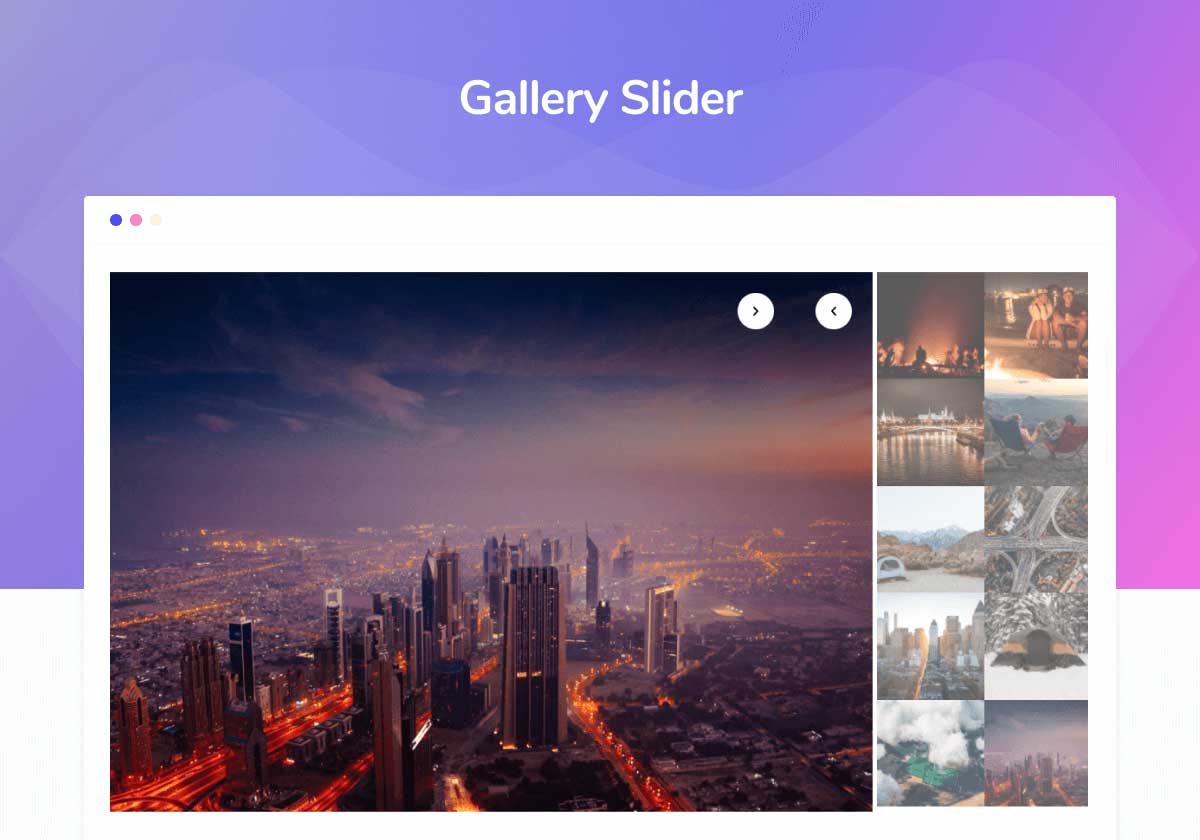
Gallery slider Elementor widget


Installation
- Upload the Downloaded “master-addons.zip” Folder to the
/wp-content/plugins/directory - Or, UNZIP “master-addons.zip” folder and Upload master-addons on “wp-content/plugins/” folder via FTP or Copy and
Paste on your Local Computer - Activate the “Master Addons for Elementor” Plugin through the ‘Plugins’ menu in WordPress
FAQ
-
Can I use “Master Addons” Plugin without Elementor Plugin?
-
No, Elementor page builder plugin is required to use Master Addons Plugin. You must have Installed “Elementor” Page
builder plugin to work with this Master Addons. If you forgot to Install or Active, you’ll see a notice for
Installing/Activate. -
How to Install this Plugin ?
-
Installation Process has been discussed on “Installation” Section. Video Tutorial will help you about Installation
Process. Learn from our Tutorials on Youtube Channel -
How to Configure this Plugin?
-
Basically, there’s no configuration required for using the Master Addons for Elementor Plugin. You can Turn On/Off Add-ons you like on “Addons” Section. It will make your website faster loading.
-
How to add Master Addons on Page/Post?
-
Navigate to any post or page which you want to Create/Edit with Elementor. Scroll down or search for “Master Addons” Category. Click on that option and you will all Master Addons Elements. Just add the element you like and Customize it as like your own.
-
How to fix “Master Addons” Installed but Not Working Issue?
-
First, deactive Other “Addons” plugin and try again. If nothing works then reach out to us on our Support Form(Link Mentioned above) or post a ticket using the support button on the top right just below the download button.
-
Is it compatible with any Theme?
-
Yes, it’s compatible with any WordPress Theme.
-
Yes, we’re offering 14 Day Free Trial ( No Payment, No Credit Card, No Paypal account required) for testing all Premium
Features. -
How can I get faster Support?
-
We’ve two ways to give Supports for “Master Addons” Plugin – 1. [WordPress Support Forum](https://wordpress
.org/support/plugin/master-addons) and 2. Support Forum. Since, this is a Free Plugin, Support reply may delay for answer
but we’re Dedicated on our FB Page for chatting. -
Where do I report security bugs found in this plugin?
-
Please report security bugs found in the source code of the Master Addons for Elementor plugin through the Patchstack Vulnerability Disclosure Program. The Patchstack team will assist you with verification, CVE assignment, and notify the developers of this plugin.
Reviews


Contributors & Developers
“Master Addons For Elementor – White Label, Free Widgets, Hover Effects, Conditions, & Animations” is open source software. The following people have contributed to this plugin.
Contributors


“Master Addons For Elementor – White Label, Free Widgets, Hover Effects, Conditions, & Animations” has been translated into 2 locales. Thank you to the translators for their contributions.
Interested in development?
Browse the code, check out the SVN repository, or subscribe to the development log by RSS.
Changelog
2.1.0 (11-01-2026)
WHITE LABEL
* Fixed: Fatal error “Class Master_Addons_Helper not found” – corrected namespace path
* Added: show_icon and show_heading arguments for flexible display
* Improved: White label upgrade popup styling with proper button spacing
* Improved: Logo upload preview with constrained dimensions and proper border styling
* Updated: White label description text – shorter, professional with highlighted key terms
* Fixed: Pro element lock icons now hidden when Pro version is active
PLUGIN FILTERS
* Fixed: PHP Warning “Trying to access array offset on value of type bool” in Plugin_Filters.php
ADVANCED ACCORDION
* Fixed: Content Type dropdown showing “[object Object]” – corrected filter return format to simple key-value pairs
THEME BUILDER
* Improved: Template Type dropdown now uses grouped options (Theme, Post, Page, WooCommerce)
* Added: New Post template types – Category, Tag, Author, Date
* Added: New Page template type – Single
* Added: Template activation for new template types with proper WordPress conditional checks
* Added: Fallback content rendering for all new template types
SECURITY
* Fixed: XSS vulnerability in Flipbox widget
* Fixed: XSS vulnerability in Gradient Headline widget
* Fixed: IDOR vulnerability – added proper permission checks
* Security: All widgets with HTML tag selectors now use whitelist validation to prevent script injection
WHITE LABEL
* Fixed: PHP Warning “Undefined array key jltma_wl_plugin_logo” in dashboard-settings.php
* Improved: Moved white label options to premium file using filter pattern
* Added: New filters for white label customization
EDITOR STYLES
* Fixed: Countdown timer not visible in light mode for upgrade banner
* Added: Dark mode support for countdown timer using .e-theme-dark and prefers-color-scheme
* Updated: Countdown timer dimensions (44x40px) and spacing adjustments
GENERAL
* Fixed: JavaScript error “initMacyLayout is not defined” – added missing function in assets.php
* Updated: Replaced ‘fa fa-unlock-alt’ icons with ‘eicon-lock’ Elementor icons in multiple widgets
TIMELINE
* Fixed: Cards Hover controls not working (color, background, box shadow, text shadow)
– Added .jltma-timeline parent class prefix to all Cards style selectors
– Changed hover target from .timeline-item:hover to .jltma-blog-timeline-post:hover matching DOM structure
– Added .jltma-timeline-entry-content as alternative selector for different skins
– Added Text Shadow controls inside Default, Hover, and Focused tabs
– Updated Typography selector to include both content wrapper classes
* Fixed: Double background on hover – removed nested .jltma-timeline-entry-content from background selectors
* Fixed: Icon not showing on frontend – changed $item to $settings for FA4 migration checks
* Fixed: Default icon changed to dashicons dashicons-calendar
* Fixed: Numbers/Letters switch case empty – added separate case bodies for all switch statements
* Fixed: Default pointers now render simple circle div with background color
* Fixed: Undefined variable $index error – added static counter for post index tracking
* Fixed: Points controls not working (Default, Hover, Focused tabs)
– Added .jltma-timeline parent class prefix to all Points selectors
– Fixed Focused tab using wrong class .jltma-timeline__item__icon to .jltma-timeline-post-type-icon
* Fixed: Meta/date not showing for left, right, overlay alignments
– Added display: block for .timeline-item__card-wrapper .timeline-item__meta in SCSS
* Fixed: Read More button styling – moved button outside paragraph tag with proper .jltma-post-btn class
* Fixed: Read More button controls organized into Normal/Hover tabs with Typography, Padding, Border Radius
* Fixed: Excerpt styling controls (Color, Typography, Padding) not working – added wrapper .timeline-item__excerpt class
* Fixed: Read More Text not showing – added proper condition check for read_more_link excerpt type
* Fixed: Undefined array key ma_el_post_grid_type warning – added null coalescing with timeline fallbacks
* Fixed: Pointer icons not rendering for Post and Custom timeline types
– Corrected isset() logic errors that returned boolean instead of checking values
– Fixed item-level custom style condition check
* Fixed: Empty icon wrapper when no icon selected – added fallback default calendar icon
* Fixed: Empty point content for non-premium users – added default circle point fallback
* Fixed: Custom timeline point variations not working (numbers, letters, image, icons)
– Used wrong item key ma_el_custom_timeline_point_content (text content) instead of global ma_el_timeline_points_content (type)
– Added proper isset checks for custom style conditions
* Fixed: Post timeline icons variation not working
– Added proper isset check with default fallback to ‘icons’
– Added safer global icon value retrieval to prevent undefined index errors
– Changed all point helper functions to use get_settings_for_display() instead of get_settings() to properly retrieve default values
– Refactored icon rendering to check if icon actually rendered content
– Fixed: wp_kses_post() was stripping icon/SVG content – changed to parse_text_editor() to match custom timeline behavior
NAVMENU
* Fixed: PHP Warning “Undefined array key indicator_main_animation” – added isset checks for animation settings
ADVANCED IMAGE
* Fixed: PHP Warning “Trying to access array offset on value of type bool” – added check for valid attachment before accessing URL
CREATIVE LINKS
* Fixed: Border-radius not working – converted to DIMENSIONS control with proper selectors
* Fixed: Hover tab controls not working – corrected CSS selectors (removed spaces, fixed class names)
* Updated: DOM structure refactored for proper vertical centering of icon and text using flexbox
ADVANCED ACCORDION
* Fixed: Toggle icons (active_icon/toggle_icon) not updating on DOM – simplified render logic
* Fixed: Toggle icon position not rendering instantly – added render_type template
* Fixed: Toggle icon background color not applying – fixed {{WRAPPER}} selector prefix
* Fixed: Icon spacing not working – corrected selector class names
* Added: Expand/Collapse Icon picker controls with conditional visibility (toggle_icon_show)
* Added: Icon Position control now conditional on toggle_icon_show
* Updated: Default border 1px solid #eee for accordion items
* Updated: Custom icon per item (accordion_tab_icon_show) default changed to ‘no’
* Removed: Default box-shadow from accordion tab title
* Updated: Toggle icon SCSS – improved flexbox layout for proper background visibility
* Updated: Consolidated Icon Size, Icon Spacing, Icon Padding controls – moved after Icon Position
* Removed: Duplicate Icon Size/Padding controls from Normal, Hover, Active tabs (now uniform across states)
* Updated: Icon Colors tabs now only contain color and background controls
BLOG
* Fixed: Post title typography (font-size, weight) not working – selector now includes anchor tag
INFOBOX
* Fixed: Icon Background Color not working with Variation Five, Six, and Eight – updated selectors to target hexagon shape elements
* Fixed: Variation Six solid background color now properly overrides default SCSS gradient using fields_options
* Fixed: Icon Alignment not working with Variation Five – now uses flexbox justify-content
* Fixed: Icon Alignment not working with Variation Six – uses text-align on parent with inline-block icon, content area stays centered
* Fixed: Icon Alignment not working with Variation Three – overrides absolute positioning with relative and inline-block
* Fixed: Icon Alignment not working with Variation Four – overrides margin: 0 auto with inline-block display
* Fixed: Icon Padding not working with all variations – simplified selectors to target .jltma-inner-content
* Fixed: Icon Padding not working with Variation Eight and Ten – added specific selectors targeting icon elements
* Fixed: Icon Size not working with Variation Five, Six, and Eight – updated selectors
* Fixed: Icon Size for Variation Four – container scales proportionally (original: 32px icon 90px container, ratio 90/32)
* Fixed: Icon Size for Variation Ten – container scales proportionally maintaining original 90:58 aspect ratio
* Fixed: Icon Color not working with Variation Five, Six, and Eight – updated selectors
* Fixed: Icon Hover Color not working with Variation Five, Six, and Eight – updated selectors
* Fixed: Icon Hover Background not working with Variation Five, Six, and Eight – updated selectors
* Fixed: Duplicate key conditions for BG Icon controls (two/three presets) – now uses array syntax
* Updated: Icon Background control converted to Group Control Background supporting classic and gradient types
* Updated: Icon Hover Background control converted to Group Control Background
* Fixed: Variation Nine 3D flip animation broken – excluded from generic alignment and padding controls that override absolute positioning
* Added: Flip Box Height control for Variation Nine – enforces critical 3D flip layout styles (position, perspective, transforms) directly via Elementor controls to work properly in containers
* Fixed: Variation Nine not filling container width – added width: 100% to infobox and item containers
* Fixed: Variation Nine icon not centered – updated inner content positioning with text-align: center and left/right: 0
* Fixed: Variation Ten icon not centered when size changes – now uses translate(-50%, -50%) centering instead of fixed left/top values
* Fixed: Variation Ten icon size scaling – width now calculates proportionally based on icon size value
* Updated: Icon Padding control simplified – now applies padding only to appropriate containers for each variation to avoid breaking centered icons
* Fixed: Variation One, Two, Seven icon background stretching full width – container now scales with icon size + 30px padding using inline-flex
MEGA MENU
* Fixed: Mega Menu content not editable with Elementor – auto-enable ‘mastermega_content’ post type in Elementor’s Post Types settings on plugin init
RESTRICT CONTENT
* Fixed: JavaScript handler not triggering due to widget name mismatch between PHP and JS registration
* Fixed: Password validation failing due to form field name mismatch (ma_el_restrict_content_pass)
* Fixed: Error message showing wrong text for password restriction – now uses correct warning message control
* Fixed: Escaped quotes in error messages (e.g., “don\’t” now shows as “don’t”)
* Fixed: Form alignment – password input and submit button now display on same row
* Fixed: Error message position for age verification – now appears after submit button
* Added: Beautiful error result message styling with icon, red background, border, and rounded corners
* Added: Popup Button Style controls section with comprehensive styling options:
– Text Color with Normal/Hover states
– Background Color with Normal/Hover states
– Padding control
– Border controls (type, width, color)
– Border Radius control
– Typography control
– Box Shadow control
NEW FEATURES
* Added: Popup Builder – Professional popup creation and management system with advanced triggers and conditions
* Added: Template Kit System – Pre-built template collection with demo importer functionality
* Added: Template Library – Cloud-based template storage and management system
* Added: Theme Builder – Complete theme building solution for headers, footers, and template parts
* Added: Demo Importer – One-click demo content import with variation support
* Added: Extension “Element Name” – Name and organize your elements for better workflow
* Added: MA Navmenu – Name and organize your elements for better workflow
* Updated: Animated Headlines – Updated Padding, Margin with responsive controls
* Updated: Animated Headlines – Animation Delay Settings Tab Moved on “Content” Tab
* Added: Animated Headlines – added “Bar Color”, “Height”, “Bar Position” on Loading Bar “Style” Tab
* Updated: Animated Headlines – Bar Position now shows only Bottom and Left options with default values
* Added: Counter Up – added Number Suffix and Prefix Color, Size and Margin Options
* Added: Counter Up – Responsive Columns Options Added. Now Columns can be responsive as well.
* Fixed: Counter Up – Responsive Columns now properly working with CSS selectors
* Updated: Creative Buttons – added default border radius 8px, Move Button Controls into Content Section
* Updated: Creative Buttons – Icon Position control now uses icon-based toggle instead of dropdown
* Fixed: Creative Buttons – Icon positioning now correctly places icon before or after text
* Added: Creative Buttons – default icon spacing 5px
* Added: Creative Buttons – Icon Color control for Hover state
* Updated: Creative Buttons – Hover Border Color now conditional on Border Type selection
* Added: Creative Buttons – Button Text Alignment control with responsive support
* Updated: Pricing Table – Left Align Period overlap issue fixed, default period separator alignment issue fixed.
* Fixed: Pricing Table – Feature list divider now appears only under text, not under icon (Active Zoom & Skew BG Pattern styles)
* Updated: Pricing Table – Divider controls now properly target text element with yellow default color
* Removed: Pricing Table – Period Position removed from Style Tab
* Fixed: Pricing Table – Button background now respects custom color selection while keeping default gradient
* Updated: Pricing Table – Button hover background now supports both solid and gradient colors
* Added: Pricing Table – Feature List Margin option with responsive support
* Fixed: Pricing Table – Icon style options (color, size, padding, margin) now work even when text is empty
* Fixed: Pricing Table – Tooltip no longer gets cut off on center-aligned tables
* Fixed: Pricing Table – Icon style options now work correctly for SVG icons (color uses fill, size uses width/height)
* Fixed: News Ticker – Content type now properly uses all query settings (post type, categories, tags, order)
* Updated: News Ticker – Refactored to use Swiper.js for better performance and vertical centering
* Fixed: News Ticker – Thumbnail and title now properly vertically centered
* Updated: News Ticker – Ribbon design with rounded corners on both label and content area
* Added: News Ticker – Height control to customize ticker height
* Added: News Ticker – Thumbnail Width control with responsive support (when Show Thumbnail enabled)
* Added: News Ticker – Thumbnail Shape control (Square or Rounded options)
* Fixed: Progress Bar – Now takes full width inside Elementor containers
* Fixed: Progress Bar – Now properly renders in Elementor editor (added edit mode hook and cleanup)
* Updated: Progress Bars – Percentage now displays at the end of the active bar (tracks the bar)
* Updated: Blockquote – Redesigned with decorative quote marks (” “) and author bar symbol
* Added: Blockquote – Show Author toggle to show/hide author section
* Added: Blockquote – Show Start Symbol toggle for opening quote mark (“)
* Added: Blockquote – Show End Symbol toggle for closing quote mark (“)
* Added: Blockquote – Show Author Symbol toggle for the red bar before author name
* Added: Blockquote – Author Text Color and Author Typography controls
* Updated: Blockquote – Content Alignment now properly aligns both text and author (flexbox)
* Added: Blockquote – Width and Height controls for author symbol bar with default 5px height
* Fixed: Creative Links – Border radius now properly applies to link element, pseudo-elements, and spans
* Updated: Creative Links – Border radius control upgraded to DIMENSIONS type with responsive support
* Fixed: Creative Links – Hover tab controls now work (fixed invalid CSS selectors and wrong class names)
* Updated: Creative Links – Refactored DOM structure with flexbox for proper vertical centering of icon and text
* Updated: Creative Links – Simplified and cleaned up render method for better maintainability
* Added: Creative Links – Default border 1px solid #E2E8F0
* Added: Creative Links – Default border radius 8px
* Fixed: Creative Links – Item Alignment now uses flexbox justify-content for proper positioning
* Updated: Creative Links – Icon defaults to none, Icon Position only shows when icon is selected
* Fixed: Creative Links – SVG icon color now properly applies using fill property (normal and hover)
* Fixed: Creative Links – Border and Border Radius now target correct element (.jltma-creative-link-item)
* Updated: Creative Links – Renamed Span BG Color to Front/Back BG Color for 3D effect clarity
* Fixed: Timeline – Read More Text now properly displays when excerpt type is set to “Read More Link”
* Fixed: Timeline – Undefined array key warnings for post settings (ma_el_post_grid_type, etc.)
* Fixed: Timeline – Excerpt Color, Typography, and Padding controls now work (added missing wrapper class)
* Added: Timeline – Read More Button styling with Normal/Hover tabs (Typography, Padding, Border Radius, Text Color, Background, Border)
* Fixed: Timeline – Read More button now renders outside paragraph for proper independent styling
* Fixed: Dynamic Table – Header alignment control now works properly (removed conflicting SCSS)
* Added: Dynamic Table – Default header background color #020817
* Added: Dynamic Table – Odd and Even Background Color issue fixed
* Added: Dynamic Table – Border Radius control for rounded table corners
ADVANCED IMAGE WIDGET
* Added: Ribbon Width control with flexible px/% units
* Added: Ribbon Position controls (Top, Bottom, Left, Right) with range sliders
* Added: Border Radius control for Ribbon with individual corner control
* Fixed: Image Border Radius not working issue
* Improved: Optimized simple ribbon padding for better width control
* Improved: Ribbon style and positioning system completely revamped
EXTENSIONS IMPROVEMENTS
* Improved: Glassmorphism Effect Extension – Enhanced background blur effects and styling options
* Improved: Display Options Extension – Better conditional display controls
* Improved: Reading Progress Bar Extension – Fixed missing paths and functionality issues
* Improved: Animation Extension – Fixed loading and execution issues
MEGA MENU
* Added: MA Mega Menu updated – Icon Picker with 3000+ Icons Libary added
* Improved: Icon picker updated to latest Elementor icon library
* Improved: Mega Menu Color Picker Updated
* Improved: Mega Menu Submenu Indicator update with smooth animations
* Improved: Close icon design and positioning
* Fixed: Non-pretty permalink support added
* Update: MA Mega Menu updated – Hover and Click event not working issue fixed
* Update: MA Mega Menu updated – Icon Picker Default Icon not working issue fixed
DYNAMIC TABLE
* Added: Non-responsive option for better control on mobile devices
* Improved: Table rendering performance
BUILDER SYSTEMS
* Improved: Popup Builder – Frontend CSS/JS loading optimization
* Improved: Popup Builder – Settings panel JavaScript functionality
* Improved: Theme Builder – Conditional logic and display rules
* Improved: Theme Builder – Table condition columns and redirection rules
* Fixed: Popup Builder CSS and JS file missing issues
* Fixed: Theme Builder path resolution for Pro version
* Fixed: Theme Builder condition issues and select options
* Fixed: Template cache refresh for Elementor editor
* Fixed: Template Kit plugin URL resolution
DEVELOPMENT
* Updated: Freemius SDK to latest version with security improvements
* Updated: Asset folder paths and structure reorganization
* Updated: Module loader with better dependency management
* Updated: Extension loader optimized for Pro version
* Improved: Editor template library CSS issues resolved
* Improved: Preview options and functionality
* Fixed: Module path resolution throughout the plugin
* Fixed: Missing asset paths causing 404 errors
* Fixed: Blur effect naming conventions
* Added: Added “MA Post Content” for Dynamic Tags
BUG FIXES
* Fixed: Mega menu close icon not showing properly
* Fixed: Off-canvas content widget rendering issues
* Fixed: Alignment issues in code editor
* Fixed: Template kit loading and caching
* Fixed: Redirection errors in admin panel
2.0.9.9.4 (10-12-2025)
- Fixed: Custom JS module issue – fixed code not showing on frontend. Thanks @alvarogarciar for informing about the issue.
2.0.9.9.3 (07-12-2025)
- Fixed: Post Types Pagination issue fixed
2.0.9.9.2 (06-12-2025)
- Fixed: Fatal error “Class Elementor\Plugin not found” in Custom JS module when Elementor is not active.
2.0.9.9 (29-10-2025)
- Fixed: display condition for terms and archive.
- Fixed: Dynamic tags showing twice for widgets
- UX Improvement : Gallery slider ui and ui improvement.
- Improvement: Dynamic table has option to set non responsive
2.0.9.8 (06-10-2025)
- Fixed: display condition for logged out user only. Thanks @hamiddavodi for informing about the issue.
- Fixed: Wrapper link is not working in Safari browser Thanks @adzpz for informing about the issue.
- UX Improvement : UX Improved for notice.
2.0.9.7 (23-09-2025)
- Fixed: Mobile nav menu toggle is not working properly in free version.
- Security Patch: Freemius SDK updated for better security.
2.0.9.6 (31-08-2025)
- Added: Dynamic Tags added on Image Hover Effects
- Update: Master Addons Mega menu feature updated
- Fixed: Animated Gradient Background extension not working issue fixed
- Fixed: Particles background not working issue fixed, also working on Editor Mode
- Fixed: Background Slider not working issue fixed, working on both editor and frontend
- Fixed: Extensions not showing on Advanced/Style tabs, Container supports for Particles, Animated Background etc
2.0.9.5 (19-08-2025)
- Updated: Minor Bugs fixed
2.0.9.4 (18-08-2025)
- Updated: Minor Bugs fixed
2.0.9.3 (18-08-2025)
- Updated: Team Slider Controls updated for Mobile Devices
- Fixed: Custom CSS for Elementor not working on frontend issue fixed
- Fixed: Custom JS for Elementor not showing on Editor and appying on frontend issue fixed
Details Changelogs here
