

Description
Brute force, Login security & Two Factor Auth (2FA). Limit login. Malware & Vulnerabilities scan. FireWall. Enterprise ready security plugin.
SECURITY PLUGIN BY CLEANTALK (SPBCT)
We focus on eliminating the most common security threats for WordPress. At the same time, we strive to ensure that site performance remains unaffected. To achieve this, each release goes through automated and expert-driven testing pipelines. We also verify performance using Google PageSpeed Insights and GTMetrix. Typically, we release a new version twice a month to keep features up to date and protection strong.
SECURITY FEATURES
- Limit Login Attempts and rate limits for logins.
- Two Factor Authentication (2FA)
- Custom wp-login URL (wp-login.php)
- Hide Login Default Login Page
- Disable or Stop User Enumeration
- Brute force protection for WordPress accounts and passwords
- Security Protection for WordPress login form
- Security FireWall by IP, Networks or Countries
- Web Application Firewall (WAF)
- Real-time traffic monitor (Visitors per pages, IPs, Countires and hits counts per page)
- Malware scanner with auto-cure function
- Daily auto malware scan
- Vulnerabilities scanner among installed plugins and themes
- Security weekly reports to email
- Notifications of login events to your website
FREE TRIAL THEN $9 PER YEAR
CleanTalk is a Cloud security service that protects your website from online threats and provides you great security instruments to control your website security. We provide detailed security stats for all of our security features to have a full control of security.
We believe the most honest approach is when every user pays a small fee for using the service, rather than relying on a freemium model where some users subsidize others. The fee is as low as price of a good cup of coffee! So, the security plugin does not have a PRO version-it is completely free and works in combination with our premium Cloud security service at cleantalk.org. Every user has full access to all features of both the service and the plugin. Also, please take a note about WordPress.org policy
BRUTE FORCE PROTECTION
Our default anti–brute-force policy works as follows,
- For any failed login attempt to the WordPress admin area, the plugin introduces a brief delay of a few seconds.
- The plugin reviews the security audit log every hour. If any IP address records 10 or more login attempts in that period, it will be blocked for 24 hours.
ALL BRUTE FORCE PROTECTION FUNCTIONS
- Maximum failed attemtps to login before ban (default is 5). A failed attempt happens when either the login or password is incorrect.
- Time frame to count login attempts (default is 15 minutes).
- Ban to login time frame from 2 minutes to 24 hours (default is 1 hour).
- Two-factor authentication (2FA) with abillity to apply policy to specific users roles.
- Prevent collecting of login on password reset error. The option exclude the info about the login existing on password change error. Error message will be replaced with followed text: “If the user with the specified credentials exists, check your email for the password reset confirmation link. Then visit login page.”
- Security Audit Log. Keeps track of actions in the WP Dashboard to let you know what is happening on your blog. With the Security Audit Log is very easy to see user activity in order to understand what changes have done and who made them. Security Audit Log shows who logged in and when and how much time they spent on each page.
- Two Factor Authentication (2FA). It requires a bit of your time but Two Factor (2 Step) Authentication immediately gives a much higher level of security.With your first authorization, the CleanTalk Security plugin remembers your browser and you won’t have to input your authorization code every time anymore. However, if you started to use a new device or a new browser then you are required to input your security authorization code. CleanTalk security plugin will remember your browser for 30 days.
- Change the URL of the wp-login page. This option helps you change the default wp-login URL (wp-login.php). Hackers use scripts for massive brute-force attacks, and since most sites use a default login page URL, hackers configure scripts for such URLs. When you change the URL of the authorization page, hackers will not have the opportunity to perform brute-force attacks in scripts in automatic mode. This option does not change files and does not rewrite URLs in system files. To return the address of the default authorization page, it is enough to disable the option in the plugin settings or set a new value. If you are using caching plugins, then you need to add a new authorization page in the caching exceptions.
- Leaked password check. This feature enhances your website’s security by continuously monitoring users’ passwords for potential exposure in known data breaches and on the dark web. It works in the background and requires no action from users unless a leak is detected.
SECURITY FIREWALL
To enhance the security of your site, you can use the CleanTalk Security FireWall, which will allow you to block access by HTTP/HTTPS to your website for individual IP addresses, IP networks and block access to users from specific countries. Use personal BlackList to block IP addresses with a suspicious activity to enhance the WordPress security.
Security FireWall may significantly reduce the risk of hacking and reduces the load on your web server. CleanTalk Security is fully compatible with the most popular VPN services. Also, CleanTalk security supports all search engines Google, Bing, Yahoo, Baidu, MSN, Yandex and etc.
LIST OF FIREWALL FUNCTIONS
- Blocks or bypass visitors by IP, IP Network. Country blocking. It also has option to avoid blocking hits from major search engines like Google, Bing, Yahoo, Baidu, Yandex and etc.
- Traffic control. CleanTalk security Traffic Control will track every single visitor no matter if they are using JavaScript or not and provides many valuable traffic parameters. Another option in Security Traffic Control – “Block user after requests amounts more than” – blocks access to the site for any IP that has exceeded the number of HTTP requests per hour. If this number of requests will be exceeded, this IP will be added to the Security FireWall Black List for 24 hours. Security Firewall has a limit for requests to your website (by default 1000 requests per hour, so you can change it) and if any IP exceed this threshold it will be added to security firewall for next 24 hours. It allows you to break some of the DDoS attacks.
- Limit Login Attempts. Limit Login Attempts – is a part of brute-force protection and security firewall.
- Web Application FireWall (WAF) for WordPress Security Plugin. The main purpose of Web Application FireWall (WAF) is real-time protection from unauthorized access, even if there are critical known/unknown vulnerabilities. Security Web Application FireWall catches all requests to your website and checks HTTP parameters that include,
- SQL Injection,
- Cross Site Scripting (XSS),
- uploading files from non-authorised users,
- PHP constructions/code,
- the presence of malicious code in the downloaded files.
In addition to effective information security and information security applications are required to know what is quality of protection and CleanTalk Security has logged all blocked requests that allow you to know and analyze accurate information. - You can see your Cleantalk Security Logs in your Dashboard CleanTalk’s research team updates WAF database each time as we find a vulnerability, it means plugin’s users get protection even against unpublished vulnurebilites.
- Learn more how to set up and test About Security Web Application Firewall
- Email Notifications when administrators or users are logged in. We added this option to our security plugin. Now you can receive notifications if you want to know about an unauthorized entrance to your WP Dashboard. Notification will be sent only when a user was able to authorize entering login and password. If you are logged into the admin panel from the saved session, then the alert won’t be sent.
MALWARE SCANNER WITH AUTO-CURE FUNCTION
Scans WordPress files for hacker files or code for hacker code. Performs antivirus functions.
Security Malware Scanner runs manually by users requests or automaticaly by WordPress cron. All of the results will send in your Security CleanTalk Dashboard with the details and you will be able to investigate them and see if that was a legitimate change or some bad code was injected.
LIST OF MALWARE SCANNER, ANTIVIRUS FUNCTIONS
- Malware autoscanning. Scans the website automatically at intervals ranging from once every 12 hours to once every 30 days.
- Cure malware. It cures infected files automatically if the scanner knows cure methods for these specific cases. If the option is disabled then when the scanning process ends you will be presented with several actions you can do to the found files,
- Cure. Malicious code will be removed from the file.
- Replace. The file will be replaced with the original file.
- Delete. The file will be put in quarantine. Do nothing.
Before any action is chosen, backups of the files will be created and if the cure is unsuccessful it’s possible to restore each file.
- Security Malware Heuristic Check. This option allows you to check files of plugins and themes with heuristic analysis. Probably it will find more than you expect.
- Security Malware scanner to find SQL Injections. The CleanTalk Security Malware Scanner allows you to find code that allows performing SQL injection. It is this problem that the scanner solves.
- Operating system cron tasks analysis. This functional provides an overview of scheduled cron jobs on server that perform automated tasks.
- DB Trigger analysis. Will search for known malicious signatures in database triggers.
- List unknown files. Shows the list of found unknown files in the malware scanner report. Unknown files do not have known virus signatures and do not have suspicious code. Meanwhile, unknown files do not belong to the public plugins and themes at wordpress.org.
- File System Watcher. File system Watcher monitors changes in the file system. This allows to quickly respond to a site infection by tracking which files were affected. The Watcher makes file system snapshots as often as one hour and show difference up to seven days time frame.
- Feedback System. If you don’t have programming experience and don’t know, is there security issue or not, you send some files to CleanTalk Cloud and we check them for malware code. After checking we send you an email notification with results, is there viruses or not. Please, look at our guide How malware file analysis works About Scanner Feedback System
LIST OF THE MOST ACTIVE MALWARES BY FILENAMES
- radio.php
- admin-ajax.php
- .1235512.css
- 8sjdakSJ3.php
- wso.php
- cmd.php
- shell.php
- reverse_shell.php
- admin.php
The list is actual on July 15th, 2025. The latest data is the article Is my site infected?
VULNERABILITIES SCANNER AMONG INSTALLED PLUGINS AND THEMES
Plugin checks installed plugins and themes for known (published) vulnerabilities. If finds vulnerable plugin/theme, it sends an Email notification and shows data in the Critical updates tab.
List of the most recent vulnerabilities found and published by CleanTalk Research team,
- CVE-2025-5921 – SureForms – Unauthenticated XSS – POC, 200k+ installs.
- CVE-2025-3582 – Newsletter – Stored XSS to JS Backdoor Creation – POC, 300k+ installs.
- CVE-2025-2560 – Ninja Forms – Stored XSS to JS Backdoor Creation – POC, 700k+ installs.
The list is effective on July 18th, 2025. Updates are avaible on https://research.cleantalk.org/.
MISCELLANEOUS SECURITY OPTIONS
- Send additional HTTP headers option. There are several additional http-headers which added to the every http-requests by the plugin if this option is enabled:
- “X-Content-Type-Options” improves the security of your site (and your users) against some types of drive-by-downloads.
- “X-XSS-Protection” header improves the security of your site against some types of XSS (cross-site scripting) attacks.
- “Strict-Transport-Security” response header (often abbreviated as HSTS) informs browsers that the site should only be accessed using HTTPS, and that any future attempts to access it using HTTP should automatically be converted to HTTPS.
- “Referrer-Policy” make the
Refererhttp-header transferring more strictly.
- Collect and send PHP logs. Collect and send PHP error logs to your CleanTalk Dashboard where you can list them.
- Prevent collecting of authors logins. Prevent visitors from collecting logins of the content authors from the website links (like example.com/?author=1). Also this function known as Stop User Enumeration.
- Prevent collecting of user login on password reset. The password reset error will not contain the data about selected username does not exist.
- Disable REST API for non-authenticated users. Turn this on to deny access to WordPress REST API for non-authenticated users. Denied requests will get a 401 HTTP Code (Unauthorized).
- Disable the WordPress endpoint “users” REST API. Disables access to /wp-json/wp/v2/users and /wp-json/wp/v2/users/”id_user”.
- Disable File Editor. By prohibiting file editing, you protect the site from malicious attacks that may try to change the code and gain access to the site or steal confidential information.
TRANSLATE INTO YOUR LANGUAGE
- Thank you for helping translate the plugin!
- 感谢您帮助翻译这个插件! (Gǎnxiè nín bāngzhù fānyì zhège chājìan!)
- प्लगइन का अनुवाद करने में मदद के लिए धन्यवाद! (Plugin ka anuvaad karne mein madad ke liye dhanyavaad!)
- ¡Gracias por ayudar a traducir el complemento!
- Merci d’avoir aidé à traduire le plugin !
- شكرًا لمساعدتك في ترجمة الإضافة! (Shukran limusaa’adatika fi tarjamat al-idafa!)
- প্লাগইন অনুবাদে সাহায্য করার জন্য ধন্যবাদ! (Plug-in onubade shahajjo korar jonno dhonnobad!)
- Спасибо за помощь в переводе плагина! (Spasibo za pomoshch v perevode plagina!)
- Obrigado por ajudar a traduzir o plugin! (Obrigada if female)
- پلگ ان کا ترجمہ کرنے میں مدد کرنے کا شکریہ! (Plug-in ka tarjuma karne mein madad karne ka shukriya!)
- Terima kasih telah membantu menerjemahkan plugin!
- Danke, dass du beim Übersetzen des Plugins geholfen hast!
- プラグインの翻訳を手伝ってくれてありがとうございます! (Puraguin no hon’yaku o tetsudatte kurete arigatou gozaimasu!)
https://translate.wordpress.org/projects/wp-plugins/security-malware-firewall/
Screenshots
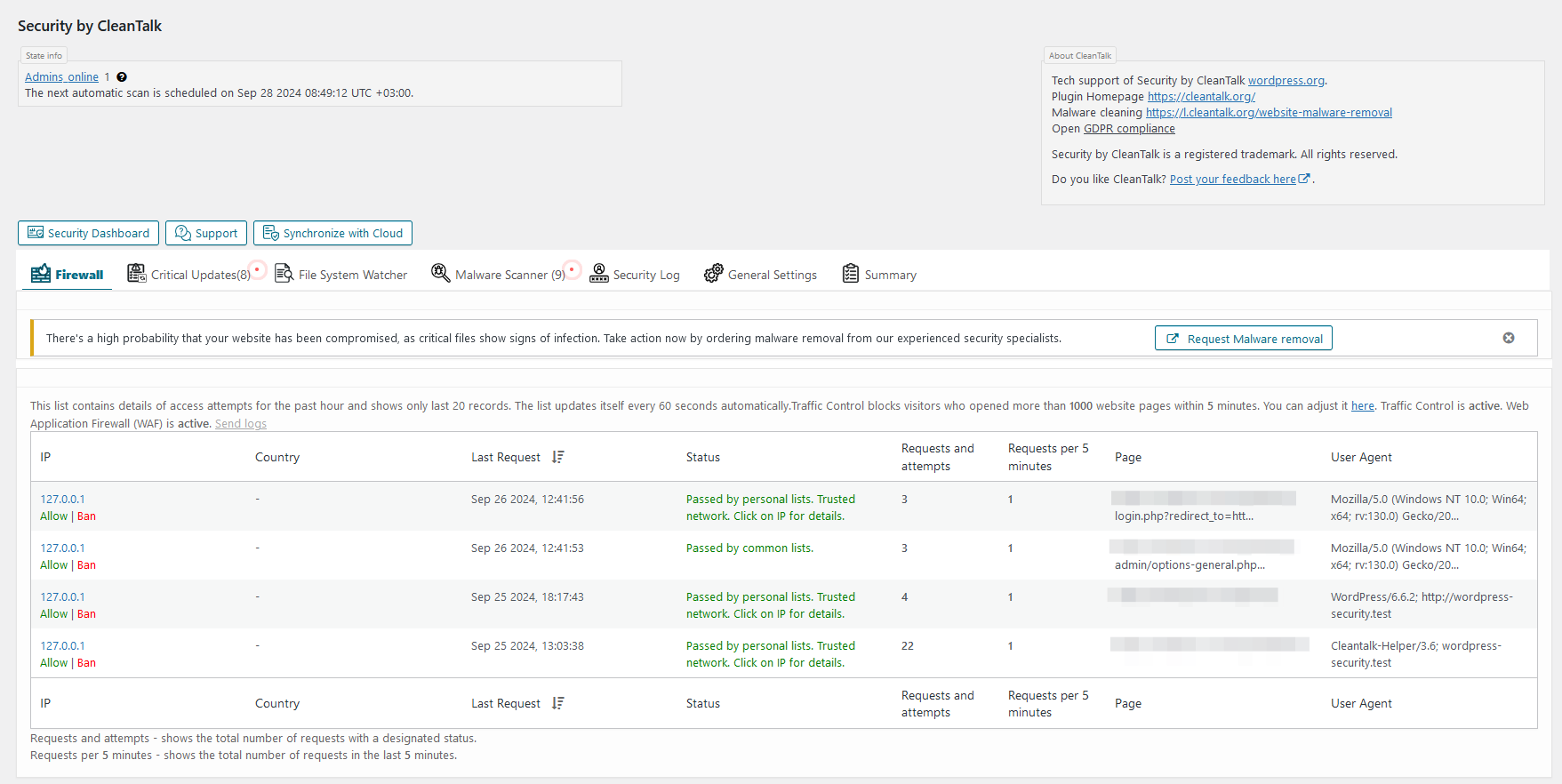
Firewall log tab. The log includes detailed info about each of visitor that reached the site and his firewall check status. Also show Traffic Control activity for the user. 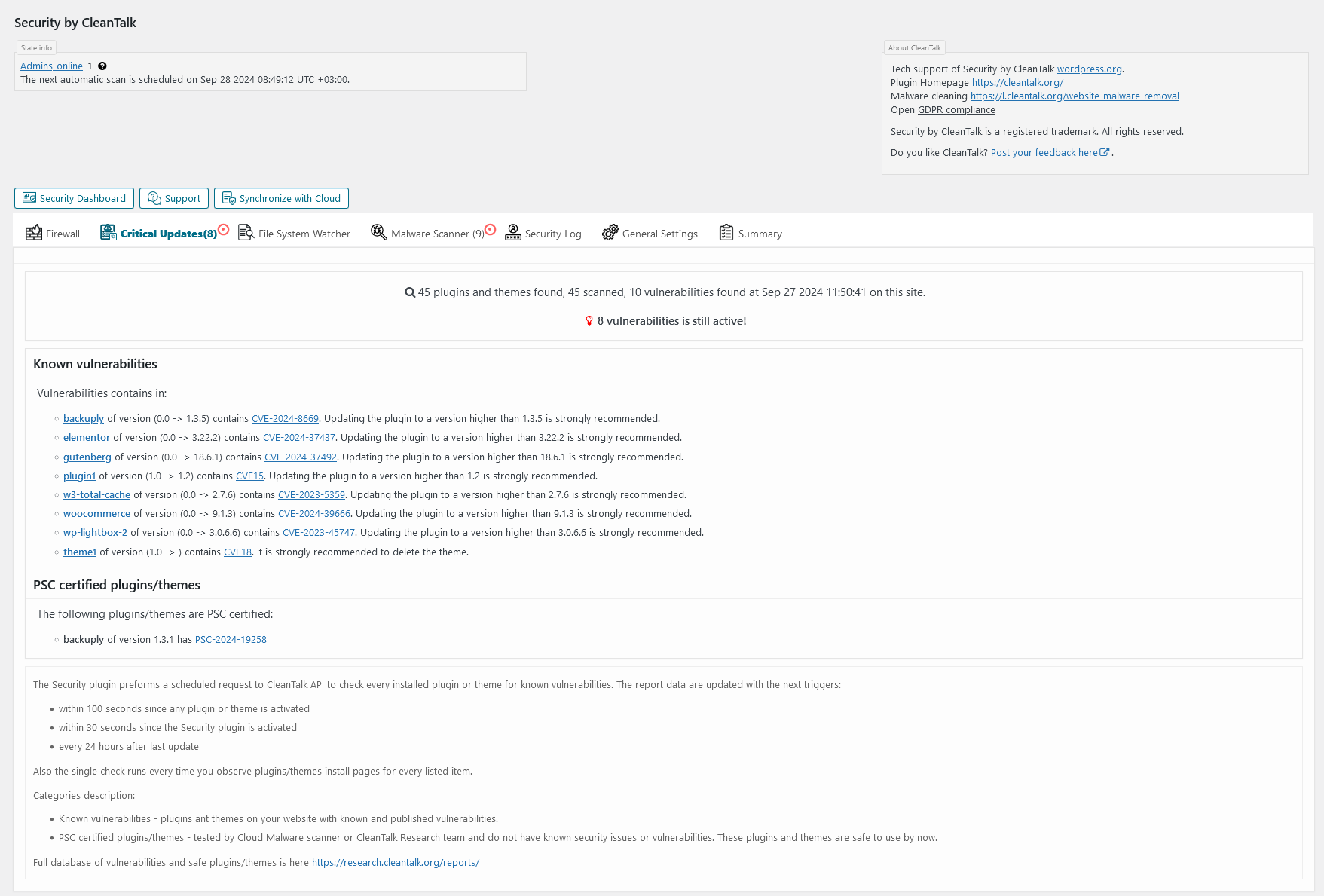
Critical Updates tab. Critical Updates interface. 
File System Watcher tab. File System Watcher interface. 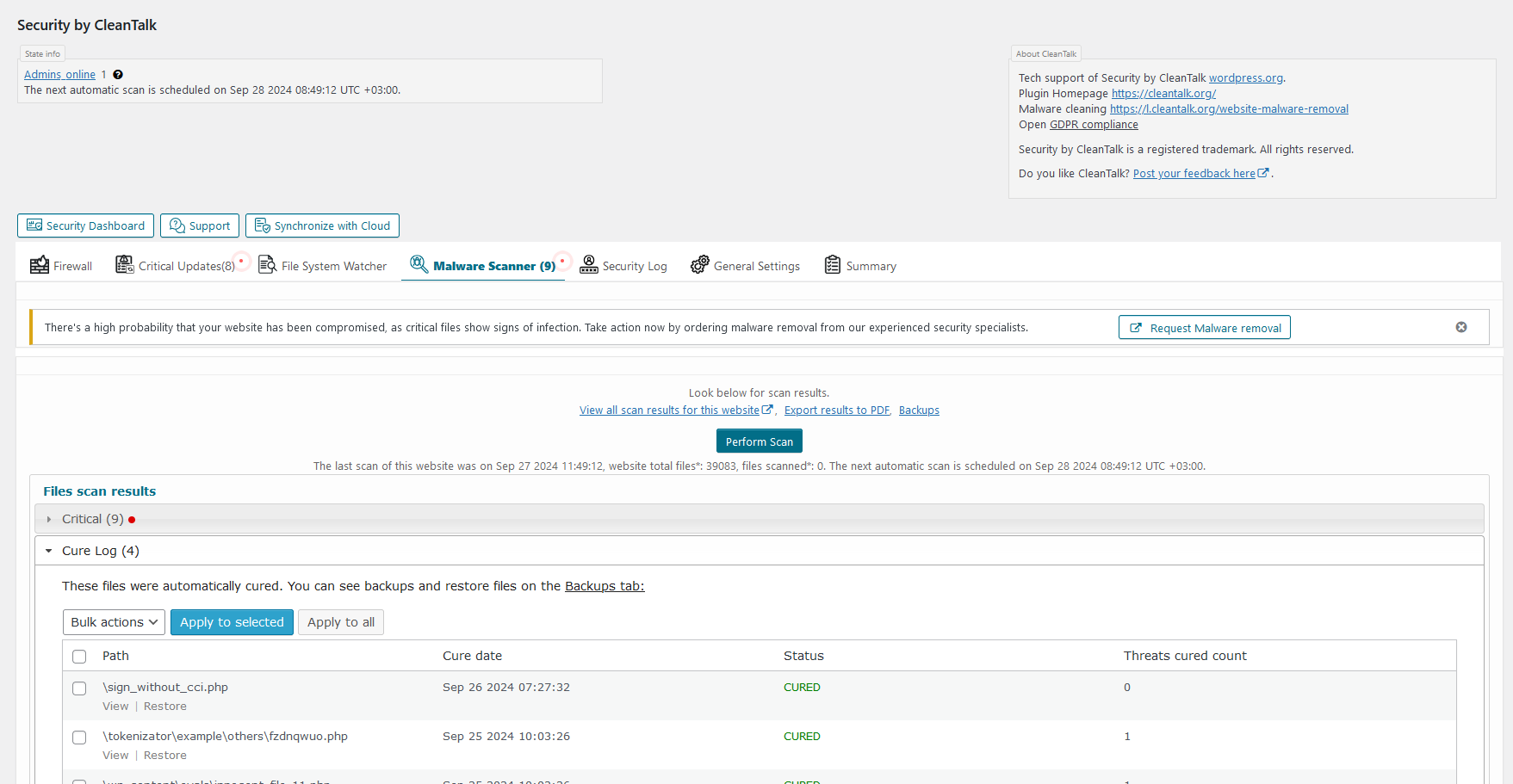
Malware scanner tab. Here you can scan all WordPress files for malicious and suspicious code and see the result. 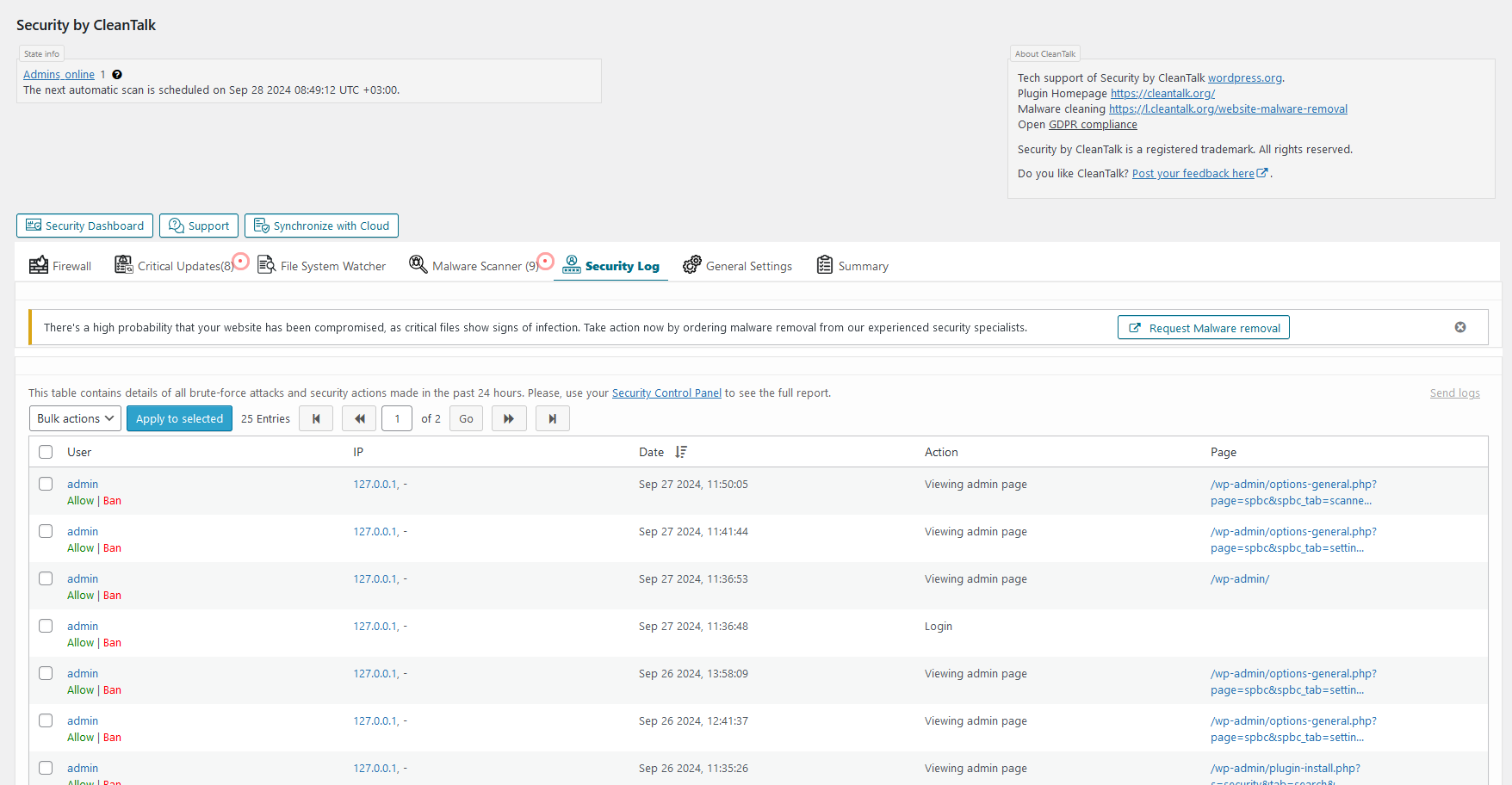
Security Log tab. The log includes list of Brute force attacks or failed logins and list of successful logins for up to 45 days. The plugin keeps the log on CleanTalk servers to make the log not accessible for hackers. 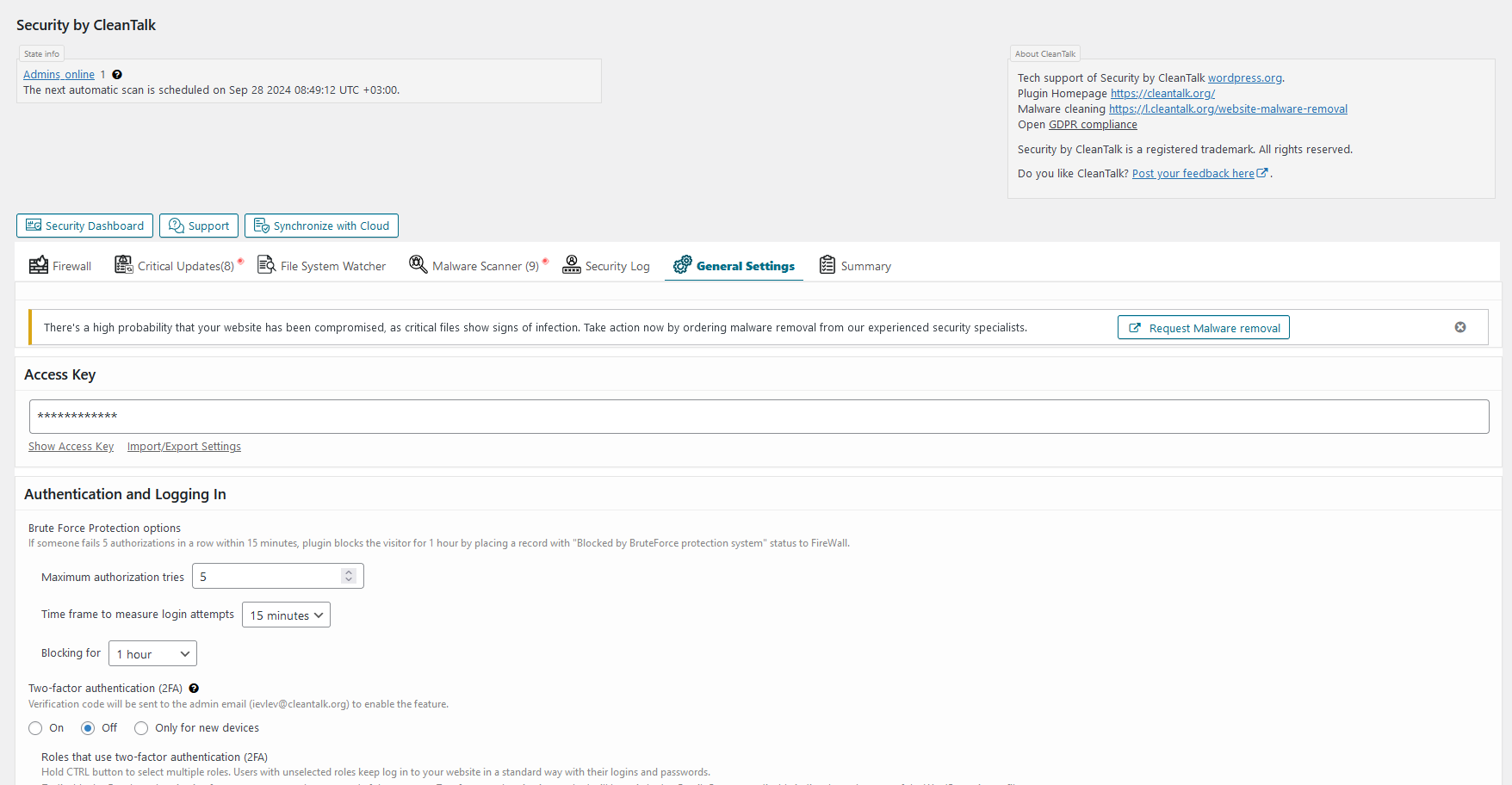
General settings tab. Here you can manage all the plugin settings. 
Summary tab. The general info about the plugin state. 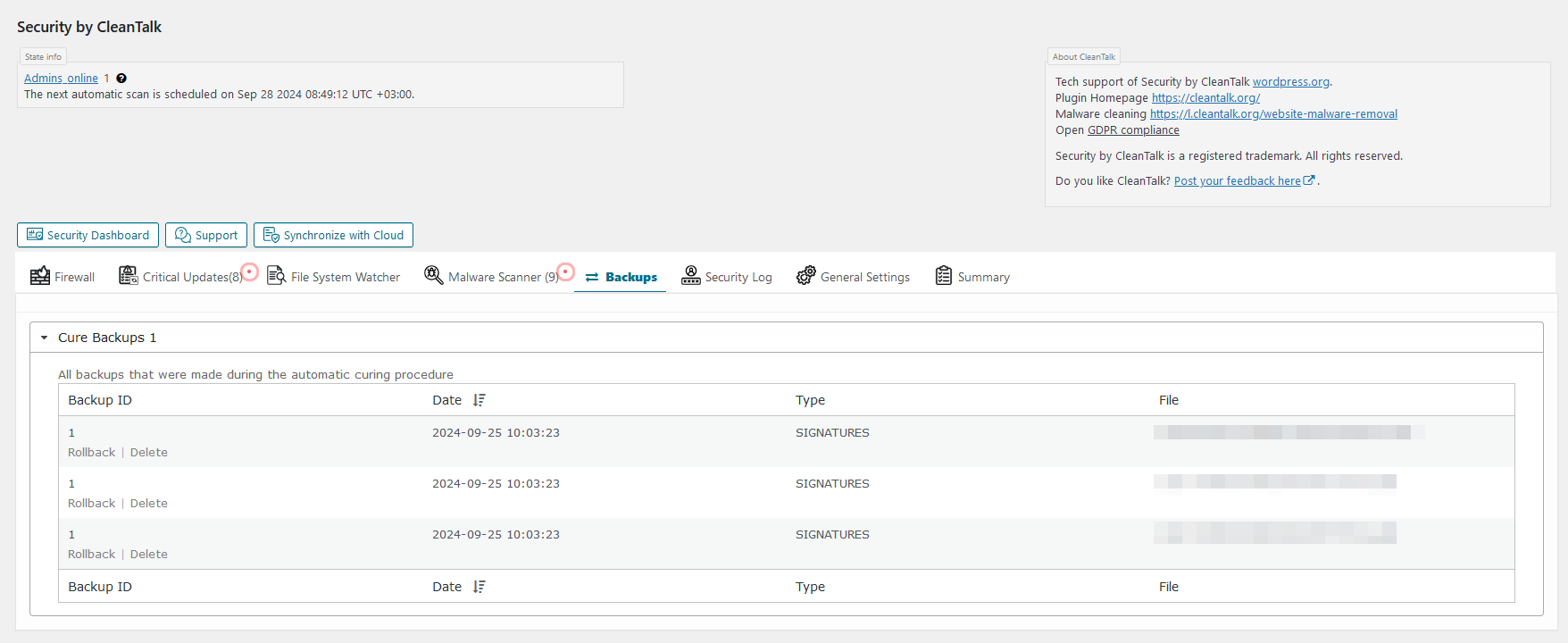
Backups interface. How the backups interface looks. 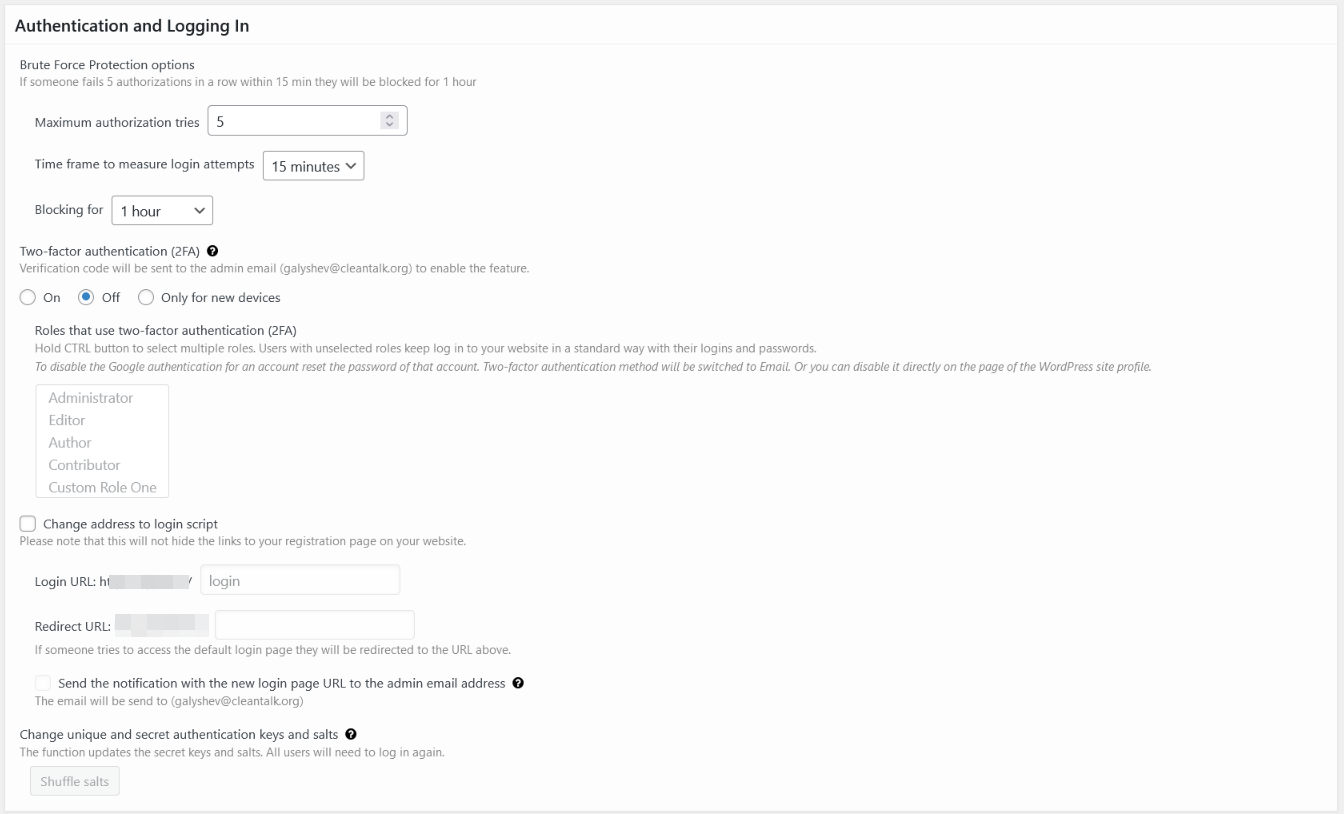
General settings – authentication and log in. Here you can manage Brute-Force protection, 2FA auth and change login URL. 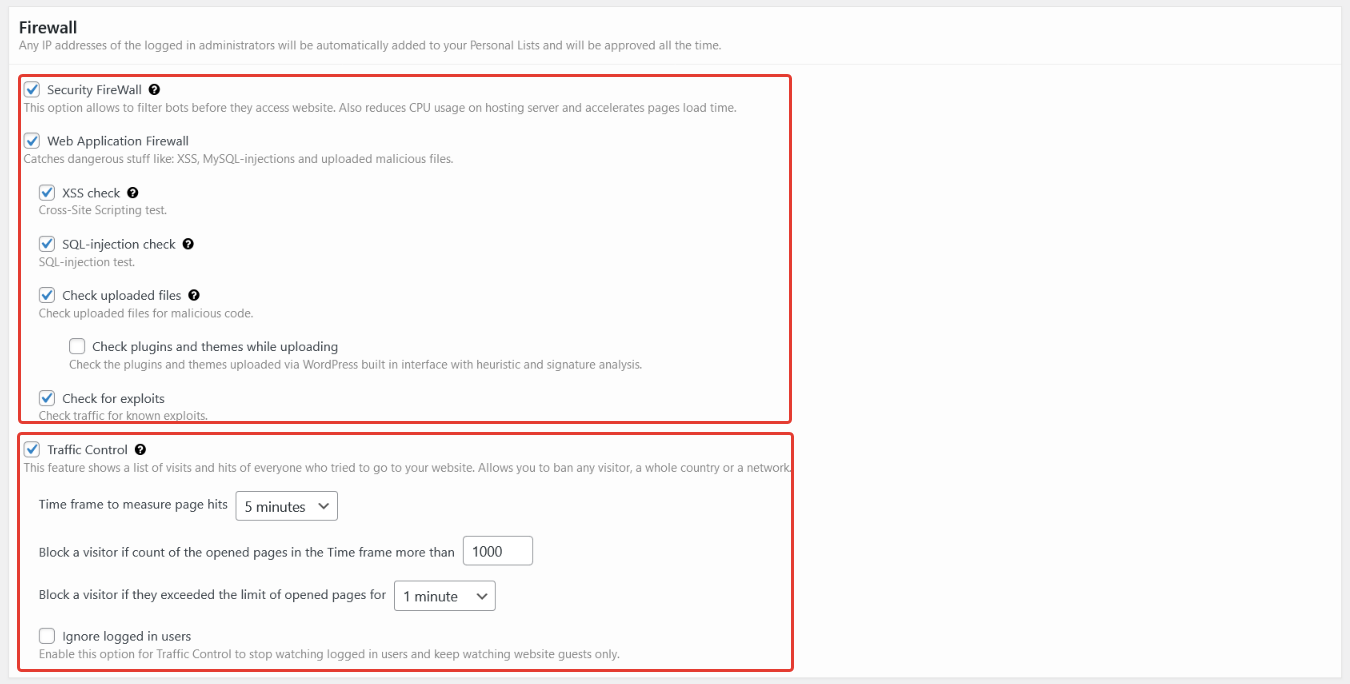
General settings – firewall. Here you can manage Firewall modules and Traffic Control settings. 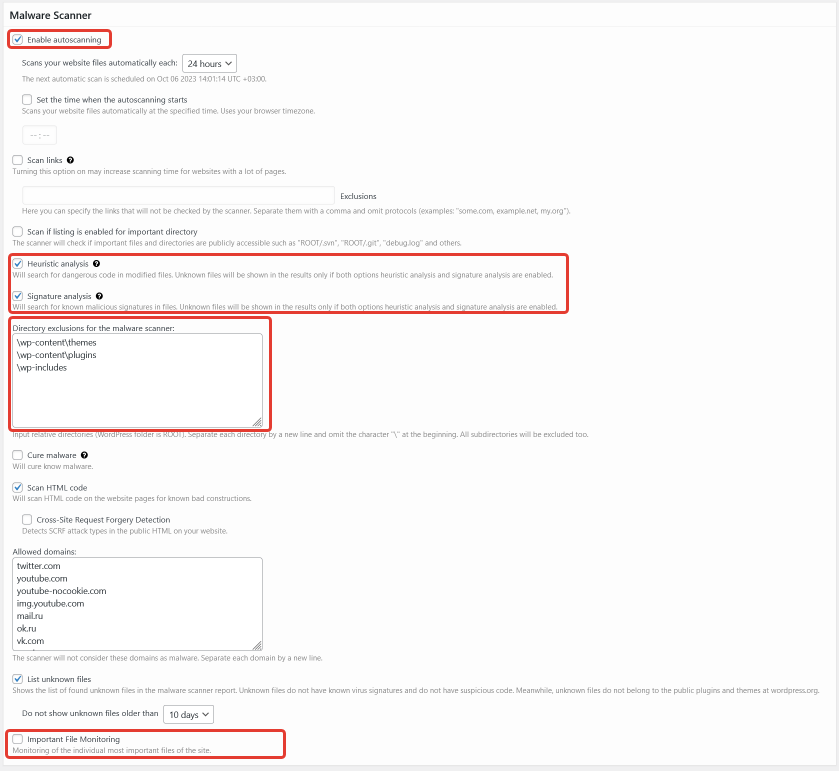
General settings – scanner. Here you can manage automatic scanner start, types of checks, directories exclusions for scanner and enable important files monitoring. 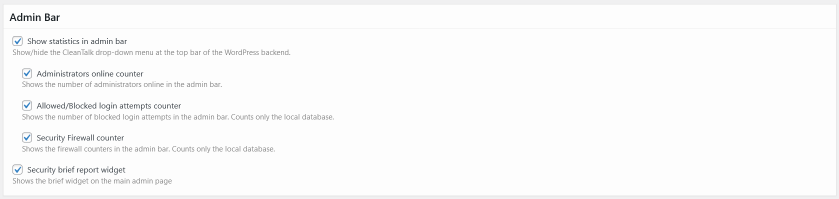
General settings – admin bar. Here you can set behavior of admin bar module. 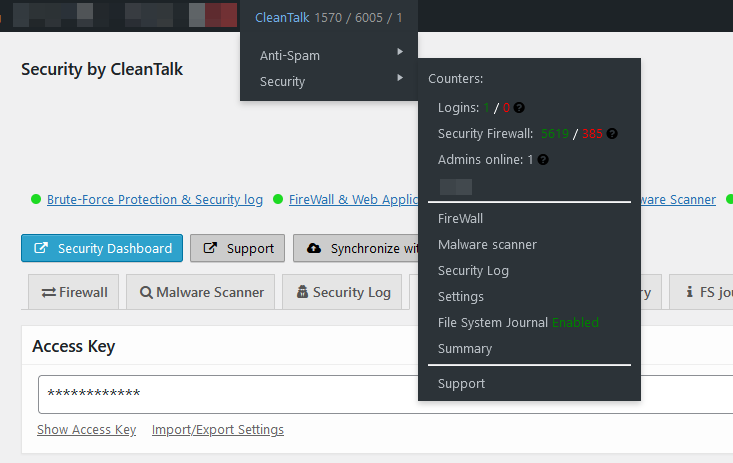
Admin bar. How the admin bar module looks. 
General settings – trusted text. Here you can manage your affiliate links and trusted text shown for visitors. 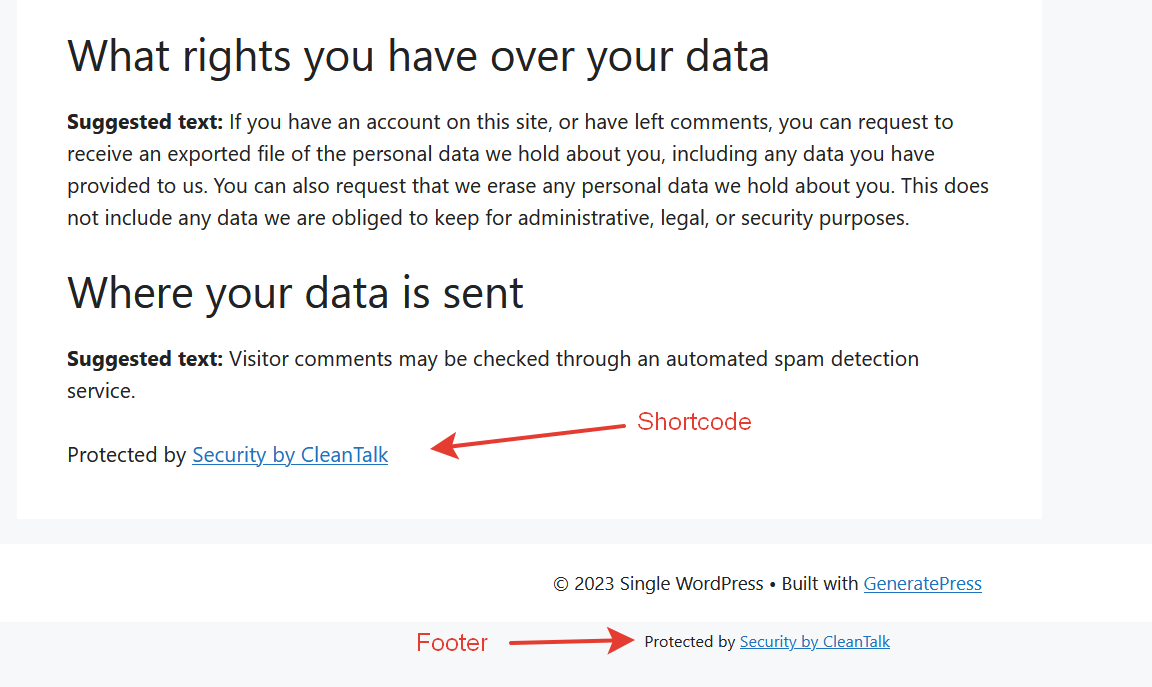
Trusted text. How the trusted text looks. 
Malware scanner results – critical. There is a list of files that contains dangerous code or malware signatures. 
Malware scanner results – suspicious. There is a list of files that contains suspicious code. 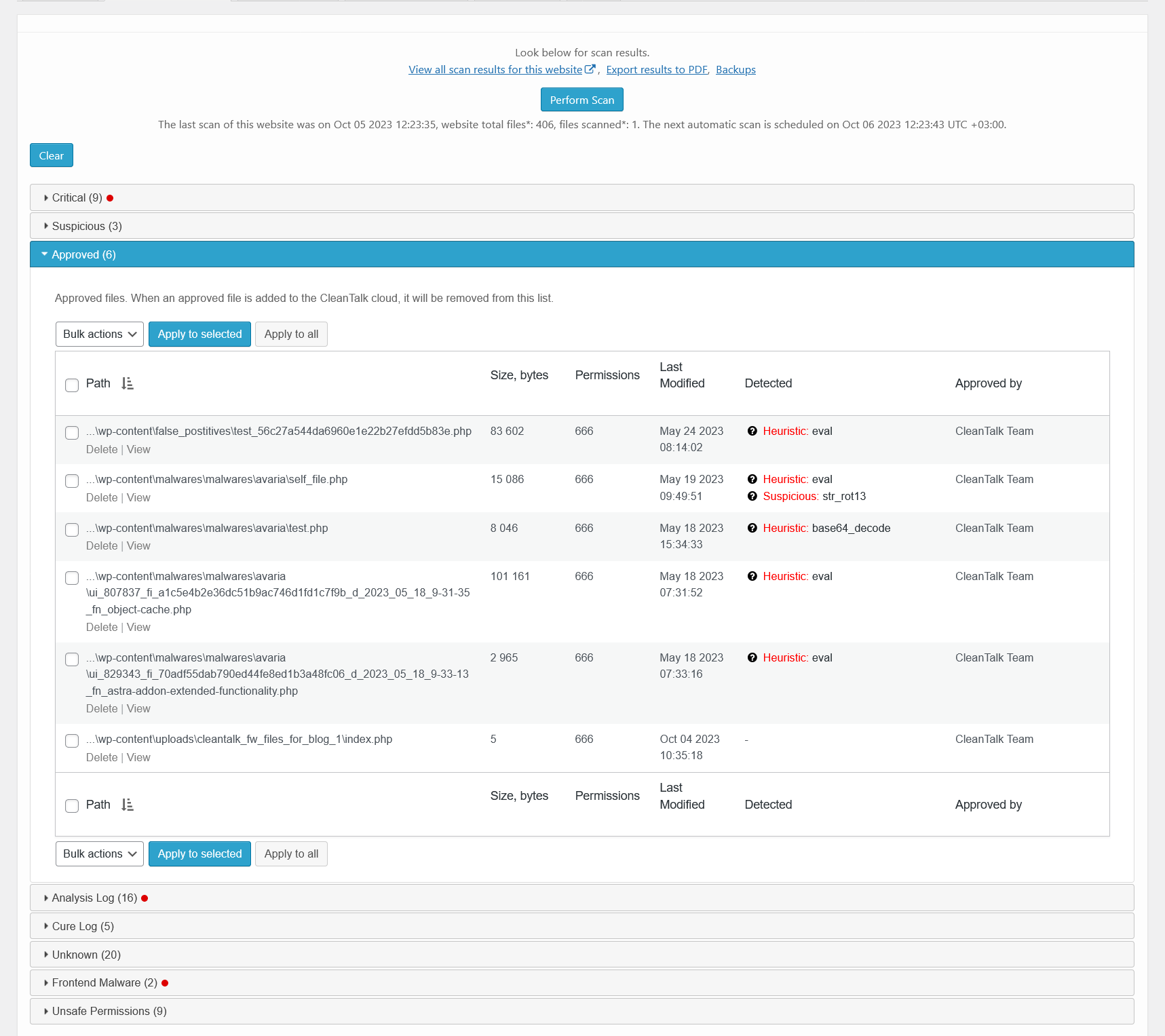
Malware scanner results – approved. There is a list of files that were approved by user, Cloud analysis or CleanTalk team. 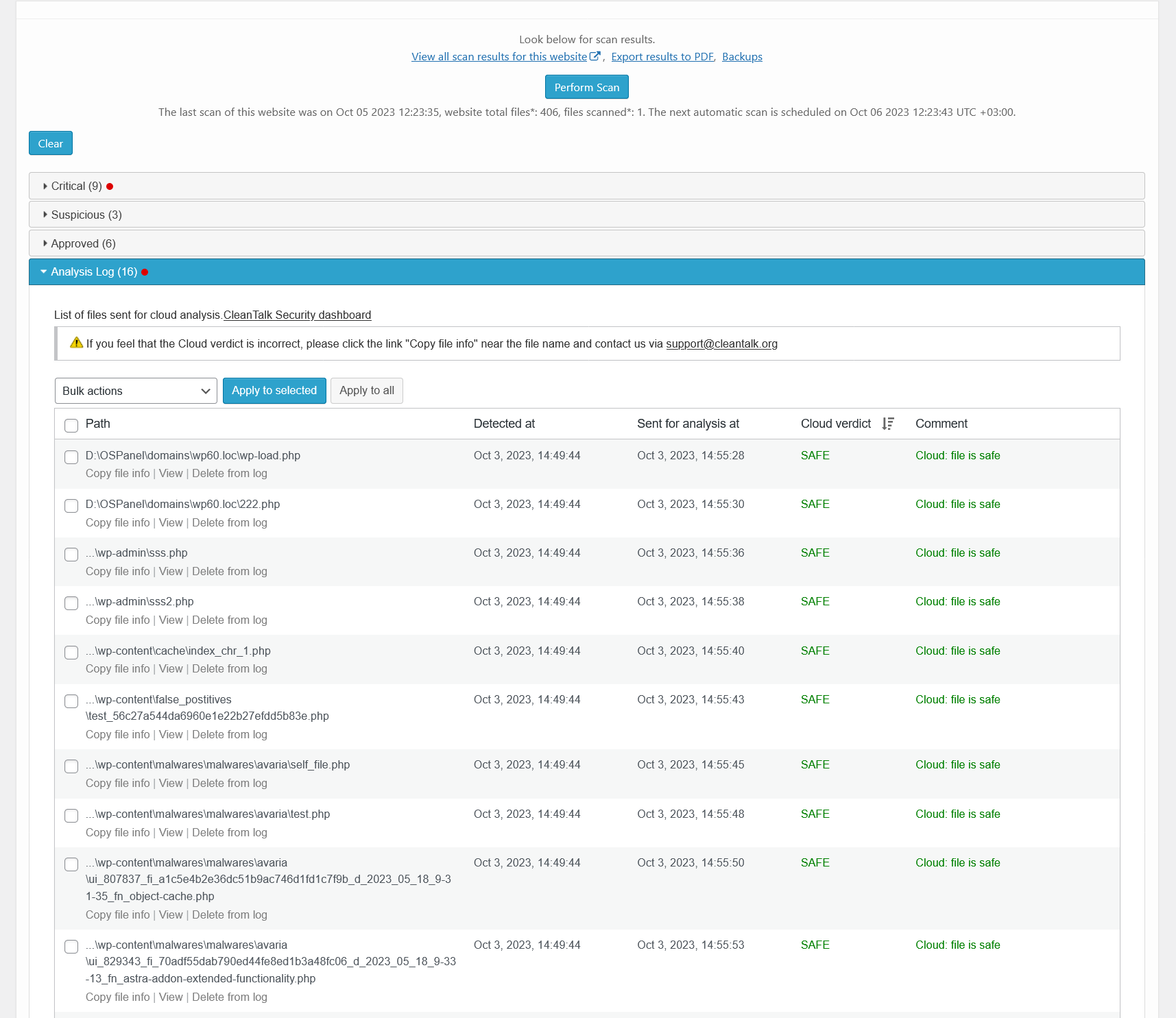
Malware scanner results – analysis log. There is a list of files that were sent for Cloud Malware Scanner analysis and their status. 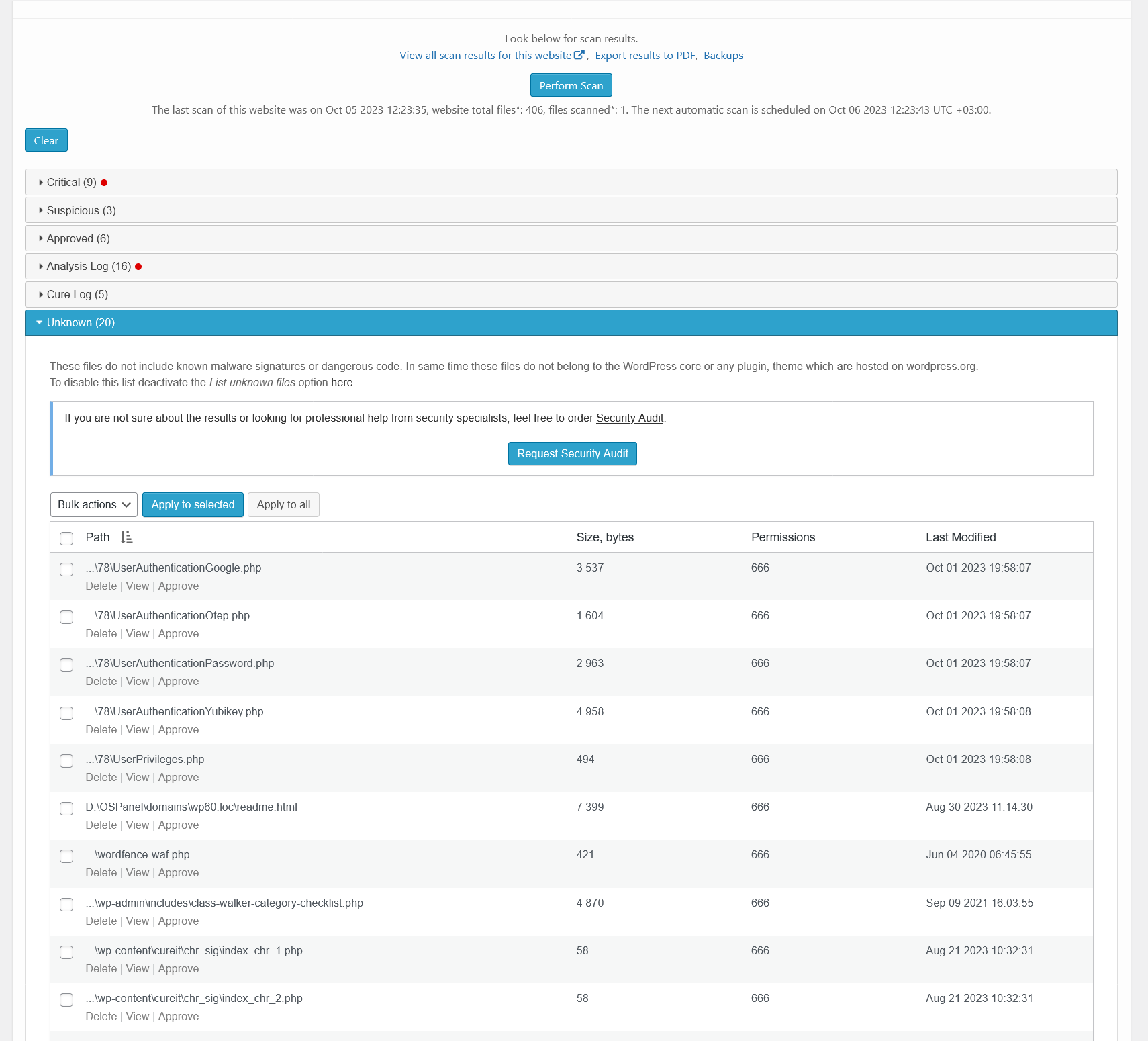
Malware scanner results – unknown. There is a list of files that contain no malware, but they are not a part of WordPress core or plugins/themes. 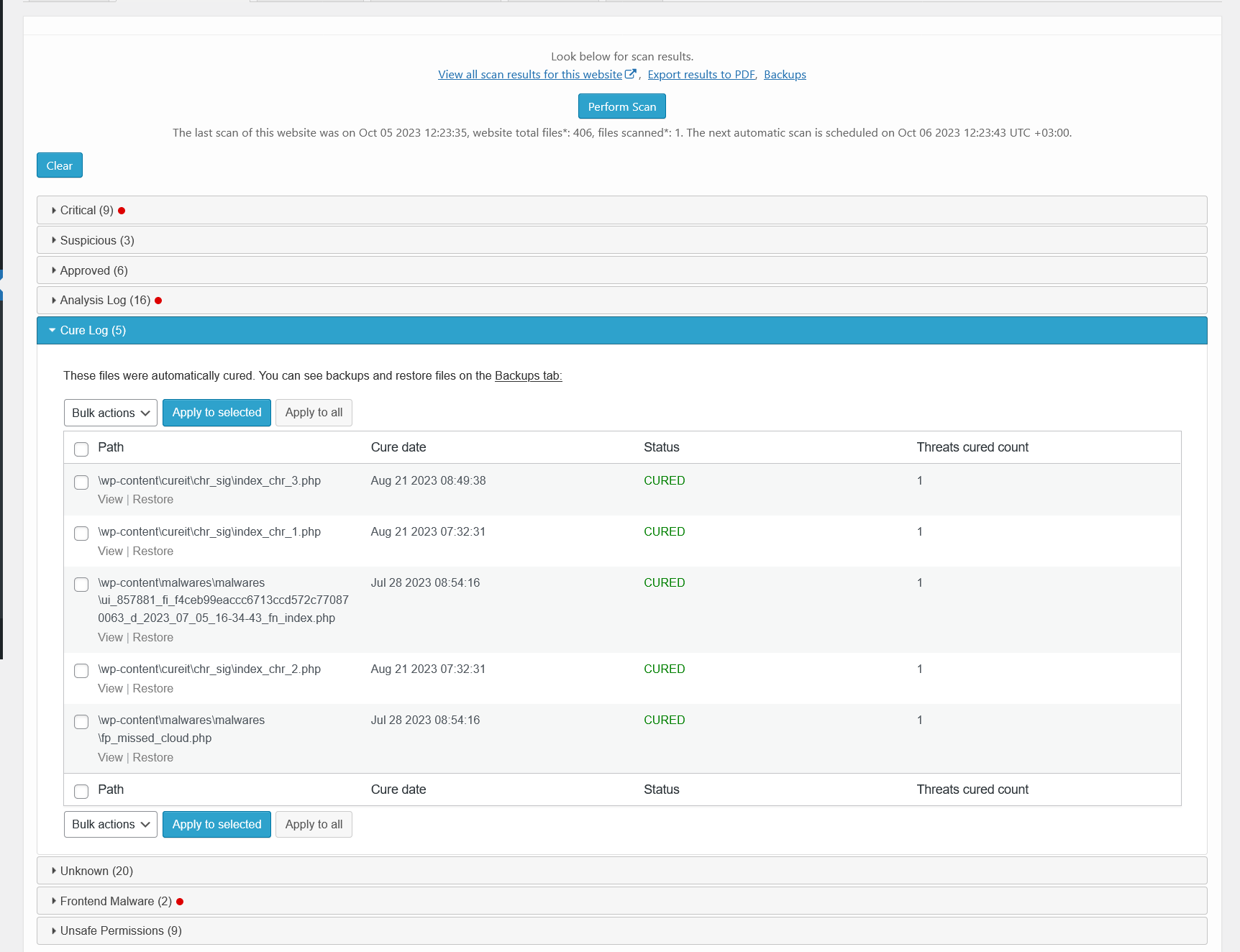
Malware scanner results – cured. There is a list of files that have been automatically cured. 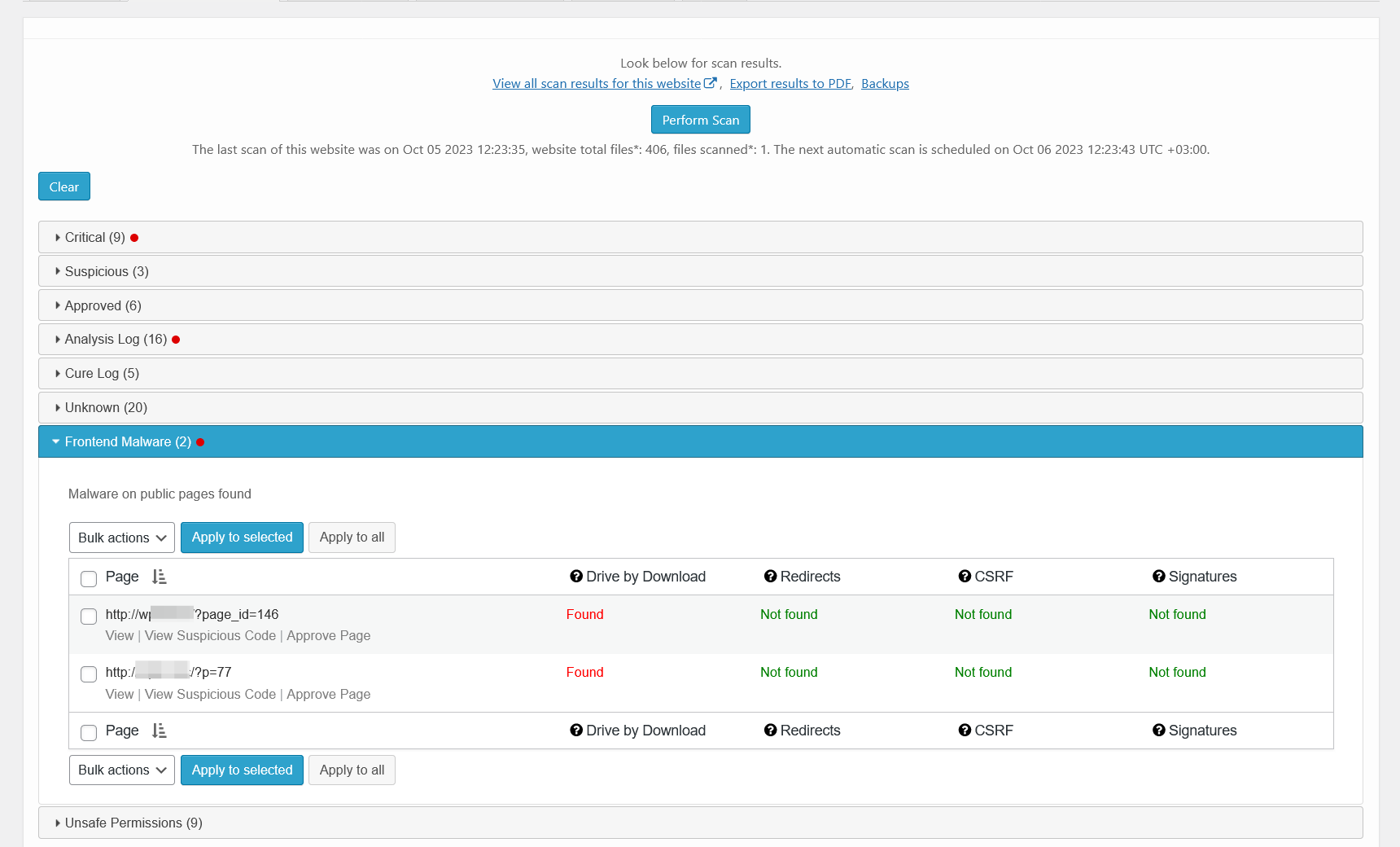
Malware scanner results – frontend malware. There is a list of frontend pages that contains malicious HTML/JavaScript code. 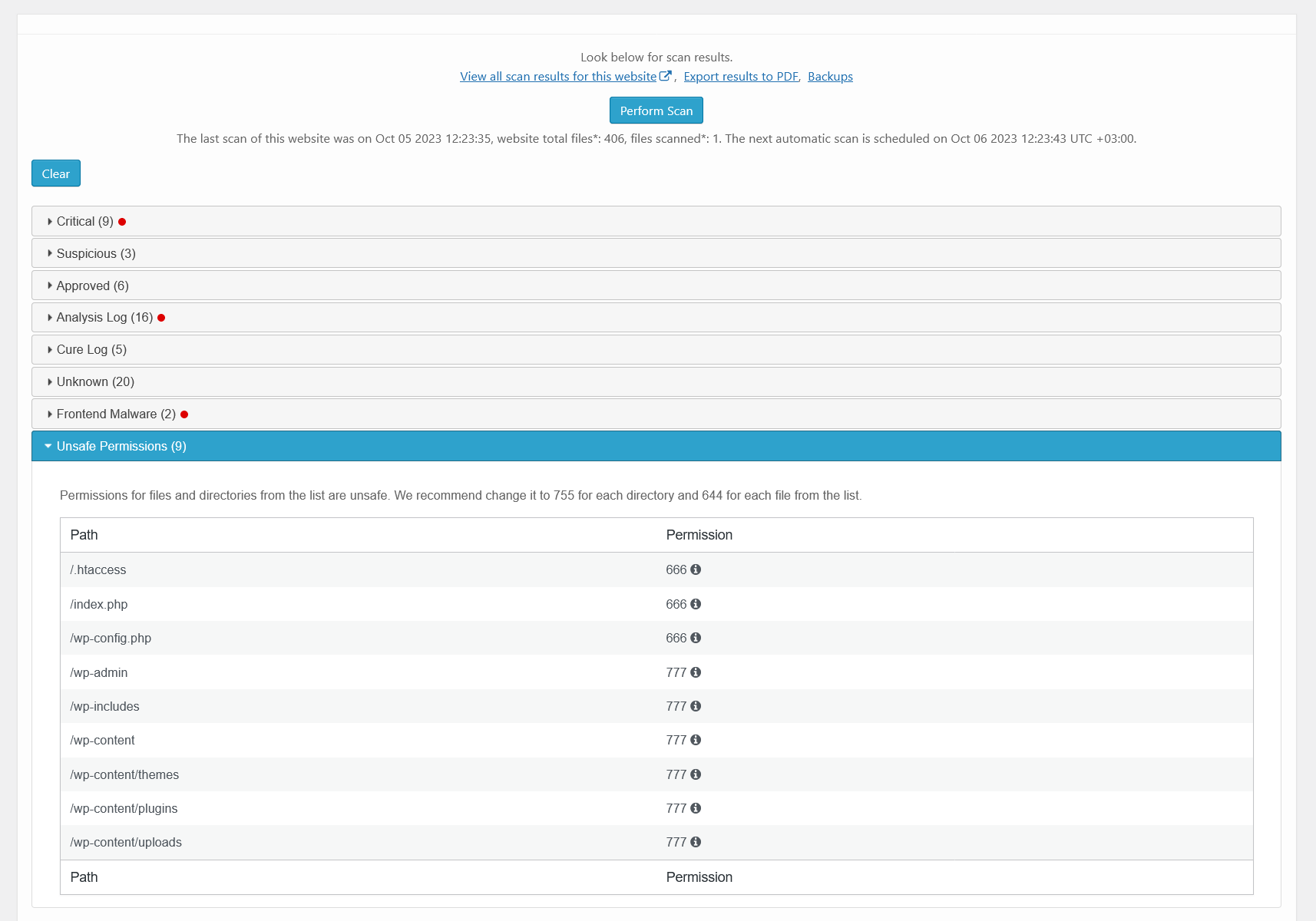
Malware scanner results – unsafe permissions. There is a list of files that could be reached by a hacker because of unsafe permission set. 
Malware scanner results – PFD report. How the PDF report of scan results looks. 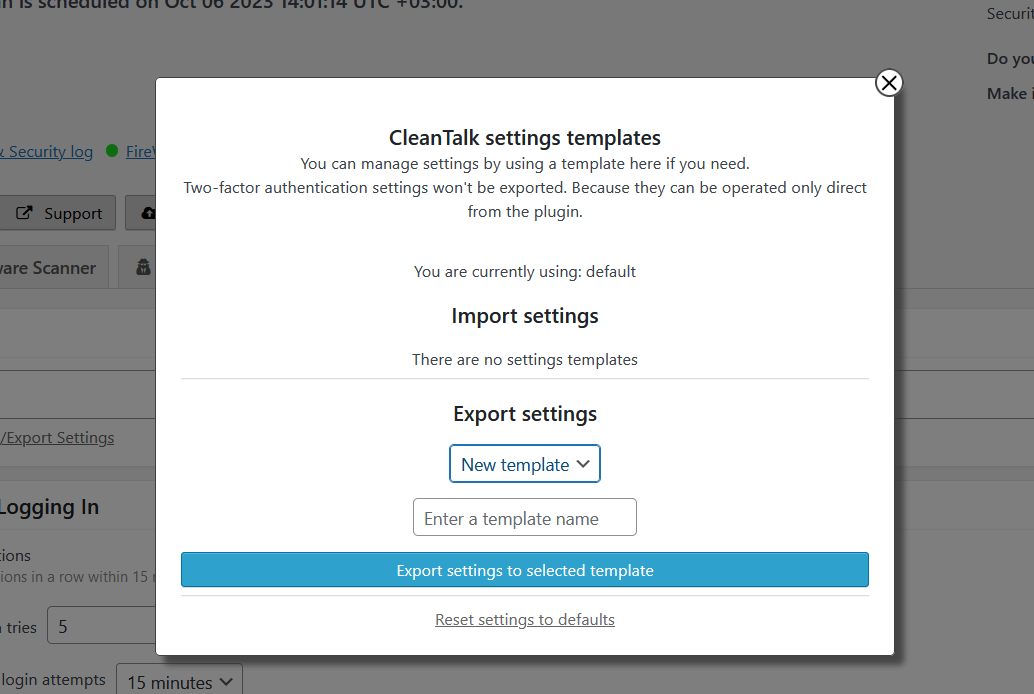
Templates interface. Using this interface you can apply the settings from another site of your CleanTalk account or a template saved before. 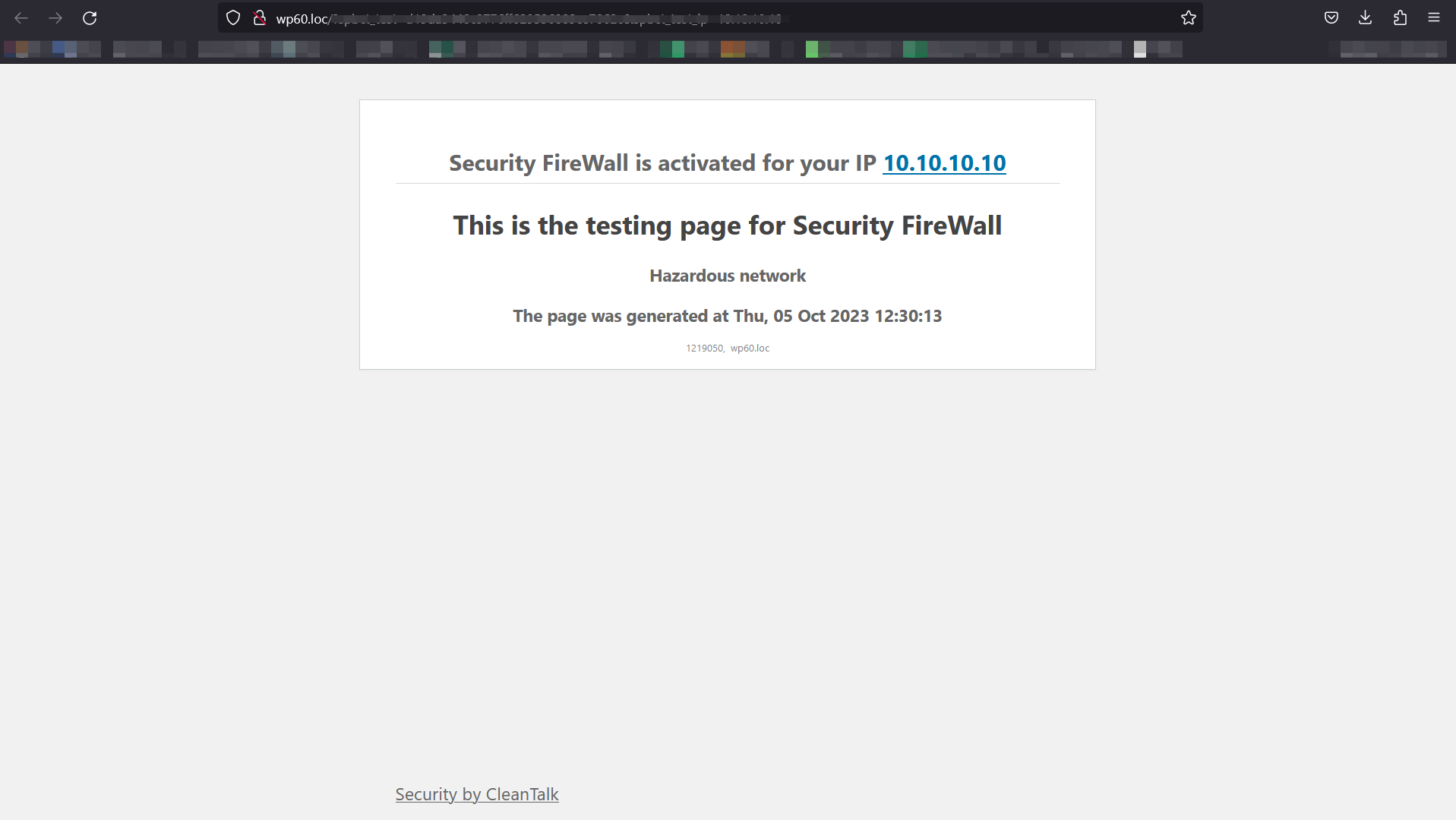
Example of blocking page – Firewall. If the visitor IP is in hazardous net list or blacklisted in your personal list, he will see this screen. 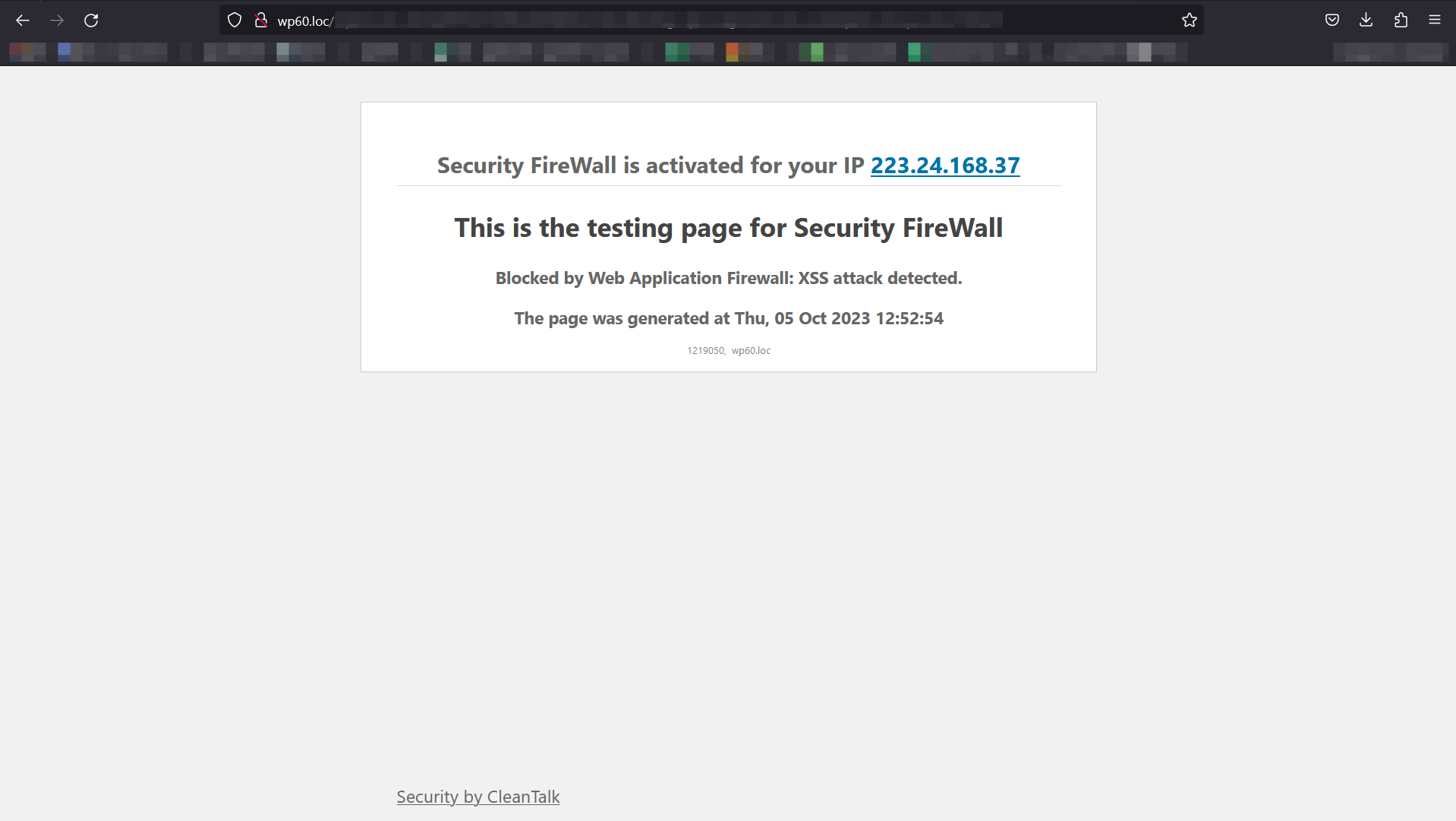
Example of blocking page – XSS. If the visitor attempts to implement XXS, he will see this screen. 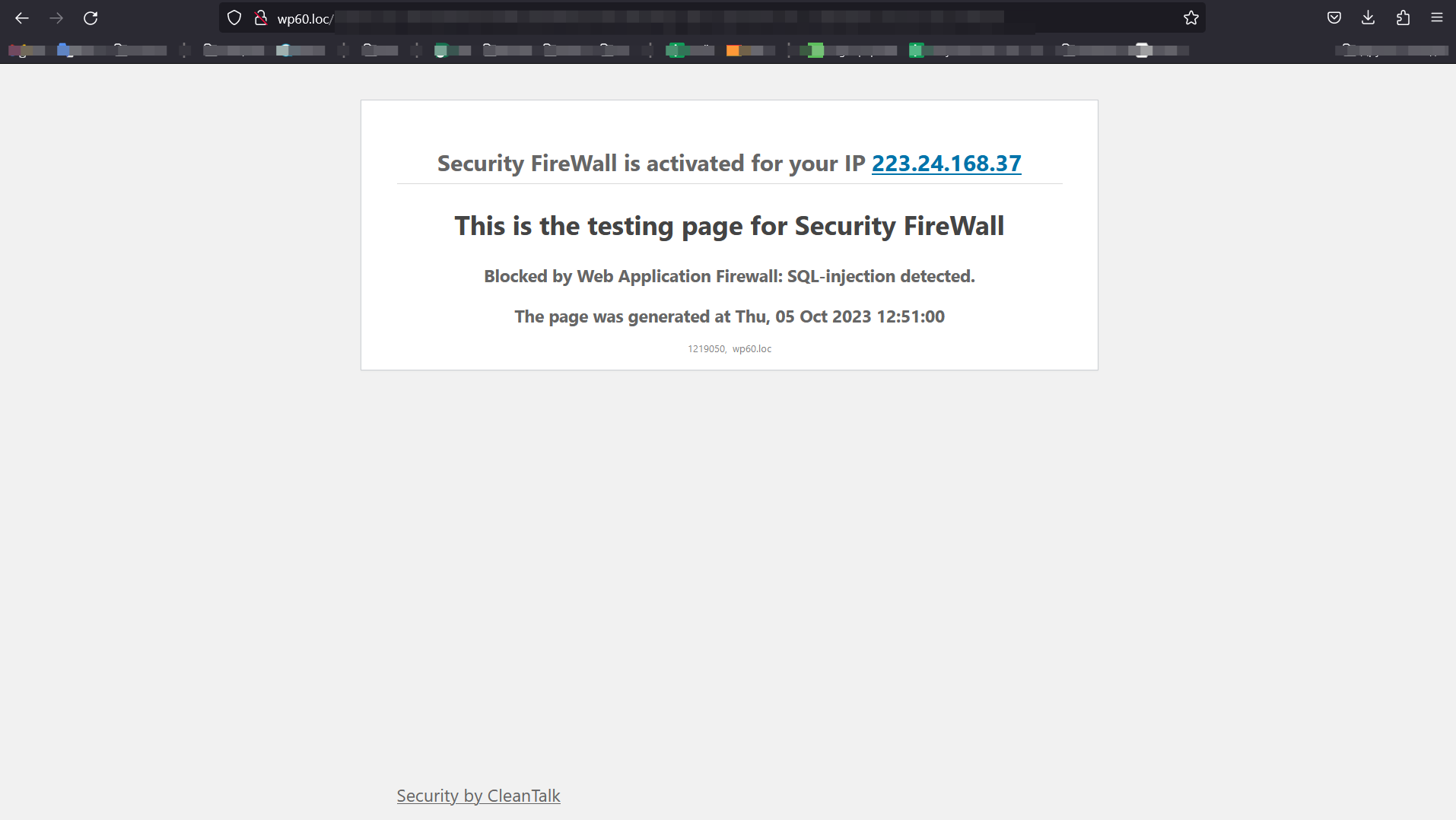
Example of blocking page – SQL. If the visitor attempts to implement SQL injection, he will see this screen. 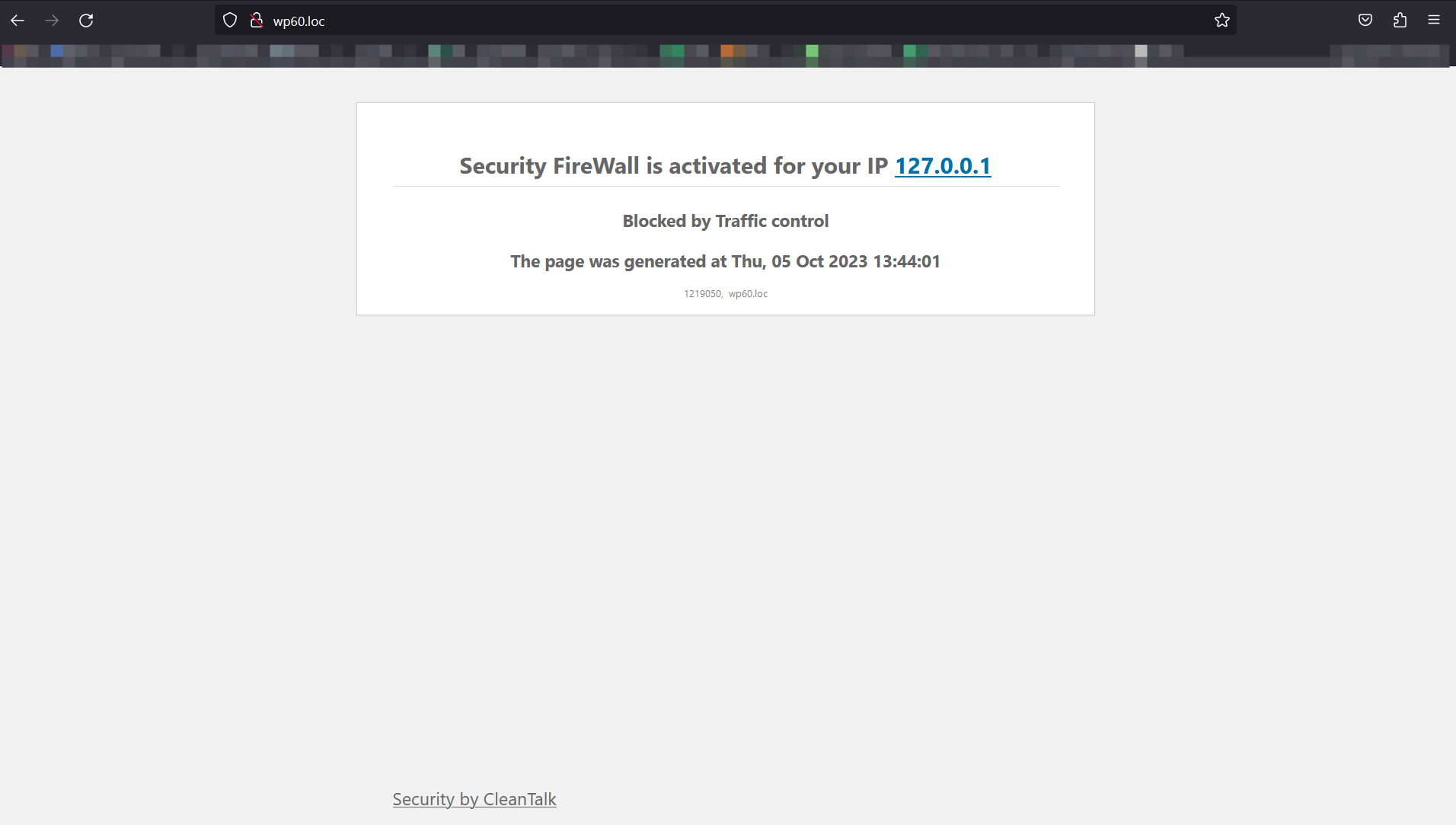
Example of blocking page – Brute-Force. If the visitor tried to use wrong credentials for many times, he will see this screen. 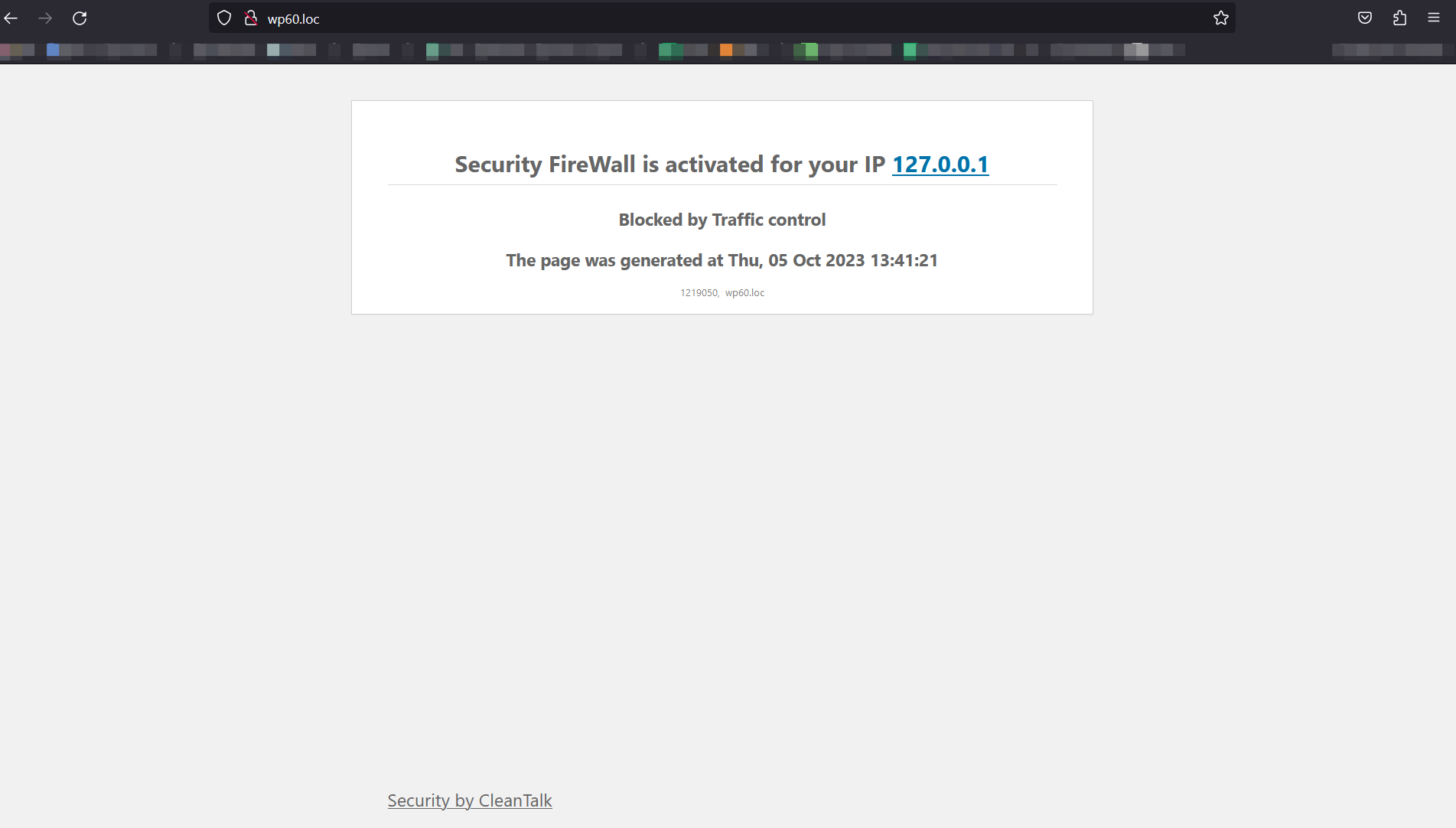
Example of blocking page – Traffic Control. If the visitor has requested site pages too often, he will see this screen.


Installation
DEFAULT INSTALLATION
-
Download, install and activate ‘Security by CleanTalk’.
-
Get Access key https://cleantalk.org/register
-
Enter Access key in the settings WordPress console -> Settings -> Security by CleanTalk -> General settigns. Save Changes.
-
Go to Malware scanner tab and do the very first scan.
-
Done! The plugin is ready to use.
INSTALLATION FROM THIRD-PARTY SOURCE
- Download latest version on your computer’s hard drive,
https://downloads.wordpress.org/plugin/security-malware-firewall.zip
-
Go to your WordPress Dashboard->Plugins->Add New->Upload CleanTalk zip file.
-
Click Install Now and Activate.
-
After activated, go to plugin settings. Then you will need to create an API key, this is done automatically for you. Just click on “Get access key automatically”
Installation completed successfully.
Installation from wordpress.org directory
-
Navigate to Plugins Menu option in your WordPress administration panel and click the button “Add New”.
-
Type CleanTalk in the Search box, and click Search plugins.
-
When the results are displayed, click Install Now.
-
Select Install Now.
-
Then choose to Activate the plugin.
-
After activated, go to plugin settings. Then you will need to create an API key, this is done automatically for you. Just click on “Get access key automatically”
Installation completed successfully.
FAQ
-
Why are they attacking me?
-
Hackers want to get access to your website and use it to get backlinks from your site to improve their site’s PageRank or redirect your visitors to malicious sites or use your website to send spam and viruses or other attacks.These attacks can damage your reputation with readers and commentators if you fail to tackle it. It is not uncommon for some WordPress websites to receive hundreds or even thousands of attacks every week. However, by using the Security CleanTalk plugin, all attacks will be stopped on your WordPress website.
-
How to test the security service?
-
Please use the wrong username or password to log-in to your WP admin panel to see how the Security Plugin works. Then you may log-in with your correct account name and see the logs for the last actions in the settings or our plugin. Also, Audit Log will display the last visited URL’s of the current user.
-
Is the plugin compatible with WordPress MultiUser (WPMU or WordPress network)?
-
Yes, the plugin is compatible with WordPress MultiUser.
-
How to control security activities on your website?
-
Go to your CleanTalk account->Log. Use filters to sort data for analyses.
Security logs provide you to receive and keep information for 45 days. You have the following possibilities:
1. Time period for all records you want to see.-
Website for which you want to see security records. Leave the field empty to see security records for all websites.
-
Choose an event you want to see:
- Authorization Login — all successful logins to your website.
- Authorization Logout — all closed sessions.
- Authorization Invalid username — login attempts with not existing username.
- Authorization Auth failed — wrong password login attempts.
- Audit View — records of actions and events of users in your website backend.
-
Searching records by IP address.
-
Searching records by country.
There are date and time of events for each record, username who performed an action and his IP (country) address. How to use Security Log https://cleantalk.org/help/Security-Log
-
-
Is it possible to set custom email for notification?
-
Yes, it is possible. Go to your CleanTalk account->Change email https://cleantalk.org/my/change-email
-
Why do you need an access key?
-
Access Key allows you to keep statistics up to 45 days in the cloud and different additional settings and has more possibilities to sort the data and analyses. Our plugin evolves to Cloud Technology and all its logs are transferred to Cloud. Cloud Service takes data processing and data storage and allows to reduce your webserver load.
-
How to use Security Log
-
- First go to your Security Dashboard. Choose “Site Security” in the “Services” menu.
- Then go to your Security Log.
You have the following possibilities:
- Time period for all records you want to see.
- Website for which you want to see security records. Leave the field empty to see security records for all websites.
Choose an event you want to see:
- Authorization Login — all successful logins to your website.
- Authorization Logout — all closed sessions.
- Authorization Invalid username — login attempts with not existing username.
- Authorization Auth failed — wrong password login attempts.
Audit View — records of actions and events of users in your website backend.
- Searching records by IP address.
- Searching records by username.
- Searching records by country.
List of records. Each record has the following columns:
- Date — when the event happened.
- User Log — who performed actions.
- Event — what did he do.
- Status — was he Passed or Banned.
- IP — his IP address.
- Country — what country that IP belongs to.
- Details — some details if they are available.
Please, read more
https://cleantalk.org/help/Security-LogIf you wish to block some countries from visiting your website, please, use this instruction: https://cleantalk.org/help/Security-Firewall
- First go to your Security Dashboard. Choose “Site Security” in the “Services” menu.
-
How to use Security Firewall
-
First go to your Security Dashboard. Choose “Site Security” in the “Services” menu. Then press the line “Black&White Lists” under the name of your website.
You can add records of different types to your black list or white list:
- IP-Addresses (For example 10.150.20.250, 10.10.10.10)
- Subnets (For example 10.150.20.250/24, 10.10.10.10/8)
- Countries. Click the line “Add a country” to blacklist or whitelist all IP-addresses of the chosen countries.
The records can be added one by one or all at once using separators: comma, semicolon, space, tab or new line. After filling the field press the button “Whitelist” or “Blacklist”. All added records will be displayed in your list below. Please note, all changes will be applied in 5-10 minutes.
Please, read full instruction here
https://cleantalk.org/help/Security-Firewall -
How to test Security Firewall?
-
- Open another browser or enter the incognito mode.
- Type address YOUR_WEBSITE/?security_test_ip=ANY_IP_FROM_BLACK_LIST
2.1 Address 10.10.10.10 is local address and it’s in blacklist constantly. So address YOUR_WEBSITE/?security_test_ip=10.10.10.10 will works everytime. - Make sure that you saw page with the blocking message.
- FireWall works properly, if it is not, see item 4 of the list.
-
How does malware scanner work?
-
Malware scanner will check and compare with the original WP files and show you what files were changed, deleted or added. Malware scanner could be used to find an added code in WP files. On your Malware Security Log page, you will see the list of all scans that were performed for your website. The CleanTalk Cloud saves the list of the found files for you to know where to look them for.
-
How to start malware scanner?
-
At the moment malware scanner may be started one time per day and manually.
To start malware scanner go to the WordPress Admin Page —> Settings —> Security by CleanTalk —> “Malware Scanner” tab —> Perform Scan.
Give the Malware Scanner some time to check all necessary files on your website. -
Is it free or paid?
-
The plugin is free. But the plugin uses CleanTalk cloud security service. You have to register an account and then you will receive a free trial to test. When the trial (on CleanTalk account) is finished, you can renew the subscription for 1 year or deactivate the Security by CleanTalk plugin.
If you haven’t got access key, the plugin will work and you will have logs only on the plugin settings page for last 20 requests. -
What happens after the end of the trial period?
-
The plugin will fully perform its functions after the end of the trial period and will protect your website from brute force attacks and will keep Action Log in your WP Dashboard, but the number of entries in the log will be limited to the last 20 entries/24 hours. Also, you will receive a short daily security report to your email.
Premium version allows to storage all logs for 45 days in the CleanTalk Dashboard for further analysis.
-
Brute Force security for WordPress
-
Brute force attack is an exhaustive password search to get full access to an Administrator account. Passwords are not the hard part for hackers taking into account the quantity of sent password variants per second and the big amount of IP-addresses.
Brute force attack is one of the most security issues as an intruder gets full access to your website and can change your code. Consequences of these break-ins might be grievous, your website could be added to the [botnet] and it could participate in attacks to other websites, it could be used to keep hidden links or automatic redirection to a suspicious website. Consequences for your website reputation might be very grievous.
-
Why is the CleanTalk Security Plugin Added to the Must Use Section?
-
This is required for the Security FireWall to function properly. Plugins that are placed in this section are being launched first, so it is very important that the Security FireWall is launched before any plugins and hooks. Thus, hacker requests will be stopped before they can get access to any site code.
-
Can I use CleanTalk Security and Wordfence together
-
Sure, you can use CleanTalk Security and Wordfence. Quite often we get question from our customers, will there be a conflict between CleanTalk and Wordfence? We tested CleanTalk Security and Wordfence working together and they work without any conflicts.
-
Can CleanTalk Security protect from DDoS?
-
Security FireWall can mitigate HTTP/HTTPS DDoS attacks. When an intruder makes GET requests to attack your website, Security FireWall blocks all requests from bad IP addresses. If your website under DDoS attack you will be able to add IPs to your personal BlackList to block all Post and GET requests.
Reviews


Contributors & Developers
“Login Security, FireWall, Malware removal by CleanTalk” is open source software. The following people have contributed to this plugin.
Contributors


“Login Security, FireWall, Malware removal by CleanTalk” has been translated into 4 locales. Thank you to the translators for their contributions.
Translate “Login Security, FireWall, Malware removal by CleanTalk” into your language.
Interested in development?
Browse the code, check out the SVN repository, or subscribe to the development log by RSS.
Changelog
= 2.170 Dec 15 2025
Upd. Code. Refactoring Firewall tab to react.
Upd. Automatic assets. Use .7zignore file.
Code. PHPUnit. Now use SpbcTestCase as extension to force units isolation.
Fix. Firewall. Fixed data providing.
Fix. ScannerQueue. Edit using the plugins_api hook.
= 2.169 Dec 01 2025
* Fix. 2FA. Fixed 2FA for WooCommerce login.
* Fix. Settings. Children elements state fixed.
* Fix. Settings. Escaping page_url output in the Firewall table
* Fix. Settings. Escaping user_agent output in the Firewall table
* Fix. Settings. Fixed 2FA users roles setting.
* Fix. WpFooter. Removed unnecessary styles and duplicates.
* Github. Added action to create assets from dev/fix on push event
* New. Scan. Added AJAX action for bulk restoring files from quarantine.
* Upd. Dashboard widget. Show widget for roles filtered by hook.
* Upd. Code. Libraries. Updated common libraries.
* Upd. UserPassCheck. Added default roles depending on capabilities
* Upd. UserPassCheck. Updated password change form.
= 2.168 Nov 10 2025
* Mod. Header. Splitting the Header component into separate components
* Mod. Header. Editing styles
* Fix. Header. Moving common styles to a higher level
* Fix. SyncSettings. Reloading the page after syncing.
* Fix. FSWatcher. Cron run implemented.
* Fix. Settings. Settings validating fixed.
* Upd. Settings. Updated wrong key banner show rules.
* New. Banner. A banner about an empty key has been added, and the error block output has been corrected
= 2.167.2 Oct 30 2025
* Revert “Fix. Vulnerability alarm. Finally fixed the vulnerable and installed version comparison.”
= 2.167.1 Oct 29 2025
* Fix. SyncSettings. Reloading the page after syncing.
* Fix. Settings. Settings validating fixed.
= 2.167 Oct 27 2025
* Code. FSW Jest prepared.
* Upd. Local domain host added.
* New. FileOfPluginChecker. Trying to detect if a file is a part of non-wordpress repository plugin.
* Fix. VulnerabilityAlarm. Slugs getting unified.
* Upd. File of plugin. PHPUnit fixes.
* Fix. VA. Psalm fixed.
* Fix. Vulnerability alarm. Finally fixed the vulnerable and installed version comparison.
* Fix. Settings. Traffic Control description fixed.
* Upd. FSWatcher. Refactored to react.
* Code. Removed unused FSW code.
* Code. Localiztion removed.
* New. VulnarabilityAlarm. Notification output in the theme details folder
* Upd. Settings. Added UTM parameters to the registration link.
* Fix. Ajax. Ajax actions checking fixed.
* Fix. List Table. Query for limit/offset data fixed.
* Upd. Settings. Added UTM parameters to the registration link.
* Fix. FSWComparisonTableRow. Added React import
* Fix. ListTable. Condition for adding actions
= 2.166.1 Oct 14 2025
* Fix. Settings. Settings updater fixed.
= 2.166 Oct 13 2025
* New. ProtectUploadsDir. Prevent PHP execution in uploads directory.
* Fix. React. Active tab state issues resolved.
* Fix. Settings. Simplified conditions and updated descriptions.
* Upd. Timeline. Enhanced tooltip positioning and event highlighting.
* Upd. Timeline. Activity now shown in widget header.
* Mod. ScannerExclusions. Improved scan exclusion functionality.
* Mod. UDPPhpExec. Updated handle() output and status collection logic.
* Mod. SetCookies. Added security enhancements for cookie installation.
* Mod. AltSessions. Removed REST route registration for security.
* Mod. 2FA. Renamed Google authentication to 2FA app throughout codebase.
* Ref. Code. Major refactoring for spbc-scanner file command.
= 2.165 Sep 29 2025
* New. CriticalUpdates. Switching to the Critical Updates react
* Fix. CriticalUpdates. Using the research link from the backend
* Upd. Scanner. Files row actions now has tooltips.
* Upd. Scanner. Updated missed descriptions.
* Ref. Code. Remove unnecessary Surface execution.
* Mod. React. Switching from Critical Upd tab to react
* Fix. React. Edits based on the review
* Fix. React. The condition for adding Secure cookies
* Mod. Security Log. Filtering unauthorized users in the widget graph
* Fix. Remote calls. Debug RC now hide sensitive data.
= 2.164 Sep 11 2025
* Fix. Settings. Long description and long recommendation fixed.
* Fix. Settings. Backups tab ico fixed.
* New. Security log. Timeline widget.
* Fix. UpdaterScript. Editing indexes for the spbc_users_pass table
= 2.163 Sep 01 2025
* Upd. Integrations. Add exclusions to prevent cache firewall block page.
* Fix. React interface. Tabs has been rebuild to the own components.
* Fix. SyncReact. Returned the file for processing synchronization requests
* Fix. React. Error block
* Fix. Settings. Fix long description
= 2.162 Aug 18 2025
* New. PassCheck. Users passwords checking for information leaks functionality implemented
* Fix. CSS. Editing the logo position on the authorization page
* Fix. Scan. Fixed cure behavior on view when file deleted.
= 2.161 Aug 04 2025
* Fix. Code. Code direct call preventing.
* Fix. CSS. Login notification.
* Fix. SecurityLog. Fixed getting role capabilities.
* Fix. UploadChecker. Skip binary files check.
* Mod. Scanner. HeuristicAnalyser. Compatibility of classes for using entropy with php 5.6
* New. DoingItWrongHandler class. Collect all SPBC errors, suppress remote calls translation errors.
* New. Scanner. OSCron. Signature analysis of cron tasks. Minor visual updates.
* Revert “Upd. CSS. Add const SPBC_OVERRIDE_LOGIN_BODY_DISPLAY to override custom body.login display to “block”.”
* Upd. File Editor Disabler. Show last tried config path. Config file getting improved.
* Upd. FireWall. Blocking screen updates.
* Upd. REST. Block REST route “/users”. Do not check logged in users.
* Upd. Scanner. Important files listing. Check content of files if response code is 200.
= 2.160 July 14 2025
* Mod. SettingsDesc. Description of suspicious vulnerabilities.
* Mod. RemoteCalls. Updated test calls error formatting.
* Code. Unit Test. Disable admin bar exclaim test.
* Fix. AjaxActions. Added nonce verification.
* Fix. Code. Code direct call prevention.
* Fix. FileEditorDisabler. Do not write error_log. Messages refactored.
* Fix. Admin bar. Hide exclaim sign if no SPBC banners need user attention.
* Fix. VulnerabilityAlarm. Set autoload for option to ‘off’.
= 2.159.1 July 10 2025
* Fix. Code. React. Return ErrorBlock component.
= 2.159 June 30 2025
* New. FileEditorDisabler. New functionality for disabling the file editor
* New. FileEditorDisabler. Multisite setup mode, dashboard banners, and settings page
* New. FileEditorDisabler. Two new banners for Dashboard and Settings page, psalm edits
* Fix. FileEditorDisabler. Editing the isconfigaccessive condition
* New. Common class SupportUser implemented. Child class for SPBC settings implemented.
* Fix. FileEditorDisabler. Post-test edits
* Upd. SecurityLog. Added posibility to change user role.
* Fix. FileEditorDisabler. Edit and delete a block with a constant
* Upd. Firewall. Added ability for custom action before blocking page.
* Mod. ChangingRole. Displaying a list of permissions for the role, adding the Tech Freelancer role
* Fix. ChangingRole. Filtering outdated permissions
* Fix. RadioTemplate. Edit duplicate id
* Code. Hook explanation added for “spbct_firewall_before_die”.
* Upd. Settings. Fix layout and tests.
* Fix. Scanner. Heuristics. Mathematics. Fixed regex to find math expressions.
* Fix. Login. SPBC link refactored. Layout fixed on mobile layout.
* Upd. Scanner. Add signature analysis for js files to scanner.
* Fix. Table. Edit action Restore, defining the accordion for Restore
= 2.158 June 16 2025
* Mod. Firewall. Skip user-ignored country even if largest subnet is blacklisted by another country.
* Fix. After tests. Old logic for 99 status is removed.
* Fix. Settings. Custom jquery-ui support removed.
* Fix. Settings. Loading more scan logs fixed.
* Upd. UploadChecker. Refactoring UploadCheckWPModules.
* Fix. Scanner. Display path found malware’s fixed.
= 2.157 June 02 2025
* Upd. Preventing logins collection. Description updated.
* New. Security. Prevent login collection via password reset logic.
* Fix. Settings. 2FA modal window fixed.
* New. DBTriggerScan.
* Upd. Scan. Localize clear btn.
* Fix. Firewall. Rewriting permalinks fixed.
* Upd. Scan. Update cure log description.
* Upd. LoginPage. Update description layout.
* Upd. Settings. Replace error notification to react component.
* Ref. Settings. Remove gdpr popup.
* Fix. Settings. Improve notifications render.
* Fix. Header component. Remove unnecessary data attribute from error block.
* Fix. Code. Editing the textdomain, editing the synchronization logic
* Fix. NetworkDashboard. Editing the display of the SpbctPageNetworkDashboard component for a multisite
* Fix. Code. Edit Textdomain error
= 2.156 May 19 2025
* New. Code. New react structure.
* New. WP-CLI. Implemented actions for service create, settings and templates management and scanner actions.
* New. GitHub Actions. All actions notifications changed to Matrix.
* Upd. Scan. Enhance scanner execution time management by implementing a maximum execution time check.
* Upd. WP-CLI. Docs added.
* Upd. Firewall. Enhance IP data retrieval by adding subdivision and city information to the country report.
* Fix. Remote calls. Remote action escape.
* Fix. Scanner. Heuristic. SQL issues collection fixed.
* Fix. Scanner. Remove some actions from CORE files.
* Fix. Code. Editing the Texdomain error
* Fix. Scanner. Deleting from Analysis log fixed.
* Fix. Scanner. Approving. Do not rewrite files status on applying deined hashes rules.
= 2.155 Apr 21 2025
* New. Scanner. Heuristic. Entropy analysis updated to find suspicious array key calls.
* Fix. SettingsPage. Textdomain fix
* Fix. HTTP. Get DNS records. False result handled.
* Ref. Admin page. CSS styles and JS scripts enqueuing refactored.
* Upd. Admin. jQuery lib automatic dependency implemented (built-in/cutom setup).
* Fix. Scanner. Heuristic. Entropy. Variables. WeakSpots reduction fixed.
* Ref. Code. Update validation.
* Fix. Settings. Block API-key layout fixed.
* Fix. Surface. Skip symlinks.
* Fix. Scanner. Heuristic. Entropy. Array keys detection fixed.
* Fix. Scan. Skip directories we can’t access.
* Fix. Scan. Implement error handling and filter management for themes_api calls.
* Fix. DB. Improved compatibility with mysql.
* Fix. WL Mode. WL entities updated on whole project.
* Fix. Code. Deprecated notices about FILTER_SANITIZE_STRING fixed.
* Fix. Scanner. Checking for the file_exists function argument
= 2.154 Mar 25 2025
* Upd. Settings. Improved FW test block page.
* Upd. Settings. Improved 2fa handler.
* Ref. Scanner. Code. Removed unused code.
= 2.153 Mar 10 2025
* Fix. Http. Hard-coded cleantalk IPs removed.
* Fix. OSCron. Skip task parsing on regexp empty result.
* Fix. Scanner. Removed some trial restrictions.
* Fix. WAF. False blocking logged-in user by WafBlocker fixed.
* Mod. GetKeyAuto. Checking the query result code.
* Mod. Scanner. Getting approved hashes. Memory usage reduced.
* New. Code. UI tests. Jest/Puppeteer.
* Upd. Backup Restore. Lot of interaction improvements.
= 2.152 Feb 24 2025
* Fix. FW update. A second delay required for wordpress.com hosting to avoid 429 errors
* Fix. FW update. Empty error on RC call fixed.
* Upd. Scan. Show all actions in suspicious accordion.
* Fix. Account status check. Unknown key fixed and logic refactored.
* Upd. Banners. Updated text.
* Fix. Scanner. Files count check. Ignoring symlinks improved.
* Upd. SecurityLog. Improved UX.
= 2.151 Feb 10 2025
* Upd. Vulnerability Alarm. PSC badge. Now use research_url param to construct PSC details link for plugins/themes.
* Mod. White Label. Modification of the White Label mode
* Mod. Compare Scan Files. Removing the function of comparing scanned files
* Mod. Compare Scan Files. Removing the comparison functionality
* Mod. Compare Scan Files. Removing unnecessary css
* Fix. OSCron. Prevented error appear if function not exists.
* Upd. HTTP. API servers ping updated.
* Fix. HTTP. Ping. Handle case of socket_create unavailable.
* Fix. White Lable. Correction of WL mode operation
* Fix. SignatureAnalyser. Edit signature scanner
* Fix. White Label. Edits based on the review
* Upd. Scan. Added cure action for critical accordion.
* Fix. Settings. Prevented browser notice on 2fa save.
* Fix. Settings. Correcting a typo
= 2.150.1 Jan 29 2025
* Fix. OS Cron. Fixed case of fatal error when shell_exec is not available.
= 2.150 Jan 21 2025
* Mod. Scanner tabs. View action. Remove non-existed file from table and scanner tab on view action.
* Fix. Scanner. Frontend malwares actions fixed.
* Fix. Cron. Added cast for value from database.
* Fix. UploadChecker. Fixed flow.
* Upd. Account data. Notice about auto-update is redundant, removed from state.
* Fix. BulkAction. Edit the use of confirm for BulkAction
* Upd. ScannerTbl. Remove the display of empty files in unknown
* New. Scanner. Added OSCron module.
= 2.149 Jan 13 2025
* Fix. Deactivator. Drop table surface_completed_dirs
* Upd. Scan. Improved delete action.
* Upd. Settings. Improved scan tab render.
* Fix. Scanner. Cure stage. Correct curing if file has been modified with no renaming.
* Fix. Vulnerability alarm. False detected vulnerabilities fixed.
* Fix. Code. Code style fixed.
* Ref. Scanner. Cure. New manual cure attempts refactored.
* Fix. Scanner. Cure. Cure on modified files after once cure fixed.
* Upd. Scanner tabs. Accordion refresh after curing.
* Fix. Remote calls. Debug RC fatal error fixed.
* New. Code. New class SpbcEnqueue extends Enqueue to enqueue css/js scripts.
* Fix. Settings. Fixed backups links on site where wordpress installed not in root.
* Fix. Scanner. Cure. Fixed cci counters on manual run.
* New. Scanner. Several weakspots curing implemented. Weakspots workwith log implemented.
* Fix. Common libs. Signature analysis fixed on several equal signatures matches.
* Fix. Forgotten debug removed.
* Upd. Docs added and redundant separator removed.
* New. VulnerabilityAlarmService. Added output of PSC on plugins list page.
* Ref. Scanner. Cure. Restore. Restoring files refactored.
* Fix. Enqueue. Regex on webpath validate fixed.
* Fix. Enqueue. Regex on webpath validate fixed.
* Fix. Cure. Skip cure process on background if cure stage exists but setting is disabled.
* Fix. Heuristic. Variables. Fix non-numeric notice.
* Upd. Scanner. Cure. Next cure single tries will rescan files before cure.
* Fix. Cure. Fixed occasion if CCI is null.
* Fix. ScannerQueue. Debug state removed.
* Fix. ListTable. Added a data type check
= 2.148.1 Dec 23 2024
* Fix. Vulnerability alarm. False detected vulnerabilities fixed.
= 2.148 Dec 09 2024
* New. Plugin settings. Navigation bar implemented for settings general.
* Upd. Code. Removed the plugin dependency on jQuery for site public pages.
* Fix. Vulnerability Alarm. Fixed the name detection of module being checked.
