◦ Comprehensive security
◦ 24/7 support
WordPress Guide → PHP → Best Code
The best code editors to use With WordPress

Editing code in a site-specific plugin or in the child theme being used on the site is a pretty common task to perform. The common files that you would normally need to edit on your WordPress site would be the style.css file and functions.php file.
The code editors that are covered in this help article are cross-platform and will work on macOS, Windows, and Linux operating systems.
Get fast, reliable hosting for WordPress
Power your site with the industry’s fastest, most optimized WordPress hosting
Visual Studio Code
The phpStorm IDE application is feature complete and includes a massive range of built-in useful tools and features. You can test out phpStorm with a 30-day trial where a license key is included when you download the application and find out if it is the right solution for you. Pricing is very reasonable and they have monthly plans which are $8.90 per month for the first year or yearly billing which is $89 for the first year.
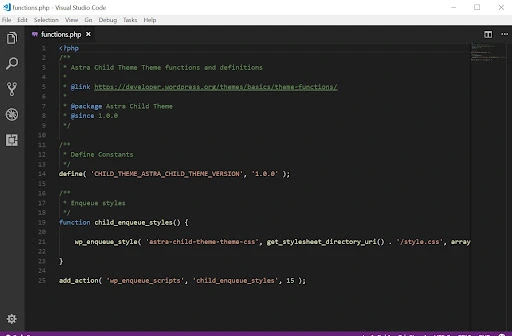
Features
- Intelligent coding assistant
- Smart PHP code editor
- Code quality analysis
- Plugins
Get started with PhpStorm:
https://www.jetbrains.com/phpstorm/download/
https://www.jetbrains.com/phpstorm/documentation/
PhpStorm
The phpStorm IDE application is feature complete and includes a massive range of built-in useful tools and features. You can test out phpStorm with a 30-day trial where a license key is included when you download the application and find out if it is the right solution for you. Pricing is very reasonable and they have monthly plans which are $8.90 per month for the first year or yearly billing which is $89 for the first year.
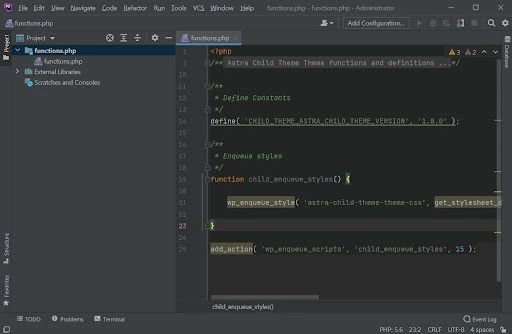
Features
- Intelligent coding assistant
- Smart PHP code editor
- Code quality analysis
- Plugins
Get started with PhpStorm:
https://www.jetbrains.com/phpstorm/download/
https://www.jetbrains.com/phpstorm/documentation/
Sublime Text
The Sublime Text code editor application is $99 for an individual license which includes updates for three years.
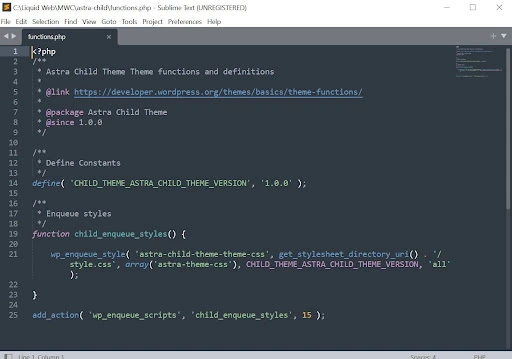
Features
- GPU rendering
- Tab multi-select
- Context-aware auto-complete
- Refreshed UI
- Extensions
Get started with Sublime Text:
Getting started with best code editors for WordPress
Using either Visual Studio Code, phpStorm, or Sublime Text code editors will help to make code changes on your WordPress studio easy to deal with. You can test out all of the applications before you decide which of the code editor applications is the solution you enjoy using the most.
If you’re interested, the next step is to find a reliable WordPress hosting provider or set up a local WordPress environment on your machine.
When you’re ready for hosting, Liquid Web can help. We’ve been offering the premium WordPress hosting for decades—with the fastest speeds, best uptime guarantees, and most robust security features. Click below to explore options or start a chat to connect with one of our WordPress hosting experts right now.
Additional resources
What is WordPress? →
A complete beginner’s guide—from use cases, to basics, to how to get started
What is PHP and What is it Used For →
PHP is a popular and versatile server-side scripting language. Its ease of use, flexibility, and wide range of features make it a favorite among developers.
How to embed iframe code in WordPress →
Benefits, limitations, and step by step guidance

Luke Cavanagh, Strategic Support & Accelerant at Liquid Web, is one of the company’s most seasoned subject matter experts, focusing on web hosting, digital marketing, and ecommerce. He is dedicated to educating readers on the latest trends and advancements in technology and digital infrastructure.
