◦ Comprehensive security
◦ 24/7 support
WordPress Guide → Plugins → A/B Testing
4 best WordPress A/B testing tools and plugins

Have you ever wished you could test an alternate a call-to-action or an ad placement on your site without the risking a negative effect on your conversion rate? You don’t have to make decisions blindly when it comes to your marketing. A/B testing gives you the hard data you need to make informed decisions regarding your conversion optimization strategies. As a result, you can lessen the risk that your changes will have a negative effect on conversions.
Today, we’re answering your biggest questions about content experiments: What is A/B testing in marketing? What does an A/B test look like? And what are the best WordPress A/B testing plugins that you should be using on your WordPress site?
Get fast, reliable hosting for WordPress
Power your site with the industry’s fastest, most optimized WordPress hosting
What is A/B testing in marketing?
A/B testing is when you compare two or more versions of a webpage, app, or piece of content to gauge which performs better. In marketing, A/B testing gives you the ability to determine what the outcome of your optimizations will be before you apply them.
There’s one important reason to use A/B testing: marketing is often a matter of trial and error, but A/B testing means you can test changes before applying them. This allows you to be certain the changes will deliver the desired results, and effectively eliminate the guesswork.
What an A/B test looks like
Consider a hypothetical example. You have a landing page, and you want that page to convert more subscribers.
If you used an A/B testing tool, you could create a variant of that landing page by making one single yet significant change to the page. From there, the tool could run both pages — original (or “control”) and variant — by delivering them to your traffic at random and with equal frequency. Meanwhile, the tool would monitor how many conversions each page generates. If the variant page has an increased rate of conversion, then the change you made was effective and can be applied to the actual page.
A/B testing can be done with multiple variants (multivariate testing) but test results are clearer with just one variant. When there’s just one variant with one single change from the original page, you can conclude that change is the source of the performance difference.
What you can split test on your WordPress site
A/B testing — also called split testing — on WordPress primarily entails testing your landing pages. Since the goal of a landing page is to convert leads, you can use split testing to compare different iterations of the landing page and find out which generates the most conversions.
Besides landing pages, split testing on WordPress can be used to compare variations of on-page elements like content headings or the location of your social sharing buttons. Another common use for A/B testing is to compare different sign-up form implementations. This test lets you determine whether you get more subscribers when the form is served in a pop-up or when it floats in from the side of the page.
Some of the common elements used in split testing include
- Landing pages
- Product pages
- Buttons
- Calls-to-action
- Ads
- Content headlines
- Graphics and visual elements
- Signup forms
Best WordPress plugins for A/B testing
There are many great plugins for WordPress A/B testing. Whether you’re looking to test your on-page elements or want to do split testing for a landing page, here are the best plugins for your WordPress A/B tests.
1. Nelio A/B Testing
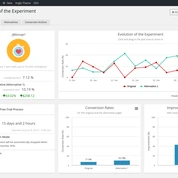
As one of the most widely used A/B testing plugins for WordPress, Nelio A/B Testing is an extremely versatile tool that will help boost your conversion. Nelio can do split testing for your product pages (in addition to your landing pages, on-page elements, and blog posts) with all your experiments tracked right from your WordPress dashboard. As a bonus, the tool supports experiments with multiple variants.
Nelio offers additional features like multi-site support, a heatmap feature, and experiment scheduling across its three subscription plans starting at $29 per month for up to 5,000 pageviews.
2. Split Hero

Split Hero is a split testing tool that keeps things simple. It lets you create up to four variants of your page using either the Split Hero plugin for WordPress or your preferred page builder. From there, it’s as simple as inputting the details of your experiment — i.e., name for the experiment, length of time for the test, destination page for after conversion — and running the test. Then the plugin serves those pages to your audience and monitors the data.
A Split Hero subscription costs $27 per month for unlimited testing capabilities after a free 14-day trial. And if you run a web store, Split Hero supports WooCommerce.
3. Thrive Headline Optimizer
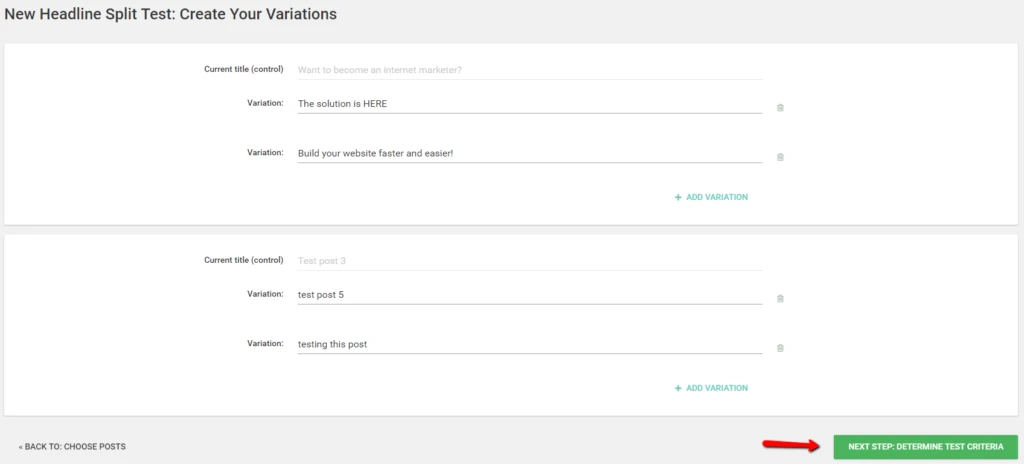
Click-through rate on posts and articles is largely dependent on the strength of your headlines. If you want to boost the click-through rate on your content, consider trying Thrive Headline Optimizer. Not to be confused with Thrive Optimize, Thrive Headline Optimizer is an A/B testing tool for headlines. With this tool, you can test different titles for your content to figure out which generates more engagement.
Popular and highly-trafficked outlets like Forbes, Huffington Post, and Buzzfeed use Thrive Headline Optimizer because it’s easy and effective; just input your variant titles, launch the experiment, and monitor the results right from your WordPress dashboard. It’s included in the Thrive Suite of WordPress tools for $19 per month (paid annually), or you can buy Thrive Headline Optimizer separately for a one-time payment of $67.
4. Marketing Optimizer

Marketing Optimizer is an all-in-one marketing plugin that is completely free to use. It can meet many of your marketing needs with marketing automation, call tracking, and customer relationship management capabilities. However, Marketing Optimizer is arguably most robust as an A/B testing tool. The built-in builder makes it very easy to create high-converting landing pages, pop-ups, calls-to-action, and emails as well as variant versions for your tests.
Although it has its own builder, you can use elements created with your preferred builder(s) in your Marketing Optimizer split tests. Once you’ve designed and initiated a test, Marketing Optimizer tracks the results and generates visual reports which you can view from your WordPress dashboard. It supports both caching plugins and server-side caching.
Do you need A/B testing for your WordPress site?
No matter what type of website you run, the search for ways to convert more subscribers, leads, or customers is never ending. But there aren’t any default tools to do conversion testing in WordPress. Testing site conversion is something you’d need to do manually, and even so, it would be complicated, cumbersome, and lack the in-depth reporting.
An A/B testing tool for your WordPress site gives you the opportunity to more easily find tweaks and make improvements to your site so you can achieve your goals. Most importantly, these tools make the process of conversion optimization something that’s based on real historical and experimental data rather than a game of guesswork. A/B testing tells you what’s working and what’s not, so you can make smarter and more informed decisions.
Getting started with WordPress plugins for A/B testing
Before you can run an A/B test on your landing page, you need a great website. That’s where Liquid Web can help.
When you’re ready to take your whole WordPress site to a professional level, it might be time to upgrade your web hosting. Premium WordPress hosting services are the foundation of a fast, reliable site, and that’s where Liquid Web comes in.
Liquid Web has been leading the industry in WordPress hosting for decades. And if you select managed WordPress hosting, our team of experts will manage server IT for you — so you can focus on growing your brand.
Click below to explore options or start a chat with one of our WordPress hosting experts now to get answers to your questions and further guidance.
Additional resources
What is a WordPress plugin? →
A complete beginner’s guide to WordPress plugins and how to manage them
Best WordPress Plugins [2025]
→
Learn the most popular WordPress plugins across five categories: commerce, security, page builders, forms, and search engine optimization.
How to check if a plugin is safe →
Simple steps to evaluating a plugin before you install and activate it
