◦ Comprehensive security
◦ 24/7 support
WordPress Guide → Plugins → Database
7 best database plugins for WordPress

Worried your WordPress website might be a bit sluggish? Help is on the way! Use this list to find the best database plugins for WordPress to help optimize your site.
Keeping your database in tip-top shape can be challenging if you lack experience with MySQL databases. These database plugins allow you to optimize or reset your database from your WordPress admin.
Get fast, reliable hosting for WordPress
Power your site with the industry’s fastest, most optimized hosting for WordPress.
What to look for in a WordPress database plugin
Most people have a junk drawer in their house. If you have one, you know the pain of trying to find what you need in the junk drawer. You have to look under the owner’s manuals for a toaster and a lawnmower you no longer own just to find the nine-volt battery for the smoke alarm.
WordPress databases can be a lot like junk drawers. WordPress saves drafts of posts and copies of spam comments. Finding useful data for pages or products takes longer when the database overflows with junk. A clean and optimized database improves your site’s performance.
The benefits of using a database plugin for WordPress include faster sites, improving your customer experience, and search engine rankings.
Key features and capabilities
WordPress database plugins can rid your database of junk or optimize how you manage and use data. Common uses of database plugins include:
- Database Cleanup. Remove necessary and unused entries from your database.
- Backup. Save a copy of your data.
- Reset. Return your database and site to the default settings and clear your data tables.
- Migration. Move data from one website to another.
Technical considerations for a database plugin
Before installing and using a database plugin, check to ensure the plugin is compatible with your WordPress version. You’ll also want to see what database optimization settings your web host provides. Some database plugins could interfere with your host’s optimization programs and settings for database optimization. You’re better off picking a quality hosting provider than trying to install a bunch of plugins to make up for a slow server.
Top picks for best database plugins for WordPress
Use these plugins to help with managing and optimizing your WordPress database.
1. Database Reset
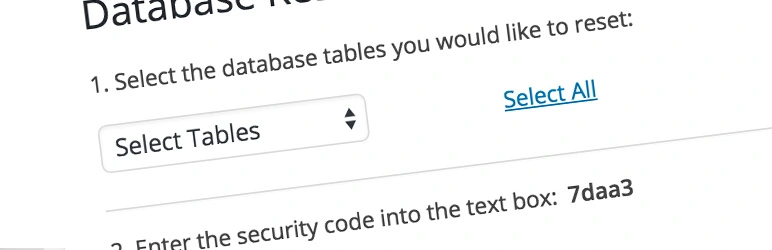
This free database plugin for WordPress allows you to reset your database with just one click. You can reset the entire database or select individual tables to clear. With this plugin, you can return your database to its original setting without reinstalling WordPress or modifying files. Theme and plugin developers use this plugin to clear unnecessary content out of the database when testing products.
- Active Installations: 50,000+
- WordPress Repository Rating: 4.5 out of 5 stars
- Developer: WebFactory Ltd
- Pricing: Free
2. WP Reset

WP Reset is a more advanced plugin option from the same developers as Database Reset. WP Reset enables you to reset a site to a blank WordPress site or to a saved “snapshot.” You can also delete themes and plugins. An upgraded Pro version includes resetting options, automatically creating snapshots, and deleting content and widgets.
- Active Installations: 300,000+
- WordPress Repository Rating: 5 out of 5 stars
- Developer: WebFactory Ltd
- Pricing: Free or a Lifetime license for the Pro version starting at $49
3. WP Database Backup

This WordPress database backup plugin takes the hassle out of backing up and restoring your database. Create a backup or restore your database with one click. The paid Pro version supports automatic scheduled backups and integrations with Dropbox, FPT, Email, Google Drive, and Amazon S3.
- Active Installations: 60,000+
- WordPress Repository Rating: 4.5 out of 5 stars
- Developer: Prashant Walke
- Pricing: Free or $22 for a single site Pro license
4. WP-Optimize

WP-Optimize Cache is an excellent choice for people who want to improve their website’s speed and performance. The plugin cleans and optimizes databases, compresses images, and caches pages. Upgrade to the Premium version for more scheduling, integrations, and support options.
- Active Installations: 1 million+
- WordPress Repository Rating: 5 out of 5 stars
- Developer: David Anderson, Ruhani Rabin, and Team Updraft
- Pricing: Free or Premium version starting at $70 for the first year and renewing at $42
5. Advanced Database Cleaner

Old revisions, spam comments, and orphaned post metadata can clutter up your WordPress database. This extra bloat slows your site down. The Advanced Database Cleaner plugin removes the clutter to reduce your database size and improve website performance. Another benefit is faster backups since you won’t need to back up all the unneeded data. The upgraded Pro version of the plugin also removes any leftover data from deleted plugins and themes.
- Active Installations: 80,000+
- WordPress Repository Rating: 5 out of 5 stars
- Developer: Younes JFR
- Pricing: Free or lifetime license for the Pro version starts at $39
6. WP-Sweep
This database plugin cleans up your extraneous data for a faster-running website. The plugin helps remove revisions, auto drafts, deleted or spam comments, and orphaned metadata for posts, comments, users, and terms.
- Active Installations: 100,000+
- WordPress Repository Rating: 4.5 out of 5 stars
- Developer: Lester ‘GaMerZ’ Chan
- Pricing: Free
7. Optimize Database After Deleting Revisions

This plugin makes optimizing your database a breeze. You can delete revisions, delete trash, and remove orphan items with just one click.
- Active Installations: 100,000+
- WordPress Repository Rating: 4.5 out of 5 stars
- Developer: CAGE Web Design | Rolf van Gelder, Eindhoven, The Netherlands
- Pricing: Free
Next step: Upgrade your WordPress database hosting
When you’re ready to upgrade your WordPress hosting, Liquid Web can help. Our servers and solutions have been leading the industry in WordPress and WooCommerce hosting for decades. We offer the widest variety of hosting options for WordPress sites as well as multiple tiers of server management support.
People often look for WordPress database plugins for migration or backup services. Liquid Web’s managed WordPress hosting plans include both, so you don’t need an extra plugin. For any plugins you need, our exclusive Plugin Performance Monitor continuously analyzes your site’s performance. Anytime you make a plugin or theme change, the monitor compares the site performance before and after to alert you if a plugin negatively impacts your site’s performance.
Click below to explore options or start a chat with one of our WordPress hosting experts now to get answers to your questions and further guidance.
Additional resources
What is a WordPress plugin? →
A complete beginner’s guide to WordPress plugins and how to manage them
What is managed WordPress hosting? →
Discover everything managed hosting for WordPress includes and if it’s right for you.
How to check if a WordPress plugin is safe →
Be especially careful if you’re looking at free plugins. Watch for these common 🚩.

Lindsey Miller is a WordPress and WooCommerce expert and Chief Executive Officer of Content Journey. She has been working with WordPress since 2010 when she started her first WordPress blog. Since then she has attended WordCamps all over the world and had the honor of speaking at many WordCamps and other WordPress events such as WooSesh and WordFest.
