◦ Comprehensive security
◦ 24/7 support
WordPress Guide → Plugins → Download Manager
Best WordPress download manager plugins

Looking to add live chatrooms to your WordPress site? Whether you’re building a community, adding live support, or creating member engagement features, a WordPress chatroom plugin is the simplest way to get started.
Below are seven of the best WordPress chatroom plugins in 2025, with updated pricing, top features, and use case recommendations.
Get fast, reliable hosting for WordPress
Power your site with the industry’s fastest, most optimized WordPress hosting
WordPress download manager plugins: side-by-side
Here’s a quick overview of the top options.
| Feature | Download Monitor | WordPress Download Manager | Easy Digital Downloads | FileBird | WP File Download | MemberPress Downloads | Shared Files |
|---|---|---|---|---|---|---|---|
| File organization | ✅ | ✅ | ✅ | ✅ | ✅ | ✅ | ✅ |
| Access control | ✅ | ✅ | ✅ | ❌ | ✅ | ✅ | ✅ |
| Frontend file display options | ✅ | ✅ | Limited | ✅ | ✅ | ✅ | ✅ |
| Download logging | ✅ | ✅ | ✅ | ❌ | ✅ | ✅ | ✅ |
| Integrated payment support | ❌ | ✅ | ✅ | ❌ | ❌ | ✅ | ❌ |
| Free version available | ✅ | ✅ | ✅ | ✅ | ✅ | ❌ | ✅ |
| Starting price (premium) | $39/yr | $59/yr | $99/yr | $39/yr | $49/yr | $179/yr | $19/yr |
1. Download Monitor
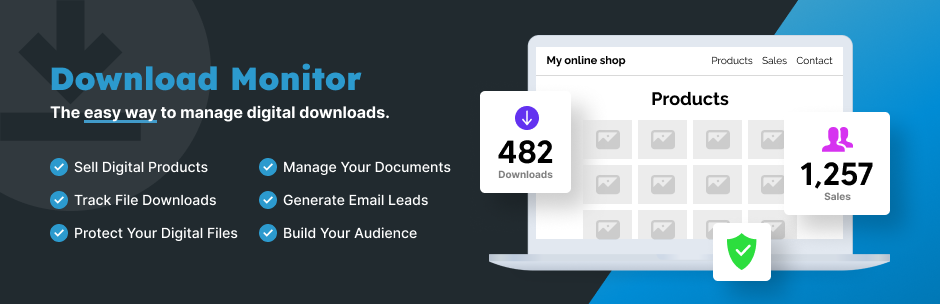
Download Monitor is a lightweight plugin designed specifically for managing file downloads on WordPress. It creates a custom post type for your files, making it easy to add downloads anywhere on your site using shortcodes or blocks. You can track download counts, set access restrictions, and even require users to be logged in before downloading.
It’s clean, fast, and beginner-friendly, with advanced extensions available for more control.
- Custom download post type and categories
- Shortcode and block support for placement
- Download logging and reporting
- Optional email lock or member-only downloads
- Extensions for version control, buttons, and tracking
Best for: Bloggers, educators, and businesses sharing free or gated content
Starting at: $39/year
2. WordPress Download Manager

WordPress Download Manager is a feature-rich plugin that supports file protection, access control, download tracking, and even eCommerce functionality. You can password-protect files, limit downloads, and offer digital goods for sale with built-in cart features.
Its drag-and-drop file upload and category system make it scalable for large libraries of files.
- Lock files by password, user role, or CAPTCHA
- Sell downloads with built-in PayPal support
- Drag-and-drop file uploader
- Frontend dashboard for file access
- Shortcodes for easy embedding
Best for: Sites offering both free and paid downloads
Starting at: $59/year
3. Easy Digital Downloads

While not strictly a download manager, Easy Digital Downloads (EDD) is the top choice for managing and selling downloadable products. It comes with full cart and checkout functionality, customer management, detailed reporting, and add-ons for licensing, subscriptions, and more.
If your main goal is selling digital files, EDD is hard to beat.
- Full digital product eCommerce setup
- Customer and order tracking
- Built-in PayPal and Stripe gateways
- Software licensing and recurring payments (via add-ons)
- File protection and download logs
Best for: Selling digital goods like ebooks, software, or audio
Starting at: $99/year
4. FileBird

FileBird isn’t a download manager in the traditional sense, but it improves your Media Library by adding folders and subfolders. If you manage hundreds of files and just need better organization (not restricted downloads), FileBird is a game-changer.
It works well with page builders and supports bulk management, drag-and-drop sorting, and folder-based navigation.
- Create unlimited folders in the Media Library
- Drag-and-drop file organization
- WooCommerce and Elementor integration
- No download logs or user access controls
- Lightweight and intuitive UI
Best for: Organizing a large number of media files
Starting at: $39/year
5. WP File Download
WP File Download is a premium plugin that balances ease of use with advanced file management features. It includes a drag-and-drop interface, file previews, and customizable frontend file displays. You can restrict access by role, track downloads, and sync files from Google Drive or Dropbox.
Its visual customization tools make it ideal for branded client or internal portals.
- File categories and folder management
- Role-based access control
- File preview (PDF, images, etc.)
- Cloud sync with Google Drive and Dropbox
- Gutenberg block and shortcode support
Best for: Agencies and businesses sharing branded resources or internal files
Starting at: $49/year
6. MemberPress Downloads

If you’re already using MemberPress for memberships, the Downloads add-on lets you protect and track file access per membership level. You can upload multiple files per post, control who sees what, and monitor usage.
It’s great for paid content delivery in a private members-only setup.
- Membership-level download access
- Download limits and expiration settings
- Add multiple files to a single post
- Reporting dashboard for admins
- Fully integrated with MemberPress
Best for: Membership sites offering premium downloads
Starting at: $179/year (includes core plugin)
7. Shared Files

Shared Files is a simple and flexible plugin for adding downloadable files anywhere on your site. You can group files into categories, add short descriptions, display file sizes, and let users search or filter downloads.
It supports custom download links and includes some access control options, even in the free version.
- Simple file listings with optional filters
- Shortcode support for placement
- File grouping and tagging
- Basic user access restrictions
- Lightweight and beginner-friendly
Best for: Simple sites sharing public or semi-private files
Starting at: $19/year
What is a download manager?
In WordPress, a download manager is a plugin that helps you organize, display, and control access to downloadable files like PDFs, ZIPs, or documents. Unlike the basic Media Library, download manager plugins add features like file versioning, password protection, access control, and detailed reporting.
They also let you present files in a more user-friendly way, often with categories, search, or styled download buttons. Some even support selling files or limiting downloads per user.
Does your WordPress site need a download manager?
If you regularly share files, adding a download manager can simplify your workflow and improve your site’s user experience. Here are some specific use cases.
- Selling digital products: If you offer ebooks, software, photos, or design assets, a download manager with eCommerce tools helps you deliver them securely.
- Restricting access: Membership sites, online courses, or internal portals can use download managers to control who sees and downloads each file.
- Offering resource libraries: Bloggers, nonprofits, and educators can categorize and display free resources in an organized, branded layout.
- Tracking downloads: Businesses and marketers can use download logs to monitor which files are popular or verify document access.
- Improving file organization: If your Media Library is overloaded, folder-based tools like FileBird can clean things up and boost productivity.
Next steps for choosing a WordPress download manager plugin
A good download manager plugin helps you organize your content, protect sensitive files, and offer a smoother experience for your users. It’s a must-have for anyone who regularly shares or sells files on their WordPress site.
Start by thinking about what kind of files you’ll share and who they’re for—then pick a plugin that matches your goals, whether it’s security, sales, or just keeping things neat.
Ready to upgrade your WordPress experience? Professional hosting improves speeds, security, and reliability for a website and a brand that people find engaging and trustworthy.
Don’t want to deal with server management and maintenance either? Our fully managed hosting for WordPress is the best in the industry. Our team are not only server IT experts, but WordPress hosting experts as well. Your server couldn’t be in better hands.
Click through below to explore all of our hosting for WordPress options, or chat with a WordPress expert right now to get answers and advice.
Additional resources
What is a WordPress plugin? →
A complete beginner’s guide to WordPress plugins and how to manage them
5 best WordPress real estate plugins →
Explore top WordPress real estate plugins to manage listings, enable frontend submissions, and integrate IDX/MLS with ease.
How to check if a plugin is safe →
Simple steps to evaluating a plugin before you install and activate it
