◦ Comprehensive security
◦ 24/7 support
WordPress Guide → Plugins → Knowledge Base
7 Best WordPress Knowledge Base Plugins

A good knowledge base turns casual visitors into confident users. Whether you’re running a product site, service portal, or internal help desk, a WordPress knowledge base plugin can help you organize content and reduce support tickets.
Let’s compare the best plugins for the job—and which ones are right for your site.
Get fast, reliable hosting for WordPress
Power your site with the industry’s fastest, most optimized WordPress hosting
WordPress knowledge base plugins: side-by-side
Here’s a quick comparison of the top options based on features, starting price, and ideal use case:
| Feature | Heroic KB | Echo KB | BetterDocs | weDocs | Helpie KB |
|---|---|---|---|---|---|
| Drag & drop builder | Yes | Yes | Yes | No | Yes |
| Live search/autocomplete | Yes | Yes | Yes | Yes | Yes |
| Article analytics | Yes | Limited | Yes | No | Yes |
| Multilingual support | Yes | Yes | Yes | Limited | Yes |
| Custom branding | Yes | Yes | Yes | Limited | Yes |
| Ticketing integration | No | No | No | No | Yes (Pro) |
| Best for | Pro sites | Lightweight | High volume | Simplicity | Advanced UX |
| Starting at | $149/year | $49/year | Free / $69 | Free | $69/year |
1. Heroic Knowledge Base
Heroic Knowledge Base is one of the most popular and full-featured plugins for professional WordPress sites. It’s built specifically for fast user access and includes instant search, article feedback, and detailed analytics. With a visual drag-and-drop editor and customizable templates, it feels polished out of the box.
It doesn’t come with ticketing or help desk tools, but if your goal is to build a clean and fast self-service resource, Heroic KB is one of the best.
- Drag-and-drop article ordering and categories
- Article view stats, feedback collection, and search analytics
- Easy to customize styles and layouts
- Built for speed and mobile responsiveness
Best for: Professional websites that want a standalone knowledge base.
Starting at: $149/year
2. Echo Knowledge Base

Echo KB offers a structured layout and is built around templates that resemble traditional product documentation. It’s ideal for teams who need to manage complex documentation or group multiple product KBs in one site.
The plugin is modular, so you can purchase only the add-ons you need—whether it’s analytics, user access control, or breadcrumbs.
- Template-based layout for easy document structuring
- Fast search with real-time results
- Optional add-ons for permissions, analytics, and more
- Integrates with Elementor for layout control
Best for: Lightweight sites or documentation-heavy teams.
Starting at: $49/year
3. BetterDocs
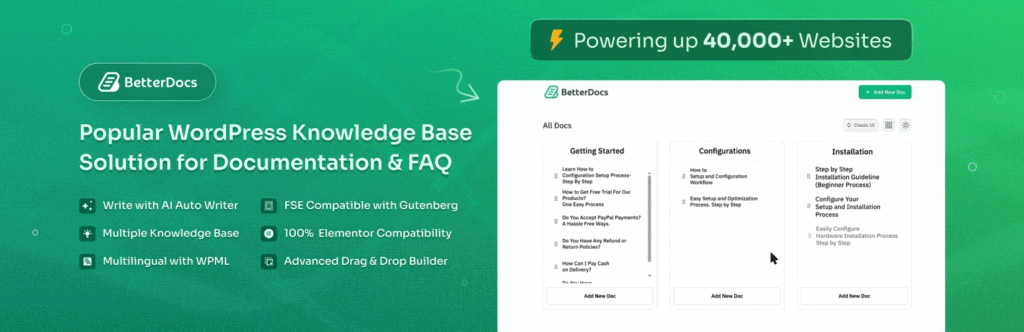
BetterDocs is a sleek, modern plugin made for performance and scale. It offers live search, instant filtering, and built-in analytics. With pre-styled layouts and dynamic loading, it’s a great fit for high-traffic sites.
It integrates with page builders like Elementor and Gutenberg and has advanced features like role-based content control and table of contents generation.
- Live search with AJAX results
- Built-in analytics dashboard
- One-click template import and customization
- Support for sticky TOC and scrollspy
Best for: High-volume sites with lots of documentation.
Starting at: Free / $69/year for Pro
4. weDocs

weDocs is a clean, no-frills plugin from the folks behind weDevs. It’s completely free and very easy to use, especially for teams that need something functional and lightweight.
It uses a basic UI that mirrors a documentation tree structure. It doesn’t have advanced analytics or role controls, but it’s great for minimal knowledge base setups.
- Easy-to-navigate document hierarchy
- Fast AJAX-based search
- Works with any theme
- Simple UI with basic styling options
Best for: Simple, straightforward knowledge bases.
Starting at: Free
5. Helpie Knowledge Base
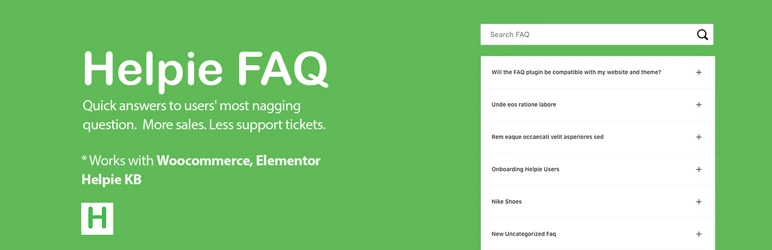
Helpie KB is a feature-rich plugin with front-end editing, user role control, and deep customization options. It’s designed to be flexible for internal teams, customer portals, and public KBs.
With a dynamic table of contents, voting system, and advanced layout options, it delivers a premium experience for sites that need polished self-service tools.
- Front-end submission and editing options
- Role-based access for editors and viewers
- Custom TOC, voting, and insights dashboard
- Integrates with Elementor and WooCommerce
Best for: Advanced sites that want a customizable, gated knowledge base.
Starting at: $69/year
What is a knowledge base?
A knowledge base is a centralized collection of helpful content—usually written articles, FAQs, or tutorials—designed to guide users, customers, or team members through common questions. It acts as a self-service portal that can improve user experience and reduce dependency on live support.
Most WordPress knowledge bases work like mini documentation portals. They organize content into sections and allow users to search or filter through topics. The best ones include analytics, search optimization, and integration with other support tools.
Why create a knowledge base on your website?
Adding a knowledge base to your site makes information easier to find and saves time for your users and your team.
Here are some of the most common reasons to add one:
- Customer support: Provide 24/7 access to troubleshooting guides, product how-tos, and onboarding articles.
- Product documentation: Maintain structured documentation for your software, app, or service directly on your site.
- Internal team portal: Share SOPs, onboarding materials, and policies with your team or partners.
- SEO boost: Well-written articles can rank for search queries and bring in new organic traffic.
- Reduce support tickets: Let users find answers faster without needing to contact your team.
Next steps for choosing a WordPress knowledge base plugin
A good knowledge base gives users the tools to help themselves. It also helps your team work more efficiently and keeps your documentation organized.
Start by choosing a plugin that fits the structure and scale of your content. If you’re just getting started, weDocs or BetterDocs (free) may be ideal. Larger or growing sites will benefit from Heroic KB, Echo, or Helpie for more advanced features.
Ready to upgrade your WordPress experience? Professional hosting improves speeds, security, and reliability for a website and a brand that people find engaging and trustworthy.
Don’t want to deal with server management and maintenance either? Our fully managed hosting for WordPress is the best in the industry. Our team are not only server IT experts, but WordPress hosting experts as well. Your server couldn’t be in better hands.
Click through below to explore all of our hosting for WordPress options, or chat with a WordPress expert right now to get answers and advice.
Additional resources
What is a WordPress plugin? →
A complete beginner’s guide to WordPress plugins and how to manage them
5 best WordPress real estate plugins →
Explore top WordPress real estate plugins to manage listings, enable frontend submissions, and integrate IDX/MLS with ease.
How to check if a plugin is safe →
Simple steps to evaluating a plugin before you install and activate it
