◦ Comprehensive security
◦ 24/7 support
WordPress Guide → Plugins → Menu
Top 7 WordPress menu plugins

A messy or hard-to-navigate menu will lose visitors before they even see your content. If your theme’s default navigation just isn’t cutting it, a WordPress menu plugin can give you the modern, mobile-friendly, feature-rich design your site deserves.
Let’s walk through the top WordPress menu plugins for 2025 and how they stack up.
Get fast, reliable hosting for WordPress
Power your site with the industry’s fastest, most optimized WordPress hosting
What are WordPress menu plugins?
WordPress includes a built-in menu editor, but it has limits. You can add pages, posts, categories, and custom links—but beyond that, you’re stuck with whatever your theme offers.
Menu plugins give you more power. Whether you need a mobile slide-in, a mega menu with images, or dynamic visibility rules, plugins can take your navigation from basic to beautiful.
Menu plugins help you:
- Build mega menus with columns, icons, images, and widgets
- Create mobile-optimized off-canvas or sticky menus
- Use drag-and-drop builders for easier setup
- Add conditional logic (like showing different menus to logged-in users)
- Improve user experience and lower bounce rates
What to look for in a WordPress menu plugin
Not every plugin fits every site. Here’s what to keep in mind when choosing one:
- Mobile optimization: Must-have for most visitors today
- Ease of use: A visual builder or live preview helps
- Design flexibility: Custom fonts, icons, images, and layouts
- Advanced features: WooCommerce menus, conditional logic, sticky headers
- Theme compatibility: Works with popular themes and page builders
- Performance: Lightweight and clean code
- Support and updates: Actively maintained and well-documented
Plugin comparison at a glance
Here’s a quick look at how the top 9 menu plugins compare on key features:
| Plugin | Free Version | Mega Menu Support | Mobile Optimization | Drag & Drop Builder | WooCommerce Support | Best For |
|---|---|---|---|---|---|---|
| Max Mega Menu | Yes | Yes | Yes | Yes | Yes | Most sites needing mega menus |
| WP Mega Menu | Yes | Yes | Yes | Yes | Yes | Stylish menus with easy setup |
| QuadMenu | Yes | Yes | Yes | Yes | Yes | Developers needing customization |
| Superfly | No | No | Yes | No | Limited | Mobile-first or creative sites |
| Hero Menu | No | Yes | Yes | Yes | Yes | Visually rich ecommerce sites |
1. Max Mega Menu

Max Mega Menu is a powerful and flexible plugin that replaces the standard WordPress menu system with a feature-rich mega menu builder. It lets you add widgets, icons, and even shortcodes directly into your menus, all with a visual drag-and-drop interface. Accessibility is a major plus—it supports keyboard navigation and is compatible with screen readers.
The free version is generous, and the Pro upgrade adds sticky menus, tabbed submenus, WooCommerce integration, and more. It’s ideal for most WordPress users who want mega menus without overcomplicating things.
Key features:
- Drag-and-drop editor
- Supports widgets inside menus
- Works with keyboard navigation
- Role-based menu display
- Compatible with WooCommerce
Best for: Sites that want powerful mega menus without a premium plugin
Price: Free, with a Pro version starting at $29
2. QuadMenu

QuadMenu is built with developers in mind but remains friendly enough for site owners who want advanced customization. It offers several menu types—horizontal, vertical, and off-canvas—and integrates with major page builders like Elementor, WPBakery, and Visual Composer.
Developers can take advantage of its modular structure and custom widget areas to build complex menus that match any layout. Conditional logic, role-based visibility, and sticky menu options make it a versatile option for dynamic sites. If you want deep control over how your menus behave and look, QuadMenu delivers.
Key features:
- Horizontal, vertical, or off-canvas layout
- Integrates with Visual Composer, Elementor, and more
- Sticky menu option
- Custom fields and role-based display
Best for: Developers or power users who want granular control
Price: Free and Pro ($30–$50 depending on license)
3. Superfly Responsive Menu
Superfly creates sleek, animated menus that slide in from the side of the screen, perfect for touch-friendly and mobile-first designs. It supports multiple menu types including fullscreen, icon-based, and vertical bars with smooth transitions and motion effects.
The focus here isn’t on mega menus—it’s on alternative menu styles that stand out and improve mobile UX. It includes features like mouse gestures, swipe support, and custom branding tools, making it especially appealing for creatives, portfolios, and design-heavy sites. Superfly doesn’t offer a free version but excels as a premium, style-forward plugin.
Key features:
- Horizontal, vertical, or off-canvas layout
- Integrates with Visual Composer, Elementor, and more
- Sticky menu option
- Custom fields and role-based display
Best for: Developers or power users who want granular control
Price: Free and Pro ($30–$50 depending on license)
4. Hero Menu
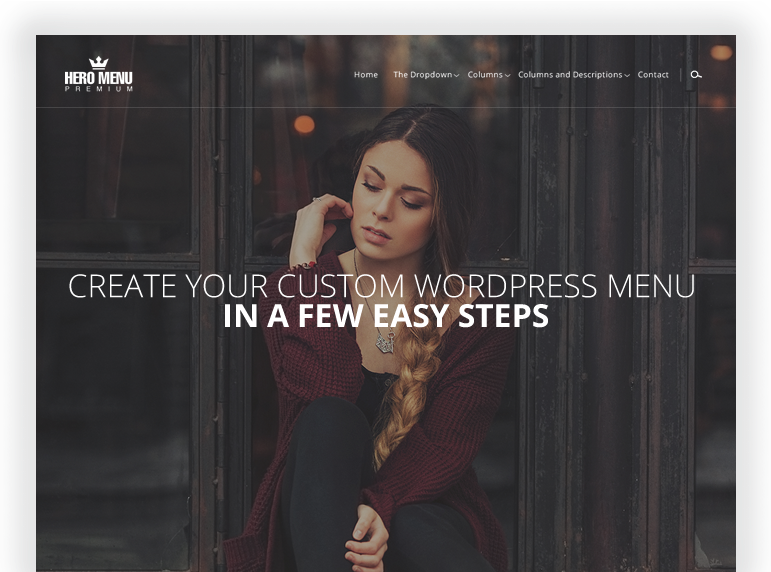
Hero Menu is a premium-only plugin designed to give site owners complete control over their navigation structure without needing a developer. It comes with a drag-and-drop editor, more than 60 pre-designed color presets, and built-in WooCommerce support to dynamically display products, categories, or the cart. You can easily add icons, images, maps, contact forms, or shortcodes into the menu—perfect for businesses with rich content needs.
The plugin also supports sticky menus, role-based access, and responsive design out of the box. Hero Menu is ideal for ecommerce sites, agencies, or corporate websites looking for a polished menu solution.
Key features:
- Drag-and-drop mega menu builder
- 60+ color presets and 650+ icons
- Sticky menu support
- WooCommerce-ready with product/menu integration
Best for: WooCommerce stores or corporate sites that need visual impact
Price: $20 one-time purchase on CodeCanyon
5. WP Mobile Menu

WP Mobile Menu is all about improving the mobile navigation experience, especially on themes that don’t offer responsive menus by default. It provides an off-canvas slide-in menu with space for logos, search bars, and custom icons.
The free version is easy to configure, and the premium version adds conditional logic, animated effects, WooCommerce integration, and live previews. Because it runs independently of your main theme menu, it’s perfect for fixing mobile usability issues without changing the desktop layout.
WP Mobile Menu is an excellent pick for sites that prioritize mobile traffic or are running older themes.
Key features:
- Slide-in top or bottom menu
- Logo, icons, and search bar support
- No theme conflicts with desktop nav
- Pro adds conditional menus, animations, and cart icons
Best for: WordPress sites that only need to fix or improve their mobile nav
Price: Free, Pro from $77/year
6. WP Responsive Menu
WP Responsive Menu gives you total visual control over your menus with more than 150 customization options, from animation speed to background blur. It includes a live preview customizer so you can see changes in real time, and it’s built to work with almost any theme.
Even the free version supports touch gestures, icon fonts, and conditional menu display. Premium users get additional animation styles, custom triggers, and WooCommerce support. If you’re focused on highly styled menus and smooth transitions—especially for mobile devices—Responsive Menu gives you a lot to work with.
Key features:
- 150+ customizable options
- Touch gesture support
- Live preview editor
- Conditional visibility for menu items
Best for: Users who want stylish menus with custom effects
Price: Free with premium plans starting at $29/year
7. UberMenu
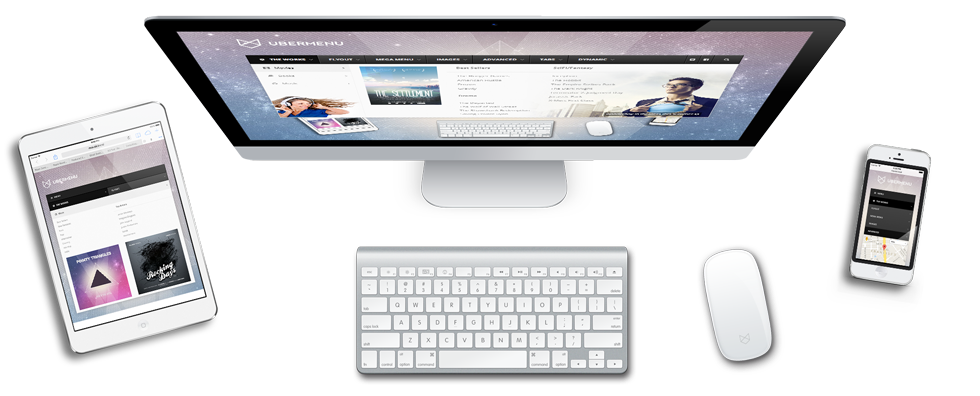
UberMenu is a heavyweight plugin for power users and developers who need total control over every part of their navigation. It supports mega menus, tabbed menus, vertical or flyout layouts, and dynamic content like post grids and category filters. You can populate items automatically from categories, tags, or custom taxonomies, making it ideal for content-heavy websites.
UberMenu also includes built-in CSS and JavaScript controls for fine-tuning behavior and styling. While it doesn’t offer a free version, its premium feature set makes it a top choice for advanced WordPress sites and custom theme projects.
Key features:
- Highly customizable layout system
- Image grid and tabbed submenu support
- Dynamic item population from categories or taxonomies
- Advanced CSS and JavaScript controls
Best for: Developers and large sites with complex navigation needs
Price: $25 on CodeCanyon (premium only)
Bonus: use what your theme or builder already includes
You may not need a separate plugin at all:
- Full Site Editing themes: Use the native Navigation block
- Elementor Pro: Comes with a responsive Nav Menu widget
- Divi: Built-in menu module with mobile styles
- Kadence, Astra, and GeneratePress: Offer menu enhancements in the customizer
These options can be lightweight and fast if you don’t need advanced mega menu features.
Pros and cons of menu plugins
Why use one:
- Create menus your theme doesn’t support
- Better mobile UX and accessibility
- Customize layout, icons, and conditions
Potential downsides:
- Some plugins add bloat or load extra scripts
- May require tweaking to match your theme
- Compatibility issues with caching or FSE
If you use one, stick to well-supported plugins and don’t overload your menu with too much content.
Getting started with WordPress menu plugins
Improving your WordPress menu is one of the easiest ways to upgrade your site’s design and usability. Whether you want a responsive mobile menu or a multi-column mega menu, the right plugin can get you there—without touching code.
Choose based on your needs and skill level. Power users and developers may prefer UberMenu or QuadMenu, while beginners might lean on Max Mega Menu or WP Mega Menu.
Ready to upgrade your WordPress experience? Professional hosting improves speeds, security, and reliability for a website and a brand that people find engaging and trustworthy.
Don’t want to deal with server management and maintenance? Our fully managed hosting for WordPress is the best in the industry. Our team are not only server IT experts, but WordPress hosting experts as well. Your server couldn’t be in better hands.
Click through below to explore all of our hosting for WordPress options, or chat with a WordPress expert right now to get answers and advice.
Additional resources
What is a WordPress plugin? →
A complete beginner’s guide to WordPress plugins and how to manage them
WordPress tips: How to find slow plugins →
Identify and troubleshoot slow WordPress plugins to boost your site’s performance.
How to check if a plugin is safe →
Simple steps to evaluating a plugin before you install and activate it
