◦ Comprehensive security
◦ 24/7 support
WordPress Guide → Plugins → Wiki
9 best WordPress wiki plugins

Building a comprehensive knowledge base or community-driven resource on your WordPress site can significantly enhance user engagement and information dissemination. Choosing the right wiki plugin is crucial for achieving this.
Whether you’re creating a small documentation site or a large collaborative platform, these plugins are designed to boost your website’s functionality and user experience. Let’s compare these top contenders to help you make an informed choice that aligns with your specific needs and goals.
Get fast, reliable hosting for WordPress
Power your site with the industry’s fastest, most optimized hosting for WordPress.
Best WordPress wiki plugins
Enhancing your WordPress site with powerful wiki capabilities can improve information management and user interaction.
| Plugin | Ease of Use | Customization Options | Search Functionality | Support |
|---|---|---|---|---|
| Heroic Knowledge Base | High | Extensive | Integrated | Premium |
| Helpie WP | Moderate | Flexible | Advanced | Premium |
| Yada Wiki | Easy | Basic | Simple | Community |
| BasePress | Easy | Customizable | Integrated | Community |
| BetterDocs | High | Advanced | Integrated | Premium |
| weDocs | Easy | Basic | Simple | Community |
| Echo Knowledge Base | Moderate | Flexible | Integrated | Premium |
| Encyclopedia / Glossary / Wiki | Easy | Basic | Simple | Community |
| EazyDocs | High | Extensive | Advanced | Premium |
1. Heroic Knowledge Base
Heroic Knowledge Base is a premium plugin specifically crafted for the purpose of creating a highly comprehensive knowledge base. It boasts a sleek and modern interface that not only enhances user experience but also encourages efficient navigation through its well-organized layout.
The functionality of this plugin is robust, providing users with the tools necessary to build a rich repository of information that is easily accessible to everyone. Whether you are a small business looking to streamline your customer support or a large organization aiming to centralize your documentation, this plugin is designed to meet those needs effectively.
Strengths:
- User-friendly interface that simplifies navigation and content management.
- Exceptional search functionality that allows users to quickly find the information they need.
- Customizable templates that enable users to design their knowledge base to fit their brand identity.
Challenges:
- The free version comes with limited features, which may not suffice for larger projects.
- Some advanced functionalities may require additional plugins, potentially increasing overall costs.
Cost: The pricing begins at $89 per year.
2. Helpie WP
Helpie WP is a versatile and powerful plugin that allows for collaborative editing and efficient content management. It’s particularly beneficial for teams working together to develop content, as it provides tools that facilitate seamless collaboration.
The plugin supports multiple languages, making it an excellent choice for diverse teams or international audiences. Additionally, its compatibility with popular page builders ensures that users can easily integrate it into their existing workflows without any hassle.
Strengths:
- Multilingual support, accommodating a wide range of users from different linguistic backgrounds.
- Front-end editing capabilities, allowing users to make changes directly on the site without needing backend access.
- Easy integration with popular page builders, making it flexible for users with varying technical skills.
Challenges:
- New users may encounter a learning curve as they familiarize themselves with the plugin’s features.
- Some advanced features are only available through a paid subscription, which could limit functionality for some users.
Cost: Pricing starts at $49 for a single site license.
3. Yada Wiki

Yada Wiki is a straightforward and user-friendly plugin that empowers users to create wiki-style content with ease. It is designed for those who wish to build a collaborative knowledge hub, allowing multiple contributors to add and edit content seamlessly.
The plugin is particularly suitable for smaller projects, where simplicity and efficiency are paramount. Users can quickly set up their wiki without extensive technical knowledge, making it accessible to a broad audience.
Strengths:
- Simple setup process that allows users to get started quickly.
- Ideal for small projects, providing just the right tools without overwhelming complexity.
- Lightweight design that ensures fast loading times and a smooth user experience.
Challenges:
- The plugin may lack advanced features that are essential for larger or more complex sites.
- Customization options are limited, potentially restricting creative freedom for users looking to personalize their wikis.
Cost: The plugin is available for free.
4. BasePress

BasePress is an intuitive and user-friendly plugin that facilitates the creation of knowledge bases and wikis. It is particularly well-suited for beginners who may not have extensive technical expertise but still want to establish a structured repository of information.
The plugin’s responsive design ensures that users can access the knowledge base from any device, enhancing the overall accessibility of the content.
Strengths:
- Easy to use, making it a great choice for those new to website management.
- Responsive design that adapts to various screen sizes for optimal viewing.
- Great for beginners, offering a straightforward approach to knowledge base creation.
Challenges:
- Compared to some competitors, it has fewer features which may limit functionality for advanced users.
- Support options may be limited, which could be a drawback for users needing assistance.
Cost: The basic version is free, with premium features available starting at $49.
5. BetterDocs
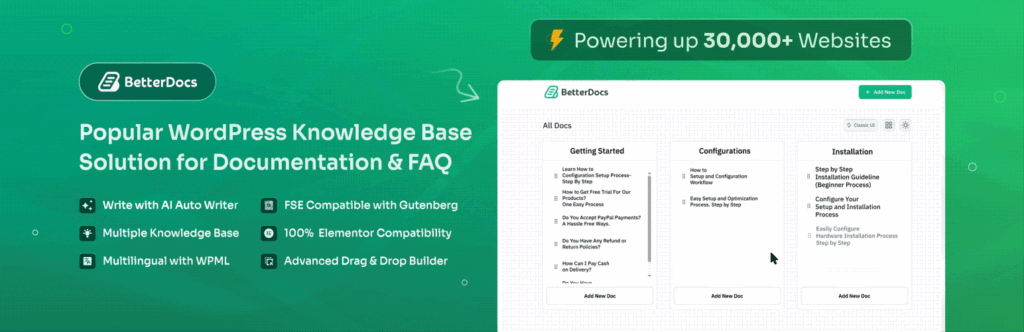
BetterDocs is a comprehensive documentation solution tailored for managing knowledge bases effectively. It provides users with a variety of tools designed to streamline the documentation process, making it easier to create and organize content.
The plugin’s intuitive design ensures that both creators and readers can navigate the knowledge base with ease. Furthermore, built-in analytics allow users to monitor engagement and optimize content accordingly, enhancing the overall effectiveness of the knowledge base.
Strengths:
- Intuitive design that promotes ease of use for both content creators and end-users.
- Built-in analytics that provide insights into user engagement and content performance.
- Excellent support options, ensuring users have assistance when needed.
Challenges:
- Some advanced features are only accessible through a premium plan, which may limit functionality for free users.
Cost: The plugin offers a free basic plan, with premium features starting at $39.
6. weDocs

weDocs is a lightweight plugin specifically aimed at creating simple and efficient documentation. It is designed for users who require a straightforward solution for managing their documentation needs without unnecessary complexity.
The plugin’s simplicity makes it a great fit for small projects, where users can focus on delivering clear and concise information without getting bogged down by advanced features.
Strengths:
- Simple and straightforward interface that is easy to navigate.
- User-friendly features that enable quick content creation and management.
Challenges:
- Limited customization options that may not meet the needs of users seeking a more tailored solution.
- May not be suitable for larger projects that require more complex documentation capabilities.
Cost: The plugin is available for free.
7. Echo Knowledge Base
Echo Knowledge Base is a versatile plugin that empowers users to create a complete and functional knowledge base. With its customizable features and responsive design, it allows users to tailor their knowledge base to meet specific needs while ensuring accessibility across different devices.
The plugin’s good search functionality ensures that users can quickly find the information they seek, contributing to a positive user experience.
Strengths:
- Highly customizable, enabling users to create a unique knowledge base that reflects their brand.
- Responsive design that ensures optimal viewing on various devices, enhancing user accessibility.
- Good search functionality that improves the ease of finding relevant information.
Challenges:
- Some users may find the initial setup process to be complex, which could be a barrier for those less technically inclined.
Cost: The plugin is free, with premium options available starting at $39.
8. Encyclopedia / Glossary / Wiki

The Encyclopedia / Glossary / Wiki plugin offers flexibility for users looking to create encyclopedic content. It is particularly effective for building glossaries and wikis, providing a simple interface that facilitates easy content management.
The plugin’s design caters to users who prefer a straightforward approach to creating and organizing information, making it accessible to a wide audience.
Strengths:
- Excellent for creating glossaries and wikis, allowing for diverse content types.
- Simple interface that makes it easy for users to navigate and manage content.
Challenges:
- May lack advanced features that are commonly found in paid plugins, limiting its capabilities.
Cost: The plugin is available for free.
9. EazyDocs

EazyDocs is a powerful documentation plugin designed specifically for WordPress sites. It offers a range of features that simplify the process of creating detailed documentation. The plugin’s user-friendly interface ensures that users can efficiently manage their content, while its responsive design guarantees that documentation is easily accessible on any device.
EazyDocs is ideal for those who prioritize a well-organized and visually appealing documentation layout.
Strengths:
- User-friendly interface that promotes ease of use for content creation.
- Great for creating detailed documentation with clear and organized layouts.
- Responsive design that enhances accessibility across various devices.
Challenges:
- Some features may be limited in the free version, which could restrict usability for more complex needs.
Cost: The plugin offers a free basic plan, with premium features available for purchase.
How to choose the right wiki plugin
Choosing the right WordPress wiki plugin can significantly enhance your website’s functionality and user experience. Here are some key considerations to help you make an informed decision:
- Ease of use: Look for a plugin that offers an intuitive interface. A user-friendly design will allow you to create and manage wiki content effortlessly, ensuring that your team can focus on building knowledge rather than grappling with complex settings.
- Customization options: Flexibility is crucial. Select a plugin that allows you to customize the appearance and functionality to align with your brand. This ensures that your wiki not only serves its purpose but also looks great and fits seamlessly into your existing website design.
- Performance and speed: A plugin should not slow down your website. Opt for solutions known for their lightweight code and minimal impact on loading times, as this will enhance user experience and SEO performance.
- Support and documentation: Reliable customer support and comprehensive documentation are essential. Choose a plugin that offers extensive resources and responsive support to help you troubleshoot any issues that may arise.
- Integration capabilities: Ensure that the plugin can easily integrate with other tools and plugins you already use. This will help streamline your workflow and enhance overall functionality.
Getting started with WordPress wiki plugins
When you’re ready to upgrade your WordPress hosting, Liquid Web can help. Our servers and solutions have been leading the industry in WordPress and WooCommerce hosting for decades. We offer the widest variety of hosting options for WordPress sites as well as multiple tiers of server management support.
Don’t want to deal with server management and maintenance? Our fully managed hosting for WordPress is the best in the industry. Our team are not only server IT experts, but WordPress hosting experts as well. Your server couldn’t be in better hands.
Click below to explore options or start a chat with one of our WordPress hosting experts now to get answers to your questions and further guidance.
Additional resources
What is a WordPress plugin? →
A complete beginner’s guide to WordPress plugins and how to manage them
What are WordPress plugin license keys? A beginner’s guide →
Learn how to manage and use plugin license keys effectively in WordPress for better security and functionality.
How to check if a WordPress plugin is safe →
Be especially careful if you’re looking at free plugins. Watch for these common 🚩.
