◦ Comprehensive security
◦ 24/7 support
WordPress Guide → Plugins → Social Media
Top 10 WordPress social media plugins

Social media can drive massive traffic to your site—if your setup makes it easy to share, engage, and connect. The right plugin can automate sharing, add branded buttons, and even embed full feeds right on your pages.
Get fast, reliable hosting for WordPress
Power your site with the industry’s fastest, most optimized WordPress hosting
Why use a social media plugin for WordPress?
Plugins bridge the gap between your WordPress site and the social platforms your audience uses every day. With the right tools, you can:
- Add share buttons to posts and pages.
- Automatically post to Facebook, Twitter (X), LinkedIn, and more.
- Embed live feeds from Instagram, YouTube, or TikTok.
- Show off social proof with share counts or social reviews.
Comparison table: WordPress social media plugins
| Plugin Name | Key Features | Best For | Starting Price |
|---|---|---|---|
| Smash Balloon | Custom social media feeds | Embedding feeds | Free / $49 |
| Social Snap | Share buttons, auto-posting, analytics | All-in-one toolkit | Free / $39 |
| AddToAny | Lightweight share buttons | Speed-focused sites | Free |
| Revive Social | Auto-sharing old content | Driving traffic long-term | Free / $75 |
| Sassy Social Share | Free, customizable buttons | Visual design flexibility | Free / $11.99 |
| Monarch (not in directory) | Stylish buttons, popups, fly-ins | Elegant Themes users | $89/yr (membership) |
| Shared Counts (not in directory) | GDPR-compliant share counts | Privacy-conscious users | Free |
| Jetpack Social | Post automation, minimal UI | Jetpack users | Free / $10/mo |
| Blog2Social | Advanced scheduling & auto-posting | Social media managers | Free / $7/mo |
| WP Social Ninja | Reviews, feeds, chat widgets | All-in-one social tools | Free / $89 |
1. Smash Balloon

Smash Balloon creates beautifully customizable feeds for Instagram, Facebook, Twitter, and YouTube. You can display them in posts, sidebars, or landing pages with full control over styling.
It’s a great way to add social proof, showcase content, or extend your brand presence without redirecting visitors to external platforms.
3. AddToAny

AddToAny is one of the fastest-loading and most flexible share button plugins on WordPress. It supports over 100 platforms and includes both floating and inline placement.
There’s no account required and no bloat—just effective, no-fuss sharing tools.
4. Revive Social

Revive Social (formerly Revive Old Posts) helps you keep your archive alive by automatically reposting old blog content on a schedule. It supports X (Twitter), Facebook, LinkedIn, and more.
Use it to drive long-tail traffic, maintain active profiles, and promote evergreen content without lifting a finger.
5. Sassy Social Share
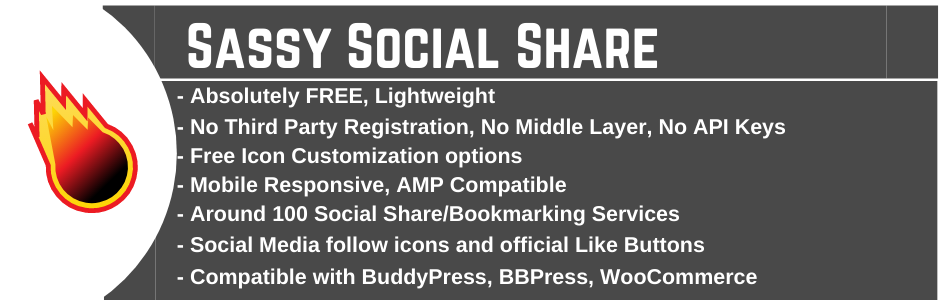
Sassy Social Share adds customizable buttons for 100+ platforms, along with share count displays, responsive design, and mobile-specific layouts.
It’s easy to style and works well with both block and classic editors. You can even fine-tune the icon size, shape, and animation to match your site’s branding.
6. Monarch

Monarch is a premium plugin included in the Elegant Themes membership. While not available in the WordPress Plugin Directory, it’s popular for its sleek design and interactive sharing options.
It supports inline buttons, pop-ups, fly-ins, and sidebar displays. You can trigger share prompts based on scroll depth, time on page, or exit intent—great for conversions.
8. Jetpack Social

Jetpack Social is part of the Jetpack plugin suite. It handles automatic posting to social platforms like Facebook, LinkedIn, Tumblr, and X.
It’s ideal for those already using Jetpack features like stats, backups, or security. Just connect your social accounts once, and your new posts will be auto-published going forward.
9. Blog2Social

Blog2Social is a powerhouse plugin for social scheduling, post customization, and cross-platform sharing. You can set custom messages for each platform and automate posting at optimal times.
The free version covers basic automation, while the premium version adds fine-tuned scheduling and team workflows.
10. WP Social Ninja

WP Social Ninja combines feeds, reviews, and chat widgets in one plugin. It’s designed for business owners who want all-in-one control over their social presence.
You can embed Google and Facebook reviews, show Instagram or YouTube feeds, and even add WhatsApp or Messenger chat—all from a single dashboard.
Why developers rely on plugins
While hand-coding is often ideal, plugins give developers a faster way to implement essential features, debug issues, and customize client sites. These tools are specifically built to fit developer workflows, from local development to production deployments.
How to make social buttons more effective
Even the best plugins need smart placement and design. These tips help your social media tools work harder for you.
- Limit button clutter. Too many icons hurt usability. Stick to your top 3–5 platforms.
- Match your layout. Choose button shapes and positions that suit your theme.
- Enable counts carefully. High share counts can boost credibility—but low ones may have the opposite effect.
- Optimize for mobile. Use plugins that support mobile-specific styles or hide extra buttons on small screens.
Social media plugin FAQs
Next steps for using WordPress developer plugins
Choosing the right plugins helps you streamline your workflow, debug faster, and launch better WordPress sites. Each plugin on this list solves a distinct problem, whether it’s user management, data migration, or debugging complex queries.
Start by identifying one area where your workflow feels slow or repetitive, then test the matching plugin from this list in a staging environment.
Ready to upgrade your WordPress experience? Professional hosting improves speeds, security, and reliability for a website and a brand that people find engaging and trustworthy. Liquid Web’s WordPress hosting options configure business-class servers and support plans specifically for WordPress websites.
Don’t want to deal with server management and maintenance? Our fully managed hosting for WordPress is the best in the industry. Our team are not only server IT experts, but WordPress hosting experts as well. Your server couldn’t be in better hands.
Click below to explore options or start a chat with one of our WordPress hosting experts now to get answers to your questions and further guidance.
Additional resources
What is a WordPress plugin? →
A complete beginner’s guide to WordPress plugins and how to manage them
Easy SEO for WordPress →
7 SEO tasks anyone can do, to set your WordPress site up for success in organic search.
How to check if a plugin is safe →
Simple steps to evaluating a plugin before you install and activate it

Leslie Bowman is an Organic SEO Manager at Liquid Web and expert wordsmith. She specializes in driving revenue through organic and paid channels with SEO and CRO. When she’s not bending search algorithms to her will, she’s most likely spending time with animals, reading nonfiction, or marveling at nature’s beauty.

2. Social Snap
Social Snap includes inline and floating share buttons, social login, auto-posting, and even click-to-tweet boxes. It’s designed to replace multiple plugins with one tool.
This plugin also tracks analytics and lets you recover lost share counts after URL changes—a rare but valuable feature.