

Python Web Applications in cPanel on CloudLinux
Introduction
Functionality for Python web applications can lead to increased profitability as a result of a broader offering of technologies to any current or future customers.
The Python Selector in cPanel on CloudLinux allows multiple versions of Python to run on a per-application basis. The versions of Python available to the selector is dependent on the installed Python versions. The steps below will outline installing all the currently available versions of Python.

Prerequisites
- WHM/cPanel
- CloudLinux
- SSH Access to a terminal
Installation
Let’s install the dependencies
yum install lvemanager alt-python-virtualenv ea-apache24-mod-alt-passengerNow, let’s check the list of available alt-python packages:
yum grouplist | grep alt-pythonNext, we want to install all the alt-python packages available:
yum groupinstall alt-pythonUsing Python Selector
Step 1.
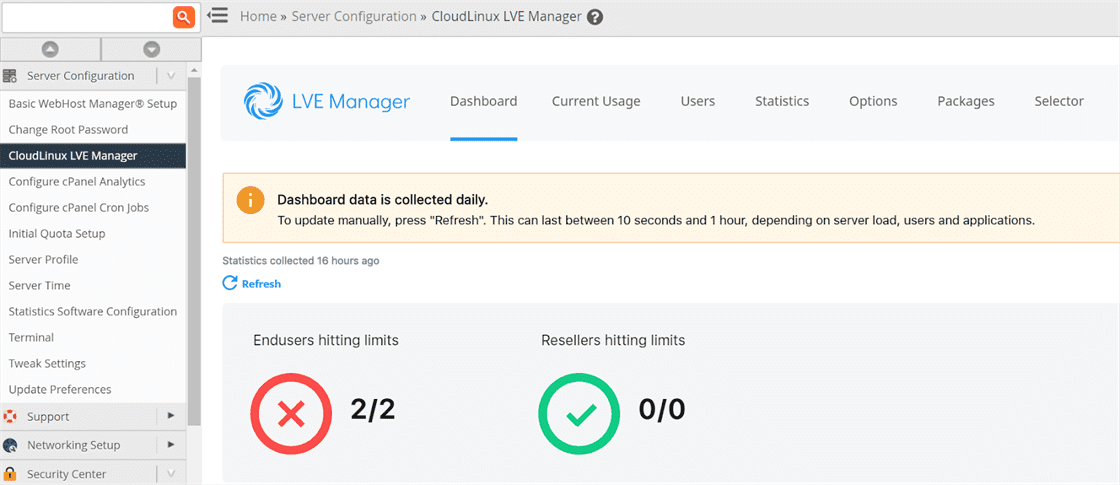
Login to WHM, and click on the CloudLinux LVE Manager and then click on the Options tab.
Step 2.
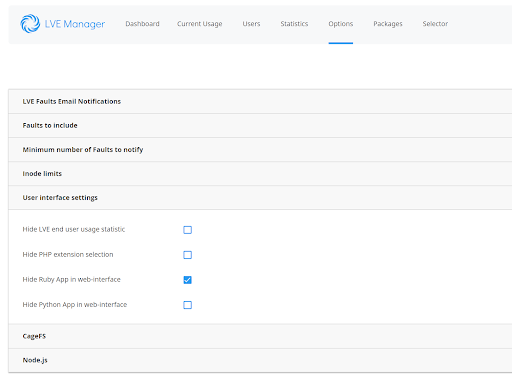
Click on the User Interface Settings section to expand and view the settings.
Step 3.
Uncheck the box next to the Hide Python App in the web-interface as seen below.
Step 4.
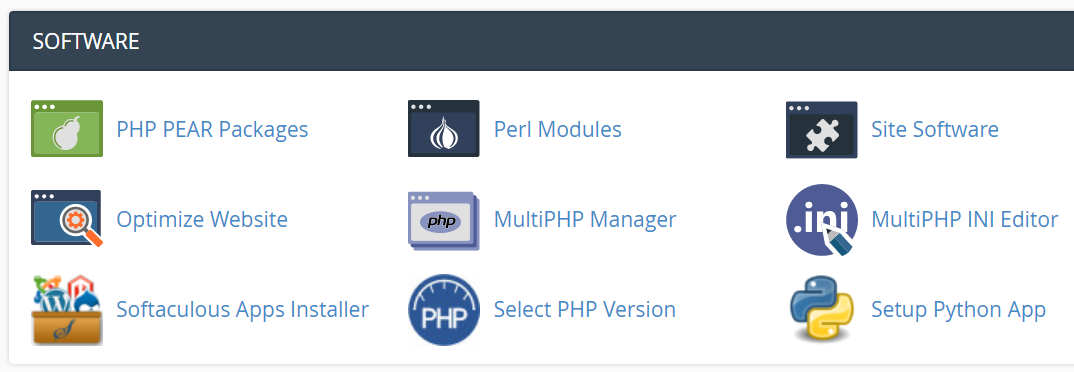
Login to cPanel and then scroll down to the SOFTWARE section
Step 5.
The Setup Python App should now be available in this section. Click Setup Python App
Step 6.
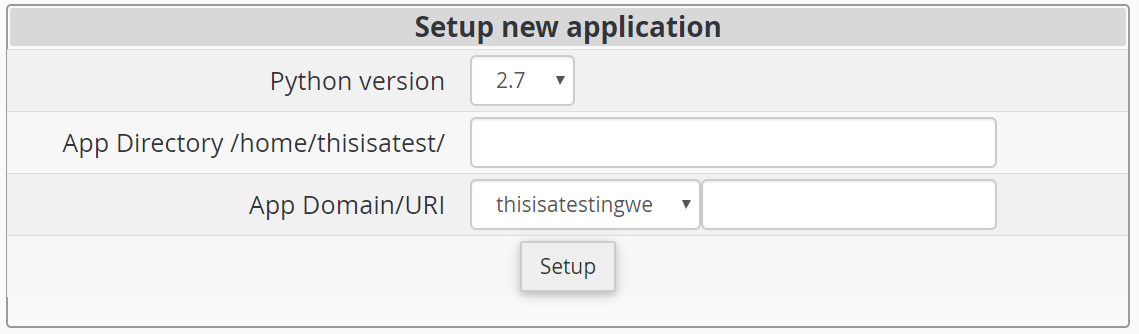
Now, let’s choose the required version of Python from the dropdown menu.
Step 7.
Next, enter a name for the App Directory and finally, choose the App domain/URI and click on the Setup button.
That’s it… Awesome job!
Now that you have completed this task, you may want to consider utilizing one of our other exceptional offerings or services, such as cPanel VPS or dedicated servers. We can assist you in finding the perfect server that will meet your specific business needs. Should you have thoughts, questions or concerns about this article or how best to utilize this technology, simply reach out one of our knowledgeable Support team.
