Creating a Database in Plesk
Plesk simplifies database creation for modern websites during development.
Most modern websites rely on databases. If you need to create a new database during your website development, Plesk makes it easy!
- Log into Plesk.
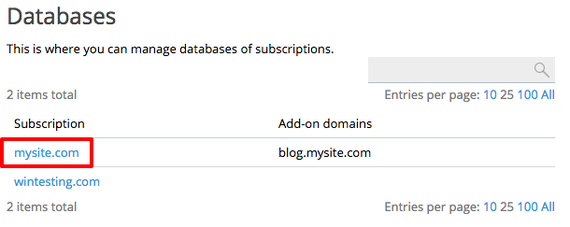
- If you are using the Power User view, in the left navigation menu, click on Databases. (If you use Service Provider view, click on Domains and select the domain you need, then click on Databases on the right hand side.)

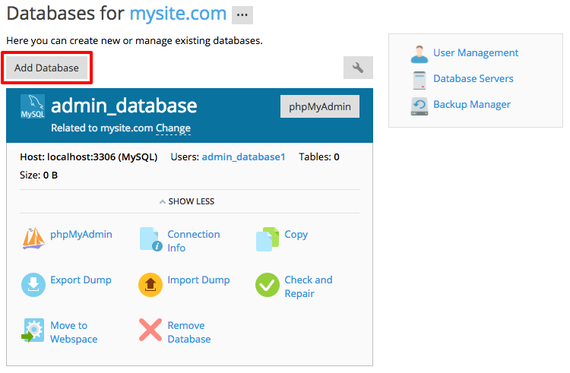
- Click Add Database.

- Choose a Database name and, if necessary, a Related site. If you have multiple database servers installed (like MSSQL and MySQL), you’ll also need to select which database server to use.

- Create a database user by choosing a username and then choosing and confirming a password. If you do not create a database user, the database won’t be accessible.

- If needed, check the box for User has access to all databases within the selected subscription.
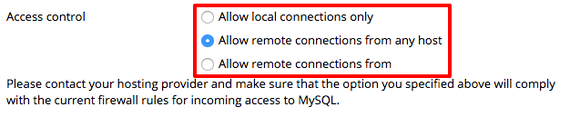
- Use the radio buttons to choose the Access control level. This determines whether or not this user can have remote database connections.

- Once you’ve chosen your options, click OK to create your database.