

Log Into cPanel
You have three options for logging into cPanel. You can log in using your Liquid Web account, from WHM, or directly from your Internet browser. This article explains the steps for each method.
You have three options for logging into cPanel. You can log in using
Watch this video or scroll down for further instructions:
Login from Your Account
- Navigate to your Liquid Web account.
- Click on My Servers in the left side menu.

- Click the server name to open the server details page.
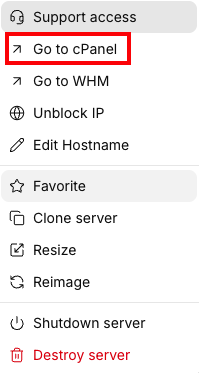
- Click on the three dot menu to the right of the servers name and click Go to cPanel.

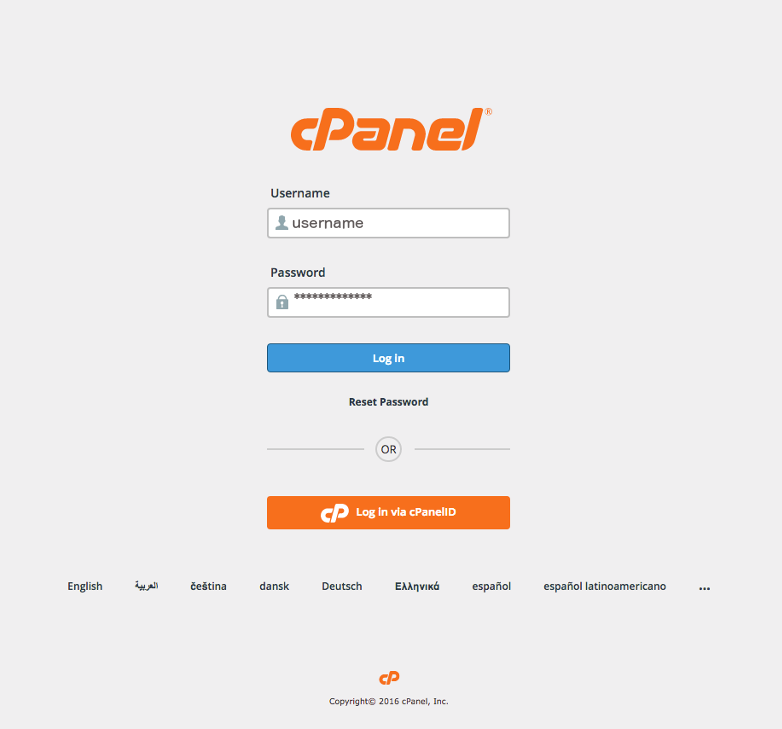
- You will be directed to the cPanel login page.

- Enter your username and password, click Log In to be directed to the home page of cPanel.


Login from WHM
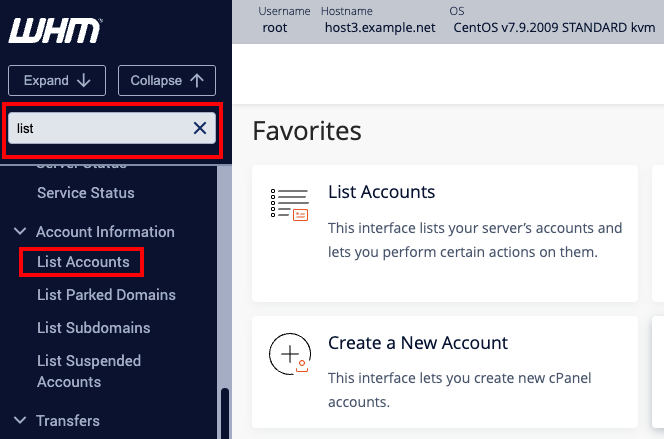
- From the home page of WHM, search for the word list in the search bar on the left hand side of the page. This will bring up the menu showing List Accounts.

- Click the link for List Accounts to be directed to all accounts on your server.
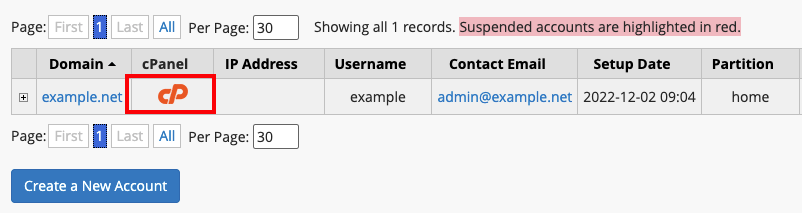
- From the list of your sites, click the cPanel icon to be directed to cPanel.

Log in directly from the browser
Tip
In the following example, don’t forget to enter the address beginning with https:// rather than http://. Using the https:// protocol will help keep your site secure.
- To reach cPanel from an Internet browser, type the following:
https://host.yourdomain:2083 or https://yourip:2083- Remember to change “yourip” to your server IP address. If you aren’t sure what your IP address is, it’s easy to check.
- Remember to change “yourip” to your server IP address. If you aren’t sure what your IP address is, it’s easy to check.
- You will be directed to the login page for cPanel.
- Enter your username and password and click Log In.

- You will be directed to the home page of cPanel.
cPanel provides a full range of operations in regard to domains and websites:
- Enable secure access to your websites and additional features
- Create or delete domains, subdomains, and domain aliases
- Edit and organize your website content
- Set up different web applications
For information on how to use cPanel and what can be done from it, see our article Getting Started with cPanel.
