

Managing Your Domain Settings
Managing your domain settings can be frustrating. Liquid Web simplifies this with powerful domain management tools right in your account portal.
If customers can’t find your website, they won’t be able to do business with you. Because of this, managing your domain settings may be the single most important part of your online business. However, just because it’s important, doesn’t mean that it isn’t confusing or frustrating. Liquid Web is taking the hassle out of managing your domain settings by putting powerful domain management tools right in your Liquid Web account portal!
- Login to your Liquid Web account.
- Click on Domains on the left of the screen.

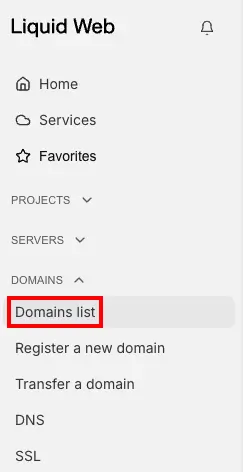
- Manage all of your Domain settings from our easy to use, wizard-driven interface.
From this main screen, you can register, renew, or transfer a domain to Liquid Web. You can see the domains that are currently associated with your account and check on their expiration dates. Clicking on a domain name will give you even more options to adjust contact information and manage the nameservers for the domain.All of these tools are right at your fingertips, ready to help keep your domain management simple and accurate. For more detailed directions on managing your domain settings, see these other Help Center articles:
