Getting Started with Configserver’s ModSecurity Control Plugin
ConfigServer ModSecurity Control plugin (CMC), is a tool within WHM that allows you to whitelist specific rules to make sure your site is running smoothly and still protected from malicious attacks. ModSecurity is automatically installed on your server and can be seen in your cPanel account, but in order to configure and control whitelisting rules, you need to download the plugin for WHM.
You can learn how to install the ConfigServer ModSecurity Control plugin in our article Installing Configserver’s ModSecurity Control Plugin on Your Server. See how to whitelist and configure your plugin using the links below.
ConfigServer ModSecurity Control
Within ModSecurity Control, you will have the ability to whitelist and view logs. See our article Whitelisting ModSecurity Rules in WHM for information on how to whitelist IP addresses, domains, users, directory listings and view error logs.

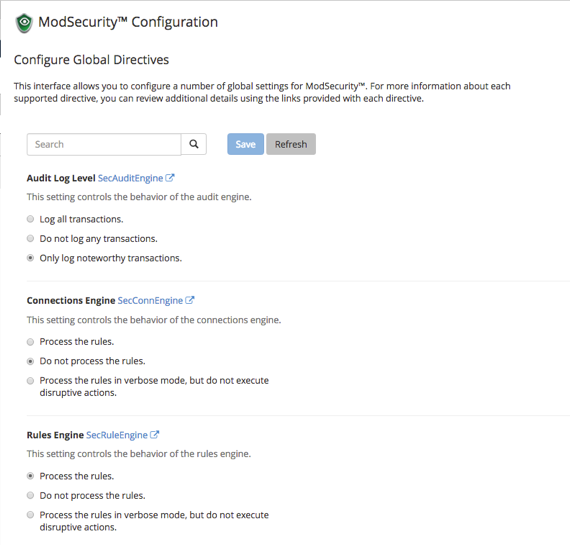
ModSecurity Configuration
ModSecurity Configuration allows you control over the settings for your logs, connections, rules and more. See our article Setting Up ModSecurity Configuration for more information.
ModSecurity Tools
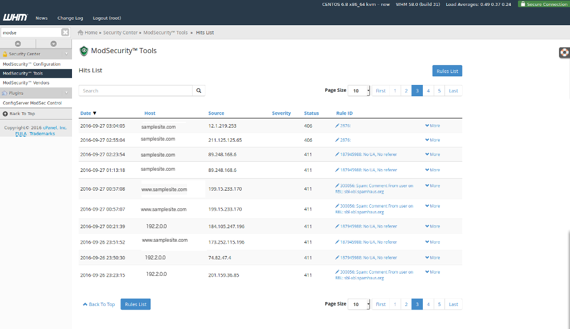
ModSecurity Tools houses the Hits List of IP’s and domains which violate rules. From this page, you can copy/paste the rule ID to have it whitelisted in the ModSecurity Configuration. See our article Whitelisting ModSecurity Rules in WHM for more information.