Fast I/O in Java in Competitive Programming
Last Updated :
06 Nov, 2025
In competitive programming, fast input and output (I/O) operations are essential to prevent Time Limit Exceeded (TLE) errors. Since Java’s standard I/O methods are relatively slow, optimizing I/O is crucial when dealing with large datasets.
- Fast I/O helps handle large inputs efficiently in a limited time.
- Using classes like BufferedReader, StringTokenizer, or custom FastReader boosts performance over Scanner.
Different Ways to Achieve Faster I/O in Java
1. Scanner Class
The Scanner Class in Java is slow for competitive Programming because it uses built-in methods like nextInt(), nextLong(), nextDouble(), etc., which come with additional overhead for parsing and input handling.
Note: The Scanner class is easy to use and requires less typing, but it's slower and not recommended for performance-critical tasks.
Java
import java.util.Scanner;

public class Geeks {

    public static void main(String[] args) {

        // Create Scanner object
        Scanner s = new Scanner(System.in);

        // Read number of inputs
        int n = s.nextInt();

        // Read divisor
        int k = s.nextInt();

        // Initialize count
        int c = 0;

        while (n-- > 0) {

            // Read the number
            int x = s.nextInt();

            // Check divisibility
            if (x % k == 0)
                c++;
        }

        System.out.println(c);
    }
}
Output:
 Output
2. BufferedReader
BufferedReader reads input in larger chunks, making it faster. However, you need to manually parse values using Integer.parseInt() and handle tokens using StringTokenizer.
Note: Buffered Reader is fast but not recommended as it requires a lot of typing.
Java
import java.io.BufferedReader;
import java.io.IOException;
import java.io.InputStreamReader;
import java.util.StringTokenizer;

public class Geeks {
    public static void main(String[] args) throws IOException {

        // Create BufferedReader to read input efficiently
        BufferedReader br = new BufferedReader
          (new InputStreamReader(System.in));

        // Read the first line and split it into tokens
        StringTokenizer st = new StringTokenizer(br.readLine());

        // Read the total number of integers (n) and the divisor (k)
        int n = Integer.parseInt(st.nextToken());
        int k = Integer.parseInt(st.nextToken());

        // Initialize counter for divisible numbers
        int count = 0;

        // Process each integer
        while (n-- > 0) {

             // Read the next integer
            int x = Integer.parseInt(br.readLine());

            // Check if the number is divisible by k
            if (x % k == 0)
                count++;
        }

        System.out.println(count);
    }
}
Output:
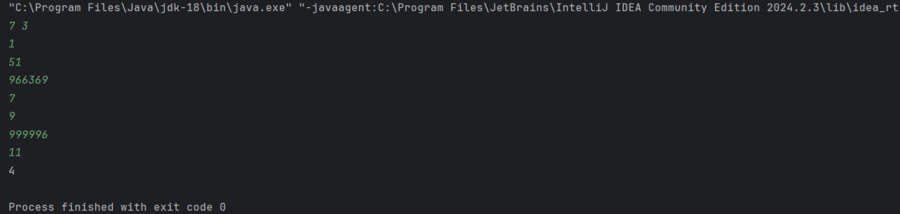 Output
3. User-defined FastReader Class
The FastReader combines BufferedReader and StringTokenizer for maximum speed and ease of use. It is widely used in competitive programming.
Note: This approach is more flexible and faster for handling multiple types of data but may require additional coding.
Java
import java.io.BufferedReader;
import java.io.IOException;
import java.io.InputStreamReader;
import java.util.StringTokenizer;

public class Geeks {

    // FastReader class for efficient input
    static class FastReader {

        // BufferedReader to read input
        BufferedReader b;

        // StringTokenizer to tokenize input
        StringTokenizer s;

        // Constructor to initialize BufferedReader
        public FastReader() {
            b = new BufferedReader(new InputStreamReader(System.in));
        }

        // Method to read the next token as a string
        String next() {
            while (s == null || !s.hasMoreElements()) {
                try {
                    s = new StringTokenizer(b.readLine());
                } catch (IOException e) {
                    e.printStackTrace();
                }
            }
            return s.nextToken();
        }

        // Method to read the next token as an integer
        int nextInt() {
            return Integer.parseInt(next());
        }

        // Method to read the next token as a long
        long nextLong() {
            return Long.parseLong(next());
        }

        // Method to read the next token as a double
        double nextDouble() {
            return Double.parseDouble(next());
        }

        // Method to read the next line as a string
        String nextLine() {
            String str = "";
            try {
                if (s.hasMoreTokens()) {
                    str = s.nextToken("\n");
                } else {
                    str = b.readLine();
                }
            } catch (IOException e) {
                e.printStackTrace();
            }
            return str;
        }
    }

    public static void main(String[] args) {

        // Create a FastReader instance for input
        FastReader s = new FastReader();

        // Read the number of integers (n) and the divisor (k)
        int n = s.nextInt();
        int k = s.nextInt();

        // Initialize count for divisible numbers
        int c = 0;

        // Loop through the integers
        while (n-- > 0) {

            // Read the next integer
            int x = s.nextInt();

            // Check if divisible by k
            if (x % k == 0)
                c++;
        }

        System.out.println(c);
    }
}
Output:
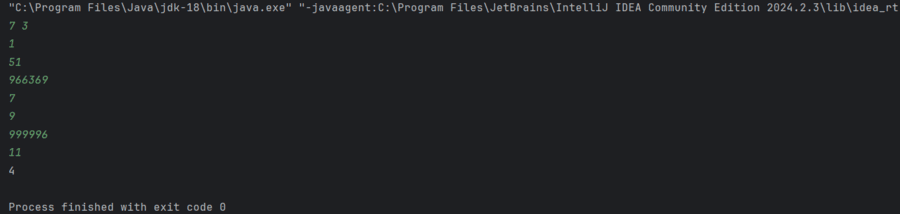 Output
4. Using Reader Class
This method is the fastest but not recommended because it's complex and more advanced. It uses InputStream and read() or nextInt(), which makes it difficult to remember and It is not beginner-friendly.
Java
import java.io.DataInputStream;
import java.io.IOException;

public class Geeks {

    // Custom Reader class for fast input
    static class Reader {
        private final int BUFFER_SIZE = 1 << 16;
        private DataInputStream din;
        private byte[] buffer;
        private int bufferPointer, bytesRead;

        public Reader() {
            din = new DataInputStream(System.in);
            buffer = new byte[BUFFER_SIZE];
            bufferPointer = bytesRead = 0;
        }

        // Reads the next integer from input
        public int nextInt() throws IOException {
            int ret = 0;
            byte c = read();
            while (c <= ' ') {
                c = read();
            }
            boolean neg = (c == '-');
            if (neg) c = read();
            do {
                ret = ret * 10 + c - '0';
            } while ((c = read()) >= '0' && c <= '9');
            return neg ? -ret : ret;
        }

        // Reads the next byte from the buffer
        private byte read() throws IOException {
            if (bufferPointer == bytesRead) fillBuffer();
            return buffer[bufferPointer++];
        }

        // Fills the buffer with new data
        private void fillBuffer() throws IOException {
            bytesRead = din.read(buffer, bufferPointer = 0, BUFFER_SIZE);
            if (bytesRead == -1) buffer[0] = -1;
        }
    }

    public static void main(String[] args) throws IOException {
        Reader s = new Reader();

        // Read the number of integers
        // (n) and the divisor (k)
        int n = s.nextInt();
        int k = s.nextInt();

        // Count divisible numbers
        int count = 0;

        // Process each number
        while (n-- > 0) {
            int x = s.nextInt();
            if (x % k == 0) count++;
        }

        System.out.println(count);
    }
}
Output:
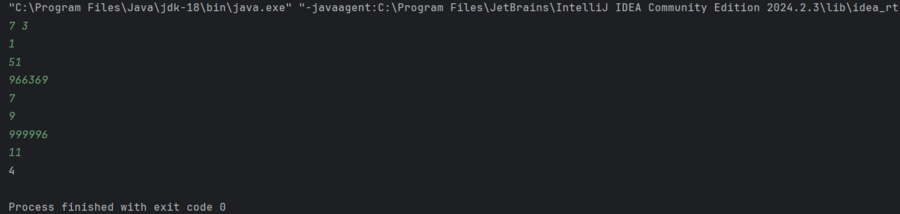 Output
Explore
Basics
Bit manipulation
DP for CP
Advanced