Types of Server Virtualization in Computer Network
Last Updated :
24 Oct, 2025
Server Virtualization is the process of dividing a single physical server into multiple smaller virtual servers, each running its own operating system (known as a guest OS). These virtual servers operate independently and are unaware of each other’s existence. The physical system that hosts these virtual environments runs a host operating system, which manages and allocates the hardware resources among the virtual servers.
Note: Virtualization improves hardware utilization, reduces operational costs and enhances flexibility in managing server environments. To achieve this, several virtualization techniques are employed, each offering different levels of abstraction, performance and hardware dependence.
1. Hypervisor-Based Virtualization
A Hypervisor (also called a Virtual Machine Monitor or VMM) is a key component in virtualization that creates and manages multiple virtual machines (VMs) on a single physical host. It forms a layer between the hardware and the operating systems.
Note: The hypervisor identifies and handles privileged CPU instructions, manages memory, schedules processes and provides virtualized hardware resources to each VM. The host OS, if present, runs on top of the hypervisor to manage the system.
Examples
- VMware ESXi
- Microsoft Hyper-V
- Oracle VirtualBox
Advantages
- Efficient resource utilization
- Better isolation between virtual machines
- Supports multiple operating systems
2. Para Virtualization
Para Virtualization is based on the hypervisor model but focuses on improving performance by reducing the overhead of emulation. In this technique, the guest operating system is modified and recompiled before installation, allowing it to communicate directly with the hypervisor instead of going through full hardware emulation.
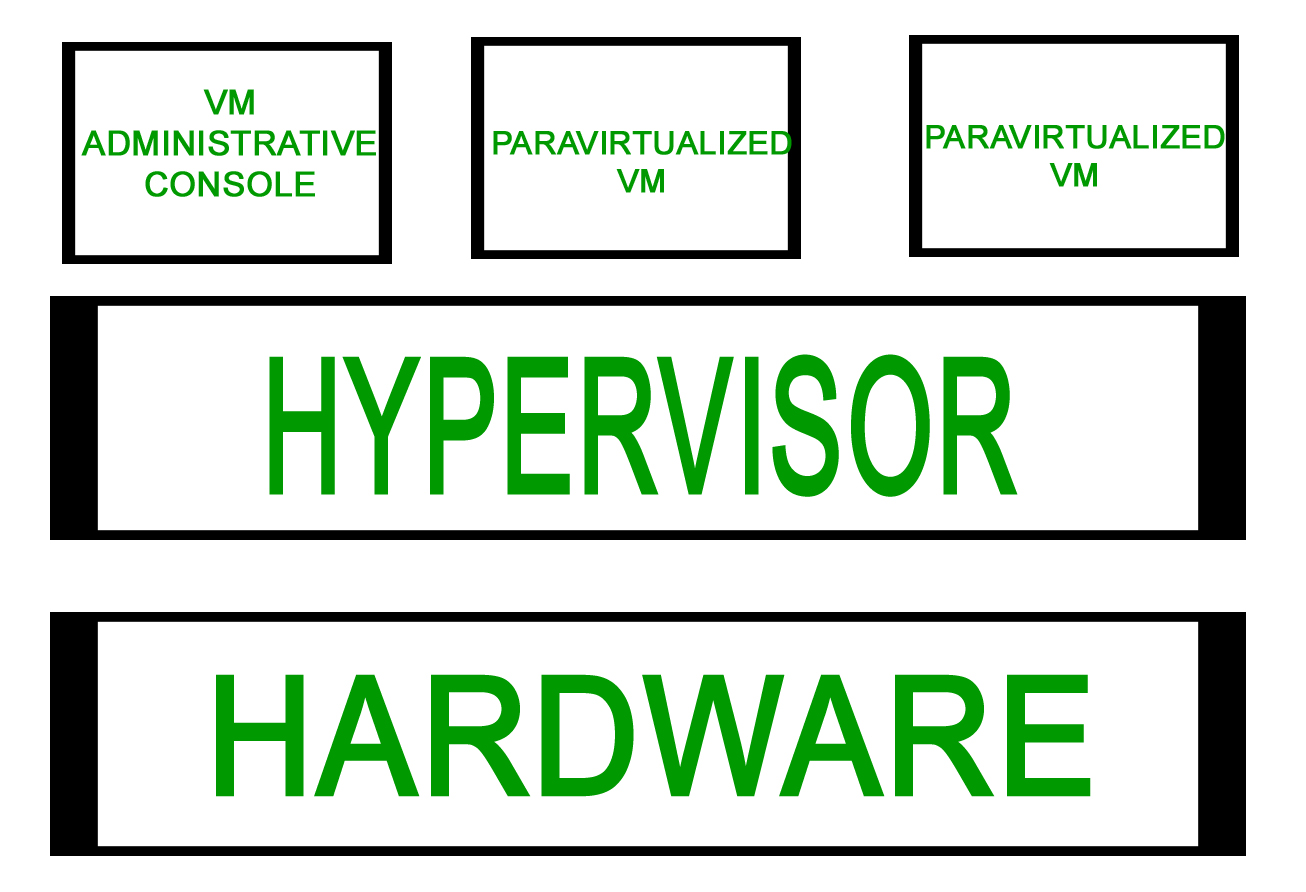
Note: Since the guest OS is aware of the virtualization layer, system calls are optimized, leading to faster performance.
Example
- Xen uses Para Virtualization, where a modified Linux environment called Domain 0 acts as the administrative OS.
Advantages
- Easier management
- Enhanced performance
- No emulation overhead
Limitations
- Requires modification of the guest OS
- Limited to OS versions that support paravirtualization
3. Full Virtualization
Full Virtualization provides complete hardware emulation, allowing unmodified guest operating systems to run as if they were on real hardware. The hypervisor intercepts (traps) hardware instructions from the guest OS and emulates them in software.
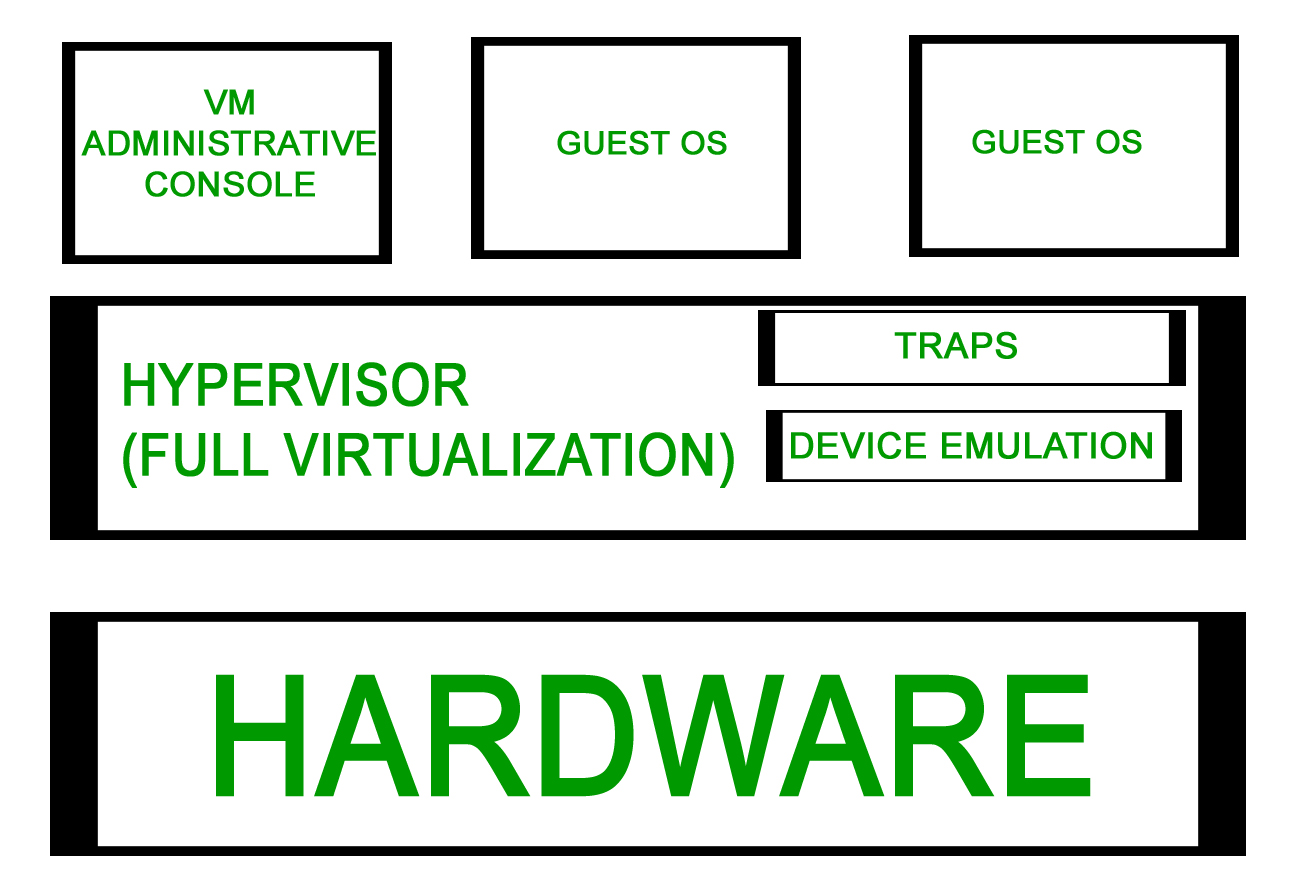
Note: This approach allows any operating system to run without alteration but introduces performance overhead due to emulation.
Example
- VMware ESX Server uses Full Virtualization, where a special administrative OS known as the Service Console manages VMs.
Advantages
- No modification to guest OS required
- Can run multiple different OS versions
Limitations
- Slower performance due to emulation overhead
- Complex setup and management
- Device driver installation can be difficult
4. Hardware-Assisted Virtualization
Hardware-Assisted Virtualization enhances Full Virtualization by using processor-level extensions to reduce the hypervisor’s workload. Modern CPUs from Intel and AMD include built-in support for virtualization, allowing the hardware itself to manage privileged operations and I/O requests efficiently.
Note: This significantly reduces the overhead associated with trapping and emulating system calls.
Examples
- Intel VT (Vanderpool)
- AMD-V (Pacifica)
Advantages
- No need to modify guest OS
- Much lower hypervisor overhead
- Improved performance and stability
Limitations
- Requires hardware with virtualization support
- Slightly higher setup complexity
5. Kernel-Level Virtualization
In Kernel-Level Virtualization, virtual machines are implemented as user-space processes managed directly by the Linux kernel. This eliminates the need for a separate hypervisor layer. Communication between the host and guest systems is handled using a kernel device driver.
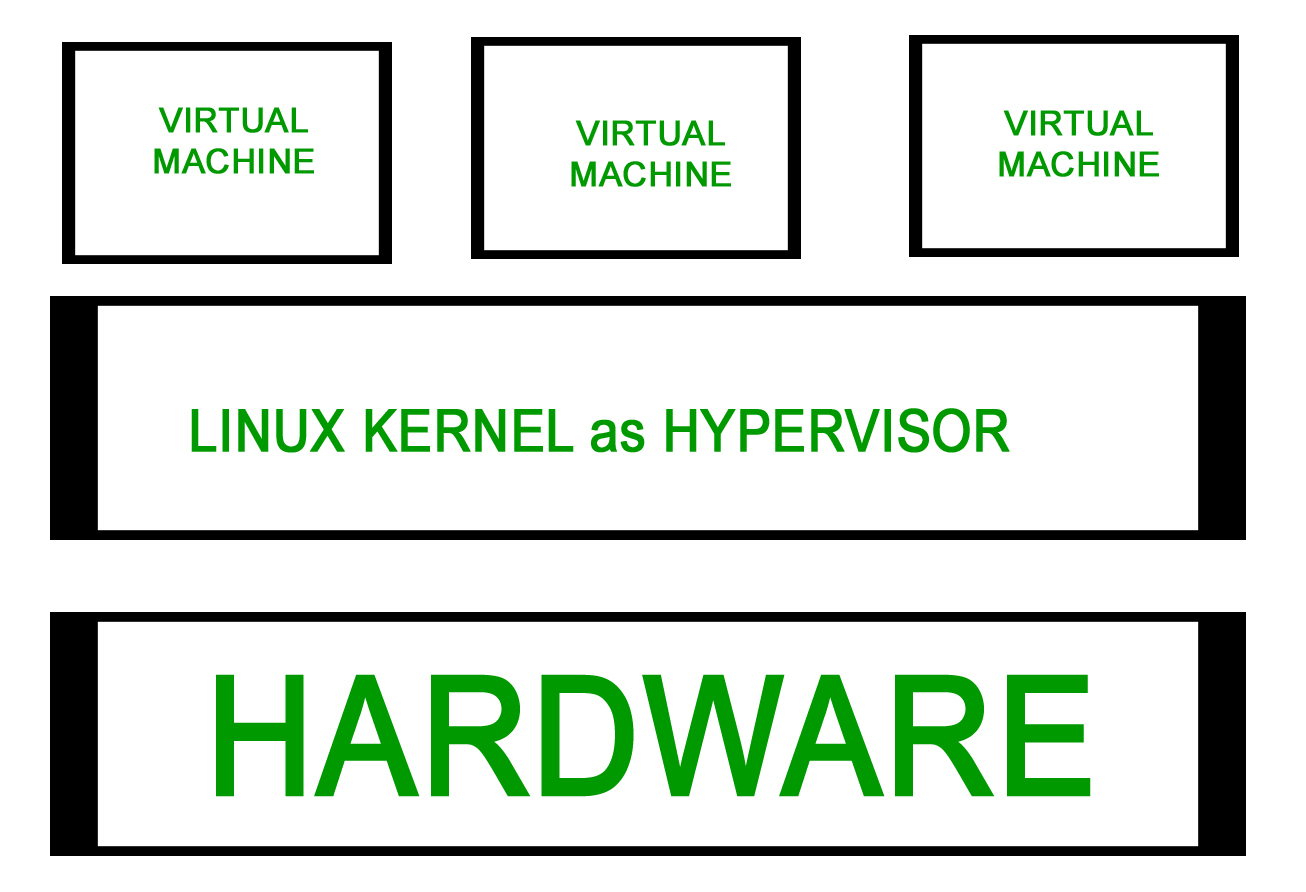
Note: Each VM runs as a normal process and virtualization extensions like Intel VT or AMD-V are utilized for efficient execution.
Examples
- Kernel-based Virtual Machine (KVM)
- User-Mode Linux (UML)
Advantages
- Minimal administrative overhead
- Low performance overhead
- Tight integration with the Linux kernel
Limitations
- Requires processor support for virtualization
- Limited primarily to Linux environments
6. System-Level (OS-Level) Virtualization
System-Level Virtualization, also known as Operating System Virtualization, allows multiple isolated user-space environments (containers) to run on a single OS kernel. Instead of running separate kernels for each virtual instance, all containers share the same host OS kernel.
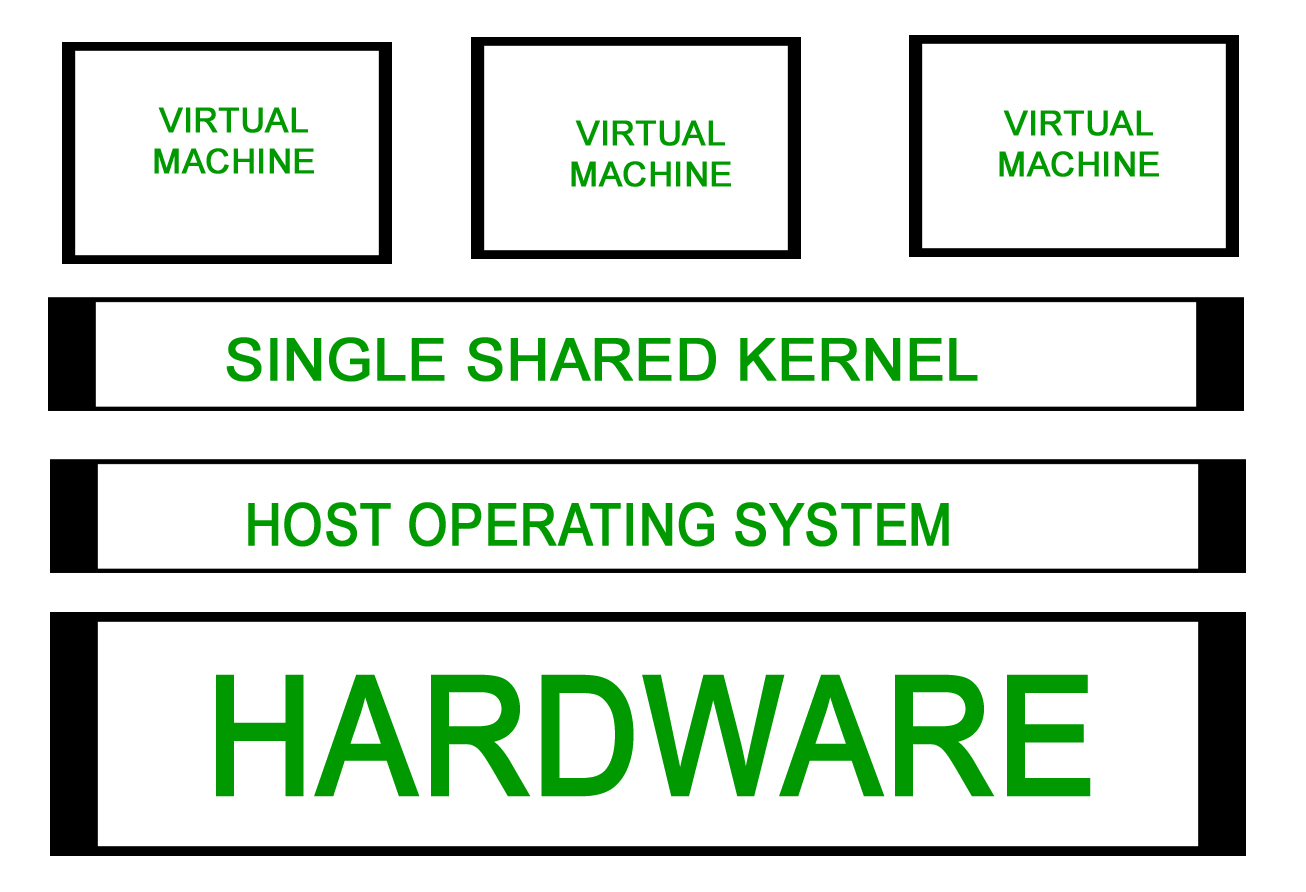
Note: This approach is based on the chroot mechanism, where each container has its own root directory and process space but shares the same kernel. It is extremely lightweight and efficient.
Examples
- OpenVZ
- Linux VServer
- FreeVPS
Advantages
- Very lightweight and efficient
- Minimal overhead compared to full VMs
- Enhanced security and isolation
- Supports live migration and dynamic load balancing
- Efficient file-level copy-on-write (CoW) for backups and caching
Limitations
- All virtual environments share the same kernel - kernel crashes affect all containers
- Cannot run different operating systems simultaneously
Explore
Computer Network Basics
Physical Layer
Data Link Layer
Network Layer
Transport Layer
Session Layer & Presentation Layer
Application Layer
Advanced Topics
Practice