Understanding Terminal, Console, Shell and Kernel
Last Updated :
28 Nov, 2025
The terminal, console, shell, and kernel are fundamental components of an operating system that help users interact with a computer. Together, they connect user commands to system hardware through layers of software and interfaces.
- Terminal: A text-based interface where users type commands and receive output from the system.
- Console: The physical or virtual device that provides access for input and output operations.
- Shell: A command-line interpreter that translates user commands into actions performed by the operating system.
- Kernel: The core part of the operating system that manages hardware resources like memory, CPU, and devices.
Terminal
The Linux Terminal is a command-line interface that allows users to interact with the operating system using text commands. It gives direct, low-level access to system features without relying on a graphical interface. It provides more control, speed, and flexibility for advanced system operations and administrative tasks.
- Supports command execution and process handling
- Useful for system troubleshooting and performance monitoring
- Enables automation through shell scripting
- Provides access to system configurations
- Helps perform advanced system administration tasks

The terminal is just an interface that accepts user input and displays output. It does not understand commands itself, so it relies on another program - usually the shell - to interpret and execute them

Key Functions:
- Takes user input in the form of commands
- Executes system-level operations
- Displays output and system responses
- Helps in automation and scripting
- Provides deep control over system resources
Console
The console is the primary interface that allows users to directly interact with the operating system through input and output devices. It can be a physical screen/keyboard or a virtual interface.
- Acts as a low-level communication interface with the OS
- Can work without a graphical environment
- Used during system boot and recovery scenarios
- Supports multiple virtual terminals
In Windows, the Command Prompt opens a console window, which works similarly to the Linux terminal. However, the console is the underlying system interface, while the command prompt is the program running inside it.

Shell
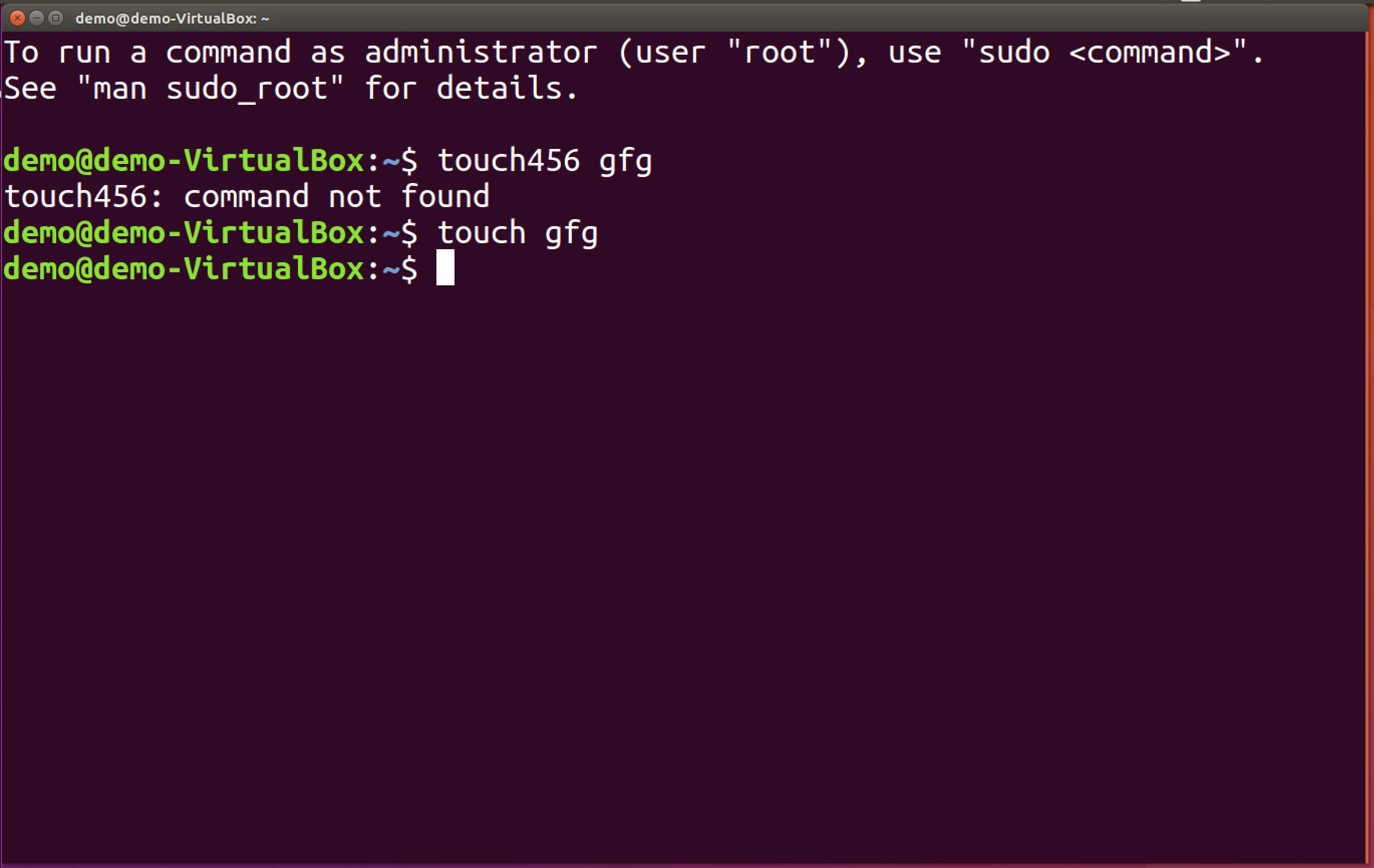
The shell is a command-line interpreter that acts as a bridge between the user and the kernel. When you press Enter after typing a command, the terminal sends it to the shell for processing.
The shell performs the following functions:
- Interprets user commands
- Checks command syntax and correctness
- Converts valid commands into a format understood by the kernel
- Forwards those commands to the kernel
- Displays errors if the command is incorrect
- Displays a new prompt for the next command
Examples of shell programs include:
- Bash: The most widely used Linux shell, known for scripting, automation, and default availability on most systems.
- Zsh: An advanced shell with powerful customization, better autocomplete, and plugin support.
- Ksh: A Unix shell optimized for scripting with enhanced programming features.
- Tcsh: An improved version of the C Shell with command-line editing and history features.
- Fish Shell: A user-friendly shell with syntax highlighting, autosuggestions, and easy configuration.
Note: On most Linux systems and macOS, the default shell is Bash or Zsh.

Kernel
The kernel is the core component of the operating system responsible for managing system resources and hardware communication. It executes the commands passed by the shell and interacts directly with hardware components.
The kernel works with two main components:
- OS Libraries: Provide functions for applications (e.g., read(), write())
- Device Drivers: Allow communication with hardware like keyboard, disk, and display
Kernel Responsibilities
The kernel handles most of the core system operations and manages hardware and system resources; some of its major responsibilities are listed below.
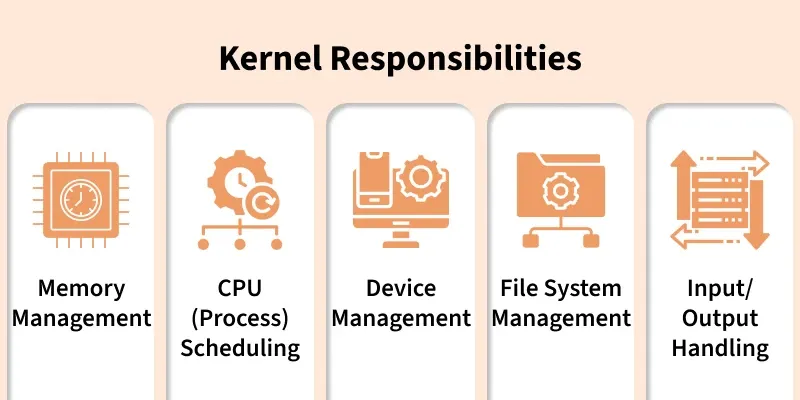
1. Memory Management
- Allocates and deallocates system memory
- Ensures efficient use of RAM and prevents memory conflicts
2. CPU (Process) Scheduling
- Manages process execution and task switching
- Allocates CPU time between running processes
3. Device Management
- Controls communication with hardware devices
- Manages device drivers and hardware interrupts
4. File System Management
- Organizes and manages data storage on disks
- Handles file access permissions and security
- Manages communication between software and hardware
- Handles data transfer between input and output devices
When a user types a command, which component is responsible for interpreting it?
Explanation:
The shell interprets user commands, checks syntax, and passes them to the kernel for execution.
Which component is ONLY responsible for displaying input/output and cannot interpret commands by itself?
Explanation:
The terminal is just a text interface that displays output and accepts input but relies on the shell to understand commands.
Which component directly interacts with system hardware like CPU, RAM, and devices?
Explanation:
The kernel manages hardware resources and executes instructions passed by the shell.
Which option best describes the console in Linux?
-
A graphical window used for editing code
-
The underlying interface that connects user input/output directly to the OS
-
A shell that interprets commands
-
A process scheduling tool
Explanation:
The console is the physical or virtual interface that provides direct communication with the OS without needing a GUI.
What happens first after a user presses Enter on a command in the terminal?
-
Kernel executes hardware instructions directly
-
Console checks the command
-
Terminal interprets the command
-
Shell processes and translates the command for the kernel
Explanation:
The shell receives the command from the terminal and then processes and forwards it to the kernel for execution.
Quiz Completed Successfully
Your Score : 2/5
Accuracy : 0%
Login to View Explanation
1/5
1/5
< Previous
Next >
Explore
OS Basics
Process Management
Memory Management
I/O Management
Important Links