

Check Cloud Sites Resource Usage
The Cloud Sites control panel tracks bandwidth, memory, and backup usage by plan, user, or site. Monitor your usage by using the link at the top of the Cloud Sites control panel. This information will help you to decide if your current plan’s allocations meet your needs.
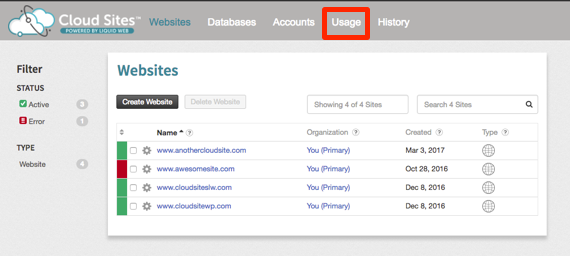
Total Usage
Your Cloud Sites subscription includes set disk space and bandwidth; exceeding these incurs charges. Checking your total account usage helps you see if you’re approaching limits or underutilizing your allocated space.
The Usage Summary at the top of the usage page gives you a broad overview of the Bandwidth and Disk Space being used by all accounts and sites on your account.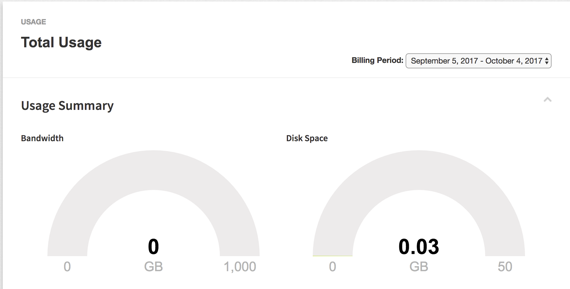
The MSSQL and Disk Space Breakdown section gives you the overall database and file system use. Your MSSQL database usage will be on the left hand side of the section and the MySQL and files will be in the graph on the right hand side of the section.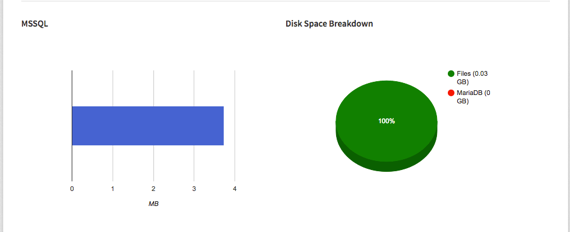
Daily Usage
Daily Usage gives you a breakdown of the Network Usage (bandwidth), Disk Space and MSSQL usage by day. These graphs will change daily depending on the amount of traffic and file usage your sites are using at any given time within a 24-hour period.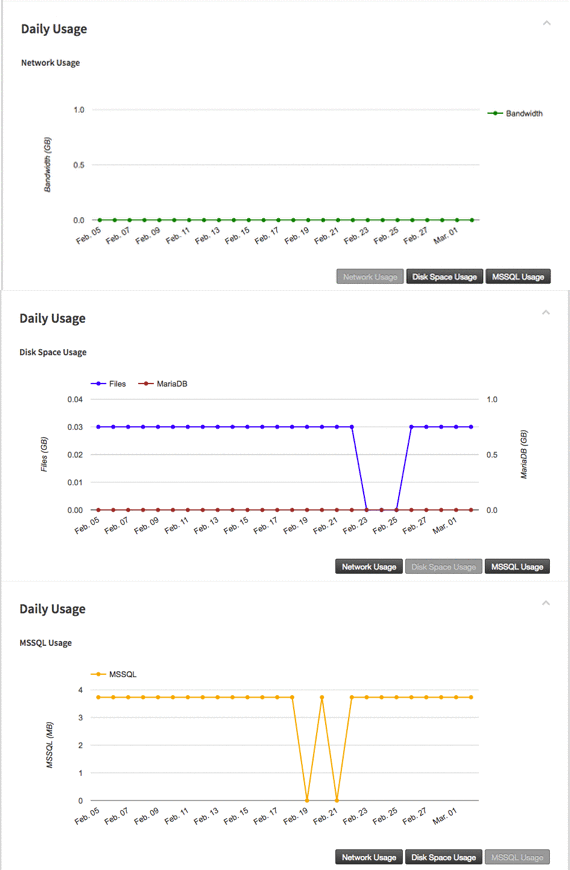
Account Usage
Each account you add to your Cloud Sites subscription will have a breakdown of the total, daily, database and site usage. Scroll to the bottom of the page and click on the account name to open the usage for that account.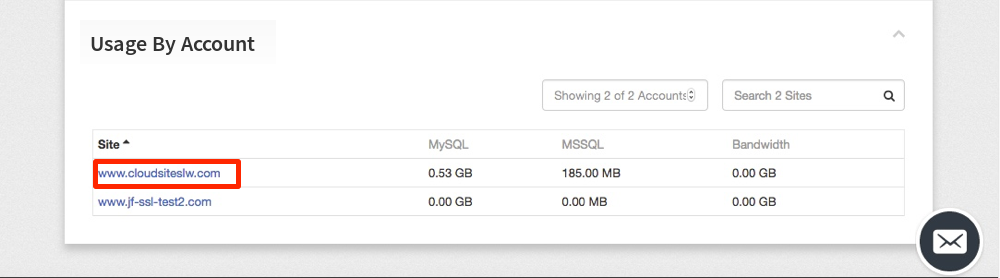
You can view the individual account usage for Bandwidth, Disk Space, Database, Files and Daily usage.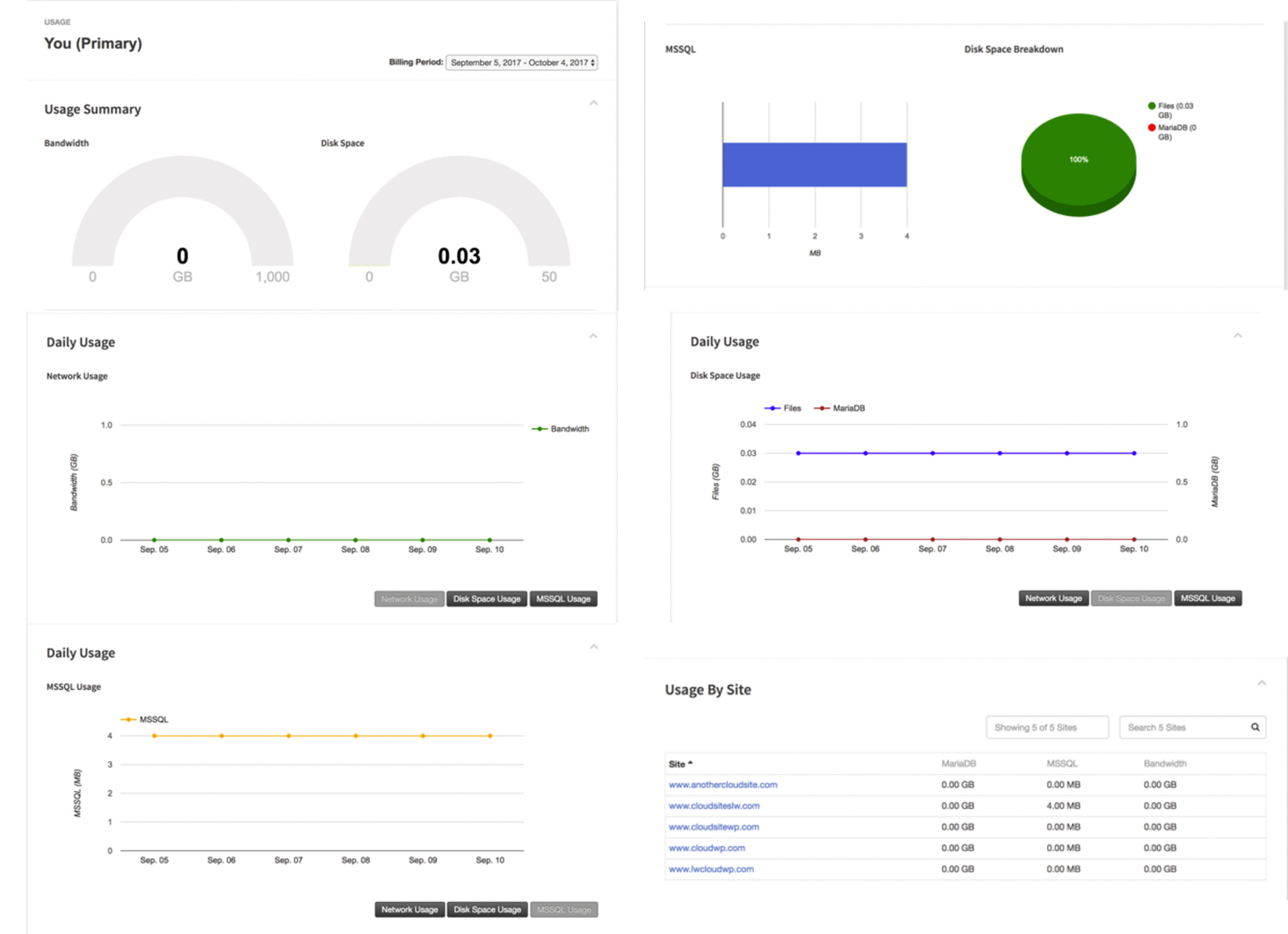
Each account has its own sites. You can view the individual site usage by clicking on the site. Once the usage opens for that site, you will see a usage Summary and the Daily Usage the site is taking up.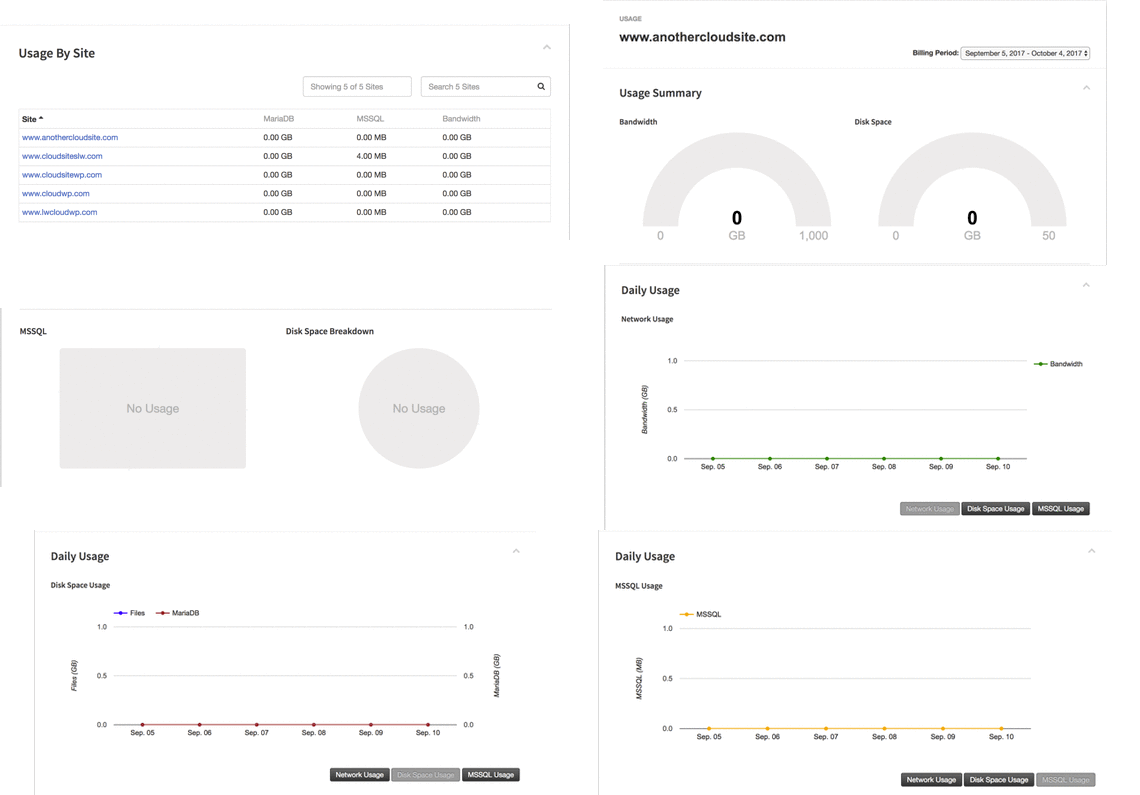
Backup Usage
Once you enable backups on your Cloud Sites account, the usage will be tracked by individual site on the backup plan you’ve chosen. At the bottom of the Usage home page, click on the Backups Usage section to view the number of sites and databases with backups enabled and the storage being used.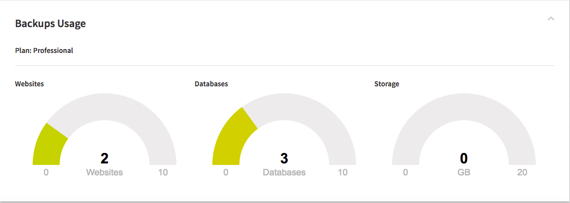
Optimize and Reduce Usage
You can find out how to optimize your sites in our article Website Optimization in Cloud Sites. Following a few simple guidelines will help you minimize the impact a single site will have on your overall usage and keep you safe from overages. You can also set up customized usage notifications (see, Enable Usage Notifications in Cloud Sites).
