

Planet Python
Last update: March 16, 2026 01:44 PM UTC
March 16, 2026
Real Python
Quiz: Speed Up Python With Concurrency
In this quiz, you’ll test your understanding of Speed Up Python With Concurrency.
You’ll explore how I/O-bound programs face latency, which concurrency patterns to use, the differences between threading, asyncio, and multiprocessing, and how the Global Interpreter Lock (GIL) affects Python programs.
[ Improve Your Python With 🐍 Python Tricks 💌 – Get a short & sweet Python Trick delivered to your inbox every couple of days. >> Click here to learn more and see examples ]
March 15, 2026
The Python Coding Stack
The Price is Right • From Properties to Descriptors
You have a class called Product that has an attribute called .selling_price. You also have an instance of Product assigned to the variable name coffee.
What happens when you write coffee.selling_price?
Sure, I know you know. The code returns the value of the .selling_price attribute. But what really happens behind the scenes?
Python operations rely on special methods. The dot you use to access attributes is no exception. But strange and weird things can happen when you use the dot.
Normally, the Product class determines what happens when you write coffee.selling_price. It checks whether the instance has a .selling_price attribute, typically by looking in its .__dict__ dictionary of attributes. If the instance doesn’t have this attribute, Python checks whether it’s a class attribute.
But sometimes the class doesn’t get to decide what happens when you write coffee.selling_price. The object in .selling_price could take control of the attribute lookup.
Let’s explore the weird and wonderful world of descriptors in Python. For such a long time, I struggled to understand descriptors. But, as with many topics, at some stage, everything clicks. The story makes sense. Hopefully, this article can help you make sense of descriptors.
But first, we’ll start with properties.
The Product Class
Let’s create a Product class to deal with products for sale in a shop:

You create a Product instance by providing a name, a cost price, and a selling price. There’s a data attribute for each of these values. There’s also a .profit_margin data attribute.
However, there’s a serious flaw in this code. Have you spotted it?
Let’s try it out:

This code outputs the following:
coffee.profit_margin=2.0So far, so good. But now try the following update:

Here’s the output from this version:
coffee.profit_margin=2.0The profit margin still shows as £2. This is incorrect since you modified the selling price to £5.50 soon after creating the Product instance. The cost price is still £2.50. Therefore, the profit margin should be £3.
The .profit_margin data attribute is only calculated once in the .__init__() method, which is called when you create and initialise the object. The code doesn’t update the .profit_margin data attribute when you update the selling price.
You can choose to use a method instead of a data attribute, say .calculate_profit_margin(). However, you think the class’s interface would be neater and easier to use if .profit_margin were still a data attribute like .cost_price and .selling_price.
The solution is to create a property. I promise that this is related to this week’s topic – properties are a great stepping stone towards descriptors:

You start by creating a method called .profit_margin(). Note how you name this in the style of a data attribute rather than a method – it describes data rather than an action. However, you use the decorator @property to create a property object.
Whenever you access the .profit_margin attribute, without the parentheses, Python calls the .profit_margin() method behind the scenes. Therefore, each time you access the attribute .profit_margin, which is now a property, Python calculates and returns the current value:
coffee.profit_margin=3.0The .profit_margin attribute looks and feels like a data attribute but behaves like a method.
There’s another benefit in this case. This attribute is read-only:

You try to assign a new value to the .profit_margin attribute, but Python raises an error:
Traceback (most recent call last):
  ...
    coffee.profit_margin = 4
    ^^^^^^^^^^^^^^^^^^^^
AttributeError: property ‘profit_margin’ of
    ‘Product’ object has no setter
In this case, this is the desired behaviour since a user shouldn’t be able to set the profit margin directly. It should be calculated from the cost price and the selling price.
Validating Prices
But let’s move to the central theme of this article. You want to add validation to the prices. For example, you want to ensure they can’t be below zero.
Let’s work on the cost price only for now. The following version won’t work for the same reason you saw earlier:

You add the validation in the .__init__() method. This will apply only to the initialisation process, not to any later changes to the cost price.
So, the validation works fine in this case:

This raises the exception:
Traceback (most recent call last):
  ...
ValueError: Cost price cannot be negative
However, the code won’t stop you from changing the cost price to a negative value later:

Here’s the output:
coffee.cost_price=-1Solution? Create a property:

Note that I removed the validation code from the .__init__() method. The definition of the .cost_price data attribute in .__init__() has also gone.
But what do you include in the cost_price() method? Unlike the .profit_margin property, which can be calculated from existing attributes, you still need somewhere to store the current value for the cost price. You still need a data attribute that you create in the .__init__() method.
You can create a non-public data attribute:

The data attribute ._cost_price has a leading underscore, which is a Python convention indicating that the user shouldn’t access this attribute directly. Python doesn’t prevent the user from accessing this non-public attribute, but the leading underscore shows the programmer’s intent that this attribute should be left alone when using the class.
Whenever you access the .cost_price property, Python executes the code you define in the method that you decorate with the @property decorator. In this case, Python returns the value of the ._cost_price data attribute.
Therefore, you still have a data attribute – the one with the leading underscore. However, the user doesn’t access it directly. Instead, they access it through the property .cost_price:

Here’s the output from this code:
coffee.cost_price=2.5However, this makes the cost price read-only. That’s not what you’re trying to achieve:

This raises an error since you can’t assign values to the .cost_price property:
Traceback (most recent call last):
  ...
    coffee.cost_price = 3
    ^^^^^^^^^^^^^^^^^
AttributeError: property ‘cost_price’ of
    ‘Product’ object has no setter
Note what the error message says: 'Product' object has no setter. The setter is the method that allows you to set the value of a property. But you can add this setter to your code:

There are no issues with setting the value for coffee.cost_price now that you have a setter, too. And the validation works when you try to set the cost price value to a negative value:

This raises an error:
Traceback (most recent call last):
  ...
    coffee.cost_price = -3
    ^^^^^^^^^^^^^^^^^
ValueError: Cost price cannot be negative
However, there’s still a flaw in this code. The negative cost price validation still fails in some circumstances. Can you figure out when it fails?
Try this code:

Here’s the output:
coffee.cost_price=-2.5Validation occurs only when you set the cost_price attribute. However, look carefully at the code in your .__init__() method. It still sets the actual data attribute ._cost_price directly. This bypasses the verification.
Luckily, there’s an easy fix:

You can use the property in the .__init__() method, too. This triggers the property’s setter, which creates the ._cost_price data attribute and stores the value in it.
Avoiding float for prices
Let’s add a bit more to the validation code. It’s best not to use float when dealing with prices since floats suffer from rounding errors, which may lead to issues when dealing with money (especially if the rounding goes against you!)
Here’s the classic example showing the floating-point rounding errors:

Some floats cannot be represented precisely in binary, leading to rounding errors.
One option is to work in cents or pence or whatever the smaller unit of the currency you’re using. This means you’re working with integers. However, an alternative is to use decimal.Decimal instead:

Note that you should pass the floats as strings to Decimal and let the Decimal class deal with that. If you use float objects, you’ve already included the rounding errors in your starting value!
Let’s make sure the cost price uses Decimal internally without forcing the user to use this data type:

In true duck typing fashion, rather than choosing which data types you’re willing to accept when setting the cost price, you try to convert the input value to Decimal. Any data type that can be converted to Decimal is acceptable. The Decimal type raises an InvalidOperation exception, defined within decimal, when you pass an unacceptable type. So, you use InvalidOperation in the except block.
You probably want to perform the same validation for the selling price, too:

This works. However, there’s a lot of boilerplate code. And the validation is repeated in two setter methods. Sure, you can create a helper function to avoid the repetition. But what if you had more types of prices to include in your class? Perhaps there’s a wholesale_price and a discounted_price, say. You’d have to create properties for each one.
Before I move on from properties, here’s a link to another article I wrote about properties: The Properties of Python’s property .
Now let’s explore a different option.
Descriptors
Spoiler alert: you’ve already been using descriptors. Python’s property uses the descriptor protocol behind the scenes. Indeed, you use descriptors each time you access a method, or when you use the @classmethod and @staticmethod decorators.
But let’s get back to what happens when you use the dot after an object name, such as coffee.cost_price. The quick answer often states that Python looks at the instance’s .__dict__ attribute, which is a dictionary containing the instance’s data attributes. If the attribute is not there, Python looks in the class’s .__dict__ to check whether the attribute is a class attribute.
However, there’s a bit more happening.
The . notation calls the .__getattribute__() special method, which looks for the attribute using a broader set of rules and priorities.
The first thing it looks for is whether the attribute is a descriptor – technically, a data descriptor.
But what’s a descriptor?
Creating a descriptor class
Let’s create one. Create a Price class:

An object that has either of these special methods is a descriptor. (Note that there’s another special method that’s part of the descriptor protocol, .__delete__(), which is also sufficient to create a descriptor. I won’t be discussing .__delete__() in this article.)
So what? This is where descriptors start getting weird – yes, right at the start! Let’s pause with this class and get back to the Product class. Define .cost_price and .selling_price as class attributes and assign instances of the new Price class to them:

The rest of the code remains the same except that four methods are gone. These are the getter and setter methods you had defined previously to ensure that .cost_price and .selling_price are properties. You no longer need them. You’ll see why soon.
Why define class attributes? Class attributes are created when you define the class, unlike instance attributes, which are created when you create instances. Therefore, the attributes .cost_price and .selling_price exist and are equal to instances of a descriptor class at the time of class definition. This matters, as you’ll also see shortly.
So, what’s special about descriptors? Remember when we discussed how the . triggers the .__getattribute__() special method, which is responsible for looking for the attribute and returning its value? Well, as it happens, Python doesn’t look in the instance’s .__dict__ attribute first, after all.
The first thing it checks is whether the attribute is a descriptor. More specifically, it checks whether the attribute is a data descriptor, which is a descriptor that has .__set__() or .__delete__(). But our descriptor class, Price, has a .__set__(), so this priority applies to a Price object.
Here’s the key to understanding descriptors:
Since
.cost_priceand.selling_priceare descriptors, theProductclass defers to thePriceclass to decide how to get or set a value for this attribute.
Let me repeat that.
Normally, the class that defines an instance determines its behaviour. The special methods in Product determine how a Product instance behaves, such as what its string representations are, whether it’s iterable, whether it has a length, and so on. We haven’t defined any of these special methods in Product, but if we did, they would determine the object’s behaviour in those contexts.
However, when you use the dot on an instance of a Product class, if the attribute you’re accessing is a descriptor, such as .cost_price and .selling_price, it’s Price.__get__() and Price.__set__() that determine what to do when you get or set the values of .cost_price and .selling_price.
Code in the Price class determines what happens when you access an attribute in a Product instance.
And since you define .cost_price and .selling_price as class attributes that contain descriptors – instances of Price – then the descriptor special methods kick in even in Product.__init__() when you write self.cost_price = cost_price and self.selling_price = selling_price.
Do you want to master Python one article at a time? Then don’t miss out on the articles in The Club, which are exclusive to premium subscribers here on The Python Coding Stack
Understanding how descriptors work
Let’s prove this by adding some code to the Price class. This code is here to let us track what’s happening. You’ll write “proper” code later:

The .__get__() and .__set__() methods print out phrases to allow you to see when these methods are called. The .__get__() special method also returns a string. A reminder that these special methods are defined in the Price class.
Here’s the code so far, which includes a statement in the main scope that creates an instance of the Product class:

Here’s what you see when you run this code:
Calling Price.__set__()
Calling Price.__set__()
The code calls the Price.__set__() method twice: once when creating self.cost_price and another time when creating self.selling_price in Product.__init__().
Let’s also fetch one of the attributes:

Here’s the output from this code:
Calling Price.__set__()
Calling Price.__set__()
Calling Price.__get__()
Price coming soon...
You still get the two “breadcrumbs” that show that the code called Price.__set__() twice. But now you can also see that the code calls Price.__get__() since you wrote print(coffee.selling_price). And when you access the .selling_price attribute, Python returns the value returned by Price.__get__(), which is the string saying "Price coming soon...".
Therefore, attribute access for .selling_price and .cost_price, which are attributes in Product, is now controlled by the Price class, which is the descriptor class.
Yes, the Price class has taken over control of attribute access in the Product class (but only for the attributes that are descriptors of the Price class, .cost_price and .selling_price.)
Let’s look at the signatures of the .__get__() and .__set__() special methods to figure out how they work. Let’s focus on .__get__() first. Here’s the method’s signature and a few more printouts to help us figure out what’s what:

There are three parameters defined in the signature for .__get__(). You won’t be surprised to see self as the first parameter, which is the case for all instance methods in classes. There are also two other parameters named instance and owner. Let’s figure out what they are.
You’ve seen earlier that the current code calls .__get__() once when the code evaluates coffee.selling_price, which you use as an argument for print(). Here’s the output of the code now:
Calling Price.__set__()
Calling Price.__set__()
Calling Price.__get__()
self=<__main__.Price object at 0x100bc8f50>
instance=<__main__.Product object at 0x100bd9160>
owner=<class ‘__main__.Product’>
Price coming soon...
The new additions are the printouts on the fourth, fifth, and sixth lines showing the values assigned to the parameters self, instance, and owner in Price.__get__(). First, a reminder that this method is triggered when you run the following expression:

Here’s what the outputs for the three parameters show:
self=<__main__.Price object ...>: Therefore,selfrefers to the instance of thePriceclass itself, asselfalways does in classes. This is the descriptor instance. It’s the same descriptor object the attributecoffee.selling_priceinvokes (but not the object thatcoffee.selling_pricereturns, as you’ll see soon.)instance=<__main__.Product object ...>: This output shows thatinstanceis an object of typeProduct. It’s the object that has the descriptor as one of its attributes. In this example, this is thecoffeeobject.owner=<__main__.Product>: This is theProductclass itself (not an instance of the class).
Therefore, in the expression coffee.selling_price, coffee is the Product instance and .selling_price is the Price instance, which is the descriptor.
And when Python evaluates the expression coffee.selling_price, it defers the decision of which value to display to the Price class. Python calls Price.__get__() with the following arguments:
The
selling_pricedescriptor is passed toselfThe
coffeeobject, an instance ofProduct, is passed toinstanceThe
Productclass is passed toowner
I’ve repeated myself in the previous few paragraphs, but that’s deliberate. I get confused following the flow from the Product class to calling a method in the descriptor class, Price. I need this repetition. Maybe it helps you, too.
As a side note, which I’ll mostly ignore in this article: It’s possible to call the descriptor using the class rather than an instance, such as the following:

Here’s the output from this code:
Calling Price.__get__()
self=<__main__.Price object at 0x102a79090>
instance=None
owner=<class ‘__main__.Product’>
Price coming soon...
In this case, None is assigned to instance since there’s no Product instance involved.
Let’s look at the .__set__() special method now:

The signature still includes self and instance, and these refer to the same objects as they did in .__get__(). The third parameter is value, which stores the object you want to use when setting the attribute’s value. Let’s focus on creating an instance of Product as you did earlier:

This code accesses descriptors using the dot notation twice within Product.__init__() since it sets the values of .cost_price and .selling_price, which contain Price objects. Here’s the output from this code:
Calling Price.__set__()
self=<__main__.Price object at 0x104cf5010>
instance=<__main__.Product object at 0x104cf5160>
value=3.2

Calling Price.__set__()
self=<__main__.Price object at 0x104ce4f50>
instance=<__main__.Product object at 0x104cf5160>
value=5
The two calls are triggered by two different descriptors, .cost_price and .selling_price. Therefore, self refers to different objects in these calls, as you can see from the different identity values displayed.
However, the descriptors belong to the same instance, the Product object you named coffee. You can see that the printout references the same Product object on both occasions.
The value is the number you’re trying to assign to the descriptors.
Writing the .__get__() and .__set__() methods
Now you know how and when Python calls the .__get__() and .__set__() methods, you can add code within them. You can use the same reasoning you used when creating properties earlier.
To keep track of what’s happening, let’s build the code you need in stages.
First, let’s focus exclusively on the .cost_price attribute. You’ll write the validation as if it’s just for cost price — and you’ll soon see why that breaks once selling price joins the party. You’ll deal with .selling_price later.
You can use the same validation code you used earlier when working with properties. This code should now go in the .__set__() method within the Price class:

Let’s see what’s new in this version:
I removed most of the
print()calls, which were useful merely to explore what objects are passed to these special methods. I left the ones showing when the code calls these methods for now.The
.__set__()method includes thetry..exceptblock, which ensures the value is aDecimal, and theifstatement, which checks that the value is not negative.The final line in
.__set__()sets the._cost_priceattribute in theinstanceobject, using the value invalue. The function callsetattr(instance, "_cost_price", value)is equivalent toinstance._cost_price = value. In this case,instanceis theProductobject, such ascoffee. There’s a good reason to use thesetattr()built-in function rather than assigning the value directly using the dot notation. You’ll find out later when you also deal with the selling price.
Note that you use the leading underscore in"_cost_price"since you wish to create the non-public attribute._cost_pricerather than assign the value to the.cost_priceattribute (the one without the leading underscore).
Let’s try this out. Note that this code is hard-coded to work only for the .cost_price attribute for now:

Oops! This doesn’t work:
Calling Price.__set__()
Calling Price.__set__()
Calling Price.__get__()
None
The final line shows that the code outputs None. That’s because coffee.cost_price triggers the Price.__get__() method, which you haven’t completed yet! You can still check whether we’re on track by printing the actual data attribute ._cost_price:

You should avoid accessing non-public attributes outside of the class definition in general. But I give you permission to break the rule here since we’re merely exploring what’s happening behind the scenes!
Calling Price.__set__()
Calling Price.__set__()
5
Note how there’s no printout saying "Calling Price.__get__()" now since you’re accessing the data attribute ._cost_price, not the descriptor .cost_price.
But did you notice that this still shows the wrong value? The cost price should be £3.20. It’s the selling price that’s £5.00. Remember how you’re hard-coding the string "_cost_price" in the call to setattr()? This means that when you try to set the selling price, the code currently overwrites the cost price. But don’t worry, we’ll fix this soon.
Time to focus on .__get__(). Since you created the non-public data attribute ._cost_price when setting the value using .__set__(), you can now get the value of that attribute using getattr():

Recall that in .__get__(), the parameter instance refers to the Product instance, such as coffee. Therefore, getattr(instance, "_cost_price") is equivalent to coffee._cost_price in this example.
Let’s try this out, this time using the .cost_price descriptor directly when accessing the value of the cost price:

Here’s the output showing all the breadcrumbs confirming that two attributes are set and that you fetch the value of one of them once. The output also shows the value of the attribute, which is still wrong since £5 is the selling price:
Calling Price.__set__()
Calling Price.__set__()
Calling Price.__get__()
5
We’ll soon stop the selling price from overwriting the cost price.
But first, let’s check that the validation logic works:

This raises an error:
Traceback (most recent call last):
  ... in <module>
    coffee = Product(”Espresso”, -3.2, 5)
  ... in Product.__init__
    self.cost_price = cost_price
    ^^^^^^^^^^^^^^^
  ... in Price.__set__
    raise ValueError(f”’cost_price’ can’t be less than zero”)

ValueError: ‘cost_price’ can’t be less than zero
And so does this:

This time, the error message is different:
...
TypeError: Invalid format for ‘cost_price’: three point two
Another minor note for completeness’s sake. We mentioned that you can call the descriptor through the class, such as Product.cost_price. Since instance is None in this case, the code in .__get__() raises an error since None doesn’t have a ._cost_price attribute (or any attribute, for that matter!) To account for this, you can add the following code in .__get__():

If you call the descriptor from a class, you just get the descriptor back. There’s no instance, so there’s no value to fetch in this case! But let’s move on…
Your call…
The Python Coding Place offers something for everyone:
• a super-personalised one-to-one 6-month mentoring option
$ 4,750
• individual one-to-one sessions
$ 125
• a self-led route with access to 60+ hrs of exceptional video courses and a support forum
$ 400
Which The Python Coding Place student are you?
Making a general descriptor class
This works. But it only works for the .cost_price attribute since there are a few references to this attribute hard-coded in the .__get__() and .__set__() methods:
You use the string
"_cost_price"when callinggetattr()andsetattr().You also refer to the attribute name
'cost_price'in the error messages.
Hard-coding the cost price attribute names also has the undesirable effect of overwriting the cost price with the selling price!
Ideally, you’d like to access the public attribute name "cost_price" (the name of the descriptor) and the non-public data attribute name "_cost_price" dynamically. Recall that these are attributes in the Product class. Python passes the descriptor object self to the .__get__ and .__set__() methods, but not its attribute name within Product.
But descriptors can also deal with this problem. A descriptor allows you to pass the attribute name from the Product class to the Price class using .__set_name__() in the descriptor class:

I’ve put similar print() calls to the ones you used earlier to help us identify what’s what. Remove the code that creates the instance coffee, so that your module only defines the two classes, Price and Product, and nothing else. Run your script, and you’ll see this output:
Calling Price.__set_name__()
self=<__main__.Price object at 0x101bbcec0>
owner=<class ‘__main__.Product’>
name=’cost_price’

Calling Price.__set_name__()
self=<__main__.Price object at 0x101bacf50>
owner=<class ‘__main__.Product’>
name=’selling_price’
Python calls Price.__set_name__ when you create the descriptors within Product. Recall that you create the descriptors when you assign them to the class attributes. These attributes, and therefore the descriptors, are created when you define the Product class and not when you create Product instances.
As before, self refers to the descriptor object itself. The owner parameter still refers to the class in which the descriptors are defined, Product in this example.
Finally, name is a string containing the attribute name you use within the Product class. Therefore, name is either "cost_price" or "selling_price".
You can now use this name within code in the Price class. First, let’s tidy up the .__set_name__() method:

You create two instance attributes in the Price object to refer to the private and public names. You may recall that I mentioned Python prefers the term “non-public” over “private”. However, the Python documentation also occasionally uses the term “private”, including when discussing descriptors. It’s common to see .private_name used as the instance attribute within a descriptor. I’ll acquiesce.
Now, you can update the rest of the code:

You use self.private_name as an argument in getattr() and setattr() instead of the hard-coded string you had before. And you use self.public_name in the error messages. Note that I’ve also removed the breadcrumb calls to print() since we no longer need to show when Python calls each of these methods.
Let’s test:

You can set and get values, including within the .profit_margin property:
3.2
5
1.8
But you can’t set invalid values. Try coffee.cost_price = -2 and coffee.cost_price = "three point two" to confirm the validation code works.
Here’s the full code containing both classes:

How About Properties, Then?
You use a property for the .profit_margin attribute in Product. This is a simple read-only attribute you use to calculate the value each time you need the attribute. You could use properties for .selling_price and .cost_price, but there’s plenty of boilerplate code needed for each attribute. Annoying, especially if you need many price-related attributes in your class, not just cost and selling prices.
Descriptors allow you to put the validation logic into a separate class. And descriptors aren’t restricted to data validation. You can use descriptors whenever you need to execute any logic each time you get or set the value of an attribute. And you can use the Price descriptor elsewhere, too. It’s not restricted to the Product class.
But remember the property object? This is itself a descriptor. Here’s evidence of this:

This code returns True. The .profit_margin attribute is a property. It has the .__get__() special method, which is sufficient to make it a descriptor. A property is a descriptor.
Note that you’re accessing this property through the class name within hasattr(). Remember the code checking whether instance is None in .__get__()? You used the if instance is None: check to return the descriptor itself when you call the descriptor from a class. That’s why you can introspect the descriptor through Product.profit_margin. But don’t worry too much about this detail!
Final Words
How often have you used a method, such as in this case?

Millions of times, you say? You may already be aware that this call to the .append() method is similar to this more verbose version:

In this version, you use append() as a function. It’s a function that’s an attribute of the list class. Therefore, you pass the object as its first argument – this is the object that is assigned to the first parameter self in the append() signature.
Well, as it happens, Python uses the descriptor protocol to automatically equate numbers.append(30) to the function call list.append(numbers, 30).
Functions are objects. And function objects are descriptors in Python. When you access them through an instance of a class, such as in numbers.append(30), Python goes through the function’s .__get__() method and calls list.append(numbers, 30) so that you don’t have to worry about it:

Functions have a .__get__() method, which makes them descriptors. Since you can’t set the value for a function object, they don’t have a .__set__() method. Descriptors that only have a .__get__() special method, such as functions, are non-data descriptors. Non-data descriptors don’t get the same precedence as data descriptors when Python is figuring out what to do when you use the dot notation. But that’s a topic for another day…
As with many topics, learning about descriptors helps you learn about descriptors (duh!), but it also helps you understand Python better.
So, descriptors are a useful tool whenever you want to perform additional tasks, such as validation, whenever you get or set the value of an attribute. What makes them a bit weird until you get used to them is that the logic is defined in the descriptor class itself. The benefit of this is that you can use descriptors across many classes and rely on the same logic, without having to define that logic in each class.
For example, you can use Price() objects, which are descriptors, in any class where you need to use prices and apply the same validation you defined in this article. And you can add functions to any class safe in the knowledge that the descriptor protocol will ensure they’re treated as instance methods when they’re accessed (unless you use the @classmethod or @staticmethod decorators, which – you guessed it – also use the descriptor protocol to perform their magic.)
In summary, a descriptor is an object that hijacks the attribute access process triggered by the dot notation. Normally, when you access an attribute of an object, the object’s class deals with finding the value. However, when the attribute is a descriptor, the descriptor class takes over.
Did you enjoy this article? Did you understand how descriptors work? That’s not an easy feat!
Do you want to become a premium subscriber and join The Club to help support this publication and ensure there are more articles like this one?

Code in this article uses Python 3.14
The code images used in this article are created using Snappify. [Affiliate link]
For more Python resources, you can also visit Real Python—you may even stumble on one of my own articles or courses there!
Also, are you interested in technical writing? You’d like to make your own writing more narrative, more engaging, more memorable? Have a look at Breaking the Rules.
And you can find out more about me at stephengruppetta.com
Further reading related to this article’s topic:
The Properties of Python’s
property
Appendix: Code Blocks
Code Block #1
class Product:
    def __init__(self, name, cost_price, selling_price):
        self.name = name
        self.cost_price = cost_price
        self.selling_price = selling_price
        self.profit_margin = self.selling_price - self.cost_price
Code Block #2
# ...
coffee = Product("Espresso", 2.5, 4.5)
print(f"{coffee.profit_margin=}")
Code Block #3
# ...
coffee = Product("Espresso", 2.5, 4.5)
coffee.selling_price = 5.5
print(f"{coffee.profit_margin=}")
Code Block #4
class Product:
    def __init__(self, name, cost_price, selling_price):
        self.name = name
        self.cost_price = cost_price
        self.selling_price = selling_price

    @property
    def profit_margin(self):
        return self.selling_price - self.cost_price

coffee = Product("Espresso", 2.5, 4.5)
coffee.selling_price = 5.5
print(f"{coffee.profit_margin=}")
Code Block #5
# ...
coffee.profit_margin = 4
Code Block #6
class Product:
    def __init__(self, name, cost_price, selling_price):
        self.name = name
        if cost_price < 0:
            raise ValueError("Cost price cannot be negative")
        self.cost_price = cost_price
        self.selling_price = selling_price

    @property
    def profit_margin(self):
        return self.selling_price - self.cost_price

# ...
Code Block #7
# ...
coffee = Product("Espresso", -2.5, 4.5)
Code Block #8
# ...
coffee = Product("Espresso", 2.5, 4.5)  # Back to correct cost price
coffee.cost_price = -1
print(f"{coffee.cost_price=}")
Code Block #9
class Product:
    def __init__(self, name, cost_price, selling_price):
        self.name = name
        self.selling_price = selling_price

    @property
    def cost_price(self):
        # ???
        ...

    @property
    def profit_margin(self):
        return self.selling_price - self.cost_price

# ...
Code Block #10
class Product:
    def __init__(self, name, cost_price, selling_price):
        self.name = name
        self._cost_price = cost_price
        self.selling_price = selling_price

    @property
    def cost_price(self):
        return self._cost_price

    @property
    def profit_margin(self):
        return self.selling_price - self.cost_price

# ...
Code Block #11
# ...
coffee = Product("Espresso", 2.5, 4.5)
print(f"{coffee.cost_price=}")
Code Block #12
# ...
coffee = Product("Espresso", 2.5, 4.5)
coffee.cost_price = 3
print(f"{coffee.cost_price=}")
Code Block #13
class Product:
    def __init__(self, name, cost_price, selling_price):
        self.name = name
        self._cost_price = cost_price
        self.selling_price = selling_price

    @property
    def cost_price(self):
        return self._cost_price

    @cost_price.setter
    def cost_price(self, value):
        if value < 0:
            raise ValueError("Cost price cannot be negative")
        self._cost_price = value

    @property
    def profit_margin(self):
        return self.selling_price - self.cost_price

coffee = Product("Espresso", 2.5, 4.5)
coffee.cost_price = 3
print(f"{coffee.cost_price=}")
Code Block #14
# ...
coffee = Product("Espresso", 2.5, 4.5)
coffee.cost_price = -3
print(f"{coffee.cost_price=}")
Code Block #15
# ...
coffee = Product("Espresso", -2.5, 4.5)
print(f"{coffee.cost_price=}")
Code Block #16
class Product:
    def __init__(self, name, cost_price, selling_price):
        self.name = name
        self.cost_price = cost_price
        self.selling_price = selling_price

    @property
    def cost_price(self):
        return self._cost_price

    @cost_price.setter
    def cost_price(self, value):
        if value < 0:
            raise ValueError("Cost price cannot be negative")
        self._cost_price = value

    @property
    def profit_margin(self):
        return self.selling_price - self.cost_price

# ...
Code Block #17
0.1 + 0.2
# 0.30000000000000004
Code Block #18
from decimal import Decimal
Decimal("0.1") + Decimal("0.2")
# Decimal('0.3')
Code Block #19
from decimal import Decimal, InvalidOperation

class Product:
    def __init__(self, name, cost_price, selling_price):
        self.name = name
        self.cost_price = cost_price
        self.selling_price = selling_price

    @property
    def cost_price(self):
        return self._cost_price

    @cost_price.setter
    def cost_price(self, value):
        try:
            value = Decimal(str(value))
        except InvalidOperation:
            raise TypeError("Invalid format for cost price")
        if value < 0:
            raise ValueError("Cost price cannot be negative")
        self._cost_price = value

    @property
    def profit_margin(self):
        return self.selling_price - self.cost_price

# ...
Code Block #20
from decimal import Decimal, InvalidOperation

class Product:
    def __init__(self, name, cost_price, selling_price):
        self.name = name
        self.cost_price = cost_price
        self.selling_price = selling_price

    @property
    def cost_price(self):
        return self._cost_price

    @cost_price.setter
    def cost_price(self, value):
        try:
            value = Decimal(str(value))
        except InvalidOperation:
            raise TypeError("Invalid format for cost price")
        if value < 0:
            raise ValueError("Cost price cannot be negative")
        self._cost_price = value

    @property
    def selling_price(self):
        return self._selling_price

    @selling_price.setter
    def selling_price(self, value):
        try:
            value = Decimal(str(value))
        except InvalidOperation:
            raise TypeError("Invalid format for selling price")
        if value < 0:
            raise ValueError("Selling price cannot be negative")
        self._selling_price = value

    @property
    def profit_margin(self):
        return self.selling_price - self.cost_price
Code Block #21
# ...

class Price:
    """Descriptor to handle price validation and Decimal conversion."""

    def __get__(self, instance, owner):
        ...

    def __set__(self, instance, value):
        ...

# ...
Code Block #22
# ...

class Product:
    cost_price = Price()
    selling_price = Price()

    def __init__(self, name, cost_price, selling_price):
        self.name = name
        self.cost_price = cost_price
        self.selling_price = selling_price

    @property
    def profit_margin(self):
        return self.selling_price - self.cost_price

# ...
Code Block #23
# ...

class Price:
    def __get__(self, instance, owner):
        print("Calling Price.__get__()")
        return "Price coming soon..."

    def __set__(self, instance, value):
        print("Calling Price.__set__()")

# ...
Code Block #24
class Price:
    def __get__(self, instance, owner):
        print("Calling Price.__get__()")
        return "Price coming soon..."

    def __set__(self, instance, value):
        print("Calling Price.__set__()")

class Product:
    cost_price = Price()
    selling_price = Price()

    def __init__(self, name, cost_price, selling_price):
        self.name = name
        self.cost_price = cost_price
        self.selling_price = selling_price

    @property
    def profit_margin(self):
        return self.selling_price - self.cost_price


coffee = Product("Espresso", 3.2, 5)
Code Block #25
# ...
coffee = Product("Espresso", 3.2, 5)
print(coffee.selling_price)
Code Block #26
class Price:
    def __get__(self, instance, owner):
        print("Calling Price.__get__()")
        print(f"{self=}")
        print(f"{instance=}")
        print(f"{owner=}")
        return "Price coming soon..."

      # ...
Code Block #27
coffee.selling_price
Code Block #28
# ...
print(Product.selling_price)
Code Block #29
class Price:
    # ...

    def __set__(self, instance, value):
        print("Calling Price.__set__()")
        print(f"{self=}")
        print(f"{instance=}")
        print(f"{value=}")
# ...
Code Block #30
# ...
coffee = Product("Espresso", 3.2, 5)
Code Block #31
from decimal import Decimal, InvalidOperation

class Price:
    def __get__(self, instance, owner):
        print("Calling Price.__get__()")
        # more code coming soon here

    def __set__(self, instance, value):
        print("Calling Price.__set__()")
        try:
            value = Decimal(str(value))
        except InvalidOperation:
            raise TypeError(f"Invalid format for 'cost_price': {value}")

        if value < 0:
            raise ValueError(f"'cost_price' can't be less than zero")

        setattr(instance, "_cost_price", value)

# ...
Code Block #32
# ...

coffee = Product("Espresso", 3.2, 5)
print(coffee.cost_price)
Code Block #33
# ...

coffee = Product("Espresso", 3.2, 5)
print(coffee._cost_price)
Code Block #34
from decimal import Decimal, InvalidOperation

class Price:
    def __get__(self, instance, owner):
        print("Calling Price.__get__()")
        return getattr(instance, "_cost_price")

    def __set__(self, instance, value):
        print("Calling Price.__set__()")
        try:
            value = Decimal(str(value))
        except InvalidOperation:
            raise TypeError(f"Invalid format for 'cost_price': {value}")

        if value < 0:
            raise ValueError(f"'cost_price' can't be less than zero")

        setattr(instance, "_cost_price", value)
Code Block #35
# ...

coffee = Product("Espresso", 3.2, 5)
print(coffee.cost_price)
Code Block #36
# ...

coffee = Product("Espresso", -3.2, 5)
Code Block #37
# ...
coffee = Product("Espresso", "three point two", 5)
Code Block #38
from decimal import Decimal, InvalidOperation

class Price:
    def __get__(self, instance, owner):
        print("Calling Price.__get__()")
        if instance is None:
            return self
        return getattr(instance, "_cost_price")
    # ...
Code Block #39
from decimal import Decimal, InvalidOperation

class Price:
    def __set_name__(self, owner, name):
        print("Calling Price.__set_name__()")
        print(f"{self=}")
        print(f"{owner=}")
        print(f"{name=}")

		# ...
Code Block #40
from decimal import Decimal, InvalidOperation

class Price:
    def __set_name__(self, owner, name):
        print("Calling Price.__set_name__()")
        self.public_name = name
        self.private_name = f"_{name}"

# ...
Code Block #41
from decimal import Decimal, InvalidOperation

class Price:
    def __set_name__(self, owner, name):
        self.public_name = name
        self.private_name = f"_{name}"

    def __get__(self, instance, owner):
        if instance is None:
            return self
        return getattr(instance, self.private_name)

    def __set__(self, instance, value):
        try:
            value = Decimal(str(value))
        except InvalidOperation:
            raise TypeError(
                f"Invalid format for '{self.public_name}': {value}"
            )

        if value < 0:
            raise ValueError(
                f"'{self.public_name}' can't be less than zero"
            )

        setattr(instance, self.private_name, value)

# ...
Code Block #42
# ...
coffee = Product("Espresso", 3.2, 5)
print(coffee.cost_price)
print(coffee.selling_price)
print(coffee.profit_margin)
Code Block #43
from decimal import Decimal, InvalidOperation

class Price:
    def __set_name__(self, owner, name):
        self.public_name = name
        self.private_name = f"_{name}"

    def __get__(self, instance, owner):
        if instance is None:
            return self
        return getattr(instance, self.private_name)

    def __set__(self, instance, value):
        try:
            value = Decimal(str(value))
        except InvalidOperation:
            raise TypeError(
                f"Invalid format for '{self.public_name}': {value}"
            )

        if value < 0:
            raise ValueError(
                f"'{self.public_name}' can't be less than zero"
            )

        setattr(instance, self.private_name, value)

class Product:
    cost_price = Price()
    selling_price = Price()

    def __init__(self, name, cost_price, selling_price):
        self.name = name
        self.cost_price = cost_price
        self.selling_price = selling_price

    @property
    def profit_margin(self):
        return self.selling_price - self.cost_price
Code Block #44
# ...
print(hasattr(Product.profit_margin, "__get__"))
Code Block #45
numbers = [10, 20]
numbers.append(30)
numbers
# [10, 20, 30]
Code Block #46
numbers = [10, 20]
list.append(numbers, 30)
numbers
# [10, 20, 30]
Code Block #47
def some_function():
    ...
hasattr(some_function, "__get__")
# True
hasattr(some_function, "__set__")
# False
Join The Club, the exclusive area for paid subscribers for more Python posts, videos, a members’ forum, and more.
You can also support this publication by making a one-off contribution of any amount you wish.
For more Python resources, you can also visit Real Python—you may even stumble on one of my own articles or courses there!
Also, are you interested in technical writing? You’d like to make your own writing more narrative, more engaging, more memorable? Have a look at Breaking the Rules.
And you can find out more about me at stephengruppetta.com
March 14, 2026
Real Python
Quiz: Splitting, Concatenating, and Joining Python Strings
How well do you know Python string manipulation? In this quiz, you’ll revisit concepts like string immutability, splitting and joining with different arguments, and building safe string operations for tasks like CSV handling.
You’ll get hands-on practice with real examples from the Splitting, Concatenating, and Joining Strings in Python course. Ready to test your skills?
[ Improve Your Python With 🐍 Python Tricks 💌 – Get a short & sweet Python Trick delivered to your inbox every couple of days. >> Click here to learn more and see examples ]
Seth Michael Larson
I’ve added human.json to my website
Evan Hahn recently blogged about adding
support for the “human.json protocol” to his website.
I read the specification and thought this
seemed like a straightforward protocol
to implement.
I've followed along, and added a /human.json file to my
website and rel="human-json" in a <link>
element to the <head> section of my HTML. Easy!
Vouching was a little more involved because I wanted to
auto-discover who uses human.json from everyone that I follow using RSS.
Then my vouches can be kept up-to-date as more people implement
the protocol. I updated the script to parse the <link> element
properly using BeautifulSoup (thanks Evan!). The script below is what I ended up with:
import contextlib
import pathlib
import json
import datetime
import re
import urllib
import opml
import urllib3
import bs4

http = urllib3.PoolManager(
    headers={
        # Be a good internet netizen:
        # always set a User-Agent with
        # your domain and email.
        "User-Agent": "sethmlarson.dev/1.0 (sethmichaellarson@gmail.com)",
        "Accept": "application/json",
    },
    retries=0,
    timeout=5,
)
today = datetime.date.today().strftime("%Y-%m-%d")

human_json_path = pathlib.Path("app/static/human.json")
human_json = json.loads(human_json_path.read_text())
vouched_urls = {vouch["url"] for vouch in human_json["vouches"]}

doc = opml.OpmlDocument.load("archive/feeds.opml")
for outline in doc.outlines:
    mat = re.search(r"^(https?://[^/]+)(?:/|$)", outline.html_url or "")
    if not mat:
        continue
    base_url = mat.group(1)
    urls_to_try = [f"{base_url}/human.json"]

    with contextlib.suppress(Exception):
        # Find <link rel="human-json" ...>
        resp = http.request("GET", base_url)
        html = bs4.BeautifulSoup(resp.data, "html.parser")
        for el in html.find_all(
            name="link", attrs={"rel": "human-json"}, recursive=True
        ):
            if href := el.attrs.get("href", None):
                urls_to_try.append(urllib.parse.urljoin(base_url, href))

    # Try all candidate URLs.
    for url in urls_to_try:
        with contextlib.suppress(Exception):
            resp = http.request("GET", url)
            if resp.status < 300 and set(resp.json()) == {"version", "vouches", "url"}:
                # Use the URL that the domain specifies, not
                # our own. This helps with canonicalization,
                # (ie do we use 'www.example.com' or 'example.com'?)
                human_json_url = resp.json()["url"]
                if human_json_url in vouched_urls:
                    continue
                vouched_urls.add(human_json_url)
                human_json["vouches"].append({"url": human_json_url, "vouched_at": today})
                continue

human_json_path.write_text(json.dumps(human_json, indent=2))
Running this script turned up with two websites that I follow already supporting the protocol:
Maybe this post will inspire you to add support to your own website? If you do and I follow you via RSS, your website will appear automatically after I regenerate my OPML files. If we're mutuals on Mastodon or Bluesky give me a ping and I'll add you sooner.
I'm probably not going to use the browser extension myself, but if others are using the data from this "network" then that is a win.
Thanks for keeping RSS alive! ♥
March 13, 2026
EuroPython
Humans of EuroPython: Kshitijaa Jaglan
Discover the motivations behind volunteering, the challenges and rewards of organizing such a significant conference, and the impact it has on both attendees and contributors. Hear personal stories and learn how individuals like our interviewee help shape the future of Python through their commitment and collaboration.
In our latest interview Kshitijaa Jaglan, a member of the Sponsorship Team at EuroPython 2025, shares thoughts on enabling sponsors, finding a new community, and more.
 Kshitijaa Jaglan, a member of the Sponsorship Team at EuroPython 2025
EP: Had you attended EuroPython before volunteering, or was volunteering your first experience with it?
I attended EuroPython remotely during COVID, but this was my first time at the conference in person, and my first time volunteering!
EP: What&aposs one task you handled that attendees might not realize happens behind the scenes at EuroPython?
I worked in the sponsorship team, and it’s not as attendee-facing as some other teams. A big part is building and maintaining relationships. For the new sponsors, we’re the face of the conference, and everything we do reflects on it. For the returning ones who chose to trust us again, it is our responsibility to maintain that level of credibility and ensure a fruitful experience for everyone involved!
EP: How did volunteering for EuroPython impact your relationships within the community?
Before volunteering, I barely knew anyone beyond a few names on LinkedIn and Twitter. When I showed up on crutches on day one, I wasn&apost sure what to expect, but the warmth was immediate. I still remember meeting Anežka on day one and her energy felt like we&aposd known each other forever. Now, ramping up for EuroPython 2026 and seeing everyone&aposs faces on gMeet brings back all the joy. I came in knowing no one, now this community feels like home.
EP: What&aposs one thing you took away from the experience that you still use today?
How genuinely people in this community root for each other. You see it in small moments, like Raquel cheering me on from her A/V setup while I was on stage. That kind of support sticks with you and reminds you to show up the same way for others.
EP: If you could add one thing to make the volunteer experience even better, what would it be?
I wish the conference lasted for a few more days!
EP: Do you have any tips for first-time EuroPython volunteers?
EuroPython is a welcoming community - you’ll bond over shared experiences before you know it! Just stay open, and your environment will do the rest.
EP: If you could describe the volunteer experience in three words, what would they be?
Wholesome beautiful chaos.
EP: Thank you for your contribution to the conference, Kshitijaa!
Talk Python to Me
#540: Modern Python monorepo with uv and prek
Monorepos -- you've heard the talks, you've read the blog posts, maybe you've seen a few tantalizing glimpses into how Google or Meta organize their massive codebases. But it's often in the abstract and behind closed doors. What if you could crack open a real, production monorepo, one with over a million lines of Python and over 100 of sub-packages, and actually see how it's built, step by step, using modern tools and standards? That's exactly what Apache Airflow gives us. <br/> <br/> On this episode, I sit down with Jarek Potiuk and Amogh Desai, two of Airflow's top contributors, to go inside one of the largest open-source Python monorepos in the world and learn how they manage it with uv, pyproject.toml, and the latest packaging standards, so you can apply those same patterns to your own projects.<br/> <br/> <strong>Episode sponsors</strong><br/> <br/> <a href='https://talkpython.fm/agentic-ai'>Agentic AI Course</a><br> <a href='https://talkpython.fm/devopsbook'>Python in Production</a><br> <a href='https://talkpython.fm/training'>Talk Python Courses</a><br/> <br/> <h2 class="links-heading mb-4">Links from the show</h2> <div><strong>Guests</strong><br/> <strong>Amogh Desai</strong>: <a href="https://github.com/amoghrajesh?featured_on=talkpython" target="_blank" >github.com</a><br/> <strong>Jarek's GitHub</strong>: <a href="https://github.com/potiuk?featured_on=talkpython" target="_blank" >github.com</a><br/> <br/> <strong>definition of a monorepo</strong>: <a href="https://monorepo.tools?featured_on=talkpython" target="_blank" >monorepo.tools</a><br/> <strong>airflow</strong>: <a href="https://airflow.apache.org?featured_on=talkpython" target="_blank" >airflow.apache.org</a><br/> <strong>Activity</strong>: <a href="https://github.com/apache/airflow/pulse?featured_on=talkpython" target="_blank" >github.com</a><br/> <strong>OpenAI</strong>: <a href="https://airflowsummit.org/sessions/2025/airflow-openai/?featured_on=talkpython" target="_blank" >airflowsummit.org</a><br/> <strong>Part 1. Pains of big modular Python projects</strong>: <a href="https://medium.com/apache-airflow/modern-python-monorepo-for-apache-airflow-part-1-1fe84863e1e1?featured_on=talkpython" target="_blank" >medium.com</a><br/> <strong>Part 2. Modern Python packaging standards and tools for monorepos</strong>: <a href="https://medium.com/apache-airflow/modern-python-monorepo-for-apache-airflow-part-2-9b53e21bcefc?featured_on=talkpython" target="_blank" >medium.com</a><br/> <strong>Part 3. Monorepo on steroids - modular prek hooks</strong>: <a href="https://medium.com/apache-airflow/modern-python-monorepo-for-apache-airflow-part-3-77373d7c45a6?featured_on=talkpython" target="_blank" >medium.com</a><br/> <strong>Part 4. Shared “static” libraries in Airflow monorepo</strong>: <a href="https://medium.com/apache-airflow/modern-python-monorepo-for-apache-airflow-part-4-c9d9393a696a?featured_on=talkpython" target="_blank" >medium.com</a><br/> <strong>PEP-440</strong>: <a href="https://peps.python.org/pep-0440/?featured_on=talkpython" target="_blank" >peps.python.org</a><br/> <strong>PEP-517</strong>: <a href="https://peps.python.org/pep-0517/?featured_on=talkpython" target="_blank" >peps.python.org</a><br/> <strong>PEP-518</strong>: <a href="https://peps.python.org/pep-0518/?featured_on=talkpython" target="_blank" >peps.python.org</a><br/> <strong>PEP-566</strong>: <a href="https://peps.python.org/pep-0566/?featured_on=talkpython" target="_blank" >peps.python.org</a><br/> <strong>PEP-561</strong>: <a href="https://peps.python.org/pep-0561/?featured_on=talkpython" target="_blank" >peps.python.org</a><br/> <strong>PEP-660</strong>: <a href="https://peps.python.org/pep-0660/?featured_on=talkpython" target="_blank" >peps.python.org</a><br/> <strong>PEP-621</strong>: <a href="https://peps.python.org/pep-0621/?featured_on=talkpython" target="_blank" >peps.python.org</a><br/> <strong>PEP-685</strong>: <a href="https://peps.python.org/pep-0685/?featured_on=talkpython" target="_blank" >peps.python.org</a><br/> <strong>PEP-723</strong>: <a href="https://peps.python.org/pep-0732/?featured_on=talkpython" target="_blank" >peps.python.org</a><br/> <strong>PEP-735</strong>: <a href="https://peps.python.org/pep-0735/?featured_on=talkpython" target="_blank" >peps.python.org</a><br/> <strong>uv</strong>: <a href="https://docs.astral.sh/uv/?featured_on=talkpython" target="_blank" >docs.astral.sh</a><br/> <strong>uv workspaces</strong>: <a href="https://blobs.talkpython.fm/airflow-workspaces.png?cache_id=294f57" target="_blank" >blobs.talkpython.fm</a><br/> <strong>prek.j178.dev</strong>: <a href="https://prek.j178.dev?featured_on=talkpython" target="_blank" >prek.j178.dev</a><br/> <strong>your presentation at FOSDEM26</strong>: <a href="https://fosdem.org/2026/schedule/event/WE7NHM-modern-python-monorepo-apache-airflow/?featured_on=talkpython" target="_blank" >fosdem.org</a><br/> <strong>Tallyman</strong>: <a href="https://github.com/mikeckennedy/tallyman?featured_on=talkpython" target="_blank" >github.com</a><br/> <br/> <strong>Watch this episode on YouTube</strong>: <a href="https://www.youtube.com/watch?v=SKd78ImNgEo" target="_blank" >youtube.com</a><br/> <strong>Episode #540 deep-dive</strong>: <a href="https://talkpython.fm/episodes/show/540/modern-python-monorepo-with-uv-and-prek#takeaways-anchor" target="_blank" >talkpython.fm/540</a><br/> <strong>Episode transcripts</strong>: <a href="https://talkpython.fm/episodes/transcript/540/modern-python-monorepo-with-uv-and-prek" target="_blank" >talkpython.fm</a><br/> <br/> <strong>Theme Song: Developer Rap</strong><br/> <strong>🥁 Served in a Flask 🎸</strong>: <a href="https://talkpython.fm/flasksong" target="_blank" >talkpython.fm/flasksong</a><br/> <br/> <strong>---== Don't be a stranger ==---</strong><br/> <strong>YouTube</strong>: <a href="https://talkpython.fm/youtube" target="_blank" ><i class="fa-brands fa-youtube"></i> youtube.com/@talkpython</a><br/> <br/> <strong>Bluesky</strong>: <a href="https://bsky.app/profile/talkpython.fm" target="_blank" >@talkpython.fm</a><br/> <strong>Mastodon</strong>: <a href="https://fosstodon.org/web/@talkpython" target="_blank" ><i class="fa-brands fa-mastodon"></i> @talkpython@fosstodon.org</a><br/> <strong>X.com</strong>: <a href="https://x.com/talkpython" target="_blank" ><i class="fa-brands fa-twitter"></i> @talkpython</a><br/> <br/> <strong>Michael on Bluesky</strong>: <a href="https://bsky.app/profile/mkennedy.codes?featured_on=talkpython" target="_blank" >@mkennedy.codes</a><br/> <strong>Michael on Mastodon</strong>: <a href="https://fosstodon.org/web/@mkennedy" target="_blank" ><i class="fa-brands fa-mastodon"></i> @mkennedy@fosstodon.org</a><br/> <strong>Michael on X.com</strong>: <a href="https://x.com/mkennedy?featured_on=talkpython" target="_blank" ><i class="fa-brands fa-twitter"></i> @mkennedy</a><br/></div>
PyCon
Launching the PyCon US 2026 Schedule!
We’re excited to announce the full schedule for PyCon US 2026!
For another year, PyCon US received an overwhelming number of incredible proposal submissions, with this year’s final count totaling an impressive 1,015 proposals. We are so excited to have so many people in our community share their work and ideas with us. Thank you to everyone who submitted their proposals!
With these many proposals received, we could easily have enough speakers to fill the program for multiple Python conferences! We were only able to accept 13% of the many strong proposals, and our volunteer Program Committee has worked hard to create an excellent conference program that covers a wide range of subjects for attendees to enjoy. We’re looking forward to meeting all the presenters and learning from them at PyCon US 2026.
Meet Our Keynote Speakers

Full Schedule Released
Thank You Committees and Reviewers!
- Tutorial Committee: Sarah Kuchinsky, Merilys Huhn & Stephen Kiazyk
- Program Committee: Philippe Gagnon
- Charlas Committee: Denny Perez & Cristián Maureira-Fredes
- Poster Committee: Kristen McIntyre
- The Future of AI with Python Track Co-Chairs: Silona Bonewald & Zac Hatfield-Dodds
- Trailblazing Python Security Track Co-Chairs: Juanita Gomez & Seth Larson
Tutorial, Summit & Event Registration
- Tutorials - Wednesday, May 13, and Thursday, May 14, 2026 - $150.00 per session. There are 2 time slots per day
- Education Summit - Thursday, May 14, 2026 - no entry fee
- Maintainers Summit - Saturday, May 16, 2026 - no entry fee
- PyLadies Auction - Saturday evening, May 16, 2026 - $50.00 Entry or $100.00 Supporter rates are offered
- PyLadies Luncheon - May 18, 2026 - no entry fee
PyCon US Hotel Block
Conference T-shirts
PyCharm
Last week marked the fruition of almost a year of hard work by the entire PyCharm team. On March 4th, 2026, we hosted Python Unplugged on PyTV, our first-ever community conference featuring a 90s music-inspired online conference for the Python community.
Python Unplugged on PyTV – Free Online Python ConferenceThe PyCharm team is a fixture at Python conferences globally, such as PyCon US and EuroPython, but we recognize that while attending a conference can be life-changing, the costs involved put it out of reach for many Pythonistas.
We wanted to recreate the entire Python conference experience in a digital format, complete with live talks, hallway tracks, and Q&A sessions, so anyone, anywhere in the world, could join in and participate.
And we did it! Superstar speakers from across the Python community joined us in our studio in Amsterdam, Netherlands – the country where Python was born. Some of them traveled for over 10 hours, and one even joined with their newborn baby! Travis Oliphant, of Numpy and Scipy fame, was ultimately unable to join us in person, but he kindly pre-recorded a wonderful talk and participated in a live Q&A after it, despite it being very early morning in his time zone.
 Cheuk Ting Ho, Jodie Burchell, Valerie Andrianova
The PyCharm team is extremely grateful for the community’s support in making this happen.
The event
We livestreamed the entire event from 11am to 6:30pm CET/CEST, almost seven and a half hours of content, featuring 15 speakers, a PyLadies panel, and an ongoing quiz with prizes. Topics covered the future of Python, AI, data science, web development, and more.
Here is the complete list of speakers and timestamped links to their talks:
- Carol Willing – JupyterLab Core Developer
- Deb Nicholson – Executive Director, Python Software Foundation
- Ritchie Vink – Creator of Polars
- Travis Oliphant – Creator of NumPy
- Sarah Boyce – Django Fellow
- Sheena O’Connell – Python Software Foundation Board Member
- Marlene Mhangami – Senior Developer Advocate at Microsoft
- Carlton Gibson – Creator of multiple open-source projects in the Django ecosystem
- Tuana Çelik – Developer Relations Engineer at LlamaIndex
- Merve Noyan – Machine Learning Engineer at Hugging Face
- Paul Everitt – Developer Advocate at JetBrains
- Mark Smith – Head of Python Ecosystem at JetBrains
- Georgi Ker – Director and Fellow of the Python Software Foundation
- Una Galyeva – Head of AI at Geobear Global and PyLadies Amsterdam organizer
- Jessica Greene – Senior Machine Learning Engineer at Ecosia
 The studio room with presenter’s desk and Q&A table.
 Production meeting the day before the event
We spent the afternoon doing final checks and a run-through with the studio team at Vixy Live. They were very professional and patient with us as we were working in a studio for the first time. With their help, we were confident that the event the next day would go smoothly.
Livestream day
On the day of the livestream, we arrived early to get our makeup done. The makeup artists were absolute pros, and we all looked great on camera. One of our speakers, Carol, jokingly said that she is now 20 years younger! The hosts, Jodie, Will, and Cheuk, were totally covered in ‘90s fashion and vibes.
 Python Team Lead Jodie Burchell bringing the 90s back
We also had swag designed by our incredible marketing team, including t-shirts, stickers, posters, and tote bags.
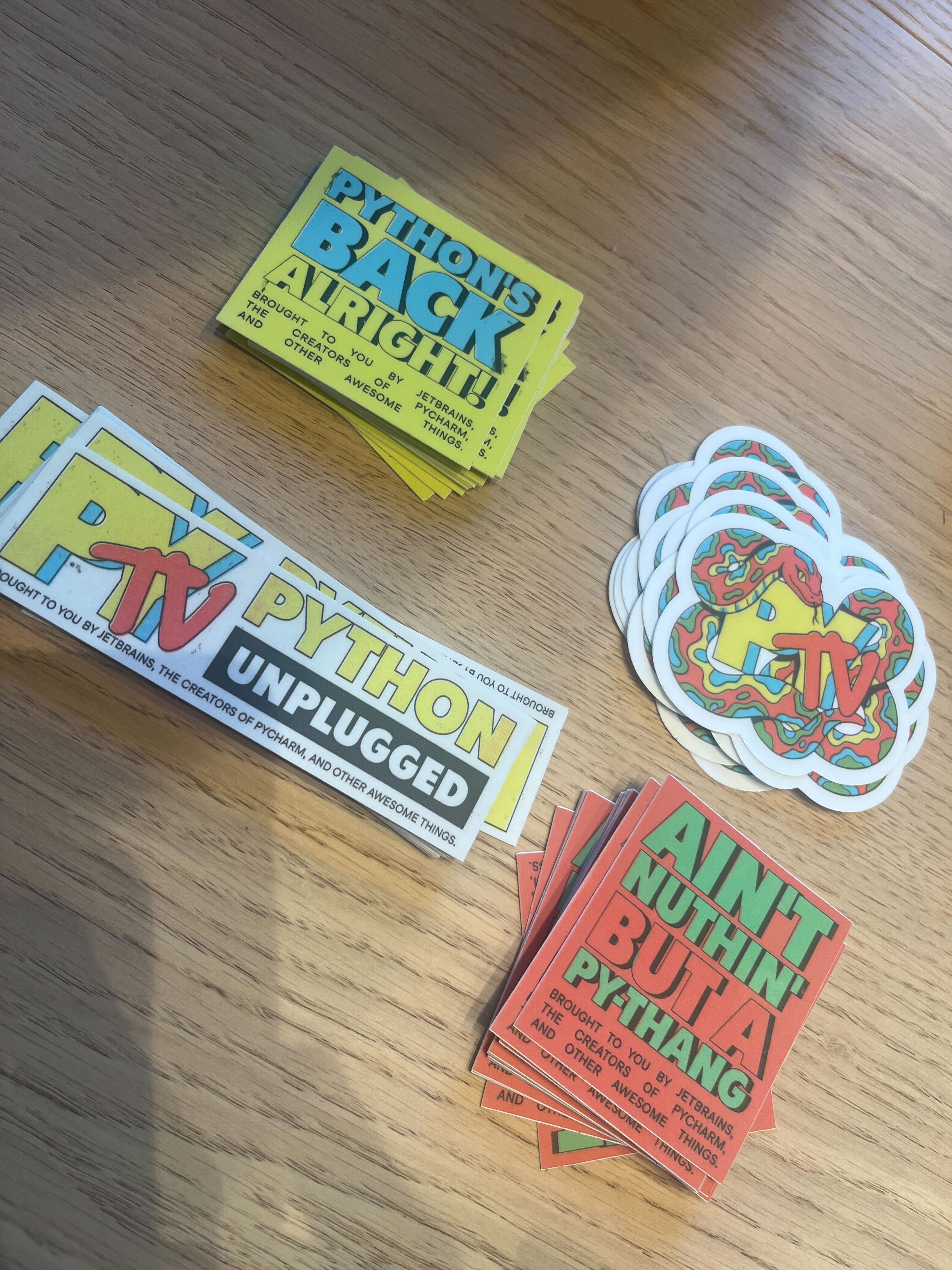 PyTV Stickers for all participants
 PyTV Totebags
 PyTV posters
Python content for everyone
After a brief opening introducing the conference and the event Discord, we began with a series of talks focused on the community, learning Python, and other hot Python topics. We also had two panels, both absolutely inspiring: one on the role of AI in open source and another featuring prominent members of PyLadies.
Following our first block of speakers, we moved on to web development-focused talks from key people involved with the Django framework. We then had a series of talks from experts across the data science and AI world, including speakers from Microsoft, Hugging Face, and LlamaIndex, who gave us up-to-date insights into open-source AI and agent-based approaches. We ended with a talk by Carol Willing, one of the most respected figures in the Python community.
Throughout the day, we ran a quiz for the audience to test their knowledge about Python and the community. Since we had many audience members learning Python, we hope they learned some fun facts about Python through the quiz.
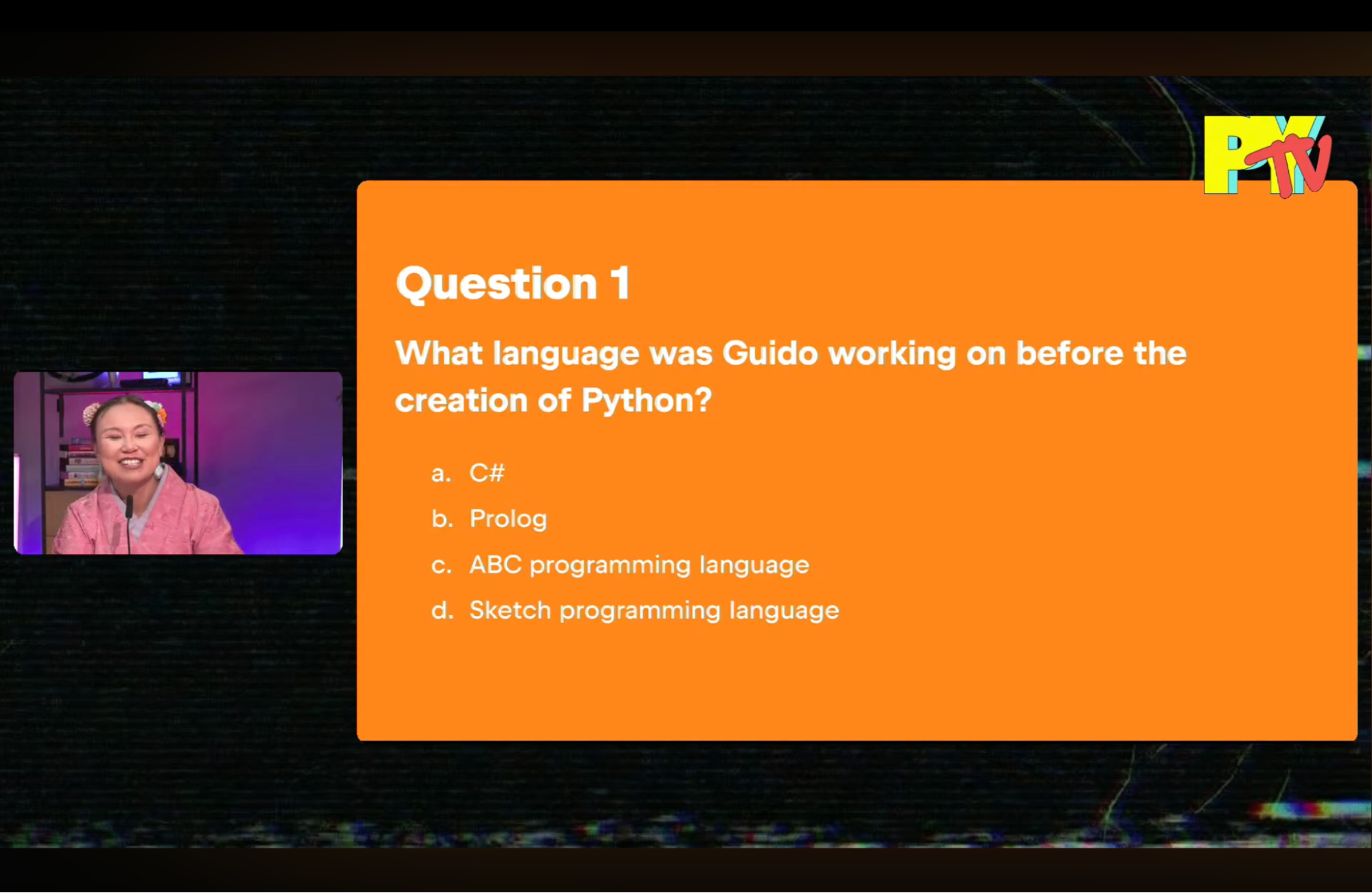 First of 8 questions on the Python ecosystem
 Sarah Boyce, Will Vincent, Sheena O’Connell, Carlton Gibson, Marlene Mhangami
Next year?
Looking at the numbers, we had more than 5,500 people join us during the live stream, with most of them watching at least one talk. We’ve since had another 8,000 people as of this writing watch the event recording.
We’d love to do this event again next year. If you have suggestions for speakers, topics, swag, or anything else please leave it in the comments!
Rodrigo Girão Serrão
TIL #141 – Inspect a lazy import

Today I learned how to inspect a lazy import object in Python 3.15.
Python 3.15 comes with lazy imports and today I played with them for a minute.
I defined the following module mod.py:
print("Hey!")

def f():
    return "Bye!"
Then, in the REPL, I could check that lazy imports indeed work:
>>> # Python 3.15
>>> lazy import mod
>>>
The fact that I didn't see a "Hey!" means that the import is, indeed, lazy. Then, I wanted to take a look at the module so I printed it, but that triggered reification (going from a lazy import to a regular module):
>>> print(mod)
Hey!
<module 'mod' from '/Users/rodrigogs/Documents/tmp/mod.py'>
So, I checked the PEP that introduced explicit lazy modules and turns out as soon as you reference the lazy object directly, it gets reified.
But you can work around it by using globals:
>>> # Fresh 3.15 REPL
>>> lazy import mod
>>> globals()["mod"]
<lazy_import 'mod'>
This shows the new class lazy_import that was added to support lazy imports!
Pretty cool, right?
PyCharm
Python Unplugged on PyTV Recap
Real Python
The Real Python Podcast – Episode #287: Crafting and Editing In-Depth Tutorials at Real Python
What goes into creating the tutorials you read at Real Python? What are the steps in the editorial process, and who are the people behind the scenes? This week on the show, Real Python team members Martin Breuss, Brenda Weleschuk, and Philipp Acsany join us to discuss topic curation, review stages, and quality assurance.
[ Improve Your Python With 🐍 Python Tricks 💌 – Get a short & sweet Python Trick delivered to your inbox every couple of days. >> Click here to learn more and see examples ]
Quiz: Your Python Coding Environment on Windows: Setup Guide
Test your understanding of Python Coding Setup on Windows.
By working through this quiz, you’ll review the key steps for setting up a Python development environment on Windows. You’ll cover system updates, Windows Terminal, package managers, PowerShell profiles, environment variables, and safe use of remote scripts.
You’ll also check practical details like configuring Path, managing Python versions, using version control, and streamlining your workflow.
[ Improve Your Python With 🐍 Python Tricks 💌 – Get a short & sweet Python Trick delivered to your inbox every couple of days. >> Click here to learn more and see examples ]
PyPy
PyPy v7.3.21 release
PyPy v7.3.21: release of python 2.7, 3.11
The PyPy team is proud to release version 7.3.21 of PyPy after the previous release on July 4, 2025. This is a bug-fix release that also updates to Python 3.11.15.
The release includes two different interpreters:
PyPy2.7, which is an interpreter supporting the syntax and the features of Python 2.7 including the stdlib for CPython 2.7.18+ (the
+is for backported security updates)PyPy3.11, which is an interpreter supporting the syntax and the features of Python 3.11, including the stdlib for CPython 3.11.15.
The interpreters are based on much the same codebase, thus the double release. This is a micro release, all APIs are compatible with the other 7.3 releases.
We recommend updating. You can find links to download the releases here:
We would like to thank our donors for the continued support of the PyPy project. If PyPy is not quite good enough for your needs, we are available for direct consulting work. If PyPy is helping you out, we would love to hear about it and encourage submissions to our blog via a pull request to https://github.com/pypy/pypy.org
We would also like to thank our contributors and encourage new people to join the project. PyPy has many layers and we need help with all of them: bug fixes, PyPy and RPython documentation improvements, or general help with making RPython's JIT even better.
If you are a python library maintainer and use C-extensions, please consider making a HPy / CFFI / cppyy version of your library that would be performant on PyPy. In any case, cibuildwheel supports building wheels for PyPy.
What is PyPy?
PyPy is a Python interpreter, a drop-in replacement for CPython It's fast (PyPy and CPython performance comparison) due to its integrated tracing JIT compiler.
We also welcome developers of other dynamic languages to see what RPython can do for them.
We provide binary builds for:
x86 machines on most common operating systems (Linux 32/64 bits, Mac OS 64 bits, Windows 64 bits)
64-bit ARM machines running Linux (
aarch64) and macos (macos_arm64).
PyPy supports Windows 32-bit, Linux PPC64 big- and little-endian, Linux ARM 32 bit, RISC-V RV64IMAFD Linux, and s390x Linux but does not release binaries. Please reach out to us if you wish to sponsor binary releases for those platforms. Downstream packagers provide binary builds for debian, Fedora, conda, OpenBSD, FreeBSD, Gentoo, and more.
What else is new?
For more information about the 7.3.21 release, see the full changelog.
Please update, and continue to help us make pypy better.
Cheers, The PyPy Team
eGenix.com
PyDDF Python Spring Sprint 2026
The following text is in German, since we're announcing a Python sprint in Düsseldorf, Germany.
Ankündigung
Python Meeting Spring Sprint 2026 in
Düsseldorf
Samstag, 21.03.2026, 10:00-18:00 Uhr
Sonntag, 22.03.2026. 10:00-18:00 Uhr
Atos Information Technology GmbH, Am Seestern 1, 40547 Düsseldorf
Informationen
Das Python Meeting Düsseldorf (PyDDF) veranstaltet mit freundlicher Unterstützung von Atos Deutschland ein Python Sprint Wochenende.Der Sprint findet am Wochenende 21/22.03.2026 in der Atos Niederlassung, Am Seestern 1, in Düsseldorf statt.Folgende Themengebiete sind als Anregung bereits angedacht:
- MicroPythonOS: Portierung auf einen ESP32-S3 mit Display, Vernetzung per ESP-NOW
- Python Desktop Anwendungen mit Django und Electron umsetzen
- Weitere Themen folgen in den nächsten Tagen
Anmeldung, Kosten und weitere Infos
Alles weitere und die Anmeldung findet Ihr auf unserer Blog Seite:
WICHTIG: Ohne Anmeldung können wir den Gebäudezugang nicht vorbereiten. Eine spontane Anmeldung am Sprint Tag wird daher vermutlich nicht funktionieren.
Teilnehmer sollten sich zudem in der PyDDF Telegram Gruppe registrieren, da wir uns dort koordinieren:
Über das Python Meeting Düsseldorf
Das Python Meeting Düsseldorf ist eine regelmäßige Veranstaltung in Düsseldorf, die sich an Python-Begeisterte aus der Region wendet.
Einen guten Überblick über die Vorträge bietet unser PyDDF YouTube-Kanal, auf dem wir Videos der Vorträge nach den Meetings veröffentlichen.Veranstaltet wird das Meeting von der eGenix.com GmbH, Langenfeld, in Zusammenarbeit mit Clark Consulting & Research, Düsseldorf.
Marc-André Lemburg, eGenix.com
Daniel Roy Greenfeld
To return a value or not return a value
I believe any function that changes a variable should return a variable. For example, I argue that Python's random.shuffle() is flawed. This is how random.shuffle() unfortunately works:
import random

my_list = [1, 2, 3, 4, 5]
print(f"Original list: {my_list}")

# Change happens in place
# my_list is forever changed
random.shuffle(my_list)
print(f"Shuffled list: {my_list}")
In my opinion, random.shuffle() should work like this:
import random

my_list = [1, 2, 3, 4, 5]

# Function returns a new, shuffled list
new_list = random.shuffle(my_list)
print(f"Original list: {my_list}")
print(f"Shuffled list: {new_list}")
Of course, Python won't fix this mistake to fit my preference. There's too many places in the universe expecting random.shuffle to change a list in place. Yet it still bugs me every time I see the function. Stuff like this is why I created my listo package, it allowed me to get past my own sense of annoyance. The listo library is barely used, even by myself, serving mostly as a fun exercise that allowed me to scratch an itch about objects changing in place.
Counterargument
Some of you might say, "It's not practical to return giant dict or list objects when you are changing a single value". You are correct. However, does it make sense for random.shuffle and other offenders to muck around with the entirety of a variable's contents? Why shouldn't a function that disrupts the entirety of a variable just return a new variable?
Closing statement
My preference is that when it is reasonable, that the scope is not outrageous, to create functions that return values.
Also, to the people who implemented the original random.shuffle function, you are awesome. I'm just taking advantage of having 20/20 hindsight.
The Python Show
56 - Python Illustrated
In this episode, we hear from two sisters who put together a beginner's book about Python. The unique hook for their book is that one sister wrote the text while the other did the illustrations. Listen in as we learn about these incredible sisters and how they got into software programming, writing, and technical education.
You can check out their book, Python Illustrated, on Packt or Amazon.
Maaike is an Udemy instructor, and she also has courses on Pluralsight.
Audrey M. Roy Greenfeld
Staticware 0.2.0: The first cut
This is an early release. Staticware does something very satisfyingly today: it serves static files with content-hashed URLs for cache busting. That means when you edit your CSS then redeploy and restart your server, visitors get the latest CSS without forcing a refresh. More will come.
I originally created the code behind Staticware as part of Air, building static file handling was built directly into the framework. Extracting it into standalone ASGI middleware meant that anyone building with Starlette, FastAPI, or raw ASGI could use it too, not just Air users. I even started a PR exploring getting it working with Django.
This package is dedicated to the memory of Michael Ryabushkin (aka goodwill), who died in 2025. Michael was a Pyramid developer who also helped host and grow the LA Django community. He believed that when you build something useful, you should build it for everyone, not just your own framework's users. He advocated that Python web developers learn to write packages generalized enough for the whole community to benefit. Staticware exists as a standalone ASGI library instead of framework-specific code because that's the kindest way to build it, and Michael was one of the people who made that obvious.
uv add staticware
What's in this release
Content-hashed static file serving. HashedStatic("static") scans a directory at startup, computes content hashes, and serves files at URLs like /static/styles.a1b2c3d4.css. Hashed URLs get Cache-Control: public, max-age=31536000, immutable. Original filenames still work with standard caching, and repeated requests return 304 Not Modified.
Automatic HTML rewriting. StaticRewriteMiddleware wraps any ASGI app and rewrites static paths in HTML responses to their hashed equivalents. Streaming responses are buffered and rewritten transparently. Non-HTML responses pass through untouched.
Template URL resolution. static.url("styles.css") returns the cache-busted URL for use in any template engine. Unknown files return the original path with the prefix, so nothing breaks if a file is missing from the directory.
Aims to work with every ASGI framework. Tested with Starlette, FastAPI, Air, and raw ASGI. I've started experimental exploration of it with Django in a PR but that's not part of this release yet. Supports root_path for mounted sub-applications so cache-busted URLs work correctly behind reverse proxies and path prefixes.
Security built in. Path traversal attempts are rejected at both startup (files resolving outside the directory are excluded) and serving time (resolved paths are validated). Files that could escape the static directory never make it into the URL map.
Contributors
@audreyfeldroy (Audrey M. Roy Greenfeld) designed and built staticware: the hashing engine, ASGI serving, HTML rewriting middleware, path traversal protection, 304 support, root_path handling, and the full test suite.
@pydanny (Daniel Roy Greenfeld) reviewed and merged the middleware return value fix (PR #2).
March 12, 2026
Python Morsels
Standard error
Standard error is one of the two writable file streams that is used for printing errors, warning messages, or any outputs that shouldn't be mixed with the main program.

Table of contents
Printing writes to "standard output" by default
When we call Python's print function, Python will write to standard output:
>>> print("Hi!")
Hi!
Standard output is a file-like object, also known as a file stream.
The standard output file-like object is represented by the stdout object in Python's sys module.
If we look at the documentation for Python's print function, we'll see that by default, print writes to sys.stdout:
>>> help(print)

Help on built-in function print in module builtins:

print(*args, sep=' ', end='\n', file=None, flush=False)
    Prints the values to a stream, or to sys.stdout by default.

    sep
      string inserted between values, default a space.
    end
      string appended after the last value, default a newline.
    file
      a file-like object (stream); defaults to the current sys.stdout.
    flush
      whether to forcibly flush the stream.
If we call the write method on sys.stdout, text will write to the terminal screen:
>>> import sys
>>> bytes_written = sys.stdout.write("Hello!\n")
Hello!
Python also has a "standard error" stream
Standard output is actually one …
Read the full article: https://www.pythonmorsels.com/standard-error/
Real Python
Quiz: How to Use Ollama to Run Large Language Models Locally
In this quiz, you’ll test your understanding of How to Use Ollama to Run Large Language Models Locally.
By working through this quiz, you’ll revisit how to install Ollama, pull and manage models, chat with local LLMs from your terminal, and connect them to AI coding tools.
Running models locally means your prompts stay private and no API keys or cloud services are needed. See how well you remember the key commands and concepts.
[ Improve Your Python With 🐍 Python Tricks 💌 – Get a short & sweet Python Trick delivered to your inbox every couple of days. >> Click here to learn more and see examples ]
Quiz: Working With Files in Python
In this quiz, you’ll test your understanding of Working With Files in Python.
By working through this quiz, you’ll revisit key techniques for handling files and directories in Python. You’ll practice safely opening files, iterating over directories, and filtering entries to select only files or subdirectories.
You’ll also explore creating directories and managing files and directories, including deleting, copying, and renaming them.
[ Improve Your Python With 🐍 Python Tricks 💌 – Get a short & sweet Python Trick delivered to your inbox every couple of days. >> Click here to learn more and see examples ]
Python Software Foundation
Applications to Join the PSF Meetup Pro Network Are Back Open
Following the introduction of the PSF Community Partner Program, the Python Software Foundation (PSF) is pleased to announce that we have reopened the application for Python Meetup groups to join the PSF’s Meetup Pro Network! We’re very excited to bring back this offering to the Python community after applications were temporarily suspended under the broader PSF Grants Program pause last August. Make sure to check out the PSF’s Meetup Pro Network documentation page for more information on how to apply.
Reopening applications for the PSF’s Meetup Pro Network is a small but meaningful step forward for our community support-focused programs. The rest of the PSF Grants Program remains on hold while we work through important considerations, such as what we can responsibly budget and how the program will be structured for long-term sustainability. We look forward to sharing more updates when possible.
The PSF welcomes your comments, feedback, and suggestions regarding the reopening of the PSF Meetup Pro Network on the corresponding Discuss thread. We also invite you to join our upcoming PSF Board or Grants Program Office Hour sessions to talk with the PSF Board and Staff synchronously. If you wish to send your feedback privately, please email grants@python.org.
About the PSF’s Meetup Pro Network
The PSF manages a Meetup Pro account and adds qualified Python-focused Meetup groups to the overarching PSF Meetup Pro Network. Meetup organizers no longer pay for Meetup subscriptions once they become part of the PSF’s network. We currently have 109 groups in the PSF Meetup Pro Network, which costs the PSF $15/month per group.
The PSF can run reports on Meetup activity, such as the number of interested attendees and events. Management of membership and events is left to the group’s organizers. Any registration fees or deposits for RSVPing or paying for registration to an event are also managed solely by the Meetup organizer.
Once a Meetup organizer accepts the invite to join, a notation will be shown under the group name: “Part of Python Software Foundation Meetup Pro Network.” Check out the Meetup Pro overview page for more information.
Criteria and how to apply
We've made the application process and criteria as simple as possible, so Python Meetup groups around the world can easily get the support they need. Along those lines, we’ve kept the requirements short and sweet—to qualify for the PSF’s Meetup Pro Network, a Meetup group must:
- Offer content that is majority Python related
- Include or link to a Code of Conduct in the About section of the Meetup page
- Hold at least 2 events per year (virtual or in-person)
To apply, fill out the short application form on psfmember.org, that asks for basic contact information, as well as gathers information related to the criteria listed above. Make sure you have an account on psfmember.org and that you’re signed in! A PSF Staff member will reach out with any questions or provide the steps needed to add eligible groups to the PSF Meetup Pro Network.
About the Python Software Foundation
The Python Software Foundation is a US non-profit whose mission is to promote, protect, and advance the Python programming language, and to support and facilitate the growth of a diverse and international community of Python programmers. The PSF supports the Python community using corporate sponsorships, grants, and donations. Are you interested in sponsoring or donating to the PSF so we can continue supporting Python and its community? Check out our sponsorship program, donate directly, or contact our team at sponsors@python.org!
March 11, 2026
Python Morsels
Making friendly classes
A friendly class accepts sensible arguments, has a nice string representation, and supports equality checks.
Table of contents
Always make your classes friendly
So you've decided to make a class. How can you make your class more user-friendly?
Friendly classes have these 3 qualities:
- They accept sensible arguments
- Instances have a nice string representation
- Instances can be sensibly compared to one another
- (Optionally) When it makes sense, they embrace dunder methods to overload functionality
An example friendly class
Here's a fairly friendly Point …
Read the full article: https://www.pythonmorsels.com/friendly-classes/
Real Python
Pydantic AI: Build Type-Safe LLM Agents in Python
Pydantic AI is a Python framework for building LLM agents that return validated, structured outputs using Pydantic models. Instead of parsing raw strings from LLMs, you get type-safe objects with automatic validation.
If you’ve used FastAPI or Pydantic before, then you’ll recognize the familiar pattern of defining schemas with type hints and letting the framework handle the type validation for you.
By the end of this tutorial, you’ll understand that:
- Pydantic AI uses
BaseModelclasses to define structured outputs that guarantee type safety and automatic validation. - The
@agent.tooldecorator registers Python functions that LLMs can invoke based on user queries and docstrings. - Dependency injection with
deps_typeprovides type-safe runtime context like database connections without using global state. - Validation retries automatically rerun queries when the LLM returns invalid data, which increases reliability but also API costs.
- Google Gemini, OpenAI, and Anthropic models support structured outputs best, while other providers have varying capabilities.
Before you invest time learning Pydantic AI, it helps to understand when it’s the right tool for your project. This decision table highlights common use cases and what to choose in each scenario:
| Use Case | Pydantic AI | If not, look into … |
|---|---|---|
| You need structured, validated outputs from an LLM | ✅ | - |
| You’re building a quick prototype or single-agent app | ✅ | - |
| You already use Pydantic or FastAPI | ✅ | - |
| You need a large ecosystem of pre-built integrations (vector stores, retrievers, and so on) | - | LangChain or LlamaIndex |
| You want fine-grained control over prompts with no framework overhead | - | Direct API calls |
Pydantic AI emphasizes type safety and minimal boilerplate, making it ideal if you value the FastAPI-style development experience.
Get Your Code: Click here to download the free sample code you’ll use to work with Pydantic AI and build type-safe LLM agents in Python.
Take the Quiz: Test your knowledge with our interactive “Pydantic AI: Build Type-Safe LLM Agents in Python” quiz. You’ll receive a score upon completion to help you track your learning progress:
Interactive Quiz
Pydantic AI: Build Type-Safe LLM Agents in PythonLearn the trade-offs of using Pydantic AI in production, including validation retries, structured outputs, tool usage, and token costs.
Start Using Pydantic AI to Create Agents
Before you dive into building agents with Pydantic AI and Python, you’ll need to install it and set up an API key for your chosen language model provider. For this tutorial, you’ll use Google Gemini, which offers a free tier perfect for experimentation.
Note: Pydantic AI is LLM-agnostic and supports multiple AI providers. Check the Model Providers documentation page for more details on other providers.
You can install Pydantic AI from the Python Package Index (PyPI) using a package manager like pip. Before running the command below, you should create and activate a virtual environment:
(venv) $ python -m pip install pydantic-ai
This command installs all supported model providers, including Google, Anthropic, and OpenAI. From this point on, you just need to set up your favorite provider’s API key to use their models with Pydantic AI. Note that in most cases, you’d need a paid subscription to get a working API key.
Note: You can also power your Pydantic AI apps with local language models. To do this, you can use Ollama with your favorite local models. In this scenario, you won’t need to set up an API key.
If you prefer a minimal installation with only Google Gemini support, you can install the slim package instead:
(venv) $ python -m pip install "pydantic-ai-slim[google]"
You need a personal Google account to use the Gemini free tier. You’ll also need a Google API key to run the examples in this tutorial, so head over to ai.google.dev to get a free API key.
Once you have the API key, set it as an environment variable:
With the installation complete and your API key configured, you’re ready to create your first agent. The Python professionals on Real Python’s team have technically reviewed and tested all the code examples in this tutorial, so you can work through them knowing they run as shown.
Read the full article at https://realpython.com/pydantic-ai/ »
[ Improve Your Python With 🐍 Python Tricks 💌 – Get a short & sweet Python Trick delivered to your inbox every couple of days. >> Click here to learn more and see examples ]
Quiz: Threading in Python
In this quiz, you’ll test your understanding of Threading in Python.
By working through this quiz, you’ll revisit how to create and manage threads, use ThreadPoolExecutor, prevent race conditions with locks, and build producer-consumer pipelines with the queue module.
You can also review the written tutorial An Intro to Threading in Python for additional details and code examples.
[ Improve Your Python With 🐍 Python Tricks 💌 – Get a short & sweet Python Trick delivered to your inbox every couple of days. >> Click here to learn more and see examples ]
Quiz: Create and Modify PDF Files in Python
In this quiz, you’ll test your understanding of Creating and Modifying PDF Files in Python.
By working through this quiz, you’ll practice reading, extracting, and modifying PDFs using the pypdf library. You’ll also review how to write new PDFs, concatenate and merge files, crop pages, and encrypt or decrypt documents.
These skills help you automate PDF workflows and handle documents programmatically in Python.
[ Improve Your Python With 🐍 Python Tricks 💌 – Get a short & sweet Python Trick delivered to your inbox every couple of days. >> Click here to learn more and see examples ]
