
ServerPanel adds a player information menu to your server, where you can both share important and useful information with your players and integrate your plugins into it!
🌟 Features
User-Friendly Interface: Intuitive GUI for easy navigation and interaction.
Economy Integration: Supports various economy plugins for seamless financial management.
Dynamic Menu Categories: Organize functionalities into customizable categories for better user experience.
Extensive Configuration Options: Almost every aspect of the plugin can be customized, including messages, colors, sizes, fonts, tion.
Auto-Open Menu: Automatically displays the menu upon player connection, configurable per server settings.
Block Settings: Control access to the menu during building, raiding, or combat situations to enhance gameplay balance.
Multiple Economy Head Fields: Display various economic metrics such as balance, server rewards, and bank information.
Permission Management: Fine-tune permissions for different user roles to control access to features.
Localization Support: Easily translate and customize all messages for different languages.
Performance Optimized: Designed to minimize server lag while providing rich functionality.
Customizable Hooks: Integrate with existing economy systems using customizable hooks for adding, removing, and displaying balances.
Editor Position Change: Admins can now change editor positions with a simple click, choosing between left, center, or right alignments.
Command Enhancements: Commands are now processed with multiple arguments separated by "|", enabling bulk command processing.
🎮 Commands
/info – open menu
/sp.install (or) /welcome.install – open installer menu
sp.migrations – console command for updating plugin data structure when upgrading to new versions. Automatically creates backups before making changes.
sp.migrations list – shows available migrations and whether they need to run
sp.migrations run <version> – runs specific migration (e.g., "1.3.0")
sp.migrations run <version> force – forces migration even if not detected as needed
🛡️ Permissions
serverpanel.edit – allows players to edit the plugin settings and open the edit menu
serverpanelinstaller.admin - required to access the plugin installation functions
🎥 Video
🖼️ Showcase
Templates
Template V1
Template V2
Template V3
Template V5
Editor
Installer
🧪 TEST SERVER
Join our test server to view and experience all our unique features yourself!
Copy the IP Address below to start playing!
connect 194.147.90.239:28015
📊 Update Fields
ServerPanel supports dynamic update fields that can be used in your templates to display real-time information. These fields are automatically updated and can be used in text components, headers, and other interface elements.
Player Information
{online_players} – Number of currently online players
{sleeping_players} – Number of sleeping players
{all_players} – Total number of players (online + sleeping)
{max_players} – Maximum server capacity
{player_kills} – Player's kill count (requires KillRecords, Statistics, or UltimateLeaderboard)
{player_deaths} – Player's death count (requires KillRecords, Statistics, or UltimateLeaderboard)
{player_username} – Player's display name
{player_avatar} – Player's Steam ID for avatar display
Economy
{economy_economics} – Economics plugin balance
{economy_server_rewards} – ServerRewards points
{economy_bank_system} – BankSystem balance
Note: Economy fields are fully customizable in "oxide/config/ServerPanel.json" under "Economy Header Fields". You can add support for any economy plugin by configuring the appropriate hooks (Add, Balance, Remove). Custom keys can be created and used in templates just like the default ones.
Server Information
{server_name} – Server hostname
{server_description} – Server description
{server_url} – Server website URL
{server_headerimage} – Server header image URL
{server_fps} – Current server FPS
{server_entities} – Number of entities on server
{seed} – World seed
{worldsize} – World size
{ip} – Server IP address
{port} – Server port
{server_time} – Current server time (YYYY-MM-DD HH:MM:SS)
{tod_time} – Time of day (24-hour format)
{realtime} – Server uptime in seconds
{map_size} – Map size in meters
{map_url} – Custom map URL
{save_interval} – Auto-save interval
{pve} – PvE mode status (true/false)
Player Stats
{player_health} – Current health
{player_maxhealth} – Maximum health
{player_calories} – Calorie level
{player_hydration} – Hydration level
{player_radiation} – Radiation poisoning level
{player_comfort} – Comfort level
{player_bleeding} – Bleeding amount
{player_temperature} – Body temperature
{player_wetness} – Wetness level
{player_oxygen} – Oxygen level
{player_poison} – Poison level
{player_heartrate} – Heart rate
Player Position
{player_position_x} – X coordinate
{player_position_y} – Y coordinate (height)
{player_position_z} – Z coordinate
{player_rotation} – Player rotation (degrees)
Player Connection
{player_ping} – Connection time in seconds
{player_ip} – Player's IP address
{player_auth_level} – Authorization level (0=Player, 1=Moderator, 2=Admin)
{player_steam_id} – Steam ID
{player_connected_time} – Connection start time
{player_idle_time} – Idle time (HH:MM:SS)
Player States
{player_sleeping} – Is sleeping (true/false)
{player_wounded} – Is wounded (true/false)
{player_dead} – Is dead (true/false)
{player_building_blocked} – Is building blocked (true/false)
{player_safe_zone} – Is in safe zone (true/false)
{player_swimming} – Is swimming (true/false)
{player_on_ground} – Is on ground (true/false)
{player_flying} – Is flying (true/false)
{player_admin} – Is admin (true/false)
{player_developer} – Is developer (true/false)
Network & Performance
{network_in} – Network input (currently shows 0)
{network_out} – Network output (currently shows 0)
{fps} – Server FPS
{memory} – Memory allocations
{collections} – Garbage collections count
Usage Example:
You can use these fields in any text component like: "Welcome {player_username}! Server has {online_players}/{max_players} players online."
🔧 API Documentation for Developers
ServerPanel provides an API for plugin developers to integrate their plugins into the menu system.
Required Methods
API_OpenPlugin(BasePlayer player) - Main integration method that returns CuiElementContainer
OnServerPanelClosed(BasePlayer player) - Called when panel closes (cleanup)
OnServerPanelCategoryPage(BasePlayer player, int category, int page) - Called when category changes (cleanup)
OnReceiveCategoryInfo(int categoryID) - Receives your category ID
Integration Example
[PluginReference]
private Plugin ServerPanel;
private int _serverPanelCategoryID = -1;
private void OnServerInitialized()
{
ServerPanel?.Call("API_OnServerPanelProcessCategory", Name);
}
private void OnReceiveCategoryInfo(int categoryID)
{
_serverPanelCategoryID = categoryID;
}
private void OnServerPanelCategoryPage(BasePlayer player, int category, int page)
{
// Cleanup when player switches categories
}
private CuiElementContainer API_OpenPlugin(BasePlayer player)
{
var container = new CuiElementContainer();
// Create base panels (required structure)
container.Add(new CuiPanel()
{
RectTransform = {AnchorMin = "0 0", AnchorMax = "1 1"},
Image = {Color = "0 0 0 0"}
}, "UI.Server.Panel.Content", "UI.Server.Panel.Content.Plugin", "UI.Server.Panel.Content.Plugin");
container.Add(new CuiPanel()
{
RectTransform = {AnchorMin = "0 0", AnchorMax = "1 1"},
Image = {Color = "0 0 0 0"}
}, "UI.Server.Panel.Content.Plugin", "YourPlugin.Background", "YourPlugin.Background");
// Add your plugin's UI elements here
container.Add(new CuiLabel
{
RectTransform = {AnchorMin = "0.1 0.8", AnchorMax = "0.9 0.9"},
Text = {Text = "Your Plugin Interface", FontSize = 16, Align = TextAnchor.MiddleCenter, Color = "1 1 1 1"}
}, "YourPlugin.Background", "YourPlugin.Title");
// Add buttons, panels, etc. using "YourPlugin.Background" as parent
return container;
}
private void OnServerPanelClosed(BasePlayer player)
{
// Cleanup when panel closes
}
Header Update Fields
API_OnServerPanelAddHeaderUpdateField(Plugin plugin, string updateKey, Func<BasePlayer, string> updateFunction) - Registers a per-player string provider for a header placeholder. Returns true on success.
API_OnServerPanelRemoveHeaderUpdateField(Plugin plugin, string updateKey = null) - Unregisters a specific updateKey for your plugin, or all keys for your plugin when updateKey is null. Returns true on success.
Usage Example
[PluginReference]
private Plugin ServerPanel;
private void OnServerInitialized()
{
// Register a dynamic header field for each player
ServerPanel?.Call("API_OnServerPanelAddHeaderUpdateField", this, "{player_kdr}", (Func<BasePlayer, string>)(player => GetKdr(player)));
}
private string GetKdr(BasePlayer player)
{
// Compute and return the value to display in the header for this player
return "1.23";
}
Using in UI: Place your key (e.g., {player_kdr}) directly in Header Field texts. The value will be updated per player using your function.
📚 FAQ
Q: Why can't I open the menu?
A: Make sure that the plugin is installed and activated on your server. If the problem persists, contact the server administrator.
Q: How do I enable Expert Mode? (disables automatic template updates)
A: In the data file "Template.json", turn on the "Use an expert mod?" option:
"Use an expert mod?": true,
P.S. "Template.json” is located in the "oxide/data/ServerPanel" directory (if you use Oxide) or in the "carbon/data/ServerPanel" directory (if you use Carbon)
Q: I see black images with Rust logo or get error 429 when loading images. What should I do?
A: These issues occur when there are problems downloading images from the internet. To fix this, enable Offline Image Mode which will use local images instead:
Enable the mode in config:
Open "oxide/config/ServerPanel.json" (or "carbon/config/ServerPanel.json" for Carbon)
Set "Enable Offline Image Mode": true
Set up the images:
Create folder "TheMevent" in "oxide/data" (or "carbon/data" for Carbon)
Download PluginsStorage (click "CODE" → "Download ZIP")
Extract the ZIP and copy all contents to the "TheMevent" folder
Reload the plugin:
Type o.reload ServerPanel (Oxide) or c.reload ServerPanel (Carbon)
Note: If using a hosting service, you may need to use their file manager or FTP to upload the files.
Q: Does ServerPanel work only with Mevent's plugins?
A: Currently, ServerPanel integrates seamlessly with Mevent's plugins (Shop, Kits, Daily Rewards, etc.). However, other developers can use the provided API to integrate their plugins into the menu system. The plugin system is designed to be extensible for third-party integrations.
Q: Why do integrated plugins (Shop, Kits) have different window sizes?
A: Different plugins may use different templates for integration. Make sure all your integrated plugins use the same template version (V1, V2, etc.) that matches your ServerPanel template. Update the template in each plugin to ensure consistent sizing.
Q: The panel displays differently for different players. How can I make it show the same on everyone's screen?
A: This issue occurs when players have different UI scale settings. To fix this and ensure consistent display for all players:
Open the "Template.json" file located in "oxide/data/ServerPanel" (or "carbon/data/ServerPanel" for Carbon)
Find the "Parent (Overlay/Hud)" setting in the "Background" section
Change the value from "Overlay" to "OverlayNonScaled"
Save the file and restart your server or reload the plugin
Q: How can I change the video displayed in the ServerPanel interface to my own custom video?
A: Yes, you can replace the default video with your own! You need to find and modify the command:
serverpanel_broadcastvideo [your_video_url]
Replace [your_video_url] with the direct link to your video. For best compatibility, we recommend hosting your video on imgur.com.
Q: My custom images are not loading or show as blank/question marks. What image hosting should I use?
A: For custom images, we recommend using imgbb.com for image hosting. Avoid Imgur and services without direct access to the image. For the most reliable experience, use Offline Image Mode with local images instead.
Q: How can I make plugin UIs open outside of the ServerPanel menu instead of inside categories?
A: You can configure buttons to execute chat commands that open plugin UIs independently. To do this:
In your button configuration, set "Chat Button": true
Set the "Commands" field to "chat.say /command" (replace "command" with the actual plugin command)
Example: To open the Cases plugin outside the menu:
"Chat Button": true
"Commands": "chat.say /cases"
This will execute the command as if the player typed it in chat, opening the plugin's interface independently rather than within the ServerPanel menu.
Q: Text in V4 template is shifting or sliding out of place. How can I fix this?
A: This issue occurs when text width isn't properly configured. ServerPanel provides "TITLE LOCALIZATION" settings to control text width for categories and pages:
Open the ServerPanel editor (click the "ADMIN MODE" button to open the edit menu)
Select the category or page you want to edit (click to "EDIT CATEGORY" or "EDIT PAGE" button)
In the editor, find the "TITLE LOCALIZATION" section
For each language (en, ru, etc.), you'll see three columns:
LANGUAGE - The language code
TEXT - The localized text content
WIDTH (px) - The width setting in pixels
Adjust the "WIDTH (px)" value to match your text length. Longer text requires larger width values
Save your changes and test in-game
Tip: Start with a width value around 100-150 pixels for short text, and increase it for longer titles. You can adjust this value until the text displays correctly without shifting.
Featured framework
Carbon for modern Rust servers
Fast, self-updating, and built for performance with seamless in-game plugin and server management.
1,400+
servers powered by Carbon
This is a custom package created by us, featuring 110 unique bases and a specialized loot setup tailored for five difficulty levels, ranging from Easy to Nightmare.
Note: The building skins in the package showcase images may differ from the spawned bases or use the default building skin.
Warning: The Raidable Bases plugin requires the Copy Paste plugin to function. You must install both for this bases pack to work.
🔗 Raidable Bases (Paid): https://codefling.com/plugins/raidable-bases
🔗 Copy Paste (Free): https://umod.org/plugins/copy-paste
This Raidable Bases Pack & Loot Tables package includes:
🏡30 Easy Bases +🗡️Base_Loot Tables (Easy "Vanilla" and "Enhanced" tables included)
🏡30 Medium Bases +🗡️Base_Loot Tables (Medium "Vanilla" and "Enhanced" tables included)
🏡30 Hard Bases +🗡️Base_Loot Tables (Hard "Vanilla" and "Enhanced" tables included)
🏡10 Expert Bases +🗡️Base_Loot Tables (Expert "Vanilla" and "Enhanced" tables included)
🏡10 Nightmare Bases +🗡️Base_Loot Tables (Nightmare "Vanilla" and "Enhanced" tables included)
Beware: Our loot table package includes only the 5-tier loot tables within the Base_loot folder, ranging from easy to nightmare.
It does not include the loot tables from the Difficulty_Loot or Weekday_Loot folders.
With a total of 110 bases, this package focuses on simplicity and optimization.
Most bases are protected by turrets and traps, and each base is designed with player PC performance and server stability in mind.
VANILLA AND ENHANCED LOOT TABLES FOR RAIDABLE BASES
This package includes 10 different base loot table files, ensuring a well-structured and advanced configuration for every difficulty level, from Easy to Nightmare.
5 loot files for the Vanilla setup (Easy, Medium, Hard, Expert, Nightmare), offering a balanced loot experience with some junk items, staying close to a 1x rate.
5 loot files for the Enhanced setup (Easy, Medium, Hard, Expert, Nightmare), designed for modded servers with 2x, 3x, or higher gather rates, featuring cleaner loot tables with minimal junk and more valuable rewards.
📁 Installation Path:
All loot table files are intended for the /oxide/data/RaidableBases/Base_Loot directory.
⚠️ Setup Requirement: You must choose and install only one loot table setup at a time—either Vanilla or Enhanced. If you want to switch, you can replace the current files with the other set, but both cannot be active simultaneously.
For those exclusively seeking the loot table, we offer it as a standalone product: https://codefling.com/customizations/raidable-bases-loot-tables-pack
(Note: If you've purchased our Raidable Bases Pack & Loot Tables (110 Bases) package, there is no need to buy this separately.)
WARNING: TWO DIFFERENT INSTALLATION METHODS
(PLEASE READ BOTH AND APPLY ONLY THE ONE THAT FITS YOUR NEEDS)
INSTALLATION GUIDE 1:
(If you do not have a custom configuration and are not a professional in server configurations, choose this option. However, if you already have your own configuration and profile settings and do not wish to use the optional configs we provide—in other words, if you only need the bases and loot tables—use the second installation guide instead.)
Step 1: Place the Config File
From the extracted ZIP files, locate the config folder and find the RaidableBases.json file. Move it to the following directory:
📁 /serverfiles/oxide/config
Step 2: Place the Bases
From the extracted ZIP files, locate the copypaste folder and move it to the following directory:
📁 /serverfiles/oxide/data
Step 3: Place the Base_Loot Tables
From the extracted ZIP files, locate the Base_Loot folder and move it to the following directory:
📁 /serverfiles/oxide/data/RaidableBases
Important: If there are any existing JSON files inside this folder that are not part of our loot tables, delete them to ensure proper functionality.
Choose between Vanilla or Enhanced loot tables based on your preference.
If the folder is named "Base_Loot (Enhanced loot)", remove the text in parentheses so that the correct folder name is simply: "Base_Loot" (Otherwise, the loot tables will not work properly.)
Step 4: Place the Profiles Folder
From the extracted ZIP files, locate the profiles folder and move it to the following directory:
📁 /serverfiles/oxide/data/RaidableBases
Why Are Profiles Important?
The profiles folder contains crucial settings that allow you to:
✔️ Enable/disable the dome
✔️ Enable/disable NPCs
✔️ Adjust the number of lootable items
These are just a few examples—there are dozens of important settings that directly affect how raid bases function. The config file alone is not enough—these files play a major role in customizing your raid bases.
⚠️ I strongly recommend reviewing each difficulty setting (Easy to Nightmare) inside the profiles folder and adjusting them based on your needs.
Step 5: Restart the plugin via RCON:
o.reload RaidableBases
INSTALLATION GUIDE 2:
(Use this installation method if you do not want to use our configurations and instead prefer to use your own config files and your own /oxide/data/RaidableBases/Profiles configurations.)
In this case, you only need to add the bases. To do this, use the following commands in RCON:
Step 1:
You can add bases one by one or in bulk.
After executing the commands in RCON, the bases will be registered inside the Profiles configuration.
If you do not want to deal with these adjustments, it is recommended to use Installation Guide 1 instead.
A- Example RCON commands:
rb.config add "Easy Bases" fullwipedeasy1
rb.config add "Hard Bases" fullwipedhard1
B- Commands to Integrate Raid Bases in Bulk via RCON:
rb.config add "Easy Bases" fullwipedeasy1 fullwipedeasy2 fullwipedeasy3 fullwipedeasy4 fullwipedeasy5 fullwipedeasy6 fullwipedeasy7 fullwipedeasy8 fullwipedeasy9 fullwipedeasy10 fullwipedeasy11 fullwipedeasy12 fullwipedeasy13 fullwipedeasy14 fullwipedeasy15 fullwipedeasy16 fullwipedeasy17 fullwipedeasy18 fullwipedeasy19 fullwipedeasy20 fullwipedeasy21 fullwipedeasy22 fullwipedeasy23 fullwipedeasy24 fullwipedeasy25 fullwipedeasy26 fullwipedeasy27 fullwipedeasy28 fullwipedeasy29 fullwipedeasy30
rb.config add "Medium Bases" fullwipedmed1 fullwipedmed2 fullwipedmed3 fullwipedmed4 fullwipedmed5 fullwipedmed6 fullwipedmed7 fullwipedmed8 fullwipedmed9 fullwipedmed10 fullwipedmed11 fullwipedmed12 fullwipedmed13 fullwipedmed14 fullwipedmed15 fullwipedmed16 fullwipedmed17 fullwipedmed18 fullwipedmed19 fullwipedmed20 fullwipedmed21 fullwipedmed22 fullwipedmed23 fullwipedmed24 fullwipedmed25 fullwipedmed26 fullwipedmed27 fullwipedmed28 fullwipedmed29 fullwipedmed30
rb.config add "Hard Bases" fullwipedhard1 fullwipedhard2 fullwipedhard3 fullwipedhard4 fullwipedhard5 fullwipedhard6 fullwipedhard7 fullwipedhard8 fullwipedhard9 fullwipedhard10 fullwipedhard11 fullwipedhard12 fullwipedhard13 fullwipedhard14 fullwipedhard15 fullwipedhard16 fullwipedhard17 fullwipedhard18 fullwipedhard19 fullwipedhard20 fullwipedhard21 fullwipedhard22 fullwipedhard23 fullwipedhard24 fullwipedhard25 fullwipedhard26 fullwipedhard27 fullwipedhard28 fullwipedhard29 fullwipedhard30
rb.config add "Expert Bases" fullwipedexp1 fullwipedexp2 fullwipedexp3 fullwipedexp4 fullwipedexp5 fullwipedexp6 fullwipedexp7 fullwipedexp8 fullwipedexp9 fullwipedexp10
rb.config add "Nightmare Bases" fullwipednight1 fullwipednight2 fullwipednight3 fullwipednight4 fullwipednight5 fullwipednight6 fullwipednight7 fullwipednight8 fullwipednight9 fullwipednight10
Step 2: Place the Base_Loot Tables
From the extracted ZIP files, locate the Base_Loot folder and move it to the following directory:
📁 /serverfiles/oxide/data/RaidableBases
Important: If there are any existing JSON files inside this folder that are not part of our loot tables, delete them to ensure proper functionality.
Choose between Vanilla or Enhanced loot tables based on your preference.
If the folder is named "Base_Loot (Enhanced loot)", remove the text in parentheses so that the correct folder name is simply: "Base_Loot" (Otherwise, the loot tables will not work properly.)
Step 3: Restart the plugin via RCON:
o.reload RaidableBases
EXTRA IMPORTANT INFORMATIONS:
We do not use a dome, NPCs, or arena walls around raid bases on our servers, and in the ZIP file we provided, these features are also disabled by default. If you want to enable them, you will need to adjust the settings accordingly.
For example, to enable the dome, follow the steps below:
Navigate to:
/oxide/data/RaidableBases/Profiles
Open the files inside the Profiles folder with a text editor.
Locate the following settings:
(This is already set to false because it is required for markers to appear on the map.)
"Spawn Silently (No Notification, No Dome, No Map Marker)": false,
"Create Dome Around Event Using Spheres (0 = disabled, recommended = 5)": 0,
Change the value from 0 to 5 as shown below:
"Create Dome Around Event Using Spheres (0 = disabled, recommended = 5)": 5,
Additionally, the loot amount for bases varies depending on the difficulty level (easy, medium, hard, expert, and nightmare). You can adjust this setting in the same Profiles location according to your needs:
"Amount Of Items To Spawn": 210,
For example, in medium bases, this value is set to 210, which determines the total number of items that will appear in crates, furnaces, and the cupboard.
Our current configuration is specifically adjusted to prevent players from feeling overwhelmed by massive buildings right after a wipe. We have configured Maintained Events accordingly to ensure a balanced experience.
In our setup:
- Timed events and purchasable events are disabled.
- After a wipe, easy bases will start spawning 30 minutes later.
- Nightmare bases will begin spawning 48 hours (2 days) later.
Imagine starting the game with just a torch in hand and immediately encountering a nightmare base on the shore.
You’d likely quit the game right away—this setting is crucial for us to avoid such scenarios.
Configuration Example: serverfiles/oxide/config
"Maintained Events": {
"Always Maintain Max Events": true,
"Max Maintained Events": 30,
"Enable X Hours After Wipe (0 = immediately)": {
"Easy": 0.5,
"Medium": 1.0,
"Hard": 3.0,
"Expert": 24.0,
"Nightmare": 48.0
All of our bases from Easy to Nightmare are equipped with turret protection.
If you do not want turrets to spawn in your raidable bases on your server, you can use the following method.
Go to the file path /data/RaidableBases/Profiles, open the JSON files inside with a text editor, and apply the following:
"Kill These Prefabs After Paste": [
"assets/prefabs/npc/autoturret/autoturret_deployed.prefab",
"autoturret_deployed"
],
If you are satisfied with this package, you can support us by leaving a 5-star review on the site where you purchased it. Your feedback motivates us to continue improving and providing even better configurations for dedicated server owners like you.
Please leave a review here: https://codefling.com/bases/raidable-bases-pack-loot-tables-110-bases?tab=reviews
Thank you! ❤️
Support: FULLWIPED DISCORD
Galium — Anti-Cheat & Moderation Platform for Rust Organizations
Detection, intelligence, and enforcement — unified in one organizational dashboard.
Galium is a production anti-cheat service operating since 2022, built for Rust server organizations that need structured moderation at scale — across multiple servers, multiple staff teams, and high player volume.
Not a single plugin.
Operational infrastructure for Rust organizations.
Request Access Join Discord
Your browser does not support the video tag.
What Galium is
Galium is an anti-cheat at its core — designed to detect behavioral abuse through live production signals, risk modeling, and enforcement workflows.
Ahead of public launch, that proven detection foundation expanded into a full moderation and management platform — giving organizations one place to run their entire operational stack:
✓
Anti-cheat detection & risk scoring
✓
Teaming violation detection
✓
Toxicity and chat moderation
✓
Mute & ban management (history, reasons, evidence, traceability)
✓
Staff management & role-based permissions
✓
Organization & server management
✓
Automation rules and operational tooling
✓
Integrations (BattleMetrics + ecosystem-ready)
Galium doesn't replace "one feature."
It replaces fragmentation — plugins, spreadsheets, Discord-only logging, and inconsistent enforcement across servers.
Reputation and production history
Galium has been running in real competitive Rust environments since 2022 — refined through actual enforcement scenarios, edge cases, and the operational realities of moderating at scale.
Over years of production usage, Galium has:
✓
Processed millions of behavioral signals
✓
Evolved risk weighting through real-world outcomes
✓
Prioritized explainability and auditability, not black-box actions
✓
Maintained enforcement consistency across wipes, servers, and staff teams
This launch is not a new experiment — it's the public release of infrastructure that's already been proven in production.
Built for organizations, not single servers
Most "anti-cheat plugins" operate per server. Galium operates at the organization level. That means:
✓
One player identity across your entire org
✓
Risk follows the player, not the server they join
✓
Behavioral profiles persist beyond wipe cycles
✓
Policies and enforcement stay consistent across your infrastructure
✓
Staff actions and decisions are fully traceable across teams
No silos. No per-server blind spots. One structured organizational view.
Unified moderation control center
Galium centralizes your moderation stack into one dashboard — so your team can move fast without losing control.
Threat & moderation tools
Behavioral analytics and risk overview
Teaming detection and investigative context
Prioritized cases based on severity, frequency, and recency
Enforcement & logging
Ban history, mute history, and action timelines
Evidence linkage and structured reasons
Full audit trails across staff actions
Organization operations
Server management and org configuration
Staff roles, permissions, and governance
Subscription and infrastructure controls
Automation & integrations
Automation rules for repeatable enforcement
Sharing agreements and org-level controls
BattleMetrics integration + integration-ready architecture
Performance and infrastructure mindset
Galium is designed for high-population, high-activity environments.
✓
Detection and analysis are designed to avoid server-side performance degradation
✓
Signal processing and intelligence are built to scale with organizational concurrency
✓
Operational clarity is maintained even under peak load
✓
Performance integrity stays preserved — while visibility and enforcement improves.
Structured moderation at scale starts here
If you operate multiple Rust servers and require centralized visibility, cross-server risk intelligence, and controlled enforcement — Galium provides the infrastructure to support it.
Request Access Join Discord
Production anti-cheat since 2022 • Built for Rust server organizations
The RankEval Leaderboard System
Modular, extensible, and designed for Rust's most competitive environments.
From wipe-based PvP ladders to multi-server team tracking, RankEval powers the most advanced leaderboard system in Rust.
Get Started Browse Servers
Your browser does not support the video tag.
🏆 Leaderboards
At the heart of RankEval is a powerful, customizable leaderboard engine.
Track 178 Unique Player Statistics
From kill/death ratios to building and farming efficiency, we process them through our proprietary rating algorithm to generate fair, flexible rankings.
You can configure leaderboards for different modes and filter, rank, and embed them based on your community's needs.
Visualize performance live with Event Maps™, a real-time heatmap showing player positions, hotspots, and PvP activity as it happens. Perfect for post-wipe analysis, staff review, and community engagement.
🔄
Wipe Mode
Resets stats every server wipe
👥
Team Mode
In depth clan/team metrics available
∞
Lifetime Mode
Persist your data across wipes and servers
📍
Event Maps™
Heatmaps & player position tracking
General Overview
Your browser does not support the video tag.
Event Maps™
Your browser does not support the video tag.
☁️ Cloud Control Panel
Every RankEval deployment is managed through a powerful web-based control panel.
Complete Control Over Your System
You can manage every aspect of your RankEval deployment from a single, intuitive interface.
✓
Create custom leaderboards for each server or org
✓
Define stat weightings, rating types, and layout options
✓
Enable or disable modules like team scoring or event tracking
✓
Assign roles and access control per org or server
No two configs are the same — and you don't need to touch a line of code.
Your browser does not support the video tag.
Ready to power the most advanced leaderboard system in Rust?
Join our community of server owners who trust RankEval for their competitive gaming needs.
Get Started Now Browse Servers
Trusted by 200+ Rust organizations worldwide • Built for competitive gaming
$49.90
The map is made in a post-apocalyptic style: fog, abandoned scientific bases, anomalous fields, subways, caves and secret bunkers. Players are waiting for dangerous locations, caves, ruined cities and closed doors, behind which you can find valuable resources.
The island has become a testing ground for experiments at the Cobalt Research Institute. After the accident at the power reactor, the terrain changed: anomalies appeared, the space became unstable, and research was urgently stopped. Scientists have disappeared, laboratories are empty, technology has gone crazy.
Now the island is full of dangers and mysteries. Something continues to work underground, and abnormal zones are growing and being transferred. Those who ventured to explore the area find artifacts and traces of what led to the disaster.
Every step here is a choice between prey and death.
But the deeper you go, the more you feel that this place is going to disappear or explode... very soon.
Features:
Prefab Count: ~58к prefabs
Size: 4500
A lot of interesting locations to explore
Railway
Places for the construction of foundations in the form of unusual rocks, caves, landscape and icebergs
Custom plugin Map Skinner (by Adem)
Custom plugin Npc Moving Control (by Adem)
Custom plugin Emission (by Adem)
Custom plugin Artifacts (by Adem)
Custom plugin Anomalies (by Adem)
Profile BetterNPC
Realistic zombies on the map
The atmosphere of the apocalypse
This map is constantly supported and updated for the current version of the game with all updates!
Description of Plugins:
Emission - Once every 2 - 4 hours, a timer message appears and a large-scale change in the weather and effects occurs, radiation begins to spread, the screen shakes, trees fall and the effects of this event appear. Players need to find shelter underground or in their house (the higher the building level, the less radiation damage will be).
Commands for plugins:
/emissionstart
/emissionstop
Anomalies - There are 4 types of Anomalies on the map, they appear after the end of the Emission. 1 anomaly is electrical (damage is inflicted on the player who is inside the anomaly, configured in the config), 2 anomaly is fiery (there are funnels in the radius, if you step on them, flames are released into the air, you can deactivate the anomaly by throwing a stone into the funnel, there is damage to the player), 3 anomaly is a bubble (in the radius of the bubbles breaks, if the player is too close to it, it will be thrown to the side or into the air, damage is caused only by the player falling), 4 anomaly - light (the most dangerous anomaly, when a blue ray appears, you need to turn away from it sharply, otherwise you will be blinded and a lot of damage will be done, it is configured in the config).
/spawnanomaly presetName - spawns an anomaly in a random position;
/killanomaly - destroys the anomaly closest to the player;
/killallanomalies - destroys all anomalies on the map;
/spawnanomalymypos presetName - will spawn an anomaly in your position
Artifacts - These are stones with some improvements to the player's characteristics, these are increased rates, lack of radiation, increased processing of components (increased extraction of resources from processing), HP recovery (takes away water and food). These artifacts only work in the player's fast slots and have their own HP, which is not repaired. These artifacts can only be found in anomalies with a metal detector in hand.
/giveartifact customShortName - give the artifact to yourself
giveartifact customShortName userId - give the artifact to the player with the userId
Map Skinner - we change this plugin skins on some objects installed on the map, for atmospheric effect.
Npc Moving Control - this plugin controls the radius of movement of the NPCs installed in the editor and changes their clothes to random hazmats.
These plugins were created for the map as a bonus. When evaluating the map itself, please do not touch on the topic of plugins. The map can work without these plugins.
Custom Monuments:
Icarus
Cultural Center
Zalesye
Orbita Station
Blocked Tunnel
Uranium Mining
Unfinished Scanner
Yanov Station
Hot Runner
Cemetery of Onlookers
Loners Cave
Radioactive Waste Storage
Anomaly Ribs
Startup Failure
Dead man Mine
Supply Depot
Dire Thicket
Vent
Distribution Substation
Danger Tunnel
Skladovsk
Dredger
Old Church
Secret Bunker
Cage
Machine Station
Repair Factory
interesting places to build a base marked X
Shelters for escape from radiation Emission, marked with the letter S
Monument Facepunch:
Launch Site
Missile Silo
Junkyard
Harbor 1 and 2
Arctic Research Base
Satellite Dish
Airfield
Bandit Camp
Outpost
Giant Excavator Pit
Water Treatment
Military Tunnel
The Dome
Sewer Branch
Ranch
Fishing Village 1,2,3
Lighthouse
Underwater Lab
Railway
HQM, Sulfur, Stone Quarry
Roadside Monument
RadTown
Water Well
Ziggurat
ExtraEvents can run multiple different and custom competitive events for players to win prizes; each event is highly configurable including chat/GameTip messages & items, commands, and/or kits rewards for one or more winners; regularly optimized to be as lightweight & efficient as possible; additional events and features planned.
The configuration may seem long but it's simply repetitive to allow for greater customization. ExtraEvents comes out of the box running a random event every 1-2 hours with a scrap reward of 100 for the top player and a participation reward of 10 scrap for everyone else who participates in the event! Custom events and rewards can be added.
Join my Discord for support and updates: https://discord.gg/teSffnDQ7N
Events Included
AnimalAnnihilation - Kill animals to win!
BarrelBreakers - Break barrels to win!
BerryBash - Gather wild berries to win!
BotBash - Kill bots to win!
CrateClash - Loot crates to win!
FishingFrenzy - Catch fish to win!
HempHunters - Gather wild hemp to win!
MushroomMadness - Gather wild mushrooms to win!
OreWar - Mine ore nodes to win!
PlayerBattle - Kill players to win!
ResourceRumble - Collect resources to win!
RoadsignRun - Destroy roadsigns to win!
TreeTrimmers - Chop trees to win!
TunnelTussle - Kill tunnel dwellers to win!
UnderwaterWar - Kill underwater lab scientists to win!
Additional Events Included
HighQualBrawl - Collect high quality metal ore at 3x (configurable) the normal rate
MetalMash - Collect metal ore at 3x (configurable) the normal rate
ResourceRun - Collect resources at 2x (configurable) the normal rate!
StoneSmash - Collect stones at 3x (configurable) the normal rate
SulfurSpree - Collect sulfur ore at 3x (configurable) the normal rate
WoodWhirl - Collect wood at 3x (configurable) the normal rate
Custom Events Can Be Added!
Event Types
destroy - counts destroyed/killed NPCs, players, barrels, roadsigns, etc.
loot - counts looted crates & loot containers
collect - adds collected resources/entity amounts together (adds total number of entities collected [500 wood, 1000 metal.ore, 10 cloth, etc.])
dispense - counts collected resource/entity types (counts entity types distributed [wood = 1 point, metal.ore = 1 point, cloth = 1 point, etc.])
fish - counts caught fish or killed sharks
gather - Adds gathered resources/entity amounts together when picked up from the ground (adds total number of entities collected [10 cloth, 1 mushroom, 1 red.berry, etc.])
Permissions
extraevents.admin
Admin Commands (Console & Chat) (requires extraevents.admin permission)
extraevents start - Start random event manually (regardless of Minimum Players Online) [/extraevents start]
extraevents start EventName - Start event manually (case sensitive (uses Event key/identifier, not DisplayNames)) [/extraevents start EventName]
extraevents end - End current event [/extraevents end]
Player Chat Commands
/extraevents ui - Toggle the UI visibility
/extraevents image - Toggle event image visiblity independent from UI
/extraevents sound - Toggle event sounds
ADD CUSTOM EVENTS
"BoarBrawl": {
"Enable Event": true,
"Event Name": "BoarBrawl",
"Event Description": "Kill boar to win!",
"Event Type (destroy, loot, collect, dispense, fish)": "destroy",
"Event Type (destroy, loot, collect, dispense, fish, gather)": "destroy",
"Event Length (seconds)": 600,
"Event Entities": [
"boar"
],
"Enable Event Permission": false,
"Event Permission": "extraevents.boarbrawl",
"Show UI And Notifications To Players Without Event Permission?": false,
"Event Image(s)": [
{
"Enable Image": true,
"Image URL": "https://avatars.cloudflare.steamstatic.com/9df6fd69fc80ebe9387bb7a58ff4ee01d092af11_full.jpg",
"Image Transparency (0.0 - 100.0)": 75.0,
"Image Anchors Min (x y)": "0.8 0.2",
"Image Anchors Max (x y)": "0.83 0.245"
}
],
"Event Leaderboard": {
"Enable Leaderboard UI": true,
"UI Anchors Min (x y)": "0.695 0.025",
"UI Anchors Max (x y)": "0.83 0.1975",
"UI Background Color (r g b a)": "255 255 255 0.2",
"UI Text Color (r g b a)": "255 255 255 1.0",
"UI Text Outline Color (r g b a)": "0 0 0 0.25",
"UI Text Alignment (left, right, center)": "center",
"UI Player List Text Alignment (left, right, center)": "center",
"UI Pending Participation Message": "No one has played... yet."
},
"Event Notifications": {
"Enable Chat Notifications": true,
"Event Chat Prefix": "",
"Event Chat Icon (Steam64 ID)": 0,
"Enable GameTip Notifications": false,
"GameTip Style (info OR alert OR error)": "info",
"GameTip Duration (seconds)": 3.0,
"Enable Event Upcoming Notification": false,
"Event Upcoming Delay (seconds) (time before event starts after Event Upcoming Notification)": 30,
"Event Upcoming": "The <color=purple>{event_name}</color> event will start in {upcoming_announcement_delay} seconds! <color=purple>{event_description}</color>",
"Event Starting": "The <color=purple>{event_name}</color> event has started! <color=purple>{event_description}</color>",
"Event Starting Sound": "assets/bundled/prefabs/fx/item_unlock.prefab",
"Event Ending": "The <color=purple>{event_name}</color> event has ended.",
"Event Ending Sound": "assets/bundled/prefabs/fx/item_unlock.prefab",
"No Participants": "No one participated in the <color=purple>{event_name}</color> event",
"Multiple Winners Notification Delay (seconds)": 4.0
},
"Event Reward(s)": [
{
"Enable Reward": true,
"Reward Probability %": 100,
"Reward Notification": {
"Enable Reward Notification": true,
"Only Send Reward Notification To Winning Player?": false,
"Reward Notification": "<color=purple>{player_name}</color> scored <color=purple>first place</color> in the <color=purple>{event_name}</color> event with <color=purple>{points_scored} points</color> and won <color=purple>{rewards_list}</color>!",
"Separate {rewards_list} With Commas?": true
},
"Item(s)": [
{
"Enable Item": true,
"Item Probability %": 100,
"Item Display Name": "Scrap",
"Change Item Name to Item Display Name in Player Inventory": false,
"Item Shortname": "scrap",
"Item Skin ID": 0,
"Item Amount": 100,
"Min Item Amount": 100,
"Max Item Amount": 100
}
],
"Command(s)": [
{
"Enable Command": false,
"Command Probability %": 100,
"Command Display Name": "VIP Role",
"Command": "oxide.usergroup add {player.id} vip"
}
],
"Kit(s) (plugin required)": [
{
"Enable Kit": false,
"Kit Probability %": 100,
"Kit Display Name": "PVP Kit",
"Kit": "pvpkit"
}
]
}
],
"Participation Reward": {
"Enable Participation Reward": true,
"Give Participation Reward to Event Reward(s) Winner(s)?": false,
"Participation Reward Probability %": 100,
"Participation Reward Notification": {
"Enable Participation Reward Notification": true,
"Only Send Participation Reward Notification To Participating Players?": false,
"Participation Reward Notification": "Everyone else who participated in the <color=purple>{event_name}</color> event received <color=purple>{rewards_list}</color>!",
"Separate {rewards_list} With Commas?": true
},
"Participation Reward Item(s)": [
{
"Enable Participation Reward Item": true,
"Participation Reward Item Probability %": 100,
"Participation Reward Item Display Name": "Scrap",
"Change Item Name to Participation Reward Item Display Name in Player Inventory": false,
"Participation Reward Item Shortname": "scrap",
"Participation Reward Item Skin ID": 0,
"Participation Reward Min Item Amount": 10,
"Participation Reward Max Item Amount": 10
}
],
"Participation Reward Command(s)": [
{
"Enable Participation Reward Command": false,
"Participation Reward Command Probability %": 100,
"Participation Reward Command Display Name": "Participant Role",
"Participation Reward Command": "oxide.usergroup add {player.id} participant"
}
],
"Participation Reward Kit(s) (plugin required)": [
{
"Enable Participation Reward Kit": false,
"Participation Reward Kit Probability %": 100,
"Participation Reward Kit Display Name": "Farm Kit",
"Participation Reward Kit": "farmkit"
}
]
}
}
Add extra winner positions to each event by adding to the Event Reward(s) [] group and extra Rewards by adding to the Item(s) [], Command(s) [], and Kits[] groups.
Example (First winner receives 100 Scrap, 1 Pookie, and 10,000 RP. Second winner receives 5,000 RP and Farm Kit)
"Event Reward(s)": [
{
"Enable Reward": true,
"Reward Probability %": 100,
"Reward Notification": {
"Enable Reward Notification": true,
"Only Send Reward Notification To Winning Player?": false,
"Reward Notification": "{player_name} scored first place in the {event_name} event with {points_scored} points and won {rewards_list}!",
"Separate {rewards_list} With Commas?": true
},
"Item(s)": [
{
"Enable Item": true,
"Item Probability %": 100,
"Item Display Name": "Pookie",
"Change Item Name to Item Display Name in Player Inventory": false,
"Item Shortname": "pookie.bear",
"Item Skin ID": 0,
"Item Amount": 1,
"Min Item Amount": 1,
"Max Item Amount": 1
},
{
"Enable Item": true,
"Item Probability %": 100,
"Item Display Name": "Scrap",
"Change Item Name to Item Display Name in Player Inventory": false,
"Item Shortname": "scrap",
"Item Skin ID": 0,
"Item Amount": 100,
"Min Item Amount": 100,
"Max Item Amount": 100
}
],
"Command(s)": [
{
"Enable Command": true,
"Command Probability %": 100,
"Command Display Name": "10,000 RP",
"Command": "sr add {player.id} 10000"
}
],
"Kit(s) (plugin required)": [
{
"Enable Kit": false,
"Kit Probability %": 100,
"Kit Display Name": "PVP Kit",
"Kit": "pvpkit"
}
]
},
{
"Enable Reward": true,
"Reward Probability %": 100,
"Reward Notification": {
"Enable Reward Notification": true,
"Only Send Reward Notification To Winning Player?": false,
"Reward Notification": "{player_name} scored second place in the {event_name} event with {points_scored} points and won {rewards_list}!",
"Separate {rewards_list} With Commas?": true
},
"Item(s)": [
{
"Enable Item": false,
"Item Probability %": 100,
"Item Display Name": "Scrap",
"Change Item Name to Item Display Name in Player Inventory": false,
"Item Shortname": "scrap",
"Item Skin ID": 0,
"Item Amount": 100,
"Min Item Amount": 100,
"Max Item Amount": 100
}
],
"Command(s)": [
{
"Enable Command": true,
"Command Probability %": 100,
"Command Display Name": "5,000 RP",
"Command": "sr add {player.id} 5000"
}
],
"Kit(s) (plugin required)": [
{
"Enable Kit": true,
"Kit Probability %": 100,
"Kit Display Name": "Farm Kit",
"Kit": "farmkit"
}
]
}
]
FAQ
Q: Is there a limit to the number of custom events I can create?
Add as many custom events as you want! All custom "Event Types" and "Additional Event Types" must have a unique identifier (EX: "OreWar_Metal", "ResourceRumble_Stones", "ScarecrowSniper", etc.), must use the correct "Event Type" (EX: "dispense", "collect", "destroy", etc.), and must target the appropriate "Event Entities" (EX: "metal.ore", "stones", "scarecrow", etc.)
Q: Can I add custom Additional Event Types?
Yes! Same as the "Event Types" you can have as many "Additional Event Types" as you'd like, so long as they have a unique identifier (EX: "ResourceRun_Stones", etc.), use the correct "Event Type" (EX: "multiply"), and target the appropriate "Event Entities" (EX: "metal.ore", "stones", etc.)
Q: Is there a limit to the number of reward positions?
Nope, the sky is the limit! The plugin will automatically read any reward position you add to the Event Reward(s)[] group. Give rewards to the top 100 players if you want.
Q: Is there a limit to the number of items, commands, kits, etc. each player can win?
Again the sky is the limit! The plugin will read each item[], command[], kit[], etc. you add to the reward position as long as it is valid and enabled. Invalid items, commands, kits, etc. will be attempted and skipped on failure.
Q: Can I remove an entire event from the config file if I'm not using it?
No, if you remove an entire event from the configuration file it will re-add that event in its default state on reload. Use "Enable Event": false, to completely disable specific events.
Q: What is the ExtraEvents.data file? What does it do? Why can't I read it? Can I delete it?
The ExtraEvents.data file simply stores PlayerIDs for players who have disabled their event UIs & images and that is all. ExtraEvents uses an efficient ProtoBuf method of saving data to optimize performance (originally created by Google) which saves this file in binary and is why your average reader cannot compile it. If you delete the ExtraEvents.data file it will enable the UI and images for all of your players and they would have to disable it again manually.
Q: What is (r g b a)?
(r g b a) stands for (red green blue alpha[opacity]) and is a way of formatting colors, specifically for UI elements in our case. You can convert HEX (#FF0000) to RGBA (255 0 0 1.0) using online guides. Support for HEX and English colors coming soon. https://www.w3schools.com/colors/colors_hexadecimal.asp
Q: Can I add multiple images per event?
Sure, it will display any image you have in the Event Image(s)[] group.
Default Config
{
"General Options": {
"Chat Prefix": "<color=purple>ExtraEvents:</color>",
"Chat Icon (Steam64 ID)": 76561199519603325,
"Minimum Players Online to Automatically Start Random Event": 3,
"Auto Random Event Start Time Min (seconds)": 3600,
"Auto Random Event Start Time Max (seconds)": 7200,
"Enable Console Messages": true,
"Enable Log File": true,
"Chat Command": "extraevents",
"Admin Permission": "extraevents.admin",
"All Events Permission (optional, overrides individual event permissions if enabled)": "extraevents.all"
},
"Event Types": {
"AnimalAnnihilation": {
"Enable Event": true,
"Event Name": "AnimalAnnihilation",
"Event Description": "Kill animals to win!",
"Event Type (destroy, loot, collect, dispense, fish)": "destroy",
"Event Type (destroy, loot, collect, dispense, fish, gather)": "destroy",
"Event Length (seconds)": 600,
"Event Entities": [
"chicken",
"stag",
"boar",
"wolf",
"wolf2",
"bear",
"polarbear",
"crocodile",
"panther",
"tiger",
"snake.entity"
],
"Enable Event Permission": false,
"Event Permission": "extraevents.animalannihilation",
"Show UI And Notifications To Players Without Event Permission?": false,
"Event Image(s)": [
{
"Enable Image": true,
"Image URL": "https://avatars.cloudflare.steamstatic.com/9df6fd69fc80ebe9387bb7a58ff4ee01d092af11_full.jpg",
"Image Transparency (0.0 - 100.0)": 75.0,
"Image Anchors Min (x y)": "0.8 0.2",
"Image Anchors Max (x y)": "0.83 0.245"
}
],
"Event Leaderboard": {
"Enable Leaderboard UI": true,
"UI Anchors Min (x y)": "0.695 0.025",
"UI Anchors Max (x y)": "0.83 0.1975",
"UI Background Color (r g b a)": "255 255 255 0.2",
"UI Text Color (r g b a)": "255 255 255 1.0",
"UI Text Outline Color (r g b a)": "0 0 0 0.25",
"UI Text Alignment (left, right, center)": "center",
"UI Player List Text Alignment (left, right, center)": "center",
"UI Pending Participation Message": "No one has played... yet."
},
"Event Notifications": {
"Enable Chat Notifications": true,
"Event Chat Prefix": "",
"Event Chat Icon (Steam64 ID)": 0,
"Enable GameTip Notifications": false,
"GameTip Style (info OR alert OR error)": "info",
"GameTip Duration (seconds)": 3.0,
"Enable Event Upcoming Notification": false,
"Event Upcoming Delay (seconds) (time before event starts after Event Upcoming Notification)": 30,
"Event Upcoming": "The <color=purple>{event_name}</color> event will start in {upcoming_announcement_delay} seconds! <color=purple>{event_description}</color>",
"Event Starting": "The <color=purple>{event_name}</color> event has started! <color=purple>{event_description}</color>",
"Event Starting Sound": "assets/bundled/prefabs/fx/item_unlock.prefab",
"Event Ending": "The <color=purple>{event_name}</color> event has ended.",
"Event Ending Sound": "assets/bundled/prefabs/fx/item_unlock.prefab",
"No Participants": "No one participated in the <color=purple>{event_name}</color> event",
"Multiple Winners Notification Delay (seconds)": 4.0
},
"Event Reward(s)": [
{
"Enable Reward": true,
"Reward Probability %": 100,
"Reward Notification": {
"Enable Reward Notification": true,
"Only Send Reward Notification To Winning Player?": false,
"Reward Notification": "<color=purple>{player_name}</color> scored <color=purple>first place</color> in the <color=purple>{event_name}</color> event with <color=purple>{points_scored} points</color> and won <color=purple>{rewards_list}</color>!",
"Separate {rewards_list} With Commas?": true
},
"Item(s)": [
{
"Enable Item": true,
"Item Probability %": 100,
"Item Display Name": "Scrap",
"Change Item Name to Item Display Name in Player Inventory": false,
"Item Shortname": "scrap",
"Item Skin ID": 0,
"Item Amount": 100,
"Min Item Amount": 100,
"Max Item Amount": 100
}
],
"Command(s)": [
{
"Enable Command": false,
"Command Probability %": 100,
"Command Display Name": "VIP Role",
"Command": "oxide.usergroup add {player.id} vip"
}
],
"Kit(s) (plugin required)": [
{
"Enable Kit": false,
"Kit Probability %": 100,
"Kit Display Name": "PVP Kit",
"Kit": "pvpkit"
}
]
}
],
"Participation Reward": {
"Enable Participation Reward": true,
"Give Participation Reward to Event Reward(s) Winner(s)?": false,
"Participation Reward Probability %": 100,
"Participation Reward Notification": {
"Enable Participation Reward Notification": true,
"Only Send Participation Reward Notification To Participating Players?": false,
"Participation Reward Notification": "Everyone else who participated in the <color=purple>{event_name}</color> event received <color=purple>{rewards_list}</color>!",
"Separate {rewards_list} With Commas?": true
},
"Participation Reward Item(s)": [
{
"Enable Participation Reward Item": true,
"Participation Reward Item Probability %": 100,
"Participation Reward Item Display Name": "Scrap",
"Change Item Name to Participation Reward Item Display Name in Player Inventory": false,
"Participation Reward Item Shortname": "scrap",
"Participation Reward Item Skin ID": 0,
"Participation Reward Min Item Amount": 10,
"Participation Reward Max Item Amount": 10
}
],
"Participation Reward Command(s)": [
{
"Enable Participation Reward Command": false,
"Participation Reward Command Probability %": 100,
"Participation Reward Command Display Name": "Participant Role",
"Participation Reward Command": "oxide.usergroup add {player.id} participant"
}
],
"Participation Reward Kit(s) (plugin required)": [
{
"Enable Participation Reward Kit": false,
"Participation Reward Kit Probability %": 100,
"Participation Reward Kit Display Name": "Farm Kit",
"Participation Reward Kit": "farmkit"
}
]
}
},
"BarrelBreakers": {
"Enable Event": true,
"Event Name": "BarrelBreakers",
"Event Description": "Break barrels to win!",
"Event Type (destroy, loot, collect, dispense, fish)": "destroy",
"Event Type (destroy, loot, collect, dispense, fish, gather)": "destroy",
"Event Length (seconds)": 600,
"Event Entities": [
"loot-barrel-1",
"loot-barrel-2",
"loot_barrel_1",
"loot_barrel_2",
"oil_barrel"
],
"Enable Event Permission": false,
"Event Permission": "extraevents.barrelbreakers",
"Show UI And Notifications To Players Without Event Permission?": false,
"Event Image(s)": [
{
"Enable Image": true,
"Image URL": "https://avatars.cloudflare.steamstatic.com/9df6fd69fc80ebe9387bb7a58ff4ee01d092af11_full.jpg",
"Image Transparency (0.0 - 100.0)": 75.0,
"Image Anchors Min (x y)": "0.8 0.2",
"Image Anchors Max (x y)": "0.83 0.245"
}
],
"Event Leaderboard": {
"Enable Leaderboard UI": true,
"UI Anchors Min (x y)": "0.695 0.025",
"UI Anchors Max (x y)": "0.83 0.1975",
"UI Background Color (r g b a)": "255 255 255 0.2",
"UI Text Color (r g b a)": "255 255 255 1.0",
"UI Text Outline Color (r g b a)": "0 0 0 0.25",
"UI Text Alignment (left, right, center)": "center",
"UI Player List Text Alignment (left, right, center)": "center",
"UI Pending Participation Message": "No one has played... yet."
},
"Event Notifications": {
"Enable Chat Notifications": true,
"Event Chat Prefix": "",
"Event Chat Icon (Steam64 ID)": 0,
"Enable GameTip Notifications": false,
"GameTip Style (info OR alert OR error)": "info",
"GameTip Duration (seconds)": 3.0,
"Enable Event Upcoming Notification": false,
"Event Upcoming Delay (seconds) (time before event starts after Event Upcoming Notification)": 30,
"Event Upcoming": "The <color=purple>{event_name}</color> event will start in {upcoming_announcement_delay} seconds! <color=purple>{event_description}</color>",
"Event Starting": "The <color=purple>{event_name}</color> event has started! <color=purple>{event_description}</color>",
"Event Starting Sound": "assets/bundled/prefabs/fx/item_unlock.prefab",
"Event Ending": "The <color=purple>{event_name}</color> event has ended.",
"Event Ending Sound": "assets/bundled/prefabs/fx/item_unlock.prefab",
"No Participants": "No one participated in the <color=purple>{event_name}</color> event",
"Multiple Winners Notification Delay (seconds)": 4.0
},
"Event Reward(s)": [
{
"Enable Reward": true,
"Reward Probability %": 100,
"Reward Notification": {
"Enable Reward Notification": true,
"Only Send Reward Notification To Winning Player?": false,
"Reward Notification": "<color=purple>{player_name}</color> scored <color=purple>first place</color> in the <color=purple>{event_name}</color> event with <color=purple>{points_scored} points</color> and won <color=purple>{rewards_list}</color>!",
"Separate {rewards_list} With Commas?": true
},
"Item(s)": [
{
"Enable Item": true,
"Item Probability %": 100,
"Item Display Name": "Scrap",
"Change Item Name to Item Display Name in Player Inventory": false,
"Item Shortname": "scrap",
"Item Skin ID": 0,
"Item Amount": 100,
"Min Item Amount": 100,
"Max Item Amount": 100
}
],
"Command(s)": [
{
"Enable Command": false,
"Command Probability %": 100,
"Command Display Name": "VIP Role",
"Command": "oxide.usergroup add {player.id} vip"
}
],
"Kit(s) (plugin required)": [
{
"Enable Kit": false,
"Kit Probability %": 100,
"Kit Display Name": "PVP Kit",
"Kit": "pvpkit"
}
]
}
],
"Participation Reward": {
"Enable Participation Reward": true,
"Give Participation Reward to Event Reward(s) Winner(s)?": false,
"Participation Reward Probability %": 100,
"Participation Reward Notification": {
"Enable Participation Reward Notification": true,
"Only Send Participation Reward Notification To Participating Players?": false,
"Participation Reward Notification": "Everyone else who participated in the <color=purple>{event_name}</color> event received <color=purple>{rewards_list}</color>!",
"Separate {rewards_list} With Commas?": true
},
"Participation Reward Item(s)": [
{
"Enable Participation Reward Item": true,
"Participation Reward Item Probability %": 100,
"Participation Reward Item Display Name": "Scrap",
"Change Item Name to Participation Reward Item Display Name in Player Inventory": false,
"Participation Reward Item Shortname": "scrap",
"Participation Reward Item Skin ID": 0,
"Participation Reward Min Item Amount": 10,
"Participation Reward Max Item Amount": 10
}
],
"Participation Reward Command(s)": [
{
"Enable Participation Reward Command": false,
"Participation Reward Command Probability %": 100,
"Participation Reward Command Display Name": "Participant Role",
"Participation Reward Command": "oxide.usergroup add {player.id} participant"
}
],
"Participation Reward Kit(s) (plugin required)": [
{
"Enable Participation Reward Kit": false,
"Participation Reward Kit Probability %": 100,
"Participation Reward Kit Display Name": "Farm Kit",
"Participation Reward Kit": "farmkit"
}
]
}
},
"BerryBlast": {
"Enable Event": true,
"Event Name": "BerryBlast",
"Event Description": "Gather wild berries to win!",
"Event Type (destroy, loot, collect, dispense, fish)": "gather",
"Event Type (destroy, loot, collect, dispense, fish, gather)": "gather",
"Event Length (seconds)": 600,
"Event Entities": [
"black.berry",
"blue.berry",
"green.berry",
"red.berry",
"white.berry",
"yellow.berry"
],
"Enable Event Permission": false,
"Event Permission": "extraevents.berryblast",
"Show UI And Notifications To Players Without Event Permission?": false,
"Event Image(s)": [
{
"Enable Image": true,
"Image URL": "https://avatars.cloudflare.steamstatic.com/9df6fd69fc80ebe9387bb7a58ff4ee01d092af11_full.jpg",
"Image Transparency (0.0 - 100.0)": 75.0,
"Image Anchors Min (x y)": "0.8 0.2",
"Image Anchors Max (x y)": "0.83 0.245"
}
],
"Event Leaderboard": {
"Enable Leaderboard UI": true,
"UI Anchors Min (x y)": "0.695 0.025",
"UI Anchors Max (x y)": "0.83 0.1975",
"UI Background Color (r g b a)": "255 255 255 0.2",
"UI Text Color (r g b a)": "255 255 255 1.0",
"UI Text Outline Color (r g b a)": "0 0 0 0.25",
"UI Text Alignment (left, right, center)": "center",
"UI Player List Text Alignment (left, right, center)": "center",
"UI Pending Participation Message": "No one has played... yet."
},
"Event Notifications": {
"Enable Chat Notifications": true,
"Event Chat Prefix": "",
"Event Chat Icon (Steam64 ID)": 0,
"Enable GameTip Notifications": false,
"GameTip Style (info OR alert OR error)": "info",
"GameTip Duration (seconds)": 3.0,
"Enable Event Upcoming Notification": false,
"Event Upcoming Delay (seconds) (time before event starts after Event Upcoming Notification)": 30,
"Event Upcoming": "The <color=purple>{event_name}</color> event will start in {upcoming_announcement_delay} seconds! <color=purple>{event_description}</color>",
"Event Starting": "The <color=purple>{event_name}</color> event has started! <color=purple>{event_description}</color>",
"Event Starting Sound": "assets/bundled/prefabs/fx/item_unlock.prefab",
"Event Ending": "The <color=purple>{event_name}</color> event has ended.",
"Event Ending Sound": "assets/bundled/prefabs/fx/item_unlock.prefab",
"No Participants": "No one participated in the <color=purple>{event_name}</color> event",
"Multiple Winners Notification Delay (seconds)": 4.0
},
"Event Reward(s)": [
{
"Enable Reward": true,
"Reward Probability %": 100,
"Reward Notification": {
"Enable Reward Notification": true,
"Only Send Reward Notification To Winning Player?": false,
"Reward Notification": "<color=purple>{player_name}</color> scored <color=purple>first place</color> in the <color=purple>{event_name}</color> event with <color=purple>{points_scored} points</color> and won <color=purple>{rewards_list}</color>!",
"Separate {rewards_list} With Commas?": true
},
"Item(s)": [
{
"Enable Item": true,
"Item Probability %": 100,
"Item Display Name": "Scrap",
"Change Item Name to Item Display Name in Player Inventory": false,
"Item Shortname": "scrap",
"Item Skin ID": 0,
"Item Amount": 100,
"Min Item Amount": 100,
"Max Item Amount": 100
}
],
"Command(s)": [
{
"Enable Command": false,
"Command Probability %": 100,
"Command Display Name": "VIP Role",
"Command": "oxide.usergroup add {player.id} vip"
}
],
"Kit(s) (plugin required)": [
{
"Enable Kit": false,
"Kit Probability %": 100,
"Kit Display Name": "PVP Kit",
"Kit": "pvpkit"
}
]
}
],
"Participation Reward": {
"Enable Participation Reward": true,
"Give Participation Reward to Event Reward(s) Winner(s)?": false,
"Participation Reward Probability %": 100,
"Participation Reward Notification": {
"Enable Participation Reward Notification": true,
"Only Send Participation Reward Notification To Participating Players?": false,
"Participation Reward Notification": "Everyone else who participated in the <color=purple>{event_name}</color> event received <color=purple>{rewards_list}</color>!",
"Separate {rewards_list} With Commas?": true
},
"Participation Reward Item(s)": [
{
"Enable Participation Reward Item": true,
"Participation Reward Item Probability %": 100,
"Participation Reward Item Display Name": "Scrap",
"Change Item Name to Participation Reward Item Display Name in Player Inventory": false,
"Participation Reward Item Shortname": "scrap",
"Participation Reward Item Skin ID": 0,
"Participation Reward Min Item Amount": 10,
"Participation Reward Max Item Amount": 10
}
],
"Participation Reward Command(s)": [
{
"Enable Participation Reward Command": false,
"Participation Reward Command Probability %": 100,
"Participation Reward Command Display Name": "Participant Role",
"Participation Reward Command": "oxide.usergroup add {player.id} participant"
}
],
"Participation Reward Kit(s) (plugin required)": [
{
"Enable Participation Reward Kit": false,
"Participation Reward Kit Probability %": 100,
"Participation Reward Kit Display Name": "Farm Kit",
"Participation Reward Kit": "farmkit"
}
]
}
},
"BotBash": {
"Enable Event": true,
"Event Name": "BotBash",
"Event Description": "Kill bots to win!",
"Event Type (destroy, loot, collect, dispense, fish)": "destroy",
"Event Type (destroy, loot, collect, dispense, fish, gather)": "destroy",
"Event Length (seconds)": 600,
"Event Entities": [
"Scientist",
"scientistnpc_roam",
"scientistnpc_patrol",
"scientistnpc_junkpile_pistol",
"scientistnpc_peacekeeper",
"scientistnpc_excavator",
"scientistnpc_full_any",
"scientistnpc_full_lr300",
"scientistnpc_oilrig",
"scientistnpc_cargo",
"scientistnpc_cargo_turret_any",
"scientistnpc_cargo_turret_lr300",
"scientistnpc_heavy",
"scientistnpc_full_shotgun",
"scientistnpc_outbreak",
"scarecrow",
"zombie",
"npc_underwaterdweller",
"npc_tunneldweller"
],
"Enable Event Permission": false,
"Event Permission": "extraevents.botbash",
"Show UI And Notifications To Players Without Event Permission?": false,
"Event Image(s)": [
{
"Enable Image": true,
"Image URL": "https://avatars.cloudflare.steamstatic.com/9df6fd69fc80ebe9387bb7a58ff4ee01d092af11_full.jpg",
"Image Transparency (0.0 - 100.0)": 75.0,
"Image Anchors Min (x y)": "0.8 0.2",
"Image Anchors Max (x y)": "0.83 0.245"
}
],
"Event Leaderboard": {
"Enable Leaderboard UI": true,
"UI Anchors Min (x y)": "0.695 0.025",
"UI Anchors Max (x y)": "0.83 0.1975",
"UI Background Color (r g b a)": "255 255 255 0.2",
"UI Text Color (r g b a)": "255 255 255 1.0",
"UI Text Outline Color (r g b a)": "0 0 0 0.25",
"UI Text Alignment (left, right, center)": "center",
"UI Player List Text Alignment (left, right, center)": "center",
"UI Pending Participation Message": "No one has played... yet."
},
"Event Notifications": {
"Enable Chat Notifications": true,
"Event Chat Prefix": "",
"Event Chat Icon (Steam64 ID)": 0,
"Enable GameTip Notifications": false,
"GameTip Style (info OR alert OR error)": "info",
"GameTip Duration (seconds)": 3.0,
"Enable Event Upcoming Notification": false,
"Event Upcoming Delay (seconds) (time before event starts after Event Upcoming Notification)": 30,
"Event Upcoming": "The <color=purple>{event_name}</color> event will start in {upcoming_announcement_delay} seconds! <color=purple>{event_description}</color>",
"Event Starting": "The <color=purple>{event_name}</color> event has started! <color=purple>{event_description}</color>",
"Event Starting Sound": "assets/bundled/prefabs/fx/item_unlock.prefab",
"Event Ending": "The <color=purple>{event_name}</color> event has ended.",
"Event Ending Sound": "assets/bundled/prefabs/fx/item_unlock.prefab",
"No Participants": "No one participated in the <color=purple>{event_name}</color> event",
"Multiple Winners Notification Delay (seconds)": 4.0
},
"Event Reward(s)": [
{
"Enable Reward": true,
"Reward Probability %": 100,
"Reward Notification": {
"Enable Reward Notification": true,
"Only Send Reward Notification To Winning Player?": false,
"Reward Notification": "<color=purple>{player_name}</color> scored <color=purple>first place</color> in the <color=purple>{event_name}</color> event with <color=purple>{points_scored} points</color> and won <color=purple>{rewards_list}</color>!",
"Separate {rewards_list} With Commas?": true
},
"Item(s)": [
{
"Enable Item": true,
"Item Probability %": 100,
"Item Display Name": "Scrap",
"Change Item Name to Item Display Name in Player Inventory": false,
"Item Shortname": "scrap",
"Item Skin ID": 0,
"Item Amount": 100,
"Min Item Amount": 100,
"Max Item Amount": 100
}
],
"Command(s)": [
{
"Enable Command": false,
"Command Probability %": 100,
"Command Display Name": "VIP Role",
"Command": "oxide.usergroup add {player.id} vip"
}
],
"Kit(s) (plugin required)": [
{
"Enable Kit": false,
"Kit Probability %": 100,
"Kit Display Name": "PVP Kit",
"Kit": "pvpkit"
}
]
}
],
"Participation Reward": {
"Enable Participation Reward": true,
"Give Participation Reward to Event Reward(s) Winner(s)?": false,
"Participation Reward Probability %": 100,
"Participation Reward Notification": {
"Enable Participation Reward Notification": true,
"Only Send Participation Reward Notification To Participating Players?": false,
"Participation Reward Notification": "Everyone else who participated in the <color=purple>{event_name}</color> event received <color=purple>{rewards_list}</color>!",
"Separate {rewards_list} With Commas?": true
},
"Participation Reward Item(s)": [
{
"Enable Participation Reward Item": true,
"Participation Reward Item Probability %": 100,
"Participation Reward Item Display Name": "Scrap",
"Change Item Name to Participation Reward Item Display Name in Player Inventory": false,
"Participation Reward Item Shortname": "scrap",
"Participation Reward Item Skin ID": 0,
"Participation Reward Min Item Amount": 10,
"Participation Reward Max Item Amount": 10
}
],
"Participation Reward Command(s)": [
{
"Enable Participation Reward Command": false,
"Participation Reward Command Probability %": 100,
"Participation Reward Command Display Name": "Participant Role",
"Participation Reward Command": "oxide.usergroup add {player.id} participant"
}
],
"Participation Reward Kit(s) (plugin required)": [
{
"Enable Participation Reward Kit": false,
"Participation Reward Kit Probability %": 100,
"Participation Reward Kit Display Name": "Farm Kit",
"Participation Reward Kit": "farmkit"
}
]
}
},
"CrateClash": {
"Enable Event": true,
"Event Name": "CrateClash",
"Event Description": "Loot crates to win!",
"Event Type (destroy, loot, collect, dispense, fish)": "loot",
"Event Type (destroy, loot, collect, dispense, fish, gather)": "loot",
"Event Length (seconds)": 600,
"Event Entities": [
"crate_basic",
"crate_elite",
"crate_normal",
"crate_normal_2",
"crate_normal_2_food",
"crate_normal_2_medical",
"crate_underwater_basic",
"crate_underwater_advanced",
"crate_tools",
"crate_mine",
"minecart",
"vehicle_parts",
"hiddenhackablecrate",
"codelockedhackablecrate",
"codelockedhackablecrate_oilrig",
"supply_drop",
"bradley_crate",
"heli_crate",
"crate_ammunition",
"crate_fuel",
"crate_medical",
"crate_food_1",
"crate_food_2",
"foodbox",
"loot_trash",
"trash-pile-1",
"tech_parts_1",
"tech_parts_2",
"wagon_crate_normal",
"wagon_crate_normal_2",
"wagon_crate_normal_2_food",
"wagon_crate_normal_2_medical",
"giftbox_loot",
"presentdrop",
"xmastunnellootbox",
"crate_basic_jungle"
],
"Enable Event Permission": false,
"Event Permission": "extraevents.crateclash",
"Show UI And Notifications To Players Without Event Permission?": false,
"Event Image(s)": [
{
"Enable Image": true,
"Image URL": "https://avatars.cloudflare.steamstatic.com/9df6fd69fc80ebe9387bb7a58ff4ee01d092af11_full.jpg",
"Image Transparency (0.0 - 100.0)": 75.0,
"Image Anchors Min (x y)": "0.8 0.2",
"Image Anchors Max (x y)": "0.83 0.245"
}
],
"Event Leaderboard": {
"Enable Leaderboard UI": true,
"UI Anchors Min (x y)": "0.695 0.025",
"UI Anchors Max (x y)": "0.83 0.1975",
"UI Background Color (r g b a)": "255 255 255 0.2",
"UI Text Color (r g b a)": "255 255 255 1.0",
"UI Text Outline Color (r g b a)": "0 0 0 0.25",
"UI Text Alignment (left, right, center)": "center",
"UI Player List Text Alignment (left, right, center)": "center",
"UI Pending Participation Message": "No one has played... yet."
},
"Event Notifications": {
"Enable Chat Notifications": true,
"Event Chat Prefix": "",
"Event Chat Icon (Steam64 ID)": 0,
"Enable GameTip Notifications": false,
"GameTip Style (info OR alert OR error)": "info",
"GameTip Duration (seconds)": 3.0,
"Enable Event Upcoming Notification": false,
"Event Upcoming Delay (seconds) (time before event starts after Event Upcoming Notification)": 30,
"Event Upcoming": "The <color=purple>{event_name}</color> event will start in {upcoming_announcement_delay} seconds! <color=purple>{event_description}</color>",
"Event Starting": "The <color=purple>{event_name}</color> event has started! <color=purple>{event_description}</color>",
"Event Starting Sound": "assets/bundled/prefabs/fx/item_unlock.prefab",
"Event Ending": "The <color=purple>{event_name}</color> event has ended.",
"Event Ending Sound": "assets/bundled/prefabs/fx/item_unlock.prefab",
"No Participants": "No one participated in the <color=purple>{event_name}</color> event",
"Multiple Winners Notification Delay (seconds)": 4.0
},
"Event Reward(s)": [
{
"Enable Reward": true,
"Reward Probability %": 100,
"Reward Notification": {
"Enable Reward Notification": true,
"Only Send Reward Notification To Winning Player?": false,
"Reward Notification": "<color=purple>{player_name}</color> scored <color=purple>first place</color> in the <color=purple>{event_name}</color> event with <color=purple>{points_scored} points</color> and won <color=purple>{rewards_list}</color>!",
"Separate {rewards_list} With Commas?": true
},
"Item(s)": [
{
"Enable Item": true,
"Item Probability %": 100,
"Item Display Name": "Scrap",
"Change Item Name to Item Display Name in Player Inventory": false,
"Item Shortname": "scrap",
"Item Skin ID": 0,
"Item Amount": 100,
"Min Item Amount": 100,
"Max Item Amount": 100
}
],
"Command(s)": [
{
"Enable Command": false,
"Command Probability %": 100,
"Command Display Name": "VIP Role",
"Command": "oxide.usergroup add {player.id} vip"
}
],
"Kit(s) (plugin required)": [
{
"Enable Kit": false,
"Kit Probability %": 100,
"Kit Display Name": "PVP Kit",
"Kit": "pvpkit"
}
]
}
],
"Participation Reward": {
"Enable Participation Reward": true,
"Give Participation Reward to Event Reward(s) Winner(s)?": false,
"Participation Reward Probability %": 100,
"Participation Reward Notification": {
"Enable Participation Reward Notification": true,
"Only Send Participation Reward Notification To Participating Players?": false,
"Participation Reward Notification": "Everyone else who participated in the <color=purple>{event_name}</color> event received <color=purple>{rewards_list}</color>!",
"Separate {rewards_list} With Commas?": true
},
"Participation Reward Item(s)": [
{
"Enable Participation Reward Item": true,
"Participation Reward Item Probability %": 100,
"Participation Reward Item Display Name": "Scrap",
"Change Item Name to Participation Reward Item Display Name in Player Inventory": false,
"Participation Reward Item Shortname": "scrap",
"Participation Reward Item Skin ID": 0,
"Participation Reward Min Item Amount": 10,
"Participation Reward Max Item Amount": 10
}
],
"Participation Reward Command(s)": [
{
"Enable Participation Reward Command": false,
"Participation Reward Command Probability %": 100,
"Participation Reward Command Display Name": "Participant Role",
"Participation Reward Command": "oxide.usergroup add {player.id} participant"
}
],
"Participation Reward Kit(s) (plugin required)": [
{
"Enable Participation Reward Kit": false,
"Participation Reward Kit Probability %": 100,
"Participation Reward Kit Display Name": "Farm Kit",
"Participation Reward Kit": "farmkit"
}
]
}
},
"FishingFrenzy": {
"Enable Event": true,
"Event Name": "FishingFrenzy",
"Event Description": "Catch fish to win!",
"Event Type (destroy, loot, collect, dispense, fish)": "fish",
"Event Type (destroy, loot, collect, dispense, fish, gather)": "fish",
"Event Length (seconds)": 600,
"Event Entities": [
"fish",
"fish.herring",
"fish.yellow_perch",
"fish.brown_trout",
"fish.anchovy",
"fish.sardine",
"simpleshark",
"fish.troutsmall",
"fish.catfish",
"fish.salmon",
"fish.orangeroughy"
],
"Enable Event Permission": false,
"Event Permission": "extraevents.fishingfrenzy",
"Show UI And Notifications To Players Without Event Permission?": false,
"Event Image(s)": [
{
"Enable Image": true,
"Image URL": "https://avatars.cloudflare.steamstatic.com/9df6fd69fc80ebe9387bb7a58ff4ee01d092af11_full.jpg",
"Image Transparency (0.0 - 100.0)": 75.0,
"Image Anchors Min (x y)": "0.8 0.2",
"Image Anchors Max (x y)": "0.83 0.245"
}
],
"Event Leaderboard": {
"Enable Leaderboard UI": true,
"UI Anchors Min (x y)": "0.695 0.025",
"UI Anchors Max (x y)": "0.83 0.1975",
"UI Background Color (r g b a)": "255 255 255 0.2",
"UI Text Color (r g b a)": "255 255 255 1.0",
"UI Text Outline Color (r g b a)": "0 0 0 0.25",
"UI Text Alignment (left, right, center)": "center",
"UI Player List Text Alignment (left, right, center)": "center",
"UI Pending Participation Message": "No one has played... yet."
},
"Event Notifications": {
"Enable Chat Notifications": true,
"Event Chat Prefix": "",
"Event Chat Icon (Steam64 ID)": 0,
"Enable GameTip Notifications": false,
"GameTip Style (info OR alert OR error)": "info",
"GameTip Duration (seconds)": 3.0,
"Enable Event Upcoming Notification": false,
"Event Upcoming Delay (seconds) (time before event starts after Event Upcoming Notification)": 30,
"Event Upcoming": "The <color=purple>{event_name}</color> event will start in {upcoming_announcement_delay} seconds! <color=purple>{event_description}</color>",
"Event Starting": "The <color=purple>{event_name}</color> event has started! <color=purple>{event_description}</color>",
"Event Starting Sound": "assets/bundled/prefabs/fx/item_unlock.prefab",
"Event Ending": "The <color=purple>{event_name}</color> event has ended.",
"Event Ending Sound": "assets/bundled/prefabs/fx/item_unlock.prefab",
"No Participants": "No one participated in the <color=purple>{event_name}</color> event",
"Multiple Winners Notification Delay (seconds)": 4.0
},
"Event Reward(s)": [
{
"Enable Reward": true,
"Reward Probability %": 100,
"Reward Notification": {
"Enable Reward Notification": true,
"Only Send Reward Notification To Winning Player?": false,
"Reward Notification": "<color=purple>{player_name}</color> scored <color=purple>first place</color> in the <color=purple>{event_name}</color> event with <color=purple>{points_scored} points</color> and won <color=purple>{rewards_list}</color>!",
"Separate {rewards_list} With Commas?": true
},
"Item(s)": [
{
"Enable Item": true,
"Item Probability %": 100,
"Item Display Name": "Scrap",
"Change Item Name to Item Display Name in Player Inventory": false,
"Item Shortname": "scrap",
"Item Skin ID": 0,
"Item Amount": 100,
"Min Item Amount": 100,
"Max Item Amount": 100
}
],
"Command(s)": [
{
"Enable Command": false,
"Command Probability %": 100,
"Command Display Name": "VIP Role",
"Command": "oxide.usergroup add {player.id} vip"
}
],
"Kit(s) (plugin required)": [
{
"Enable Kit": false,
"Kit Probability %": 100,
"Kit Display Name": "PVP Kit",
"Kit": "pvpkit"
}
]
}
],
"Participation Reward": {
"Enable Participation Reward": true,
"Give Participation Reward to Event Reward(s) Winner(s)?": false,
"Participation Reward Probability %": 100,
"Participation Reward Notification": {
"Enable Participation Reward Notification": true,
"Only Send Participation Reward Notification To Participating Players?": false,
"Participation Reward Notification": "Everyone else who participated in the <color=purple>{event_name}</color> event received <color=purple>{rewards_list}</color>!",
"Separate {rewards_list} With Commas?": true
},
"Participation Reward Item(s)": [
{
"Enable Participation Reward Item": true,
"Participation Reward Item Probability %": 100,
"Participation Reward Item Display Name": "Scrap",
"Change Item Name to Participation Reward Item Display Name in Player Inventory": false,
"Participation Reward Item Shortname": "scrap",
"Participation Reward Item Skin ID": 0,
"Participation Reward Min Item Amount": 10,
"Participation Reward Max Item Amount": 10
}
],
"Participation Reward Command(s)": [
{
"Enable Participation Reward Command": false,
"Participation Reward Command Probability %": 100,
"Participation Reward Command Display Name": "Participant Role",
"Participation Reward Command": "oxide.usergroup add {player.id} participant"
}
],
"Participation Reward Kit(s) (plugin required)": [
{
"Enable Participation Reward Kit": false,
"Participation Reward Kit Probability %": 100,
"Participation Reward Kit Display Name": "Farm Kit",
"Participation Reward Kit": "farmkit"
}
]
}
},
"HempHunters": {
"Enable Event": true,
"Event Name": "HempHunters",
"Event Description": "Gather wild hemp to win!",
"Event Type (destroy, loot, collect, dispense, fish)": "gather",
"Event Type (destroy, loot, collect, dispense, fish, gather)": "gather",
"Event Length (seconds)": 600,
"Event Entities": [
"cloth"
],
"Enable Event Permission": false,
"Event Permission": "extraevents.hemphunters",
"Show UI And Notifications To Players Without Event Permission?": false,
"Event Image(s)": [
{
"Enable Image": true,
"Image URL": "https://avatars.cloudflare.steamstatic.com/9df6fd69fc80ebe9387bb7a58ff4ee01d092af11_full.jpg",
"Image Transparency (0.0 - 100.0)": 75.0,
"Image Anchors Min (x y)": "0.8 0.2",
"Image Anchors Max (x y)": "0.83 0.245"
}
],
"Event Leaderboard": {
"Enable Leaderboard UI": true,
"UI Anchors Min (x y)": "0.695 0.025",
"UI Anchors Max (x y)": "0.83 0.1975",
"UI Background Color (r g b a)": "255 255 255 0.2",
"UI Text Color (r g b a)": "255 255 255 1.0",
"UI Text Outline Color (r g b a)": "0 0 0 0.25",
"UI Text Alignment (left, right, center)": "center",
"UI Player List Text Alignment (left, right, center)": "center",
"UI Pending Participation Message": "No one has played... yet."
},
"Event Notifications": {
"Enable Chat Notifications": true,
"Event Chat Prefix": "",
"Event Chat Icon (Steam64 ID)": 0,
"Enable GameTip Notifications": false,
"GameTip Style (info OR alert OR error)": "info",
"GameTip Duration (seconds)": 3.0,
"Enable Event Upcoming Notification": false,
"Event Upcoming Delay (seconds) (time before event starts after Event Upcoming Notification)": 30,
"Event Upcoming": "The <color=purple>{event_name}</color> event will start in {upcoming_announcement_delay} seconds! <color=purple>{event_description}</color>",
"Event Starting": "The <color=purple>{event_name}</color> event has started! <color=purple>{event_description}</color>",
"Event Starting Sound": "assets/bundled/prefabs/fx/item_unlock.prefab",
"Event Ending": "The <color=purple>{event_name}</color> event has ended.",
"Event Ending Sound": "assets/bundled/prefabs/fx/item_unlock.prefab",
"No Participants": "No one participated in the <color=purple>{event_name}</color> event",
"Multiple Winners Notification Delay (seconds)": 4.0
},
"Event Reward(s)": [
{
"Enable Reward": true,
"Reward Probability %": 100,
"Reward Notification": {
"Enable Reward Notification": true,
"Only Send Reward Notification To Winning Player?": false,
"Reward Notification": "<color=purple>{player_name}</color> scored <color=purple>first place</color> in the <color=purple>{event_name}</color> event with <color=purple>{points_scored} points</color> and won <color=purple>{rewards_list}</color>!",
"Separate {rewards_list} With Commas?": true
},
"Item(s)": [
{
"Enable Item": true,
"Item Probability %": 100,
"Item Display Name": "Scrap",
"Change Item Name to Item Display Name in Player Inventory": false,
"Item Shortname": "scrap",
"Item Skin ID": 0,
"Item Amount": 100,
"Min Item Amount": 100,
"Max Item Amount": 100
}
],
"Command(s)": [
{
"Enable Command": false,
"Command Probability %": 100,
"Command Display Name": "VIP Role",
"Command": "oxide.usergroup add {player.id} vip"
}
],
"Kit(s) (plugin required)": [
{
"Enable Kit": false,
"Kit Probability %": 100,
"Kit Display Name": "PVP Kit",
"Kit": "pvpkit"
}
]
}
],
"Participation Reward": {
"Enable Participation Reward": true,
"Give Participation Reward to Event Reward(s) Winner(s)?": false,
"Participation Reward Probability %": 100,
"Participation Reward Notification": {
"Enable Participation Reward Notification": true,
"Only Send Participation Reward Notification To Participating Players?": false,
"Participation Reward Notification": "Everyone else who participated in the <color=purple>{event_name}</color> event received <color=purple>{rewards_list}</color>!",
"Separate {rewards_list} With Commas?": true
},
"Participation Reward Item(s)": [
{
"Enable Participation Reward Item": true,
"Participation Reward Item Probability %": 100,
"Participation Reward Item Display Name": "Scrap",
"Change Item Name to Participation Reward Item Display Name in Player Inventory": false,
"Participation Reward Item Shortname": "scrap",
"Participation Reward Item Skin ID": 0,
"Participation Reward Min Item Amount": 10,
"Participation Reward Max Item Amount": 10
}
],
"Participation Reward Command(s)": [
{
"Enable Participation Reward Command": false,
"Participation Reward Command Probability %": 100,
"Participation Reward Command Display Name": "Participant Role",
"Participation Reward Command": "oxide.usergroup add {player.id} participant"
}
],
"Participation Reward Kit(s) (plugin required)": [
{
"Enable Participation Reward Kit": false,
"Participation Reward Kit Probability %": 100,
"Participation Reward Kit Display Name": "Farm Kit",
"Participation Reward Kit": "farmkit"
}
]
}
},
"MushroomMadness": {
"Enable Event": true,
"Event Name": "MushroomMadness",
"Event Description": "Gather wild mushrooms to win!",
"Event Type (destroy, loot, collect, dispense, fish)": "gather",
"Event Type (destroy, loot, collect, dispense, fish, gather)": "gather",
"Event Length (seconds)": 600,
"Event Entities": [
"mushroom"
],
"Enable Event Permission": false,
"Event Permission": "extraevents.mushroommadness",
"Show UI And Notifications To Players Without Event Permission?": false,
"Event Image(s)": [
{
"Enable Image": true,
"Image URL": "https://avatars.cloudflare.steamstatic.com/9df6fd69fc80ebe9387bb7a58ff4ee01d092af11_full.jpg",
"Image Transparency (0.0 - 100.0)": 75.0,
"Image Anchors Min (x y)": "0.8 0.2",
"Image Anchors Max (x y)": "0.83 0.245"
}
],
"Event Leaderboard": {
"Enable Leaderboard UI": true,
"UI Anchors Min (x y)": "0.695 0.025",
"UI Anchors Max (x y)": "0.83 0.1975",
"UI Background Color (r g b a)": "255 255 255 0.2",
"UI Text Color (r g b a)": "255 255 255 1.0",
"UI Text Outline Color (r g b a)": "0 0 0 0.25",
"UI Text Alignment (left, right, center)": "center",
"UI Player List Text Alignment (left, right, center)": "center",
"UI Pending Participation Message": "No one has played... yet."
},
"Event Notifications": {
"Enable Chat Notifications": true,
"Event Chat Prefix": "",
"Event Chat Icon (Steam64 ID)": 0,
"Enable GameTip Notifications": false,
"GameTip Style (info OR alert OR error)": "info",
"GameTip Duration (seconds)": 3.0,
"Enable Event Upcoming Notification": false,
"Event Upcoming Delay (seconds) (time before event starts after Event Upcoming Notification)": 30,
"Event Upcoming": "The <color=purple>{event_name}</color> event will start in {upcoming_announcement_delay} seconds! <color=purple>{event_description}</color>",
"Event Starting": "The <color=purple>{event_name}</color> event has started! <color=purple>{event_description}</color>",
"Event Starting Sound": "assets/bundled/prefabs/fx/item_unlock.prefab",
"Event Ending": "The <color=purple>{event_name}</color> event has ended.",
"Event Ending Sound": "assets/bundled/prefabs/fx/item_unlock.prefab",
"No Participants": "No one participated in the <color=purple>{event_name}</color> event",
"Multiple Winners Notification Delay (seconds)": 4.0
},
"Event Reward(s)": [
{
"Enable Reward": true,
"Reward Probability %": 100,
"Reward Notification": {
"Enable Reward Notification": true,
"Only Send Reward Notification To Winning Player?": false,
"Reward Notification": "<color=purple>{player_name}</color> scored <color=purple>first place</color> in the <color=purple>{event_name}</color> event with <color=purple>{points_scored} points</color> and won <color=purple>{rewards_list}</color>!",
"Separate {rewards_list} With Commas?": true
},
"Item(s)": [
{
"Enable Item": true,
"Item Probability %": 100,
"Item Display Name": "Scrap",
"Change Item Name to Item Display Name in Player Inventory": false,
"Item Shortname": "scrap",
"Item Skin ID": 0,
"Item Amount": 100,
"Min Item Amount": 100,
"Max Item Amount": 100
}
],
"Command(s)": [
{
"Enable Command": false,
"Command Probability %": 100,
"Command Display Name": "VIP Role",
"Command": "oxide.usergroup add {player.id} vip"
}
],
"Kit(s) (plugin required)": [
{
"Enable Kit": false,
"Kit Probability %": 100,
"Kit Display Name": "PVP Kit",
"Kit": "pvpkit"
}
]
}
],
"Participation Reward": {
"Enable Participation Reward": true,
"Give Participation Reward to Event Reward(s) Winner(s)?": false,
"Participation Reward Probability %": 100,
"Participation Reward Notification": {
"Enable Participation Reward Notification": true,
"Only Send Participation Reward Notification To Participating Players?": false,
"Participation Reward Notification": "Everyone else who participated in the <color=purple>{event_name}</color> event received <color=purple>{rewards_list}</color>!",
"Separate {rewards_list} With Commas?": true
},
"Participation Reward Item(s)": [
{
"Enable Participation Reward Item": true,
"Participation Reward Item Probability %": 100,
"Participation Reward Item Display Name": "Scrap",
"Change Item Name to Participation Reward Item Display Name in Player Inventory": false,
"Participation Reward Item Shortname": "scrap",
"Participation Reward Item Skin ID": 0,
"Participation Reward Min Item Amount": 10,
"Participation Reward Max Item Amount": 10
}
],
"Participation Reward Command(s)": [
{
"Enable Participation Reward Command": false,
"Participation Reward Command Probability %": 100,
"Participation Reward Command Display Name": "Participant Role",
"Participation Reward Command": "oxide.usergroup add {player.id} participant"
}
],
"Participation Reward Kit(s) (plugin required)": [
{
"Enable Participation Reward Kit": false,
"Participation Reward Kit Probability %": 100,
"Participation Reward Kit Display Name": "Farm Kit",
"Participation Reward Kit": "farmkit"
}
]
}
},
"OreWar": {
"Enable Event": true,
"Event Name": "OreWar",
"Event Description": "Mine ore nodes to win!",
"Event Type (destroy, loot, collect, dispense, fish)": "dispense",
"Event Type (destroy, loot, collect, dispense, fish, gather)": "dispense",
"Event Length (seconds)": 600,
"Event Entities": [
"sulfur.ore",
"metal.ore",
"stones"
],
"Enable Event Permission": false,
"Event Permission": "extraevents.orewar",
"Show UI And Notifications To Players Without Event Permission?": false,
"Event Image(s)": [
{
"Enable Image": true,
"Image URL": "https://avatars.cloudflare.steamstatic.com/9df6fd69fc80ebe9387bb7a58ff4ee01d092af11_full.jpg",
"Image Transparency (0.0 - 100.0)": 75.0,
"Image Anchors Min (x y)": "0.8 0.2",
"Image Anchors Max (x y)": "0.83 0.245"
}
],
"Event Leaderboard": {
"Enable Leaderboard UI": true,
"UI Anchors Min (x y)": "0.695 0.025",
"UI Anchors Max (x y)": "0.83 0.1975",
"UI Background Color (r g b a)": "255 255 255 0.2",
"UI Text Color (r g b a)": "255 255 255 1.0",
"UI Text Outline Color (r g b a)": "0 0 0 0.25",
"UI Text Alignment (left, right, center)": "center",
"UI Player List Text Alignment (left, right, center)": "center",
"UI Pending Participation Message": "No one has played... yet."
},
"Event Notifications": {
"Enable Chat Notifications": true,
"Event Chat Prefix": "",
"Event Chat Icon (Steam64 ID)": 0,
"Enable GameTip Notifications": false,
"GameTip Style (info OR alert OR error)": "info",
"GameTip Duration (seconds)": 3.0,
"Enable Event Upcoming Notification": false,
"Event Upcoming Delay (seconds) (time before event starts after Event Upcoming Notification)": 30,
"Event Upcoming": "The <color=purple>{event_name}</color> event will start in {upcoming_announcement_delay} seconds! <color=purple>{event_description}</color>",
"Event Starting": "The <color=purple>{event_name}</color> event has started! <color=purple>{event_description}</color>",
"Event Starting Sound": "assets/bundled/prefabs/fx/item_unlock.prefab",
"Event Ending": "The <color=purple>{event_name}</color> event has ended.",
"Event Ending Sound": "assets/bundled/prefabs/fx/item_unlock.prefab",
"No Participants": "No one participated in the <color=purple>{event_name}</color> event",
"Multiple Winners Notification Delay (seconds)": 4.0
},
"Event Reward(s)": [
{
"Enable Reward": true,
"Reward Probability %": 100,
"Reward Notification": {
"Enable Reward Notification": true,
"Only Send Reward Notification To Winning Player?": false,
"Reward Notification": "<color=purple>{player_name}</color> scored <color=purple>first place</color> in the <color=purple>{event_name}</color> event with <color=purple>{points_scored} points</color> and won <color=purple>{rewards_list}</color>!",
"Separate {rewards_list} With Commas?": true
},
"Item(s)": [
{
"Enable Item": true,
"Item Probability %": 100,
"Item Display Name": "Scrap",
"Change Item Name to Item Display Name in Player Inventory": false,
"Item Shortname": "scrap",
"Item Skin ID": 0,
"Item Amount": 100,
"Min Item Amount": 100,
"Max Item Amount": 100
}
],
"Command(s)": [
{
"Enable Command": false,
"Command Probability %": 100,
"Command Display Name": "VIP Role",
"Command": "oxide.usergroup add {player.id} vip"
}
],
"Kit(s) (plugin required)": [
{
"Enable Kit": false,
"Kit Probability %": 100,
"Kit Display Name": "PVP Kit",
"Kit": "pvpkit"
}
]
}
],
"Participation Reward": {
"Enable Participation Reward": true,
"Give Participation Reward to Event Reward(s) Winner(s)?": false,
"Participation Reward Probability %": 100,
"Participation Reward Notification": {
"Enable Participation Reward Notification": true,
"Only Send Participation Reward Notification To Participating Players?": false,
"Participation Reward Notification": "Everyone else who participated in the <color=purple>{event_name}</color> event received <color=purple>{rewards_list}</color>!",
"Separate {rewards_list} With Commas?": true
},
"Participation Reward Item(s)": [
{
"Enable Participation Reward Item": true,
"Participation Reward Item Probability %": 100,
"Participation Reward Item Display Name": "Scrap",
"Change Item Name to Participation Reward Item Display Name in Player Inventory": false,
"Participation Reward Item Shortname": "scrap",
"Participation Reward Item Skin ID": 0,
"Participation Reward Min Item Amount": 10,
"Participation Reward Max Item Amount": 10
}
],
"Participation Reward Command(s)": [
{
"Enable Participation Reward Command": false,
"Participation Reward Command Probability %": 100,
"Participation Reward Command Display Name": "Participant Role",
"Participation Reward Command": "oxide.usergroup add {player.id} participant"
}
],
"Participation Reward Kit(s) (plugin required)": [
{
"Enable Participation Reward Kit": false,
"Participation Reward Kit Probability %": 100,
"Participation Reward Kit Display Name": "Farm Kit",
"Participation Reward Kit": "farmkit"
}
]
}
},
"PlayerBattle": {
"Enable Event": true,
"Event Name": "PlayerBattle",
"Event Description": "Kill other players to win!",
"Event Type (destroy, loot, collect, dispense, fish)": "destroy",
"Event Type (destroy, loot, collect, dispense, fish, gather)": "destroy",
"Event Length (seconds)": 600,
"Event Entities": [
"player"
],
"Enable Event Permission": false,
"Event Permission": "extraevents.playerbattle",
"Show UI And Notifications To Players Without Event Permission?": false,
"Event Image(s)": [
{
"Enable Image": true,
"Image URL": "https://avatars.cloudflare.steamstatic.com/9df6fd69fc80ebe9387bb7a58ff4ee01d092af11_full.jpg",
"Image Transparency (0.0 - 100.0)": 75.0,
"Image Anchors Min (x y)": "0.8 0.2",
"Image Anchors Max (x y)": "0.83 0.245"
}
],
"Event Leaderboard": {
"Enable Leaderboard UI": true,
"UI Anchors Min (x y)": "0.695 0.025",
"UI Anchors Max (x y)": "0.83 0.1975",
"UI Background Color (r g b a)": "255 255 255 0.2",
"UI Text Color (r g b a)": "255 255 255 1.0",
"UI Text Outline Color (r g b a)": "0 0 0 0.25",
"UI Text Alignment (left, right, center)": "center",
"UI Player List Text Alignment (left, right, center)": "center",
"UI Pending Participation Message": "No one has played... yet."
},
"Event Notifications": {
"Enable Chat Notifications": true,
"Event Chat Prefix": "",
"Event Chat Icon (Steam64 ID)": 0,
"Enable GameTip Notifications": false,
"GameTip Style (info OR alert OR error)": "info",
"GameTip Duration (seconds)": 3.0,
"Enable Event Upcoming Notification": false,
"Event Upcoming Delay (seconds) (time before event starts after Event Upcoming Notification)": 30,
"Event Upcoming": "The <color=purple>{event_name}</color> event will start in {upcoming_announcement_delay} seconds! <color=purple>{event_description}</color>",
"Event Starting": "The <color=purple>{event_name}</color> event has started! <color=purple>{event_description}</color>",
"Event Starting Sound": "assets/bundled/prefabs/fx/item_unlock.prefab",
"Event Ending": "The <color=purple>{event_name}</color> event has ended.",
"Event Ending Sound": "assets/bundled/prefabs/fx/item_unlock.prefab",
"No Participants": "No one participated in the <color=purple>{event_name}</color> event",
"Multiple Winners Notification Delay (seconds)": 4.0
},
"Event Reward(s)": [
{
"Enable Reward": true,
"Reward Probability %": 100,
"Reward Notification": {
"Enable Reward Notification": true,
"Only Send Reward Notification To Winning Player?": false,
"Reward Notification": "<color=purple>{player_name}</color> scored <color=purple>first place</color> in the <color=purple>{event_name}</color> event with <color=purple>{points_scored} points</color> and won <color=purple>{rewards_list}</color>!",
"Separate {rewards_list} With Commas?": true
},
"Item(s)": [
{
"Enable Item": true,
"Item Probability %": 100,
"Item Display Name": "Scrap",
"Change Item Name to Item Display Name in Player Inventory": false,
"Item Shortname": "scrap",
"Item Skin ID": 0,
"Item Amount": 100,
"Min Item Amount": 100,
"Max Item Amount": 100
}
],
"Command(s)": [
{
"Enable Command": false,
"Command Probability %": 100,
"Command Display Name": "VIP Role",
"Command": "oxide.usergroup add {player.id} vip"
}
],
"Kit(s) (plugin required)": [
{
"Enable Kit": false,
"Kit Probability %": 100,
"Kit Display Name": "PVP Kit",
"Kit": "pvpkit"
}
]
}
],
"Participation Reward": {
"Enable Participation Reward": true,
"Give Participation Reward to Event Reward(s) Winner(s)?": false,
"Participation Reward Probability %": 100,
"Participation Reward Notification": {
"Enable Participation Reward Notification": true,
"Only Send Participation Reward Notification To Participating Players?": false,
"Participation Reward Notification": "Everyone else who participated in the <color=purple>{event_name}</color> event received <color=purple>{rewards_list}</color>!",
"Separate {rewards_list} With Commas?": true
},
"Participation Reward Item(s)": [
{
"Enable Participation Reward Item": true,
"Participation Reward Item Probability %": 100,
"Participation Reward Item Display Name": "Scrap",
"Change Item Name to Participation Reward Item Display Name in Player Inventory": false,
"Participation Reward Item Shortname": "scrap",
"Participation Reward Item Skin ID": 0,
"Participation Reward Min Item Amount": 10,
"Participation Reward Max Item Amount": 10
}
],
"Participation Reward Command(s)": [
{
"Enable Participation Reward Command": false,
"Participation Reward Command Probability %": 100,
"Participation Reward Command Display Name": "Participant Role",
"Participation Reward Command": "oxide.usergroup add {player.id} participant"
}
],
"Participation Reward Kit(s) (plugin required)": [
{
"Enable Participation Reward Kit": false,
"Participation Reward Kit Probability %": 100,
"Participation Reward Kit Display Name": "Farm Kit",
"Participation Reward Kit": "farmkit"
}
]
}
},
"ResourceRumble": {
"Enable Event": true,
"Event Name": "ResourceRumble",
"Event Description": "Collect resources to win!",
"Event Type (destroy, loot, collect, dispense, fish)": "collect",
"Event Type (destroy, loot, collect, dispense, fish, gather)": "collect",
"Event Length (seconds)": 600,
"Event Entities": [
"sulfur.ore",
"metal.ore",
"hq.metal.ore",
"stones",
"wood",
"cloth",
"leather"
],
"Enable Event Permission": false,
"Event Permission": "extraevents.resourcerumble",
"Show UI And Notifications To Players Without Event Permission?": false,
"Event Image(s)": [
{
"Enable Image": true,
"Image URL": "https://avatars.cloudflare.steamstatic.com/9df6fd69fc80ebe9387bb7a58ff4ee01d092af11_full.jpg",
"Image Transparency (0.0 - 100.0)": 75.0,
"Image Anchors Min (x y)": "0.8 0.2",
"Image Anchors Max (x y)": "0.83 0.245"
}
],
"Event Leaderboard": {
"Enable Leaderboard UI": true,
"UI Anchors Min (x y)": "0.695 0.025",
"UI Anchors Max (x y)": "0.83 0.1975",
"UI Background Color (r g b a)": "255 255 255 0.2",
"UI Text Color (r g b a)": "255 255 255 1.0",
"UI Text Outline Color (r g b a)": "0 0 0 0.25",
"UI Text Alignment (left, right, center)": "center",
"UI Player List Text Alignment (left, right, center)": "center",
"UI Pending Participation Message": "No one has played... yet."
},
"Event Notifications": {
"Enable Chat Notifications": true,
"Event Chat Prefix": "",
"Event Chat Icon (Steam64 ID)": 0,
"Enable GameTip Notifications": false,
"GameTip Style (info OR alert OR error)": "info",
"GameTip Duration (seconds)": 3.0,
"Enable Event Upcoming Notification": false,
"Event Upcoming Delay (seconds) (time before event starts after Event Upcoming Notification)": 30,
"Event Upcoming": "The <color=purple>{event_name}</color> event will start in {upcoming_announcement_delay} seconds! <color=purple>{event_description}</color>",
"Event Starting": "The <color=purple>{event_name}</color> event has started! <color=purple>{event_description}</color>",
"Event Starting Sound": "assets/bundled/prefabs/fx/item_unlock.prefab",
"Event Ending": "The <color=purple>{event_name}</color> event has ended.",
"Event Ending Sound": "assets/bundled/prefabs/fx/item_unlock.prefab",
"No Participants": "No one participated in the <color=purple>{event_name}</color> event",
"Multiple Winners Notification Delay (seconds)": 4.0
},
"Event Reward(s)": [
{
"Enable Reward": true,
"Reward Probability %": 100,
"Reward Notification": {
"Enable Reward Notification": true,
"Only Send Reward Notification To Winning Player?": false,
"Reward Notification": "<color=purple>{player_name}</color> scored <color=purple>first place</color> in the <color=purple>{event_name}</color> event with <color=purple>{points_scored} points</color> and won <color=purple>{rewards_list}</color>!",
"Separate {rewards_list} With Commas?": true
},
"Item(s)": [
{
"Enable Item": true,
"Item Probability %": 100,
"Item Display Name": "Scrap",
"Change Item Name to Item Display Name in Player Inventory": false,
"Item Shortname": "scrap",
"Item Skin ID": 0,
"Item Amount": 100,
"Min Item Amount": 100,
"Max Item Amount": 100
}
],
"Command(s)": [
{
"Enable Command": false,
"Command Probability %": 100,
"Command Display Name": "VIP Role",
"Command": "oxide.usergroup add {player.id} vip"
}
],
"Kit(s) (plugin required)": [
{
"Enable Kit": false,
"Kit Probability %": 100,
"Kit Display Name": "PVP Kit",
"Kit": "pvpkit"
}
]
}
],
"Participation Reward": {
"Enable Participation Reward": true,
"Give Participation Reward to Event Reward(s) Winner(s)?": false,
"Participation Reward Probability %": 100,
"Participation Reward Notification": {
"Enable Participation Reward Notification": true,
"Only Send Participation Reward Notification To Participating Players?": false,
"Participation Reward Notification": "Everyone else who participated in the <color=purple>{event_name}</color> event received <color=purple>{rewards_list}</color>!",
"Separate {rewards_list} With Commas?": true
},
"Participation Reward Item(s)": [
{
"Enable Participation Reward Item": true,
"Participation Reward Item Probability %": 100,
"Participation Reward Item Display Name": "Scrap",
"Change Item Name to Participation Reward Item Display Name in Player Inventory": false,
"Participation Reward Item Shortname": "scrap",
"Participation Reward Item Skin ID": 0,
"Participation Reward Min Item Amount": 10,
"Participation Reward Max Item Amount": 10
}
],
"Participation Reward Command(s)": [
{
"Enable Participation Reward Command": false,
"Participation Reward Command Probability %": 100,
"Participation Reward Command Display Name": "Participant Role",
"Participation Reward Command": "oxide.usergroup add {player.id} participant"
}
],
"Participation Reward Kit(s) (plugin required)": [
{
"Enable Participation Reward Kit": false,
"Participation Reward Kit Probability %": 100,
"Participation Reward Kit Display Name": "Farm Kit",
"Participation Reward Kit": "farmkit"
}
]
}
},
"RoadsignRun": {
"Enable Event": true,
"Event Name": "RoadsignRun",
"Event Description": "Destroy roadsigns to win!",
"Event Type (destroy, loot, collect, dispense, fish)": "destroy",
"Event Type (destroy, loot, collect, dispense, fish, gather)": "destroy",
"Event Length (seconds)": 600,
"Event Entities": [
"roadsign1",
"roadsign2",
"roadsign3",
"roadsign4",
"roadsign5",
"roadsign6",
"roadsign7",
"roadsign8",
"roadsign9"
],
"Enable Event Permission": false,
"Event Permission": "extraevents.roadsignrun",
"Show UI And Notifications To Players Without Event Permission?": false,
"Event Image(s)": [
{
"Enable Image": true,
"Image URL": "https://avatars.cloudflare.steamstatic.com/9df6fd69fc80ebe9387bb7a58ff4ee01d092af11_full.jpg",
"Image Transparency (0.0 - 100.0)": 75.0,
"Image Anchors Min (x y)": "0.8 0.2",
"Image Anchors Max (x y)": "0.83 0.245"
}
],
"Event Leaderboard": {
"Enable Leaderboard UI": true,
"UI Anchors Min (x y)": "0.695 0.025",
"UI Anchors Max (x y)": "0.83 0.1975",
"UI Background Color (r g b a)": "255 255 255 0.2",
"UI Text Color (r g b a)": "255 255 255 1.0",
"UI Text Outline Color (r g b a)": "0 0 0 0.25",
"UI Text Alignment (left, right, center)": "center",
"UI Player List Text Alignment (left, right, center)": "center",
"UI Pending Participation Message": "No one has played... yet."
},
"Event Notifications": {
"Enable Chat Notifications": true,
"Event Chat Prefix": "",
"Event Chat Icon (Steam64 ID)": 0,
"Enable GameTip Notifications": false,
"GameTip Style (info OR alert OR error)": "info",
"GameTip Duration (seconds)": 3.0,
"Enable Event Upcoming Notification": false,
"Event Upcoming Delay (seconds) (time before event starts after Event Upcoming Notification)": 30,
"Event Upcoming": "The <color=purple>{event_name}</color> event will start in {upcoming_announcement_delay} seconds! <color=purple>{event_description}</color>",
"Event Starting": "The <color=purple>{event_name}</color> event has started! <color=purple>{event_description}</color>",
"Event Starting Sound": "assets/bundled/prefabs/fx/item_unlock.prefab",
"Event Ending": "The <color=purple>{event_name}</color> event has ended.",
"Event Ending Sound": "assets/bundled/prefabs/fx/item_unlock.prefab",
"No Participants": "No one participated in the <color=purple>{event_name}</color> event",
"Multiple Winners Notification Delay (seconds)": 4.0
},
"Event Reward(s)": [
{
"Enable Reward": true,
"Reward Probability %": 100,
"Reward Notification": {
"Enable Reward Notification": true,
"Only Send Reward Notification To Winning Player?": false,
"Reward Notification": "<color=purple>{player_name}</color> scored <color=purple>first place</color> in the <color=purple>{event_name}</color> event with <color=purple>{points_scored} points</color> and won <color=purple>{rewards_list}</color>!",
"Separate {rewards_list} With Commas?": true
},
"Item(s)": [
{
"Enable Item": true,
"Item Probability %": 100,
"Item Display Name": "Scrap",
"Change Item Name to Item Display Name in Player Inventory": false,
"Item Shortname": "scrap",
"Item Skin ID": 0,
"Item Amount": 100,
"Min Item Amount": 100,
"Max Item Amount": 100
}
],
"Command(s)": [
{
"Enable Command": false,
"Command Probability %": 100,
"Command Display Name": "VIP Role",
"Command": "oxide.usergroup add {player.id} vip"
}
],
"Kit(s) (plugin required)": [
{
"Enable Kit": false,
"Kit Probability %": 100,
"Kit Display Name": "PVP Kit",
"Kit": "pvpkit"
}
]
}
],
"Participation Reward": {
"Enable Participation Reward": true,
"Give Participation Reward to Event Reward(s) Winner(s)?": false,
"Participation Reward Probability %": 100,
"Participation Reward Notification": {
"Enable Participation Reward Notification": true,
"Only Send Participation Reward Notification To Participating Players?": false,
"Participation Reward Notification": "Everyone else who participated in the <color=purple>{event_name}</color> event received <color=purple>{rewards_list}</color>!",
"Separate {rewards_list} With Commas?": true
},
"Participation Reward Item(s)": [
{
"Enable Participation Reward Item": true,
"Participation Reward Item Probability %": 100,
"Participation Reward Item Display Name": "Scrap",
"Change Item Name to Participation Reward Item Display Name in Player Inventory": false,
"Participation Reward Item Shortname": "scrap",
"Participation Reward Item Skin ID": 0,
"Participation Reward Min Item Amount": 10,
"Participation Reward Max Item Amount": 10
}
],
"Participation Reward Command(s)": [
{
"Enable Participation Reward Command": false,
"Participation Reward Command Probability %": 100,
"Participation Reward Command Display Name": "Participant Role",
"Participation Reward Command": "oxide.usergroup add {player.id} participant"
}
],
"Participation Reward Kit(s) (plugin required)": [
{
"Enable Participation Reward Kit": false,
"Participation Reward Kit Probability %": 100,
"Participation Reward Kit Display Name": "Farm Kit",
"Participation Reward Kit": "farmkit"
}
]
}
},
"TreeTrimmers": {
"Enable Event": true,
"Event Name": "TreeTrimmers",
"Event Description": "Chop trees to win!",
"Event Type (destroy, loot, collect, dispense, fish)": "dispense",
"Event Type (destroy, loot, collect, dispense, fish, gather)": "dispense",
"Event Length (seconds)": 600,
"Event Entities": [
"wood"
],
"Enable Event Permission": false,
"Event Permission": "extraevents.treetrimmers",
"Show UI And Notifications To Players Without Event Permission?": false,
"Event Image(s)": [
{
"Enable Image": true,
"Image URL": "https://avatars.cloudflare.steamstatic.com/9df6fd69fc80ebe9387bb7a58ff4ee01d092af11_full.jpg",
"Image Transparency (0.0 - 100.0)": 75.0,
"Image Anchors Min (x y)": "0.8 0.2",
"Image Anchors Max (x y)": "0.83 0.245"
}
],
"Event Leaderboard": {
"Enable Leaderboard UI": true,
"UI Anchors Min (x y)": "0.695 0.025",
"UI Anchors Max (x y)": "0.83 0.1975",
"UI Background Color (r g b a)": "255 255 255 0.2",
"UI Text Color (r g b a)": "255 255 255 1.0",
"UI Text Outline Color (r g b a)": "0 0 0 0.25",
"UI Text Alignment (left, right, center)": "center",
"UI Player List Text Alignment (left, right, center)": "center",
"UI Pending Participation Message": "No one has played... yet."
},
"Event Notifications": {
"Enable Chat Notifications": true,
"Event Chat Prefix": "",
"Event Chat Icon (Steam64 ID)": 0,
"Enable GameTip Notifications": false,
"GameTip Style (info OR alert OR error)": "info",
"GameTip Duration (seconds)": 3.0,
"Enable Event Upcoming Notification": false,
"Event Upcoming Delay (seconds) (time before event starts after Event Upcoming Notification)": 30,
"Event Upcoming": "The <color=purple>{event_name}</color> event will start in {upcoming_announcement_delay} seconds! <color=purple>{event_description}</color>",
"Event Starting": "The <color=purple>{event_name}</color> event has started! <color=purple>{event_description}</color>",
"Event Starting Sound": "assets/bundled/prefabs/fx/item_unlock.prefab",
"Event Ending": "The <color=purple>{event_name}</color> event has ended.",
"Event Ending Sound": "assets/bundled/prefabs/fx/item_unlock.prefab",
"No Participants": "No one participated in the <color=purple>{event_name}</color> event",
"Multiple Winners Notification Delay (seconds)": 4.0
},
"Event Reward(s)": [
{
"Enable Reward": true,
"Reward Probability %": 100,
"Reward Notification": {
"Enable Reward Notification": true,
"Only Send Reward Notification To Winning Player?": false,
"Reward Notification": "<color=purple>{player_name}</color> scored <color=purple>first place</color> in the <color=purple>{event_name}</color> event with <color=purple>{points_scored} points</color> and won <color=purple>{rewards_list}</color>!",
"Separate {rewards_list} With Commas?": true
},
"Item(s)": [
{
"Enable Item": true,
"Item Probability %": 100,
"Item Display Name": "Scrap",
"Change Item Name to Item Display Name in Player Inventory": false,
"Item Shortname": "scrap",
"Item Skin ID": 0,
"Item Amount": 100,
"Min Item Amount": 100,
"Max Item Amount": 100
}
],
"Command(s)": [
{
"Enable Command": false,
"Command Probability %": 100,
"Command Display Name": "VIP Role",
"Command": "oxide.usergroup add {player.id} vip"
}
],
"Kit(s) (plugin required)": [
{
"Enable Kit": false,
"Kit Probability %": 100,
"Kit Display Name": "PVP Kit",
"Kit": "pvpkit"
}
]
}
],
"Participation Reward": {
"Enable Participation Reward": true,
"Give Participation Reward to Event Reward(s) Winner(s)?": false,
"Participation Reward Probability %": 100,
"Participation Reward Notification": {
"Enable Participation Reward Notification": true,
"Only Send Participation Reward Notification To Participating Players?": false,
"Participation Reward Notification": "Everyone else who participated in the <color=purple>{event_name}</color> event received <color=purple>{rewards_list}</color>!",
"Separate {rewards_list} With Commas?": true
},
"Participation Reward Item(s)": [
{
"Enable Participation Reward Item": true,
"Participation Reward Item Probability %": 100,
"Participation Reward Item Display Name": "Scrap",
"Change Item Name to Participation Reward Item Display Name in Player Inventory": false,
"Participation Reward Item Shortname": "scrap",
"Participation Reward Item Skin ID": 0,
"Participation Reward Min Item Amount": 10,
"Participation Reward Max Item Amount": 10
}
],
"Participation Reward Command(s)": [
{
"Enable Participation Reward Command": false,
"Participation Reward Command Probability %": 100,
"Participation Reward Command Display Name": "Participant Role",
"Participation Reward Command": "oxide.usergroup add {player.id} participant"
}
],
"Participation Reward Kit(s) (plugin required)": [
{
"Enable Participation Reward Kit": false,
"Participation Reward Kit Probability %": 100,
"Participation Reward Kit Display Name": "Farm Kit",
"Participation Reward Kit": "farmkit"
}
]
}
},
"TunnelTussle": {
"Enable Event": true,
"Event Name": "TunnelTussle",
"Event Description": "Kill tunnel dwellers to win!",
"Event Type (destroy, loot, collect, dispense, fish)": "destroy",
"Event Type (destroy, loot, collect, dispense, fish, gather)": "destroy",
"Event Length (seconds)": 600,
"Event Entities": [
"npc_tunneldweller"
],
"Enable Event Permission": false,
"Event Permission": "extraevents.tunneltussle",
"Show UI And Notifications To Players Without Event Permission?": false,
"Event Image(s)": [
{
"Enable Image": true,
"Image URL": "https://avatars.cloudflare.steamstatic.com/9df6fd69fc80ebe9387bb7a58ff4ee01d092af11_full.jpg",
"Image Transparency (0.0 - 100.0)": 75.0,
"Image Anchors Min (x y)": "0.8 0.2",
"Image Anchors Max (x y)": "0.83 0.245"
}
],
"Event Leaderboard": {
"Enable Leaderboard UI": true,
"UI Anchors Min (x y)": "0.695 0.025",
"UI Anchors Max (x y)": "0.83 0.1975",
"UI Background Color (r g b a)": "255 255 255 0.2",
"UI Text Color (r g b a)": "255 255 255 1.0",
"UI Text Outline Color (r g b a)": "0 0 0 0.25",
"UI Text Alignment (left, right, center)": "center",
"UI Player List Text Alignment (left, right, center)": "center",
"UI Pending Participation Message": "No one has played... yet."
},
"Event Notifications": {
"Enable Chat Notifications": true,
"Event Chat Prefix": "",
"Event Chat Icon (Steam64 ID)": 0,
"Enable GameTip Notifications": false,
"GameTip Style (info OR alert OR error)": "info",
"GameTip Duration (seconds)": 3.0,
"Enable Event Upcoming Notification": false,
"Event Upcoming Delay (seconds) (time before event starts after Event Upcoming Notification)": 30,
"Event Upcoming": "The <color=purple>{event_name}</color> event will start in {upcoming_announcement_delay} seconds! <color=purple>{event_description}</color>",
"Event Starting": "The <color=purple>{event_name}</color> event has started! <color=purple>{event_description}</color>",
"Event Starting Sound": "assets/bundled/prefabs/fx/item_unlock.prefab",
"Event Ending": "The <color=purple>{event_name}</color> event has ended.",
"Event Ending Sound": "assets/bundled/prefabs/fx/item_unlock.prefab",
"No Participants": "No one participated in the <color=purple>{event_name}</color> event",
"Multiple Winners Notification Delay (seconds)": 4.0
},
"Event Reward(s)": [
{
"Enable Reward": true,
"Reward Probability %": 100,
"Reward Notification": {
"Enable Reward Notification": true,
"Only Send Reward Notification To Winning Player?": false,
"Reward Notification": "<color=purple>{player_name}</color> scored <color=purple>first place</color> in the <color=purple>{event_name}</color> event with <color=purple>{points_scored} points</color> and won <color=purple>{rewards_list}</color>!",
"Separate {rewards_list} With Commas?": true
},
"Item(s)": [
{
"Enable Item": true,
"Item Probability %": 100,
"Item Display Name": "Scrap",
"Change Item Name to Item Display Name in Player Inventory": false,
"Item Shortname": "scrap",
"Item Skin ID": 0,
"Item Amount": 100,
"Min Item Amount": 100,
"Max Item Amount": 100
}
],
"Command(s)": [
{
"Enable Command": false,
"Command Probability %": 100,
"Command Display Name": "VIP Role",
"Command": "oxide.usergroup add {player.id} vip"
}
],
"Kit(s) (plugin required)": [
{
"Enable Kit": false,
"Kit Probability %": 100,
"Kit Display Name": "PVP Kit",
"Kit": "pvpkit"
}
]
}
],
"Participation Reward": {
"Enable Participation Reward": true,
"Give Participation Reward to Event Reward(s) Winner(s)?": false,
"Participation Reward Probability %": 100,
"Participation Reward Notification": {
"Enable Participation Reward Notification": true,
"Only Send Participation Reward Notification To Participating Players?": false,
"Participation Reward Notification": "Everyone else who participated in the <color=purple>{event_name}</color> event received <color=purple>{rewards_list}</color>!",
"Separate {rewards_list} With Commas?": true
},
"Participation Reward Item(s)": [
{
"Enable Participation Reward Item": true,
"Participation Reward Item Probability %": 100,
"Participation Reward Item Display Name": "Scrap",
"Change Item Name to Participation Reward Item Display Name in Player Inventory": false,
"Participation Reward Item Shortname": "scrap",
"Participation Reward Item Skin ID": 0,
"Participation Reward Min Item Amount": 10,
"Participation Reward Max Item Amount": 10
}
],
"Participation Reward Command(s)": [
{
"Enable Participation Reward Command": false,
"Participation Reward Command Probability %": 100,
"Participation Reward Command Display Name": "Participant Role",
"Participation Reward Command": "oxide.usergroup add {player.id} participant"
}
],
"Participation Reward Kit(s) (plugin required)": [
{
"Enable Participation Reward Kit": false,
"Participation Reward Kit Probability %": 100,
"Participation Reward Kit Display Name": "Farm Kit",
"Participation Reward Kit": "farmkit"
}
]
}
},
"UnderwaterWar": {
"Enable Event": true,
"Event Name": "UnderwaterWar",
"Event Description": "Kill underwater lab scientists to win!",
"Event Type (destroy, loot, collect, dispense, fish)": "destroy",
"Event Type (destroy, loot, collect, dispense, fish, gather)": "destroy",
"Event Length (seconds)": 600,
"Event Entities": [
"npc_underwaterdweller"
],
"Enable Event Permission": false,
"Event Permission": "extraevents.underwaterwar",
"Show UI And Notifications To Players Without Event Permission?": false,
"Event Image(s)": [
{
"Enable Image": true,
"Image URL": "https://avatars.cloudflare.steamstatic.com/9df6fd69fc80ebe9387bb7a58ff4ee01d092af11_full.jpg",
"Image Transparency (0.0 - 100.0)": 75.0,
"Image Anchors Min (x y)": "0.8 0.2",
"Image Anchors Max (x y)": "0.83 0.245"
}
],
"Event Leaderboard": {
"Enable Leaderboard UI": true,
"UI Anchors Min (x y)": "0.695 0.025",
"UI Anchors Max (x y)": "0.83 0.1975",
"UI Background Color (r g b a)": "255 255 255 0.2",
"UI Text Color (r g b a)": "255 255 255 1.0",
"UI Text Outline Color (r g b a)": "0 0 0 0.25",
"UI Text Alignment (left, right, center)": "center",
"UI Player List Text Alignment (left, right, center)": "center",
"UI Pending Participation Message": "No one has played... yet."
},
"Event Notifications": {
"Enable Chat Notifications": true,
"Event Chat Prefix": "",
"Event Chat Icon (Steam64 ID)": 0,
"Enable GameTip Notifications": false,
"GameTip Style (info OR alert OR error)": "info",
"GameTip Duration (seconds)": 3.0,
"Enable Event Upcoming Notification": false,
"Event Upcoming Delay (seconds) (time before event starts after Event Upcoming Notification)": 30,
"Event Upcoming": "The <color=purple>{event_name}</color> event will start in {upcoming_announcement_delay} seconds! <color=purple>{event_description}</color>",
"Event Starting": "The <color=purple>{event_name}</color> event has started! <color=purple>{event_description}</color>",
"Event Starting Sound": "assets/bundled/prefabs/fx/item_unlock.prefab",
"Event Ending": "The <color=purple>{event_name}</color> event has ended.",
"Event Ending Sound": "assets/bundled/prefabs/fx/item_unlock.prefab",
"No Participants": "No one participated in the <color=purple>{event_name}</color> event",
"Multiple Winners Notification Delay (seconds)": 4.0
},
"Event Reward(s)": [
{
"Enable Reward": true,
"Reward Probability %": 100,
"Reward Notification": {
"Enable Reward Notification": true,
"Only Send Reward Notification To Winning Player?": false,
"Reward Notification": "<color=purple>{player_name}</color> scored <color=purple>first place</color> in the <color=purple>{event_name}</color> event with <color=purple>{points_scored} points</color> and won <color=purple>{rewards_list}</color>!",
"Separate {rewards_list} With Commas?": true
},
"Item(s)": [
{
"Enable Item": true,
"Item Probability %": 100,
"Item Display Name": "Scrap",
"Change Item Name to Item Display Name in Player Inventory": false,
"Item Shortname": "scrap",
"Item Skin ID": 0,
"Item Amount": 100,
"Min Item Amount": 100,
"Max Item Amount": 100
}
],
"Command(s)": [
{
"Enable Command": false,
"Command Probability %": 100,
"Command Display Name": "VIP Role",
"Command": "oxide.usergroup add {player.id} vip"
}
],
"Kit(s) (plugin required)": [
{
"Enable Kit": false,
"Kit Probability %": 100,
"Kit Display Name": "PVP Kit",
"Kit": "pvpkit"
}
]
}
],
"Participation Reward": {
"Enable Participation Reward": true,
"Give Participation Reward to Event Reward(s) Winner(s)?": false,
"Participation Reward Probability %": 100,
"Participation Reward Notification": {
"Enable Participation Reward Notification": true,
"Only Send Participation Reward Notification To Participating Players?": false,
"Participation Reward Notification": "Everyone else who participated in the <color=purple>{event_name}</color> event received <color=purple>{rewards_list}</color>!",
"Separate {rewards_list} With Commas?": true
},
"Participation Reward Item(s)": [
{
"Enable Participation Reward Item": true,
"Participation Reward Item Probability %": 100,
"Participation Reward Item Display Name": "Scrap",
"Change Item Name to Participation Reward Item Display Name in Player Inventory": false,
"Participation Reward Item Shortname": "scrap",
"Participation Reward Item Skin ID": 0,
"Participation Reward Min Item Amount": 10,
"Participation Reward Max Item Amount": 10
}
],
"Participation Reward Command(s)": [
{
"Enable Participation Reward Command": false,
"Participation Reward Command Probability %": 100,
"Participation Reward Command Display Name": "Participant Role",
"Participation Reward Command": "oxide.usergroup add {player.id} participant"
}
],
"Participation Reward Kit(s) (plugin required)": [
{
"Enable Participation Reward Kit": false,
"Participation Reward Kit Probability %": 100,
"Participation Reward Kit Display Name": "Farm Kit",
"Participation Reward Kit": "farmkit"
}
]
}
}
},
"Additional Event Types": {
"HighQualBrawl": {
"Enable Event": true,
"Event Name": "HighQualBrawl",
"Event Description": "Collect high quality metal ore at 3x the normal rate!",
"Event Type (multiply)": "multiply",
"Event Length (seconds)": 600,
"Event Multiplier": 3.0,
"Event Entities": [
"hq.metal.ore"
],
"Enable Event Permission": false,
"Event Permission": "extraevents.highqualbrawl",
"Show UI And Notifications To Players Without Event Permission?": false,
"Event Image(s)": [
{
"Enable Image": true,
"Image URL": "https://avatars.cloudflare.steamstatic.com/9df6fd69fc80ebe9387bb7a58ff4ee01d092af11_full.jpg",
"Image Transparency (0.0 - 100.0)": 75.0,
"Image Anchors Min (x y)": "0.8 0.2",
"Image Anchors Max (x y)": "0.83 0.245"
}
],
"Event UI": {
"Enable UI": true,
"UI Anchors Min (x y)": "0.695 0.025",
"UI Anchors Max (x y)": "0.83 0.1975",
"UI Background Color (r g b a)": "255 255 255 0.2",
"UI Text Color (r g b a)": "255 255 255 1.0",
"UI Text Outline Color (r g b a)": "0 0 0 0.25",
"UI Text Alignment (left, right, center)": "center"
},
"Event Notifications": {
"Enable Chat Notifications": true,
"Event Chat Prefix": "",
"Event Chat Icon (Steam64 ID)": 0,
"Enable GameTip Notifications": false,
"GameTip Style (info OR alert OR error)": "info",
"GameTip Duration (seconds)": 3.0,
"Enable Event Upcoming Notification": false,
"Event Upcoming Delay (seconds) (time before event starts after Event Upcoming Notification)": 30,
"Event Upcoming": "The <color=purple>{event_name}</color> event will start in {upcoming_announcement_delay} seconds! <color=purple>{event_description}</color>",
"Event Starting": "The <color=purple>{event_name}</color> event has started! <color=purple>{event_description}</color>",
"Event Starting Sound": "assets/bundled/prefabs/fx/item_unlock.prefab",
"Event Ending": "The <color=purple>{event_name}</color> event has ended.",
"Event Ending Sound": "assets/bundled/prefabs/fx/item_unlock.prefab"
}
},
"MetalMash": {
"Enable Event": true,
"Event Name": "MetalMash",
"Event Description": "Collect metal ore at 3x the normal rate!",
"Event Type (multiply)": "multiply",
"Event Length (seconds)": 600,
"Event Multiplier": 3.0,
"Event Entities": [
"metal.ore"
],
"Enable Event Permission": false,
"Event Permission": "extraevents.metalmash",
"Show UI And Notifications To Players Without Event Permission?": false,
"Event Image(s)": [
{
"Enable Image": true,
"Image URL": "https://avatars.cloudflare.steamstatic.com/9df6fd69fc80ebe9387bb7a58ff4ee01d092af11_full.jpg",
"Image Transparency (0.0 - 100.0)": 75.0,
"Image Anchors Min (x y)": "0.8 0.2",
"Image Anchors Max (x y)": "0.83 0.245"
}
],
"Event UI": {
"Enable UI": true,
"UI Anchors Min (x y)": "0.695 0.025",
"UI Anchors Max (x y)": "0.83 0.1975",
"UI Background Color (r g b a)": "255 255 255 0.2",
"UI Text Color (r g b a)": "255 255 255 1.0",
"UI Text Outline Color (r g b a)": "0 0 0 0.25",
"UI Text Alignment (left, right, center)": "center"
},
"Event Notifications": {
"Enable Chat Notifications": true,
"Event Chat Prefix": "",
"Event Chat Icon (Steam64 ID)": 0,
"Enable GameTip Notifications": false,
"GameTip Style (info OR alert OR error)": "info",
"GameTip Duration (seconds)": 3.0,
"Enable Event Upcoming Notification": false,
"Event Upcoming Delay (seconds) (time before event starts after Event Upcoming Notification)": 30,
"Event Upcoming": "The <color=purple>{event_name}</color> event will start in {upcoming_announcement_delay} seconds! <color=purple>{event_description}</color>",
"Event Starting": "The <color=purple>{event_name}</color> event has started! <color=purple>{event_description}</color>",
"Event Starting Sound": "assets/bundled/prefabs/fx/item_unlock.prefab",
"Event Ending": "The <color=purple>{event_name}</color> event has ended.",
"Event Ending Sound": "assets/bundled/prefabs/fx/item_unlock.prefab"
}
},
"ResourceRun": {
"Enable Event": true,
"Event Name": "ResourceRun",
"Event Description": "Collect resources at 2x the normal rate!",
"Event Type (multiply)": "multiply",
"Event Length (seconds)": 600,
"Event Multiplier": 2.0,
"Event Entities": [
"sulfur.ore",
"metal.ore",
"hq.metal.ore",
"stones",
"wood",
"cloth",
"leather"
],
"Enable Event Permission": false,
"Event Permission": "extraevents.resourcerun",
"Show UI And Notifications To Players Without Event Permission?": false,
"Event Image(s)": [
{
"Enable Image": true,
"Image URL": "https://avatars.cloudflare.steamstatic.com/9df6fd69fc80ebe9387bb7a58ff4ee01d092af11_full.jpg",
"Image Transparency (0.0 - 100.0)": 75.0,
"Image Anchors Min (x y)": "0.8 0.2",
"Image Anchors Max (x y)": "0.83 0.245"
}
],
"Event UI": {
"Enable UI": true,
"UI Anchors Min (x y)": "0.695 0.025",
"UI Anchors Max (x y)": "0.83 0.1975",
"UI Background Color (r g b a)": "255 255 255 0.2",
"UI Text Color (r g b a)": "255 255 255 1.0",
"UI Text Outline Color (r g b a)": "0 0 0 0.25",
"UI Text Alignment (left, right, center)": "center"
},
"Event Notifications": {
"Enable Chat Notifications": true,
"Event Chat Prefix": "",
"Event Chat Icon (Steam64 ID)": 0,
"Enable GameTip Notifications": false,
"GameTip Style (info OR alert OR error)": "info",
"GameTip Duration (seconds)": 3.0,
"Enable Event Upcoming Notification": false,
"Event Upcoming Delay (seconds) (time before event starts after Event Upcoming Notification)": 30,
"Event Upcoming": "The <color=purple>{event_name}</color> event will start in {upcoming_announcement_delay} seconds! <color=purple>{event_description}</color>",
"Event Starting": "The <color=purple>{event_name}</color> event has started! <color=purple>{event_description}</color>",
"Event Starting Sound": "assets/bundled/prefabs/fx/item_unlock.prefab",
"Event Ending": "The <color=purple>{event_name}</color> event has ended.",
"Event Ending Sound": "assets/bundled/prefabs/fx/item_unlock.prefab"
}
},
"StoneSmash": {
"Enable Event": true,
"Event Name": "StoneSmash",
"Event Description": "Collect stones at 3x the normal rate!",
"Event Type (multiply)": "multiply",
"Event Length (seconds)": 600,
"Event Multiplier": 3.0,
"Event Entities": [
"stones"
],
"Enable Event Permission": false,
"Event Permission": "extraevents.stonesmash",
"Show UI And Notifications To Players Without Event Permission?": false,
"Event Image(s)": [
{
"Enable Image": true,
"Image URL": "https://avatars.cloudflare.steamstatic.com/9df6fd69fc80ebe9387bb7a58ff4ee01d092af11_full.jpg",
"Image Transparency (0.0 - 100.0)": 75.0,
"Image Anchors Min (x y)": "0.8 0.2",
"Image Anchors Max (x y)": "0.83 0.245"
}
],
"Event UI": {
"Enable UI": true,
"UI Anchors Min (x y)": "0.695 0.025",
"UI Anchors Max (x y)": "0.83 0.1975",
"UI Background Color (r g b a)": "255 255 255 0.2",
"UI Text Color (r g b a)": "255 255 255 1.0",
"UI Text Outline Color (r g b a)": "0 0 0 0.25",
"UI Text Alignment (left, right, center)": "center"
},
"Event Notifications": {
"Enable Chat Notifications": true,
"Event Chat Prefix": "",
"Event Chat Icon (Steam64 ID)": 0,
"Enable GameTip Notifications": false,
"GameTip Style (info OR alert OR error)": "info",
"GameTip Duration (seconds)": 3.0,
"Enable Event Upcoming Notification": false,
"Event Upcoming Delay (seconds) (time before event starts after Event Upcoming Notification)": 30,
"Event Upcoming": "The <color=purple>{event_name}</color> event will start in {upcoming_announcement_delay} seconds! <color=purple>{event_description}</color>",
"Event Starting": "The <color=purple>{event_name}</color> event has started! <color=purple>{event_description}</color>",
"Event Starting Sound": "assets/bundled/prefabs/fx/item_unlock.prefab",
"Event Ending": "The <color=purple>{event_name}</color> event has ended.",
"Event Ending Sound": "assets/bundled/prefabs/fx/item_unlock.prefab"
}
},
"SulfurSpree": {
"Enable Event": true,
"Event Name": "SulfurSpree",
"Event Description": "Collect sulfur ore at 3x the normal rate!",
"Event Type (multiply)": "multiply",
"Event Length (seconds)": 600,
"Event Multiplier": 3.0,
"Event Entities": [
"sulfur.ore"
],
"Enable Event Permission": false,
"Event Permission": "extraevents.sulfurspree",
"Show UI And Notifications To Players Without Event Permission?": false,
"Event Image(s)": [
{
"Enable Image": true,
"Image URL": "https://avatars.cloudflare.steamstatic.com/9df6fd69fc80ebe9387bb7a58ff4ee01d092af11_full.jpg",
"Image Transparency (0.0 - 100.0)": 75.0,
"Image Anchors Min (x y)": "0.8 0.2",
"Image Anchors Max (x y)": "0.83 0.245"
}
],
"Event UI": {
"Enable UI": true,
"UI Anchors Min (x y)": "0.695 0.025",
"UI Anchors Max (x y)": "0.83 0.1975",
"UI Background Color (r g b a)": "255 255 255 0.2",
"UI Text Color (r g b a)": "255 255 255 1.0",
"UI Text Outline Color (r g b a)": "0 0 0 0.25",
"UI Text Alignment (left, right, center)": "center"
},
"Event Notifications": {
"Enable Chat Notifications": true,
"Event Chat Prefix": "",
"Event Chat Icon (Steam64 ID)": 0,
"Enable GameTip Notifications": false,
"GameTip Style (info OR alert OR error)": "info",
"GameTip Duration (seconds)": 3.0,
"Enable Event Upcoming Notification": false,
"Event Upcoming Delay (seconds) (time before event starts after Event Upcoming Notification)": 30,
"Event Upcoming": "The <color=purple>{event_name}</color> event will start in {upcoming_announcement_delay} seconds! <color=purple>{event_description}</color>",
"Event Starting": "The <color=purple>{event_name}</color> event has started! <color=purple>{event_description}</color>",
"Event Starting Sound": "assets/bundled/prefabs/fx/item_unlock.prefab",
"Event Ending": "The <color=purple>{event_name}</color> event has ended.",
"Event Ending Sound": "assets/bundled/prefabs/fx/item_unlock.prefab"
}
},
"WoodWhirl": {
"Enable Event": true,
"Event Name": "WoodWhirl",
"Event Description": "Collect wood at 3x the normal rate!",
"Event Type (multiply)": "multiply",
"Event Length (seconds)": 600,
"Event Multiplier": 3.0,
"Event Entities": [
"wood"
],
"Enable Event Permission": false,
"Event Permission": "extraevents.woodwhirl",
"Show UI And Notifications To Players Without Event Permission?": false,
"Event Image(s)": [
{
"Enable Image": true,
"Image URL": "https://avatars.cloudflare.steamstatic.com/9df6fd69fc80ebe9387bb7a58ff4ee01d092af11_full.jpg",
"Image Transparency (0.0 - 100.0)": 75.0,
"Image Anchors Min (x y)": "0.8 0.2",
"Image Anchors Max (x y)": "0.83 0.245"
}
],
"Event UI": {
"Enable UI": true,
"UI Anchors Min (x y)": "0.695 0.025",
"UI Anchors Max (x y)": "0.83 0.1975",
"UI Background Color (r g b a)": "255 255 255 0.2",
"UI Text Color (r g b a)": "255 255 255 1.0",
"UI Text Outline Color (r g b a)": "0 0 0 0.25",
"UI Text Alignment (left, right, center)": "center"
},
"Event Notifications": {
"Enable Chat Notifications": true,
"Event Chat Prefix": "",
"Event Chat Icon (Steam64 ID)": 0,
"Enable GameTip Notifications": false,
"GameTip Style (info OR alert OR error)": "info",
"GameTip Duration (seconds)": 3.0,
"Enable Event Upcoming Notification": false,
"Event Upcoming Delay (seconds) (time before event starts after Event Upcoming Notification)": 30,
"Event Upcoming": "The <color=purple>{event_name}</color> event will start in {upcoming_announcement_delay} seconds! <color=purple>{event_description}</color>",
"Event Starting": "The <color=purple>{event_name}</color> event has started! <color=purple>{event_description}</color>",
"Event Starting Sound": "assets/bundled/prefabs/fx/item_unlock.prefab",
"Event Ending": "The <color=purple>{event_name}</color> event has ended.",
"Event Ending Sound": "assets/bundled/prefabs/fx/item_unlock.prefab"
}
}
},
"Version": {
"Major": 1,
"Minor": 13,
"Patch": 1
}
}
Welcome to UltimateCases - the most exciting case opening experience for Rust servers! Give your players the thrill of unboxing rare items with beautiful roulette animations, create unlimited custom cases with unique rewards, and build a thriving economy through our advanced key exchange system. Whether you want to reward active players with free cases or monetize your server with premium loot boxes, UltimateCases has everything you need to keep players engaged and coming back for more!
⭐️ Why Choose UltimateCases?
Beautiful Unboxing Experience - Watch your players' excitement as they spin the roulette and discover their rewards! Customizable animations, rarity backgrounds, and sound effects create an unforgettable opening experience.
Easy Case Creation - No coding required! Use our in-game visual editor to create cases, add items, set prices, and configure everything you need. Edit cases on the fly without touching configuration files.
Monetize Your Server - Turn your server into a profitable venture with our key exchange system. Players can buy keys using any currency (Economics, ServerRewards, scrap, etc.) and you control the economy.
Reward Active Players - Keep players engaged with free cases! Set playtime requirements and cooldowns to reward your most dedicated community members.
Protect Your Economy - Advanced limits and restrictions prevent abuse. Set daily limits, lifetime limits, minimum playtime requirements, and block case opening during combat or raids.
Store Rewards Safely - Built-in inventory system stores all case rewards securely. Players can retrieve items when they're ready, with options to persist items across wipes.
Share the Excitement - Announce rare wins in chat and Discord! Customizable logging and webhook integration lets your community celebrate big wins together.
NPC Traders at Monuments - Spawn NPCs at monuments where players can exchange keys for currency. Perfect for creating trading hubs and encouraging exploration!
VIP Benefits - Reward your supporters with exclusive discounts on case opening and key exchange. Multiple VIP tiers with customizable benefits.
Works Everywhere - Seamlessly integrates with ServerPanel, supports all major economy plugins, and works with ImageLibrary for perfect image management.
💰 Key Exchange System
Turn any currency into case keys! Our flexible exchange system supports:
Multiple Currencies - Use Economics, ServerRewards, BankSystem, IQEconomic, or any item (scrap, sulfur, etc.) as currency for key exchange.
Bulk Discounts - Reward players who exchange more keys! Automatic discounts: 5% off for 10+ keys, 10% off for 25+ keys, 15% off for 50+ keys, 20% off for 100+ keys.
VIP Discounts - Give your supporters extra savings! Configure permission-based discounts (5%, 10%, 15%, 20%) with custom daily limits.
Daily Limits - Prevent abuse by limiting how many keys players can exchange per day. Perfect for controlling your server economy.
Monument NPCs - Spawn traders at monuments! Players can visit NPCs at lighthouse, outpost, or any monument to exchange keys. Fully customizable appearance and rates.
📦 Smart Inventory System
Never lose a reward again! Our inventory system stores all case rewards safely:
Secure Storage - All case rewards are automatically stored in your personal inventory, accessible anytime through the UI.
Wipe Protection - Choose whether items persist across server wipes or are cleared automatically. Perfect for seasonal rewards!
Safe Retrieval - Items can only be retrieved when it's safe - no retrieving during combat, raids, or building blocked situations.
Post-Wipe Cooldown - Optional cooldown after wipe before items can be retrieved, helping maintain server balance.
📬 Video Overview
🖼️ Showcase
Templates
Fullscreen Template
ServerPanel V1 Template
ServerPanel V2 Template
ServerPanel V4 Template
In-Game Editor
Monument Trader
How to get Keys?
🎮 Commands
/opencases or /cases - Opens the cases interface for players
/cases.trader - Chat command for managing Monument Traders (requires ultimatecases.edit permission)
/cases.trader create [currencyID] [defaultKeys] [prefab] - Create a new trader bot
/cases.trader start <botIndex> - Enter edit mode for a trader
/cases.trader move - Update trader position (requires edit mode)
/cases.trader rotate <angle> - Set trader rotation (requires edit mode)
/cases.trader save - Save and reload trader (requires edit mode)
/cases.trader cancel/stop - Cancel edit mode
/cases.trader list - Show all configured trader bots
/cases.trader teleport <botIndex> - Teleport to a trader bot location
/cases.trader help - Show help for trader commands
cases.give - Console/Rcon command for giving keys or cases to players (admin only)
cases.give <player> keys <amount> - Give keys to a player
cases.give <player> case <caseID> [amount] - Give case(s) to a player
Examples: cases.give PlayerName keys 100 or cases.give 76561198000000000 case 0 5
cases.convert - Console command for converting cases from old Cases plugin (requires UltimateCasesConverter plugin, admin only)
cases.convert - Convert all cases and add them to existing UltimateCases data
cases.convert true - Clear existing UltimateCases data before converting (fresh start)
🛡️ Permissions
ultimatecases.edit - Permission to edit cases, items, and modals using the in-game editor. Required to access all editor functions and manage Monument Traders.
ultimatecases.discount1 - 5% discount on case opening
ultimatecases.discount2 - 10% discount on case opening
ultimatecases.discount3 - 15% discount on case opening
ultimatecases.vip1 - 5% discount on key exchange, with optional custom daily limit
ultimatecases.vip2 - 10% discount on key exchange, with optional custom daily limit
ultimatecases.vip3 - 15% discount on key exchange, with optional custom daily limit
ultimatecases.vip4 - 20% discount on key exchange, with optional custom daily limit
Note: Additional permissions can be configured in the config file for demo mode and quick unbox mode. These are optional and can be left empty to disable the features.
📚 FAQ
Q: How do I open the Case Editor?
A: To open the Case Editor:
Make sure you have the ultimatecases.edit permission
Open the cases menu using /opencases or /cases
Look for the "EDIT" button in the header of the interface (usually in the top-right area)
Click the "EDIT" button to open the Case Editor
From here you can create new cases, edit existing cases, add items, configure prices, permissions, and all case settings
Q: How do I open the Item Editor?
A: To open the Item Editor:
First, open the Case Editor (see instructions above)
Select a case from the list or create a new case
In the case editor, you'll see a section for items
Click "ADD ITEM" or click on an existing item to edit it
The Item Editor will open where you can configure item type, chance, image, title, description, permissions, and all item-specific settings (weapons, contents, genes, etc.)
Q: How do I open the Modal Editor?
A: To open the Modal Editor:
Make sure you have the ultimatecases.edit permission
Open the cases menu and navigate to any modal window (like the keys exchange modal)
Look for the "EDIT" button that appears on modal windows when you have edit permission
Click the "EDIT" button to open the Modal Editor
From here you can edit modal content, text elements, images, buttons, and all modal settings
Q: How do I create a case?
A: It's super easy! Open the cases menu in-game, click the "EDIT" button in the header, then click "ADD CASE" in the Case Editor. Configure the case title, image, price, permission, and add items. No file editing needed!
Q: Can players get free cases?
A: Yes! Enable Free Case Settings for any case. Set minimum playtime (e.g., 2 hours) and cooldown (e.g., 24 hours). Players meeting requirements can open the case for free once per cooldown period.
Q: How do I set up key exchange?
A: Go to Exchange Settings in the config. Add currencies (Economics, ServerRewards, scrap, etc.), set exchange rates, configure discounts, and you're done! Players can exchange currency for keys instantly.
Q: What can I put in cases?
A: Almost anything! Add items (weapons with attachments, containers with contents, blueprints, plant seeds with genes), or execute commands when cases are opened. Full customization for every reward type.
Q: How do Monument Traders work?
A: Configure NPCs in Exchange Settings to spawn at monuments. Players can visit these NPCs to exchange keys for currency. Set the monument (lighthouse, outpost, etc.), NPC appearance, position, and exchange rate.
Q: Can I limit how many cases players can open?
A: Absolutely! Set daily limits (e.g., 5 cases per day), total lifetime limits (e.g., 50 cases total), minimum playtime requirements, and block opening for a period after server wipe.
Q: How does the inventory system work?
A: When players open cases, rewards go to their inventory automatically. Players can access inventory through the UI and retrieve items when ready. Configure whether items persist across wipes.
Q: Can I announce rare wins?
A: Yes! Enable chat announcements and Discord webhooks. Set rarity threshold (e.g., only announce items with 5% or lower chance), customize message format, and share the excitement with your community!
Q: How do I add UltimateCases to ServerPanel?
A: In ServerPanel, create a new category with Type: "Plugin", Plugin Name: "UltimateCases", Plugin Hook: "API_OpenPlugin". The plugin integrates seamlessly!
Q: Can I give VIP players discounts?
A: Yes! Configure permission-based discounts in Case Opening Discounts and Exchange Privilege Settings. Set different discount percentages for different VIP tiers.
Q: How do I configure the plugin config file?
A: The config file is located at oxide/config/UltimateCases.json (or carbon/config/UltimateCases.json for Carbon). Here's how to configure key settings:
Template Selection: Set "Template" to "Fullscreen", "V1", "V2", or "V4"
Commands: Modify "Open UI Commands" array to add custom command aliases
Key Exchange: Configure "Exchange Settings" → "Currencies" to add currencies (Economics, ServerRewards, items, etc.)
Roulette Duration: Set "Roulette Settings" → "Default Duration" (seconds) and "Quick Mode Duration"
Sound Effects: Enable/disable sounds in "Sound Effects" section and set effect prefab paths
Logging: Configure console, file, chat, and Discord logging in "Logging Settings"
Restrictions: Enable/disable case opening restrictions in "Restrictions Settings"
Inventory: Configure inventory settings in "Inventory settings" section
After editing, reload the plugin: o.reload UltimateCases (Oxide) or c.reload UltimateCases (Carbon).
Q: How do I set up LangAPI for multi-language support?
A: To enable LangAPI support:
Make sure LangAPI plugin is installed and loaded on your server
In UltimateCases config, set "Work with LangAPI?" to true
Create language files in oxide/lang/UltimateCases/ (or carbon/lang/UltimateCases/ for Carbon)
Create files like en.json, ru.json, etc. with translation keys
Use LangAPI's translation system to translate all plugin messages
Reload the plugin to apply changes
Example translation key structure:
{
"UI_Header_Title": "Ultimate Cases",
"UI_Content_ButtonOpen": "OPEN CASE",
"UI_Content_ButtonOpenFREE": "FREE",
...
}
Q: How do I set up Monument Traders using commands?
A: To create and configure Monument Traders:
Make sure you have ultimatecases.edit permission
Go to the monument where you want to spawn a trader (e.g., lighthouse, outpost)
In server console, use: cases.trader create [currencyID] [defaultKeys] [prefab]
currencyID - ID of the currency from Exchange Settings (0, 1, 2, etc.)
defaultKeys - Default number of keys per exchange (e.g., 1)
prefab - NPC prefab path (e.g., "assets/prefabs/npc/bandit/missionproviders/missionprovider_outpost_b.prefab")
Enter edit mode: cases.trader start <botIndex> (use cases.trader list to see bot indices)
Position yourself where you want the NPC to spawn
Update position: cases.trader move
Set rotation: cases.trader rotate <angle> (0-360 degrees)
Save: cases.trader save
The NPC will spawn automatically at the configured monument
Q: How do I configure custom economy plugins?
A: To use a custom economy plugin:
In config, find "Custom Economy Settings"
Set "Use Custom Economy" to true
Set "Type" to "Plugin"
Enter "Plugin Name" (exact name as it appears in plugins list)
Configure hooks:
"Plugin Hook Add" - Hook name for adding balance (e.g., "AddPoints", "Deposit")
"Plugin Hook Remove" - Hook name for removing balance (e.g., "TakePoints", "Withdraw")
"Plugin Hook Balance" - Hook name for checking balance (e.g., "CheckPoints", "Balance")
Test the hooks work correctly by checking plugin documentation
Reload the plugin
Q: How do I configure rarity backgrounds?
A: To set up rarity backgrounds:
In config, find "Rarity Settings" → "Rarity Backgrounds"
Add entries with chance ranges and images:
"Min" - Minimum chance percentage (e.g., 0)
"Max" - Maximum chance percentage (e.g., 1)
"Image" - Background image URL for case display
"Roulette Item Background Image" - Background image URL for roulette item display
Example: Legendary (0-1%), Epic (1-5%), Rare (5-15%), Uncommon (15-50%), Common (50-100%)
Items with drop chances within each range will display the corresponding background
Q: How do I configure Discord webhook logging?
A: To set up Discord webhook logging:
Create a Discord webhook in your Discord server (Server Settings → Integrations → Webhooks → New Webhook)
Copy the webhook URL
In config, find "Logging Settings" → "Discord"
Set "Enabled" to true
Paste webhook URL in "Webhook URL"
Configure options:
"Rare Threshold" - Only log items with chance ≤ X% (0 = log all items)
"Embed Color" - Decimal color code (e.g., 15844367 for gold)
"Title" - Embed title
"Show Player Avatar" - Display player avatar in embed
"Show Item Icons" - Display item icons in embed
"Group Items" - Group multiple items in single message
"Include Statistics" - Add statistics to embed
Reload the plugin
Q: How do I configure item rewards with weapons and attachments?
A: In the Item Editor:
Set "Type" to "Item"
Enter the weapon "ShortName" (e.g., "rifle.ak")
In "Weapon" section, set "Enabled" to true
Set "Ammo Type" (e.g., "ammo.rifle.explosive")
Set "Ammo Amount" (e.g., 128)
In "Content" section, set "Enabled" to true
Add attachments in "Contents" array:
"ShortName" - Mod shortname (e.g., "weapon.mod.lasersight")
"Condition" - Item condition (0-100)
"Amount" - Usually 1 for mods
"Position" - Slot index (-1 for auto-assignment)
Save the item
Q: How do I configure command rewards in cases?
A: To add command rewards:
In Item Editor, set "Type" to "Command"
In "Command (%steamid%)" field, enter your command
Use placeholders:
%steamid% - Player's Steam ID
%username% - Player's display name
%player.x% - Player's X coordinate
%player.y% - Player's Y coordinate
%player.z% - Player's Z coordinate
Multiple commands can be separated by | or line breaks
Example: "inventory.giveto %steamid% rifle.ak 1|oxide.usergroup add %steamid% vip"
Q: How do I enable Offline Image Mode?
A: To use local images instead of downloading from internet:
In config, set "Enable Offline Image Mode" to true
Create folder "TheMevent" in oxide/data (or carbon/data for Carbon)
Download PluginsStorage (click "CODE" → "Download ZIP")
Extract the ZIP and copy all contents to the "TheMevent" folder
Reload the plugin: o.reload UltimateCases (Oxide) or c.reload UltimateCases (Carbon)
Note: For custom images, place them in the "TheMevent" folder and reference them with the "TheMevent/" prefix (e.g., "TheMevent/MyImage.png").
Q: How do I configure demo mode and quick unbox mode?
A: Demo mode allows testing cases without spending keys, and quick unbox mode speeds up animations:
In config, find "Roulette Settings"
For demo mode: Set "Demo Mode Permission" to a permission name (e.g., "ultimatecases.demo") or leave empty to disable
For quick unbox: Set "Quick Unbox Permission" to a permission name (e.g., "ultimatecases.quick") or leave empty to disable
Set "Quick Mode Duration" (seconds) - how long the quick animation should last
Grant the permissions to players who should have access
Reload the plugin
Q: How do I configure case opening restrictions?
A: To prevent case opening in certain situations:
In config, find "Restrictions Settings"
Set "Enabled" to true
Enable/disable specific restrictions:
"Block During Combat" - Requires NoEscape plugin
"Block During Raid" - Requires NoEscape plugin
"Block in Building Blocked" - Blocks when player can't build
"Block While Swimming" - Blocks when player is swimming
"Block When Player is Wounded" - Blocks when player is wounded
"Block During Duel" - Requires Duel/Duelist plugin
"Block During Helicopter Flight" - Blocks when in helicopter
"Block When Player is Sleeping" - Blocks when player is sleeping
Reload the plugin
🧪 TEST SERVER
Join our test server to experience UltimateCases yourself!
Copy the IP Address below to start playing!
connect 194.147.90.147:28015
Ready to create the ultimate case opening experience? UltimateCases gives you all the tools you need to build excitement, reward players, and monetize your server. Start creating your first case today!
This plugin allows you to quickly and easily add unique locations for building houses to any map.
There are 17 different locations of three types: ground sites, islands, and flying platforms — choose what suits you best!
Key benefits of the plugin:
Suitable for any map;
No need to use RustEdit;
Random automatic spawn after wipe;
Ability to give a Building Site to a certain player.
With this plugin, you can build the perfect house for yourself and your friends!
Spawn locations
The plugin has a function for automatically generating spawn points for BuildingSites on any map.
You can independently enable and disable the spawning of water, land, and air BuildingSites.
For each type, you can set the number of BuildingSites that will appear after the wipe.
You can also give players flare to summon a BuildingSite.
With their help, players will be able to call the desired BuildingSite anywhere.
When the player holds the flyer in their hands, they are shown information about whether their position is suitable for spawning the BuildingSite or not.
Players can be given flyers in any way, for example, by kits or in the in-game store.
Chat commands (admin only)
/respawnsites - forcibly launches automatic respawn of BuildingSites
/spawnsite PresetName - spawn the BuildingSite in your position
/killsite- destroys the BuildingSite you're looking at
/killallsites - destroys all BuildingSites on the server
/givesite PresetName - give the BuildingSite to yourself
/killsiteentity — look at the object you want to remove and enter the command; this object will no longer spawn at new locations of this type
Console commands (RCON only)
respawnsites - forcibly launches automatic respawn of BuildingSites
killallsites - destroys all BuildingSites on the server
givesite PresetName userID - give the BuildingSites to the player
Plugin Config
en – example of plugin configuration in English
ru – example of plugin configuration in Russian
Check out the rest of my work: Adem's Codefling Library
You can reach out to me in Discord: Adem's Discord Profile
Join the Mad Mappers Discord!
CodeFling Creator Bot is a Discord bot, written in Python using Discord.py.
The bot monitors users specified in the config and using the CodeFling API, sends notifications to Discord for various actions:
New Releases (Plugins, Maps, Tools etc)
Plugin/Release Updates
New Comments/Discussion Posts
New Support requests and replies to threads
New Reviews
New Private Messages
The bot is lightweight and written with efficiency and reliability in mind. It makes only the API calls it needs and stores data in an SQLite database for use later. When guild members use the bot commands, the data is pulled from the local database and doesn’t make extra calls to the API, which means you don’t need to worry about rate limiting or getting banned by the API.
The bot polls the API looking for new content at set periods as set in the config, notifying about new content and then updating the database with new data.
PLEASE NOTE: Requires Python 3.6 or higher.
README:
CodeFling Creator Bot 1.1.1
Discord Bot by ZEODE
==========================================
Minimum requirements:
Python 3.6 or higher
Dependacies:
Discord.py
aiohttp
Using pip:
pip install -U discord.py
pip install -U aiohttp
The -U flag just means “upgrade to the latest version if already installed.”
Using apt:
apt install python3-discord
apt install python3-aiohttp
This file explains each configuration option in config.json
*************** DEFAULT CONFIG FILE IS CREATED ON FIRST RUN ***************
DISCORD SETTINGS
----------------
Make sure your Discord bot has at least "Send Messages", "Read Message History" and "Embed Links" permissions.
bot:
bot_token:
Your Discord bot token from the Discord Developer Portal.
Get it from: https://discord.com/developers/applications
channels:
release_channel_id:
Discord channel ID where file release/update notifications will be posted.
To get channel ID: Enable Developer Mode in Discord settings, right-click channel, "Copy ID"
purchase_channel_id:
Discord channel ID for purchase notifications (recommend private channel).
Shows when someone buys one of your paid plugins.
support_channel_id:
Discord channel ID for support request notifications.
comments_channel_id:
Discord channel ID for comment/discussion notifications.
Shows when users comment on your files (excludes file author replies).
downloads_channel_id:
Discord channel ID for file downloads notifications (recommend private channel).
Shows when users download your files.
reviews_channel_id:
Discord channel ID for file review notifications.
Shows when users review a monitored file.
messages_channel_id:
Discord channel ID for user message notifications (recommend private channel).
Notifys when a monitored user receives a message on CodeFling.
commands_channel_id:
Discord channel ID for people to use bot commands.
People can use bot ! commands here, all user messages can be cleaned automatically, see below.
admin_commands_channel_id:
Channel for users with the bot admin role to use admin commands away from public channels
All normal commands also work here for bot admin role users to use here too
NOTE:
- Leaving any of the channel IDs blank will disable notifications for those actions
- Although there are separate channels for each type in the config, this is just for anyone
wanting this, if you want you can put the same channel ID in more than one channel config
misc:
clean_commands_channel:
If true, users messages are automatically deleted shortly after they are sent to the channel.
max_number_files_to_list:
Number of files to return when users use the "!list plugins" command
bot_admin_role_id:
Users need this role to use the admin only commands
ping_release_channel:
If this is true, new releases or updates to files will be notified with the @everyone tag
presence:
enabled:
true or false to enable or disable Discord presence.
type:
Available options:
"playing"
"watching"
"listening"
"competing"
text:
The text to display, e.g. www.codefling.com
CODEFLING SETTINGS
------------------
monitored_users:
Dictionary of Codefling user IDs and their API tokens.
Format: "user_id": "api_token"
How to get your User ID:
- Visit your Codefling profile
- Hover over or click on "See my activity"
- Your user ID is in the URL: https://codefling.com/profile/USER_ID-username/content/
- Copy just the numbers, without the "-username" part
How to get API Token:
- Visit: https://codefling.com/settings/apps/
- Click "Add App" > "Creator API"
- Select "All" under scopes
- Copy the access token to paste in your config
NOTE: For message_buyer_on_purchase you will require a Creator Pro API token.
Example:
"monitored_users": {
"user_id_1": "your_api_token_here",
"user_id_2": "another_api_token"
}
Note: Each user needs to use their own API token.
poll_interval_seconds:
How often (in seconds) the bot checks Codefling for new content.
Default: 120 (2 minutes)
Suggested values:
| Type | Safe poll interval | Notes |
| ----------------------- | ------------------ | ----------------------------------- |
| Light use (1–2 authors) | 60 s | Feels instant, safe if few requests |
| Medium (3–5 authors) | 120 s | Recommended default |
| Heavy use (5+ authors) | 300 s | Low strain, good scaling |
| Massive / strict API | 600–900 s | Extremely safe |
Note: Too frequent polling may hit API rate limits. The more files a user has, the harder
it is on the API leading to possible rate limits or IP ban, so be cautious.
retention_days:
How many days of historical data to track and store.
Default: 7 days
The bot will:
- Only notify about content within this time window
- Automatically clean up older data daily
- On first run, load existing content from this period
Recommended values:
- 7 days (minimal storage)
- 30 days (balanced)
- 90 days (extended history)
NOTE: Monitored resource/file data is kept indefinitely for users !stats !list commands etc, but the bot
will only look for new actions within this period to send notifications to Discord or not. This maintains
speed and performance so the bot isn't retreiving more data than is necessary with each API call.
In most cases, 7 days should be more than sufficient for all use cases.
message_buyer_on_purchase:
If true, when a new purchase is detected, the bot will send a private message on the Codefling website
with the message content taken from users/{userid}/purchase_message.txt. This can be edited to whatever
you like, using html formatting and with available placeholders:
{buyer_name}
{resource_name}
{resource_url}
{support_url}
NOTE: You will require a Creator Pro API token to use this feature!!!
notify_support_request_replies:
Limitation of the API at present means that it is not possible to know the reply comment author in
support requests. Therefore we cannot filter replies by the file owner, so all replies will be
announced, inclduing from the file owner. If you do not want this, you can disable announcing replies
so that only new support requests are announced. If the API endpoint is updated in future this can
be improved.
LOGGING SETTINGS
----------------
timestamp_date_format:
The format for timestamps in the console/log output.
Availble:
- %d
- %m
- %y
e.g: %d-%m-%y would make something like 30-10-25
timestamp_time_format:
Specify the format for the timestamp.
- 12h
- 24h
log_file_path:
Set the path to the OPTIONAL log file. If left blank, no log file will be used.
API OPTIONS
-----------
Note: You can usually leave this as is and it will work absolutely fine.
max_attempts:
How many times to try an API request if it fails before giving up on that attempt
Useful for occasional CloudFare errors/timeouts
timeout_seconds:
How long to wait before retrying a API request due to timeout
DEBUG OPTIONS
------------------
enable_verbose_debug_logging:
As it says, enabled verbose loigging which can help in troubleshooting issues. Default is false.
config_version:
DO NOT EDIT THIS
COMMANDS
------------------
NOTE: Commands by users do not query the CodeFling API every time. They only retreive data from
the SQLite database, so you don't have to worry about rate limiting or banning from users abusing
the commands on Discord. This also means it is much quicker with results. The database is updated
with all the info every time the API is queried as per the poll rate in the config only.
Non-Admin Commands:
!help
Lists all available commands
!stats [username]
Get own stats without parameter if you are monitored by the bot or get stats for the user specified
!list files
List all files monitored by the plugin (config option to limit results)
!list authors
List all file authors/devs monitored by the bot
!file <FileName> / !file <file_id>
Give information about that file
Admin Commands:
!user add <user_id> <api_token>
Add the specified user ID and API token to the bot, save in the config and begin monitoring
!user remove <user_id>
Stops monitoring and removes the specified user ID from the bot and config
!rotate
Immediately rotate the log file and begin a new blank log file (rotated files saved in logs/)
!cleardb
Immediately clear the SQLite database and re-seed a new database (ALL DATA WILL BE CLEARED)
!test <review|download|purchase|comment|support|message>
Send a test notification to Discord for the most recent entry of the given type
!test <purchase_msg> <user_id> <purchaser_id>
Send a test purchase message by PM on CodeFling
!test <file> [new|updated]
Send a test notification to Discord for the most recent entry for files/releases,
using the new or updated parameter accordingly/
FIRST RUN BEHAVIOR
------------------
On first run, the bot will:
1. Create a SQLite database (codefling_bot.db)
2. Load/Cache all users existing files.
3. Load/Cache all existing content from the last N days (retention_days)
4. DOES NOT send any notifications for existing content
5. Only notify about NEW content after initialization
On subsequent runs:
1. Check for content created while bot was offline
2. Send notifications for missed content
3. Continue normal monitoring
TROUBLESHOOTING
---------------
No notifications appearing:
- Verify channel IDs are correct
- Check bot has "Send Messages", "Read Message History" and "Embed Links" permissions
- Confirm API tokens are valid and have correct scopes
Getting rate limited:
- Increase poll_interval_seconds value
- Default 300 seconds (5 minutes) should be safe
Bot sends old notifications on startup:
- This is normal if content was created while bot was offline
- Bot catches up on missed content within retention period
- On first run, no old notifications should appear
SUPPORT
-------
For issues with the bot, check console output for error messages.
Get more support in my Discord: https://discord.gg/jnyg3FvDnc
For Codefling API issues, see: https://codefling.com/developers
$32.99
Well rounded shop, with various features. It's standalone plugin which is compatible with WelcomePanel, HumanNpc.
This plugin also supports selling commands, wipe block, no escape, sales, permission access.
Multi-currency support
Use different currencies for different items. Economics and ServerRewards (RP) is supported as well as scrap or any other ingame item.
Restrictions
Combat, raid, spawn and building block supported alongside with basic cooldowns and wipe block. NoEscape is required for combat and raid block.
Appearance
Simple and clean design to ensure smooth user experience for your players. Additionally Shop can be inserted into WelcomePanel to achieve "all in" server panel.
Customization
Widely customizable and feature rich Shop which will fit all needs of your community.
Field Tested
Plugin made by experienced developer, tested by hundreds of server owners and used by some big organizations.
Discord
Customer support available on discord,
Installation
- unzip downloaded package and place Shop.cs file into your plugin folder.
- after succesfuly loading the plugin, data folder oxide/data/Shop will be generated
- take data files provided in plugin package and drop them into your Shop data folder
After finishing these steps your shop is ready to used.
Server Currency
If you don't wish to use ingame items as currency make sure you use either Economics or ServerRewards as you currency management as only those two plugins are compatible with Shop. Default currency setting is Economics ("eco"), if you wish to change it navigate to "oxide/data/Shop/Items.json", open this file in some text editor (VSC recommended) and simply select "eco" and mass replace for desired value. (video here)
"eco" for Economics
"rp" for ServerRewards
"scrap" or any other ingame item
Shop Categories
To remove, change or add new categories open "oxide/data/Shop/Categories.json" file. There you will find all categories alongside with items lists. If you wish to remove certain items from category, just head over to item list and delete from there.
Items
Changing prices
In "oxide/data/Shop/Items.json" you will find every item with their properties, to quick search for specific items press "CTRL + F". By leaving BuyPrice or SellPrice at 0 you will disable selling or buying of said item. Due to multi-currency support prices can be set only in whole numbers, no decimals. To offset for this, you can set minimal amount requirement. For example instead of selling one piece of wood for 0.01$ you can set minimal amount of 100x wood for 1$.
Removing items
If you wish to remove some items from Shop, you can do that directly in "data/Shop/Categories.json" file. Removing items from "Items.json" is not needed as they have no effect unless they are listed in some category.
Adding new items
To add new item you must first head over to "Items.json" data file and create new entry by copy pasting some of the existing ones. Once done with that you can add the item into category. To add multiple versions of same item can be created by simply adding unique tag behind shortname, for example "rifle.ak{1}", "rifle.ak{2}", etc...
Commands
Adding new commands
Commands can be create at "data/Shop/Commands.json". Plugin can only run server side console commands and then parse steam id or player name with tags {steamid} and {playername}. There are two examples shown in default data file. Server side console commands are common thing and almost all plugins utilize them.
Listing commands in categories
Simply type in one of your command names into category item list like this "cmd/yourCommandName". Slash cmd in front of command name is there to make difference between ingame item and command.
Cooldowns
These are very basic, cooldown is triggered when buy/sell action is triggered. By using minimal amount requirement for items you can manage how much player buy and how often. Cooldowns are managed in "data/Shop/Cooldowns.json". Default data file contains two example of cooldowns but it's simply shortname and amount of seconds.
Restrictions
Raid and Combat Block
Managed by NoEscape plugin, option to enable these two block can be found in config file.
Building Block
Prevents players from using shop while they are building block, option can be found in config file.
Spawn Block
Prevents players from using shop after they respawn, amount of seconds can be set in config file, 0 = disabled.
Wipe Block
Prevents players from buying specific items after wipe. Settings are located in "data/Shop/ItemsWipeBlock.json", similar as cooldowns.
Sales
By Permission (config file)
Discount on every item in the shop assigned by permission, multiple permission can be created with their own discount values.
By Category (categories data file)
Discount for every item within specified category.
By Item
Discount for specific item in the shop. If item is already in discounted category, higher discount will be applied.
WelcomePanel integration
To integrate this plugin into WelcomePanel simply use one of the four configs included in download package. These config were premade for each WelcomePanel template (goes from 1 to 4). In case you have own highly customized layout for WelcomePanel you will have to adjust "Layout Container" in Shop config file by yourself.
New Arrivals
What's New
Fresh uploads, new releases, and recently updated files.
-
 $14.90
By walkinrey
-
 $1.99
$1.99By ParadiseRust
-
 $3.50
$3.50By WuyZar
-
sale
$5.00$4.40By Ionut Shiro
-
 $2.50
$2.50By WuyZar
-
sale
$15.00$13.20By Ionut Shiro
-
sale
$8.00$7.04By Ionut Shiro
-
sale
$5.00$4.40By Ionut Shiro
-
 $5.90
$5.90By willow
-
 $2.50
$2.50By REZVAYA
-
sale
$7.00$6.80By DesignCrew
-
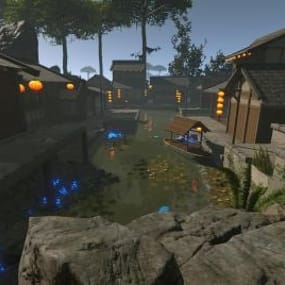 $5.90
$5.90By willow
-
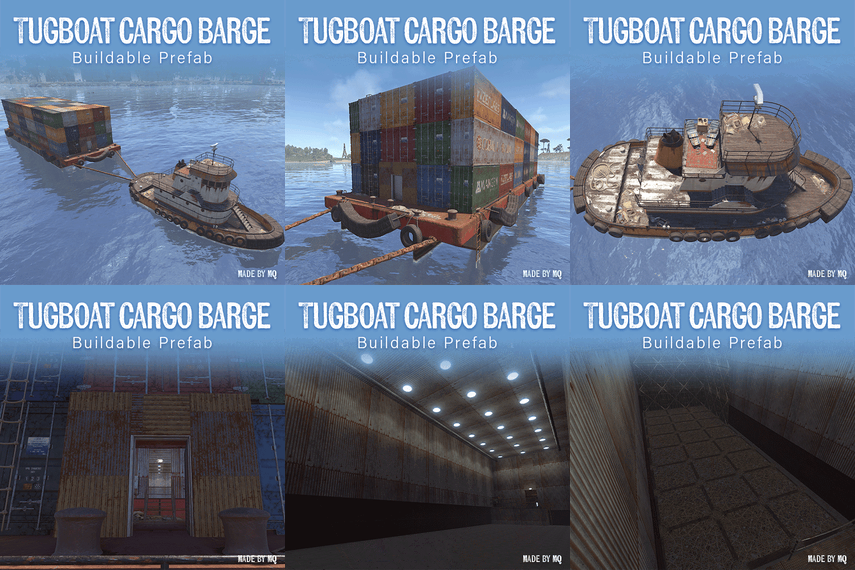
-
![More information about "[PSD] Rust Industrial / Banner & Logo"](https://codefling.com/cdn-cgi/image/width=285,height=285,quality=80,fit=cover,format=webp/https://codefling.com/uploads/monthly_2026_03/-2.thumb.png.ffff0d008eb22c8d745ad2da204e8b63.png)
By GTx
Community Picks
Highest Rated
Top-rated picks trusted and loved by the community.
-
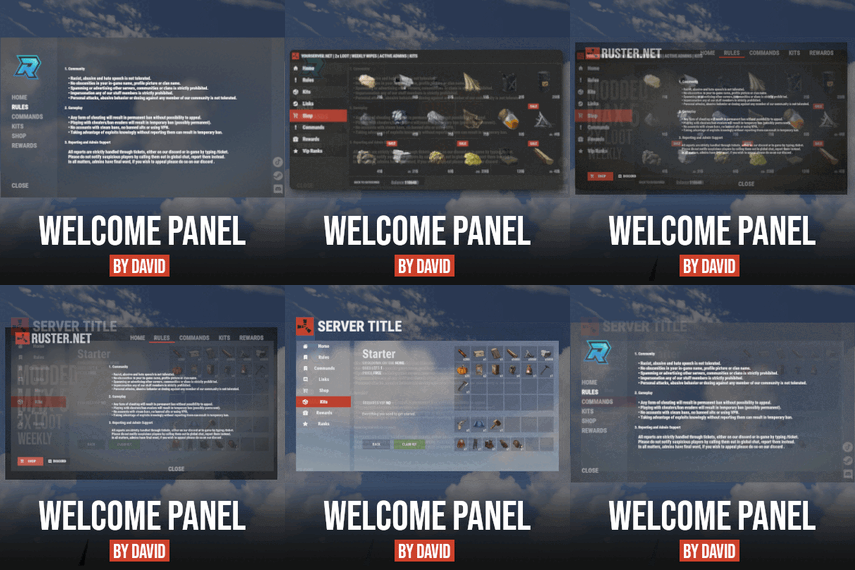 $16.99
By David
-
sale
$40.00$30.00By nivex
-
 $29.99
By LosGranada
-
 $29.99
By imthenewguy
-
 $24.99
By Whispers88
-
sale

$40.00$31.95By Mevent
-
-
 Free
FreeBy Steenamaroo
-
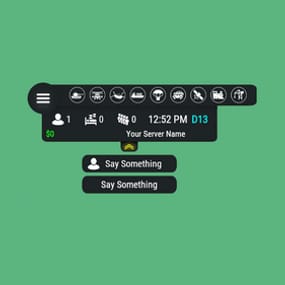 $14.99
By AhigaO
-
sale

$19.99$15.99By Fruster
-
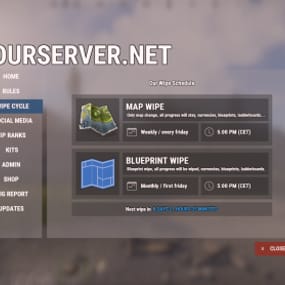 $14.99
By David
-
 $45.99
By Monster
-
 $19.99
By Fruster
-
 $19.99
By ZEODE
Trending
Trending Files
Popular picks members are downloading the most right now.
-
 Free
FreeBy tofurahie
-
-
sale
$8.99$7.49By Brad Copp
-
 $29.90
By walkinrey
-
 $25.00
By Martian
-
 $24.99
By Khan
-
sale
$40.00$31.95By Mevent
-
$29.99
By imthenewguy
-
sale
-
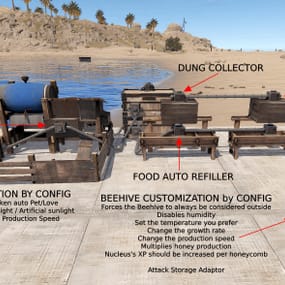
-
Free
By Steenamaroo
-
sale
$40.00$30.00By nivex
-
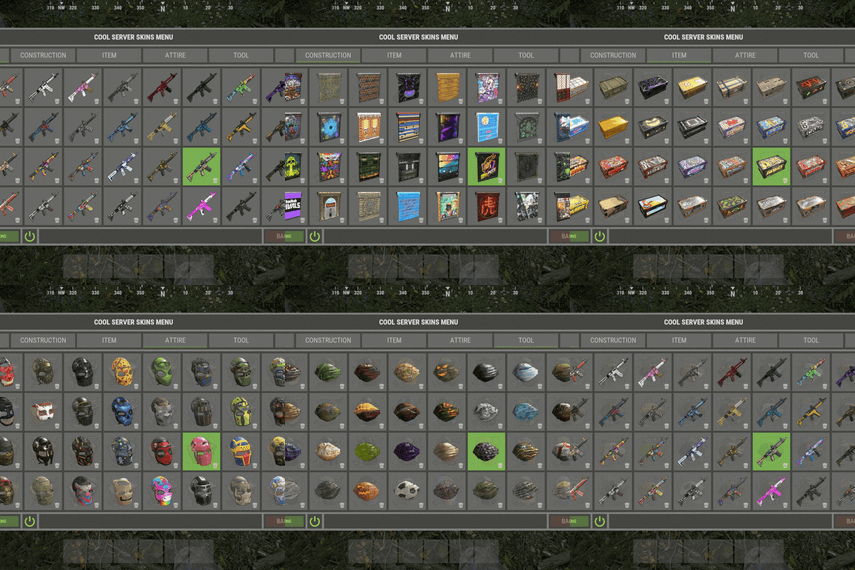
-
 $40.00
By The_Kiiiing
Deals
Great Deals
Discounted picks, limited-time deals, and sale items worth grabbing now.
-
sale
.thumb.png.5b89efa59b4039b7a68a5ce0a6f22653.png)
$55.00$48.40By Ionut Shiro
-
sale
$16.00$8.00By Wrecks
-
sale
$29.99$24.99By Adem
-
sale
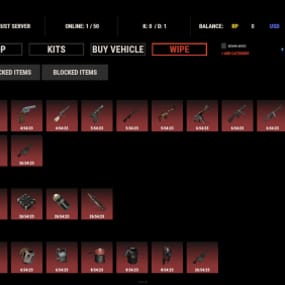
-
sale
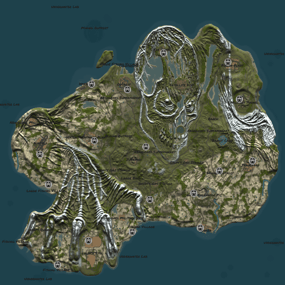
$10.00$8.80By Ionut Shiro
-
sale
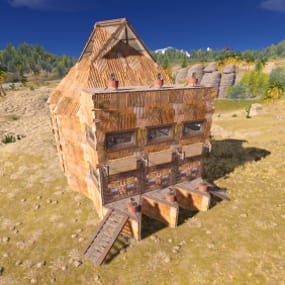
$2.50$1.75By Lososko
-
sale
$11.90$8.90By Answer
-
sale
$9.99$7.99By Fruster
-
sale
$6.00$5.28By Ionut Shiro
-
sale
.thumb.gif.6a6c0435d0f8fbcbafede333521704aa.gif)
$14.90$12.66By m1t1ngg
-
sale
$38.90$29.90By Answer
-
sale
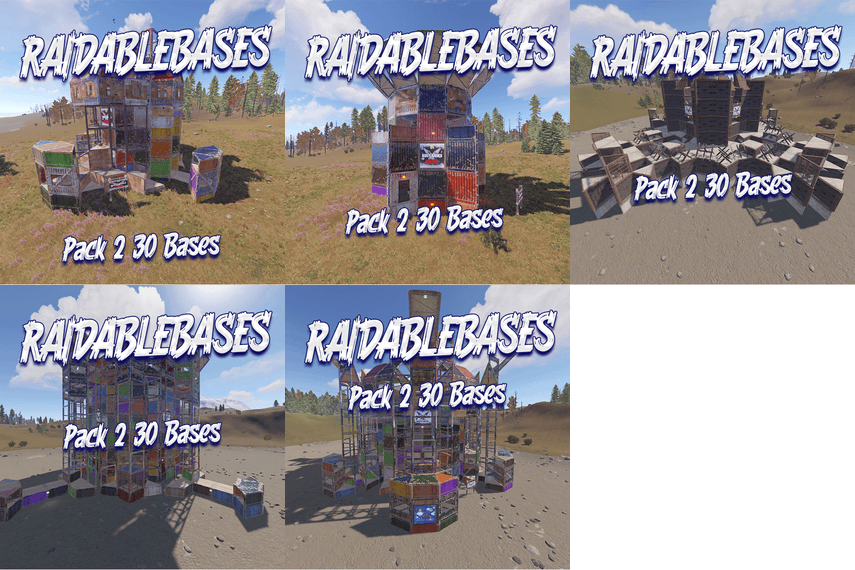
$25.00$16.00By Rust Bases
-
sale

$14.95$11.96By Niko
-
sale
$16.00$8.00By Wrecks
Fresh Updates
Recently Updated
Recently improved files with fresh updates, fixes, and new content.
-
sale
$19.99$15.99 -
 $9.00
$9.00By Corvus
-
 $15.00
By Carl.py
-

By IIIaKa
-
$29.90
By walkinrey
-
 $8.00
$8.00By GTx
-
 $10.00
By 0xDEADBEEF
-
sale
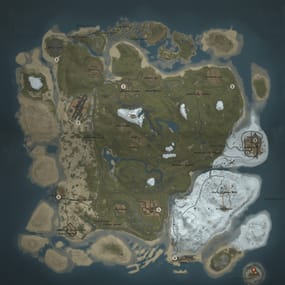
$25.00$19.66By Tyler_h
-
 $19.99
By RickySpanish
-
 $5.00
$5.00By Barry_Allenn
-
 $39.90
By walkinrey
-
-
sale
.thumb.gif.931694ee6af9534dc6d23b0aec6390f5.gif)
$24.99$4.00By Grejory
-
 $9.99
$9.99By shady14u
Community Feedback
Latest Reviews
See what customers are saying about their experience with files.

Very cool plugin. Able to make custom guns that shoots rockets for players to find in the loot. Players love it as well. Very easy to configure and add to loot tables

I like that its free
I have to say, I didnt use it that much, but it worked well and without any problems.
so absolutely recommended

If your server prioritizes quality of life (QOL), this product is essential.
Our server is currently in the process of adding many plugins that improve overall gameplay convenience. However, among them, wiring has always been one of the most tedious and time-consuming tasks.
This plugin completely eliminates that burden and greatly improves the user experience by removing the inconvenience of connecting wires.

For people like me who want a easy way to control the deep sea this is the plugin for you.
not had any issues at all with it and worth it just for how simple it is to use

Awesome plugin and very straight forward! Khaled is very helpful!
I reached out to the developer because granting permissions was causing the feature to be activated for users I didn't want to give access to. Within just a few hours, the developer added the exact functionality I was looking for.
The users are very satisfied with this plugin because they no longer have to purchase or run a separate crosshair program from Steam. Some users even mentioned that it would be great if this feature were given only to VIP groups.
Although I haven't run a PVE

Good good, like a style 👍

i love the map the players love the map 10 out of 10 would recommend this map to anyone.
Cost is great the work gone into this map shows well worth it.
great job as always thank you

This is the best CUI editor that exists in the public domain, and also at a nice price!
I advise everyone who wants to make their interfaces with maximum pleasure!

Not happy
Been trying for over a month to get an update to this plugin,
Seems the maker no longer cares about customers at all .
