Search the Community
Showing results for tags 'addon'.
-

Version 1.0.1
6 downloads
Title Perks - Automatic Buff System for Title Selector by romzar.games - Requires Title Selector Overview TitlePerks is a companion plugin for Title Selector that brings your title system to life. Instead of titles being purely cosmetic, each title can grant configurable gameplay perks that activate instantly when equipped and deactivate when removed. Players earn titles through gameplay achievements (raids, heli kills, boss kills, etc.) and those titles now carry real mechanical weight — creating a meaningful progression loop where effort translates into tangible power. Key Features Automatic Activation & Deactivation Perks activate instantly when a title is selected in Title Selector Perks deactivate instantly when a title is removed, hidden, or cleared Full integration with Title Selector's Hide All, Show All, Clear, and Preset systems Perks auto-restore on player reconnect and server restart 15+ Perk Types Category Perk Type Description Damage damage_structure Bonus damage to building blocks (walls, floors, etc.) Damage damage_deployable Bonus damage to deployables (doors, turrets, boxes, etc.) Damage damage_heli Bonus damage to Patrol Helicopter Damage damage_bradley Bonus damage to Bradley APC Damage damage_boss Bonus damage to bosses (CH47, custom bosses) Damage damage_npc Bonus damage to all human NPCs (scientists, murderers, etc.) Damage damage_animal Bonus damage to animals Damage damage_pvp Bonus damage in PvP (against real players) Damage damage_pve Bonus damage in PvE (against everything except players) Damage damage_global Bonus damage to everything (stacks with specific types) Gather gather_ore Bonus ore yield when mining Gather gather_wood Bonus wood yield when chopping Gather gather_animal Bonus yield when harvesting animals Gather gather_plant Bonus yield when harvesting plants and growables Fishing fishing_rate Bonus fish quantity when catching fish Fishing xp_fishing Bonus fishing XP (permission group-based) Cooldown cooldown_event Reduces event cooldowns (PveMode integration) Cooldown buyable_cooldown_event Buyable event cooldown reduction (PveMode integration) Special legendary_bonus_xp Grants access to bonus XP group (permission-based) Perk Stacking Players can equip multiple titles simultaneously, and their perks stack additively. For example: Title "RaidHard" grants +15% structure damage Title "RaidExpert" grants +20% structure damage Combined: +35% structure damage Smart Entity Detection The damage system correctly identifies and categorizes all entity types: Structures: BuildingBlock (walls, foundations, floors, etc.) Deployables: Doors, storage containers, turrets, barricades, traps, sleeping bags, SAM sites, search lights, ovens NPCs: Scientists, murderers, scarecrows, tunnel dwellers, underwater dwellers, zombies, HumanNPC Vehicles: Patrol Helicopter, Bradley APC, CH47 Chinook Animals: All BaseAnimalNPC entities Players: Real Steam-authenticated players (for PvP perk) External Integrations PveMode: Automatically sets/removes player cooldown modifiers via API_SetPlayerCooldownModifier / API_RemovePlayerCooldownModifier Permission Groups: Configurable perk-to-group mapping — when a player activates a perk, they're added to a permission group; when deactivated, they're removed How It Works Player selects title in Title Selector | v TitlePerks checks config for matching perks | v Perks activated | v Game apply bonuses in real-time Lifecycle Events Event Action Player selects a title Perks activate, player notified Player removes a title Perks deactivate, player notified Player uses "Hide All" All perks deactivate Player uses "Clear" All perks deactivate Player switches preset Old perks deactivate, new perks activate Player disconnects External perks cleaned up, cache freed Player reconnects Perks restored from Title Selector's current selection Server restarts All online players' perks restored (staggered) Plugin reloads All perks recalculated from scratch Default Configuration { "TitlePerks": { "raideasy": [{ "Type": "damage_structure", "Value": 0.05 }, { "Type": "damage_deployable", "Value": 0.05 }], "raidmedium": [{ "Type": "damage_structure", "Value": 0.10 }, { "Type": "damage_deployable", "Value": 0.10 }], "raidhard": [{ "Type": "damage_structure", "Value": 0.15 }, { "Type": "damage_deployable", "Value": 0.15 }], "raidexpert": [{ "Type": "damage_structure", "Value": 0.20 }, { "Type": "damage_deployable", "Value": 0.20 }], "raidnightmare": [{ "Type": "damage_structure", "Value": 0.25 }, { "Type": "damage_deployable", "Value": 0.25 }], "helieasy": [{ "Type": "damage_heli", "Value": 0.05 }], "helimedium": [{ "Type": "damage_heli", "Value": 0.10 }], "helihard": [{ "Type": "damage_heli", "Value": 0.15 }], "heliexpert": [{ "Type": "damage_heli", "Value": 0.20 }], "helielite": [{ "Type": "damage_heli", "Value": 0.25 }], "helinightmare": [{ "Type": "damage_heli", "Value": 0.30 }], "bradleyeasy": [{ "Type": "damage_bradley", "Value": 0.05 }], "bradleymedium": [{ "Type": "damage_bradley", "Value": 0.10 }], "bradleyhard": [{ "Type": "damage_bradley", "Value": 0.15 }], "bradleyexpert": [{ "Type": "damage_bradley", "Value": 0.20 }], "bradleynightmare": [{ "Type": "damage_bradley", "Value": 0.25 }], "bosskiller": [{ "Type": "damage_boss", "Value": 0.15 }], "npcslayer": [{ "Type": "damage_npc", "Value": 0.15 }], "wildhunter": [{ "Type": "damage_animal", "Value": 0.15 }, { "Type": "gather_animal", "Value": 0.20 }], "rareminer": [{ "Type": "gather_ore", "Value": 0.20 }], "fisherman": [{ "Type": "xp_fishing", "Value": 0.25 }, { "Type": "fishing_rate", "Value": 0.15 }], "farmer": [{ "Type": "gather_plant", "Value": 0.25 }], "explorer": [{ "Type": "cooldown_event", "Value": -0.20 }, { "Type": "legendary_bonus_xp", "Value": 0.25 }], "tryhard": [{ "Type": "damage_pve", "Value": 0.10 }, { "Type": "damage_pvp", "Value": 0.05 }] }, "Show perk activation messages": true, "Show perk deactivation messages": true, "Group Perks (perk type -> permission group)": { "legendary_bonus_xp": "legendarybonus" }, "Debug mode": false } Configuration Options Setting Type Default Description TitlePerks Dictionary (see above) Maps title names (lowercase) to lists of perk definitions Show perk activation messages bool true Notify players when perks activate Show perk deactivation messages bool true Notify players when perks deactivate Group Perks Dictionary legendary_bonus_xp -> legendarybonus Maps perk types to permission groups. When a perk is active, the player is added to the group; when removed, they're taken out Debug mode bool false Verbose logging for troubleshooting Adding Custom Perks Simply add new entries to the TitlePerks dictionary. Title names must be lowercase and match the title names configured in Title Selector. "pvpchampion": [ { "Type": "damage_pvp", "Value": 0.15 }, { "Type": "damage_global", "Value": 0.05 } ], "lumberjack": [ { "Type": "gather_wood", "Value": 0.30 } ] Each title supports multiple perks — combine damage, gather, and special bonuses in a single title. Commands Command Type Permission Description /perks Chat None Shows the player's currently active perks and titles titleperks.reload Console titleperks.admin Reloads config and restores all player perks titleperks.debug Console titleperks.admin Toggles debug mode on/off /perks Output Example ======== Your Active Perks ======== Damage Bonuses: - Structure Damage: +15% - Deployable Damage: +15% - Helicopter Damage: +10% Gather Bonuses: - Ore Gather: +20% Active Titles: - raidhard - helimedium - rareminer Permissions Permission Description titleperks.admin Required for titleperks.reload and titleperks.debug console commands Title Selector Integration TitlePerks is designed as a seamless extension of Title Selector. The integration is fully automatic through Oxide/Carbon hooks: Hooks Listened Hook Fired By Action OnTitleSelected(BasePlayer, string) Title Selector Activates perks for the selected title OnTitleDeselected(BasePlayer, string) Title Selector Deactivates perks for the deselected title OnTitlesCleared(BasePlayer, List<string>) Title Selector Deactivates all perks from cleared titles Developer API TitlePerks exposes a complete API for other plugins to query perk data: // Get all active perks for a player (type -> total value) Dictionary<string, float> perks = TitlePerks.Call<Dictionary<string, float>>("API_GetActivePerks", (ulong)player.userID); // Get a specific perk value (returns 0f if not active) float heliDmg = TitlePerks.Call<float>("API_GetPerkValue", (ulong)player.userID, "damage_heli"); // Check if player has a specific perk active bool hasPerk = TitlePerks.Call<bool>("API_HasPerk", (ulong)player.userID, "damage_bradley"); // Get list of active title names for a player List<string> titles = TitlePerks.Call<List<string>>("API_GetActiveTitles", (ulong)player.userID); // Get perk definitions for a title (config lookup) var perks = TitlePerks.Call<List<Dictionary<string, object>>>("API_GetTitlePerks", "raidhard"); // Get formatted perk display string for a title (for UI integration) string display = TitlePerks.Call<string>("API_GetTitlePerksDisplay", "raidhard"); // Returns: "Struct+15% Deploy+15%" Use Cases 1. Raid Progression Rewards Players who complete raid milestones (easy through nightmare) receive scaling damage bonuses to structures and deployables, making them more effective raiders. 2. PvE Combat Specialization Titles like "BossKiller", "NPCSlayer", and "WildHunter" reward players who focus on PvE content with relevant damage bonuses, encouraging engagement with PvE systems. 3. Resource Gathering Bonuses "RareMiner", "Farmer", and "WildHunter" titles provide gathering multipliers, creating an alternative progression path for players who prefer resource-focused gameplay. 4. Event Cooldown Reduction The "Explorer" title reduces event cooldowns by 20% via PveMode integration, rewarding active event participants with faster re-entry. 5. Permission-Based Rewards Through the Group Perks system, titles can grant access to permission groups — enabling integration with any permission-based plugin. Example: "Explorer" title adds players to the "legendarybonus" group for bonus XP. 6. PvP vs PvE Balancing The "Tryhard" title demonstrates dual-category bonuses: +10% PvE damage and +5% PvP damage, allowing fine-tuned balance between gameplay modes. 7. Multi-Title Stacking Strategy Since perks stack, players must strategize which titles to equip based on their planned activities — raiding, farming, fishing, or mixed gameplay. Localization Built-in support for 3 languages out of the box: Language Code English en (default) Portuguese (Brazil) pt-br Spanish es-ES All perk names, categories, activation/deactivation messages, and UI labels are fully translatable through the standard lang system. Requirements Dependency Required Description Title Selector Yes Core dependency — provides the title selection UI and hooks PveMode No (optional) Enables cooldown_event perk type for event cooldown reduction Installation Place TitlePerks.cs in your carbon/plugins/ folder Ensure Title Selector is installed and running Restart or load the plugin Edit carbon/configs/TitlePerks.json to match your title names Run titleperks.reload in console to apply changes Data Storage Player perk data is stored in carbon/data/TitlePerks.json: { "Players": { "76561198000000000": { "active_titles": ["raidhard", "helimedium", "rareminer"], "last_update": "2026-03-03T12:00:00.0000000Z" } } } Data is used for restoration on reconnect and cleaned automatically after 30 days of inactivity.$14.99 -
Version 1.0.2
150 downloads
MultiEvents Expansion Pack 1 adds 5 additional events for barrel destruction, PvP combat, NPC battles, and resource gathering. Requires the base MultiEvents plugin. Included Events This expansion pack includes 5 carefully designed events that add new dimensions to your server: Barrel Event - Destroy as many barrels as you can before time runs out. Points awarded for each barrel destroyed. NPC Missile Silo - Kill as many scientists as you can inside the missile silo monument. High-stakes combat with radiation and automated defenses. Player Battle - Rack up the most PvP kills before time runs out. Points awarded for each player elimination. Pumpkin Picker - Pick as many wild pumpkins as you can before time is up. Peaceful alternative to combat events. Vehicle Hunter - Destroy cars, boats, submarines, helicopters, and Bradley APC. Each vehicle type offers different point values. Requirements Requires the base MultiEvents plugin Copy files to MultiEvents directory and reload the plugin Pre-configured and ready to use immediately FAQ Q: Do I need the base MultiEvents plugin? A: Yes, this expansion pack requires the base MultiEvents plugin. Q: Can I enable/disable individual events? A: Yes, each event can be individually configured through the visual editor. Q: Can I customize rewards? A: Yes, all events support customizable rewards through the MultiEvents system. TEST SERVER Join our test server to try these events! connect 194.147.90.239:28015$7.95-
- 2
-

-

-
- #multievents
- #expansion
- (and 10 more)
-

Version 1.0.2
161 downloads
MultiEvents Expansion Pack 2 adds 5 additional events focused on skill-based challenges, precision combat, and treasure hunting. Requires the base MultiEvents plugin. Included Events This expansion pack includes 5 skill-focused events that challenge different aspects of player expertise: Bow Master - Kill players or animals using bows before time runs out. Points awarded for bow eliminations only. Bot Purge - Kill as many scientists as you can before the timer ends. Different scientist types provide varying point values. NPC Excavator - Kill the most Excavator scientists. Specialized combat at the dangerous Excavator monument. Hemp Gather - Harvest as many hemp plants as you can. Peaceful resource gathering alternative. Scavenger Hunt - Find the hidden crate faster than anyone else. First player to reach the crate wins. Requirements Requires the base MultiEvents plugin Copy files to MultiEvents directory and reload the plugin Pre-configured and ready to use immediately FAQ Q: Do I need the base MultiEvents plugin? A: Yes, this expansion pack requires the base MultiEvents plugin. Q: How does Scavenger Hunt work? A: A crate is randomly placed on the map. First player to find and reach it wins. Q: Can I customize scoring and rewards? A: Yes, all events support customization through the visual editor. TEST SERVER Join our test server to try these events! connect 194.147.90.239:28015$7.95- 1 review
-
- 1
-
-
- #multievents
- #expansion
- (and 10 more)
-
Version 1.0.2
146 downloads
MultiEvents Expansion Pack 3 adds 5 additional events with rare item mechanics, helicopter combat, underwater lab battles, and resource gathering. Requires the base MultiEvents plugin. Included Events This expansion pack includes 5 diverse events with unique mechanics and seasonal appeal: Corn Collector - Gather as much corn as you can. Peaceful farming alternative to combat events. Gold Rush - Gather ores and trees with a chance to get rare items. Combines resource gathering with rare item discovery mechanics. Mushroom Madness - Collect as many mushrooms as you can before time runs out. Race across the map to find mushroom spawns. NPC Underwater Lab - Kill scientists in the dangerous underwater lab monument. Navigate flooded areas and eliminate NPCs. Patrol Helicopter Hit - Deal damage to the Patrol Helicopter. Points awarded based on damage dealt to the helicopter. Requirements Requires the base MultiEvents plugin Copy files to MultiEvents directory and reload the plugin Pre-configured with rare item tables and ready to use FAQ Q: Do I need the base MultiEvents plugin? A: Yes, this expansion pack requires the base MultiEvents plugin. Q: How do rare items work? A: Players have a configurable chance to receive rare items when gathering ores and wood in Gold Rush event. Q: Can I customize rare item drop rates? A: Yes, all rare item chances and types are fully configurable through the visual editor. TEST SERVER Join our test server to try these events! connect 194.147.90.239:28015$7.95- 1 comment
-
- 2
-
-

-
- #multievents
- #expansion
- (and 10 more)
-
Version 1.0.0
71 downloads
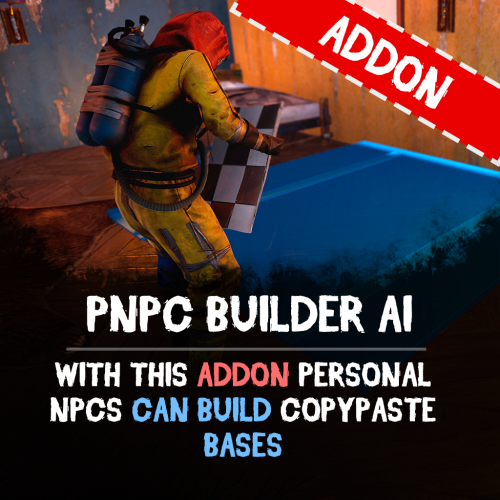
Bring your bases to life easily with PNPC Builder AI Addon — it makes your PNPCs able to construct any CopyPaste base design! Just assign a build point, and your bot will get to work! Features: 🏗 Automated Construction • Activate builder mode using /pnpc build. • Choose a build location, and bot will begin constructing your base. Landscape & Obstacle Check • Terrain scanning ensures proper placement. • Prevents building near restricted zones such as roads, monuments, or other tool cupboards. Customisation • Configure build speed, obstacles check and other settings. • You can optionally require resources for construction. How to Use: Spawn your Personal NPC and enter "/pnpc build" command. Use the middle mouse button to select your build point. The NPC checks the area and starts construction. Relax and watch how your bot brings your base to life! Requirements: • PersonalNPC Plugin • CopyPaste Plugin • Build files must be stored in /oxide/data/copypaste/ This addon is free for all owners of the PersonalBuilder plugin. Contact me in PM to receive your free copy. See it in Action! Watch the Video Configuration: To make the default config work, you need to download the build file (link below) and place it in this directory "/oxide/data/copypaste". Link: https://drive.google.com/file/d/1Y5ja8DvWVvcPl92hDfJeu0iZe9_YSuKk/view?usp=sharing { "Available buildings (by PNPC bot spawn name)": { "bot1": [ { "The name of the building to be selected via /pnpc build {building_name}": "builder_test1", "CopyPaste file name": "builder_test", "Require resources?": false, "Enable building block upgrade effects?": true, "Speed": { "Bot speed multiplier": 1.0, "Build speed multiplier": 1.0, "Time to check 1 foundation": 0.15, "Time to check 1 building block": 0.15 }, "Build": { "Max allowable height of foundation": 3.1, "Start height to ground": 0.5, "Max depth when building in water": 2.5, "Disable stability?": false, "Checks": { "Check is close to road?": true, "Check is building blocked?": true, "Check for Prevent Building triggers": true, "Prevent Building check radius": 10.0 }, "Doors": { "Deploy doors?": false }, "Cupboards (experimental)": { "Deploy cupboards?": false, "Authorize the owner?": false } } } ] } }$9.90 -

Version 0.1.1
40 downloads
This addon for RoamingNPCs allows you to dynamically control RNPCs spawn based on hours after wipe and current amount of players online, helping to create a balanced experience. Population Control • Setup specific bots presets as the wipe progresses — customize which RNPCs appear after 6h, 12h, 24h, and beyond. • You can make early wipes feel balanced and late wipes stay challenging with various RNPCs presets. • Integrates with your existing RoamingNPC presets. Adaptive Limits • Limit the max number of active RNPCs based on how many players are online at the moment. • Keep a balance between players and bots. • Keep the server performance smooth during peak hours. Map Markers • Optionally show live markers for all RNPCs on map. • Display RNPC's base locations on map (requires RNPCs Buildings Addon). • Customize colors, names, radius, refresh rate, and visibility duration. Requirements • RoamingNPCs Plugin Video Demo of Map Markers: Configuration: { "Available bots by wipe hours (key - hours after wipe, value - list of bot's setup names from main config)": { "6": [ "bob_resources_farmer", "john_looter" ], "12": [ "alfred_hunter", "austin_fighter" ], "24": [ "alfred_hunter", "austin_fighter", "bob_resources_farmer", "john_looter" ] }, "Limits based on amount of players online": { "Limit amount of active bots based on amount of players online?": false, "Limits (key - min amount of players, value - max amount of bots)": { "0": 5, "5": 4, "10": 3, "15": 2, "20": 1, "25": 0 } }, "Markers to show all RoamingNPCs on map": { "Enable these markers?": true, "Display name": "NPC {name}", "Refresh rate in seconds": 1.0, "Duration": 0, "Radius": 0.2, "Color 1": "#313647", "Color 2": "#435663", "Alpha": 0.75 }, "Markers to show all RoamingNPC's bases on map (RNPCs Buildings Addon)": { "Enable these markers?": false, "Display name": "Base of NPC {name}", "Refresh rate in seconds": 0.0, "Duration": 0, "Radius": 0.2, "Color 1": "#313647", "Color 2": "#435663", "Alpha": 0.75 } }$4.90 -
Version 1.0.4
73 downloads
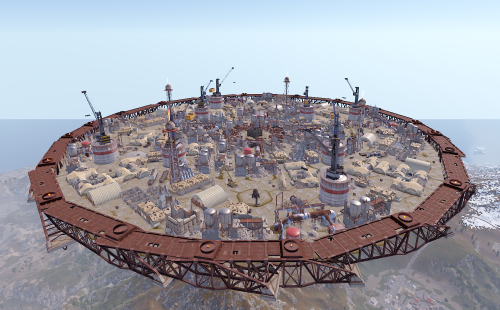
Description: This is an additional arena designed to be used with the SurvivalArena plugin. The arena is in an industrial/military wasteland setting, with ruined industrial buildings, pipelines and old military facilities. The addition of storage tanks and cranes gives additional opportunities for ranged combat. Installation: Simply drop the file into your oxide/data/SurvivalArena folder, then reload the plugin. Support: The arena is designed separately from the SurvivalArena plugin. All support and updates for the arena design/file itself will be handled by me$5.99 -
Version 1.0.0
9 downloads
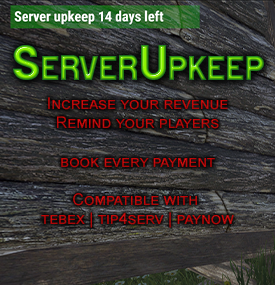
The ServerUpkeep plugin is a handy tool for Rust server owners. This way they can keep their community alive and better cover the costs of running them. Show your players how your server is doing. ServerUpkeep allows administrators to set a default retention period and notify players when the retention time expires. The plugin provides a visual representation and shows the number of days remaining. Administrators also have the ability to extend the ukeep duration if necessary with a simple console command. The plugin is compatible with Tebex, Tip4Serv and also for PayNow. Decide for yourself how many days ServerUpkeep will be credited. Features: What happens if the ServerUpkeep is not enough and the timer falls to 0? - Then the server will be shut down automatically. - You can then make an announcement on Discord or wherever to ask for support. Instructions for use: Simply enter the following in your shop under send command and adjust the days to be credited once the purchase has been completed, depending on the customer's purchase package. upkeep.add [days] You can also subtract days by simply putting the minus operator in front of it: upkeep.add -[days] Config: { "DefaultDays": 7, "NextUpkeepTime": "25.02.2024 21:56:32" } DefaultDays are the days when the plugin is activated to prevent the server from shutting down again immediately after booting. NextUpkeepTime: Is required to calculate the remaining days. The time specification has no direct use yet but will be required for future updates. **load, run, enjoy**$10.99 -
![More information about "Dynamic Monuments [Christmas Bundle]"](https://codefling.com/uploads/monthly_2025_12/adem_prev_monument.thumb.jpg.226f338c8c00fa2ae8645bb5b9abf07b.jpg)
Version 1.0.0
91 downloads
Note: This is an add-on, not a standalone plugin. It requires the Dynamic Monuments plugin to be installed (sold separately). Christmas is a themed add-on for DynamicMonuments that allows you to quickly and beautifully decorate any server map for the winter holidays. With this addon, you can bring a festive Christmas atmosphere to every corner of the map — from large monuments to the smallest details. Separate Monuments: These monuments are fully independent and can be spawned anywhere: Gingerbread Castle Snow Igloo Village New Year Barge Santa’s Wagon x2 Customizations of Default Monuments: These are decorative Christmas-themed upgrades for standard Rust monuments. They will only spawn if the corresponding default monument exists on your map: Santa’s Mail Station Frozen Supermarket Wonder Ice Rink Gingerbread Gas Station Gift Warehouse New Year Lighthouse Player-placeable Monuments: These monuments can be given to players as skinned items. Players can then place the monument anywhere on the map where building is allowed. Gingerbread Castle Snow Igloo Village New Year Barge Santa’s Mail Station Installation Instructions Make sure you have the latest version of the Dynamic Monuments plugin installed Move the contents of the data/DynamicMonuments folder from the archive you downloaded into the oxide/data/DynamicMonuments folder on your server Reload the plugin Check out the rest of my work: Adem's Codefling Library Join the Mad Mappers Discord!$34.99 -

Version 0.0.5
196 downloads
This addon for the PersonalNPC plugin allows bots to use rocket and grenade launchers to attack buildings, players and NPCs, making raids more intense and dynamic. Features: AI Raiding • Bots use rocket launchers and grenade launchers to destroy buildings and eliminate enemies. • Uses ammo from inventory or infinite ammo mode (configurable in settings). • Compatible with Multiple Grenade Launcher, Rocket Launcher, and even the Snowball Gun! Customizable Attack Settings • Adjust attack cooldowns for each weapon type. • Choose default projectiles for bots with infinite ammo mode enabled. • Setup bot behavior and efficiency in raids. How to Use: Spawn a bot from the PersonalNPC plugin. Equip it with a rocket or grenade launcher. The bot will attack buildings, players, or other NPCs! Requirements: • PersonalNPC Plugin See it in Action! Watch the Video Configuration: { "Permission to use this addon on all bots of player (not required)": "pnpcaddonraid.override-setup", "Multiple Grenade Launcher Setup": { "Attack Cooldown (leave 0 to use default cooldown for current weapon)": 0.0, "Default projectile prefab (used if infinite ammo is enabled)": "assets/prefabs/ammo/40mmgrenade/40mm_grenade_he.prefab" }, "Rocket Launcher Setup": { "Attack Cooldown (leave 0 to use default cooldown for current weapon)": 0.0, "Default projectile prefab (used if infinite ammo is enabled)": "assets/prefabs/ammo/rocket/rocket_basic.prefab" }, "Snowball Gun Setup": { "Attack Cooldown (leave 0 to use default cooldown for current weapon)": 0.0, "Default projectile prefab (used if infinite ammo is enabled)": "assets/prefabs/misc/xmas/snowball/snowball.projectile.prefab" } }$9.90 -

Version 0.0.3
181 downloads
Let your Personal NPCs drive for you with the Car AI Addon! This addon for Personal NPC enables your bots to take control of cars, allowing you to sit back and enjoy the ride while they drive to the destination. Features: Fully Automated Driving • Hop into the passenger seat, set your destination on the in-game map, and let your bot take the wheel. • Obstacle detection system ensures smooth and safe driving (can be disabled in settings). Smart Navigation System • AI calculates the route to your selected location. • Adjustable maximum speed and navigation accuracy. • Crossway search system to use all available roads How to Use: Spawn a bot using the PersonalNPC plugin. Take a seat in the passenger seat of any vehicle. Select your destination on the in-game map. Your AI driver will drive to the destination automatically! Requirements: • PersonalNPC Plugin (must be installed and enabled). • Driving Addon must be enabled in the PersonalNPC settings. See It in Action! Watch the Video Configuration: { "Permission to use this addon on all bots of player (not required)": "pnpcaddoncar.override-setup", "Search Mechanism settings": { "Max crossways amount for search method (0-2)": 2 }, "Driver settings": { "Max speed": 15.0 }, "Obstacle detection settings": { "Disable obstacle detection?": false, "Ray length": 5.0 }, "Minor settings": { "Enable visual debug?": false } }$9.90 -
Version 0.1.1
363 downloads
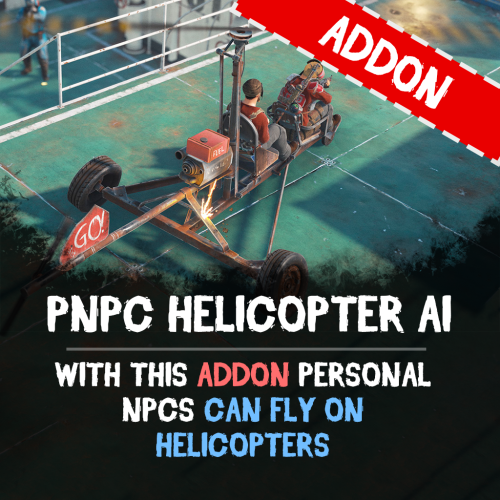
Let your Personal NPCs fly helicopters for you with the Heli AI Addon! This addon for Personal NPC enables your bots to take control of helicopters, allowing you to sit back and enjoy the flight while they fly to the destination. Features: Fully Automated AI Pilots • Spawn a Personal NPC bot • Select a point on the in-game map, and the bot will fly there. • Works perfect with all helicopters in Rust. Smooth Flight Controls • Adjustable altitude, flight speed, and maneuverability. • Setup pitch, throttle, and rotation for better control. • Automatically adjusts height above the ground to avoid obstacles. ⚙ Other Customization • Set minimum and maximum flight altitude. • Adjust landing speed, flight slope, and pitch strength. • Optimize rotation and throttle power for smoother navigation. How to Use: Spawn a bot using the PersonalNPC plugin. Enter the helicopter as a passenger. Mark your destination on the in-game map. Sit back and let your AI pilot handle the flight! Requirements: PersonalNPC Plugin (must be installed & enabled). Addon must be activated in bot settings. See It in Action! Watch the Video Configuration: { "Max height above the ground": 25.0, "Minimum height to fly forward/backward": 15.0, "Max slope by forward axis": 0.3, "Pitch strength": 0.2, "Throttle strength": 1.0, "Land throttle strength": 0.5, "YAW strength (rotation around its axis)": 1.0 }$9.90 -

Version 0.1.1
48 downloads
Let your Personal NPCs drive boats for you with Boat AI Addon! This addon for the Personal NPC plugin lets your NPCs navigate boats, while you sit back, relax, and enjoy the sea! Features: Fully Automated Boat Navigation • Just hop in, choose your destination on the in-game map, and your NPC captain takes the wheel. • Obstacle detection keeps your journey smooth and safe. Intelligent Navigation System • Smart AI dynamically calculates the most efficient route to your chosen location. • Customizable settings for maximum speed and navigation precision. • Utilizes waterways intelligently to provide the smoothest possible journey. How to Use: 1. Spawn your NPC and sit in the boat 2. Select your destination on the in-game map 3. Enjoy the ride ! Requirements: • Personal NPC Plugin (must be installed and enabled). • Boat AI Addon activated within the Personal NPC settings. Commands: • /pnpc tugboat - makes the bot a driver of the tugboat (owner should be on tugboat and authorized in it) See It in Action! Watch the Video Configuration: { "Permission to use this addon on all bots of player (not required)": "pnpcaddonboat.override-setup", "General settings": { "Automatic fuel supply from bot inventory (0 - disables supply)": 100, "Distance to route control point to reach": 15.0, "Number of processes per cycle in 1 tick when searching for a route(increasing the parameter - reduces the time of searching for a route, but increases the load on fps)": 10, "Grid step for route search (increasing the parameter - increases the time of searching for a route, but makes it harder to lay out a route in narrow places)": 60 }, "Boat motor settings": { "Max speed": 20.0, "Max speed on obstacle detection": 5.0, "Transport push force from obstacle in collision(0 - disables push)": 3.0, "Minimum depth for determining transport passability when searching for a route": 0.5 }, "RHIB settings": { "Max speed": 20.0, "Max speed on obstacle detection": 5.0, "Transport push force from obstacle in collision(0 - disables push)": 3.0, "Minimum depth for determining transport passability when searching for a route": 0.5 }, "Tugboat settings": { "Max speed": 20.0, "Max speed on obstacle detection": 5.0, "Transport push force from obstacle in collision(0 - disables push)": 3.0, "Minimum depth for determining transport passability when searching for a route": 0.5 } }$9.90 -
Version 1.0.1
13 downloads
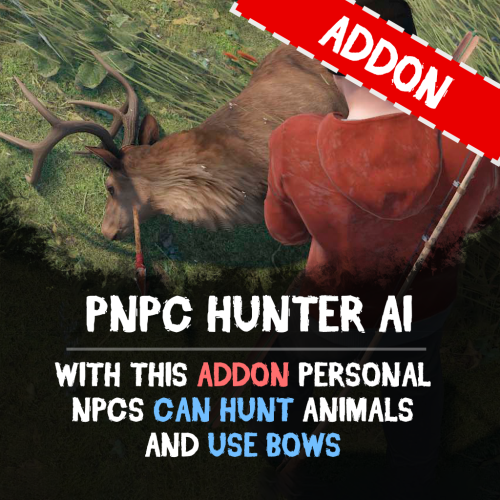
Unleash the wild side of your NPCs with the PNPC Hunter AI Addon — it allows your NPCs to hunt, harvest animals and use bows/crossbows. Features: Automated Hunting • Activate hunting mode with "/pnpc hunting" command. • Your NPC will scan the area for animals within a set radius and start to hunt animals. Combat & Harvesting • Adds bow and crossbow support for PNPCs. • After the kill, bot will automatically harvest the animal if equipped with needed tools (e.g., bone knife, combat knife). Customization & Control • Configure hunt radius for target detection. • Specify which tools and weapons are allowed to use for hunting and harvesting. How to Use: Spawn your Personal NPC and equip it with allowed weapon. Optionally provide a harvesting tool for resource collection. Use /pnpc hunting to start the hunting mode. Your NPC will hunt, kill, and harvest nearby animals! Requirements: • PersonalNPC Plugin See it in Action! Watch the Video Configuration: { "Hunting radius": 100.0, "Allowed weapons for hunting (shortnames)": [ "bow.compound", "crossbow", "bow.hunting", "legacy.bow", "minicrossbow", "rifle.ak" ], "Allowed tools for hunting (shortnames)": [ "knife.bone", "knife.butcher", "knife.combat", "knife.bone.obsidian", "knife.skinning", "sunken.knife" ] }$9.90 -
Version 1.0.0
2 downloads
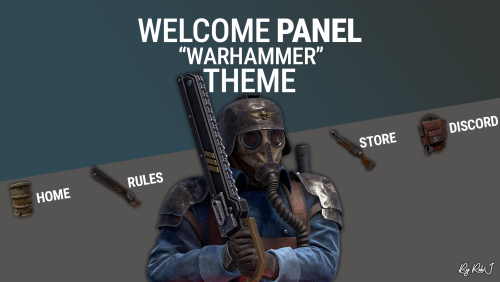
Welcome to my new theme for the popular WelcomePanel plugin — featuring a completely refreshed design inspired by the grim aesthetic of the Death Korps of Krieg from the Warhammer universe. This update includes: A redesigned button layout with 9 fully customized buttons Unique icons modeled after in-game items A coordinated wallpaper and refined color palette for a cohesive look All existing WelcomePanel functions and addons remain fully compatible — now wrapped in a darker, battle-worn Krieg theme. Please note: This is a theme configuration, not the plugin itself. You’ll need the WelcomePanel plugin installed for this theme to work. Quick Start Unload Welcome Panel (If you have it already) Extract the zip file. Place the JSON file in the Oxide/Config folder on your server. Install or Restart the Welcome Panel Plugin The theme should be active now. Adjust the logo and text to align with your server's preferences. Contact And Help If you need to contact me discord is best: RobJ2210#2553 For help/support my discord group is best: Join RobJ Maps Discord$12.99-
- 1
-
-
- #welcomeui
- #welcome ui
- (and 4 more)
-

Version 1.3
26 downloads
Things coming. Auto Perms via a Rust Plugin Blacklist a user Discord bot (more info soon) Reworked profile to support store... Maybe App Track (Applications) App Track is a streamlined application management system designed to simplify the submission and review process for organizations and communities. It is built with user convenience and administrative efficiency in mind, offering secure authentication through the Steam API and a dedicated admin dashboard for effective application handling. Features: User-Friendly Submission: Easy-to-navigate interface for users submitting applications. Secure Authentication: Integrated Steam API ensures secure login functionality. Admin Controls: Comprehensive dashboard for reviewing, managing, and approving submissions. Purpose: This system is ideal for gaming communities, organizations, or any group needing an efficient way to handle online application submissions. Profile for users that have already applied where they can see the status of there app! Installing: There is a HowToInstall.html file that will tell you how to install this with out any issues. If you come across any issues please reach out and let me know and i will help you install this and get it up and running! - More cool features coming soon to the `profile` side!$35.99 -
Version 2.11.2
1,214 downloads
Prefab creator that directly works with Static Lootables in order to create custom lootable definitions for your servers! This plugin provides more than there already is. [!] Known Issue When placing points that are (almost) perfectly vertical in all points (bottom points align with the top ones), the prefab gets applied flipped in the horizontal axis. Currently investigating this. Watch the tutorial down below to get an insight of how this works! It's simple, follow the instructions in chat designed to quickly help you integrate it in your server. Open the editor; Press [Reload] while looking at an object; If Lootables.Ext is loaded, the [PRO] section will show up, click on "Create Prefab"; Follow the instructions in chat & go wild; Press [Use] while looking at your newly created prefab; Set it up as a regular prefab; Voila!$5.26 -
Version 1.0.1
19 downloads
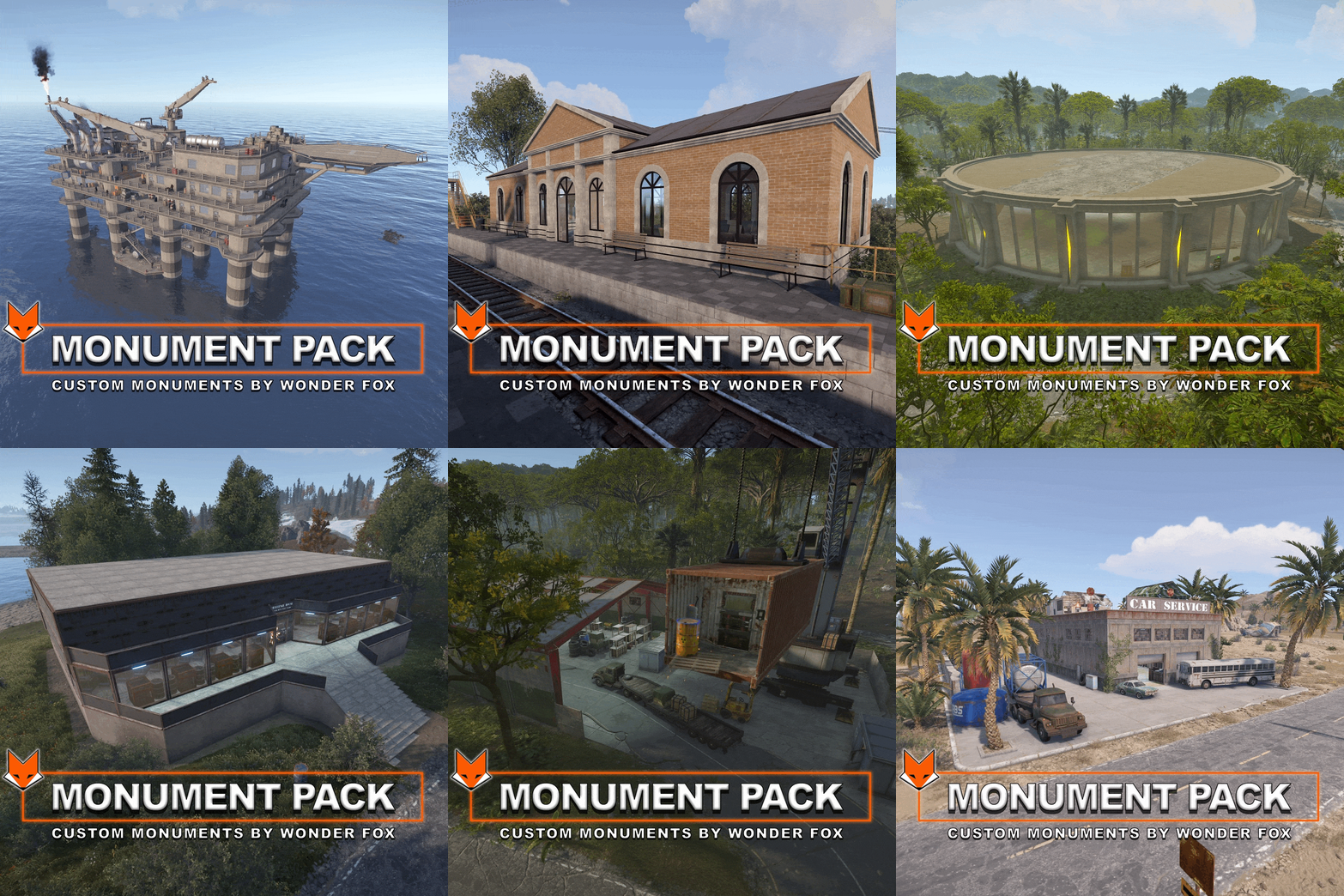
Monument Pack – 10 Custom Monuments for Rust Enhance your map with this handcrafted collection of 10 unique custom monuments, fully compatible with RustEdit. Each monument is designed to add immersion, challenge, and new possibilities to your server. Whether you're creating PvE adventures, PvP zones, or simply enriching exploration — this pack gives you powerful tools to take your world-building to the next level. Included Monuments: Bradley Arena A large combat zone guarded by three Bradley APCs, with high-value loot at the center. Perfect for PvP battles and armored events. Car Service A full-featured car workshop where players can upgrade, repair, and loot car parts, with plenty of extra loot opportunities. 🏚 Challenge House & Large Challenge House Puzzle-filled arenas with radiation, deadly lasers, traps, and clever mechanics. Survivors who reach the end will find rewarding loot. Custom Gas Station A detailed alternative to the vanilla gas station. Includes loot, decor, and a red keycard spawn. Custom Oil Rig A completely original offshore platform featuring green, blue, and red puzzle doors. Players must locate hidden fuseboxes to unlock access. Large Warehouse A custom warehouse replacement with keycard puzzles and loot, designed to fit naturally into industrial zones. Motel A lore-rich location where players can find research paper in rooms and trade it at the front desk. Mini Bandit Camp A small-scale Bandit Camp extension for your Outpost. Includes all standard shops. Railway Station A scenic and functional train station with loot spawns and keycard-locked rooms for additional exploration. Some monuments include custom loot and vending machine presets, which you can edit directly using RustEdit.$49.99 -

Version 1.1.2
88 downloads
What Is OutpostLink? OutpostLink is a Steam and Discord integration system that automates role and group assignments across both your Discord and Rust servers. Designed to work seamlessly with the required Outpost Website Template, it provides a streamlined way to manage player roles and permissions. Easy Setup A guided installation file walks you through the entire process, generating all the necessary configuration files for both the plugin and bot. Role and group settings are handled directly through the included web dashboard—eliminating the need for manual config edits. Any changes made via the dashboard can be instantly applied by reloading the bot or plugin on your server. Automated Role and Group Assignments By linking their Steam and Discord accounts, players are automatically assigned the roles and Rust permission groups you define in the web dashboard. You can also enable optional features like assigning roles based on Steam group membership or Discord Server Boosting. If these extras aren’t needed, they can simply be turned off. The system can also send discord webhooks to notify you of linked and unlinked players. Key Features - Seamless Integration Built to work directly with the Outpost Website Template. - Simple Setup The installation wizard generates all required config files. - Dashboard Management Easily view linked users, remove accounts, and modify settings in a user-friendly web panel. - Automated Role Assignments Assign Discord roles and Rust permission groups according to your server’s configured rules. - Multi-Server Support Configure distinct group setups for each game server in your network, ideal for larger communities. How It Works OutpostLink is composed of three key components: 1. Discord Bot Manages account linking and role assignments on Discord. 2. Link Page / Web API Serves as the connection between Discord and the game server, handling all settings and data storage. 3. Server Plugin Ensures that linked players receive their correct roles and permissions in-game. The Linking Process 1. Direct players to your Link page This page, included with the addon, can display custom heading and info text instructing players on how to link and what benefits they can receive. 2. Players sign in with Steam and Discord If a player isn’t already in your Discord, they’ll be added. After logging in to both services, they click "Link Accounts” to get their Discord roles. 3. Player Joins the Game Server - On joining the server, OutpostLink checks the Web API to confirm if they’re linked. - If verified, the plugin updates their permission groups based on linked status, Steam group membership, or Discord boosting. - If a player links while in-game, they can use `/link` to check their status, followed by a quick verification. - Once recognized, they’ll receive a confirmation. Otherwise, instructions will be provided on completing the linking process. - Each time a player reconnects, OutpostLink verifies that their link status hasn’t changed. If a player has unlinked or lost eligibility (e.g., stopped boosting or left the Steam group), OutpostLink immediately removes any roles they no longer qualify for. OutpostLink is a powerful, community-driven addition to the Outpost Website Template, designed to simplify admin tasks and enhance the player experience. With its centralized role and groups management for Discord and Rust, as well as a intuitive web dashboard, it significantly reduces admin workload while offering players an effortless way to bonus perks all while growing your community! Note: The Outpost Website Template is required for this addon! Standalone installation options are coming soon. - Use the Bundle option to the right to receive a discount when buying both!$24.99 -
Version 2.0
52 downloads
x100 Optimized Loottables! all Loot Tables have been stripped of all junk and useless items to make the looting experience a little more enjoyable. So exactly what every server needs. if you want to have an individual table created or you don't like something don't hesitate to contact me REMOVED/ADDED Changelog: -balanced High tier loot (bradly,heli etc) -added revolver & pistol ammo to low tier crates -removed junk from high tier loot crates/events -balanced low tier loot (radtown,barrels etc) -lowered electrical loot by -1 per container 2.0 UPDATE -removed all electrical loot -removed all clothing -balenced mid tier loot -balanced low tier loot -balanced high tier loot$2.99 -
Version 1.0.2
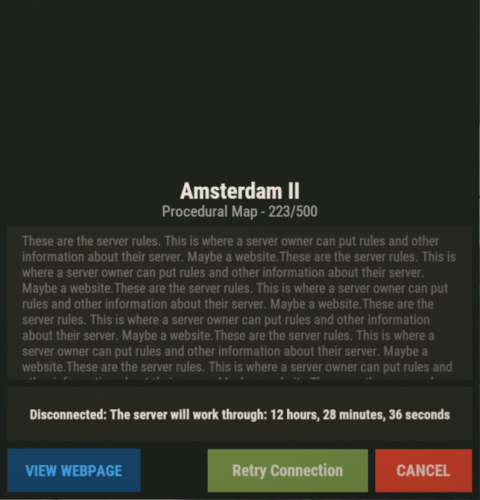
27 downloads
WipeAddon : An auxiliary plugin for performing a wipe Has the ability to : Does not let players in until the set wipe time When opening the server, will be available to enter for players also time WipeBlock and the rest of the plugins in which goes time from the vyp, will go from the moment of opening the server. Config : { "Allow players with admin rights to enter the server ?": true, "Players who can access the server [SteamID]": [ 765600000000, 765600000044, 765600000123 ], "Time to open the server | Hours": 14, "Time to open the server | Minutes ": 0, "Config version": { "Major": 1, "Minor": 0, "Patch": 0 } }$5.00-
- 1
-

-
- #wipeaddon
- #wipe
- (and 1 more)
-
Version 2.0
92 downloads
x5 Optimized Loottables! all Loot Tables have been stripped of all junk and useless items to make the looting experience a little more enjoyable. So exactly what every server needs. if you want to have an individual table created or you don't like something don't hesitate to contact me REMOVED/ADDED Changelog: -balanced High tier loot (bradly,heli etc) -added revolver & pistol ammo to low tier crates -removed junk from high tier loot crates/events -balanced low tier loot (radtown,barrels etc) -lowered electrical loot by -1 per container 2.0 UPDATE -removed all electrical loot -removed all clothing -balenced mid tier loot -balanced low tier loot -balanced high tier loot$2.99 -
Version 1.0.2
20 downloads
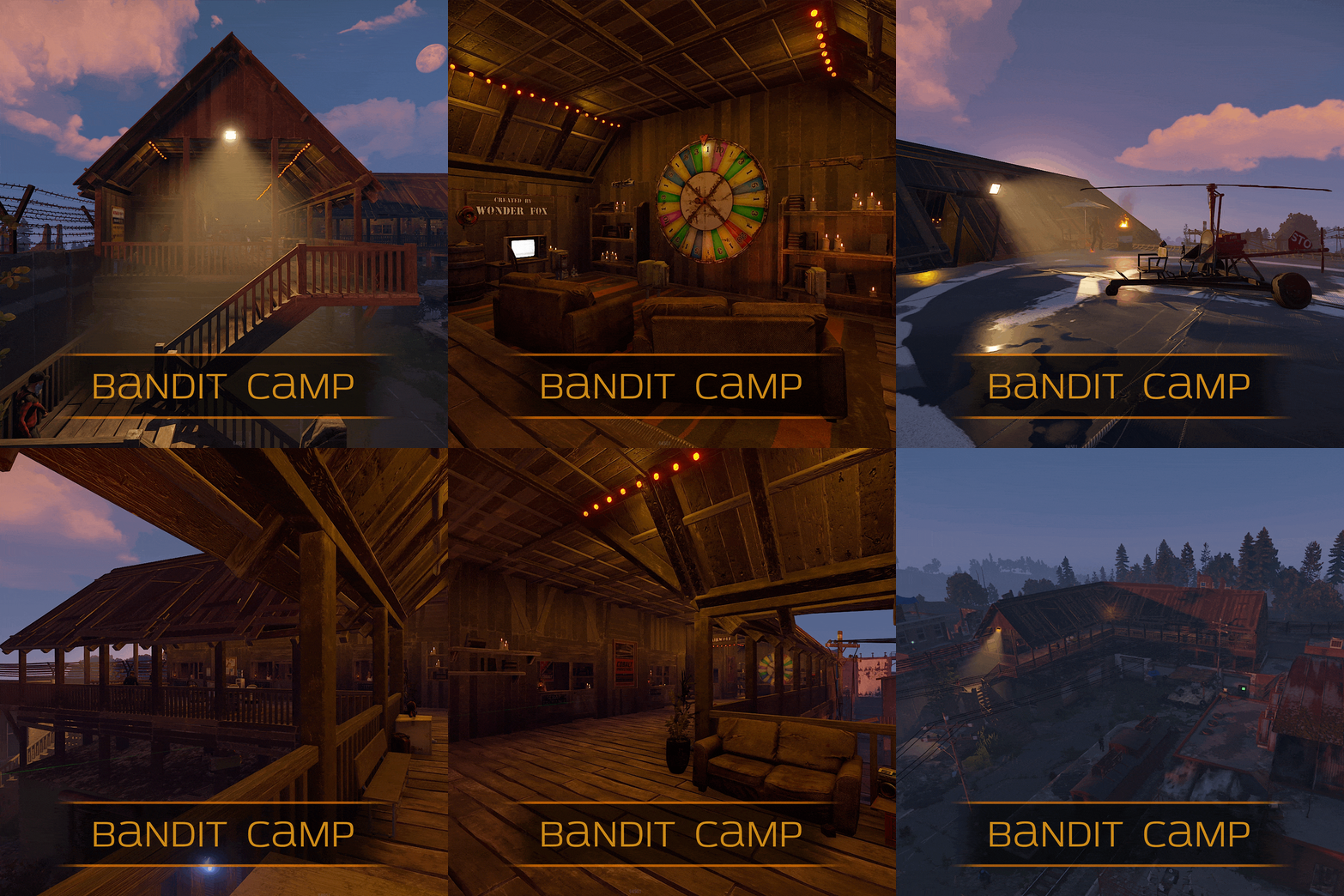
Mini Bandit Camp is an outpost addon, it has all the merchants and mission providers, there is a wheel of fortune and slot machines, and there is also an airwolf helicopter merchant. Custom vending machine profiles that you can edit. Very easy to install, just copy the outpost position and paste it into the addon$9.99 -
Version 1.0.0
24 downloads
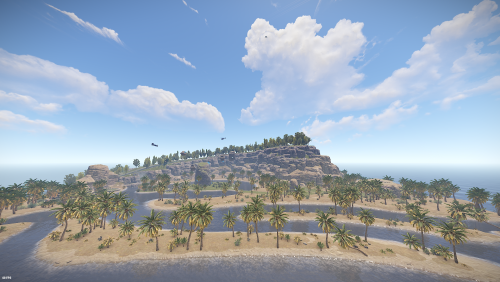
The Lost Isle - some mysterious crystaline formations appear to be causing oddities on an isle once thought lost 640 wide island rich in resources with interesting places to build and beautiful vistas , it was made with community building (pve) / clan building and island control (pvp) in mind - Cewkies XL buildable cave - river network with water roundabouts - small exlplorable pyramid - up mountain river (boat up and down) - Cewkies Fountain$4.99 -
Version 2.0
3 downloads
x15 Optimized Loottables! all Loot Tables have been stripped of all junk and useless items to make the looting experience a little more enjoyable. So exactly what every server needs. if you want to have an individual table created or you don't like something don't hesitate to contact me REMOVED/ADDED Changelog: -balanced High tier loot (bradly,heli etc) -added revolver & pistol ammo to low tier crates -removed junk from high tier loot crates/events -balanced low tier loot (radtown,barrels etc) -lowered electrical loot by -1 per container 2.0 UPDATE -removed all electrical loot -removed all clothing -balenced mid tier loot -balanced low tier loot -balanced high tier loot$2.99






.thumb.gif.b68fcc45abe70ab7d7235dffc8a0c770.gif)