Search the Community
Showing results for tags 'big'.
Found 11 results
-
Version 1.3.0
9 downloads
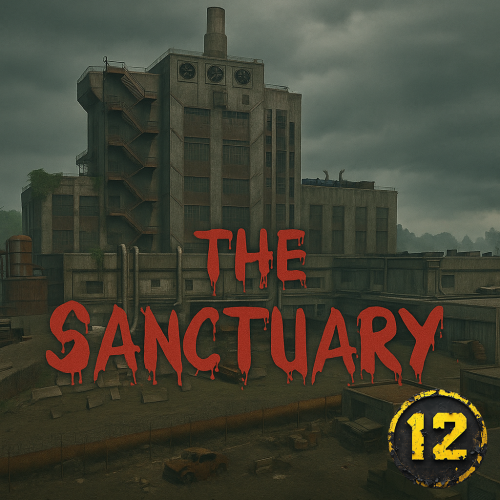
THE SANCTUARY Heads up, this is a massive prefab with high detail and ALOT of prefabs! One 16k prefabs version, with a more detailed facade One 12k prefabs version, less detailed facade thats made of one block metal prefab. Kinda more yellow (I like the 16k version more my self) Comes with generated maps Welcome to The Sanctuary: a painstakingly detailed (maybe too detailed for my mental health, but hey, who needs therapy when you have Rust, right?) custom monument built as a loving homage to The Walking Dead’s Sanctuary. The outside? Pretty dang accurate if you ask me. The inside? Some spots "match", some are freebased to make them more Rust-y. Trust me, Negan would approve. What you’ll find: 2 puzzles with green and red card. One extra "puzzle" from the red "room" with a button that opens a timed door A sprinkling of obby challenges A ton of loot (seriously, you might need a second backpack) A whole lot of atmosphere, grimy, decayed, and absolutely Saviors-certified, Explore, loot, solve, die, repeat — and remember: Have fun. Or don’t. I’m not your mom. I recommend using these plugins with this prefab/monument: BetterNpc to place NPC's inside the monument: BetterNpc BossMonster to create the Boss Negan: BossMonster plugin (profile included!) Button Commands to call in Heli when button is pressed: Button Commands Want help!? Join OUR DISCORD$20.00-
- 2
-

-
- #walking dead
- #pve
- (and 19 more)
-
Version 0.1.7
233 downloads
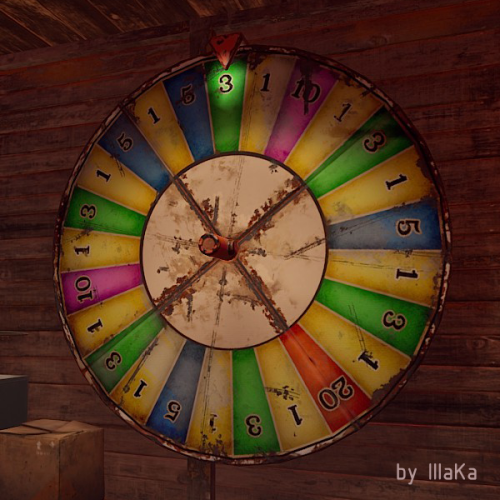
An indispensable plugin that collects Fortune Wheel statistics and provides the ability to view them through the UI. bigwheelstats.use - Provides access to use UI; bigwheelstats.admin - Provides the same permissions as bigwheelstats.use. Additionally, it provides the ability to manage big game wheels without any limitations. { "Is it worth checking for permissions before displaying the UI?": false, "Is it worth clearing statistics during a wipe?": true, "List of language keys for creating language files": [ "en" ], "Name of the prefab to play when a player becomes the best player. Leave empty to disable": "assets/prefabs/misc/xmas/advent_calendar/effects/open_advent.prefab", "Is it worth skipping the reward for the first best player?": true, "Command to execute when a player becomes the best player(0 - userID). Leave empty to disable, or null to use the default": "tperm add {0} vip 3600", "Cash reward for becoming the best player. Leave 0 to disable": 100.0, "List of items granted for becoming the best player. Leave empty to disable, or null to use the default": [ { "ShortName": "scrap", "Amount": 100, "SkinId": 0 } ], "List of permissions for top players. Each position in the list corresponds to the player's rank. Note: empty or null entries will be removed": [ [ "example.firstA", "example.firstB" ], [ "example.secondA" ], [ "example.thirdA" ] ], "List of permissions for top players for custom game wheels": [], "Big Wheel Game - Default name": "BIG WHEEL GAME", "Big Wheel Game - Name length limit(1–30)": 16, "Big Wheel Game - Cooldown time in seconds for changing the image url": 600.0, "Big Wheel Game - Default image Url": "https://i.imgur.com/MhW63JV.png", "Big Wheel Game - Allowed image Url prefix. Leave empty to allow all sites. Example: 'https://i.imgur.com/'": "", "Ui - Main Background Color": "#1A1A1A", "Ui - Main Background Transparency": 0.95, "Ui - Text Font(https://umod.org/guides/rust/basic-concepts-of-gui#fonts)": "RobotoCondensed-Bold.ttf", "Hud - Icon Url": "https://i.imgur.com/HvoFS7p.png", "Hud - Icon Color": "#808080", "Hud - Icon Transparency": 0.5, "Hud - Icon Is Raw Image": false, "Hud - Icon AnchorMin": "1 0", "Hud - Icon AnchorMax": "1 0", "Hud - Icon OffsetMin": "-250 15", "Hud - Icon OffsetMax": "-220 45", "Hit - Yellow Color": "#BFBF40", "Hit - Yellow Transparency": 0.4, "Hit - Green Color": "#408C8C", "Hit - Green Transparency": 0.4, "Hit - Blue Color": "#03598C", "Hit - Blue Transparency": 0.4, "Hit - Purple Color": "#8026CC", "Hit - Purple Transparency": 0.4, "Hit - Red Color": "#B24C59", "Hit - Red Transparency": 0.4, "Panel - Background Color": "#4C4C4C", "Panel - Background Transparency": 0.5, "Panel - OffsetMin": "-320 -255", "Panel - OffsetMax": "320 255", "Panel - Close Url": "https://i.imgur.com/O9m6yZF.png", "Panel - Close Color": "#D94026", "Panel - Close Transparency": 0.6, "Panel - Close Is Raw Image": false, "Panel - Close AnchorMin": "1 0", "Panel - Close AnchorMax": "1 0", "Panel - Close OffsetMin": "-250 15", "Panel - Close OffsetMax": "-220 45", "Menu - Buttons Color": "#808080", "Menu - Buttons Color Transparency": 0.4, "Menu - Buttons Active Color": "#3380BF", "Menu - Buttons Active Color Transparency": 0.6, "Menu - Font Size": 18, "Menu - Font Color": "#CCCCCC", "Menu - Font Color Transparency": 0.5, "Menu - Font Active Color": "#FFFFFF", "Menu - Font Active Color Transparency": 1.0, "Sub Menu - Reload Color": "#CCCCCC", "Sub Menu - Reload Color Transparency": 0.5, "Sub Menu - Settings Color": "#CCCCCC", "Sub Menu - Settings Color Transparency": 0.5, "Player Info - Online Color": "#CCFFB2", "Player Info - Online Transparency": 0.4, "Player Info - Offline Color": "#FF0000", "Player Info - Offline Transparency": 0.4, "Player Info - Font Size": 16, "Player Info - Font Color": "#FFFFFF", "Player Info Card - Background Color": "#808080", "Player Info Card - Background Transparency": 0.4, "Player Info Card - Title Font Size": 12, "Player Info Card - Title Font Color": "#808080", "Player Info Card - Value Font Size": 16, "Player Info Card - Value Font Color": "#CCCCB2", "Game Info - Color": "#808080", "Game Info - Transparency": 0.4, "Game Info - Font Size": 16, "Game Info - Font Color": "#FFFFFF", "Game Info Card - Background Color": "#808080", "Game Info Card - Background Transparency": 0.4, "Game Info Card - Title Font Size": 12, "Game Info Card - Title Font Color": "#808080", "Game Info Card - Value Font Size": 16, "Game Info Card - Value Font Color": "#CCCCB2", "Game Info Card - Percentage Font Size": 12, "Game Info Card - Percentage Font Color": "#808080", "Column Header - Color": "#4C4C4C", "Column Header - Transparency": 1.0, "Column Header - Active Color": "#595959", "Column Header - Active Transparency": 1.0, "Column Header - Font Size": 16, "Column Header - Font Color": "#CCCCB2", "Column Header - Font Active Color": "#FFFFFF", "Column Item - Font Size": 16, "Column Item - Color": "#808080", "Column Item - Transparency": 0.3, "Column Item - Even Color": "#808080", "Column Item - Even Transparency": 0.6, "Column Item - Font Color": "#CCCCB2", "Column Item - Font Active Color": "#FFFFFF", "Player HitList - Win Color": "#8CC83C", "Player HitList - Win Transparency": 0.4, "Player HitList - Lose Color": "#CD4632", "Player HitList - Lose Transparency": 0.4, "Game HitList Item - Font Size": 18, "Game HitList Item - Font Color": "#CCCCB2", "Player List - Name Font Size": 12, "Player List - ID Font Size": 10, "Player List - ID Font Color": "#808080", "Game List - Name Font Size": 12, "Game List - ID Font Size": 10, "Game List - ID Font Color": "#808080", "Settings - Background Color": "#4C4C4C", "Settings - Background Color Transparency": 0.5, "Settings - Title Color": "#4C4C4C", "Settings - Title Color Transparency": 0.7, "Settings - Input Color": "#4C4C4C", "Settings - Input Color Transparency": 0.7, "Settings - Button Color": "#4C4C4C", "Settings - Button Color Transparency": 0.7, "Settings - Text Color": "#CCCCB2", "Settings - Text Color Transparency": 1.0, "Settings - Sub Text Color": "#808080", "Settings - Sub Text Color Transparency": 1.0, "Scrolling - Width": 3.0, "Scrolling - Handle color": "#CCCCCC", "Scrolling - Handle color transparency": 0.5, "Scrolling - Pressed color": "#CCCCB2", "Scrolling - Pressed color transparency": 1.0, "Scrolling - Track color": "#000000", "Scrolling - Track color transparency": 0.0, "Footer - Color": "#4C4C4C", "Footer - Transparency": 0.4, "Footer - Font Size": 16, "Footer Buttons - Between Button Text": "...", "Footer Buttons - Color": "#808080", "Footer Buttons - Transparency": 0.4, "Footer Buttons - Active Color": "#3380BF", "Footer Buttons - Active Transparency": 0.6, "Footer Buttons - Font Color": "#CCCCB2", "Footer Buttons - Font Active Color": "#FFFFFF", "Footer Custom Button - Command. Leave empty to disable": "", "Footer Custom Button - Color": "#808080", "Footer Custom Button - Transparency": 0.4, "Footer Text - Font Size": 12, "Footer Text - Font Color": "#808080", "Wipe ID": null, "Version": { "Major": 0, "Minor": 1, "Patch": 7 } } EN: { "UiMenuPlayer": "My statistics", "UiMenuPlayerList": "Top players", "UiMenuGameList": "Game list", "UiFooterCustomButton": "My button", "UiFooterText": "Showing {0} to {1} of {2}", "UiPlayerTotalSpins": "Total spins", "UiPlayerWinSpins": "Win spins", "UiPlayerLoseSpins": "Lose spins", "UiPlayerScrapSpend": "Scrap spend", "UiPlayerScrapWin": "Scrap win", "UiPlayerScrapResult": "Scrap result", "UiPlayerScrapRecordBid": "Scrap record bid", "UiPlayerScrapLastBid": "Scrap last bid", "UiPlayerScrapLastWin": "Scrap last win", "UiPlayerHitsItem": "Item", "UiPlayerHitsHit": "Hit", "UiPlayerHitsBidAmount": "Bid amount", "UiPlayerHitsResultAmount": "Result", "UiPlayerListPlayer": "Player", "UiPlayerListTotal": "Total", "UiPlayerListLoses": "Loses", "UiPlayerListWins": "Wins", "UiPlayerListRecordBid": "Record bid", "UiPlayerListRecordWin": "Record win", "UiPlayerListResult": "Result", "UiGameBestPlayer": "Best player", "UiGameCurrentSpins": "Current session spins", "UiGameTotalSpins": "Total spins", "UiGameTotalYellow": "Yellow", "UiGameTotalGreen": "Green", "UiGameTotalBlue": "Blue", "UiGameTotalPurple": "Purple", "UiGameTotalRed": "Red", "UiGameSettingsTitle": "Big Wheel Game Management", "UiGameSettingsName": "Name:", "UiGameSettingsImage": "Image Url:", "UiGameSettingsImageCooldown": "The next opportunity to change the image will be available in {0} seconds!", "UiGameSettingsReset": "Reset statistics", "UiGameSettingsResetSpinning": "Can't reset the game wheel statistics while it is spinning!", "UiGameListBigWheelGame": "Big wheel game", "UiGameListBestWin": "Best Win", "UiGameListTotalSpins": "Total spins" } RU: { "UiMenuPlayer": "Моя статистика", "UiMenuPlayerList": "Топ игроков", "UiMenuGameList": "Список игр", "UiFooterCustomButton": "Моя кнопка", "UiFooterText": "Отображены с {0} по {1} из {2}", "UiPlayerTotalSpins": "Всего ставок", "UiPlayerWinSpins": "Выигрышные ставки", "UiPlayerLoseSpins": "Проигрышные ставки", "UiPlayerScrapSpend": "Потрачено скрапа", "UiPlayerScrapWin": "Выиграно скрапа", "UiPlayerScrapResult": "Итог скрапа", "UiPlayerScrapRecordBid": "Рекордная ставка", "UiPlayerScrapLastBid": "Последняя ставка", "UiPlayerScrapLastWin": "Последний выигрыш", "UiPlayerHitsItem": "Предмет", "UiPlayerHitsHit": "Число", "UiPlayerHitsBidAmount": "Ставка", "UiPlayerHitsResultAmount": "Итог", "UiPlayerListPlayer": "Игрок", "UiPlayerListTotal": "Всего", "UiPlayerListLoses": "Проигрышей", "UiPlayerListWins": "Выигрышей", "UiPlayerListRecordBid": "Рекордная ставка", "UiPlayerListRecordWin": "Рекордный выигрыш", "UiPlayerListResult": "Итог", "UiGameBestPlayer": "Лучший игрок", "UiGameCurrentSpins": "Вращений за сессию", "UiGameTotalSpins": "Всего вращений", "UiGameTotalYellow": "Желтый", "UiGameTotalGreen": "Зеленый", "UiGameTotalBlue": "Синий", "UiGameTotalPurple": "Фиолетовый", "UiGameTotalRed": "Красный", "UiGameSettingsTitle": "Управление игровым колесом", "UiGameSettingsName": "Имя:", "UiGameSettingsImage": "Ссылка на изображение:", "UiGameSettingsImageCooldown": "Следующая возможность изменить изображение будет доступна через {0} секунд!", "UiGameSettingsReset": "Сбросить статистику", "UiGameSettingsResetSpinning": "Нельзя сбросить статистику игрового колеса пока оно крутится!", "UiGameListBigWheelGame": "Игра", "UiGameListBestWin": "Лучший выигрыш", "UiGameListTotalSpins": "Всего вращений" }$14.99 -
Version 2.0.0
16 downloads
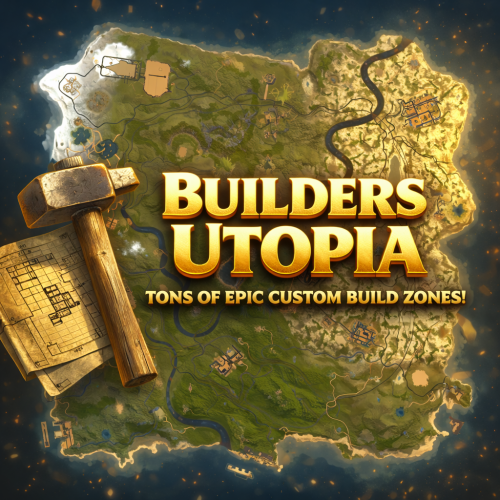
BUILDERS UTOPIA – 3500K HIGH PERFORMANCE CREATIVE RUST MAP Builders Utopia is a well balanced, great performance, builder-friendly 3500k Rust map loaded with All Facepunch Monuments included and 13 custom build spots. Designed for smooth performance, creative freedom, and competitive gameplay. Perfect if you have players who like to build and great for server owners because of its low entity count and map size, this is great for lower ram servers! What Makes It Special: Endless Custom Buildable areas that players will love! Diverse terrain: forests, deserts, coasts, cliffs, valleys & plateaus Perfect for solos, clans and builders! Custom Build Zones Low-prefab, FPS-friendly buildables: Custom caves Creative Structures Unique build pockets All Facepunch Monuments Included Launch Site • Military Base • Military Tunnels • Nuclear Missile Silo • Airfield • Large Harbor • Outpost • Excavator • Large Oil Rig • Small Oil Rig • Small Harbor • Dome Sphere Tank • Satellite Dish • Ferry Terminal • Sewer Branch • SuperMarket • TrainYard • PowerPlant • Gas Station • Warehouse • Arctic Research Base • Lighthouse • HQM Quarry • Sulfur Quarry • Stone Quarry • Fishing Village • RadTown • JunkYard Map Info Size: 3500 Prefabs: ~8835 Support Discord: DarkoRust$24.99- 1 review
-
- 1
-
-
- #cave
- #buildable monument
- (and 16 more)
-
.thumb.gif.838ec1c9c1193e68c7a57379c843f78e.gif)
Version 1.0.1
16 downloads
Nuclear Power Plant - is an industrial Nuclear Power Plant area, surrounded by sturdy fences and guarded by turrets and armed NPCs. Inside you’ll find key facilities for energy production and control: Reactor Hall — housing active nuclear reactors generating power. Machine Room — equipped with turbo generators and auxiliary equipment for energy conversion and distribution. Control Room — with consoles and monitoring systems overseeing plant operation. Checkpoints — controlled access points guarded by armed NPCs. High Radiation Zones — requiring special protective gear to enter safely. Helipad — for rapid personnel transport and emergency evacuation. Loot Areas — containing valuable industrial equipment and rare resources. This is a strategically important, high-risk zone offering valuable rewards — perfect for organized teams and intense PvP battles. Used NPC Spawn and Radiation Volume prefabs. For correctly work please install RustEditExt library befor running the server.$29.99-
- 2
-

-
-
- #powerplant
- #prefab
- (and 5 more)
-
Version 1.0.0
18 downloads
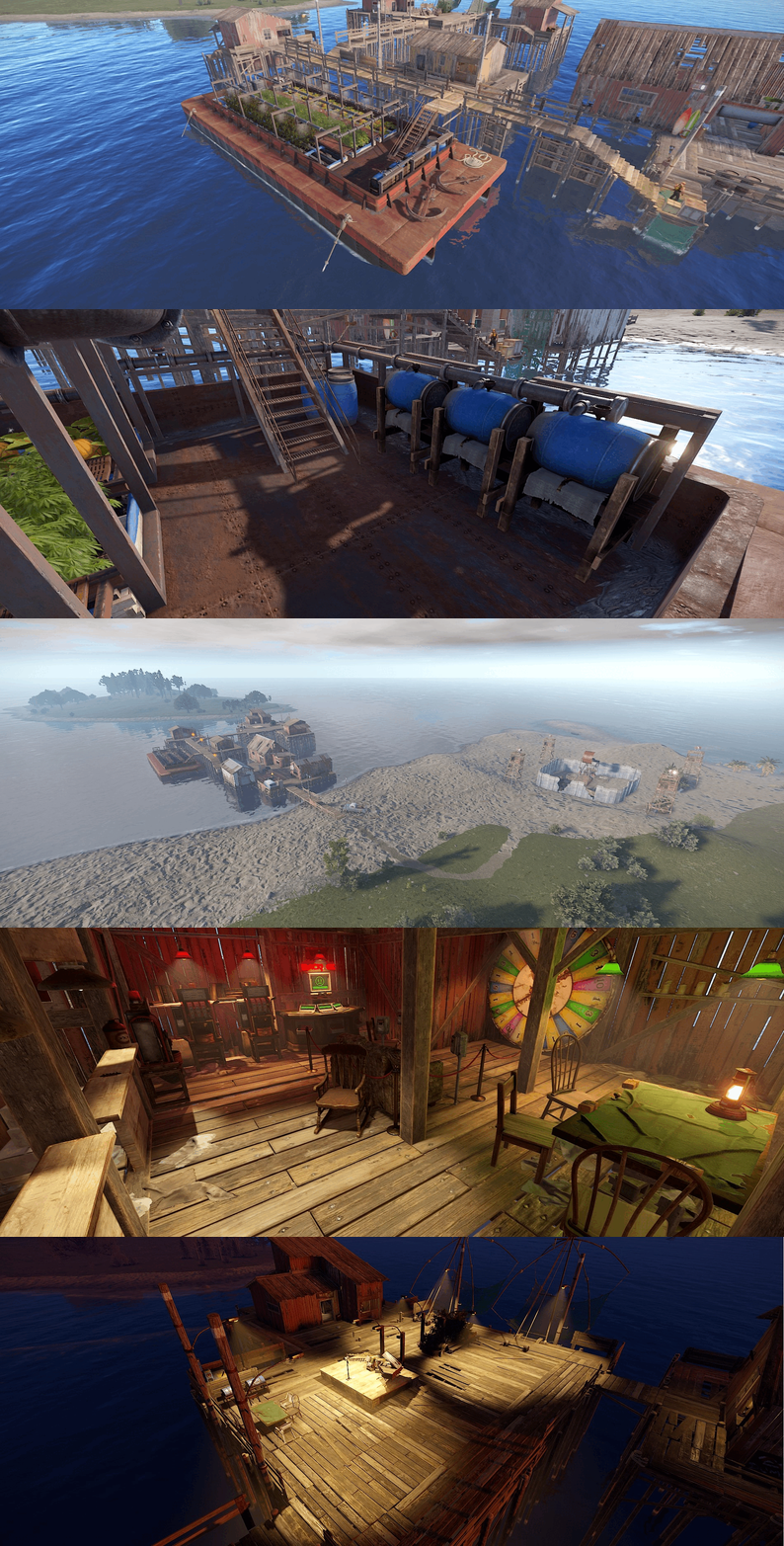
Custom Fishing Village (3-Level Safe Zone) Welcome to the Custom Fishing Village — a multi-level, fully safe zone designed for trading, socializing, and relaxation. This area strictly prohibits PvP, weapons use, and loot containers, creating a peaceful environment like official Rust safe zones. Level 1 — Merchant Bay Typical fishing village houses with friendly vendors and vending machines provide a stable economy and a place for player interaction and trade. Level 2 — Floating Farms & Generator Room An old rusty barge converted into a utility platform with a generator room, vendor stalls, and functional farms. Fresh purified water barrels are available for all visitors. Level 3 — Leisure Terrace A comfortable upper level featuring musical instruments, ambient lighting, a BBQ zone, and even a mini-casino. Perfect for RP events and social gatherings. Purpose: Fully PvP-free safe zone Trading and social hub for PvE/RP servers Event space and player interaction area Used NPC Spawn and Volumes prefabs. For correctly work please install RustEditExt library befor running the server.$9.99 -
Version 1.0.2
6 downloads
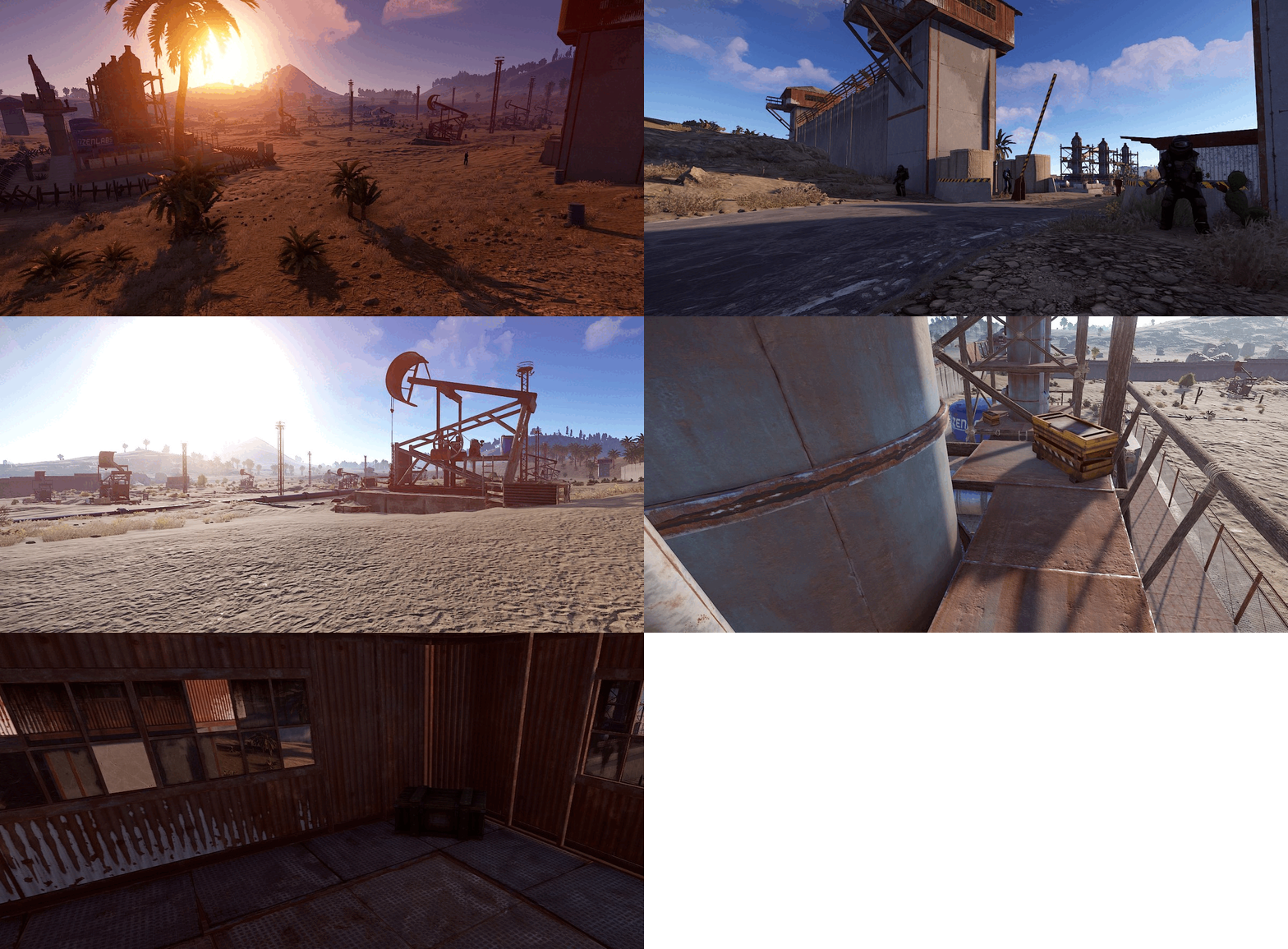
Oil Fields – Secure Industrial Compound for Rust A heavily fortified oil outpost, nestled deep in the harsh desert biome. Perfect for PvP arenas, RP scenarios, or high-stakes resource control zones on your Rust server. Features: Tall perimeter walls – full enclosure for maximum protection 🛡 4 Guard towers – strategically placed for 360° defense Checkpoint gate – fortified entrance with defensive cover Massive loot potential – crates, barrels, elite loot zones and more Armed Scientist NPCs – patrol-ready, well-equipped defenders 🛢 12 Oil Pumps – abundant on-site crude oil generation Oil Refinery Facility – centralized processing station 🛰 SAM Site system – air defense ready to counter players heli raids Helipad – ideal for mods, events, or roleplay use 🏜 Desert-themed environment – blends naturally into arid terrain Tech Specs: RustEdit prefab compatible Optimized for PvP and resource-focused gameplay Modular structure – easy to customize or expand Designed for seamless placement in flat desert regions Control the oil. Command the battlefield. This prefab brings high-stakes industrial warfare right to your server. Download now or contact us for customization options! NPC Spawn and Volumes prefabs are used. For correct operation, install the RustEditExt library before starting the server.$9.99 -
Version 1.4.3
65 downloads
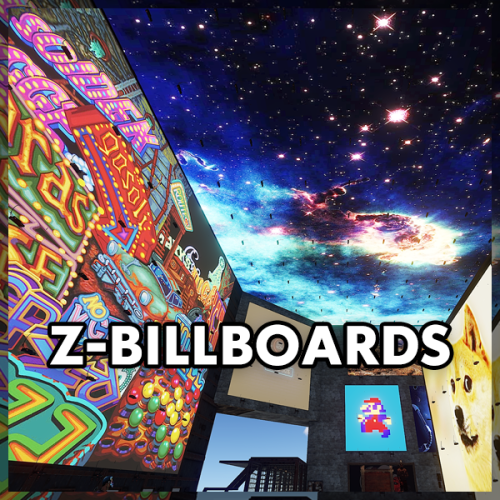
The Z-Billboards plugin gives you the ability to make billboards in no-time! With the size of these eye catchers, people WILL see your server info, vending ads or king size memes. Z-Billboards The Z-Billboards plugin gives you the ability to make billboards of any size you want! After creation, it is possible to add any image from the internet like you are used to with other sign mods. Multiple images are possible too. What is the first 10 x 10 sized 5 frame video you paste on your base? With the size of these eye-catchers, people WILL see your server info, vending ads, or king-size memes. No need to edit the image yourself: When pasting an image to a billboard, it will be resized to fit your billboard perfectly. The process of splitting the image into the right amount of pieces is also done automatically. It is really as simple as pasting a normal image on a single sign. Added in 1.4.0: Pass an optional brightness parameter to your paste command to set the brightness of your images: /billboard sil <url> 0.0 – 1.0 (0 = darkest, 1 = lightest) Product features Automatic placement of (neon) signs so they are always aligned No photo editing required, insert the image URL and resizing, splitting and pasting is all automatically done for you 3 tiers + admin tier for limiting the size of billboards Limit the total amount of billboards per tier Animated signs possible, pasting an image will use the next free sign Toggle power & Adjust animation speed with 1 command In theory, no limits regarding total size Adjust brightness of the image in game Usage Always start with the top left Large Animated Neon Sign or an XL Picture Frame. After that, look at the sign and create the billboard: /billboard create <horizontal signs> <vertical signs> To paste an image, look at your billboard and use: /billboard sil <image url> The plugin will now download your image, stretch it to make it fit the full billboard, cut it in equal parts (the amount of neon signs) and paste every part onto the right neon sign. Synchronize animated billboards When pasting more than one image on a billboard made of neon signs, it will start to animate. Because not all images are pasted at the same time, it is possible the neon signs are not synchronized with each other. To solve this problem, wait for the pasting to be done and toggle your billboard’s power or speed. Both commands will ‘restart’ your billboard. All neon signs will start at the first image again. Brightness Most images on neon signs look better when they are made a little darker. Since version 1.4.0 there is an optional brightness value you can add to the paste command. The image is pasted at it’s brightest (1.0 or 100%) by default. Lower the value to make an image darker, 0.5 means the image will be pasted at 50% brightness. To use this functionality, simply add the brightness after the URL. Commands /billboard create 2 2 /billboard sil <image url> /billboard sil <image url> [brightness 0.0 - 1.0] /billboard toggle --> toggle all power on/off (this also syncs animated signs) /billboard destroy --> removes your billboard /billboard speed 1.5 --> changes speed of animated signs /billboard info --> get billboard ID and location Console commands billboard.toggle <billboard ID> --> power on/off billboard (needs permission zbillboards.console) Configuration The mod comes with 4 different permissions to determine the maximum size of a billboard per player (group). It also has some other settings to tweak performance: { "Maximum amount of signs in total (width x height) Tier 1": 6, "Maximum amount of billboards (any size, 0 = unlimited) Tier 1": 1, "Maximum amount of signs in total (width x height) Tier 2": 12, "Maximum amount of billboards (any size, 0 = unlimited) Tier 2": 3, "Maximum amount of signs in total (width x height) Tier 3": 16, "Maximum amount of billboards (any size, 0 = unlimited) Tier 3": 5, "Maximum amount of signs in total (width x height) Admin": 150, "Width and height of each neon sign image in pixels": 150, --> higher has better quality but uses more performance "Lock signs to owner after creating billboard": true, "Give back a Neon Sign when a billboard is removed with the destroy command": true, "Seconds between pasting images": 0.25 --> pasting too many image parts too fast will product lag, "Destroy billboard when any of it's signs gets removed, picked up or destroyed": true --> this prevents players from duplicating and selling their signs on the black market } Above (default) settings would mean a player with tier 1 can place a maximum of 1 billboard, containing 6 or less signs. A tier 3 player can place 5 billboards, each made of maximal 16 signs. Permissions zbillboards.admin zbillboards.console --> to use console commands zbillboards.tier1 zbillboards.tier2 zbillboards.tier3 Performance I managed to create billboards as big as 12 x 12 and they perform very well. Do keep in mind that the process of downloading, resizing and splitting the images is very heavy for your server. Billboards this size WILL produce lag and I recommend to let only admins have the ability to make them this big. Since version 1.3.0, normal XL Picture Frames are supported. These signs do a lot better in terms of performance! Support If you have any problems, suggestions or questions, then please let me know! The quickest way to contact me is on Discord (josh.z) or join my Discord server to meet and discuss with other victims of my plugins! https://discord.gg/7ApTVphM7f$25.00 -
Version 1.0.0
54 downloads
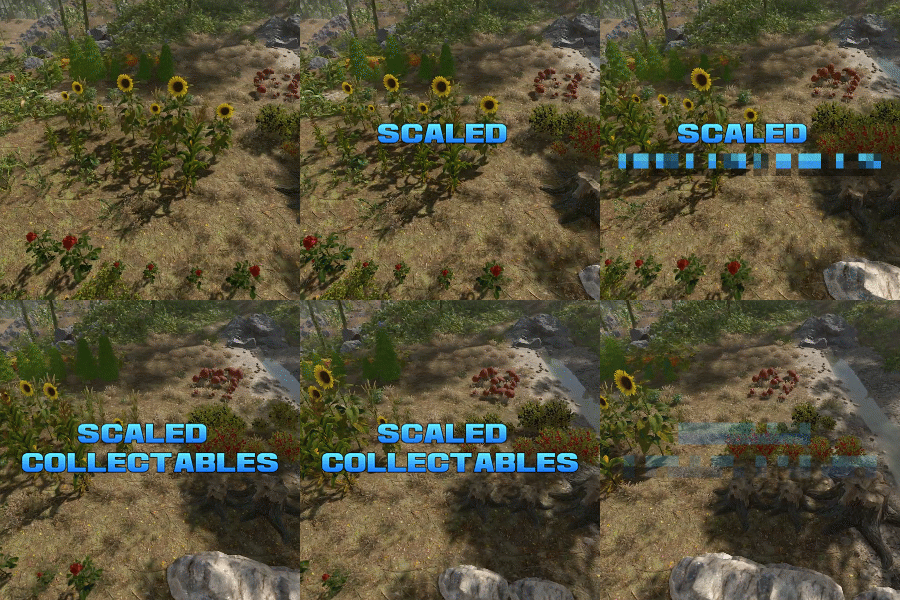
Scaled Collectables dynamically adjusts the size and yield of map-generated collectable entities—such as mushrooms, hemp, and pumpkin patches—to create a more immersive and varied gathering experience. Each collectable spawns with a random scale within a configurable range (default: 0.6x to 2.0x). The size directly affects the yield — for instance, harvesting a hemp plant that’s twice as large as normal will reward twice the usual amount of cloth. You can configure scaling values for each collectable type individually, allowing fine-tuned control over balance and gameplay on your server. Note: Collectable scales are reset when the plugin is unloaded, and are adjusted again when it is reloaded. Config example: https://pastebin.com/BEMsVHHZ$9.99 -
Version 1.0.0
11 downloads
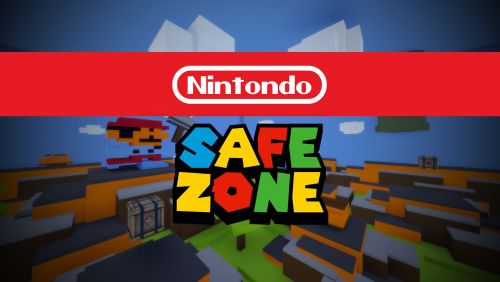
Safe zone for your Rust server with this classic Nintendo console. It contains all the amenities of Outpost. Mario, Luigi, Donkey Kong and enemy characters. You can also find loot, npcs and traps.$12.90 -
Version 1.2
1,442 downloads
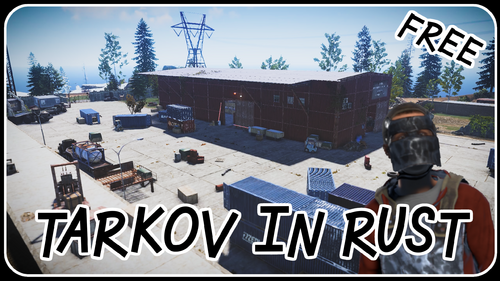
I rebuilt the Customs Big Red Warehouse from EFT in Rust. It's a high tier monument with blue and red key doors and enough loot for everyone, so it should be heavily contested! Anyone can use the monument in their Rust server for free! I will mention your server here if you use it: Servers using the monument: DemonicDragons Soloville Sunday Credits green computer font by RobJFree- 7 comments
- 1 review
-
- 4
-
-
- #tarkov
- #escape from tarkov
- (and 12 more)
-
Version 1.2.0
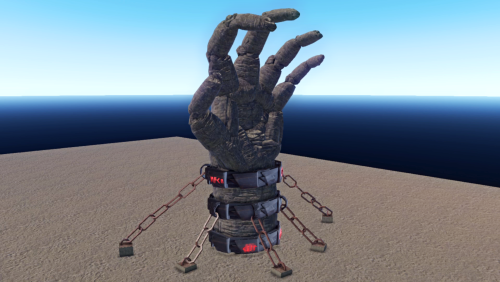
17 downloads
Introducing Titans Hand made by Lucid Blank a massive rock structure forming into a demon's hand. When broken the hand can be molded to the needs of the server leaving room for infinite possibilities. Included in this prefab pack are 5 variations of the titan's hand, including 2 usable monuments. Most are drag and drop into rust edit and can be broken and fully customized per your needs. Comes with some custom runes placed on the chained variant as shown in the video. With glow effects, even at night the monuments stand out and reign over the land. Included: -Chained Titan Hand (with runes) -Crystal Cave (Height and terrain map included) -Hell Dome (Stand Alone) -Titans Hand Red (Stand Alone) -Titans Hand (Stand Alone) Changelog: V1.2 -Fixed bugging with the cinelight effect -Replaced water element in "Crystal Cave". -Changed heightmap for "Crystal Cave" Cinematic https://www.youtube.com/watch?v=OI7qKTCs_xU&t=20s$5.00