Search the Community
Showing results for tags 'camera'.
Found 4 results
-
Version 2.1.0
33 downloads
Take your Rust gameplay to the next level with Action Camera! Want to feel like you're the center of attention? With Action Camera your Rust actions will be available for viewing in real time! What makes Action Camera special? You're always in the center of the action. Your friends and viewers can watch your every move, whether it's base building, battles, or raids. Now every moment will be truly unforgettable! Unique experience. Rust has never been like this! With Action Camera, you experience every moment together with other players, because they can see everything that's happening around you. New game situations. Imagine how spectators are watching you in the thick of battle or on a raid. All the tension, every decision - now it's a real performance that unfolds before the eyes of the audience. Creating bright moments. Now your friends can record your most epic moments from completely new angles, creating unique videos of your survival. Add intrigue and spectacle to your game with Action Camera! Feel the real thrill of knowing you're being watched. Make every Rust session unique and memorable. Install Action Camera - you'll love it! Permissions actioncamera.create – the primary permission for players. It allows the creation of an action camera when wearing a miner's hat. actioncamera.admin – allows viewing the list of all active cameras on the server using the /cams command. Chat Commands /camlock – locks the current camera ID to the player. This specific ID will be assigned every time the player equips the hat in the future. /camunlock – unlocks the camera ID. The next time the player puts on a miner's hat, they will be assigned a new random ID. /cams – displays a list of all active action camera IDs and their owners in the chat.$19.00- 13 comments
- 1 review
-
- 4
-

-

-
- #creative
- #mechanics
- (and 9 more)
-

Version V2.1
81 downloads
This prefab fills the game with a gloomy atmosphere, players who build it can not build their own elevators, but only fill up the fuel generator and use the one that is already in the cave. Entity Count : 1190$3.50 -
Version 1.0.2
53 downloads
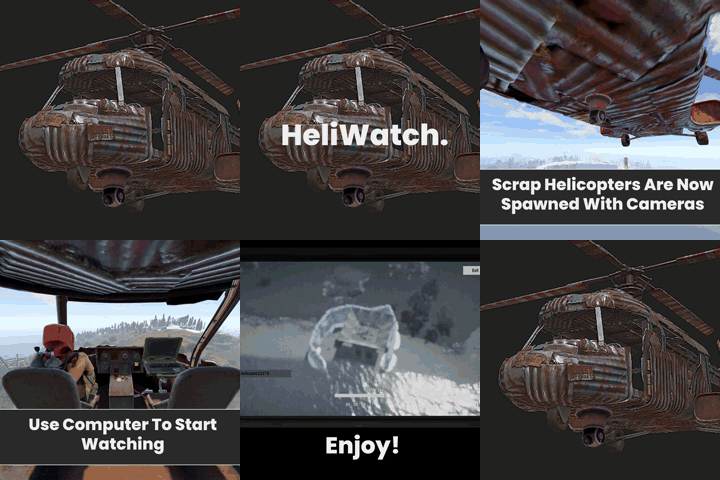
With this plugin, you can see players on the ground more easily and fly more comfortably. Ptz camera is automatically added to all scrap transport helicopters. To change position of the ptz camera, change the configuration and reload. Configuration { "Local PTZ Camera Position for Scrap Helicopter (Vector3)": { "x": 0.0, "y": 0.6, "z": 2.0 }, "Local PTZ Camera Rotation for Scrap Helicopter (Vector3)": { "x": 0.0, "y": 0.0, "z": 0.0 } }$4.00- 7 comments
- 1 review
-
- 2
-
-
- #helicopter
- #camera
- (and 5 more)
-
Version 1.0.3
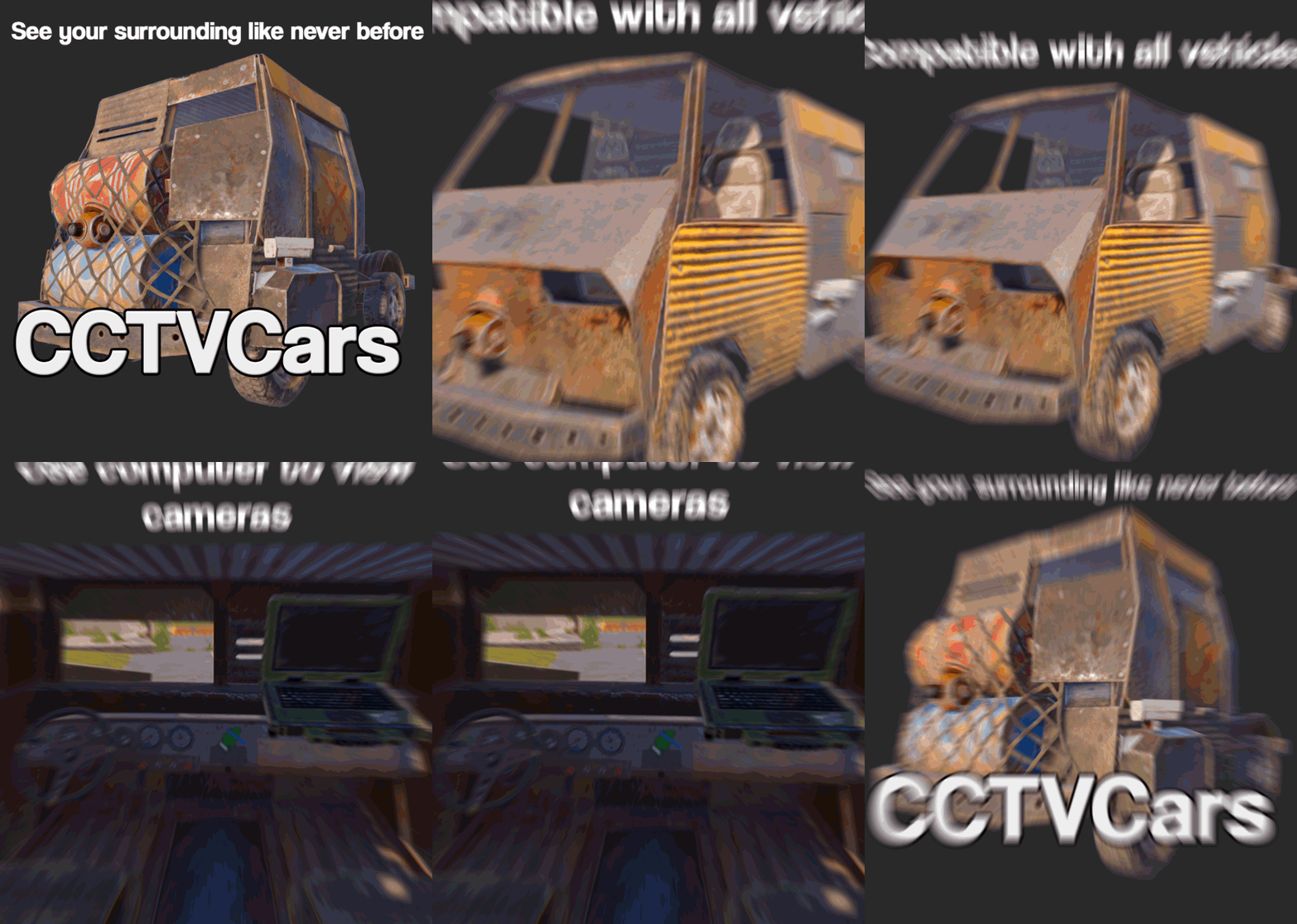
46 downloads
Thanks to CCTVCars, you will be able to see your surroundings better. By adding "armored vehicle cockpit" to your car with CCTVCars, you can install one PTZ camera and two CCTV cameras, one on each side. You can use these cameras from the laptop inside the car. For further assistance Discord : Apwned#0001 Watch video below!!!! Configuration (All transform values are Vector3, written as Quaternion but not a big issue) { "PTZ Camera Enabled": true, "Right CCTV Camera Enabled": true, "Left CCTV Camera Enabled": true, "Right&Left Cameras Position Offset": { "x": 0.0, "y": 0.0, "z": 0.0 }, "Right&Left Cameras Angle (Default: 165f)": 165.0, "PTZ Camera Positions Per Cabin": { "1module_engine.prefab": { "Position(Vector3)": { "x": 0.0, "y": 0.28, "z": 2.05 }, "Rotation(Vector3)": { "x": -40.0, "y": 0.0, "z": 0.0 } }, "1module_storage.prefab": { "Position(Vector3)": { "x": 0.0, "y": 0.22, "z": 1.98 }, "Rotation(Vector3)": { "x": -40.0, "y": 0.0, "z": 0.0 } }, "1module_flatbed.prefab": { "Position(Vector3)": { "x": 0.0, "y": 0.07, "z": 2.3 }, "Rotation(Vector3)": { "x": -40.0, "y": 0.0, "z": 0.0 } }, "1module_cockpit_with_engine.prefab": { "Position(Vector3)": { "x": 0.0, "y": 0.16, "z": 2.2 }, "Rotation(Vector3)": { "x": -40.0, "y": 0.0, "z": 0.0 } }, "1module_cockpit.prefab": { "Position(Vector3)": { "x": 0.0, "y": 0.28, "z": 2.2 }, "Rotation(Vector3)": { "x": -40.0, "y": 0.0, "z": 0.0 } }, "1module_passengers_armored.prefab": { "Position(Vector3)": { "x": 0.0, "y": 0.71, "z": 1.89 }, "Rotation(Vector3)": { "x": -40.0, "y": 0.0, "z": 0.0 } }, "1module_taxi.prefab": { "Position(Vector3)": { "x": 0.0, "y": 0.11, "z": 2.05 }, "Rotation(Vector3)": { "x": -40.0, "y": 0.0, "z": 0.0 } }, "1module_rear_seats.prefab": { "Position(Vector3)": { "x": 0.0, "y": 0.11, "z": 2.05 }, "Rotation(Vector3)": { "x": -40.0, "y": 0.0, "z": 0.0 } }, "1module_cockpit_armored.prefab": { "Position(Vector3)": { "x": 0.0, "y": 0.5, "z": 2.3 }, "Rotation(Vector3)": { "x": -40.0, "y": 0.0, "z": 0.0 } }, "2module_passengers.prefab": { "Position(Vector3)": { "x": 0.0, "y": 0.28, "z": 2.05 }, "Rotation(Vector3)": { "x": -40.0, "y": 0.0, "z": 0.0 } }, "2module_flatbed.prefab": { "Position(Vector3)": { "x": 0.0, "y": 0.07, "z": 2.3 }, "Rotation(Vector3)": { "x": -40.0, "y": 0.0, "z": 0.0 } }, "2module_fuel_tank.prefab": { "Position(Vector3)": { "x": 0.0, "y": 0.135, "z": 2.07 }, "Rotation(Vector3)": { "x": -40.0, "y": 0.0, "z": 0.0 } }, "2module_camper.prefab": { "Position(Vector3)": { "x": 0.0, "y": 0.135, "z": 3.83 }, "Rotation(Vector3)": { "x": -40.0, "y": 0.0, "z": 0.0 } } } }$3.00
(2).thumb.png.a6a5e9d3c32204c6c53a2159f2b1ae13.png)