Search the Community
Showing results for tags 'capture'.
Found 5 results
-
Version 1.0.8
109 downloads
This plugin adds a war for map's monuments. About Any clan can start capturing monuments, if the marker on the map is green, after the start of the capture, points are awarded for each player in the zone every 1 second, any clan can join the capture, even if it did not start, for this you just need to enter any clan member into the capture zone. After the end of the capture of the monument, the clan that scored the most points captures it and items from the config are added to the inventory (which is in the / tw menu) every N seconds. Settings You can choose the type of work Team (game teams), when this parameter is selected, if the team completely disintegrates, then it will lose the inventory of awards, so the advice is to wipe the inventory after the wipe for this parameter Solo works well for Solo servers Clans support for clans, suitable for the server where the clan system is installed Setting up rewards for each monument Support for custom rewards Setting the frequency of issuing rewards Duration of capture and cooldown until the next capture 3D text in the game itself with all the information when entering the capture area Dynamic markers on the map allow you to visually assess the state of the monument Detailed setting of markers on the map Interface customization Plugin localization for EN and RU languages Commands / tw - allows you to open a menu to take items from the inventory and start capturing the monument Video Config { "General settings": { "Plugin type of work: Team - game teams, Solo - for solo server, Clans - clan support ClanReborn(Chaos), ClansUI(RP), Clans(Umod), Clans(CF)": "Clans", "Frequency of distribution of awards in seconds": 1800, "Items from the inventory can only be taken by the head of the clan": false, "Only the leader of a clan or group can start a capture": false, "Whether to delete inventory of items after wipe": true, "Waiting until the next capture in seconds": 14400, "How many seconds does the capture take": 1800, "Whether to add visible spheres to indicate the capture boundaries": true, "Minimum players on the server to start capturing (0 - off)": 0 }, "Marker settings": { "Marker radius": 0.5, "Marker transparency": 0.4, "Marker color when monument can be captured": "#10c916", "Marker color when monument is captured": "#ed0707", "Marker color when monument cannot be captured": "#ffb700", "Added marker to the map with the name of who last captured monument": true }, "Monuments settings": { "assets/bundled/prefabs/autospawn/monument/large/trainyard_1.prefab": { "Monument name": "Train Yard", "What distance from the center of the monument to gain capture points": 85, "Rewards": [ { "Item shortname": "stones", "Item amount": 10000, "Item skinID": 0, "Item name (if custom)": "", "Link to picture (if custom)": "", "Command to execute %STEAMID% (to upload a picture, think of any number skinID and shortname)": "" }, { "Item shortname": "sulfur", "Item amount": 5000, "Item skinID": 0, "Item name (if custom)": "", "Link to picture (if custom)": "", "Command to execute %STEAMID% (to upload a picture, think of any number skinID and shortname)": null }, { "Item shortname": "rifle.ak", "Item amount": 1, "Item skinID": 0, "Item name (if custom)": "", "Link to picture (if custom)": "", "Command to execute %STEAMID% (to upload a picture, think of any number skinID and shortname)": "" }, { "Item shortname": "techparts", "Item amount": 10, "Item skinID": 0, "Item name (if custom)": "", "Link to picture (if custom)": "", "Command to execute %STEAMID% (to upload a picture, think of any number skinID and shortname)": "" }, { "Item shortname": "lmg.m249", "Item amount": 1, "Item skinID": 0, "Item name (if custom)": "", "Link to picture (if custom)": "", "Command to execute %STEAMID% (to upload a picture, think of any number skinID and shortname)": "" }, { "Item shortname": "weapon.mod.8x.scope", "Item amount": 1, "Item skinID": 0, "Item name (if custom)": "", "Link to picture (if custom)": "", "Command to execute %STEAMID% (to upload a picture, think of any number skinID and shortname)": "" }, { "Item shortname": "glue", "Item amount": 10, "Item skinID": 2409891781, "Item name (if custom)": "$", "Link to picture (if custom)": "https://i.imgur.com/jBaVKHu.png", "Command to execute %STEAMID% (to upload a picture, think of any number skinID and shortname)": "" } ] }, "assets/bundled/prefabs/autospawn/monument/large/airfield_1.prefab": { "Monument name": "Airfield", "What distance from the center of the monument to gain capture points": 55, "Rewards": [ { "Item shortname": "stones", "Item amount": 10000, "Item skinID": 0, "Item name (if custom)": "", "Link to picture (if custom)": "", "Command to execute %STEAMID% (to upload a picture, think of any number skinID and shortname)": "" }, { "Item shortname": "sulfur", "Item amount": 5000, "Item skinID": 0, "Item name (if custom)": "", "Link to picture (if custom)": "", "Command to execute %STEAMID% (to upload a picture, think of any number skinID and shortname)": "" }, { "Item shortname": "rifle.ak", "Item amount": 1, "Item skinID": 0, "Item name (if custom)": "", "Link to picture (if custom)": "", "Command to execute %STEAMID% (to upload a picture, think of any number skinID and shortname)": "" }, { "Item shortname": "glue", "Item amount": 10, "Item skinID": 2409891781, "Item name (if custom)": "$", "Link to picture (if custom)": "https://i.imgur.com/jBaVKHu.png", "Command to execute %STEAMID% (to upload a picture, think of any number skinID and shortname)": "" } ] }, "assets/bundled/prefabs/autospawn/monument/xlarge/launch_site_1.prefab": { "Monument name": "Launch Site", "What distance from the center of the monument to gain capture points": 100, "Rewards": [ { "Item shortname": "stones", "Item amount": 10000, "Item skinID": 0, "Item name (if custom)": "", "Link to picture (if custom)": "", "Command to execute %STEAMID% (to upload a picture, think of any number skinID and shortname)": "" }, { "Item shortname": "sulfur", "Item amount": 5000, "Item skinID": 0, "Item name (if custom)": "", "Link to picture (if custom)": "", "Command to execute %STEAMID% (to upload a picture, think of any number skinID and shortname)": "" }, { "Item shortname": "rifle.ak", "Item amount": 1, "Item skinID": 0, "Item name (if custom)": "", "Link to picture (if custom)": "", "Command to execute %STEAMID% (to upload a picture, think of any number skinID and shortname)": "" }, { "Item shortname": "glue", "Item amount": 10, "Item skinID": 2409891781, "Item name (if custom)": "$", "Link to picture (if custom)": "https://i.imgur.com/jBaVKHu.png", "Command to execute %STEAMID% (to upload a picture, think of any number skinID and shortname)": "" } ] }, "assets/bundled/prefabs/autospawn/monument/xlarge/military_tunnel_1.prefab": { "Monument name": "Military Tunnel", "What distance from the center of the monument to gain capture points": 50, "Rewards": [ { "Item shortname": "stones", "Item amount": 10000, "Item skinID": 0, "Item name (if custom)": "", "Link to picture (if custom)": "", "Command to execute %STEAMID% (to upload a picture, think of any number skinID and shortname)": "" }, { "Item shortname": "sulfur", "Item amount": 5000, "Item skinID": 0, "Item name (if custom)": "", "Link to picture (if custom)": "", "Command to execute %STEAMID% (to upload a picture, think of any number skinID and shortname)": "" }, { "Item shortname": "rifle.ak", "Item amount": 1, "Item skinID": 0, "Item name (if custom)": "", "Link to picture (if custom)": "", "Command to execute %STEAMID% (to upload a picture, think of any number skinID and shortname)": "" }, { "Item shortname": "glue", "Item amount": 10, "Item skinID": 2409891781, "Item name (if custom)": "$", "Link to picture (if custom)": "https://i.imgur.com/jBaVKHu.png", "Command to execute %STEAMID% (to upload a picture, think of any number skinID and shortname)": "" } ] }, "assets/bundled/prefabs/autospawn/monument/large/powerplant_1.prefab": { "Monument name": "Power Plant", "What distance from the center of the monument to gain capture points": 85, "Rewards": [ { "Item shortname": "stones", "Item amount": 10000, "Item skinID": 0, "Item name (if custom)": "", "Link to picture (if custom)": "", "Command to execute %STEAMID% (to upload a picture, think of any number skinID and shortname)": "" }, { "Item shortname": "sulfur", "Item amount": 5000, "Item skinID": 0, "Item name (if custom)": "", "Link to picture (if custom)": "", "Command to execute %STEAMID% (to upload a picture, think of any number skinID and shortname)": "" }, { "Item shortname": "rifle.ak", "Item amount": 1, "Item skinID": 0, "Item name (if custom)": "", "Link to picture (if custom)": "", "Command to execute %STEAMID% (to upload a picture, think of any number skinID and shortname)": "" }, { "Item shortname": "glue", "Item amount": 10, "Item skinID": 2409891781, "Item name (if custom)": "$", "Link to picture (if custom)": "https://i.imgur.com/jBaVKHu.png", "Command to execute %STEAMID% (to upload a picture, think of any number skinID and shortname)": "" } ] }, "assets/bundled/prefabs/autospawn/monument/large/water_treatment_plant_1.prefab": { "Monument name": "Water Treatment Plant", "What distance from the center of the monument to gain capture points": 85, "Rewards": [ { "Item shortname": "stones", "Item amount": 10000, "Item skinID": 0, "Item name (if custom)": "", "Link to picture (if custom)": "", "Command to execute %STEAMID% (to upload a picture, think of any number skinID and shortname)": "" }, { "Item shortname": "sulfur", "Item amount": 5000, "Item skinID": 0, "Item name (if custom)": "", "Link to picture (if custom)": "", "Command to execute %STEAMID% (to upload a picture, think of any number skinID and shortname)": "" }, { "Item shortname": "rifle.ak", "Item amount": 1, "Item skinID": 0, "Item name (if custom)": "", "Link to picture (if custom)": "", "Command to execute %STEAMID% (to upload a picture, think of any number skinID and shortname)": "" }, { "Item shortname": "glue", "Item amount": 10, "Item skinID": 2409891781, "Item name (if custom)": "$", "Link to picture (if custom)": "https://i.imgur.com/jBaVKHu.png", "Command to execute %STEAMID% (to upload a picture, think of any number skinID and shortname)": "" } ] }, "assets/bundled/prefabs/autospawn/monument/small/sphere_tank.prefab": { "Monument name": "Sphere Tank", "What distance from the center of the monument to gain capture points": 40, "Rewards": [ { "Item shortname": "stones", "Item amount": 10000, "Item skinID": 0, "Item name (if custom)": "", "Link to picture (if custom)": "", "Command to execute %STEAMID% (to upload a picture, think of any number skinID and shortname)": "" }, { "Item shortname": "sulfur", "Item amount": 5000, "Item skinID": 0, "Item name (if custom)": "", "Link to picture (if custom)": "", "Command to execute %STEAMID% (to upload a picture, think of any number skinID and shortname)": "" }, { "Item shortname": "rifle.ak", "Item amount": 1, "Item skinID": 0, "Item name (if custom)": "", "Link to picture (if custom)": "", "Command to execute %STEAMID% (to upload a picture, think of any number skinID and shortname)": "" }, { "Item shortname": "glue", "Item amount": 10, "Item skinID": 2409891781, "Item name (if custom)": "$", "Link to picture (if custom)": "https://i.imgur.com/jBaVKHu.png", "Command to execute %STEAMID% (to upload a picture, think of any number skinID and shortname)": "" } ] }, "assets/bundled/prefabs/autospawn/monument/small/satellite_dish.prefab": { "Monument name": "Satellite Dish", "What distance from the center of the monument to gain capture points": 40, "Rewards": [ { "Item shortname": "stones", "Item amount": 10000, "Item skinID": 0, "Item name (if custom)": "", "Link to picture (if custom)": "", "Command to execute %STEAMID% (to upload a picture, think of any number skinID and shortname)": "" }, { "Item shortname": "sulfur", "Item amount": 5000, "Item skinID": 0, "Item name (if custom)": "", "Link to picture (if custom)": "", "Command to execute %STEAMID% (to upload a picture, think of any number skinID and shortname)": "" }, { "Item shortname": "rifle.ak", "Item amount": 1, "Item skinID": 0, "Item name (if custom)": "", "Link to picture (if custom)": "", "Command to execute %STEAMID% (to upload a picture, think of any number skinID and shortname)": "" }, { "Item shortname": "glue", "Item amount": 10, "Item skinID": 2409891781, "Item name (if custom)": "$", "Link to picture (if custom)": "https://i.imgur.com/jBaVKHu.png", "Command to execute %STEAMID% (to upload a picture, think of any number skinID and shortname)": "" } ] } }, "UI settings": { "Background color": "0 0 0 0.3", "Outline color": "0.75 0.60 0.20 1.00", "'Start Capture' button color": "0.00 0.17 0.33 1", "'Inventory' button color": "0.00 0.17 0.33 1" }, "Config version": { "Major": 1, "Minor": 0, "Patch": 3 } }$12.99 -
Version 1.0.2
47 downloads
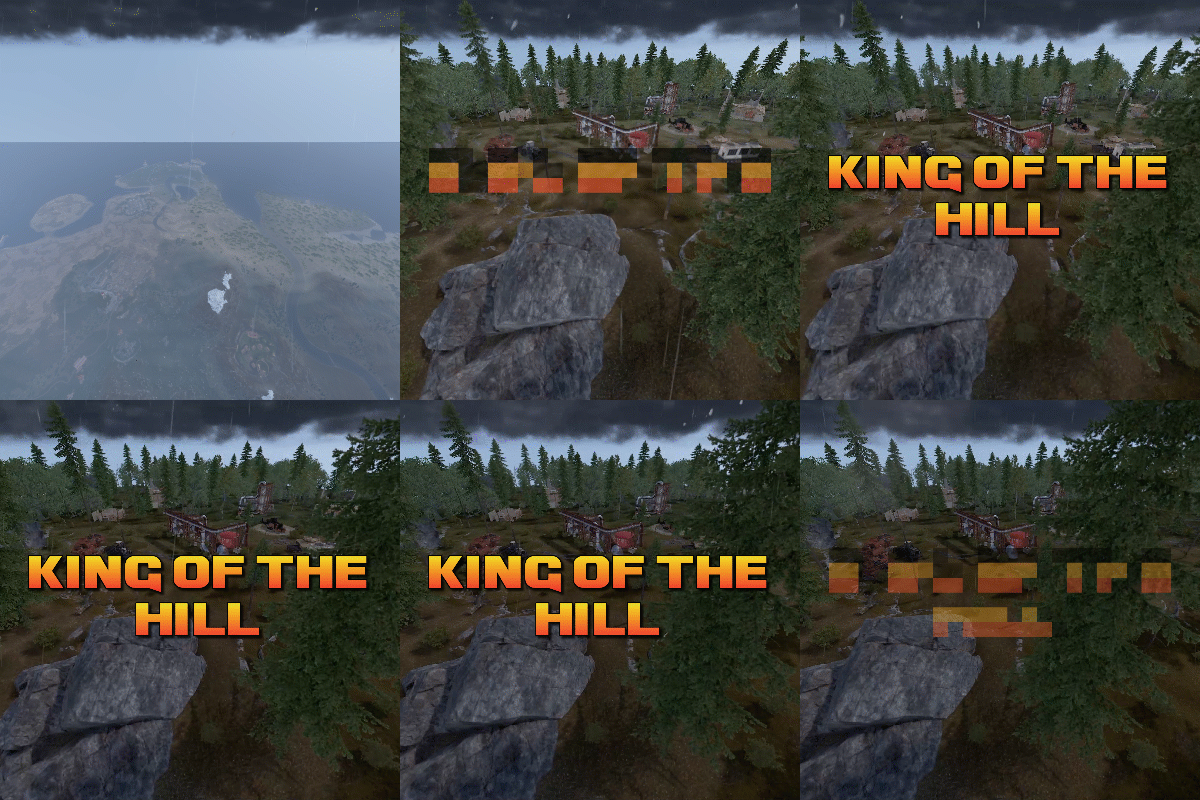
King of the hill is an arena plugin similar to SurvivalArena, Paintball, ZombieInfection and GunGame. It spawns an arena high in the sky to host the game, and players can join from anywhere on the map via a command. The plugin will store all of the players items, stats and buffs, and teleport them to the lobby before the game starts. The objective of the game is to be the first player to hold the hill for the target time, or be the player with the highest hill time by the end of the event. Upon completion of the event (or if a player manually leaves), players are returned to the location that they joined from with their equipment, stats and modifiers in tact. The plugin is highly customizable and allows you to: Create as many equipment profiles as you'd like. The game will select one at random using a weighted system. Adjust hill locations, movement times, sizes, capture targets and game time limits. Spectate players using a computer station. Automatically run, and allow your players to vote for the event using the EventHelper plugin. The plugin is also compatible with the maps from Paintball, ZombieInfection & GunGame. Simply drop the json files into the respective data folders to run king of the hill on those maps. Chat command: koth.addhill Permission: kingofthehill.admin Description: Adds a hill spawn position at the players location and saves it into the spawned arenas profile. Command: koth.start Permission: kingofthehill.admin Description: Manually starts a game of koth. You can also specify random to pick a random map. Command: koth.end Permission: kingofthehill.admin Description: Manually ends an active game of koth. Command: koth.spawnarenaend Permission: kingofthehill.admin Description: Spawns the arena without starting the game. Useful for adding new hill positions. Command: koth.cleararenaspawnarenaend Permission: kingofthehill.admin Description: Clears a spawned arena. Chat command: koth.setcentrepoint Permission: kingofthehill.admin Description: Sets the spawn position of the arena based on the players location. Chat command: koth.ban/koth.unban <id> Permission: kingofthehill.admin Description: Bans/unbans the target player from joining future events.$19.99 -
.thumb.png.6fb63bc7327c60bdc01a5e1225049c1d.png)
Version 1.1.4
58 downloads
Adds a new event to the server - zone capture. If you gather resources on the territory of the occupied zone, a commission is removed from you and falls into the "capture cupboard". Features: Markers on the map Spawn in crates/barrels Percentage setting with permissions Setting limits with permissions Bypass setting (for teammates, friends, clanmates, cupboard) Commands give.capturezone [target] [amount] - gives out a cupboard for capturing a zone Permissions capturezone.ignore - allows you not to pay resources for tax Video Config { "Work with Notify?": true, "Zone Radius": 40.0, "Permission (ex: capturezone.use)": "", "Item Settings": { "DisplayName": "Zone Сapture", "ShortName": "cupboard.tool", "SkinID": 2767790029 }, "Marker": { "Enabled": true, "Display Name": "Zone by {owner}", "Radius": 0.3, "Refresh Rate": 3.0, "Duration": 0, "Color 1": "#EA9999", "Color 2": "#A73636FF" }, "Drop Settings": { "Enabled": true, "Drop Settings": [ { "Prefab name": "assets/bundled/prefabs/radtown/crate_normal.prefab", "Min amount": 1, "Max amount": 1, "Chance": 50.0 }, { "Prefab name": "assets/bundled/prefabs/radtown/loot_barrel_2.prefab", "Min amount": 1, "Max amount": 1, "Chance": 5.0 }, { "Prefab name": "assets/bundled/prefabs/radtown/loot_barrel_1.prefab", "Min amount": 1, "Max amount": 1, "Chance": 5.0 } ] }, "Notification during mining in the occupied territory": { "Enabled": true, "Cooldown": 5.0 }, "Percent Settings": { "Default": 20.0, "Permissions": { "capturezone.vip": 25.0, "capturezone.deluxe": 30.0 } }, "Limits Settings": { "Enabled": true, "Default": 3, "Permissions": { "capturezone.vip": 5, "capturezone.deluxe": 7 } }, "Bypass Settings": { "Teammates (Rust in-game system)": true, "Friends": true, "Clanmates": true, "Authorized in the cupboard": true } }$19.95 -

Version 2.4.7
24 downloads
======================================== HOLY GRAIL The Ultimate Capture & Hold Plugin ======================================== Transform your Rust server with an exciting capture-and-hold gameplay experience! The Holy Grail plugin introduces a legendary item that players must find, capture, and protect to earn rewards and eternal glory. ======================================== OVERVIEW ======================================== Holy Grail spawns a unique, trackable item somewhere in your server's world. Players compete to find, capture, and hold onto the Grail. Whoever is holding the Grail when the wipe ends weather it's in there inventory or a player owned storage container is crowned the winner and receives configurable rewards along with their team if enabled the next time they log in after wipe! ======================================== FEATURES ======================================== GRAIL SPAWNING & TRACKING -------------------------- - Spawns in configurable loot containers across the map - Automatic respawning if the Grail is lost or destroyed - Tracks Grail location through player inventories, storage containers, vending machines, dropped items, and corpses - Persistent tracking across server restarts HOLD TIME & STATISTICS -------------------------- - Tracks how long each player holds the Grail - Time accumulates while Grail is in player inventory OR their owned containers - Leaderboard system ranks players by total hold time - Stats tracking for captures and hold time - Wipe winner (current holder) automatically announced when server wipes HOLDER EFFECTS -------------------------- - Configurable visual glow effects on the Grail holder - Health regeneration OR corruption (drain) while holding - Calorie and hydration effects (boost or drain) - Blessing/Corruption notifications to the holder - All effects fully configurable or can be disabled PROXIMITY DETECTION -------------------------- - Visual and audio effects play when players approach the Grail - Configurable detection radius - Notification messages when players get close - Option to hide effects when Grail is in player-owned storage STEALING & ALERTS -------------------------- - Alert the previous holder when their Grail is stolen - Configurable alert radius - Option to show or hide the thief's name - Server-wide announcements for Grail pickups drops and steals if enabled TEAM INTEGRATION -------------------------- - Announce to team members when a teammate picks up the Grail - Team-aware notifications and tracking BOUNTY SYSTEM -------------------------- - Bounty accumulates the longer a player holds the Grail - Base bounty plus bonus per minute held - Creates high-stakes gameplay and encourages PvP MAP INTEGRATION -------------------------- - Optional map markers showing Grail location - Configurable marker visibility and updates - Grid position announcements DISCORD INTEGRATION -------------------------- - Rich embed messages to your Discord server - Leaderboard posts showing top holders - Winner announcements with player stats - Customizable webhook integration ADMIN FEATURES -------------------------- - Full in-game configuration UI - Spawn settings management - Valid container/prefab configuration - Player statistics viewing - Manual Grail spawning and respawning - Kit reward configuration REWARD SYSTEM -------------------------- - Configure kit rewards for the wipe winner - Custom item rewards - Integrates with popular kit plugins ======================================== HOW IT WORKS ======================================== 1. SPAWN The Holy Grail spawns in a random valid container somewhere in the world (barrels, crates, etc.) 2. DISCOVERY Players searching loot containers may find the Grail. Proximity effects help guide nearby players. 3. CAPTURE When a player picks up the Grail, their hold time begins tracking. Server announcements alert everyone if enabled. 4. PROTECT The holder must protect the Grail from other players. They receive holder effects (buffs or debuffs based on config). 5. COMPETE Players can store the Grail in their base containers - time still accumulates for the container owner. 6. WIN At wipe end, whoever is currently holding the Grail wins and receives configured rewards the next time they log in after wipe! ======================================== BENEFITS ======================================== INCREASED PLAYER ENGAGEMENT - Gives players a persistent objective beyond normal gameplay - Creates organic PvP encounters and raid incentives - Encourages exploration and looting EXTENDED PLAY SESSIONS - Players stay online longer to protect their Grail - Competition drives continued engagement throughout the wipe COMMUNITY BUILDING - Leaderboards create friendly competition - Discord integration keeps players engaged even offline - Winner announcements celebrate top players SERVER DIFFERENTIATION - Unique gameplay mechanic sets your server apart - Fully configurable to match your server's style EASY ADMINISTRATION - No complex setup required - In-game UI for all configuration - Automatic tracking and announcements - No performance impact PERFECT FOR PVE SERVERS WITH PURGE - Adds exciting end-of-wipe objective for PvE communities - Encourages players to participate in purge events - Creates a race to find and secure the Grail before wipe - Gives PvE players a competitive goal without constant PvP - The hunt for the Grail drives exploration during purge - Rewards the player who successfully holds the Grail through the chaos - Perfect finale event to end your wipe on a high note ======================================== CONFIGURATION ======================================== Everything is configurable including: - Grail item appearance and name - Spawn locations and valid containers - All holder effects (enable/disable, amounts, intervals) - Proximity effect settings - Stealing alert settings - Discord webhook and message formats - Reward kits and items - Map marker settings - Announcement messages - And much more! ======================================== PERMISSIONS ======================================== - holygrail.admin - Access to admin UI and commands ======================================== COMMANDS ======================================== Player Commands (configurable): - /hgstats - View your personal Grail statistics - /hgleaderboard - View the hold time leaderboard Admin Commands: - /hgadmin - Open the admin configuration panel - /findgrail - Locate the Grail's current position ======================================== PLUGIN INTEGRATIONS ======================================== ULTIMATE LEADERBOARD -------------------------- Track Holy Grail stats directly in Ultimate Leaderboard! Display grail captures and hold time on your server's leaderboards. Setup Instructions: 1. Install Ultimate Leaderboard plugin 2. Open Holy Grail config or use /hgadmin 3. Navigate to Leaderboard settings 4. Enable "Ultimate Leaderboard Integration" 5. Enable "Track Grail Captures" and/or "Track Hold Time" 6. Set your event names (e.g., "GrailCapture", "GrailHoldTime") 7. In Ultimate Leaderboard config, add matching event names: - Add "GrailCapture" event for capture tracking - Add "GrailHoldTime" event for hold time (tracked in minutes) 8. Reload both plugins Stats Tracked: - Grail Captures: +1 each time a player picks up the grail - Hold Time: Accumulated minutes holding the grail NOTIFY PLUGIN -------------------------- Integrate with Notify for beautiful on-screen notifications instead of chat messages. Setup Instructions: 1. Install Notify plugin 2. Open Holy Grail config or use /hgadmin 3. Enable "Use Notify Plugin" 4. Set your preferred Notify Type (0-7 depending on Notify config) 5. All Holy Grail messages will now use Notify's display system KITS PLUGIN -------------------------- Reward winners with kits from the Kits plugin. Setup Instructions: 1. Install Kits plugin and create your reward kits 2. Open /hgadmin and go to Reward Settings 3. Click "Add Kit Reward" 4. Enter the exact kit name from your Kits plugin 5. Winner will automatically receive the kit when wipe ends CLANS PLUGIN -------------------------- Integrate with Clans for team-based features with your clan members. Setup Instructions: 1. Install Clans plugin 2. Open Holy Grail config or use /hgadmin 3. Navigate to Team settings 4. Enable "Use Clans Plugin" 5. Clan members will now be treated as teammates Features When Enabled: - Clan members notified when a clanmate picks up the grail - Friendly fire prevention between clan members - Clan-aware team announcements FRIENDS PLUGIN -------------------------- Integrate with Friends for team-based features with your friends list. Setup Instructions: 1. Install Friends plugin 2. Open Holy Grail config or use /hgadmin 3. Navigate to Team settings 4. Enable "Use Friends Plugin" 5. Friends will now be treated as teammates Features When Enabled: - Friends notified when a friend picks up the grail - Friendly fire prevention between friends - Friend-aware team announcements Note: You can enable both Clans AND Friends plugins together for maximum team coverage! ======================================== DEPENDENCIES ======================================== Required: - None! Holy Grail works standalone Optional Integrations: - Ultimate Leaderboard (for stat tracking on leaderboards) - Notify (for on-screen notifications) - Kits (for kit rewards) - Clans (for clan-based team features) - Friends (for friends-based team features) - Discord Webhook (for Discord announcements) ======================================== Transform your server's gameplay with Holy Grail - where legends are made and glory awaits!$19.99 -
Version 1.1.4
11 downloads
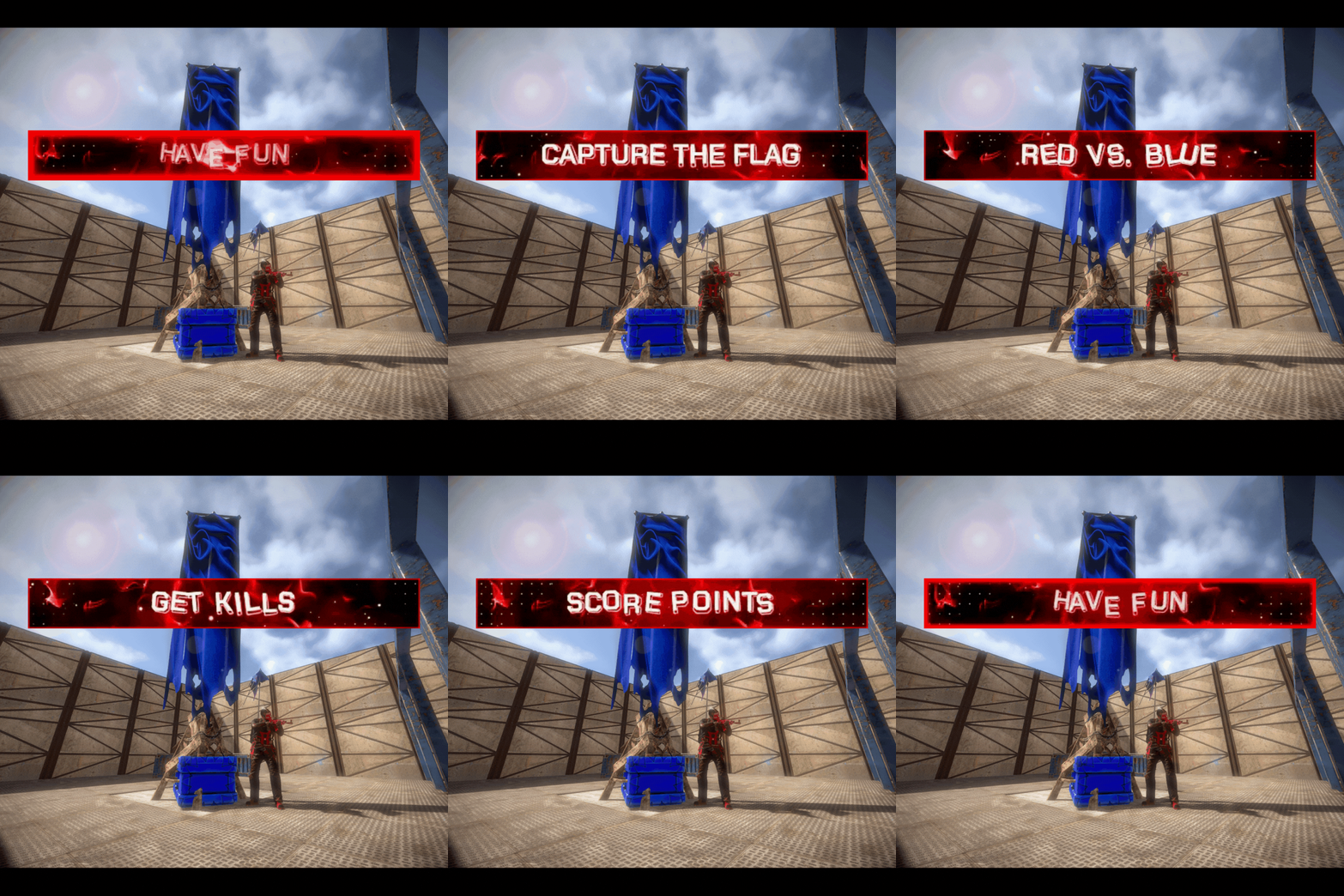
Capture The Flag Classic Capture The Flag game mode event where Red and Blue teams compete to capture each others flag and reach the score limit first. Dependencies The following plugins are required for Capture The Flag. ImageLibrary by k1lly0u - Required (Free) Rust Kits by k1lly0u - Required (Free) This plugin does not include pre-configured kits. You can choose what to give as a kit in the configuration. Features How Capture The Flag works: Each team spawns on the opposite side of the map. You could make the spawns anywhere but this is ideal for Capture The Flag. Red team players get a red kit and Blue team players get a blue kit. Make sure you set your kit skins. Each team must work their way to the opposite side of the map and retrieve the Flag item from the other team's flag box (which is a wearable backpack flag that makes a giant flag stick out from your player). Once the enemies flag is picked up you must return it safely to your team's flag box to score a point. Remember it is in your backpack slot and must be placed in your box to score a point. When you kill an enemy who has your flag and they drop it, you can press 'e' or interact with it to return it to your flag spawn automatically. When you don't return your own flag once it's been dropped by an enemy the other team can pick it up again in the same spot it was dropped. The game ends when one team reaches the score limit first. Three demo arenas included. As seen in images (small stone and jungle arenas, large sheet metal arena). These are Copy Paste files. Build your own custom arena: You can build a custom arena in-game or use an arena prefab and set the location where the game starts with commands. Use the commands /flag red, /flag blue, /spawnpoint red, /spawnpoint blue, and /spawnpoint spectate to set the teleport locations for the game to your arena. Location settings can be saved and loaded using the arena profile command. Lots of configurable options and an editable language file for in-game message customization. Customize your game settings including: Time limit for event registration Time limit for game (or disable by setting to 0). Number of flag captures (points) required to win. Minimum number of players required to start event. Choose if players get instant full health when they get a kill. Respawn Cooldown in seconds to delay a player respawning after they die. Respawn Protection period to prevent spawn killing. Increase or decrease randomized distance from spawn point to teleport players. Optional temporary Team UI with save and restore original team UI after the game. Works with vanilla teams only. Blocked command list to prevent players from using commands during the game. Choose kit name for Red and Blue teams to spawn with. Make sure you skin your kits red and blue! Choose kit for ammo and med restock when a player gets a kill. Choose skin ID for Red and Blue Flag boxes. Required. Choose background images for Red and Blue Flag Banners. More Features: Command for players to join event when registration opens. Chat command and console command to start event registration. Visible flag on player's back. (Color can not be changed). No friendly fire (no team damage). Chat notifications to participating players for events like kills, flag pickups, flag drops, captures. Scoreboard (sorted by kills) in chat at the end of the event with player names, kills, and captures. If you knock a player and they f1 kill it will count as a kill for the person who knocked them. Developer API hook OnGameWin to notify you when a game has been won along with the statistics. Good for rewards and score keeping. Optional temporary Team UI for players on the same team during the event. They will be returned to their original team after the event (vanilla teams only). Restore player items after the game. (Players are teleported to the event naked). After the event teleport players back to original location from when they joined the event. Player disconnection handling in case anyone leaves during the event. Flag boxes and banners are unbreakable. There are two commands /forceflag red and /forceflag blue for admins to force respawn a flag in it's box if it can't be accessed or glitches through the map. You can't hide the flag in your inventory so player's don't know you have it. It won't let you. You can't remove your team clothing and armor. Players can't pick up their own team's flag (except automatically returning it to spawn when they interact with it if it's dropped on the ground). Admin team change commands to change players teams with a configurable amount of time for team changing before game. Demo Arenas: If you want to use the two demo arenas that come with the plugin as seen in the images you will need: Copy Paste by misticos (https://umod.org/plugins/copy-paste) Skins: If you don't have a plugin to skin items already: Skins by misticos (https://umod.org/plugins/skins) Check out Steam Workshop for free skins for Rust. Permissions capturetheflag.join - Required to use /ctf command to join event. capturetheflag.admin - Required to use event management and setup commands. Chat Commands Join, start, stop event: /ctf - Command for players to join event during registration. Requires permission capturetheflag.join. /ctf start - Command for admins to start the event registration. Requires permission capturetheflag.admin. Optionally, you can also use /ctf start <profile name> to start a specific arena profile if you have any saved. /ctf stop - Command for admins to stop the event in progress. Requires permission capturetheflag.admin. Set flag locations: /flag red - Set location for Red Flag Spawn to where you are standing and which direction you are facing. Requires permission capturetheflag.admin. /flag blue - Set location for Blue Flag Spawn to where you are standing and which direction you are facing. Requires permission capturetheflag.admin. Set spawn locations: /spawnpoint red - Set location for Red Team Player Spawn to where you are standing. Requires permission capturetheflag.admin. /spawnpoint blue - Set location for Blue Team Player Spawn to where you are standing. Requires permission capturetheflag.admin. /spawnpoint spectate - Set location for pre-game lobby and spectator zone to where you are standing. Requires permission capturetheflag.admin. Team management: /team swap <player1> <player2> - Swap two players teams during the team swapping period. Requires permission capturetheflag.admin. /team red <player> - Force blue team player to join red team during team swapping period. Requires permission capturetheflag.admin. /team blue <player> - Force red team player to join blue team during team swapping period. Requires permission capturetheflag.admin Arena profiles (optional): /arena save <name> - Save current arena configuration to an arena profile. Requires permission capturetheflag.admin. /arena load <name> - Load arena configuration from an arena profile. Requires permission capturetheflag.admin Keep in mind you can also use /ctf start <profile name> to load and start a specific profile. /arena list - List saved arenas. Requires permission capturetheflag.admin. /arena option <name> <option> <value> - Change arena gameplay settings for a specific arena. Requires permission capturetheflag.admin. /arena show <name> - Display current settings for an arena profile. Requires permission capturetheflag.admin. Force flag respawn: /forceflag red - Force add a Red Flag to the Red Team's flag box. Requires permission capturetheflag.admin. /forceflag blue - Force add a Blue Flag to the Red Team's flag box. Requires permission capturetheflag.admin. Console Commands ctf start - Command for admins to start the event registration. ctf start <arena profile> - Command for admins to load an arena profile and start event registration. ctf stop - Command for admins to start the event registration. Configuration { "Amount of time in seconds for event registration": 180, "Amount of time in seconds before game ends for taking too long (0 to disable)": 1800, "Number of flag captures a team must get to win the game": 3, "Minimum number of players required to start the game": 2, "Maximum number of players before registration closes": 20, "Cooldown in seconds for respawning during game": 10, "Amount of time in seconds player will be invincible after spawning": 3, "Maximum distance from team spawn point player can spawn within": 4.0, "Grant player instant full health when they get a kill": true, "Amount of time in seconds between registration end and event start (for admin team swapping)": 15, "Create a temporary Team UI for players and restore vanilla teams after the game": false, "Blocked command list for players during game": [ "home", "outpost" ], "Red Team kit name": "red team", "Blue Team kit name": "blue team", "Ammo Restock and Meds on kill kit name": "restock ammo", "Red Flag Box Skin ID": 2133043744, "Blue Flag Box Skin ID": 2918303257, "Red Team Banner Flag background image link": "https://i.ibb.co/zhvx1xHZ/flagred.jpg", "Blue Team Banner Flag background image link": "https://i.ibb.co/dJKxLjZ5/flagblue.jpg", "Position to teleport players on pre-game lobby and spectate (X)": 0.0, "Position to teleport players on pre-game lobby and spectate (Y)": 0.0, "Position to teleport players on pre-game lobby and spectate (Z)": 0.0, "Red flag position (X)": 0.0, "Red flag position (Y)": 0.0, "Red flag position (Z)": 0.0, "Blue flag position (X)": 0.0, "Blue flag position (Y)": 0.0, "Blue flag position (Z)": 0.0, "Red flag facing position (X)": 0.0, "Red flag facing position (Y)": 0.0, "Red flag facing position (Z)": 0.0, "Blue flag facing position (X)": 0.0, "Blue flag facing position (Y)": 0.0, "Blue flag facing position (Z)": 0.0, "Red team spawn position (X)": 0.0, "Red team spawn position (Y)": 0.0, "Red team spawn position (Z)": 0.0, "Blue team spawn position (X)": 0.0, "Blue team spawn position (Y)": 0.0, "Blue team spawn position (Z)": 0.0 } Arena Profiles (optional): Save your arena settings and load them later. If you have multiple arenas on your map you can save your current arena configuration to an arena profile and load it when you need it. Use the /arena commands to manage your arena profiles. An arena profile contains player spawn locations and flag spawn locations and gameplay settings. What is an arena profile? Arena profiles are optional and are not required. They are used to make setting up games easier when you have multiple arenas on your map. Use arena profiles to save arena and game settings from your current configuration to a named profile that you can load back to your configuration when needed. This lets you configure multiple arenas on your map with different settings, and swap between them when you need to with one command. How do I create an arena profile? First, set up your /flag and /spawnpoint locations. Save your current config to an arena profile using the command /arena save <profile name>. Edit additional arena gameplay options using /arena option <profile name>. Load the arena with /arena load <profile name> when you need it. This will copy the arena profile to your current configuration. How do I edit an existing arena profile? Updating player and flag spawn points: Load the arena profile you want to edit. Use the commands /flag and /spawnpoint to set update teleport locations in your current configuration. Using the same saved profile name with /arena save, save the current configuration to the arena profile so the teleport locations are updated and your current profile options are still saved. Updating arena gameplay options: Save your arena profile after you set up the spawn points, then use the command /arena option to change your settings. Reload the arena profile to apply the updated profile to your current configuration. What arena gameplay options can I edit on the arena profile? You can use the /arena option command to modify: CapturesToWin MaxPlayers RespawnDelay RespawnProtection RespawnMaxDistance RedTeamKit BlueTeamKit AmmoRestockKit In case you want to have different settings per arena. Here's an example: /arena option <profile name> CapturesToWin 5. Included Arenas The included arenas are Copy Paste data files. To use the arenas you must download Copy Paste by Misticos here and upload the ctf_stone.json file to your your server framework folder (oxide/carbon)/data/copypaste/ctf_stone.json. Paste the arena in-game using the command /paste ctf_stone. If you need to, you can adjust the height with /paste ctf_stone height 50 (to paste it in the air). Use the available commands to set the flag spawns and teleport locations. Developer API Hooks void OnGameWin(string winningTeam, List<ulong> redTeamPlayers, List<ulong> blueTeamPlayers, Dictionary<ulong, int> playerKills, Dictionary<ulong, int> playerCaptures) - Called when a game is won. Good for rewards and score keeping. Support and Configuration Help Discord For support or for questions about the plugin before you purchase reach out on Codefling or visit the support Discord for my plugins here: https://discord.gg/25sR5EZktP Gameplay Video Turn the video to 1080p if it's blurry!$30.00- 4 comments
-
- 2
-

-

-
- #capture the flag
- #ctf
- (and 9 more)