Search the Community
Showing results for tags 'carbon'.
-
Version 0.1.23
1,673 downloads
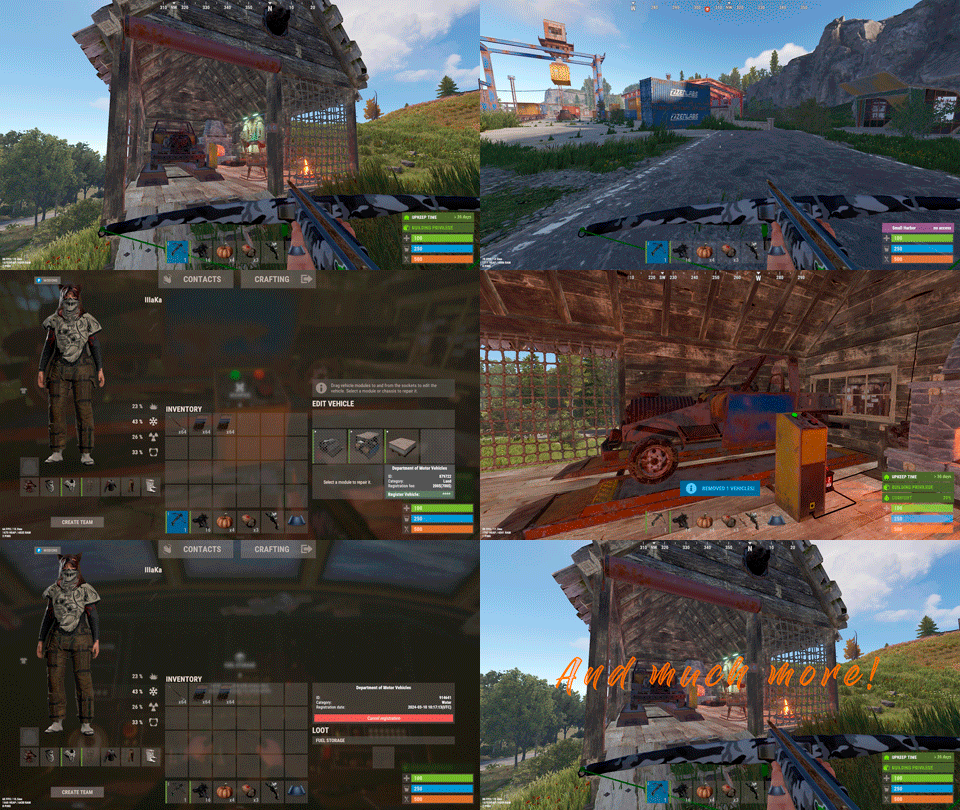
Plugin for Real PvE servers, featuring damage prevention, anti-griefing measures, customizable PvP zones, an automatic loot queue in radtowns and raid zones, and much more. The ability to set "server.pve" to "true", which allows the server to have a "PvE" flag; Damage from NPC's are enabled when server.pve is true; The ability to inflict damage to one's own structures with "server.pve true"; The ability to destroy(including external walls) or rotate one's structures without any time constraints; The ability to toggle the gather resource restriction in someone else's Building Privileges; No one, except the owner or their friends, will be able to open their loot containers (chests, storages, bodies, etc.); Administrators can bypass loot restrictions; The ability to schedule the killing of players if they disconnect within someone else's Building Privilege; Disabling backpack and active item drop upon death, even if backpack is full; The ability to modify the items given at spawn on the beach; The ability to create an unlimited number of custom permissions; The ability to allow players to bypass the queue; The ability to set limits on sleeping bags, shelters and auto turrets for each permission; The ability to set a multiplier for the prices of monuments and events for each permission; The ability to customize the price and amount of vehicles for each of your custom permissions; The ability to assign vehicles to each player; The ability to customize the assigned price and available amount of vehicles for each of your custom permissions; An assigned vehicle can't be damaged, looted or pushed by other players, but it can be pushed if it is within someone else's Building Privilege; The ability to loot monuments through a queue system; The ability to configure monuments, setting their looting price and time, and adjusting status bars for each monument; The ability to acquire the privilege to loot events (helicopters, bradleys, and raidable bases) through a purchase; The ability to customize the price of each event types and loot attempts (lives); NPCs only aggress against players who are looting monuments, events or raidable bases; Only players who are looting monuments, events or raidable bases can inflict damage to NPCs; RaidableBases are protected from griefing(no damage, no loot and etc). Only the owner can interact with the raid; Neutral RaidableBases can be purchased; Prices for purchasing neutral raids are configurable for each difficulty level; Configurable raid limits (currently available) along with discount multipliers for purchases, for each permission. File location: *SERVER*\oxide\data\RealPVE\PermissionConfig.json Default: https://pastebin.com/5VtWZZVr All permissions are created and configured in the config file under the "List of permissions" section. You can create as many permissions as needed and customize them flexibly. It is recommended to use the prefix "realpve" in the permission's name, for example: "realpve.vip". NOTE: The first permission will serve as the default permission for those who do not have any permissions. { "List of permissions. NOTE: The first permission will be used by default for those who do not have any permissions.": [ { "Permission Name": "realpve.default", "Bypass Queue": false, "Limit of beds": 15, "Limit of shelters": 1, "Limit of auto turrets": 12, "Seconds that will be skipped when opening HackableLockedCrate": 0.0, "Monuments price multiplier": 1.0, "Events price multiplier": 1.0, "Limit of RaidableBases(at the time)": 1, "RaidableBases price multiplier": 1.0, "Vehicles settings": { "Horse": { "Limit": 1, "Price": 10.0 }, "Bike": { "Limit": 1, "Price": 5.0 }, "MotorBike": { "Limit": 1, "Price": 20.0 }, "Car": { "Limit": 1, "Price": 25.0 }, ... } }, { "Permission Name": "realpve.vip", "Bypass Queue": true, "Limit of beds": 20, "Limit of shelters": 2, "Limit of auto turrets": 15, "Seconds that will be skipped when opening HackableLockedCrate": 450.0, "Monuments price multiplier": 0.9, "Events price multiplier": 0.9, "Limit of RaidableBases(at the time)": 2, "RaidableBases price multiplier": 0.9, "Vehicles settings": { "Horse": { "Limit": 5, "Price": 9.0 }, "Bike": { "Limit": 5, "Price": 4.5 }, "MotorBike": { "Limit": 5, "Price": 18.0 }, "Car": { "Limit": 5, "Price": 22.5 }, ... } } ], "Version": { "Major": 0, "Minor": 1, "Patch": 1 } } An example of a monument/event/rb multipliers using default permissions. For example, if you set the price for the Harbor at $1000, a player with the default permission(1.0) will pay $1000 * 1 = $1000. Meanwhile, a player with a VIP permission(0.9) will pay $1000 * 0.9 = $900. However, if a player possesses a misbehaving permission with a value of 1.1, they will need to pay $1000 * 1.1 = $1100. { "Chat command": "realpve", "Chat admin command": "adminpve", "Is it worth forcibly implementing PvE for a server?": true, "Is it worth forcing the tutorial mode support?": true, "Is it worth enabling GameTips for messages?": true, "Is it worth rechecking the limits when removing permissions?": true, "Is it worth preventing death on logout in safe zones?": true, "Is it worth preventing the pickup of plants spawned by the server in someone else's building privilege zone?": false, "Is it worth forcibly blocking damage from the patrol helicopter to building blocks and deployables?": false, "Is it worth preventing players from handcuffing others?": true, "Is it worth assigning portals(Halloween and Christmas) to the first player?": true, "Is it worth preventing a backpack from dropping upon player death?": true, "Is it worth preventing damage to the laptop of the Hackable Crate?": true, "Is it worth removing the penalties for recyclers in safe zones?": true, "Is it worth allowing all players to pick up items dropped by others? If enabled, personal settings will be ignored": false, "Is it worth protecting sleeping players from animals?": true, "List of forbidden resource gathering types in someone else's building privilege area. 0 - no restrictions, 1 - trees, 2 - ores, 3 - flesh": [ 1, 2, 3 ], "The format that will be used for prices": "${0}", "Vehicles - Time in seconds to display the marker when searching for a vehicle. A value of 0 disables the marker": 15.0, "Anti-Sleeper - Time in seconds after which a player will be killed if they disconnect while inside someone else's Building Privilege. Set to 0 to disable": 1200.0, "Is it worth enabling support for the 'Npc Random Raids' plugin?": true, "List of language keys for creating language files(excluding ru)": [ "en" ], "Is friendly fire enabled by default when creating a new team?": false, "PvP - Is it worth adding map markers for PvP zones?": true, "PvP - Name of the map maker": "PvP Zone!", "PvP - Settings for the status bar": { "Order": 9, "Height": 26, "Main_Color(Hex or RGBA)": "1 0.39 0.28 0.7", "Main_Transparency": 0.8, "Main_Material": "", "Image_Url": "https://i.imgur.com/oi5vIkk.png", "Image_Local(Leave empty to use Image_Url)": "RealPVE_PvP", "Image_Sprite(Leave empty to use Image_Local or Image_Url)": "", "Image_IsRawImage": false, "Image_Color(Hex or RGBA)": "1 0.39 0.28 1", "Image_Transparency": 1.0, "Is it worth enabling an outline for the image?": false, "Image_Outline_Color(Hex or RGBA)": "0.1 0.3 0.8 0.9", "Image_Outline_Transparency": 0.0, "Image_Outline_Distance": "0.75 0.75", "Text_Size": 12, "Text_Color(Hex or RGBA)": "1 1 1 1", "Text_Font(https://umod.org/guides/rust/basic-concepts-of-gui#fonts)": "RobotoCondensed-Bold.ttf", "Is it worth enabling an outline for the text?": false, "Text_Outline_Color(Hex or RGBA)": "#000000", "Text_Outline_Transparency": 1.0, "Text_Outline_Distance": "0.75 0.75", "SubText_Size": 12, "SubText_Color(Hex or RGBA)": "1 1 1 1", "SubText_Font": "RobotoCondensed-Bold.ttf", "Is it worth enabling an outline for the sub text?": false, "SubText_Outline_Color(Hex or RGBA)": "0.5 0.6 0.7 0.5", "SubText_Outline_Transparency": 0.0, "SubText_Outline_Distance": "0.75 0.75" }, "PvP - Settings for the progress status bar": { "Main_Color(Hex or RGBA)": "1 1 1 0.15", "Main_Transparency": 0.15, "Progress_Reverse": true, "Progress_Color": "#FF6347", "Progress_Transparency": 0.7, "Progress_OffsetMin": "0 0", "Progress_OffsetMax": "0 0" }, "Wipe ID": null, "Version": { "Major": 0, "Minor": 1, "Patch": 21 } } ENG: https://pastebin.com/ZMUL6pYL RUS: https://pastebin.com/Mx8cbMts Main commands(/realpve) : autobuy - Toggle autobuy for monuments, vanilla events and raid bases with a total price greater than 0; pickup - Toggle access to pick up your items from the ground for all players; share - Manage access to looting your entities by other players(outside of the team): status *entityID*(optional) - Display information about the settings of the entity you are looking at or the one you specified; add *nameOrID* *entityID*(optional) - Add the specified player to the entity list you are looking at or the one you specified; remove *nameOrID* *entityID*(optional) - Remove the specified player from the entity list you are looking at or the one you specified; toggle *entityID*(optional) - Toggle the entity list you are looking at or the one you specified; delete *entityID*(optional) - Delete the settings for the entity you are looking at or the one you specified; clear - Delete the settings for all your entities. team - Manage your team: ff - Toggle the ability to damage your teammates. vehicle - Manage your vehicles: list - List of IDs for all your vehicles; find *vehicleID*(optional) - Help finding the vehicle you are looking at or the one you specified; unlink *vehicleID*(optional) - Unlink the vehicle you are looking at or the one you specified; clear - Unlink all your vehicles. Admin commands(/adminpve). Permission "realpve.admin" required: autobuy - Manage autobuy for monuments, vanilla events and raid bases: *nameOrId* - Toggle autobuy for the specified player; force monument/event/rb - Toggle forced autobuy. If enabled, player settings will be ignored; clear - Disable autobuy for everyone. config - Manage settings for values in the configuration file: forcepve *boolValue*(optional) - Is it worth forcibly implementing PvE for a server? forcetutorial *boolValue*(optional) - Is it worth forcing the tutorial mode support? gametips *boolValue*(optional) - Is it worth enabling GameTips for messages? perm_limits *boolValue*(optional) - Is it worth rechecking the limits when removing permissions? safe_death *boolValue*(optional) - Is it worth preventing death on logout in safe zones? heli_damage *boolValue*(optional) - Is it worth forcibly blocking damage from the patrol helicopter to building blocks and deployables? handcuffs *boolValue*(optional) - Is it worth assigning portals(Halloween and Christmas) to the first player? portals *boolValue*(optional) - Is it worth preventing players from handcuffing others? backpack_drop *boolValue*(optional) - Is it worth preventing a backpack from dropping upon player death? laptop_damage *boolValue*(optional) - Is it worth preventing damage to the laptop of the Hackable Crate? recycler_safezone *boolValue*(optional) - Is it worth removing the penalties for recyclers in safe zones? item_pickup *boolValue*(optional) - Is it worth allowing all players to pick up items dropped by others? If enabled, personal settings will be ignored; safe_sleep *boolValue*(optional) - Is it worth protecting sleeping players from animals? loot_privilege *stringValues* - Entities spawned by the server allowed to be looted in someone else's building privilege zone(None, Wood, Ore, Flesh, Collectible, All) ; priceformat *stringValue* - The format that will be used for prices; vehicle_marker_time *floatValue* - Vehicles - Time in seconds to display the marker when searching for a vehicle. A value of 0 disables the marker; antisleeper *floatValue* - Anti-Sleeper - Time in seconds after which a player will be killed if they disconnect while inside someone else's Building Privilege. Set to 0 to disable; randomraids *boolValue*(optional) - Is it worth enabling support for the 'Npc Random Raids' plugin? teamff *boolValue*(optional) - Is friendly fire enabled by default when creating a new team? pvpmarkers *boolValue*(optional) - PvP - Is it worth adding map markers for PvP zones? pvpmarkersname *stringValue* - PvP - Name of the map maker. loot - Manage player access to entities without restrictions: *nameOrId* - Toggle unrestricted access for the specified player; self - Toggle unrestricted access for yourself; clear - Revoke unrestricted access for all players. monument - Manage monuments: list - List of available monuments; ignore *nameOrID* *boolValue* - Add or remove a player from the monument entry ignore list; *monumentID*/this - Instead of the monumentID, you can use the word "this", but you must be inside the monument: suffix *boolValue*(optional) - Toggle the suffix display in the monument's name; broadcast *boolValue*(optional) - Toggle notifications about monument occupancy/release; time *intValue* - Set the looting time limit for the monument in seconds; price *floatValue* - Set the cost for looting rights. A value of 0 makes the monument free; offer *floatValue* - Set the offer duration for purchasing the monument in seconds; map_mode *intValue* - Set the marker display mode on the map. 0 - disabled, 1 - enabled, 2 - enabled during PvP mode; map_circle *boolValue*(optional) - Toggle the display of the monument's circle marker on the map; pvp *boolValue*(optional) - Toggle PvP mode for the monument; pvp_delay *floatValue* - Set the PvP mode duration in seconds for players after leaving the PvP monument; bar_progress *boolValue*(optional) - Toggle between TimeProgressCounter and TimeCounter bars for the monument. perm - Manage permissions: add *permName* - Adds a new permission to the list by copying values from the first(default) permission in the list. If the permission name starts with 'realpve', it will also register a new permission; add *permName* *sourcePermName* - Adds a new permission to the list by copying values from an existing permission in the list; remove *permName* - Removes an existing permission from the list; edit *permName* - Edits a permission: queue - Toggle the permission to bypass the server queue; unlockRespawn - Toggle the availability of the Outpost respawn point; beds *intValue* - Restriction on the number of available beds; shelters *intValue* - Restriction on the number of available shelters; turrets *intValue* - Restriction on the number of available turrets; hackable *floatValue* - Number of seconds(0-900) to skip when opening a hackable crate; monuments *floatValue* - Price multiplier for monuments; events *floatValue* - Price multiplier for vanilla events; rb_limit *intValue* - Restriction on the number of raid bases available simultaneously; rb_mult *floatValue* - Price multiplier for raid bases; vehicles *vehType* - Vehicles settings: limit *intValue* - Limit on the number of available vehicles by type; price *floatValue* - Price for registering a vehicle by type. clear - Removes all permissions from the list except the first one. pickup - Manage access to picking up another player's items from the ground: *nameOrId* - Toggle access to picking up a specific player's items from the ground; clear - Revoke access for all players to pick up items from the ground. share - Manage access to looting entities by other players(outside of the team): status *entityID*(optional) - Display information about the settings of the entity you are looking at or the one you specified; add *nameOrID* *entityID*(optional) - Add the specified player to the entity list you are looking at or the one you specified; remove *nameOrID* *entityID*(optional) - Remove the specified player from the entity list you are looking at or the one you specified; toggle *entityID*(optional) - Toggle the entity list you are looking at or the one you specified; delete *entityID*(optional) - Delete the settings for the entity you are looking at or the one you specified; clear *nameOrID*(optional) - Delete the settings for all entities or all entities of the specified player. tc - Manage building privilege: add self/*entityID* *nameOrID*(optional) - Add yourself or a specified player to the building privilege of the area you or the specified entity are in; remove self/*entityID* *nameOrID*(optional) - Remove yourself or a specified player from the building privilege of the area you or the specified entity are in; clear self/*entityID* - Clear the list of authorized players in the building privilege of the area you or the specified entity are in; info self/*entityID* - Get information about the building privilege of the area you or the specified entity are in. vehicle - List of all available vehicle types: types - List of available vehicle types. Example: /realpve pickup /realpve vehicle find *netID* /realpve team ff /adminpve config loot_privilege wood, ore /adminpve perm add realpve.vip2 /adminpve perm add realpve.vip2 realpve.vip /adminpve perm edit realpve.vip2 queue true /adminpve perm edit realpve.vip2 vehicles horse limit 5 /adminpve monument list /adminpve monument *monumentID* pvp /adminpve monument *monumentID* price 7.5 /adminpve loot iiiaka /adminpve pickup iiiaka /adminpve tc info self /adminpve tc info 6959689 /adminpve vehicle types This plugin provides the ability to claim vehicles, thereby preventing theft and griefing from other players. In permissions, you can set the price and quantity restrictions for each type of vehicle, ensuring flexible customization according to your preferences. An assigned vehicle can't be damaged, looted or pushed by other players, but it can be pushed if it is within someone else's Building Privilege. File location: *SERVER*\oxide\data\RealPVE\MonumentConfig.json Default: https://pastebin.com/XY1d9YaM This plugin introduces queue system and loot purchases for monuments. You can customize the price and time for looting for each monument. Within monuments, only the "Looter" and his friends have the ability to loot, pick up items or damage entities. Additionally and NPCs within monuments do not aggress against other players and do not receive damage from them. If a player dies within the monument, they will have a grace period to return. This allows players to safely loot monuments without fear of griefing. Example of monument configuration: "ferry_terminal_1": { "Type(This parameter is just a hint. Changes won’t have any effect)": "RadTown", "Is it worth displaying the suffix(if any) in the monument's name?": true, "Is it worth notifying all players about the occupation/release of the monument?": true, "The cost for the right to loot the monument. A value of 0 makes the monument free": 15.0, "The time in seconds(1-3600) given for looting the monument": 900, "The time in seconds(1-15) given to make a decision to purchase the monument": 5.0, "Map marker display mode: 0 - disabled, 1 - enabled, 2 - enabled during PvP mode": 1, "Is it worth creating a circle in the map marker?": true, "PvP - Is PvP enabled at this monument? If so, players will be able to kill each other and loot will be publicly accessible": false, "PvP - The time in seconds(0-60) during which the player retains PvP mode after leaving the PvP monument": 10.0, "Is it worth using a progress bar for bars with a counter?": true, "Settings for the status bar": { "Order": 10, "Height": 26, "Main_Color(Hex or RGBA)": "#FFBF99", "Main_Transparency": 0.8, "Main_Material": "", "Image_Url": "https://i.imgur.com/awUrIwA.png", "Image_Local(Leave empty to use Image_Url)": "RealPVE_ferry_terminal_1", "Image_Sprite(Leave empty to use Image_Local or Image_Url)": "", "Image_IsRawImage": false, "Image_Color(Hex or RGBA)": "#FFDCB6", "Image_Transparency": 1.0, "Is it worth enabling an outline for the image?": false, "Image_Outline_Color(Hex or RGBA)": "0.1 0.3 0.8 0.9", "Image_Outline_Transparency": 0.0, "Image_Outline_Distance": "0.75 0.75", "Text_Size": 12, "Text_Color(Hex or RGBA)": "1 1 1 1", "Text_Font(https://umod.org/guides/rust/basic-concepts-of-gui#fonts)": "RobotoCondensed-Bold.ttf", "Is it worth enabling an outline for the text?": false, "Text_Outline_Color(Hex or RGBA)": "#000000", "Text_Outline_Transparency": 1.0, "Text_Outline_Distance": "0.75 0.75", "SubText_Size": 12, "SubText_Color(Hex or RGBA)": "1 1 1 1", "SubText_Font": "RobotoCondensed-Bold.ttf", "Is it worth enabling an outline for the sub text?": false, "SubText_Outline_Color(Hex or RGBA)": "0.5 0.6 0.7 0.5", "SubText_Outline_Transparency": 0.0, "SubText_Outline_Distance": "0.75 0.75" }, "Settings for the progress status bar": { "Main_Color(Hex or RGBA)": "1 1 1 0.15", "Main_Transparency": 0.15, "Progress_Reverse": true, "Progress_Color": "#FFBF99", "Progress_Transparency": 0.7, "Progress_OffsetMin": "0 0", "Progress_OffsetMax": "0 0" } } Type - This field serves only as an indicator for you. The changes won't have any impact; ShowSuffix - Suffix display. Some monuments (for example Warehouses) have suffixes in the name, like "Warehouse #12"; Broadcast - Enabling or disabling broadcasts when a monument is occupied or vacated; LootingTime - Time allocated for looting the monument; Price - The price for which you can start looting the monument. 0 means looting is free; BarSettings - Settings for the Advanced Status Bar. You can also choose the types of monuments by specifying them under the "List of tracked types of monuments" section. A list of all available types can be viewed on the MonumentsWatcher's page in the "Developer API" section. "List of tracked types of monuments": [ "RadTown", "RadTownWater", "RadTownSmall", "TunnelStation", "Custom" ] Events, similar to monuments, offer the opportunity to claim events. All events are configured in the config file under the "Settings for the events" section. You can customize the price of looting and looting attempts(deaths, including friends). Just like in monuments, only the "Looter" and his friends have the ability to loot and damage entities. Additionally, in events, NPCs do not aggress against other players. If a player(including friends) exceeds the death limit, the event became free, thereby providing other players with the opportunity to claim the event. Example of event configuration: { "Is it worth enabling forced auto-buy for vanilla events where the final price is greater than 0?": false, "Settings for the PatrolHelicopter events": { "IsEnabled": true, "Time in seconds (1-15) given to respond for purchasing this event. Note: This is shown to everyone who deals damage, and the first person to buy it will claim it": 5.0, "Is it worth removing fire from crates?": true, "The price to claim the event. A value of 0 means it's free": 50.0, "The number of deaths after which the event becomes public. A value of 0 disables the limit": 5, "The time in seconds for which the event is locked to the player. A value of 0 disables the time limit": 1800.0 }, "Settings for the BradleyAPC events": { "IsEnabled": true, "Time in seconds (1-15) given to respond for purchasing this event. Note: This is shown to everyone who deals damage, and the first person to buy it will claim it": 5.0, "Is it worth removing fire from crates?": true, "The price to claim the event. A value of 0 means it's free": 50.0, "The number of deaths after which the event becomes public. A value of 0 disables the limit": 5, "The time in seconds for which the event is locked to the player. A value of 0 disables the time limit": 1800.0 }, "Version": { "Major": 0, "Minor": 1, "Patch": 0 } } Price - The price to claim the event. 0 means looting is free; DeathLimit - Limit of deaths after which the event becomes free. File location: *SERVER*\oxide\data\RealPVE\NewbieConfig.json Default: https://pastebin.com/QHZCqpji An example of an item list given for the main inventory: "List of items for the main inventory": [ { "ShortName": "note", "Slot": 0, "Amount": 1, "SkinID": 0, "Text": "MsgNoteText" } ] P.S. In the Text field, you need to specify the language key. Or, you can just write any text, but there won't be a translation of the text. File location: *SERVER*\oxide\data\RealPVE\RaidableBasesConfig.json Default: https://pastebin.com/rpDng7Fd Integration with the RaidableBases plugin does not restrict its functionality in any way. On the contrary, it adds an anti-grief system that protects bases from malicious players. In raid bases, NPCs and other entities can only receive damage from the raid owner or their friends; Turrets and traps do not aggress against outsiders; You can customize the price of claiming to each difficulty and set individual discounts for each permission. You can still purchase raid bases using the /buyraid command. Raid bases without owners(buyable, maintained, manual and scheduled) can be bought for a price set in the configuration file or assigned to the first player who enters its radius, if the final price(price * discount) less or equals to 0. Additionally, as a bonus, upon buying this plugin, you receive 5 free bases for 3 difficulty levels, along with configured loot for them. [PluginReference] private Plugin RealPVE; There are 6 universal hooks that the plugin is subscribed to, the use of which allows interaction with PVP in various PVE plugins: OnPlayerEnterPVP OnPlayerExitPVP OnEntityEnterPVP OnEntityExitPVP CreatePVPMapMarker DeletePVPMapMarker OnPlayerEnterPVP: Used to add a player to PVP mode/zone. To call the OnPlayerEnterPVP hook, you need to pass 2 parameters: <BasePlayer>player - The player to add to PVP; <string>zoneID - A unique identifier for your PVP zone. This parameter is very important because a player can be in multiple PVP zones at the same time and passing the zoneID in this case allows for correct processing of the player's location within them. Interface.CallHook("OnPlayerEnterPVP", player, "*Your unique zone identifier*");//Calling the OnPlayerEnterPVP hook to tell PVE plugins that the player needs to be added to the specified PVP zone. OnPlayerExitPVP: Used to remove a player from PVP mode/zone. Calling this hook guarantees the player’s removal from the specified PVP zone, but does not guarantee the removal from PVP mode, as there may be other zones in addition to yours. Also, when a player dies, they are automatically removed from all PVP zones. To call the OnPlayerExitPVP hook, you need to pass 3 parameters, 1 of which is optional: <BasePlayer>player - The player to remove from PVP; <string>zoneID - A unique identifier for your PVP zone; <float>pvpDelay - Optional. When the player exits your PVP zone, you can also pass the PVP delay time. However, if the player still has other active PVP zones, your PVP delay will not take effect. Interface.CallHook("OnPlayerExitPVP", player, "*Your unique zone identifier*", 10f);//Calling the OnPlayerExitPVP hook to tell PVE plugins that the player needs to be removed from the specified PVP zone, with the pvpDelay(10 seconds) specified if the player no longer has any active PVP zones. OnEntityEnterPVP: Used to add an entity to PVP mode/zone. In the case of RealPVE, this hook is only necessary to add entities with an owner(player) to a PVP, allowing other players to interact with them, such as a player's corpse after death(PlayerCorpse) or a backpack after the corpse disappears(DroppedItemContainer). To call the OnEntityEnterPVP hook, you need to pass 2 parameters: <BaseEntity>entity - The entity to add to PVP; <string>zoneID - A unique identifier for your PVP zone. Interface.CallHook("OnEntityEnterPVP", entity, "*Your unique zone identifier*");//Calling the OnEntityEnterPVP hook to tell PVE plugins that the entity needs to be added to the specified PVP zone. OnEntityExitPVP: Used to remove an entity from PVP mode/zone. When an entity dies, it is automatically removed from all PVP zones. To call the OnEntityExitPVP hook, you need to pass 3 parameters, 1 of which is optional: <BaseEntity>entity - The entity to remove from PVP; <string>zoneID - A unique identifier for your PVP zone; <float>pvpDelay - Optional. When the entity exits your PVP zone, you can also pass the PVP delay time. However, if the entity still has other active PVP zones, your PVP delay will not take effect. Interface.CallHook("OnEntityExitPVP", entity, "*Your unique zone identifier*", 10f);//Calling the OnEntityExitPVP hook to tell PVE plugins that the entity needs to be removed from the specified PVP zone, with the pvpDelay(10 seconds) specified if the entity no longer has any active PVP zones. CreatePVPMapMarker: Used to create a map marker for the PVP zone. To call the CreatePVPMapMarker hook, you need to pass 5 parameters, 2 of which is optional: <string>zoneID - A unique identifier for your PVP zone; <Vector3>pos - The position of your PVP zone; <float>radius - The radius of the circle for your PVP zone; <string>displayName - Optional. The display name for the map marker; <BaseEntity>entity - Optional. The entity to which the map marker should be attached. Interface.CallHook("CreatePVPMapMarker", "*Your unique zone identifier*", pos, 25f, "ATTENTION! This is a PVP zone!");//Calling the CreatePVPMapMarker hook to tell PVE plugins to create a map marker for the specified zone, at the specified position with the given radius, but without specifying a parent entity. DeletePVPMapMarker: Used to delete a map marker for the PVP zone. To call the DeletePVPMapMarker hook, you need to pass only 1 parameter: <string>zoneID - A unique identifier for your PVP zone. Interface.CallHook("DeletePVPMapMarker", "*Your unique zone identifier*");//Calling the DeletePVPMapMarker hook to tell PVE plugins to delete a map marker for the specified zone. There are 5 hooks that the plugin calls: OnPlayerPVPDelay OnPlayerPVPDelayed OnPlayerPVPDelayRemoved OnZoneStatusText CanRedeemKit OnPlayerPVPDelay: Called when a player exits the last active PVP zone, allowing other plugins to overwrite the value for pvpDelay. Returning a float value allows changing the pvpDelay for the player. A value less than zero disables the pvpDelay. When calling the OnPlayerPVPDelay hook, 3 parameters are passed: <BasePlayer>player - The player to whom the pvpDelay is applied; <float>pvpDelay - The initial value of pvpDelay; <string>zoneID - A unique identifier of PVP zone. object OnPlayerPVPDelay(BasePlayer player, float pvpDelay, string zoneID) { Puts($"Attempting to set a PvP delay of {pvpDelay} seconds for player {player.displayName} in zone {zoneID}!"); if (zoneID == "*Your unique zone identifier*") { return 15f;//Overriding the values for pvpDelay } return null;//Leave unchanged } OnPlayerPVPDelayed: Called after the PVP delay has been set for the player. When calling the OnPlayerPVPDelayed hook, 3 parameters are passed: <BasePlayer>player - The player to whom the pvpDelay is applied; <float>pvpDelay - The value of pvpDelay; <string>zoneID - A unique identifier of PVP zone. void OnPlayerPVPDelayed(BasePlayer player, float pvpDelay, string zoneID) { Puts($"A PvP delay of {pvpDelay} seconds has been set for player {player.displayName} in zone {zoneID}!"); } OnPlayerPVPDelayRemoved: Called when the PVP delay is removed from the player after they enter a PVP zone with an active PVP delay. When calling the OnPlayerPVPDelayRemoved hook, only 1 parameter is passed: <BasePlayer>player - The player from whom the PVP delay has been removed. void OnPlayerPVPDelayRemoved(BasePlayer player) { Puts($"PVP delay has been removed for player {player.displayName} as they entered a PVP zone!"); } OnZoneStatusText: Called when the text with the nice name for the specified zone is needed, to be displayed in the status bar. When calling the OnZoneStatusText hook, 2 parameters are passed: <BasePlayer>player - The player for whom the nice name for the zone is being requested; <string>zoneID - A unique identifier of PVP zone. object OnZoneStatusText(BasePlayer player, string zoneID) { Puts($"Text for the status bar is required for zone {zoneID}"); if (zoneID == "*Your unique zone identifier*") { return lang.GetMessage("*langKey*", this, player.UserIDString);//<string>Overriding the value for the status bar text } return null;//Leave unchanged } CanRedeemKit: Called before giving the starter kit, in the OnDefaultItemsReceive hook. A non-zero value cancels this action. When calling the CanRedeemKit hook, only 1 parameter is passed: <BasePlayer>player - The player to whom the kit is being attempted to be given. object CanRedeemKit(BasePlayer player) { Puts($"Attempting to give the kit to player {player.displayName}!"); if (player.IsAdmin) { return false;//Cancel the action } return null;//Leave unchanged }$39.99 -
Version 1.3.2
4,693 downloads
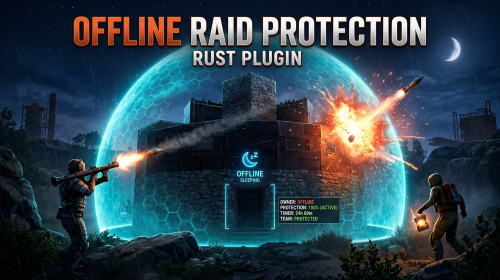
The Offline Raid Protection plugin is a comprehensive solution designed to protect players' structures and vehicles while they are offline. It offers a range of customisable protection levels based on real-time or the length of time a player has been offline, and integrates with the Clans plugin and the in-game teams feature to determine protection status based on the online status of all clan or team members and authorised players. Key Features Configurable Protection Levels: Set protection levels based on real time or the amount of time since a player went offline. For example, a building can have 100% protection one hour after a player goes offline, and 50% protection after two hours. This feature is highly configurable. Clan/Team Integration: The plugin integrates with the Clans plugin and the in-game teams feature. The protection status of a structure or vehicle is determined by the online status of all clan or team members and authorised players. Penalty System: An optional penalty system is implemented to prevent abuse of the protection feature. For example, if a player leaves a clan or team, a penalty can be applied to all members and protection can be disabled for a configurable period of time. Game Tip Messages: The plugin displays game tip messages to players when they hit a protected structure or vehicle. The message includes the percentage of protection and is colour coded according to the level of protection. It supports all the languages available in Rust. Commands: Players with permission can use commands to check the protection status of other players, change the offline time of other players, and change the penalty status. Cache System: The plugin uses a caching system to optimise performance and keep the impact on the server to a bare minimum. Configuration: The plugin includes a configuration file that allows you to customise the behaviour of the plugin. Modular Boat and Tugboat protection: These can optionally be protected just like player bases. Commands All commands can be configured. /orp or /ao <steam id or full name> — Check a player's offline protection status. You can type the command without a name when looking at a player's structure. /raidprot — Display offline raid protection information. /orp.fill.onlinetimes — Fill all players offline times. (Chat & Console command) /orp.test.offline <steam id or full name> <hours> — Change a player's offline time. /orp.test.online <steam id or full name> — Change a player's offline time to the current time. /orp.test.penalty <steam id or full name> <hours> — Change the duration of a player's penalty. A negative value or zero would disable the penalty. /orp.update.permission — Update the permissions status (offlineraidprotection.protect) for all players. orp.update.prefabs <true> - Updates the 'Prefabs to protect' list in the configuration. Overwrites the list with the 'true' argument. (Console command) orp.dump.prefabs - Clears the 'Prefabs to protect' list in the configuration. (Console command) Permissions All permissions can be configured. offlineraidprotection.protect — Allows a player to be protected from raids. offlineraidprotection.check — Allows a player to check the offline protection status of other players. offlineraidprotection.admin — Allows a player to use all admin commands of the plugin. To grant a permission, use carbon/oxide.grant <user or group> <steamname or ID> <permission>. To revoke a permission, use carbon/oxide.revoke <user or group> <steamname or ID> <permission>. Configuration The configuration is to a large extent self-explanatory. Raid Protection Options Only mitigate damage caused by players: Choose whether or not to only mitigate damage caused directly by players. Enable this to prevent players from causing base damage by baiting patrol helicopters, etc. Protect players that are online: Choose whether or not to protect the bases of the players who are online. Works when "Scale of damage depending on the current hour of the real day" is configured. Scale of damage depending on the current hour of the real day: Defines the protection levels based on the current hour of the real day. The key is the hour of the day (0-23), and the value is the protection scale (0 — 340282300000000000000000000000000000000). Example: "0": 0.0, "1": 0.0, "2": 0.0, "3": 0.0 This means that the protection level is 100% from midnight to 3am. Scale of damage depending on the offline time in hours: Defines the protection levels based on the time since the player went offline. The key is the number of hours since the player went offline, and the value is the protection scale (0 — 340282300000000000000000000000000000000). The value of the hours can also be a decimal number. Example: "12": 0.25, "24": 0.5, "48": 1.0, "96": 2.0 This means that 12 hours after the player goes offline, the protection level will be 75%. After 24 hours it will be 50% and after 48 hours it will be 0%. After 96 hours, the damage is increased by 200%. Cooldown in minutes: During this time, damage levels will remain vanilla. Raids are possible. Set this to a positive value to discourage defenders from interrupting raids by logging off. Scale of damage between the cooldown and the first configured time: During this time, the level of damage between the cooldown and the first configured time can be set to a specific value, such as 0.0 Online time to qualify for offline raid protection in minutes: Time to qualify for offline raid protection after a player connects Set this to a positive value to discourage players from quickly logging on and back off solely to reset protection. Protect all prefabs: Choose whether to protect all prefabs or only specific ones. This will protect anything in the TC range. Protect AI (animals, NPCs, Bradley and attack helicopters etc.) if 'Protect all Prefabs' is enabled: Choose whether or not to protect AI entities if "Protect all Prefabs" is enabled. Set to false to reduce hook times, and to avoid protecting wild animals that wander by offline bases. Protect modular and tug boats: Choose whether to protect modular boats and tugboats and their deployables. Checks wheel authorisation list, plus optionally lock authorisation lists. Protect vehicles: Choose whether to protect vehicles or not. Vehicle lock authorisation always has priority. If you want to exclude certain vehicles from protection, add them to the blacklist. Tugboats and modular boats are separate from this. Protect twigs: Choose whether to protect twigs or not. Protect decaying buildings: Choose whether to protect buildings that are either decaying, or have at least 50% of building blocks below 90% health. Ignore decay if due solely to twig: Choose whether to ignore decay state caused solely due to the presence of twig building blocks combined with a lack of wood in the TC. Set to true to ensure raiders cannot disable protection by building twig onto an offline base. Prefabs to protect: List of prefabs that will be protected. Make sure you remove the prefabs you don't want to protect, some of them are pointless. Prefabs blacklist: List of prefabs that will not be protected. Prefabs in the blacklist will always have priority to be unprotected. Timezone Options The fallback timezone is UTC if you leave it blank in the configuration, or if your configured timezone doesn't exist. The timezone identifiers are different for Windows and Linux. You can check the appendices to find your preferred timezone. Conclusion: The Offline Raid Protection plugin provides a comprehensive solution for protecting players' structures and vehicles. This plugin is essential for any Rust server owner who wants to provide a fair and enjoyable gaming experience for their players. Acknowledgments Special thanks to @Kulltero for his valuable feedback and suggestions during the development of this plugin. Windows_Timezones.txt Linux_Timezones.txt Prefabs.txtFree -

Version 0.1.8
1,126 downloads
Useful plugin for managing temporary permissions, temporary groups and temporary permissions for groups. This is done through chat commands, built-in Oxide commands, and API methods. Note: The dates is in UTC format. The ability to grant players temporary permissions by specifying either the number of seconds, an exact expiration date or until the wipe occurs; The ability to add players to temporary groups by specifying either the number of seconds, an exact expiration date or until the wipe occurs; The ability to grant groups temporary permissions by specifying either the number of seconds, an exact expiration date or until the wipe occurs; The ability to revoke temporary permissions from players and groups prematurely; The ability to remove players from groups prematurely; The ability to perform all the above actions using existing and familiar console commands(e.g., o.grant), simply by adding the number of seconds, the expiration date or the word "wipe" at the end; The ability to perform all the above actions using a chat command (by default /tperm); The ability to perform all the above actions using API methods; The ability to remove all temporary permissions and groups upon wipe detection. temporarypermissions.admin - Grants access to the admin command(by default /tperm). { "Chat command": "myperm", "Chat admin command": "tperm", "Is it worth enabling GameTips for messages?": true, "List of language keys for creating language files": [ "en" ], "Is it worth saving logs to a file?": true, "Is it worth using console logging?": true, "Interval in seconds for expiration check": 1.0, "Interval in seconds for checking the presence of temporary permissions and temporary groups. A value of 0 disables the check": 600.0, "Is it worth restoring removed temporary permissions and temporary groups if the timer hasn't expired? There are cases where removal cannot be tracked in the usual way": true, "Is it worth revoking temporary permissions and temporary groups when unloading the plugin, without removing them from the data file?": true, "Is it worth revoking temporary permissions and temporary groups that haven't expired yet upon detecting a wipe?": false, "Custom wipe date(detected only during initialization). Only required if you're experiencing issues with the Wipe ID. Leave empty to use the Wipe ID. Example: 2025-06-25 13:00": "", "Wipe ID": null, "Version": { "Major": 0, "Minor": 1, "Patch": 8 } } EN: { "CmdAdmin": "Available admin commands:\n\n<color=#D1CBCB>/tperm</color> <color=#D1AB9A>grant user *nameOrId* realpve.vip wipe</color> - Grants or extends the specified permission for the specified player until the end of the current wipe\n<color=#D1CBCB>/tperm</color> <color=#D1AB9A>grant user *nameOrId* realpve.vip *intValue* *boolValue*(optional)</color> - Grants or extends the specified permission for the specified player for the given number of seconds\n<color=#D1CBCB>/tperm</color> <color=#D1AB9A>grant user *nameOrId* realpve.vip *expirationDate* *assignmentDate*(optional)</color> - Grants or extends the specified permission for the specified player until the given date\n<color=#D1CBCB>/tperm</color> <color=#D1AB9A>grant group *groupName* realpve.vip wipe</color> - Grants or extends the specified permission for the specified group until the end of the current wipe\n<color=#D1CBCB>/tperm</color> <color=#D1AB9A>grant group *groupName* realpve.vip *intValue* *boolValue*(optional)</color> - Grants or extends the specified permission for the specified group for the given number of seconds\n<color=#D1CBCB>/tperm</color> <color=#D1AB9A>grant group *groupName* realpve.vip *expirationDate* *assignmentDate*(optional)</color> - Grants or extends the specified permission for the specified group until the given date\n<color=#D1CBCB>/tperm</color> <color=#D1AB9A>revoke user *nameOrId* realpve.vip</color> - Revokes the specified permission from the specified player\n<color=#D1CBCB>/tperm</color> <color=#D1AB9A>revoke group *groupName* realpve.vip</color> - Revokes the specified permission from the specified group\n<color=#D1CBCB>/tperm</color> <color=#D1AB9A>add *nameOrId* *groupName* wipe</color> - Adds or extends the specified player's membership in the specified group until the end of the current wipe\n<color=#D1CBCB>/tperm</color> <color=#D1AB9A>add *nameOrId* *groupName* *intValue* *boolValue*(optional)</color> - Adds or extends the specified player's membership in the specified group for the given number of seconds\n<color=#D1CBCB>/tperm</color> <color=#D1AB9A>add *nameOrId* *groupName* *expirationDate* *assignmentDate*(optional)</color> - Adds or extends the specified player's membership in the specified group until the given date\n<color=#D1CBCB>/tperm</color> <color=#D1AB9A>remove *nameOrId* *groupName*</color> - Removes the specified player from the specified group\n<color=#D1CBCB>/tperm</color> <color=#D1AB9A>wipe *wipeDate*</color> - Set a custom wipe date. Used in case of issues with the Wipe ID. Format: yyyy-MM-dd HH:mm\n<color=#D1CBCB>/tperm</color> <color=#D1AB9A>wipe reset</color> - Reset the custom wipe date\n\n<color=#D1CBCB>Optional values:</color>\n*boolValue* - If false(default) and an existing permission or group membership has not expired, the specified time will be added to the existing time. Otherwise, including when true, the specified time will be counted from the current time\n*assignmentDate* - If the assignment date is not specified and there is no existing permission or group membership, the assignment date will be set to the current time. If the assignment date is specified, it will be applied regardless of existing permissions or group memberships\n\n--------------------------------------------------", "CmdPermissionNotFound": "Permission '{0}' not found!", "CmdPlayerNotFound": "Player '{0}' not found! You must provide the player's name or ID.", "CmdMultiplePlayers": "Multiple players found for '{0}': {1}", "CmdGroupNotFound": "Group '{0}' not found!", "CmdGrantWrongFormat": "Incorrect command format! Example: /tperm grant user/group *nameOrId* realpve.vip *secondsOrDateTime*", "CmdRevokeWrongFormat": "Incorrect command format! Example: /tperm revoke user/group *nameOrId* realpve.vip", "CmdUserGroupWrongFormat": "Incorrect command format! Example: /tperm group add/remove *nameOrId* *groupName*", "CmdUserGranted": "Permission '{0}' granted to player '{1}'.", "CmdGroupGranted": "Permission '{0}' granted to group '{1}'.", "CmdUserGroupAdded": "Player '{0}' has been added to group '{1}'.", "CmdUserRevoked": "Permission '{0}' has been revoked for player '{1}'.", "CmdGroupRevoked": "Permission '{0}' has been revoked for group '{1}'.", "CmdUserGroupRemoved": "Player '{0}' has been removed from group '{1}'.", "CmdWipeNew": "New wipe date successfully set to '{0}'. The wipe will take effect only after the plugin is loaded following this date.", "CmdWipeReset": "The custom wipe date has been reset. The wipe is now determined by the Wipe ID.", "CmdWipeFailed": "The specified date '{0}' has an invalid format(yyyy-MM-dd HH:mm) or has already passed. Example: '{1}'.", "CmdCheckNoActive": "You have no active temporary permissions or temporary groups!", "CmdCheckTargetNoActive": "Player '{0}' has no active temporary permissions or temporary groups!", "CmdCheckPermissions": "<color=#D1AB9A>You have {0} temporary permissions(time in UTC):</color>\n{1}", "CmdCheckGroups": "<color=#D1AB9A>You have {0} temporary groups(time in UTC):</color>\n{1}", "CmdCheckTargetPermissions": "<color=#D1AB9A>Player '{2}' has {0} temporary permissions(time in UTC):</color>\n{1}", "CmdCheckTargetGroups": "<color=#D1AB9A>Player '{2}' has {0} temporary groups(time in UTC):</color>\n{1}", "CmdCheckFormatPermissions": "'{0}' - {1}({2})", "CmdCheckFormatGroups": "'{0}' - {1}({2})", "CmdUntilWipe": "Until Wipe" } RU: { "CmdAdmin": "Доступные админ команды:\n\n<color=#D1CBCB>/tperm</color> <color=#D1AB9A>grant user *имяИлиАйди* realpve.vip wipe</color> - Выдать или продлить указанный пермишен указанному игроку до конца текущего вайпа\n<color=#D1CBCB>/tperm</color> <color=#D1AB9A>grant user *имяИлиАйди* realpve.vip *числовоеЗначение* *булевоеЗначение*(опционально)</color> - Выдать или продлить указанный пермишен указанному игроку на указанное количество секунд\n<color=#D1CBCB>/tperm</color> <color=#D1AB9A>grant user *имяИлиАйди* realpve.vip *датаИстечения* *датаНазначения*(опционально)</color> - Выдать или продлить указанный пермишен указанному игроку до указанной даты\n<color=#D1CBCB>/tperm</color> <color=#D1AB9A>grant group *имяГруппы* realpve.vip wipe</color> - Выдать или продлить указанный пермишен указанной группе до конца текущего вайпа\n<color=#D1CBCB>/tperm</color> <color=#D1AB9A>grant group *имяГруппы* realpve.vip *числовоеЗначение* *булевоеЗначение*(опционально)</color> - Выдать или продлить указанный пермишен указанной группе на указанное количество секунд\n<color=#D1CBCB>/tperm</color> <color=#D1AB9A>grant group *имяГруппы* realpve.vip *датаИстечения* *датаНазначения*(опционально)</color> - Выдать или продлить указанный пермишен указанной группе до указанной даты\n<color=#D1CBCB>/tperm</color> <color=#D1AB9A>revoke user *имяИлиАйди* realpve.vip</color> - Снять указанный пермишен у указанного игрока\n<color=#D1CBCB>/tperm</color> <color=#D1AB9A>revoke group *имяГруппы* realpve.vip</color> - Снять указанный пермишен у указанной группы\n<color=#D1CBCB>/tperm</color> <color=#D1AB9A>add *имяИлиАйди* *имяГруппы* wipe</color> - Добавить или продлить пребывание в указанной группе указанному игроку до конца текущего вайпа\n<color=#D1CBCB>/tperm</color> <color=#D1AB9A>add *имяИлиАйди* *имяГруппы* *числовоеЗначение* *булевоеЗначение*(опционально)</color> - Добавить или продлить пребывание в указанной группе указанному игроку на указанное количество секунд\n<color=#D1CBCB>/tperm</color> <color=#D1AB9A>add *имяИлиАйди* *имяГруппы* *датаИстечения* *датаНазначения*(опционально)</color> - Добавить или продлить пребывание в указанной группе указанному игроку до указанной даты\n<color=#D1CBCB>/tperm</color> <color=#D1AB9A>remove *имяИлиАйди* *имяГруппы*</color> - Отменить пребывание в указанной группе указанному игроку\n<color=#D1CBCB>/tperm</color> <color=#D1AB9A>wipe *датаВайпа*</color> - Установка кастомной даты вайпа. Используется при проблемах с Wipe ID. Формат: yyyy-MM-dd HH:mm\n<color=#D1CBCB>/tperm</color> <color=#D1AB9A>wipe reset</color> - Сброс кастомной даты вайпа\n\n<color=#D1CBCB>Опциональные значения:</color>\n*булевоеЗначение* - Если false(по умолчанию) и существующий пермишен или группа не истекли, указанное время будет добавлено к существующему времени. В противном случае, в т.ч. при true, указанное время будет отсчитываться от текущего времени\n*датаНазначения* - Если дата назначения не указана и нет существующего пермишена или группы, дата назначения будет равна текущей. Если дата назначения указана, то вне зависимости от существования пермишенов или групп, присвоится указанная дата\n\n--------------------------------------------------", "CmdPermissionNotFound": "Пермишен '{0}' не найден!", "CmdPlayerNotFound": "Игрок '{0}' не найден! Вы должны указать имя или ID игрока.", "CmdMultiplePlayers": "По значению '{0}' найдено несколько игроков: {1}", "CmdGroupNotFound": "Группа '{0}' не найдена!", "CmdGrantWrongFormat": "Не верный формат команды! Пример: /tperm grant user/group *имяИлиАйди* realpve.vip *секундыИлиДата*", "CmdRevokeWrongFormat": "Не верный формат команды! Пример: /tperm revoke user/group *имяИлиАйди* realpve.vip", "CmdUserGroupWrongFormat": "Не верный формат команды! Пример: /tperm group add/remove *имяИлиАйди* *имяГруппы*", "CmdUserGranted": "Пермишен '{0}' выдан игроку '{1}'.", "CmdGroupGranted": "Пермишен '{0}' выдан группе '{1}'.", "CmdUserGroupAdded": "Игрок '{0}' был добавлен в группу '{1}'.", "CmdUserRevoked": "Пермишен '{0}' был удален для игрока '{1}'.", "CmdGroupRevoked": "Пермишен '{0}' был удален для группы '{1}'.", "CmdUserGroupRemoved": "Игрок '{0}' был удален из группы '{1}'.", "CmdWipeNew": "Новая дата вайпа успешно установлена на '{0}'. Вайп вступит в силу только при загрузке плагина после этой даты.", "CmdWipeReset": "Кастомная дата вайпа была сброшена. Вайп снова определяется по Wipe ID.", "CmdWipeFailed": "Указанная дата '{0}' имеет неверный формат(yyyy-MM-dd HH:mm) или уже прошла. Пример: '{1}'.", "CmdCheckFormatGroups": "'{0}' - {1}({2})", "CmdCheckNoActive": "У вас нет активных временных пермишенов или временных групп!", "CmdCheckTargetNoActive": "У игрока '{0}' нет активных временных пермишенов или временных групп!", "CmdCheckPermissions": "<color=#D1AB9A>У вас есть {0} временных пермишенов(время по UTC):</color>\n{1}", "CmdCheckGroups": "<color=#D1AB9A>У вас есть {0} временных групп(время по UTC):</color>\n{1}", "CmdCheckTargetPermissions": "<color=#D1AB9A>У игрока '{2}' есть {0} временных пермишенов(время по UTC):</color>\n{1}", "CmdCheckTargetGroups": "<color=#D1AB9A>У игрока '{2}' есть {0} временных групп(время по UTC):</color>\n{1}", "CmdCheckFormatPermissions": "'{0}' - {1}({2})", "CmdUntilWipe": "До вайпа" } /myperm - Displays a list of all your temporary permissions and temporary groups; /myperm *NameOrId* - Displays a list of all temporary permissions and temporary groups of the specified player. Permission "temporarypermissions.admin" required. Admin commands(/tperm). Permission "temporarypermissions.admin" required: grant - Grants a temporary permission to a player or group. user *NameOrId* realpve.vip wipe - Grants a temporary permission to a player until the next wipe by specifying the player's name or Id, the permission name and the word "wipe"; *NameOrId* realpve.vip 3600 true/false - Grants a temporary permission to a player by specifying the player's name or Id, the permission name, the number of seconds and true/false(optional). If false(default) and an existing permission has not expired, the specified time will be added to the existing time. Otherwise, including when true, the specified time will be counted from the current time; *NameOrId* realpve.vip "2024-08-19 17:57" "2024-08-19 16:57" - Grants a temporary permission to a player by specifying the player's name or Id, the permission name, the expiration date and the assigned date(optional). If the assignment date is not specified and there is no existing permission, the assignment date will be set to the current time. If the assignment date is specified, it will be applied regardless of existing permissions. group *GroupName* realpve.vip wipe - Grants a temporary permission to a group until the next wipe by specifying the group's name, the permission name and the word "wipe"; *GroupName* realpve.vip 3600 true/false - Grants a temporary permission to a group by specifying the group's name, the permission name, the number of seconds, and true/false(optional). If false(default) and an existing group membership has not expired, the specified time will be added to the existing time. Otherwise, including when true, the specified time will be counted from the current time; *GroupName* realpve.vip "2024-08-19 17:57" "2024-08-19 16:57" - Grants a temporary permission to a group by specifying the group's name, the permission name, the expiration date and the assigned date(optional). If the assignment date is not specified and there is no existing group membership, the assignment date will be set to the current time. If the assignment date is specified, it will be applied regardless of existing group memberships. revoke - Revokes a temporary permission from a player or group. user *NameOrId* realpve.vip - Revokes a temporary permission from a player by specifying the player's name or Id and the permission name; group *GroupName* realpve.vip - Revokes a temporary permission from a group by specifying the group's name and the permission name. add - Temporary addition of a player to a group. *NameOrId* *GroupName* wipe - Temporary addition of a player to a group until the next wipe by specifying the player's name or Id, the group name and the word "wipe"; *NameOrId* *GroupName* 3600 true/false - Temporary addition of a player to a group by specifying the player's name or Id, the group name, the number of seconds, and true/false(optional). If true, the specified seconds will count from the current moment, otherwise(default), they will be added to the existing time; *NameOrId* *GroupName* "2024-08-19 17:57" "2024-08-19 16:57" - Temporary addition of a player to a group by specifying the player's name or Id, the group name, the expiration date and the assigned date(optional). If not specified, the assigned date will default to the current date, otherwise, it will be set to the provided date. remove *NameOrId* *GroupName* - Removal of a player from a temporary group by specifying the player's name or Id and the group name. wipe - Setting a custom wipe date. Used if you're experiencing issues with using the Wipe ID. *wipeDate* - Set a custom wipe date(yyyy-MM-dd HH:mm). Used in case of issues with the Wipe ID; reset - Reset the custom wipe date. Example: /tperm grant user iiiaka realpve.vip wipe /tperm grant user iiiaka realpve.vip 3600 true /tperm grant user iiiaka realpve.vip "2024-08-19 17:57" "2024-08-19 16:57" /tperm wipe "2025-06-25 13:00" Note: To access the commands, the player must be an admin(console or owner) or have the temporarypermissions.admin permission. P.S. Templates for the commands above can also be used with existing console commands. For example: o.grant user iiiaka realpve.vip 3600 true All developer documentation can be found in the Docs section.Free -
Version 0.1.10
1,566 downloads
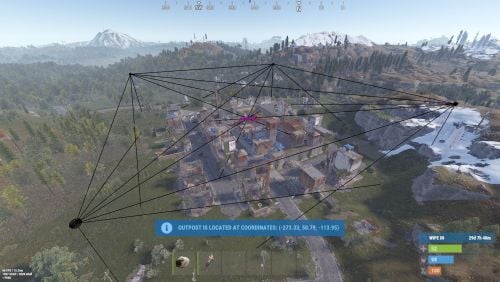
A plugin that allows other plugins to interact with players and entities in monuments via API. The list of all monuments can be viewed in the: Default(Source of monument boundaries when changing the map or recreating boundaries) - *SERVER*\oxide\data\MonumentsWatcher\DefaultBounds.json Vanilla - *SERVER*\oxide\data\MonumentsWatcher\MonumentsBounds.json Custom - *SERVER*\oxide\data\MonumentsWatcher\CustomMonumentsBounds.json Note: MonumentsWatcher is utilized as an API for other plugins. You won't obtain any functionality beyond displaying monument boundaries without an additional plugin. The ability to automatically generate boundaries for vanilla and custom monuments; The ability to automatically regenerate boundaries for monuments on wipe; The ability to automatically adding languages for custom monuments; The ability to manually configure boundaries for monuments; The ability to track the entrance and exit of players, npcs and entities in a Monument and CargoShip; The ability to display boundaries. monumentswatcher.admin - Provides the capability to recreate or display monument boundaries. { "Chat command": "monument", "Is it worth enabling GameTips for messages?": true, "List of language keys for creating language files": [ "en" ], "Is it worth recreating boundaries(excluding custom monuments) upon detecting a wipe?": true, "List of tracked categories of monuments. Leave blank to track all": [], "Wipe ID": null, "Version": { "Major": 0, "Minor": 1, "Patch": 10 } } Note: The list of available categories for monuments can be found in the Developer API section. ENG: https://pastebin.com/nsjBCqZe RUS: https://pastebin.com/ut2icv9T Note: After the plugin initialization, keys for custom monuments will be automatically added. show *monumentID*(optional) *floatValue*(optional) - Display the boundary of the monument you are in or specified. The display will last for the specified time or 30 seconds; list - List of available monuments; rotate *monumentID*(optional) *floatValue*(optional) - Rotate the monument you are in or specified, either in the direction you are looking or in the specified direction; recreate custom/all(optional) - Recreate the boundaries of vanilla/custom/all monuments. Note: Instead of a monumentID, you can leave it empty, but you must be inside a monument. You can also use the word 'closest' to select the nearest monument to you. Example: /monument show closest /monument show gas_station_1 /monument show gas_station_1_4 /monument rotation /monument rotation closest /monument rotation gas_station_1_0 256.5 /monument recreate void OnMonumentsWatcherLoaded() Called after the MonumentsWatcher plugin is fully loaded and ready. void OnCargoWatcherCreated(string monumentID, string type, CargoShip cargoShip) Called when a watcher is created for a CargoShip. void OnCargoWatcherDeleted(string monumentID) Called when a watcher is removed for a CargoShip. void OnSpawnableWatcherCreated(string monumentID, string type, BaseEntity entity) Called when a watcher is created for a Spawnable monument. void OnSpawnableWatcherDeleted(string monumentID) Called when a watcher is removed for a Spawnable monument. void OnMonumentsWatcherLoaded() { Puts("MonumentsWatcher plugin is ready!"); } void OnCargoWatcherCreated(string monumentID, string type, CargoShip cargoShip) { Puts($"Watcher for monument {monumentID}({type}) has been created!"); } void OnCargoWatcherDeleted(string monumentID) { Puts($"Watcher for monument {monumentID} has been deleted!"); } void OnSpawnableWatcherCreated(string monumentID, string type, BaseEntity entity) { Puts($"Watcher for monument {monumentID}({type}) has been created!"); } void OnSpawnableWatcherDeleted(string monumentID) { Puts($"Watcher for monument {monumentID} has been deleted!"); } Monument entry hooks: void OnPlayerEnteredMonument(string monumentID, BasePlayer player, string type, string oldMonumentID) Called when a player enters any monument. void OnNpcEnteredMonument(string monumentID, BasePlayer npcPlayer, string type, string oldMonumentID) Called when an NPC player enters any monument. void OnEntityEnteredMonument(string monumentID, BaseEntity entity, string type, string oldMonumentID) Called when any other BaseEntity enters any monument. void OnPlayerEnteredMonument(string monumentID, BasePlayer player, string type, string oldMonumentID) { Puts($"{player.displayName} entered to {monumentID}({type}). His previous monument was {oldMonumentID}"); } void OnNpcEnteredMonument(string monumentID, BasePlayer npcPlayer, string type, string oldMonumentID) { Puts($"Npc({npcPlayer.displayName}) entered to {monumentID}({type}). Previous monument was {oldMonumentID}"); } void OnEntityEnteredMonument(string monumentID, BaseEntity entity, string type, string oldMonumentID) { Puts($"Entity({entity.net.ID}) entered to {monumentID}({type}). Previous monument was {oldMonumentID}"); } Monument exit hooks: void OnPlayerExitedMonument(string monumentID, BasePlayer player, string type, string reason, string newMonumentID) Called when a player exits any monument. void OnNpcExitedMonument(string monumentID, BasePlayer npcPlayer, string type, string reason, string newMonumentID) Called when an NPC player exits any monument. void OnEntityExitedMonument(string monumentID, BaseEntity entity, string type, string reason, string newMonumentID) Called when any other BaseEntity exits any monument. void OnPlayerExitedMonument(string monumentID, BasePlayer player, string type, string reason, string newMonumentID) { Puts($"{player.displayName} left from {monumentID}({type}). Reason: {reason}. They are now at '{newMonumentID}'."); } void OnNpcExitedMonument(string monumentID, BasePlayer npcPlayer, string type, string reason, string newMonumentID) { Puts($"Npc({npcPlayer.displayName}) left from {monumentID}({type}). Reason: {reason}. They are now in {newMonumentID}"); } void OnEntityExitedMonument(string monumentID, BaseEntity entity, string type, string reason, string newMonumentID) { Puts($"Entity({entity.net.ID}) left from {monumentID}({type}). Reason: {reason}. They are now in {newMonumentID}"); } [PluginReference] private Plugin MonumentsWatcher; There are 15 categories of monuments: SafeZone(0): Bandit Camp, Outpost, Floating City, Fishing Village, Ranch and Large Barn. RadTown(1): Airfield, Arctic Research Base, Abandoned Military Base, Giant Excavator Pit, Ferry Terminal, Harbor, Junkyard, Launch Site; Military Tunnel, Missile Silo, Power Plant, Sewer Branch, Satellite Dish, The Dome, Toxic Village(Legacy Radtown), Train Yard, Water Treatment Plant. RadTownWater(2): Oil Rigs, Underwater Labs, Cargo Ships and Ghost Ships. RadTownSmall(3): Lighthouse, Oxum's Gas Station, Abandoned Supermarket and Mining Outpost. TunnelStation(4) MiningQuarry(5): Sulfur Quarry, Stone Quarry and HQM Quarry. BunkerEntrance(6) Cave(7) Swamp(8) IceLake(9) PowerSubstation(10) Ruins(11): Jungle Ruins and Tropical Ruins. WaterWell(12) DeepSeaIsland(13) Custom(14) There are 29 api methods: IsReady: Used to check if the MonumentsWatcher plugin is loaded and ready to work. The IsReady method returns true if it is ready, or null if it is not. (bool)MonumentsWatcher?.Call("IsReady"); GetAllMonuments: Used to retrieve an array of IDs for all available monuments. (string[])(MonumentsWatcher?.Call("GetAllMonuments") ?? Array.Empty<string>()); GetAllMonumentsCategories: Used to retrieve a dictionary of IDs and categories for all available monuments. (Dictionary<string, string>)(MonumentsWatcher?.Call("GetAllMonumentsCategories") ?? new Dictionary<string, string>()); GetMonumentsByCategory: Used to retrieve all available monuments by category. To call the GetMonumentsByCategory method, you need to pass 1 parameter: monument category as a string. (string[])(MonumentsWatcher?.Call("GetMonumentsByCategory", "SafeZone") ?? Array.Empty<string>()); GetMonumentCategory: Used to retrieve the category of the specified monument. Returns an empty string on failure. To call the GetMonumentCategory method, you need to pass 1 parameter: monumentID as a string. (string)(MonumentsWatcher?.Call("GetMonumentCategory", monumentID) ?? string.Empty); GetMonumentDisplayName: Used to retrieve the nicename of a monument in the player's language. Returns an empty string on failure. To call the GetMonumentDisplayName method, you need to pass 3 parameters: monumentID as a string; Available options: userID as a ulong or a string; player as a BasePlayer or an IPlayer. displaySuffix as a bool. Should the suffix be displayed in the name if there are multiple such monuments? This parameter is optional. (string)(MonumentsWatcher?.Call("GetMonumentDisplayName", monumentID, player.userID, true) ?? string.Empty);//(ulong)userID (string)(MonumentsWatcher?.Call("GetMonumentDisplayName", monumentID, player, true) ?? string.Empty);//(BasePlayer/IPlayer)player (string)(MonumentsWatcher?.Call("GetMonumentDisplayName", monumentID, player.UserIDString, true) ?? string.Empty);//(string)userID ***recommended option*** GetMonumentDisplayNameByLang: Used to retrieve the nicename of a monument in the specified language. Returns an empty string on failure. To call the GetMonumentDisplayNameByLang method, you need to pass 3 parameters: monumentID as a string; two-char language as a string; displaySuffix as a bool. Should the suffix be displayed in the name if there are multiple such monuments? This parameter is optional. (string)(MonumentsWatcher?.Call("GetMonumentDisplayNameByLang", monumentID, "en", true) ?? string.Empty); GetMonumentPosition: Used to retrieve the Vector3 position of the specified monument. Returns Vector3.zero on failure. To call the GetMonumentPosition method, you need to pass 1 parameter: monumentID as a string. (Vector3)(MonumentsWatcher?.Call("GetMonumentPosition", monumentID) ?? Vector3.zero); GetMonumentByPos: Used to retrieve the monument at the specified position. Returns an empty string on failure. To call the GetMonumentByPos method, you need to pass 1 parameter: position as a Vector3. (string)(MonumentsWatcher?.Call("GetMonumentByPos", pos) ?? string.Empty); Note: This method returns the first encountered monument. Occasionally, there may be multiple monuments at a single point. Therefore, it is recommended to use the GetMonumentsByPos method. GetMonumentsByPos: Used to retrieve all monuments at the specified position. Returns null on failure. To call the GetMonumentsByPos method, you need to pass 1 parameter: position as a Vector3. (string[])(MonumentsWatcher?.Call("GetMonumentsByPos", pos) ?? Array.Empty<string>()); GetClosestMonument: Used to retrieve the nearest monument to the specified position. Returns an empty string on failure. To call the GetClosestMonument method, you need to pass 1 parameter: position as a Vector3. (string)(MonumentsWatcher?.Call("GetClosestMonument", pos) ?? string.Empty); IsPosInMonument: Used to check whether the specified position is within the specified monument. Returns a false on failure. To call the IsPosInMonument method, you need to pass 2 parameters: monumentID as a string; position as a Vector3. (bool)(MonumentsWatcher?.Call("IsPosInMonument", monumentID, pos) ?? false); ShowBounds: Used to display the boundaries of the specified monument to the specified player. To call the ShowBounds method, you need to pass 3 parameters: monumentID as a string; player as a BasePlayer; displayDuration as a float. Duration of displaying the monument boundaries in seconds. This parameter is optional. MonumentsWatcher?.Call("ShowBounds", monumentID, player, 20f); Note: Since an Admin flag is required for rendering, players without it will be temporarily granted an Admin flag and promptly revoked. PLAYERS API GetMonumentPlayers: Used to retrieve an array of all players located in the specified monument. Returns null on failure. To call the GetMonumentPlayers method, you need to pass 1 parameter: monumentID as a string. (BasePlayer[])(MonumentsWatcher?.Call("GetMonumentPlayers", monumentID) ?? Array.Empty<BasePlayer>()); GetMonumentPlayersNoAlloc: Used to fill your existing list with players located in the specified monument. Returns true if at least one player is added, otherwise null. To call the GetMonumentPlayersNoAlloc method, you need to pass 2 parameters: monumentID as a string; list as List<BasePlayer>. (bool)(MonumentsWatcher?.Call("GetMonumentPlayersNoAlloc", monumentID, yourList) ?? false); MonumentsWatcher?.Call("GetMonumentPlayersNoAlloc", monumentID, yourList); GetPlayerMonument: Used to retrieve the monument in which the specified player is located. Returns an empty string on failure. To call the GetPlayerMonument method, you need to pass 1 parameter: Available options: player as a BasePlayer; userID as a ulong or a string. (string)(MonumentsWatcher?.Call("GetPlayerMonument", player.UserIDString) ?? string.Empty);//(string)userID (string)(MonumentsWatcher?.Call("GetPlayerMonument", player) ?? string.Empty);//(BasePlayer)player (string)(MonumentsWatcher?.Call("GetPlayerMonument", player.userID) ?? string.Empty);//(ulong)userID ***recommended option*** GetPlayerMonuments: Used to retrieve all monuments in which the specified player is located. Returns null on failure. To call the GetPlayerMonuments method, you need to pass 1 parameter: Available options: player as a BasePlayer; userID as a ulong or a string. (string[])(MonumentsWatcher?.Call("GetPlayerMonuments", player.UserIDString) ?? Array.Empty<string>());//(string)userID (string[])(MonumentsWatcher?.Call("GetPlayerMonuments", player) ?? Array.Empty<string>());//(BasePlayer)player (string[])(MonumentsWatcher?.Call("GetPlayerMonuments", player.userID) ?? Array.Empty<string>());//(ulong)userID ***recommended option*** GetPlayerClosestMonument: Used to retrieve the nearest monument to the specified player. Returns an empty string on failure. To call the GetPlayerClosestMonument method, you need to pass 1 parameter: Available options: player as a BasePlayer; userID as a ulong or a string. (string)(MonumentsWatcher?.Call("GetPlayerClosestMonument", player.UserIDString) ?? string.Empty);//(string)userID (string)(MonumentsWatcher?.Call("GetPlayerClosestMonument", player.userID) ?? string.Empty);//(ulong)userID (string)(MonumentsWatcher?.Call("GetPlayerClosestMonument", player) ?? string.Empty);//(BasePlayer)player ***recommended option*** IsPlayerInMonument: Used to check whether the specified player is in the specified monument. Returns a false on failure. To call the IsPlayerInMonument method, you need to pass 2 parameters: monumentID as a string; Available options: player as a BasePlayer; userID as a ulong or a string. (bool)(MonumentsWatcher?.Call("IsPlayerInMonument", monumentID, player.UserIDString) ?? false);//(string)userID (bool)(MonumentsWatcher?.Call("IsPlayerInMonument", monumentID, player) ?? false);//(BasePlayer)player (bool)(MonumentsWatcher?.Call("IsPlayerInMonument", monumentID, player.userID) ?? false);//(ulong)userID ***recommended option*** NPCS API GetMonumentNpcs: Used to retrieve an array of all npcs located in the specified monument. Returns null on failure. To call the GetMonumentNpcs method, you need to pass 1 parameter: monumentID as a string. (BasePlayer[])(MonumentsWatcher?.Call("GetMonumentNpcs", monumentID) ?? Array.Empty<BasePlayer>()); GetMonumentNpcsNoAlloc: Used to fill your existing list with npcs located in the specified monument. Returns true if at least one npc is added, otherwise null. To call the GetMonumentNpcsNoAlloc method, you need to pass 2 parameters: monumentID as a string; list as List<BasePlayer>. (bool)(MonumentsWatcher?.Call("GetMonumentNpcsNoAlloc", monumentID, yourList) ?? false); MonumentsWatcher?.Call("GetMonumentNpcsNoAlloc", monumentID, yourList); GetNpcMonument: Used to retrieve the monument in which the specified npc is located. Returns an empty string on failure. To call the GetNpcMonument method, you need to pass 1 parameter: Available options: npcPlayer as a BasePlayer; netID as a ulong; netID as a NetworkableId. (string)(MonumentsWatcher?.Call("GetNpcMonument", npcPlayer) ?? string.Empty);//(BasePlayer)npcPlayer (string)(MonumentsWatcher?.Call("GetNpcMonument", npcPlayer.net.ID.Value) ?? string.Empty);//(ulong)netID (string)(MonumentsWatcher?.Call("GetNpcMonument", npcPlayer.net.ID) ?? string.Empty);//(NetworkableId)netID ***recommended option*** GetNpcMonuments: Used to retrieve all monuments in which the specified npc is located. Returns null on failure. To call the GetNpcMonuments method, you need to pass 1 parameter: Available options: npcPlayer as a BasePlayer; netID as a ulong; netID as a NetworkableId. (string[])(MonumentsWatcher?.Call("GetNpcMonuments", npcPlayer) ?? Array.Empty<string>());//(BasePlayer)npcPlayer (string[])(MonumentsWatcher?.Call("GetNpcMonuments", npcPlayer.net.ID.Value) ?? Array.Empty<string>());//(ulong)netID (string[])(MonumentsWatcher?.Call("GetNpcMonuments", npcPlayer.net.ID) ?? Array.Empty<string>());//(NetworkableId)netID ***recommended option*** IsNpcInMonument: Used to check whether the specified npc is in the specified monument. Returns a false on failure. To call the IsNpcInMonument method, you need to pass 2 parameters: monumentID as a string; Available options: npcPlayer as a BasePlayer; netID as a ulong; netID as a NetworkableId. (bool)(MonumentsWatcher?.Call("IsNpcInMonument", monumentID, npcPlayer.net.ID) ?? false);//(NetworkableId)netID (bool)(MonumentsWatcher?.Call("IsNpcInMonument", monumentID, npcPlayer.net.ID.Value) ?? false);//(ulong)netID (bool)(MonumentsWatcher?.Call("IsNpcInMonument", monumentID, npcPlayer) ?? false);//(BasePlayer)npcPlayer ***recommended option*** ENTITIES API GetMonumentEntities: Used to retrieve an array of all entities located in the specified monument. Returns null on failure. To call the GetMonumentEntities method, you need to pass 1 parameter: monumentID as a string. (BaseEntity[])(MonumentsWatcher?.Call("GetMonumentEntities", monumentID) ?? Array.Empty<BaseEntity>()); GetMonumentEntitiesNoAlloc: Used to fill your existing list with entities located in the specified monument. Returns true if at least one entity is added, otherwise null. To call the GetMonumentEntitiesNoAlloc method, you need to pass 2 parameters: monumentID as a string; list as List<BaseEntity>. (bool)(MonumentsWatcher?.Call("GetMonumentEntitiesNoAlloc", monumentID, yourList) ?? false); MonumentsWatcher?.Call("GetMonumentEntitiesNoAlloc", monumentID, yourList); GetEntityMonument: Used to retrieve the monument in which the specified entity is located. Returns an empty string on failure. To call the GetEntityMonument method, you need to pass 1 parameter: Available options: entity as a BaseEntity; netID as a ulong; netID as a NetworkableId. (string)(MonumentsWatcher?.Call("GetEntityMonument", entity) ?? string.Empty);//(BaseEntity)entity (string)(MonumentsWatcher?.Call("GetEntityMonument", entity.net.ID.Value) ?? string.Empty);//(ulong)netID (string)(MonumentsWatcher?.Call("GetEntityMonument", entity.net.ID) ?? string.Empty);//(NetworkableId)netID ***recommended option*** GetEntityMonuments: Used to retrieve all monuments in which the specified entity is located. Returns null on failure. To call the GetEntityMonuments method, you need to pass 1 parameter: Available options: entity as a BaseEntity; netID as a ulong; netID as a NetworkableId. (string[])(MonumentsWatcher?.Call("GetEntityMonuments", entity) ?? Array.Empty<string>());//(BaseEntity)entity (string[])(MonumentsWatcher?.Call("GetEntityMonuments", entity.net.ID.Value) ?? Array.Empty<string>());//(ulong)netID (string[])(MonumentsWatcher?.Call("GetEntityMonuments", entity.net.ID) ?? Array.Empty<string>());//(NetworkableId)netID ***recommended option*** IsEntityInMonument: Used to check whether the specified entity is in the specified monument. Returns a false on failure. To call the IsEntityInMonument method, you need to pass 2 parameters: monumentID as a string; Available options: entity as a BaseEntity; netID as a ulong; netID as a NetworkableId. (bool)(MonumentsWatcher?.Call("IsEntityInMonument", monumentID, entity.net.ID) ?? false);//(NetworkableId)netID bool)(MonumentsWatcher?.Call("IsEntityInMonument", monumentID, entity.net.ID.Value) ?? false);//(ulong)netID (bool)(MonumentsWatcher?.Call("IsEntityInMonument", monumentID, entity) ?? false);//(BaseEntity)entity ***recommended option***Free -
Version 0.1.4
330 downloads
The plugin that displays temporary permissions and groups in the status bar. Depends on AdvancedStatus plugin. The ability to display temporary and permanent permissions; The ability to display temporary and permanent groups; The ability to display temporary and permanent permissions from groups; The ability to automatically generate language files for different languages(filled in English); The ability to customize the bar for each permission and group; The ability to choose between bar types(TimeCounter and TimeProgressCounter); The ability to specify the order of the bar; The ability to change the height of the bar; The abillity to customize the color and transparency of the background; The ability to set a material for the background; The ability to switch between CuiRawImageComponent and CuiImageComponent for the image; The ability to get images from the local folder(*SERVER*\oxide\data\AdvancedStatus\Images); The abillity to set own image and customize the color and transparency of the image; The abillity to set sprite instead of the image; The ability to customize the color, size, font and outline of the text. { "Chat command": "pstatus", "Is it worth enabling GameTips for messages?": true, "List of language keys for creating language files": [ "en" ], "Is it worth clearing saved settings for permissions and groups upon detecting a wipe?": false, "Is it worth displaying the status bar only when players are in the safe zone or have building privilege?": false, "Default display mode for new permissions(Disabled, Temporary, UntilWipe, Permanent, All)": "Temporary, UntilWipe", "Default display mode for new groups(Disabled, Temporary, UntilWipe, Permanent, All)": "Temporary, UntilWipe", "Wipe ID": null, "Version": { "Major": 0, "Minor": 1, "Patch": 4 } } P.S. The default status bar configuration can be adjusted in *SERVER*\oxide\data\PermissionsStatus\BarsConfig.json under the key "_default". EN: { "CmdFailed": "The entered command is incorrect! Try '/{0} display'", "CmdDisplayEnabled": "Displaying the bar is enabled!", "CmdDisplayDisabled": "Displaying the bar is disabled!", "BarUntilWipe": "Until wipe", "BarPermanent": "Permanent" } RU: { "CmdFailed": "Введена не верная команда! Попробуйте '/{0} display'", "CmdDisplayEnabled": "Отображение бара включено!", "CmdDisplayDisabled": "Отображение бара выключено!", "BarUntilWipe": "До вайпа", "BarPermanent": "Постоянный" } The language file is generated during the plugin initialization process. Additionally, when creating a new permission or group, a key for it will be automatically added. Note: You can also specify in the configuration file the generation of language files for other languages besides en and ru. In the "\data\PermissionsStatus\" folder, there are three files: BarsConfig.json - stores status bar settings with their unique keys. GroupsConfig.json - contains settings for groups. PermissionsConfig.json - contains settings for permissions.$9.99 -
.thumb.png.1592939ef0769da97476fba993913790.png)
Version 1.2.5
403 downloads
PlaceryExtended — Precision Deployable Placement for Creative Rust Builds PlaceryExtended is a highly configurable Rust plugin that gives players the power to place any deployable on walls, ceilings, and non-standard terrain, enabling creative base design and advanced PvE/PvP mechanics. It provides alignment control, cooldown restrictions, NoEscape integration, blacklist management, and more. UPDATED TO WORK WITH PLAYER BOATS UPDATED SO CANNONS CAN BE PLACED ON PLAYERBASES AND MOUNTED WITH CUSTOM MOUNT LOGIC! Work In Progress Deployables On Terrain - Like Grass - Mountains - Rocks Ability To Place Doors On Floor.Frame Rotate Function For Deployed Deployables Correct Stacking Of Custom Deployables Key Features Deployable Placement on Walls and Ceilings Supports placing turrets, chairs, lockers, doors, seeds, lights, and more on any surface. Automatically aligns deployables using custom angle logic. Mountable Chair Support Players can mount chairs placed on walls or ceilings. Skins Support Items placed with skins retain their skin ID on spawn. Storage Adapter and Industrial Compatibility Supports industrial systems when placing furnaces, lockers, and other compatible deployables. Permission-Based Use Players need placeryextended.use to access features. Admin-only options available to bypass rules. Placement Toggle /toggleplacery allows players to turn plugin functionality on/off personally. Dynamic Blacklist Items can be blocked via config or admin commands. Combat/Raid/Escape Blocking Integrated with NoEscape plugin to restrict usage. Configurable Cooldowns and Radius Prevents spam or exploitative rapid placement. Language File Support Customize all messages through a language file. How to Use Mounted Chairs & Sofa & ComputerStation Place the Entity using right-click via PlaceryExtended. Make sure it faces outwards and is not obstructed. Walk up and press E — the player will mount correctly. Press E again to dismount. How It Works Placery Extended introduces a special right-click placement process, allowing players to place deployables in areas that are normally restricted, such as walls, roofs, and other unconventional surfaces. To place items using Placery Extended, players must right-click (or hold it) during placement. Left-click continues to follow Rust's normal placement logic. This ensures that PlaceryExtended enhances gameplay without overriding default behavior. Requires The Players To Have A TC Placed Down To Place Deployable Admins With Permissions Can Place Deployables On Players Bases Since No TC Is Required - Perfect For Admin Trolling If Thats The Case Configuration { "General": { "RequireCommandToActivatePlaceryExtended": false, "AllowDoorPlacement": true, "UseCustomMountLogic": true }, "Placement": { "Radius": 4.0, "CooldownSeconds": 2.0 }, "Restrictions": { "BlockWhileCombatBlocked": false, "BlockWhileEscapeBlocked": false, "BlockWhileRaidBlocked": false }, "PVPListMode": { "Enabled": false, "AllowedItems": [ "autoturret" ] }, "Lists": { "Blacklist": [ "wall.external", "wall.frame", "wall.window", "ladder.wooden.wall", "chineselantern", "chineselanternwhite", "xmas.lightstring", "xmas.lightstring.advanced", "ceilinglight", "gunrack_stand", "xylophone", "piano", "pinata", "discoball", "microphonestand", "sled", "sled.xmas", "cupboard.tool", "cupboard.tool.shockbyte", "cupboard.tool.retro", "elevator", "generator.wind.scrap", "lock.code", "lock.key", "door.closer", "hopper" ], "AllowedPlacementParents": [ "floor", "wall", "foundation", "ceiling", "stair", "shelves", "roof", "floor.triangle", "floor.triangle.frame", "floor.frame", "wall.half", "wall.low", "roof.triangle", "wall.doorway", "boat" ] }, "Debug": { "Enabled": true } } Extended Placement List Copy Paste Belov This Line And Replace It With The Placement In Your Config "Placement": [ "floor", "wall", "foundation", "ceiling", "stair", "shelve", "roof", "floor.triangle", "floor.triangle.frame", "floor.frame", "wall.half", "wall.low", "roof.triangle", "wall.frame", "wall.frame.garagedoor" ], Commands: Player Commands /toggleplacery – Toggle plugin functionality on/off /placeryhelp – Show available Placery commands Admin Commands /addblacklist <shortname> – Add item to blacklist /removeblacklist <shortname> – Remove item from blacklist /getblacklist – View all blacklisted items /clearblacklist – Wipe blacklist /reloadplacery – Reload plugin config on the fly Compatible Deployables (Examples) Furniture: Chairs, beds, lockers Doors: Garage, double/hinged (if enabled) Electronics: Smart switches, ceiling lights Farming: Seeds on walls and ceilings Storage: Coffins, boxes, lockers Defensive: Turrets, barricades, mines Basicly Any Deployable/Item In The Game Gets Turned Into A Deployable That Can Be Placed With PlaceryExtended Ideal For Creative Servers: Unlock full freedom in placement. PvP/Arena Maps: Place traps and decor smartly. Roleplay Builds: Enhanced immersion with unrestricted design. Compatibility NoEscape – Supported natively for blocking during combat. UberTool – May cause conflicts; disable if needed. Requires uMod/Oxide. Will Continuesly Be Updated To Support Useage While Using Other Custom Plugins Installation Drop the .cs file into your oxide/plugins folder. Restart or reload the plugin. Edit the config in oxide/config/PlaceryExtended.json. Media Enjoy the creative freedom of building your base YOUR way with PlaceryExtended! API DEV HOOKS: Called before PlaceryExtended creates and places a deployable. object CanPlaceryExtendedPlace( BasePlayer player, Item item, BaseEntity parent, uint prefabId, string prefabPath, Vector3 position, Vector3 normal ) Called after PlaceryExtended successfully creates, spawns, and deploys an entity. void OnPlaceryExtendedPlaced( BasePlayer player, Item item, BaseEntity entity, BaseEntity parent, uint prefabId, string prefabPath ) Join My Discord For Update Plugins By Duff - https://discord.gg/2KBPH7hXb7$19.99- 36 comments
- 5 reviews
-
- 4
-

-

-
- #placement
- #options
- (and 6 more)
-
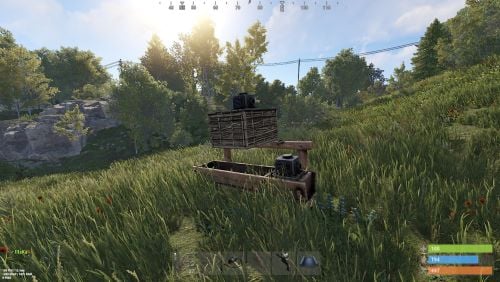
Version 0.1.13.1
868 downloads
Allows automating the entire manure collection process and adds other useful features in this area, by adding Industial Adapters and BoxStorage to the HitchTrough and Composter. Also auto spliting dungs in the Composter container. Note: During plugin unloading, modified entities are not removed, to prevent the removal of pipes every time the plugin/server is restarted. To remove modifications from entities, you should use the "idung unload" command. industrialdung.admin - Provides unrestricted access to the plugin's functionality. This includes the ability to add/remove or clear modificated entities from other players. Note: In the configuration file, within the "Max ammount of modified entites per group" section, you can specify limits for any existing permission by simply listing its name. "Max amount of modified entites for each permission. Leave null or empty to recreate the default": { "industrialdung.default": { "HitchTroughs": 5, "Composters": 2 }, ... }, ... If you want to create a new permission, you can also include it in the list, but the name must begin with "industrialdung". { "Chat command": "idung", "Is it worth enabling GameTips for messages?": true, "Is it worth using Notify plugins for messages instead of the vanilla UI?": false, "Specify the regular message type for notify": 0, "Specify the warning message type for notify": 1, "List of language keys for creating language files": [ "en" ], "Is it worth ignoring Facepunch's rules regarding skins and DLCs?": false, "Is it worth removing modifications when permissions or groups are revoked if they exceed the limit?": true, "Use auto-splitting in the Composter?": true, "Item's short name for auto-splitting in the Composter. Leave the field empty to use the default": "horsedung", "AutoModify - Default value for new players": true, "Wood Storage Box Workshop Skin ID": 850379673, "Wood Storage Box Scale": 0.5, "The list of items(short name) available for the composter. Leave empty to use vanilla": [ "horsedung", "fertilizer", "plantfiber" ], "Popup - Duration": 6.0, "Popup - Position AnchorMin": "0 0.9", "Popup - Position AnchorMax": "0.25 1", "Popup - Position OffsetMin": "20 0", "Popup - Position OffsetMax": "0 -30", "Popup - Icon Url": "https://i.ibb.co/dJW6zfTk/4Adzkb8.png", "Popup - Icon Color(Hex or RGBA)": "#CCE699", "Popup - Icon Transparency": 0.8, "Popup - Text Font(https://docs.oxidemod.com/guides/developers/basic-cui/basic-cui#fonts)": "RobotoCondensed-Bold.ttf", "Popup - Text Font Size": 14, "Popup - Text Font Color(Hex or RGBA)": "#FFFFFF", "Popup - Description Font": "RobotoCondensed-Regular.ttf", "Popup - Description Font Size": 12, "Popup - Description Font Color(Hex or RGBA)": "#FFFFFF", "Popup - Text FadeIn": 1.0, "Popup - Sound Prefab Name": "assets/bundled/prefabs/fx/invite_notice.prefab", "Max amount of modified entites for each permission. Leave null or empty to recreate the default": { "industrialdung.default": { "HitchTroughs": 5, "Composters": 2, "DungMultiplier": 1.0 }, "industrialdung.vip": { "HitchTroughs": 10, "Composters": 4, "DungMultiplier": 2.0 }, "realpve.default": { "HitchTroughs": 5, "Composters": 2, "DungMultiplier": 1.0 }, "realpve.vip": { "HitchTroughs": 15, "Composters": 6, "DungMultiplier": 2.0 } }, "Version": { "Major": 0, "Minor": 1, "Patch": 13 } } EN: { "PopupTitleHitch": "Modify this hitch trough?", "PopupTitileComposter": "Modify this composter?", "PopupDescription": "Click on the notification to confirm", "CmdNotAllowed": "You do not have permission to use this command!", "CmdPlayerNotFound": "Player '{0}' not found! You must provide the player's name or ID.", "CmdMultiplePlayers": "Multiple players found: {0}", "CmdEntityNotFound": "Entity not found! You must specify the entity ID or look directly at it.", "CmdEntityNotOwned": "This entity has no owner!", "CmdEntityNotOwner": "You are not the owner of this entity!", "CmdEntityNotModified": "This entity has no modifications!", "CmdAdmin": "Available admin commands:\n\n<color=#D1CBCB>/idung</color> <color=#D1AB9A>auto</color> - Toggle automatic modification of HitchTroughs and Composters\n<color=#D1CBCB>/idung</color> <color=#D1AB9A>add *entityID*(optional)</color> - Add modifications to HitchTroughs or Composters you are looking at or specified\n<color=#D1CBCB>/idung</color> <color=#D1AB9A>remove *entityID*(optional)</color> - Remove modifications from HitchTroughs or Composters you are looking at or specified\n<color=#D1CBCB>/idung</color> <color=#D1AB9A>clear</color> - Remove all modifications from your HitchTroughs and Composters\n<color=#D1CBCB>/idung</color> <color=#D1AB9A>clear *nameOrId*</color> - Remove all modifications from HitchTroughs and Composters of the specified player\n<color=#D1CBCB>/idung</color> <color=#D1AB9A>clear all</color> - Remove all modifications from HitchTroughs and Composters, from all players\n<color=#D1CBCB>/idung</color> <color=#D1AB9A>aclear</color> - Remove all modifications from HitchTroughs and Composters that were not saved in the data file for some reason\n<color=#D1CBCB>/idung</color> <color=#D1AB9A>unload</color> - Unload the plugin and removing all modifications from HitchTroughs and Composters without deleting them from the data file\n\n--------------------------------------------------", "CmdAdminClearTarget": "Successfully removed {1} modifications from HitchTroughs and Composters for player '{0}'!", "CmdAdminClear": "Successfully removed all modifications from HitchTroughs and Composters for all players!", "CmdAdminAclear": "Successfully removed all modifications from HitchTroughs and Composters that were not in the data file!", "CmdAdminUnload": "Plugin '{0}' has been successfully unloaded with the removal of all modifications from HitchTroughs and Composters, but without deleting from the data file!", "CmdMain": "Available commands:\n\n<color=#D1CBCB>/idung</color> <color=#D1AB9A>auto</color> - Toggle automatic modification of HitchTroughs and Composters\n<color=#D1CBCB>/idung</color> <color=#D1AB9A>add *entityID*(optional)</color> - Add modifications to HitchTroughs or Composters you are looking at or specified\n<color=#D1CBCB>/idung</color> <color=#D1AB9A>remove *entityID*(optional)</color> - Remove modifications from HitchTroughs or Composters you are looking at or specified\n<color=#D1CBCB>/idung</color> <color=#D1AB9A>clear</color> - Remove all modifications from your HitchTroughs and Composters\n\n--------------------------------------------------", "CmdAutoModifyEnabled": "Automatic entity modification is enabled!", "CmdAutoModifyDisabled": "Automatic entity modification is disabled!", "CmdLimitReached": "You cannot to modify this entity as you have reached your limit of {0}!", "CmdHitchTroughModified": "The hitch trough has been successfully modified!", "CmdComposterModified": "The composter has been successfully modified!", "CmdEntityRemoved": "Entity modifications have been successfully removed!", "CmdEntityClear": "All modifications of your entities have been successfully removed!" } RU: { "PopupTitleHitch": "Модифицировать данную кормушку?", "PopupTitileComposter": "Модифицировать данный компостер?", "PopupDescription": "Нажмите на уведомление для подтверждения", "CmdNotAllowed": "У вас недостаточно прав для использования этой команды!", "CmdPlayerNotFound": "Игрок '{0}' не найден! Вы должны указать имя или ID игрока.", "CmdMultiplePlayers": "Найдено несколько игроков: {0}", "CmdEntityNotFound": "Сущность не найдена! Вы должны указать ID сущности или смотреть прямо на нее.", "CmdEntityNotOwned": "У этой сущности нет владельца!", "CmdEntityNotOwner": "Вы не являетесь владельцем этой сущности!", "CmdEntityNotModified": "Данная сущность не имеет модификаций!", "CmdAdmin": "Доступные админ команды:\n\n<color=#D1CBCB>/idung</color> <color=#D1AB9A>auto</color> - Переключение автоматической модификации кормушек и компостеров\n<color=#D1CBCB>/idung</color> <color=#D1AB9A>add *айдиСущности*(опционально)</color> - Добавить модификации к кормушке или компостеру, на который вы смотрите или указали\n<color=#D1CBCB>/idung</color> <color=#D1AB9A>remove *айдиСущности*(опционально)</color> - Удалить модификации у кормушки или компостера, на который вы смотрите или указали\n<color=#D1CBCB>/idung</color> <color=#D1AB9A>clear</color> - Удалить все модификации у ваших кормушек и компостеров\n<color=#D1CBCB>/idung</color> <color=#D1AB9A>clear *имяИлиАйди*</color> - Удалить все модификации у кормушек и компостеров, указанного игрока\n<color=#D1CBCB>/idung</color> <color=#D1AB9A>clear all</color> - Удалить все модификации у кормушек и компостеров, всех игроков\n<color=#D1CBCB>/idung</color> <color=#D1AB9A>aclear</color> - Удалить все модификации у кормушек и компостеров, которые по некоторым причинам не попали в дата файл\n<color=#D1CBCB>/idung</color> <color=#D1AB9A>unload</color> - Выгрузить плагин с удалением модификаций у всех кормушек и комспостеров, без удаления из даты файла\n\n--------------------------------------------------", "CmdAdminClearTarget": "Успешно удалено {1} модификации у кормушек и компостеров, игрока '{0}'!", "CmdAdminClear": "Успешно удалены все модификации у кормушек и компостеров, всех игроков!", "CmdAdminAclear": "Успешно удалены все модификации у кормушек и компостеров, которых не было в дата файле!", "CmdAdminUnload": "Плагин '{0}' был успешно выгружен с удалением всех модификации у кормушек и компостеров, но без удаления из дата файла!", "CmdMain": "Доступные команды:\n\n<color=#D1CBCB>/idung</color> <color=#D1AB9A>auto</color> - Переключение автоматической модификации кормушек и компостеров\n<color=#D1CBCB>/idung</color> <color=#D1AB9A>add *айдиСущности*(опционально)</color> - Добавить модификации к кормушке или компостеру, на который вы смотрите или указали\n<color=#D1CBCB>/idung</color> <color=#D1AB9A>remove *айдиСущности*(опционально)</color> - Удалить модификации у кормушки или компостера, на который вы смотрите или указали\n<color=#D1CBCB>/idung</color> <color=#D1AB9A>clear</color> - Удалить все модификации у ваших кормушек и компостеров\n\n--------------------------------------------------", "CmdAutoModifyEnabled": "Автоматическая модификация сущностей включена!", "CmdAutoModifyDisabled": "Автоматическая модификация сущностей выключена!", "CmdLimitReached": "Вы не можете модифицировать данную сущность, так как вы превысили свой лимит в {0}!", "CmdHitchTroughModified": "Кормушка успешно модифицирована!", "CmdComposterModified": "Компостер успешно модифицирован!", "CmdEntityRemoved": "Модификации сущности успешно удалены!", "CmdEntityClear": "Все модификации ваших сущностей успешно удалены!" } auto - Toggle automatic modification of HitchTroughs and Composters; add *entityID*(optional) - Add modifications to HitchTroughs or Composters you are looking at or specified; remove *entityID*(optional) - Remove modifications from HitchTroughs or Composters you are looking at or specified; clear - Remove all modifications from your HitchTroughs and Composters; clear *nameOrId* - Remove all modifications from HitchTroughs and Composters of the specified player. Permission "industrialdung.admin" required; clear all - Remove all modifications from HitchTroughs and Composters, from all players. Permission "industrialdung.admin" required; aclear - Remove all modifications from HitchTroughs and Composters that were not saved in the data file for some reason. Permission "industrialdung.admin" required; unload - Unload the plugin and removing all modifications from HitchTroughs and Composters without deleting them from the data file. Permission "industrialdung.admin" required. Example: /idung auto /idung add /idung add *netID* /idung clear all$9.99- 76 comments
- 2 reviews
-
- 1
-
-
- #rust
- #industrial
- (and 25 more)
-
.thumb.jpg.3f3648006ead45d4324c5a9f83d4993e.jpg)
Version 1.2.4
2,470 downloads
Discover the beauty of the open sea, with versatile barges perfect for transforming into your floating abode. Glide across the water effortlessly, by attaching a Tugboat, a Submarine, a RHIB, and more! You can traverse the waters of your Rust server with a custom Barge motor as well. Elevate your gaming experience, go on a wet and wild adventure with Barges, take the fight into the waves and beyond! The plugin includes 7 configurable platform shapes, each of which has it's own customization options in the config file. Note that the modules are configured within the config file, not in game. With proper TC authorization teammates can also access the Barge and it's modules. In the config file you can also adjust the maximum building height, movement speed, and several other parameters. Modules Barges each come with a variety of modules that you can enable, disable, or swap out for alternate modules, all within the config file. Regarding access to the modules in the game, this is restricted to players who have TC authorization. Connector Connector module allows attaching to a tugboat, a RHIB, or another barge. To allow attachment, press the button on the connector. You cannot install more than one Connector module on each Barge. Dock Dock module allows attaching boats and submarines to the Barge. Just approach it with your vehicle to activate and attach it. Mutliple Dock modules can be added to any Barge with available slots. Cabin Cabin module is used to drive the Barge. If this module is installed, the Barge can be driven with the help of an engine. To get into the Cabin, use the button on the door. To start the engine, fuel must be placed in the fuel tank behind the cabin. You can only connect one Cabin module on each Barge. Ramp Ramp module is used for loading and unloading vehicles, like motorcycles, cars, or minis! To open cor close the gate, use the button on the post. Multiple Ramp modules can be installed to each Barge. Anchor Anchor module will be the most used module for many who brave the sea on a Barge! Press the button to drop the Anchor, and stop movement so that you can build, or if you get a little seasick. Press the button again to go with the flow! Features and limitations • By default the construction on any Barge is restricted to either wood or metal. Stone and high quality are not currently an option. Those building parts will automatically receive the Legacy and Container skins. You can disable the restriction in the config, but this will negatively impact the performance on some servers and appear to have rougher movement of build parts with a large number of barges on the server • These actions are available only while the Barge is Anchored, not while moving - Base construction - Use of chairs and sofas - Installation of objects - Interact with wires pipes or conveyors • For optimization installing Wallpaper on Barges is not allowed • Building parts can not exceed the boundaries of the Barge itself • Frankenstein tables are not able to be installed on any Barge • By default you are not able to approach Fishing Village by Barge Please consider this plugin in BETA testing. The plugin is functional but I cannot make it compatible with the many plugins out there without your help. Please feel free to reach out with ideas but be patient with new ideas, as many common functions of a base are not so easy to do on a constantly moving rocking and rolling unique water base. Please give feedback and make tickets for support. Please be patient as all support requests are always going to be answered. If you are willing to join the Mad Mapper Discord this is a great resource for creating tickets for suggestions feedback and support. Chat commands (admin only) /spawnbarge PresetName - spawn the barge in your position /killbarge - destroys the barge you're looking at /killallbarges - destroys all barges on the server /givebarge PresetName - give the barge to yourself Console commands (RCON only) givebarge PresetName userID - give the barge to the player API bool IsEntityOnBarge(BaseEntity entity) Plugin Config en – example of plugin configuration in English ru – example of plugin configuration in Russian Check out the rest of my work: Adem's Codefling Library You can reach out to me in Discord: Adem's Discord Profile Join the Mad Mappers Discord!$29.99 -
![More information about "Dynamic Monuments [Jungle Bundle]"](https://codefling.com/uploads/monthly_2026_02/adem_prev_aztec_prev.thumb.jpg.33a76c6b835053171351d3129d5bbe88.jpg)
Version 1.0.2
309 downloads
Note: This is an add-on, not a standalone plugin. It requires the Dynamic Monuments plugin to be installed (sold separately). Enhance your Rust world with Jungle Bundle — a rich and immersive monument pack for the Dynamic Monuments plugin! Explore dense jungle environments and mysterious ancient sites, or configure them to appear in any biome you prefer. Included in the addon: 7 land monuments 1 coastal location 1 dam 2 modified in-game locations Player-placeable locations: The Mayan Pyramid The Tree House Eye of the Jungle Eclipse Fort Bone Cape The Ancient Dam Installation Instructions: Make sure you have the latest version of the Dynamic Monuments plugin installed Move the contents of the data/DynamicMonuments folder from the archive you downloaded into the oxide/data/DynamicMonuments folder on your server Reload the plugin Check out the rest of my work: Adem's Codefling Library Join the Mad Mappers Discord!$39.99 -
![More information about "Building Sites [Super Sized Bundle]"](https://codefling.com/uploads/monthly_2025_09/adem_prev_sites_prev_1.thumb.jpg.e63b8b7d1ba98b9e3733caa76fff8f17.jpg)
Version 1.0.0
339 downloads
Note: This is an add-on, not a standalone plugin. It requires the BuildingSites plugin to be installed (sold separately). SuperSized is an add-on for BuildingSites that introduces 10 new locations — one coastal and nine land-based. Its defining feature is massive buildable areas, perfectly suited for ambitious structures, large bases, or clan settlements. Installation Instructions: Make sure you have the latest version of the BuildingSites plugin installed Move the contents of the data/BuildingSites folder from the archive you downloaded into the oxide/data/BuildingSites folder on your server Reload the plugin Check out the rest of my work: Adem's Codefling Library You can reach out to me in Discord: Adem's Discord Profile Join the Mad Mappers Discord!$19.99- 5 comments
- 3 reviews
-
- 7
-
-
- #building
- #building site
- (and 5 more)
-
Version 1.1.8
2,317 downloads
This plugin allows you to quickly and easily add unique locations for building houses to any map. There are 17 different locations of three types: ground sites, islands, and flying platforms — choose what suits you best! Key benefits of the plugin: Suitable for any map; No need to use RustEdit; Random automatic spawn after wipe; Ability to give a Building Site to a certain player. With this plugin, you can build the perfect house for yourself and your friends! Spawn locations The plugin has a function for automatically generating spawn points for BuildingSites on any map. You can independently enable and disable the spawning of water, land, and air BuildingSites. For each type, you can set the number of BuildingSites that will appear after the wipe. You can also give players flare to summon a BuildingSite. With their help, players will be able to call the desired BuildingSite anywhere. When the player holds the flyer in their hands, they are shown information about whether their position is suitable for spawning the BuildingSite or not. Players can be given flyers in any way, for example, by kits or in the in-game store. Chat commands (admin only) /respawnsites - forcibly launches automatic respawn of BuildingSites /spawnsite PresetName - spawn the BuildingSite in your position /killsite- destroys the BuildingSite you're looking at /killallsites - destroys all BuildingSites on the server /givesite PresetName - give the BuildingSite to yourself /killsiteentity — look at the object you want to remove and enter the command; this object will no longer spawn at new locations of this type Console commands (RCON only) respawnsites - forcibly launches automatic respawn of BuildingSites killallsites - destroys all BuildingSites on the server givesite PresetName userID - give the BuildingSites to the player Plugin Config en – example of plugin configuration in English ru – example of plugin configuration in Russian Check out the rest of my work: Adem's Codefling Library You can reach out to me in Discord: Adem's Discord Profile Join the Mad Mappers Discord!$29.99- 63 comments
- 9 reviews
-
- 15
-
-
-

-
- #adem
- #madmappers
- (and 6 more)
-
Version 1.2.8
3,272 downloads
DynamicMonuments is a groundbreaking plugin for Rust servers that breathes new life into your maps! Say goodbye to tedious manual map editing or relying on RustEdit. With just a few clicks, your server will be transformed, featuring 18 unique monuments that blend seamlessly into any environment. Key Features: Dynamic Spawning: - Monuments can spawn randomly during wipes or with each server restart (optional) - Customize spawn frequency and zones through the plugin's configuration - A variety of monument complexities, ranging from cozy hideouts to sprawling fortresses 18 Unique Monuments: - Water Monuments - Coastal Monuments - River Monuments - Roadside Monuments - Modifications for Standard Monuments: (Metro entrances, power line towers, substations, quarries, and more). Personalization: - Give players personal monuments Versatility: - Compatible with both custom and procedural maps. - Automatically adapts to terrain, water, and roads. - No RustEdit required! Everything is managed through the plugin's configuration. Giving a monument to a player 9 out of 18 monuments can be given to players for personal placement. The dynamic monument is represented as a flare with a unique skin, which can be given to players in any way, such as through an in-game store. To spawn the monument, the player must hold the flare and find a suitable location, receiving instructions in the chat and notifications. Once placed, the monument is locked to the player, and only they can loot it. Chat commands (admin only) /killmonument - destroys the DynamicMonument you're looking at /replacecrate NewCratePresetName - replaces the crate you're looking at on the location with NewCratePresetName /spawnmonument PresetName - spawns a monument in a random position /spawnmonumentmypos PresetName - spawns the monument in your position /killallmonuments - destroys all DynamicMonuments on the server /respawnmonuments - forcibly launches automatic respawn of DynamicMonuments /givemonument PresetName - give the monument to yourself /addprefabspawnpoint PresetName — adds a crate or static NPC spawn point to a monument at your current position (only for Static Npc and crates) /removemonumententity command — removes entity spawn point you're looking at. (only for StaticNpc/crates/Entities for respawn) Console commands (RCON only) spawnmonument PresetName - spawns a monument in a random position killallmonuments - destroys all DynamicMonuments on the server respawnmonuments - forcibly launches automatic respawn of DynamicMonuments givemonument PresetName userID - give the DynamicMonument to the player Plugin Config en – example of plugin configuration in English ru – example of plugin configuration in Russian Check out the rest of my work: Adem's Codefling Library You can reach out to me in Discord: Adem's Discord Profile Join the Mad Mappers Discord!$49.99 -

Version 1.0.7
189 downloads
Adds the "F15 Crash" event to your server! An F15 jet crashes, spawning crates containing valuable loot at the crash site. Pilots eject and land near the crates, protecting the loot. Easy to set up. Excellent customization options in the config Commands(admin only): f15ce_start - start an event f15ce_start {steamID/name} - the event will start and will be reserved for one player f15ce_stop - force stop an event f15ce_addzone <radius> <name> - adds an additional crash zone f15ce_displayZones - shows all crash zones f15ce_removeAllZones - removes all crash zones Hooks: void F15CrashEventStarted() - called when the event starts void F15CrashEventEnded() - called when the event has ended config: { "PVE mode (crates can only be looted by the player who first dealt damage to the NPC)": false, "Time after which the owner of the event will be deleted if he left the dome or left the server (for PVE mode)": 300, "Dome transparency (the higher the value, the darker the dome, 0 - the dome is disabled)": 0, "Dome radius": 100, "Do not allow other players into the event(only for PVE mode if there is a dome) Be careful, if the crash site is near the player's base and the player is not the owner of the event, he will be ejected from his base outside the dome": false, "Autostart event(disable if you want to trigger the event only manually)": true, "Minimum time between events(in seconds)": 3600, "Maximum time between events(in seconds)": 7200, "Minimum event duration(in seconds)": 2000, "Maximum event duration(in seconds)": 3000, "Extend event duration if NPCs is attacked (if less time left, extend to set time (in seconds))": 600, "Complete the event if all crates were destroyed after looting and all NPCs were destroyed": true, "Minimum time after which the F15 will go to the crash point(in seconds)": 60, "Maximum time after which the F15 will go to the crash point(in seconds)": 120, "F15 altitude": 400, "Minimum number of online players to trigger an event": 1, "Event marker on the map": true, "Event marker name": "F15 crash site", "Event marker transparency(0-1)": 0.55, "Event marker radius": 0.5, "Event marker color.R(0-1)": 1.0, "Event marker color.G(0-1)": 0.0, "Event marker color.B(0-1)": 0.0, "Display event owner name on marker": true, "Display the time remaining until the end of the event on the marker": true, "SteamID for chat message icon": 0, "Crash zones list": [ { "position": { "x": 0.0, "y": 0.0, "z": 0.0 }, "radius": 2200.0, "name": "0" } ], "Fireballs amount": 5, "NPCs min amount": 1, "NPCs max amount(maximum 6)": 2, "NPCs displayName(for SimpleKillFeed/DeathNotes plugin)": "F15 pilot", "NPCs damage scale": 1.0, "NPCs health": 100.0, "NPCs attack range": 100.0, "NPCs accuracy(the lower the value, the more accurate, 0 - maximum accuracy)": 2.0, "List of clothes for NPCs": [ { "name": "hazmatsuit", "skin": 0 } ], "NPCs weapon": "pistol.m92", "Radius of chasing the player(NPCs will chase the player as soon as he comes closer than the specified radius, must be no greater than the attack range)": 60.0, "Maximum distance at which NPCs can take damage from players": 75.0, "Minimum crates amount": 3, "Maximum crates amount": 4, "Use rigidbody for crates": true, "Crates on fire time(in seconds)": 300, "Remove crates after being looted by a player(in seconds)": 300, "Crate simple loot table name(plugin SimpleLootTable is required)": "", "Minimum number of items in a crate(plugin SimpleLootTable is required)": 1, "Maximum number of items in a crate, maximum 12(plugin SimpleLootTable is required)": 2, "Own loot table(there can be a maximum of 12 items in a crate)": { "useOwnLootTable": false, "minAmount": 2, "maxAmount": 4, "itemsList": [ { "name": "metal.fragments", "dropChance": 100, "minAmount": 50.0, "maxAmount": 300.0, "displayName": "", "skinID": 0 }, { "name": "metal.refined", "dropChance": 100, "minAmount": 5.0, "maxAmount": 10.0, "displayName": "", "skinID": 0 }, { "name": "scrap", "dropChance": 100, "minAmount": 10.0, "maxAmount": 20.0, "displayName": "", "skinID": 0 }, { "name": "techparts", "dropChance": 50, "minAmount": 1.0, "maxAmount": 2.0, "displayName": "", "skinID": 0 } ] } }$19.99 -
Version 1.0.2
52 downloads
This plugin adds bunkers to your server that spawn along roads. It doesn't require any complex setup or additional plugins; just launch it and it's ready to use. You can also configure bunker types: building grade, security door color, and whether to use a fuse. You can also customize the loot in crates and their quantity. Config: { "Bunker removal time after opening(in seconds)": 180, "Types of bunkers": [ { "Number of bunkers of this type on the map": 60, "Access level (from 1 to 3)": 1, "Fusebox spawn chance (0 to 100)": 0, "Minimum number of crates": 1, "Maximum number of crates (no more than 3)": 1, "Grade type (0 - twigs, 1 - wood, 2 - stones, 3 - metal, 4 - topTier)": 2, "Use own loot table": false, "SimpleLootTable name": "" }, { "Number of bunkers of this type on the map": 30, "Access level (from 1 to 3)": 2, "Fusebox spawn chance (0 to 100)": 50, "Minimum number of crates": 1, "Maximum number of crates (no more than 3)": 2, "Grade type (0 - twigs, 1 - wood, 2 - stones, 3 - metal, 4 - topTier)": 3, "Use own loot table": false, "SimpleLootTable name": "" }, { "Number of bunkers of this type on the map": 10, "Access level (from 1 to 3)": 3, "Fusebox spawn chance (0 to 100)": 100, "Minimum number of crates": 3, "Maximum number of crates (no more than 3)": 3, "Grade type (0 - twigs, 1 - wood, 2 - stones, 3 - metal, 4 - topTier)": 4, "Use own loot table": false, "SimpleLootTable name": "" } ], "Own loot table(there can be a maximum of 12 items in a crate)": { "minAmount": 2, "maxAmount": 4, "itemsList": [ { "name": "metal.fragments", "dropChance": 100, "minAmount": 50.0, "maxAmount": 300.0, "displayName": "", "skinID": 0 }, { "name": "metal.refined", "dropChance": 100, "minAmount": 5.0, "maxAmount": 10.0, "displayName": "", "skinID": 0 }, { "name": "scrap", "dropChance": 100, "minAmount": 10.0, "maxAmount": 20.0, "displayName": "", "skinID": 0 }, { "name": "techparts", "dropChance": 50, "minAmount": 1.0, "maxAmount": 2.0, "displayName": "", "skinID": 0 } ] } }$9.99 -
Version 1.13.2
1,326 downloads
ExtraEvents can run multiple different and custom competitive events for players to win prizes; each event is highly configurable including chat/GameTip messages & items, commands, and/or kits rewards for one or more winners; regularly optimized to be as lightweight & efficient as possible; additional events and features planned. The configuration may seem long but it's simply repetitive to allow for greater customization. ExtraEvents comes out of the box running a random event every 1-2 hours with a scrap reward of 100 for the top player and a participation reward of 10 scrap for everyone else who participates in the event! Custom events and rewards can be added. Join my Discord for support and updates: https://discord.gg/teSffnDQ7N Events Included AnimalAnnihilation - Kill animals to win! BarrelBreakers - Break barrels to win! BerryBash - Gather wild berries to win! BotBash - Kill bots to win! CrateClash - Loot crates to win! FishingFrenzy - Catch fish to win! HempHunters - Gather wild hemp to win! MushroomMadness - Gather wild mushrooms to win! OreWar - Mine ore nodes to win! PlayerBattle - Kill players to win! ResourceRumble - Collect resources to win! RoadsignRun - Destroy roadsigns to win! TreeTrimmers - Chop trees to win! TunnelTussle - Kill tunnel dwellers to win! UnderwaterWar - Kill underwater lab scientists to win! Additional Events Included HighQualBrawl - Collect high quality metal ore at 3x (configurable) the normal rate MetalMash - Collect metal ore at 3x (configurable) the normal rate ResourceRun - Collect resources at 2x (configurable) the normal rate! StoneSmash - Collect stones at 3x (configurable) the normal rate SulfurSpree - Collect sulfur ore at 3x (configurable) the normal rate WoodWhirl - Collect wood at 3x (configurable) the normal rate Custom Events Can Be Added! Event Types destroy - counts destroyed/killed NPCs, players, barrels, roadsigns, etc. loot - counts looted crates & loot containers collect - adds collected resources/entity amounts together (adds total number of entities collected [500 wood, 1000 metal.ore, 10 cloth, etc.]) dispense - counts collected resource/entity types (counts entity types distributed [wood = 1 point, metal.ore = 1 point, cloth = 1 point, etc.]) fish - counts caught fish or killed sharks gather - Adds gathered resources/entity amounts together when picked up from the ground (adds total number of entities collected [10 cloth, 1 mushroom, 1 red.berry, etc.]) Permissions extraevents.admin Admin Commands (Console & Chat) (requires extraevents.admin permission) extraevents start - Start random event manually (regardless of Minimum Players Online) [/extraevents start] extraevents start EventName - Start event manually (case sensitive (uses Event key/identifier, not DisplayNames)) [/extraevents start EventName] extraevents end - End current event [/extraevents end] Player Chat Commands /extraevents ui - Toggle the UI visibility /extraevents image - Toggle event image visiblity independent from UI /extraevents sound - Toggle event sounds ADD CUSTOM EVENTS "BoarBrawl": { "Enable Event": true, "Event Name": "BoarBrawl", "Event Description": "Kill boar to win!", "Event Type (destroy, loot, collect, dispense, fish)": "destroy", "Event Type (destroy, loot, collect, dispense, fish, gather)": "destroy", "Event Length (seconds)": 600, "Event Entities": [ "boar" ], "Enable Event Permission": false, "Event Permission": "extraevents.boarbrawl", "Show UI And Notifications To Players Without Event Permission?": false, "Event Image(s)": [ { "Enable Image": true, "Image URL": "https://avatars.cloudflare.steamstatic.com/9df6fd69fc80ebe9387bb7a58ff4ee01d092af11_full.jpg", "Image Transparency (0.0 - 100.0)": 75.0, "Image Anchors Min (x y)": "0.8 0.2", "Image Anchors Max (x y)": "0.83 0.245" } ], "Event Leaderboard": { "Enable Leaderboard UI": true, "UI Anchors Min (x y)": "0.695 0.025", "UI Anchors Max (x y)": "0.83 0.1975", "UI Background Color (r g b a)": "255 255 255 0.2", "UI Text Color (r g b a)": "255 255 255 1.0", "UI Text Outline Color (r g b a)": "0 0 0 0.25", "UI Text Alignment (left, right, center)": "center", "UI Player List Text Alignment (left, right, center)": "center", "UI Pending Participation Message": "No one has played... yet." }, "Event Notifications": { "Enable Chat Notifications": true, "Event Chat Prefix": "", "Event Chat Icon (Steam64 ID)": 0, "Enable GameTip Notifications": false, "GameTip Style (info OR alert OR error)": "info", "GameTip Duration (seconds)": 3.0, "Enable Event Upcoming Notification": false, "Event Upcoming Delay (seconds) (time before event starts after Event Upcoming Notification)": 30, "Event Upcoming": "The <color=purple>{event_name}</color> event will start in {upcoming_announcement_delay} seconds! <color=purple>{event_description}</color>", "Event Starting": "The <color=purple>{event_name}</color> event has started! <color=purple>{event_description}</color>", "Event Starting Sound": "assets/bundled/prefabs/fx/item_unlock.prefab", "Event Ending": "The <color=purple>{event_name}</color> event has ended.", "Event Ending Sound": "assets/bundled/prefabs/fx/item_unlock.prefab", "No Participants": "No one participated in the <color=purple>{event_name}</color> event", "Multiple Winners Notification Delay (seconds)": 4.0 }, "Event Reward(s)": [ { "Enable Reward": true, "Reward Probability %": 100, "Reward Notification": { "Enable Reward Notification": true, "Only Send Reward Notification To Winning Player?": false, "Reward Notification": "<color=purple>{player_name}</color> scored <color=purple>first place</color> in the <color=purple>{event_name}</color> event with <color=purple>{points_scored} points</color> and won <color=purple>{rewards_list}</color>!", "Separate {rewards_list} With Commas?": true }, "Item(s)": [ { "Enable Item": true, "Item Probability %": 100, "Item Display Name": "Scrap", "Change Item Name to Item Display Name in Player Inventory": false, "Item Shortname": "scrap", "Item Skin ID": 0, "Item Amount": 100, "Min Item Amount": 100, "Max Item Amount": 100 } ], "Command(s)": [ { "Enable Command": false, "Command Probability %": 100, "Command Display Name": "VIP Role", "Command": "oxide.usergroup add {player.id} vip" } ], "Kit(s) (plugin required)": [ { "Enable Kit": false, "Kit Probability %": 100, "Kit Display Name": "PVP Kit", "Kit": "pvpkit" } ] } ], "Participation Reward": { "Enable Participation Reward": true, "Give Participation Reward to Event Reward(s) Winner(s)?": false, "Participation Reward Probability %": 100, "Participation Reward Notification": { "Enable Participation Reward Notification": true, "Only Send Participation Reward Notification To Participating Players?": false, "Participation Reward Notification": "Everyone else who participated in the <color=purple>{event_name}</color> event received <color=purple>{rewards_list}</color>!", "Separate {rewards_list} With Commas?": true }, "Participation Reward Item(s)": [ { "Enable Participation Reward Item": true, "Participation Reward Item Probability %": 100, "Participation Reward Item Display Name": "Scrap", "Change Item Name to Participation Reward Item Display Name in Player Inventory": false, "Participation Reward Item Shortname": "scrap", "Participation Reward Item Skin ID": 0, "Participation Reward Min Item Amount": 10, "Participation Reward Max Item Amount": 10 } ], "Participation Reward Command(s)": [ { "Enable Participation Reward Command": false, "Participation Reward Command Probability %": 100, "Participation Reward Command Display Name": "Participant Role", "Participation Reward Command": "oxide.usergroup add {player.id} participant" } ], "Participation Reward Kit(s) (plugin required)": [ { "Enable Participation Reward Kit": false, "Participation Reward Kit Probability %": 100, "Participation Reward Kit Display Name": "Farm Kit", "Participation Reward Kit": "farmkit" } ] } } Add extra winner positions to each event by adding to the Event Reward(s) [] group and extra Rewards by adding to the Item(s) [], Command(s) [], and Kits[] groups. Example (First winner receives 100 Scrap, 1 Pookie, and 10,000 RP. Second winner receives 5,000 RP and Farm Kit) "Event Reward(s)": [ { "Enable Reward": true, "Reward Probability %": 100, "Reward Notification": { "Enable Reward Notification": true, "Only Send Reward Notification To Winning Player?": false, "Reward Notification": "{player_name} scored first place in the {event_name} event with {points_scored} points and won {rewards_list}!", "Separate {rewards_list} With Commas?": true }, "Item(s)": [ { "Enable Item": true, "Item Probability %": 100, "Item Display Name": "Pookie", "Change Item Name to Item Display Name in Player Inventory": false, "Item Shortname": "pookie.bear", "Item Skin ID": 0, "Item Amount": 1, "Min Item Amount": 1, "Max Item Amount": 1 }, { "Enable Item": true, "Item Probability %": 100, "Item Display Name": "Scrap", "Change Item Name to Item Display Name in Player Inventory": false, "Item Shortname": "scrap", "Item Skin ID": 0, "Item Amount": 100, "Min Item Amount": 100, "Max Item Amount": 100 } ], "Command(s)": [ { "Enable Command": true, "Command Probability %": 100, "Command Display Name": "10,000 RP", "Command": "sr add {player.id} 10000" } ], "Kit(s) (plugin required)": [ { "Enable Kit": false, "Kit Probability %": 100, "Kit Display Name": "PVP Kit", "Kit": "pvpkit" } ] }, { "Enable Reward": true, "Reward Probability %": 100, "Reward Notification": { "Enable Reward Notification": true, "Only Send Reward Notification To Winning Player?": false, "Reward Notification": "{player_name} scored second place in the {event_name} event with {points_scored} points and won {rewards_list}!", "Separate {rewards_list} With Commas?": true }, "Item(s)": [ { "Enable Item": false, "Item Probability %": 100, "Item Display Name": "Scrap", "Change Item Name to Item Display Name in Player Inventory": false, "Item Shortname": "scrap", "Item Skin ID": 0, "Item Amount": 100, "Min Item Amount": 100, "Max Item Amount": 100 } ], "Command(s)": [ { "Enable Command": true, "Command Probability %": 100, "Command Display Name": "5,000 RP", "Command": "sr add {player.id} 5000" } ], "Kit(s) (plugin required)": [ { "Enable Kit": true, "Kit Probability %": 100, "Kit Display Name": "Farm Kit", "Kit": "farmkit" } ] } ] FAQ Q: Is there a limit to the number of custom events I can create? Add as many custom events as you want! All custom "Event Types" and "Additional Event Types" must have a unique identifier (EX: "OreWar_Metal", "ResourceRumble_Stones", "ScarecrowSniper", etc.), must use the correct "Event Type" (EX: "dispense", "collect", "destroy", etc.), and must target the appropriate "Event Entities" (EX: "metal.ore", "stones", "scarecrow", etc.) Q: Can I add custom Additional Event Types? Yes! Same as the "Event Types" you can have as many "Additional Event Types" as you'd like, so long as they have a unique identifier (EX: "ResourceRun_Stones", etc.), use the correct "Event Type" (EX: "multiply"), and target the appropriate "Event Entities" (EX: "metal.ore", "stones", etc.) Q: Is there a limit to the number of reward positions? Nope, the sky is the limit! The plugin will automatically read any reward position you add to the Event Reward(s)[] group. Give rewards to the top 100 players if you want. Q: Is there a limit to the number of items, commands, kits, etc. each player can win? Again the sky is the limit! The plugin will read each item[], command[], kit[], etc. you add to the reward position as long as it is valid and enabled. Invalid items, commands, kits, etc. will be attempted and skipped on failure. Q: Can I remove an entire event from the config file if I'm not using it? No, if you remove an entire event from the configuration file it will re-add that event in its default state on reload. Use "Enable Event": false, to completely disable specific events. Q: What is the ExtraEvents.data file? What does it do? Why can't I read it? Can I delete it? The ExtraEvents.data file simply stores PlayerIDs for players who have disabled their event UIs & images and that is all. ExtraEvents uses an efficient ProtoBuf method of saving data to optimize performance (originally created by Google) which saves this file in binary and is why your average reader cannot compile it. If you delete the ExtraEvents.data file it will enable the UI and images for all of your players and they would have to disable it again manually. Q: What is (r g b a)? (r g b a) stands for (red green blue alpha[opacity]) and is a way of formatting colors, specifically for UI elements in our case. You can convert HEX (#FF0000) to RGBA (255 0 0 1.0) using online guides. Support for HEX and English colors coming soon. https://www.w3schools.com/colors/colors_hexadecimal.asp Q: Can I add multiple images per event? Sure, it will display any image you have in the Event Image(s)[] group. Default Config { "General Options": { "Chat Prefix": "<color=purple>ExtraEvents:</color>", "Chat Icon (Steam64 ID)": 76561199519603325, "Minimum Players Online to Automatically Start Random Event": 3, "Auto Random Event Start Time Min (seconds)": 3600, "Auto Random Event Start Time Max (seconds)": 7200, "Enable Console Messages": true, "Enable Log File": true, "Chat Command": "extraevents", "Admin Permission": "extraevents.admin", "All Events Permission (optional, overrides individual event permissions if enabled)": "extraevents.all" }, "Event Types": { "AnimalAnnihilation": { "Enable Event": true, "Event Name": "AnimalAnnihilation", "Event Description": "Kill animals to win!", "Event Type (destroy, loot, collect, dispense, fish)": "destroy", "Event Type (destroy, loot, collect, dispense, fish, gather)": "destroy", "Event Length (seconds)": 600, "Event Entities": [ "chicken", "stag", "boar", "wolf", "wolf2", "bear", "polarbear", "crocodile", "panther", "tiger", "snake.entity" ], "Enable Event Permission": false, "Event Permission": "extraevents.animalannihilation", "Show UI And Notifications To Players Without Event Permission?": false, "Event Image(s)": [ { "Enable Image": true, "Image URL": "https://avatars.cloudflare.steamstatic.com/9df6fd69fc80ebe9387bb7a58ff4ee01d092af11_full.jpg", "Image Transparency (0.0 - 100.0)": 75.0, "Image Anchors Min (x y)": "0.8 0.2", "Image Anchors Max (x y)": "0.83 0.245" } ], "Event Leaderboard": { "Enable Leaderboard UI": true, "UI Anchors Min (x y)": "0.695 0.025", "UI Anchors Max (x y)": "0.83 0.1975", "UI Background Color (r g b a)": "255 255 255 0.2", "UI Text Color (r g b a)": "255 255 255 1.0", "UI Text Outline Color (r g b a)": "0 0 0 0.25", "UI Text Alignment (left, right, center)": "center", "UI Player List Text Alignment (left, right, center)": "center", "UI Pending Participation Message": "No one has played... yet." }, "Event Notifications": { "Enable Chat Notifications": true, "Event Chat Prefix": "", "Event Chat Icon (Steam64 ID)": 0, "Enable GameTip Notifications": false, "GameTip Style (info OR alert OR error)": "info", "GameTip Duration (seconds)": 3.0, "Enable Event Upcoming Notification": false, "Event Upcoming Delay (seconds) (time before event starts after Event Upcoming Notification)": 30, "Event Upcoming": "The <color=purple>{event_name}</color> event will start in {upcoming_announcement_delay} seconds! <color=purple>{event_description}</color>", "Event Starting": "The <color=purple>{event_name}</color> event has started! <color=purple>{event_description}</color>", "Event Starting Sound": "assets/bundled/prefabs/fx/item_unlock.prefab", "Event Ending": "The <color=purple>{event_name}</color> event has ended.", "Event Ending Sound": "assets/bundled/prefabs/fx/item_unlock.prefab", "No Participants": "No one participated in the <color=purple>{event_name}</color> event", "Multiple Winners Notification Delay (seconds)": 4.0 }, "Event Reward(s)": [ { "Enable Reward": true, "Reward Probability %": 100, "Reward Notification": { "Enable Reward Notification": true, "Only Send Reward Notification To Winning Player?": false, "Reward Notification": "<color=purple>{player_name}</color> scored <color=purple>first place</color> in the <color=purple>{event_name}</color> event with <color=purple>{points_scored} points</color> and won <color=purple>{rewards_list}</color>!", "Separate {rewards_list} With Commas?": true }, "Item(s)": [ { "Enable Item": true, "Item Probability %": 100, "Item Display Name": "Scrap", "Change Item Name to Item Display Name in Player Inventory": false, "Item Shortname": "scrap", "Item Skin ID": 0, "Item Amount": 100, "Min Item Amount": 100, "Max Item Amount": 100 } ], "Command(s)": [ { "Enable Command": false, "Command Probability %": 100, "Command Display Name": "VIP Role", "Command": "oxide.usergroup add {player.id} vip" } ], "Kit(s) (plugin required)": [ { "Enable Kit": false, "Kit Probability %": 100, "Kit Display Name": "PVP Kit", "Kit": "pvpkit" } ] } ], "Participation Reward": { "Enable Participation Reward": true, "Give Participation Reward to Event Reward(s) Winner(s)?": false, "Participation Reward Probability %": 100, "Participation Reward Notification": { "Enable Participation Reward Notification": true, "Only Send Participation Reward Notification To Participating Players?": false, "Participation Reward Notification": "Everyone else who participated in the <color=purple>{event_name}</color> event received <color=purple>{rewards_list}</color>!", "Separate {rewards_list} With Commas?": true }, "Participation Reward Item(s)": [ { "Enable Participation Reward Item": true, "Participation Reward Item Probability %": 100, "Participation Reward Item Display Name": "Scrap", "Change Item Name to Participation Reward Item Display Name in Player Inventory": false, "Participation Reward Item Shortname": "scrap", "Participation Reward Item Skin ID": 0, "Participation Reward Min Item Amount": 10, "Participation Reward Max Item Amount": 10 } ], "Participation Reward Command(s)": [ { "Enable Participation Reward Command": false, "Participation Reward Command Probability %": 100, "Participation Reward Command Display Name": "Participant Role", "Participation Reward Command": "oxide.usergroup add {player.id} participant" } ], "Participation Reward Kit(s) (plugin required)": [ { "Enable Participation Reward Kit": false, "Participation Reward Kit Probability %": 100, "Participation Reward Kit Display Name": "Farm Kit", "Participation Reward Kit": "farmkit" } ] } }, "BarrelBreakers": { "Enable Event": true, "Event Name": "BarrelBreakers", "Event Description": "Break barrels to win!", "Event Type (destroy, loot, collect, dispense, fish)": "destroy", "Event Type (destroy, loot, collect, dispense, fish, gather)": "destroy", "Event Length (seconds)": 600, "Event Entities": [ "loot-barrel-1", "loot-barrel-2", "loot_barrel_1", "loot_barrel_2", "oil_barrel" ], "Enable Event Permission": false, "Event Permission": "extraevents.barrelbreakers", "Show UI And Notifications To Players Without Event Permission?": false, "Event Image(s)": [ { "Enable Image": true, "Image URL": "https://avatars.cloudflare.steamstatic.com/9df6fd69fc80ebe9387bb7a58ff4ee01d092af11_full.jpg", "Image Transparency (0.0 - 100.0)": 75.0, "Image Anchors Min (x y)": "0.8 0.2", "Image Anchors Max (x y)": "0.83 0.245" } ], "Event Leaderboard": { "Enable Leaderboard UI": true, "UI Anchors Min (x y)": "0.695 0.025", "UI Anchors Max (x y)": "0.83 0.1975", "UI Background Color (r g b a)": "255 255 255 0.2", "UI Text Color (r g b a)": "255 255 255 1.0", "UI Text Outline Color (r g b a)": "0 0 0 0.25", "UI Text Alignment (left, right, center)": "center", "UI Player List Text Alignment (left, right, center)": "center", "UI Pending Participation Message": "No one has played... yet." }, "Event Notifications": { "Enable Chat Notifications": true, "Event Chat Prefix": "", "Event Chat Icon (Steam64 ID)": 0, "Enable GameTip Notifications": false, "GameTip Style (info OR alert OR error)": "info", "GameTip Duration (seconds)": 3.0, "Enable Event Upcoming Notification": false, "Event Upcoming Delay (seconds) (time before event starts after Event Upcoming Notification)": 30, "Event Upcoming": "The <color=purple>{event_name}</color> event will start in {upcoming_announcement_delay} seconds! <color=purple>{event_description}</color>", "Event Starting": "The <color=purple>{event_name}</color> event has started! <color=purple>{event_description}</color>", "Event Starting Sound": "assets/bundled/prefabs/fx/item_unlock.prefab", "Event Ending": "The <color=purple>{event_name}</color> event has ended.", "Event Ending Sound": "assets/bundled/prefabs/fx/item_unlock.prefab", "No Participants": "No one participated in the <color=purple>{event_name}</color> event", "Multiple Winners Notification Delay (seconds)": 4.0 }, "Event Reward(s)": [ { "Enable Reward": true, "Reward Probability %": 100, "Reward Notification": { "Enable Reward Notification": true, "Only Send Reward Notification To Winning Player?": false, "Reward Notification": "<color=purple>{player_name}</color> scored <color=purple>first place</color> in the <color=purple>{event_name}</color> event with <color=purple>{points_scored} points</color> and won <color=purple>{rewards_list}</color>!", "Separate {rewards_list} With Commas?": true }, "Item(s)": [ { "Enable Item": true, "Item Probability %": 100, "Item Display Name": "Scrap", "Change Item Name to Item Display Name in Player Inventory": false, "Item Shortname": "scrap", "Item Skin ID": 0, "Item Amount": 100, "Min Item Amount": 100, "Max Item Amount": 100 } ], "Command(s)": [ { "Enable Command": false, "Command Probability %": 100, "Command Display Name": "VIP Role", "Command": "oxide.usergroup add {player.id} vip" } ], "Kit(s) (plugin required)": [ { "Enable Kit": false, "Kit Probability %": 100, "Kit Display Name": "PVP Kit", "Kit": "pvpkit" } ] } ], "Participation Reward": { "Enable Participation Reward": true, "Give Participation Reward to Event Reward(s) Winner(s)?": false, "Participation Reward Probability %": 100, "Participation Reward Notification": { "Enable Participation Reward Notification": true, "Only Send Participation Reward Notification To Participating Players?": false, "Participation Reward Notification": "Everyone else who participated in the <color=purple>{event_name}</color> event received <color=purple>{rewards_list}</color>!", "Separate {rewards_list} With Commas?": true }, "Participation Reward Item(s)": [ { "Enable Participation Reward Item": true, "Participation Reward Item Probability %": 100, "Participation Reward Item Display Name": "Scrap", "Change Item Name to Participation Reward Item Display Name in Player Inventory": false, "Participation Reward Item Shortname": "scrap", "Participation Reward Item Skin ID": 0, "Participation Reward Min Item Amount": 10, "Participation Reward Max Item Amount": 10 } ], "Participation Reward Command(s)": [ { "Enable Participation Reward Command": false, "Participation Reward Command Probability %": 100, "Participation Reward Command Display Name": "Participant Role", "Participation Reward Command": "oxide.usergroup add {player.id} participant" } ], "Participation Reward Kit(s) (plugin required)": [ { "Enable Participation Reward Kit": false, "Participation Reward Kit Probability %": 100, "Participation Reward Kit Display Name": "Farm Kit", "Participation Reward Kit": "farmkit" } ] } }, "BerryBlast": { "Enable Event": true, "Event Name": "BerryBlast", "Event Description": "Gather wild berries to win!", "Event Type (destroy, loot, collect, dispense, fish)": "gather", "Event Type (destroy, loot, collect, dispense, fish, gather)": "gather", "Event Length (seconds)": 600, "Event Entities": [ "black.berry", "blue.berry", "green.berry", "red.berry", "white.berry", "yellow.berry" ], "Enable Event Permission": false, "Event Permission": "extraevents.berryblast", "Show UI And Notifications To Players Without Event Permission?": false, "Event Image(s)": [ { "Enable Image": true, "Image URL": "https://avatars.cloudflare.steamstatic.com/9df6fd69fc80ebe9387bb7a58ff4ee01d092af11_full.jpg", "Image Transparency (0.0 - 100.0)": 75.0, "Image Anchors Min (x y)": "0.8 0.2", "Image Anchors Max (x y)": "0.83 0.245" } ], "Event Leaderboard": { "Enable Leaderboard UI": true, "UI Anchors Min (x y)": "0.695 0.025", "UI Anchors Max (x y)": "0.83 0.1975", "UI Background Color (r g b a)": "255 255 255 0.2", "UI Text Color (r g b a)": "255 255 255 1.0", "UI Text Outline Color (r g b a)": "0 0 0 0.25", "UI Text Alignment (left, right, center)": "center", "UI Player List Text Alignment (left, right, center)": "center", "UI Pending Participation Message": "No one has played... yet." }, "Event Notifications": { "Enable Chat Notifications": true, "Event Chat Prefix": "", "Event Chat Icon (Steam64 ID)": 0, "Enable GameTip Notifications": false, "GameTip Style (info OR alert OR error)": "info", "GameTip Duration (seconds)": 3.0, "Enable Event Upcoming Notification": false, "Event Upcoming Delay (seconds) (time before event starts after Event Upcoming Notification)": 30, "Event Upcoming": "The <color=purple>{event_name}</color> event will start in {upcoming_announcement_delay} seconds! <color=purple>{event_description}</color>", "Event Starting": "The <color=purple>{event_name}</color> event has started! <color=purple>{event_description}</color>", "Event Starting Sound": "assets/bundled/prefabs/fx/item_unlock.prefab", "Event Ending": "The <color=purple>{event_name}</color> event has ended.", "Event Ending Sound": "assets/bundled/prefabs/fx/item_unlock.prefab", "No Participants": "No one participated in the <color=purple>{event_name}</color> event", "Multiple Winners Notification Delay (seconds)": 4.0 }, "Event Reward(s)": [ { "Enable Reward": true, "Reward Probability %": 100, "Reward Notification": { "Enable Reward Notification": true, "Only Send Reward Notification To Winning Player?": false, "Reward Notification": "<color=purple>{player_name}</color> scored <color=purple>first place</color> in the <color=purple>{event_name}</color> event with <color=purple>{points_scored} points</color> and won <color=purple>{rewards_list}</color>!", "Separate {rewards_list} With Commas?": true }, "Item(s)": [ { "Enable Item": true, "Item Probability %": 100, "Item Display Name": "Scrap", "Change Item Name to Item Display Name in Player Inventory": false, "Item Shortname": "scrap", "Item Skin ID": 0, "Item Amount": 100, "Min Item Amount": 100, "Max Item Amount": 100 } ], "Command(s)": [ { "Enable Command": false, "Command Probability %": 100, "Command Display Name": "VIP Role", "Command": "oxide.usergroup add {player.id} vip" } ], "Kit(s) (plugin required)": [ { "Enable Kit": false, "Kit Probability %": 100, "Kit Display Name": "PVP Kit", "Kit": "pvpkit" } ] } ], "Participation Reward": { "Enable Participation Reward": true, "Give Participation Reward to Event Reward(s) Winner(s)?": false, "Participation Reward Probability %": 100, "Participation Reward Notification": { "Enable Participation Reward Notification": true, "Only Send Participation Reward Notification To Participating Players?": false, "Participation Reward Notification": "Everyone else who participated in the <color=purple>{event_name}</color> event received <color=purple>{rewards_list}</color>!", "Separate {rewards_list} With Commas?": true }, "Participation Reward Item(s)": [ { "Enable Participation Reward Item": true, "Participation Reward Item Probability %": 100, "Participation Reward Item Display Name": "Scrap", "Change Item Name to Participation Reward Item Display Name in Player Inventory": false, "Participation Reward Item Shortname": "scrap", "Participation Reward Item Skin ID": 0, "Participation Reward Min Item Amount": 10, "Participation Reward Max Item Amount": 10 } ], "Participation Reward Command(s)": [ { "Enable Participation Reward Command": false, "Participation Reward Command Probability %": 100, "Participation Reward Command Display Name": "Participant Role", "Participation Reward Command": "oxide.usergroup add {player.id} participant" } ], "Participation Reward Kit(s) (plugin required)": [ { "Enable Participation Reward Kit": false, "Participation Reward Kit Probability %": 100, "Participation Reward Kit Display Name": "Farm Kit", "Participation Reward Kit": "farmkit" } ] } }, "BotBash": { "Enable Event": true, "Event Name": "BotBash", "Event Description": "Kill bots to win!", "Event Type (destroy, loot, collect, dispense, fish)": "destroy", "Event Type (destroy, loot, collect, dispense, fish, gather)": "destroy", "Event Length (seconds)": 600, "Event Entities": [ "Scientist", "scientistnpc_roam", "scientistnpc_patrol", "scientistnpc_junkpile_pistol", "scientistnpc_peacekeeper", "scientistnpc_excavator", "scientistnpc_full_any", "scientistnpc_full_lr300", "scientistnpc_oilrig", "scientistnpc_cargo", "scientistnpc_cargo_turret_any", "scientistnpc_cargo_turret_lr300", "scientistnpc_heavy", "scientistnpc_full_shotgun", "scientistnpc_outbreak", "scarecrow", "zombie", "npc_underwaterdweller", "npc_tunneldweller" ], "Enable Event Permission": false, "Event Permission": "extraevents.botbash", "Show UI And Notifications To Players Without Event Permission?": false, "Event Image(s)": [ { "Enable Image": true, "Image URL": "https://avatars.cloudflare.steamstatic.com/9df6fd69fc80ebe9387bb7a58ff4ee01d092af11_full.jpg", "Image Transparency (0.0 - 100.0)": 75.0, "Image Anchors Min (x y)": "0.8 0.2", "Image Anchors Max (x y)": "0.83 0.245" } ], "Event Leaderboard": { "Enable Leaderboard UI": true, "UI Anchors Min (x y)": "0.695 0.025", "UI Anchors Max (x y)": "0.83 0.1975", "UI Background Color (r g b a)": "255 255 255 0.2", "UI Text Color (r g b a)": "255 255 255 1.0", "UI Text Outline Color (r g b a)": "0 0 0 0.25", "UI Text Alignment (left, right, center)": "center", "UI Player List Text Alignment (left, right, center)": "center", "UI Pending Participation Message": "No one has played... yet." }, "Event Notifications": { "Enable Chat Notifications": true, "Event Chat Prefix": "", "Event Chat Icon (Steam64 ID)": 0, "Enable GameTip Notifications": false, "GameTip Style (info OR alert OR error)": "info", "GameTip Duration (seconds)": 3.0, "Enable Event Upcoming Notification": false, "Event Upcoming Delay (seconds) (time before event starts after Event Upcoming Notification)": 30, "Event Upcoming": "The <color=purple>{event_name}</color> event will start in {upcoming_announcement_delay} seconds! <color=purple>{event_description}</color>", "Event Starting": "The <color=purple>{event_name}</color> event has started! <color=purple>{event_description}</color>", "Event Starting Sound": "assets/bundled/prefabs/fx/item_unlock.prefab", "Event Ending": "The <color=purple>{event_name}</color> event has ended.", "Event Ending Sound": "assets/bundled/prefabs/fx/item_unlock.prefab", "No Participants": "No one participated in the <color=purple>{event_name}</color> event", "Multiple Winners Notification Delay (seconds)": 4.0 }, "Event Reward(s)": [ { "Enable Reward": true, "Reward Probability %": 100, "Reward Notification": { "Enable Reward Notification": true, "Only Send Reward Notification To Winning Player?": false, "Reward Notification": "<color=purple>{player_name}</color> scored <color=purple>first place</color> in the <color=purple>{event_name}</color> event with <color=purple>{points_scored} points</color> and won <color=purple>{rewards_list}</color>!", "Separate {rewards_list} With Commas?": true }, "Item(s)": [ { "Enable Item": true, "Item Probability %": 100, "Item Display Name": "Scrap", "Change Item Name to Item Display Name in Player Inventory": false, "Item Shortname": "scrap", "Item Skin ID": 0, "Item Amount": 100, "Min Item Amount": 100, "Max Item Amount": 100 } ], "Command(s)": [ { "Enable Command": false, "Command Probability %": 100, "Command Display Name": "VIP Role", "Command": "oxide.usergroup add {player.id} vip" } ], "Kit(s) (plugin required)": [ { "Enable Kit": false, "Kit Probability %": 100, "Kit Display Name": "PVP Kit", "Kit": "pvpkit" } ] } ], "Participation Reward": { "Enable Participation Reward": true, "Give Participation Reward to Event Reward(s) Winner(s)?": false, "Participation Reward Probability %": 100, "Participation Reward Notification": { "Enable Participation Reward Notification": true, "Only Send Participation Reward Notification To Participating Players?": false, "Participation Reward Notification": "Everyone else who participated in the <color=purple>{event_name}</color> event received <color=purple>{rewards_list}</color>!", "Separate {rewards_list} With Commas?": true }, "Participation Reward Item(s)": [ { "Enable Participation Reward Item": true, "Participation Reward Item Probability %": 100, "Participation Reward Item Display Name": "Scrap", "Change Item Name to Participation Reward Item Display Name in Player Inventory": false, "Participation Reward Item Shortname": "scrap", "Participation Reward Item Skin ID": 0, "Participation Reward Min Item Amount": 10, "Participation Reward Max Item Amount": 10 } ], "Participation Reward Command(s)": [ { "Enable Participation Reward Command": false, "Participation Reward Command Probability %": 100, "Participation Reward Command Display Name": "Participant Role", "Participation Reward Command": "oxide.usergroup add {player.id} participant" } ], "Participation Reward Kit(s) (plugin required)": [ { "Enable Participation Reward Kit": false, "Participation Reward Kit Probability %": 100, "Participation Reward Kit Display Name": "Farm Kit", "Participation Reward Kit": "farmkit" } ] } }, "CrateClash": { "Enable Event": true, "Event Name": "CrateClash", "Event Description": "Loot crates to win!", "Event Type (destroy, loot, collect, dispense, fish)": "loot", "Event Type (destroy, loot, collect, dispense, fish, gather)": "loot", "Event Length (seconds)": 600, "Event Entities": [ "crate_basic", "crate_elite", "crate_normal", "crate_normal_2", "crate_normal_2_food", "crate_normal_2_medical", "crate_underwater_basic", "crate_underwater_advanced", "crate_tools", "crate_mine", "minecart", "vehicle_parts", "hiddenhackablecrate", "codelockedhackablecrate", "codelockedhackablecrate_oilrig", "supply_drop", "bradley_crate", "heli_crate", "crate_ammunition", "crate_fuel", "crate_medical", "crate_food_1", "crate_food_2", "foodbox", "loot_trash", "trash-pile-1", "tech_parts_1", "tech_parts_2", "wagon_crate_normal", "wagon_crate_normal_2", "wagon_crate_normal_2_food", "wagon_crate_normal_2_medical", "giftbox_loot", "presentdrop", "xmastunnellootbox", "crate_basic_jungle" ], "Enable Event Permission": false, "Event Permission": "extraevents.crateclash", "Show UI And Notifications To Players Without Event Permission?": false, "Event Image(s)": [ { "Enable Image": true, "Image URL": "https://avatars.cloudflare.steamstatic.com/9df6fd69fc80ebe9387bb7a58ff4ee01d092af11_full.jpg", "Image Transparency (0.0 - 100.0)": 75.0, "Image Anchors Min (x y)": "0.8 0.2", "Image Anchors Max (x y)": "0.83 0.245" } ], "Event Leaderboard": { "Enable Leaderboard UI": true, "UI Anchors Min (x y)": "0.695 0.025", "UI Anchors Max (x y)": "0.83 0.1975", "UI Background Color (r g b a)": "255 255 255 0.2", "UI Text Color (r g b a)": "255 255 255 1.0", "UI Text Outline Color (r g b a)": "0 0 0 0.25", "UI Text Alignment (left, right, center)": "center", "UI Player List Text Alignment (left, right, center)": "center", "UI Pending Participation Message": "No one has played... yet." }, "Event Notifications": { "Enable Chat Notifications": true, "Event Chat Prefix": "", "Event Chat Icon (Steam64 ID)": 0, "Enable GameTip Notifications": false, "GameTip Style (info OR alert OR error)": "info", "GameTip Duration (seconds)": 3.0, "Enable Event Upcoming Notification": false, "Event Upcoming Delay (seconds) (time before event starts after Event Upcoming Notification)": 30, "Event Upcoming": "The <color=purple>{event_name}</color> event will start in {upcoming_announcement_delay} seconds! <color=purple>{event_description}</color>", "Event Starting": "The <color=purple>{event_name}</color> event has started! <color=purple>{event_description}</color>", "Event Starting Sound": "assets/bundled/prefabs/fx/item_unlock.prefab", "Event Ending": "The <color=purple>{event_name}</color> event has ended.", "Event Ending Sound": "assets/bundled/prefabs/fx/item_unlock.prefab", "No Participants": "No one participated in the <color=purple>{event_name}</color> event", "Multiple Winners Notification Delay (seconds)": 4.0 }, "Event Reward(s)": [ { "Enable Reward": true, "Reward Probability %": 100, "Reward Notification": { "Enable Reward Notification": true, "Only Send Reward Notification To Winning Player?": false, "Reward Notification": "<color=purple>{player_name}</color> scored <color=purple>first place</color> in the <color=purple>{event_name}</color> event with <color=purple>{points_scored} points</color> and won <color=purple>{rewards_list}</color>!", "Separate {rewards_list} With Commas?": true }, "Item(s)": [ { "Enable Item": true, "Item Probability %": 100, "Item Display Name": "Scrap", "Change Item Name to Item Display Name in Player Inventory": false, "Item Shortname": "scrap", "Item Skin ID": 0, "Item Amount": 100, "Min Item Amount": 100, "Max Item Amount": 100 } ], "Command(s)": [ { "Enable Command": false, "Command Probability %": 100, "Command Display Name": "VIP Role", "Command": "oxide.usergroup add {player.id} vip" } ], "Kit(s) (plugin required)": [ { "Enable Kit": false, "Kit Probability %": 100, "Kit Display Name": "PVP Kit", "Kit": "pvpkit" } ] } ], "Participation Reward": { "Enable Participation Reward": true, "Give Participation Reward to Event Reward(s) Winner(s)?": false, "Participation Reward Probability %": 100, "Participation Reward Notification": { "Enable Participation Reward Notification": true, "Only Send Participation Reward Notification To Participating Players?": false, "Participation Reward Notification": "Everyone else who participated in the <color=purple>{event_name}</color> event received <color=purple>{rewards_list}</color>!", "Separate {rewards_list} With Commas?": true }, "Participation Reward Item(s)": [ { "Enable Participation Reward Item": true, "Participation Reward Item Probability %": 100, "Participation Reward Item Display Name": "Scrap", "Change Item Name to Participation Reward Item Display Name in Player Inventory": false, "Participation Reward Item Shortname": "scrap", "Participation Reward Item Skin ID": 0, "Participation Reward Min Item Amount": 10, "Participation Reward Max Item Amount": 10 } ], "Participation Reward Command(s)": [ { "Enable Participation Reward Command": false, "Participation Reward Command Probability %": 100, "Participation Reward Command Display Name": "Participant Role", "Participation Reward Command": "oxide.usergroup add {player.id} participant" } ], "Participation Reward Kit(s) (plugin required)": [ { "Enable Participation Reward Kit": false, "Participation Reward Kit Probability %": 100, "Participation Reward Kit Display Name": "Farm Kit", "Participation Reward Kit": "farmkit" } ] } }, "FishingFrenzy": { "Enable Event": true, "Event Name": "FishingFrenzy", "Event Description": "Catch fish to win!", "Event Type (destroy, loot, collect, dispense, fish)": "fish", "Event Type (destroy, loot, collect, dispense, fish, gather)": "fish", "Event Length (seconds)": 600, "Event Entities": [ "fish", "fish.herring", "fish.yellow_perch", "fish.brown_trout", "fish.anchovy", "fish.sardine", "simpleshark", "fish.troutsmall", "fish.catfish", "fish.salmon", "fish.orangeroughy" ], "Enable Event Permission": false, "Event Permission": "extraevents.fishingfrenzy", "Show UI And Notifications To Players Without Event Permission?": false, "Event Image(s)": [ { "Enable Image": true, "Image URL": "https://avatars.cloudflare.steamstatic.com/9df6fd69fc80ebe9387bb7a58ff4ee01d092af11_full.jpg", "Image Transparency (0.0 - 100.0)": 75.0, "Image Anchors Min (x y)": "0.8 0.2", "Image Anchors Max (x y)": "0.83 0.245" } ], "Event Leaderboard": { "Enable Leaderboard UI": true, "UI Anchors Min (x y)": "0.695 0.025", "UI Anchors Max (x y)": "0.83 0.1975", "UI Background Color (r g b a)": "255 255 255 0.2", "UI Text Color (r g b a)": "255 255 255 1.0", "UI Text Outline Color (r g b a)": "0 0 0 0.25", "UI Text Alignment (left, right, center)": "center", "UI Player List Text Alignment (left, right, center)": "center", "UI Pending Participation Message": "No one has played... yet." }, "Event Notifications": { "Enable Chat Notifications": true, "Event Chat Prefix": "", "Event Chat Icon (Steam64 ID)": 0, "Enable GameTip Notifications": false, "GameTip Style (info OR alert OR error)": "info", "GameTip Duration (seconds)": 3.0, "Enable Event Upcoming Notification": false, "Event Upcoming Delay (seconds) (time before event starts after Event Upcoming Notification)": 30, "Event Upcoming": "The <color=purple>{event_name}</color> event will start in {upcoming_announcement_delay} seconds! <color=purple>{event_description}</color>", "Event Starting": "The <color=purple>{event_name}</color> event has started! <color=purple>{event_description}</color>", "Event Starting Sound": "assets/bundled/prefabs/fx/item_unlock.prefab", "Event Ending": "The <color=purple>{event_name}</color> event has ended.", "Event Ending Sound": "assets/bundled/prefabs/fx/item_unlock.prefab", "No Participants": "No one participated in the <color=purple>{event_name}</color> event", "Multiple Winners Notification Delay (seconds)": 4.0 }, "Event Reward(s)": [ { "Enable Reward": true, "Reward Probability %": 100, "Reward Notification": { "Enable Reward Notification": true, "Only Send Reward Notification To Winning Player?": false, "Reward Notification": "<color=purple>{player_name}</color> scored <color=purple>first place</color> in the <color=purple>{event_name}</color> event with <color=purple>{points_scored} points</color> and won <color=purple>{rewards_list}</color>!", "Separate {rewards_list} With Commas?": true }, "Item(s)": [ { "Enable Item": true, "Item Probability %": 100, "Item Display Name": "Scrap", "Change Item Name to Item Display Name in Player Inventory": false, "Item Shortname": "scrap", "Item Skin ID": 0, "Item Amount": 100, "Min Item Amount": 100, "Max Item Amount": 100 } ], "Command(s)": [ { "Enable Command": false, "Command Probability %": 100, "Command Display Name": "VIP Role", "Command": "oxide.usergroup add {player.id} vip" } ], "Kit(s) (plugin required)": [ { "Enable Kit": false, "Kit Probability %": 100, "Kit Display Name": "PVP Kit", "Kit": "pvpkit" } ] } ], "Participation Reward": { "Enable Participation Reward": true, "Give Participation Reward to Event Reward(s) Winner(s)?": false, "Participation Reward Probability %": 100, "Participation Reward Notification": { "Enable Participation Reward Notification": true, "Only Send Participation Reward Notification To Participating Players?": false, "Participation Reward Notification": "Everyone else who participated in the <color=purple>{event_name}</color> event received <color=purple>{rewards_list}</color>!", "Separate {rewards_list} With Commas?": true }, "Participation Reward Item(s)": [ { "Enable Participation Reward Item": true, "Participation Reward Item Probability %": 100, "Participation Reward Item Display Name": "Scrap", "Change Item Name to Participation Reward Item Display Name in Player Inventory": false, "Participation Reward Item Shortname": "scrap", "Participation Reward Item Skin ID": 0, "Participation Reward Min Item Amount": 10, "Participation Reward Max Item Amount": 10 } ], "Participation Reward Command(s)": [ { "Enable Participation Reward Command": false, "Participation Reward Command Probability %": 100, "Participation Reward Command Display Name": "Participant Role", "Participation Reward Command": "oxide.usergroup add {player.id} participant" } ], "Participation Reward Kit(s) (plugin required)": [ { "Enable Participation Reward Kit": false, "Participation Reward Kit Probability %": 100, "Participation Reward Kit Display Name": "Farm Kit", "Participation Reward Kit": "farmkit" } ] } }, "HempHunters": { "Enable Event": true, "Event Name": "HempHunters", "Event Description": "Gather wild hemp to win!", "Event Type (destroy, loot, collect, dispense, fish)": "gather", "Event Type (destroy, loot, collect, dispense, fish, gather)": "gather", "Event Length (seconds)": 600, "Event Entities": [ "cloth" ], "Enable Event Permission": false, "Event Permission": "extraevents.hemphunters", "Show UI And Notifications To Players Without Event Permission?": false, "Event Image(s)": [ { "Enable Image": true, "Image URL": "https://avatars.cloudflare.steamstatic.com/9df6fd69fc80ebe9387bb7a58ff4ee01d092af11_full.jpg", "Image Transparency (0.0 - 100.0)": 75.0, "Image Anchors Min (x y)": "0.8 0.2", "Image Anchors Max (x y)": "0.83 0.245" } ], "Event Leaderboard": { "Enable Leaderboard UI": true, "UI Anchors Min (x y)": "0.695 0.025", "UI Anchors Max (x y)": "0.83 0.1975", "UI Background Color (r g b a)": "255 255 255 0.2", "UI Text Color (r g b a)": "255 255 255 1.0", "UI Text Outline Color (r g b a)": "0 0 0 0.25", "UI Text Alignment (left, right, center)": "center", "UI Player List Text Alignment (left, right, center)": "center", "UI Pending Participation Message": "No one has played... yet." }, "Event Notifications": { "Enable Chat Notifications": true, "Event Chat Prefix": "", "Event Chat Icon (Steam64 ID)": 0, "Enable GameTip Notifications": false, "GameTip Style (info OR alert OR error)": "info", "GameTip Duration (seconds)": 3.0, "Enable Event Upcoming Notification": false, "Event Upcoming Delay (seconds) (time before event starts after Event Upcoming Notification)": 30, "Event Upcoming": "The <color=purple>{event_name}</color> event will start in {upcoming_announcement_delay} seconds! <color=purple>{event_description}</color>", "Event Starting": "The <color=purple>{event_name}</color> event has started! <color=purple>{event_description}</color>", "Event Starting Sound": "assets/bundled/prefabs/fx/item_unlock.prefab", "Event Ending": "The <color=purple>{event_name}</color> event has ended.", "Event Ending Sound": "assets/bundled/prefabs/fx/item_unlock.prefab", "No Participants": "No one participated in the <color=purple>{event_name}</color> event", "Multiple Winners Notification Delay (seconds)": 4.0 }, "Event Reward(s)": [ { "Enable Reward": true, "Reward Probability %": 100, "Reward Notification": { "Enable Reward Notification": true, "Only Send Reward Notification To Winning Player?": false, "Reward Notification": "<color=purple>{player_name}</color> scored <color=purple>first place</color> in the <color=purple>{event_name}</color> event with <color=purple>{points_scored} points</color> and won <color=purple>{rewards_list}</color>!", "Separate {rewards_list} With Commas?": true }, "Item(s)": [ { "Enable Item": true, "Item Probability %": 100, "Item Display Name": "Scrap", "Change Item Name to Item Display Name in Player Inventory": false, "Item Shortname": "scrap", "Item Skin ID": 0, "Item Amount": 100, "Min Item Amount": 100, "Max Item Amount": 100 } ], "Command(s)": [ { "Enable Command": false, "Command Probability %": 100, "Command Display Name": "VIP Role", "Command": "oxide.usergroup add {player.id} vip" } ], "Kit(s) (plugin required)": [ { "Enable Kit": false, "Kit Probability %": 100, "Kit Display Name": "PVP Kit", "Kit": "pvpkit" } ] } ], "Participation Reward": { "Enable Participation Reward": true, "Give Participation Reward to Event Reward(s) Winner(s)?": false, "Participation Reward Probability %": 100, "Participation Reward Notification": { "Enable Participation Reward Notification": true, "Only Send Participation Reward Notification To Participating Players?": false, "Participation Reward Notification": "Everyone else who participated in the <color=purple>{event_name}</color> event received <color=purple>{rewards_list}</color>!", "Separate {rewards_list} With Commas?": true }, "Participation Reward Item(s)": [ { "Enable Participation Reward Item": true, "Participation Reward Item Probability %": 100, "Participation Reward Item Display Name": "Scrap", "Change Item Name to Participation Reward Item Display Name in Player Inventory": false, "Participation Reward Item Shortname": "scrap", "Participation Reward Item Skin ID": 0, "Participation Reward Min Item Amount": 10, "Participation Reward Max Item Amount": 10 } ], "Participation Reward Command(s)": [ { "Enable Participation Reward Command": false, "Participation Reward Command Probability %": 100, "Participation Reward Command Display Name": "Participant Role", "Participation Reward Command": "oxide.usergroup add {player.id} participant" } ], "Participation Reward Kit(s) (plugin required)": [ { "Enable Participation Reward Kit": false, "Participation Reward Kit Probability %": 100, "Participation Reward Kit Display Name": "Farm Kit", "Participation Reward Kit": "farmkit" } ] } }, "MushroomMadness": { "Enable Event": true, "Event Name": "MushroomMadness", "Event Description": "Gather wild mushrooms to win!", "Event Type (destroy, loot, collect, dispense, fish)": "gather", "Event Type (destroy, loot, collect, dispense, fish, gather)": "gather", "Event Length (seconds)": 600, "Event Entities": [ "mushroom" ], "Enable Event Permission": false, "Event Permission": "extraevents.mushroommadness", "Show UI And Notifications To Players Without Event Permission?": false, "Event Image(s)": [ { "Enable Image": true, "Image URL": "https://avatars.cloudflare.steamstatic.com/9df6fd69fc80ebe9387bb7a58ff4ee01d092af11_full.jpg", "Image Transparency (0.0 - 100.0)": 75.0, "Image Anchors Min (x y)": "0.8 0.2", "Image Anchors Max (x y)": "0.83 0.245" } ], "Event Leaderboard": { "Enable Leaderboard UI": true, "UI Anchors Min (x y)": "0.695 0.025", "UI Anchors Max (x y)": "0.83 0.1975", "UI Background Color (r g b a)": "255 255 255 0.2", "UI Text Color (r g b a)": "255 255 255 1.0", "UI Text Outline Color (r g b a)": "0 0 0 0.25", "UI Text Alignment (left, right, center)": "center", "UI Player List Text Alignment (left, right, center)": "center", "UI Pending Participation Message": "No one has played... yet." }, "Event Notifications": { "Enable Chat Notifications": true, "Event Chat Prefix": "", "Event Chat Icon (Steam64 ID)": 0, "Enable GameTip Notifications": false, "GameTip Style (info OR alert OR error)": "info", "GameTip Duration (seconds)": 3.0, "Enable Event Upcoming Notification": false, "Event Upcoming Delay (seconds) (time before event starts after Event Upcoming Notification)": 30, "Event Upcoming": "The <color=purple>{event_name}</color> event will start in {upcoming_announcement_delay} seconds! <color=purple>{event_description}</color>", "Event Starting": "The <color=purple>{event_name}</color> event has started! <color=purple>{event_description}</color>", "Event Starting Sound": "assets/bundled/prefabs/fx/item_unlock.prefab", "Event Ending": "The <color=purple>{event_name}</color> event has ended.", "Event Ending Sound": "assets/bundled/prefabs/fx/item_unlock.prefab", "No Participants": "No one participated in the <color=purple>{event_name}</color> event", "Multiple Winners Notification Delay (seconds)": 4.0 }, "Event Reward(s)": [ { "Enable Reward": true, "Reward Probability %": 100, "Reward Notification": { "Enable Reward Notification": true, "Only Send Reward Notification To Winning Player?": false, "Reward Notification": "<color=purple>{player_name}</color> scored <color=purple>first place</color> in the <color=purple>{event_name}</color> event with <color=purple>{points_scored} points</color> and won <color=purple>{rewards_list}</color>!", "Separate {rewards_list} With Commas?": true }, "Item(s)": [ { "Enable Item": true, "Item Probability %": 100, "Item Display Name": "Scrap", "Change Item Name to Item Display Name in Player Inventory": false, "Item Shortname": "scrap", "Item Skin ID": 0, "Item Amount": 100, "Min Item Amount": 100, "Max Item Amount": 100 } ], "Command(s)": [ { "Enable Command": false, "Command Probability %": 100, "Command Display Name": "VIP Role", "Command": "oxide.usergroup add {player.id} vip" } ], "Kit(s) (plugin required)": [ { "Enable Kit": false, "Kit Probability %": 100, "Kit Display Name": "PVP Kit", "Kit": "pvpkit" } ] } ], "Participation Reward": { "Enable Participation Reward": true, "Give Participation Reward to Event Reward(s) Winner(s)?": false, "Participation Reward Probability %": 100, "Participation Reward Notification": { "Enable Participation Reward Notification": true, "Only Send Participation Reward Notification To Participating Players?": false, "Participation Reward Notification": "Everyone else who participated in the <color=purple>{event_name}</color> event received <color=purple>{rewards_list}</color>!", "Separate {rewards_list} With Commas?": true }, "Participation Reward Item(s)": [ { "Enable Participation Reward Item": true, "Participation Reward Item Probability %": 100, "Participation Reward Item Display Name": "Scrap", "Change Item Name to Participation Reward Item Display Name in Player Inventory": false, "Participation Reward Item Shortname": "scrap", "Participation Reward Item Skin ID": 0, "Participation Reward Min Item Amount": 10, "Participation Reward Max Item Amount": 10 } ], "Participation Reward Command(s)": [ { "Enable Participation Reward Command": false, "Participation Reward Command Probability %": 100, "Participation Reward Command Display Name": "Participant Role", "Participation Reward Command": "oxide.usergroup add {player.id} participant" } ], "Participation Reward Kit(s) (plugin required)": [ { "Enable Participation Reward Kit": false, "Participation Reward Kit Probability %": 100, "Participation Reward Kit Display Name": "Farm Kit", "Participation Reward Kit": "farmkit" } ] } }, "OreWar": { "Enable Event": true, "Event Name": "OreWar", "Event Description": "Mine ore nodes to win!", "Event Type (destroy, loot, collect, dispense, fish)": "dispense", "Event Type (destroy, loot, collect, dispense, fish, gather)": "dispense", "Event Length (seconds)": 600, "Event Entities": [ "sulfur.ore", "metal.ore", "stones" ], "Enable Event Permission": false, "Event Permission": "extraevents.orewar", "Show UI And Notifications To Players Without Event Permission?": false, "Event Image(s)": [ { "Enable Image": true, "Image URL": "https://avatars.cloudflare.steamstatic.com/9df6fd69fc80ebe9387bb7a58ff4ee01d092af11_full.jpg", "Image Transparency (0.0 - 100.0)": 75.0, "Image Anchors Min (x y)": "0.8 0.2", "Image Anchors Max (x y)": "0.83 0.245" } ], "Event Leaderboard": { "Enable Leaderboard UI": true, "UI Anchors Min (x y)": "0.695 0.025", "UI Anchors Max (x y)": "0.83 0.1975", "UI Background Color (r g b a)": "255 255 255 0.2", "UI Text Color (r g b a)": "255 255 255 1.0", "UI Text Outline Color (r g b a)": "0 0 0 0.25", "UI Text Alignment (left, right, center)": "center", "UI Player List Text Alignment (left, right, center)": "center", "UI Pending Participation Message": "No one has played... yet." }, "Event Notifications": { "Enable Chat Notifications": true, "Event Chat Prefix": "", "Event Chat Icon (Steam64 ID)": 0, "Enable GameTip Notifications": false, "GameTip Style (info OR alert OR error)": "info", "GameTip Duration (seconds)": 3.0, "Enable Event Upcoming Notification": false, "Event Upcoming Delay (seconds) (time before event starts after Event Upcoming Notification)": 30, "Event Upcoming": "The <color=purple>{event_name}</color> event will start in {upcoming_announcement_delay} seconds! <color=purple>{event_description}</color>", "Event Starting": "The <color=purple>{event_name}</color> event has started! <color=purple>{event_description}</color>", "Event Starting Sound": "assets/bundled/prefabs/fx/item_unlock.prefab", "Event Ending": "The <color=purple>{event_name}</color> event has ended.", "Event Ending Sound": "assets/bundled/prefabs/fx/item_unlock.prefab", "No Participants": "No one participated in the <color=purple>{event_name}</color> event", "Multiple Winners Notification Delay (seconds)": 4.0 }, "Event Reward(s)": [ { "Enable Reward": true, "Reward Probability %": 100, "Reward Notification": { "Enable Reward Notification": true, "Only Send Reward Notification To Winning Player?": false, "Reward Notification": "<color=purple>{player_name}</color> scored <color=purple>first place</color> in the <color=purple>{event_name}</color> event with <color=purple>{points_scored} points</color> and won <color=purple>{rewards_list}</color>!", "Separate {rewards_list} With Commas?": true }, "Item(s)": [ { "Enable Item": true, "Item Probability %": 100, "Item Display Name": "Scrap", "Change Item Name to Item Display Name in Player Inventory": false, "Item Shortname": "scrap", "Item Skin ID": 0, "Item Amount": 100, "Min Item Amount": 100, "Max Item Amount": 100 } ], "Command(s)": [ { "Enable Command": false, "Command Probability %": 100, "Command Display Name": "VIP Role", "Command": "oxide.usergroup add {player.id} vip" } ], "Kit(s) (plugin required)": [ { "Enable Kit": false, "Kit Probability %": 100, "Kit Display Name": "PVP Kit", "Kit": "pvpkit" } ] } ], "Participation Reward": { "Enable Participation Reward": true, "Give Participation Reward to Event Reward(s) Winner(s)?": false, "Participation Reward Probability %": 100, "Participation Reward Notification": { "Enable Participation Reward Notification": true, "Only Send Participation Reward Notification To Participating Players?": false, "Participation Reward Notification": "Everyone else who participated in the <color=purple>{event_name}</color> event received <color=purple>{rewards_list}</color>!", "Separate {rewards_list} With Commas?": true }, "Participation Reward Item(s)": [ { "Enable Participation Reward Item": true, "Participation Reward Item Probability %": 100, "Participation Reward Item Display Name": "Scrap", "Change Item Name to Participation Reward Item Display Name in Player Inventory": false, "Participation Reward Item Shortname": "scrap", "Participation Reward Item Skin ID": 0, "Participation Reward Min Item Amount": 10, "Participation Reward Max Item Amount": 10 } ], "Participation Reward Command(s)": [ { "Enable Participation Reward Command": false, "Participation Reward Command Probability %": 100, "Participation Reward Command Display Name": "Participant Role", "Participation Reward Command": "oxide.usergroup add {player.id} participant" } ], "Participation Reward Kit(s) (plugin required)": [ { "Enable Participation Reward Kit": false, "Participation Reward Kit Probability %": 100, "Participation Reward Kit Display Name": "Farm Kit", "Participation Reward Kit": "farmkit" } ] } }, "PlayerBattle": { "Enable Event": true, "Event Name": "PlayerBattle", "Event Description": "Kill other players to win!", "Event Type (destroy, loot, collect, dispense, fish)": "destroy", "Event Type (destroy, loot, collect, dispense, fish, gather)": "destroy", "Event Length (seconds)": 600, "Event Entities": [ "player" ], "Enable Event Permission": false, "Event Permission": "extraevents.playerbattle", "Show UI And Notifications To Players Without Event Permission?": false, "Event Image(s)": [ { "Enable Image": true, "Image URL": "https://avatars.cloudflare.steamstatic.com/9df6fd69fc80ebe9387bb7a58ff4ee01d092af11_full.jpg", "Image Transparency (0.0 - 100.0)": 75.0, "Image Anchors Min (x y)": "0.8 0.2", "Image Anchors Max (x y)": "0.83 0.245" } ], "Event Leaderboard": { "Enable Leaderboard UI": true, "UI Anchors Min (x y)": "0.695 0.025", "UI Anchors Max (x y)": "0.83 0.1975", "UI Background Color (r g b a)": "255 255 255 0.2", "UI Text Color (r g b a)": "255 255 255 1.0", "UI Text Outline Color (r g b a)": "0 0 0 0.25", "UI Text Alignment (left, right, center)": "center", "UI Player List Text Alignment (left, right, center)": "center", "UI Pending Participation Message": "No one has played... yet." }, "Event Notifications": { "Enable Chat Notifications": true, "Event Chat Prefix": "", "Event Chat Icon (Steam64 ID)": 0, "Enable GameTip Notifications": false, "GameTip Style (info OR alert OR error)": "info", "GameTip Duration (seconds)": 3.0, "Enable Event Upcoming Notification": false, "Event Upcoming Delay (seconds) (time before event starts after Event Upcoming Notification)": 30, "Event Upcoming": "The <color=purple>{event_name}</color> event will start in {upcoming_announcement_delay} seconds! <color=purple>{event_description}</color>", "Event Starting": "The <color=purple>{event_name}</color> event has started! <color=purple>{event_description}</color>", "Event Starting Sound": "assets/bundled/prefabs/fx/item_unlock.prefab", "Event Ending": "The <color=purple>{event_name}</color> event has ended.", "Event Ending Sound": "assets/bundled/prefabs/fx/item_unlock.prefab", "No Participants": "No one participated in the <color=purple>{event_name}</color> event", "Multiple Winners Notification Delay (seconds)": 4.0 }, "Event Reward(s)": [ { "Enable Reward": true, "Reward Probability %": 100, "Reward Notification": { "Enable Reward Notification": true, "Only Send Reward Notification To Winning Player?": false, "Reward Notification": "<color=purple>{player_name}</color> scored <color=purple>first place</color> in the <color=purple>{event_name}</color> event with <color=purple>{points_scored} points</color> and won <color=purple>{rewards_list}</color>!", "Separate {rewards_list} With Commas?": true }, "Item(s)": [ { "Enable Item": true, "Item Probability %": 100, "Item Display Name": "Scrap", "Change Item Name to Item Display Name in Player Inventory": false, "Item Shortname": "scrap", "Item Skin ID": 0, "Item Amount": 100, "Min Item Amount": 100, "Max Item Amount": 100 } ], "Command(s)": [ { "Enable Command": false, "Command Probability %": 100, "Command Display Name": "VIP Role", "Command": "oxide.usergroup add {player.id} vip" } ], "Kit(s) (plugin required)": [ { "Enable Kit": false, "Kit Probability %": 100, "Kit Display Name": "PVP Kit", "Kit": "pvpkit" } ] } ], "Participation Reward": { "Enable Participation Reward": true, "Give Participation Reward to Event Reward(s) Winner(s)?": false, "Participation Reward Probability %": 100, "Participation Reward Notification": { "Enable Participation Reward Notification": true, "Only Send Participation Reward Notification To Participating Players?": false, "Participation Reward Notification": "Everyone else who participated in the <color=purple>{event_name}</color> event received <color=purple>{rewards_list}</color>!", "Separate {rewards_list} With Commas?": true }, "Participation Reward Item(s)": [ { "Enable Participation Reward Item": true, "Participation Reward Item Probability %": 100, "Participation Reward Item Display Name": "Scrap", "Change Item Name to Participation Reward Item Display Name in Player Inventory": false, "Participation Reward Item Shortname": "scrap", "Participation Reward Item Skin ID": 0, "Participation Reward Min Item Amount": 10, "Participation Reward Max Item Amount": 10 } ], "Participation Reward Command(s)": [ { "Enable Participation Reward Command": false, "Participation Reward Command Probability %": 100, "Participation Reward Command Display Name": "Participant Role", "Participation Reward Command": "oxide.usergroup add {player.id} participant" } ], "Participation Reward Kit(s) (plugin required)": [ { "Enable Participation Reward Kit": false, "Participation Reward Kit Probability %": 100, "Participation Reward Kit Display Name": "Farm Kit", "Participation Reward Kit": "farmkit" } ] } }, "ResourceRumble": { "Enable Event": true, "Event Name": "ResourceRumble", "Event Description": "Collect resources to win!", "Event Type (destroy, loot, collect, dispense, fish)": "collect", "Event Type (destroy, loot, collect, dispense, fish, gather)": "collect", "Event Length (seconds)": 600, "Event Entities": [ "sulfur.ore", "metal.ore", "hq.metal.ore", "stones", "wood", "cloth", "leather" ], "Enable Event Permission": false, "Event Permission": "extraevents.resourcerumble", "Show UI And Notifications To Players Without Event Permission?": false, "Event Image(s)": [ { "Enable Image": true, "Image URL": "https://avatars.cloudflare.steamstatic.com/9df6fd69fc80ebe9387bb7a58ff4ee01d092af11_full.jpg", "Image Transparency (0.0 - 100.0)": 75.0, "Image Anchors Min (x y)": "0.8 0.2", "Image Anchors Max (x y)": "0.83 0.245" } ], "Event Leaderboard": { "Enable Leaderboard UI": true, "UI Anchors Min (x y)": "0.695 0.025", "UI Anchors Max (x y)": "0.83 0.1975", "UI Background Color (r g b a)": "255 255 255 0.2", "UI Text Color (r g b a)": "255 255 255 1.0", "UI Text Outline Color (r g b a)": "0 0 0 0.25", "UI Text Alignment (left, right, center)": "center", "UI Player List Text Alignment (left, right, center)": "center", "UI Pending Participation Message": "No one has played... yet." }, "Event Notifications": { "Enable Chat Notifications": true, "Event Chat Prefix": "", "Event Chat Icon (Steam64 ID)": 0, "Enable GameTip Notifications": false, "GameTip Style (info OR alert OR error)": "info", "GameTip Duration (seconds)": 3.0, "Enable Event Upcoming Notification": false, "Event Upcoming Delay (seconds) (time before event starts after Event Upcoming Notification)": 30, "Event Upcoming": "The <color=purple>{event_name}</color> event will start in {upcoming_announcement_delay} seconds! <color=purple>{event_description}</color>", "Event Starting": "The <color=purple>{event_name}</color> event has started! <color=purple>{event_description}</color>", "Event Starting Sound": "assets/bundled/prefabs/fx/item_unlock.prefab", "Event Ending": "The <color=purple>{event_name}</color> event has ended.", "Event Ending Sound": "assets/bundled/prefabs/fx/item_unlock.prefab", "No Participants": "No one participated in the <color=purple>{event_name}</color> event", "Multiple Winners Notification Delay (seconds)": 4.0 }, "Event Reward(s)": [ { "Enable Reward": true, "Reward Probability %": 100, "Reward Notification": { "Enable Reward Notification": true, "Only Send Reward Notification To Winning Player?": false, "Reward Notification": "<color=purple>{player_name}</color> scored <color=purple>first place</color> in the <color=purple>{event_name}</color> event with <color=purple>{points_scored} points</color> and won <color=purple>{rewards_list}</color>!", "Separate {rewards_list} With Commas?": true }, "Item(s)": [ { "Enable Item": true, "Item Probability %": 100, "Item Display Name": "Scrap", "Change Item Name to Item Display Name in Player Inventory": false, "Item Shortname": "scrap", "Item Skin ID": 0, "Item Amount": 100, "Min Item Amount": 100, "Max Item Amount": 100 } ], "Command(s)": [ { "Enable Command": false, "Command Probability %": 100, "Command Display Name": "VIP Role", "Command": "oxide.usergroup add {player.id} vip" } ], "Kit(s) (plugin required)": [ { "Enable Kit": false, "Kit Probability %": 100, "Kit Display Name": "PVP Kit", "Kit": "pvpkit" } ] } ], "Participation Reward": { "Enable Participation Reward": true, "Give Participation Reward to Event Reward(s) Winner(s)?": false, "Participation Reward Probability %": 100, "Participation Reward Notification": { "Enable Participation Reward Notification": true, "Only Send Participation Reward Notification To Participating Players?": false, "Participation Reward Notification": "Everyone else who participated in the <color=purple>{event_name}</color> event received <color=purple>{rewards_list}</color>!", "Separate {rewards_list} With Commas?": true }, "Participation Reward Item(s)": [ { "Enable Participation Reward Item": true, "Participation Reward Item Probability %": 100, "Participation Reward Item Display Name": "Scrap", "Change Item Name to Participation Reward Item Display Name in Player Inventory": false, "Participation Reward Item Shortname": "scrap", "Participation Reward Item Skin ID": 0, "Participation Reward Min Item Amount": 10, "Participation Reward Max Item Amount": 10 } ], "Participation Reward Command(s)": [ { "Enable Participation Reward Command": false, "Participation Reward Command Probability %": 100, "Participation Reward Command Display Name": "Participant Role", "Participation Reward Command": "oxide.usergroup add {player.id} participant" } ], "Participation Reward Kit(s) (plugin required)": [ { "Enable Participation Reward Kit": false, "Participation Reward Kit Probability %": 100, "Participation Reward Kit Display Name": "Farm Kit", "Participation Reward Kit": "farmkit" } ] } }, "RoadsignRun": { "Enable Event": true, "Event Name": "RoadsignRun", "Event Description": "Destroy roadsigns to win!", "Event Type (destroy, loot, collect, dispense, fish)": "destroy", "Event Type (destroy, loot, collect, dispense, fish, gather)": "destroy", "Event Length (seconds)": 600, "Event Entities": [ "roadsign1", "roadsign2", "roadsign3", "roadsign4", "roadsign5", "roadsign6", "roadsign7", "roadsign8", "roadsign9" ], "Enable Event Permission": false, "Event Permission": "extraevents.roadsignrun", "Show UI And Notifications To Players Without Event Permission?": false, "Event Image(s)": [ { "Enable Image": true, "Image URL": "https://avatars.cloudflare.steamstatic.com/9df6fd69fc80ebe9387bb7a58ff4ee01d092af11_full.jpg", "Image Transparency (0.0 - 100.0)": 75.0, "Image Anchors Min (x y)": "0.8 0.2", "Image Anchors Max (x y)": "0.83 0.245" } ], "Event Leaderboard": { "Enable Leaderboard UI": true, "UI Anchors Min (x y)": "0.695 0.025", "UI Anchors Max (x y)": "0.83 0.1975", "UI Background Color (r g b a)": "255 255 255 0.2", "UI Text Color (r g b a)": "255 255 255 1.0", "UI Text Outline Color (r g b a)": "0 0 0 0.25", "UI Text Alignment (left, right, center)": "center", "UI Player List Text Alignment (left, right, center)": "center", "UI Pending Participation Message": "No one has played... yet." }, "Event Notifications": { "Enable Chat Notifications": true, "Event Chat Prefix": "", "Event Chat Icon (Steam64 ID)": 0, "Enable GameTip Notifications": false, "GameTip Style (info OR alert OR error)": "info", "GameTip Duration (seconds)": 3.0, "Enable Event Upcoming Notification": false, "Event Upcoming Delay (seconds) (time before event starts after Event Upcoming Notification)": 30, "Event Upcoming": "The <color=purple>{event_name}</color> event will start in {upcoming_announcement_delay} seconds! <color=purple>{event_description}</color>", "Event Starting": "The <color=purple>{event_name}</color> event has started! <color=purple>{event_description}</color>", "Event Starting Sound": "assets/bundled/prefabs/fx/item_unlock.prefab", "Event Ending": "The <color=purple>{event_name}</color> event has ended.", "Event Ending Sound": "assets/bundled/prefabs/fx/item_unlock.prefab", "No Participants": "No one participated in the <color=purple>{event_name}</color> event", "Multiple Winners Notification Delay (seconds)": 4.0 }, "Event Reward(s)": [ { "Enable Reward": true, "Reward Probability %": 100, "Reward Notification": { "Enable Reward Notification": true, "Only Send Reward Notification To Winning Player?": false, "Reward Notification": "<color=purple>{player_name}</color> scored <color=purple>first place</color> in the <color=purple>{event_name}</color> event with <color=purple>{points_scored} points</color> and won <color=purple>{rewards_list}</color>!", "Separate {rewards_list} With Commas?": true }, "Item(s)": [ { "Enable Item": true, "Item Probability %": 100, "Item Display Name": "Scrap", "Change Item Name to Item Display Name in Player Inventory": false, "Item Shortname": "scrap", "Item Skin ID": 0, "Item Amount": 100, "Min Item Amount": 100, "Max Item Amount": 100 } ], "Command(s)": [ { "Enable Command": false, "Command Probability %": 100, "Command Display Name": "VIP Role", "Command": "oxide.usergroup add {player.id} vip" } ], "Kit(s) (plugin required)": [ { "Enable Kit": false, "Kit Probability %": 100, "Kit Display Name": "PVP Kit", "Kit": "pvpkit" } ] } ], "Participation Reward": { "Enable Participation Reward": true, "Give Participation Reward to Event Reward(s) Winner(s)?": false, "Participation Reward Probability %": 100, "Participation Reward Notification": { "Enable Participation Reward Notification": true, "Only Send Participation Reward Notification To Participating Players?": false, "Participation Reward Notification": "Everyone else who participated in the <color=purple>{event_name}</color> event received <color=purple>{rewards_list}</color>!", "Separate {rewards_list} With Commas?": true }, "Participation Reward Item(s)": [ { "Enable Participation Reward Item": true, "Participation Reward Item Probability %": 100, "Participation Reward Item Display Name": "Scrap", "Change Item Name to Participation Reward Item Display Name in Player Inventory": false, "Participation Reward Item Shortname": "scrap", "Participation Reward Item Skin ID": 0, "Participation Reward Min Item Amount": 10, "Participation Reward Max Item Amount": 10 } ], "Participation Reward Command(s)": [ { "Enable Participation Reward Command": false, "Participation Reward Command Probability %": 100, "Participation Reward Command Display Name": "Participant Role", "Participation Reward Command": "oxide.usergroup add {player.id} participant" } ], "Participation Reward Kit(s) (plugin required)": [ { "Enable Participation Reward Kit": false, "Participation Reward Kit Probability %": 100, "Participation Reward Kit Display Name": "Farm Kit", "Participation Reward Kit": "farmkit" } ] } }, "TreeTrimmers": { "Enable Event": true, "Event Name": "TreeTrimmers", "Event Description": "Chop trees to win!", "Event Type (destroy, loot, collect, dispense, fish)": "dispense", "Event Type (destroy, loot, collect, dispense, fish, gather)": "dispense", "Event Length (seconds)": 600, "Event Entities": [ "wood" ], "Enable Event Permission": false, "Event Permission": "extraevents.treetrimmers", "Show UI And Notifications To Players Without Event Permission?": false, "Event Image(s)": [ { "Enable Image": true, "Image URL": "https://avatars.cloudflare.steamstatic.com/9df6fd69fc80ebe9387bb7a58ff4ee01d092af11_full.jpg", "Image Transparency (0.0 - 100.0)": 75.0, "Image Anchors Min (x y)": "0.8 0.2", "Image Anchors Max (x y)": "0.83 0.245" } ], "Event Leaderboard": { "Enable Leaderboard UI": true, "UI Anchors Min (x y)": "0.695 0.025", "UI Anchors Max (x y)": "0.83 0.1975", "UI Background Color (r g b a)": "255 255 255 0.2", "UI Text Color (r g b a)": "255 255 255 1.0", "UI Text Outline Color (r g b a)": "0 0 0 0.25", "UI Text Alignment (left, right, center)": "center", "UI Player List Text Alignment (left, right, center)": "center", "UI Pending Participation Message": "No one has played... yet." }, "Event Notifications": { "Enable Chat Notifications": true, "Event Chat Prefix": "", "Event Chat Icon (Steam64 ID)": 0, "Enable GameTip Notifications": false, "GameTip Style (info OR alert OR error)": "info", "GameTip Duration (seconds)": 3.0, "Enable Event Upcoming Notification": false, "Event Upcoming Delay (seconds) (time before event starts after Event Upcoming Notification)": 30, "Event Upcoming": "The <color=purple>{event_name}</color> event will start in {upcoming_announcement_delay} seconds! <color=purple>{event_description}</color>", "Event Starting": "The <color=purple>{event_name}</color> event has started! <color=purple>{event_description}</color>", "Event Starting Sound": "assets/bundled/prefabs/fx/item_unlock.prefab", "Event Ending": "The <color=purple>{event_name}</color> event has ended.", "Event Ending Sound": "assets/bundled/prefabs/fx/item_unlock.prefab", "No Participants": "No one participated in the <color=purple>{event_name}</color> event", "Multiple Winners Notification Delay (seconds)": 4.0 }, "Event Reward(s)": [ { "Enable Reward": true, "Reward Probability %": 100, "Reward Notification": { "Enable Reward Notification": true, "Only Send Reward Notification To Winning Player?": false, "Reward Notification": "<color=purple>{player_name}</color> scored <color=purple>first place</color> in the <color=purple>{event_name}</color> event with <color=purple>{points_scored} points</color> and won <color=purple>{rewards_list}</color>!", "Separate {rewards_list} With Commas?": true }, "Item(s)": [ { "Enable Item": true, "Item Probability %": 100, "Item Display Name": "Scrap", "Change Item Name to Item Display Name in Player Inventory": false, "Item Shortname": "scrap", "Item Skin ID": 0, "Item Amount": 100, "Min Item Amount": 100, "Max Item Amount": 100 } ], "Command(s)": [ { "Enable Command": false, "Command Probability %": 100, "Command Display Name": "VIP Role", "Command": "oxide.usergroup add {player.id} vip" } ], "Kit(s) (plugin required)": [ { "Enable Kit": false, "Kit Probability %": 100, "Kit Display Name": "PVP Kit", "Kit": "pvpkit" } ] } ], "Participation Reward": { "Enable Participation Reward": true, "Give Participation Reward to Event Reward(s) Winner(s)?": false, "Participation Reward Probability %": 100, "Participation Reward Notification": { "Enable Participation Reward Notification": true, "Only Send Participation Reward Notification To Participating Players?": false, "Participation Reward Notification": "Everyone else who participated in the <color=purple>{event_name}</color> event received <color=purple>{rewards_list}</color>!", "Separate {rewards_list} With Commas?": true }, "Participation Reward Item(s)": [ { "Enable Participation Reward Item": true, "Participation Reward Item Probability %": 100, "Participation Reward Item Display Name": "Scrap", "Change Item Name to Participation Reward Item Display Name in Player Inventory": false, "Participation Reward Item Shortname": "scrap", "Participation Reward Item Skin ID": 0, "Participation Reward Min Item Amount": 10, "Participation Reward Max Item Amount": 10 } ], "Participation Reward Command(s)": [ { "Enable Participation Reward Command": false, "Participation Reward Command Probability %": 100, "Participation Reward Command Display Name": "Participant Role", "Participation Reward Command": "oxide.usergroup add {player.id} participant" } ], "Participation Reward Kit(s) (plugin required)": [ { "Enable Participation Reward Kit": false, "Participation Reward Kit Probability %": 100, "Participation Reward Kit Display Name": "Farm Kit", "Participation Reward Kit": "farmkit" } ] } }, "TunnelTussle": { "Enable Event": true, "Event Name": "TunnelTussle", "Event Description": "Kill tunnel dwellers to win!", "Event Type (destroy, loot, collect, dispense, fish)": "destroy", "Event Type (destroy, loot, collect, dispense, fish, gather)": "destroy", "Event Length (seconds)": 600, "Event Entities": [ "npc_tunneldweller" ], "Enable Event Permission": false, "Event Permission": "extraevents.tunneltussle", "Show UI And Notifications To Players Without Event Permission?": false, "Event Image(s)": [ { "Enable Image": true, "Image URL": "https://avatars.cloudflare.steamstatic.com/9df6fd69fc80ebe9387bb7a58ff4ee01d092af11_full.jpg", "Image Transparency (0.0 - 100.0)": 75.0, "Image Anchors Min (x y)": "0.8 0.2", "Image Anchors Max (x y)": "0.83 0.245" } ], "Event Leaderboard": { "Enable Leaderboard UI": true, "UI Anchors Min (x y)": "0.695 0.025", "UI Anchors Max (x y)": "0.83 0.1975", "UI Background Color (r g b a)": "255 255 255 0.2", "UI Text Color (r g b a)": "255 255 255 1.0", "UI Text Outline Color (r g b a)": "0 0 0 0.25", "UI Text Alignment (left, right, center)": "center", "UI Player List Text Alignment (left, right, center)": "center", "UI Pending Participation Message": "No one has played... yet." }, "Event Notifications": { "Enable Chat Notifications": true, "Event Chat Prefix": "", "Event Chat Icon (Steam64 ID)": 0, "Enable GameTip Notifications": false, "GameTip Style (info OR alert OR error)": "info", "GameTip Duration (seconds)": 3.0, "Enable Event Upcoming Notification": false, "Event Upcoming Delay (seconds) (time before event starts after Event Upcoming Notification)": 30, "Event Upcoming": "The <color=purple>{event_name}</color> event will start in {upcoming_announcement_delay} seconds! <color=purple>{event_description}</color>", "Event Starting": "The <color=purple>{event_name}</color> event has started! <color=purple>{event_description}</color>", "Event Starting Sound": "assets/bundled/prefabs/fx/item_unlock.prefab", "Event Ending": "The <color=purple>{event_name}</color> event has ended.", "Event Ending Sound": "assets/bundled/prefabs/fx/item_unlock.prefab", "No Participants": "No one participated in the <color=purple>{event_name}</color> event", "Multiple Winners Notification Delay (seconds)": 4.0 }, "Event Reward(s)": [ { "Enable Reward": true, "Reward Probability %": 100, "Reward Notification": { "Enable Reward Notification": true, "Only Send Reward Notification To Winning Player?": false, "Reward Notification": "<color=purple>{player_name}</color> scored <color=purple>first place</color> in the <color=purple>{event_name}</color> event with <color=purple>{points_scored} points</color> and won <color=purple>{rewards_list}</color>!", "Separate {rewards_list} With Commas?": true }, "Item(s)": [ { "Enable Item": true, "Item Probability %": 100, "Item Display Name": "Scrap", "Change Item Name to Item Display Name in Player Inventory": false, "Item Shortname": "scrap", "Item Skin ID": 0, "Item Amount": 100, "Min Item Amount": 100, "Max Item Amount": 100 } ], "Command(s)": [ { "Enable Command": false, "Command Probability %": 100, "Command Display Name": "VIP Role", "Command": "oxide.usergroup add {player.id} vip" } ], "Kit(s) (plugin required)": [ { "Enable Kit": false, "Kit Probability %": 100, "Kit Display Name": "PVP Kit", "Kit": "pvpkit" } ] } ], "Participation Reward": { "Enable Participation Reward": true, "Give Participation Reward to Event Reward(s) Winner(s)?": false, "Participation Reward Probability %": 100, "Participation Reward Notification": { "Enable Participation Reward Notification": true, "Only Send Participation Reward Notification To Participating Players?": false, "Participation Reward Notification": "Everyone else who participated in the <color=purple>{event_name}</color> event received <color=purple>{rewards_list}</color>!", "Separate {rewards_list} With Commas?": true }, "Participation Reward Item(s)": [ { "Enable Participation Reward Item": true, "Participation Reward Item Probability %": 100, "Participation Reward Item Display Name": "Scrap", "Change Item Name to Participation Reward Item Display Name in Player Inventory": false, "Participation Reward Item Shortname": "scrap", "Participation Reward Item Skin ID": 0, "Participation Reward Min Item Amount": 10, "Participation Reward Max Item Amount": 10 } ], "Participation Reward Command(s)": [ { "Enable Participation Reward Command": false, "Participation Reward Command Probability %": 100, "Participation Reward Command Display Name": "Participant Role", "Participation Reward Command": "oxide.usergroup add {player.id} participant" } ], "Participation Reward Kit(s) (plugin required)": [ { "Enable Participation Reward Kit": false, "Participation Reward Kit Probability %": 100, "Participation Reward Kit Display Name": "Farm Kit", "Participation Reward Kit": "farmkit" } ] } }, "UnderwaterWar": { "Enable Event": true, "Event Name": "UnderwaterWar", "Event Description": "Kill underwater lab scientists to win!", "Event Type (destroy, loot, collect, dispense, fish)": "destroy", "Event Type (destroy, loot, collect, dispense, fish, gather)": "destroy", "Event Length (seconds)": 600, "Event Entities": [ "npc_underwaterdweller" ], "Enable Event Permission": false, "Event Permission": "extraevents.underwaterwar", "Show UI And Notifications To Players Without Event Permission?": false, "Event Image(s)": [ { "Enable Image": true, "Image URL": "https://avatars.cloudflare.steamstatic.com/9df6fd69fc80ebe9387bb7a58ff4ee01d092af11_full.jpg", "Image Transparency (0.0 - 100.0)": 75.0, "Image Anchors Min (x y)": "0.8 0.2", "Image Anchors Max (x y)": "0.83 0.245" } ], "Event Leaderboard": { "Enable Leaderboard UI": true, "UI Anchors Min (x y)": "0.695 0.025", "UI Anchors Max (x y)": "0.83 0.1975", "UI Background Color (r g b a)": "255 255 255 0.2", "UI Text Color (r g b a)": "255 255 255 1.0", "UI Text Outline Color (r g b a)": "0 0 0 0.25", "UI Text Alignment (left, right, center)": "center", "UI Player List Text Alignment (left, right, center)": "center", "UI Pending Participation Message": "No one has played... yet." }, "Event Notifications": { "Enable Chat Notifications": true, "Event Chat Prefix": "", "Event Chat Icon (Steam64 ID)": 0, "Enable GameTip Notifications": false, "GameTip Style (info OR alert OR error)": "info", "GameTip Duration (seconds)": 3.0, "Enable Event Upcoming Notification": false, "Event Upcoming Delay (seconds) (time before event starts after Event Upcoming Notification)": 30, "Event Upcoming": "The <color=purple>{event_name}</color> event will start in {upcoming_announcement_delay} seconds! <color=purple>{event_description}</color>", "Event Starting": "The <color=purple>{event_name}</color> event has started! <color=purple>{event_description}</color>", "Event Starting Sound": "assets/bundled/prefabs/fx/item_unlock.prefab", "Event Ending": "The <color=purple>{event_name}</color> event has ended.", "Event Ending Sound": "assets/bundled/prefabs/fx/item_unlock.prefab", "No Participants": "No one participated in the <color=purple>{event_name}</color> event", "Multiple Winners Notification Delay (seconds)": 4.0 }, "Event Reward(s)": [ { "Enable Reward": true, "Reward Probability %": 100, "Reward Notification": { "Enable Reward Notification": true, "Only Send Reward Notification To Winning Player?": false, "Reward Notification": "<color=purple>{player_name}</color> scored <color=purple>first place</color> in the <color=purple>{event_name}</color> event with <color=purple>{points_scored} points</color> and won <color=purple>{rewards_list}</color>!", "Separate {rewards_list} With Commas?": true }, "Item(s)": [ { "Enable Item": true, "Item Probability %": 100, "Item Display Name": "Scrap", "Change Item Name to Item Display Name in Player Inventory": false, "Item Shortname": "scrap", "Item Skin ID": 0, "Item Amount": 100, "Min Item Amount": 100, "Max Item Amount": 100 } ], "Command(s)": [ { "Enable Command": false, "Command Probability %": 100, "Command Display Name": "VIP Role", "Command": "oxide.usergroup add {player.id} vip" } ], "Kit(s) (plugin required)": [ { "Enable Kit": false, "Kit Probability %": 100, "Kit Display Name": "PVP Kit", "Kit": "pvpkit" } ] } ], "Participation Reward": { "Enable Participation Reward": true, "Give Participation Reward to Event Reward(s) Winner(s)?": false, "Participation Reward Probability %": 100, "Participation Reward Notification": { "Enable Participation Reward Notification": true, "Only Send Participation Reward Notification To Participating Players?": false, "Participation Reward Notification": "Everyone else who participated in the <color=purple>{event_name}</color> event received <color=purple>{rewards_list}</color>!", "Separate {rewards_list} With Commas?": true }, "Participation Reward Item(s)": [ { "Enable Participation Reward Item": true, "Participation Reward Item Probability %": 100, "Participation Reward Item Display Name": "Scrap", "Change Item Name to Participation Reward Item Display Name in Player Inventory": false, "Participation Reward Item Shortname": "scrap", "Participation Reward Item Skin ID": 0, "Participation Reward Min Item Amount": 10, "Participation Reward Max Item Amount": 10 } ], "Participation Reward Command(s)": [ { "Enable Participation Reward Command": false, "Participation Reward Command Probability %": 100, "Participation Reward Command Display Name": "Participant Role", "Participation Reward Command": "oxide.usergroup add {player.id} participant" } ], "Participation Reward Kit(s) (plugin required)": [ { "Enable Participation Reward Kit": false, "Participation Reward Kit Probability %": 100, "Participation Reward Kit Display Name": "Farm Kit", "Participation Reward Kit": "farmkit" } ] } } }, "Additional Event Types": { "HighQualBrawl": { "Enable Event": true, "Event Name": "HighQualBrawl", "Event Description": "Collect high quality metal ore at 3x the normal rate!", "Event Type (multiply)": "multiply", "Event Length (seconds)": 600, "Event Multiplier": 3.0, "Event Entities": [ "hq.metal.ore" ], "Enable Event Permission": false, "Event Permission": "extraevents.highqualbrawl", "Show UI And Notifications To Players Without Event Permission?": false, "Event Image(s)": [ { "Enable Image": true, "Image URL": "https://avatars.cloudflare.steamstatic.com/9df6fd69fc80ebe9387bb7a58ff4ee01d092af11_full.jpg", "Image Transparency (0.0 - 100.0)": 75.0, "Image Anchors Min (x y)": "0.8 0.2", "Image Anchors Max (x y)": "0.83 0.245" } ], "Event UI": { "Enable UI": true, "UI Anchors Min (x y)": "0.695 0.025", "UI Anchors Max (x y)": "0.83 0.1975", "UI Background Color (r g b a)": "255 255 255 0.2", "UI Text Color (r g b a)": "255 255 255 1.0", "UI Text Outline Color (r g b a)": "0 0 0 0.25", "UI Text Alignment (left, right, center)": "center" }, "Event Notifications": { "Enable Chat Notifications": true, "Event Chat Prefix": "", "Event Chat Icon (Steam64 ID)": 0, "Enable GameTip Notifications": false, "GameTip Style (info OR alert OR error)": "info", "GameTip Duration (seconds)": 3.0, "Enable Event Upcoming Notification": false, "Event Upcoming Delay (seconds) (time before event starts after Event Upcoming Notification)": 30, "Event Upcoming": "The <color=purple>{event_name}</color> event will start in {upcoming_announcement_delay} seconds! <color=purple>{event_description}</color>", "Event Starting": "The <color=purple>{event_name}</color> event has started! <color=purple>{event_description}</color>", "Event Starting Sound": "assets/bundled/prefabs/fx/item_unlock.prefab", "Event Ending": "The <color=purple>{event_name}</color> event has ended.", "Event Ending Sound": "assets/bundled/prefabs/fx/item_unlock.prefab" } }, "MetalMash": { "Enable Event": true, "Event Name": "MetalMash", "Event Description": "Collect metal ore at 3x the normal rate!", "Event Type (multiply)": "multiply", "Event Length (seconds)": 600, "Event Multiplier": 3.0, "Event Entities": [ "metal.ore" ], "Enable Event Permission": false, "Event Permission": "extraevents.metalmash", "Show UI And Notifications To Players Without Event Permission?": false, "Event Image(s)": [ { "Enable Image": true, "Image URL": "https://avatars.cloudflare.steamstatic.com/9df6fd69fc80ebe9387bb7a58ff4ee01d092af11_full.jpg", "Image Transparency (0.0 - 100.0)": 75.0, "Image Anchors Min (x y)": "0.8 0.2", "Image Anchors Max (x y)": "0.83 0.245" } ], "Event UI": { "Enable UI": true, "UI Anchors Min (x y)": "0.695 0.025", "UI Anchors Max (x y)": "0.83 0.1975", "UI Background Color (r g b a)": "255 255 255 0.2", "UI Text Color (r g b a)": "255 255 255 1.0", "UI Text Outline Color (r g b a)": "0 0 0 0.25", "UI Text Alignment (left, right, center)": "center" }, "Event Notifications": { "Enable Chat Notifications": true, "Event Chat Prefix": "", "Event Chat Icon (Steam64 ID)": 0, "Enable GameTip Notifications": false, "GameTip Style (info OR alert OR error)": "info", "GameTip Duration (seconds)": 3.0, "Enable Event Upcoming Notification": false, "Event Upcoming Delay (seconds) (time before event starts after Event Upcoming Notification)": 30, "Event Upcoming": "The <color=purple>{event_name}</color> event will start in {upcoming_announcement_delay} seconds! <color=purple>{event_description}</color>", "Event Starting": "The <color=purple>{event_name}</color> event has started! <color=purple>{event_description}</color>", "Event Starting Sound": "assets/bundled/prefabs/fx/item_unlock.prefab", "Event Ending": "The <color=purple>{event_name}</color> event has ended.", "Event Ending Sound": "assets/bundled/prefabs/fx/item_unlock.prefab" } }, "ResourceRun": { "Enable Event": true, "Event Name": "ResourceRun", "Event Description": "Collect resources at 2x the normal rate!", "Event Type (multiply)": "multiply", "Event Length (seconds)": 600, "Event Multiplier": 2.0, "Event Entities": [ "sulfur.ore", "metal.ore", "hq.metal.ore", "stones", "wood", "cloth", "leather" ], "Enable Event Permission": false, "Event Permission": "extraevents.resourcerun", "Show UI And Notifications To Players Without Event Permission?": false, "Event Image(s)": [ { "Enable Image": true, "Image URL": "https://avatars.cloudflare.steamstatic.com/9df6fd69fc80ebe9387bb7a58ff4ee01d092af11_full.jpg", "Image Transparency (0.0 - 100.0)": 75.0, "Image Anchors Min (x y)": "0.8 0.2", "Image Anchors Max (x y)": "0.83 0.245" } ], "Event UI": { "Enable UI": true, "UI Anchors Min (x y)": "0.695 0.025", "UI Anchors Max (x y)": "0.83 0.1975", "UI Background Color (r g b a)": "255 255 255 0.2", "UI Text Color (r g b a)": "255 255 255 1.0", "UI Text Outline Color (r g b a)": "0 0 0 0.25", "UI Text Alignment (left, right, center)": "center" }, "Event Notifications": { "Enable Chat Notifications": true, "Event Chat Prefix": "", "Event Chat Icon (Steam64 ID)": 0, "Enable GameTip Notifications": false, "GameTip Style (info OR alert OR error)": "info", "GameTip Duration (seconds)": 3.0, "Enable Event Upcoming Notification": false, "Event Upcoming Delay (seconds) (time before event starts after Event Upcoming Notification)": 30, "Event Upcoming": "The <color=purple>{event_name}</color> event will start in {upcoming_announcement_delay} seconds! <color=purple>{event_description}</color>", "Event Starting": "The <color=purple>{event_name}</color> event has started! <color=purple>{event_description}</color>", "Event Starting Sound": "assets/bundled/prefabs/fx/item_unlock.prefab", "Event Ending": "The <color=purple>{event_name}</color> event has ended.", "Event Ending Sound": "assets/bundled/prefabs/fx/item_unlock.prefab" } }, "StoneSmash": { "Enable Event": true, "Event Name": "StoneSmash", "Event Description": "Collect stones at 3x the normal rate!", "Event Type (multiply)": "multiply", "Event Length (seconds)": 600, "Event Multiplier": 3.0, "Event Entities": [ "stones" ], "Enable Event Permission": false, "Event Permission": "extraevents.stonesmash", "Show UI And Notifications To Players Without Event Permission?": false, "Event Image(s)": [ { "Enable Image": true, "Image URL": "https://avatars.cloudflare.steamstatic.com/9df6fd69fc80ebe9387bb7a58ff4ee01d092af11_full.jpg", "Image Transparency (0.0 - 100.0)": 75.0, "Image Anchors Min (x y)": "0.8 0.2", "Image Anchors Max (x y)": "0.83 0.245" } ], "Event UI": { "Enable UI": true, "UI Anchors Min (x y)": "0.695 0.025", "UI Anchors Max (x y)": "0.83 0.1975", "UI Background Color (r g b a)": "255 255 255 0.2", "UI Text Color (r g b a)": "255 255 255 1.0", "UI Text Outline Color (r g b a)": "0 0 0 0.25", "UI Text Alignment (left, right, center)": "center" }, "Event Notifications": { "Enable Chat Notifications": true, "Event Chat Prefix": "", "Event Chat Icon (Steam64 ID)": 0, "Enable GameTip Notifications": false, "GameTip Style (info OR alert OR error)": "info", "GameTip Duration (seconds)": 3.0, "Enable Event Upcoming Notification": false, "Event Upcoming Delay (seconds) (time before event starts after Event Upcoming Notification)": 30, "Event Upcoming": "The <color=purple>{event_name}</color> event will start in {upcoming_announcement_delay} seconds! <color=purple>{event_description}</color>", "Event Starting": "The <color=purple>{event_name}</color> event has started! <color=purple>{event_description}</color>", "Event Starting Sound": "assets/bundled/prefabs/fx/item_unlock.prefab", "Event Ending": "The <color=purple>{event_name}</color> event has ended.", "Event Ending Sound": "assets/bundled/prefabs/fx/item_unlock.prefab" } }, "SulfurSpree": { "Enable Event": true, "Event Name": "SulfurSpree", "Event Description": "Collect sulfur ore at 3x the normal rate!", "Event Type (multiply)": "multiply", "Event Length (seconds)": 600, "Event Multiplier": 3.0, "Event Entities": [ "sulfur.ore" ], "Enable Event Permission": false, "Event Permission": "extraevents.sulfurspree", "Show UI And Notifications To Players Without Event Permission?": false, "Event Image(s)": [ { "Enable Image": true, "Image URL": "https://avatars.cloudflare.steamstatic.com/9df6fd69fc80ebe9387bb7a58ff4ee01d092af11_full.jpg", "Image Transparency (0.0 - 100.0)": 75.0, "Image Anchors Min (x y)": "0.8 0.2", "Image Anchors Max (x y)": "0.83 0.245" } ], "Event UI": { "Enable UI": true, "UI Anchors Min (x y)": "0.695 0.025", "UI Anchors Max (x y)": "0.83 0.1975", "UI Background Color (r g b a)": "255 255 255 0.2", "UI Text Color (r g b a)": "255 255 255 1.0", "UI Text Outline Color (r g b a)": "0 0 0 0.25", "UI Text Alignment (left, right, center)": "center" }, "Event Notifications": { "Enable Chat Notifications": true, "Event Chat Prefix": "", "Event Chat Icon (Steam64 ID)": 0, "Enable GameTip Notifications": false, "GameTip Style (info OR alert OR error)": "info", "GameTip Duration (seconds)": 3.0, "Enable Event Upcoming Notification": false, "Event Upcoming Delay (seconds) (time before event starts after Event Upcoming Notification)": 30, "Event Upcoming": "The <color=purple>{event_name}</color> event will start in {upcoming_announcement_delay} seconds! <color=purple>{event_description}</color>", "Event Starting": "The <color=purple>{event_name}</color> event has started! <color=purple>{event_description}</color>", "Event Starting Sound": "assets/bundled/prefabs/fx/item_unlock.prefab", "Event Ending": "The <color=purple>{event_name}</color> event has ended.", "Event Ending Sound": "assets/bundled/prefabs/fx/item_unlock.prefab" } }, "WoodWhirl": { "Enable Event": true, "Event Name": "WoodWhirl", "Event Description": "Collect wood at 3x the normal rate!", "Event Type (multiply)": "multiply", "Event Length (seconds)": 600, "Event Multiplier": 3.0, "Event Entities": [ "wood" ], "Enable Event Permission": false, "Event Permission": "extraevents.woodwhirl", "Show UI And Notifications To Players Without Event Permission?": false, "Event Image(s)": [ { "Enable Image": true, "Image URL": "https://avatars.cloudflare.steamstatic.com/9df6fd69fc80ebe9387bb7a58ff4ee01d092af11_full.jpg", "Image Transparency (0.0 - 100.0)": 75.0, "Image Anchors Min (x y)": "0.8 0.2", "Image Anchors Max (x y)": "0.83 0.245" } ], "Event UI": { "Enable UI": true, "UI Anchors Min (x y)": "0.695 0.025", "UI Anchors Max (x y)": "0.83 0.1975", "UI Background Color (r g b a)": "255 255 255 0.2", "UI Text Color (r g b a)": "255 255 255 1.0", "UI Text Outline Color (r g b a)": "0 0 0 0.25", "UI Text Alignment (left, right, center)": "center" }, "Event Notifications": { "Enable Chat Notifications": true, "Event Chat Prefix": "", "Event Chat Icon (Steam64 ID)": 0, "Enable GameTip Notifications": false, "GameTip Style (info OR alert OR error)": "info", "GameTip Duration (seconds)": 3.0, "Enable Event Upcoming Notification": false, "Event Upcoming Delay (seconds) (time before event starts after Event Upcoming Notification)": 30, "Event Upcoming": "The <color=purple>{event_name}</color> event will start in {upcoming_announcement_delay} seconds! <color=purple>{event_description}</color>", "Event Starting": "The <color=purple>{event_name}</color> event has started! <color=purple>{event_description}</color>", "Event Starting Sound": "assets/bundled/prefabs/fx/item_unlock.prefab", "Event Ending": "The <color=purple>{event_name}</color> event has ended.", "Event Ending Sound": "assets/bundled/prefabs/fx/item_unlock.prefab" } } }, "Version": { "Major": 1, "Minor": 13, "Patch": 1 } }$19.99 -
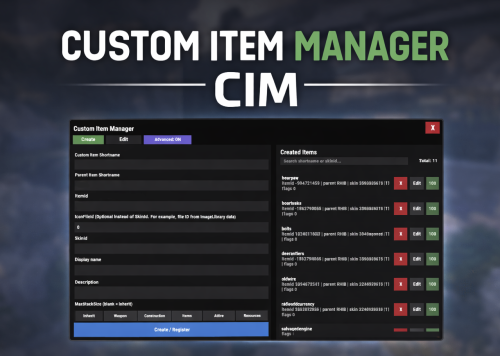
Version 1.0.4
136 downloads
Custom Item Manager is an in-game admin UI for creating true custom Rust items by registering brand-new ItemDefinitions, leveraging the CustomItemDefinitions* framework. Unlike traditional “skinned item” approaches, this plugin adds items directly into the game’s item manifest, allowing them to be spawned, stored, traded, and in many cases interacted with exactly like vanilla items. Because these items exist as real ItemDefinitions, they can have their own unique itemID, shortname, display names, meaningful descriptions, icons, categories, flags, and blueprint rules**. This solves one of the biggest limitations of skin-based custom items: skinned items can only reuse the original item’s shortname, description and behavior, while CustomItemManager allows you to define entirely new identity and metadata for each item. All item creation and editing is done through an in-game UI. Items can be created, edited, unregistered, and re-registered instantly without editing code or restarting the server. Created items are stored persistently and automatically re-registered on server start. A searchable list andone-click give buttons makes testing fast and convenient. In short, CustomItemManager provides a clean workflow for adding more vanilla-like custom items to Rust servers, not just reskinned vanilla items. Why use this instead of skinned existing items? Skinned vanilla items: Share the original item’s behavior Cannot change the description meaningfully Are limited to cosmetic differences Custom Item Manager items: Exist as unique ItemDefinitions Have their own display name and custom description, in place of the ownership label, as well as additional customizable labels. Can have different rules, eg can/can't be dropped, configurable category (e.g. for sorting). Integrate cleanly with most Rust plugins that give or require specific item shortnames. RECYCLABLE - setting the Craftable value to True, and setting Blueprint Ingredients, will allow the item to be recycled. CRAFTABLE- by giving players a blueprint for the custom item, it can be crafted using the industrial workbench If you want items to feel like true, purpose-built content instead of cosmetic overrides, this plugin is the better approach, and will save you a lot of time chasing down skinIDs when configuring other plugins. Data and Persistence All created items are stored in the plugin data file Items are automatically re-registered on server start and plugin reload It is safe to reload the plugin without losing definitions On unload, all existing items will appear as a fallback item, and be restored to their original condition upon plugin load. Permissions customitemmanager.admin - required to use the utility Commands /cim - opens the CIM UI Recommendations Ensure you have the latest version of Custom Item Definitions framework For non-usable items (eg custom craft components, quest items), use RHIB as the parent item. It has a blank description to avoid confusion. When using the items in other plugins, you do not need to specify the SkinID again, only the shortname (skinID should be 0) If the items are already in player containers, prefer editing and re-registering over deleting. Text of the first, Green label on the item is configured in the lang file for Custom Item Definitions. All Display Names and Descriptions will be available in the lang file for Custom Item Manager, allowing you to easily translate the items. Custom Labels Example: The green label text is configured in the Custom Item Definitions lang file. The text when hovering over it, is the item description configured via my plugin. The blue and orange labels, can also be created via my plugin, with or without additional text when hovering over it. SPECIAL ITEM=|QUEST ITEM= After = you would enter the text you wish to display when hovering over the additional label. It's up to you to experiment and adapt it for your own needs. * This plugin is a UI utility to easily create and manage custom items, based on the required dependency - Custom Item Definitions framework developed by 0xF ** The plugin allows specifying whether the item can have a blueprint as well as the required components to craft, which allows the custom item to be recycled. The blueprint itself can be given to players and learned, however it will not appear in the vanilla crafting menu. It can however be crafted with an industrial crafter,$8.99 -
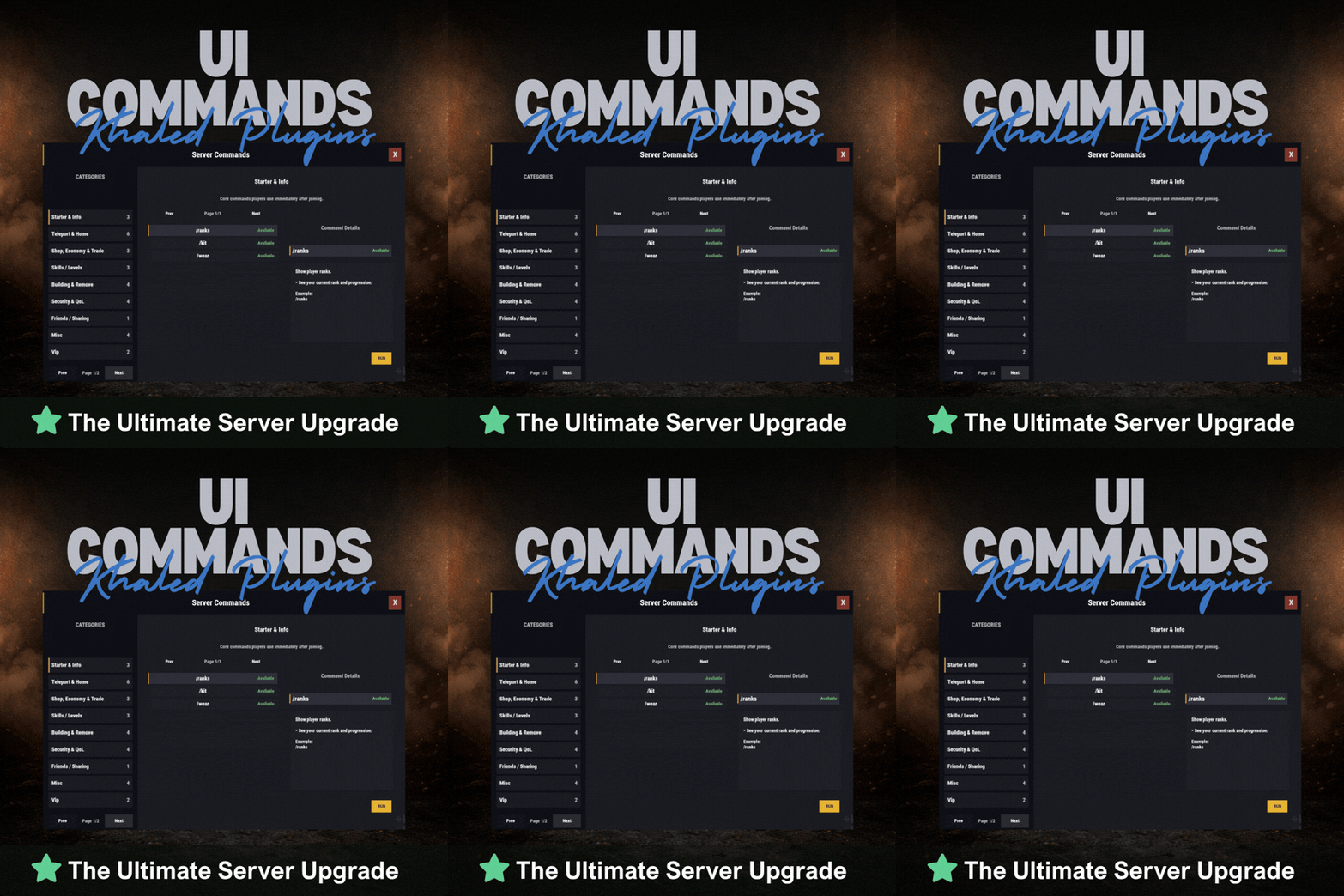
Version 1.0.1
8 downloads
UICommands – In-Game Command Browser for Rust Servers UICommands makes it easy for players to find and use server commands without memorizing anything or spamming chat. All commands are displayed in a clean, in-game interface, neatly organized into categories with clear explanations. Players can quickly see what each command does, whether it’s available to them, and how to use it — all in one place. Features - Clean and modern in-game UI - Commands neatly organized by category - Shows whether commands are available or locked - Detailed command info panel with usage examples - RUN button for supported commands - Simple, smooth, and easy to use Why Players Like It - No need to remember commands - Quick access to everything the server offers - Easy to understand, even for new players - Less confusion, more gameplay Why Server Owners Use It - Fewer repeated questions in chat - Better presentation of server features - Helps new players get started faster - Clean and professional look Permissions UICommands is a great fit for any Rust server that wants a simple, organized, and player-friendly way to show commands in-game. Config: { "General": { "Open Commands": [ "cmds", "commands" ], "Rows Per Page": 6, "Close UI when prompting for input": true }, "Categories": [ { "Id": "starter", "Title": "Starter & Info", "Description": "Core commands players use immediately after joining.", "Sort Order": 0, "Required Permission (optional)": null, "Commands": [ { "Command": "/ranks", "Description": "Show player ranks.", "Benefit / Why Use It": "See your current rank and progression.", "Usage Example (optional)": "/ranks", "Required Permission (optional)": null, "Admin Only (optional)": false, "VIP Only (optional)": false, "Allow RUN (optional, override)": true, "Tags (optional)": [] }, { "Command": "/kit", "Description": "Starter kit.", "Benefit / Why Use It": "Get essential items to start playing.", "Usage Example (optional)": "/kit", "Required Permission (optional)": null, "Admin Only (optional)": false, "VIP Only (optional)": false, "Allow RUN (optional, override)": true, "Tags (optional)": [] }, { "Command": "/wear", "Description": "Change your underwear.", "Benefit / Why Use It": "Quickly change your character underwear.", "Usage Example (optional)": "/wear", "Required Permission (optional)": null, "Admin Only (optional)": false, "VIP Only (optional)": false, "Allow RUN (optional, override)": true, "Tags (optional)": [] } ] }, { "Id": "teleport", "Title": "Teleport & Home", "Description": "Teleport requests, homes, towns and utilities.", "Sort Order": 10, "Required Permission (optional)": null, "Commands": [ { "Command": "/sethome <name>", "Description": "Set home at your base.", "Benefit / Why Use It": "Save a home location for quick teleport.", "Usage Example (optional)": "/sethome main", "Required Permission (optional)": null, "Admin Only (optional)": false, "VIP Only (optional)": false, "Allow RUN (optional, override)": false, "Tags (optional)": [] }, { "Command": "tphelp", "Description": "Teleport help.", "Benefit / Why Use It": "View teleport commands and usage.", "Usage Example (optional)": "tphelp", "Required Permission (optional)": null, "Admin Only (optional)": false, "VIP Only (optional)": false, "Allow RUN (optional, override)": true, "Tags (optional)": [] }, { "Command": "/town", "Description": "Teleport to Bandit Town.", "Benefit / Why Use It": "Quick access to Bandit Town.", "Usage Example (optional)": "/town", "Required Permission (optional)": null, "Admin Only (optional)": false, "VIP Only (optional)": false, "Allow RUN (optional, override)": true, "Tags (optional)": [] }, { "Command": "/outpost", "Description": "Teleport to Outpost.", "Benefit / Why Use It": "Quick access to Outpost.", "Usage Example (optional)": "/outpost", "Required Permission (optional)": null, "Admin Only (optional)": false, "VIP Only (optional)": false, "Allow RUN (optional, override)": true, "Tags (optional)": [] }, { "Command": "/where", "Description": "Teleport to your death location.", "Benefit / Why Use It": "Return to your death spot quickly.", "Usage Example (optional)": "/where", "Required Permission (optional)": null, "Admin Only (optional)": false, "VIP Only (optional)": false, "Allow RUN (optional, override)": true, "Tags (optional)": [] }, { "Command": "/tpr <PlayerName>", "Description": "Request teleport to a player.", "Benefit / Why Use It": "Send a teleport request to another player.", "Usage Example (optional)": "/tpr Khaled", "Required Permission (optional)": null, "Admin Only (optional)": false, "VIP Only (optional)": false, "Allow RUN (optional, override)": false, "Tags (optional)": [] } ] }, { "Id": "shop", "Title": "Shop, Economy & Trade", "Description": "Server shop and purchases.", "Sort Order": 20, "Required Permission (optional)": null, "Commands": [ { "Command": "/s", "Description": "Shop.", "Benefit / Why Use It": "Open the server shop.", "Usage Example (optional)": "/s", "Required Permission (optional)": null, "Admin Only (optional)": false, "VIP Only (optional)": false, "Allow RUN (optional, override)": true, "Tags (optional)": [] }, { "Command": "/buy", "Description": "Transport license.", "Benefit / Why Use It": "Purchase transport license.", "Usage Example (optional)": "/buy", "Required Permission (optional)": null, "Admin Only (optional)": false, "VIP Only (optional)": false, "Allow RUN (optional, override)": true, "Tags (optional)": [] }, { "Command": "/buyraid", "Description": "Buy a Raidable Base.", "Benefit / Why Use It": "Purchase a raidable base event.", "Usage Example (optional)": "/buyraid", "Required Permission (optional)": null, "Admin Only (optional)": false, "VIP Only (optional)": false, "Allow RUN (optional, override)": true, "Tags (optional)": [] } ] }, { "Id": "skills", "Title": "Skills / Levels", "Description": "Leveling and skills commands (server dependent).", "Sort Order": 30, "Required Permission (optional)": null, "Commands": [ { "Command": "/st", "Description": "Open skill tree (shortcut).", "Benefit / Why Use It": "Quick access to the skill tree.", "Usage Example (optional)": "/st", "Required Permission (optional)": null, "Admin Only (optional)": false, "VIP Only (optional)": false, "Allow RUN (optional, override)": true, "Tags (optional)": [] }, { "Command": "/skills", "Description": "Open skills UI.", "Benefit / Why Use It": "View and manage your skills.", "Usage Example (optional)": "/skills", "Required Permission (optional)": null, "Admin Only (optional)": false, "VIP Only (optional)": false, "Allow RUN (optional, override)": true, "Tags (optional)": [] }, { "Command": "/skill", "Description": "Open crafting menu.", "Benefit / Why Use It": "Access crafting skill menu (if supported).", "Usage Example (optional)": "/skill", "Required Permission (optional)": null, "Admin Only (optional)": false, "VIP Only (optional)": false, "Allow RUN (optional, override)": true, "Tags (optional)": [] } ] }, { "Id": "building", "Title": "Building & Remove", "Description": "Upgrade, remove and building utilities.", "Sort Order": 40, "Required Permission (optional)": null, "Commands": [ { "Command": "/up <1-4>", "Description": "Upgrade building tier.", "Benefit / Why Use It": "Upgrade building parts quickly.", "Usage Example (optional)": "/up 4", "Required Permission (optional)": null, "Admin Only (optional)": false, "VIP Only (optional)": false, "Allow RUN (optional, override)": false, "Tags (optional)": [] }, { "Command": "/down <1-4>", "Description": "Downgrade building tier.", "Benefit / Why Use It": "Downgrade building parts quickly.", "Usage Example (optional)": "/down 2", "Required Permission (optional)": null, "Admin Only (optional)": false, "VIP Only (optional)": false, "Allow RUN (optional, override)": false, "Tags (optional)": [] }, { "Command": "/remove", "Description": "Remove buildings.", "Benefit / Why Use It": "Remove building parts if enabled.", "Usage Example (optional)": "/remove", "Required Permission (optional)": null, "Admin Only (optional)": false, "VIP Only (optional)": false, "Allow RUN (optional, override)": true, "Tags (optional)": [] }, { "Command": "/bskin", "Description": "Building skins.", "Benefit / Why Use It": "Change building skins (if enabled).", "Usage Example (optional)": "/bskin", "Required Permission (optional)": null, "Admin Only (optional)": false, "VIP Only (optional)": false, "Allow RUN (optional, override)": true, "Tags (optional)": [] } ] }, { "Id": "security", "Title": "Security & QoL", "Description": "Locking, turrets and helpful quality-of-life commands.", "Sort Order": 50, "Required Permission (optional)": null, "Commands": [ { "Command": "/autolock", "Description": "Auto lock boxes & doors.", "Benefit / Why Use It": "Automatically apply locks to your base items.", "Usage Example (optional)": "/autolock", "Required Permission (optional)": null, "Admin Only (optional)": false, "VIP Only (optional)": false, "Allow RUN (optional, override)": true, "Tags (optional)": [] }, { "Command": "/lockturret", "Description": "Lock turret (requires codelock).", "Benefit / Why Use It": "Protect your turret from unauthorized access.", "Usage Example (optional)": "/lockturret", "Required Permission (optional)": null, "Admin Only (optional)": false, "VIP Only (optional)": false, "Allow RUN (optional, override)": true, "Tags (optional)": [] }, { "Command": "/carturret", "Description": "Spawn your car.", "Benefit / Why Use It": "Quickly spawn your vehicle (server dependent).", "Usage Example (optional)": "/carturret", "Required Permission (optional)": null, "Admin Only (optional)": false, "VIP Only (optional)": false, "Allow RUN (optional, override)": true, "Tags (optional)": [] }, { "Command": "Quarry lock", "Description": "Locking a quarry engine.", "Benefit / Why Use It": "Protect the quarry engine with a code lock.", "Usage Example (optional)": "Craft a codelock, go to the quarry engine and press E.", "Required Permission (optional)": null, "Admin Only (optional)": false, "VIP Only (optional)": false, "Allow RUN (optional, override)": false, "Tags (optional)": [] } ] }, { "Id": "social", "Title": "Friends / Sharing", "Description": "Friends and access control.", "Sort Order": 60, "Required Permission (optional)": null, "Commands": [ { "Command": "/friend <add/remove playername>", "Description": "Add or remove a friend from your base.", "Benefit / Why Use It": "Control who can interact with your base features.", "Usage Example (optional)": "/friend add Khaled", "Required Permission (optional)": null, "Admin Only (optional)": false, "VIP Only (optional)": false, "Allow RUN (optional, override)": false, "Tags (optional)": [] } ] }, { "Id": "misc", "Title": "Misc", "Description": "Skins, signs and other utilities.", "Sort Order": 70, "Required Permission (optional)": null, "Commands": [ { "Command": "/skin", "Description": "Skins.", "Benefit / Why Use It": "Open skins menu (if enabled).", "Usage Example (optional)": "/skin", "Required Permission (optional)": null, "Admin Only (optional)": false, "VIP Only (optional)": false, "Allow RUN (optional, override)": true, "Tags (optional)": [] }, { "Command": "/sili", "Description": "Sign image URL.", "Benefit / Why Use It": "Paste an image URL into a sign (if enabled).", "Usage Example (optional)": "/sili <url>", "Required Permission (optional)": null, "Admin Only (optional)": false, "VIP Only (optional)": false, "Allow RUN (optional, override)": false, "Tags (optional)": [] }, { "Command": "/sil", "Description": "Sign image URL (shortcut).", "Benefit / Why Use It": "Paste an image URL into a sign (if enabled).", "Usage Example (optional)": "/sil <url>", "Required Permission (optional)": null, "Admin Only (optional)": false, "VIP Only (optional)": false, "Allow RUN (optional, override)": false, "Tags (optional)": [] }, { "Command": "/recycler.craft", "Description": "Craft your recycler.", "Benefit / Why Use It": "Craft and place a recycler (if enabled).", "Usage Example (optional)": "/recycler.craft", "Required Permission (optional)": null, "Admin Only (optional)": false, "VIP Only (optional)": false, "Allow RUN (optional, override)": true, "Tags (optional)": [] } ] } ], "Debug: Print Config Summary On Load": false } Need Support?$13.99 -
Version 0.1.6
534 downloads
The plugin displays the vehicle's fuel level in the status bar. Depends on AdvancedStatus plugin. The ability to display the vehicle's fuel level(gauge) in the status bar; The ability to notify when a low fuel level is reached; The ability to set a color for each percentage of fuel; The ability to specify mount poses for display; The ability to automatically generate language files for different languages(filled in English); The ability to specify the order of the bar; The ability to change the height of the bar; The ability to customize the color and transparency of the background; The ability to set a material for the background; The ability to switch between CuiRawImageComponent and CuiImageComponent for the image; The ability to get images from the local folder (*SERVER*\oxide\data\AdvancedStatus\Images); The ability to set own image and customize the color and transparency of the image; The ability to set sprite instead of the image; The ability to customize the color, size, font and outline of the text. { "Is it worth enabling GameTips for messages?": true, "Is it worth using Notify plugins for messages instead of the vanilla UI?": false, "Specify the regular message type for notify": 0, "Specify the warning message type for notify": 1, "List of language keys for creating language files": [ "en" ], "Fuel stack size for fraction calculation. A value of 0 uses the actual stack size": 0, "Fuel indicator refresh interval in seconds": 5.0, "Notifications - The percentage(0.0 to 1.0) of fuel at which notifications will occur. A value of 0 disables this": 0.2, "Notifications - The effect that will be triggered upon a warning. Choose the effect carefully! An empty string disables the effect call": "assets/prefabs/locks/keypad/effects/lock.code.denied.prefab", "Status. Bar - Height": 26, "Status. Bar - Order": 1, "Status. Background - Color(Hex or RGBA)": "#FFFFFF", "Status. Background - Transparency": 0.15, "Status. Background - Material(empty to disable)": "", "Status. Image - Url": "https://i.ibb.co/4ZhnTpBv/Fuel-Status-Fuel.png", "Status. Image - Local(Leave empty to use Image_Url)": "FuelStatus_Fuel", "Status. Image - Sprite(Leave empty to use Image_Local or Image_Url)": "", "Status. Image - Is raw image": false, "Status. Image - Color(Hex or RGBA)": "#E2DBD6", "Status. Image - Transparency": 0.55, "Status. Image Outline - Color(Hex or RGBA)": "0.1 0.3 0.8 0.9", "Status. Image Outline - Transparency": 1.0, "Status. Image Outline - Distance(Leave empty to disable). Example '0.75 0.75'": "", "Status. Text - Size": 15, "Status. Text - Color(Hex or RGBA)": "#E2DBD6", "Status. Text - Transparency": 1.0, "Status. Text - Font(https://umod.org/guides/rust/basic-concepts-of-gui#fonts)": "RobotoCondensed-Bold.ttf", "Status. Text - Offset Horizontal": 7, "Status. Text Outline - Color(Hex or RGBA)": "#000000", "Status. Text Outline - Transparency": 1.0, "Status. Text Outline - Distance(Leave empty to disable)": "", "Status. Progress - Transparency": 0.8, "Status. Progress - OffsetMin": "25 2.5", "Status. Progress - OffsetMax": "-3.5 -3.5", "Status. Progress - Zero Text Size": 12, "Status. Progress - Zero Text Color(Hex or RGBA)": "#F70000", "List of mount poses for displaying fuel status": [ "Driving", "HandMotorBoat", "StandDrive", "SitMinicopter_Pilot", "Sit_Workcart", "Sit_Crane", "Driving_Snowmobile", "Sit_Locomotive", "Sit_DPV", "Sit_BatteringRam", "Steering_Boat" ], "List of Gauge Indicators": [ { "MinRange": 0.0, "MaxRange": 0.2, "Color(Hex or RGBA)": "#F70000" }, { "MinRange": 0.2, "MaxRange": 0.6, "Color(Hex or RGBA)": "#F7BB00" }, { "MinRange": 0.6, "MaxRange": 1.0, "Color(Hex or RGBA)": "#B1C06E" } ], "Version": { "Major": 0, "Minor": 1, "Patch": 6 } } The values of MaxRange and MinRange set the range of values over which the color applies. The values for MaxRange and MinRange must be between 0.0 and 1.0 (inclusive), where 0.0 equals 0%, and 1.0 equals 100%. The value of MaxRange must be equal to the value of MinRange of the previous. EN: { "MsgFuelLow": "Warning: Fuel level is low!", "BarProgressZero": "Out of fuel, refill required!" } RU: { "MsgFuelLow": "Внимание: уровень топлива низкий!", "BarProgressZero": "Нет топлива!" } Available mount poses(PlayerModel.MountPoses): public enum MountPoses { Chair = 0, Driving = 1, Horseback = 2, HeliUnarmed = 3, HeliArmed = 4, HandMotorBoat = 5, MotorBoatPassenger = 6, SitGeneric = 7, SitRaft = 8, StandDrive = 9, SitShootingGeneric = 10, SitMinicopter_Pilot = 11, SitMinicopter_Passenger = 12, ArcadeLeft = 13, ArcadeRight = 14, SitSummer_Ring = 15, SitSummer_BoogieBoard = 16, SitCarPassenger = 17, SitSummer_Chair = 18, SitRaft_NoPaddle = 19, Sit_SecretLab = 20, Sit_Workcart = 21, Sit_Cardgame = 22, Sit_Crane = 23, Sit_Snowmobile_Shooting = 24, Sit_RetroSnowmobile_Shooting = 25, Driving_Snowmobile = 26, ZiplineHold = 27, Sit_Locomotive = 28, Sit_Throne = 29, Parachute = 30, Sit_DPV = 31, Standing_Ballista = 32, Sit_BatteringRam = 33, VineSwinging = 34, Sit_Ejectorseat = 35, Sit_Beanbag = 36, Steering_Boat = 37, Standing = 128 }$3.99 -
Version 0.1.1
78 downloads
A multifunctional warehouse system for managing item storage and automated giveaways. Presence of unique dialogues with warehouse keeper that mimic vanilla-style interactions; The ability to create an unlimited number of custom permissions; The ability to configure permissions individually, allowing flexible customization for any preferences; The ability to limit the total number of available storages; The ability to adjust the number of slots for each individual storage; The ability to restrict which items can be stored; The ability to store food items with a configurable spoilage rate(fridge ability) ; Warehouse keepers with automatic spawning in all vanilla safe zones, as well as support for custom spawn points; The ability to customize the appearance of each warehouse keeper; The ability to restrict warehouse access to mission completion(in progress) or payment; The ability to configure a daily storage rent fee calculated based on the number of slots; The ability to apply an extra fine when attempting to renew an expired storage; The ability to automatically move all items from fully expired storages to the giveaway warehouse; The ability to host daily item giveaways(if items are available) ; The ability to preview items from the upcoming giveaway; The ability to define a forbidden item list for the giveaway warehouse; The ability to automatically move all items from players who die in safe zones(offline) to the giveaway warehouse; The ability to transfer dropped items(when disappear) to the giveaway warehouse; The ability to transfer items from a player's warehouse when the player is banned; The ability to transfer items from a player's body when the player is banned; The ability to transfer items from all of a player's storages when the player is banned; The ability to artificially fill the giveaway warehouse if it contains too few items; The ability to fill the giveaway warehouse by transferring items from all existing lootable boxes; The ability to notify players right before a giveaway starts. { "Chat command": "wh", "Is it worth enabling GameTips for messages?": true, "List of language keys for creating language files": [ "en" ], "Date display format": "MM/dd/yyyy hh:mm tt", "Price to skip mission": 200.0, "Storage purchase price": 100.0, "Storage slot purchase price": 50.0, "Storage slot daily rental fee": 10.0, "Interval in seconds for checking rent expiration": 600.0, "Number of hours before the rent expires during which renewal becomes available. A value of 0 disables the limit": 5, "Available slot options for new storage purchase": [ 1, 6, 18, 48 ], "Daily giveaway time. Format: HH:mm": "20:00", "Forced giveaway start upon reaching the specified amount. Note: when there are a large number of items, the server may experience lag.": 480, "Minimum number of items required for the giveaway to take place. A value of 0 disables the limit": 0, "Time in seconds(1–600) before the giveaway starts to notify players": 300.0, "Number of items dropped per second": 16, "Is it worth moving lost items(BuriedItems) to the giveaway?": true, "Is it worth moving items from a player's warehouse to the giveaway when they are banned?": true, "Is it worth moving items from a player's body to the giveaway when they are banned?": true, "Is it worth moving items from a player's storage boxes to the giveaway when they are banned?": true, "List of forbidden items for giveaways": [ "blood" ], "List of warehouse permissions": [ { "Permission Name": "warehouse.default", "Limit of available storages. A value of 0 disables the limit": 1, "Limit on the number of slots per storage": 6, "Price multiplier for purchasing a storage": 1.0, "Price multiplier for purchasing a storage slot": 1.0, "Price multiplier for storage slot rental": 1.0, "Price multiplier for storage rental in case of delay": 1.5, "Food spoilage multiplier": 1.0, "List of forbidden items to storage": [ "blood" ] }, { "Permission Name": "warehouse.vip", "Limit of available storages. A value of 0 disables the limit": 2, "Limit on the number of slots per storage": 24, "Price multiplier for purchasing a storage": 0.9, "Price multiplier for purchasing a storage slot": 0.9, "Price multiplier for storage slot rental": 0.9, "Price multiplier for storage rental in case of delay": 1.4, "Food spoilage multiplier": 0.5, "List of forbidden items to storage": [ "blood" ] }, { "Permission Name": "realpve.vip", "Limit of available storages. A value of 0 disables the limit": 3, "Limit on the number of slots per storage": 48, "Price multiplier for purchasing a storage": 0.8, "Price multiplier for purchasing a storage slot": 0.8, "Price multiplier for storage slot rental": 0.8, "Price multiplier for storage rental in case of delay": 1.3, "Food spoilage multiplier": 0.0, "List of forbidden items to storage": [ "blood" ] } ], "List of custom spawn positions for Keeper NPCs": [], "List of spawn offsets in monuments for Keeper NPCs": { "compound": { "DisplayName": "Warehouse Keeper", "Force use as a giveaway source. If no sources are available, one will be chosen at random": true, "Position X": -19.28, "Position Y": 0.81, "Position Z": 2.25, "Rotation X": 0.0, "Rotation Y": -0.97, "Rotation Z": 0.02, "Rotation W": -0.25, "The main inventory item": { "ShortName": "spear.cny", "SkinID": 0 }, "The belt inventory item": { "ShortName": "botabag", "SkinID": 0 }, "The wear inventory items": [ { "ShortName": "hazmatsuit.frontier", "SkinID": 0 } ] }, "bandit_town": { "DisplayName": "Warehouse Keeper", "Force use as a giveaway source. If no sources are available, one will be chosen at random": true, "Position X": 11.75, "Position Y": 1.91, "Position Z": -41.14, "Rotation X": 0.08, "Rotation Y": -0.1, "Rotation Z": 0.0, "Rotation W": 1.0, "The main inventory item": { "ShortName": "spear.cny", "SkinID": 0 }, "The belt inventory item": { "ShortName": "botabag", "SkinID": 0 }, "The wear inventory items": [ { "ShortName": "hazmatsuit.frontier", "SkinID": 0 } ] }, "fishing_village_a": { "DisplayName": "Warehouse Keeper", "Force use as a giveaway source. If no sources are available, one will be chosen at random": false, "Position X": -26.76, "Position Y": 2.13, "Position Z": -20.55, "Rotation X": 0.04, "Rotation Y": 0.01, "Rotation Z": 0.0, "Rotation W": 1.0, "The main inventory item": { "ShortName": "spear.cny", "SkinID": 0 }, "The belt inventory item": { "ShortName": "botabag", "SkinID": 0 }, "The wear inventory items": [ { "ShortName": "hazmatsuit.frontier", "SkinID": 0 } ] }, "fishing_village_b": { "DisplayName": "Warehouse Keeper", "Force use as a giveaway source. If no sources are available, one will be chosen at random": false, "Position X": -10.16, "Position Y": 2.02, "Position Z": 20.73, "Rotation X": 0.05, "Rotation Y": -0.85, "Rotation Z": 0.08, "Rotation W": 0.51, "The main inventory item": { "ShortName": "spear.cny", "SkinID": 0 }, "The belt inventory item": { "ShortName": "botabag", "SkinID": 0 }, "The wear inventory items": [ { "ShortName": "hazmatsuit.frontier", "SkinID": 0 } ] }, "fishing_village_c": { "DisplayName": "Warehouse Keeper", "Force use as a giveaway source. If no sources are available, one will be chosen at random": false, "Position X": -3.0, "Position Y": 2.06, "Position Z": 11.47, "Rotation X": 0.06, "Rotation Y": 0.03, "Rotation Z": 0.0, "Rotation W": 1.0, "The main inventory item": { "ShortName": "spear.cny", "SkinID": 0 }, "The belt inventory item": { "ShortName": "botabag", "SkinID": 0 }, "The wear inventory items": [ { "ShortName": "hazmatsuit.frontier", "SkinID": 0 } ] }, "stables_a": { "DisplayName": "Warehouse Keeper", "Force use as a giveaway source. If no sources are available, one will be chosen at random": false, "Position X": 2.47, "Position Y": 3.04, "Position Z": -14.16, "Rotation X": 0.0, "Rotation Y": -0.97, "Rotation Z": 0.02, "Rotation W": -0.25, "The main inventory item": { "ShortName": "spear.cny", "SkinID": 0 }, "The belt inventory item": { "ShortName": "botabag", "SkinID": 0 }, "The wear inventory items": [ { "ShortName": "hazmatsuit.frontier", "SkinID": 0 } ] }, "stables_b": { "DisplayName": "Warehouse Keeper", "Force use as a giveaway source. If no sources are available, one will be chosen at random": false, "Position X": 2.79, "Position Y": 3.0, "Position Z": 29.68, "Rotation X": -0.02, "Rotation Y": -0.73, "Rotation Z": 0.02, "Rotation W": -0.69, "The main inventory item": { "ShortName": "spear.cny", "SkinID": 0 }, "The belt inventory item": { "ShortName": "botabag", "SkinID": 0 }, "The wear inventory items": [ { "ShortName": "hazmatsuit.frontier", "SkinID": 0 } ] } }, "Wipe ID": null, "Version": { "Major": 0, "Minor": 1, "Patch": 1 } } EN: { "CmdEconomicsNotEnough": "Not enough funds!", "CmdMain": "Available warehouse commands:\n\n<color=#D1CBCB>/wh</color> <color=#D1AB9A>keeper</color> - Manage warehouse keepers\n<color=#D1CBCB>/wh</color> <color=#D1AB9A>giveaway</color> - Manage item giveaways\n\n--------------------------------------------------", "CmdKeeperMain": "Manage warehouse keepers:\n\n<color=#D1CBCB>/wh keeper</color> <color=#D1AB9A>spawn *name*(optional)</color> - Spawn a Keeper at your position\n<color=#D1CBCB>/wh keeper</color> <color=#D1AB9A>kill</color> - Remove the Keeper you are looking at\n<color=#D1CBCB>/wh keeper</color> <color=#D1AB9A>name *name*</color> - Change the name of the Keeper you are looking at\n<color=#D1CBCB>/wh keeper</color> <color=#D1AB9A>wear</color> - Copy your items to the keeper\n\n--------------------------------------------------", "CmdKeeperNotFound": "Warehouse Keeper not found! You need to be looking directly at them.", "CmdKeeperSpawned": "Warehouse Keeper successfully spawned!", "CmdKeeperKilled": "Warehouse Keeper successfully killed!", "CmdKeeperNamed": "Warehouse Keeper's name successfully changed!", "CmdKeeperWearCopied": "Your outfit was successfully copied to the Warehouse Keeper!", "CmdGiveawayMain": "Manage item giveaways:\n\n<color=#D1CBCB>/wh giveaway</color> <color=#D1AB9A>start</color> - Force start the giveaway\n<color=#D1CBCB>/wh giveaway</color> <color=#D1AB9A>skip</color> - Force stop the active giveaway\n<color=#D1CBCB>/wh giveaway</color> <color=#D1AB9A>set \"HH:mm\"</color> - Set a new daily giveaway time\n<color=#D1CBCB>/wh giveaway</color> <color=#D1AB9A>fill *amount*(optional)</color> - Force fill the giveaway with random items\n<color=#D1CBCB>/wh giveaway</color> <color=#D1AB9A>clear</color> - Force clear all items from the giveaway storage\n\n--------------------------------------------------", "CmdGiveawayAlreadyActive": "You can't perform this action because a giveaway is already active!", "CmdGiveawayNotActive": "You can't perform this action because no giveaway is currently active!", "CmdGiveawaySetFailed": "Failed to set '{0}' as the new giveaway time. Correct format: HH:mm, e.g. 20:00.", "CmdGiveawaySet": "The value '{0}' has been successfully set as the new giveaway time!", "CmdGiveawayFillStart": "You have successfully started forcibly filling the giveaway storage with {0} random items!", "CmdGiveawayFillFinish": "The giveaway storage has been successfully filled with {0} random items in {1} seconds!", "CmdGiveawayClear": "The giveaway storage has been successfully cleared of all items!", "DialogueNotAllowed": "You do not have permission to access the storage!", "DialogueStranger": "Stranger", "DialogueBtnExit": "I don't think I'm interested. Farewell.", "DialogueInitialMain": "Hello! Have we met before? I don't recall seeing you around here...\nHow can I help you?", "DialogueInitialBtnIntroduction": "My name is {0}. And you? What do you do?", "DialogueInitialBtnExit": "Just passing by. Looking around.", "DialogueIntroductionMain": "My name is {0}, I'm with the Keepers Guild. We're a small group, but present in every safe zone.\nOur job is to ensure the safety of belongings that their owners can no longer protect. We guarantee complete security, you can store absolutely anything with us. Of course, this is a paid service.\n\n{1}, you say? Never heard of you...\nUnfortunately, we don't work with strangers. You can't really rely on them.", "DialogueIntroductionBtnGetMission": "I have some items for storage. How can I prove I'm trustworthy?", "DialogueGetMissionMain": "Hmm... Let me think...\nYou know, there is something.\nWe maintain close ties with the Guild of Wandering Merchants and I have a letter I haven't been able to deliver to them. They usually stop by the water towers.\n\nI could entrust it to you. What do you say?", "DialogueGetMissionBtnStart": "Perfect, I was heading that way anyway. I'm ready to help.", "DialogueGetMissionBtnPay": "I'd love to help, but this task seems too complicated for me.\nHow about I offer ${0} as a goodwill gesture instead?", "DialogueMissionStartedMain": "{0}, good to see you again!\nHow's the task I gave you coming along?", "DialogueMissionStartedBtnCancel": "Sorry, but I can no longer continue your task.", "DialogueMissionStartedBtnExit": "I'm still working on it.", "DialogueMissionCanceledMain": "I'm sorry you couldn't complete my task...", "DialogueMissionCanceledBtnGetMission": "I'm sorry too, but I'd like to prove my reliability once again.", "DialogueMissionCompletedMain": "{0}, you did a great job! I couldn't have managed without you.\nHow can I help you?", "DialogueMissionPayedMain": "${0}?\nHa, now we're speaking the same language.\nHow can I help you?", "DialogueDefaultMain": "Greetings, {0}! Long time no see. How can I help you?", "DialogueDefaultBtnForbiddenList": "I'd like to know which items are forbidden from being stored.", "DialogueDefaultBtnStorageList": "I'd like to check my storage.", "DialogueDefaultBtnGiveaway": "I'd like to know about item giveaways.", "DialogueForbiddenListMain": "Here's a list of items you're unfortunately not allowed to store:\n\n{0}", "DialogueStorageListMain": "Would you like to open one of your storages or acquire a new one?", "DialogueStorageListBtnStorageBuy": "Get new storage.", "DialogueStorageListBtnOpenStorage": "Open '{0}' with {1} slot(s).", "DialogueStorageListBtnBack": "Maybe next time.", "DialogueStorageBuyMain": "Great! Which purchase method would you prefer?\n\nThe price to purchase storage: ${0}\nThe price to purchase one slot: ${1}\nDaily maintenance fee per slot: ${2}\n\nKeep in mind that the size of any storage can be adjusted at any time, from 1 to 48 slots.", "DialogueStorageBuyOutLimit": "It looks like you've already used up your available storage limit.", "DialogueStorageBuyBtnBuy": "Purchase storage with {0} slot(s) for ${1}.", "DialogueStorageBuyBtnBack": "Maybe next time.", "DialogueGiveawayMain": "We regularly hold giveaways of unwanted and lost items.\n\nUsually, these include:\n- items from storages with expired rent\n- items left behind by players who left the game in a safe zone\n- items lost during battles\n\nThe next giveaway is scheduled for {0}(UTC), in {1}!\nHowever, the giveaway may start earlier if the number of items exceeds {2}.\nMake sure to come, you might get lucky and grab something valuable!", "DialogueGiveawayMainActive": "We regularly hold giveaways of unwanted and lost items.\n\nUsually, these include:\n- items from storages with expired rent\n- items left behind by players who left the game in a safe zone\n- items lost during battles\n\nThe giveaway is in full swing! If you don't want to miss out, hurry to {0}({1})!", "DialogueGiveawayBtnShow": "I'd like to know what items will be in the upcoming giveaway.", "DialogueGiveawayBtnBack": "Maybe next time.", "GiveawayStorageName": "Giveaway Storage", "GiveawayStartNotEnough": "Unfortunately, there weren't enough items collected for the giveaway. Don't miss the next giveaway, which will take place in {0}(UTC)!", "GiveawayStartAnnounce": "The item giveaway will start soon!\nEveryone, hurry to {0}({1})! Only {2} seconds left!", "GiveawayPauseAnnounce": "{0} items have been successfully given away! But that's not all! We still have more items left, we'll continue in {1} seconds!", "GiveawayEndAnnounce": "The item giveaway has ended! Over {0} items were given away! Don't miss the next giveaway, which will take place in {1}(UTC)!", "UiStorageUntil": "Until: {0}(UTC)", "UiStorageExpired": "Rent expired", "UiStorageNote": "Slot purchase price: ${1}.\nDaily rent per slot: ${2}.\nCurrent daily rent cost: ${3}.", "UiStorageNoteRestricted": "<b>Note:</b> You can only pay rent up to {0}h before it expires.\nSlot purchase price: ${1}, daily rent per slot: ${2}.\nCurrent daily rent cost: ${3}.", "UiStorageRental": "Pay Rent", "UiStorageRentPayed": "You have successfully paid the storage rent!", "UiStorageSlotsOcupied": "You can't reduce the number of slots because one of the reduced slots contains an item!", "UiStorageSlotsAdjusted": "The number of slots has been changed from {0} to {1}!" } RU: { "CmdEconomicsNotEnough": "Не достаточно средств!", "CmdMain": "Доступные команды хранилища:\n\n<color=#D1CBCB>/wh</color> <color=#D1AB9A>keeper</color> - Управление хранителями хранилища\n<color=#D1CBCB>/wh</color> <color=#D1AB9A>giveaway</color> - Управление раздачей вещей\n\n--------------------------------------------------", "CmdKeeperMain": "Управление хранителями хранилища:\n\n<color=#D1CBCB>/wh keeper</color> <color=#D1AB9A>spawn *имя*(опционально)</color> - Создать хранителя на вашей позиции\n<color=#D1CBCB>/wh keeper</color> <color=#D1AB9A>kill</color> - Удалить хранителя, на которого вы смотрите\n<color=#D1CBCB>/wh keeper</color> <color=#D1AB9A>name *имя*</color> - Изменить имя хранителя, на которого вы смотрите\n<color=#D1CBCB>/wh keeper</color> <color=#D1AB9A>wear</color> - Скопировать ваши вещи на хранителя\n\n--------------------------------------------------", "CmdKeeperNotFound": "Хранитель хранилища не найден! Вам необходимо смотреть прямо на него.", "CmdKeeperSpawned": "Хранитель хранилища успешно создан!", "CmdKeeperKilled": "Хранитель хранилища успешно удалён!", "CmdKeeperNamed": "Имя хранителя хранилища успешно изменено!", "CmdKeeperWearCopied": "Ваша одежда была успешно скопирована на хранителя!", "CmdGiveawayMain": "Управление раздачей вещей:\n\n<color=#D1CBCB>/wh giveaway</color> <color=#D1AB9A>start</color> - Принудительно начать раздачу\n<color=#D1CBCB>/wh giveaway</color> <color=#D1AB9A>skip</color> - Принудительно остановить активную раздачу\n<color=#D1CBCB>/wh giveaway</color> <color=#D1AB9A>set \"HH:mm\"</color> - Установить новое время ежедневной раздачи\n<color=#D1CBCB>/wh giveaway</color> <color=#D1AB9A>fill *количество*(опционально)</color> - Принудительно заполнить раздачу случайными вещами\n<color=#D1CBCB>/wh giveaway</color> <color=#D1AB9A>clear</color> - Принудительно очистить раздачу от всех вещей\n\n--------------------------------------------------", "CmdGiveawayAlreadyActive": "Вы не можете выполнить это действие, так как уже идет активная раздача предметов!", "CmdGiveawayNotActive": "Вы не можете выполнить это действие, так как раздача предметов не активна!", "CmdGiveawaySetFailed": "Не удалось установить '{0}' в качестве нового времени для раздачи. Правильный формат: HH:mm, пример 20:00.", "CmdGiveawaySet": "Значение '{0}' успешно установлено в качестве нового времени для раздачи!", "CmdGiveawayFillStart": "Вы успешно начали принудительное заполнение хранилища для раздач {0} случайными предметами!", "CmdGiveawayFillFinish": "Хранилище для раздач успешно заполнено {0} случайными предметами за {1} секунд!", "CmdGiveawayClear": "Хранилище для раздач успешно очищено от всех предметов!", "DialogueNotAllowed": "У вас недостаточно прав для использования хранилища!", "DialogueStranger": "Незнакомец", "DialogueBtnExit": "Думаю, мне это неинтересно. Прощайте.", "DialogueInitialMain": "Привет! Мы раньше встречались? Что-то не припоминаю, чтобы видел вас здесь...\nЧем могу помочь?", "DialogueInitialBtnIntroduction": "Меня зовут {0}. А вы кто? Чем занимаетесь?", "DialogueInitialBtnExit": "Я просто прохожу мимо. Осматриваюсь.", "DialogueIntroductionMain": "Меня зовут {0}, я из Гильдии Хранителей. Нас немного, но мы есть в каждой безопасной зоне.\nНаша задача — обеспечивать сохранность вещей, которые их владельцы не в силах защитить самостоятельно. Мы гарантируем полную безопасность, у нас можно оставить абсолютно любые предметы. Разумеется, это платная услуга.\n\n{1}, говорите? Никогда о вас не слышал...\nК сожалению, мы не работаем с незнакомцами. На таких нельзя полагаться.", "DialogueIntroductionBtnGetMission": "У меня есть несколько вещей для хранения. Как я могу доказать свою надёжность?", "DialogueGetMissionMain": "Хм... Дайте-ка подумать... Знаете, есть одно дельце.\nМы поддерживаем тесные связи с Гильдией странствующих торговцев, и у меня есть письмо, которое я никак не могу им передать. Они обычно останавливаются на водокачках.\nЯ мог бы поручить это вам. Что скажете?", "DialogueGetMissionBtnStart": "Отлично, мне как раз по пути. Я готов помочь.", "DialogueGetMissionBtnPay": "Я бы с радостью помог, но это для меня слишком сложное задание.\nКак насчёт {0}$ от меня, так сказать, в знак доброй воли?", "DialogueMissionStartedMain": "{0}, рад вас снова видеть!\nКак продвигается выполнение моего поручения?", "DialogueMissionStartedBtnCancel": "Извините, но я больше не могу продолжать выполнение вашего задания.", "DialogueMissionStartedBtnExit": "Я всё ещё работаю над этим.", "DialogueMissionCanceledMain": "Мне жаль, что вы не смогли выполнить моё поручение...", "DialogueMissionCanceledBtnGetMission": "Мне тоже жаль, но я хотел бы ещё раз доказать свою надёжность.", "DialogueMissionCompletedMain": "{0}, ты просто молодец! Без тебя я бы точно не справился.\nЧем могу быть полезен?", "DialogueMissionPayedMain": "{0}$? Ха, теперь мы говорим на одном языке.\nЧем могу быть полезен?", "DialogueDefaultMain": "Приветствую, {0}! Давненько не виделись. Чем могу быть полезен?", "DialogueDefaultBtnForbiddenList": "Я бы хотел узнать, какие вещи запрещено сдавать на хранение.", "DialogueDefaultBtnStorageList": "Я бы хотел заглянуть в своё хранилище.", "DialogueDefaultBtnGiveaway": "Я бы хотел узнать о раздаче вещей.", "DialogueForbiddenListMain": "Вот список вещей, которые, к сожалению, вам нельзя сдавать на хранение:\n\n{0}", "DialogueStorageListMain": "Хотите открыть одно из ваших хранилищ или оформить новое?", "DialogueStorageListBtnStorageBuy": "Оформить новое хранилище.", "DialogueStorageListBtnOpenStorage": "Открыть '{0}' на {1} слот(ов).", "DialogueStorageListBtnBack": "Пожалуй, в другой раз.", "DialogueStorageBuyMain": "Прекрасно! Какой способ покупки вас интересует?\n\nСтоимость покупки хранилища: {0}$\nСтоимость покупки одного слота: {1}$\nЕжедневная плата за обслуживание одного слота: {2}$\n\nУчтите, что объём любого хранилища можно изменять в любое время, от 1 до 48 слотов.", "DialogueStorageBuyOutLimit": "Похоже, вы уже использовали весь доступный лимит хранилищ.", "DialogueStorageBuyBtnBuy": "Приобрести хранилище на {0} слот(ов) за {1}$.", "DialogueStorageBuyBtnBack": "Пожалуй, в другой раз.", "DialogueGiveawayMain": "У нас регулярно проходят раздачи ненужного и потерянного имущества.\n\nОбычно это:\n- предметы из хранилищ, за которые не была вовремя оплачена аренда\n- предметы, оставшиеся у игроков, покинувших игру в безопасной зоне\n- утраченные во время боёв предметы\n\nСледующая раздача намечена на {0}(UTC), до раздачи осталось {1}!\nОднако раздача может начаться и раньше, если количество предметов превысит {2}.\nОбязательно приходите, возможно, вам повезёт урвать что-нибудь ценное!", "DialogueGiveawayMainActive": "У нас регулярно проходят раздачи ненужного и потерянного имущества.\n\nОбычно это:\n- предметы из хранилищ, за которые не была вовремя оплачена аренда\n- предметы, оставшиеся у игроков, покинувших игру в безопасной зоне\n- утраченные во время боёв предметы\n\nРаздача в самом разгаре! Если не хотите пропустить, срочно приходите в {0}({1})!", "DialogueGiveawayBtnShow": "Я бы хотел узнать, какие вещи будут в грядущей раздаче.", "DialogueGiveawayBtnBack": "Пожалуй, в другой раз.", "GiveawayStorageName": "Хранилище раздачи", "GiveawayStartNotEnough": "К сожалению для раздачи не набралось достаточного количества предметов. Не упустите следующую раздачу, которая будет в {0}(UTC)!", "GiveawayStartAnnounce": "Раздача вещей скоро начнётся!\nВсем срочно в {0}({1})! До начала осталось {2} секунд!", "GiveawayPauseAnnounce": "Было успешно роздано {0} вещей! Но это ещё не всё! У нас остались ещё вещи, продолжим через {1} секунд!", "GiveawayEndAnnounce": "Раздача вещей завершена! В раздаче было свыше {0} предметов! Не упустите следующую раздачу, которая будет в {1}(UTC)!", "UiStorageUntil": "До: {0}(UTC)", "UiStorageExpired": "Аренда просрочена", "UiStorageNote": "Покупка слота: {1}$.\nЕжедневная аренда за слот: {2}$.\nТекущая стоимость ежедневной аренды: {3}$.", "UiStorageNoteRestricted": "<b>Примечание:</b> продлить аренду можно только за {0}ч до её истечения.\nПокупка слота: {1}$, ежедневная аренда за слот: {2}$.\nТекущая стоимость ежедневной аренды: {3}$.", "UiStorageRental": "Оплатить аренду", "UiStorageRentPayed": "Вы успешно продлили аренду хранилища!", "UiStorageSlotsOcupied": "Вы не можете уменьшить количество слотов, так как один из уменьшенных слотов содержит предмет!", "UiStorageSlotsAdjusted": "Количество слотов было изменено с {0} до {1}!" } To access the commands, you must have the "warehouse.admin" permission. keeper - Manage warehouse keepers: spawn *name*(optional) - Spawn a Keeper at your position; kill - Remove the Keeper you are looking at; name *name* - Change the name of the Keeper you are looking at; wear - Copy your items to the keeper. giveaway - Manage item giveaways: start - Force start the giveaway; skip - Force stop the active giveaway; set "HH:mm" - Set a new daily giveaway time; fill *amount*(optional) - Force fill the giveaway with random items; clear - Force clear all items from the giveaway storage. Example: /wh keeper spawn "Custom Keeper" /wh giveaway start /wh giveaway set "21:30" /wh giveaway fill 124$30.00 -
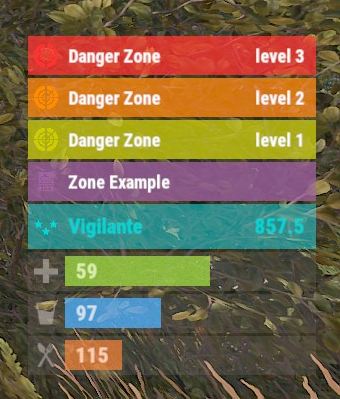
Version 0.1.9
392 downloads
The plugin displays the current zone or monument to the player in the status bar. Depends on ZoneManager, MonumentsWatcher and AdvancedStatus plugins. P.S. The settings for each zone or monument are located in the "*SERVER*\oxide\data\ZoneStatus\" folder. The ability to display the player's current monument; The ability to automatically change monuments names when the player switches languages; The ability to display the player's current zone; The ability to enable or disable visibility for each of the zones; The ability to customize the style for each of the zones(in the data file); The ability to specify the order of the bar; The ability to change the height of the bar; The abillity to customize the color and transparency of the background; The ability to set a material for the background; The ability to switch between CuiRawImageComponent and CuiImageComponent for the image; The ability to get images from the local folder(*SERVER*\oxide\data\AdvancedStatus\Images); The abillity to set own image and customize the color and transparency of the image; The abillity to set sprite instead of the image; The ability to customize the color, size, font and outline of the text. { "Is it worth deleting all saved Bar configs upon detecting a Wipe?": false, "Is it worth deleting all saved Monument configs upon detecting a Wipe?": false, "Is it worth deleting all saved Zone configs upon detecting a Wipe?": false, "Is it worth deleting all unused Monuments during initialization?": false, "Is it worth deleting all unused Zones during initialization?": false, "The name of the zone which has no name": "No name zone", "Is it worth enabling the bar display for new monuments?": true, "Is it worth enabling the bar display for new zones?": true, "List of prefix IDs that will share the same settings. Leave null to recreate the default list": [ "cargoship", "deepsea_floatingcity", "deepsea_island_tropical", "ghostship", "desert_military_base_", "gas_station_1", "lighthouse", "station-", "supermarket_1", "swamp_", "underwater_lab_", "warehouse", "entrance_bunker_", "ice_lake_", "power_sub_small_", "power_sub_big_", "jungle_ruins_", "water_well_" ], "Wipe ID": null, "Version": { "Major": 0, "Minor": 1, "Patch": 9 } } P.S. The default status bar configuration can be adjusted in *SERVER*\oxide\data\BarsConfig.json under the key "_default". [PluginReference] private Plugin ZoneStatus; There is 1 method: UpdateZoneSettings UpdateZoneSettings: Used to change bar settings for zones from ZoneManager. To call the UpdateZoneSettings method, you need to pass 3 parameters, 1 of which is optional: <string>zoneID - The Id of the zone; <object[]>args - Array of objects to update; <bool>redraw - Optional. Is it worth redrawing the status bars for players? Defaults to true. Note: It is not necessary to pass all parameters, but the indices are strictly tied to the parameters. object[] args = new object[] { true, //0. Display - Is it worth displaying the status bar for this zone? "#A064A0", //1. Background_Color - Primary HEX color of the status bar. 0.8f, //2. Background_Transparency - Opacity of the primary status bar color. "https://i.imgur.com/mn8reWg.png", //3. Image_Url - Url of the status bar icon. "ZoneStatus_Default", //4. Image_Local - Name of the local image for the status bar. Note: The image must exist.(Leave empty to use Image_Url). false, //5. Image_IsRawImage - True for multicolored images, false for monochromatic images. "#A064A0", //6. Image_Color - Color of the status bar icon. For Image_IsRawImage = false. 1f, //7. Image_Transparency - Opacity of the status bar icon. For Image_IsRawImage = false. "#FFFFFF", //8. Text_Color - Primary text color. "#FFFFFF" //9. SubText_Color - Subtext color. }; ZoneStatus?.Call("UpdateZoneSettings", zoneID, args, true); //Call the API method UpdateZoneSettings with all necessary arguments for updating. Example with incomplete parameters: object[] args = new object[] { null, //0. Display - Skip index 0, as it is reserved for Display. "#A064A0", //1. Background_Color - Primary HEX color of the status bar. 0.8f, //2. Background_Transparency - Opacity of the primary status bar color. null, //3. Image_Url - Skip index 3, as it is reserved for Image_Url. null, //4. Image_Local - Skip index 4, as it is reserved for Image_Local. false, //5. Image_IsRawImage - True for multicolored images, false for monochromatic images. "#A064A0", //6. Image_Color - Color of the status bar icon. For Image_IsRawImage = false. 1f //7. Image_Transparency - Opacity of the status bar icon. For Image_IsRawImage = false. }; ZoneStatus?.Call("UpdateZoneSettings", zoneID, args, true); //Call the API method UpdateZoneSettings with all necessary arguments for updating.$3.99 -
Version 0.1.10
177 downloads
Useful multifunctional plugin related to trophy harvesting. The ability to automatically add a player's skull to their inventory without the need to harvest it; The ability to replace a player's skull upon harvesting; The ability to set the chance of harvesting a player's heart; The ability to harvest head bags without a special knife; The ability to customize head bags by type and separately for players; The ability to set icons for head bags; The ability to customize the name of head bags by type; The ability to add custom head bags for entities that don't have them by default; The ability to prevent harvesting one's own head bag if the corresponding permission is present. skulltrophy.vip - Allows players to save their clothing or copy someone else's saved clothing for display on a hunting trophy. skulltrophy.ignore - A player with this permission is protected from custom drop of skull and heart. skulltrophy.admin - Grants the same privileges as skulltrophy.vip. Additionally, it allows saving, modifying, and resetting saves for anyone, including by types. { "Chat command": "strophy", "Is it worth enabling GameTips for messages?": true, "List of language keys for creating language files": [ "en" ], "Is it worth ignoring Facepunch's rules regarding skins and DLCs?": false, "Is it worth creating a player's skull in their inventory upon suicide?": false, "Is it worth creating skulls for NPCs(Disabled, EnabledForAll, EnabledForSkinnedOnly)?": "EnabledForSkinnedOnly", "List of NPC skinIDs for skull creation": [ 14922524, 8675309 ], "Is it worth allowing the Head Bag to be harvested without a special knife?": true, "Text format when harvesting the Head Bag": "<color=#FFFFFF>{0}</color>", "List of skin IDs for Head Bag icons": { "Chicken": 3075281761, "Snake": 3470214843, "Boar": 3074393967, "Stag": 3074394545, "Horse": 3074392217, "Wolf": 3074393525, "Panther": 3470215653, "Tiger": 3470216364, "Bear": 3074392575, "Polarbear": 3470216633, "Crocodile": 3470217480, "SimpleShark": 3252067977, "BasePlayer": 3074297551, "ScientistNPC": 3075282198, "ScientistNPC2": 3676211119, "UnderwaterDweller": 3075283082, "TunnelDweller": 3075283387, "BanditGuard": 3075283702, "ScientistHeavy": 3075283936, "ScientistPeacekeeper": 3075284145, "ScientistNVG": 3075284355, "ScientistOutbreak": 3470232890, "NPCShopKeeper": 3534310675, "ScarecrowNPC": 3075284618, "GingerbreadNPC": 3075284816 }, "List of displayed names by type for the Head Bag": { "Chicken": "Chicken", "Snake": "Snake", "Boar": "Boar", "Stag": "Stag", "Horse": "Horse", "Wolf": "Wolf", "Panther": "Panther", "Tiger": "Tiger", "Bear": "Bear", "Polarbear": "Polar Bear", "Crocodile": "Crocodile", "SimpleShark": "Shark", "ScientistNPC": "Scientist", "UnderwaterDweller": "Underwater Dweller", "TunnelDweller": "Tunnel Dweller", "BanditGuard": "Bandit Guard", "ScientistHeavy": "Scientist Heavy", "ScientistPeacekeeper": "Peacekeeper", "ScientistNVG": "Scientist NVG", "ScientistOutbreak": "Scientist Outbreak", "NPCShopKeeper": "Shop Keeper", "ScarecrowNPC": "Scarecrow", "GingerbreadNPC": "Gingerbread" }, "Chance of harvesting the Heart(0-100)": 50, "Shortname of the source item for the Heart": "chicken.cooked", "Skin ID of the icon for the Heart": 3075285011, "Name of the effect when eating the Heart. An empty string disables the effect": "assets/prefabs/misc/xmas/snowball/effects/strike_screenshake.prefab", "Temperature applied when eating the Heart. A negative value adds cold, a positive value adds heat": 30.0, "Text format when harvesting the Heart": "<color=#FFFFFF>{0}</color>", "Is it worth replacing the Skull(vanilla) when it's harvested?": true, "The shortname of the item that replaces the Skull when it's harvested. An empty string removes the item": "skull.trophy", "Text format when harvesting Trophies": "<color=#FFFFFF>{0}</color>", "List of random shortname Trophies upon harvesting": [ "trophy", "skull.trophy", "skull.trophy.table", "skull.trophy.jar", "skull.trophy.jar2", "huntingtrophylarge", "huntingtrophysmall", "fishtrophy" ], "Version": { "Major": 0, "Minor": 1, "Patch": 10 } } EN: { "CmdMainAdmin": "Available admin commands:\n\n<color=#D1CBCB>/strophy</color> <color=#D1AB9A>clear</color> <color=#D1CBCB>all/types/players/*nameOrId*</color>(optional) - Clear saved data for the hunting trophy\n<color=#D1CBCB>/strophy</color> <color=#D1AB9A>save</color> <color=#D1CBCB>*type*/*nameOrId*</color>(optional) - Save outfit for the hunting trophy\n<color=#D1CBCB>/strophy</color> <color=#D1AB9A>copy</color> <color=#D1CBCB>*nameOrId*</color> - Copy outfit for the hunting trophy from the specified player\n<color=#D1CBCB>/strophy</color> <color=#D1AB9A>add</color> <color=#D1CBCB>*type*</color> - Add an entity type for the hunting trophy\n<color=#D1CBCB>/strophy</color> <color=#D1AB9A>remove</color> <color=#D1CBCB>*type*</color> - Remove an entity type from the hunting trophy\n\n--------------------------------------------------", "CmdMain": "Available commands:\n\n<color=#D1CBCB>/strophy</color> <color=#D1AB9A>clear</color> - Clear saved data for the hunting trophy\n<color=#D1CBCB>/strophy</color> <color=#D1AB9A>save</color> - Save outfit for the hunting trophy\n<color=#D1CBCB>/strophy</color> <color=#D1AB9A>copy</color> <color=#D1CBCB>*nameOrId*</color> - Copy outfit for the hunting trophy from the specified player\n\n--------------------------------------------------", "CmdNotAllowed": "You do not have permissions to use this command!", "CmdPlayerNotFound": "Player '{0}' not found! You must provide the player's name or ID.", "CmdMultiplePlayers": "Multiple players found for '{0}': {1}", "CmdClearAll": "The saved clothing of all players and NPCs has been reset!", "CmdClearAllTypes": "The saved clothing by types has been reset!", "CmdClearAllPlayers": "The saved clothing of all players has been reset!", "CmdClearPlayer": "{0}'s saved clothing has been reset!", "CmdClearMyself": "Your saved clothing has been reset!", "CmdWearSavedForType": "Clothing for type '{0}' has been saved!", "CmdWearSavedFor": "Clothing for player '{0}' has been saved!", "CmdWearSaved": "Your clothing has been saved!", "CmdWearCopied": "{0}'s clothing has been successfully copied!", "CmdPlayerNoSavedWear": "The player did not save their clothing!", "CmdTypeAdded": "A new type of '{0}' has been created! It used your clothing.", "CmdTypeRemoved": "Type '{0}' has been successfully deleted!" } RU: { "CmdMainAdmin": "Доступные админ команды:\n\n<color=#D1CBCB>/strophy</color> <color=#D1AB9A>clear</color> <color=#D1CBCB>all/types/players/*имяИлиАйди*</color>(опционально) - Очистка сохранённых данных для трофейного панно\n<color=#D1CBCB>/strophy</color> <color=#D1AB9A>save</color> <color=#D1CBCB>*тип*/*имяИлиАйди*</color>(опционально) - Сохранение одежды для трофейного панно\n<color=#D1CBCB>/strophy</color> <color=#D1AB9A>copy</color> <color=#D1CBCB>*имяИлиАйди*</color> - Копирование одежды для трофейного панно с указанного игрока\n<color=#D1CBCB>/strophy</color> <color=#D1AB9A>add</color> <color=#D1CBCB>*тип*</color> - Добавить тип сущности для трофейного панно\n<color=#D1CBCB>/strophy</color> <color=#D1AB9A>remove</color> <color=#D1CBCB>*тип*</color> - Удалить тип сущности для трофейного панно\n\n--------------------------------------------------", "CmdMain": "Доступные команды:\n\n<color=#D1CBCB>/strophy</color> <color=#D1AB9A>clear</color> - Очистка сохранённых данных для трофейного панно\n<color=#D1CBCB>/strophy</color> <color=#D1AB9A>save</color> - Сохранение одежды для трофейного панно\n<color=#D1CBCB>/strophy</color> <color=#D1AB9A>copy</color> <color=#D1CBCB>*имяИлиАйди*</color> - Копирование одежды для трофейного панно с указанного игрока\n\n--------------------------------------------------", "CmdNotAllowed": "У вас недостаточно прав для использования этой команды!", "CmdPlayerNotFound": "Игрок '{0}' не найден! Вы должны указать имя или ID игрока.", "CmdMultiplePlayers": "По значению '{0}' найдено несколько игроков: {1}", "CmdClearAll": "Сохраненная одежда всех игроков и NPC была обнулена!", "CmdClearAllTypes": "Сохраненная одежда по типам была обнулена!", "CmdClearAllPlayers": "Сохраненная одежда всех игроков была обнулена!", "CmdClearPlayer": "Сохраненная одежда игрока '{0}' была обнулена!", "CmdClearMyself": "Ваша сохраненная одежда была обнулена!", "CmdWearSavedForType": "Одежда для типа '{0}' была сохранена!", "CmdWearSavedFor": "Одежда для игрока '{0}' была сохранена!", "CmdWearSaved": "Ваша одежда была сохранена!", "CmdWearCopied": "Одежда игрока '{0}' была успешно скопирована!", "CmdPlayerNoSavedWear": "Игрок не сохранял свою одежду!", "CmdTypeAdded": "Новый тип '{0}' был создан! Использовалась ваша одежда.", "CmdTypeRemoved": "Тип '{0}' был успешно удален!" } Admin commands: clear all/types/players/*nameOrId*(optional) - Clear saved data for the hunting trophy; save *type*/*nameOrId*(optional) - Save outfit for the hunting trophy; copy *nameOrId* - Copy outfit for the hunting trophy from the specified player; add *type* - Add an entity type for the hunting trophy; remove *type* - Remove an entity type from the hunting trophy. Players commands: clear - Clear saved data for the hunting trophy; save - Save outfit for the hunting trophy; copy *nameOrId* - Copy outfit for the hunting trophy from the specified player. Example: /strophy clear all /strophy copy iiiaka$4.99 -
Version 0.1.2
16 downloads
An excellent plugin for item recycling with extensive functionality. The ability to log successful recycling; The ability to create new permissions; The ability to customize permissions flexibly, including both new and existing ones; The ability to have multiple permissions at the same time, with the selection of the best limits from the available permissions; The ability to configure the recycling efficiency for each permission; The ability to configure the scrap return percentage when recycling blueprints for each permission; The ability to configure the chance to return the original item when recycling blueprints for each permission; The ability to configure forbidden items for recycling for each permission; The ability to configure the recycling speed for each permission; The ability to configure the recycling cycle limit per use for each permission; The ability to configure the recycling slot limit for each permission; The ability to configure the recycling cooldown for each permission; The ability to purchase a bypass for the recycle cooldown; The ability to configure the daily recycling limit for each permission; The ability to purchase additional recycles after reaching the daily limit; The ability to count recycling only when at least one item is successfully recycled; The ability to forbid recycling when wounded; The ability to forbid recycling while swimming; The ability to forbid recycling while mounted on certain seats; The ability to forbid recycling in specified monuments, by name or by monument type; The ability to forbid recycling in someone else's building privileges; The ability to forbid recycling when taking damage; The ability to forbid recycling during a combat block; The ability to forbid recycling during a raid block; The ability to automatically generate language files for specified languages(with content filled in English); The ability to display a status bar while waiting for a cooldown; The ability to choose between bar types(TimeCounter and TimeProgressCounter); The ability to specify the order of the bar; The ability to change the height of the bar; The ability to customize the color and transparency of the background; The ability to set a material for the background; The ability to switch between CuiRawImageComponent and CuiImageComponent for the image; The ability to get images from the local folder(*SERVER*\oxide\data\AdvancedStatus\Images); The ability to set own image and customize the color and transparency of the image; The ability to set sprite instead of the image; The ability to customize the color, size and font of the text. { "Chat command": "rec", "Is it worth enabling GameTips for messages?": true, "Is it worth saving recycling logs to a file?": true, "List of language keys for creating language files": [ "en" ], "Is it worth allowing blueprint recycling based on permissions?": true, "Price to skip 60 seconds of recycler cooldown": 10.0, "List of mount names where recycling is prohibited": [ "horsesaddle", "horsesaddlerear", "bikedriverseat", "bikepassengerseat", "motorbikedriverseat", "motorbikepassengerseat", "modularcardriverseat", "modularcarpassengerseatleft", "modularcarpassengerseatright", "modularcarpassengerseatlesslegroomleft", "modularcarpassengerseatlesslegroomright", "modularcarpassengerseatsidewayleft", "miniheliseat", "minihelipassenger", "transporthelipilot", "transporthelicopilot", "attackhelidriver", "attackheligunner", "submarinesolodriverstanding", "submarineduodriverseat", "submarineduopassengerseat", "snowmobiledriverseat", "snowmobilepassengerseat", "snowmobilepassengerseat tomaha", "workcartdriver", "locomotivedriver", "craneoperator", "batteringramseat", "ballistagun.entity" ], "Status. Bar - Display time in seconds. A value of 0 keeps it visible until the cooldown ends": 15.0, "Status. Bar - Type(TimeProgressCounter or TimeCounter)": "TimeCounter", "Status. Bar - Height": 26, "Status. Bar - Order": 10, "Status. Background - Color(Hex or RGBA)": "#EFC570", "Status. Background - Transparency": 0.7, "Status. Background - Material(empty to disable)": "", "Status. Image - Url": "https://i.imgur.com/DsWk4zm.png", "Status. Image - Local(Leave empty to use Image_Url)": "AdvancedStatus_SandClock", "Status. Image - Sprite(Leave empty to use Image_Local or Image_Url)": "", "Status. Image - Is raw image": false, "Status. Image - Color(Hex or RGBA)": "#EFC570", "Status. Image - Transparency": 1.0, "Status. Image Outline - Color(Hex or RGBA)": "0.1 0.3 0.8 0.9", "Status. Image Outline - Transparency": 1.0, "Status. Image Outline - Distance(Leave empty to disable). Example '0.75 0.75'": "", "Status. Text - Size": 12, "Status. Text - Color(Hex or RGBA)": "#FFFFFF", "Status. Text - Transparency": 1.0, "Status. Text - Font(https://umod.org/guides/rust/basic-concepts-of-gui#fonts)": "RobotoCondensed-Bold.ttf", "Status. Text - Offset Horizontal": 0, "Status. Text Outline - Color(Hex or RGBA)": "#000000", "Status. Text Outline - Transparency": 1.0, "Status. Text Outline - Distance(Leave empty to disable)": "", "Status. SubText - Size": 12, "Status. SubText - Color(Hex or RGBA)": "#FFFFFF", "Status. SubText - Transparency": 1.0, "Status. SubText - Font": "RobotoCondensed-Bold.ttf", "Status. SubText Outline - Color(Hex or RGBA)": "0.5 0.6 0.7 0.5", "Status. SubText Outline - Transparency": 1.0, "Status. SubText Outline - Distance(Leave empty to disable)": "", "Status. Progress - Background Color(Hex or RGBA)": "1 1 1 0.15", "Status. Progress - Background Transparency": 0.15, "Status. Progress - Reverse": true, "Status. Progress - Color(Hex or RGBA)": "#EFC570", "Status. Progress - Transparency": 0.7, "Status. Progress - OffsetMin": "0 0", "Status. Progress - OffsetMax": "0 0", "List of recycling permissions": [ { "Permission Name": "advancedrecycler.default", "Item recycling time(seconds)": 8.0, "Item recycling efficiency": 0.4, "Blueprint recycling efficiency. A value of 0 disables this ability": 0.0, "Chance(0.0 – 1.0) of the original item dropping when recycling a blueprint": 0.001, "Is it worth giving scrap if the original item drops when recycling a blueprint?": false, "Number of available recycling slots": 2, "Cooldown time(in seconds) before next recycling": 600.0, "Daily recycling limit. A value of 0 disables the limit": 50, "Price to purchase a recycling after exceeding the daily limit. A value of 0 disables the purchase": 5.0, "Item recycling limit per session(per command use). A value of 0 disables the limit": 15, "Is it worth forbidding recycling if the player is in a wounded state?": true, "Is it worth forbidding recycling if the player is swimming?": true, "Is it worth forbidding recycling if the player is mounted?": true, "Is it worth forbidding recycling if the player is in someone else's building privilege area?": true, "Is it worth forbidding recycling if the player has taken damage?": true, "Is it worth forbidding recycling if the player has combat block?": true, "Is it worth forbidding recycling if the player has raid block?": true, "List of monuments where recycling is forbidden": null, "List of monument types where recycling is forbidden": [ "RadTown", "RadTownWater", "RadTownSmall", "TunnelStation", "Custom" ], "List of forbidden recycling items": [ "blood" ] }, { "Permission Name": "advancedrecycler.vip", "Item recycling time(seconds)": 5.0, "Item recycling efficiency": 0.6, "Blueprint recycling efficiency. A value of 0 disables this ability": 0.15, "Chance(0.0 – 1.0) of the original item dropping when recycling a blueprint": 0.15, "Is it worth giving scrap if the original item drops when recycling a blueprint?": true, "Number of available recycling slots": 4, "Cooldown time(in seconds) before next recycling": 450.0, "Daily recycling limit. A value of 0 disables the limit": 100, "Price to purchase a recycling after exceeding the daily limit. A value of 0 disables the purchase": 2.5, "Item recycling limit per session(per command use). A value of 0 disables the limit": 50, "Is it worth forbidding recycling if the player is in a wounded state?": true, "Is it worth forbidding recycling if the player is swimming?": true, "Is it worth forbidding recycling if the player is mounted?": true, "Is it worth forbidding recycling if the player is in someone else's building privilege area?": true, "Is it worth forbidding recycling if the player has taken damage?": true, "Is it worth forbidding recycling if the player has combat block?": true, "Is it worth forbidding recycling if the player has raid block?": true, "List of monuments where recycling is forbidden": null, "List of monument types where recycling is forbidden": [ "RadTown", "RadTownWater", "TunnelStation" ], "List of forbidden recycling items": [ "blood" ] }, { "Permission Name": "realpve.vip", "Item recycling time(seconds)": 4.0, "Item recycling efficiency": 0.65, "Blueprint recycling efficiency. A value of 0 disables this ability": 0.5, "Chance(0.0 – 1.0) of the original item dropping when recycling a blueprint": 0.3, "Is it worth giving scrap if the original item drops when recycling a blueprint?": true, "Number of available recycling slots": 6, "Cooldown time(in seconds) before next recycling": 300.0, "Daily recycling limit. A value of 0 disables the limit": 0, "Price to purchase a recycling after exceeding the daily limit. A value of 0 disables the purchase": 0.0, "Item recycling limit per session(per command use). A value of 0 disables the limit": 0, "Is it worth forbidding recycling if the player is in a wounded state?": false, "Is it worth forbidding recycling if the player is swimming?": false, "Is it worth forbidding recycling if the player is mounted?": false, "Is it worth forbidding recycling if the player is in someone else's building privilege area?": false, "Is it worth forbidding recycling if the player has taken damage?": false, "Is it worth forbidding recycling if the player has combat block?": false, "Is it worth forbidding recycling if the player has raid block?": false, "List of monuments where recycling is forbidden": [ "oilrig_1" ], "List of monument types where recycling is forbidden": null, "List of forbidden recycling items": [ "blood" ] } ], "Version": { "Major": 0, "Minor": 1, "Patch": 2 } } EN: { "CmdNotAllowed": "You do not have permission to use this command!", "CmdEconomicsNotEnough": "Not enough funds!", "CmdMain": "Available commands for the recycler:\n\n<color=#D1CBCB>/rec</color> - Request access to the remote recycler\n<color=#D1CBCB>/rec</color> <color=#D1AB9A>limits</color> - View your usage limits\n<color=#D1CBCB>/rec</color> <color=#D1AB9A>buy limits *amount*(optional)</color> - Purchase additional uses of the remote recycler\n<color=#D1CBCB>/rec</color> <color=#D1AB9A>buy cd *amount*(optional)</color> - Purchase a 60 second(* by amount) cooldown skip for remote recycler\n\n--------------------------------------------------", "CmdDailyLimitExtra": "You have exceeded the daily limit({0}) for using the remote recycler!\n<size=10>However, you can buy additional uses with the <color=#D1AB9A>/rec buy limits</color> command for <color=#D1CBCB>${1}</color></size>", "CmdDailyLimit": "You have exceeded the daily limit ({0}) for using the remote recycler!", "CmdCooldownSkip": "You must wait {0} seconds before using the remote recycler again!\n<size=10>However, you can skip the cooldown using the <color=#D1AB9A>/rec buy cd</color> command for <color=#D1CBCB>${1}</color> per 60 seconds</size>", "CmdCooldown": "You must wait {0} seconds before using the remote recycler again!", "CmdWoundBlock": "You can't use the remote recycler while wounded!", "CmdSwimming": "You can't use the remote recycler while swimming!", "CmdMountBlock": "You can't use the remote recycler while mounted here!", "CmdMonumentBlock": "You can't use the remote recycler at '{0}'!", "CmdBuildingBlock": "You can't use the remote recycler inside someone else's base!", "CmdDamageBlock": "You can't use the remote recycler while taking damage!", "CmdCombatBlock": "You can't use the remote recycler during combat block!", "CmdRaidBlock": "You can't use the remote recycler during a raid block!", "CmdAlredyHave": "You already have an active remote recycler!", "CmdPurchaseNotLimited": "You haven't reached your daily limit yet!", "CmdPurchaseHaveExtra": "You still have {0} additional remote recycler uses! Use them before purchasing more.", "CmdPurchaseLimitsNotAllowed": "Purchasing additional remote recycler uses is unavailable!", "CmdPurchasedLimits": "You have successfully purchased <color=#D1CBCB>{0}</color> remote recycler uses!\n<size=10>Now you have <color=#D1CBCB>{1}</color> additional uses</size>", "CmdPurchaseNoCooldown": "You don't have a cooldown for remote recycler usage!", "CmdPurchaseCooldownNotAllowed": "Purchasing a cooldown skip for remote recycler usage is not available!", "CmdPurchasedCooldown": "You have successfully purchased a cooldown skip for <color=#D1CBCB>{0} seconds</color> for remote recycler usage!\n<size=10>Now you need to wait <color=#D1CBCB>{1} seconds</color></size>", "CmdMyLimits": "Your remote recycler limits:\n\n<color=#D1CBCB>Efficiency</color> - <color=#D1AB9A>{0}%</color>\n<color=#D1CBCB>Blueprint efficiency</color> - <color=#D1AB9A>{1}%</color>\n<color=#D1CBCB>Blueprint original item return</color> - <color=#D1AB9A>{2}%</color>\n<color=#D1CBCB>Cycle Time</color> - <color=#D1AB9A>{3}</color>\n<color=#D1CBCB>Usage Cycles</color> - <color=#D1AB9A>{4}</color>\n<color=#D1CBCB>Cooldown</color> - <color=#D1AB9A>{5} sec</color>\n<color=#D1CBCB>Daily Limit</color> - <color=#D1AB9A>{6}</color>\n\n--------------------------------------------------", "UiRecycleEfficiency": "EFFICIENCY {0}%, {1} SEC", "UiRecycleEfficiencyBp": "EFFICIENCY {0}%, BP {2}%, {1} SEC", "UiSessionLimit": "Recycling cycles: {0}", "BarCooldown": "Recycler cooldown:", "MsgSessionLimit": "You have exceeded the limit of {0} recycling cycles per session." } RU: { "CmdNotAllowed": "У вас недостаточно прав для использования этой команды!", "CmdEconomicsNotEnough": "Не достаточно средств!", "CmdMain": "Доступные команды для переработчика:\n\n<color=#D1CBCB>/rec</color> - Запросить доступ к удалённому переработчику\n<color=#D1CBCB>/rec</color> <color=#D1AB9A>limits</color> - Узнать свои лимиты\n<color=#D1CBCB>/rec</color> <color=#D1AB9A>buy limits *количество*(опционально)</color> - Докупить дополнительное количество доступа к удалённому переработчику\n<color=#D1CBCB>/rec</color> <color=#D1AB9A>buy cd *количество*(опционально)</color> - Купить пропуск 60 секунд(* на количество) задержки перед повторным использованием удалённым переработчиком\n\n--------------------------------------------------", "CmdDailyLimitExtra": "Вы превысили допустимую дневную норму({0}) на использование удалённого переработчика!\n<size=10>Но вы можете купить дополнительные использования удалённого переработчика с помощью команды <color=#D1AB9A>/rec buy limits</color> за <color=#D1CBCB>{1}$</color></size>", "CmdDailyLimit": "Вы превысили допустимую дневную норму({0}) на использование удалённого переработчика!", "CmdCooldownSkip": "Перед повторным использованием удалённого переработчика вам необходимо подождать {0} секунд!\n<size=10>Но вы можете купить пропуск задержки с помощью команды <color=#D1AB9A>/rec buy cd</color> за <color=#D1CBCB>{1}$</color> за каждые 60 секунд</size>", "CmdCooldown": "Перед повторным использованием удалённого переработчика вам необходимо подождать {0} секунд!", "CmdWoundBlock": "Вам запрещено пользоваться удалённым переработчиком в предсмертном состоянии!", "CmdSwimming": "Вам запрещено пользоваться удалённым переработчиком в воде!", "CmdMountBlock": "Вам запрещено пользоваться удалённым переработчиком сидя в данном месте!", "CmdMonumentBlock": "Вам запрещено пользоваться удалённым переработчиком в '{0}'!", "CmdBuildingBlock": "Вам запрещено пользоваться удалённым переработчиком в чужой базе!", "CmdDamageBlock": "Вам запрещено пользоваться удалённым переработчиком при получении урона!", "CmdCombatBlock": "Вам запрещено пользоваться удалённым переработчиком во время боя!", "CmdRaidBlock": "Вам запрещено пользоваться удалённым переработчиком во время рейда!", "CmdAlredyHave": "У вас уже имеется активный удалённый переработчик!", "CmdPurchaseNotLimited": "Вы ещё не исчерпали свой дневной лимит!", "CmdPurchaseHaveExtra": "У вас ещё есть {0} дополнительных использований удалённого переработчика! Используйте их прежде, чем покупать новые.", "CmdPurchaseLimitsNotAllowed": "Покупка дополнительных использований удалённого переработчика недоступна!", "CmdPurchasedLimits": "Вы успешно докупили <color=#D1CBCB>{0}</color> использований удалённого переработчика!\n<size=10>Теперь у вас <color=#D1CBCB>{1}</color> дополнительных использований</size>", "CmdPurchaseNoCooldown": "У вас нет задержки на использование удалённого переработчика!", "CmdPurchaseCooldownNotAllowed": "Покупка пропуска задержки на использование удалённого переработчика недоступна!", "CmdPurchasedCooldown": "Вы успешно купили пропуск на <color=#D1CBCB>{0} секунд</color> задержки для использования удалённого переработчика!\n<size=10>Теперь вам нужно подождать <color=#D1CBCB>{1} секунд</color></size>", "CmdMyLimits": "Ваши лимиты удалённого переработчика:\n\n<color=#D1CBCB>Эффективность</color> - <color=#D1AB9A>{0}%</color>\n<color=#D1CBCB>Эффективность(чертежи)</color> - <color=#D1AB9A>{1}%</color>\n<color=#D1CBCB>Шанс возврата(чертежи)</color> - <color=#D1AB9A>{2}%</color>\n<color=#D1CBCB>Время цикла</color> - <color=#D1AB9A>{3}</color>\n<color=#D1CBCB>Циклов использований</color> - <color=#D1AB9A>{4}</color>\n<color=#D1CBCB>Время задержки</color> - <color=#D1AB9A>{5} сек</color>\n<color=#D1CBCB>Дневной лимит</color> - <color=#D1AB9A>{6}</color>\n\n--------------------------------------------------", "UiRecycleEfficiency": "ЭФФЕКТИВНОСТЬ {0}%, {1} СЕК", "UiRecycleEfficiencyBp": "ЭФФЕКТИВНОСТЬ {0}%, ЧЕРТЕЖИ {2}%, {1} СЕК", "UiSessionLimit": "Циклы переработки: {0}", "BarCooldown": "Задержка переработчика:", "MsgSessionLimit": "Вы превысили лимит в {0} циклов переработки за одно использование." } /rec - Request access to the remote recycler. /rec limits - View your usage limits. /rec buy limits *amount*(optional) - Purchase additional uses of the remote recycler. /rec buy cd *amount*(optional) - Purchase a 60 second(* by amount) cooldown skip for remote recycler. Example: /rec limits /rec buy limits 1 /rec buy limits 0.5$14.99 -
Version 0.1.3
171 downloads
An excellent plugin for remote trading between players with extensive functionality. The ability to log successful trades; The ability to create new permissions; The ability to customize permissions flexibly, including both new and existing ones; The ability to limit slots in trade; The ability to configure the method(Personal, CommonMinimum, CommonMaximum) for limiting the number of slots; The ability to set a cooldown on sending trade requests; The ability to configure the method(InitiatorOnly, TargetOnly, Both) for applying cooldown to players; The ability to purchase a bypass for the trade request cooldown; The ability to set a daily limit on sending trade requests; The ability to purchase additional trade requests after reaching the daily limit; The ability to forbid trading when wounded; The ability to forbid trading while swimming; The ability to forbid trading while mounted on certain seats; The ability to forbid trading in specified monuments, by name or by monument type; The ability to forbid trading in someone else's building privileges; The ability to forbid trading when taking damage; The ability to forbid trading during a combat block; The ability to forbid trading during a raid block; The ability to forbid certain items from being traded; The ability to automatically generate language files for specified languages(with content filled in English); The ability to set an effect upon receiving a trade request; The ability to change the effect upon a successful trade completion; The ability to display a status bar while waiting for a trade; The ability to choose between bar types(TimeCounter and TimeProgressCounter); The ability to specify the order of the bar; The ability to change the height of the bar; The ability to customize the color and transparency of the background; The ability to set a material for the background; The ability to switch between CuiRawImageComponent and CuiImageComponent for the image; The ability to get images from the local folder(*SERVER*\oxide\data\AdvancedStatus\Images); The ability to set own image and customize the color and transparency of the image; The ability to set sprite instead of the image; The ability to customize the color, size and font of the text. { "Chat command": "trade", "List of 'accept' commands": [ "accept", "yes" ], "List of 'cancel' commands": [ "cancel", "no" ], "Is it worth enabling GameTips for messages?": true, "Is it worth saving trade logs to a file?": true, "List of language keys for creating language files": [ "en" ], "Slot limit calculation mode(Personal, CommonMinimum, CommonMaximum)": "CommonMaximum", "Trade cooldown apply mode(InitiatorOnly, TargetOnly, Both)": "InitiatorOnly", "Is it worth checking the target's trade cooldown?": false, "Time in seconds given to respond to a trade request": 15.0, "Price to skip 60 seconds of the trade request cooldown": 10.0, "The prefab name for the effect triggered when a trade request is received": "assets/bundled/prefabs/fx/invite_notice.prefab", "The prefab name for the effect triggered when a trade is successfully completed": "assets/prefabs/building/wall.frame.shopfront/effects/metal_transaction_complete.prefab", "List of mount names where trading is prohibited": [ "horsesaddle", "horsesaddlerear", "bikedriverseat", "bikepassengerseat", "motorbikedriverseat", "motorbikepassengerseat", "modularcardriverseat", "modularcarpassengerseatleft", "modularcarpassengerseatright", "modularcarpassengerseatlesslegroomleft", "modularcarpassengerseatlesslegroomright", "modularcarpassengerseatsidewayleft", "miniheliseat", "minihelipassenger", "transporthelipilot", "transporthelicopilot", "attackhelidriver", "attackheligunner", "submarinesolodriverstanding", "submarineduodriverseat", "submarineduopassengerseat", "snowmobiledriverseat", "snowmobilepassengerseat", "snowmobilepassengerseat tomaha", "workcartdriver", "locomotivedriver", "craneoperator", "batteringramseat", "ballistagun.entity" ], "Status. Bar - Display time in seconds. A value of 0 keeps it visible until the cooldown ends": 15.0, "Status. Bar - Type(TimeProgressCounter or TimeCounter)": "TimeCounter", "Status. Bar - Height": 26, "Status. Bar - Order": 10, "Status. Background - Color(Hex or RGBA)": "#EFC570", "Status. Background - Transparency": 0.7, "Status. Background - Material(Leave empty to disable)": "", "Status. Image - Url": "https://i.imgur.com/9khST6i.png", "Status. Image - Local(Leave empty to use Image_Url)": "Trader_Request", "Status. Image - Sprite(Leave empty to use Image_Local or Image_Url)": "", "Status. Image - Is raw image": false, "Status. Image - Color(Hex or RGBA)": "#EFC570", "Status. Image - Transparency": 1.0, "Status. Image Outline - Color(Hex or RGBA)": "0.1 0.3 0.8 0.9", "Status. Image Outline - Transparency": 1.0, "Status. Image Outline - Distance(Leave empty to disable). Example '0.75 0.75'": "", "Status. Text - Size": 12, "Status. Text - Color(Hex or RGBA)": "#FFFFFF", "Status. Text - Transparency": 1.0, "Status. Text - Font(https://umod.org/guides/rust/basic-concepts-of-gui#fonts)": "RobotoCondensed-Bold.ttf", "Status. Text - Offset Horizontal": 0, "Status. Text Outline - Color(Hex or RGBA)": "#000000", "Status. Text Outline - Transparency": 1.0, "Status. Text Outline - Distance(Leave empty to disable)": "", "Status. SubText - Size": 12, "Status. SubText - Color(Hex or RGBA)": "#FFFFFF", "Status. SubText - Transparency": 1.0, "Status. SubText - Font": "RobotoCondensed-Bold.ttf", "Status. SubText Outline - Color(Hex or RGBA)": "0.5 0.6 0.7 0.5", "Status. SubText Outline - Transparency": 1.0, "Status. SubText Outline - Distance(Leave empty to disable)": "", "Status. Progress - Background Color(Hex or RGBA)": "1 1 1 0.15", "Status. Progress - Background Transparency": 0.15, "Status. Progress - Reverse": true, "Status. Progress - Color(Hex or RGBA)": "#EFC570", "Status. Progress - Transparency": 0.7, "Status. Progress - OffsetMin": "0 0", "Status. Progress - OffsetMax": "0 0", "List of trade permissions": [ { "Permission Name": "trader.default", "Number of available trade slots": 3, "Cooldown time(in seconds) before next trade": 600.0, "Daily trade request limit. A value of 0 disables the limit": 50, "Price to purchase a trade after exceeding the daily limit. A value of 0 disables the purchase": 5.0, "Is it worth forbidding trade if the player is in a wounded state?": true, "Is it worth forbidding trade if the player is swimming?": true, "Is it worth forbidding trade if the player is mounted?": true, "Is it worth forbidding trade if the player is in someone else's building privilege area?": true, "Is it worth forbidding trade if the player has taken damage?": true, "Is it worth forbidding trade if the player has combat block?": true, "Is it worth forbidding trade if the player has raid block?": true, "List of monuments where recycling is forbidden": null, "List of monument types where recycling is forbidden": [ "RadTown", "RadTownWater", "RadTownSmall", "TunnelStation", "Custom" ], "List of forbidden trade items": [ "rock" ] }, { "Permission Name": "trader.vip", "Number of available trade slots": 6, "Cooldown time(in seconds) before next trade": 450.0, "Daily trade request limit. A value of 0 disables the limit": 100, "Price to purchase a trade after exceeding the daily limit. A value of 0 disables the purchase": 2.5, "Is it worth forbidding trade if the player is in a wounded state?": true, "Is it worth forbidding trade if the player is swimming?": true, "Is it worth forbidding trade if the player is mounted?": true, "Is it worth forbidding trade if the player is in someone else's building privilege area?": true, "Is it worth forbidding trade if the player has taken damage?": true, "Is it worth forbidding trade if the player has combat block?": true, "Is it worth forbidding trade if the player has raid block?": true, "List of monuments where recycling is forbidden": null, "List of monument types where recycling is forbidden": [ "RadTown", "RadTownWater", "TunnelStation" ], "List of forbidden trade items": [ "rock" ] }, { "Permission Name": "realpve.vip", "Number of available trade slots": 9, "Cooldown time(in seconds) before next trade": 300.0, "Daily trade request limit. A value of 0 disables the limit": 0, "Price to purchase a trade after exceeding the daily limit. A value of 0 disables the purchase": 0.0, "Is it worth forbidding trade if the player is in a wounded state?": false, "Is it worth forbidding trade if the player is swimming?": false, "Is it worth forbidding trade if the player is mounted?": false, "Is it worth forbidding trade if the player is in someone else's building privilege area?": false, "Is it worth forbidding trade if the player has taken damage?": false, "Is it worth forbidding trade if the player has combat block?": false, "Is it worth forbidding trade if the player has raid block?": false, "List of monuments where recycling is forbidden": [ "oilrig_1" ], "List of monument types where recycling is forbidden": null, "List of forbidden trade items": [ "rock" ] } ], "Version": { "Major": 0, "Minor": 1, "Patch": 3 } } EN: { "CmdNotAllowed": "You do not have permission to use this command!", "CmdPlayerNotFound": "Player '{0}' not found! You must provide the player's name or ID.", "CmdMultiplePlayers": "Multiple players found: {0}", "CmdEconomicsNotEnough": "Not enough funds!", "CmdMain": "Available trade commands:\n\n<color=#D1CBCB>/trade</color> <color=#D1AB9A>*nameOrId*</color> - Send a trade request to the specified player\n<color=#D1CBCB>/trade</color> <color=#83BA7C>accept/yes</color> - Accept a pending trade request\n<color=#D1CBCB>/trade</color> <color=#DE5757>cancel/no</color> - Decline a pending or active trade\n<color=#D1CBCB>/trade</color> <color=#D1AB9A>limits</color> - View your trade limits\n<color=#D1CBCB>/trade</color> <color=#D1AB9A>buy limits *amount*(optional)</color> - Purchase additional trade requests\n<color=#D1CBCB>/trade</color> <color=#D1AB9A>buy cd *amount*(optional)</color> - Purchase a 60 second(* by amount) cooldown skip\n\n--------------------------------------------------", "CmdDailyLimitExtra": "You have exceeded the daily limit({0}) for sending trade requests!\n<size=10>However, you can buy additional requests using the <color=#D1AB9A>/trade buy limits</color> command for <color=#D1CBCB>${1}</color></size>", "CmdDailyLimit": "You have exceeded the daily limit({0}) for sending trade requests!", "CmdCooldownSkip": "You must wait {0} seconds before sending another trade request!\n<size=10>However, you can skip the cooldown using the <color=#D1AB9A>/trade buy cd</color> command for <color=#D1CBCB>${1}</color> per 60 seconds</size>", "CmdCooldown": "You must wait {0} seconds before sending another trade request!", "CmdWoundBlock": "You can't trade while wounded!", "CmdSwimming": "You can't trade while swimming!", "CmdMountBlock": "You can't trade while mounted here!", "CmdBuildingBlock": "You can't trade inside someone else's base!", "CmdDamageBlock": "You can't trade while taking damage!", "CmdCombatBlock": "You can't trade during combat block!", "CmdRaidBlock": "You can't trade during a raid block!", "CmdAcceptEmpty": "You have no pending trade requests!", "CmdAcceptOngoing": "You already have an active trade with player '<color=#D1AB9A>{0}</color>'!", "CmdDeclineEmpty": "You have no pending or active trades!", "CmdDecline": "Trade between you and player '<color=#D1AB9A>{0}</color>' has been canceled!", "CmdDeclineOther": "Player '<color=#D1AB9A>{0}</color>' canceled the trade with you!", "CmdSendSelf": "You cannot send a trade request to yourself!", "CmdSendNoRespond": "Player '<color=#D1AB9A>{0}</color>' has not responded to your trade request!", "CmdSendAlredyHave": "You already have a pending or active trade with player '<color=#D1AB9A>{0}</color>'!\n<size=10><color=#83BA7C>/trade yes</color> - Accept the pending trade request\n<color=#DE5757>/trade no</color> - Decline the pending or active trade</size>", "CmdSendTargetAlredyHave": "Player '<color=#D1AB9A>{0}</color>' already has a pending or active trade with player '<color=#D1AB9A>{1}</color>'!", "CmdSendTargetHasCooldown": "Player '<color=#D1AB9A>{0}</color>' has an active cooldown, {1} seconds remaining!", "CmdSendTo": "Trade request successfully sent to player '<color=#D1AB9A>{0}</color>'.", "CmdSendFrom": "Player '<color=#D1AB9A>{0}</color>' has sent you a trade request.\n<size=10><color=#83BA7C>/trade yes</color> - Accept the pending trade request\n<color=#DE5757>/trade no</color> - Decline the pending or active trade</size>", "CmdPurchaseNotLimited": "You haven't reached your daily limit yet!", "CmdPurchaseHaveExtra": "You still have {0} additional trade requests! Use them before purchasing more.", "CmdPurchaseLimitsNotAllowed": "Purchasing additional trade requests is unavailable!", "CmdPurchasedLimits": "You have successfully purchased <color=#D1CBCB>{0}</color> trade requests!\n<size=10>Now you have <color=#D1CBCB>{1}</color> additional trade requests</size>", "CmdPurchaseNoCooldown": "You don't have a cooldown for sending trade requests!", "CmdPurchaseCooldownNotAllowed": "Purchasing a cooldown skip for trade requests is not available!", "CmdPurchasedCooldown": "You have successfully purchased a cooldown skip for <color=#D1CBCB>{0} seconds</color> for trade requests!\n<size=10>Now you need to wait <color=#D1CBCB>{1} seconds</color></size>", "CmdMyLimits": "Your trade request limits:\n\n<color=#D1CBCB>Cooldown</color> - <color=#D1AB9A>{0} sec</color>\n<color=#D1CBCB>Daily Limit</color> - <color=#D1AB9A>{1}</color>\n\n--------------------------------------------------", "BarInitiator": "Trade to: {0}", "BarTarget": "Trade from: {0}", "BarCooldown": "Trade cooldown:", "MsgStarted": "You have started a trade with player '<color=#D1AB9A>{0}</color>'!", "MsgCompleted": "Trade with player '<color=#D1AB9A>{0}</color>' completed successfully!", "MsgCanceled": "Player '<color=#D1AB9A>{0}</color>' canceled the trade!" } RU: { "CmdNotAllowed": "У вас недостаточно прав для использования этой команды!", "CmdPlayerNotFound": "Игрок '{0}' не найден! Вы должны указать имя или ID игрока.", "CmdMultiplePlayers": "Найдено несколько игроков: {0}", "CmdEconomicsNotEnough": "Не достаточно средств!", "CmdMain": "Доступные команды для трейда:\n\n<color=#D1CBCB>/trade</color> <color=#D1AB9A>*имяИлиАйди*</color> - Отправить запрос на трейд указанному игроку\n<color=#D1CBCB>/trade</color> <color=#83BA7C>accept/yes</color> - Принять ожидающий запрос на трейд\n<color=#D1CBCB>/trade</color> <color=#DE5757>cancel/no</color> - Отклонить ожидающий или активный трейд\n<color=#D1CBCB>/trade</color> <color=#D1AB9A>limits</color> - Узнать свои лимиты\n<color=#D1CBCB>/trade</color> <color=#D1AB9A>buy limits *количество*(опционально)</color> - Докупить дополнительное количество трейд запросов\n<color=#D1CBCB>/trade</color> <color=#D1AB9A>buy cd *количество*(опционально)</color> - Купить пропуск 60 секунд(* на количество) задержки перед отправкой трейд запросов\n\n--------------------------------------------------", "CmdDailyLimitExtra": "Вы превысили допустимую дневную норму({0}) на отправку трейд запросов!\n<size=10>Но вы можете купить дополнительные запросы с помощью команды <color=#D1AB9A>/trade buy limits</color> за <color=#D1CBCB>{1}$</color></size>", "CmdDailyLimit": "Вы превысили допустимую дневную норму({0}) на отправку трейд запросов!", "CmdCooldownSkip": "Перед отправкой нового запроса на трейд вам необходимо подождать {0} секунд!\n<size=10>Но вы можете купить пропуск задержки с помощью команды <color=#D1AB9A>/trade buy cd</color> за <color=#D1CBCB>{1}$</color> за каждые 60 секунд</size>", "CmdCooldown": "Перед отправкой нового запроса на трейд вам необходимо подождать {0} секунд!", "CmdWoundBlock": "Вам запрещено пользоваться трейдом в предсмертном состоянии!", "CmdSwimming": "Вам запрещено пользоваться трейдом в воде!", "CmdMountBlock": "Вам запрещено пользоваться трейдом сидя в данном месте!", "CmdBuildingBlock": "Вам запрещено пользоваться трейдом в чужой базе!", "CmdDamageBlock": "Вам запрещено пользоваться трейдом при получении урона!", "CmdCombatBlock": "Вам запрещено пользоваться трейдом во время боя!", "CmdRaidBlock": "Вам запрещено пользоваться трейдом во время рейда!", "CmdAcceptEmpty": "У вас нет ожидающих запросов на трейд!", "CmdAcceptOngoing": "У вас уже есть активный трейд с игроком '<color=#D1AB9A>{0}</color>'!", "CmdDeclineEmpty": "У вас нет ожидающих или активных трейдов!", "CmdDecline": "Трейд между вами и игроком '<color=#D1AB9A>{0}</color>' отменён!", "CmdDeclineOther": "Игрок '<color=#D1AB9A>{0}</color>' отменил трейд с вами!", "CmdSendSelf": "Нельзя отправить трейд запрос самому себе!", "CmdSendNoRespond": "Игрок '<color=#D1AB9A>{0}</color>' не ответил на ваш трейд запрос!", "CmdSendAlredyHave": "У вас уже есть ожидающий или активный трейд с игроком '<color=#D1AB9A>{0}</color>'!\n<size=10><color=#83BA7C>/trade yes</color> - Принять ожидающий запрос на трейд\n<color=#DE5757>/trade no</color> - Отклонить ожидающий или активный трейд</size>", "CmdSendTargetAlredyHave": "У игрока '<color=#D1AB9A>{0}</color>' уже есть ожидающий или активный трейд с игроком '<color=#D1AB9A>{1}</color>'!", "CmdSendTargetHasCooldown": "У игрока '<color=#D1AB9A>{0}</color>' имеется активный кулдаун, осталось {1} секунд!", "CmdSendTo": "Игроку '<color=#D1AB9A>{0}</color>' был успешно отправлен запрос на трейд.", "CmdSendFrom": "Игрок '<color=#D1AB9A>{0}</color>' отправил вам запрос на трейд.\n<size=10><color=#83BA7C>/trade yes</color> - Принять ожидающий запрос на трейд\n<color=#DE5757>/trade no</color> - Отклонить ожидающий или активный трейд</size>", "CmdPurchaseNotLimited": "Вы ещё не исчерпали свой дневной лимит!", "CmdPurchaseHaveExtra": "У вас ещё есть {0} дополнительных трейд запросов! Используйте их прежде, чем покупать новые.", "CmdPurchaseLimitsNotAllowed": "Покупка дополнительных трейд запросов недоступна!", "CmdPurchasedLimits": "Вы успешно докупили <color=#D1CBCB>{0}</color> трейд запросов!\n<size=10>Теперь у вас <color=#D1CBCB>{1}</color> дополнительных трейд запросов</size>", "CmdPurchaseNoCooldown": "У вас нет задержки на отправку трейд запросов!", "CmdPurchaseCooldownNotAllowed": "Покупка пропуска задержки на трейд запросы недоступна!", "CmdPurchasedCooldown": "Вы успешно купили пропуск на <color=#D1CBCB>{0} секунд</color> задержки для трейд запросов!\n<size=10>Теперь вам нужно подождать <color=#D1CBCB>{1} секунд</color></size>", "CmdMyLimits": "Ваши лимиты трейд запросов:\n\n<color=#D1CBCB>Время задержки</color> - <color=#D1AB9A>{0} сек</color>\n<color=#D1CBCB>Дневной лимит</color> - <color=#D1AB9A>{1}</color>\n\n--------------------------------------------------", "BarInitiator": "Трейд с: {0}", "BarTarget": "Трейд от: {0}", "BarCooldown": "Задержка трейда:", "MsgStarted": "Вы начали трейд с игроком '<color=#D1AB9A>{0}</color>'!", "MsgCompleted": "Трейд с игроком '<color=#D1AB9A>{0}</color>' успешно завершён!", "MsgCanceled": "Игрок '<color=#D1AB9A>{0}</color>' отменил трейд!" } *nameOrId* - Send a trade request to the specified player. accept/yes - Accept a pending trade request. cancel/no - Decline a pending or active trade. limits - View your trade limits. buy limits *amount*(optional) - Purchase additional trade requests. buy cd *amount*(optional) - Purchase a 60 second(* by amount) cooldown skip. Example: /trade iiiaka /trade yes /trade limits /trade buy limits 1 /trade buy limits 0.5$9.99 -
Version 0.1.1
112 downloads
The plugin displays the time until restart in the status bar. Depends on AdvancedStatus plugin. The ability to to add and modify any restart plugins; The ability to automatically generate code for restart hooks; The ability to automatically generate language files for different languages(filled in English); The ability to choose between bar types(TimeCounter and TimeProgressCounter); The ability to specify the order of the bar; The ability to change the height of the bar; The abillity to customize the color and transparency of the background; The ability to set a material for the background; The ability to switch between CuiRawImageComponent and CuiImageComponent for the image; The ability to get images from the local folder(*SERVER*\oxide\data\AdvancedStatus\Images); The abillity to set own image and customize the color and transparency of the image; The abillity to set sprite instead of the image; The ability to customize the color, size, font and outline of the text. { "Is it worth generating restart hooks? 0 - disabled, 1 - one-time activation, 2 - always enabled": 2, "List of language keys for creating language files": [ "en" ], "The type of the bar(TimeProgressCounter or TimeCounter)": "TimeCounter", "The height of the bar": 26, "The display order of the bar": 10, "The background color of the bar(HEX or RGBA)": "#E5423F", "The background transparency of the bar": 0.7, "The background material of the bar, leave empty to disable": "", "The URL of the bar image": "https://i.imgur.com/rAiHloW.png", "The local image of the bar, leave empty to use URL": "RestartStatus_Default", "The sprite image of the bar, leave empty to use local or URL": "", "Is it worth using a raw image for the bar?": false, "The color of the bar image(HEX or RGBA)": "#E5423F", "The transparency of the bar image": 1.0, "The outline color of the bar image(HEX or RGBA)": "0.1 0.3 0.8 0.9", "The outline transparency of the bar image": 1.0, "The outline distance of the bar image, leave empty to disable. Example '0.75 0.75'": "", "The size of the bar text": 12, "The color of the bar text(HEX or RGBA)": "#FFFFFF", "The transparency of the bar text": 1.0, "The font of the bar text(https://umod.org/guides/rust/basic-concepts-of-gui#fonts)": "RobotoCondensed-Bold.ttf", "The horizontal offset of the bar text": 0, "The outline color of the bar text(HEX or RGBA)": "#000000", "The outline transparency of the bar text": 1.0, "The outline distance of the bar text, leave empty to disable": "", "The size of the bar subtext": 12, "The color of the bar subtext(HEX or RGBA)": "#FFFFFF", "The transparency of the bar subtext": 1.0, "The font of the bar subtext": "RobotoCondensed-Bold.ttf", "The outline color of the bar subtext(HEX or RGBA)": "0.5 0.6 0.7 0.5", "The outline transparency of the bar subtext": 1.0, "The outline distance of the bar subtext, leave empty to disable": "", "The background color of the progress bar(HEX or RGBA)": "1 1 1 0.15", "The background transparency of the progress bar": 0.15, "Is it worth making the progress reversible?": true, "The color of the bar progress(HEX or RGBA)": "#E5423F", "The transparency of the bar progress": 0.7, "The OffsetMin of the bar progress": "0 0", "The OffsetMax of the bar progress": "0 0", "The list of restart hooks. Note: After modifying hooks, do not forget to toggle hook generation": [ { "Hook triggered at the start of a restart": "OnSmoothRestartInit", "Argument position containing the number of seconds until restart(counting from 0)": 0, "Hook triggered at the cancellation of a restart": "OnSmoothRestartCancelled" }, { "Hook triggered at the start of a restart": "OnRestartScheduled", "Argument position containing the number of seconds until restart(counting from 0)": 0, "Hook triggered at the cancellation of a restart": "OnRestartCancelled" } ], "Version": { "Major": 0, "Minor": 1, "Patch": 1 } } EN: { "BarText": "RESTART IN" } RU: { "BarText": "РЕСТАРТ ЧЕРЕЗ" }$3.99 -
Version 0.1.8
350 downloads
The plugin displays the player's balance in the status bar. Depends on AdvancedStatus plugin. The ability to add and modify any economic plugins; The ability to automatically generate code for balance update hooks; The ability to automatically generate language files for different languages(filled in English); The ability to display the status bar to everyone or only based on permissions; The ability to display the status bar always or only in safe zones and building privileges; The ability to display the status bar via a command for a short period if permanent display is disabled; The ability to display the status bar when the balance is non-zero; The ability to display all or part of the bars simultaneously; The ability to customize the bar for each plugin; The ability to specify the currency symbol; The ability to specify the display side of the currency symbol; The ability to display text if the balance exceeds a specified value(useful for very large balances); The ability to specify the order of the bar; The ability to change the height of the bar; The abillity to customize the color and transparency of the background; The ability to set a material for the background; The ability to switch between CuiRawImageComponent and CuiImageComponent for the image; The ability to get images from the local folder(*SERVER*\oxide\data\AdvancedStatus\Images); The abillity to set own image and customize the color, transparency and outline of the image; The abillity to set sprite instead of the image; The ability to customize the color, size, font and outline of the text. balancebar.use - Grants the right to display the status bar if display is enabled only for permissions. { "Chat command": "balances", "Is it worth enabling GameTips for messages?": true, "Is it worth generating update hooks? 0 - disabled, 1 - one-time activation, 2 - always enabled": 2, "Is it worth displaying the status bar only when players are in the safe zone or have building privilege?": true, "Is it worth displaying the status bar at a 0 balance?": true, "Is it worth displaying the status bar without permission?": true, "Value after which text will be displayed instead of balance": 1000000000.0, "List of language keys for creating language files": [ "en" ], "The list of economy plugins for displaying the balance bar. Note: After modifying hooks, do not forget to toggle hook generation": [ { "Plugin's name": "Economics", "Is it worth enabling the plugin for display?": true, "Language key for the main text": "BarEconomics", "Balance format": "${0}", "Language key for the subtext when the balance is high": "BarEconomicsOverLimit", "API method for retrieving the balance": "Balance", "Hook that triggers on balance update": "OnEconomicsBalanceUpdated", "List of argument types in the hook in order": [ "string", "double" ], "BarSettings": { "Order": 20, "Height": 26, "BackgroundColor(HEX or RGBA)": "#6375B3", "BackgroundTransparency": 0.8, "BackgroundMaterial(leave empty to disable)": "", "ImageUrl": "https://i.imgur.com/jKeUqSD.png", "ImageLocal(leave empty to use URL)": "BalanceBar_Default", "ImageSprite(leave empty to use local or URL)": "", "IsRawImage": false, "ImageColor": "#A1DBE6", "ImageTransparency": 1.0, "ImageOutlineColor": "0.1 0.3 0.8 0.9", "ImageOutlineTransparency": 1.0, "ImageOutlineDistance(leave empty to disable). Example '0.75 0.75'": "", "TextSize": 12, "TextColor": "#FFFFFF", "TextTransparency": 1.0, "TextFont(https://umod.org/guides/rust/basic-concepts-of-gui#fonts)": "RobotoCondensed-Bold.ttf", "TextOffsetHorizontal": 0, "TextOutlineColor": "#000000", "TextOutlineTransparency": 1.0, "TextOutlineDistance": "", "SubTextSize": 12, "SubTextColor": "#FFFFFF", "SubTextTransparency": 1.0, "SubTextFont": "RobotoCondensed-Bold.ttf", "SubTextOutlineColor": "0.5 0.6 0.7 0.5", "SubTextOutlineTransparency": 1.0, "SubTextOutlineDistance": "" } }, { "Plugin's name": "ServerRewards", "Is it worth enabling the plugin for display?": true, "Language key for the main text": "BarServerRewards", "Balance format": "{0} RP", "Language key for the subtext when the balance is high": "BarServerRewardsOverLimit", "API method for retrieving the balance": "CheckPoints", "Hook that triggers on balance update": "OnPointsUpdated", "List of argument types in the hook in order": [ "ulong", "int" ], "BarSettings": { "Order": 20, "Height": 26, "BackgroundColor(HEX or RGBA)": "#6375B3", "BackgroundTransparency": 0.8, "BackgroundMaterial(leave empty to disable)": "", "ImageUrl": "https://i.imgur.com/jKeUqSD.png", "ImageLocal(leave empty to use URL)": "BalanceBar_Default", "ImageSprite(leave empty to use local or URL)": "", "IsRawImage": false, "ImageColor": "#A1DBE6", "ImageTransparency": 1.0, "ImageOutlineColor": "0.1 0.3 0.8 0.9", "ImageOutlineTransparency": 1.0, "ImageOutlineDistance(leave empty to disable). Example '0.75 0.75'": "", "TextSize": 12, "TextColor": "#FFFFFF", "TextTransparency": 1.0, "TextFont(https://umod.org/guides/rust/basic-concepts-of-gui#fonts)": "RobotoCondensed-Bold.ttf", "TextOffsetHorizontal": 0, "TextOutlineColor": "#000000", "TextOutlineTransparency": 1.0, "TextOutlineDistance": "", "SubTextSize": 12, "SubTextColor": "#FFFFFF", "SubTextTransparency": 1.0, "SubTextFont": "RobotoCondensed-Bold.ttf", "SubTextOutlineColor": "0.5 0.6 0.7 0.5", "SubTextOutlineTransparency": 1.0, "SubTextOutlineDistance": "" } }, { "Plugin's name": "BankSystem", "Is it worth enabling the plugin for display?": true, "Language key for the main text": "BarBankSystem", "Balance format": "${0}", "Language key for the subtext when the balance is high": "BarBankSystemOverLimit", "API method for retrieving the balance": "Balance", "Hook that triggers on balance update": "OnBalanceChanged", "List of argument types in the hook in order": [ "ulong", "int" ], "BarSettings": { "Order": 20, "Height": 26, "BackgroundColor(HEX or RGBA)": "#6375B3", "BackgroundTransparency": 0.8, "BackgroundMaterial(leave empty to disable)": "", "ImageUrl": "https://i.imgur.com/jKeUqSD.png", "ImageLocal(leave empty to use URL)": "BalanceBar_Default", "ImageSprite(leave empty to use local or URL)": "", "IsRawImage": false, "ImageColor": "#A1DBE6", "ImageTransparency": 1.0, "ImageOutlineColor": "0.1 0.3 0.8 0.9", "ImageOutlineTransparency": 1.0, "ImageOutlineDistance(leave empty to disable). Example '0.75 0.75'": "", "TextSize": 12, "TextColor": "#FFFFFF", "TextTransparency": 1.0, "TextFont(https://umod.org/guides/rust/basic-concepts-of-gui#fonts)": "RobotoCondensed-Bold.ttf", "TextOffsetHorizontal": 0, "TextOutlineColor": "#000000", "TextOutlineTransparency": 1.0, "TextOutlineDistance": "", "SubTextSize": 12, "SubTextColor": "#FFFFFF", "SubTextTransparency": 1.0, "SubTextFont": "RobotoCondensed-Bold.ttf", "SubTextOutlineColor": "0.5 0.6 0.7 0.5", "SubTextOutlineTransparency": 1.0, "SubTextOutlineDistance": "" } }, { "Plugin's name": "IQEconomic", "Is it worth enabling the plugin for display?": true, "Language key for the main text": "BarIQEconomic", "Balance format": "${0}", "Language key for the subtext when the balance is high": "BarIQEconomicOverLimit", "API method for retrieving the balance": "API_GET_BALANCE", "Hook that triggers on balance update": "OnBalanceUpdated", "List of argument types in the hook in order": [ "BasePlayer", "int" ], "BarSettings": { "Order": 20, "Height": 26, "BackgroundColor(HEX or RGBA)": "#6375B3", "BackgroundTransparency": 0.8, "BackgroundMaterial(leave empty to disable)": "", "ImageUrl": "https://i.imgur.com/jKeUqSD.png", "ImageLocal(leave empty to use URL)": "BalanceBar_Default", "ImageSprite(leave empty to use local or URL)": "", "IsRawImage": false, "ImageColor": "#A1DBE6", "ImageTransparency": 1.0, "ImageOutlineColor": "0.1 0.3 0.8 0.9", "ImageOutlineTransparency": 1.0, "ImageOutlineDistance(leave empty to disable). Example '0.75 0.75'": "", "TextSize": 12, "TextColor": "#FFFFFF", "TextTransparency": 1.0, "TextFont(https://umod.org/guides/rust/basic-concepts-of-gui#fonts)": "RobotoCondensed-Bold.ttf", "TextOffsetHorizontal": 0, "TextOutlineColor": "#000000", "TextOutlineTransparency": 1.0, "TextOutlineDistance": "", "SubTextSize": 12, "SubTextColor": "#FFFFFF", "SubTextTransparency": 1.0, "SubTextFont": "RobotoCondensed-Bold.ttf", "SubTextOutlineColor": "0.5 0.6 0.7 0.5", "SubTextOutlineTransparency": 1.0, "SubTextOutlineDistance": "" } } ], "Version": { "Major": 0, "Minor": 1, "Patch": 8 } } EN: { "CmdMain": "Available commands:\n\n<color=#D1CBCB>/balances</color> <color=#D1AB9A>show *seconds*(optional)</color> - Temporarily display the balance bar with an optional duration(1-10 seconds)\n<color=#D1CBCB>/balances</color> <color=#D1AB9A>toggle</color> - Toggle the balance bar display\n<color=#D1CBCB>/balances</color> <color=#D1AB9A>ignore</color> - Toggle ignoring balance bar display zones\n\n--------------------------------------------------", "CmdDisplayEnabled": "Balance bar display enabled!", "CmdDisplayDisabled": "Balance bar display disabled!", "CmdIgnoreZonesEnabled": "Ignoring balance bar display zones enabled!", "CmdIgnoreZonesDisabled": "Ignoring balance bar display zones disabled!", "BarEconomics": "Balance", "BarEconomicsOverLimit": "> $1kkk", "BarServerRewards": "Points", "BarServerRewardsOverLimit": "> 1kkk RP", "BarBankSystem": "Balance", "BarBankSystemOverLimit": "> $1kkk", "BarIQEconomic": "Balance", "BarIQEconomicOverLimit": "> $1kkk" } RU: { "CmdMain": "Доступные команды:\n\n<color=#D1CBCB>/balances</color> <color=#D1AB9A>show *секунды*(опционально)</color> - Временно отобразить баланс бар с возможностью указать время отображения(1-10 секунд)\n<color=#D1CBCB>/balances</color> <color=#D1AB9A>toggle</color> - Переключить отображение баланс бара\n<color=#D1CBCB>/balances</color> <color=#D1AB9A>ignore</color> - Переключить игнорирование зон отображения баланс бара\n\n--------------------------------------------------", "CmdDisplayEnabled": "Отображение баланс бара включено!", "CmdDisplayDisabled": "Отображение баланс бара выключено!", "CmdIgnoreZonesEnabled": "Игнорирование зон отображения баланс бара включено!", "CmdIgnoreZonesDisabled": "Игнорирование зон отображения баланс бара выключено!", "BarEconomics": "Баланс", "BarEconomicsOverLimit": "> $1 млрд", "BarServerRewards": "Очки", "BarServerRewardsOverLimit": "> 1 млрд RP", "BarBankSystem": "Баланс", "BarBankSystemOverLimit": "> $1 млрд", "BarIQEconomic": "Баланс", "BarIQEconomicOverLimit": "> $1 млрд" } show *seconds*(optional) - Temporarily display the balance bar with an optional duration(1-10 seconds) ; toggle - Toggle the balance bar display; ignore - Toggle ignoring balance bar display zones. Example: /balances show 5 /balances toggle /balances ignore$3.99