Search the Community
Showing results for tags 'corpse'.
Found 5 results
-
Version 1.4.14
279 downloads
Still using those old Restore Upon Death & Metabolism plugins? Well with death modifier you won't need those! For a price $ players can auto revive right where they left off inventory an all! Included with unlimited permissions, blacklist system, container limits, currency support & more! NOTES: 1. This plugin as of 1.2.0 now supports carbon. 2. Does not work while in vanish. 3. Does not work with the plugin on umod called Corpse Location 4. Toggling god mode on while at death screen will break the plugin for you. Features * Black List & Black list chat command for ban / unban of items. * Permission support ( requires a perm to use ). * Specified Containers via perms. * Charge Economics & Economics debt or Server-Rewards RP. * Respawns player at same location they died at. * Ability to control Metabolism on respawn. * Ability to allow players to set there own bed/bag spawn points. * If you don't have a permission it doesn't apply to you. * Currency response msg to player if it fails. * Help/info command. * If multiple permissions assigned it will default to first one in the config list they have. * You can create as many permissions as you want simply copy / paste the examples in the config to make more & edit. * Toggle on/off modes for players. * Capable of saving everything, including backpacks etc. Commands Note: Running these commands bans & unbans everything in your whole inventory ( wear, belt, main ) /bl ban perm perm2 etc ( Specify which perms are allowed to bypass the item ban ) Admin Perm Needed. ( deathmodifier.admin ) /bl unban ( Removes all banned items in your inventory ) Admin Perm Needed. ( deathmodifier.admin ) /di ( Shows the players what their current permission settings are in chat ) /dt ( allows players to toggle off or on the auto revive system ) Note: This will reset to being on when you re-connect back to the server or reload the plugin or do a reboot. Config { "Sets black-list command": [ "dmbl", "bl" ], "Sets help-info command": [ "deathinfo", "di" ], "Sets toggle command": [ "deathtoggle", "dt" ], "Kill Corpse when player uses a Death Modifier Respawn Option": true, "Sets how long until player's corpse De-Spawns, Default 300f (5-min), this affects how long they can AFK at death screen to use there respawn options.": 300.0, "Permissions": { "vip": { "Respawn Settings": { "Random Respawn or Spawn at Death Location, true = random": false, "Seconds for how long after respawn until you can take damage, 0 = disabled": 0, "Sets Respawn with death modifier cooldown in seconds, 0 = disabled": 0 }, "Sets allowed containers, Main = 0 | Belt = 1 | Wear = 2 | All = 3": [ 3 ], "Currency Settings": { "Sets default currency, 0 = disabled, 1 = Economics, 2 = ServerRewards": 0, "Sets price": 15.0, "Sets Increment penalty to apply only when they purchase a revive instead of adding for each death.": false, "Sets Increment penalty for quick repeated use, 0 = disabled": 5.0, "Resets Cost Increment after x seconds, 0 = disabled": 1800 }, "Sets Respawned Metabolism Level's": { "Enable Metabolism Modifications": true, "Sets Current Health: 0 = Random Health Level": 0.0, "Sets Max Health Level": 100.0, "Sets Current Water Hydration Level": 250.0, "Sets Max Water Hydration Level": 250.0, "Sets Current Hunger Level": 500.0, "Sets Max Hunger Level": 500.0 }, "Sets Allowed Respawn Options": { "SleepingBag": true, "Bed": false, "BeachTowel": false, "Camper": true }, "No Respawn Cool Downs": { "SleepingBag": true, "Bed": false, "BeachTowel": false, "Camper": false } }, "basic": { "Respawn Settings": { "Random Respawn or Spawn at Death Location, true = random": false, "Seconds for how long after respawn until you can take damage, 0 = disabled": 0, "Sets Respawn with death modifier cooldown in seconds, 0 = disabled": 0 }, "Sets allowed containers, Main = 0 | Belt = 1 | Wear = 2 | All = 3": [ 0, 2 ], "Currency Settings": { "Sets default currency, 0 = disabled, 1 = Economics, 2 = ServerRewards": 0, "Sets price": 15.0, "Sets Increment penalty to apply only when they purchase a revive instead of adding for each death.": false, "Sets Increment penalty for quick repeated use, 0 = disabled": 5.0, "Resets Cost Increment after x seconds, 0 = disabled": 1800 }, "Sets Respawned Metabolism Level's": { "Enable Metabolism Modifications": true, "Sets Current Health: 0 = Random Health Level": 0.0, "Sets Max Health Level": 100.0, "Sets Current Water Hydration Level": 250.0, "Sets Max Water Hydration Level": 250.0, "Sets Current Hunger Level": 500.0, "Sets Max Hunger Level": 500.0 }, "Sets Allowed Respawn Options": { "SleepingBag": false, "Bed": false, "BeachTowel": false, "Camper": false }, "No Respawn Cool Downs": { "SleepingBag": false, "Bed": false, "BeachTowel": false, "Camper": false } } }, "Black Listed Items with Skins and Permission bypass, use Commands to setup & update": {} }$24.99 -

Version 1.0.2
29 downloads
What is "Bind Looting”? "BindLooting” is a powerful tool for Rust players who want to loot crates quickly. Whether you’re an admin on a community server or a player, this plugin allows you to control your gaming style. Main Features Easy Looting: Just bind the /bindlooting command and then just press the bind key! All items in the container you're looting will move to your inventory instantly! No UI: Say goodbye to complicated user interfaces – everything happens through bind! Optional settings: Allowing a player to use a bind if they have "building privilige". Allow only "box.wooden.large" and "woodbox_deployed" (or other entities as desired) to be looted. Permissions bindlooting.use: Grants access to the /bindlooting command. Assign According to Your Preferences bind <key> "chat.say "/bindlooting"" Enhance your Rust experience today with "BindLooting” – the ultimate tool for quick looting!$12.97 -

Version 1.0.0
12 downloads
AutoLootNpcCorpse allows players with permission to automatically move items from the corpses of NPCs to the player's inventory. Players will not need to the location of the corpse and loot it And support to set the list of items that will not be loot automatically in the config. Supports vanilla human npcs, and 99% of plugin npcs, like using NPCSpawn's plugins, BotReSpawn... Permission AutoLootNpcCorpse.use - Permission to use Commands /lootnpc - Enable / disable auto loot npc corpse Config { "Block Items (shortname)": [ "keycard_green" ] }$9.90 -
Version 1.1.0
131 downloads
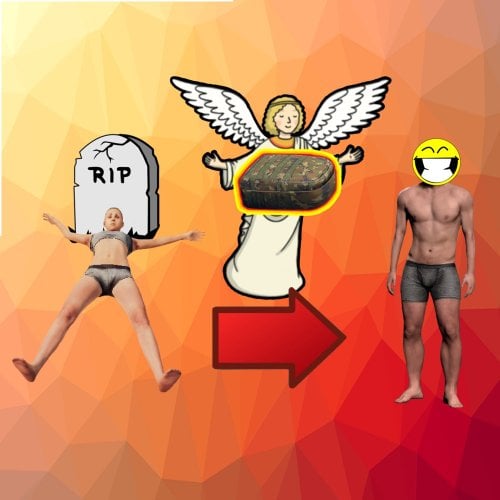
This plugin give the possibility to restore the very last corpse via chat or console command, and teleport the lootbag from a corpse back to the player, independently from the location. Only the content of the corpse, dropped tool/weapon is not supported, if not stick to the corpse. If the player die repeatedly, the previous corpses can't be restored, only the last. Permissions restorecorpse.allow - Permission to use the plugin feature via Chat command. Configuration SecurityStringAgainstF1use - used as additional protection, if the players knows the console command, and want to try the console command, without the restorecorpse.allow permission, to bypass it, for example if you want to put this console call into your shop as a buy-able feature. RestoreCommand and RestoreCommandConsole - Manually set-able commands for Chat and Console Usage. EnableReminder - Send reminder to the player, that there is a feature to restore the corpse, after death and weak-up. Example Configuration: { "SecurityStringAgainstF1use": "Abc123", "RestoreCommand": "restorecorpse", "RestoreCommandConsole": "restorecorpseconsole", "EnableReminder": true } Commands /restorecorpse - (If you set it as RestoreCommand) - Chat command, restore the last, still active corpse content and teleport the lootbag under the player. restorecorpseconsole Abc123 usersteamID - Console command, restore the last, still active corpse content and teleport the lootbag under the player, without the Security password, it is restricted. Localization English language file generated by default, texts supported by the language files.$12.00 -
Version 1.0.0
409 downloads
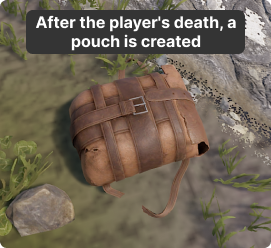
Removing the corpses of players. This will improve the performance of PVP, Battlefield serversFree



.thumb.png.8fb9cb5db33376288eba94beb961d0c6.png)