Search the Community
Showing results for tags 'creative'.
Found 17 results
-
Version 1.2.5
219 downloads
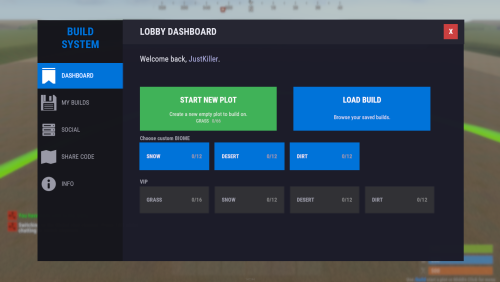
Complete Build System / Sandbox System 1.2.5 A premium all-in-one creative sandbox system for Rust build servers. Personal and VIP build plots for monetization and tiered access Built-in save/load system with share codes and native BuildSaves backend Guest system with permissions for collaborative building Basic symmetry tools, modern UI, and optimized build workflow Designed for serious build servers, practice servers, and creative communities Live Test: client.connect 46.224.9.69:25015 Core Features - Personal build plots with automatic plot assignment - Normal and VIP plots with separate radius and entity limits - Plot categories and biome-based plot layouts - Central lobby with teleport flow and optional respawn handling - Optional randomized plot allocation - Plot domes, map markers, radius control, and sound isolation - Custom build kits for every player plot - Included functional custom build map for a ready-to-run creative environment Save / Load / Share System - Native `BuildSaves` backend built directly for BuildSystem - No longer relies on CopyPaste as the active save/load dependency - Save unlimited builds per player - Load saved builds directly into your plot - Rename and delete saves - Category-aware last save loading for better biome/category continuity - Share code generation and importing - Guest restrictions enforced during save/load actions - Faster load validation through stored entity metadata - Safer queued save handling - Improved shutdown and unload protection so plots save more reliably - Legacy CopyPaste saves can be migrated with: `buildsaves.migrate` Guest & Collaboration System - Invite players to your plot - Request access to another player's plot - Accept or decline requests - Granular guest permissions: - Build - Remove - Demolish - Craft - Save copy - Guests can be moved cleanly back to lobby when needed - Better synchronization with `/leave`, disconnect cleanup, and plot ownership flow Creative Build Environment - Full creative building workflow - Free building and repairing - Blueprint unlock support - Noclip / fly support - God mode support - Optional off-plot restrictions - Blacklisted item support - Vehicle spawn whitelisting - Per-player vehicle limits - Built-in hammer remove support - Auto-upgrade support - Mass-upgrade support - One-click power on/off support for IO entities - Virtual item refresh support for reliable creative inventories - Safe spawn logic and improved off-plot behavior Limits, Protection & Automation - Separate normal and VIP entity limits - Live entity counting - Optional entity limit HUD - Build cost calculation - Upkeep calculation - Plot radius damage restriction - Auto-save interval support - Spawned entity auto-cleanup in lobby, plots, and outside managed areas - Player-owned and server/plugin-owned cleanup controls - Improved restart and disconnect cleanup behavior Plot Symmetry / Mirror Building - Optional symmetry building system via `BuildMirror` - Plot-based symmetry with hammer-selected pivot points - Multiple symmetry modes - Visual guide rendering - Limit-aware mirrored placement - Safer placement rejection when mirrored placement is invalid - Designed for faster, cleaner base prototyping Modern UI - Full Nexus-style graphical interface - Lobby UI and build menu workflow - Save/load/share management through UI - Guest management through UI - Tools and server info tabs - Keyboard shortcut support - Localized text system - Optional middle-click menu opening - Configurable footer text and layout Included Custom Build Map Includes a functional custom build map designed specifically for creative build servers. What the map provides: - Organized plot layout - Central lobby area - Space for normal and VIP plots - Cleaner server launch experience - Ready-to-use build-focused environment - Better structure for high-pop creative or practice servers Included Modules - `BuildConfig.cs` - central configuration provider - `BuildCore.cs` - player flow, plot lifecycle, connect/leave handling - `BuildPlots.cs` - lobby, plots, domes, markers, categories, teleport handling - `BuildIO.cs` - save/load/share orchestration - `BuildSaves.cs` - native save/load backend and legacy migration - `BuildGuests.cs` - guest requests, invites, permissions, guest flow - `BuildOptions.cs` - creative perks, restrictions, upgrades, god/fly, spawn controls - `BuildCosts.cs` - build and upkeep calculations - `BuildMirror.cs` - symmetry / mirror building - `BuildUI.cs` - graphical interface - `BuildLang.cs` - localization system Permissions - `buildcore.vip` - VIP plot size and VIP entity limit access - `buildplots.freeroam` - allows freer off-plot movement behavior - `buildplots.lobbyexit` - allows using the build menu flow from outside normal managed areas Migration Older installations that used CopyPaste-based saves can migrate to the new built-in save system with: `buildsaves.migrate` This makes upgrading older servers much easier while moving to the new native BuildSaves backend. Player Chat Commands - `/build` Open the lobby UI or build menu depending on where the player is. - `/leave` Leave the current plot. - Guests return to lobby - Plot owners save, clear, delete their active plot session, then return to lobby - `/invite <player>` Invite another player to join your plot as a guest. - `/request <player>` Request to join another player's plot. - `/accept <player>` Accept a pending request or invite. - `/decline <player>` Decline a pending request or invite. - `/noclip` - `/fly` - `/f` Toggle noclip/fly, depending on plot/off-plot restrictions. - `/god` - `/g` Toggle god mode, depending on plot/off-plot restrictions. Player Console Commands - `build` Console version of `/build`. - `leave` Console version of `/leave`. - `request <player>` Console version of `/request`. - `buildcost` Console version of `/buildcost`. - `fly` Console version of noclip/fly toggle. - `god` Console version of god mode toggle. Server Owner / Admin Command - `buildsaves.migrate [overwrite] [deleteOld]` Migrate legacy CopyPaste save files into the new BuildSaves format. - `overwrite` = optional true/false - `deleteOld` = optional true/false Example: `buildsaves.migrate` Config Explanation - `Server Settings - Name` Server name field in config. Currently mostly informational and not a major gameplay switch. - `Lobby Settings - Spawn Position` The world position for the lobby center and where players are teleported when sent to lobby. - `Lobby Settings - Radius` The size of the lobby area. Also affects lobby zone checks, dome size, and marker area. - `Plot Settings - Default Radius` Radius used for normal player plots. - `Plot Settings - VIP Radius` Radius used for VIP plots. - `Plot Settings - Randomize Plot Location` If true, players get a random free plot slot instead of the first available slot. - `CoolDown Settings - Share Code (Minutes)` How long a player must wait before generating another share code. - `Links - Discord` Discord link shown in the UI/server info section. - `Links - Website` Website link shown in the UI/server info section. - `Off Plot Settings - Allow F1 Spawn` Controls whether players can use allowed spawn/give behavior outside their own plots. - `Off Plot Settings - Force NoClip` Controls whether noclip/fly is allowed outside plots unless freer permissions apply. - `Off Plot Settings - Force GodMode` Controls whether god mode is allowed outside plots unless freer permissions apply. - `Lobby Settings - Force Teleport on Connect` If true, players are automatically sent to the lobby when they connect. - `Lobby Settings - Clear Inventory on Spawn` If true, inventory is cleared when players are placed into the lobby. - `Lobby Settings - Respawn in Lobby without Plot` If true, players without a valid active/guest plot respawn in the lobby. - `Map Markers - Enable` Enables map markers for lobby/plots. - `Plot Settings - Custom Kit Items` Items automatically given to players when entering a plot. In your example, players receive: - planner in belt slot 5 - hammer in belt slot 4 - `Allowed Entities - F1 Spawn` Whitelist of prefabs allowed through the plugin's F1/entity spawn behavior. Anything not listed is blocked. - `Item Settings - Blacklisted Items` Items blocked from the creative build environment. In your example: - `supply.signal` - `grenade.smoke` - `Vehicle Settings - Max per Player` Maximum number of spawned vehicles each player can own through the system. - `Plot Settings - Limit Damage to Radius` Restricts damage interactions to the plot radius so players cannot affect things outside their area. - `Entity Limits - Normal Max Entities` Max entity count for normal players. - `Entity Limits - VIP Max Entities` Max entity count for VIP players. - `Dome Settings - Lobby Color` Visual dome color for the lobby. - `Dome Settings - Lobby Intensity` Number/intensity of dome visuals in lobby. Higher values create a stronger effect. - `Dome Settings - Plot Color` Visual dome color for plots. - `Dome Settings - Plot Intensity` Number/intensity of dome visuals for plots. - `Plot Settings - Sound Isolation` Helps isolate plot audio/effects so players mainly receive sounds from the relevant managed area. - `UI Settings - Show Limit HUD` Shows or hides the HUD that displays entity/vehicle limits. - `UI Settings - Enable Middle Click` Lets players open the menu with middle mouse click. - `Compatibility - Disable Grade Control (for BuildTools compatibility)` Disables the plugin's built-in grade control features so it does not conflict with BuildTools or similar systems. - `Compatibility - Enable Built-in Hammer Remove (R)` Enables the built-in hammer reload/remove behavior. - `Plot Settings - Hammer Remove Distance` Max distance for hammer-based removal checks. - `Plot Settings - Auto-Save Interval Seconds (min time between auto-saves per player)` Minimum delay between automatic saves for a player's dirty plot. - `UI Settings - Footer Text Align` Screen alignment for footer text. - `UI Settings - Footer Anchor Min` Lower anchor position for the footer UI panel. - `UI Settings - Footer Anchor Max` Upper anchor position for the footer UI panel. - `UI Settings - Footer Text Color (R G B A)` Footer text color and transparency. - `UI Settings - Footer Font Size` Footer text size. - `Spawned Entities - Auto-Remove In Lobby` Enables cleanup of eligible spawned entities in the lobby. - `Spawned Entities - Auto-Remove Inside Plots` Enables cleanup of eligible spawned entities inside plots. - `Spawned Entities - Auto-Remove Outside Plots` Enables cleanup of eligible spawned entities outside managed zones. - `Spawned Entities - Apply Auto-Remove To Player-Owned` Apply cleanup rules to player-owned spawned entities. - `Spawned Entities - Apply Auto-Remove To Server/Plugin-Owned` Apply cleanup rules to server/plugin-owned entities too. - `Plot Symmetry - Enabled` Master switch for the symmetry / mirror building system. - `Plugin Version` Internal config version entry used for config migration/bookkeeping. Developer hooks for compatibility - `CanBuildSystemKillEntity` Lets other plugins prevent BuildSystem from deleting or killing a specific entity during cleanup, removal, or plot clearing actions. - `CanBuildSystemHammerRemoveEntity` Lets other plugins block the built-in hammer remove system before an entity is removed. Example: object CanBuildSystemKillEntity(BaseEntity entity) { if (entity == null) return null; if (entity.ShortPrefabName == "autoturret_deployed") return false; // block BuildSystem from removing it return null; // allow normal BuildSystem behavior } object CanBuildSystemHammerRemoveEntity(BaseEntity entity) { if (entity == null) return null; if (entity.ShortPrefabName == "wall.frame.shopfront") return false; // prevent hammer remove for this entity return null; // allow normal BuildSystem behavior }$99.99 -
Version 1.0.0
18 downloads
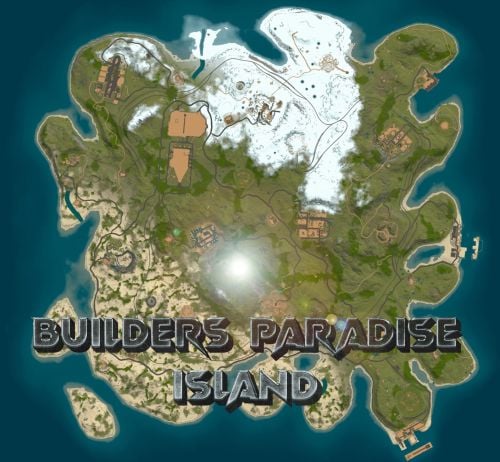
BUILDERS ISLAND – 4500K CREATIVE RUST MAP Builders Island is a fun to explore, builder-friendly 4500k Rust map loaded with every major monument and a ton of custom build spots. Designed for smooth performance, creative freedom, and competitive gameplay. What Makes It Special Fully connected train tracks + underground rails for fast travel and tactical control Endless Custom Buildable areas that players will love! Diverse terrain: forests, deserts, coasts, cliffs, valleys & plateaus Perfect for solos, clans, builders, and high-pop servers. Dozens of Custom Build Zones marked with an "X" on the Map Low-prefab, FPS-friendly buildables: Custom caves Underwater Locations to build a base Hidden structures Unique build pockets All Facepunch Monuments Included Launch Site • Military Tunnels • Military Base • Silo • Airfield • Power Plant • Water Treatment • Trainyard • Harbors • Outpost • Excavator • Oil Rigs • Arctic Base • Junkyard • Sphere Tank • Satellite Dish • Ferry Terminal • Sewer Branch — and more. Map Info Size: 4500k Prefabs: ~10,681 Support Discord: DarkoRust$24.99- 2 reviews
-
- 1
-

-
- #custom map
- #build zone
- (and 14 more)
-
Version 5.0.0
140 downloads
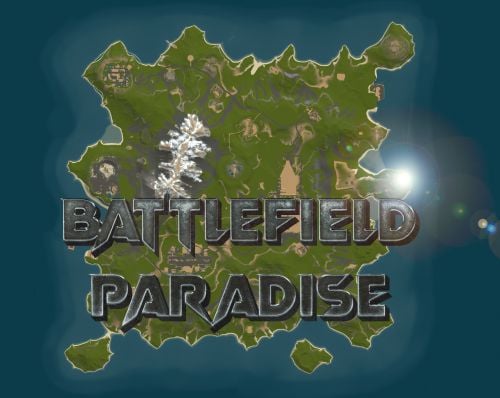
In the heart of this EPIC RUST BATTLEFIELD MAP lies a breathtaking landscape crafted for High-FPS and fast paced PVP Gameplay. Amidst towering mountains and sprawling valleys, players navigate custom buildable underwater caves that offer strategic advantages for building and hiding bases. At its center, a colossal mountain dominates the skyline with the iconic Large Oil Rig and a meticulously designed Buildable Dome, all optimized for peak performance with minimal entity counts. This will be the central area where your players gather to practice PVP in the Large Oil Rig and fend off enemies practicing Raid Defense and Offense in the EPIC scale Buildable Dome! NEW EXPERIENCE! Battle Towers Buildable Zone stands as a fortress of opportunity and conflict. Towering HUGE structures invite players to build bases on top of, defend against raids, and engage in intense PvP battles atop their formidable heights, giving one of the most FUN experiences any player can have in Rust! Scattered across the terrain are 22 bespoke buildable monuments, each marked with an X on the map, bringing in your players with a fresh take on base building locations. This masterpiece of design not only promises thrilling PvP encounters but also showcases a commitment to immersive gameplay and efficient server performance, making it the best released Map for Battlefield Rust servers to date! FEATURES • Size: 2800 • Prefab Count: 6352 • Map Optimized for Performance! • Map Password: Included. • Vast array of 22 EPIC Custom Buildable Monuments! • Designated building zones (marked X on the minimap) • Several Majestic Underwater Buildable Cave Bunkers! • Legendary Battle Towers Build Zone: An expansive custom-built zone featuring multiple towers for epic building, raiding, and intense PVP combat! • Monuments crafted for peak performance with minimal entities! • EPIC Scale PVP Mountain center of map with Large Oil Rig and Buildable Dome! • Everything crafted with Battlefield PVP Servers in mind for peak performance and EPIC scale FUN! • Monumental and realistic landscape! • Underground railway. CUSTOM BUILDABLE MONUMENTS: • Amount: 22 Total! • Buildable Dome • Custom Underwater Bunkers • Custom Large Size Bus Stop Base • EPIC Scale Rock Formation Cave • Medium Sized Glass Roof Cave • + MANY MORE! Facepunch Monuments: Launch Site Dome Giant Excavator Military Base 2X Large Oilrig Small Oilrig Nuclear Missile Silo Ferry Terminal Satellite Dish Small Harbor 2X Lighthouse 2X Gas Station 2X HQM Quarry Sulfur Quarry Stone Quarry Supermarket RadTown Power Substations Small and Large Jungle Ziggurat Cave Large Sewers Hard Cave Large Hard Cave Medium Medium Cave Large Medium Ranch Stables Fishing Village Bandit Town Outpost To Enable the Travelling Vendor on Custom Maps its optional to use this Oxide Plugin: https://codefling.com/plugins/anymapvendor Help Discord: @DarkoRust$24.99- 4 reviews
-
- 2
-

-
-
- #battlefield
- #custom map
- (and 25 more)
-

Version 2.0.0
25 downloads
Discover the ULTIMATE RUST ONE GRID MAP, featuring a breathtaking mountainous landscape perfect for high-FPS and fast-paced PVP. The dynamic terrain utilizes a large mountain for players to summit and winding roads to minimizes sight lines making the Map feel much larger. While having custom underwater caves offers strategic building and hiding spots. At the center, the iconic Dome dominates, surrounded by HQM and Sulfur Quarries to entice players to the middle of the map to fight over loot and ore. Map offering unparalleled fun and creativity for players who LOVE TO BUILD. Explore unique buildable monuments marked with "X" on the map, each providing more unique base-building opportunities. This map promises thrilling PVP action and immersive gameplay, making it the BEST One Grid Rust Server Map ever created! FEATURES: • Size: 1500 • Prefab Count: 1199 • Map Optimized for Performance! • Map Password Included. • EPIC Custom Buildable Monuments! • Designated Building Zones (marked X on the minimap) • Majestic Underwater Buildable Cave Bunkers! • Monuments crafted for peak performance with minimal entities! • The terrain features a massive mountain with a road leading to the top to reduce sight lines, making the smaller map feel much larger! • Everything crafted with One Grid players in mind to have lots of loot and many places to build! • Underground and Above Ground Railway. Not connected but accessible by Tunnel Entrances. • Full Outpost and Bandit Camp • Fishing Village CUSTOM BUILDABLE MONUMENTS: • 9 Total • 4 Buildable Underwater Bunkers • Large Custom Buildable Cave • Custom Large Size Bus Stop Base • Epic Buildable Sphere Tank players will love! • Buildable Bunker Building • Buildable Warehouse Facepunch Monuments: Dome Satellite Dish 1x Lighthouse Supermarket Oxum's Gas Station 2x Mining Outpost HQM Quarry Sulfur Quarry Bandit Town Outpost Fishing Village Ranch Stables Underwater Labs 5x Large Power Substations 4x Small Power Substations Help Discord: @DarkoRust$14.99- 3 comments
- 2 reviews
-
- 2
-
-
-
- #one grid
- #custom map
- (and 47 more)
-
Version 3.0.0
147 downloads
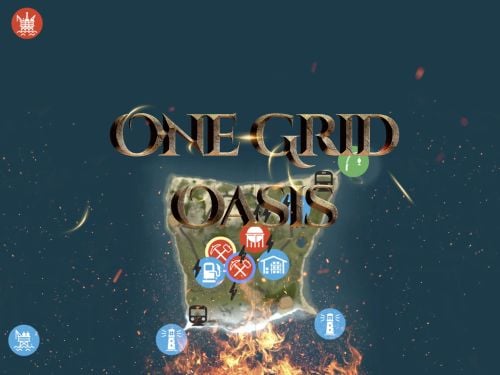
Discover the ULTIMATE RUST ONE GRID MAP, featuring a breathtaking landscape perfect for high-FPS and fast-paced PVP. The dynamic terrain utilizes many hills and valleys to minimizes sight lines making the Map feel much larger. While having custom underwater caves offers strategic building and hiding spots. At the center, the iconic Dome dominates, surrounded by HQM and Sulfur Quarries to entice players to the middle of the map to fight over loot and ore. NEW FLOATING ISLANDS expands buildable terrain, offering unparalleled fun and creativity for players who LOVE TO BUILD. Explore 12 unique buildable monuments marked with "X" on the map, each providing more unique base-building opportunities. This map promises thrilling PVP action and immersive gameplay, making it the BEST One Grid Rust Server Map ever created! FEATURES: • Size: 1000 • Prefab Count: 2285 • Map Optimized for Performance! • Map Password Included. • Vast array of 12 EPIC Custom Buildable Monuments! Caves, Underwater Bunkers, Floating Sky Platforms, Bus Stops, Warehouses and more! • Designated Building Zones (marked X on the minimap) • 3 Floating Islands in the sky to build on to add more buildable terrain for a small map. • 3 Majestic Underwater Buildable Cave Bunkers! • Monuments crafted for peak performance with minimal entities! • The terrain features varied elevations to reduce sight lines, making the smaller map feel much larger! • Everything crafted with One Grid players in mind to have lots of loot and many places to build! • Underground railway. • Custom Combined Outpost/Bandit Camp/Fishing Village Safe Zone! Gambling, Vending Machines, Vehicle Vendors and more! CUSTOM BUILDABLE MONUMENTS: • Amount: 12 Total! • 3 Buildable Underwater Bunkers • 3 Buildable Floating Islands • Custom Large Size Bus Stop Base • 2 EPIC Scale Rock Formation Caves • Medium Sized Glass Roof Cave • + MANY MORE! Facepunch Monuments: Dome 2x Lighthouse Supermarket Jungle Ziggurat Oxum's Gas Station Mining Outpost HQM Quarry Sulfur Quarry Bandit Town/Outpost/Fishing Village Combined Underwater Labs 5x Large Power Substations 4x Small Power Substations 4x Bus Stops To Enable the Travelling Vendor on Custom Maps its optional to use this Oxide Plugin: https://codefling.com/plugins/anymapvendor Help Discord: @DarkoRust$14.99- 8 comments
- 4 reviews
-
- 5
-

-
-
-
- #one grid
- #custom map
- (and 43 more)
-
Version 6.0.0
192 downloads
Perfect sized 3500K Rust map offers a unique gaming experience for creative builders, featuring all monuments except the Sewer Branch. It includes train tracks that connect to underground rails making transportation smooth all around. Full types of Topology terrain includes lush forests, arid deserts, rugged coastlines, gentle hills, deep valleys, and elevated plateaus. Key monuments such as the Military Base, Military Tunnel, Launch Site, and more are strategically placed, providing prime locations for looting, trading, and player interactions. The train tracks, linked to underground rails, create additional routes and strategic points for players to explore and control. This unique feature introduces a tactical element, where mastering the train tracks can significantly impact resource and territory competition. Additionally, the map is enriched with numerous custom buildable monuments, including caves, underwater bases, and various structures for building. These custom elements enhance the gameplay, offering diverse options for base construction and defense. Summary this 3500K Size Rust map delivers a complete and dynamic experience, featuring key monuments, custom buildable locations, and the strategic addition of train tracks connected to underground rails. General Information Map size: 3500K Prefab Count: 6091 Custom Buildable Monuments Several total low prefab count monuments to build in such as Caves, Underwater Bases and buildings! Facepunch Monuments Small Harbor Large Harbor Airfield Junkyard Launch Site Military Tunnels Nuclear Missile Silo Powerplant Trainyard Ferry Terminal Water Treatment Sphere Tank Sewer Branch Satellite Dish Outpost Excavator Large Oilrig Small Oilrig Arctic Research Base A Military Base To Enable the Travelling Vendor on Custom Maps its optional to use this Oxide Plugin: https://codefling.com/plugins/anymapvendor Help Discord: DarkoRust$24.99 -
Version 1.0.0
15 downloads
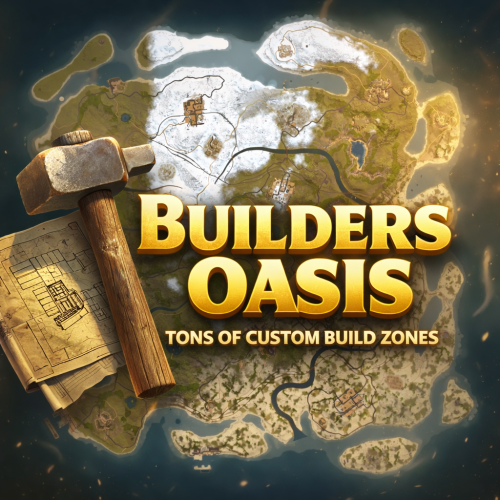
BUILDERS OASIS – 4250K CREATIVE RUST MAP Builders Oasis is a fast-paced, builder-friendly 4250k Rust map loaded with every major monument and a ton of custom build spots. Designed for smooth performance, creative freedom, and competitive gameplay. What Makes It Special Fully connected train tracks + underground rails for fast travel and tactical control Endless Custom Buildable areas that players will love! Diverse terrain: forests, deserts, coasts, cliffs, valleys & plateaus Perfect for solos, clans, builders, and high-pop servers. Custom Build Zones Low-prefab, FPS-friendly buildables: Custom caves Underwater bases Hidden structures Unique build pockets All Facepunch Monuments Included Launch Site • Military Tunnels • Military Base • Silo • Airfield • Power Plant • Water Treatment • Trainyard • Harbors • Outpost • Excavator • Oil Rigs • Arctic Base • Junkyard • Sphere Tank • Satellite Dish • Ferry Terminal • Sewer Branch — and more. Map Info Size: 4250k Prefabs: ~14607 Support Discord: DarkoRust$24.99 -
Version 1.0.0
15 downloads
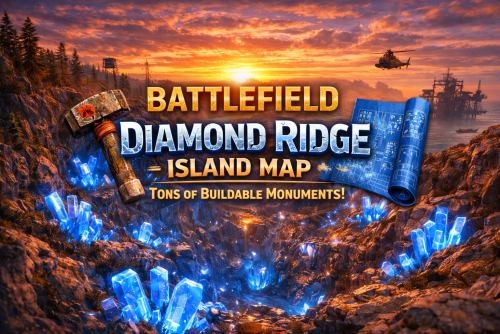
BATTLEFIELD DIAMOND RIDGE ISLAND – 3050K CREATIVE RUST MAP! Battlefield Diamond Ridge Island is a beautifully crafted 3050k custom Rust map built for high-pop servers, builders, clans, and creative players who want something completely unique. Every inch of this island is shaped for smooth performance, insane build freedom, and competitive gameplay—without unnecessary clutter dragging FPS down. This map features shallow beaches, allowing players to build closer to the shoreline than most Rust maps ever allow, opening massive new opportunities for ocean-edge bases and clan compounds. What Makes It Special Diamond Ridge Canyon! A massive valley filled with glowing diamonds, vibrant grass, crystal formations, and a unique canyon layout with a glass roof perfect for large bases, clan builds, and creative setups. One of the most visually striking buildable zones in Rust. 25+ Custom “X” Monuments! Hand-crafted, FPS-friendly, fully buildable monuments that give your players endless fresh places to claim and fight over. Do players complain about never having enough interesting spots to build? Now you NEVER have to worry about that again! With 25+ Custom Buildable Monuments and dozens of caves/arch rocks etc. you'll NEVER have to worry about this issue again. These include custom UnderWater Cave structures, Buildable Extra Dome, Custom Cave Bunkers, Glass Roof Arch Rocks, Custom Buildable Rock Formations, HUGE bus Stop Base, Cobalt Military bunker and creative buildings scattered all across the island. Tons of Buildable Caves Designed with smooth layouts, extended space, and clean performance. Each cave offers unique strategic options for solos, duos, and clans. Beautifully Crafted Terrain Expect: Diamond-filled valleys Glowing blue “energy grass” fields Canyons & cliffs Lakes, rivers, and plateaus Optimized forests Smooth desert transitions Clean terrain sculpting with no unnecessary clutter Everything is crafted by hand to play well and look amazing. Fully Connected Rails Above-ground and underground rails wrap the island for easy transport, strategic movement, and train-based PvP. Shallow Flat Extended Beach Zones These work amazing for those players who complain about not enough flat spaces for a base! Now they will have endless flat locations to build those huge compounds! Perfect for: Zerg Bases Wall Stacked Builds Ocean Base PvP Creative boat compounds Wider building zones than standard Rust maps All Major Facepunch Monuments Included (Except Arctic Research Base) ✔ Launch Site ✔ Airfield ✔ Military Tunnels ✔ Missile Silo ✔ Trainyard ✔ Water Treatment ✔ Power Plant ✔ Large and Small Harbors ✔ Junkyard ✔ Dome Sphere Tank ✔ Satellite Dish ✔ Ferry Terminal ✔ Outpost ✔ Bandit Camp ✔ Ranch ✔ Fishing Villages ✔ Excavator ✔ Large & Small Oil Rig ✔ Sewer Branch ✔ Desert Military Base ✔ RadTown ✔ Roadside Monuments ✔ Underwater Labs ✔ And all core vanilla monuments you'd expect (Only Arctic Research Base is excluded for performance and theme.) Map Info Size: 3050k Entities: ~4,615 Custom Monuments: 25+ Buildable Cave Systems: Many Theme: Diamonds • Canyons • Glowing Grass • Shallow Beaches • Performance-Optimized Support Discord: DarkoRust$24.99- 1 comment
- 2 reviews
-
- 3
-

-
-
- #battlefield
- #rust map
- (and 21 more)
-
Version 1.0.0
21 downloads
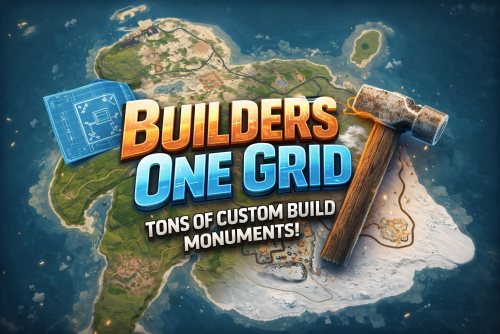
BUILDERS ONE GRID – 2000K CREATIVE SMALL RUST MAP Builders One Grid is a small fast-paced, builder-friendly 2000k Rust map loaded with Custom Buildable Monuments created by myself! The problem with most One Grid Maps is the lack of places for players to build. With my map your players will have tons of fun and unique spots to build a base from cool caves, military installations, bus stops, icebergs, houses, islands and much more! Many many monuments to loot as well! Designed for smooth performance, creative freedom, and competitive gameplay. What Makes It Special: Endless Custom Buildable areas that players will love! Marked with an "X". Diverse terrain: forests, jungles, deserts, coasts, cliffs, valleys & plateaus. Perfect for solos, clans, builders, and high-pop servers. Custom Build Zones Low-prefab, FPS-friendly buildables: Custom caves Military Installations Hidden structures Unique build pockets Arch Rocks Icebergs Bus Stops Many Facepunch Monuments Included Military Base • Missile Silo • Water Treatment • Harbor • Outpost • Large Oil Rig • Small Oil Rig • Arctic Base • Sphere Tank • Satellite Dish • SuperMarket • Gas Station • Lighthouse • HQM Quarry • Sulfur Quarry • Stone Quarry • Jungle Ziggurat • Fishing Village — and more. Map Info Size: 2000K Prefabs: ~2251 Support Discord: DarkoRust$19.99- 1 review
-
- 1
-
-
- #map
- #custommap
- (and 20 more)
-

Version 1.2.0
701 downloads
A simple plugin to allow users to toggle creative mode for themselves based on permissions. As of now, this plugin is considered complete, however if you have suggestions please feel free to reach out. Commands: /creative - Toggle Creative mode for the user who issued the command /creativefreerepair - Toggles the creative.freeRepair Convar /creativefreebuild - Toggles the creative.freeBuild Convar /creativefreeplacement - Toggles the creative.freePlacement Convar /creativeunlimitedio - Toggles the creative.unlimitedIo Convar Config Options: { ConsoleLoggingEnabled = true, ChatMessageEnabled = true, IconEnabled = true, IconAnchorMin = "0.345 0.11", IconAnchorMax = "0.375 0.16", IconImageURL = "https://i.postimg.cc/nVvW4Smw/Creative-Mode.png", IconColor = "1 1 1 0.3", CreativePermission = "creativetoggle.use", ConVarPermission = "creativetoggle.convars" } This plugin still relies on the built-in Rust convars. See the quote below for more information about those. Permissions: creativetoggle.use - Allows the user to toggle creative mode for themselves. creativetoggle.convars - Allows the user to toggle the state of the convars related to creative mode. Resources used: Visual Studio Code Visual Studio 2022 Github Copilot VS Code Extension HandyS11's RustPluginTemplateFree -
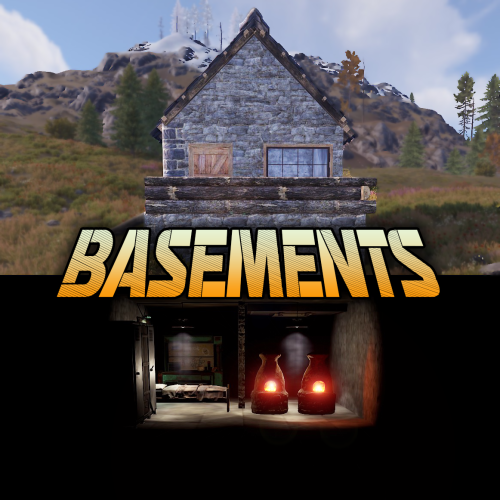
Version 1.0.6
1,200 downloads
Basements lets players build underground rooms beneath their bases. Place a hatch on your foundation and dig straight down into a hidden basement with walls, ceilings, and full building privileges. Great for stashing loot, setting up secret bunkers, or just adding extra space. Readme Link - Click Here for Instruction and Documentation Highly recommend reading the FAQ section! BUILD Build basements easily from your tool cupboard. Just place an entrance to get started. EXPAND Expand your basement by drilling underground. But don't forget to bring a headlamp - its dark down there! TRAVERSE Place multiple entryways, building out your labyrinth of tunnels beneath your base. DECORATE All deployables, electricity, and storage items can be placed in your basement. Take advantage of your new space! RAID Nothing is safe in Rust, including your basement. If all the entrances are destroyed, then the basement is too. Any loot below will float to the surface. Protect the entrance at all costs! API METHODS (For Plugin Developers) // Returns true if the given entityId is part of a basement. bool IsBasementEntity(ulong entityId) // Returns the building ids of the basements connected to a given surface building id. uint[] GetBasementBuildingIds(uint surfaceBuildingId) // Returns the building ids of the surface buildings connected to a given basement building id. uint[] GetSurfaceBuildingIds(uint basementBuildingId) Extension Plugins These are free plugins that add additional functionality to Basements. BasementsManager Provides a UI for admins to view and manage the basements on the server. Useful for debugging & fixing issues. Use with the /bm command, requires the basements.admin permission to use. BasementsManager.cs$29.99 -
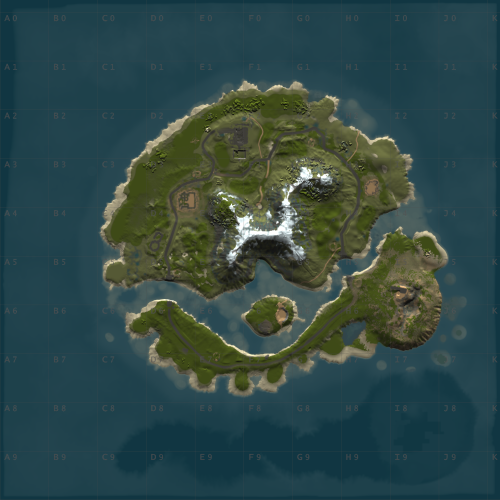
Version 1.0.4
28 downloads
WindyCleft (OneGrid) A small map in the (OneGrid) style with unique monuments featuring intriguing puzzles and a fully customized underwater monument. Specially designed for OneGrid servers and servers with up to 150 players online. Custom Monuments: Fuel processing plant – a semi-ruined factory with two floors. Two Tower – Two towers connected high in the mountains with military crates. Mysterious house – at first glance, it’s just an ordinary wooden house in the forest under the mountain, but it’s only at first glance. The house hides a secret military bunker with a puzzle and security. You’ll find many interesting things there. Angar – it used to be used to unload military trains, but after the war in 2050, the island’s new residents started using the hangar to repair their cars. However, from the past, there is one room that no one has been able to open yet; they say there is something very valuable inside. Zavod – an old factory that once supplied the island with fuel; now only one external fuel processor remains. Post – a small roadside monument. Puzzle – a monument from the Hapis map slightly modernized. ??? – During a rescue operation with a sunken ship, Captain Morrison discovered an unusual underwater signal. He reported this information to the Cobalt Corporation, and since then, no one has seen them. Old residents say there was once an island there, but it sank after a volcano eruption. FacePunch Monuments: Fishing village Oil Rig SuperMarket Gas Station HQM Quarry Sewer Branch The map will be constantly supported and updated. If you have any questions, feel free to message me on Discord.$19.00-
- 1
-
-
- #maps
- #custom maps
- (and 28 more)
-

Version 1.1.3
5 downloads
ExplosiveGift - add fun to your server! This plugin turns ordinary gifts into real surprises. Now when a player opens a gift, not only useful loot, but also a real explosion! You never know what's inside - a valuable item or a trap. ExplosiveGift is easy to customize. You choose which explosive items can be in the gift, with what chance they will appear, what the damage and blast radius will be. It's easy to install and doesn't load the server, and the explosions look realistic and do damage depending on the distance to the epicenter. The plugin is great for holiday events, raffles or just to add some excitement to the game. ExplosiveGift is a great way to surprise players, add more emotion and make every gift truly memorable. Gifts will no longer be boring - now they can be the start of a fun adventure! Install ExplosiveGift on your server and watch players open gifts with interest and caution, because now each of them can become a real test of luck!$4.00 -
Version 2.1.0
33 downloads
Take your Rust gameplay to the next level with Action Camera! Want to feel like you're the center of attention? With Action Camera your Rust actions will be available for viewing in real time! What makes Action Camera special? You're always in the center of the action. Your friends and viewers can watch your every move, whether it's base building, battles, or raids. Now every moment will be truly unforgettable! Unique experience. Rust has never been like this! With Action Camera, you experience every moment together with other players, because they can see everything that's happening around you. New game situations. Imagine how spectators are watching you in the thick of battle or on a raid. All the tension, every decision - now it's a real performance that unfolds before the eyes of the audience. Creating bright moments. Now your friends can record your most epic moments from completely new angles, creating unique videos of your survival. Add intrigue and spectacle to your game with Action Camera! Feel the real thrill of knowing you're being watched. Make every Rust session unique and memorable. Install Action Camera - you'll love it! Permissions actioncamera.create – the primary permission for players. It allows the creation of an action camera when wearing a miner's hat. actioncamera.admin – allows viewing the list of all active cameras on the server using the /cams command. Chat Commands /camlock – locks the current camera ID to the player. This specific ID will be assigned every time the player equips the hat in the future. /camunlock – unlocks the camera ID. The next time the player puts on a miner's hat, they will be assigned a new random ID. /cams – displays a list of all active action camera IDs and their owners in the chat.$19.00- 13 comments
- 1 review
-
- 4
-
-
-
- #creative
- #mechanics
- (and 9 more)
-
Version 2.0.1
121 downloads
AdminEssentials is a powerful and easy-to-use toolkit for Rust server administrators. It provides a comprehensive suite of moderation, management, and utility commands to help you run your server smoothly. Features Teleportation tools: Teleport to players or coordinates, teleport back to previous locations, and teleport to placed map markers. Player moderation: Kick players, ban players (with timed durations and reasons), and unban players via simple commands. Player management: Heal players to full health, kill players instantly, and toggle special modes like God mode and Creative mode for yourself or others. Inventory and items: Give items to players, clear a player’s inventory, repair items, and view any player’s inventory contents in real time. Item Trash Can: Includes a personal Trash Can UI for safely destroying items. Server controls: Change the server time, set a personal “admin time”, instantly clear all weather effects, and reload server plugins in-game. Communication: Send private messages to players and reply quickly to the last message. Display a list of all online players and get detailed information on any player with a WhoIs lookup command. Automated messages: Optionally broadcast welcome messages to joining players and goodbye messages on disconnect. Configure periodic auto-messages that broadcast to the server at set intervals. Logging and customization: All admin actions can be logged to the server console/RCON and/or to a Discord webhook (configurable per command). Customize the chat prefix and icon for AdminEssentials messages to suit your server’s style. Commands (Use these commands in chat with the "/" prefix. All commands require the user to have the appropriate permission as listed in the Permissions section.) Teleportation Commands /goto – Teleport yourself to a player or to specific coordinates. (You can also teleport one player to another by specifying two player names.) /tpm – Toggle “teleport to marker” mode. When enabled, placing a map marker will instantly teleport you to that location. Use /tpm again to disable this mode. /back – Teleport back to your last saved location. Typically this returns you to where you teleported from (or your death location, if applicable). /spectate – Spectate the target player. Puts you into spectate mode attached to that player. Use the command again (or the on-screen UI button) to exit spectating and return to your original position. Moderation Commands /kick [reason] – Kick a player from the server. You may provide an optional reason which will be shown to the player. /ban [duration] [reason] – Ban a player. Optionally specify a duration (e.g. “30m”, “2h”, “7d”) and/or a reason. If no duration is given, a default (1 day) ban is applied. /unban – Unban a player. You can use either the player’s name or Steam ID. Player Management Commands /heal [player] – Fully heal yourself (no name) or the specified player (if a name is given). Restores health and vital stats to maximum. /kill [player] – Instantly kill yourself or the specified player. /god [player] – Toggle god mode (invincibility) on yourself or on another player. A player in god mode will not take damage or die until god mode is toggled off. /creative [player] – Toggle Rust’s creative mode on yourself or on another player. Creative mode allows building and crafting without restrictions. /creativeall – Toggle creative mode for all players on the server at once. Inventory Commands /give [amount] [skinId] [name] – Give an item to a player. You must specify the target player and item short name (or Item ID). You can optionally specify an amount (default 1), a skin ID, and a custom item name. /clear [player] – Clear your own inventory (no name given) or another player’s inventory (if a player name is provided). This completely empties the inventory of the target. /repair [player] – Repair the currently held item to full condition. If a player name is given, repair that player’s held item instead. /repairall [player] – Repair all items in your inventory. If a player name is given, repair all items in that player’s inventory instead. /viewinv – View the specified player’s inventory. This opens the target player’s inventory containers (main, belt, wear) for you, allowing you to see and/or move items. /trash – Open your personal trash can UI. This provides a special container (default 18 slots) where you can place items to destroy. Closing the trash UI with items inside will delete those items (after you confirm via the Delete button). Server Management Commands /time <0-24> – Change the server time to the specified hour (0–24). For example, “/time 12” sets in-game time to noon. /admintime [0-24] – Set your personal time of day. This overrides the server time for you only (useful for admins who want daylight while it’s night on the server). Specify an hour (0–24) to lock your time, or use no argument to reset back to normal server time. If you run it with no number or with -1 it will disable admintime. /clearweather – Instantly clear all weather effects on the server. This will stop rain, fog, and thunderstorms, returning to clear weather. /reload [plugin] – Reload an Oxide/Umod plugin. By default (no name given), this will reload the AdminEssentials plugin itself. You can specify another plugin name to reload that plugin instead. Communication Commands /pm <player> <message> – Send a private message to a player. The target player will receive your message privately. /r <message> – Reply to the last private message you received. This sends a PM back to whoever last messaged you (equivalent to a “reply” function). Information Commands /whois [player] – Display detailed information about a player. With no name, it will show your own info. The info can include the player’s name, Steam ID, position coordinates, connection status, health and vitals, and flags (admin, godmode, etc.). (The amount of detail shown depends on your permissions; see Permissions.) /players – Show a list of all online players on the server. By default this will list the player names (and possibly IDs) in chat. Utility Commands /essentials – Display the AdminEssentials help list. This command prints a list of all available AdminEssentials commands (the same commands listed above) with brief descriptions, to your chat. Only users with permission can use this. Permissions (Each permission can be granted to server staff or groups to allow use of the corresponding commands. All permission strings begin with adminessentials. as shown.) adminessentials.goto – Required to use the /goto command. adminessentials.back – Required to use the /back command. adminessentials.tpm – Required to use the /tpm teleport-to-marker command. adminessentials.spectate – Required to use /spectate. adminessentials.kick – Required for the /kick command. adminessentials.ban – Required for the /ban command. adminessentials.unban – Required for the /unban command. adminessentials.heal – Allows use of /heal. adminessentials.kill – Allows use of /kill. adminessentials.god – Allows use of /god mode toggle. adminessentials.creative – Allows use of /creative mode toggle. adminessentials.creativeall – Allows use of /creativeall (creative mode for all players). adminessentials.give – Required for /give item command. adminessentials.clear – Required for /clear inventory command. adminessentials.repair – Required for /repair command (repair held item). adminessentials.repairall – Required for /repairall command (repair all items). adminessentials.viewinv – Required for /viewinv (view player inventory). adminessentials.trash – Required for /trash (open personal trash can). adminessentials.time – Allows use of /time to set server time. adminessentials.admintime – Allows use of /admintime for personal time setting. adminessentials.clearweather – Allows use of /clearweather. adminessentials.reload – Allows use of /reload command to reload plugins. adminessentials.pm – Required for /pm and /r (private messaging commands). WhoIs Information Permissions: (The /whois command output is divided into sections; each section requires a specific permission. Granting all will show full info.) adminessentials.whois.info – Allows the /whois command to show basic info: player name, Steam ID, and position. adminessentials.whois.status – Allows /whois to show connection status (online/offline), life status (alive or dead), sleeping or wounded state. adminessentials.whois.stats – Allows /whois to show the player’s stats: health, calories, hydration, temperature, radiation, bleeding, wetness. adminessentials.whois.flags – Allows /whois to show player flags: whether the player is admin, in creative mode, developer mode, flying, or in god mode. adminessentials.players – Required for the /players list command. adminessentials.help – Required for the /essentials help command (to view the in-game command list).$19.99- 15 comments
- 1 review
-
- 2
-
-
-
- #admin
- #essentials
- (and 17 more)
-
Version 2.3.2
131 downloads
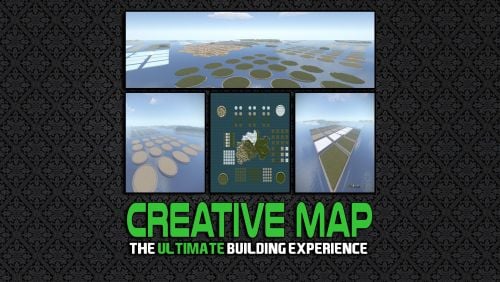
This feature filled map is guaranteed to take your Creative Server to the next level - give your players the ultimate playground for building. The map can be added to your server in a few simple steps, its really that easy to get installed and up and running! Map Size: 5000 Want to experience the map before purchasing? You can join our Official Build Server using the details below: Nexus Gaming | Creative Build Server IP Address: build.nexusgaming.uk Battlemetrics Link Full Feature List This map contains the following features: 4x Large Round Islands (1 of each biome type) 9x Islands with Caves (3 Snow/ 3 Grass and 3 Jungle) 25x Square Plots (10 Grass/ 5 Desert/ 5 Jungle and 5 Snow) 25x Square Plots (Ice) 24x Large Round Plots (6 Snow/ 6 Desert/ 6 Jungle and 6 Grass) 25 Smaller Round Plots (Grass) 25 Smaller Round Plots (Jungle) 20 Smaller Round Plots (Desert) 6x Large Round Plots (Snow) 6x Large Round Plots (Desert) 6x Large Round Plots (Grass) 6x Large Round Plots (Jungle) 15x Large Square Plots (Grass) 3x Large Square Plots (Snow) 3x Large Square Plots (Desert) 3x Large Square Plots (Jungle) The map also contains a large section of normal map in the middle, this also has all four biomes available. Video Overview Join my Discord You can join my official marketplace discord: https://rebootrust.com/market$15.00 -
Version 2.0.3
531 downloads
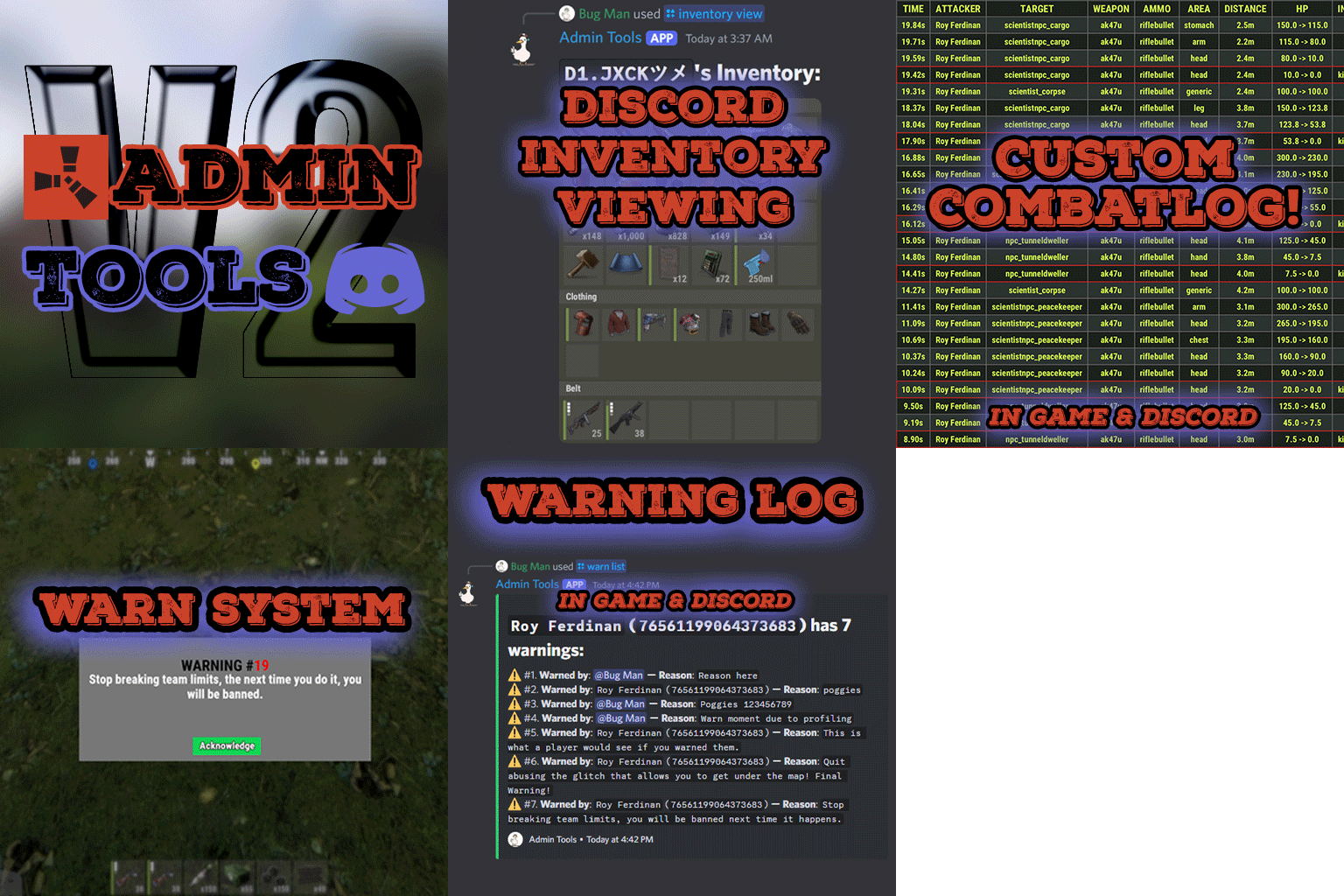
Admin Tools is an all-in-one plugin designed to make your job as a server owner/admin easier. This plugin has a wide range of features and commands that allow you to control your server easily, both in-game and via Discord. It also adds custom quality of life features exclusive to this plugin! ★ Inventory Viewing System - View an NPC or player's inventory in Discord and in-game ★ Multi-Server Support - Allows you to manage multiple Rust servers from a single bot ★ Custom Combatlog System - View a player's combatlog in Discord and in-game ★ Backpack Viewing System - View a player's backpack (uMod plugin) in Discord ★ Custom ID System - Get the ID of players on your server quick and easy, copy directly from chat ★ Warn System - Inform players of their wrongdoings and keep track of them (Warn Visuals: UI, Chat, Chat + Toast/Gametip) ★ Watchlist System - Lets you put suspicious players on a list for you to monitor, logs in-game and to discord ★ Server Command System - Reload/load/unload plugins and other console commands in Discord and in-game ★ F7 Report Logging System - Log F7 reports to discord with their combat log attached (if enabled) ★ and more! (Rest of features below) Please note, the Permissions UI Shown on screen towards the start of this video is FROM CARBON, NOT THE PLUGIN Please note, the Permissions UI Shown on screen towards the start of this video is FROM CARBON, NOT THE PLUGIN (Changed/Exclusive): * Timestamps for video in video's description - Make sure to up video quality if watching from this site. * Timestamps for video in video's description - Make sure to up video quality if watching from this site. ★ Permission System - Grant/revoke permissions to groups and players from Discord and in-game ★ Minecraft Creative System - While enabled, hold middle click to get the item you're looking at ★ Rename System - Rename the players who think they are funny (toggle in config) ★ Tempban System - Tempban players with no database required ★ Unique ID System - Find players even when they have the same or similar names -- Thanks to nivex ★ Kill, Wound, Revive & Respawn System - Kill, wound (down), revive and respawn players from Discord and in-game ★ Team Viewing System - View a player's team members from Discord and in-game Q: Does this plugin have a GUI or do its commands use GUI? A: No. The only UI in-game for this plugin is the warning screens. Please do not purchase this plugin thinking it has GUI for its commands, they are ALL commands entered into chat, Discord, or RCON. There are however, 'modals' for Discord, but nothing GUI based for within the game other than the warning screens displayed when '/warn'ing a user (which can be configured by the user). Q: How do I set up the bot? A: Set Up Instructions - If you miss any permissions, can always add them to the Admin Tools role in discord after you invite the bot. Q: Does this plugin link players to Rust? A: No. You can use the free plugin DiscordCore by MJSU if you would like to link your players. Q: Does this plugin log kills/PMs/F1 Spawn/chat? A: No. Admin Tools only logs the following if enabled: F7 Reports, Bans, commands from this plugin, and players who are watchlisted. You can always view a player's combatlog from discord though. You can use the free logging plugins DiscordLogger by MONoH or DiscordChat by MJSU depending on your goal. However, personally, I recommend against using logging functionality that would be occurring very frequently due to Discord's rate limiting. Though, DIscordLogger is made in a way that combines messages if possible to prevent limiting. Q: Can this log to multiple Discord servers? A: YES. All you need to put for logging to multiple servers is the channel ID you want to log to in the list of channel IDs in the config. Q: Does this plugin ONLY work with Discord Extension 3.0.0+? A: YES. You need to download the 3.0.0+ version from GitHub, it is linked at the top (and right here) as a required dependency. Any version prior to 3.0.0 will not work with this plugin, but any version 3.0.0 and later will. Q: Will this work on a shared hosting server? A: Yes, BUT you will not be able to take advantage of the threading done within the plugin. It should still work fine, but when you're on a shared host, you may only have access to a single core/thread (not positive on which) and as a result the threading I am doing in the plugin will just be ran on the main thread. As a result some of the discord functionality (ie: image generation) may affect the server as its now running on the main thread (what the server uses to run the game on) instead of a separate thread which would normally not affect the server. The image generation stuff (backpack and inventory) is normally pretty quick depending on number of items and pictures being used/sent, and can be between 100-250ms to generate on my server, however that was while no players were on. Q: How do I fix this error Response Code: Forbidden Discord Error Code: 50001 Discord Error: Missing Access ? A: All you need to fix this issue is MFA/2FA on the account used to create the bot. This issue is caused by Discord requiring your account to have either MFA or 2FA due to the bot being in a Community Discord server. After you add 2FA/MFA this error will go away. Q: Renaming isn't working, how do I fix this? A: The issue is likely that you don't have it enabled in the config, make sure to enable it in the config, its above the warning options and the discord API options. Q: My commands aren't appearing, how do I fix this? A: You can do the following in an attempt to try and force the bot to update its commands: Discord > Server Settings > Integrations > Admin Tools Bot > Toggle one of the checkboxes it shows in either Roles & Members or Channels > Save > Undo toggle > Save again. Q: Does this work with Rustcord? A: Yes, however you need this version here by MJSU as it has been updated to work with DiscordExtension 3.0.0+ versions. Q: How do I set up Multi-Server Support? A: Do as follows: Enable the bool (true/false) config option for multi-server system. Fill and keep the list of servers order the same if possible between configs (not required, but recommended). Use the /server command in discord to swap to the server you want to start listening to/sending commands to. On first use of command, it will error in all but one server console (tries to reply to a message more than once), that is expected and doesn't do that after that first command. It is used to set it up. If you want the activity information to change when swapping servers, make sure to enable that functionality in the config. Special thanks to Nivex for both creating and allowing me to use the method used to generate unique IDs for players. For support, please make a support ticket or join the Cobalt Studios Discord.$29.99




(2).thumb.png.a6a5e9d3c32204c6c53a2159f2b1ae13.png)