Search the Community
Showing results for tags 'deep'.
Found 4 results
-
Version 1.1.0
1,342 downloads
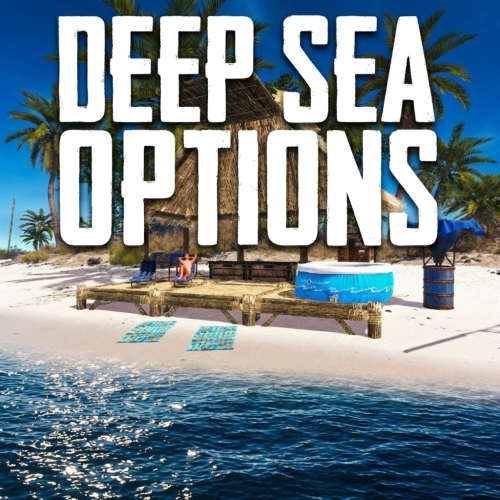
Deep Sea Options is a single config control plugin for Rust’s new Deep Sea feature. It lets server owners fully control when Deep Sea opens, what spawns inside it, what vehicles can enter, and how access rules are enforced. You can also configure if players can build inside deep sea. Building Control Enforce building allowed / blocked inside Deep Sea * Limit how many foundations a player can build in Deep Sea * Buildings persist restart, as long as the deep sea isnt being closed. Deep Sea Behavior Control Configure defaults: Whether the deep sea should always remain open, be on timers, or disabled Control all phase timers GameTip messages to announce deep sea openinig/closing Deep Sea Content Control Configure procedural spawns: Island counts Ghost Ships counts RHIB counts Control: count spacing radius minimum distance between spawns distance from Deep Sea edges Settings are grouped and explained in the config Loot spawn Configurable respawn option for crates/ore/npc Access & Teleport Rules Control: Allow all vehicles (including planes and helis) or only an allow-listed set players can enter without a boat flying (noclip/admin) players can bypass checks NPC passengers are allowed on vehicles Prevent or allow “vehicle stacking” (boats/helis on deck) Chat Commands /deepsea status Shows current Deep Sea state /deepsea open Opens deep sea if not alrady open /deepsea close Closes current Deep Sea Console Commands dso open - to open the deepsea through the plugin dso close - to close the deepsea through the plugin dso forceclose - to force close the deepsea in case you need it closed but 'AlwaysOpen' is reopening it Note if you make changes to some config values (such as the procedural spawns, you will need to close the deep sea and reopen.) Config options: === GENERAL CONTROLS === Control - Schedule If ON: Plugin controls when Deep Sea opens/closes and how long it stays open. Control - Content If ON: Plugin controls how many islands, ghost ships, and scientist boats spawn and how they are placed. Control - Travel Rules If ON: Plugin controls who/what is allowed to use Deep Sea portals (vehicles, NPCs, players without vehicle, etc). Control - Building If ON: Plugin controls whether players can build while inside Deep Sea. Force Apply On Reload If ON: When plugin reloads, it forces Deep Sea to close and reopen so spawn changes apply immediately. If OFF: Changes apply next time Deep Sea opens normally. === SCHEDULE SETTINGS === Mode Vanilla = Normal Rust Deep Sea cycle. AlwaysOpen = Deep Sea never closes. Disabled = Deep Sea never opens. (plugin manually resests the reopen timer. recommend using the other disable option below if just want it off always) Open Time Seconds How long Deep Sea stays open before closing (Vanilla mode). Cooldown Seconds How long Deep Sea stays closed before opening again (Vanilla mode). Final Phase Seconds End-of-cycle phase used for weather / atmosphere effects. Radiation Warning Phase Seconds When time left is below this, new entry is normally blocked. AlwaysOpen - Keep Time Left Around Seconds In AlwaysOpen mode, Deep Sea time is kept around this value. AlwaysOpen - Refill When Below Seconds If time left drops below this, it refills back up to the target above. Disabled - Push Next Opening To Seconds In Disabled mode, pushes next open time far into the future. Set DeepSea Enabled Flag If ON, plugin forces the core deepsea enabled/disabled flag (may need restart). DeepSea Enabled Only used if above is ON. Turns Deep Sea system on/off at engine level. === CONTENT SPAWNING === (These control placement spacing) Islands / Ghost Ships / RHIB Groups all use same logic: Count How many spawn each time Deep Sea opens. Spacing Size General spacing radius. Bigger = more spread out. Edge Buffer How far from the outer Deep Sea border spawns must stay. Bigger = more toward the center. Minimum Spacing Hard minimum distance between spawns. Overrides spacing size if larger. === RESPAWN (CRATES / NPCs / HACKABLES) === Enable Respawn System If ON: Plugin respawns eligible Deep Sea crates, ores, and NPCs. Check Interval Minutes Time to respawn. Min Distance From Players To Allow Respawn Entities will only respawn if no players are within this distance. Respawn Hackable Crates Via Ghostship If ON: Hackable crates respawn on ghost ships. Hackable Crates Count Number of hackable crates that can spawn. === TRAVEL RULES === Allow Any Vehicle If ON: Any vehicle can use portal. Allowed Vehicle Prefabs If NOT allowing all vehicles, only these are allowed. Require Boat Type Only If ON: Even allowed vehicles must be boats. Allow Players Without Vehicle If ON: Players can teleport without standing on a vehicle. Allow Noclip Players If ON: Flying/admin players bypass vehicle checks. Allow NPC Passengers If OFF: Vehicles with NPC passengers cannot teleport. Allow NPC Player Teleport If ON: NPC player entities themselves can teleport. Allow Entry During Radiation Warning Phase If ON: Players can enter even when Deep Sea is about to close. Ignore Extra Vehicle Onboard Check If ON: Should allow things like helicopters sitting on boats. Log Entry/Exit If ON: Logs allow/deny decisions for debugging. === BUILDING === Allow Building In Deep Sea If OFF: Players cannot build inside Deep Sea. If ON: Building is allowed. DeepSea - Limit Foundations If ON: Limits how many foundations each player can place inside Deep Sea only. DeepSea - Max Foundations Per Player Maximum number of foundations a player can place inside Deep Sea. DeepSea - GameTip: Show remaining on successful place If ON: When a player places a foundation in Deep Sea, shows how many foundations they can still place. DeepSea - GameTip: Show message when denied If ON: When a player hits the Deep Sea foundation limit, shows a GameTip === NOTIFICATIONS === GameTip - Deep Sea Opening If ON: Shows a GameTip when Deep Sea starts opening. GameTip - Deep Sea Opened If ON: Shows a GameTip when Deep Sea is fully open. GameTip - Deep Sea Closing If ON: Shows a GameTip when Deep Sea starts closing. GameTip - Deep Sea Closed If ON: Shows a GameTip when Deep Sea is fully closed.$8.99 -
Version 1.2.2
341 downloads
DeepSeaPlus is a comprehensive enhancement plugin for Rust's Deep Sea system, giving server administrators full control over scheduling, loot, portal access, events, building, player tracking, and more. It transforms the vanilla Deep Sea experience into a highly configurable, event-driven endgame zone with leaderboards, boss encounters, treasure hunts, Discord integration, and granular admin tools. Main Features Permissions deepseaplus.admin: Full administrative access, status, kick, force open/close, reset stats, Bradley debug, waypoint mapping. deepseaplus.tp: Allows teleporting to and from the Deep Sea via /deepsea tp. deepseaplus.vip: Bypasses portal cooldown and food toll (configurable per feature). deepseaplus.notify: Grants access to notification features. deepseaplus.stats: Allows viewing personal Deep Sea statistics and leaderboards. deepseaplus.build.bypass: Bypasses all building restrictions and foundation limits in the Deep Sea. Chat Commands /deepsea: Shows a context-aware help menu listing all available commands based on the player's permissions. /deepsea status: Displays a full Deep Sea status panel — state, schedule mode, time to wipe or next opening, player count, island/ghost ship/floating city/RHIB counts, and event entity count. (Requires deepseaplus.admin) /deepsea tp [island#]: Teleports to the nearest Deep Sea island, or to a specific island by index. If already in the Deep Sea, teleports back to the mainland shore. (Requires deepseaplus.tp or deepseaplus.admin) /deepsea kick <player>: Ejects a player from the Deep Sea and teleports them to the nearest shore. (Requires deepseaplus.admin) /deepsea stats [player]: Displays lifetime Deep Sea statistics — visits, time spent, NPC kills, containers looted, and deaths. Admins can view other players' stats. (Requires deepseaplus.stats or deepseaplus.admin) /deepsea top [kills|looted|time|visits|deaths|score]: Shows the top 10 leaderboard sorted by the chosen metric. Defaults to kills. (Requires deepseaplus.stats or deepseaplus.admin) /deepsea resetstats <player|all>: Resets Deep Sea stats for a specific player or all players. (Requires deepseaplus.admin) /deepsea forceopen: Force-opens the Deep Sea immediately. (Requires deepseaplus.admin) /deepsea forceclose: Force-closes the Deep Sea immediately, killing all vanilla entities and bypassing the radiation/end phase. (Requires deepseaplus.admin) Console Commands deepsea.forceopen: Force-opens the Deep Sea. deepsea.forceclose: Force-closes the Deep Sea immediately. deepsea.spawnboss: Manually spawns a Bradley APC boss in the Deep Sea. deepsea.showpath: Toggles Bradley patrol path debug visualization (draws waypoints, arcs, detour points, and state info). Run again to toggle off. deepsea.mapstart: Begins recording a new Bradley patrol route. Walk to each point and use deepsea.mappoint. deepsea.mappoint: Records your current position as a local-space waypoint relative to the nearest island. deepsea.mapdone: Finishes mapping and outputs a ready-to-paste code snippet for IslandPatrolRoutes. deepsea.mapundo: Removes the last recorded waypoint. Config { "General Controls": { "Control schedule (enables schedule modes)": false, "Control content (enables spawn count overrides)": false, "Control travel rules (enables granular portal access)": false, "Control building (enables building controls)": false, "Control loot (enables loot overrides)": true, "Control events (enables deep sea events)": true, "Control notifications (enables announcements)": true, "Force apply on reload (close and reopen Deep Sea)": false, "Enforce interval seconds (0 = once on startup, >0 = repeating)": 0.0 }, "Schedule": { "Mode (Vanilla, AlwaysOpen, Disabled)": "Vanilla", "Open time seconds (Vanilla mode, overrides wipeDuration)": 10800, "Cooldown seconds (Vanilla mode, overrides wipeCooldown)": 5400, "Final phase seconds (Vanilla mode, overrides wipeEndPhaseDuration)": 1800, "Radiation warning phase seconds (Vanilla mode)": 300, "AlwaysOpen - Keep time left around (seconds)": 9000.0, "AlwaysOpen - Refill when below (seconds)": 3600.0, "Disabled - Push next opening to (seconds)": 999999.0, "Deep Sea enabled override (DontTouch, ForceEnabled, ForceDisabled)": "DontTouch" }, "Notifications": { "Announce when Deep Sea opens": true, "Announce when Deep Sea closes": true, "Countdown intervals (seconds remaining)": [ 1800, 900, 300, 60 ], "Use toast messages": true, "Use chat messages": true, "Countdown check interval (seconds)": 10.0, "Use NCP notifications (requires NCP plugin)": false }, "Loot Overrides": { "Enable loot overrides": true, "Stack size multiplier": 1.5, "Bonus items": [ { "Item shortname": "rifle.ak", "Amount": 1, "Chance (0.0 - 1.0)": 0.1, "Skin ID": 0 }, { "Item shortname": "ammo.rifle", "Amount": 128, "Chance (0.0 - 1.0)": 0.5, "Skin ID": 0 } ], "Override hackable crate loot on ghost ships": false, "Override hackable crate hack time in Deep Sea (seconds, 0 to use vanilla)": 450.0, "Hackable crate bonus items": [], "Dynamic Loot Scaling": { "Enable dynamic scaling": false, "Base player threshold": 3, "Max bonus multiplier": 2.0, "Bonus per extra player": 0.1 } }, "Portal Settings": { "Enable portal features": true, "Cooldown after leaving Deep Sea (seconds)": 300.0, "Entry fee amount (0 to disable)": 500.0, "Entry fee plugin (Economics or ServerRewards)": "Economics", "VIP bypasses cooldown": true, "VIP bypasses food toll": true, "Allow any vehicle (bypass whitelist)": false, "Allowed vehicle prefabs (overrides vanilla whitelist)": [], "Require boat type only": true, "Allow players without vehicle (on foot)": false, "Allow noclip/admin players to bypass checks": true, "Allow NPC passengers": false, "Allow NPC player teleport": false, "Allow entry during radiation warning phase": false, "Ignore extra vehicle onboard check": false, "Log entry/exit decisions": false, "Show info panel on portal approach": true, "Portal approach trigger radius (portals are ~300 wide)": 150.0, "Portal info cooldown per player (seconds)": 30.0 }, "Deep Sea Overrides": { "Enable ConVar overrides": false, "Wipe duration (seconds)": 10800, "Wipe cooldown (seconds)": 5400, "Radiation phase duration (seconds)": 300, "End phase duration (seconds)": 1800, "Island Spawns": { "Count": 6, "Radius": 100.0, "Edge margin": 200.0, "Minimum distance": 400.0 }, "Ghost Ship Spawns": { "Count": 4, "Radius": 200.0, "Edge margin": 450.0, "Minimum distance": 400.0 }, "Floating City Spawns": { "Count": 1, "Radius": 300.0, "Edge margin": 1500.0, "Minimum distance": 1500.0 }, "RHIB Spawns": { "Count": 4, "Radius": 10.0, "Edge margin": 1150.0, "Minimum distance": 300.0 }, "Hackable crate count": 1, "Force entrance portal direction (0=Map-based, 1=N, 2=E, 3=S, 4=W)": 0, "Remove fog of war": false }, "Respawn System": { "Enable respawn system": false, "Check interval (minutes)": 15.0, "Minimum distance from players to respawn": 50.0, "Respawn hackable crates via ghost ships": true, "Maximum hackable crates active at once": 1, "Trigger island spawn groups (NPCs/loot)": true }, "Building Controls": { "Allow building in Deep Sea": false, "Limit foundations per player": false, "Max foundations per player": 10, "Show remaining foundations on place": true, "Show message when denied": true }, "Events": { "Treasure Hunt": { "Enable treasure hunt": true, "Number of stashes to spawn": 3, "Treasure items": [ { "Item shortname": "supply.signal", "Amount": 2, "Chance (0.0 - 1.0)": 1.0, "Skin ID": 0 }, { "Item shortname": "targeting.computer", "Amount": 1, "Chance (0.0 - 1.0)": 0.5, "Skin ID": 0 }, { "Item shortname": "techparts", "Amount": 3, "Chance (0.0 - 1.0)": 1.0, "Skin ID": 0 } ], "Show treasure markers on map": true, "Map marker radius": 0.08 }, "Boss Spawn": { "Enable boss spawn": false, "Minutes before wipe to spawn boss": 30, "Boss health multiplier": 2.0, "Patrol radius around island": 75.0, "Show boss marker on map": true, "Boss map marker radius": 0.15 }, "Supply Drops": { "Enable supply drops": true, "Interval between drops (minutes)": 45, "Show supply drop markers on map": true }, "Announce ghost ship crate hacking": true }, "Death Rules": { "Enable death tracking": true, "Show death summary message": true, "Snapshot inventory on entry": false, "Restore inventory on respawn after Deep Sea death": false }, "Discord Webhook": { "Enable Discord webhook": false, "Webhook URL": "", "Announce Deep Sea open": true, "Announce Deep Sea close": true, "Announce notable player achievements": true, "Embed color (decimal)": 3447003 }, "Config Version (DO NOT MODIFY)": { "Major": 1, "Minor": 0, "Patch": 0 } } Developer API Other plugins can call the following methods: bool IsPlayerInDeepSea(ulong userId) — Returns true if the player is currently inside the Deep Sea. bool IsDeepSeaOpen() — Returns true if the Deep Sea is currently open. int GetDeepSeaPlayerCountApi() — Returns the number of players currently in the Deep Sea. string[] GetDeepSeaPlayerIds() — Returns an array of Steam ID strings for all players in the Deep Sea. Dictionary<string, object> GetPlayerDeepSeaStats(ulong userId) — Returns lifetime stats (DisplayName, TotalVisits, TotalTimeSpent, TotalNpcKills, TotalContainersLooted, TotalDeaths) or null if no stats exist. The plugin also fires the following hooks for other plugins to subscribe to: void OnDeepSeaPlayerEnter(ulong userId) — Called when a player enters the Deep Sea zone. void OnDeepSeaPlayerExit(ulong userId) — Called when a player leaves the Deep Sea zone.Free -
Version 1.0.1
66 downloads
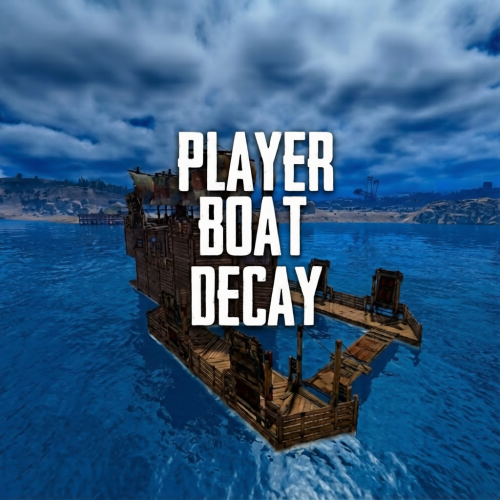
Player Boat Decay lets you tune player buildable boat global decay with straightforward configuration. Set how many minutes a boat takes to fully decay, and optionally add a “grace period” after last use before decay starts. Can easily reset back to vanilla and even apply updated settings without reloading plugin. Permissions playerboatdecay.admin Required to use the chat commands (if not server admin) Commands /boatdecay status Confirms current decay values /boatdecay reload Reloads the config, reapplies the global decay minutes immediately. Config notes Minutes to fully decay (-1 = vanilla): sets time to fully decay Minutes until decay starts (-1 = vanilla): sets how often after no interaction the decay starts Custom tick interval seconds: How often decay should tick when active Skip decay when indoors: optional ignor decay if boat is considered inside Log debug in console: prints decay details when enabled.$5.99 -
Version 1.0.0
64 downloads
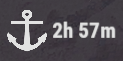
Adds a Magic Panel display containing Deep Sea status as an icon and/or text. Features: Config file supports individually toggling icon and/or text Config file supports customization of fixed, open, closed, and irradiated colors Config file supports selective application of colors to icon and/or text Config file supports customization of text formats for 1+ hour(s) remaining, 1+ minute(s) remaining, 1+ second(s) remaining, and busy states Config file supports most other standard Magic Panel settings Checks states once per second to react to admin/plugin changes to Deep Sea state, and to provide up to 1 second accuracy on time display updates Only requests a Magic Panel HUD update on actual color and/or text changes for efficiency Caches Magic Panel parameters to avoid memory churn Configuration: { "Active Color": "#FFFFFFBF", "Inactive Color": "#BFBFBF7F", "Irradiated Color": "#FFFFFFBF", "Apply Color To Image": true, "Apply Color To Text": true, "Text Format When Hour(s) Remaining": "{0}h {1}m", "Text Format When Minute(s) Remaining": "{1}m", "Text Format When Second(s) Remaining": "{2}s", "Text When Deep Sea Busy": "BUSY", "Panel Settings": { "Dock": "centerupper", "Width": 0.06, "Order": 10, "BackgroundColor": "#FFF2DF08" }, "Panel Layout": { "Image": { "Url": "https://i.postimg.cc/MZhXzvW2/anchor-512.png", "Enabled": true, "Order": 0, "Width": 0.4, "Padding": { "Left": 0.05, "Right": 0.05, "Top": 0.05, "Bottom": 0.05 }, "Color": "#FFFFFFFF" }, "Text": { "FontSize": 14, "TextAnchor": "MiddleCenter", "Enabled": true, "Order": 1, "Width": 0.6, "Padding": { "Left": 0.05, "Right": 0.05, "Top": 0.05, "Bottom": 0.05 }, "Color": "#FFFFFFFF" } } }Free