Search the Community
Showing results for tags 'easter'.
Found 6 results
-

Version 1.0.0
1 download
SPECIALLY FOR THE EASTER HOLIDAY WE DECIDED TO PREPARE AN ICON TEMPLATE With this set of icons, you can decorate your store in honor of the holiday. Also included is a template with which you can change the color of the effects and text To work, you will need any new version of ADOBE PHOTOSHOP.$8.00 -
Version 1.0.0
2 downloads
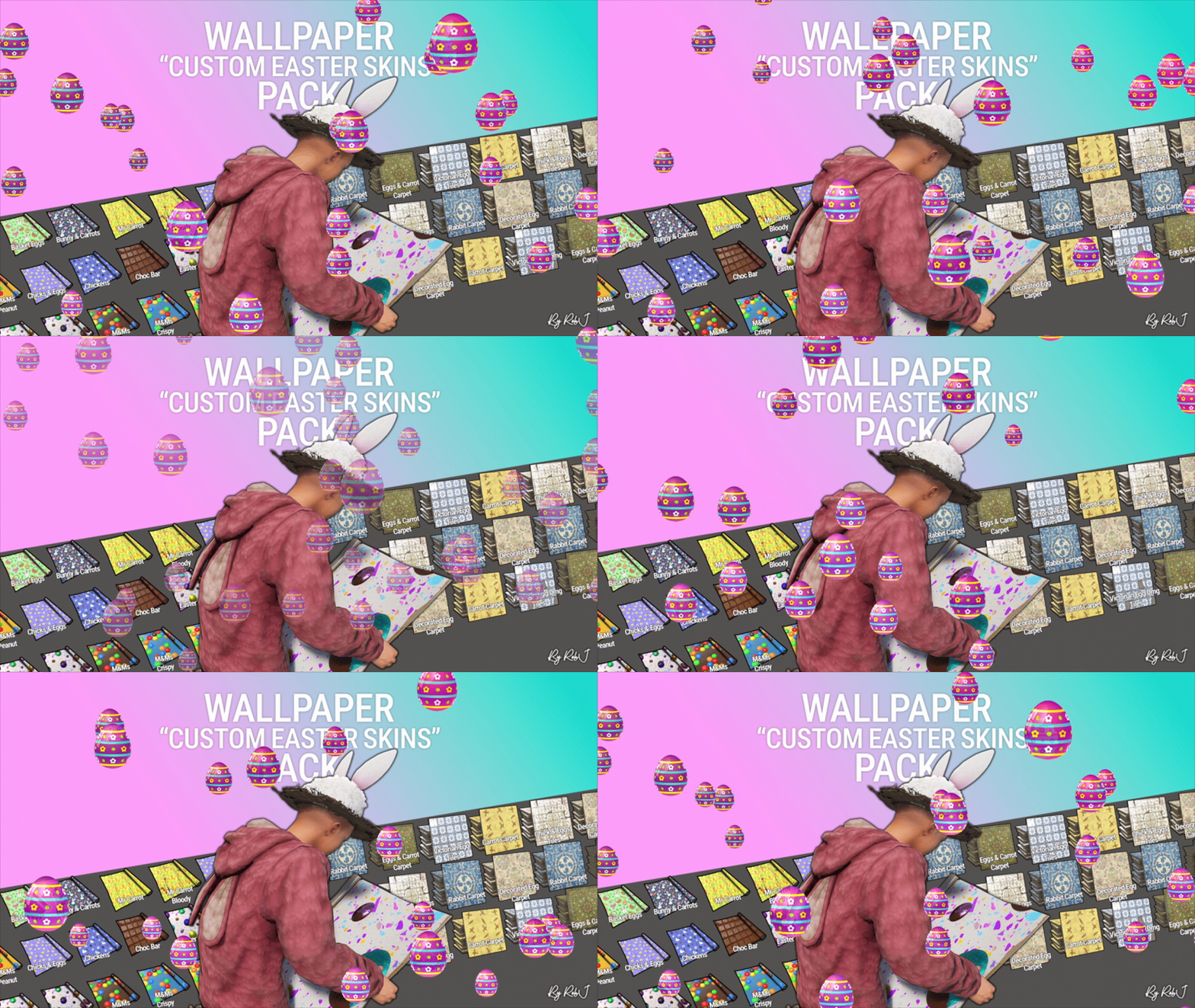
Upgrade your builds this easterwith this exclusive pack of custom skins! Each design is handcrafted with care and fully maintained. 10 Wall wallpaper skins 9 Floor wallpaper skins Perfect for Bases & Events These skins drop straight into any plugin and are fully compatible with my Wallpaper Planner for easy in-game browsing and selection. ✔ Fully Compatible Works with any plugin that supports custom skins, plus seamless integration with WallpaperPlanner. ✔ Ongoing Maintenance When you buy this pack, you’re buying long-term access. I personally maintain and update all skins for every buyer, so they stay fresh, polished, and ready to use. ✔ Each skin is built to high standards and includes four image maps: Albedo (base color) Normal/Bump Ambient Occlusion (AO) Specular These maps work together to simulate real lighting and surface detail, giving your builds depth, warmth, and a realistic shine. Bring style, atmosphere, and creativity to every build with this essential skin collection! Note: Some base layers were enhanced using generative fill/expand for improved visual quality. Auto-Install Plugin Included No manual setup required. Drop the plugin into your Oxide/Carbon plugins folder. Let it run once. Delete the plugin after it completes. Click Here For Video Your skins will automatically appear inside WallpaperPlanner.$12.99 -

Version 1.2.3
10 downloads
Small Easter Island map. Size: 2000 Includes Outpost, modified light house, a dig site, waterfall, and small farm$4.99-
- 3
-

-
- #custom
- #buildings
- (and 4 more)
-

Version 1.1.7
768 downloads
Holiday Loot (formerly Present Loot) allows configuring which items Christmas Presents, Large and Medium Halloween Loot Bags, and Silver & Gold Easter Eggs give when they are unwrapped. Configuration The settings and options for this plugin can be configured in the HolidayLoot.json file under the oxide/config directory. The use of a JSON editor or validation site such as jsonlint.com is recommended to avoid formatting issues and syntax errors. { "General": { "Weapons Spawn With Random Ammo": true }, "Gold Egg": { "Max Items": 5, "Min Items": 5, "Num Needed To Unwrap": 1 }, "Large Loot Bag": { "Max Items": 5, "Min Items": 5, "Num Needed To Unwrap": 1 }, "Large Presents": { "Max Items": 5, "Min Items": 5, "Num Needed To Unwrap": 1 }, "Medium Loot Bag": { "Max Items": 3, "Min Items": 3, "Num Needed To Unwrap": 1 }, "Medium Presents": { "Max Items": 3, "Min Items": 3, "Num Needed To Unwrap": 1 }, "Silver Egg": { "Max Items": 3, "Min Items": 3, "Num Needed To Unwrap": 1 }, "Small Presents": { "Max Items": 1, "Min Items": 1, "Num Needed To Unwrap": 1 } } Stored Data The loot configuration is currently located under data/HolidayLoot in the SmallPresents, MediumPresents, LargePresents, GoldEggs, SilverEggs, MediumHalloweenBags, and LargeHalloweenBags files. Keep in mind that to edit these files, the server needs to be shutdown or the plugin unloaded, else the changes will not be used and will be overwritten. Localization The default messages are in HolidayLoot.json file under the oxide/lang/en directory. To add support for another language, create a new language folder (e.g. de for German) if not already created, copy the default language file to the new folder and then customize the messages. { "No Permission": "You are not allowed to use this command", "Tables Reloaded": "The Holiday Loot data tables have been reloaded", "NotEnoughItems": "You do not have enough of this item to unwrap it!" }Free- 2 comments
-
- 1
-
-
- #loot
- #christmas
- (and 2 more)
-
Version 1.0.0
213 downloads
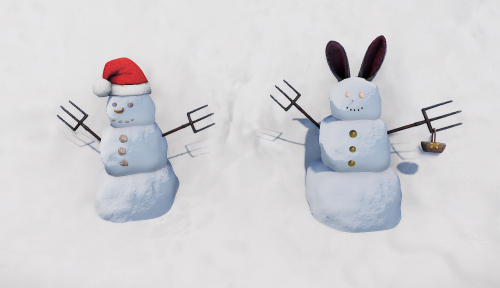
Custom Christmas and Easter SnowmenFree -
Version 1.0.0
255 downloads
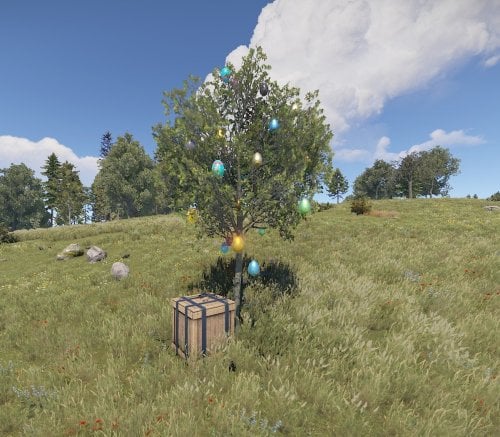
12 Easter Nests for different Biomes Happy Easter!Free

.thumb.gif.b68fcc45abe70ab7d7235dffc8a0c770.gif)

.thumb.jpg.7b7118ca6f13ed2752b37b38bf188582.jpg)