Search the Community
Showing results for tags 'egg'.
Found 6 results
-
Version 1.6.0
35 downloads
════════════════════════════════════════════════════ AUTOCHICKENCOOP Full Industrial Automation for Chicken Coops by romzar.games ════════════════════════════════════════════════════ DESCRIPTION ----------- AutoChickenCoop transforms chicken coops into fully automated industrial production units! Automatically attach storage adaptors and fluid splitters to chicken coops, enabling complete integration with Rust's industrial system. Features automatic water transfer, egg hatching, chicken breeding optimization, and advanced chicken protection systems. COMPATIBLE WITH BOTH OXIDE/uMOD AND CARBON FRAMEWORKS KEY FEATURES ------------ ✓ Automatic Storage Adaptor Attachment - Automatically attaches industrial storage adaptor to every chicken coop - Connect conveyors directly to collect eggs and feathers - Full industrial automation integration - No player interaction required - completely automatic ✓ Automatic Fluid Splitter System - Fluid splitter automatically attached to every coop - Automatic water transfer from connected industrial sources - Smart IO chain detection for water sources - Configurable transfer rates based on IO setup - Never manually fill water again! ✓ Auto-Hatch System - Automatically hatches eggs when chicken count is below max - Configurable max chickens per coop - Perfect for automated breeding farms ✓ Chicken Love & Sunlight Control - Force max love (100%) for constant breeding readiness - Force max sunlight (100%) for optimal health - Separate permissions for love and sunlight control - Works on all chickens in automated coops - Automatic attribute updates ✓ Advanced Chicken Protection - Protect chickens from unauthorized damage - Only owner and team/clan/friends can damage chickens - Integrates with: Friends API, Clans, BetterTeams - Configurable protection options - Perfect for PvE servers ✓ Group-Based Limits System - Configure different coop limits per permission group - Perfect for VIP tiers and donation rewards - Unlimited permission available for admins/special players - Players get helpful upgrade messages when limit reached - Data persistence - limits maintained across restarts ✓ Smart Water Transfer System - Automatic detection of water in connected IO chains - Supports multiple water sources (tanks, pumps, etc.) - Transfer rate based on IO configuration - Prevents water duplication and exploits - Efficient batch processing for multiple coops ✓ Fully Configurable - Adjust adaptor and splitter position/rotation - Configure auto-hatch settings (max chickens, interval) - Configure love/sunlight update intervals - Configure chicken protection rules - Fine-tune all aspects to match your server ✓ Admin Management Tools - Reset command to reposition all adaptors/splitters - Debug command for water transfer troubleshooting - Check water status for specific coops/splitters - Limit check command for players - Comprehensive logging ✓ Automatic Cleanup & Optimization - Removes adaptors/splitters when coops are destroyed - No orphaned entities - Automatic cleanup of old data (30 days) - Dirty bit tracking for efficient saves - Randomized auto-save to reduce I/O spikes ✓ Data Persistence - Per-player data files for optimal performance - Tracks all coops, adaptors, splitters, and chickens - Automatic save on server save, player disconnect, and interval - Backup system for corrupted data - Clean and optimized performance INSTALLATION ------------ 1. Upload AutoChickenCoop.cs to oxide/plugins/ 2. The plugin will auto-generate its config file on first load 3. Grant permissions to players/groups (see PERMISSIONS section) 4. Reload the plugin if needed: o.reload AutoChickenCoop PERMISSIONS ----------- autochickencoop.use - Required for players to have automated chicken coops - Without this permission, coops work normally (no automation) autochickencoop.love.max - Forces 100% love on all chickens in automated coops - Ensures constant breeding readiness - Updates automatically at configured interval autochickencoop.autohatch - Enables automatic egg hatching in chicken coops - Automatically moves eggs to hatching slot - Maintains configured max chicken count autochickencoop.sunlight - Forces 100% sunlight on all chickens in automated coops - Ensures optimal health regardless of actual sunlight - Perfect for indoor farms autochickencoop.unlimited - Bypass all chicken coop limits - Perfect for admins or special players - No maximum coop count autochickencoop.admin - Required to use admin commands - For server administrators only autochickencoop.{group} - Group-specific limits configured in config file - Examples: autochickencoop.default, autochickencoop.vip, autochickencoop.premium - Players get the highest limit from all their group permissions PERMISSION EXAMPLES ------------------- Grant to all players with basic automation (3 coops): o.grant group default autochickencoop.use o.grant group default autochickencoop.default Grant VIP with auto-hatch and more coops (6 coops): o.grant group vip autochickencoop.use o.grant group vip autochickencoop.vip o.grant group vip autochickencoop.autohatch Grant premium with full automation (12 coops): o.grant group premium autochickencoop.use o.grant group premium autochickencoop.premium o.grant group premium autochickencoop.autohatch o.grant group premium autochickencoop.love.max o.grant group premium autochickencoop.sunlight Grant unlimited coops to admins: o.grant group admin autochickencoop.use o.grant group admin autochickencoop.unlimited o.grant group admin autochickencoop.autohatch o.grant group admin autochickencoop.love.max o.grant group admin autochickencoop.sunlight Grant admin permissions: o.grant group admin autochickencoop.admin COMMANDS -------- /chickencoop.limit (Chat) - Check your current chicken coop limit and usage - Shows how many automated coops you have vs your limit - Available to all players with .use permission - Example output: "Automated Chicken Coops: 2/6" /autochickencoop.reset (Chat) or autochickencoop.reset (Console) - Requires: autochickencoop.admin permission - Removes all old adaptors/splitters and recreates them - Useful when adjusting position/rotation or limits in config - Shows statistics: coops found, adaptors removed, splitters removed, entities created - Respects player limits when recreating automation /chickencoop.debug (Chat) - Admin Only - Requires: autochickencoop.admin permission - Shows comprehensive water transfer debug information - Displays total coops/chickens tracked - Shows coops with water, splitter configs, active splitters - Shows water transfer timer status - Perfect for troubleshooting water issues /chickencoop.checkwater (Chat) - Admin Only - Requires: autochickencoop.admin permission - Look at a chicken coop or fluid splitter - Shows detailed water status for that specific entity - Displays water amount, transfer calculations, IO connections - Shows water source chain and transfer rates - Best tool for diagnosing individual coop issues CONFIGURATION ------------- File Location: oxide/config/AutoChickenCoop.json Default Configuration: { "Enabled": true, "StorageAdaptorPosition": { "x": -0.5, "y": 1.45, "z": -1.0 }, "StorageAdaptorRotation": { "x": -15.0, "y": 0.0, "z": 0.0 }, "FluidSplitterPosition": { "x": 0.1, "y": 0.9, "z": -1.0 }, "FluidSplitterRotation": { "x": 0.0, "y": 90.0, "z": 0.0 }, "LoveSystem": { "UpdateInterval": 30.0, "ForceUpdateOnPet": true }, "AutoHatch": { "Enabled": true, "MaxChickens": 4, "CheckInterval": 30.0 }, "ChickenProtection": { "Enabled": true, "OnlyOwnerAndTeamCanDamage": true, "CheckFriends": true, "CheckClans": true, "CheckBetterTeams": true }, "GroupLimits": { "default": 3, "vip": 6, "premium": 12 } } Configuration Options: - Enabled: Set to false to disable the plugin without unloading - StorageAdaptorPosition: Position offset relative to the coop (X, Y, Z) * Default values position adaptor on upper back of coop * Adjust to match your server's aesthetic preferences - StorageAdaptorRotation: Rotation of the adaptor in degrees (X, Y, Z) * Default: -15° pitch for proper alignment - FluidSplitterPosition: Position offset relative to the coop (X, Y, Z) * Default values position splitter on side of coop * Must be positioned to allow IO connections - FluidSplitterRotation: Rotation of the splitter in degrees (X, Y, Z) * Default: 90° yaw for proper IO orientation - LoveSystem: * UpdateInterval: Seconds between love/sunlight updates (default: 30) * ForceUpdateOnPet: Force update when chicken is pet (default: true) - AutoHatch: * Enabled: Enable/disable auto-hatch system (default: true) * MaxChickens: Maximum chickens per coop before stop hatching (default: 4) * CheckInterval: Seconds between auto-hatch checks (default: 30) - ChickenProtection: * Enabled: Enable/disable chicken protection (default: true) * OnlyOwnerAndTeamCanDamage: Only owner/team can damage (default: true) * CheckFriends: Check Friends API (default: true) * CheckClans: Check Clans plugin (default: true) * CheckBetterTeams: Check BetterTeams plugin (default: true) - GroupLimits: Dictionary of group names and their coop limits * "default": 3 = Players with autochickencoop.default get 3 coops * "vip": 6 = Players with autochickencoop.vip get 6 coops * "premium": 12 = Players with autochickencoop.premium get 12 coops * Add as many custom groups as you want * Players with multiple group permissions get the highest limit * Permissions are automatically registered from this config HOW IT WORKS ------------ 1. Player with 'use' permission places a chicken coop 2. Plugin checks if player has reached their group limit 3. If within limit, plugin automatically attaches: - Storage adaptor (for eggs/feathers collection) - Fluid splitter (for automatic water supply) 4. If limit reached, player receives message with upgrade information 5. Player connects industrial components: - Water source (tank, pump) to fluid splitter INPUT - Conveyors to storage adaptor OUTPUT for egg/feather collection 6. Water automatically transfers to coop every 10 seconds 7. If auto-hatch enabled and player has permission: - Eggs automatically move from storage to hatching slot - System maintains max chicken count 8. If love.max permission: Chickens always at 100% love (breeding ready) 9. If sunlight permission: Chickens always at 100% sunlight (healthy) 10. Chicken protection prevents unauthorized damage 11. When coop destroyed, all automation removed and count updated 12. Player data saved persistently across server restarts CHICKEN PROTECTION SYSTEM ------------------------- Advanced protection prevents unauthorized damage: Protection Levels: 1. Owner: Always allowed to damage their own chickens 2. Team: Rust team members allowed (if OnlyOwnerAndTeamCanDamage = true) 3. Friends: Friends API integration (if CheckFriends = true) 4. Clans: Clans plugin integration (if CheckClans = true) 5. BetterTeams: BetterTeams plugin integration (if CheckBetterTeams = true) How It Works: - OnEntityTakeDamage hook intercepts all chicken damage - Checks if chicken is in an automated coop (has parent coop) - Gets coop owner ID - Checks if attacker is authorized (owner/team/friend/clan) - Blocks damage if unauthorized - Returns null (allows damage) if authorized Configuration: - Enabled: Turn entire protection system on/off - OnlyOwnerAndTeamCanDamage: Core protection toggle - CheckFriends/Clans/BetterTeams: Individual integration toggles - Disable specific integrations if you don't have those plugins ADMIN WORKFLOW -------------- Initial Setup: 1. Configure GroupLimits in config file for your server tiers 2. Configure auto-hatch settings (max chickens, interval) 3. Configure love/sunlight update intervals 4. Configure chicken protection rules 5. Adjust adaptor/splitter positions if needed Permission Setup: 6. Grant 'use' permission and group limit permissions to players/groups 7. Grant auto-hatch permission to VIP+ tiers 8. Grant love.max and sunlight to premium tiers 9. Grant 'unlimited' permission to admins or special players 10. Grant 'admin' permission to administrators Maintenance: 11. Use /autochickencoop.reset command to apply config changes 12. Use /chickencoop.debug to monitor water transfer system 13. Use /chickencoop.checkwater to diagnose specific coops 14. Monitor player limits and upgrade requests 15. Enjoy players' creative automated chicken farms within balanced limits! PERFORMANCE ----------- • Lightweight and optimized • Efficient per-player data file system • Batch processing for entity initialization • Safe to use on high-population servers COMPATIBILITY ------------- • Works with vanilla Rust • Compatible with all industrial system items • Integrates with: Friends API, Clans, BetterTeams • No conflicts with other plugins • Standalone - no dependencies required (friends/clans optional) • Works with building plugins (CopyPaste, etc.) • Oxide/uMod Framework - Fully Compatible • Carbon Framework - Fully Compatible • Single plugin file works on both frameworks automatically TROUBLESHOOTING --------------- Q: Adaptors/splitters aren't appearing on coops A: Check that players have the 'autochickencoop.use' permission Q: Multiple adaptors on one coop A: Use /autochickencoop.reset command to clean up and recreate Q: Want to change adaptor/splitter position A: Edit the config file, reload plugin, then use /autochickencoop.reset Q: Water isn't transferring to coops A: Use /chickencoop.checkwater while looking at coop to diagnose Verify IO connections from water source to fluid splitter Check that water source has water in it Ensure fluid splitter is properly connected Q: Eggs aren't auto-hatching A: Verify player has autochickencoop.autohatch permission Check that coop has eggs in slot 3 Verify chicken count is below MaxChickens config value Check AutoHatch.Enabled = true in config Q: Chickens not at max love/sunlight A: Verify player has autochickencoop.love.max and/or autochickencoop.sunlight Check LoveSystem.UpdateInterval in config (default: 30s) Wait for next update cycle Q: Players without permission have automation A: Existing coops keep automation. Remove permission and use /autochickencoop.reset Q: Chickens being damaged by other players A: Enable ChickenProtection in config Verify OnlyOwnerAndTeamCanDamage = true Check that protection integrations are enabled Q: Player can't place more coops A: They've reached their group limit. Check with /chickencoop.limit Grant them a higher tier permission or .unlimited permission Q: How do I change a player's limit? A: Grant them the permission for a higher tier group: o.grant user PlayerName autochickencoop.vip Q: Player data not saving A: Check oxide/data/AutoChickenCoop/ folder exists and has write permissions Data saves automatically when coops are placed/destroyed Check server console for error messages Q: Want to reset all player data A: Delete files in oxide/data/AutoChickenCoop/ folder and use /autochickencoop.reset Q: How to add custom group limits? A: Edit config file GroupLimits section, add your group and limit: "elite": 20 Then grant permission: o.grant group elite autochickencoop.elite Q: Water transfer rate too slow/fast A: Transfer rate is calculated based on IO chain configuration Add more pumps or tanks to increase rate (10 per pump/tank) Maximum rate is 100 water per 10 seconds Use /chickencoop.checkwater to see current transfer calculations Q: Auto-hatch too fast/slow A: Adjust AutoHatch.CheckInterval in config Lower value = checks more often (faster response) Higher value = checks less often (lower CPU usage) Default: 30 seconds is balanced Q: Love/Sunlight updates not frequent enough A: Adjust LoveSystem.UpdateInterval in config Lower value = updates more often Higher value = updates less often (lower CPU usage) Default: 30 seconds is balanced SUPPORT ------- For support, questions, or feature requests, please contact: Discord: romzar LICENSE ------- This plugin is provided for use on Rust game servers. Redistribution or resale of this plugin is prohibited. © 2025 romzar.games - All rights reserved. ══════════════════════════════════════════════════════ Thank you for using AutoChickenCoop! Build the ultimate automated chicken farm on your server! ══════════════════════════════════════════════════════$9.99 -

Version 1.0.1
10 downloads
Weyland Center is a Monument-Map inspired by the Aliens film series. This Monument contains a wide variety of decorations simulating fictional scenarios from the Weyland-Yutani corporation. - FEATURES Size: 1400. Objects: 33788. Monument protection add-on included. - CONTENTS Safe Zones. Lobby. Puzzle. Helicopter Tower. Casino. Shops. Helicopter salesperson. Island. Weyland Logo. Alien Creature. Ovomorph (egg). P-5000 Motorized Loader. M577 Armored Personnel Carrier. Bunker entrance with automatic doors. - TIPS Players will spawn in the Lobby by default. Remove the respawn points from Rustedit so that players spawn on the beach. Have fun! - SUPPORT: https://discord.gg/ASxJynGndj$35.90 -
Version 4.0.1
3,248 downloads
The main functionality of this egg is to have the ability to switch seamlessly between all Carbon builds, Oxide, and Vanilla. If you launch the egg with an Oxide build, you can then switch right on over to Carbon, and it will handle all of the removal and clean up of all of the Oxide files for you. If you switch to Vanilla from either Carbon or Oxide, it will make sure those files are cleaned up as well. You also have the ability to set a "Modding Root" folder. This folder is very important, as it allows you to have different plugins, configs, and data for different wipes or maps. Say you are running a proc gen map, and you are running a set of plugins that makes sense to have on a proc gen map, then you decide on wipe day to switch to a spooky, Halloween themed map. Obviously you'll probably want to have some different plugins running on that custom Halloween themed map. You can make that switch easily by just specifying the "Modding Root" folder that you want to use, instead of having to delete files, configs, etc. This guide assumes that you have already installed Pterodactyl panel, and are familiar with how to set up servers. You should also already have a location, a node, and ports already allocated on that node. If you don't know how to do any of this, or you missed a step, please refer to the Pterodactyl Panel installation instructions below. A link to their Discord server is also below for you to get support during installation. They however do not support Carbon specific questions, only questions relating to Pterodactyl panel itself. Just keep that in mind. Pterodactyl Installation Instructions Pterodactyl Discord Check Out The Carbon Docs This egg is now officially on the Carbon documentation page! That documentation can be found here: https://docs.carbonmod.gg/docs/server-hosting/pterodactyl Difference Between Carbon Builds The difference between the Production, Preview, and Edge builds of Carbon are: Production - The most stable version of Carbon. Updated once every few weeks. Preview - Updated frequently, contains future features for testing, and you will run into a few bugs here and there. Edge - Like living on the edge? This is the most current version of Carbon, and it used mainly by developers and server owners to test brand new features of Carbon that are still in the Beta development stage. Expect some bugs. One other thing is the difference between the Minimal and Standard versions of Carbon. The minimal version of Carbon does not contain the Admin Module, CarbonAuto, or the Zip Dev Script Processor. Its basically a lightweight version of carbon, stripping away the QoL features and focuses only on plugin execution. Its not like minimal is faster then the Standard build, it just has less "clutter". Adding The Egg To The Nest First we need to add the egg to the Rust nest. Here are the steps. Login to the admin dashboard of your Pterodactyl panel installation. Click on the "Nests" link in the side bar on the left. Since there is already a "Rust" nest, we don't have to create a new one. Lets just go ahead and add the egg to the nest. Click on the green "Import Egg" button on the right. Select the Custom Carbon Egg that you just downloaded by clicking browse, then navigate to the location you saved the egg to, and double click the file. Next we need to select the "Rust" nest under the "Associated Nest" field. Now all we have to do is click on "Import". Installing the Server This server installation guide is very similar to the Custom Rust Egg by MikeHawk, with some key differences. Some of the steps for installation might be the same. Please make sure to read these installation instructions throughly. Log into your admin dashboard of your panel. Navigate to your Servers by clicking on "Servers" on the side bar. Click the "Create New" button on the right Configure your server details in the "Core Details" section For your port allocations you are going to need 1 main port, and 3 additional allocations. These allocations are for the Query Port, RCON Port, and App Port. Configure your "Application Feature Limits" and "Resource Management" sections to your liking Under "Nest Configuration", select the "Rust" Nest Then if your "Egg" field does not already say "Rust Carbon", change it to "Rust - All Carbon Builds". The "Docker Configuration" section can be skipped. Next is the big part. The "Startup Configuration" section. In this section, you can fill out everything pretty much to your liking. However there are a few new options here that are not apart of the Default Rust Egg. Under the "Modding Framework" variable, you can choose different options for either Carbon, Oxide, or Vanilla. This is a combined version of the "Carbon Build" and "Minimal" variables from the other Custom Rust Egg by MikeHawk. The key difference here is this egg is also set up for the staging branch of Rust as well. See the "Difference Between Carbon Builds" section at the top of this page for more information. Lastly, the major difference between the Default Rust egg, and the Carbon Rust egg, is that you can set an IP address for your Rust+ App. This is critical in ensuring that your Rust+ connection is able to connect to the Rust+ API. Set this value to the public IP address of your server. Additionally, you can configure different Carbon/Oxide root directories. This is good if you want to run a certain set of plugins on one map, but don't want to go through the hassle of copying and pasting over different configs for that map. All you have to do is just change your Carbon directory, and it will automatically switch over to those plugins, configs, and data files. An important thing to note is that the "Modding Root" variable should be set appropriately. If you're running a build of Carbon, your "Modding Root" should have the word "carbon" in it. Same thing for Oxide. If you're running Oxide, your "Modding Root" variable should have the word "oxide" in it. The vanilla option does not need to have the variable set. Do not forget to set your RCON, Query, and App ports to the appropriate ports that you assigned under the "Core Details" section. These ports should be equal to one of the three ports you assigned under your "Additional Ports" section. Start your server by clicking the green "Create Server" button at the bottom of the page. And that's it! You now have a Rust server installed and ready to use! Credits to @BippyMiester for helping me create the egg Want to help contribute to the project? Visit our GitHub Pages! https://github.com/SturdyStubs/pterodactyl-images/ https://github.com/SturdyStubs/AIO.EggFree- 27 comments
- 3 reviews
-
- 12
-

-

-
- #pterodactyl
- #pterodactyl panel
- (and 7 more)
-
Version 1.1.1
260 downloads
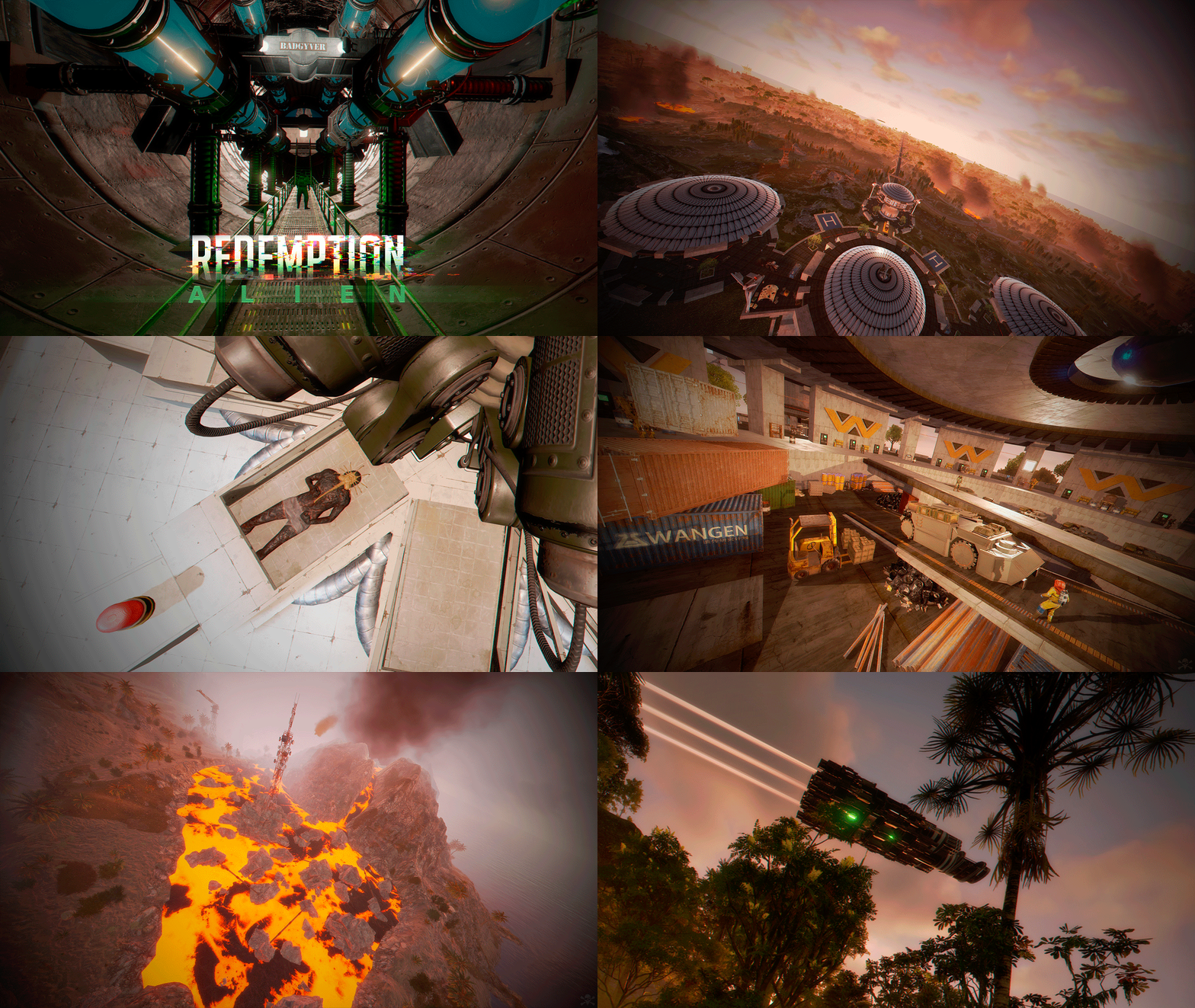
Redemption is the second map inspired by the Aliens movie series. Wake up and begin your adventure in a world full of puzzles and parkour. See vehicles and the Facehugger creature that appear in the Alien movie series. - FEATURES Size: 5000. Objects: 81473. Map protection plugin included. Editable map: Yes. - CONTAINS ALL OFFICIAL MONUMENTS Ziggurat temple • Jungle ruins • Radtown • Ferry Terminal • Nuclear missile silo • Large oil platform • Small oil platform • Submarine laboratories • Harbor • Large fishing villages • Fishing villages • Launch site • Satellite dish • The Dome • HQM Quarry • Stone quarry • Sulfur quarry • Arctic Research Base • Sewer Branch • Train yard • Junkyard • Abandoned military bases • Military tunnel • Caves • Large barns • Ranch • Bandit camp • Power plant • Swamp • Airfield • Giant excavation • Outpost • Lighthouse - PREFABRICATED AND CUSTOMIZED MONUMENTS Volcano: Get ready for Parkour, activate the electricity and enter the volcano. A great challenge awaits you, so be prepared to get lost in a giant maze. At the summit of the volcano, you will find a red card. Eye of the Tiger: You won't need any cards to access the interior of this monument. Throw a grenade at the door and it will open automatically. Inside, you will find the meaning behind the name of this monument. Two Crocodile Lakes: Do you like crocodiles? Visit these locations to see them, but don't disturb the crocodiles. Heli Tower: A classic but modern tower for shooting at attack helicopters. This tower is equipped to meet all your needs. Weyland Center: This is where you will wake up. It contains great decorations, puzzles, loot, a helicopter seller, shops, a safe zone, a casino, and an entertainment area. Explore the ground floor to find new challenges. Valley Hill: A gigantic village to explore, you will find NPCs, loot and zip lines. Weyland Platform: Three platforms guarded by a tank. Solve the puzzle to open the door that contains a big loot. X Areas: Two types of construction areas, one to access from the air, in the other you can access from an elevator. These areas are scattered all over the map and are marked with the letter "x". Bunkers: Three types of minibunkers, these minibunkers are spread all over the map, use your grenades or explosives to open the door, each bunker has its own colored light to distinguish the difficulty, green, blue and red. Trees with a Safe Area: These trees are scattered throughout the jungle area, climb the stairs and access these safe areas to recycle, buy and much more. Spaceship: Watch out, a gigantic Spaceship guards the skies. Weyland Logo. Alien Creature. Ovomorph (egg). P-5000 Motorized Loader. M577 Armored Personnel Carrier. Bunker entrance with automatic doors. - TIPS Players will spawn in the Weyland Center by default. Remove the respawn points from Rustedit so that players spawn on the beach. Have fun - SUPPORT: https://discord.gg/ASxJynGndj$49.90- 13 comments
- 1 review
-
- 4
-
-
-
- #redemption
- #weyland
- (and 50 more)
-
Version 1.3.4
177 downloads
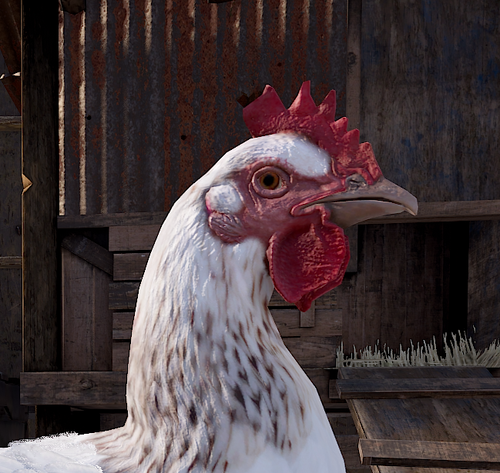
EggBox enhances Chicken Coops by automatically collecting eggs into a small box within the coop. Each box spawns inside the coop with a storage adapter attached allowing full integration with Industrial Conveyor systems for hands-free egg management! This version requires no configuration and automatically applies to all coops that are placed after the plugin has been loaded. Features Automatic Egg Collection Eggs from Chicken Coops are instantly moved into a small wooden box inside the coop. Industrial Storage Adapter Support Each box comes with a Storage Adapter pre-installed, allowing integration with conveyors. Persistence & Auto-Recovery Coops and their storage remain saved across restarts, ensuring uninterrupted egg collection. Unbreakable Setup The storage box and adapter cannot be picked up with a hammer, preventing players from breaking the system. Failsafe Mechanism If the wooden box is destroyed, a new one is automatically placed inside the coop, keeping the system operational. Fully Config-Free No setup required! Just place a Chicken Coop, and EggBox handles the rest. Why Choose My Plugins? All of my plugins are built with performance in mind. Each plugin is highly optimized for minimal hook times and efficient memory usage, ensuring smooth server performance even on high-population servers. I carefully profile and test each release to maintain stability and responsiveness. Plus, you’ll get top-tier support whether you have a question, hit a snag, or need a feature tweak, I'm always available and quick to help. You can also see my plugins in action on Brit’s PvE servers, where they’re fully installed and running live. It’s a great way to test features and experience how everything performs in a real server environment. [EU] Brits 2x PvE 1 connect 131.153.158.249:28015 [US] Brits 2x PvE 1 connect 125.253.87.83:28015$4.99 -

Version 1.9.25
301 downloads
Generates a special item in random crates that gives optional health/gather buffs when carrying it, or can generate other items (scrap etc) when placed in a box. However its location is permanently marked on the map, making the owner a target. How it works: The majority of the following is configurable, but out of the box here's how it works. Each time a player opens a crate (Locked, Elite, Military or Normal), the egg has a chance to spawn. Once found, the player will receive a UI message with instructions (see screenshot), and a server wide chat message will be broadcast alerting other players. 60 seconds after the egg is found, the players position will be marked on the map for all to see. If the player makes it home, or another player gets home with the egg, it can then be placed in a box and will start generating resources every hour. By default this is scrap, but if another resource is placed in the box with the egg (by default this is hqm, metal frags, or low grade fuel) the egg will instead generate that resource. The egg will only generate one resource at a time, but which resource is up to you. Optionally Sulfur Ore or Cooked Sulfur can be enabled, along with up to three custom items (for example, supply signals, red keycards, 5.56 ammo, etc etc). While in a box, the egg will be permanently marked on the map, making the player a target. The marker is a broad circle, so it will give the general position, but not down to the exact room or box. There is however an optional command for this. Introduced in 1.7.0 are roam buffs, which optionally increase health, pickup and gather rates whilst holding the egg, This helps incentivize players to take the egg out of their base, and can make for some really fun encounters. If at any point the player wishes to remove the marker and get rid of the egg, they can choose to crack it open, which will award the player with one of the following by default: 5 Incendiary and 3 HV Rockets MP5 + Ammo LR300 Rifle M39 + Ammo Multiple Grenade Launcher M249 + Ammo Alternatively, you can use the config option Use custom item list when cracking open the egg and instead add your own list of rewards. The plugin will choose one item at random from your list, and will fallback to the default list above if there are any issues (spelling mistakes etc). You can use the following link to grab the shortnames of the items you want: https://www.corrosionhour.com/rust-item-list/ Once cracked open, or otherwise destroyed/lost, the egg can again be found in crates. There will only ever be one egg available at a time. The plugin will also keep track of the amount of time a player has held the egg (either in their inventory or in a box), along with their team, and an overall team total. In 1.8.2 there's a new custom event included that will drop a configurable amount of crates at a moment which can only be hacked with the egg in your inventory. See the update notes for 1.8.2 for more detail. Features: Highly configurable Server wide message when the egg is found or destroyed Optional webhook to discord when the egg is found or destroyed A "spam check" so players can't just open and close crates really quickly to increase their odds While the egg can be hidden in stashes, it will not generate resources Optional vending marker as well as the circle marker (the vending marker can have a custom name) Data logging for amount of time holding the egg Clear or retain player data on map wipe Leaderboard for the top 5 players Command to place the top player (and team) in an oxide group temporarily (requires Timed Permissions) Option to block cracking open the egg during a raid Option to kill the egg after a certain amount of time Option to stop adding time when the player is in a safe zone / the egg is in a stash / the egg is in a building / between certain hours / under a minimum pop Change the item name, skin and CUI image to your liking Dynamic command name option TruePVE support (see release notes for 1.6.2) Roam Buffs to increase health, pickup and gather rates whilst holding the egg (see 1.7.0 release notes) Custom chinook crate event included Option to blacklist certain commands (eg Teleport, Trade etc) Option to destroy the egg after x seconds in a safe zone or building blocked zone Notes: Default values: The spawn chances look low, but after a lot of testing these values are still hit but pretty rarely, making the egg more valuable when finally found. Increase them to suit if you prefer though. The player marker refresh time of 25 seconds is just about enough time for the player to stay out of the marker at a full sprint, but only just. I found that to be a good value but again, adjust as you see fit. Item Skins: If the item appears but the skin doesn't load, that means that it's an issue at your client end (not the plugin). It may be related to Steam issues, your download speeds or Rust issues. Also, rarely, some skins are just broken in which case they'll never load. The game doesn't give any meaningful feedback on this (occasionally a red unity error on screen), so just try another skin ID (you may need to quit and restart Steam in these cases). To find a skin you want to use, grab the number from the end of the URL on it's workshop page, eg https://steamcommunity.com/sharedfiles/filedetails/?id=2674986096. Approved skins will load faster in game than non-approved. TruePVE: For servers running TruePVE, a new config option allows damage to bases and players if they have the egg in their possession. If the egg is inside a base, the plugin will check for both TC auth and proximity before allowing damage. If the egg is on a player, damage will be allowed within a radius of that player. Roam Buffs: Pickups include items out in the world, but not items grown yourself in a planter. Chinook Event: I'd recommend using this - https://github.com/WheteThunger/BetterChinookPatrol - to properly randomise the monuments that the chinooks visit, rather than have it just pick one and stick to it all wipe. Available Commands (the command name is customisable in the config): /egg find - Will pinpoint the exact position of the egg once found. Requires permissions (thegoldenegg.use) /egg list - Will show the available resource generation options, along with their generation times (dynamic based on your config) /egg time - Will show the remaining time before the next resource generation /egg leader - Will show the top 5 players who have had possession of the egg (and their team total) /egg help - Will show a series of help messages and info /egg kill - Will destroy the egg instantly (admins only) /egg expire - For use along with the "Destroy the egg after x minutes" option. This will print the time remaining until the egg is destroyed. /egg event - To manually kick off the chinook event (admins only) /egg winner – Will place the person who has held the egg the longest (and their team if they have one) in the oxide group you specify for the time you specify (requires Timed Permissions) /egg purge – Will destroy the egg and wipe the data file Default Config: { "Egg spawn chance for Locked Crates (0 to 100)": 0.04, "Egg spawn chance for Elite Crates": 0.04, "Egg spawn chance for Military Crates": 0.03, "Egg spawn chance for Normal Crates": 0.02, "Marker Settings": { "Show map marker when the egg is in a box": true, "Show map marker when the egg is on a player": true, "Player marker refresh time (seconds)": 15, "Box marker refresh time (seconds)": 30, "Initial marker delay when the egg is found": 60, "Marker Radius": 0.7, "Marker Transparency": 0.7, "Marker Color (hex)": "#fa030a", "Marker Border Color (hex)": "#000000", "Add a Vending marker": false, "Vending Marker Name": "The Golden Egg" }, "Resource Settings": { "Resource Spawn Time (seconds)": 3600, "Scrap Spawn Amount (0 to disable)": 50, "HQM Spawn Amount": 25, "Low Grade Spawn Amount": 100, "Metal Frags Spawn Amount": 1000, "Allow Sulfur Ore": false, "Sulfur Ore Spawn Amount": 600, "Allow Cooked Sulfur": false, "Cooked Sulfur Spawn Amount": 400, "Custom Item 1 (use item shortname, eg ammo.rifle, gears, green.berry)": "", "Custom Item 1 Amount": 1, "Custom Item 1 Spawn Time (seconds)": 14400, "Custom Item 2": "", "Custom Item 2 Amount": 1, "Custom Item 2 Spawn Time (seconds)": 10800, "Custom Item 3": "", "Custom Item 3 Amount": 1, "Custom Item 3 Spawn Time (seconds)": 7200 }, "Item Customisation": { "Item Name": "The Golden Egg", "Item Skin ID": 0, "Item Found Image in Game (use an image 1000x400)": "https://i.imgur.com/3Yf5iaD.png", "Chat command": "egg", "Item Found Image for the Discord Webhook": "https://i.imgur.com/Knn0X37.png", "Item Lost Image for the Discord Webhook": "https://i.imgur.com/GxlVNSa.png" }, "Roam Settings": { "Increase health whilst holding the egg": true, "Total health": 150, "Increase ore/wood gather rate whilst holding the egg": true, "Gather multipler": 2.0, "Increase pickup amount whilst holding the egg (hemp/food etc)": true, "Pickup multipler": 2.0, "Don't allow roam bonus while server pop is below (leave at 0 to disable)": 0, "Don't allow roam bonus between certain hours": true, "Start of time period": "1AM", "End of time period": "7AM", "Broadcast a chat message when someone starts roaming": true }, "Event Settings": { "Run the chinook event": true, "Number of crates to drop": 2, "Crate unlock time": 600, "Maximum additional items to add to the crate(s)": 15, "Run the event once, between a certain time": true, "Start of time period": "8PM", "End of time period": "10PM", "Run the event on repeat": false, "Minimum time between events (seconds)": 3600.0, "Maximum time between events (seconds)": 7200.0, "Don't run the event if server pop is below (leave at 0 to disable)": 0, "Show map marker": true, "Marker Radius": 0.5, "Marker Transparency": 0.4, "Marker Color (hex)": "#ecf97f", "Marker Border Color (hex)": "#000000" }, "Let players with permission pinpoint the egg on screen (use /egg find)": true, "Send a webhook when the egg is found/destroyed": "https://support.discordapp.com/hc/en-us/articles/228383668-Intro-to-Webhooks", "Don't add time while the player is in a safe zone": true, "Don't add time while the egg is in a stash": true, "Don't add time while the egg is in a building": false, "Don't add time while server pop is below (leave at 0 to disable)": 0, "Don't add time between certain hours": false, "Start of time period": "1AM", "End of time period": "6AM", "Destroy the egg if in a safe zone for longer than (seconds, leave at 0 to disable)": 0.0, "Destroy the egg if in a building blocked zone for longer than (seconds, leave at 0 to disable)": 0.0, "Destroy the egg if in a Raidable Base zone for longer than (seconds, leave at 0 to disable)": 0.0, "Name of permission group to grant with /egg winner (requires Timed Permissions plugin)": "", "Duration to grant access to group (requires Timed Permissions plugin). Format: 1d12h30m": "28d", "Destroy the egg after x minutes (leave at 0 to disable)": 0, "Block player from cracking open the egg while being raided": true, "Raid block timer": 300, "Data save interval": 300, "Clear data on map wipe": true, "Use custom item list when cracking open the egg": false, "Custom item list (use item shortname, eg rifle.m39, explosive.timed, etc": [ "item.one", "item.two", "etc" ], "Blacklist commands whilst holding the egg": false, "Blacklisted commands": [ "/tp", "/trade", "/shop", "/rw", "/bank", "/home", "/remove" ], "TruePVE Only": { "Enable damage to players and bases if they have the egg": false, "Max distance between players for damage to register": 100.0 } }$15.99