Search the Community
Showing results for tags 'fish'.
Found 12 results
-
Version 0.1.0
15 downloads
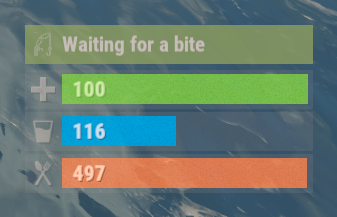
The plugin displays the fishing rod strain level in the status bar. Depends on AdvancedStatus plugin. The ability to display the strain level of the fishing rod in the status bar; The ability to notify when a high strain level is reached; The ability to set a color for each strain percentage; The ability to automatically generate language files for different languages(filled in English); The ability to specify the order of the bar; The ability to change the height of the bar; The ability to customize the color and transparency of the background; The ability to set a material for the background; The ability to switch between CuiRawImageComponent and CuiImageComponent for the image; The ability to get images from the local folder (*SERVER*\oxide\data\AdvancedStatus\Images); The ability to set own image and customize the color and transparency of the image; The ability to set sprite instead of the image; The ability to customize the color, size, font and outline of the text. { "Interval in seconds to update the rod strain state": 0.3, "Strain percentage(0.0 to 1.0) threshold for player notification. A value of 0 disables this": 0.7, "The effect that will be triggered upon a warning(Choose the effect carefully). An empty string disables the effect call": "assets/prefabs/locks/keypad/effects/lock.code.denied.prefab", "List of language keys for creating language files": [ "en" ], "Status. Bar - Height": 26, "Status. Bar - Order": 2, "Status. Background - Color(Hex or RGBA)": "#FFFFFF", "Status. Background - Transparency": 0.15, "Status. Background - Material(empty to disable)": "", "Status. Image - Url": "https://i.ibb.co/HDt2pD6G/Fishing-Status-Strain.png", "Status. Image - Local(Leave empty to use Image_Url)": "FishingStatus_Strain", "Status. Image - Sprite(Leave empty to use Image_Local or Image_Url)": "", "Status. Image - Is raw image": false, "Status. Image - Color(Hex or RGBA)": "#E2DBD6", "Status. Image - Transparency": 0.55, "Status. Image Outline - Is it worth enabling an outline for the image?": false, "Status. Image Outline - Color(Hex or RGBA)": "0.1 0.3 0.8 0.9", "Status. Image Outline - Transparency": 1.0, "Status. Image Outline - Distance": "0.75 0.75", "Status. Text - Size": 14, "Status. Text - Color(Hex or RGBA)": "#E2DBD6", "Status. Text - Font(https://umod.org/guides/rust/basic-concepts-of-gui#fonts)": "RobotoCondensed-Bold.ttf", "Status. Text - Offset Horizontal": 0, "Status. Text Outline - Is it worth enabling an outline for the text?": false, "Status. Text Outline - Color(Hex or RGBA)": "#000000", "Status. Text Outline - Transparency": 1.0, "Status. Text Outline - Distance": "0.75 0.75", "Status. SubText - Size": 14, "Status. SubText - Color(Hex or RGBA)": "#E2DBD6", "Status. SubText - Font": "RobotoCondensed-Bold.ttf", "Status. SubText Outline - Is it worth enabling an outline for the sub text?": false, "Status. SubText Outline - Color(Hex or RGBA)": "0.5 0.6 0.7 0.5", "Status. SubText Outline - Transparency": 1.0, "Status. SubText Outline - Distance": "0.75 0.75", "Status. Progress - Transparency": 0.8, "Status. Progress - OffsetMin": "0 0", "Status. Progress - OffsetMax": "0 0", "List of colors for strain levels": [ { "MinRange": 0.0, "MaxRange": 0.4, "Color(Hex or RGBA)": "#B1C06E" }, { "MinRange": 0.4, "MaxRange": 0.7, "Color(Hex or RGBA)": "#F7BB00" }, { "MinRange": 0.7, "MaxRange": 1.0, "Color(Hex or RGBA)": "#F70000" } ], "Version": { "Major": 0, "Minor": 1, "Patch": 0 } } The values of MaxRange and MinRange set the range of values over which the color applies. The values for MaxRange and MinRange must be between 0.0 and 1.0 (inclusive), where 0.0 equals 0%, and 1.0 equals 100%. The value of MaxRange must be equal to the value of MinRange of the previous. EN: { "BarWaiting": "Waiting for a bite", "BarStrain": "Strain level" } RU: { "BarWaiting": "Ожидание поклёвки", "BarStrain": "Натяжение лески" }$3.99 -
Version 1.6.6
12 downloads
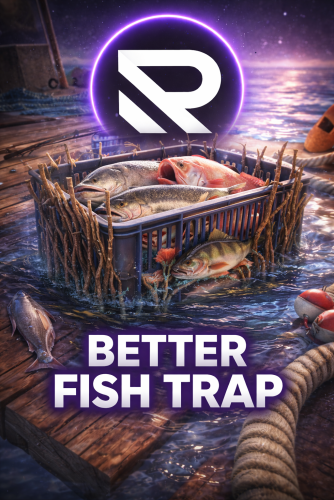
Overview Better Fish Trap transforms the survival fish trap into a fully automated fishing station. It automatically attaches an Industrial Storage Adaptor to every fish trap placed on your server, making them compatible with the industrial conveyor system. Fish caught by the trap can be automatically routed through conveyor belts to furnaces, storage boxes, or any other industrial destination -- no manual looting required. Beyond automation, the plugin includes three independent systems that work together: health protection to prevent traps from breaking, configurable fishing speed tiers based on permissions, and a full upgrade system where players spend currency to permanently improve individual traps. Each system can be enabled or disabled independently. Features Industrial Storage Adaptor Integration Automatically spawns a storage adaptor as a child entity of every survival fish trap Works with all industrial entities: conveyor belts, industrial splitters, industrial combiners Adaptor position and rotation are fully configurable to fit your server's aesthetic Existing adaptors are detected on server restart -- no duplicates created Adaptor inherits the fish trap owner's ID for authorization Health Protection (3 Modes) Fish traps take decay damage every time they catch a fish. This system prevents traps from breaking: Mode 1 - Prevent Damage: Saves the trap's health before damage is applied and restores it on the next tick. The trap briefly shows reduced health but recovers instantly. Mode 2 - Heal After Catch: Saves health and schedules a heal. Supports instant heal or a configurable delay in seconds. Mode 3 - Block Decay Damage: Completely blocks all decay-type damage to managed fish traps. Best performance -- the damage event is cancelled before any processing. This is the default and recommended mode. Fishing Speed Control (Permission-Based) Control how fast fish traps catch fish through a tiered permission system: The vanilla tick rate is 60 seconds per catch attempt Define unlimited custom tiers, each with its own tick rate, priority, and display name Players receive the speed from their highest-priority tier Players without any speed permission use the configurable default tick rate Tiers are fully customizable: add, remove, or rename as needed Default tiers included: Tier Permission Tick Rate Priority VIP betterfishtrap.speed.vip 40s 1 Premium betterfishtrap.speed.premium 30s 2 Elite betterfishtrap.speed.elite 20s 3 Admin betterfishtrap.speed.admin 10s 999 Upgrade System Players can upgrade individual fish traps through an in-game UI to improve their tick rate. This system is independent from the permission-based speed tiers -- upgrades take priority over permissions when present. 6 upgrade levels by default, fully configurable (add more or fewer) 3 currency options: in-game items (scrap by default, supports custom items with skin ID), Economics, or ServerRewards Keep Attributes: When enabled, picking up an upgraded fish trap preserves its upgrade level. Placing it again restores the upgrade. Upgraded traps cannot stack with non-upgraded traps or traps of different levels. Access control: Restrict upgrades to the owner only, teammates/clanmates only, or allow anyone with the permission Clan integration: When "Only Teammates" is enabled, the plugin checks both native Rust teams AND the Clans plugin for membership and alliances Visual feedback: Configurable upgrade effect plays on each upgrade (default: stone upgrade sound) Full UI: Upgrade button and status indicator appear when looting a managed fish trap. A detailed modal shows all levels, current progress, costs, and the upgrade button. Default upgrade levels: Level Cost (Scrap) Tick Rate Level 1 100 50s Level 2 250 40s Level 3 500 30s Level 4 1,000 20s Level 5 2,000 15s Level 6 (MAX) 5,000 10s Admin Tools Reset command: Removes all existing adaptors and reattaches them cleanly, reapplying all fishing speeds Toggle command: Instantly disable/enable the upgrade system server-wide for testing or performance debugging. When disabled, all traps revert to vanilla 60s tick rate. When re-enabled, all upgrades and permissions are reapplied. Permissions Permission Description betterfishtrap.use Required for fish traps to receive a storage adaptor. Grant to all players or specific groups. betterfishtrap.admin Access to admin commands (reset, toggle). betterfishtrap.upgrade Access to the upgrade UI and ability to upgrade traps. betterfishtrap.speed. Grants the player a specific fishing speed tier. Replace with the tier name defined in config (e.g., vip, premium, elite, admin). Commands Chat Commands Command Permission Description /fishtrap.reset admin Removes all adaptors and reattaches them to every fish trap on the server. Reapplies fishing speeds. /fishtrap.toggle admin Toggles the upgrade system on/off server-wide. Useful for testing or debugging performance. Console Commands Command Description fishtrap.reset Same as chat command, usable from server console or RCON. fishtrap.toggle Same as chat command, usable from server console or RCON. Configuration Located at config/BetterFishTrap.json after first load. { "Enabled": true, "AdaptorPosition": { "x": 0.0, "y": 0.5, "z": -0.8 }, "AdaptorRotation": { "x": -90.0, "y": 0.0, "z": 0.0 }, "Health Protection Settings": { "Enable Health Protection": true, "Protection Mode (1=Prevent Damage, 2=Restore Health, 3=Block Decay Damage)": 3, "Instant Heal (Mode 2 only)": true, "Heal Delay Seconds (Mode 2, if not instant)": 0.5 }, "Fishing Speed Settings": { "Enable Fishing Speed Modification": true, "Default Tick Rate (seconds)": 60.0, "Speed Tiers": { "vip": { "Tick Rate (seconds)": 40.0, "Priority": 1, "Display Name": "VIP" }, "premium": { "Tick Rate (seconds)": 30.0, "Priority": 2, "Display Name": "Premium" }, "elite": { "Tick Rate (seconds)": 20.0, "Priority": 3, "Display Name": "Elite" }, "admin": { "Tick Rate (seconds)": 10.0, "Priority": 999, "Display Name": "Admin" } } }, "Upgrade System Settings": { "Enable Upgrade System": true, "Currency Type (0=Scrap, 1=Economics, 2=ServerRewards)": 0, "Keep Attributes When Removing": true, "Owner Only Can Upgrade": false, "Only Teammates Can Upgrade": true, "Upgrade Effect": "assets/bundled/prefabs/fx/build/promote_stone.prefab", "Tick Rate Upgrades": [ { "Cost": 100, "Tick Rate (seconds)": 50.0, "Display Name": "Level 1" }, { "Cost": 250, "Tick Rate (seconds)": 40.0, "Display Name": "Level 2" }, { "Cost": 500, "Tick Rate (seconds)": 30.0, "Display Name": "Level 3" }, { "Cost": 1000, "Tick Rate (seconds)": 20.0, "Display Name": "Level 4" }, { "Cost": 2000, "Tick Rate (seconds)": 15.0, "Display Name": "Level 5" }, { "Cost": 5000, "Tick Rate (seconds)": 10.0, "Display Name": "Level 6 (MAX)" } ] } } Configuration Reference General Setting Type Default Description Enabled bool true Master switch. When false, no adaptors are attached and placement hooks are unsubscribed. AdaptorPosition Vector3 (0, 0.3, 0) Local position offset of the storage adaptor relative to the fish trap. AdaptorRotation Vector3 (0, 0, 0) Local rotation of the storage adaptor relative to the fish trap. Health Protection Settings Setting Type Default Description Enable Health Protection bool true Enable or disable the health protection system. Protection Mode int 3 1=Prevent damage, 2=Heal after catch, 3=Block all decay damage (recommended). Instant Heal bool true Mode 2 only. If true, heals on the next tick. Heal Delay Seconds float 0.5 Mode 2 only. Seconds to wait before healing. Fishing Speed Settings Setting Type Default Description Enable Fishing Speed Modification bool true Enable or disable the fishing speed system. Default Tick Rate float 60.0 Tick rate in seconds for players without any speed permission. Speed Tiers Dictionary 4 tiers Each key is a permission suffix with tick rate, priority, and display name. Upgrade System Settings Setting Type Default Description Enable Upgrade System bool true Enable or disable the upgrade UI and functionality. Currency Type int 0 0=In-game item, 1=Economics, 2=ServerRewards. Currency Item object scrap Only used when Currency Type is 0. Keep Attributes When Removing bool true When true, picking up an upgraded trap preserves the upgrade level. Owner Only Can Upgrade bool false When true, only the player who placed the trap can upgrade it. Only Teammates Can Upgrade bool true When true, only owner, team members, or clan members can upgrade. Upgrade Effect string promote_stone Prefab path for the visual/sound effect on upgrade. Tick Rate Upgrades array 6 levels Array of upgrade levels with cost, tick rate, and display name. Upgrade Priority System The plugin uses a hybrid approach for determining a fish trap's tick rate: Upgrade level (highest priority) -- If the trap has been upgraded through the UI, that upgrade's tick rate is used. Permission tier (fallback) -- If the trap has no upgrade, the owner's highest-priority speed permission is used. Default tick rate (final fallback) -- If the owner has no speed permissions, the configured default tick rate is used. This means a VIP player who also upgrades their trap will use the upgrade tick rate, not the VIP tier rate. Upgrades are per-trap, permissions are per-player. Optional Dependencies Plugin Usage Economics Alternative currency for the upgrade system (Currency Type = 1) ServerRewards Alternative currency for the upgrade system (Currency Type = 2) Clans When "Only Teammates Can Upgrade" is enabled, checks clan membership and alliances in addition to native Rust teams None of these are required. The plugin works standalone with the default item-based currency and native Rust teams. Localization The plugin ships with full language support for: English (en) Brazilian Portuguese (pt-BR) All messages are registered through the Oxide/Carbon lang system and can be customized or extended by adding new language files. Quick Start Install the plugin in your plugins folder. Grant the base permission to all players: oxide.grant group default betterfishtrap.use Grant upgrade access: oxide.grant group default betterfishtrap.upgrade (Optional) Grant speed tiers to VIP groups: oxide.grant group vip betterfishtrap.speed.vip Reload the plugin. All existing fish traps will receive storage adaptors automatically. Players open a fish trap to see the upgrade button and status. Clicking the upgrade button opens the full upgrade modal.$4.99 -

Version 0.0.4
13 downloads
APCustomFish - allows you to catch custom fish with unique skins, names, and loot when using a fishing rod or a fish trap. This plugin supports complete customization of fish types, spawn chances, visual/audio effects, and gutting rewards. Features: Catch custom fish using fishing rods or traps Define fish names, skins, and spawn chances Bonus chances during night and rain Custom loot from gutting fish and trap creatures Optional sound/visual effects on catch Requires permission (optional) Multilingual config (EN, RU, UA) Commands: /fishlist – Display all configured custom fish (admin only) /gaf – Give all custom fish (admin only) /gaft – Give all custom trap creatures (admin only) Permissions: apcustomfish.use – Allows using plugin features apcustomfish.admin – Admin access to commands Important information about the config file: Option №1 "wood": [ 0, 70 ], 0 - skin ID 70 - quantity Option №2 "pistol.revolver": [ 1901240954, 1 ], 1901240954 - skin ID 1 - quantity Option №3 "stones": [ 60 ] 60 - quantity Option №4 "rifle.ak.bp": [ 0, 1 ], 0 - skin ID 1 - quantity .bp This means that it is a blueprint. rifle.ak.bp - blueprint rifle.ak - item weapon Example fragment: "Loot items on gutting": { "wood": [ 0, 70 ], "pistol.revolver": [ 1901240954, 1 ], "pistol.revolver.bp": [ 0, 1 ], "rifle.ak.bp": [ 0, 1 ], "stones": [ 60 ] } Config: { "Custom fish can be caught with a rod": true, "Custom fish can be caught with a trap": true, "Require permission to use plugin features": true, "Fish list": [ { "ShortName": "fish.anchovy", "Display name (empty - default)": "Gold Anchovy", "SkinID (0 - default)": 3476967485, "Fish spawn chance [0-100]": 30.0, "Loot items on gutting": { "wood": [ 0, 70 ], "stones": [ 0, 60 ] } }, { "ShortName": "fish.orangeroughy", "Display name (empty - default)": "Gold Orangeroughy", "SkinID (0 - default)": 3476975088, "Fish spawn chance [0-100]": 30.0, "Loot items on gutting": { "wood": [ 0, 70 ], "stones": [ 0, 60 ] } }, { "ShortName": "fish.yellowperch", "Display name (empty - default)": "Gold Yellow Perch", "SkinID (0 - default)": 3476976702, "Fish spawn chance [0-100]": 30.0, "Loot items on gutting": { "wood": [ 0, 70 ], "stones": [ 0, 60 ] } }, { "ShortName": "fish.salmon", "Display name (empty - default)": "Gold Salmon", "SkinID (0 - default)": 3476975367, "Fish spawn chance [0-100]": 30.0, "Loot items on gutting": { "wood": [ 0, 70 ], "stones": [ 0, 60 ] } }, { "ShortName": "fish.troutsmall", "Display name (empty - default)": "Gold Trout Small", "SkinID (0 - default)": 3476976486, "Fish spawn chance [0-100]": 30.0, "Loot items on gutting": { "wood": [ 0, 70 ], "stones": [ 0, 60 ] } }, { "ShortName": "fish.smallshark", "Display name (empty - default)": "Gold Small Shark", "SkinID (0 - default)": 3476975684, "Fish spawn chance [0-100]": 30.0, "Loot items on gutting": { "wood": [ 0, 70 ], "stones": [ 0, 60 ] } }, { "ShortName": "fish.minnows", "Display name (empty - default)": "Gold Minnows", "SkinID (0 - default)": 3476974844, "Fish spawn chance [0-100]": 30.0, "Loot items on gutting": { "wood": [ 0, 70 ], "stones": [ 0, 60 ] } }, { "ShortName": "fish.catfish", "Display name (empty - default)": "Gold Catfish", "SkinID (0 - default)": 3476973951, "Fish spawn chance [0-100]": 30.0, "Loot items on gutting": { "wood": [ 0, 70 ], "stones": [ 0, 60 ] } }, { "ShortName": "fish.herring", "Display name (empty - default)": "Gold Herring", "SkinID (0 - default)": 3476974715, "Fish spawn chance [0-100]": 30.0, "Loot items on gutting": { "wood": [ 0, 60 ], "stones": [ 0, 50 ] } }, { "ShortName": "fish.sardine", "Display name (empty - default)": "Gold Sardine", "SkinID (0 - default)": 3476975534, "Fish spawn chance [0-100]": 30.0, "Loot items on gutting": { "wood": [ 0, 30 ], "stones": [ 0, 10 ] } } ], "Custom fish trap chance": 30.0, "Custom trap creatures list": [ { "ShortName": "fish.anchovy", "Display name (empty - default)": "Green Crab", "SkinID (0 - default)": 3476967863, "Loot items on gutting": { "wood": [ 0, 70 ], "pistol.revolver": [ 1901240954, 1 ], "pistol.revolver.bp": [ 0, 1 ], "rifle.ak.bp": [ 0, 1 ], "stones": [ 60 ] } }, { "ShortName": "fish.salmon", "Display name (empty - default)": "Red Crab", "SkinID (0 - default)": 3476968123, "Loot items on gutting": { "wood": [ 0, 70 ], "rifle.ak": [ 3318155799, 1 ], "stones": [ 0, 60 ] } }, { "ShortName": "fish.troutsmall", "Display name (empty - default)": "Crayfish Green", "SkinID (0 - default)": 3476974388, "Loot items on gutting": { "wood": [ 0, 70 ], "stones": [ 0, 60 ] } }, { "ShortName": "fish.minnows", "Display name (empty - default)": "Shrimp", "SkinID (0 - default)": 3476972627, "Loot items on gutting": { "wood": [ 0, 70 ], "stones": [ 0, 60 ] } }, { "ShortName": "fish.herring", "Display name (empty - default)": "Crayfish Gold", "SkinID (0 - default)": 3476974565, "Loot items on gutting": { "wood": [ 0, 50 ], "stones": [ 0, 40 ] } }, { "ShortName": "fish.sardine", "Display name (empty - default)": "Gold Crab", "SkinID (0 - default)": 3476968515, "Loot items on gutting": { "wood": [ 0, 20 ], "stones": [ 0, 10 ] } } ], "Night bonus chance (multiplier)": 1.5, "Rain bonus chance (multiplier)": 1.2, "Catch message delay (seconds)": 0.1, "Enable sound effects": true, "Enable visual effects": true }$10.00 -

Version 1.0.10
288 downloads
Fishing contest is a an event plugin that spawns an arena in the ocean for players to compete at. Players must catch the most of a certain type of fish that the contest randomly selects to win. The arena is spawned using the CopyPaste plugin. You can create your own arena, but there are requirements (see the video). The plugin is highly configurable, allowing you to select if players keep what they catch, adjust drop rates for caskets for participants, modify the fishing rod tensile strength, and what fish the competition requires the players to catch. EpicLoot - Integrates a list of enhanced fishing attire into the rewards list. NightVision - Locks the players time to day while at the event. FishingTreasure - Allows for the drop rates of fishing caskets to be changed for players at the event. fishingcontest.admin - required to manually start and stop the event. joinfc - Joins the fishing contest. leavefc - Leaves the fishing contest. startfc - Manually starts the fishing contest. endfc - Manually ends the fishing contest.$15.00- 52 comments
- 3 reviews
-
- 3
-

-

-
- #competition
- #event
- (and 6 more)
-
Version 1.2.5
85 downloads
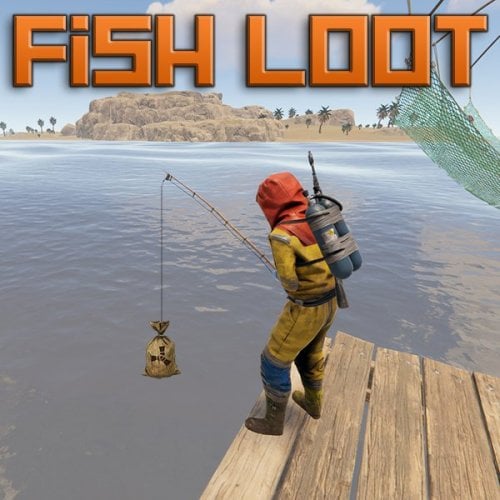
Fish Loot allows players to catch custom loot items instead of fish by chance. Create a custom loot table, with configurable rarity and drop chance per item. You can also specify the required bait value per item, so players will need to use that bait to get the best items! NOTE: If you enable the config option to allow fish traps to continue trapping after a successful catch, you will also probably need to give players the no trap damage permission, otherwise while the player is away, if the trap catches many times, it will break and the player will lose their trap and loot. Players can also get the same chance to get a custom loot items when gutting selected fish if enabled in the config. Very simple to set up with a small example loot table as default. Then just edit the loot table to suit your needs and add as many custom items as you like. All options you could possibly need in the config file. Permissions: fishloot.condition (players rod doesn't lose condition) fishloot.nofail (player can reel in fish without losing) fishloot.instacatch (hook a fish as soon as you cast) fishloot.gutluck (player has chance of item when gutting) fishloot.fishtraps (player has chance of item from fish traps) fishloot.notrapdamage (players fish traps do not lose health after catch) There are also chance multiplier permissions which can be created and set in the config. Players with these permissions will have a higher chance of getting a bonus item. Default Config:$12.99 -
Version 1.0.3
43 downloads
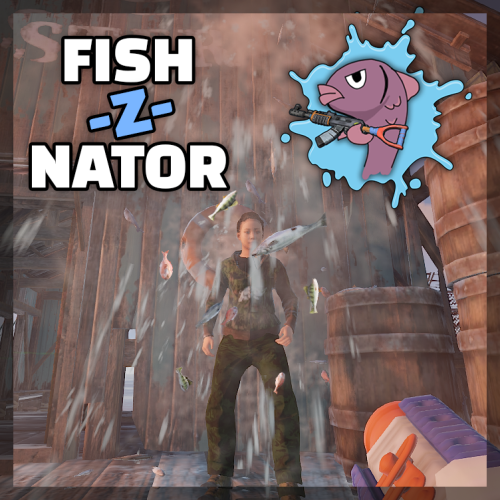
Sometimes all someone needs is a fish in the face. It just gives that finishing touch in making your point. From now on The Fish-Z-Nator will be your best friend to win any argument you get into. Various fish flying with high speed towards your enemies and will eventually make them stop talking. Damage, fire rate and fish speed are configurable. Spawning in The Fish-Z-Nator is regulated by a permission. Videos: Features Shoot fish Do damage (with permission) Don't do damage (you choose) Transform fish into fireworks when you hit a player Fish everywhere Bouncy fish Addicting Fish! Commands /fishznator Permissions fishznator.use > for using the /fishznator command fishznator.fireworks > for using fireworks mode fishznator.dodamage > allow doing damage to other players Config fishInterval = 0.05 > time between 2 lauched fish / fire rate fishForce = 20 > speed of the fish fishDamage = 0.25 > damage dealt when hitting a player, set to 0 to disable fireWorksPercentage = 20 > Percentage of fish changing into fireworks Join my Discord for quick support and suggestions! https://discord.gg/7ApTVphM7f$7.50 -
Version 1.3.1
76 downloads
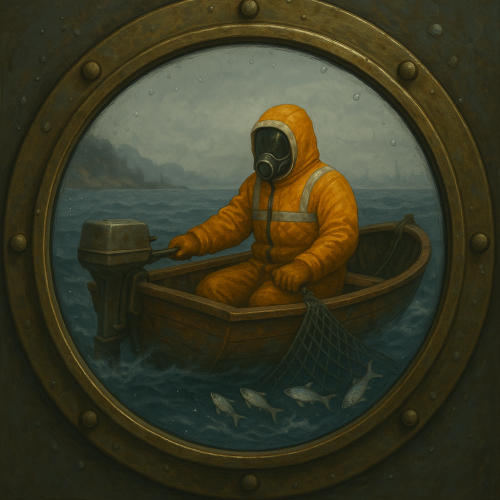
Trawling is a plugin that aims to add a new way to catch fish. Slap a net into the boats storage and trawl away. This plugin has a huge array of configurable features This is a quality of life plugin, as such it just works - there are no perms, there are no commands. Simply when a player adds a net to the storage of either the Rowboat or RHIB, it will automatically spawn a net at the rear of the boat (this is just for looks, but it adds 1000% more fun to the plugin). As the player drives the boat it will automatically catch fish (which fish can be caught is also in the configs). This plugin takes into account the depth of the boat when it picks which fish you caught (meaning you can set sharks to only be catchable in the deep water [as an example]). POTENTIAL ISSUE: I have been informed by one of my plugin purchasers that my plugin in combination with another can increase the chance of boats bugging out a bit (you can no longer interact with the boats engine). I have yet to be able to replicate the issue, but I am investigating it. So please take that into account when purchasing this plugin. None yet, if you think of anything neat or if you feel this plugin is lacking anything please contact me and I will seriously think about updating the plugin with your suggestions. None, this plugin is designed to be for all to enjoy. There are a few config fields that need a little more explanation SecondsPerTick - This is how many seconds will pass per tick. A tick will entail running through all active trawling sessions, and processing their catches since last tick etc. default is that the plugin with process the boats once ever second (no impact on my development server) UseCaptainsInventory - All catches are automatically put into the storage of the boat, unless the flag is set to false or it is full, in which case the fish will be added to the captains inventory. If that fails then the fish will be thrown overboard (catch and release). DeepWaterMinDepth - This value is checked when determining a catch, it uses Facepunch's terrain data and your position to check how far out you are. If you are in "deep water", then the catch will be taken from the [DeepWeights] data. CatchMinSpeed / CatchMaxSpeed - This was added to make trawling a little more interesting/difficult. There is a sweet spot in terms of speed you need to hit to be able to catch anything. DurabilityLossPerCatch - Fairly straight forward, every catch you get the net(s) in the storage will lose durability. When you run out of nets the players trawling session is over. DistancePerCatch - This is how far a boat has to have travelled in order to be able to catch a fish - the default is very short, meaning you can catch a lot of fish quickly, increase this to make this plugin less OP. Distance is in (approx.) meters. Shallow / Deep - These are your pools of fish that can be caught at what depths and in what distribution (again approx.) FishCatchFX - this is played whenever a fish is caught, the default is the mushroom picking sound. but you can try out others as well [https://www.corrosionhour.com/rust-prefab-list]. or contact me for some other ones that are decent (I tried several before picking the mushie sound) - leaving it as an empty string will stop any effect from playing. BoatSpeedIndicatorIcon - IMPORTANT: this plugin will not load any non Rust images, you can only use images from within rust itself. The default is the fishing tackle icon, but another good one is the fallback [assets/icons/triangle.png] image. Below is a copy of Version 1's config file. { "Version": 2, "SecondsPerTick": 0.4, "UseBoatStorage": true, "UseCaptainsInventory": true, "AllowRHIB": true, "AllowRowboat": true, "DeepWaterMinDepth": 6.0, "CatchMinSpeed": 3.5, "CatchMaxSpeed": 15.5, "DistancePerCatch": 15.0, "CatchAttemptsPerCatch": 2, "DurabilityLossPerCatch": 2.0, "ChatPrefix": "<color=#baf>[Trawler]</color> ", "Shallow": [ { "shortname": "fish.troutsmall", "skinId": 0, "weight": 50, "min": 1, "max": 2 }, { "shortname": "fish.herring", "skinId": 0, "weight": 40, "min": 1, "max": 3 }, { "shortname": "fish.minnows", "skinId": 0, "weight": 40, "min": 2, "max": 4 }, { "shortname": "fish.sardine", "skinId": 0, "weight": 35, "min": 1, "max": 3 }, { "shortname": "fish.yellowperch", "skinId": 0, "weight": 20, "min": 1, "max": 2 }, { "shortname": "fish.troutsmall", "skinId": 0, "weight": 50, "min": 1, "max": 2 }, { "shortname": "fish.herring", "skinId": 0, "weight": 40, "min": 1, "max": 3 }, { "shortname": "fish.minnows", "skinId": 0, "weight": 40, "min": 2, "max": 4 }, { "shortname": "fish.sardine", "skinId": 0, "weight": 35, "min": 1, "max": 3 }, { "shortname": "fish.yellowperch", "skinId": 0, "weight": 20, "min": 1, "max": 2 }, { "shortname": "fish.troutsmall", "skinId": 0, "weight": 50, "min": 1, "max": 2 }, { "shortname": "fish.herring", "skinId": 0, "weight": 40, "min": 1, "max": 3 }, { "shortname": "fish.minnows", "skinId": 0, "weight": 40, "min": 2, "max": 4 }, { "shortname": "fish.sardine", "skinId": 0, "weight": 35, "min": 1, "max": 3 }, { "shortname": "fish.yellowperch", "skinId": 0, "weight": 20, "min": 1, "max": 2 } ], "Deep": [ { "shortname": "fish.salmon", "skinId": 0, "weight": 40, "min": 1, "max": 2 }, { "shortname": "fish.anchovy", "skinId": 0, "weight": 30, "min": 1, "max": 3 }, { "shortname": "fish.herring", "skinId": 0, "weight": 30, "min": 1, "max": 3 }, { "shortname": "fish.orangeroughy", "skinId": 0, "weight": 10, "min": 1, "max": 1 }, { "shortname": "fish.smallshark", "skinId": 0, "weight": 5, "min": 1, "max": 1 }, { "shortname": "fish.salmon", "skinId": 0, "weight": 40, "min": 1, "max": 2 }, { "shortname": "fish.anchovy", "skinId": 0, "weight": 30, "min": 1, "max": 3 }, { "shortname": "fish.herring", "skinId": 0, "weight": 30, "min": 1, "max": 3 }, { "shortname": "fish.orangeroughy", "skinId": 0, "weight": 10, "min": 1, "max": 1 }, { "shortname": "fish.smallshark", "skinId": 0, "weight": 5, "min": 1, "max": 1 }, { "shortname": "fish.salmon", "skinId": 0, "weight": 40, "min": 1, "max": 2 }, { "shortname": "fish.anchovy", "skinId": 0, "weight": 30, "min": 1, "max": 3 }, { "shortname": "fish.herring", "skinId": 0, "weight": 30, "min": 1, "max": 3 }, { "shortname": "fish.orangeroughy", "skinId": 0, "weight": 10, "min": 1, "max": 1 }, { "shortname": "fish.smallshark", "skinId": 0, "weight": 5, "min": 1, "max": 1 }, { "shortname": "skull.human", "skinId": 0, "weight": 10, "min": 2, "max": 2, "customName": "Ancient Skull" } ], "ShallowWeights": null, "DeepWeights": null, "CatchValues": null, "Rowboat": { "position": [ 0.0, -0.1, -1.8 ], "rotation": [ 0.0, -90.0, 110.0 ] }, "RHIB": { "position": [ 0.0, 0.1, -3.0 ], "rotation": [ 0.0, -90.0, 110.0 ] }, "FishCatchFX": "assets/prefabs/deployable/survivalfishtrap/effects/fish_caught.prefab", "BoatSpeedIndicatorIcon": "assets/prefabs/missions/items/fishing.tackle.icon.png" }$10.00 -
Version 1.0.1
10 downloads
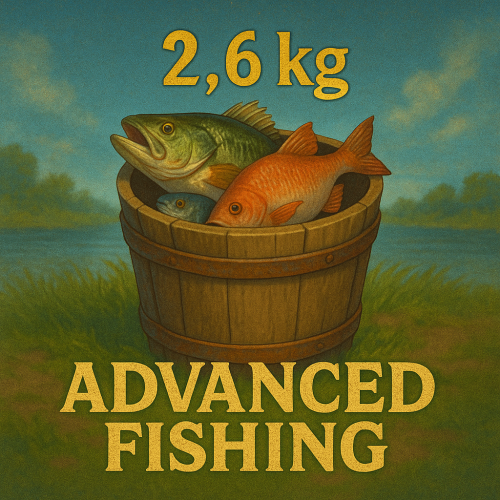
Advanced Fishing is a powerful and fully customizable plugin that completely overhauls the fishing system in Rust. With weight-based fish, immersive mechanics, item-based trading, and full UI integration, fishing becomes a profitable and rewarding gameplay loop! Use Cases: Create an immersive fishing economy on your PvE or modded servers. Reward players for fishing tournaments or daily quests. Add rare fish with high value or special lore. Enable custom progression with powerful fishing rods. ◼◼◼◼ Key Features ◼◼◼◼ Enhanced Fishing Mechanics Every fish has a randomized weight, affecting catch difficulty and selling price. Custom rods can influence the weight range of caught fish. Realistic movement based on fish weight and lure tension. Fishing Bucket System Players must place a Fishing Bucket nearby to start fishing. The bucket stores caught fish with limited capacity. Dynamic floating text notifications when catching fish. Can be picked up or opened with smart interaction logic. Purchase from Fishing Villages (optional, via vending machine). Fish Exchange & Economy Sell fish via NPC vending machines ("Fish Exchange"). Full support for: Item-based currency (e.g., scrap), Economics balance, or ServerRewards points. Price is calculated per kilogram with randomness and dynamic seeding. Custom Items Support Fully integrated with CustomItemDefinitions. Create your own fish, bait, and fishing rods with unique stats and skins. Customize catch chance, bait levels, depth ranges, strain modifiers, and more. UI & Localization Clean and responsive UI for viewing and exchanging caught fish. Shows total price, per-fish breakdown, and an EXCHANGE button. Full localization of messages and interface.$15.00 -
Version 1.0.0
6 downloads
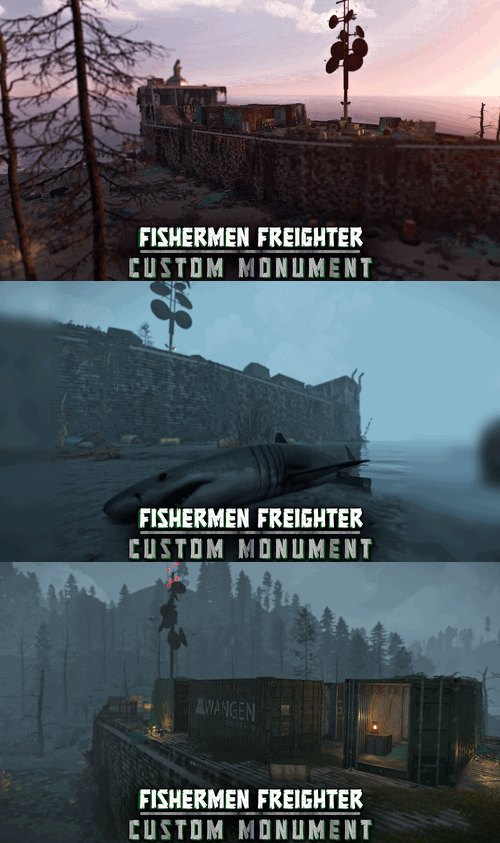
An old, stranded fishermen freighter. This monument is constantly supported and updated for the current version of the game with all updates! FEATURES 2 versions are included, one that can be placed on the shore, and one that can be placed anywhere on the ocean. It can also be placed as an addon to harbor or ferry terminal. Contains loot, recycler, a green keycard puzzle (you can edit this) NOTES – If you need support, I’m most active on my discord server @ discord.gg/TJxwpKT2Ge – You can edit the monument.$7.49-
- 3
-
-
- #fishermen
- #freighter
- (and 11 more)
-
Version 1.0.2
777 downloads
FishR will add a configurable amount of resources gained from gutting for each fish type and handles the new Bone Type Fish Bones. Features : Configure the amount of resources and bonus items gained from gutting fish. Changes the bonefragments to fish bones used by other plugins in this series. Commands : /fishr info : Shows plugin info/version/author (Or any info edited in the language file about the event) Configuration : The Fish normally giving a bonus item by Rust are already having the Bonus Items listed and can be changed accordingly or added to the fish not having this by default. { "Main config": { "Debug": false }, "Anchovy": { "Fish Bones": 2, "Raw Fish": 1, "Animal Fat": 1, "Add bonus item": false, "Bonus item (x1)": [] }, "Cat fish": { "Fish Bones": 18, "Raw Fish": 18, "Animal Fat": 18, "Add bonus item": true, "Bonus item (x1)": [ "scrap", "keycard_blue", "cloth", "ammo.pistol", "flare" ] }, "Herring": { "Fish Bones": 1, "Raw Fish": 2, "Animal Fat": 1, "Add bonus item": false, "Bonus item (x1)": [] }, "Orange Roughy": { "Fish Bones": 18, "Raw Fish": 18, "Animal Fat": 18, "Add bonus item": true, "Bonus item (x1)": [ "scrap", "keycard_blue", "cloth", "ammo.pistol", "flare" ] }, "Salmon": { "Fish Bones": 16, "Raw Fish": 18, "Animal Fat": 16, "Add bonus item": true, "Bonus item (x1)": [ "scrap", "keycard_blue", "cloth", "ammo.pistol", "flare" ] }, "Sardine": { "Fish Bones": 1, "Raw Fish": 1, "Animal Fat": 5, "Add bonus item": false, "Bonus item (x1)": [] }, "Small Shark": { "Fish Bones": 20, "Raw Fish": 20, "Animal Fat": 20, "Add bonus item": true, "Bonus item (x1)": [ "scrap", "keycard_blue", "cloth", "ammo.pistol", "flare" ] }, "Small Trout": { "Fish Bones": 5, "Raw Fish": 4, "Animal Fat": 8, "Add bonus item": false, "Bonus item (x1)": [] }, "Yellow Perch": { "Fish Bones": 6, "Raw Fish": 4, "Animal Fat": 9, "Add bonus item": false, "Bonus item (x1)": [] } } Localisation : English language file included to use a different language just make a new file in the language folder. { "GutUnsuccesful": "<color=#4A95CC>Gutting was unsuccesfull !</color> gut the fish in your inventory instead.", "Info": "\n<color=green>Available Commands</color> :\n<color=green>/fishr info</color> : Shows info on version/author and commands", "InvalidInput": "<color=red>Please enter a valid command!</color>", "Version": "Version : V" }Free- 9 comments
- 3 reviews
-
- 4
-
-
- #oxide
- #krunghcrow
- (and 4 more)
-
Version 3.1.1
764 downloads
Custom Gather allows you to have dynamic gather rates on your server! This allows you to assign different gather rates for as many groups of players as you would like. What this plugin offers that other gather rate plugins don't: Create custom gather rates based on oxide permission groups Example: Have a global 2x gather rate, but have VIPs gather at 4x, and Elite VIPs gather at 8x. Modify resources in Unloadable Train Wagons Set separate custom rates for Public and Private quarries Modify Fishing Rate Gather rate modifier includes grubs/worms picked from plants Configuring JSON Files This plugin creates two JSON files, one is located in Oxide/Config/CustomGather.json, and the other is in Oxide/Data/CustomGather.json. The config file is used to set the global on/off switches, unloadable train wagon settings, the blacklists and the global override list. The data file is used to create and specify custom groups to be assigned via oxide permissions. The 'default' group makes a permission named customgather.default and automatically assigns it to the default oxide group All other groups generate permissions titled customgather.{groupname} that then must be assigned to an oxide group or player. Do NOT delete the data json file during server wipe. It will reset all your custom group settings and need to be reconfigured. Tutorial Blacklists & Global Override List The Blacklists reverts an item's gather rate to 1x for the specified method of gathering that it is listed under. The Global Override List is similar, but you specify a custom gather rate for specific items that is then applied globally, regardless of permission groups or gather method. Items need to be entered in with their short names. Use this reference to find any item's short name. Insert items by their short names inside quotations and separated by commas. Chat Commands /cg info -- Displays each custom group and their gather rates Config JSON - Example { "Global On/Off Switches. Only set these to false if you use a separate plugin to control specific gather rates.": { "Modify rates for items picked off the terrain (ex: plants, tree stumps, small ore nodes)": true, "Modify rates for items grown in planters": true, "Modify rates for fishing": true, "Modify rates for PUBLIC Quarries and Pumpjacks": true, "Modify rates for PRIVATE Quarries and Pumpjacks": true, "Modify rates for the Giant Excavator": true, "Modify rates for Dispensers (ex: ore nodes, trees, animal corpses)": true, "Modify rates for Resource Train Wagons": true }, "Unloadable Train Wagon Settings": { "Multiplication Rate": 20, "Single Stack of Resources?": true }, "Blacklists (items to gather at vanilla rates)": { "Harvested Items": [ "human.skull", "skull.wolf" ], "Pickup Items": [ "cloth" ], "Planter Box Items": [ "clone.hemp" ], "Fishing": [ "fish.anchovy" ], "Quarries & Pumpjacks": [ "stones" ], "Excavator": [ "stones" ], "Train Resource Wagons": [ "metal.ore" ] }, "Global Override List": { "pumpkin": 20, "hq.metal.ore": 10 } } Data JSON - Example { "Custom Permission Group Settings": { "default": { "Gather Rate": 1, "PUBLIC Quarries & Pumpjacks Rate": 1, "PRIVATE Quarries & Pumpjacks Rate": 1, "Giant Excavator Rate": 1, "Fishing Rate": 1 }, "vip": { "Gather Rate": 2, "PUBLIC Quarries & Pumpjacks Rate": 2, "PRIVATE Quarries & Pumpjacks Rate": 2, "Giant Excavator Rate": 2, "Fishing Rate": 2 }, "Elite": { "Gather Rate": 3, "PUBLIC Quarries & Pumpjacks Rate": 3, "PRIVATE Quarries & Pumpjacks Rate": 3, "Giant Excavator Rate": 3, "Fishing Rate": 3 }, "SuperElite": { "Gather Rate": 4, "PUBLIC Quarries & Pumpjacks Rate": 4, "PRIVATE Quarries & Pumpjacks Rate": 4, "Giant Excavator Rate": 4, "Fishing Rate": 4 }, "MegaElite": { "Gather Rate": 5, "PUBLIC Quarries & Pumpjacks Rate": 5, "PRIVATE Quarries & Pumpjacks Rate": 5, "Giant Excavator Rate": 5, "Fishing Rate": 5 } } }$5.00- 25 comments
- 3 reviews
-
- 1
-
-
- #gathering
- #gather rates
- (and 11 more)
-
Version 1.0.0
2 downloads
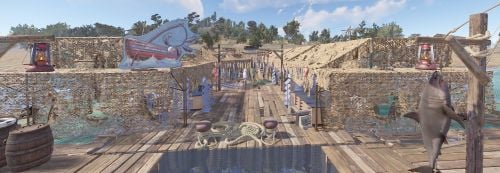
The Fish Market is a cluttered and recently abandoned converted dock. Boats and Loot can spawn here, they make great additions to lonely islands and secluded beaches. Perfect for maps wanting to give a little more to their water based gameplay. Players will need to dive a short distance for two of the 5 normal crates. 3 Boat Spawns 5 Normal Crates 1 Diesel Barrel 4 Food Crates 2 Tool Crates$10.00







.thumb.png.ccf8a947948c9eb1445ad21a7931247b.png)