Search the Community
Showing results for tags 'glitch'.
Found 2 results
-
Version 1.2.2
250 downloads
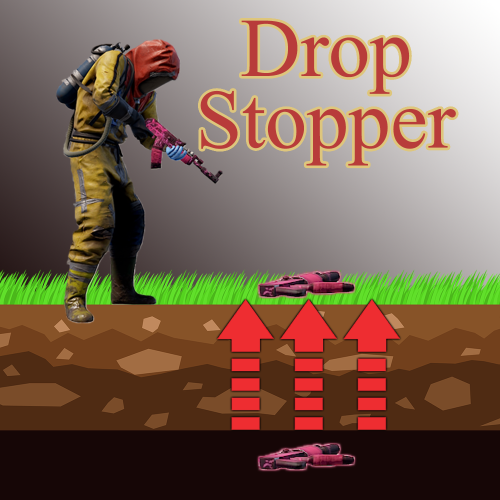
Why do I need this plugin?: Have you ever dropped an item after death, from a flying vehicle, in tall grass or bushes, off dome, underwater, on cargo, on oil platforms, in tunnels, caves, or while driving in a vehicle? Did you lose it? Did it fall through the ground? Did someone pick it up? Wouldn't it be great to have a tool that keeps track of all the dropped items on the server for each individual that dropped it? If so, this plugin is EXACTLY what you need. Plugin Description: Drop Stopper plugin keeps dropped items from being despawned when they clip/fall through the terrain by bringing them back up to the ground. Items that have been dropped are tracked with ESP (see item through walls) to help players locate them without asking an Admin for help! Items that are too far away can be instantly collected or ignored with chat commands. How to get it working: 1) Upload plugin file to server 2) Use your favorite permissions manager to set permissions for players 3) Restart server or re-login to use commands properly Q & A: Q: What happens if an item falls through the ground? A: Drop Stopper automatically detects the item is falling underground and returns it to the surface. The player can then use /dsfind chat command to enable item ESP to locate their dropped items. Q: What is Drop Stopper item ESP? A: If the player has permission, they can use to /dsfind chat command to view all their own personal dropped items. The ESP is highly visible red text in 3D space. For example: "Bandages (world) 29.9m" indicates that you dropped bandages that are 29.9 meters away. Q: Can other people on the server see my Drop Stopper tracked items? A: No. Only the player that dropped an item can the ESP location. Everyone else only sees the dropped item as a normal item on the ground. Q: What happens if my item despawns after sitting on the ground for a long time? What happens if another player picks up my tracked item? A: You will no longer be able to see the tracked item. It was deleted or belongs to someone else now. Q: What happens if an item falls through the ground into an underground tunnel? A: If /dsfind chat command is used, the player will be able to see the item far below the ground. They can either go down and get it, or use the /dspull chat command to instantly pickup all of their personal Drop Stopper tracked items. Q: What happens if I use /dspull chat command and my inventory is full? A: The item is dropped in front of you and is no longer tracked by Drop Stopper, unless you pick it up and drop it again. Q: What happens if I drop a bunch of items on the ground? A: First of all, learn how to recycle. Second, all the items will be tracked by Drop Stopper. If you don't want them to be seen use the /dsignore chat command. Q: Can I disable the ESP tracking text for dropped items? A: Yes. If you are an Admin, you can disable permissions for players or groups for any chat command. Disabling /dsfind permissions, then reloading the plugin would drop all players using it and disable further use. Q: What happens when an item is dropped into the ocean or lakes? A: Items will slowly fall through the water like they would in Vanilla Rust. They will stop on the ground below the water. If it falls through the ground under the water, DropStopper will return it to the ground below the water. After dropping any item, Drop Stopper tracks the item with ESP. Works: Inside a base Underground tunnels Outside Caves In a minicopter/scrap heli Underwater Items dropped on Cargo, Boats, or Scrap Piles in the ocean Configuration: { "Enable debugging messages in console: (Default=false)": false, "Global chat command cooldown in seconds: (Stops players from spamming commands) (Default=5.0)": 5.0 } Permissions: 1.save.falling.items - If you drop an item and it falls through the ground Drop Stopper will bring it back to the surface to be saved 2.override.save.falling.items - Allows admin to dispose of items under the map 3.allow.dsfind.command - Allows the use of the /dsfind command 4.allow.dsignore.command - Allows the use of the /dsignore command 5.allow.dspull.command - Allows the use of the /dspull command Chat Commands: /dsfind - Enables item ESP for only items dropped by the player that uses this command. /dsignore - Disables item ESP /dspull - Instantly picks up any dropped items (does not work on backpacks) Console Commands: This plugin does not have console commands!$6.99 -
Version 1.4.2
141 downloads
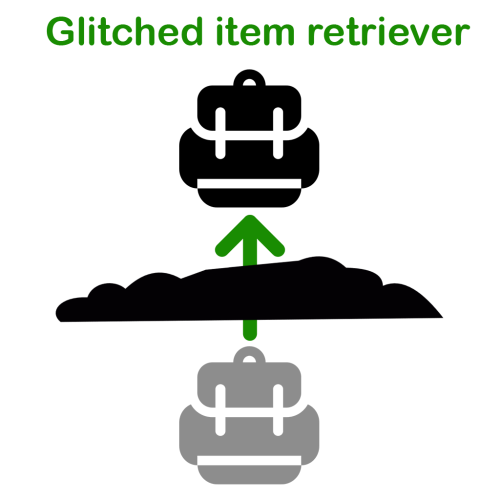
"My backpack fell through the ground, again!" is a sentence that all admins hate to hear. And what will happen if no admin is online when a players backpack (or held item) glitches through the ground? Correct, it will be lost forever. This plugin checks for all items which are dropped after a players death and will smoothly bring them up to the players death position (+ a little extra so they won't fall through the ground again). Just one command, one permission and the configuration is very small and simple. Configuration: "Lift glitched items slowly up instead of teleporting them instantly": (Just a small cosmetic feature) If true, the items will be slowly lifted up until they pop out of the terrain. If false, the items will be teleported instantly to the position on which the played died. --> If you experience any performance issues by the animation/coroutine, leave the setting on "false". While testing I had no performance issues unless I retrieved 50+ items simultaneously (which won't ever happen on a live server nevertheless). Permissions: glitcheditemretriever.active If a player does not have this permission, his items will not be retrieved. Why? Admins tend to throw stuff under the map and want to disable the retrieve logic for these items. Or you want to enable this plugin only for a VIP group of users. Whatever floats your boat. Commands: /gir.toggle Can be used by every player with the permission mentioned earlier. Toggles a settings with the enabled/disabled state for the calling player. Useful for admins when they want to throw stuff under the map. Just toggle the retrieve logic (to off), throw the stuff away, toggle the retrieve login again (to on). Notes: To make sure an item is dropped under the terrain ON PURPOSE, I added a minimum distance of 3 meters between the noclip-flying-admin-player and the terrain. If an admin wants to throw his stuff under the map WITHOUT toggling the setting first, make sure to fly more than 3 meters under the terrain. If the players position is below the terrain but not at least 3 meters, the plugin assumes that the player glitched through the terrain, dropped the items by accident and retrieves them. Known issues: - Rust does not always calculcate the terrain correctly when a player is inside a cave, tunnel or custom underground monument. An item that is glitched there will likely be teleported on the surface ABOVE the underground location. I opened a ticket at facepunch in 2024, not fixed yet. - Items that are thrown away on purpose (dragged out of the inventory or when used the "drop item (single)") are not handled by my plugin, when less then the whole stack was thrown away, since there is a bug in Facepunch's code that does not set the "dropped by" attribute (player's steam ID). So my plugin does now know to which player the item belonged, who should be informed via chat message and if the (unknown) owner has the setting enabled or disabled (via gir.toggle). I opened a ticket at facepunch in april 2025, not fix yet. Roadmap: - Since the plugins name could lead to the confusion: currently it only retreives the backpack and/or the held item the player drops on his death. I will check for items that were looted by p.e. barrels and other props later. - Maybe: configurable list of items that should be retrieved or ignored by the plugin - Smoother animation - Configurable message that is sent to the player - Check if player is in a tunnel/cave, since items that are dropped in these locations, are retrieved to the terrain (which is above the tunnel/cave!)$9.99