Search the Community
Showing results for tags 'items'.
-
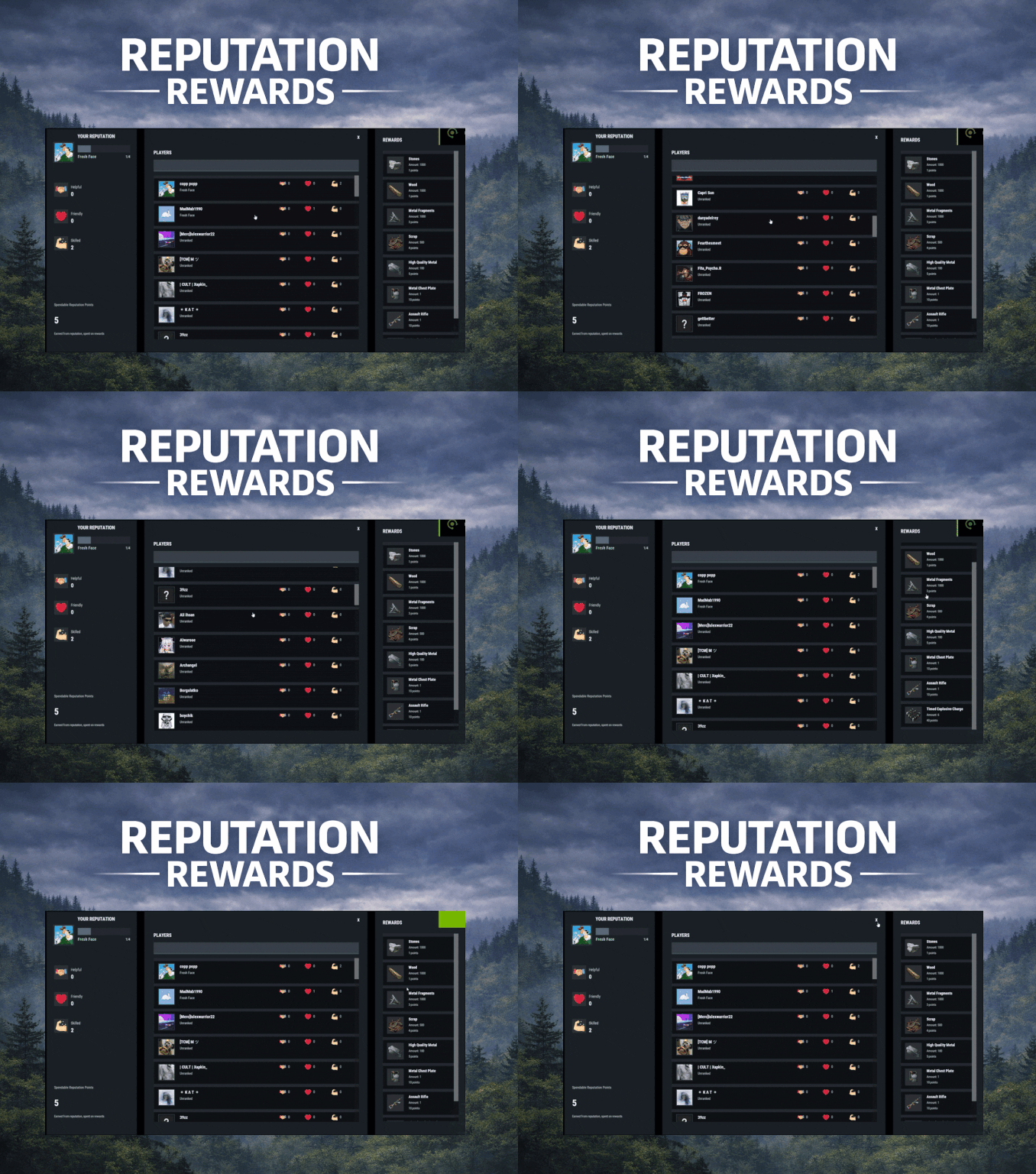
Version 1.0.1
17 downloads
ReputationRewards is built to encourage positive community behaviors by adding an in-game reputation system to your Rust server with a clean 3-column UI, built-in reward shop, and rank progression. Players can reward each other for being Helpful, Friendly, or Skilled, earning spendable reputation points that can be redeemed instantly for configured items. As players gain reputation, they climb ranks and can trigger configurable server commands on rank-up for additional rewards or other triggers (kits, mail, permissions, VIP perks, etc.). Key features In-game UI One command opens a polished reputation interface. Three-column layout: Your Reputation (rep totals, rank, progress bar, spendable points) Players List (searchable, sorted by total rep) Built in Rewards Shop Three reputation categories Helpful Friendly Skilled These can easily be renamed to something else via the Lang files. Anti-abuse limits (configurable) Per-target cooldown: limit how often someone can rep the same player. Total giving limit per window: cap how many reps a player can give during a configurable time window (default 24h). Spendable reputation points Configurable points awarded to: The target (for receiving rep) The giver (for giving rep) Points are spent in the built in reward shop. Built-in reward shop Configure any Rust item shortname + amount + optional skin + optional custom display name. Players select quantity and see the total cost before purchase. Rank system with automatic rewards Define unlimited ranks with a required total reputation threshold. Run server commands on rank-up (supports placeholders like %steamid%). Compatible with all plugins that can trigger a console command against a player, such as my Mail System Visual feedback FX plays when rep is received. FX plays on rank-up to make progression feel rewarding. Integrations BetterChat: If you wish to display player's reputation rank next to their chat name ImageLibrary (recommended): for image loading reliability. Configuration highlights Set cooldown time per target player Set total give limit window (seconds) + max reps per window Configure how many spendable points are earned per rep (giver and target) Configure wipe behavior on new save (rep/rank and/or spendable points) Define ranks and rank-up commands Define reward shop items and pricing Customize UI colors + icon URLs __________________________________ Commands (configurable): /rep or /reputation - Opens the reputation UI __________________________________ Sample/Default Config: { "Commands to open UI": [ "rep", "reputation" ], "How often can a player give rep to the same player": 86400, "How often to reset player's total rep give limit": 86400, "Max reputation gives per total window (per player)": 5, "Spendable points awarded to TARGET per rep received": 2, "Spendable points awarded to GIVER per rep given": 1, "Wipe reputation + rank on new save?": false, "Wipe spendable points on new save?": false, "Ranks / Levels": [ { "Rank Name": "Fresh Face", "Points Required (total rep)": 1, "Commands On Reach (optional)": [ "mail.send %steamid% \"Rank Up: Fresh Face!\" \"Welcome to the community! Here are some starting supplies to help you settle in.\" -img 0 -item wood 1000 0 -item stones 1000 0" ] }, { "Rank Name": "Promising Sapling", "Points Required (total rep)": 5, "Commands On Reach (optional)": [ "mail.send %steamid% \"Rank Up: Promising Sapling!\" \"You're showing great potential! Here are some resources to help you grow.\" -img 0 -item sulfur.ore 1000 0 -item metal.ore 1000 0" ] }, { "Rank Name": "Positive Force", "Points Required (total rep)": 10, "Commands On Reach (optional)": [ "mail.send %steamid% \"Rank Up: Positive Force!\" \"Your positive impact is being felt! Here are some refined materials for your efforts.\" -img 0 -item sulfur 1000 0 -item metal.fragments 1000 0" ] }, { "Rank Name": "Reliable Member", "Points Required (total rep)": 20, "Commands On Reach (optional)": [ "mail.send %steamid% \"Rank Up: Reliable Member!\" \"Your reliability has been noticed! Here are some higher quality materials for your continued contributions.\" -img 0 -item hq.metal.ore 1000 0 -item lowgradefuel 1000 0" ] }, { "Rank Name": "Community Pillar", "Points Required (total rep)": 35, "Commands On Reach (optional)": [ "mail.send %steamid% \"Rank Up: Community Pillar!\" \"You've become a pillar of our community! Here are some valuable processed materials.\" -img 0 -item metal.refined 1000 0 -item charcoal 1000 0" ] }, { "Rank Name": "Guiding Presence", "Points Required (total rep)": 55, "Commands On Reach (optional)": [ "mail.send %steamid% \"Rank Up: Guiding Presence!\" \"Your guidance helps others find their way! Here are materials for advanced crafting.\" -img 0 -item scrap 1000 0 -item gunpowder 1000 0" ] }, { "Rank Name": "Foundation Stone", "Points Required (total rep)": 80, "Commands On Reach (optional)": [ "mail.send %steamid% \"Rank Up: Foundation Stone!\" \"You are a foundational part of our community! Here are some advanced munitions for your dedication.\" -img 0 -item ammo.rifle.hv 500 0 -item ammo.rifle.explosive 500 0" ] }, { "Rank Name": "The Beloved", "Points Required (total rep)": 110, "Commands On Reach (optional)": [ "mail.send %steamid% \"Rank Up: The Beloved!\" \"You are the heart and soul of our community! Here are powerful munitions for a true leader.\" -img 0 -item ammo.rocket.basic 12 0 -item ammo.rocket.hv 12 0" ] } ], "Enable Title In BetterChat (optional, requires BetterChat)": false, "BetterChat Title Format ({0} will place the rank name)": "<color=yellow>{0}</color>", "Rewards": [ { "Shortname": "wood", "Amount": 1000, "SkinId": 0, "DisplayName (blank = default)": "", "Cost (points)": 1 }, { "Shortname": "stones", "Amount": 1000, "SkinId": 0, "DisplayName (blank = default)": "", "Cost (points)": 1 }, { "Shortname": "metal.fragments", "Amount": 1000, "SkinId": 0, "DisplayName (blank = default)": "", "Cost (points)": 3 }, { "Shortname": "metal.refined", "Amount": 100, "SkinId": 0, "DisplayName (blank = default)": "", "Cost (points)": 5 }, { "Shortname": "scrap", "Amount": 500, "SkinId": 0, "DisplayName (blank = default)": "", "Cost (points)": 4 }, { "Shortname": "rifle.ak", "Amount": 1, "SkinId": 0, "DisplayName (blank = default)": "", "Cost (points)": 10 }, { "Shortname": "metal.plate.torso", "Amount": 1, "SkinId": 0, "DisplayName (blank = default)": "", "Cost (points)": 10 }, { "Shortname": "explosive.timed", "Amount": 6, "SkinId": 0, "DisplayName (blank = default)": "", "Cost (points)": 40 } ], "Colors": { "Overlay Background (dim)": "0 0 0 0.35", "Main Panel Background": "0.12 0.14 0.16 0.95", "Inner Panel Background": "0.15 0.17 0.20 0.96", "Modal Frame (border)": "0.06 0.07 0.08 0.98", "Modal Background": "0.10 0.12 0.14 0.995", "Row Background": "0.10 0.12 0.14 0.92", "Row Hover Background": "0.16 0.18 0.21 0.95", "Row Pressed Background": "0.14 0.16 0.19 0.95", "Row Border": "0.06 0.07 0.08 0.98", "Text - Title": "0.95 0.96 0.97 1", "Text - Main": "0.88 0.90 0.92 1", "Text - Sub": "0.72 0.76 0.80 1", "Text - Dark": "0.10 0.10 0.10 1", "Button Background": "0.28 0.32 0.36 1", "Button Hover Background": "0.34 0.39 0.44 1", "Button Pressed Background": "0.31 0.35 0.40 1", "Accent Button Background": "0.36 0.40 0.46 1", "Input Field Background": "0.22 0.25 0.29 1", "Input Field Border Strip": "0.55 0.58 0.62 0.25", "Avatar Backing Plate/Border": "0.18 0.20 0.22 0.98", "Rank Progress Fill Color": "0.36 0.40 0.46 1", "Rank Title Text Color": "0.55 0.90 0.70 1", "Scrollbar Handle": "0.45 0.46 0.47 0.95", "Scrollbar Track": "0.10 0.10 0.10 0.35", "Scrollbar Highlight": "0.55 0.56 0.57 0.98", "Scrollbar Pressed": "0.62 0.63 0.64 0.98", "Positive Text Accent": "0.55 0.90 0.70 1", "Negative Text Accent": "0.90 0.55 0.55 1" }, "Images": { "Helpful Icon URL": "https://i.ibb.co/Y7CFpTLV/handshake.png", "Friendly Icon URL": "https://i.ibb.co/7dsJFVN5/heart-1.png", "Skilled Icon URL": "https://i.ibb.co/3QTJJgt/muscle.png" }, "Use ImageLibrary (recommended)": true }$14.99 -

Version 1.0.2
47 downloads
King of the hill is an arena plugin similar to SurvivalArena, Paintball, ZombieInfection and GunGame. It spawns an arena high in the sky to host the game, and players can join from anywhere on the map via a command. The plugin will store all of the players items, stats and buffs, and teleport them to the lobby before the game starts. The objective of the game is to be the first player to hold the hill for the target time, or be the player with the highest hill time by the end of the event. Upon completion of the event (or if a player manually leaves), players are returned to the location that they joined from with their equipment, stats and modifiers in tact. The plugin is highly customizable and allows you to: Create as many equipment profiles as you'd like. The game will select one at random using a weighted system. Adjust hill locations, movement times, sizes, capture targets and game time limits. Spectate players using a computer station. Automatically run, and allow your players to vote for the event using the EventHelper plugin. The plugin is also compatible with the maps from Paintball, ZombieInfection & GunGame. Simply drop the json files into the respective data folders to run king of the hill on those maps. Chat command: koth.addhill Permission: kingofthehill.admin Description: Adds a hill spawn position at the players location and saves it into the spawned arenas profile. Command: koth.start Permission: kingofthehill.admin Description: Manually starts a game of koth. You can also specify random to pick a random map. Command: koth.end Permission: kingofthehill.admin Description: Manually ends an active game of koth. Command: koth.spawnarenaend Permission: kingofthehill.admin Description: Spawns the arena without starting the game. Useful for adding new hill positions. Command: koth.cleararenaspawnarenaend Permission: kingofthehill.admin Description: Clears a spawned arena. Chat command: koth.setcentrepoint Permission: kingofthehill.admin Description: Sets the spawn position of the arena based on the players location. Chat command: koth.ban/koth.unban <id> Permission: kingofthehill.admin Description: Bans/unbans the target player from joining future events.$19.99 -
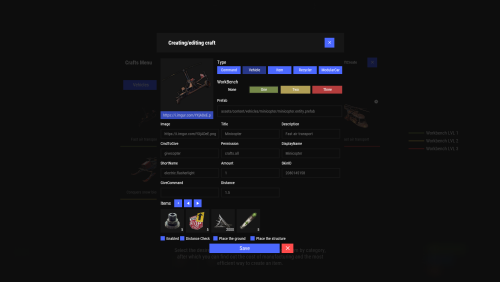
Version 2.10.23
1,661 downloads
Crafting system that allows you to create items, cars, vehicles, recyclers, etc! Commands craft open interface crafts.setwb [categories: cat1 cat2 ...] set new custom workbench Permissions You can set permission in config, for example: "Permission (ex: crafts.use)": "crafts.use", crafts.setworkbench - allows you to use the "crafts.setwb" command (set custom workbenches) Craft Types Command Vehicle Item Recycler ModularCar How to install a custom workbench 1. Spawn the workbench (for example, in RustEdit or a plugin) 2. In the game, go to him and use the command "crafts.setwb" and specify the necessary categories. Example: /crafts.setwb Misc 3. Go to config (oxide/config/Crafts.json) and configure this workbench (use SafeZone, workbench level, etc.) VIDEO FAQ Q: Where can I see an example of a config? A: Config$19.95 -
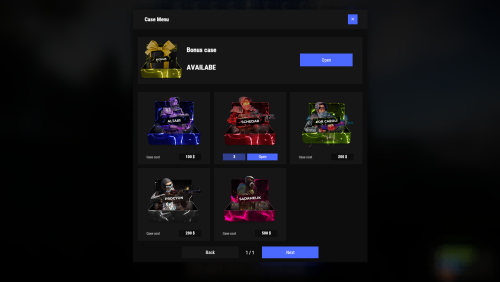
Version 2.0.0
1,417 downloads
Revolutionary cases, the juiciest interface, scroll animations and much more! Features Beautiful user interface Opening animation Performance Each case is configured separately Commands cases (open cases interface) givecase <steamid> <caseid> <amount> (give a case to the player) givecase * <caseid> <amount> (give a case to all online players) FAQ Q: Where can I see an example of a config? A: Config Q: How do I use Economics to pay for cases? A: "Economy": { "Show Balance": true, "Type (Plugin/Item)": "Plugin", "Plugin name": "Economics", "Balance add hook": "Deposit", "Balance remove hook": "Withdraw", "Balance show hook": "Balance", "ShortName": "scrap", "Display Name (empty - default)": "", "Skin": 0 }, Q: How do I use ServerRewards to pay for cases? A: "Economy": { "Show Balance": true, "Type (Plugin/Item)": "Plugin", "Plugin name": "ServerRewards", "Balance add hook": "AddPoints", "Balance remove hook": "TakePoints", "Balance show hook": "CheckPoints", "ShortName": "scrap", "Display Name (empty - default)": "", "Skin": 0 }, Q: I have a question/problem. What should I do? A: You can write to me in a PM on the site, create a ticket. Or write me in Discord: mevent Q: How does a player give out Skill Tree XP? A: { "Type": "Command", "ID": 7, "Image": "", "Title": "Give 1K XP from SkillTree", "Command (%steamid%)": "givexp %username% 1000", "Plugin": { "Hook": null, "Plugin name": null, "Amount": 0 }, "Display Name (empty - default)": "", "ShortName": "", "Skin": 0, "Amount": 1, "Chance": 65.0 }, Q: How can I add cases not for purchase, but just to have them? A: For example, if you give cases with the "givecase" command: givecase <steamid> <caseid> <amount> give a case to the player givecase * <caseid> <amount> give a case to all online players$25.95 -
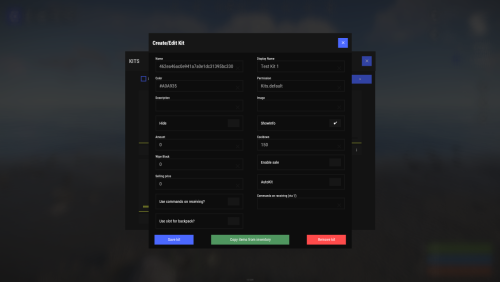
Version 2.3.2
9,442 downloads
Unique kit system with the highest possible functionality and beautiful design. This will please you (no need to sit in the config every time and try to fill in some incomprehensible values, etc.), and your players (convenient, clear and informative interface). You just start editing items directly in the game) and your players (comfortable, clear, informative interface)! Features of Kits Beautiful User Interface: Experience a visually appealing and user-friendly design. High Performance: Optimized for fast, reliable performance. Automatic Kit Conversion (uMod): Easily convert your existing kits. In-Game Kit and Item Setup: Configure kits directly in the game. Auto Kits & Wipes (Optional): Automate kit distribution and server wipes. Custom Items & Commands: Assign unique items and commands to kits. Advanced Item Settings: Fine-tune every aspect of your items. CopyPaste Integration: Seamlessly work with CopyPaste. Optional Features: Delays after wipes, set blocking in Building Block, logging, and item chances. Skills & ServerPanel Support: Enhance player experience with integrated support. Commands kit – open the kit interface kit help – get help with kits kit autokit – enable or disable automatic kit. Requires the "kits.changeautokit" permission. You can set this permission up in the plugin configuration under "Permission to enable/disable autokit". kit list – display all available kits kit [name] – redeem a specific kit kits.resetkits – delete all kits kits.give [name/steamid] [kitname] – grant a kit to player kits.convert – convert from uMod Kits kits.wipe – clear players data kits.reset – resets the player data or kits in the kits system. kits.reset data [<targetID>/all] – resets the data of a player or all players. Parameters: <targetID>: The ID of the player whose data is to be reset. If you specify all, the data of all players will be reset. kits.reset kits – resets all kits in the data kits.template <interface_type> <interface_style> <template> [template_version] – allows the administrator to customize the appearance of the bundles interface by choosing between fullscreen and inmenu mode. Different styles and templates are available for each interface type. The old style (old) is only available for fullscreen mode, while the new Rust style (rust) is available for both interface types. When using the Rust style, you must specify a specific template such as normal, content, categories or content_categories. For inmenu rust templates, you can also specify the ServerPanel template version (1 or 2). Parameters: <interface_type>: The type of interface template. Valid values: fullscreen: Fullscreen interface template. inmenu: Menu interface template. <interface_style>: The style of the interface. Valid values: old: The old interface style (fullscreen only). rust: New Rust interface style (for fullscreen and inmenu). <template>: The name of the target template. Valid values depend on the interface style: normal, content, categories, content_categories. [template_version]: (Optional, only for inmenu rust) ServerPanel template version. Valid values: 1 or 2. Specifies the template version to be used with the selected inmenu rust template. Examples: kits.template fullscreen old - Sets the fullscreen interface to the old style. kits.template fullscreen rust normal - Sets the fullscreen interface to the Rust style with the normal template. kits.template fullscreen rust content - Sets the fullscreen interface to the Rust style with the content template. kits.template fullscreen rust categories - Sets the fullscreen interface to the Rust style with the categories template. kits.template fullscreen rust content_categories - Sets the fullscreen interface to the Rust style with the content_categories template. kits.template inmenu rust normal 1 - Sets the menu interface to the Rust style with the normal template for ServerPanel version 1. kits.template inmenu rust content 2 - Sets the menu interface to the Rust style with the content template for ServerPanel version 2. kits.template inmenu rust categories 1 - Sets the menu interface to Rust style with the categories template for ServerPanel version 1. kits.template inmenu rust content_categories 1 - Sets the menu interface to the Rust style with the content_categories template for ServerPanel version 1. Video P.S. Video of the old version, video for the V2+ version is now in development Showcase Full screen Templates Template OLD STYLE Template NEW RUST Default: Content: Categories: Content & Categories: In-Menu Templates Template V1 (V1.1) Default: Content: Categories: Content & Categories: Template V2 Default: Content: Categories: Content & Categories: Template V4 Default: Content: Categories: Content & Categories: Editor Web Config Editor Easily manage your Kits settings with our web-based configuration editor. This tool allows you to adjust plugin configurations through a user-friendly interface, eliminating the need to manually edit files on your server. P.S. Join our Discord at https://discord.gg/mevent and request the "Kits" group for access to the web configuration editor. TEST SERVER Join our test server to view and experience all our unique features yourself! Copy the IP Address below to start playing! connect 194.147.90.239:28015 FAQ Q: Where can I see an example of a config? A: Config Q: Where can I see an example of a data? A: Data Q: How do I add Kits to ServerPanel? A: To add Kits to your ServerPanel, create a new category in your ServerPanel configuration with these settings: "Type": "Plugin", "Plugin Name": "Kits", "Plugin Hook": "API_OpenPlugin". Q: Does the Kits plugin support other plugins? A: Yes, this Kits plugin has an API similar to other popular kits plugins. If the plugin works with Kits - it works with this plugin too. Q: How do I enable the sale of kits? A: You need to configure the plugin economy (which plugin, its hooks, etc.), enable "Enable sale" in the Kits data (oxide/data/Kits/Kits.json or carbon/data/Kits/Kits.json) and set the price to "Selling price" "Enable sale": true, "Selling price": 100, Q: How do I use Economics to pay for kits? A: Example configuration settings: "Economy": { "Type (Plugin/Item)": "Plugin", "Plugin name": "Economics", "Balance add hook": "Deposit", "Balance remove hook": "Withdraw", "Balance show hook": "Balance", "ShortName": "", "Display Name (empty - default)": "", "Skin": 0 }, Q: How do I use ServerRewards to pay for kits? A: Example configuration settings: "Economy": { "Type (Plugin/Item)": "Plugin", "Plugin name": "ServerRewards", "Balance add hook": "AddPoints", "Balance remove hook": "TakePoints", "Balance show hook": "CheckPoints", "ShortName": "", "Display Name (empty - default)": "", "Skin": 0 }, Q: How do I use scrap to pay for kits? A: Example configuration settings: "Economy": { "Type (Plugin/Item)": "Item", "Plugin name": "", "Balance add hook": "", "Balance remove hook": "", "Balance show hook": "", "ShortName": "scrap", "Display Name (empty - default)": "", "Skin": 0 }, Q: How do I resize the kit image? A: You can do this in the config, here's an example of the image setup (-32 and 32 are width, and -75 and -11 are height "Kit Image": { "AnchorMin": "0.5 1", "AnchorMax": "0.5 1", "OffsetMin": "-32 -75", "OffsetMax": "32 -11" }, Q: How can I remove the numbers on the kits ("#1", "#2", etc.)? A: You need to turn off "Show Number?" in the config: "Show Number?": false, Q: How do I make it so that others can see kits with different permissions without being able to claim them? A: You need to turn off "Show All Kits?" in the config: "Show All Kits?": true, Q: Where can I edit the names in the plugin or add my own language? A: You can edit lang files that are located (for example) at "oxide/lang/en/Kits.json" or "carbon/lang/en/Kits.json". Q: Players get "The plugin does not work correctly, contact the administrator!" message. How to fix? A: This error occurs when the ImageLibrary plugin is not working properly. Solutions: Install the ImageLibrary plugin if it's not installed. Make sure ImageLibrary is loaded and running properly (check with o.plugins command). Restart the server after installing ImageLibrary. Check server console for ImageLibrary errors and fix them. Q: I see black images with Rust logo or get error 429 when loading images. What should I do? A: These issues occur when there are problems downloading images from the internet. The Kits plugin sends images to ImageLibrary but is not responsible for the downloading process itself. Error 429 typically occurs due to rate limits imposed by image hosting services like Imgur (see HTTP 429 documentation for more details). To fix this, enable Offline Image Mode which will use local images instead: Enable the mode in config: Open "oxide/config/Kits.json" (or "carbon/config/Kits.json" for Carbon) Set "Enable Offline Image Mode": true Set up the images: Create folder "TheMevent" in "oxide/data" (or "carbon/data" for Carbon) Download PluginsStorage (click "CODE" → "Download ZIP") Extract the ZIP and copy all contents to the "TheMevent" folder Reload the plugin: Type o.reload Kits (Oxide) or c.reload Kits (Carbon) Note: If you want to add your own custom images, place them in the "TheMevent" folder and reference them with the "TheMevent/" prefix. For example: "TheMevent/Icon1.png", "TheMevent/MyCustomIcon.jpg", etc. Q: What placeholders are available for commands and what do they do? A: You can use these placeholders in kit commands and they will be automatically replaced: %steamid% - Replaced with the player's Steam ID (e.g., "76561198000000000") %username% - Replaced with the player's display name (e.g., "PlayerName") %player.x% - Replaced with the player's X coordinate position %player.y% - Replaced with the player's Y coordinate position %player.z% - Replaced with the player's Z coordinate position Example usage in kit commands: "Commands on receiving (via '|')": "say Welcome %username%!|teleport %steamid% %player.x% %player.y% %player.z%" Note: Multiple commands can be separated by the "|" character, and they will be executed in sequence when the kit is redeemed. HOOKS private string[] canRedeemKit(BasePlayer player) private void OnKitRedeemed(BasePlayer player, string kitName) private double OnKitCooldown(BasePlayer player, double cooldown) API private bool TryClaimKit(BasePlayer player, string name, bool usingUI) private string[] GetAllKits() private object GetKitInfo(string kitname) private string[] GetKitContents(string kitname) private double GetKitCooldown(string kitname) private double PlayerKitCooldown(ulong ID, string kitname) private int KitMax(string kitname) private double PlayerKitMax(ulong ID, string kitname) private string KitImage(string kitname) private bool IsKit(string kitname) private bool isKit(string kitname) private void GetKitNames(List<string> list) private double GetPlayerKitCooldown(ulong userId, string name) private double GetPlayerKitCooldown(string userId, string name) private void SetPlayerCooldown(ulong userId, string name, int amount) private int GetPlayerKitUses(ulong userId, string name) private int GetPlayerKitUses(string userId, string name) private void SetPlayerKitUses(ulong userId, string name, int amount) private JObject GetKitObject(string name) private int GetKitMaxUses(string name) private string GetKitDescription(string name) private string GetKitImage(string name) private bool GiveKit(BasePlayer player, string name, bool usingUI) private bool HasKitAccess(string userId, string name) private int GetPlayerKitAmount(string userId, string name)$34.95 -

Version 1.1.3
20 downloads
xStackSize xStackSize gives you full control over item stack sizes on your Rust server. Globally and permission-based. Fine-tune your economy, balance progression, or create VIP advantages with flexible and performance-friendly stack management. Whether you want larger stacksize for QoL, custom stacksizes for specific groups/permission, or complete control over your servers stacking system. INFO: xStackSize supports multiple permissions at the same time. If a player has more than one stack permission, the plugin automatically applies the highest stack size based on your configuration. The highest value always wins - whether it's global or permission-based. Example: If global is set to x3 and a permission gives x1, the player will use x3 since it’s higher. (If he has that permission) Features Global stack size control Permission-based StackSizes (VIP / ranks / groups) Custom StackSize per item Custom StackSize for CUSTOM ITEMS Force Split/Merge changed StackSize INSTANT instead of waiting for players to move items manually Blacklist items Easy to configure Performance friendly designed Additionally supports Quarries, Excavator, Furnaces and Conveyors Permission-based StackSizes: You can use any permission name in the config, as long as it starts with xstacksize. Examples: xstacksize.pro, xstacksize.vip, xstacksize.premium etc.. You can create multiple stack-size permissions. Simply copy and paste a new permission block in the config and give it a different permission name. Various Constellations (Examples, for better understanding) Console Command xstacksize.refresh (Useful if you have AutoApplyStackSizeChange set to 'false') Force-applies current stack rules to existing items immediately. It recalculates limits and retroactively normalizes/merges stacks in player inventories and storage containers without requiring item movement. Config (Use value '0' for UNLIMITED) { /* AutoApplyStackSizeChange force splits/merge items instantly instead of waiting for players to move items manually. */ "AutoApplyStackSizeChange": true, "StackSizeMultipliers": { "Weapon": 1.0, "Construction": 1.0, "Items": 1.0, "Resources": 1.0, "Attire": 1.0, "Tool": 1.0, "Medical": 1.0, "Food": 1.0, "Ammunition": 1.0, "Traps": 1.0, "Misc": 1.0, "Component": 1.0, "Electrical": 1.0, "Fun": 1.0, "CustomItems": 1.0 }, /* FixedItemStackSizes are fixed values, not multipliers (Example: 5000) */ "FixedItemStackSizes": { "wood": 0, "stones": 0 }, "PermissionStackSizeMultipliers": { "xstacksize.vip": { "Weapon": 1.0, "Construction": 1.0, "Items": 1.0, "Resources": 1.0, "Attire": 1.0, "Tool": 1.0, "Medical": 1.0, "Food": 1.0, "Ammunition": 1.0, "Traps": 1.0, "Misc": 1.0, "Component": 1.0, "Electrical": 1.0, "Fun": 1.0, "CustomItems": 1.0 } }, "BlacklistedItems": [ "pumpkin" ] }$15.99 -
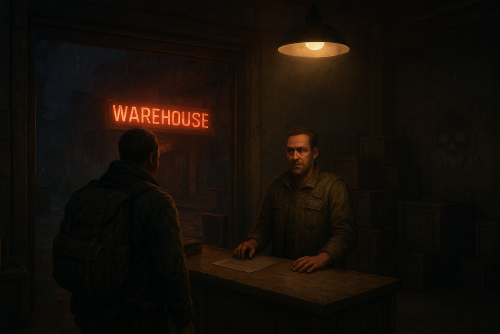
Version 0.1.1
78 downloads
A multifunctional warehouse system for managing item storage and automated giveaways. Presence of unique dialogues with warehouse keeper that mimic vanilla-style interactions; The ability to create an unlimited number of custom permissions; The ability to configure permissions individually, allowing flexible customization for any preferences; The ability to limit the total number of available storages; The ability to adjust the number of slots for each individual storage; The ability to restrict which items can be stored; The ability to store food items with a configurable spoilage rate(fridge ability) ; Warehouse keepers with automatic spawning in all vanilla safe zones, as well as support for custom spawn points; The ability to customize the appearance of each warehouse keeper; The ability to restrict warehouse access to mission completion(in progress) or payment; The ability to configure a daily storage rent fee calculated based on the number of slots; The ability to apply an extra fine when attempting to renew an expired storage; The ability to automatically move all items from fully expired storages to the giveaway warehouse; The ability to host daily item giveaways(if items are available) ; The ability to preview items from the upcoming giveaway; The ability to define a forbidden item list for the giveaway warehouse; The ability to automatically move all items from players who die in safe zones(offline) to the giveaway warehouse; The ability to transfer dropped items(when disappear) to the giveaway warehouse; The ability to transfer items from a player's warehouse when the player is banned; The ability to transfer items from a player's body when the player is banned; The ability to transfer items from all of a player's storages when the player is banned; The ability to artificially fill the giveaway warehouse if it contains too few items; The ability to fill the giveaway warehouse by transferring items from all existing lootable boxes; The ability to notify players right before a giveaway starts. { "Chat command": "wh", "Is it worth enabling GameTips for messages?": true, "List of language keys for creating language files": [ "en" ], "Date display format": "MM/dd/yyyy hh:mm tt", "Price to skip mission": 200.0, "Storage purchase price": 100.0, "Storage slot purchase price": 50.0, "Storage slot daily rental fee": 10.0, "Interval in seconds for checking rent expiration": 600.0, "Number of hours before the rent expires during which renewal becomes available. A value of 0 disables the limit": 5, "Available slot options for new storage purchase": [ 1, 6, 18, 48 ], "Daily giveaway time. Format: HH:mm": "20:00", "Forced giveaway start upon reaching the specified amount. Note: when there are a large number of items, the server may experience lag.": 480, "Minimum number of items required for the giveaway to take place. A value of 0 disables the limit": 0, "Time in seconds(1–600) before the giveaway starts to notify players": 300.0, "Number of items dropped per second": 16, "Is it worth moving lost items(BuriedItems) to the giveaway?": true, "Is it worth moving items from a player's warehouse to the giveaway when they are banned?": true, "Is it worth moving items from a player's body to the giveaway when they are banned?": true, "Is it worth moving items from a player's storage boxes to the giveaway when they are banned?": true, "List of forbidden items for giveaways": [ "blood" ], "List of warehouse permissions": [ { "Permission Name": "warehouse.default", "Limit of available storages. A value of 0 disables the limit": 1, "Limit on the number of slots per storage": 6, "Price multiplier for purchasing a storage": 1.0, "Price multiplier for purchasing a storage slot": 1.0, "Price multiplier for storage slot rental": 1.0, "Price multiplier for storage rental in case of delay": 1.5, "Food spoilage multiplier": 1.0, "List of forbidden items to storage": [ "blood" ] }, { "Permission Name": "warehouse.vip", "Limit of available storages. A value of 0 disables the limit": 2, "Limit on the number of slots per storage": 24, "Price multiplier for purchasing a storage": 0.9, "Price multiplier for purchasing a storage slot": 0.9, "Price multiplier for storage slot rental": 0.9, "Price multiplier for storage rental in case of delay": 1.4, "Food spoilage multiplier": 0.5, "List of forbidden items to storage": [ "blood" ] }, { "Permission Name": "realpve.vip", "Limit of available storages. A value of 0 disables the limit": 3, "Limit on the number of slots per storage": 48, "Price multiplier for purchasing a storage": 0.8, "Price multiplier for purchasing a storage slot": 0.8, "Price multiplier for storage slot rental": 0.8, "Price multiplier for storage rental in case of delay": 1.3, "Food spoilage multiplier": 0.0, "List of forbidden items to storage": [ "blood" ] } ], "List of custom spawn positions for Keeper NPCs": [], "List of spawn offsets in monuments for Keeper NPCs": { "compound": { "DisplayName": "Warehouse Keeper", "Force use as a giveaway source. If no sources are available, one will be chosen at random": true, "Position X": -19.28, "Position Y": 0.81, "Position Z": 2.25, "Rotation X": 0.0, "Rotation Y": -0.97, "Rotation Z": 0.02, "Rotation W": -0.25, "The main inventory item": { "ShortName": "spear.cny", "SkinID": 0 }, "The belt inventory item": { "ShortName": "botabag", "SkinID": 0 }, "The wear inventory items": [ { "ShortName": "hazmatsuit.frontier", "SkinID": 0 } ] }, "bandit_town": { "DisplayName": "Warehouse Keeper", "Force use as a giveaway source. If no sources are available, one will be chosen at random": true, "Position X": 11.75, "Position Y": 1.91, "Position Z": -41.14, "Rotation X": 0.08, "Rotation Y": -0.1, "Rotation Z": 0.0, "Rotation W": 1.0, "The main inventory item": { "ShortName": "spear.cny", "SkinID": 0 }, "The belt inventory item": { "ShortName": "botabag", "SkinID": 0 }, "The wear inventory items": [ { "ShortName": "hazmatsuit.frontier", "SkinID": 0 } ] }, "fishing_village_a": { "DisplayName": "Warehouse Keeper", "Force use as a giveaway source. If no sources are available, one will be chosen at random": false, "Position X": -26.76, "Position Y": 2.13, "Position Z": -20.55, "Rotation X": 0.04, "Rotation Y": 0.01, "Rotation Z": 0.0, "Rotation W": 1.0, "The main inventory item": { "ShortName": "spear.cny", "SkinID": 0 }, "The belt inventory item": { "ShortName": "botabag", "SkinID": 0 }, "The wear inventory items": [ { "ShortName": "hazmatsuit.frontier", "SkinID": 0 } ] }, "fishing_village_b": { "DisplayName": "Warehouse Keeper", "Force use as a giveaway source. If no sources are available, one will be chosen at random": false, "Position X": -10.16, "Position Y": 2.02, "Position Z": 20.73, "Rotation X": 0.05, "Rotation Y": -0.85, "Rotation Z": 0.08, "Rotation W": 0.51, "The main inventory item": { "ShortName": "spear.cny", "SkinID": 0 }, "The belt inventory item": { "ShortName": "botabag", "SkinID": 0 }, "The wear inventory items": [ { "ShortName": "hazmatsuit.frontier", "SkinID": 0 } ] }, "fishing_village_c": { "DisplayName": "Warehouse Keeper", "Force use as a giveaway source. If no sources are available, one will be chosen at random": false, "Position X": -3.0, "Position Y": 2.06, "Position Z": 11.47, "Rotation X": 0.06, "Rotation Y": 0.03, "Rotation Z": 0.0, "Rotation W": 1.0, "The main inventory item": { "ShortName": "spear.cny", "SkinID": 0 }, "The belt inventory item": { "ShortName": "botabag", "SkinID": 0 }, "The wear inventory items": [ { "ShortName": "hazmatsuit.frontier", "SkinID": 0 } ] }, "stables_a": { "DisplayName": "Warehouse Keeper", "Force use as a giveaway source. If no sources are available, one will be chosen at random": false, "Position X": 2.47, "Position Y": 3.04, "Position Z": -14.16, "Rotation X": 0.0, "Rotation Y": -0.97, "Rotation Z": 0.02, "Rotation W": -0.25, "The main inventory item": { "ShortName": "spear.cny", "SkinID": 0 }, "The belt inventory item": { "ShortName": "botabag", "SkinID": 0 }, "The wear inventory items": [ { "ShortName": "hazmatsuit.frontier", "SkinID": 0 } ] }, "stables_b": { "DisplayName": "Warehouse Keeper", "Force use as a giveaway source. If no sources are available, one will be chosen at random": false, "Position X": 2.79, "Position Y": 3.0, "Position Z": 29.68, "Rotation X": -0.02, "Rotation Y": -0.73, "Rotation Z": 0.02, "Rotation W": -0.69, "The main inventory item": { "ShortName": "spear.cny", "SkinID": 0 }, "The belt inventory item": { "ShortName": "botabag", "SkinID": 0 }, "The wear inventory items": [ { "ShortName": "hazmatsuit.frontier", "SkinID": 0 } ] } }, "Wipe ID": null, "Version": { "Major": 0, "Minor": 1, "Patch": 1 } } EN: { "CmdEconomicsNotEnough": "Not enough funds!", "CmdMain": "Available warehouse commands:\n\n<color=#D1CBCB>/wh</color> <color=#D1AB9A>keeper</color> - Manage warehouse keepers\n<color=#D1CBCB>/wh</color> <color=#D1AB9A>giveaway</color> - Manage item giveaways\n\n--------------------------------------------------", "CmdKeeperMain": "Manage warehouse keepers:\n\n<color=#D1CBCB>/wh keeper</color> <color=#D1AB9A>spawn *name*(optional)</color> - Spawn a Keeper at your position\n<color=#D1CBCB>/wh keeper</color> <color=#D1AB9A>kill</color> - Remove the Keeper you are looking at\n<color=#D1CBCB>/wh keeper</color> <color=#D1AB9A>name *name*</color> - Change the name of the Keeper you are looking at\n<color=#D1CBCB>/wh keeper</color> <color=#D1AB9A>wear</color> - Copy your items to the keeper\n\n--------------------------------------------------", "CmdKeeperNotFound": "Warehouse Keeper not found! You need to be looking directly at them.", "CmdKeeperSpawned": "Warehouse Keeper successfully spawned!", "CmdKeeperKilled": "Warehouse Keeper successfully killed!", "CmdKeeperNamed": "Warehouse Keeper's name successfully changed!", "CmdKeeperWearCopied": "Your outfit was successfully copied to the Warehouse Keeper!", "CmdGiveawayMain": "Manage item giveaways:\n\n<color=#D1CBCB>/wh giveaway</color> <color=#D1AB9A>start</color> - Force start the giveaway\n<color=#D1CBCB>/wh giveaway</color> <color=#D1AB9A>skip</color> - Force stop the active giveaway\n<color=#D1CBCB>/wh giveaway</color> <color=#D1AB9A>set \"HH:mm\"</color> - Set a new daily giveaway time\n<color=#D1CBCB>/wh giveaway</color> <color=#D1AB9A>fill *amount*(optional)</color> - Force fill the giveaway with random items\n<color=#D1CBCB>/wh giveaway</color> <color=#D1AB9A>clear</color> - Force clear all items from the giveaway storage\n\n--------------------------------------------------", "CmdGiveawayAlreadyActive": "You can't perform this action because a giveaway is already active!", "CmdGiveawayNotActive": "You can't perform this action because no giveaway is currently active!", "CmdGiveawaySetFailed": "Failed to set '{0}' as the new giveaway time. Correct format: HH:mm, e.g. 20:00.", "CmdGiveawaySet": "The value '{0}' has been successfully set as the new giveaway time!", "CmdGiveawayFillStart": "You have successfully started forcibly filling the giveaway storage with {0} random items!", "CmdGiveawayFillFinish": "The giveaway storage has been successfully filled with {0} random items in {1} seconds!", "CmdGiveawayClear": "The giveaway storage has been successfully cleared of all items!", "DialogueNotAllowed": "You do not have permission to access the storage!", "DialogueStranger": "Stranger", "DialogueBtnExit": "I don't think I'm interested. Farewell.", "DialogueInitialMain": "Hello! Have we met before? I don't recall seeing you around here...\nHow can I help you?", "DialogueInitialBtnIntroduction": "My name is {0}. And you? What do you do?", "DialogueInitialBtnExit": "Just passing by. Looking around.", "DialogueIntroductionMain": "My name is {0}, I'm with the Keepers Guild. We're a small group, but present in every safe zone.\nOur job is to ensure the safety of belongings that their owners can no longer protect. We guarantee complete security, you can store absolutely anything with us. Of course, this is a paid service.\n\n{1}, you say? Never heard of you...\nUnfortunately, we don't work with strangers. You can't really rely on them.", "DialogueIntroductionBtnGetMission": "I have some items for storage. How can I prove I'm trustworthy?", "DialogueGetMissionMain": "Hmm... Let me think...\nYou know, there is something.\nWe maintain close ties with the Guild of Wandering Merchants and I have a letter I haven't been able to deliver to them. They usually stop by the water towers.\n\nI could entrust it to you. What do you say?", "DialogueGetMissionBtnStart": "Perfect, I was heading that way anyway. I'm ready to help.", "DialogueGetMissionBtnPay": "I'd love to help, but this task seems too complicated for me.\nHow about I offer ${0} as a goodwill gesture instead?", "DialogueMissionStartedMain": "{0}, good to see you again!\nHow's the task I gave you coming along?", "DialogueMissionStartedBtnCancel": "Sorry, but I can no longer continue your task.", "DialogueMissionStartedBtnExit": "I'm still working on it.", "DialogueMissionCanceledMain": "I'm sorry you couldn't complete my task...", "DialogueMissionCanceledBtnGetMission": "I'm sorry too, but I'd like to prove my reliability once again.", "DialogueMissionCompletedMain": "{0}, you did a great job! I couldn't have managed without you.\nHow can I help you?", "DialogueMissionPayedMain": "${0}?\nHa, now we're speaking the same language.\nHow can I help you?", "DialogueDefaultMain": "Greetings, {0}! Long time no see. How can I help you?", "DialogueDefaultBtnForbiddenList": "I'd like to know which items are forbidden from being stored.", "DialogueDefaultBtnStorageList": "I'd like to check my storage.", "DialogueDefaultBtnGiveaway": "I'd like to know about item giveaways.", "DialogueForbiddenListMain": "Here's a list of items you're unfortunately not allowed to store:\n\n{0}", "DialogueStorageListMain": "Would you like to open one of your storages or acquire a new one?", "DialogueStorageListBtnStorageBuy": "Get new storage.", "DialogueStorageListBtnOpenStorage": "Open '{0}' with {1} slot(s).", "DialogueStorageListBtnBack": "Maybe next time.", "DialogueStorageBuyMain": "Great! Which purchase method would you prefer?\n\nThe price to purchase storage: ${0}\nThe price to purchase one slot: ${1}\nDaily maintenance fee per slot: ${2}\n\nKeep in mind that the size of any storage can be adjusted at any time, from 1 to 48 slots.", "DialogueStorageBuyOutLimit": "It looks like you've already used up your available storage limit.", "DialogueStorageBuyBtnBuy": "Purchase storage with {0} slot(s) for ${1}.", "DialogueStorageBuyBtnBack": "Maybe next time.", "DialogueGiveawayMain": "We regularly hold giveaways of unwanted and lost items.\n\nUsually, these include:\n- items from storages with expired rent\n- items left behind by players who left the game in a safe zone\n- items lost during battles\n\nThe next giveaway is scheduled for {0}(UTC), in {1}!\nHowever, the giveaway may start earlier if the number of items exceeds {2}.\nMake sure to come, you might get lucky and grab something valuable!", "DialogueGiveawayMainActive": "We regularly hold giveaways of unwanted and lost items.\n\nUsually, these include:\n- items from storages with expired rent\n- items left behind by players who left the game in a safe zone\n- items lost during battles\n\nThe giveaway is in full swing! If you don't want to miss out, hurry to {0}({1})!", "DialogueGiveawayBtnShow": "I'd like to know what items will be in the upcoming giveaway.", "DialogueGiveawayBtnBack": "Maybe next time.", "GiveawayStorageName": "Giveaway Storage", "GiveawayStartNotEnough": "Unfortunately, there weren't enough items collected for the giveaway. Don't miss the next giveaway, which will take place in {0}(UTC)!", "GiveawayStartAnnounce": "The item giveaway will start soon!\nEveryone, hurry to {0}({1})! Only {2} seconds left!", "GiveawayPauseAnnounce": "{0} items have been successfully given away! But that's not all! We still have more items left, we'll continue in {1} seconds!", "GiveawayEndAnnounce": "The item giveaway has ended! Over {0} items were given away! Don't miss the next giveaway, which will take place in {1}(UTC)!", "UiStorageUntil": "Until: {0}(UTC)", "UiStorageExpired": "Rent expired", "UiStorageNote": "Slot purchase price: ${1}.\nDaily rent per slot: ${2}.\nCurrent daily rent cost: ${3}.", "UiStorageNoteRestricted": "<b>Note:</b> You can only pay rent up to {0}h before it expires.\nSlot purchase price: ${1}, daily rent per slot: ${2}.\nCurrent daily rent cost: ${3}.", "UiStorageRental": "Pay Rent", "UiStorageRentPayed": "You have successfully paid the storage rent!", "UiStorageSlotsOcupied": "You can't reduce the number of slots because one of the reduced slots contains an item!", "UiStorageSlotsAdjusted": "The number of slots has been changed from {0} to {1}!" } RU: { "CmdEconomicsNotEnough": "Не достаточно средств!", "CmdMain": "Доступные команды хранилища:\n\n<color=#D1CBCB>/wh</color> <color=#D1AB9A>keeper</color> - Управление хранителями хранилища\n<color=#D1CBCB>/wh</color> <color=#D1AB9A>giveaway</color> - Управление раздачей вещей\n\n--------------------------------------------------", "CmdKeeperMain": "Управление хранителями хранилища:\n\n<color=#D1CBCB>/wh keeper</color> <color=#D1AB9A>spawn *имя*(опционально)</color> - Создать хранителя на вашей позиции\n<color=#D1CBCB>/wh keeper</color> <color=#D1AB9A>kill</color> - Удалить хранителя, на которого вы смотрите\n<color=#D1CBCB>/wh keeper</color> <color=#D1AB9A>name *имя*</color> - Изменить имя хранителя, на которого вы смотрите\n<color=#D1CBCB>/wh keeper</color> <color=#D1AB9A>wear</color> - Скопировать ваши вещи на хранителя\n\n--------------------------------------------------", "CmdKeeperNotFound": "Хранитель хранилища не найден! Вам необходимо смотреть прямо на него.", "CmdKeeperSpawned": "Хранитель хранилища успешно создан!", "CmdKeeperKilled": "Хранитель хранилища успешно удалён!", "CmdKeeperNamed": "Имя хранителя хранилища успешно изменено!", "CmdKeeperWearCopied": "Ваша одежда была успешно скопирована на хранителя!", "CmdGiveawayMain": "Управление раздачей вещей:\n\n<color=#D1CBCB>/wh giveaway</color> <color=#D1AB9A>start</color> - Принудительно начать раздачу\n<color=#D1CBCB>/wh giveaway</color> <color=#D1AB9A>skip</color> - Принудительно остановить активную раздачу\n<color=#D1CBCB>/wh giveaway</color> <color=#D1AB9A>set \"HH:mm\"</color> - Установить новое время ежедневной раздачи\n<color=#D1CBCB>/wh giveaway</color> <color=#D1AB9A>fill *количество*(опционально)</color> - Принудительно заполнить раздачу случайными вещами\n<color=#D1CBCB>/wh giveaway</color> <color=#D1AB9A>clear</color> - Принудительно очистить раздачу от всех вещей\n\n--------------------------------------------------", "CmdGiveawayAlreadyActive": "Вы не можете выполнить это действие, так как уже идет активная раздача предметов!", "CmdGiveawayNotActive": "Вы не можете выполнить это действие, так как раздача предметов не активна!", "CmdGiveawaySetFailed": "Не удалось установить '{0}' в качестве нового времени для раздачи. Правильный формат: HH:mm, пример 20:00.", "CmdGiveawaySet": "Значение '{0}' успешно установлено в качестве нового времени для раздачи!", "CmdGiveawayFillStart": "Вы успешно начали принудительное заполнение хранилища для раздач {0} случайными предметами!", "CmdGiveawayFillFinish": "Хранилище для раздач успешно заполнено {0} случайными предметами за {1} секунд!", "CmdGiveawayClear": "Хранилище для раздач успешно очищено от всех предметов!", "DialogueNotAllowed": "У вас недостаточно прав для использования хранилища!", "DialogueStranger": "Незнакомец", "DialogueBtnExit": "Думаю, мне это неинтересно. Прощайте.", "DialogueInitialMain": "Привет! Мы раньше встречались? Что-то не припоминаю, чтобы видел вас здесь...\nЧем могу помочь?", "DialogueInitialBtnIntroduction": "Меня зовут {0}. А вы кто? Чем занимаетесь?", "DialogueInitialBtnExit": "Я просто прохожу мимо. Осматриваюсь.", "DialogueIntroductionMain": "Меня зовут {0}, я из Гильдии Хранителей. Нас немного, но мы есть в каждой безопасной зоне.\nНаша задача — обеспечивать сохранность вещей, которые их владельцы не в силах защитить самостоятельно. Мы гарантируем полную безопасность, у нас можно оставить абсолютно любые предметы. Разумеется, это платная услуга.\n\n{1}, говорите? Никогда о вас не слышал...\nК сожалению, мы не работаем с незнакомцами. На таких нельзя полагаться.", "DialogueIntroductionBtnGetMission": "У меня есть несколько вещей для хранения. Как я могу доказать свою надёжность?", "DialogueGetMissionMain": "Хм... Дайте-ка подумать... Знаете, есть одно дельце.\nМы поддерживаем тесные связи с Гильдией странствующих торговцев, и у меня есть письмо, которое я никак не могу им передать. Они обычно останавливаются на водокачках.\nЯ мог бы поручить это вам. Что скажете?", "DialogueGetMissionBtnStart": "Отлично, мне как раз по пути. Я готов помочь.", "DialogueGetMissionBtnPay": "Я бы с радостью помог, но это для меня слишком сложное задание.\nКак насчёт {0}$ от меня, так сказать, в знак доброй воли?", "DialogueMissionStartedMain": "{0}, рад вас снова видеть!\nКак продвигается выполнение моего поручения?", "DialogueMissionStartedBtnCancel": "Извините, но я больше не могу продолжать выполнение вашего задания.", "DialogueMissionStartedBtnExit": "Я всё ещё работаю над этим.", "DialogueMissionCanceledMain": "Мне жаль, что вы не смогли выполнить моё поручение...", "DialogueMissionCanceledBtnGetMission": "Мне тоже жаль, но я хотел бы ещё раз доказать свою надёжность.", "DialogueMissionCompletedMain": "{0}, ты просто молодец! Без тебя я бы точно не справился.\nЧем могу быть полезен?", "DialogueMissionPayedMain": "{0}$? Ха, теперь мы говорим на одном языке.\nЧем могу быть полезен?", "DialogueDefaultMain": "Приветствую, {0}! Давненько не виделись. Чем могу быть полезен?", "DialogueDefaultBtnForbiddenList": "Я бы хотел узнать, какие вещи запрещено сдавать на хранение.", "DialogueDefaultBtnStorageList": "Я бы хотел заглянуть в своё хранилище.", "DialogueDefaultBtnGiveaway": "Я бы хотел узнать о раздаче вещей.", "DialogueForbiddenListMain": "Вот список вещей, которые, к сожалению, вам нельзя сдавать на хранение:\n\n{0}", "DialogueStorageListMain": "Хотите открыть одно из ваших хранилищ или оформить новое?", "DialogueStorageListBtnStorageBuy": "Оформить новое хранилище.", "DialogueStorageListBtnOpenStorage": "Открыть '{0}' на {1} слот(ов).", "DialogueStorageListBtnBack": "Пожалуй, в другой раз.", "DialogueStorageBuyMain": "Прекрасно! Какой способ покупки вас интересует?\n\nСтоимость покупки хранилища: {0}$\nСтоимость покупки одного слота: {1}$\nЕжедневная плата за обслуживание одного слота: {2}$\n\nУчтите, что объём любого хранилища можно изменять в любое время, от 1 до 48 слотов.", "DialogueStorageBuyOutLimit": "Похоже, вы уже использовали весь доступный лимит хранилищ.", "DialogueStorageBuyBtnBuy": "Приобрести хранилище на {0} слот(ов) за {1}$.", "DialogueStorageBuyBtnBack": "Пожалуй, в другой раз.", "DialogueGiveawayMain": "У нас регулярно проходят раздачи ненужного и потерянного имущества.\n\nОбычно это:\n- предметы из хранилищ, за которые не была вовремя оплачена аренда\n- предметы, оставшиеся у игроков, покинувших игру в безопасной зоне\n- утраченные во время боёв предметы\n\nСледующая раздача намечена на {0}(UTC), до раздачи осталось {1}!\nОднако раздача может начаться и раньше, если количество предметов превысит {2}.\nОбязательно приходите, возможно, вам повезёт урвать что-нибудь ценное!", "DialogueGiveawayMainActive": "У нас регулярно проходят раздачи ненужного и потерянного имущества.\n\nОбычно это:\n- предметы из хранилищ, за которые не была вовремя оплачена аренда\n- предметы, оставшиеся у игроков, покинувших игру в безопасной зоне\n- утраченные во время боёв предметы\n\nРаздача в самом разгаре! Если не хотите пропустить, срочно приходите в {0}({1})!", "DialogueGiveawayBtnShow": "Я бы хотел узнать, какие вещи будут в грядущей раздаче.", "DialogueGiveawayBtnBack": "Пожалуй, в другой раз.", "GiveawayStorageName": "Хранилище раздачи", "GiveawayStartNotEnough": "К сожалению для раздачи не набралось достаточного количества предметов. Не упустите следующую раздачу, которая будет в {0}(UTC)!", "GiveawayStartAnnounce": "Раздача вещей скоро начнётся!\nВсем срочно в {0}({1})! До начала осталось {2} секунд!", "GiveawayPauseAnnounce": "Было успешно роздано {0} вещей! Но это ещё не всё! У нас остались ещё вещи, продолжим через {1} секунд!", "GiveawayEndAnnounce": "Раздача вещей завершена! В раздаче было свыше {0} предметов! Не упустите следующую раздачу, которая будет в {1}(UTC)!", "UiStorageUntil": "До: {0}(UTC)", "UiStorageExpired": "Аренда просрочена", "UiStorageNote": "Покупка слота: {1}$.\nЕжедневная аренда за слот: {2}$.\nТекущая стоимость ежедневной аренды: {3}$.", "UiStorageNoteRestricted": "<b>Примечание:</b> продлить аренду можно только за {0}ч до её истечения.\nПокупка слота: {1}$, ежедневная аренда за слот: {2}$.\nТекущая стоимость ежедневной аренды: {3}$.", "UiStorageRental": "Оплатить аренду", "UiStorageRentPayed": "Вы успешно продлили аренду хранилища!", "UiStorageSlotsOcupied": "Вы не можете уменьшить количество слотов, так как один из уменьшенных слотов содержит предмет!", "UiStorageSlotsAdjusted": "Количество слотов было изменено с {0} до {1}!" } To access the commands, you must have the "warehouse.admin" permission. keeper - Manage warehouse keepers: spawn *name*(optional) - Spawn a Keeper at your position; kill - Remove the Keeper you are looking at; name *name* - Change the name of the Keeper you are looking at; wear - Copy your items to the keeper. giveaway - Manage item giveaways: start - Force start the giveaway; skip - Force stop the active giveaway; set "HH:mm" - Set a new daily giveaway time; fill *amount*(optional) - Force fill the giveaway with random items; clear - Force clear all items from the giveaway storage. Example: /wh keeper spawn "Custom Keeper" /wh giveaway start /wh giveaway set "21:30" /wh giveaway fill 124$30.00 -
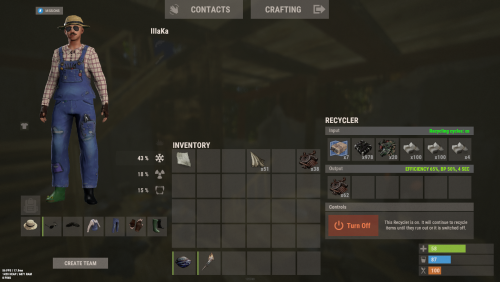
Version 0.1.2
16 downloads
An excellent plugin for item recycling with extensive functionality. The ability to log successful recycling; The ability to create new permissions; The ability to customize permissions flexibly, including both new and existing ones; The ability to have multiple permissions at the same time, with the selection of the best limits from the available permissions; The ability to configure the recycling efficiency for each permission; The ability to configure the scrap return percentage when recycling blueprints for each permission; The ability to configure the chance to return the original item when recycling blueprints for each permission; The ability to configure forbidden items for recycling for each permission; The ability to configure the recycling speed for each permission; The ability to configure the recycling cycle limit per use for each permission; The ability to configure the recycling slot limit for each permission; The ability to configure the recycling cooldown for each permission; The ability to purchase a bypass for the recycle cooldown; The ability to configure the daily recycling limit for each permission; The ability to purchase additional recycles after reaching the daily limit; The ability to count recycling only when at least one item is successfully recycled; The ability to forbid recycling when wounded; The ability to forbid recycling while swimming; The ability to forbid recycling while mounted on certain seats; The ability to forbid recycling in specified monuments, by name or by monument type; The ability to forbid recycling in someone else's building privileges; The ability to forbid recycling when taking damage; The ability to forbid recycling during a combat block; The ability to forbid recycling during a raid block; The ability to automatically generate language files for specified languages(with content filled in English); The ability to display a status bar while waiting for a cooldown; The ability to choose between bar types(TimeCounter and TimeProgressCounter); The ability to specify the order of the bar; The ability to change the height of the bar; The ability to customize the color and transparency of the background; The ability to set a material for the background; The ability to switch between CuiRawImageComponent and CuiImageComponent for the image; The ability to get images from the local folder(*SERVER*\oxide\data\AdvancedStatus\Images); The ability to set own image and customize the color and transparency of the image; The ability to set sprite instead of the image; The ability to customize the color, size and font of the text. { "Chat command": "rec", "Is it worth enabling GameTips for messages?": true, "Is it worth saving recycling logs to a file?": true, "List of language keys for creating language files": [ "en" ], "Is it worth allowing blueprint recycling based on permissions?": true, "Price to skip 60 seconds of recycler cooldown": 10.0, "List of mount names where recycling is prohibited": [ "horsesaddle", "horsesaddlerear", "bikedriverseat", "bikepassengerseat", "motorbikedriverseat", "motorbikepassengerseat", "modularcardriverseat", "modularcarpassengerseatleft", "modularcarpassengerseatright", "modularcarpassengerseatlesslegroomleft", "modularcarpassengerseatlesslegroomright", "modularcarpassengerseatsidewayleft", "miniheliseat", "minihelipassenger", "transporthelipilot", "transporthelicopilot", "attackhelidriver", "attackheligunner", "submarinesolodriverstanding", "submarineduodriverseat", "submarineduopassengerseat", "snowmobiledriverseat", "snowmobilepassengerseat", "snowmobilepassengerseat tomaha", "workcartdriver", "locomotivedriver", "craneoperator", "batteringramseat", "ballistagun.entity" ], "Status. Bar - Display time in seconds. A value of 0 keeps it visible until the cooldown ends": 15.0, "Status. Bar - Type(TimeProgressCounter or TimeCounter)": "TimeCounter", "Status. Bar - Height": 26, "Status. Bar - Order": 10, "Status. Background - Color(Hex or RGBA)": "#EFC570", "Status. Background - Transparency": 0.7, "Status. Background - Material(empty to disable)": "", "Status. Image - Url": "https://i.imgur.com/DsWk4zm.png", "Status. Image - Local(Leave empty to use Image_Url)": "AdvancedStatus_SandClock", "Status. Image - Sprite(Leave empty to use Image_Local or Image_Url)": "", "Status. Image - Is raw image": false, "Status. Image - Color(Hex or RGBA)": "#EFC570", "Status. Image - Transparency": 1.0, "Status. Image Outline - Color(Hex or RGBA)": "0.1 0.3 0.8 0.9", "Status. Image Outline - Transparency": 1.0, "Status. Image Outline - Distance(Leave empty to disable). Example '0.75 0.75'": "", "Status. Text - Size": 12, "Status. Text - Color(Hex or RGBA)": "#FFFFFF", "Status. Text - Transparency": 1.0, "Status. Text - Font(https://umod.org/guides/rust/basic-concepts-of-gui#fonts)": "RobotoCondensed-Bold.ttf", "Status. Text - Offset Horizontal": 0, "Status. Text Outline - Color(Hex or RGBA)": "#000000", "Status. Text Outline - Transparency": 1.0, "Status. Text Outline - Distance(Leave empty to disable)": "", "Status. SubText - Size": 12, "Status. SubText - Color(Hex or RGBA)": "#FFFFFF", "Status. SubText - Transparency": 1.0, "Status. SubText - Font": "RobotoCondensed-Bold.ttf", "Status. SubText Outline - Color(Hex or RGBA)": "0.5 0.6 0.7 0.5", "Status. SubText Outline - Transparency": 1.0, "Status. SubText Outline - Distance(Leave empty to disable)": "", "Status. Progress - Background Color(Hex or RGBA)": "1 1 1 0.15", "Status. Progress - Background Transparency": 0.15, "Status. Progress - Reverse": true, "Status. Progress - Color(Hex or RGBA)": "#EFC570", "Status. Progress - Transparency": 0.7, "Status. Progress - OffsetMin": "0 0", "Status. Progress - OffsetMax": "0 0", "List of recycling permissions": [ { "Permission Name": "advancedrecycler.default", "Item recycling time(seconds)": 8.0, "Item recycling efficiency": 0.4, "Blueprint recycling efficiency. A value of 0 disables this ability": 0.0, "Chance(0.0 – 1.0) of the original item dropping when recycling a blueprint": 0.001, "Is it worth giving scrap if the original item drops when recycling a blueprint?": false, "Number of available recycling slots": 2, "Cooldown time(in seconds) before next recycling": 600.0, "Daily recycling limit. A value of 0 disables the limit": 50, "Price to purchase a recycling after exceeding the daily limit. A value of 0 disables the purchase": 5.0, "Item recycling limit per session(per command use). A value of 0 disables the limit": 15, "Is it worth forbidding recycling if the player is in a wounded state?": true, "Is it worth forbidding recycling if the player is swimming?": true, "Is it worth forbidding recycling if the player is mounted?": true, "Is it worth forbidding recycling if the player is in someone else's building privilege area?": true, "Is it worth forbidding recycling if the player has taken damage?": true, "Is it worth forbidding recycling if the player has combat block?": true, "Is it worth forbidding recycling if the player has raid block?": true, "List of monuments where recycling is forbidden": null, "List of monument types where recycling is forbidden": [ "RadTown", "RadTownWater", "RadTownSmall", "TunnelStation", "Custom" ], "List of forbidden recycling items": [ "blood" ] }, { "Permission Name": "advancedrecycler.vip", "Item recycling time(seconds)": 5.0, "Item recycling efficiency": 0.6, "Blueprint recycling efficiency. A value of 0 disables this ability": 0.15, "Chance(0.0 – 1.0) of the original item dropping when recycling a blueprint": 0.15, "Is it worth giving scrap if the original item drops when recycling a blueprint?": true, "Number of available recycling slots": 4, "Cooldown time(in seconds) before next recycling": 450.0, "Daily recycling limit. A value of 0 disables the limit": 100, "Price to purchase a recycling after exceeding the daily limit. A value of 0 disables the purchase": 2.5, "Item recycling limit per session(per command use). A value of 0 disables the limit": 50, "Is it worth forbidding recycling if the player is in a wounded state?": true, "Is it worth forbidding recycling if the player is swimming?": true, "Is it worth forbidding recycling if the player is mounted?": true, "Is it worth forbidding recycling if the player is in someone else's building privilege area?": true, "Is it worth forbidding recycling if the player has taken damage?": true, "Is it worth forbidding recycling if the player has combat block?": true, "Is it worth forbidding recycling if the player has raid block?": true, "List of monuments where recycling is forbidden": null, "List of monument types where recycling is forbidden": [ "RadTown", "RadTownWater", "TunnelStation" ], "List of forbidden recycling items": [ "blood" ] }, { "Permission Name": "realpve.vip", "Item recycling time(seconds)": 4.0, "Item recycling efficiency": 0.65, "Blueprint recycling efficiency. A value of 0 disables this ability": 0.5, "Chance(0.0 – 1.0) of the original item dropping when recycling a blueprint": 0.3, "Is it worth giving scrap if the original item drops when recycling a blueprint?": true, "Number of available recycling slots": 6, "Cooldown time(in seconds) before next recycling": 300.0, "Daily recycling limit. A value of 0 disables the limit": 0, "Price to purchase a recycling after exceeding the daily limit. A value of 0 disables the purchase": 0.0, "Item recycling limit per session(per command use). A value of 0 disables the limit": 0, "Is it worth forbidding recycling if the player is in a wounded state?": false, "Is it worth forbidding recycling if the player is swimming?": false, "Is it worth forbidding recycling if the player is mounted?": false, "Is it worth forbidding recycling if the player is in someone else's building privilege area?": false, "Is it worth forbidding recycling if the player has taken damage?": false, "Is it worth forbidding recycling if the player has combat block?": false, "Is it worth forbidding recycling if the player has raid block?": false, "List of monuments where recycling is forbidden": [ "oilrig_1" ], "List of monument types where recycling is forbidden": null, "List of forbidden recycling items": [ "blood" ] } ], "Version": { "Major": 0, "Minor": 1, "Patch": 2 } } EN: { "CmdNotAllowed": "You do not have permission to use this command!", "CmdEconomicsNotEnough": "Not enough funds!", "CmdMain": "Available commands for the recycler:\n\n<color=#D1CBCB>/rec</color> - Request access to the remote recycler\n<color=#D1CBCB>/rec</color> <color=#D1AB9A>limits</color> - View your usage limits\n<color=#D1CBCB>/rec</color> <color=#D1AB9A>buy limits *amount*(optional)</color> - Purchase additional uses of the remote recycler\n<color=#D1CBCB>/rec</color> <color=#D1AB9A>buy cd *amount*(optional)</color> - Purchase a 60 second(* by amount) cooldown skip for remote recycler\n\n--------------------------------------------------", "CmdDailyLimitExtra": "You have exceeded the daily limit({0}) for using the remote recycler!\n<size=10>However, you can buy additional uses with the <color=#D1AB9A>/rec buy limits</color> command for <color=#D1CBCB>${1}</color></size>", "CmdDailyLimit": "You have exceeded the daily limit ({0}) for using the remote recycler!", "CmdCooldownSkip": "You must wait {0} seconds before using the remote recycler again!\n<size=10>However, you can skip the cooldown using the <color=#D1AB9A>/rec buy cd</color> command for <color=#D1CBCB>${1}</color> per 60 seconds</size>", "CmdCooldown": "You must wait {0} seconds before using the remote recycler again!", "CmdWoundBlock": "You can't use the remote recycler while wounded!", "CmdSwimming": "You can't use the remote recycler while swimming!", "CmdMountBlock": "You can't use the remote recycler while mounted here!", "CmdMonumentBlock": "You can't use the remote recycler at '{0}'!", "CmdBuildingBlock": "You can't use the remote recycler inside someone else's base!", "CmdDamageBlock": "You can't use the remote recycler while taking damage!", "CmdCombatBlock": "You can't use the remote recycler during combat block!", "CmdRaidBlock": "You can't use the remote recycler during a raid block!", "CmdAlredyHave": "You already have an active remote recycler!", "CmdPurchaseNotLimited": "You haven't reached your daily limit yet!", "CmdPurchaseHaveExtra": "You still have {0} additional remote recycler uses! Use them before purchasing more.", "CmdPurchaseLimitsNotAllowed": "Purchasing additional remote recycler uses is unavailable!", "CmdPurchasedLimits": "You have successfully purchased <color=#D1CBCB>{0}</color> remote recycler uses!\n<size=10>Now you have <color=#D1CBCB>{1}</color> additional uses</size>", "CmdPurchaseNoCooldown": "You don't have a cooldown for remote recycler usage!", "CmdPurchaseCooldownNotAllowed": "Purchasing a cooldown skip for remote recycler usage is not available!", "CmdPurchasedCooldown": "You have successfully purchased a cooldown skip for <color=#D1CBCB>{0} seconds</color> for remote recycler usage!\n<size=10>Now you need to wait <color=#D1CBCB>{1} seconds</color></size>", "CmdMyLimits": "Your remote recycler limits:\n\n<color=#D1CBCB>Efficiency</color> - <color=#D1AB9A>{0}%</color>\n<color=#D1CBCB>Blueprint efficiency</color> - <color=#D1AB9A>{1}%</color>\n<color=#D1CBCB>Blueprint original item return</color> - <color=#D1AB9A>{2}%</color>\n<color=#D1CBCB>Cycle Time</color> - <color=#D1AB9A>{3}</color>\n<color=#D1CBCB>Usage Cycles</color> - <color=#D1AB9A>{4}</color>\n<color=#D1CBCB>Cooldown</color> - <color=#D1AB9A>{5} sec</color>\n<color=#D1CBCB>Daily Limit</color> - <color=#D1AB9A>{6}</color>\n\n--------------------------------------------------", "UiRecycleEfficiency": "EFFICIENCY {0}%, {1} SEC", "UiRecycleEfficiencyBp": "EFFICIENCY {0}%, BP {2}%, {1} SEC", "UiSessionLimit": "Recycling cycles: {0}", "BarCooldown": "Recycler cooldown:", "MsgSessionLimit": "You have exceeded the limit of {0} recycling cycles per session." } RU: { "CmdNotAllowed": "У вас недостаточно прав для использования этой команды!", "CmdEconomicsNotEnough": "Не достаточно средств!", "CmdMain": "Доступные команды для переработчика:\n\n<color=#D1CBCB>/rec</color> - Запросить доступ к удалённому переработчику\n<color=#D1CBCB>/rec</color> <color=#D1AB9A>limits</color> - Узнать свои лимиты\n<color=#D1CBCB>/rec</color> <color=#D1AB9A>buy limits *количество*(опционально)</color> - Докупить дополнительное количество доступа к удалённому переработчику\n<color=#D1CBCB>/rec</color> <color=#D1AB9A>buy cd *количество*(опционально)</color> - Купить пропуск 60 секунд(* на количество) задержки перед повторным использованием удалённым переработчиком\n\n--------------------------------------------------", "CmdDailyLimitExtra": "Вы превысили допустимую дневную норму({0}) на использование удалённого переработчика!\n<size=10>Но вы можете купить дополнительные использования удалённого переработчика с помощью команды <color=#D1AB9A>/rec buy limits</color> за <color=#D1CBCB>{1}$</color></size>", "CmdDailyLimit": "Вы превысили допустимую дневную норму({0}) на использование удалённого переработчика!", "CmdCooldownSkip": "Перед повторным использованием удалённого переработчика вам необходимо подождать {0} секунд!\n<size=10>Но вы можете купить пропуск задержки с помощью команды <color=#D1AB9A>/rec buy cd</color> за <color=#D1CBCB>{1}$</color> за каждые 60 секунд</size>", "CmdCooldown": "Перед повторным использованием удалённого переработчика вам необходимо подождать {0} секунд!", "CmdWoundBlock": "Вам запрещено пользоваться удалённым переработчиком в предсмертном состоянии!", "CmdSwimming": "Вам запрещено пользоваться удалённым переработчиком в воде!", "CmdMountBlock": "Вам запрещено пользоваться удалённым переработчиком сидя в данном месте!", "CmdMonumentBlock": "Вам запрещено пользоваться удалённым переработчиком в '{0}'!", "CmdBuildingBlock": "Вам запрещено пользоваться удалённым переработчиком в чужой базе!", "CmdDamageBlock": "Вам запрещено пользоваться удалённым переработчиком при получении урона!", "CmdCombatBlock": "Вам запрещено пользоваться удалённым переработчиком во время боя!", "CmdRaidBlock": "Вам запрещено пользоваться удалённым переработчиком во время рейда!", "CmdAlredyHave": "У вас уже имеется активный удалённый переработчик!", "CmdPurchaseNotLimited": "Вы ещё не исчерпали свой дневной лимит!", "CmdPurchaseHaveExtra": "У вас ещё есть {0} дополнительных использований удалённого переработчика! Используйте их прежде, чем покупать новые.", "CmdPurchaseLimitsNotAllowed": "Покупка дополнительных использований удалённого переработчика недоступна!", "CmdPurchasedLimits": "Вы успешно докупили <color=#D1CBCB>{0}</color> использований удалённого переработчика!\n<size=10>Теперь у вас <color=#D1CBCB>{1}</color> дополнительных использований</size>", "CmdPurchaseNoCooldown": "У вас нет задержки на использование удалённого переработчика!", "CmdPurchaseCooldownNotAllowed": "Покупка пропуска задержки на использование удалённого переработчика недоступна!", "CmdPurchasedCooldown": "Вы успешно купили пропуск на <color=#D1CBCB>{0} секунд</color> задержки для использования удалённого переработчика!\n<size=10>Теперь вам нужно подождать <color=#D1CBCB>{1} секунд</color></size>", "CmdMyLimits": "Ваши лимиты удалённого переработчика:\n\n<color=#D1CBCB>Эффективность</color> - <color=#D1AB9A>{0}%</color>\n<color=#D1CBCB>Эффективность(чертежи)</color> - <color=#D1AB9A>{1}%</color>\n<color=#D1CBCB>Шанс возврата(чертежи)</color> - <color=#D1AB9A>{2}%</color>\n<color=#D1CBCB>Время цикла</color> - <color=#D1AB9A>{3}</color>\n<color=#D1CBCB>Циклов использований</color> - <color=#D1AB9A>{4}</color>\n<color=#D1CBCB>Время задержки</color> - <color=#D1AB9A>{5} сек</color>\n<color=#D1CBCB>Дневной лимит</color> - <color=#D1AB9A>{6}</color>\n\n--------------------------------------------------", "UiRecycleEfficiency": "ЭФФЕКТИВНОСТЬ {0}%, {1} СЕК", "UiRecycleEfficiencyBp": "ЭФФЕКТИВНОСТЬ {0}%, ЧЕРТЕЖИ {2}%, {1} СЕК", "UiSessionLimit": "Циклы переработки: {0}", "BarCooldown": "Задержка переработчика:", "MsgSessionLimit": "Вы превысили лимит в {0} циклов переработки за одно использование." } /rec - Request access to the remote recycler. /rec limits - View your usage limits. /rec buy limits *amount*(optional) - Purchase additional uses of the remote recycler. /rec buy cd *amount*(optional) - Purchase a 60 second(* by amount) cooldown skip for remote recycler. Example: /rec limits /rec buy limits 1 /rec buy limits 0.5$14.99 -
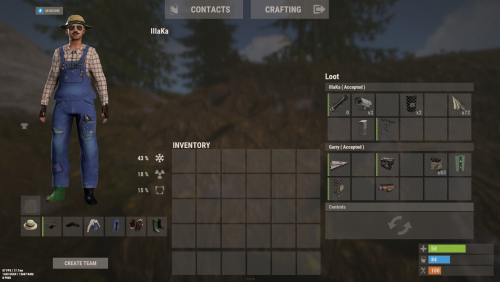
Version 0.1.3
172 downloads
An excellent plugin for remote trading between players with extensive functionality. The ability to log successful trades; The ability to create new permissions; The ability to customize permissions flexibly, including both new and existing ones; The ability to limit slots in trade; The ability to configure the method(Personal, CommonMinimum, CommonMaximum) for limiting the number of slots; The ability to set a cooldown on sending trade requests; The ability to configure the method(InitiatorOnly, TargetOnly, Both) for applying cooldown to players; The ability to purchase a bypass for the trade request cooldown; The ability to set a daily limit on sending trade requests; The ability to purchase additional trade requests after reaching the daily limit; The ability to forbid trading when wounded; The ability to forbid trading while swimming; The ability to forbid trading while mounted on certain seats; The ability to forbid trading in specified monuments, by name or by monument type; The ability to forbid trading in someone else's building privileges; The ability to forbid trading when taking damage; The ability to forbid trading during a combat block; The ability to forbid trading during a raid block; The ability to forbid certain items from being traded; The ability to automatically generate language files for specified languages(with content filled in English); The ability to set an effect upon receiving a trade request; The ability to change the effect upon a successful trade completion; The ability to display a status bar while waiting for a trade; The ability to choose between bar types(TimeCounter and TimeProgressCounter); The ability to specify the order of the bar; The ability to change the height of the bar; The ability to customize the color and transparency of the background; The ability to set a material for the background; The ability to switch between CuiRawImageComponent and CuiImageComponent for the image; The ability to get images from the local folder(*SERVER*\oxide\data\AdvancedStatus\Images); The ability to set own image and customize the color and transparency of the image; The ability to set sprite instead of the image; The ability to customize the color, size and font of the text. { "Chat command": "trade", "List of 'accept' commands": [ "accept", "yes" ], "List of 'cancel' commands": [ "cancel", "no" ], "Is it worth enabling GameTips for messages?": true, "Is it worth saving trade logs to a file?": true, "List of language keys for creating language files": [ "en" ], "Slot limit calculation mode(Personal, CommonMinimum, CommonMaximum)": "CommonMaximum", "Trade cooldown apply mode(InitiatorOnly, TargetOnly, Both)": "InitiatorOnly", "Is it worth checking the target's trade cooldown?": false, "Time in seconds given to respond to a trade request": 15.0, "Price to skip 60 seconds of the trade request cooldown": 10.0, "The prefab name for the effect triggered when a trade request is received": "assets/bundled/prefabs/fx/invite_notice.prefab", "The prefab name for the effect triggered when a trade is successfully completed": "assets/prefabs/building/wall.frame.shopfront/effects/metal_transaction_complete.prefab", "List of mount names where trading is prohibited": [ "horsesaddle", "horsesaddlerear", "bikedriverseat", "bikepassengerseat", "motorbikedriverseat", "motorbikepassengerseat", "modularcardriverseat", "modularcarpassengerseatleft", "modularcarpassengerseatright", "modularcarpassengerseatlesslegroomleft", "modularcarpassengerseatlesslegroomright", "modularcarpassengerseatsidewayleft", "miniheliseat", "minihelipassenger", "transporthelipilot", "transporthelicopilot", "attackhelidriver", "attackheligunner", "submarinesolodriverstanding", "submarineduodriverseat", "submarineduopassengerseat", "snowmobiledriverseat", "snowmobilepassengerseat", "snowmobilepassengerseat tomaha", "workcartdriver", "locomotivedriver", "craneoperator", "batteringramseat", "ballistagun.entity" ], "Status. Bar - Display time in seconds. A value of 0 keeps it visible until the cooldown ends": 15.0, "Status. Bar - Type(TimeProgressCounter or TimeCounter)": "TimeCounter", "Status. Bar - Height": 26, "Status. Bar - Order": 10, "Status. Background - Color(Hex or RGBA)": "#EFC570", "Status. Background - Transparency": 0.7, "Status. Background - Material(Leave empty to disable)": "", "Status. Image - Url": "https://i.imgur.com/9khST6i.png", "Status. Image - Local(Leave empty to use Image_Url)": "Trader_Request", "Status. Image - Sprite(Leave empty to use Image_Local or Image_Url)": "", "Status. Image - Is raw image": false, "Status. Image - Color(Hex or RGBA)": "#EFC570", "Status. Image - Transparency": 1.0, "Status. Image Outline - Color(Hex or RGBA)": "0.1 0.3 0.8 0.9", "Status. Image Outline - Transparency": 1.0, "Status. Image Outline - Distance(Leave empty to disable). Example '0.75 0.75'": "", "Status. Text - Size": 12, "Status. Text - Color(Hex or RGBA)": "#FFFFFF", "Status. Text - Transparency": 1.0, "Status. Text - Font(https://umod.org/guides/rust/basic-concepts-of-gui#fonts)": "RobotoCondensed-Bold.ttf", "Status. Text - Offset Horizontal": 0, "Status. Text Outline - Color(Hex or RGBA)": "#000000", "Status. Text Outline - Transparency": 1.0, "Status. Text Outline - Distance(Leave empty to disable)": "", "Status. SubText - Size": 12, "Status. SubText - Color(Hex or RGBA)": "#FFFFFF", "Status. SubText - Transparency": 1.0, "Status. SubText - Font": "RobotoCondensed-Bold.ttf", "Status. SubText Outline - Color(Hex or RGBA)": "0.5 0.6 0.7 0.5", "Status. SubText Outline - Transparency": 1.0, "Status. SubText Outline - Distance(Leave empty to disable)": "", "Status. Progress - Background Color(Hex or RGBA)": "1 1 1 0.15", "Status. Progress - Background Transparency": 0.15, "Status. Progress - Reverse": true, "Status. Progress - Color(Hex or RGBA)": "#EFC570", "Status. Progress - Transparency": 0.7, "Status. Progress - OffsetMin": "0 0", "Status. Progress - OffsetMax": "0 0", "List of trade permissions": [ { "Permission Name": "trader.default", "Number of available trade slots": 3, "Cooldown time(in seconds) before next trade": 600.0, "Daily trade request limit. A value of 0 disables the limit": 50, "Price to purchase a trade after exceeding the daily limit. A value of 0 disables the purchase": 5.0, "Is it worth forbidding trade if the player is in a wounded state?": true, "Is it worth forbidding trade if the player is swimming?": true, "Is it worth forbidding trade if the player is mounted?": true, "Is it worth forbidding trade if the player is in someone else's building privilege area?": true, "Is it worth forbidding trade if the player has taken damage?": true, "Is it worth forbidding trade if the player has combat block?": true, "Is it worth forbidding trade if the player has raid block?": true, "List of monuments where recycling is forbidden": null, "List of monument types where recycling is forbidden": [ "RadTown", "RadTownWater", "RadTownSmall", "TunnelStation", "Custom" ], "List of forbidden trade items": [ "rock" ] }, { "Permission Name": "trader.vip", "Number of available trade slots": 6, "Cooldown time(in seconds) before next trade": 450.0, "Daily trade request limit. A value of 0 disables the limit": 100, "Price to purchase a trade after exceeding the daily limit. A value of 0 disables the purchase": 2.5, "Is it worth forbidding trade if the player is in a wounded state?": true, "Is it worth forbidding trade if the player is swimming?": true, "Is it worth forbidding trade if the player is mounted?": true, "Is it worth forbidding trade if the player is in someone else's building privilege area?": true, "Is it worth forbidding trade if the player has taken damage?": true, "Is it worth forbidding trade if the player has combat block?": true, "Is it worth forbidding trade if the player has raid block?": true, "List of monuments where recycling is forbidden": null, "List of monument types where recycling is forbidden": [ "RadTown", "RadTownWater", "TunnelStation" ], "List of forbidden trade items": [ "rock" ] }, { "Permission Name": "realpve.vip", "Number of available trade slots": 9, "Cooldown time(in seconds) before next trade": 300.0, "Daily trade request limit. A value of 0 disables the limit": 0, "Price to purchase a trade after exceeding the daily limit. A value of 0 disables the purchase": 0.0, "Is it worth forbidding trade if the player is in a wounded state?": false, "Is it worth forbidding trade if the player is swimming?": false, "Is it worth forbidding trade if the player is mounted?": false, "Is it worth forbidding trade if the player is in someone else's building privilege area?": false, "Is it worth forbidding trade if the player has taken damage?": false, "Is it worth forbidding trade if the player has combat block?": false, "Is it worth forbidding trade if the player has raid block?": false, "List of monuments where recycling is forbidden": [ "oilrig_1" ], "List of monument types where recycling is forbidden": null, "List of forbidden trade items": [ "rock" ] } ], "Version": { "Major": 0, "Minor": 1, "Patch": 3 } } EN: { "CmdNotAllowed": "You do not have permission to use this command!", "CmdPlayerNotFound": "Player '{0}' not found! You must provide the player's name or ID.", "CmdMultiplePlayers": "Multiple players found: {0}", "CmdEconomicsNotEnough": "Not enough funds!", "CmdMain": "Available trade commands:\n\n<color=#D1CBCB>/trade</color> <color=#D1AB9A>*nameOrId*</color> - Send a trade request to the specified player\n<color=#D1CBCB>/trade</color> <color=#83BA7C>accept/yes</color> - Accept a pending trade request\n<color=#D1CBCB>/trade</color> <color=#DE5757>cancel/no</color> - Decline a pending or active trade\n<color=#D1CBCB>/trade</color> <color=#D1AB9A>limits</color> - View your trade limits\n<color=#D1CBCB>/trade</color> <color=#D1AB9A>buy limits *amount*(optional)</color> - Purchase additional trade requests\n<color=#D1CBCB>/trade</color> <color=#D1AB9A>buy cd *amount*(optional)</color> - Purchase a 60 second(* by amount) cooldown skip\n\n--------------------------------------------------", "CmdDailyLimitExtra": "You have exceeded the daily limit({0}) for sending trade requests!\n<size=10>However, you can buy additional requests using the <color=#D1AB9A>/trade buy limits</color> command for <color=#D1CBCB>${1}</color></size>", "CmdDailyLimit": "You have exceeded the daily limit({0}) for sending trade requests!", "CmdCooldownSkip": "You must wait {0} seconds before sending another trade request!\n<size=10>However, you can skip the cooldown using the <color=#D1AB9A>/trade buy cd</color> command for <color=#D1CBCB>${1}</color> per 60 seconds</size>", "CmdCooldown": "You must wait {0} seconds before sending another trade request!", "CmdWoundBlock": "You can't trade while wounded!", "CmdSwimming": "You can't trade while swimming!", "CmdMountBlock": "You can't trade while mounted here!", "CmdBuildingBlock": "You can't trade inside someone else's base!", "CmdDamageBlock": "You can't trade while taking damage!", "CmdCombatBlock": "You can't trade during combat block!", "CmdRaidBlock": "You can't trade during a raid block!", "CmdAcceptEmpty": "You have no pending trade requests!", "CmdAcceptOngoing": "You already have an active trade with player '<color=#D1AB9A>{0}</color>'!", "CmdDeclineEmpty": "You have no pending or active trades!", "CmdDecline": "Trade between you and player '<color=#D1AB9A>{0}</color>' has been canceled!", "CmdDeclineOther": "Player '<color=#D1AB9A>{0}</color>' canceled the trade with you!", "CmdSendSelf": "You cannot send a trade request to yourself!", "CmdSendNoRespond": "Player '<color=#D1AB9A>{0}</color>' has not responded to your trade request!", "CmdSendAlredyHave": "You already have a pending or active trade with player '<color=#D1AB9A>{0}</color>'!\n<size=10><color=#83BA7C>/trade yes</color> - Accept the pending trade request\n<color=#DE5757>/trade no</color> - Decline the pending or active trade</size>", "CmdSendTargetAlredyHave": "Player '<color=#D1AB9A>{0}</color>' already has a pending or active trade with player '<color=#D1AB9A>{1}</color>'!", "CmdSendTargetHasCooldown": "Player '<color=#D1AB9A>{0}</color>' has an active cooldown, {1} seconds remaining!", "CmdSendTo": "Trade request successfully sent to player '<color=#D1AB9A>{0}</color>'.", "CmdSendFrom": "Player '<color=#D1AB9A>{0}</color>' has sent you a trade request.\n<size=10><color=#83BA7C>/trade yes</color> - Accept the pending trade request\n<color=#DE5757>/trade no</color> - Decline the pending or active trade</size>", "CmdPurchaseNotLimited": "You haven't reached your daily limit yet!", "CmdPurchaseHaveExtra": "You still have {0} additional trade requests! Use them before purchasing more.", "CmdPurchaseLimitsNotAllowed": "Purchasing additional trade requests is unavailable!", "CmdPurchasedLimits": "You have successfully purchased <color=#D1CBCB>{0}</color> trade requests!\n<size=10>Now you have <color=#D1CBCB>{1}</color> additional trade requests</size>", "CmdPurchaseNoCooldown": "You don't have a cooldown for sending trade requests!", "CmdPurchaseCooldownNotAllowed": "Purchasing a cooldown skip for trade requests is not available!", "CmdPurchasedCooldown": "You have successfully purchased a cooldown skip for <color=#D1CBCB>{0} seconds</color> for trade requests!\n<size=10>Now you need to wait <color=#D1CBCB>{1} seconds</color></size>", "CmdMyLimits": "Your trade request limits:\n\n<color=#D1CBCB>Cooldown</color> - <color=#D1AB9A>{0} sec</color>\n<color=#D1CBCB>Daily Limit</color> - <color=#D1AB9A>{1}</color>\n\n--------------------------------------------------", "BarInitiator": "Trade to: {0}", "BarTarget": "Trade from: {0}", "BarCooldown": "Trade cooldown:", "MsgStarted": "You have started a trade with player '<color=#D1AB9A>{0}</color>'!", "MsgCompleted": "Trade with player '<color=#D1AB9A>{0}</color>' completed successfully!", "MsgCanceled": "Player '<color=#D1AB9A>{0}</color>' canceled the trade!" } RU: { "CmdNotAllowed": "У вас недостаточно прав для использования этой команды!", "CmdPlayerNotFound": "Игрок '{0}' не найден! Вы должны указать имя или ID игрока.", "CmdMultiplePlayers": "Найдено несколько игроков: {0}", "CmdEconomicsNotEnough": "Не достаточно средств!", "CmdMain": "Доступные команды для трейда:\n\n<color=#D1CBCB>/trade</color> <color=#D1AB9A>*имяИлиАйди*</color> - Отправить запрос на трейд указанному игроку\n<color=#D1CBCB>/trade</color> <color=#83BA7C>accept/yes</color> - Принять ожидающий запрос на трейд\n<color=#D1CBCB>/trade</color> <color=#DE5757>cancel/no</color> - Отклонить ожидающий или активный трейд\n<color=#D1CBCB>/trade</color> <color=#D1AB9A>limits</color> - Узнать свои лимиты\n<color=#D1CBCB>/trade</color> <color=#D1AB9A>buy limits *количество*(опционально)</color> - Докупить дополнительное количество трейд запросов\n<color=#D1CBCB>/trade</color> <color=#D1AB9A>buy cd *количество*(опционально)</color> - Купить пропуск 60 секунд(* на количество) задержки перед отправкой трейд запросов\n\n--------------------------------------------------", "CmdDailyLimitExtra": "Вы превысили допустимую дневную норму({0}) на отправку трейд запросов!\n<size=10>Но вы можете купить дополнительные запросы с помощью команды <color=#D1AB9A>/trade buy limits</color> за <color=#D1CBCB>{1}$</color></size>", "CmdDailyLimit": "Вы превысили допустимую дневную норму({0}) на отправку трейд запросов!", "CmdCooldownSkip": "Перед отправкой нового запроса на трейд вам необходимо подождать {0} секунд!\n<size=10>Но вы можете купить пропуск задержки с помощью команды <color=#D1AB9A>/trade buy cd</color> за <color=#D1CBCB>{1}$</color> за каждые 60 секунд</size>", "CmdCooldown": "Перед отправкой нового запроса на трейд вам необходимо подождать {0} секунд!", "CmdWoundBlock": "Вам запрещено пользоваться трейдом в предсмертном состоянии!", "CmdSwimming": "Вам запрещено пользоваться трейдом в воде!", "CmdMountBlock": "Вам запрещено пользоваться трейдом сидя в данном месте!", "CmdBuildingBlock": "Вам запрещено пользоваться трейдом в чужой базе!", "CmdDamageBlock": "Вам запрещено пользоваться трейдом при получении урона!", "CmdCombatBlock": "Вам запрещено пользоваться трейдом во время боя!", "CmdRaidBlock": "Вам запрещено пользоваться трейдом во время рейда!", "CmdAcceptEmpty": "У вас нет ожидающих запросов на трейд!", "CmdAcceptOngoing": "У вас уже есть активный трейд с игроком '<color=#D1AB9A>{0}</color>'!", "CmdDeclineEmpty": "У вас нет ожидающих или активных трейдов!", "CmdDecline": "Трейд между вами и игроком '<color=#D1AB9A>{0}</color>' отменён!", "CmdDeclineOther": "Игрок '<color=#D1AB9A>{0}</color>' отменил трейд с вами!", "CmdSendSelf": "Нельзя отправить трейд запрос самому себе!", "CmdSendNoRespond": "Игрок '<color=#D1AB9A>{0}</color>' не ответил на ваш трейд запрос!", "CmdSendAlredyHave": "У вас уже есть ожидающий или активный трейд с игроком '<color=#D1AB9A>{0}</color>'!\n<size=10><color=#83BA7C>/trade yes</color> - Принять ожидающий запрос на трейд\n<color=#DE5757>/trade no</color> - Отклонить ожидающий или активный трейд</size>", "CmdSendTargetAlredyHave": "У игрока '<color=#D1AB9A>{0}</color>' уже есть ожидающий или активный трейд с игроком '<color=#D1AB9A>{1}</color>'!", "CmdSendTargetHasCooldown": "У игрока '<color=#D1AB9A>{0}</color>' имеется активный кулдаун, осталось {1} секунд!", "CmdSendTo": "Игроку '<color=#D1AB9A>{0}</color>' был успешно отправлен запрос на трейд.", "CmdSendFrom": "Игрок '<color=#D1AB9A>{0}</color>' отправил вам запрос на трейд.\n<size=10><color=#83BA7C>/trade yes</color> - Принять ожидающий запрос на трейд\n<color=#DE5757>/trade no</color> - Отклонить ожидающий или активный трейд</size>", "CmdPurchaseNotLimited": "Вы ещё не исчерпали свой дневной лимит!", "CmdPurchaseHaveExtra": "У вас ещё есть {0} дополнительных трейд запросов! Используйте их прежде, чем покупать новые.", "CmdPurchaseLimitsNotAllowed": "Покупка дополнительных трейд запросов недоступна!", "CmdPurchasedLimits": "Вы успешно докупили <color=#D1CBCB>{0}</color> трейд запросов!\n<size=10>Теперь у вас <color=#D1CBCB>{1}</color> дополнительных трейд запросов</size>", "CmdPurchaseNoCooldown": "У вас нет задержки на отправку трейд запросов!", "CmdPurchaseCooldownNotAllowed": "Покупка пропуска задержки на трейд запросы недоступна!", "CmdPurchasedCooldown": "Вы успешно купили пропуск на <color=#D1CBCB>{0} секунд</color> задержки для трейд запросов!\n<size=10>Теперь вам нужно подождать <color=#D1CBCB>{1} секунд</color></size>", "CmdMyLimits": "Ваши лимиты трейд запросов:\n\n<color=#D1CBCB>Время задержки</color> - <color=#D1AB9A>{0} сек</color>\n<color=#D1CBCB>Дневной лимит</color> - <color=#D1AB9A>{1}</color>\n\n--------------------------------------------------", "BarInitiator": "Трейд с: {0}", "BarTarget": "Трейд от: {0}", "BarCooldown": "Задержка трейда:", "MsgStarted": "Вы начали трейд с игроком '<color=#D1AB9A>{0}</color>'!", "MsgCompleted": "Трейд с игроком '<color=#D1AB9A>{0}</color>' успешно завершён!", "MsgCanceled": "Игрок '<color=#D1AB9A>{0}</color>' отменил трейд!" } *nameOrId* - Send a trade request to the specified player. accept/yes - Accept a pending trade request. cancel/no - Decline a pending or active trade. limits - View your trade limits. buy limits *amount*(optional) - Purchase additional trade requests. buy cd *amount*(optional) - Purchase a 60 second(* by amount) cooldown skip. Example: /trade iiiaka /trade yes /trade limits /trade buy limits 1 /trade buy limits 0.5$9.99 -

Version 0.1.1
438 downloads
Allows toggling silent item giving(chat notifications and ownership) via Harmony patching. P.S. By default, silent item giving is enabled. The ability to disable item ownership assignment; The ability to disable item give messages via the 'give' command; The ability to disable item give messages via the 'giveid' command; The ability to disable item give messages via the 'givearm' command; The ability to disable item give messages via the 'giveto' command; The ability to disable item give messages via the 'giveall' command; The ability to disable item blueprint give messages via the 'giveBp' command; The ability to disable messages about copying player inventory via the 'copyTo' command. silentitemsgive.admin - Grants access to the command silentgive.toggle silentgive.toggle *boolValue*(optional) - Toggle silent item giving. To access this command, you must be an administrator or have the silentitemsgive.admin permission. Example: silentgive.toggle silentgive.toggle trueFree -

Version 1.0.2
222 downloads
The Ultimate Expansion for Skill Tree Progression Skill Tree Items: Pro is a powerful DLC plugin for the Skill Tree system that breathes new life into your server's loot tables. Instead of players just earning XP through grinding, they can now discover unique, consumable items that boost their progression, provide instant rewards, or grant temporary buffs directly from Skill Tree. Whether it’s a rare XP injection found on a Scientist or a biome-specific gathering boost hidden in an Arctic crate, this plugin adds a layer of excitement and strategy to every lootable object on your map. Advanced Consumable Types This plugin introduces four distinct item categories, each fully customizable to fit your server's economy: XP Boosters: Provide temporary XP multipliers. Go granular with filters for specific gather types, time-of-day restrictions (e.g., "Night Owl" boosts), or biome-specific requirements. XP Injections: Instant gratification. Set up various "vials" or "manuals" that grant a flat or randomized range of XP upon consumption. SP Injections: Extremely rare rewards that grant Skill Points directly, bypass the grind, and give players a reason to hunt for high-tier loot. Temporary Buffs: Grant any buff from the Skill Tree—including Ultimates—for a limited time. These stack with existing skills, allowing players to feel the power of high-level perks early on. Dynamic Loot Distribution The core of Skill Tree Items: Pro is its highly sophisticated loot engine. You aren't limited to just crates and barrels; you can inject these items into almost every interaction in Rust. See a comprehensive list of supported LootSources below. Granular Configuration For the power users, the LootProfile system allows for surgical precision. You don't just set "Crates"; you can target specific prefab names, specific NPC profiles, or even the tier of a Raidable Base. Key Profile Features: Identifier System: Target specific entities (e.g., only "Elite" crates or a specific Boss from BossMonster). Skin ID Filtering: Require specific skin IDs for the source to trigger. Blacklisting: Exclude specific items or entities from dropping loot. Modifier Integration: Toggle whether player "ItemPerk" modifiers should influence the drop rates. Weight-Based Tables: Use a weighted dictionary system to determine exactly which items drop and how often. Command: stip.give <target> <profile> Tyoe: Console Permission required: skilltreeitemspro.admin Action: Gives the target player the specified item. Command: stip.giveall Tyoe: Chat Permission required: skilltreeitemspro.admin Action: Gives the user all items in the config. Command: stip.moveicon Tyoe: Chat Permission required: skilltreeitemspro.admin Action: Moves the active boost icon for all players. This is a comprehensive list of loot sources that can be used to setup loot profiles. Crate: Triggered when a player opens a crate for the first time. Barrel: Triggered when a player breaks a barrel. BossMonster: Triggered when a boss monster is killed by a player. Event: Triggered when an event is completed (Convoy, SurvivalArena, Armored train, Powerplant etc). ScientistNPC: Triggered when a scientist NPC is killed. HumanNPC: Triggered when a human npc, such as a tunner dweller, is killed. BetterNPC: Triggered when a NpcSpawn npc is killed. Woodcutting: Triggered when a tree is fully cut down. Mining: Triggered when a node is fully mined out. Skinning: Triggered when an animal is fully skinned. Foraging: Triggered when the player collects a map collectible (hemp, pumpkins, diesel barrels etc). Farming: Triggered when the player collects a player-grown collectible. Fishing: Triggered when the player catches a fish. Crafting: Triggered when an item is successfully crated. BotReSpawn: Triggered when an BotReSpawn npc is killed. NpcRaider: Triggered when an npc from NpcRaider is killed. RaidableBase: Triggered when a Raidable Base is spawned. The effect types dictate how the item will behave. You can have any number of effect types attached to an item. For example, you can create an item that gives the player 1000xp with the XPInjection type, gives them a temporary boost with the XPBoost type, and gives them access to the Raiding Ultimate from Skill Tree with the TemporaryBuff type. XPInjection: Provides the player with an injection of xp when consumed. SPInjection: Provides the player with an injection of skill points when consumed. TemporaryBuff: Provides the player with temporary access to any Skill Tree buff (including ultimates). XPBoost: Provides the player with a temporary xp boost when consumed. XP Source can be set so only the specified xp source provides the bonus. Timeframe can be set, so the player can only get xp during the specified time of day (ie 6pm to 6pm etc). Multiple Biomes can be added to restrict the xp bonus to sources inside of those biome types (ie a player can only gain xp while in the Arctic or Jungle). Biomes: Any, Arid, Temperate, Tundra, Arctic, Jungle. Here is a list of Skill Tree XP Sources that can be used with the XPBoost effect. All NodeHit NodeHitFinal TreeHit TreeHitFinal SkinHit SkinHitFinal CollectWildPlant CollectGrownPlant BuildingBlockDeployed FishCaught CatchOrangeRoughy CatchSalmon CatchSmallShark CatchSmallTrout CatchYellowPerch CatchAnchovy CatchHerring CatchSardine CatchTrash Crafting ScientistNormal TunnelDweller UnderwaterDweller ScientistHeavy SmallAnimal MediumAnimal LargeAnimal RoadSign Barrel Scarecrow Mission BradleyAPC LootHackedCrate LootHeliCrate LootBradleyCrate CookingMealXP RaidableBaseCompletion_Easy RaidableBaseCompletion_Medium RaidableBaseCompletion_Hard RaidableBaseCompletion_Expert RaidableBaseCompletion_Nightmare Win_HungerGames Win_ScubaArena Win_Skirmish Gut_Fish default_botrespawn crate_basic crate_elite crate_mine crate_normal crate_normal_2 crate_normal_2_food crate_normal_2_medical crate_tools crate_underwater_advanced crate_underwater_basic crate_ammunition crate_food_1 crate_food_2 crate_fuel crate_medical supply_drop detect_diggable Harbor_Event_Winner Junkyard_Event_Winner PowerPlant_Event_Winner Satellite_Event_Winner Water_Event_Winner Air_Event_Winner Armored_Train_Winner Convoy_Winner SurvivalArena_Winner swipe_card_level_1 swipe_card_level_2 swipe_card_level_3 boss_monster Zombie Raider JetPilot ArcticBaseEvent_Winner GasStationEvent_Winner SputnikEvent_Winner ShipWreckEvent_Winner Triangulation_Winner Caravan_Winner SupermarketEvent_Winner GingerbreadNPC PVP AutoTurret You can get a list of Skill Tree Buffs from the Skill Tree plugin page.$11.99- 10 comments
- 1 review
-
- 1
-

-
- #skilltree
- #skill
- (and 10 more)
-
Version 1.6.2
63 downloads
Repair All allows you to easily repair all items in a container at the same time. Repair your entire storage locker, or an entire storage box full of broken shit with the click of a single button. Repair All works with any container, including your Backpacks plugin pages, or a backpack you throw on the ground. For those of you using SkillTree, it also works with the repair perks from the Build Craft Tree. Several permissions available for VIP groups including free repairs, no BPs, and full durability repairs! FEATURES Effortless Integration: Repair All works right out of the box with no extra plugins or external files needed. Seamless Compatibility: Integration with SortButton, Backpacks, and SkillTree. Smart Resource Management: Pull resources needed for repairs directly from your inventory, your backpack, or even the storage box you're repairing from! Universal Container Support: Whether it's a large wooden box, a small box, barrels, or baskets, Repair All handles them all with ease. Locker Love: Your precious locker contents? Fully repair with a single click. Roaming Goodness: Away from your base? No problem! Just drop your backpack on the ground and repair your essentials right there. Big thanks to Luffy Rust for all the help testing, and providing feedback. You guys are awesome! PERMISSIONS repairall.use Required for players to use RepairAll. repairall.use.item Allows repair of individual items. repairall.use.roam can repair outside of TC auth range. repairall.no.roam.cost no additional resource cost while outside of TC Auth range. repairall.no.add.cost Exempts player from additional resource cost. repairall.no.dura.loss Items repaired with RepairAll won't take durability loss. repairall.no.resources Allows players to make repairs without consuming resources. repairall.no.blueprints Allows repairs without having BPs. repairall.full.condition Repair items to full condition and durability. CONFIGURATION Repair Button Only If enabled, only the repair button will be shown in the UI. Default Cost % This defaults to the game's default resource cost for repairs. Additional Cost % Set the additional resource cost for repair. Additional Roaming Repair Cost %: defaults 25% Durability Loss %: Set the default loss to durability on repair. SortButton Use Permission: default: "sortbutton.use". Backpacks Use Permission: default: "backpacks.use". Backpacks Retrieve Permission: default: "backpacks.retrieve". Backpacks Gather Permission: default: "backpacks.gather". DEFAULT CONFIGURATION { "Repair Button Only": false, "Default Cost %": 20, "Additional Repair Costs %": 10, "Additional Roaming Repair Costs %": 25, "Durability Loss %": 20, "SortButton Use Permission": "sortbutton.use", "Backpacks Use Permission": "backpacks.use", "Backpacks Retrieve Permission": "backpacks.retrieve", "Backpacks Gather Permission": "backpacks.gather" }$9.00- 13 comments
- 3 reviews
-
- 2
-

-
- #inventory
- #items
- (and 5 more)
-
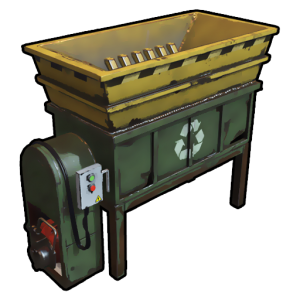
Version 1.0.9
14 downloads
The simplest Pocket Recycler with permissions Permission pocketrecycler.use - permission to use /rec command You can add custom permissions to change the recycling time and efficiency for players with permissions Commands Chat Command: /rec - Open Pocket Recycler DEFAULT CONFIGURATION { "Permission to use the plugin (default: pocketrecycler.use)": "pocketrecycler.use", "Recycler Container Size": 6, "Works only for those who have permission ?": true, "Use Sound Effects?": true, "Recycle Sound Effects": "assets/prefabs/misc/xmas/presents/effects/unwrap.prefab", "Recycler Open Sound Effects?": "assets/prefabs/npc/autoturret/effects/autoturret-deploy.prefab", "Allow blueprints to be obtained from recycled items.(default: false)": false, "Chance of obtaining blueprints from recycled items. 0 - 100 (default: 0)": 0, "Stack Multiplier Per Recycle Tick(default: 0.1)": 0.1, "Extra Scrap rate(default: 0)": 0.0, "Default recycling efficiency (pocketrecycler.use: 0.4)": 0.4, "Default recycling time duration (pocketrecycler.use: 8)": 8, "Recycler Permissions Settings": { "Recycling efficiency [permission] = efficiency (1.0 = 100%)": { "pocketrecycler.deluxe": 1.0, "pocketrecycler.premium": 0.8, "pocketrecycler.vip": 0.6 }, "Recycling time duration [permission] = time (sec)": { "pocketrecycler.deluxe": 0, "pocketrecycler.premium": 4, "pocketrecycler.vip": 6 } }, "Items recycle list": { "Enable item replacement after recycling": false, "Consider the efficiency value ?": true, "Get default item ingredients ?": false, "List of recyclable items": [ { "SkinID": 0, "Shortname": "wood", "Displayed item name": null, "Ingredients": [ { "SkinID": 2420097877, "Shortname": "paper", "Amount per 1 recycled item": 1, "Displayed item name": null } ] }, { "SkinID": 2420097877, "Shortname": "paper", "Displayed item name": null, "Ingredients": [ { "SkinID": 0, "Shortname": "wood", "Amount per 1 recycled item": 1, "Displayed item name": null } ] } ] } } DEFAULT LANG FILES EN { "permission": "You do not have permission to use this command!", "INPUT_STRING": "Input", "EFFICIENCY": "EFFICIENCY {0}%, {1} SEC", "CAN_RECYCLE": "You cannot perform this action while: <color=#FBD900>{0}</color>", "BUILDING_BLOCKED": "in another player's building zone" } RU { "permission": "У вас нет разрешения для использования этой команды!", "INPUT_STRING": "Ввод", "EFFICIENCY": "ЭФФЕКТИВНОСТЬ {0}%, {1} СЕКУНД", "CAN_RECYCLE": "Вы не можете выполнить это действие находясь: <color=#4A95CC>{0}</color>", "BUILDING_BLOCKED": "в зоне запрета строительства" }$3.99 -
Version 1.1.7
195 downloads
Easily give access to Rusts F1 Spawn Menu! That's permission based with blacklisting support and customizable F1 Spawn button amounts! Features: * Ban whole categories or Items using their ShortName or ItemID's * Allow Admins or Developers to bypass F1 spawn * Control the amounts it gives on the 1k button & 100 buttons! * ItemID, Amount, SkinID, Conditions. * Shops & other 3rd party plugins. * DLC items only spawn if you are the Admin or the player has bought the DLC for that item. * TODO: Genetics & BPs. Perms: f1spawn.use | needed to use F1 Menu. f1spawn.bypass | needed to bypass blocked Items. f1spawn.dlc | needed to spawn DLC Items that the player does NOT OWN. Chat & Console Commands: /give itemID amount skin condition | everything past itemID are optional args /givearm itemID amount skin condition | everything past itemID are optional args give steamID-or-Name itemID amount skin condition | everything past itemID are optional args givearm steamID-or-Name itemID amount skin condition | everything past itemID are optional args Configuration File: { "Change Spawned Tag to supported variants like Crafted & Looted": false, "Ignore: Disabled 0, Admin 2, Developer 3": 0, "Set F1 1000 button spawn amount": 1000, "Set F1 100 button spawn amount": 100, "Set F1 Spawn liquids with max water": true, "Ban Categories: Weapon 0, Construction 1, Items 2, Resources 3, Attire 4, Tool 5, Medical 6, Food 7, Ammunition 8, Traps 9, Misc 10, Component 11, Electrical 12, Fun 13": [ 10 ], "Ban Items using: ShortNames (Easy to Read)": [ "explosive.timed", ], "Ban Items using: ItemIDs (Slightly Faster)": [ 143803535, ] }$10.00 -
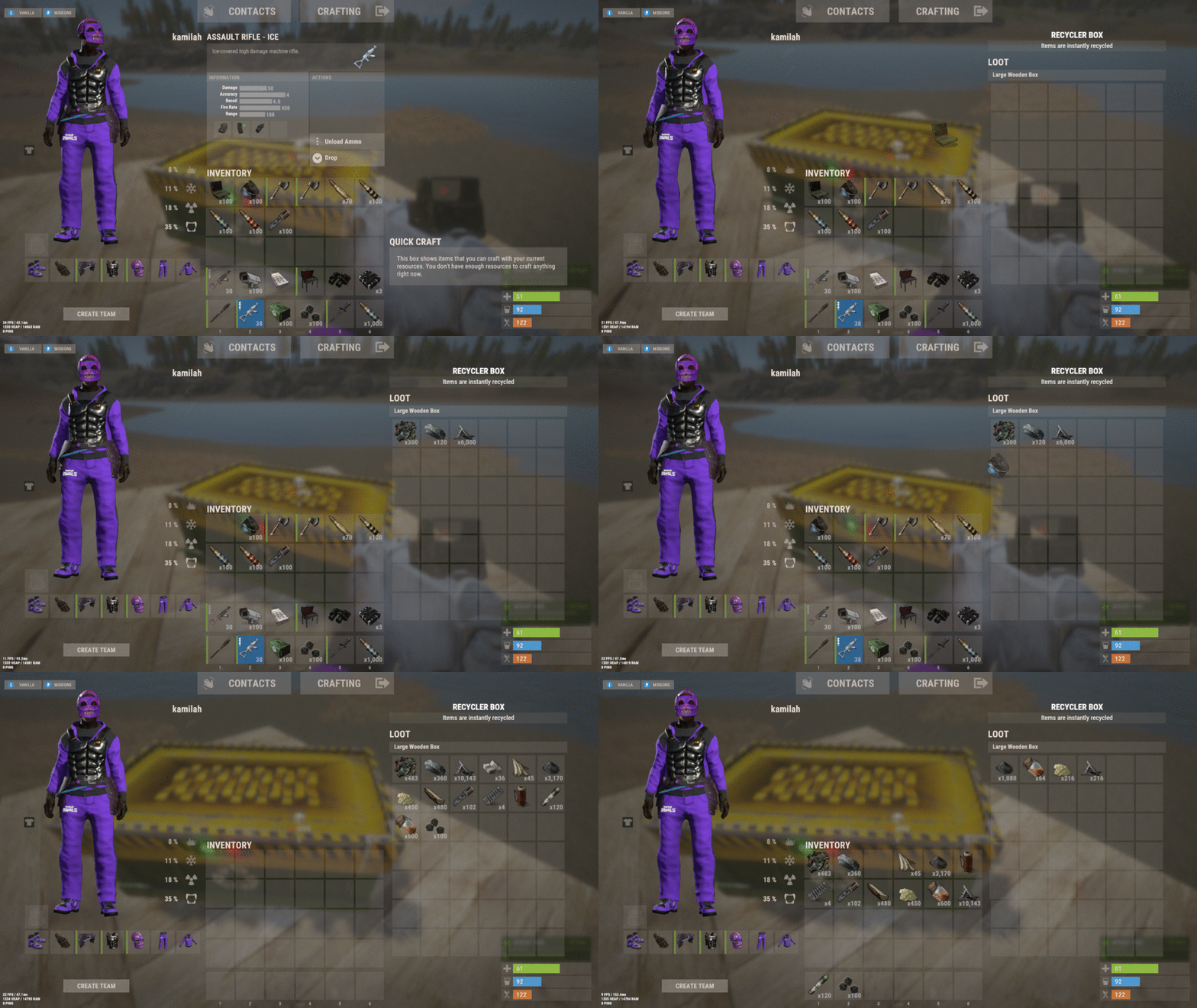
Version 2.4.91
446 downloads
Recyclerbox allows players to convert large or small wooden boxes into recyclers through customizable commands. Simply select your desired box type, execute the command, and watch as items are automatically recycled with configurable efficiency. Customize your setup with blacklisted items, adjustable scrap ratios, and optional visual effects. Features Transform wooden boxes into recyclers instantly Virtual recycler for convenient on-the-go use Customizable commands and permissions Adjustable recycling efficiency and scrap yield Optional audio effects Permissions: Here is a description of how to use the specified permissions: Permission Get Recycler ("recyclerbox.get"): This permission allows the user to obtain the recycler box. Permission Transform Recycler ("recyclerbox.transform"): This permission enables users to transform a regular box into a recycler box. Permission Use Virtual Recycler ("recyclerbox.virtual"): With this permission, users can utilize a virtual recycler. Embrace efficient resource management and strategic gameplay with the Recyclerbox plugin. Perfect for players looking to optimize their Rust experience! Config File: { "Get Recyclerbox Command": [ "getrec", "getrecycler", "recyclerbox" ], "Transform Recyclerbox Command": [ "trarec", "boxtorecycler", "transformrecycler", "transforbox" ], "Virtual Recyclerbox Command": [ "rec", "vrec", "virtualrecycler" ], "Large Box SkinId Recycler": 2994391115, "Small Box SkinId Recycler": 2988594458, "RecyclerLimit": 1, "Recycler Efficiency": 0.6, "Ratio Scrap": 1.2, "Enable Prefab Fx": true, "Lock Recycler While In Use": false, "Disable During Raid Block (Requires No Escape plugin)": true, "Prefab Fx Open Recycler": "assets/bundled/prefabs/fx/build/promote_toptier.prefab", "Prefab Fx Close Recycler": "assets/bundled/prefabs/fx/build/promote_toptier.prefab", "Transfer Virtual Recycled Items to Inventory": false, "Blacklisted Items": [ "lmg.m249", "gunpowder" ], "Blacklisted Skins": [ 2994391115, 2988594458 ], "Check Player Alive": true, "Check Player Wounded": true, "Check Building Privilege": true, "Check Swimming": true, "Check Falling": true, "Check Mounted": true, "Check Cargo Ship": true, "Check Balloon": true, "Check Elevator": true, "Check Safe Zone": true, } Happy recycling!$15.00 -
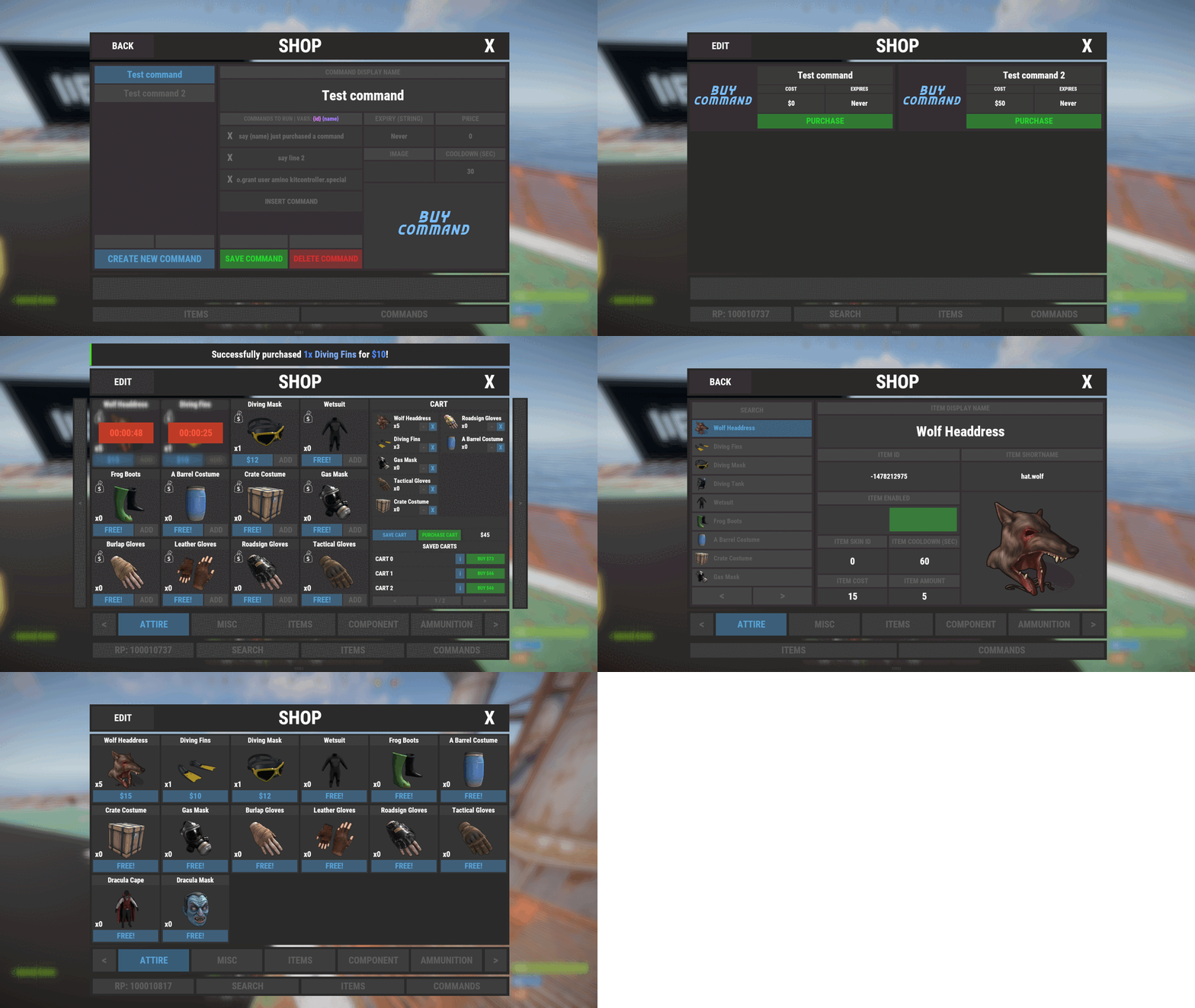
Version 1.1.0
1,283 downloads
Shop Controller is an advanced shop UI system. Offers selling of items and commands as well as an in-game item editor. FEATURES • UI Cart system (Optional) • In-game item editor • In-game command editor • Item cooldowns • Command cooldowns • Custom item skins • Sell back to shop (Optional) • Easy color editing of the UI • Multi currency support (RP, Economics, any item) • Custom shop commands PERMISSIONS shopcontroller.use shopcontroller.admin SETUP The setup is very easy! - Set the commands you want the shop to be opened with - Set your currency. It supports RP, Economics, or any item (use the shortname)! - Set if you want to use the cart system or not - Plugin images, change if you want to use images other than the default ones. - UI Elements, all of these are color, "Rust Format" > https://tools.rustplugins.io/colors Support? Questions? Comments? Concerns? Message me in my Discord! https://discord.gg/ZsRgCUNv2x$29.99 -
Version 1.4.6
4,625 downloads
Manage your Rust server easier and more efficiently with the AdminMenu plugin. Track players, interact with them, edit their data and permissions, as well as change server convars and manage plugins. Features: Menu retains its state after closing, you won't lose everything you did before. Ability to fully translate the menu into any language. Large range of permissions for each action, will allow you to flexibly customize the admin menu for each group of administrators. Quick menu that allows you to perform quick actions Full list of players with the ability to filter by online, offline, admins and moderators. Also has a frame of different colors depending on the level of authorization. Wide range of information and actions for the selected player. Editing convars with search. Has a complete list of editable convars with descriptions for some of them. Extensive issue menu by category, with easy management of name, skin and amount (manual, +1, +100, +1000, +10000). Plugin management menu. It is possible to reload, unload or load a plugin easily and quickly. Updates occur in real time. Ability to create your own custom buttons that execute several commands Quick Start: You install the plugin in the plugins folder. Give yourself the adminmenu.fullaccess permission. Commands, use one of your choice, one for the player and one for the admin group: o.grant user [name or steamid] adminmenu.fullaccess o.grant group admin adminmenu.fullaccess Press the X button (swap seat button) or type adminmenu in the console. Enjoy Useful stuff: You can quickly open a player in the admin menu. To do this, point at the player and press X. You don't have to hover over the player exactly, you will be able to open players within a certain radius of the place you are looking at. CUSTOM BUTTONS Custom buttons are buttons that when pressed will execute commands on behalf of the administrator, commands can be several, below will be the details. At the moment, custom buttons can be created in two places: in the quick menu and in the menu when selecting a player. These places are separated in the config. Button Fields: "Execution as server" - Call the command on behalf of the server, not the administrator "Label" - Text that will be on the button, for each such inscription creates a field in the lang file, accordingly you can translate this text into several languages. "Commands" - Array of commands that will be executed on behalf of the administrator. Chat commands require a special entry, see examples. "Permission"- permission to display and use the button. You need to write the permission that will be after "adminmenu.". Example: if you enter the permission "test" the permission will be adminmenu.test "Position" - The location for the button, the first number is responsible for the row number, the second for the position within the row, starts from 0.There are limits of locations, if you have gone beyond the limit - the button will not be displayed. Common Tags: {adminUID} - administrator's id. {position} - administrator coordinates (underfoot) {view_position} - the position where the administrator is looking (can be used for spawning or something similar) {view_direction_forward} - forward view direction of the administrator {view_direction_backward} - the direction the administrator is looking backwards {view_direction_left} - direction of the administrator’s view to the left {view_direction_right} - administrator’s view direction to the right Tags for target only: {steamid}, {steamID}, {userID}, {STEAMID}, {USERID} - mean the same thing, namely the id of the selected player. {target_position} - target coordinates (underfoot) Example of commands: chat.say \"/{chat command}\" vanish ban {steamID} teleport {steamID} {adminUID} More information about the grant menu: The grant menu includes the full list of items including hidden items as well as custom items created by the CustomItemDefinitions library. The menu can be accessed from the navigation or from the menu of the selected player. When issuing itself has categories. Search works in any registry by any part of the name or short name. Has a page system at any stage. More information about the buttons in the Quick Menu: [Teleport to 0 0 0] - Teleport to coordinates 0 0 0. Requires adminmenu.quickmenu.teleportto000 permission [Teleport to Deathpoint] - Teleport to your deathpoint. Requires adminmenu.quickmenu.teleporttodeath permission [Teleport to Spawn point] - Teleport to a random spawn point. Requires adminmenu.quickmenu.teleporttospawnpoint permission [Kill Self] - Kill Self, kills even when immortal. Does not require permission. [Heal Self] - Fully heal yourself. Requires adminmenu.quickmenu.healself permission [Call Heli] - Call Helicopter to yourself (arrives in time). Requires adminmenu.quickmenu.helicall permission [Spawn Bradley] - Spawn bradley on yourself. Requires adminmenu.quickmenu.spawnbradley permission More information about the buttons in the menu of the selected player: [Teleport Self To] - Teleport yourself to the selected player. Requires adminmenu.userinfo.teleportselfto permission [Teleport To Self] - Teleport the selected player to yourself. Requires adminmenu.userinfo.teleporttoself permission [Teleport To Auth] - Teleportation to random authorization (TC). Requires adminmenu.userinfo.teleporttoauth permission [Teleport to Deathpoint] - Teleportation to a player's deathpoint. Requires adminmenu.userinfo.teleporttodeath permission [Heal] - Full healing, including metabolism. Requires adminmenu.userinfo.fullheal permission [Heal 50%] - Half healing. Requires adminmenu.userinfo.halfheal permission. [View Inventory] - View and edit player's inventory. Requires adminmenu.userinfo.viewinv permission [Strip Inventory] - Clear player's inventory. Requires adminmenu.userinfo.stripinventory permission [Unlock Blueprints] - Unlock all Blueprints. Requires adminmenu.userinfo.unlockblueprints permission [Revoke Blueprints] - Reset all Blueprints. Requires adminmenu.userinfo.revokeblueprints permission. [Kill] - Kill a player. Requires adminmenu.userinfo.kill permission [Kick] - Kick a player. Requires adminmenu.userinfo.kick permission [Ban] - Ban a player. Requires adminmenu.userinfo.ban permission More information about the buttons in the menu of the selected group: [Remove Group] - Remove group, has confirmation. Requires adminmenu.groupinfo.removegroup permission [Clone Group] - Clone group with the ability to copy users. Requires adminmenu.groupinfo.clonegroup permission Permissions: adminmenu.use - Ability to use admin menu with basic set. Open tab quick menu (each button has its own permission, without permissions is present only kill yourself button) and the list of players. adminmenu.fullaccess - Full access to all functions without the need for each permission, includes also adminmenu.use. It is recommended to give only to the main administrators. adminmenu.quickmenu.teleportto000 - Access to the button in the quick menu, teleportation to coordinates 0 0 0 0. adminmenu.quickmenu.teleporttodeath - Access to the button in the quick menu, teleportation to the point of your death. adminmenu.quickmenu.teleporttospawnpoint - Access to the button in the quick menu, teleportation to a random spawn point. adminmenu.quickmenu.healself - Access button in quickmenu, heal yourself completely. adminmenu.quickmenu.helicall - Access to the button in the quick menu, call a helicopter to yourself (arrives in time). adminmenu.quickmenu.spawnbradley - Access button in quickmenu, spawn bradley. adminmenu.userinfo.teleportselfto - Access to the button in the menu of the selected player, teleportation to the selected player. adminmenu.userinfo.teleporttoself - Access to the button in the menu of the selected player, teleport the selected player to himself. adminmenu.userinfo.teleporttoauth - Access to the button in the menu of the selected player, teleportation to random authorization (TC). adminmenu.userinfo.teleporttodeath - Access to the button in the menu of the selected player, teleportation to the place of death of the player. adminmenu.userinfo.fullheal - Access to the button in the menu of the selected player, full healing, including metabolism. adminmenu.userinfo.halfheal - Access to the button in the menu of the selected player, half healing. adminmenu.userinfo.viewinv - Access to the button in the selected player's menu, view and edit the player's inventory. adminmenu.userinfo.stripinventory - Access to the button in the menu of the selected player, clear the player's inventory. adminmenu.userinfo.unlockblueprints - Access the button in the menu of the selected player, unlock all drafts. adminmenu.userinfo.revokeblueprints - Access to the button in the menu of the selected player, reset all drafts. adminmenu.userinfo.kill - Access the button in the selected player's menu to kill the player. adminmenu.userinfo.kick - Access the button in the selected player's menu to kick the player. adminmenu.userinfo.ban - Access to the button in the menu of the selected player, ban the player. adminmenu.groupinfo.removegroup - Access to the button in the menu of the selected group, the ability to remove the group. adminmenu.groupinfo.clonegroup - Access to the button in the menu of the selected group, the ability to clone the group. adminmenu.convars - View and edit convars. adminmenu.permissionmanager - View and edit permissions in groups, player groups, create, delete and clone groups (requires additional permissions from these buttons). adminmenu.pluginmanager - Access to plugin management, reloading, unloading, loading plugins. adminmenu.give - Access to give resources, as well as yourself and the selected player.$30.00 -
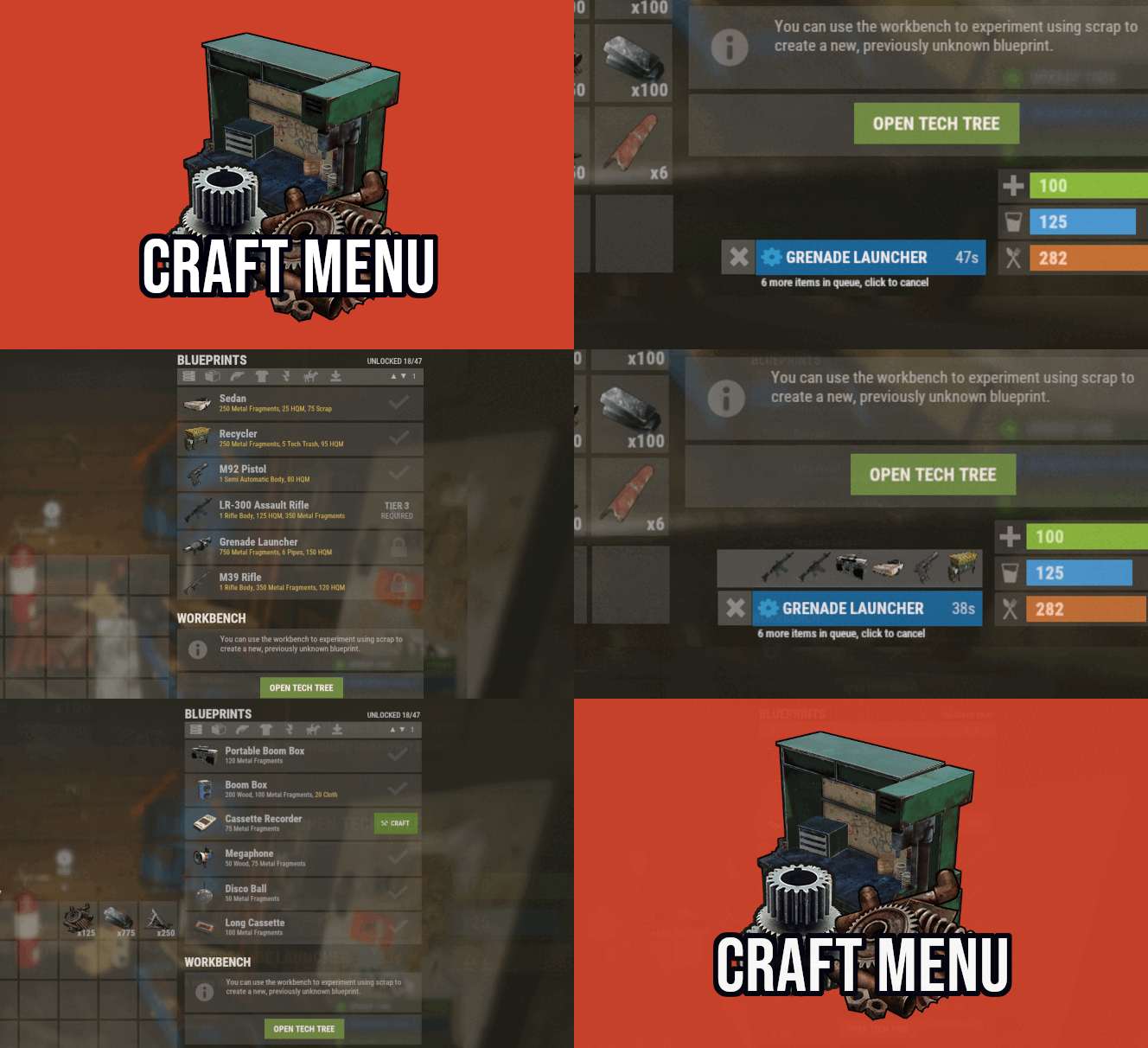
Version 1.1.75
3,759 downloads
Custom crafting panel at player's workbenches. Craft custom or non-craftable items, create your own blueprints. No chat commands required! oxide permission - craftmenu.use • How to create default blueprint. Simply leave ResearchCost as 0. • Crafting Recycler. Plugins for placing entities usually utilizes specific item together with skin id. Here you can find list of examples PlaceableEntities.txt • Adding same shortname multiple times. When you using same shortname for more than one blueprint you have add {number} at the end of it to prevent duplicates. Ex.: "box.wooden.large{1}" • Item is name too long. Inside lang file you can create replacements for default item names. • Wiping blueprints manualy. There are two admin console commands. "craftmenu_admin wipe" will wipe blueprints for all players "craftmenu_admin wipe <steamID>" wipes blueprints only for certain player. Premade blueprints from screenshots Blueprints.json$16.00 -

Version 1.0.7
632 downloads
Item Perks: Legendary items is a plugin that allows you to create and fully customize legendary named items on your rust server. It uses the perk sets available from the Item Perks plugin, allowing for the creation of some very unique items in Rust. The fields for creating a new item are: Name: Give the item a unique name that captures it's essence Skin: Assign a skin that matches what the item does. Description/Story: Add some flavor to the item and write a short blurb or backstory for the item, which will display when the player mouses over the ownership banner, along with the buffs. Buffs: Add as many or as few ItemPerk buffs as you would like, with any amount of buff values. Restrict enhancement: Prevent or allow enhancement kits to affect each Legendary item. Global chat announcement: Announce in chat when a player finds a really rare or powerful item. Amour slots: Set the amount of armor slots the item spawns with (if applicable). There are a number of drop sources that can be selected for your legendary items to drop. Along with the source, you can specify which item/prefab shortname you want to restrict the drop to, or which shortnames you want it to exclude. The shortname will depend on the loot source. Loot sources with the type "Prefab" will need to use the prefab shortname, where as those with the "Item" type will need to use item shortnames. Type: Prefab Example: crate_normal_2, heli_crate, crate_elite. Type: Prefab Example: loot-barrel-2, loot-barrel-1 Type: Boss name Example: scarecrow the destroyer. Type: Event name Supports: Harbor Event: "Harbor" Junkyard Event: "Junkyard" Satellite Dish Event: "SatDish" Water Event: "Water" Air Event: "Air" Arctive Base Event: "Arctic" Gas Station Event: "GasStation" Sputnik Event: "Sputnik" Shipwreck Event: "Shipwreck" Triangulation Event: "Triangulation" Supermarket Event: "Supermarket" Caravan Event: "Caravan" Powerplant Event: "Powerplant" Armored Train Event: "ArmoredTrain" Convoy Event: "Convoy" Ferry Terminal Event: "FerryTerminal" SurvivalArena: "SurvivalArena" Type: Prefab Example: scientistnpc_arena, scientistnpc_heavy. Type: Prefab Example: npc_tunneldweller, npc_underwaterdweller. Type: Npc name Example: military defenders. Type: Prefab Example: oak_b, swamp_tree_a, pine_dead_snow_c. Type: Prefab Example: stone-ore, sulfur-ore, metal-ore. Type: Prefab Example: chicken.corpse, shark.corpse, player_corpse. Type: Prefab Example: hemp-collectable, berry-red-collectable, corn-collectable. Type: Prefab Example: hemp.entity, pumpkin.entity, wheat.entity. Type: Item Example: rifle.ak, axe.salvaged, icepick.salvaged.$11.99 -
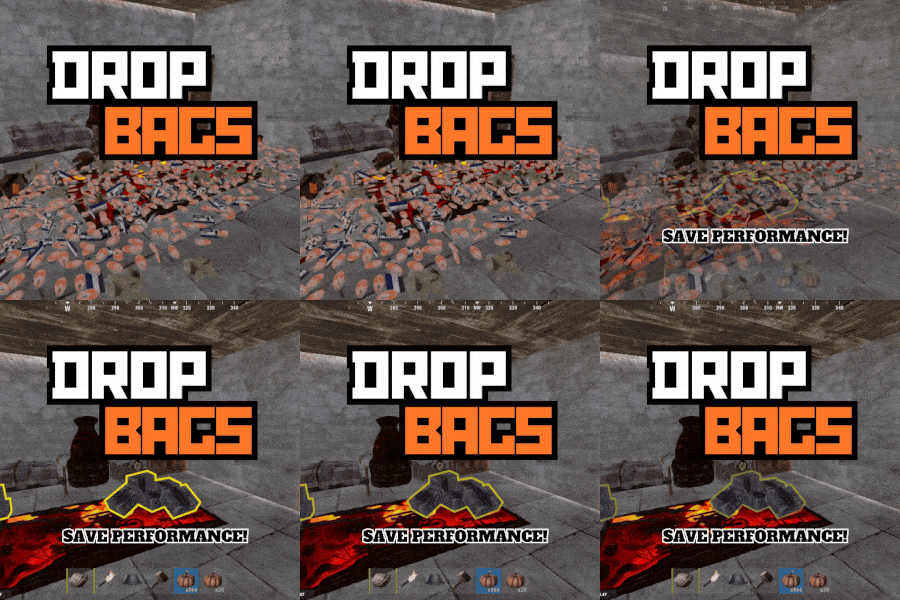
Version 1.1.8
1,038 downloads
Drop Bags tracks items dropped into the rust world. When there are high-volume drops, they are combined into a single "drop bag.” This method enhances performance by streamlining the handling of item drops and reducing item physics. Stop server stalls and freezing from item spam Works on craft spam, dropped item spam, gutted shark spam and horse dung! Light weight and easy to use Easy config DropBags uses one light weight hook to track dropped items. Dependent on how many items are dropped in a given radius those items get placed into a drop bag. This stops mass item spam effecting your server performance. { "Area Size - How far away items can be moved into a container": 7, "Max drops before moving items to container": 36, "Time to wait before moving items": 5.0, "Vischeck - checks items are visable before moving to container": true, "Calculate despawntime from drop bag items": true, "Reset dropbag despawn time on loot": false, "Override drop bag despawn time (seconds), 0 = false": 0.0 }$14.99- 17 comments
- 7 reviews
-
- 2
-
-
-
- #dropbags
- #drop bags
- (and 26 more)
-
Version 1.1.5
619 downloads
UItemSort UItemSort - this plugin allows the player to sort, and stack items in boxes and inventory. Plugin config variables "Use button images?": false, "Send plugin messages/reply?": true, "Sort button color.": "0.968627453 0.921568632 0.882352948 0.2", "Take similar button color.": "0.968627453 0.921568632 0.882352948 0.2", "Take all button color.": "0.968627453 0.921568632 0.882352948 0.2", "Sort image.": "https://i.imgur.com/uEiuf3N.png", "Similar image.": "https://i.imgur.com/3PkbAH8.png", "Take/Put all.": "https://i.imgur.com/beKBAl3.png", "Allow only containers with owners?": false, "All containers allowed?": false, "Black list if all allowed else this is white list.": [ "assets/prefabs/deployable/woodenbox/woodbox_deployed.prefab", "assets/prefabs/deployable/large wood storage/box.wooden.large.prefab", ] Plugin lang "UILootSimilar": "Same items, that you already own, were looted! (if exist)", "UILootAll": "You've looted everything you could!", "UISort": "Items were successfully sorted!", "UIPutSimilar": "You've put same items that are in a storage! (if exist)", "UIPutAll": "You've put all the items you could!", "UIBtnSort": "Sort", "UIBtnTakeSimilar": "Take Similar", "UIBtnTakeAll": "Take All", "UIBtnPutSimilar": "Put Similar", "UIBtnPutAll": "Put All" Permissions: uitemsort.use - allows to see and use sorting buttons. uitemsort.ignore - prevents from using sorting buttons if player has 'uitemsort.use' permission. Contacts: Need help or custom plugin for your server? Contact me using Discord: metangerine ---------------------------------------------------------------------- Video how plugin works:$9.99 -

Version 1.2.18
3,587 downloads
Epic Loot is a plugin that adds additional RPG style loot to crates, NPC corpses, barrels and crafting. There is a configurable chance that an enhanced piece with varying set types and modifiers will appear in a loot crate, barrel or corpse. Players also have a chance to receive an enhanced version of their crafted items, rather than the plain old vanilla armor/weapon/tool. Wearing more than 1 of the same type of item will provide the user with a set bonus. Depending on the set type, they may get access to higher mining yields, more damage to scientists or even access to exclusive loot tables that proc while gathering. The plugin is incredibly configurable, supports language conversions and allows users to modify and design their own set bonuses. There are currently 24 different set types and 27 unique set bonuses! Set types are added to the name of the item and are responsible for providing the user with a buff. Miners, - Increases the wearers mining yield. Lumberjacks, - Increases the wearers woodcutting yield. Skinners, - Increases the wearers skinning yield. Farmers, - Increases the wearers farming yield. Foragers, - Increases the wearers collection yield. Fishermans, - Increases the wearers fishing yield. Assassins, - Increases damage done to players. Demo, - Decreases damage from explosives. Elemental - Reduces cold and fire damage. Scavengers - Offers the wearer a chance to obtain additional scrap from barrels and crates. Transporters - Reduces the fuel costs for helicopters and boats. Crafters - Increases crafting speed. Reinforced - Reduces durability loss on all equipped items. Tamers - Reduces damage taken from animals. Hunters - Increase damage done to animals. Operators - Increases damage done to humanoid NPCs. Jockeys - Increases speed of the wearers mounted horse. Raiders - Offers the wearer a chance for their fired rocket/thrown explosive to be refunded. Builders - Offers the wearer a chance for their building/upgrade costs to be refunded. Assemblers - Offers the wearer a chance for their crafting materials to be refunded. Fabricators - Offers the wearer a chance for an additional crafted item to be produced. Medics - Increases healing received. Knights - Decreases damage received from melee attacks. Barbarians - Increased damage done with melee attacks. Smelting - Chance to receive a refined ore, instead of a raw ore, while mining. InstantMining - Chance to instantly mine the rest of a node out on hit. InstantWoodcutting - Chance to instantly cut down the rest of the tree on hit. Regrowth - Chance for the felled tree to respawn. InstantSkinning - Chance to instantly skin the rest of an animal on hit. InstantCook - Chance to receive cooked meat instead of raw meat while skinning. PVPCrit - Chance to critically damage a player, adding an additional 10-30% damage. Reflexes - Reduces damage taken from PVP. IncreasedBoatSpeed - Increases the speed of all watercraft. FreeVehicleRepair - Removes the repair cost for repairing vehicles of all kinds. Survivalist - Increases calories and hydration from all food sources. Researcher - Chance to receive your scrap back while researching. Feline - Reduces fall damage. Lead, - Reduces radiation damage. Gilled - Underwater breathing. Smasher - % Chance to destroy barells and roadsigns instantly. WoodcuttersLuck - Access to a loot table for woodcutting. MinersLuck - Access to a loot table for mining. SkinnersLuck - Access to a loot table for skinning. RockCycle - Chance to spawn a new rock once mined out. Attractive - Chance for loot to be instantly moved to your inventory. FishersLuck - Access to a loot table for fishing. TeamHeal - Shares heals with nearby team mates. HealthShot - Heals team mates for damage that would have been done when shot. BulletProof - Reduces the damage received from bullets. FishingRodModifier - Adjusts the tensile strenght of the cast fishing rod, making it harder to snap the line. UncannyDodge - Chance to dodge a projectile and negate its damage. When a user wears enough pieces of the same set, they will get access to extra set bonuses, depending on the number of pieces worn. Any of the buffs from the set types can be added as set bonuses to any set. You can also add the BonusMultiplier set bonus if you want to increase the set bonus percentage based on the number of pieces worn. BonusMultiplier - Add an additional bonus on top of the existing modifier. Type: chat Command: genitem Parameters: <optional: item shortname> <optional: set type> <optional: tier> Usage: /genitem pants miners s - will spawn a pair of pants with the miners set type and a random modifier from s tier range. /genitem transporters c - will spawn a random item with the transporters set type and a random modifier from the c tier range. /genitem pants b - will spawn a pair of pants with a random set type and a random modifier from the b tier range. /genitem pants - will spawn a pair of pants with a random set type and a random set modifier. Type: console Command: genitem Parameters: <target name/steam ID> <optional: item shortname> <optional: set type> <optional: tier> Usage: /genitem "new guy" pants miners s - will spawn a pair of pants with the miners set type and a random modifier from s tier range. /genitem "new guy" transporters c - will spawn a random item with the transporters set type and a random modifier from the c tier range. /genitem "new guy" pants b - will spawn a pair of pants with a random set type and a random modifier from the b tier range. /genitem 76561197988695317 pants - will spawn a pair of pants with a random set type and a random set modifier. Type: chat Command: eladdskin Parameters: <set type> <item shortname> Usage: /eladdskin Transporters pants 2533474346 - Adds the specified skin ID to the list of skins for the transporters pants. Type: chat Command: givescrappercurrency Parameters: <quantity> Usage: /givescrappercurrency 100 - gives 100 scrapper currency to the player. Type: console Command: givescrappercurrency Parameters: <target name/ID> <quantity> Usage: givescrappercurrency new 100 - gives new guy 100 scrapper currency. Type: console Command: elprintitems Parameters: none Usage: /elprintitems - will print a list of items that can be enhanced into console. Type: chat Command: el Parameters: none Usage: /el - opens up the EpicLoot menu. Type: chat Command: reseticonpositions Parameters: none Usage: /reseticonpositions - forces all player icon positions to be set to the default config value. Type: console Command: genspecificitem Parameters: <target id> <item shortname> <buff> <value> <tier> <skin> Usage: /genspecificitem - Create a specific item for the target player. epicloot.use - Required to access the menu. epicloot.admin - Required to use the genitem commands. epicloot.drop - Required for items to drop from crates, barrels and corpses. epicloot.salvage - Required to access the salvager menu. epicloot.enhance - Required to access the enhancement menu. epicloot.enhance.free - Enhancements have no cost. epicloot.craft - Required to randomly craft epic loot items. void GenerateItem(BasePlayer player, string type = null, List<string> item_shortname = null, string tier = null, bool msg = false) Type must be a set type (miners, transporters etc). Item_shortname can contain a number of item shortnames. The hook will pick a random item from the list. Tier must be either s, a, b or c.$19.99- 279 comments
- 13 reviews
-
- 11
-
-
-
- #enhanced
- #custom loot
- (and 7 more)
-

Version 1.0.30
2,334 downloads
Item Perks is a plugin that enhances everyday weapons, tools and armour with over 50 different types of perks. Items with perks can be obtained a variety of ways, including: Finding them randomly in crates or barrels during your morning scrap farm. Randomly crafting an enhanced version of your equipment while you roof camp noobs from your base. Recycling enhanced equipment and finding enhancement kits stuck in the teeth of the recycler. Using a console or chat command that can be ran through seedy plugin traders like GUIShop. The plugin gives a large amount of control to server owners when it comes to implementation. You can: Enable/disable perks, or modify the minimum and maximum values that they roll when applied to gear. Blacklist or whitelist items to each perk, so they will be exclusively excluded or included (based on the list you choose). Adjust the weight of each perk, so it is more or less likely to be seen on gear., or adjust the chances amount of perks that items can potentially have. Fully adjust or disable the chance for item drops to be found, or enable the enhancement kit system so players can recycle gear. So much more (watch the configuration section of the video below to see the full extent). There are over 50 perks included with the plugin. The following list will describe briefly what each perk does. Name: Prospector Description: This perk increases your mining yield when mining stone, metal and sulfur nodes. Name: Lumberjack Description: This perk increases your woodcutting yield when chopping living or dead trees. Name: Butcher Description: This perk increases the resources gained from skinning humans and animals. Name: Horticulture Description: This perk increases the amount of resources gained when harvesting grown plants. Name: Forager Description: This perk increases the amount of resources gained when picking up map generated collectibles. Name: Angler Description: This perk increases the amount of fish you receive upon a successful catch. Name: BeastBane Description: This perk increases the damage dealt to animals. Name: ScientistBane Description: This perk increases the damage dealt to scientists. Name: FlakJacket Description: This perk reduces the damage received from explosions. Name: Elemental Description: This perk reduces damage from received from cold and heat sources. Name: Scavenger Description: This perk provides you with a chance to find additional scrap from crates and barrels. Name: Manufacture Description: This perk increases the speed of your crafting. Name: Durable Description: This peark reduces the durability damage of all equipped items. Name: BeastWard Description: This perk reduces the damage received from animals. Name: ScientistWard Description: This perk reduces the damage received from scientists. Name: Builder Description: This perk provides you with a chance for your building upgrades to be free. Name: Thrifty Description: This perk provides you with a chance for your crafting components to be refunded upon a successful craft. Name: Fabricate Description: This perk provides you with a chance to duplicate an item upon a successful craft. Name: Pharmaceutical Description: This perk increases the amount of healing received from all sources. Name: MeleeWard Description: This perk reduces the damage received from melee weapons. Name: Academic Description: This perk provides you with a chance to receive a scrap refund when researching an item at the research bench. Name: FallDamage Description: This perk reduces the impact damage received from falling. Name: Lead Description: This perk reduces the damage from radiation. Name: Smasher Description: This perk will provide you with a chance to instantly destroy barrels with any amount of damage. Name: Environmentalist Description: This perk will increase the speed of recyclers that you activate. Name: Smelter Description: This perk will increase the smelting speed of furnaces you activate. Name: Paramedic Description: This perk provides players that you revive with additional health. Name: Prepper Description: This perk provides you with a chance to not consume food when eating. Name: Regeneration Description: This perk will passively regenerate you. Name: SharkWard Description: This perk will reduce the amount of damage received from sharks. Name: SharkBane Description: This perk will increase the amount of damage dealt to sharks. Name: Deforest Description: This perk provides you with a chance to cut down nearby trees when successfully cutting a tree down. Name: BlastMine Description: This perk provides you with a chance to mine out nearby nodes when successfully mining out a node. Name: Tanner Description: This perk provides you with a chance to skin nearby corpses when successfully skinning out a corpse. Name: Vampiric Description: This perk will heal you for a percentage of the damage dealt to certain enemies. Name: Reinforced Description: This perk will reduce the the amount of damage that your vehicles receive when mounted. Name: ComponentLuck Description: This perk will provide you with a chance to receive additional components when looting barrels and crates. Name: ElectronicsLuck Description: This perk will provide you with a chance to receive additional electronics when looting barrels and crates. Name: UncannyDodge Description: This perk provides you with a chance to dodge incoming damage, reducing it to 0. Name: LineStrength Description: This perk increases the tensile strength of your fishing line. Name: HealShare Description: This perk will share healing effects with nearby players. Name: Attractive Description: This perk will provide you with a chance to automatically pick up components when destroying barrels. Name: WoodcuttingLuck Description: This perk provides you with a chance to find a random item when you cut down a tree. Name: MiningLuck Description: This perk provides you with a chance to find a random item when you mine out a node. Name: SkinningLuck Description: This perk provides you with a chance to find a random item when you skin out a corpse. Name: FishingLuck Description: This perk provides you with a chance to find a random item when you catch a fish. Name: Sated Description: This perk will increase the amount of calories and hydration you receive from food and water sources. Name: IronStomach Description: This perk provides you with a chance to negate negative effects when consuming food. Name: TreePlanter Description: This perk will provide a chance for a tree to instantly regrow when cut down. Name: RockCycler Description: This perk will provide a chance for a node to instantly respawn when mined out. Name: BradleyDamage Description: This perk increases the damage dealt to Bradley Tanks. Name: HeliDamage Description: This perk increases the damage dealt to Patrol Helicopters. Name: Thorns Description: This perk reflects a % of the damage done back to the attacker Command: ipgive Type: console/chat Parameters: <target ID/Name> <optional: shortname> <optional: perks> Description: Gives the target player an enhanced item. If shortname is specified, it will base the enhancement off of that item. If perks are specified, it will add only those perks to the item. Command: ipgivekit Type: console/chat Parameters: <target ID/Name> <perk> Description: Gives an enhancement kit to the target. itemperks.use - Required to receive any benefit from enhanced items. itemperks.loot - Required to loot enhanced items from crates and barrels. itemperks.craft - Required for a chance to received enhanced versions of crafted gear. itemperks.admin - Required to use admin commands. itemperks.enhance - Required to add enhancement kits to items via the workbench. itemperks.recycle - Required to receive enhancement kits from recycling enhanced items. IPAPI_CreateItem - creates and returns an enhanced item using the details fed into the method. If shortname is left blank, it will pick a random valid item. If api_perks is null it will pick random perk(s) and add them. Returns Item [HookMethod("IPAPI_CreateItem")] public object IPAPI_CreateItem(string shortname = null, ulong skin = 0, Dictionary<string, float> api_perks = null) { List<KeyValuePair<Perk, float>> perks = Pool.GetList<KeyValuePair<Perk, float>>(); foreach (var perk in api_perks) { Perk _perk; if (parsedEnums.TryGetValue(perk.Key, out _perk)) perks.Add(new KeyValuePair<Perk, float>(_perk, perk.Value)); } var result = CreateItem(shortname, skin, perks); Pool.FreeList(ref perks); // Returns an Item class return result; } Example usage: [ChatCommand("testipapi")] void TestIPAPI(BasePlayer player) { Dictionary<string, float> perks = new Dictionary<string, float>() { ["Prospector"] = 1f, ["Lumberjack"] = 1f, ["Butcher"] = 1f, ["Horticulture"] = 0.5f }; var item = (Item)ItemPerks.Call("IPAPI_CreateItem", "hammer.salvaged", (ulong)2830083288, perks); if (item == null) { Puts("Failed"); return; } item.name = "tool of the trade"; player.GiveItem(item); }$24.99- 199 comments
- 3 reviews
-
- 6
-
-
-
- #items
- #enhancement
- (and 6 more)
-
Version 1.6.0
4 downloads
The Random Items plugin for Rust gives players the thrill of receiving random items. With the option to choose specific items or use everything in the game, minus the ignore list, players can expect to receive anything from weapons and tools to food and resources. The plugin also supports multiple permission levels and language file support for easy customization. Additionally, randomize crafted items, random items for kills, random items for farming, and even jumping! With stack size limits set in the config, this plugin offers a fun and customizable addition to any Rust server. Join my Discord community to stay informed on new plugins and updates. Click here to get started. Customized item pool: pick specific items or use everything in the game (except ignored items). Set the random item quantity based on stack size, with a config limit. Custom items are supported! This plugin is like having 6 in one! You can enable or disable each feature without affecting performance. 1. Give players a random item every X seconds with unlimited permission tiers (optional). modpulse-timed-random-items.mp4 2. Give players X random items for killing players and/or NPCs (optional). modpulse-killing-random-items.mp4 3. Give players X random items after they respawn (optional). 4. Give players random items when they jump with cooldown support (optional). 5. Give players random items for crafting (optional). modpulse-crafting-random-items.mp4 6. Give players random items for farming (optional). modpulse-farming-random-items.mp4 (Optional) Player DLC API - Used for checking player ownership of DLC items and skins. /items – Players can switch on or off the option to receive random items. /randomitem.give <Amount (Defaults to 1)> – Gives X random items to everyone. randomitems.admin – Grants access to /randomitem.give You can also add/remove permission tiers to change the timed random item delay: "Permission: Give item interval (seconds)": { "randomitems.supporter": 60.0, "randomitems.VIP+": 120.0, "randomitems.VIP": 180.0, "randomitems.default": 300.0 } modpulse-jumping-random-items.mp4$9.99-
- 1
-
-
- #random items
- #random
- (and 4 more)
-
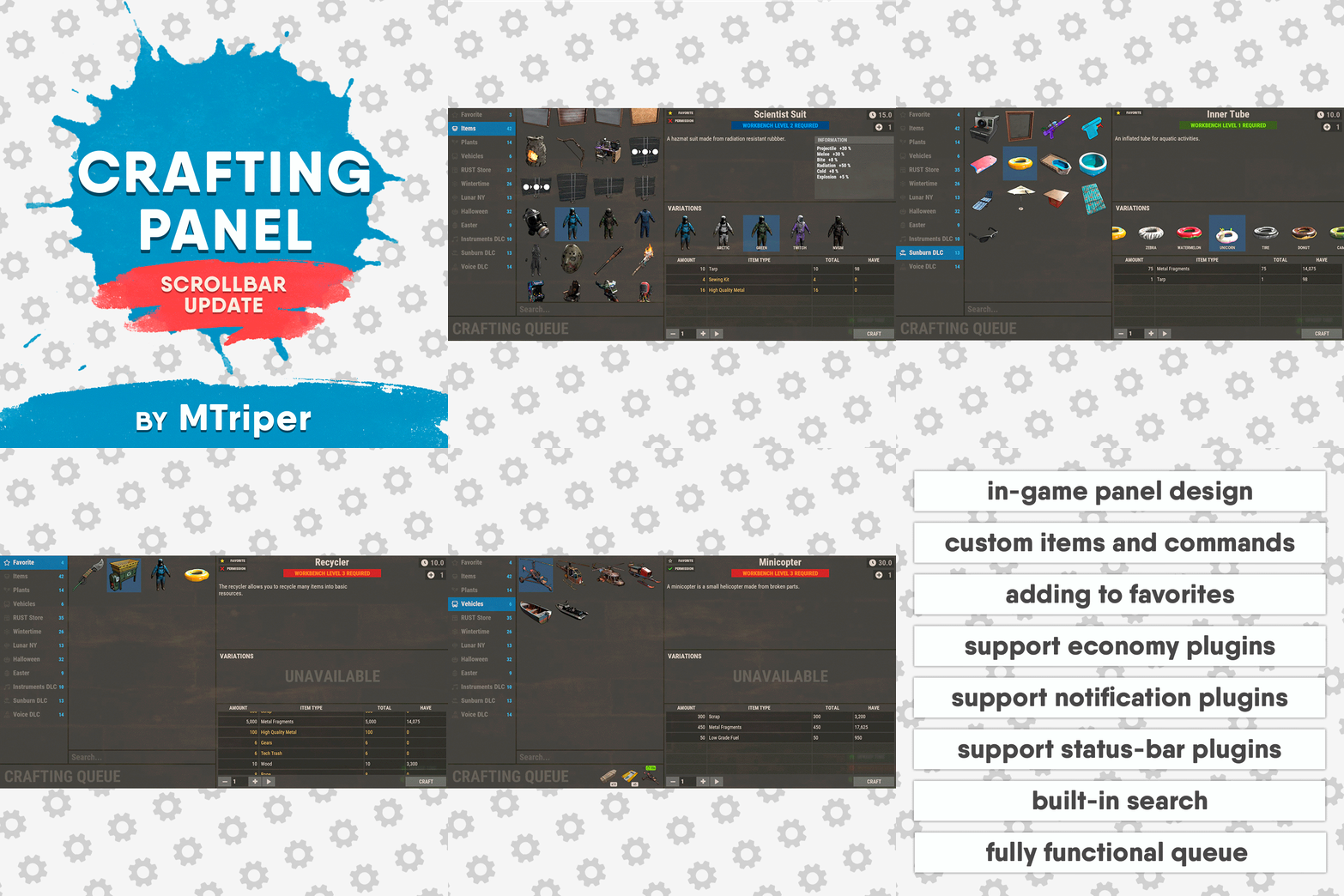
Version 1.3.4
603 downloads
This plugin provides a beautiful and convenient crafting panel for your server. Its design and mechanics are as similar as possible to the in-game Rust crafting panel. Add crafting of any custom items, commands, permissions and anything else you like. Features The design is ~90% similar to the design of Rust's in-game crafting panel. Support for any custom items and commands. Ability to unlock all DLC items in the in-game crafting menu. The plugin only registers permissions for items that you have specified to it. Thus, preventing the creation of a large number of permissions. Customizable sound effects, notifications in the status bar on the right, and text notifications in popular plugins. The plugin can take and give out items from inventory, game backpack and Backpacks plugin, depending on the fullness of any of them. Ability to add item variations (just look at the screenshots). Supports work with skill plugins. Supports work with economy plugins. The player can choose whether to craft or buy an item. Add items to favorites, built-in search, fully functional queue and more. Scrollbar support. Ability to use item crafting cooldown. *All the sections and items shown in the screenshots are an example of configuring the plugin. You will need to create sections yourself and add items there. Supported plugins: SkillTree - allows you to use bonuses such as: Craft_Speed, Craft_Refund, Craft_Duplicate. Also allows you to give bonuses when crafting and take away when crafting is canceled. Backpacks - plugin can take and give items in an additional backpack. ItemRetriever - plugin can take crafting ingredients from all containers that are connected to the player (including inventory, game backpack, Backpacks plugin, and any other plugin that uses ItemRetriever as Suppliers). Player DLC API - plugin allows you to check whether an item or skin belongs to a specific player. ZLevelsRemastered - allows you to use the craft speed bonus. Economics, ServerRewards, IQEconomic - these plugins are used to purchase items with the currency of these plugins. Notify, GUIAnnouncements, NCP - these plugins are used to display notifications. SimpleStatus, AdvancedStatus - these plugins are used to display notifications in the status bar at the bottom right of the screen. Permissions The plugin has immutable and generated permissions. The immutable ones include: craftingpanel._use – is responsible for opening the panel. If there is no permission, the panel will not open. craftingpanel._admin – give this permission only to administrators. It adds an additional "Give yourself" button to get items from the panel for free. This permission is also needed to use the givecraft command (about it below). craftingpanel._instant – all player crafts will be instant. craftingpanel._death – crafting queue will not be reset when the player dies. craftingpanel._disconnect – when a player leaves the server, the craft queue will not be reset. craftingpanel._economics – allows you to purchase items for the currency of the selected economy plugin. If the player does not have permission, the cost panel will still be displayed, but the player will not be able to make a purchase. craftingpanel._workbench - allows you to reduce crafting time by having a workbench of a higher level than necessary for crafting. craftingpanel._bonuses – allows the player to access the crafting bonuses from the "Crafting bonuses" section. craftingpanel._unlockdlc - if a player has this permission, he can craft all DLC items in the in-game crafting menu. If you revoke this permission, all DLC items will become unavailable again. craftingpanel._nocooldown - allows you to disable the cooldown of all items. The generated permissions are created by the plugin itself, here's how it works: craftingpanel.section.vehicles- this is permission for the "vehicles" section. craftingpanel.vehicles.minicopter - this is permission for the item "minicopter" in the "vehicles" section. craftingpanel.vehicles.snowmobile.tomaha - this is permission for the item "snowmobile" in the "vehicles" section and in "tomaha" variation. Commands givecraft steamid/nickname section item 5 skin steamid/nickname – steamid or nickname of your choice. section – section name from the Section permission [required] field. item – item name from the Item permission [required] field. 5 – how much of the current item to give out (craft multiplier). skin - name of the item from the Ingredients section, Item permission [required] fields. All arguments of this command are required. If your item has an empty "Variations" section or you want a default item, specify "default" in place of skin. resetcooldowns steamid/nickname section item - resets the cooldown of a specific item from a specific player. resetcooldowns steamid/nickname - resets the cooldown of all items from a specific player. resetcooldowns all section item - resets the cooldown of a specific item for all players resetcooldowns all - resets the cooldown of all items from all players steamid/nickname – steamid or nickname of your choice. section – section name from the Section permission [required] field. item – item name from the Item permission [required] field. General settings Allow panel scaling when the interface is scaled? - if this setting is enabled, the craft panel will be resized depending on the game interface scale (setting "user interface scale"). If the setting is disabled, the panel will always be the same size, regardless of the player interface scale. Remember the last selected section and item? - plugin will remember the last selected section, item and variation the next time the panel is opened by the player. Enable multilingual mode? – if your server has players from different countries, this mode allows you to customize translation for other languages. When you enable this mode, the plugin will write all the data that needs to be translated to the lang - file. These include: section names, item names, item descriptions, item properties, item variation names, and ingredient names. The lang - file consists of a pair: key - value. The key is a unique name, with the help of which the plugin understands what phrase to use. Section translation: section.*section permission* – key template for section name translation. For example: "section.favorite": "Favorite" – Favorite section. Translation of item information: *section permission*.*item permission*.name – key template for item name translation. For example: "sunburn.innertube.name": "Inner Tube" – item name. *section permission*.*item permission*.description – key template for item description translation. For example: "sunburn.innertube.description": " Inflatable lap for water fun." – item description. *section permission*.*item permission*.properties – key template for item properties translation. For example: "sunburn.innertube.properties ": "Any properties ..." – item properties. *section permission*.*item permission*.variations.*variation permission* – key template for variation name translation. For example: "sunburn.innertube.variations.zebra": "ZEBRA" – variation name. Translation of ingredient names: *ingredient shortname *.*ingredient skinId* - key template for ingredient name translation. For example: "wood.0": "Wood" – ingredient name. Use the PlayerDLCAPI plugin to check whether items and skins belong to the player? – The plugin will check each item and skin in the panel for belonging to the player (i.e. whether they are in his Steam inventory). Allow work with the Backpacks plugin? – plugin can take and give items in an additional backpack (Backpacks by WhiteThunder). Allow work with the ItemRetriever plugin? – this plugin provides advanced functionality for interacting with player containers: If the ItemRetriever plugin is enabled, the CraftingPanel will take crafting ingredients from all containers that are connected to the player (including inventory, game backpack, Backpacks plugin, and any other plugin that uses ItemRetriever as Suppliers). If the ItemRetriever plugin is disabled, the CraftingPanel will take items with the next priority (if the item is not found, it goes to the next container): Backpacks plugin (if enabled) -> game backpack -> inventory. The CraftingPanel plugin is fully in charge of giving out items (since ItemRetriever only allows you to take items from the player), it gives out items with the next priority (if the container is full, it moves on to the next one): inventory -> game backpack -> Backpacks plugin (if enabled) -> drop item. Reset cooldown on crafting items for all players during the wipe? - the plugin will reset all cooldowns when the server is wiped. Delete player data from the Data file if they have not logged into the server for so many days – this setting is added to prevent the plugin from keeping in memory the settings of all players who have ever visited your server. Effect at the start/end/canceling – game effects that will be played at the start of crafting/completion of crafting/cancellation of crafting (effects list, plugin for playing effects). Specify a plugin to work with the economy – specify one plugin from the list or leave the field empty to disable work with economy. Crafting bonuses This section allows you to customize crafting bonuses when using one of the supported plugins. Each of these plugins has its own settings. Amount of experience will depend on crafting time? – if this setting is disabled, then the given/taken experience will be the same (which are specified in the settings above). If this setting is enabled, the experience will be calculated using the following formula: calculated experience = crafting time * experience from the settings above. It should be taken into account that to calculate the experience for a crafted item, the full crafting time is taken (which is specified in the item's setting), and to calculate the experience for crafting cancellation, the time left to create the item is taken. The ZLevelsRemastered plugin does not have a full-fledged api for interaction with crafting bonuses, so the work with it is not fully implemented (no rewards are given in economy plugins, permission of this plugin is not taken into account, etc.). Notification settings Notification type (Chat, GameTips, Notify, GUIAnnouncements) – if this section is enabled, you must specify the type/plugin to notify the player of different warnings. Chat – notification to regular chat. GameTips – notification in the in-game Rust tooltips (blue or red at the bottom of the screen). Notify – notification in the Notify plugin by Mevent. GUIAnnouncements – notification in the GUIAnnouncements plugin by JoeSheep. Just below that are the customization fields for the specific type of notification. Game Status Settings Game status is a notification that is shown at the bottom right of the screen (like in-game crafting). The plugin can show 3 types of game status: Current craft – it's the blue panel with the gear. It is displayed while the crafting process is in progress. Giving item – it's the green panel with the down arrow. It is displayed when a player is given a craft item. Dropping item – it's the red panel with the cross. It is displayed when the items given by the plugin do not fit in the inventory and drop out near the player. Crafting Panel working with Rust's in-game status and two plugins (SimpleStatus, AdvancedStatus) that have slightly advanced features. Rust – is the in-game status built into the game. It does not require any additional plugins, but it cannot show the Current craft (blue panel with a gear). SimpleStatus – this plugin displays customizable statuses. It can show Current craft and Giving item. But cannot display Dropping item due to limitations in its operation. AdvancedStatus - this plugin displays customizable statuses. It works with all of the above status types. Section settings Section name – the displayed section name on the menu button. Section permission [required] – be sure to fill in these fields and make sure they are all unique. Because it is by this field that the plugin understands which section it is currently working with. If you specify "favorite" here, the plugin will use this section to display the player's favorite items (don't add items to it, the plugin will delete them anyway). Register this permission? – if enabled, the plugin will register a permission with the above name. In this case this section will be shown only to those players who have this permission. Section item settings Item name [required] – required field. The name of the item is displayed only in this plugin. If you need to create an item with the same name, you will find this setting below. Item permission [required] – required field. Make sure that each item in the section has a unique field. Because by this field the plugin understands which item in the current section it is currently working with. Register this permission? - if enabled, the plugin will register permission with the above name. Keep in mind that the current item will still be shown to all players, but they will not be able to craft it (this is also notified by the icon on the top left of the information section). Item description – item description, is not passed to the item when crafting, only displayed in the panel of this plugin. Item properties – if the item has some characteristics (e.g., damage, radiation protection, etc.) you can specify them here. This data is displayed in a separate panel in the information section of the item. Item shortname – if you are using the command as a craft result, leave this field empty. Check this item with the PlayerDLCAPI plugin? - this setting disables the verification of the item by the Player DLC API plugin. Create an item with the default name (true) or the above name (false)? – if true, the plugin will create an item with the default game name (which refers to the current shortname), otherwise it will set the name from the Item name field. Item skinId – if the item is custom, specify the required skinId, otherwise set it to 0. Item image [optional] – if as a result of craft, you have to execute some command, you can specify a link to a picture related to this command. Console commands executed after crafting (%steamid%, %username%, %amount%) [optional] – if you need to execute some commands as a result of crafting, you can list them with commas in this field. In the command you can specify %steamid% and %username%, the plugin will replace them with the data of the current player. The plugin can also replace %amount% with the amount per craft (next setting). If the command gives some custom game item and you know its shortname and skinid you can specify them in the fields above. This way you don't need to additionally save the image of this item to the hosting and specify its link. Amount per craft – number of items given out per craft. Max craft multiplier - maximum allowable craft multiplier. The craft multiplier (selected by the player in the Ingredients section) is how many times an item will be dispensed or how many times commands will be executed. If Amount per craft = 3, and the player chose multiplier = 2, he will receive 2 * 3 = 6 items. Crafting time [sec] – time to craft the item. It can be set to 0, then the item will be crafted instantly. Show notification in game status (if they are enabled)? – if a command from another plugin is used to give a custom item and that plugin displays game status, duplication of game statuses may occur. Therefore, it is possible to disable the display of game status for a particular item. Keep in mind that this only disables the Giving item status. Apply craft bonuses (if they are enabled)? – allows you to apply craft bonuses (from the "Crafting bonuses" section) to this item. Crafting cost in the economy plugin [0 - disable] – the value of the current item in your economy server currency. The customization works if you specified one of the supported economy plugins at the beginning. Item Variation settings In the in-game Rust crafting panel this section is called Skins, here it is called Variations. This is done because here it can include not only skins, but any items or commands related to the parent item. For example, you have several modular car presets, with different types of modules, but they are all related to modular cars. Therefore, you can specify them in one item - "Modular car". The settings in this section are similar to the parent item, except for the crafting ingredients. They will be the same as the parent item. Item Ingredient settings Resource name [required] – required field. Is used to display the name of the ingredient in the plugin panel (it is not taken into account when taking ingredients from the player). When canceling the craft, the plugin can set this ingredient to the specified name, you will find this setting below. Use this resource in ingredients? – enables or disables this resource for use in ingredients. Resource shortname [required] – required field. Shortname of the item that the plugin will look for from the player for crafting. Resource skinId – if it's a custom item, give its skinId, otherwise set it to 0. Return an item with the default name (true) or the above name (false)? – when the craft is canceled, if true, the plugin will create an ingredient with the default game name (which refers to the current shortname), otherwise it will set the name from the Resource name field. Plugin Config Example of plugin configuration in English: Example of plugin configuration in Russian. If you need Russian config, open it (CraftingPanel.cs) before loading the plugin, and at the top set the variable "isRus = true". Then save and upload this file to your server$30.00- 144 comments
- 2 reviews
-
- 8
-
-
-
- #craft
- #craft menu
- (and 17 more)



.thumb.png.f676fcb4237b0d630285499251bcf88e.png)







.thumb.png.ccf8a947948c9eb1445ad21a7931247b.png)