Search the Community
Showing results for tags 'lskins'.
Found 5 results
-
Version 1.2.4
281 downloads
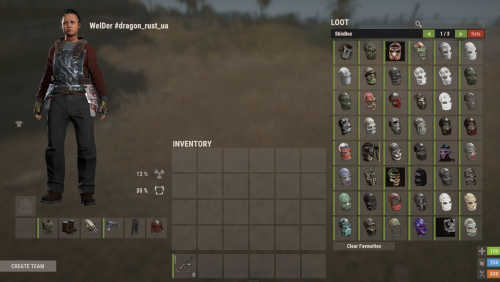
Important: This is NOT a plugin! This is only a configuration file for the SkinBox plugin! You need to have the SkinBox plugin installed and properly set up for this config to work! Facepunch have changed their TOS regarding DLC/paid content As of August 7th 2025, it is not allowed to grant users access to paid DLC that they do not own. That includes all Rust DLC and any paid skins. If you continue to grant users access after that date it can result in your server being delisted or worse. You can still use SkinBox using the Player DLC API plugin, which filters skins based on what the player is allowed to use. This file is a ready-to-use list of skin configurations for SkinBox (2023–2025), containing the most popular and requested skins for Rust servers Inside this file you will get approximately ~10346 Rust skins, already organized and optimized for SkinBox, saving you countless hours of manual browsing and collection. It is strongly recommended that you do not change any paid content related settings in this configuration unless you fully understand the consequences, as violating Facepunch's terms of use may result in your server being banned or deleted. Important: Don’t forget to add your API key in the configuration, as it is not included in this file. Your API key is required for the plugin to function correctly. Simply upload the file, insert your API key, ensure your plugins are configured correctly, and your players will have quick access to the latest skins within the allowed guidelines. The first time you load custom skins, the plugin may take a while to open the SkinBox. This is normal as the plugin needs to retrieve and cache workshop data. Once loaded, the plugin will start working. Please note: Unfortunately, unlike official skins, which are already built into the Rust client and load instantly, custom skins from the workshop are downloaded separately by the client to your PC when you log in to the server and open the SkinBox... Of course it takes some time* before they become visible, and this process is repeated every time you log out of the server, restart the game or reboot your computer.... *The download speed depends on your internet connection and the number of skins in the SkinBox. If you have a very slow loading, we recommend reducing the number of skins for comfortable use. You can use a free tool called Editor for Skins Plugins, available on CodeInfLink, and remove unnecessary skins. Unfortunately, there is no way to bypass this feature, as this is a standard Rust mechanic that works exactly like this and does not depend on us. Please note: That after conversion you will still need to manually add skins to your plugin according to its documentation and usage instructions because the tool only gives a list of skins for some plugins and not the entire configuration file!$7.50- 5 comments
- 2 reviews
-
- 3
-

-

-
- #skinbox
- #configskinbox
- (and 18 more)
-
Version 2.2.8
2,382 downloads
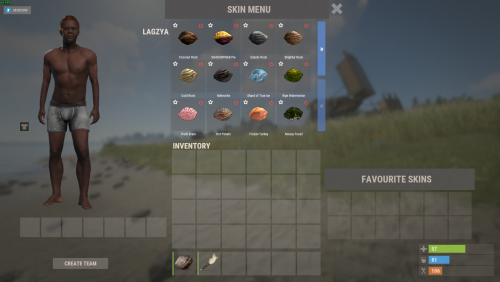
Unique skin system Easy setup of skins for each item in a separate file, no longer have to dig through a long configuration file. User-friendly interface. You can view skins apparel directly on the player. The ability to add skins to favorites, so as not to dig and find any every time. Automatic load images skins trading platform. For rights you can enable auto-install the skin on the subject no skin is selected in the interface. Add some skins for certain people on rights. Also in the config, you can download all the skins from the marketplace (Automatically add them to the date and upload a picture) I also added the already generated date of pictures and skins from the trading platform. Config { "Add a skin to the cfg automatically?(true = yes)": false, "Rights to use the skins system": "lskins.use", "Install the skin automatically on items where there is already a skin?(true = yes)": false, "Rights to use default skins": "lskins.usedefault", "Setting up payment for opening": { "Enabled(true = yes)": false, "How to pay?(Scrap, ServerRewards, Economics)": "Scrap", "The price for opening the interface (If 0, then free)": 10, "Price per change of one skin (If 0, then free)": 10 }, "Items with these skins cannot be exchanged.": [ 12341234 ], "Rights to use unique skins": { "lskins.prem": [ 2668297561, 2649480126, 2599664731 ] } } Data "615766181": { "Enabled skin?(true = yes)": true, "Is this skin from the developers of rust or take it in a workshop?": true, "Name skin": "Digital Camo AK47" }, Lang { "NEEDMORESCRAP": "Not enough scrap in the inventory!", "NEEDMOREMONEY": "Insufficient funds in the account.", "LABLEMENUTEXT": "SKIN MENU", "INFOCLICKSKIN": "Click on the item\nyou want to install the skin on", "FAVSKINSLABLE": "FAVOURITE SKINS", "ADAPTINTERFACELABLE": "ADAPT\n<size=10>THE SIZE OF THE SKINS INTERFACE</size>", "NOPERMUSE": "You don't have the rights to use the command!" } Commands ChatCommand: /skin ConsoleCommand(only admin) Permission lskins.admin lskins add skinid lskins addcollection collectionid lskins remove skinId$40.00 -
Version 1.2.4
303 downloads
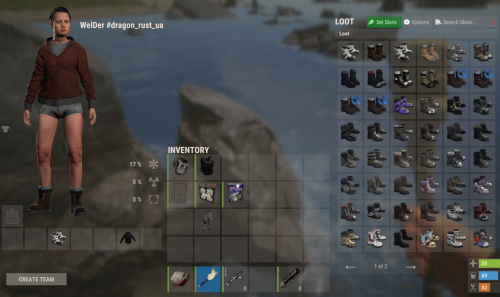
Important: This is NOT a plugin! This is only a data file for the Skinner plugin! You need to have the Skinner plugin installed and properly set up for this data file to work! Facepunch have changed their TOS regarding DLC/paid content As of August 7th 2025, it is not allowed to grant users access to paid DLC that they do not own. That includes all Rust DLC and any paid skins. If you continue to grant users access after that date it can result in your server being delisted or worse. You can still use Skinner using the Player DLC API plugin, which filters skins based on what the player is allowed to use. This file is a ready-to-use list of skin data for Skinner* (2023–2025), containing the most popular and requested skins for Rust servers It is very easy to install, unload the plugin, replace the Data file and load the plugin! Correct Installation Sequence: 1. In the console, stop the plugin: oxide.unload Skinner 2. Open the oxide/data/Skinner folder, delete the old file and upload the new file named ImportedSkins.json 3. In the console, start the plugin again: oxide.load Skinner Inside this file you will get approximately ~10346 Rust skins, already organized and optimized for Skinner, saving you countless hours of manual browsing and collection. The first time you load custom skins, the plugin may take a while to open the SkinBox. This is normal as the plugin needs to retrieve and cache workshop data. Once loaded, the plugin will start working. Please note: Unfortunately, unlike official skins, which are already built into the Rust client and load instantly, custom skins from the workshop are downloaded separately by the client to your PC when you log in to the server and open the Skinner... Of course it takes some time** before they become visible, and this process is repeated every time you log out of the server, restart the game or reboot your computer.... **The download speed depends on your internet connection and the number of skins in the Skinner. If you have a very slow loading, we recommend reducing the number of skins for comfortable use. You can use a free tool called Editor for Skins Plugins, available on CodefLink, and remove unnecessary skins. Please note: That after conversion you will still need to manually add skins to your plugin according to its documentation and usage instructions because the tool only gives a list of skins for some plugins and not the entire configuration file!$7.50- 32 comments
- 1 review
-
- 1
-
-
- #skins2024
- #skinworkshop
- (and 10 more)
-
Version 1.7.8
5,721 downloads
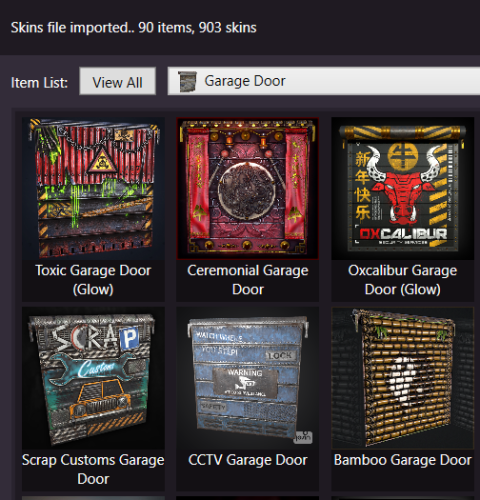
Skins Editor for SkinBox by k1lly0u, Skinner by Whispers88, LSkins by LAGZYA, SkinController by Amino and Skins by misticos. Features Visual editor for skins configured Add workshop skins by url or id (collections supported) Select and bulk delete skins Ability to import from one skin plugin, and export to another How to Download and extract RustSkinsEditorv***.zip Run RustSkinsEditorv***.exe (having trouble running?, make sure you download .NET 9.0) Click Import, pick Plugin you would like to Import (SkinBox, Skinner, Skins), then locate json file you would like to import. Add Skins using workshop link or id, workshop collection supported. When done editing, click Export, pick Plugin you would like to Import (SkinBox, Skinner, Skins). For SkinBox and Skinner, you will get a json code for you to copy and paste in the appropriate config file (This is for avoiding interference with the config properties).Free -
Version 1.1.0
10 downloads
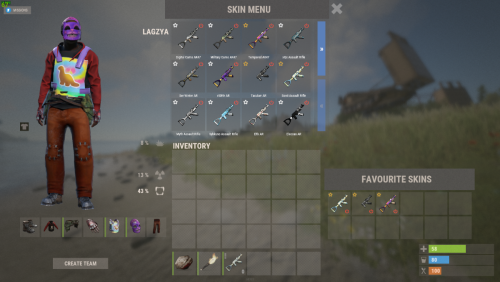
This file is a ready-to-use list of skin data for LSkins (2023–2025), containing the most popular and requested skins for Rust servers. It is very easy to install, unload the plugin, replace the Data file and load the plugin! Important: This is NOT a plugin! This is only a data file for the LSkins plugin! You need to have the LSkins plugin installed and properly set up for this data file to work! Facepunch have changed their TOS regarding DLC/paid content As of August 7th 2025, it is not allowed to grant users access to paid DLC that they do not own. That includes all Rust DLC and any paid skins. If you continue to grant users access after that date it can result in your server being delisted or worse. You can still use LSkins using the Player DLC API plugin, which filters skins based on what the player is allowed to use. Correct Installation Sequence: 1. In the console, stop the plugin: oxide.unload LSkins 2. Open the oxide/data/LSkins folder, delete the old file and upload the new file named ImportedSkins.json 3. In the console, start the plugin again: oxide.load LSkins Inside this file you will get approximately ~10411 Rust skins, already organized and optimized for LSkins, saving you countless hours of manual browsing and collection. The first time you load custom skins, the plugin may take a while to open the SkinBox. This is normal as the plugin needs to retrieve and cache workshop data. Once loaded, the plugin will start working. Please note: Unfortunately, unlike official skins, which are already built into the Rust client and load instantly, custom skins from the workshop are downloaded separately by the client to your PC when you log in to the server and open the LSkins.. Of course it takes some time** before they become visible, and this process is repeated every time you log out of the server, restart the game or reboot your computer.... **The download speed depends on your internet connection and the number of skins in the LSkins. If you have a very slow loading, we recommend reducing the number of skins for comfortable use. You can use a free tool called Editor for Skins Plugins, available on CodefLink, and remove unnecessary skins. Please note: That after conversion you will still need to manually add skins to your plugin according to its documentation and usage instructions because the tool only gives a list of skins for some plugins and not the entire configuration file!$7.50-
- 1
-
-
- #skins2024
- #skinworkshop
- (and 8 more)