Search the Community
Showing results for tags 'map'.
-
.thumb.gif.cf76b4cd32eb6a9ae2fca0cab90ee1a6.gif)
Version 1.0.4
162 downloads
The map is made in a post-apocalyptic style: fog, abandoned scientific bases, anomalous fields, subways, caves and secret bunkers. Players are waiting for dangerous locations, caves, ruined cities and closed doors, behind which you can find valuable resources. The island has become a testing ground for experiments at the Cobalt Research Institute. After the accident at the power reactor, the terrain changed: anomalies appeared, the space became unstable, and research was urgently stopped. Scientists have disappeared, laboratories are empty, technology has gone crazy. Now the island is full of dangers and mysteries. Something continues to work underground, and abnormal zones are growing and being transferred. Those who ventured to explore the area find artifacts and traces of what led to the disaster. Every step here is a choice between prey and death. But the deeper you go, the more you feel that this place is going to disappear or explode... very soon. Features: Prefab Count: ~58к prefabs Size: 4500 A lot of interesting locations to explore Railway Places for the construction of foundations in the form of unusual rocks, caves, landscape and icebergs Custom plugin Map Skinner (by Adem) Custom plugin Npc Moving Control (by Adem) Custom plugin Emission (by Adem) Custom plugin Artifacts (by Adem) Custom plugin Anomalies (by Adem) Profile BetterNPC Realistic zombies on the map The atmosphere of the apocalypse This map is constantly supported and updated for the current version of the game with all updates! Description of Plugins: Emission - Once every 2 - 4 hours, a timer message appears and a large-scale change in the weather and effects occurs, radiation begins to spread, the screen shakes, trees fall and the effects of this event appear. Players need to find shelter underground or in their house (the higher the building level, the less radiation damage will be). Commands for plugins: /emissionstart /emissionstop Anomalies - There are 4 types of Anomalies on the map, they appear after the end of the Emission. 1 anomaly is electrical (damage is inflicted on the player who is inside the anomaly, configured in the config), 2 anomaly is fiery (there are funnels in the radius, if you step on them, flames are released into the air, you can deactivate the anomaly by throwing a stone into the funnel, there is damage to the player), 3 anomaly is a bubble (in the radius of the bubbles breaks, if the player is too close to it, it will be thrown to the side or into the air, damage is caused only by the player falling), 4 anomaly - light (the most dangerous anomaly, when a blue ray appears, you need to turn away from it sharply, otherwise you will be blinded and a lot of damage will be done, it is configured in the config). /spawnanomaly presetName - spawns an anomaly in a random position; /killanomaly - destroys the anomaly closest to the player; /killallanomalies - destroys all anomalies on the map; /spawnanomalymypos presetName - will spawn an anomaly in your position Artifacts - These are stones with some improvements to the player's characteristics, these are increased rates, lack of radiation, increased processing of components (increased extraction of resources from processing), HP recovery (takes away water and food). These artifacts only work in the player's fast slots and have their own HP, which is not repaired. These artifacts can only be found in anomalies with a metal detector in hand. /giveartifact customShortName - give the artifact to yourself giveartifact customShortName userId - give the artifact to the player with the userId Map Skinner - we change this plugin skins on some objects installed on the map, for atmospheric effect. Npc Moving Control - this plugin controls the radius of movement of the NPCs installed in the editor and changes their clothes to random hazmats. These plugins were created for the map as a bonus. When evaluating the map itself, please do not touch on the topic of plugins. The map can work without these plugins. Custom Monuments: Icarus Cultural Center Zalesye Orbita Station Blocked Tunnel Uranium Mining Unfinished Scanner Yanov Station Hot Runner Cemetery of Onlookers Loners Cave Radioactive Waste Storage Anomaly Ribs Startup Failure Dead man Mine Supply Depot Dire Thicket Vent Distribution Substation Danger Tunnel Skladovsk Dredger Old Church Secret Bunker Cage Machine Station Repair Factory interesting places to build a base marked X Shelters for escape from radiation Emission, marked with the letter S Monument Facepunch: Launch Site Missile Silo Junkyard Harbor 1 and 2 Arctic Research Base Satellite Dish Airfield Bandit Camp Outpost Giant Excavator Pit Water Treatment Military Tunnel The Dome Sewer Branch Ranch Fishing Village 1,2,3 Lighthouse Underwater Lab Railway HQM, Sulfur, Stone Quarry Roadside Monument RadTown Water Well Ziggurat$49.90- 21 comments
- 5 reviews
-
- 8
-

-

-
- #custom
- #custom map
- (and 4 more)
-
Version 0.1.10
1,568 downloads
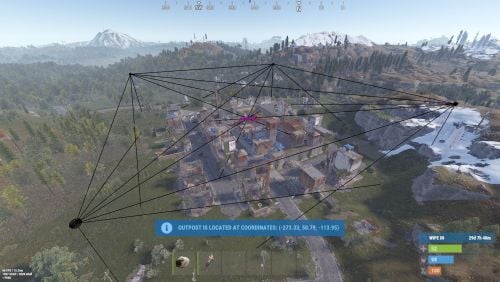
A plugin that allows other plugins to interact with players and entities in monuments via API. The list of all monuments can be viewed in the: Default(Source of monument boundaries when changing the map or recreating boundaries) - *SERVER*\oxide\data\MonumentsWatcher\DefaultBounds.json Vanilla - *SERVER*\oxide\data\MonumentsWatcher\MonumentsBounds.json Custom - *SERVER*\oxide\data\MonumentsWatcher\CustomMonumentsBounds.json Note: MonumentsWatcher is utilized as an API for other plugins. You won't obtain any functionality beyond displaying monument boundaries without an additional plugin. The ability to automatically generate boundaries for vanilla and custom monuments; The ability to automatically regenerate boundaries for monuments on wipe; The ability to automatically adding languages for custom monuments; The ability to manually configure boundaries for monuments; The ability to track the entrance and exit of players, npcs and entities in a Monument and CargoShip; The ability to display boundaries. monumentswatcher.admin - Provides the capability to recreate or display monument boundaries. { "Chat command": "monument", "Is it worth enabling GameTips for messages?": true, "List of language keys for creating language files": [ "en" ], "Is it worth recreating boundaries(excluding custom monuments) upon detecting a wipe?": true, "List of tracked categories of monuments. Leave blank to track all": [], "Wipe ID": null, "Version": { "Major": 0, "Minor": 1, "Patch": 10 } } Note: The list of available categories for monuments can be found in the Developer API section. ENG: https://pastebin.com/nsjBCqZe RUS: https://pastebin.com/ut2icv9T Note: After the plugin initialization, keys for custom monuments will be automatically added. show *monumentID*(optional) *floatValue*(optional) - Display the boundary of the monument you are in or specified. The display will last for the specified time or 30 seconds; list - List of available monuments; rotate *monumentID*(optional) *floatValue*(optional) - Rotate the monument you are in or specified, either in the direction you are looking or in the specified direction; recreate custom/all(optional) - Recreate the boundaries of vanilla/custom/all monuments. Note: Instead of a monumentID, you can leave it empty, but you must be inside a monument. You can also use the word 'closest' to select the nearest monument to you. Example: /monument show closest /monument show gas_station_1 /monument show gas_station_1_4 /monument rotation /monument rotation closest /monument rotation gas_station_1_0 256.5 /monument recreate void OnMonumentsWatcherLoaded() Called after the MonumentsWatcher plugin is fully loaded and ready. void OnCargoWatcherCreated(string monumentID, string type, CargoShip cargoShip) Called when a watcher is created for a CargoShip. void OnCargoWatcherDeleted(string monumentID) Called when a watcher is removed for a CargoShip. void OnSpawnableWatcherCreated(string monumentID, string type, BaseEntity entity) Called when a watcher is created for a Spawnable monument. void OnSpawnableWatcherDeleted(string monumentID) Called when a watcher is removed for a Spawnable monument. void OnMonumentsWatcherLoaded() { Puts("MonumentsWatcher plugin is ready!"); } void OnCargoWatcherCreated(string monumentID, string type, CargoShip cargoShip) { Puts($"Watcher for monument {monumentID}({type}) has been created!"); } void OnCargoWatcherDeleted(string monumentID) { Puts($"Watcher for monument {monumentID} has been deleted!"); } void OnSpawnableWatcherCreated(string monumentID, string type, BaseEntity entity) { Puts($"Watcher for monument {monumentID}({type}) has been created!"); } void OnSpawnableWatcherDeleted(string monumentID) { Puts($"Watcher for monument {monumentID} has been deleted!"); } Monument entry hooks: void OnPlayerEnteredMonument(string monumentID, BasePlayer player, string type, string oldMonumentID) Called when a player enters any monument. void OnNpcEnteredMonument(string monumentID, BasePlayer npcPlayer, string type, string oldMonumentID) Called when an NPC player enters any monument. void OnEntityEnteredMonument(string monumentID, BaseEntity entity, string type, string oldMonumentID) Called when any other BaseEntity enters any monument. void OnPlayerEnteredMonument(string monumentID, BasePlayer player, string type, string oldMonumentID) { Puts($"{player.displayName} entered to {monumentID}({type}). His previous monument was {oldMonumentID}"); } void OnNpcEnteredMonument(string monumentID, BasePlayer npcPlayer, string type, string oldMonumentID) { Puts($"Npc({npcPlayer.displayName}) entered to {monumentID}({type}). Previous monument was {oldMonumentID}"); } void OnEntityEnteredMonument(string monumentID, BaseEntity entity, string type, string oldMonumentID) { Puts($"Entity({entity.net.ID}) entered to {monumentID}({type}). Previous monument was {oldMonumentID}"); } Monument exit hooks: void OnPlayerExitedMonument(string monumentID, BasePlayer player, string type, string reason, string newMonumentID) Called when a player exits any monument. void OnNpcExitedMonument(string monumentID, BasePlayer npcPlayer, string type, string reason, string newMonumentID) Called when an NPC player exits any monument. void OnEntityExitedMonument(string monumentID, BaseEntity entity, string type, string reason, string newMonumentID) Called when any other BaseEntity exits any monument. void OnPlayerExitedMonument(string monumentID, BasePlayer player, string type, string reason, string newMonumentID) { Puts($"{player.displayName} left from {monumentID}({type}). Reason: {reason}. They are now at '{newMonumentID}'."); } void OnNpcExitedMonument(string monumentID, BasePlayer npcPlayer, string type, string reason, string newMonumentID) { Puts($"Npc({npcPlayer.displayName}) left from {monumentID}({type}). Reason: {reason}. They are now in {newMonumentID}"); } void OnEntityExitedMonument(string monumentID, BaseEntity entity, string type, string reason, string newMonumentID) { Puts($"Entity({entity.net.ID}) left from {monumentID}({type}). Reason: {reason}. They are now in {newMonumentID}"); } [PluginReference] private Plugin MonumentsWatcher; There are 15 categories of monuments: SafeZone(0): Bandit Camp, Outpost, Floating City, Fishing Village, Ranch and Large Barn. RadTown(1): Airfield, Arctic Research Base, Abandoned Military Base, Giant Excavator Pit, Ferry Terminal, Harbor, Junkyard, Launch Site; Military Tunnel, Missile Silo, Power Plant, Sewer Branch, Satellite Dish, The Dome, Toxic Village(Legacy Radtown), Train Yard, Water Treatment Plant. RadTownWater(2): Oil Rigs, Underwater Labs, Cargo Ships and Ghost Ships. RadTownSmall(3): Lighthouse, Oxum's Gas Station, Abandoned Supermarket and Mining Outpost. TunnelStation(4) MiningQuarry(5): Sulfur Quarry, Stone Quarry and HQM Quarry. BunkerEntrance(6) Cave(7) Swamp(8) IceLake(9) PowerSubstation(10) Ruins(11): Jungle Ruins and Tropical Ruins. WaterWell(12) DeepSeaIsland(13) Custom(14) There are 29 api methods: IsReady: Used to check if the MonumentsWatcher plugin is loaded and ready to work. The IsReady method returns true if it is ready, or null if it is not. (bool)MonumentsWatcher?.Call("IsReady"); GetAllMonuments: Used to retrieve an array of IDs for all available monuments. (string[])(MonumentsWatcher?.Call("GetAllMonuments") ?? Array.Empty<string>()); GetAllMonumentsCategories: Used to retrieve a dictionary of IDs and categories for all available monuments. (Dictionary<string, string>)(MonumentsWatcher?.Call("GetAllMonumentsCategories") ?? new Dictionary<string, string>()); GetMonumentsByCategory: Used to retrieve all available monuments by category. To call the GetMonumentsByCategory method, you need to pass 1 parameter: monument category as a string. (string[])(MonumentsWatcher?.Call("GetMonumentsByCategory", "SafeZone") ?? Array.Empty<string>()); GetMonumentCategory: Used to retrieve the category of the specified monument. Returns an empty string on failure. To call the GetMonumentCategory method, you need to pass 1 parameter: monumentID as a string. (string)(MonumentsWatcher?.Call("GetMonumentCategory", monumentID) ?? string.Empty); GetMonumentDisplayName: Used to retrieve the nicename of a monument in the player's language. Returns an empty string on failure. To call the GetMonumentDisplayName method, you need to pass 3 parameters: monumentID as a string; Available options: userID as a ulong or a string; player as a BasePlayer or an IPlayer. displaySuffix as a bool. Should the suffix be displayed in the name if there are multiple such monuments? This parameter is optional. (string)(MonumentsWatcher?.Call("GetMonumentDisplayName", monumentID, player.userID, true) ?? string.Empty);//(ulong)userID (string)(MonumentsWatcher?.Call("GetMonumentDisplayName", monumentID, player, true) ?? string.Empty);//(BasePlayer/IPlayer)player (string)(MonumentsWatcher?.Call("GetMonumentDisplayName", monumentID, player.UserIDString, true) ?? string.Empty);//(string)userID ***recommended option*** GetMonumentDisplayNameByLang: Used to retrieve the nicename of a monument in the specified language. Returns an empty string on failure. To call the GetMonumentDisplayNameByLang method, you need to pass 3 parameters: monumentID as a string; two-char language as a string; displaySuffix as a bool. Should the suffix be displayed in the name if there are multiple such monuments? This parameter is optional. (string)(MonumentsWatcher?.Call("GetMonumentDisplayNameByLang", monumentID, "en", true) ?? string.Empty); GetMonumentPosition: Used to retrieve the Vector3 position of the specified monument. Returns Vector3.zero on failure. To call the GetMonumentPosition method, you need to pass 1 parameter: monumentID as a string. (Vector3)(MonumentsWatcher?.Call("GetMonumentPosition", monumentID) ?? Vector3.zero); GetMonumentByPos: Used to retrieve the monument at the specified position. Returns an empty string on failure. To call the GetMonumentByPos method, you need to pass 1 parameter: position as a Vector3. (string)(MonumentsWatcher?.Call("GetMonumentByPos", pos) ?? string.Empty); Note: This method returns the first encountered monument. Occasionally, there may be multiple monuments at a single point. Therefore, it is recommended to use the GetMonumentsByPos method. GetMonumentsByPos: Used to retrieve all monuments at the specified position. Returns null on failure. To call the GetMonumentsByPos method, you need to pass 1 parameter: position as a Vector3. (string[])(MonumentsWatcher?.Call("GetMonumentsByPos", pos) ?? Array.Empty<string>()); GetClosestMonument: Used to retrieve the nearest monument to the specified position. Returns an empty string on failure. To call the GetClosestMonument method, you need to pass 1 parameter: position as a Vector3. (string)(MonumentsWatcher?.Call("GetClosestMonument", pos) ?? string.Empty); IsPosInMonument: Used to check whether the specified position is within the specified monument. Returns a false on failure. To call the IsPosInMonument method, you need to pass 2 parameters: monumentID as a string; position as a Vector3. (bool)(MonumentsWatcher?.Call("IsPosInMonument", monumentID, pos) ?? false); ShowBounds: Used to display the boundaries of the specified monument to the specified player. To call the ShowBounds method, you need to pass 3 parameters: monumentID as a string; player as a BasePlayer; displayDuration as a float. Duration of displaying the monument boundaries in seconds. This parameter is optional. MonumentsWatcher?.Call("ShowBounds", monumentID, player, 20f); Note: Since an Admin flag is required for rendering, players without it will be temporarily granted an Admin flag and promptly revoked. PLAYERS API GetMonumentPlayers: Used to retrieve an array of all players located in the specified monument. Returns null on failure. To call the GetMonumentPlayers method, you need to pass 1 parameter: monumentID as a string. (BasePlayer[])(MonumentsWatcher?.Call("GetMonumentPlayers", monumentID) ?? Array.Empty<BasePlayer>()); GetMonumentPlayersNoAlloc: Used to fill your existing list with players located in the specified monument. Returns true if at least one player is added, otherwise null. To call the GetMonumentPlayersNoAlloc method, you need to pass 2 parameters: monumentID as a string; list as List<BasePlayer>. (bool)(MonumentsWatcher?.Call("GetMonumentPlayersNoAlloc", monumentID, yourList) ?? false); MonumentsWatcher?.Call("GetMonumentPlayersNoAlloc", monumentID, yourList); GetPlayerMonument: Used to retrieve the monument in which the specified player is located. Returns an empty string on failure. To call the GetPlayerMonument method, you need to pass 1 parameter: Available options: player as a BasePlayer; userID as a ulong or a string. (string)(MonumentsWatcher?.Call("GetPlayerMonument", player.UserIDString) ?? string.Empty);//(string)userID (string)(MonumentsWatcher?.Call("GetPlayerMonument", player) ?? string.Empty);//(BasePlayer)player (string)(MonumentsWatcher?.Call("GetPlayerMonument", player.userID) ?? string.Empty);//(ulong)userID ***recommended option*** GetPlayerMonuments: Used to retrieve all monuments in which the specified player is located. Returns null on failure. To call the GetPlayerMonuments method, you need to pass 1 parameter: Available options: player as a BasePlayer; userID as a ulong or a string. (string[])(MonumentsWatcher?.Call("GetPlayerMonuments", player.UserIDString) ?? Array.Empty<string>());//(string)userID (string[])(MonumentsWatcher?.Call("GetPlayerMonuments", player) ?? Array.Empty<string>());//(BasePlayer)player (string[])(MonumentsWatcher?.Call("GetPlayerMonuments", player.userID) ?? Array.Empty<string>());//(ulong)userID ***recommended option*** GetPlayerClosestMonument: Used to retrieve the nearest monument to the specified player. Returns an empty string on failure. To call the GetPlayerClosestMonument method, you need to pass 1 parameter: Available options: player as a BasePlayer; userID as a ulong or a string. (string)(MonumentsWatcher?.Call("GetPlayerClosestMonument", player.UserIDString) ?? string.Empty);//(string)userID (string)(MonumentsWatcher?.Call("GetPlayerClosestMonument", player.userID) ?? string.Empty);//(ulong)userID (string)(MonumentsWatcher?.Call("GetPlayerClosestMonument", player) ?? string.Empty);//(BasePlayer)player ***recommended option*** IsPlayerInMonument: Used to check whether the specified player is in the specified monument. Returns a false on failure. To call the IsPlayerInMonument method, you need to pass 2 parameters: monumentID as a string; Available options: player as a BasePlayer; userID as a ulong or a string. (bool)(MonumentsWatcher?.Call("IsPlayerInMonument", monumentID, player.UserIDString) ?? false);//(string)userID (bool)(MonumentsWatcher?.Call("IsPlayerInMonument", monumentID, player) ?? false);//(BasePlayer)player (bool)(MonumentsWatcher?.Call("IsPlayerInMonument", monumentID, player.userID) ?? false);//(ulong)userID ***recommended option*** NPCS API GetMonumentNpcs: Used to retrieve an array of all npcs located in the specified monument. Returns null on failure. To call the GetMonumentNpcs method, you need to pass 1 parameter: monumentID as a string. (BasePlayer[])(MonumentsWatcher?.Call("GetMonumentNpcs", monumentID) ?? Array.Empty<BasePlayer>()); GetMonumentNpcsNoAlloc: Used to fill your existing list with npcs located in the specified monument. Returns true if at least one npc is added, otherwise null. To call the GetMonumentNpcsNoAlloc method, you need to pass 2 parameters: monumentID as a string; list as List<BasePlayer>. (bool)(MonumentsWatcher?.Call("GetMonumentNpcsNoAlloc", monumentID, yourList) ?? false); MonumentsWatcher?.Call("GetMonumentNpcsNoAlloc", monumentID, yourList); GetNpcMonument: Used to retrieve the monument in which the specified npc is located. Returns an empty string on failure. To call the GetNpcMonument method, you need to pass 1 parameter: Available options: npcPlayer as a BasePlayer; netID as a ulong; netID as a NetworkableId. (string)(MonumentsWatcher?.Call("GetNpcMonument", npcPlayer) ?? string.Empty);//(BasePlayer)npcPlayer (string)(MonumentsWatcher?.Call("GetNpcMonument", npcPlayer.net.ID.Value) ?? string.Empty);//(ulong)netID (string)(MonumentsWatcher?.Call("GetNpcMonument", npcPlayer.net.ID) ?? string.Empty);//(NetworkableId)netID ***recommended option*** GetNpcMonuments: Used to retrieve all monuments in which the specified npc is located. Returns null on failure. To call the GetNpcMonuments method, you need to pass 1 parameter: Available options: npcPlayer as a BasePlayer; netID as a ulong; netID as a NetworkableId. (string[])(MonumentsWatcher?.Call("GetNpcMonuments", npcPlayer) ?? Array.Empty<string>());//(BasePlayer)npcPlayer (string[])(MonumentsWatcher?.Call("GetNpcMonuments", npcPlayer.net.ID.Value) ?? Array.Empty<string>());//(ulong)netID (string[])(MonumentsWatcher?.Call("GetNpcMonuments", npcPlayer.net.ID) ?? Array.Empty<string>());//(NetworkableId)netID ***recommended option*** IsNpcInMonument: Used to check whether the specified npc is in the specified monument. Returns a false on failure. To call the IsNpcInMonument method, you need to pass 2 parameters: monumentID as a string; Available options: npcPlayer as a BasePlayer; netID as a ulong; netID as a NetworkableId. (bool)(MonumentsWatcher?.Call("IsNpcInMonument", monumentID, npcPlayer.net.ID) ?? false);//(NetworkableId)netID (bool)(MonumentsWatcher?.Call("IsNpcInMonument", monumentID, npcPlayer.net.ID.Value) ?? false);//(ulong)netID (bool)(MonumentsWatcher?.Call("IsNpcInMonument", monumentID, npcPlayer) ?? false);//(BasePlayer)npcPlayer ***recommended option*** ENTITIES API GetMonumentEntities: Used to retrieve an array of all entities located in the specified monument. Returns null on failure. To call the GetMonumentEntities method, you need to pass 1 parameter: monumentID as a string. (BaseEntity[])(MonumentsWatcher?.Call("GetMonumentEntities", monumentID) ?? Array.Empty<BaseEntity>()); GetMonumentEntitiesNoAlloc: Used to fill your existing list with entities located in the specified monument. Returns true if at least one entity is added, otherwise null. To call the GetMonumentEntitiesNoAlloc method, you need to pass 2 parameters: monumentID as a string; list as List<BaseEntity>. (bool)(MonumentsWatcher?.Call("GetMonumentEntitiesNoAlloc", monumentID, yourList) ?? false); MonumentsWatcher?.Call("GetMonumentEntitiesNoAlloc", monumentID, yourList); GetEntityMonument: Used to retrieve the monument in which the specified entity is located. Returns an empty string on failure. To call the GetEntityMonument method, you need to pass 1 parameter: Available options: entity as a BaseEntity; netID as a ulong; netID as a NetworkableId. (string)(MonumentsWatcher?.Call("GetEntityMonument", entity) ?? string.Empty);//(BaseEntity)entity (string)(MonumentsWatcher?.Call("GetEntityMonument", entity.net.ID.Value) ?? string.Empty);//(ulong)netID (string)(MonumentsWatcher?.Call("GetEntityMonument", entity.net.ID) ?? string.Empty);//(NetworkableId)netID ***recommended option*** GetEntityMonuments: Used to retrieve all monuments in which the specified entity is located. Returns null on failure. To call the GetEntityMonuments method, you need to pass 1 parameter: Available options: entity as a BaseEntity; netID as a ulong; netID as a NetworkableId. (string[])(MonumentsWatcher?.Call("GetEntityMonuments", entity) ?? Array.Empty<string>());//(BaseEntity)entity (string[])(MonumentsWatcher?.Call("GetEntityMonuments", entity.net.ID.Value) ?? Array.Empty<string>());//(ulong)netID (string[])(MonumentsWatcher?.Call("GetEntityMonuments", entity.net.ID) ?? Array.Empty<string>());//(NetworkableId)netID ***recommended option*** IsEntityInMonument: Used to check whether the specified entity is in the specified monument. Returns a false on failure. To call the IsEntityInMonument method, you need to pass 2 parameters: monumentID as a string; Available options: entity as a BaseEntity; netID as a ulong; netID as a NetworkableId. (bool)(MonumentsWatcher?.Call("IsEntityInMonument", monumentID, entity.net.ID) ?? false);//(NetworkableId)netID bool)(MonumentsWatcher?.Call("IsEntityInMonument", monumentID, entity.net.ID.Value) ?? false);//(ulong)netID (bool)(MonumentsWatcher?.Call("IsEntityInMonument", monumentID, entity) ?? false);//(BaseEntity)entity ***recommended option***Free -
Version 1.0.0
4 downloads
This plugin allows you to view the Tool Cupboards of the entire server on the map, and to see the list of players authorized, if you have permission. Settings : - Radius F1 Commands : - cm.reload (to reload markers) Permissions : - oxide.grant user <steamID/user> cupboardmarker.use WuyZar's Discord : https://discord.gg/NVwRcQwGwh$2.50 -
Version 1.1.5
84 downloads
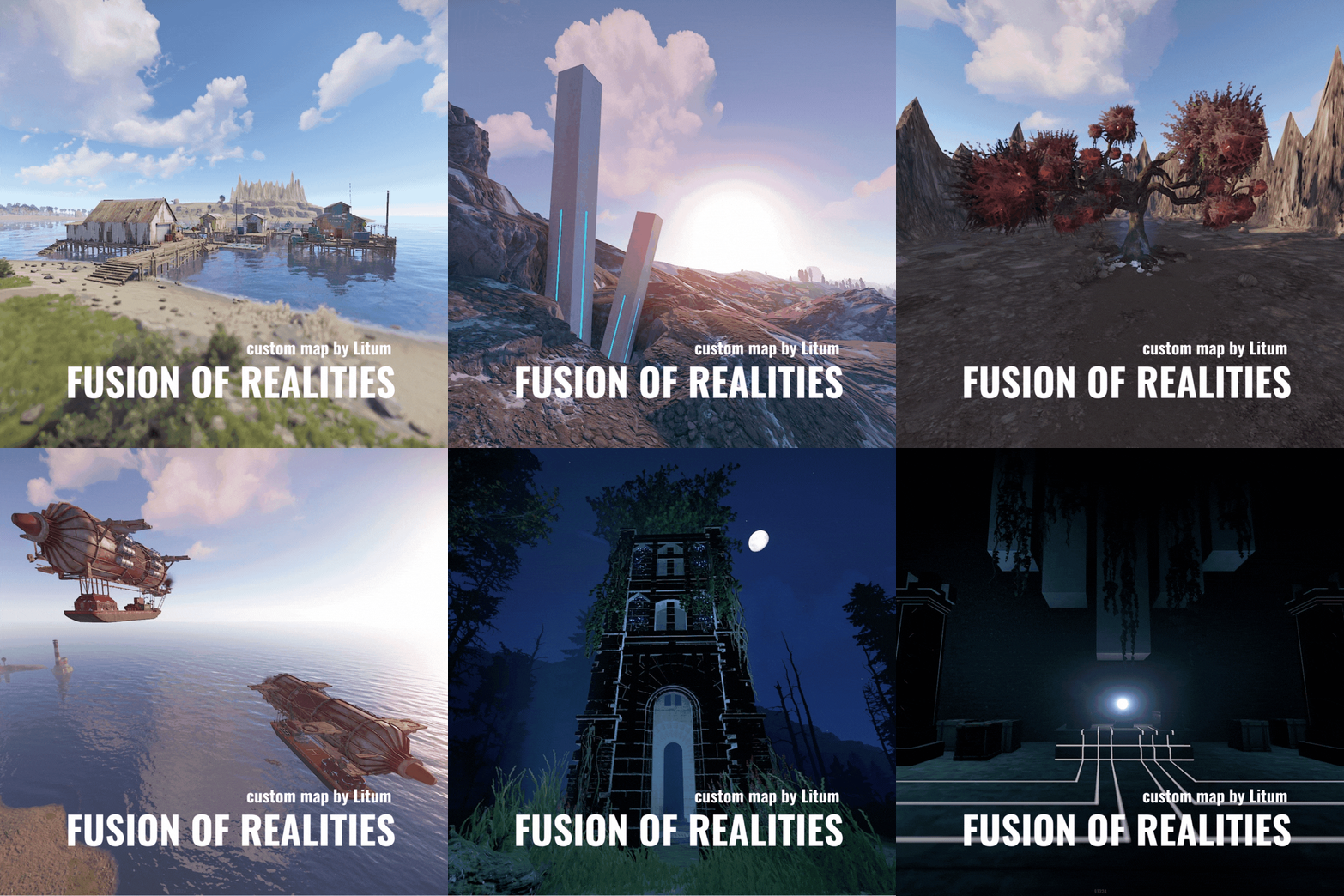
The space-time continuum was disrupted. And anomalies began to appear in our world in the form of pillars and locations that should not have existed in our reality... The Middle Ages, cyberpunk, magic, everything was mixed up in this world. This greatly affected the landscape of the island and in some places completely unimaginable mountains and depressions appeared. But everything has more or less stabilized and now you can explore these places. Marked on the map: point of interest "?" places to build a house "^" airships "-o-" Features: Size: 4000 Prefab: ~32к All locations are connected with the road Ring railway Ring road Unique custom locations Magnificent and realistic landscape Lot of places to explore Subway and train are connected by tunnel Advanced subway network Custom Monuments: Deserter Camp Main train station Train station Airship (-o-) Wrecked airship (?) Hidden Pillars Shrine(?) Forest House(^) Reactor Cave (?) Ruined Temple (?) Litum Sanctuary Tower + cave(^) Thunder Arch(?) Wezaemon`s grave Oasis Stronghold Castle Road tunnel Unexploded rocket(?) Flying boulder ripped from the ground(?) Monument Rust: Jungle Ziggurat Jungle Ruins Jungle Trees with vines Jungle Swamps Harbor 1 and 2 Missle Silo Trainyard Abandoned MIlitary Base Launch Site Arctic Research Base Satellite Dish+ Airfield Bandit Camp Outpost Giant Excavator Pit Junkyard Military Tunnel The Dome Lighthouse Ranch Large Barn Water Treatment Fishing Village 1,2,3 Underwater Lab Oil rig and Large Oil Rig Railway Sewer Branch HQM, Sulfur, Stone Quarry Roadside Monument Mining Outpost Supermarket Gas Station Please rate the map. Thank you! The map is password protected, if you want to make changes or you have any questions please write to me in discord. Litum on -$20.00- 3 comments
- 3 reviews
-
- 1
-
-
- #map
- #custom map
- (and 1 more)
-
Version 1.0.0
18 downloads
BUILDERS ISLAND – 4500K CREATIVE RUST MAP Builders Island is a fun to explore, builder-friendly 4500k Rust map loaded with every major monument and a ton of custom build spots. Designed for smooth performance, creative freedom, and competitive gameplay. What Makes It Special Fully connected train tracks + underground rails for fast travel and tactical control Endless Custom Buildable areas that players will love! Diverse terrain: forests, deserts, coasts, cliffs, valleys & plateaus Perfect for solos, clans, builders, and high-pop servers. Dozens of Custom Build Zones marked with an "X" on the Map Low-prefab, FPS-friendly buildables: Custom caves Underwater Locations to build a base Hidden structures Unique build pockets All Facepunch Monuments Included Launch Site • Military Tunnels • Military Base • Silo • Airfield • Power Plant • Water Treatment • Trainyard • Harbors • Outpost • Excavator • Oil Rigs • Arctic Base • Junkyard • Sphere Tank • Satellite Dish • Ferry Terminal • Sewer Branch — and more. Map Info Size: 4500k Prefabs: ~10,681 Support Discord: DarkoRust$24.99- 2 reviews
-
- 1
-
-
- #custom map
- #build zone
- (and 14 more)
-
Version 1.2.8
3,273 downloads
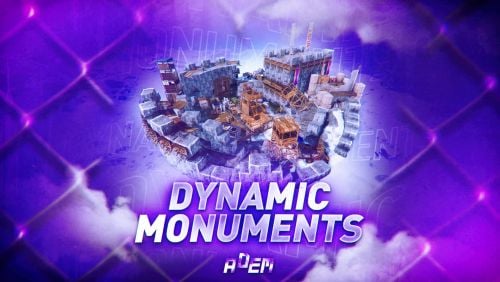
DynamicMonuments is a groundbreaking plugin for Rust servers that breathes new life into your maps! Say goodbye to tedious manual map editing or relying on RustEdit. With just a few clicks, your server will be transformed, featuring 18 unique monuments that blend seamlessly into any environment. Key Features: Dynamic Spawning: - Monuments can spawn randomly during wipes or with each server restart (optional) - Customize spawn frequency and zones through the plugin's configuration - A variety of monument complexities, ranging from cozy hideouts to sprawling fortresses 18 Unique Monuments: - Water Monuments - Coastal Monuments - River Monuments - Roadside Monuments - Modifications for Standard Monuments: (Metro entrances, power line towers, substations, quarries, and more). Personalization: - Give players personal monuments Versatility: - Compatible with both custom and procedural maps. - Automatically adapts to terrain, water, and roads. - No RustEdit required! Everything is managed through the plugin's configuration. Giving a monument to a player 9 out of 18 monuments can be given to players for personal placement. The dynamic monument is represented as a flare with a unique skin, which can be given to players in any way, such as through an in-game store. To spawn the monument, the player must hold the flare and find a suitable location, receiving instructions in the chat and notifications. Once placed, the monument is locked to the player, and only they can loot it. Chat commands (admin only) /killmonument - destroys the DynamicMonument you're looking at /replacecrate NewCratePresetName - replaces the crate you're looking at on the location with NewCratePresetName /spawnmonument PresetName - spawns a monument in a random position /spawnmonumentmypos PresetName - spawns the monument in your position /killallmonuments - destroys all DynamicMonuments on the server /respawnmonuments - forcibly launches automatic respawn of DynamicMonuments /givemonument PresetName - give the monument to yourself /addprefabspawnpoint PresetName — adds a crate or static NPC spawn point to a monument at your current position (only for Static Npc and crates) /removemonumententity command — removes entity spawn point you're looking at. (only for StaticNpc/crates/Entities for respawn) Console commands (RCON only) spawnmonument PresetName - spawns a monument in a random position killallmonuments - destroys all DynamicMonuments on the server respawnmonuments - forcibly launches automatic respawn of DynamicMonuments givemonument PresetName userID - give the DynamicMonument to the player Plugin Config en – example of plugin configuration in English ru – example of plugin configuration in Russian Check out the rest of my work: Adem's Codefling Library You can reach out to me in Discord: Adem's Discord Profile Join the Mad Mappers Discord!$49.99 -
Version 2.0.5
90 downloads
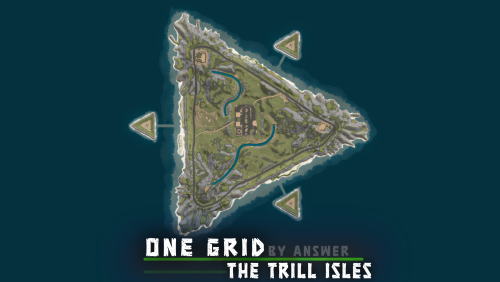
This 'one grid' map is ready for the Diver Propulsion Vehicle, with plenty of sunken monuments and a stunning mainland custom landscape. This map could also be used for a competition / tournament Low Prefab count: ~2250 CUSTOM MONUMENTS - Mini Airfield (also contains the Bradley APC and MLRS) - Sunken HQM, Sulfur & Stone quarries (fully functional) - Sunken Water Treatment Plant (fully functional, besides sewers and underground tunnels) - Sunken Satellite Dish (fully functional) - Sunken Power Plant (fully functional, besides sewers and underground tunnels) - Sunken Jungle Ziggurat - Bandit Fishing Village - this safe zone contains the best from outpost, bandit and the vanilla fishing village. FEATURES - Custom Landscape - Bradley and MLRS at airfield - Ring Road - Custom caves for players to discover and build in - Islands for players to build on and fight over - 1 Tugboat spawn above each sunken monument (besides quarries) VANILLA MONUMENTS - Lighthouse - Oxum's Gas Station - Supermarket - Small Oil Rig - Large Oil Rig NOTES – Need help? You can always contact me on my discord server @ discord.gg/TJxwpKT2Ge – The password for the editor is included with the map.$19.90 -
Version 2.0.4
99 downloads
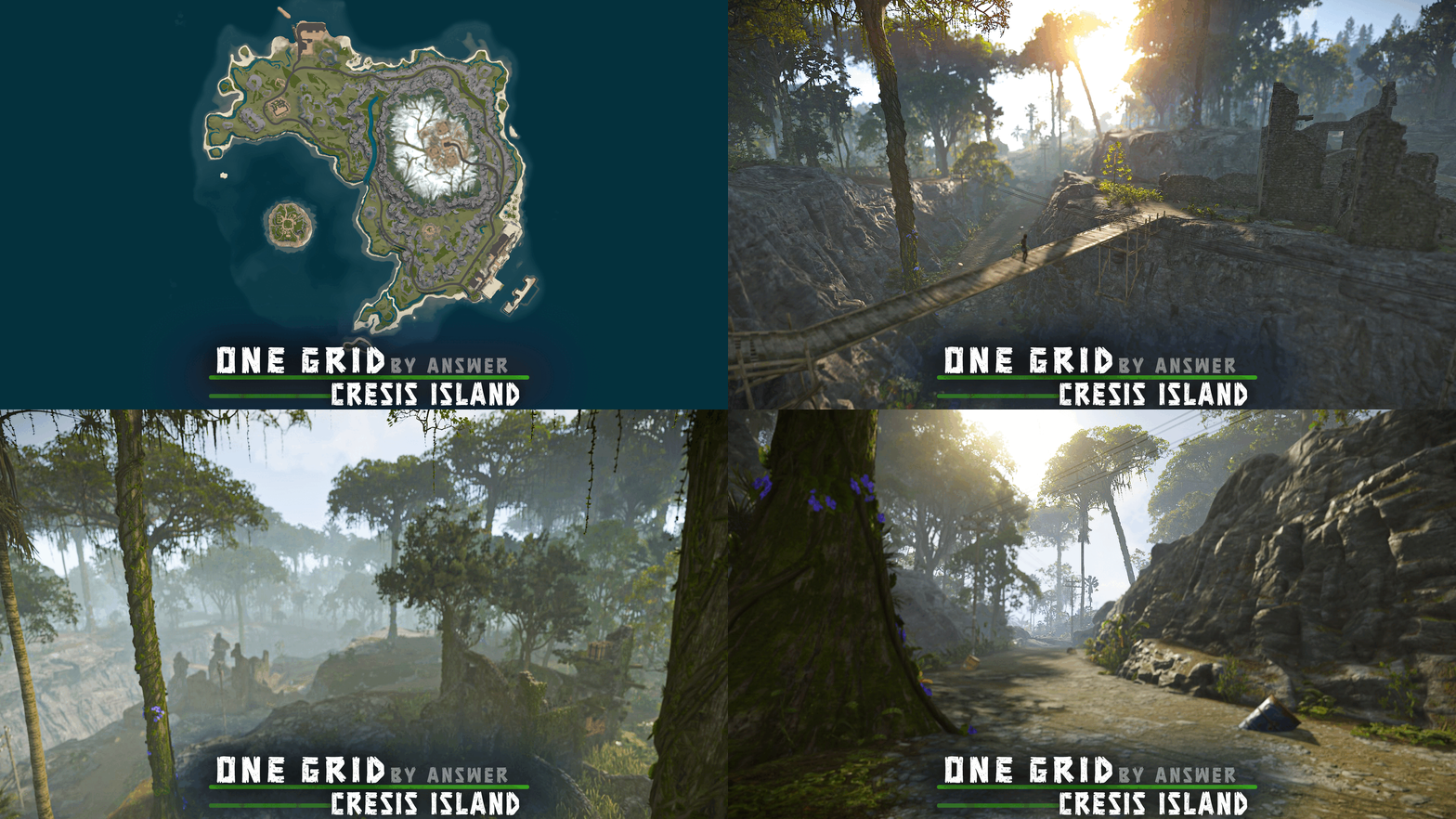
A custom 'one grid' map designed to deliver an exceptional player experience, featuring a detailed organized landscape and a unique set of monuments, while keeping the server and player performance high. This map is constantly supported and updated for the current version of the game with all updates. FEATURES - Detailed landscape - Cliffs are designed to be easily climbable - Contains all biomes - Ring road - Low prefab count: ~2100 prefabs - Compatible with all game modes - Buildable bus stops CUSTOM MONUMENTS - Decomissioned Cargo ship This old cargo ship was abandoned at the ferry terminal. Contains a blue keycard puzzle, loot, recycler This monument offers great performance, as it doesn't have the massive amount of lights that the original cargo ship has. - Comms Tower Contains loot and 2 zipline points at the top, one leads to harbor and the other to missile silo - Wind Turbine Junkpiles at the bottom and 1 zipline point at the top leading to missile silo - Fishing Village Outpost Safe zone - contains vending machines, recycler, marketplace & more - Bridge above the river FACEPUNCH MONUMENTS - Lighthouse: 1x Extra Tugboat spawn, zipline point at the top leading to missile silo - Harbor - Ferry Terminal: 1x Extra Tugboat spawn - Oxum's Gas station - Satellite Dish - Nuclear Missile Silo - Cave - Underwater Lab - Small Oil Rig - Large Oil Rig NOTES - The password for the editor is included with the map, just in case you want to remove/edit something. - Need help? I'm most active on my discord server @ discord.gg/TJxwpKT2Ge$14.99 -
Version 3.0.2
202 downloads
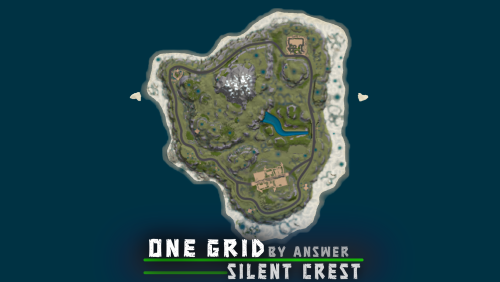
Small custom map, perfect for an action-packed one grid server. This map is constantly supported and updated for the current version of the game with all updates! FEATURES Balanced map layout Detailed landscape Cliffs are designed to be easily climbable Ring road (compatible with various plugins) Compatible with all game modes Tugboat spawn points Underground train tunnels Custom ziplines CUSTOM MONUMENTS Secret Hideout - A hidden hideout where players can obtain the red keycard and some loot. - Also contains recycler and oil refinery Underground Vault - A monument where players obtain the blue keycard and loot. Also contains an oil refinery. - Radio Tower at the surface with 2 zipline points at the top, 1 leading to fishing village and the other to lighthouse. Bandit Fishing Village - Safe zone: contains vending machines, recycler, marketplace & more Bridge Custom decor along the shore line: players can find loot barrels and food boxes FACEPUNCH MONUMENTS – 2 Lighthouses – Gas station // added 1 more recycler outside, giving solo players a better chance at recycling – Radtown – Fishing Village – Underwater Lab – Small Oil Rig – Large Oil Rig // added recycler inside red card room NOTES – The password for the editor is included with the map, just in case you want to remove/edit something. – Need help? I’m most active on my discord server @ discord.gg/TJxwpKT2Ge$14.99 -
Version 3.0.3
147 downloads
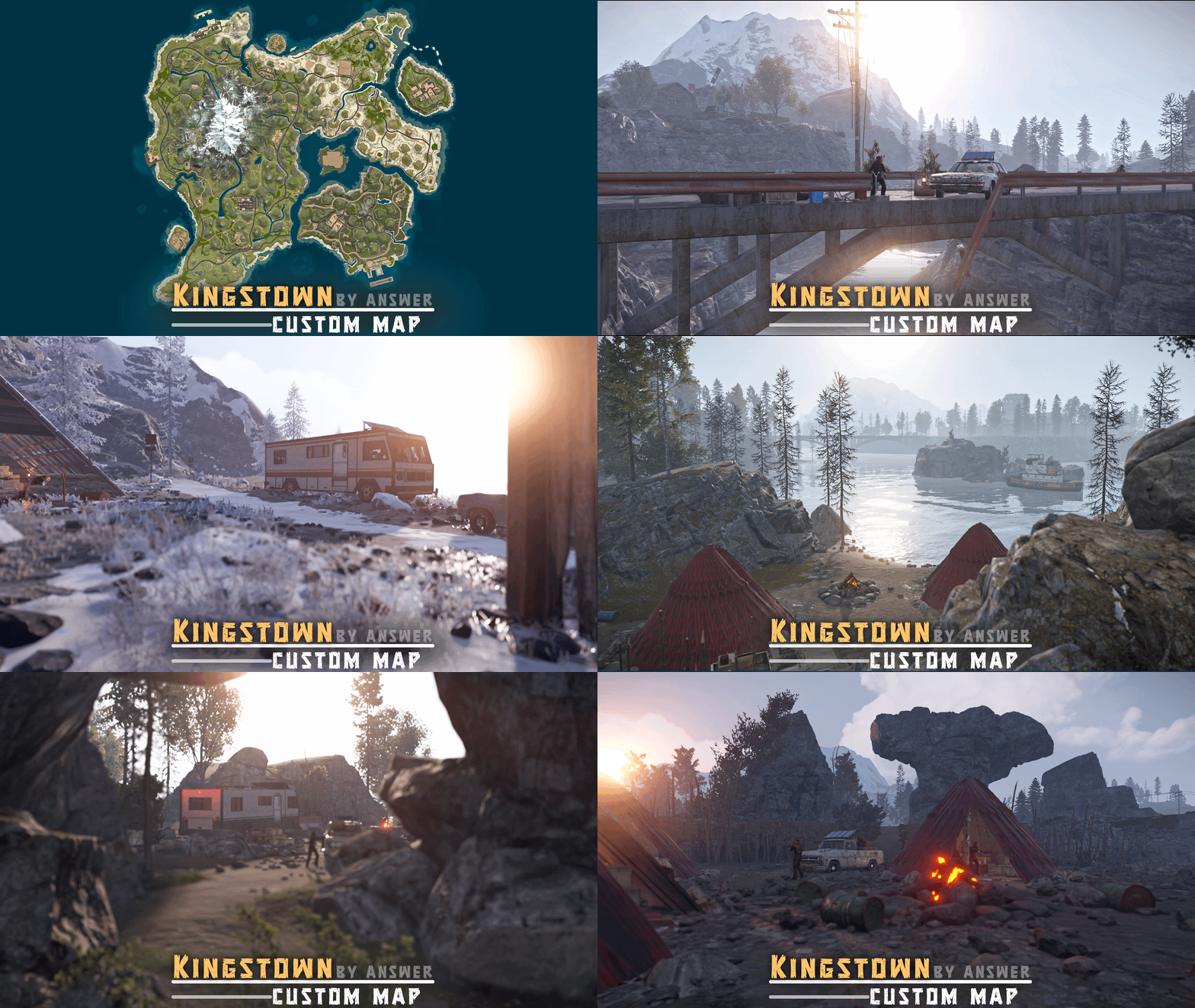
A high-quality custom map at the 2850 size, Inspired by the Mayor of Kingstown series: In this storyline, inmates at the Kingstown Penitentiary revolt against the guards, successfully overthrowing them. Escaping to the wilderness, these inmates form groups, building camps and hideouts scattered throughout the map: > Make sure to check out both the trailer and the images, as both showcase some unique content that isn't present in the other! > A trailer showcasing content added in the v3.0.0 update: > Original trailer, showcasing more of the penitentiary monument: Kingstown: Custom Map CUSTOM LANDSCAPE - Many hours of work went into designing and bringing to life this detailed landscape, unlike most "custom" maps nowadays. A NEW ENVIRONMENT - Spruce Biome: a new & refreshing scenery featuring lots of trees FEATURES - Muliple bridges and ziplines to ensure easy access between islands - Mission NPCs around the map - Custom mini-caves for players to discover and build in: some of these are even camoflaged. - Config for BetterNpc is included - Buildable bus stops - Ring rail (1 lane) - Recyclers and marketplaces at fishing villages - Sunken monuments for players to loot with submarines/diving tanks/DPV - Extra tugboat spawns - Road tunnels through the mountain - Waterfalls, rivers CUSTOM MONUMENTS - Kingstown Penitenciary: this monument's layout was designed to be intuitive, so players won't need a guide. Requires 1x green and 1x blue keycard to reach the top helipad, the main attraction being the hackable crate. - Inmate cabin - Inmate Camp - Inmate RV Camp - Ranch Trailer - Mini Launch Site: takes less space and is better optimised than vanilla - Mini Airfield: takes less space and is better optimised than vanilla - Desert Military Camp: smaller & better optimised than the vanilla version - Train Station - Deserted Town - Inmate Hideout - Inmate Barn - Arctic Inmate campsite - Large Inmate Camp - Inmate campsites - Sunken Sulfur/Stone quarries: fully functional - Sunken Junkyard: fully functional - Shore Wrecks - HQM Quarry cave - 2x Garage: roadside monument featuring a functional vehicle lift, encouraging players to use cars - Mini Powerplant - 2x Abandoned Farm: build spot - 4x Floating Barge: build spot - Bandit Fishing Village: this safe zone contains the best from both outpost and bandit camp VANILLA MONUMENTS - Jungle Ziggurat - Jungle Ruins - Train Yard - Arctic Research base - Stables (ranch) - Water Well - Radtown - Harbors (2/2) - Ferry terminal - Satelite Dish - Dome - Lighthouse - Vanilla caves - Oxum Gas Station - Mining Outpost - Supermarket - Missile Silo - Small Oil Rig - Large Oil Rig - Underwater Labs NOTES – Need help? You can always contact me on my discord server @ discord.gg/TJxwpKT2Ge – The password for the editor is included with the map. - Shoutout to Bxrflip for the arch bridge model! - Size: 2850 // Prefab count: ∼28k$38.90- 6 comments
- 2 reviews
-
- 4
-
-
-
- #answer
- #kingstown
- (and 12 more)
-
Version 2.0.0
25 downloads
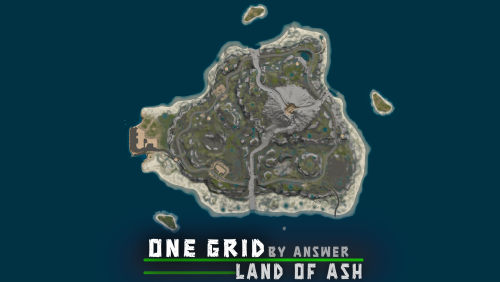
A one grid map reshaped by volcanic fury, where molten rivers and ash-scorched terrain forge both peril and opportunity for players. FEATURES - Ring road - Islands for players to conquer & fight for - Resource barges (wood, ores, loot) on the ocean - Underground train tunnel system - BetterNPC config included - Unmarked roadside fountains (fresh water source & food) - Bridges over the lava rivers - Mission NPCs VOLCANIC ENVIRONMENT Featuring a smoking volcano, lava , dead vegetation, rock formations & plenty of ores. CUSTOM MONUMENTS Gas Station - A little more compact than Oxum's Gas Station, featuring a slightly larger cave system with ores, mine crates, barrels & wood. Abandoned Satellites - Contains green keycard puzzle, loot, recycler, oil refinery. City Ruins Hot Volcano Military Watchtower - Contains blue keycard puzzle, loot, NPCs Research Post - Contains loot, NPCs Abandoned Garage Research Rig (ocean monument) - Contains loot, NPCs Lost Barges (ocean monument) - Contains loot, ores, wood Bandit Fishing Village - This safe zone contains the best from outpost & bandit camp. VANILLA MONUMENTS Ferry Terminal - Added oil refinery & tugboat spawns Lighthouse Stone Quarry Fishing Village Underwater Labs Large Oil Rig Small Oil Rig NOTES Need help? You can always contact me on my discord server @ discord.gg/TJxwpKT2Ge The password for the editor is included with the map. Size: 1500 Prefab count: ∼7k$19.99 -
Version 2.1.1
84 downloads
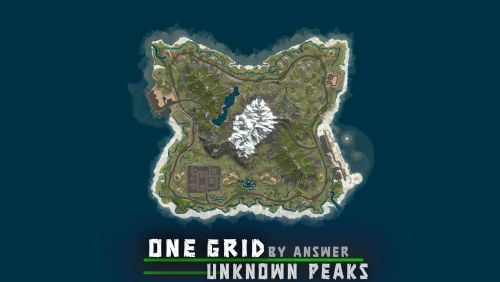
This one grid map features a unique city monument, roamed by the Bradley APC. The city is designed for players to explore and conquer, with NPCs along the roof tops, ziplines, parkour spots and loot. The city and map is optimized for the best server and client FPS, containing only ~4700 prefabs. FEATURES Ring road Mission NPCs Rivers and lakes Buildable bus stops Buildable caves Map size: 1250 CUSTOM MONUMENTS Bradley City - Contains blue keycard puzzle, loot, scientists, Bradley APC, recycler, chinook drop zone point –This monument was designed for PVP, with plenty of cover, parkour and custom ziplines. Roadside ruins (unmarked) Abandoned cabin (unmarked) Lost Barge (unmarked) - Contains loot, hunter mission NPC Road tunnel going through the mountain Stone Quarry Cave - Can be entered through the road tunnel Buildable caves - Can be entered through the road tunnel Sunken Satellite Dish Sunken HQM Quarry – Contains loot, scientists, metal & sulfur ores Bandit Fishing Village –Safe zone, fortune wheel, outpost vending machines & more! VANILLA MONUMENTS Harbor Oxum's Gas Station Lighthouse Large Oil Rig Small Oil Rig Underwater Lab Ferry Terminal NOTES – Need help? You can always contact me on my discord server @ discord.gg/TJxwpKT2Ge – The password for the editor is included with the map.$19.90 -
![More information about "DeepChill [ Winter Themed Map ]"](https://codefling.com/uploads/monthly_2026_03/amisnj.thumb.gif.e5e2b33872ae6e1d33762488d26b5833.gif)
Version V1
4 downloads
Welcome To DeepChill its a 5k map. Ever wanted a way to torture your players even more... well this map will do it, its mostly arctic biome with some other stuff to even out spawning across the map. On the map you will find Hot springs, Buildable Ice Domes and Caves, hobo bus stops to warm up at during the cold nights and some Xmas styled trees and bushes. As usual it has full working oceans, which are thankfully a little warmer so exploring them is still possible without freezing to death.$10.00 -
Version 1.0.6
3 downloads
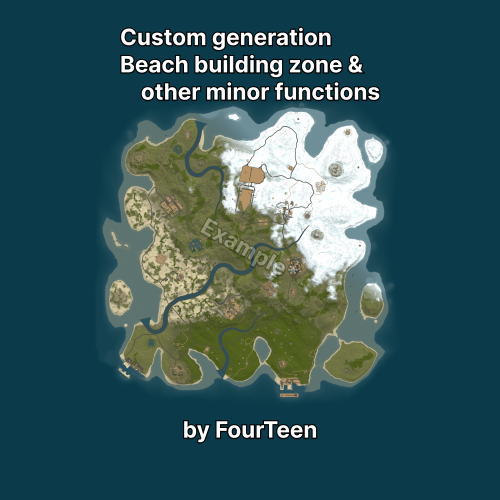
FCustomGeneration — Quick Reference All changes apply when generating a new map. Grass The plugin can generate maps without grass and disables bushes. WorldConfig Global map settings: biome percentages tier distribution roads, rivers, rails, labs global prefab blacklist / whitelist (www.corrosionhour.com/rust-prefab-list) Components (Generation Stages) Each stage can be: Enabled — fully enabled or disabled Apply values? — allows your custom parameters to be applied ⚠ If you modify anything inside Values, make sure Apply values? : true is set — otherwise changes will NOT apply. Main Parameters TargetCount Target number of objects to place. ⚠ Not guaranteed — depends on map size, filters, and placement limits. MinDistanceSameType Minimum distance between identical objects. MinDistanceDifferentType Minimum distance from other object types. DistanceSameType / DistanceDifferentType Max — prefer placing as far as possible Min — prefer placing closer (within limits) Any — any valid position ObjectDensity — object density (higher = more objects) ObjectDistance — spacing between objects ObjectDithering — randomness of placement MinWorldSize — minimum map size required Filter (Placement Rules) Defines where objects can spawn. BiomeType — allowed biomes Arid, Temperate, Tundra, Arctic, Jungle, -1 = everywhere SplatType — surface type Snow, Sand, Grass, Rock, -1 = no restriction TopologyAny — at least one required zone TopologyAll — all listed zones required TopologyNot — forbidden zones Common zones: Beach, Ocean, Road, River, Lake, Rail, Monument, Building, Mountain. 🏝 Shallow Water Coastal smoothing settings: beach depth smoothing radius transition softness Key Points Enabled disables the stage completely Apply values? enables your custom changes TargetCount is not guaranteed Filters directly affect spawn success Custom Monuments The plugin comes in an archive along with a data file and a `.map` file that contains a sample custom Compound. Custom monuments are based on a map (same as on RustMaps), where the required monument must exist (specifically, the first prefab on the map). The plugin also allows you to create custom versions of any monuments, such as: Bandit Camp Fishing Village Labs Oil Rig etc It also supports not only monuments but any world objects: Rocks Oases Icebergs Caves etc When saving a map with a custom monument, the file must be named strictly after the main prefab of that monument. Example: `assets/bundled/prefabs/autospawn/monument/medium/bandit_town.prefab` → `bandit_town.map` https://youtu.be/fX5Br0YQbxc https://youtu.be/gLgld8NHvDw https://youtu.be/Ui5QcXyz9yw If ideas and demand arise, the plugin will continue to develop, and new features will likely become available. Plugin uses Harmony & Reflection!$25.00 -
Version 1219 280326A
177 downloads
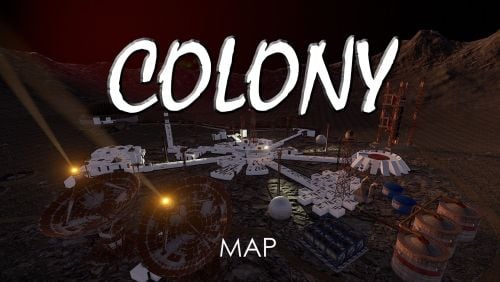
Colony is a Map on and Alien World with unique mechanics and play techniques Survival does not get much harder than this. Oxygen required outside, Unique settler buildings and Habitat Domes, Aliens to discover, Unique Monuments. A World under constant bombardment from Meteors either destroying your base or supplying much needed ore. There are no standard monuments on this map, it has been designed to be as unique as possible within the constraints of Rust, to this effect there are a number of unique plugins that are required to play this map and additional server configs - All instructions are provided within the ReadMe file and are all included. UNIQUE LOCATIONS CENTRAL COLONY BASE - many rooms to explore, safe zones, air transport, rail transport, ground transport, bandit and outpost in one. You can even live within your own base in the Colony LASER MINES - Replacement for Quarries, Lasers blast the ground producing ore to collect DOMES - Alpha, Beta, Delta, Epsilon & Gamma. The only source of wood and limited water supplies UFO - Crashed and damaged, enter, explore, escape NUCLEAR WASTE & REPROCESSING - Irradiated but what broke through the floor TRANSPORT HUB - The place to pick up a cool ride OBSERVATION POST - Simple monument SPACE TELESCOPE - Take a look into deep space UNDERGROUND ACCESS - Allows access to the train tunnels LANDER - Where the first explorers landed ROCKET - Crashed, exposing a satellite, guarded M577 APC - Giant rover, guarded Mt SHART VOLCANO - It can get hot but a great place for ore SATELLITE GRAVYARD - Old wrecks and guarded ATOM SMASHER - Underground collider ALIEN TOMB - Find who lived here before you ALIEN CUBE - They have come back, high in the sky, only one way in - Teleport AGRIFARM - Large dome for growing the Colonists food FEATURES PLAYER BUILT BASES - Build inside Tugs encased in an outer shell, build in smaller domes, build your own limited to 6 foundations and 2 levels, perfectly balanced SOLAR POWER PLANTS - If they are close enough then you can tap into the free power METEOR BOMBARDMENT - These rain down constantly, leaving behind ore to collect, just pray they don't hit your base - They arrive every few minuets SPACEDROPS - Rapid decent from Space. Marked with trails - Every 1-2 hours OXYGEN SYSTEM - All white buildings will have Oxygen, very specific to the shape and size. Outside you will need Oxygen tanks and Spacesuits FORCE FIELDS - Certain areas are separated by force fields allows the smooth transition to oxygenated areas and those without$49.95 -
Version 1.1.1
11 downloads
Easy Map Voter — Discord Bot for Rust Servers Easy Map Voter lets your community decide the next Rust map directly inside Discord. Run clean, interactive voting sessions, generate or fetch maps automatically while tracking long-term player preferences all with a few slash commands. Features: Flexible Map Sources Choose how maps are provided: Random generation Rustmaps filter IDs Custom maps Supports vanilla, modded, and themed servers. VIP Voting (Optional) Reward supporters while keeping voting fair: - Assign VIP role - Configure vote multiplier (example: VIP = 2 votes) - Winner summaries show both regular and VIP totals Community Statistics & Insights Track long-term player behavior: /mappreferences – View community map preferences /voter [user] – See individual voting history /votingstats – Interactive stats with top voters and recent activity Great for understanding what your players actually enjoy. Wipe Countdown Support Each server configuration can include a wipe schedule. Countdown timers appear during voting so players know exactly what they’re voting for. Persistent Data Storage All sessions, maps, and votes are stored locally in SQLite: - Automatic database creation - Historical voting records - No external databases required 🛠 Utility Commands /ping – Check bot latency !sync – Sync slash commands to your server Requirements: - Python 3.10+ recommended. - A Discord application and bot token. - A Rustmaps API key. Python dependencies are listed in requirements.txt. Setup 1) Install requirements - Python 3.10+ installed and available on PATH. - Install dependencies from the project root: pip install -r requirements.txt 2) Configure your .env file DISCORD_TOKEN=your_discord_bot_token RUSTMAPS_API_KEY=your_rustmaps_api_key 3) Configure config.json Open `config.json` and update the IDs and options for your server: { "discord": { "guild_id": YOUR-GUILD-ID, "prefix": "!" }, "roles": { "administration_role_id": ADMINISTRATION-ROLE-ID, "enable_vip_voting": true, "vip_voter_role_id": VIP-ROLE-ID, "vip_vote_weight": 2, "store": YOUR-STORE-LINK }, "appearance": { "embed_color": DISCORD-APPROVED-COLOR } } 4) Discord bot permissions and intents Enable these gateway intents in the Discord Developer Portal: - Message Content Intent - Server Members Intent Recommended permissions for the bot invite: - Read Messages / View Channels - Send Messages - Embed Links - Add Reactions - Read Message History - Manage Messages (needed to remove reactions and clean up voting messages) Also include the applications.commands scope for slash commands. Running the bot Run this line in the console or set it as the starting file if using a Host: python main.py Logs are written to data/logs/bot.log. For any help and support you can contact me on Discord #carl7332$15.00 -
Version 1219 210326C
250 downloads
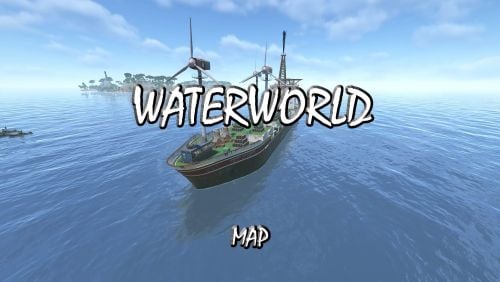
IMPORTANT – Please read this description fully before purchase Waterworld Custom Map by Niko. This is the 3rd full update and has been optimised to take advantage of the Navel update Feb 2026 Changes from V2 to V3 At some point facepunch changed the visuals of water and since then looking through glass has ruined the effect of living on the ocean floor because of this most windowed buildings have had them removed, the ones that still exist have been "fudged" to give a similar effect and in very few cases the effect is not there. Its a limitation of the game we now have to deal with. It was originally based on the movie WaterWorld, however changes have resulted in "Dry Land" now being in the centre of the map (covers garbage collection) to improve performance. You now have a number of smaller islands. Game Mechanics - You can now build on the coast if you wish but no building is allowed in the interior of the islands, this is to allow for the building of Ships. Space is limited. You can live on the ocean floor, small structures exist. They are effectively tugboats, sunk with concrete around them with a moonpool access. You can authorise yourself on the tugboat and live within it. The only island you cannot build at all on is the one with the lighthouse, that's the centre of the map. Your start location is as before, floating on a plank of wood, a box nearby will have all your starting gear. Lets say your the last survivors of a plane crash. Most of the monuments are on the surface of the ocean and most are direct cross overs from the previous map but not all. The ocean floor is not so deep now, you can fly over the map if you can get hold of a helicopter. Ore is very limited on the islands, you will need to trade for building supplies. Deep ocean lava pools have some ore around them Safezones are Atoll and Smokers, however Smokers has patrol boats near it so you will need to navigate access. Finally make yourself aware of the T&C and a special thanks to the following for there support and contributions.$49.95- 8 comments
-
- 9
-
-
-

-
- #map
- #custom map
- (and 5 more)
-
Version 1.1.1
46 downloads
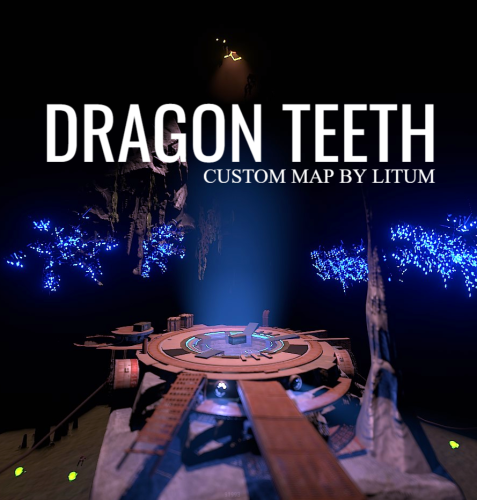
Two mountains that are located next to create a silhouette of teeth. From here came the name of this map. On these mountains once lived people and left a mark in the form of ancient, partially destroyed ruins in which you can settle and warm up to this day. The mountains also contain other secrets that players can explore. 3 lakes in the middle of the island in the center of which are quarries with different resources. Custom locations that are located throughout the map territory will give new experience for players. Interesting landscape and unique locations will not bore your players. Features: Size: 4500 Prefab: ~28к All locations are connected with the road Ring railway Ring road Unique custom locations Magnificent and realistic landscape Lot of free place for players to build Subway and train are connected by tunnel Advanced subway network Custom Monuments: Deserter Camp Ruins in the rock Ancient Rome City Forsakenland Main Train Station Train station 1,2 Zipline point ( X on map ) Place of power 1,2 ( X on map ) Ruined temple ( X on map ) Forest house ( X on map ) Cave with unknown technology Monument Rust: Jungle Ziggurat Jungle Ruins Jungle Trees with vines Jungle Swamps Missile Silo Train Yard Harbor 1 and 2 Abandoned MIlitary Base Launch Site Arctic Research Base Satellite Dish Airfield Bandit Camp Outpost Giant Excavator Pit Junkyard Military Tunnel The Dome Lighthouse Ranch Large Barn Power Plant Fishing Village 1,2,3 Underwater Lab Oil rig and Large Oil Rig Ferry Terminal HQM, Sulfur, Stone Quarry Roadside Monument Mining Outpost Supermarket Gas Station Please rate the map. Thank you! The map is password protected, if you want to make changes or you have any questions please write to me in discord. Litum on -$20.00 -
![More information about "Spain [ Custom Map ]"](https://codefling.com/uploads/monthly_2025_06/9x8yqw.thumb.gif.3facbb43c7d89ee328f037a4492e2f5a.gif)
Version V1.1
49 downloads
Spain is a rust custom map shaped after the country of Spain and it features procedural monuments with unique building spots and tactical placement for fast paced action on your server. A PVE island where players can build inside premade houses has been placed offshore connected with an underwater tunnel for ease of access. Railway system is functional and present both above and underground connected. Map has been optimized with low entity count and suitable terrain formation to reduce rendering distance even for low-end computers. Size: 4000 land / 1000 ocean Entity Count : 34382 Map can be edited: Yes. Monuments: 1 Large Oil Rig 2 Small Oil Rigs 5 Underwater labs 2 Harbors 2 Large Fishing Villages 2 Fishing Villages 1 Launch Site 1 Satellite Dish 1 The Dome 1 HQM Quarry 1 Stone Quarry 1 Sulfur Quarry 1 Arctic Research Base 1 Sewer Branch 1 Train Yard 1 Junk Yard 1 Abandoned Military Base 1 Military Tunnel 3 Caves 2 Large Barns 1 Ranch 1 Bandit Camp 1 Power Plant 1 Swamp 1 Airfield 1 Giant Excavator Pit 1 Outpost 1 Lighthouse 1 Missile silo 1 Jungle Ziggurat 1 Radtown Custom prefabs and monuments: Hotel compatible with Hotel plugin, for more info you can search for it in monuments here on this website. Has lobby floor with 10 NPC vending machines, poker tables, slot machines, arcade machines, tables/chairs, phone and radio. Has 3 floors with 8 rooms in each floor. Recycler on each floor. Can interact with everything in the rooms. Roof with helipad. Also has working CCTV on each floor. Town has 18 houses. Each house comes with a nice yard where you can build on, you can build inside the house as well. Also all the houses come with several prefabs like lights, bed, tables, etc. All the houses have a helipad on top. You can only build inside the house and in the yard, everything else is blocked, makes it perfect for roleplay, pve or even pvp. Shop with 3 NPC vending machines and a second floor for admins where they can place beds, crates etc. Underwater Bases with elevator Mainland and glacier buildable bases. Underwater bridge connecting mainland with Mallorca island.$18.00 -
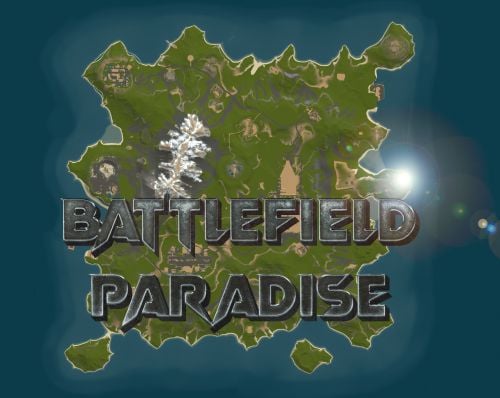
Version 5.0.0
140 downloads
In the heart of this EPIC RUST BATTLEFIELD MAP lies a breathtaking landscape crafted for High-FPS and fast paced PVP Gameplay. Amidst towering mountains and sprawling valleys, players navigate custom buildable underwater caves that offer strategic advantages for building and hiding bases. At its center, a colossal mountain dominates the skyline with the iconic Large Oil Rig and a meticulously designed Buildable Dome, all optimized for peak performance with minimal entity counts. This will be the central area where your players gather to practice PVP in the Large Oil Rig and fend off enemies practicing Raid Defense and Offense in the EPIC scale Buildable Dome! NEW EXPERIENCE! Battle Towers Buildable Zone stands as a fortress of opportunity and conflict. Towering HUGE structures invite players to build bases on top of, defend against raids, and engage in intense PvP battles atop their formidable heights, giving one of the most FUN experiences any player can have in Rust! Scattered across the terrain are 22 bespoke buildable monuments, each marked with an X on the map, bringing in your players with a fresh take on base building locations. This masterpiece of design not only promises thrilling PvP encounters but also showcases a commitment to immersive gameplay and efficient server performance, making it the best released Map for Battlefield Rust servers to date! FEATURES • Size: 2800 • Prefab Count: 6352 • Map Optimized for Performance! • Map Password: Included. • Vast array of 22 EPIC Custom Buildable Monuments! • Designated building zones (marked X on the minimap) • Several Majestic Underwater Buildable Cave Bunkers! • Legendary Battle Towers Build Zone: An expansive custom-built zone featuring multiple towers for epic building, raiding, and intense PVP combat! • Monuments crafted for peak performance with minimal entities! • EPIC Scale PVP Mountain center of map with Large Oil Rig and Buildable Dome! • Everything crafted with Battlefield PVP Servers in mind for peak performance and EPIC scale FUN! • Monumental and realistic landscape! • Underground railway. CUSTOM BUILDABLE MONUMENTS: • Amount: 22 Total! • Buildable Dome • Custom Underwater Bunkers • Custom Large Size Bus Stop Base • EPIC Scale Rock Formation Cave • Medium Sized Glass Roof Cave • + MANY MORE! Facepunch Monuments: Launch Site Dome Giant Excavator Military Base 2X Large Oilrig Small Oilrig Nuclear Missile Silo Ferry Terminal Satellite Dish Small Harbor 2X Lighthouse 2X Gas Station 2X HQM Quarry Sulfur Quarry Stone Quarry Supermarket RadTown Power Substations Small and Large Jungle Ziggurat Cave Large Sewers Hard Cave Large Hard Cave Medium Medium Cave Large Medium Ranch Stables Fishing Village Bandit Town Outpost To Enable the Travelling Vendor on Custom Maps its optional to use this Oxide Plugin: https://codefling.com/plugins/anymapvendor Help Discord: @DarkoRust$24.99- 4 reviews
-
- 2
-
-
-
- #battlefield
- #custom map
- (and 25 more)
-
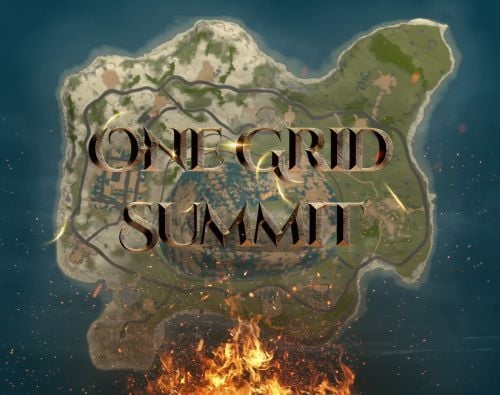
Version 2.0.0
25 downloads
Discover the ULTIMATE RUST ONE GRID MAP, featuring a breathtaking mountainous landscape perfect for high-FPS and fast-paced PVP. The dynamic terrain utilizes a large mountain for players to summit and winding roads to minimizes sight lines making the Map feel much larger. While having custom underwater caves offers strategic building and hiding spots. At the center, the iconic Dome dominates, surrounded by HQM and Sulfur Quarries to entice players to the middle of the map to fight over loot and ore. Map offering unparalleled fun and creativity for players who LOVE TO BUILD. Explore unique buildable monuments marked with "X" on the map, each providing more unique base-building opportunities. This map promises thrilling PVP action and immersive gameplay, making it the BEST One Grid Rust Server Map ever created! FEATURES: • Size: 1500 • Prefab Count: 1199 • Map Optimized for Performance! • Map Password Included. • EPIC Custom Buildable Monuments! • Designated Building Zones (marked X on the minimap) • Majestic Underwater Buildable Cave Bunkers! • Monuments crafted for peak performance with minimal entities! • The terrain features a massive mountain with a road leading to the top to reduce sight lines, making the smaller map feel much larger! • Everything crafted with One Grid players in mind to have lots of loot and many places to build! • Underground and Above Ground Railway. Not connected but accessible by Tunnel Entrances. • Full Outpost and Bandit Camp • Fishing Village CUSTOM BUILDABLE MONUMENTS: • 9 Total • 4 Buildable Underwater Bunkers • Large Custom Buildable Cave • Custom Large Size Bus Stop Base • Epic Buildable Sphere Tank players will love! • Buildable Bunker Building • Buildable Warehouse Facepunch Monuments: Dome Satellite Dish 1x Lighthouse Supermarket Oxum's Gas Station 2x Mining Outpost HQM Quarry Sulfur Quarry Bandit Town Outpost Fishing Village Ranch Stables Underwater Labs 5x Large Power Substations 4x Small Power Substations Help Discord: @DarkoRust$14.99- 3 comments
- 2 reviews
-
- 2
-
-
-
- #one grid
- #custom map
- (and 47 more)
-
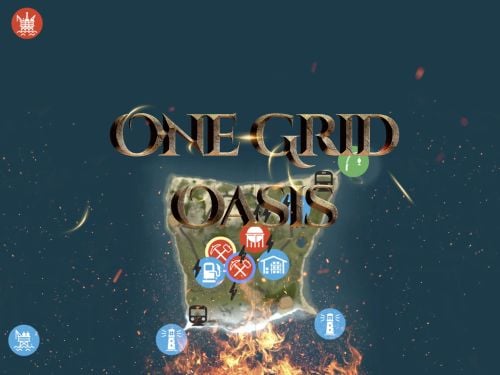
Version 3.0.0
147 downloads
Discover the ULTIMATE RUST ONE GRID MAP, featuring a breathtaking landscape perfect for high-FPS and fast-paced PVP. The dynamic terrain utilizes many hills and valleys to minimizes sight lines making the Map feel much larger. While having custom underwater caves offers strategic building and hiding spots. At the center, the iconic Dome dominates, surrounded by HQM and Sulfur Quarries to entice players to the middle of the map to fight over loot and ore. NEW FLOATING ISLANDS expands buildable terrain, offering unparalleled fun and creativity for players who LOVE TO BUILD. Explore 12 unique buildable monuments marked with "X" on the map, each providing more unique base-building opportunities. This map promises thrilling PVP action and immersive gameplay, making it the BEST One Grid Rust Server Map ever created! FEATURES: • Size: 1000 • Prefab Count: 2285 • Map Optimized for Performance! • Map Password Included. • Vast array of 12 EPIC Custom Buildable Monuments! Caves, Underwater Bunkers, Floating Sky Platforms, Bus Stops, Warehouses and more! • Designated Building Zones (marked X on the minimap) • 3 Floating Islands in the sky to build on to add more buildable terrain for a small map. • 3 Majestic Underwater Buildable Cave Bunkers! • Monuments crafted for peak performance with minimal entities! • The terrain features varied elevations to reduce sight lines, making the smaller map feel much larger! • Everything crafted with One Grid players in mind to have lots of loot and many places to build! • Underground railway. • Custom Combined Outpost/Bandit Camp/Fishing Village Safe Zone! Gambling, Vending Machines, Vehicle Vendors and more! CUSTOM BUILDABLE MONUMENTS: • Amount: 12 Total! • 3 Buildable Underwater Bunkers • 3 Buildable Floating Islands • Custom Large Size Bus Stop Base • 2 EPIC Scale Rock Formation Caves • Medium Sized Glass Roof Cave • + MANY MORE! Facepunch Monuments: Dome 2x Lighthouse Supermarket Jungle Ziggurat Oxum's Gas Station Mining Outpost HQM Quarry Sulfur Quarry Bandit Town/Outpost/Fishing Village Combined Underwater Labs 5x Large Power Substations 4x Small Power Substations 4x Bus Stops To Enable the Travelling Vendor on Custom Maps its optional to use this Oxide Plugin: https://codefling.com/plugins/anymapvendor Help Discord: @DarkoRust$14.99- 8 comments
- 4 reviews
-
- 5
-
-
-
-
- #one grid
- #custom map
- (and 43 more)
-
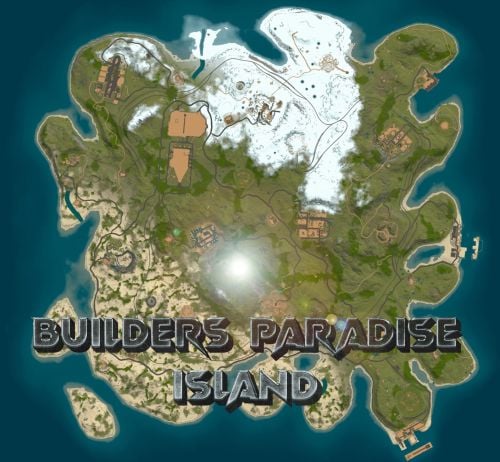
Version 6.0.0
192 downloads
Perfect sized 3500K Rust map offers a unique gaming experience for creative builders, featuring all monuments except the Sewer Branch. It includes train tracks that connect to underground rails making transportation smooth all around. Full types of Topology terrain includes lush forests, arid deserts, rugged coastlines, gentle hills, deep valleys, and elevated plateaus. Key monuments such as the Military Base, Military Tunnel, Launch Site, and more are strategically placed, providing prime locations for looting, trading, and player interactions. The train tracks, linked to underground rails, create additional routes and strategic points for players to explore and control. This unique feature introduces a tactical element, where mastering the train tracks can significantly impact resource and territory competition. Additionally, the map is enriched with numerous custom buildable monuments, including caves, underwater bases, and various structures for building. These custom elements enhance the gameplay, offering diverse options for base construction and defense. Summary this 3500K Size Rust map delivers a complete and dynamic experience, featuring key monuments, custom buildable locations, and the strategic addition of train tracks connected to underground rails. General Information Map size: 3500K Prefab Count: 6091 Custom Buildable Monuments Several total low prefab count monuments to build in such as Caves, Underwater Bases and buildings! Facepunch Monuments Small Harbor Large Harbor Airfield Junkyard Launch Site Military Tunnels Nuclear Missile Silo Powerplant Trainyard Ferry Terminal Water Treatment Sphere Tank Sewer Branch Satellite Dish Outpost Excavator Large Oilrig Small Oilrig Arctic Research Base A Military Base To Enable the Travelling Vendor on Custom Maps its optional to use this Oxide Plugin: https://codefling.com/plugins/anymapvendor Help Discord: DarkoRust$24.99 -
Version 1.2.1
213 downloads
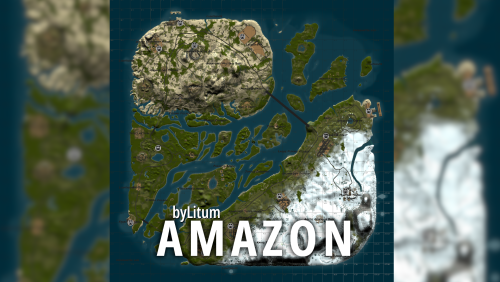
The map partially follows the landscape of the Amazon River. A new unusual gaming experience, since almost the entire central part of the map is forest and water. It’s easy to get lost in this forest, but it’s also easy to hide your base. The water that surrounds many islands allows you to use a boat as a means of quickly moving around the map. On the river, just like on the edges of the map, heaps of trash appear that can be looted. Also on the sides of the river there are large islands on which the main prefabs are located. The road and railway cross the river on bridges and run along the perimeter of the island. A zipline will help you quickly move from one bank to another if there is no transport. Ore stones spawn in the forest. Custom locations that help create a jungle atmosphere near the river. Features: Size: 4000 Prefab: ~13к All locations are connected with the road Ring railway Ring road Unique custom locations Magnificent and realistic landscape Lot of places to explore Subway and train are connected by tunnel Advanced subway network Custom Monuments: Paradise Beach Fishermen`s House Abandoned village Radio tower Main Bridge Fallen rocket Monument Rust: Jungle Ziggurat Jungle Ruins Jungle Trees with vines Jungle Swamps Radtown Harbor 1 and 2 Missle Silo Ferry Terminal Trainyard Abandoned MIlitary Base Launch Site Arctic Research Base Satellite Dish+ Airfield Bandit Camp Outpost Giant Excavator Pit Junkyard Military Tunnel The Dome Lighthouse Ranch Large Barn Water Treatment Fishing Village 1,2,3 Underwater Lab Oil rig and Large Oil Rig Railway Sewer Branch HQM, Sulfur, Stone Quarry Roadside Monument Mining Outpost Supermarket Gas Station Please rate the map. Thank you! The map is password protected, if you want to make changes or you have any questions please write to me in discord. Litum on -$29.99 -
Version 1.1.0
52 downloads
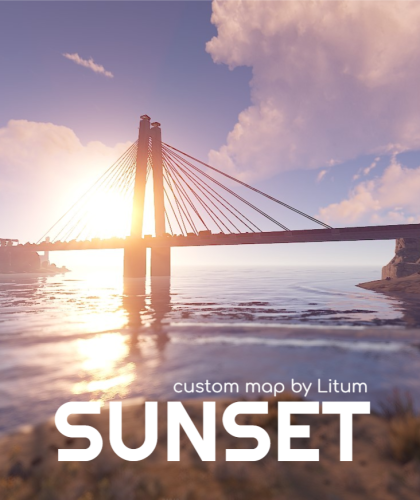
Beautiful island, which is surrounded by railway, advanced subway network. Remains of civilization that was once here. Subway and train are connected by tunnel. Beautiful and realistic landscape. The Map is not specially loaded with a huge number of locations to make free place for players to build. Custom detailed locations allow you to immerse yourself in new emotions. All locations are connected with the road. And much more awaits you on this map. Features: Size: 4500 Prefab: ~21к All locations are connected with the road Ring railway Unique custom locations Magnificent and realistic landscape lot of free place for players to build Subway and train are connected by tunnel advanced subway network Monument Rust: Jungle Ziggurat Jungle Ruins Jungle Trees with vines Jungle Swamps Missile Silo Train Yard Harbor 1 and 2 Abandoned MIlitary Base Launch Site Arctic Research Base Satellite Dish Airfield Bandit Camp Outpost Giant Excavator Pit Junkyard Military Tunnel The Dome Lighthouse Ranch Water Treatment Fishing Village 1,2,3 Underwater Lab Oil rig and Large Oil Rig Railway Sewer Branch Ferry Terminal HQM, Sulfur, Stone Quarry Roadside Monument Mining Outpost Supermarket Gas Station Custom Monuments: Ancient Rome City Bridge Paradise Beach Zipline point Place of power ( X on map ) Please rate the map. Thank you! The map is password protected, if you want to make changes or you have any questions please write to me in discord. Litum on -$15.00
.thumb.jpg.cd820ab870802b66e9b4930863d43ea3.jpg)