Search the Community
Showing results for tags 'medieval'.
-

Version 2.0.4
118 downloads
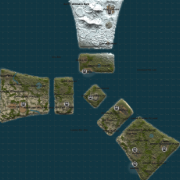
Lore In 1938, an exploratory vessel discovered a small, uncharted island far to the north. Upon their return to port, the crew began sharing tales of a mysterious island at the edge of the world—where seasons changed with each step, and people seemed to live in a more primitive time amid strange, ancient ruins. They spoke of incredible sights: great ships that defied gravity and soared through the skies, and mighty forts guarded by knights of an unfamiliar realm. Rumors of the island’s untapped wealth soon spread, drawing many eager to claim its riches. Adventurers sought to exploit the untouched coal and gold deposits, even constructing a railway to aid their efforts. Yet all who ventured there were ultimately driven away by the island's enigmatic inhabitants—nameless men whose origins and purpose at the world’s end remained an unsolved mystery. Details Clockworks is a small-sized map designed from the start to be totally custom nothing default from the roads to the monuments but don’t worry we have created equivalent monuments in the world progression system plus a twin-track above-ground rail network (Cargo Train Event Compatible) running the full circumference of the map complemented by railway-related monuments along the way. Fully custom terrain, monuments and roads that brings a totally new unique look to your server. Scientist’s have been replaced with our own set of NPC’S with varying attire and technology levels (if you do not like our NPC’s simply don’t install our plug-in and supply your own with any bot plug-in you want. Every monument across the map is from a different time and technology level in the past so you could be visiting the 1920s railway and then head into a mediaeval town. Size: 1600k Prefabs: 49312 Map Editing Yes, you are allowed to edit the map and add stuff etc. Monuments Windsword Rob's Grain Mill Fangorn’s Barrow Old Springs Yawning Grave Old Ruins Everfall Ruins Of Sorrow Timber Bay Ever Knot Keep Bog Water Fortress Crashed Airship Turning Rails Sulfur Rig Metal Rig Help and Contact If you need to contact me discord is best: RobJ2210#2553 Or Cobalt#3344 For help/support however, my discord group is best: Join RustMaps Discord$46.99- 6 comments
- 3 reviews
-
- 5
-

-

-
- #small map
- #medieval
- (and 16 more)
-

Version 1.3.3
1,687 downloads
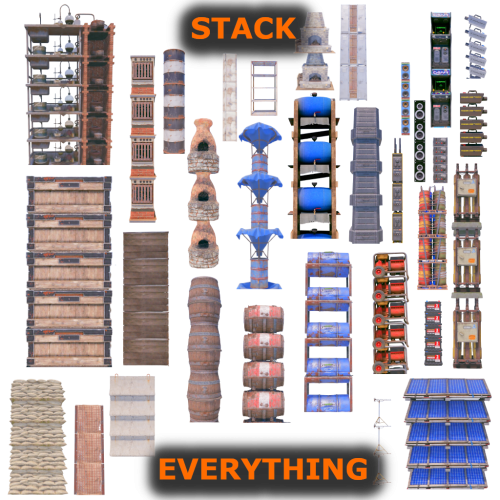
Stack Everything - Stack all entities, Chest Stacks, Farm Stacks, and more, allows you to stack all entities, such as: Stack Chest, Barricade, Large Water Catcher, Small Water Catcher, Locker, Barbeque, Water Barrel, Storage Box, Wood Box, Storage Barrel, Composter, Furnace, Legacy Furnace , Electric Furnace, Hobo Barrel, Mixing Table, Cooking Workbench, Battery, Generator, Test Generator, Water Purifier, Chippy Arcade, Boom Box, Farming entities, etc... Naval Deep Sea support, stack entities. Support for: Storage Box Pack DLC (https://rust.facepunch.com/news/shipshape#StorageBoxPackDLC) Allows you to add new entities to stack, set stack size limits, and limit which entities can be stacked based on player permissions. Stack as many entities as you want with just one plugin! Oxide/Carbon compatibility PERMISSIONS: To be able to stack entities, the player must have the permission: stackeverything.use - Allows to use the plugin. In addition, 4 other permissions are created (Default, VIP1, VIP2, VIP3), each of which allows you to create different configurations to assign to the various players. stackeverything.default - Assign configurations: Default. stackeverything.vip1 - Assign configurations: VIP1. stackeverything.vip2 - Assign configurations: VIP2. stackeverything.vip3 - Assign configurations: VIP3. These are the groups that are created by default, but you can add and/or edit groups as you wish. For example, if you change the group vip1 to vip_elite, the permission stackeverything.vip_elite will be created If you create a new group, for example vipvanilla, the permission stackeverything.vipvanilla will be created. If you are part of a clan/team and there are 1 more members who have the VIP/ROLE, then all members of the clan/team will benefit. You can enable this setting from the configuration file: "Share Group With Clan/Team members. Default FALSE": false": true CONFIGURATION: The settings and options can be configured in the StackEverything.json under the config directory. The use of an editor and validator is recommended to avoid formatting issues and syntax errors. { "Use Clan/Team": true, "Share Group With Clan/Team members. Default FALSE": false, "Spawn SkinID Blacklist. Skin IDs that cannot be used for Spawned Entity": [], "Stacking SkinID Blacklist. Block stacking of entities that have these skin IDs": [], "Role Permission": { "default": { "Priority. (lower = higher priority)": 100, "Maximum number of stackable entities": 2, "Exclude stacking of these entities": [], "Maximum stack number per entity": {} }, "vip1": { "Priority. (lower = higher priority)": 1, "Maximum number of stackable entities": 4, "Exclude stacking of these entities": [], "Maximum stack number per entity": {} }, "vip2": { "Priority (lower = higher priority)": 2, "Maximum number of stackable entities": 6, "Exclude stacking of these entities": [], "Maximum stack number per entity": {} }, "vip3": { "Priority. (lower = higher priority)": 3, "Maximum number of stackable entities": 10, "Exclude stacking of these entities": [], "Maximum stack number per entity": {} } }, "Stackable Items": [ { "Display Name": "Concrete Barricade", "Item Name": "barricade.concrete", "Item Id": -1950721390, "Enable Stacking": true, "Prefab Name": "assets/prefabs/deployable/barricades/barricade.concrete.prefab", "Radius Check": 0.1, "Collider Height": 1.5, "YOffset": 1.24, "Effect Name": "assets/prefabs/deployable/barricades/effects/barricade-concrete-deploy.prefab" }, { "Display Name": "Stone Barricade", "Item Name": "barricade.stone", "Item Id": 15388698, "Enable Stacking": true, "Prefab Name": "assets/prefabs/deployable/barricades/barricade.stone.prefab", "Radius Check": 0.1, "Collider Height": 1.4, "YOffset": 1.24, "Effect Name": "assets/prefabs/deployable/barricades/effects/barricade-stone-deploy.prefab" }, { "Display Name": "Sandbag Barricade", "Item Name": "barricade.sandbags", "Item Id": -559599960, "Enable Stacking": true, "Prefab Name": "assets/prefabs/deployable/barricades/barricade.sandbags.prefab", "Radius Check": 0.1, "Collider Height": 1.4, "YOffset": 1.18, "Effect Name": "assets/prefabs/deployable/barricades/effects/barricade-sandbags-deploy.prefab" }, { "Display Name": "Large Water Catcher", "Item Name": "water.catcher.large", "Item Id": -1100168350, "Enable Stacking": true, "Prefab Name": "assets/prefabs/deployable/water catcher/water_catcher_large.prefab", "Radius Check": 0.1, "Collider Height": 4.168319, "YOffset": 4.1, "Effect Name": "assets/prefabs/deployable/water catcher/effects/water-catcher-large-deploy.prefab" }, { "Display Name": "Small Water Catcher", "Item Name": "water.catcher.small", "Item Id": -132247350, "Enable Stacking": true, "Prefab Name": "assets/prefabs/deployable/water catcher/water_catcher_small.prefab", "Radius Check": 0.1, "Collider Height": 2.67044, "YOffset": 2.5, "Effect Name": "assets/prefabs/deployable/water catcher/effects/water-catcher-deploy.prefab" }, { "Display Name": "Locker", "Item Name": "locker", "Item Id": -110921842, "Enable Stacking": true, "Prefab Name": "assets/prefabs/deployable/locker/locker.deployed.prefab", "Radius Check": 0.1, "Collider Height": 2.3, "YOffset": 2.238, "Effect Name": "assets/prefabs/deployable/locker/effects/locker-deploy.prefab" }, { "Display Name": "Barbeque", "Item Name": "bbq", "Item Id": 1099314009, "Enable Stacking": true, "Prefab Name": "assets/prefabs/deployable/bbq/bbq.deployed.prefab", "Radius Check": 0.1, "Collider Height": 1.2, "YOffset": 0.84, "Effect Name": "assets/prefabs/deployable/bbq/effects/barbeque-deploy.prefab" }, { "Display Name": "Water Barrel", "Item Name": "water.barrel", "Item Id": -1863559151, "Enable Stacking": true, "Prefab Name": "assets/prefabs/deployable/liquidbarrel/waterbarrel.prefab", "Radius Check": 0.1, "Collider Height": 2.67044, "YOffset": 1.594, "Effect Name": "assets/prefabs/deployable/liquidbarrel/effects/liquid-barrel-deploy.prefab" }, { "Display Name": "Wood Storage Box", "Item Name": "box.wooden", "Item Id": -180129657, "Enable Stacking": true, "Prefab Name": "assets/prefabs/deployable/woodenbox/woodbox_deployed.prefab", "Radius Check": 0.1, "Collider Height": 0.5552952, "YOffset": 0.5552952, "Effect Name": "assets/prefabs/deployable/woodenbox/effects/wooden-box-deploy.prefab" }, { "Display Name": "Large Wood Box", "Item Name": "box.wooden.large", "Item Id": 833533164, "Enable Stacking": true, "Prefab Name": "assets/prefabs/deployable/large wood storage/box.wooden.large.prefab", "Radius Check": 0.1, "Collider Height": 0.790511, "YOffset": 0.76, "Effect Name": "assets/prefabs/deployable/large wood storage/effects/large-wood-box-deploy.prefab" }, { "Display Name": "Storage Barrel Horizontal", "Item Name": "storage_barrel_c", "Item Id": -1421257350, "Enable Stacking": true, "Prefab Name": "assets/prefabs/misc/decor_dlc/storagebarrel/storage_barrel_c.prefab", "Radius Check": 0.1, "Collider Height": 0.94, "YOffset": 0.94, "Effect Name": "assets/prefabs/misc/decor_dlc/storagebarrel/effects/storage-barrel-deploy.prefab" }, { "Display Name": "Storage Barrel Vertical", "Item Name": "storage_barrel_b", "Item Id": 1307626005, "Enable Stacking": true, "Prefab Name": "assets/prefabs/misc/decor_dlc/storagebarrel/storage_barrel_b.prefab", "Radius Check": 0.1, "Collider Height": 1.3, "YOffset": 1.3, "Effect Name": "assets/prefabs/misc/decor_dlc/storagebarrel/effects/storage-barrel-deploy.prefab" }, { "Display Name": "Fridge", "Item Name": "fridge", "Item Id": 1413014235, "Enable Stacking": true, "Prefab Name": "assets/prefabs/deployable/fridge/fridge.deployed.prefab", "Radius Check": 0.1, "Collider Height": 2.0, "YOffset": 2.0, "Effect Name": "assets/prefabs/deployable/fridge/effects/fridge-deploy.prefab" }, { "Display Name": "Salvaged Shelves", "Item Name": "shelves", "Item Id": 1950721418, "Enable Stacking": true, "Prefab Name": "assets/prefabs/deployable/shelves/shelves.prefab", "Radius Check": 0.1, "Collider Height": 2.8, "YOffset": 2.8, "Effect Name": "assets/prefabs/deployable/shelves/effects/shelves-deploy.prefab" }, { "Display Name": "Stone Fireplace", "Item Name": "fireplace.stone", "Item Id": -1535621066, "Enable Stacking": true, "Prefab Name": "assets/prefabs/deployable/fireplace/fireplace.deployed.prefab", "Radius Check": 0.1, "Collider Height": 2.9, "YOffset": 2.9, "Effect Name": "assets/prefabs/deployable/campfire/effects/campfire-deploy.prefab" }, { "Display Name": "Composter", "Item Name": "composter", "Item Id": -1488398114, "Enable Stacking": true, "Prefab Name": "assets/prefabs/deployable/composter/composter.prefab", "Radius Check": 0.1, "Collider Height": 1.64, "YOffset": 1.54, "Effect Name": "assets/prefabs/deployable/furnace/effects/furnace-deploy.prefab" }, { "Display Name": "Furnace", "Item Name": "furnace", "Item Id": -1999722522, "Enable Stacking": true, "Prefab Name": "assets/prefabs/deployable/furnace/furnace.prefab", "Radius Check": 0.1, "Collider Height": 1.6, "YOffset": 1.44, "Effect Name": "assets/prefabs/deployable/furnace/effects/furnace-deploy.prefab" }, { "Display Name": "Legacy Furnace", "Item Name": "legacyfurnace", "Item Id": -1310391395, "Enable Stacking": true, "Prefab Name": "assets/prefabs/deployable/legacyfurnace/legacy_furnace.prefab", "Radius Check": 0.1, "Collider Height": 1.6, "YOffset": 1.44, "Effect Name": "assets/prefabs/deployable/furnace/effects/furnace-deploy.prefab" }, { "Display Name": "Electric Furnace", "Item Name": "electric.furnace", "Item Id": -1196547867, "Enable Stacking": true, "Prefab Name": "assets/prefabs/deployable/playerioents/electricfurnace/electricfurnace.deployed.prefab", "Radius Check": 0.1, "Collider Height": 1.2, "YOffset": 1.15, "Effect Name": "assets/prefabs/deployable/playerioents/electricfurnace/effects/electric-furnace-deploy.prefab" }, { "Display Name": "Cursed Cauldron", "Item Name": "cursedcauldron", "Item Id": 1242522330, "Enable Stacking": true, "Prefab Name": "assets/prefabs/misc/halloween/cursed_cauldron/cursedcauldron.deployed.prefab", "Radius Check": 0.1, "Collider Height": 1.1, "YOffset": 0.95, "Effect Name": "assets/prefabs/deployable/campfire/effects/campfire-deploy.prefab" }, { "Display Name": "Hobo Barrel", "Item Name": "hobobarrel", "Item Id": -1442559428, "Enable Stacking": true, "Prefab Name": "assets/prefabs/misc/twitch/hobobarrel/hobobarrel.deployed.prefab", "Radius Check": 0.1, "Collider Height": 1.2, "YOffset": 1.13, "Effect Name": "assets/prefabs/deployable/campfire/effects/campfire-deploy.prefab" }, { "Display Name": "Mixing Table", "Item Name": "mixingtable", "Item Id": 1259919256, "Enable Stacking": true, "Prefab Name": "assets/prefabs/deployable/mixingtable/mixingtable.deployed.prefab", "Radius Check": 0.1, "Collider Height": 1.64, "YOffset": 0.9, "Effect Name": "assets/prefabs/deployable/mixingtable/effects/mixing-table-deploy.prefab" }, ............................................................ ], "VersionNumber": { "Major": 1, "Minor": 2, "Patch": 3 } } Chat Prefix: Chat message prefix. Enable Chat Messages: Enable sending messages in chat. Default: TRUE Enable Toast Messages: Enable Toast display for the player. Default: TRUE Use Clan/Team: If set to TRUE and the player is part of the clan/team, he can stack entities on entities owned by his teammates. Default: TRUE Share Group With Clan/Team members: If set to TRUE, the group assigned to a player is shared with all members of the clan/team. The group with the lowest priority is shared, then all members of the clan/team will benefit. Default FALSE Spawn SkinID Blacklist. Skin IDs that cannot be used for Spawned Entity: Here you can enter skins that are prohibited. When an entity is stacked, if it has one of these skins, the skin will be removed. Configuration example: "Spawn SkinID Blacklist. Skin IDs that cannot be used for Spawned Entity": [ 3429684712, 3429687195 ] Stacking SkinID Blacklist. Block stacking of entities that have these skin IDs: If the entity to be stacked has one of these skin ids, the entity cannot be stacked. Configuration example: "Stacking SkinID Blacklist. Block stacking of entities that have these skin IDs": [ 3429688031, 3429685478 ] Role Permission: Here you can set the configurations for the various roles: Priority. (lower = higher priority) -- Each group has its own property, the lower this number is, the more important the group is. This is useful in the case where a player has more roles assigned. In this case, the group with the lowest priority will be assigned, the most important group. Negative numbers are also allowed. Maximum number of stackable entities: Maximum number of entities that can be stacked. Number of entities that can be placed on top of each other in the stack. Exclude stacking of these entities: Entities that cannot be stacked even if they have been enabled in the configuration file. Here you must enter the PrefabName that you can find in the configuration file in the section: Stackable Items. Configuration example: "Exclude stacking of these entities": [ "assets/prefabs/deployable/bbq/bbq.deployed.prefab", "assets/prefabs/misc/decor_dlc/storagebarrel/storage_barrel_c.prefab" ] Maximum stack number per entity: Here you can configure the maximum stack size for the single entity bypassing the base limit: Maximum number of stackable entities Also if an entity is disabled in the configuration file, if it is entered here, the entity will now be enabled for the players that are part of this configuration. Configuration example: "Maximum stack number per entity": { "assets/prefabs/deployable/woodenbox/woodbox_deployed.prefab": 4, "assets/prefabs/misc/decor_dlc/storagebarrel/storage_barrel_c.prefab": 3, "assets/prefabs/deployable/composter/composter.prefab": 4, "assets/prefabs/deployable/furnace/furnace.prefab": 6 } Stackable Items: Here all the entities that can be stacked are defined. You can add new ones manually or open a support request to request a new entity to be added to the plugin. Enable Stacking: If set to TRUE, the entity can be stacked, otherwise not. If the entity is not enabled, you can always bypass the block by configuring: Maximum stack number per entity LOCALIZATION The plugin, therefore the automatic messages and statistics, are translated into the following languages: English Italian Spanish Russian Translation files are located in the /oxide/lang folder, here is an example of a /oxide/lang/en/StackEverything.json translation file. You can add translations for other languages by adding them to the folder: /oxide/lang AVAILABLE ENTITIES: Concrete Barricade, Stone Barricade, Sandbag Barricade, Large Water Catcher, Small Water Catcher, Locker, Barbeque, Water Barrel, Wood Storage Box, Large Wood Box, Ammo Storage Box, Armor Storage Box, Charcoal Storage Box, Clothing Storage Box, Comps Storage Box, Explosives Storage Box, Food Storage Box, Guns Storage Box, Meds Storage Box, Metal Storage Box, Ore Storage Box, Scrap Storage Box, Stone Storage Box, Sulfur Storage Box, Tools Storage Box, Wood Storage Box, Medieval Large Wood Box, Storage Barrel Horizontal, Storage Barrel Vertical, Black Box, Abyss Horizontal Storage Tank, Abyss Vertical Storage Tank, Bamboo Barrel, Wicker Barrel, Krieg Storage Crates, Krieg Storage Barrel, Fridge, Mini Fridge, Salvaged Shelves, Bamboo Salvaged Shelves, Stone Fireplace, Composter, Furnace, Legacy Furnace, Small Oil Refinery (Available in the next plugin update), Electric Furnace, Cursed Cauldron, Hobo Barrel, Mixing Table, Cooking Workbench, Command Block, Test Generator, Large Rechargeable Battery, Medium Rechargeable Battery, Small Rechargeable Battery, Large Solar Panel, Small Generator, Powered Water Purifier, RF Broadcaster, RF Receiver, Chippy Arcade Game, Strobe Light, Laser Light, Snow Machine, Fogger-3000, Audio Alarm, Spooky Speaker, Boom Box, Pookie Bear, Large Planter Box, Small Planter Box, Triangle Planter Box, Rail Road Planter, Triangle Rail Road Planter, Minecart Planter, Bath Tub Planter, Single Plant Pot, Beehive. NAVAL DEEP SEA: Small Boat Engine, Sail. NEW ENTITIES: New entities will be added with future releases. If you want to request the addition of a specific entity, feel free to open a support request and it will be added to the plugin. ENTITY IMAGE PREVIEW: Concrete Barricade Stone Barricade Sandbag Barricade Large Water Catcher Small Water Catcher Locker Barbeque Water Barrel Wood Storage Box Large Wood Box Storage Barrel Horizontal Storage Barrel Vertical Ammo Storage Box Armor Storage Box Charcoal Storage Box Clothing Storage Box Comps Storage Box Explosives Storage Box Food Storage Box Guns Storage Box Meds Storage Box Metal Storage Box Ore Storage Box Scrap Storage Box Stone Storage Box Sulfur Storage Box Tools Storage Box Wood Storage Box Abyss Horizontal Storage Tank Abyss Vertical Storage Tank Black Box Krieg Storage Crates Krieg Storage Barrel Mini Fridge Bamboo Barrel Wicker Barrel Bamboo Salvaged Shelves Cooking Workbench Fridge Salvaged Shelves Stone Fireplace Composter Furnace Legacy Furnace Small Oil Refinery (Available in the next plugin update) Electric Furnace Cursed Cauldron Hobo Barrel Mixing Table Test Generator Large Rechargeable Battery Medium Rechargeable Battery Small Rechargeable Battery Large Solar Panel Command Block Sail Small Boat Engine Small Generator Powered Water Purifier RF Broadcaster RF Receiver Chippy Arcade Game Strobe Light Laser Light Snow Machine Fogger-3000 Audio Alarm Spooky Speaker Boom Box Pookie Bear Medieval Large Wood Box Large Planter Box Small Planter Box Triangle Planter Box Rail Road Planter Triangle Rail Road Planter Minecart Planter Bath Tub Planter Single Plant Pot Beehive Propane Explosive Bomb Firebomb$10.99- 44 comments
- 6 reviews
-
- 2
-
-
- #stack everything
- #stack entity
- (and 53 more)
-
Version 1.6.4
5,028 downloads
UltimateLocker - Lock Everything, Auto Lock & Auto Closing UltimateLocker - Lock Everything, Auto Lock & Auto Closing, allows you to place Code Locks/Key Lock on Vehicles, Furnaces, Weapon Racks, Turrets, Mining Quarry, Pump Jack, Motorbike, Motorbike With Sidecar, Pedal Bike, Pedal Trike, Deployable Items, Naval Deep Sea, Drawing / Signs and much more. Support for: Storage Box Pack DLC (https://rust.facepunch.com/news/shipshape#StorageBoxPackDLC) Plus you can decide whether to automatically position the code locks, with many configurations and share locks with your clan/team members. You can also enable automatic closing by positioning door closers automatically or manually, change the closing delay time and decide on which entities to enable it. Place Code Lock wherever you want, Auto Lock and Auto Closing (Door Closer) with a single plugin, 3 plugin in 1. You can decide which entities to enable Code Lock on or Door Closer. Block any entity you want, including electrical, industrial, crafting, research, farming, etc. It has commands for administrators to lock, unlock and remove Code Locks/Key Lock. Include support for new CodeLock: Flight Control Codelock and option to automatically use the Flight Control Codelock skin. IMPORTANT: Added the ability to also place Key Locks, in addition to Code Locks. Place Code Lock/Key Lock wherever you want with a single plugin: Vehicle Locks Motorbike, Motorbike With Sidecar, Pedal Bike, Pedal Trike Naval Deep Sea Storage Box Pack DLC (https://rust.facepunch.com/news/shipshape#StorageBoxPackDLC) Drawing / Signs Rust item lock Windows Lock Automatic lock closing when dismount of the vehicle Code Lock support for Medieval entities: Mounted Ballista, Battering Ram, Catapult, Siege Tower, Ballista Medieval entities block usage: opening/closing doors, reloading/firing ammo, mounting, driving, pushing, pulling, etc... Furnaces, Refineries, and more Weapon Rack Lock Block any entity you want, including electrical, industrial, crafting, research, farming, etc. Farming Lock Electricity Lock / Electrical Lock Industrial Lock Construction Lock Mining Quarry, Pump Jack Items Lock Trap Lock Turrets Lock Misc Lock Fun Lock Deployable Lock And so on... EXAMPLES OF OPERATION/USE: Some examples of how the plugin works when there is a Code Lock/Key Lock to which you do not have access: Usage block/loot furnaces, refineries, electric furnaces, water dispensers, industrial conveyor, industrial crafter, car lift, elevator, small generator, metal shop front, dropbox, mail box, vending machine, etc... Usage block: workbench, research table, repair table, computer station, mixing table, etc... Device Identifier: If the Auto Turrets, CCTV Camera, PTZ CCTV Camera, etc..., are locked with Code Lock/Key Lock, you cannot access them remotely if you do not have access to Code lock/Key Lock, even if you know the identification number. Block use and loot of vehicles, including horses Block use and loot of vehicles, including Motorbike, Motorbike With Sidecar, Pedal Bike, Pedal Trike. Automatic lock closing when dismount of the vehicle Code Lock support for Medieval entities: Mounted Ballista, Battering Ram, Catapult, Siege Tower, Ballista Medieval entities block usage: opening/closing doors, reloading/firing ammo, mounting, driving, pushing, pulling, etc... Block use and loot of: Mining Quarry, Pump Jack. Auto Turret authorization lock, rotation, attack mode, remote control, lock to change identification ID. Locking loot and usafe of SAM Site. Lock to change camera identification ID and remote control. Block personal Quarry Mining usage and loot FARM: fertilizer container block, sowing block, harvesting/cutting plants and clone, or harvesting dead plants, composter lock, Beehive lock, Chicken Coop lock, Cooking Workbench lock, Planter Box lock, etc... Weapon rack: weapons storage and collection block, weapon reloading, weapon exchange. Blocking the insertion and removal of electrical cables and pipes from the various components. Blocking the use of electrical components: switching on/off switches, switches, buttons, changing timer duration and much more... Blocking use and frequency change of transceiver components, RF Broadcaster, RF Receiver. Blocking the use of some entertainment objects such as the piano, drums, boom box, arcade games, etc... Block fun objects such as Strobe Light, Laser Light, Sound Light, Neon Sign, etc... And much more, with new items that will be added in future releases or at your suggestion via a request for support or comment AUTO LOCK: The plugin integrates an automatic positioning system for Code Lock or Key Lock. Using the /autolock or /codelock command the player can manage all the settings: Sharing locks with clan/team members. Create a code lock pin and/or update all your codelock pins with 1 click. Create a Guest pin for your Code Lock and/or update all Guest pins of your code locks with 1 click. Enable the ability to use Key Locks, if you do not have Code Locks in your inventory. Streamer mode: to hide the display of the Code Lock pin on the screen. In addition, there will be many other options that can be enabled/disabled. These options will be available based on how the plugin has been configured. For example: has the ability to place the code lock on the furnaces been enabled? Then there will be the option to enable and/or disable the automatic positioning of the locks on the furnaces. And so on for all the other configurations. And many other new features and features that will arrive with the next plugin updates. ---------- AUTO CLOSING (DOOR CLOSER): The plugin integrates a system for automatic closing, via Door Closer, of various entities. The player can change the settings through a simple and intuitive interface and apply these settings automatically or manually. Using the /autolock or /codelock command and by pressing the button "Auto Closing Settings" the player can manage all the settings: CODE LOCK AUTO SKIN: The plugin allows you to automatically change the code lock skin, automatically switching the skin to the Flight Control Codelock skin. To use this feature, the player must own the DLC. DLC ownership check can be bypassed via configuration or permission (⚠ Only allowed on creative/test servers, otherwise you violate Facepunch’s TOS! ⚠) CONFIGURATION "Disable ownership checking on DLC/Skins. (⚠ Only allowed on creative/test servers, otherwise you violate Facepunch's TOS! ⚠) Default false": false PERMISSION ultimatelocker.bypass.dlc_skin_required - Permission to bypass DLC or Skin ownership checks. With this permission, you can use DLC or Skins you don’t own. PERMISSIONS: ultimatelocker.use - Allows you to use the plugin to place Code Locks/Key Locks. ultimatelocker.admin - Allows you to execute some commands reserved for administrators. ultimatelocker.bypass.lock_deploy_vehicle_check - Allows you to bypass these controls when deploying the lock on vehicles: Requires Building Privilege to place Code Locks Requires Building Privilege to place Code Locks in unowned vehicles Allow deployment of Code Lock in unowned vehicles ultimatelocker.bypass.force - Allows you to bypass Code Locks/Key Locks. (FOR ADMIN USE!!!) ultimatelocker.bypass.dlc_skin_required - Permission to bypass DLC or Skin ownership checks. With this permission, you can use DLC or Skins you don’t own. ultimatelocker.autolock.enabled - This role is required to be able to use the automatic positioning system of Code Lock or Key Lock. ultimatelocker.autolock.nolockrequired - With this role you do not need to have the Code Lock in your inventory, the Code Lock will be placed even if you do not have one. ultimatelocker.autoclosing.enabled - This role is required to be able to use the automatic closing system, Door Closer. ultimatelocker.autoclosing.nodoorcloserrequired - With this role you do not need to have the Door Closer in your inventory, the Door Closer will be placed even if you do not have one. COMMANDS FOR PLAYERS Commands can be typed in chat (by putting the / character in front of the command), or from console. /autolock or /codelock -- Open Auto Lock/Auto Closing settings UI. /locker -- Command to add lock manually. /closer -- Command to add door closer manually. /uncloser -- Command to remove door closer manually. /ul code <code> -- Change the Code Lock code of the entity you are looking at, if you own the entity or if it belongs to a clan/team member. /ul codeall <code> -- Change the Code Lock code on all entities owned by the player. /ul ctime <time> -- Set the closing delay time (seconds) for the Door Closer you are looking at. ---------- COMMANDS FOR ADMIN Commands can be typed in chat (by putting the / character in front of the command), or from console. To use these commands you must have the role: ultimatelocker.admin /ul unlock -- Unlock the Code Lock/Key Lock of the entity you are watching. /ul unlockall <steamID> -- Unlock all player Code Locks/Key Locks. /ul lock -- Lock the Code Lock/Key Lock of the entity you are watching. /ul lockall <steamID> -- Lock all player Code Locks/Key Locks. /ul remove -- Removes the Code Lock/Key Lock of the entity you are watching. /ul removeall <steamID> -- Removes all player Code Locks/Key Locks. /ul code <code> -- Change the Code Lock code of the entity you are looking at. Instead of <code> you must insert the new code. Must consist of 4 numbers. /ul codeall <code> <steamID> -- Change the Code Lock code on all entities owned by the player. You must pass the steamID of the player whose code you want to change instead of the <steamID>. Instead of <code> you must insert the new code. Must consist of 4 numbers. /ul show -- Shows the Code Lock code of the entity you are looking at. -------------------- NB: To use these commands you must set the configuration AllowAdminToBypassCodeLock to be set to true or have the role ultimatelocker.bypass.force. -------------------- Commands can be added or modified in the configuration file: /oxide/config/UltimateLocker.json CLAN/TEAM If the player is part of a clan/team, he can block, unlock or remove Code Locks/Key Locks placed by other teammates, if enabled in the configurations. CONFIGURATION The settings and options can be configured in the UltimateLocker under the config directory. The use of an editor and validator is recommended to avoid formatting issues and syntax errors. { "TimeZone": "Europe/London", "ChatPrefix": "UltimateLocker", "AllowAdminToBypassCodeLock (Allows admin to bypass Code Lock without using commands). Default False.)": false, "Disable ownership checking on DLC/Skins. (⚠ Only allowed on creative/test servers, otherwise you violate Facepunch's TOS! ⚠) Default false": false, "Chat Command": [ "ul", "ultimatelocker" ], "Skin Blacklist Configuration": { "Lock: Block lock for entity with this skin": [], "Door Closer: Block door closer for entity with this skin": [] }, "Auto Lock Configuration": { "Chat Command": [ "autolock", "codelock" ], "Add Lock manually - Chat Command": "locker", "Use only Key Lock. [true] to allow only Key Lock. [false] to allow both Key Lock and Code Lock. (Default: FALSE)": false, "RESYNC DEFAULT SETTINGS for all players. If set to [true], resets all player settings to the default settings configured. Once the settings are reset, the parameter will automatically be reset to false. (Default: FALSE)": false, "FORCE SHARE LOCKS WITH CLAN/TEAM MEMBERS. [true] to force all players to share locks with clan/team members. [false] to force all players to NOT share locks with clan/team members. [null] to use the player's default settings by UI. (Default: null)": null, "Auto Lock Category Configuration": { "Is automatic lock enabled on Doors enabled.": true, "Is automatic lock enabled on Windows enabled.": true, "Is automatic lock enabled on Boxes enabled.": true, "Is automatic lock enabled on Storage Container enabled.": true, "Is automatic lock enabled on Lockers enabled.": true, "Is automatic lock enabled on TC (Cupboards) enabled.": true, "Is automatic lock enabled on Vehicles enabled.": true, "Is automatic lock enabled on Medieval entity enabled.": true, "Is automatic lock enabled on Furnace enabled.": true, "Is automatic lock enabled on Vending Machine enabled.": true, "Is automatic lock enabled on Composter enabled.": true, "Is automatic lock enabled on Mixing Table enabled.": true, "Is automatic lock enabled on Planter enabled.": true, "Is automatic lock enabled on Auto Turret enabled.": true, "Is automatic lock enabled on SAM Site enabled.": true, "Is automatic lock enabled on Traps enabled.": true, "Is automatic lock enabled on Weapon Rack enabled.": true, "Is automatic lock enabled on Stash enabled.": true, "Is automatic lock enabled on Neon Sign enabled.": true, "Is automatic lock enabled on Other Custom Entities enabled.": true, "Is automatic lock enabled on Other Lockable Entities enabled.": true }, "Player default settings": { "Allow automatic lock placement by default. (Default: TRUE)": true, "Allow automatic placement of Key Locks if there are no Code Locks in the inventory. (Default: TRUE)": true, "Allow Guest Code by default. (Default: FALSE)": false, "Allow automatic Share locks with clan/team members by default. (Default: TRUE)": true, "Enable streamer mode by default. (Default: FALSE)": false, "Allow automatic lock on Doors by default. (Default: TRUE)": true, "Allow automatic lock on Boxes by default. (Default: FALSE)": false, "Allow automatic lock on Storage Container by default. (Default: FALSE)": false, "Allow automatic lock on Lockers by default. (Default: TRUE)": true, "Allow automatic lock on TC (Cupboards) by default. (Default: TRUE)": true, "Allow automatic lock on Vehicle by default. (Default: TRUE)": true, "Allow automatic lock closing when dismount of the vehicle by default. (Default: TRUE)": true, "Allow automatic lock on Medieval entity by default. (Default: FALSE)": false, "Allow automatic lock on Furnace by default. (Default: FALSE)": false, "Allow automatic lock on Vending Machine by default. (Default: FALSE)": false, "Allow automatic lock on Composter by default. (Default: FALSE)": false, "Allow automatic lock on Mixing Table by default. (Default: FALSE)": false, "Allow automatic lock on Planter by default. (Default: FALSE)": false, "Allow automatic lock on Auto Turret by default. (Default: FALSE)": false, "Allow automatic lock on SAM Site by default. (Default: FALSE)": false, "Allow automatic lock on Traps by default. (Default: FALSE)": false, "Allow automatic lock on Weapon Rack by default. (Default: TRUE)": true, "Allow automatic lock on Stash by default. (Default: FALSE)": false, "Allow automatic lock on Neon Sign by default. (Default: FALSE)": false, "Allow automatic lock on Other Lockable Entities by default. (Default: FALSE)": false, "Allow automatic lock on Other Custom Entities by default. (Default: FALSE)": false }, "Player Auto Closing default settings": { "Allow automatic closing by default. (Default: FALSE)": false, "Allow automatic closing of Door by default. (Default: FALSE)": false, "Allow automatic closing of Double Door by default. (Default: FALSE)": false, "Allow automatic closing of Window by default. (Default: FALSE)": false, "Allow automatic closing of Garage by default. (Default: FALSE)": false, "Allow automatic closing of Ladder Hatch by default. (Default: FALSE)": false, "Allow automatic closing of External Gate by default. (Default: FALSE)": false, "Allow automatic closing of Fence Gate by default. (Default: FALSE)": false, "Allow automatic closing of Legacy Wood Shelter Door by default. (Default: FALSE)": false } }, "Auto Closing Configuration": { "Add Door Closer manually - Chat Command": "closer", "Remove Door Closer manually - Chat Command": "uncloser", "Player Can Remove Door Closer? (If set to FALSE, only allows removal via command /uncloser). (Default: TRUE)": true, "Pickup Door Closer Refund. (Default: TRUE)": true, "Enable automatic closing of Door. (Default: FALSE)": false, "Enable automatic closing of Double Door. (Default: FALSE)": false, "Enable automatic closing of Window. (Default: FALSE)": false, "Enable automatic closing of Garage. (Default: FALSE)": false, "Enable automatic closing of Ladder Hatch. (Default: FALSE)": false, "Enable automatic closing of External Gate. (Default: FALSE)": false, "Enable automatic closing of Fence Gate. (Default: FALSE)": false, "Enable automatic closing of Legacy Wood Shelter Door. (Default: FALSE)": false, "Minimum Closing Delay Time. (Default: 10 seconds)": 10, "Maximum Closing Delay Time. (Default: 60 seconds)": 60, "Default Closing Delay Time. (Default: 30 seconds)": 30 }, "Requires Building Privilege to place Code Locks. (Default: TRUE)": true, "Requires Building Privilege to place Code Locks in unowned vehicles. (Default: FALSE)": false, "Allow deployment of Code Lock in vehicles owned by other players. (Default: FALSE)": false, "Allow deployment of Code Lock in unowned vehicles. (Default: TRUE)": true, "Auto claim unowned vehicles when deploying locks. (Default: FALSE)": false, "Auto replace vehicle ownership when deploying locks. (Default: FALSE)": false, "Allow pushing vehicles blocked by the Code Lock (Default: TRUE)": true, "Allow pushing vehicles blocked by the Code Lock if present in your Building Privilege. (Default: TRUE)": true, "Set player as owner when placing a Mining Quarry or Pump Jack (also static). (Default: TRUE)": true, "Enable Lock": { "Vehicles": [ { "ItemName": "Minicopter", "EnableLock": true, "PrefabName": "assets/content/vehicles/minicopter/minicopter.entity.prefab", "RequiredPermission": [ "" ] }, { "ItemName": "Scrap Transport Helicopter", "EnableLock": true, "PrefabName": "assets/content/vehicles/scrap heli carrier/scraptransporthelicopter.prefab", "RequiredPermission": [ "" ] }, { "ItemName": "Attack Helicopter", "EnableLock": true, "PrefabName": "assets/content/vehicles/attackhelicopter/attackhelicopter.entity.prefab", "RequiredPermission": [ "" ] }, { "ItemName": "Armored / Hot Air Balloon", "EnableLock": true, "PrefabName": "assets/prefabs/deployable/hot air balloon/hotairballoon.prefab", "RequiredPermission": [ "" ] }, { "ItemName": "Row Boat", "EnableLock": true, "PrefabName": "assets/content/vehicles/boats/rowboat/rowboat.prefab", "RequiredPermission": [ "" ] }, { "ItemName": "RHIB", "EnableLock": true, "PrefabName": "assets/content/vehicles/boats/rhib/rhib.prefab", "RequiredPermission": [ "" ] }, { "ItemName": "Tugboat", "EnableLock": true, "PrefabName": "assets/content/vehicles/boats/tugboat/tugboat.prefab", "RequiredPermission": [ "" ] }, { "ItemName": "Submarinesolo", "EnableLock": true, "PrefabName": "assets/content/vehicles/submarine/submarinesolo.entity.prefab", "RequiredPermission": [ "" ] }, { "ItemName": "Submarine Duo", "EnableLock": true, "PrefabName": "assets/content/vehicles/submarine/submarineduo.entity.prefab", "RequiredPermission": [ "" ] }, { "ItemName": "Horse", "EnableLock": true, "PrefabName": "assets/rust.ai/nextai/testridablehorse.prefab", "RequiredPermission": [ "" ] }, { "ItemName": "Tomaha Snowmobile", "EnableLock": true, "PrefabName": "assets/content/vehicles/snowmobiles/tomahasnowmobile.prefab", "RequiredPermission": [ "" ] }, { "ItemName": "Snowmobile", "EnableLock": true, "PrefabName": "assets/content/vehicles/snowmobiles/snowmobile.prefab", "RequiredPermission": [ "" ] }, { "ItemName": "Sedan", "EnableLock": true, "PrefabName": "assets/content/vehicles/sedan_a/sedantest.entity.prefab", "RequiredPermission": [ "" ] }, { "ItemName": "2 Module Car", "EnableLock": true, "PrefabName": "assets/content/vehicles/modularcar/2module_car_spawned.entity.prefab", "RequiredPermission": [ "" ] }, { "ItemName": "3 Module Car", "EnableLock": true, "PrefabName": "assets/content/vehicles/modularcar/3module_car_spawned.entity.prefab", "RequiredPermission": [ "" ] }, { "ItemName": "4 Module Car", "EnableLock": true, "PrefabName": "assets/content/vehicles/modularcar/4module_car_spawned.entity.prefab", "RequiredPermission": [ "" ] } ], "Deployables": [ { "ItemName": "Large Furnace", "EnableLock": true, "PrefabName": "assets/prefabs/deployable/furnace.large/furnace.large.prefab", "RequiredPermission": [ "" ] }, { "ItemName": "Furnace", "EnableLock": true, "PrefabName": "assets/prefabs/deployable/furnace/furnace.prefab", "RequiredPermission": [ "" ] }, { "ItemName": "Legacy Furnace", "EnableLock": true, "PrefabName": "assets/prefabs/deployable/legacyfurnace/legacy_furnace.prefab", "RequiredPermission": [ "" ] }, { "ItemName": "Refinery", "EnableLock": true, "PrefabName": "assets/prefabs/deployable/oil refinery/refinery_small_deployed.prefab", "RequiredPermission": [ "" ] }, { "ItemName": "Electric Furnace", "EnableLock": true, "PrefabName": "assets/prefabs/deployable/playerioents/electricfurnace/electricfurnace.deployed.prefab", "RequiredPermission": [ "" ] }, { "ItemName": "Stone Fireplace", "EnableLock": true, "PrefabName": "assets/prefabs/deployable/fireplace/fireplace.deployed.prefab", "RequiredPermission": [ "" ] }, { "ItemName": "BBQ", "EnableLock": true, "PrefabName": "assets/prefabs/deployable/bbq/bbq.deployed.prefab", "RequiredPermission": [ "" ] }, { "ItemName": "Hobo Barrel", "EnableLock": true, "PrefabName": "assets/prefabs/misc/twitch/hobobarrel/hobobarrel.deployed.prefab", "RequiredPermission": [ "" ] }, { "ItemName": "Storage Barrel B", "EnableLock": true, "PrefabName": "assets/prefabs/misc/decor_dlc/storagebarrel/storage_barrel_b.prefab", "RequiredPermission": [ "" ] }, { "ItemName": "Storage Barrel C", "EnableLock": true, "PrefabName": "assets/prefabs/misc/decor_dlc/storagebarrel/storage_barrel_c.prefab", "RequiredPermission": [ "" ] }, ............ ] }, "VersionNumber": { "Major": 1, "Minor": 6, "Patch": 0 } } TimeZone: Default: Europe/London ChatPrefix: -- Chat message prefix. Skin Blacklist Configuration: Skins that are not allowed for auto-lock or auto-close can be entered here. If the entity has one of these skins, auto-lock or auto-close will not work. "Skin Blacklist Configuration": { "Lock: Block lock for entity with this skin": [], "Door Closer: Block door closer for entity with this skin": [] }, AllowAdminToBypassCodeLock (Allows admin to bypass Code Locks/Key Locks without using commands). Default FALSE. Disable ownership checking on DLC/Skins. (⚠ Only allowed on creative/test servers, otherwise you violate Facepunch’s TOS! ⚠): Disable DLC/Skin ownership check, to be used only on CREATIVE or TEST servers. Using this option on PVP or PVE servers will result in a warning or ban from the Rust server list by Facepunch. Default false Chat Command: Here you can add, edit or delete Commands can be typed in chat (by putting the / character in front of the command), or from console. Requires Building Privilege to place Code Locks: Requires Building Privilege to place Code Locks/Key Lock. Default: TRUE Requires Building Privilege to place Code Locks in unowned vehicles: Requires Building Privilege to place Code Locks/Key Lock in unowned vehicles. Default: FALSE Allow deployment of Code Lock in vehicles owned by other players: Allow deployment of Code Lock in vehicles owned by other players. Default: FALSE Allow deployment of Code Lock in unowned vehicles: Allow deployment of Code Lock in unowned vehicles. Default: TRUE Auto claim unowned vehicles when deploying locks: Auto claim unowned vehicles when deploying locks. Default FALSE Auto replace vehicle ownership when deploying locks: Auto replace vehicle ownership when deploying locks. Default FALSE Allow pushing vehicles blocked by the Code Lock: Allow pushing vehicles/horses blocked by the Code Lock. Default: TRUE Sets player as owner when placing a Mining Quarry or Pump Jack (also static): Set the player as owner of the Mining Quarry or Pump Jack placed (also those statistics). Default: TRUE Allow pushing vehicles blocked by the Code Lock if present in your Building Privilege: Allow pushing vehicles/horses blocked by the code lock if present in the player's building authorization zone. Default: TRUE Enable Lock: Here you can set which entities to enable, on which you can place a Code Lock/Key Lock. ItemName: The name of the entity EnableLock: Whether or not to enable Code Lock/Key Lock placement for this entity. RequiredPermission: Here you can specify the roles required to be able to insert a Code Lock/Key Lock in the entities enabled in the configuration. You can specify 1 or more roles, and as long as the player has at least one of these roles he can enter the Code Lock/Key Lock. Here you can specify the roles required to be able to insert a Code Lock/Key Lock in the entities enabled in the configuration. You can specify 1 or more roles, and as long as the player has at least one of these roles he can enter the Code Lock/Key Lock. When you enter a role, a server-side role will be created which must then be assigned to the player, here are some examples. "RequiredPermission”: [ "vip_1”]: In this case the ultimatelocker.vip_1 role will be created, it will be necessary to assign this role to the player to enable the insertion of the Code Lock/Key Lock in the configured entity. "RequiredPermission”: [ "user_1”, "vip_2” ]: In this case the ultimatelocker.user_1 and ultimatelocker.vip_2 roles will be created and it will be necessary to assign one of these roles to the player (or even both) to enable the insertion of the Code Lock/Key Lock in the configured entity. The role name must respect certain parameters and can only contain these alphanumeric characters: a-z A-Z 0-9 . _ – Any unsupported characters will be removed, the space character will be replaced by the _ character. AUTO LOCK - CONFIGURATION Chat Command: Here you can specify 1 or more commands to open the UI for Auto Lock settings Add Lock manually -- Chat Command: Command to add lock manually. Default /locker Use only Key Lock. [true] to allow only Key Lock. [false] to allow both Key Lock and Code Lock-- If [true] allow only Key Lock. [false] to allow both Key Lock and Code Lock. Default FALSE If set to true, only new codelocks placed will not be shared, old codelocks will remain shared (if they were shared) RESYNC DEFAULT SETTINGS for all players. If set to [true], resets all player settings to the default settings configured. Once the settings are reset, the parameter will automatically be reset to false: Default settings are applied only 1 time, when the player runs the plugin for the first time. With this option you can reset all default settings for all players, useful when you change a default setting and want it to be applied to all players. The field must be set to true and the plugin restarted, at the end of the restart all players will have the new default settings that have been configured and the parameter is reset to false, for successful reuses. Default false FORCE SHARE LOCKS WITH CLAN/TEAM MEMBERS. [true] to force all players to share locks with clan/team members. [false] to force all players to NOT share locks with clan/team members. [null] to use the player's default settings by UI: This setting allows you to choose how to handle automatic sharing of locks with clan/team members. Default null true: If set to true, locks will be automatically shared with all clan/team members. The player will not be able to change this setting from the plugin UI. false: If set to false, locks will NOT be automatically shared with all clan/team members. The player will not be able to change this setting from the plugin UI. null: If set to null, the player will be able to enable or disable automatic lock sharing with clan/team members, via the plugin UI. -------------------- Auto Lock Category Configuration: This configuration allows you to enable or disable auto-lock regardless of the enabled entities. You can enable/disable auto-lock for each category: Is automatic lock enabled on Doors enabled: Default true Is automatic lock enabled on Windows enabled: Default true Is automatic lock enabled on Boxes enabled: Default true Is automatic lock enabled on Storage Container enabled: Default true Is automatic lock enabled on Lockers enabled: Default true Is automatic lock enabled on TC (Cupboards) enabled: Default true Is automatic lock enabled on Vehicles enabled: Default true Is automatic lock enabled on Naval Deep Sea: Default true Is automatic lock enabled on Medieval entity enabled: Default true Is automatic lock enabled on Furnace enabled: Default true Is automatic lock enabled on Vending Machine enabled: Default true Is automatic lock enabled on Composter enabled: Default true Is automatic lock enabled on Mixing Table enabled: Default true Is automatic lock enabled on Planter enabled: Default true Is automatic lock enabled on Auto Turret enabled: Default true Is automatic lock enabled on SAM Site enabled: Default true Is automatic lock enabled on Traps enabled: Default true Is automatic lock enabled on Weapon Rack enabled: Default true Is automatic lock enabled on Stash enabled: Default true Is automatic lock enabled on Neon Sign enabled: Default true Is automatic lock enabled on Sign / Drawing: Default true Is automatic lock enabled on Other Custom Entities enabled: Default true Is automatic lock enabled on Other Lockable Entities enabled: Default true -------------------- Player default settings: Allow automatic …. …. by default: The settings that start with "Allow automatic …. …. by default", are the basic settings once the Auto Lock system is enabled. EXAMPLE: If you have Auto Lock enabled and have the setting "Allow automatic lock on Doors by default = true", then it will be set to automatically place the code lock /key lock on doors by default. After that the player can change this setting via the UI. This applies to all basic "allow configuration properties”. -------------------- Allow automatic lock closing when dismount of the vehicle by default.: If the vehicle has a lock, the lock will be automatically closed when you dismount the vehicle, so as to avoid leaving vehicles open and potentially stolen. Default TRUE AUTO CLOSING (DOOR CLOSER) - CONFIGURATION Add Door Closer manually -- Chat Command: Command to add door closer manually. Default /closer Remove Door Closer manually – Chat Command: Command to remove door closer manually. Default /uncloser Player Can Remove Door Closer? (If set to FALSE, only allows removal via command /uncloser): If set to FALSE the DoorCloser cannot be removed by hammer or other plugins (example RemoverTool), but only by the command /uncloser. Default TRUE Pickup Door Closer Refund: If set to FALSE, the Door Closer will not be refunded when removed via hammer or other plugins (example RemoverTool). Default TRUE Enable automatic closing of Door. (Default: FALSE): Enable automatic closing for Single Doors. Permission is still required: ultimatelocker.autoclosing.enabled Enable automatic closing of Double Door. (Default: FALSE): Enable automatic closing for Double Doors. Permission is still required: ultimatelocker.autoclosing.enabled Enable automatic closing of Window. (Default: FALSE): Enable automatic closing for Windows. Permission is still required: ultimatelocker.autoclosing.enabled Enable automatic closing of Garage. (Default: FALSE): Enable automatic closing for Garage. Permission is still required: ultimatelocker.autoclosing.enabled Enable automatic closing of Ladder Hatch. (Default: FALSE): Enable automatic closing for Ladder Hatch. Permission is still required: ultimatelocker.autoclosing.enabled Enable automatic closing of External Gate. (Default: FALSE): Enable automatic closing for External Gate. Permission is still required: ultimatelocker.autoclosing.enabled Enable automatic closing of Fence Gate. (Default: FALSE): Enable automatic closing for Fence Gate. Permission is still required: ultimatelocker.autoclosing.enabled Enable automatic closing of Legacy Wood Shelter Door. (Default: FALSE): Enable automatic closing for Legacy Wood Shelter Door. Permission is still required: ultimatelocker.autoclosing.enabled Minimum Closing Delay Time. (Default: 10 seconds): Minimum delay time usable for automatic closing, Door Closer. Maximum Closing Delay Time. (Default: 60 seconds): Maximum delay time that can be used for automatic closing, Door Closer. Default Closing Delay Time. (Default: 30 seconds): Default delay time for automatic closing, Door Closer. -------------------- Player Auto Closing default settings: Allow automatic closing .... .... by default: The settings that start with "Allow automatic closing .... .... by default", are the basic settings once the Auto Closing system is enabled. EXAMPLE: If you have set "Allow automatic closing of Door by default. (Default: FALSE)": true", automatic closing for doors will be applied automatically. LOCALIZATION The plugin, therefore the automatic messages and statistics, are translated into the following languages: English Italian Spanish French German Dutch Turkish Russian Ukrainian Chinese (Simplified -- zh-CN) Chinese (Traditional -- zh-TW) Translation files are located in the /oxide/lang folder, here is an example of a /oxide/lang/en/UltimateLocker.json translation file. You can add translations for other languages by adding them to the folder: /oxide/lang AVAILABLE ENTITIES VEHICLES: Minicopter, Scrap Transport Helicopter, Attack Helicopter, Armored / Hot Air Balloon, Kayak, Row Boat, RHIB, Tugboat, Submarine Solo, Submarine Duo, Horse, Tomaha Snowmobile, Snowmobile, Sedan, 2 Module Car, 3 Module Car, 4 Module Car, Motorbike, Motorbike With Sidecar, Pedal Bike, Pedal Trike, Mounted Ballista, Battering Ram, Catapult, Siege Tower, Ballista DEPLOYABLES: Wood Storage Box, Large Wood Box, Ammo Storage Box, Armor Storage Box, Charcoal Storage Box, Clothing Storage Box, Comps Storage Box, Explosives Storage Box, Food Storage Box, Guns Storage Box, Meds Storage Box, Metal Storage Box, Ore Storage Box, Scrap Storage Box, Stone Storage Box, Sulfur Storage Box, Tools Storage Box, Wood Storage Box, Large Furnace, Furnace, Legacy Furnace, Refinery, Electric Furnace, Stone Fireplace, BBQ, Hobo Barrel, Medieval Large Wood Box, Storage Barrel B, Storage Barrel C, Black Box, Abyss Horizontal Storage Tank, Abyss Vertical Storage Tank, Bamboo Barrel, Wicker Barrel, Krieg Storage Crates, Krieg Storage Barrel, RHIB Storage, Boat Building Station, Steering Wheel, Sail, Small Boat Engine, Anchor, Cannon, Small Ramp, Wall Cabinet, Clothing Mannequin, Metal Shop Front, Dropbox, Mail Box, Vending Machine, Computer Station, Twitch Rivals Desk, Mixing Table, Composter, Small Planter Box, Large Planter Box, Minecart Planter, Bath Tub Planter, Rail Road Planter, Hitch & Trough, Small Water Catcher, Large Water Catcher, Water Barrel, Powered Water Purifier, Fluid Switch & Pump, Repair Bench, Research Table, Workbench Level 1, Workbench Level 2, Workbench Level 3, Button, Switch, Smart Switch, Timer, Small Generator, SAM Site, Auto Turret, Flame Turret, Shotgun Trap, Modular Car Lift, Snow Machine, Fogger-3000, Elevator, Mining Quarry, Pump Jack, Tall Weapon Rack, Horizontal Weapon Rack, Wide Weapon Rack, Weapon Rack Stand, Frontier Bolts Single Item Rack, Frontier Horseshoe Single Item Rack, Frontier Horns Single Item Rack, Small Stash, Chippy Arcade Game, Strobe Light, Laser Light, Sound Light, Small Neon Sign, Medium Neon Sign, Large Neon Sign, Medium Animated Neon Sign, Large Animated Neon Sign, Artist Canvas Small, Artist Canvas Large, Artist Canvas Standing, Artist Canvas XL, Artist Canvas XXL, Light-Up Frame Large, Light-Up Frame XL, Light-Up Frame XXL, Light-Up Frame Small, Light-Up Frame Standing, Ornate Frame Small, Ornate Frame Standing, Ornate Frame large, Ornate Frame XL, Ornate Frame XXL, Shutter Frame Small, Shutter Frame large, Shutter Frame XL, Shutter Frame XXL, Paintable Window, Portable Easel, Search Light, CCTV Camera, PTZ CCTV Camera, RF Broadcaster, RF Receiver, Industrial Conveyor, Industrial Crafter, Wheelbarrow Piano, Junkyard Drum Kit, Boom Box, Chinese Lantern, Chinese Lantern White, Tuna Can Lamp, Lantern, Camp Fire, Cursed Cauldron, Skull Fire Pit, Jack O Lantern Angry, Jack O Lantern Happy, Wood Shutters, Triangle Planter Box, Triangle Rail Road Planter, Single Plant Pot, Beehive, Chicken Coop, Cooking Workbench, Engineering Workbench, Hopper. NEW ENTITIES New entities will be added with future releases. If you want to request the addition of a specific entity, feel free to open a support request and it will be added to the plugin. ENTITY IMAGE PREVIEW VEHICLES: Minicopter Scrap Transport Helicopter Attack Helicopter Hot Air Balloon Armored Hot Air Balloon Kayak Row Boat RHIB Tugboat Submarine Solo Submarine Duo Horse Snowmobile Tomaha Snowmobile Sedan 2 Module Car 3 Module Car 4 Module Car Motorbike Motorbike With Sidecar Pedal Bike Pedal Trike Mounted Ballista Battering Ram Catapult Siege Tower Ballista DEPLOYABLES: Wood Storage Box Large Wood Box Ammo Storage Box Armor Storage Box Charcoal Storage Box Clothing Storage Box Comps Storage Box Explosives Storage Box Food Storage Box Guns Storage Box Meds Storage Box Metal Storage Box Ore Storage Box Scrap Storage Box Stone Storage Box Sulfur Storage Box Tools Storage Box Wood Storage Box Large Furnace Furnace Legacy Furnace Small Oil Refinery Electric Furnace Stone Fireplace Barbeque (BBQ) Hobo Barrel Storage Barrel Vertical Storage Barrel Horizontal Metal Shop Front Drop Box Abyss Horizontal Storage Tank Abyss Vertical Storage Tank Bamboo Barrel Wicker Barrel Black Box Wall Cabinet Clothing Mannequin Krieg Storage Crates Krieg Storage Barrel Boat Building Station Steering Wheel Sail Small Boat Engine Anchor Cannon Small Ramp Mail Box Vending Machine Computer Station Twitch Rivals Desk Mixing Table Composter Small Planter Box Large Planter Box Minecart Planter Bath Tub Planter Rail Road Planter Hitch & Trough Triangle Planter Box Triangle Rail Road Planter Single Plant Pot Beehive Chicken Coop Cooking Workbench Engineering Workbench Hopper Small Water Catcher Large Water Catcher Water Barrel Powered Water Purifier Fluid Switch & Pump Repair Bench Research Table Workbench Level 1 Workbench Level 2 Workbench Level 3 Button Switch Smart Switch Timer Small Generator SAM Site Auto Turret Flame Turret Shotgun Trap Modular Car Lift Snow Machine Fogger-3000 Elevator Mining Quarry Pump Jack RHIB Storage Wood Shutters Medieval Large Wood Box Tall Weapon Rack Horizontal Weapon Rack Wide Weapon Rack Weapon Rack Stand Frontier Bolts Single Item Rack Frontier Horseshoe Single Item Rack Frontier Horns Single Item Rack Small Stash Chippy Arcade Game Strobe Light Laser Light Sound Light Small Neon Sign Medium Neon Sign Large Neon Sign Medium Animated Neon Sign Large Animated Neon Sign Search Light CCTV Camera PTZ CCTV Camera RF Broadcaster RF Receiver Industrial Conveyor Industrial Crafter Wheelbarrow Piano Junkyard Drum Kit Boom Box Chinese Lantern Chinese Lantern White Tuna Can Lamp Lantern Camp Fire Cursed Cauldron Skull Fire Pit Jack O Lantern Angry Jack O Lantern Happy Artist Canvas Small Artist Canvas Large Artist Canvas Standing Artist Canvas XL Artist Canvas XXL Light-Up Frame Large Light-Up Frame XL Light-Up Frame XXL Light-Up Frame Small Light-Up Frame Standing Ornate Frame Small Ornate Frame Standing Ornate Frame large Ornate Frame XL Ornate Frame XXL Shutter Frame Small Shutter Frame large Shutter Frame XL Shutter Frame XXL Paintable Window Portable Easel$10.99 -
Version 1.0.1
8 downloads
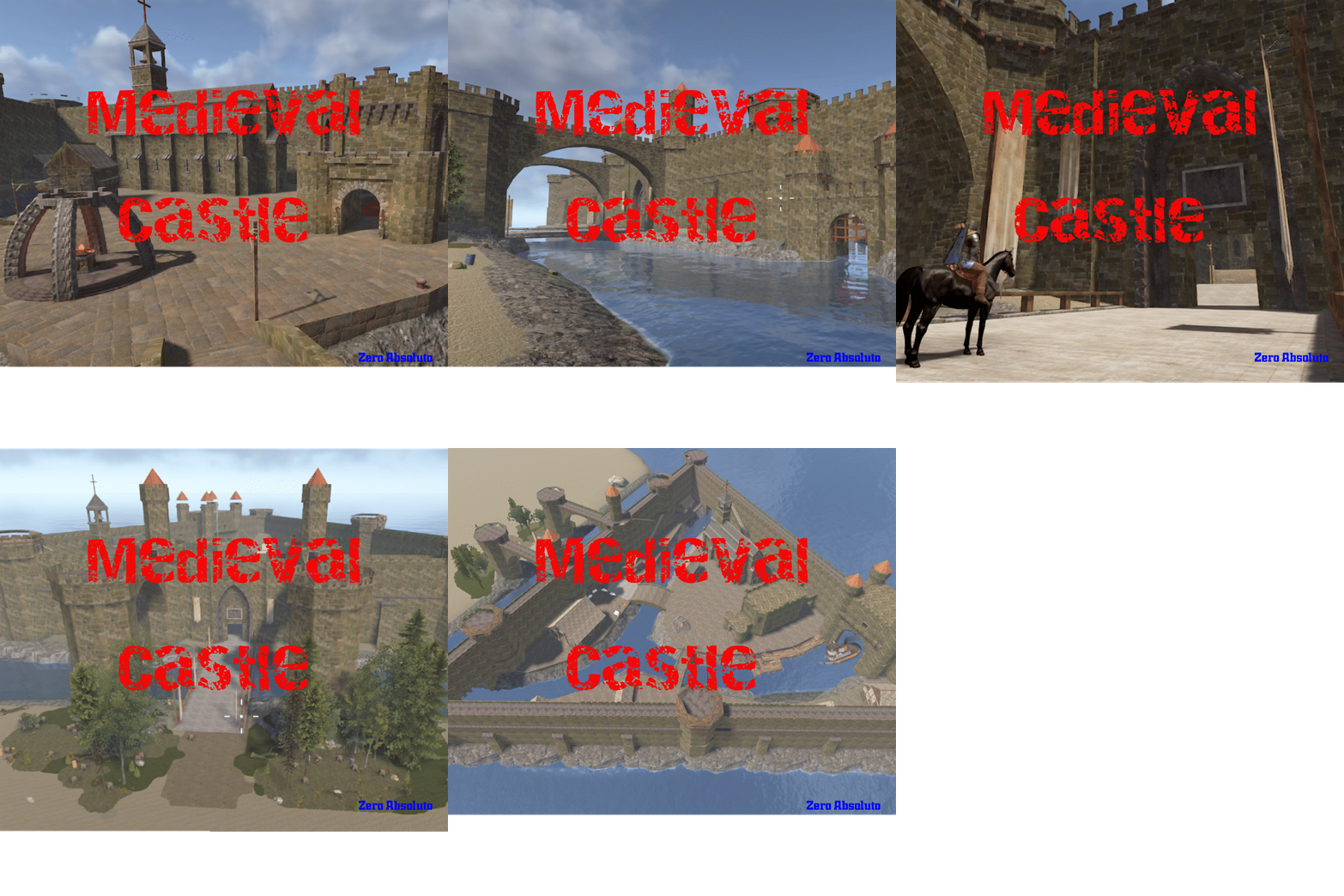
Coastal Medieval Castle — Premium Build for Role-Play Servers Enhance your players’ immersion and elevate your server experience with this imposing medieval coastal castle. Specially designed for role-play environments, it combines epic aesthetics, functionality, and authentic medieval atmosphere in every detail. The fortress features a main land entrance and three maritime access points, one of which is large enough to allow a tugboat to enter. With a total of 12k prefabs, the build is fully optimized to deliver high performance without sacrificing realism or architectural scale. Inside the castle, you’ll find: Fully equipped medieval market, with shops ready for trade and role-play commerce. Small harbor for purchasing and managing boats. Horse shop to enrich the medieval role-play experience. Habitable player houses for those who wish to settle within the castle walls. Hostel with rentable rooms for travelers and visitors. Integrated spawn point, so players appear directly inside the castle when they log in. This castle is more than just a structure — it is a social and narrative hub that encourages interaction, commerce, community life, and the development of medieval storylines. It is the perfect setting for events, trading, and immersive role-play experiences. Your imagination sets the limits. Make this castle the iconic centerpiece of your world and offer your players a unique, engaging, and unforgettable medieval experience.$10.00 -
Version 1216 011025A
144 downloads
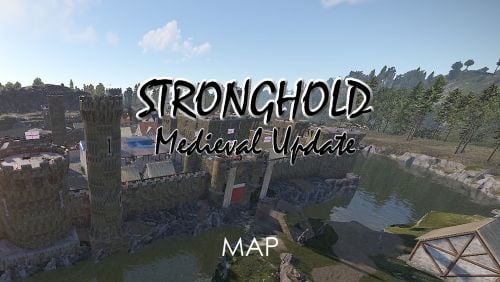
Stronghold - Medieval Update has been redesigned from the ground up, gone are the modern aspects and this is a pure primitive gameplay map Features Bolakov Castle, Bigger More Detailed with all the aspects of Outpost Goldpit Port, a replacement for Harbour Burg, a replacement for RadTown Medieval Chirch (thats how it was spelt in medieval times) Under Chirch Crypt Beacon Towers, a replacement for lighthouses Waterspinne Lord of the Manor, his house and outbuildings Stone Bridges Market Standard Monuments - None - Fully Custom Finally, please make yourself aware of the TOS-Restrictions for use.$39.95 -

Version 1.0.0
5 downloads
This monument serves as an excellent medieval point of interest Use it as a standalone monument or combine it with other structures to create a village or town—the possibilities are endless. I left out NPCs so you can easily add your own later, such as guards or a shopkeeper vendor. The loot is kept minimal to give you the flexibility to customize it as you see fit. Quick Start Extract the zip file into your RustEdit install folder. Start Rust Edit. Click on Prefabs at the top & open up your Prefab List. Under the Custom category, you will now find RobJs Premium Prefabs. Double-click on the prefab file, which will spawn it into the map for you. Drag it to the general area you want to place it. Apply the Height Mask, Topology Mask, and Splat Mask. Contact And Help If you need to contact me discord is best: RobJ2210#2553 For help/support my discord group is best: Join Rust Maps By RobJ Discord$13.99-
- 3
-
-
-
- #medieval
- #robj medieval collection
- (and 4 more)
-
Version 1.0.0
8 downloads
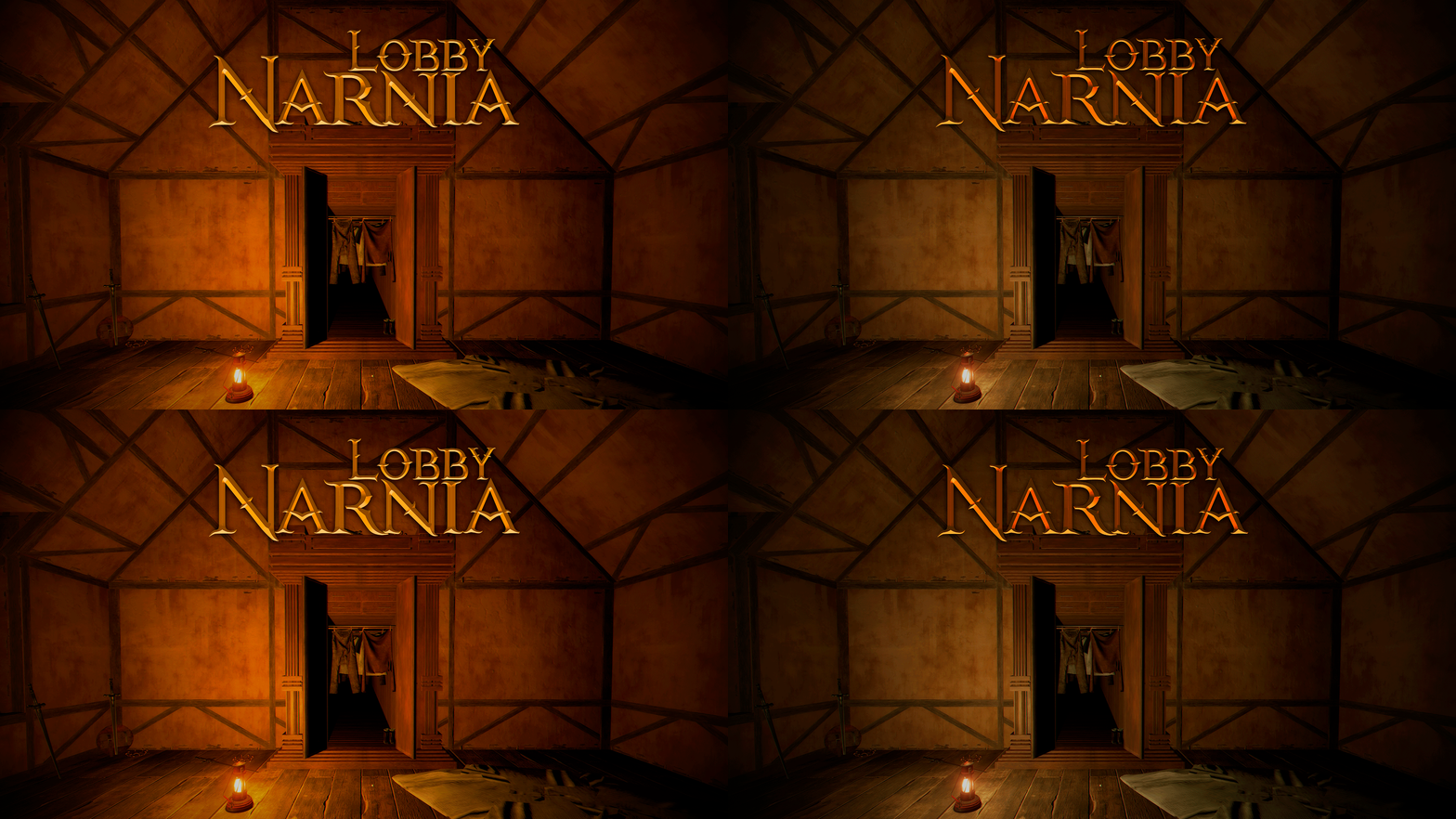
Make your players spawn in epic style on your server. Narnia Lobby is a safe zone where players will spawn on your server with beautiful decorations inspired by The Chronicles of Narnia saga. CONTAINS: Four spawn points. One deer spawn point. Wardrobe with access to the outside. Decorations from The Chronicles of Narnia. Layers: biome, topology, splat, and terrain height. Mountain. TIP: Have fun SUPPORT: https://discord.badgyver.com$9.90 -
Version 2.0.0
45 downloads
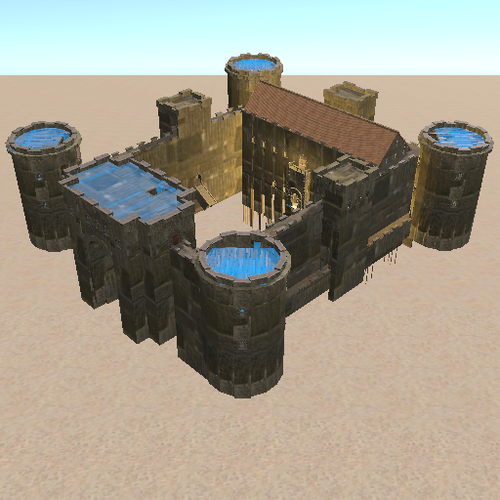
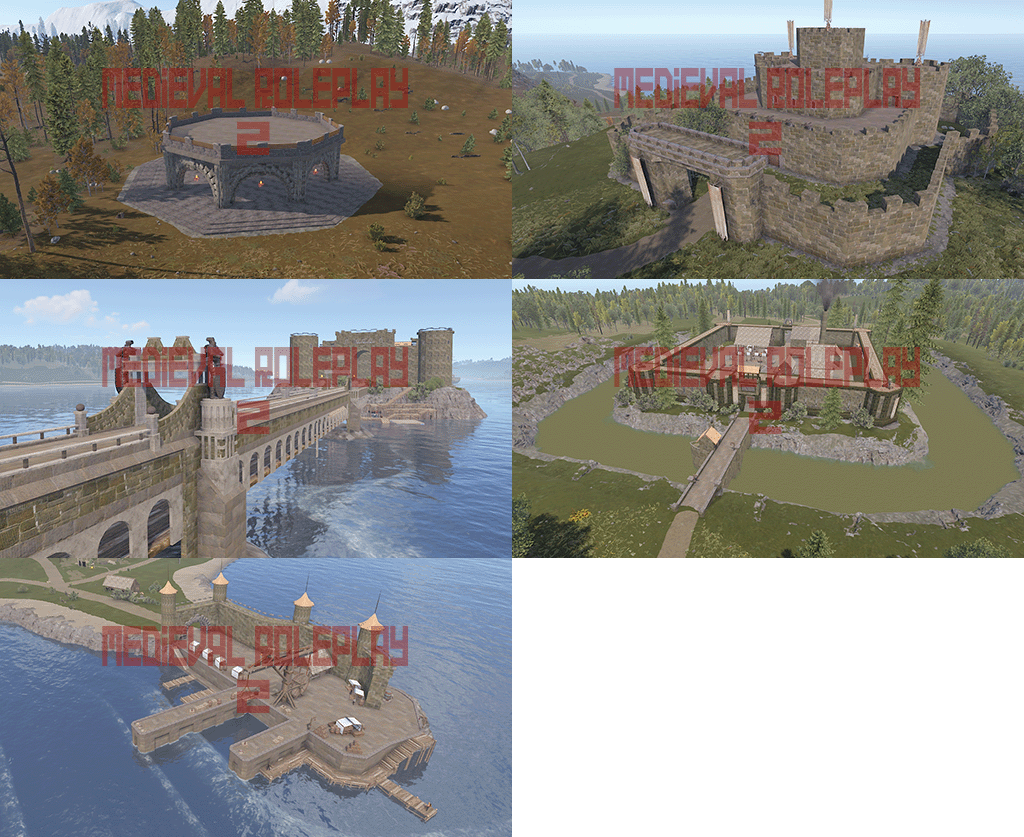
They are medieval structures to create maps with a medieval theme and make rust a little more roleplay. There are four castles, two entrances, a bridge and a triumphal arch. prefab: 1200/ 1500 more or less. Readme.txt$5.00 -
Version V11
108 downloads
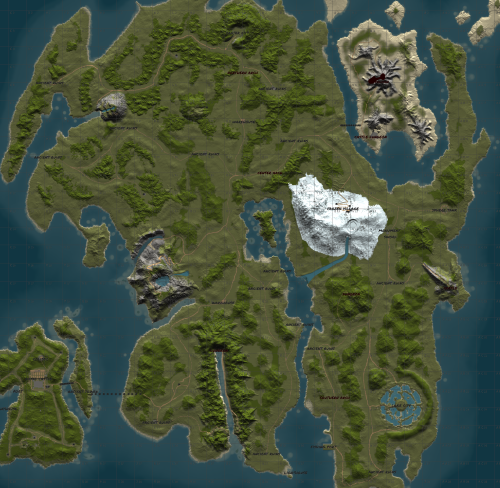
-.The map is based on Tamriel, which I think is perfect for than those who like medieval surroundings, so this map Whether you like it, it does not contain anything from the rust maps, however Several monuments have been created to replace them, for example The petros in this case are pirate ships, there are dungeons and many ruins to loot and along the way there is also custom junkpile medieval. -.This map is not intended to be played normally in Rust but It is designed for Roleplay. Prefab: 48k Size: 4500 Custom Monuments -.13 ruins. -.1 player spawn point. -.2 ports. -.3 dungeons. -.1 roleplay castle (royal castle). -.1 coliseum. -.2 castles to live/rebuild. -.1 volcano (if you fall into the volcano instant death). -.2 zones to create cities (crate city, lake city). -.2 pirate ships (1 is a prison for the admins). -.1 teleport tower (ancient tower). -.1 wizard's tower with vendorsg. -.3 caravans of points of sale New Custom Monument -. Sphere Tank Custom -. LightHouse custom -. WareHouse Custom -.Frozen village -.New Port -.New Castle Additional Information -.For the dungeons to work well, it is recommended to use the plugin portal that is free or if you already have it, the custom portal. -.There are plugins that can make the map entertaining. Ex: so that the charges or other events that are not medieval do not arise. The plugin (Automated Events) works very well. Contact For any questions or requests, please contact us through Discord or the platform itself. discord: zeroabsoluto_273$30.00 -
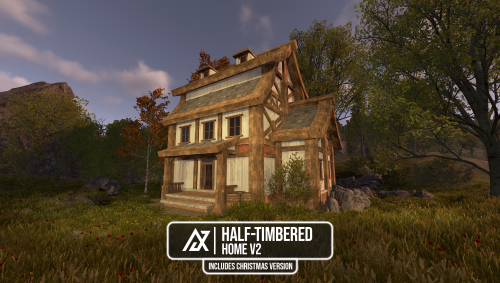
Version 1.0.0
19 downloads
This design features four asset variations inspired by traditional Half-Timbered architecture. Each building includes a red interior outline to help players easily align foundations for building inside. Whether you’re into PvE or roleplay, these structures offer the perfect space to get creative with your decorations and setups. Assets: Half-Timbered Home V2 (Exterior) - Asset count: 505 / Includes Splat & Height Half-Timbered Home V2 (Simple) - Asset count: 477 / Includes Height Half-Timbered Home V2 X-Mas (Exterior) - Asset count: 583 / Includes Splat & Height Half-Timbered Home V2 X-Mas (Simple) - Asset count: 560 / Includes Height$3.99 -

Version 1.0.0
4 downloads
This design features four asset variations inspired by traditional Half-Timbered architecture. Each building includes a red interior outline to help players easily align foundations for building inside. Whether you’re into PvE or roleplay, these structures offer the perfect space to get creative with your decorations and setups. Assets: Half-Timbered Home (Exterior) - Asset count: 735 / Includes Splat & Height Half-Timbered Home (Simple) - Asset count: 714 / Includes Height Half-Timbered Home X-Mas (Exterior) - Asset count: 799 / Includes Splat & Height Half-Timbered Home X-Mas (Simple) - Asset count: 776 / Includes Height$3.99 -
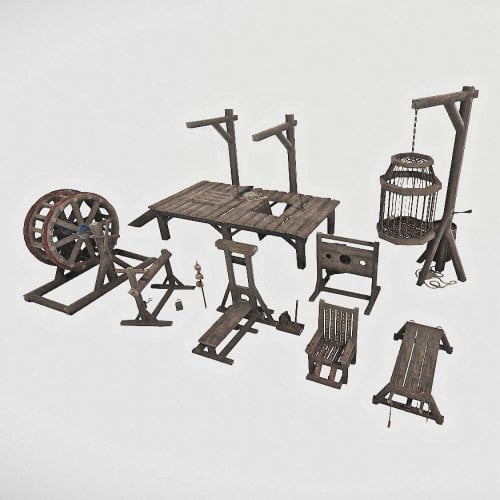
Version 1.0.0
18 downloads
Fits perfectly into the interior of your castle. Not to look nervous) The Inquisition Torture Weapon Pack contains: Catherine's Wheel; Cell; Interrogation chair; Rack-bed; Spanish donkey; The Gallows; The Guillotine; The Pillory.$7.00-
- 4
-
-
-
- #medieval
- #inquisition
- (and 5 more)
-
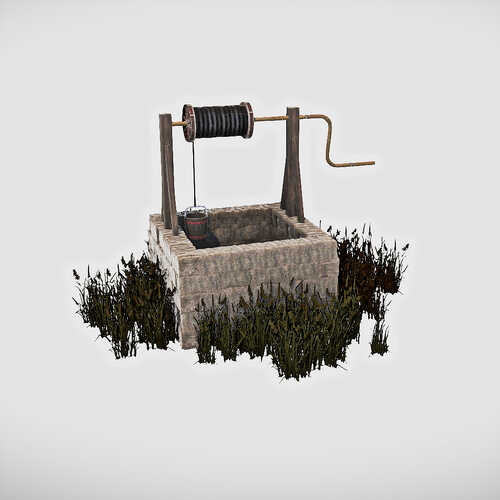
Version 2.0.0
20 downloads
In the set you will find ready-made elements for assembling a garden: Garden house Small bridge Well, Bench Fence section Truck Fountain Path section 1 Path section 2 Minutiae: Shorn bush Sword in stone$7.00 -
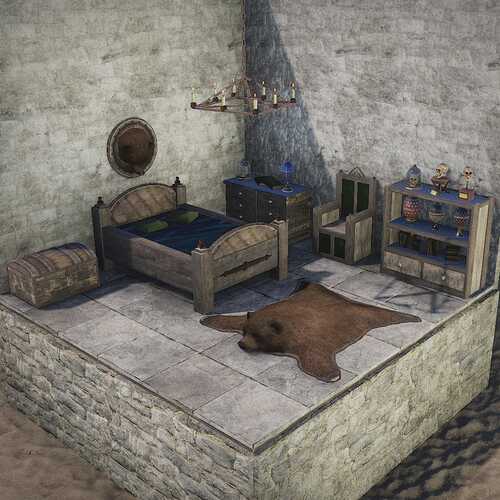
Version 1.0.0
37 downloads
The set consists of several high-quality interior items in the medieval style. All content can be seen on demo pictures, contains 25 items in total. What's Included tables chairs cabinets table setting beds trophies$7.00 -
Version 1.0.0
8 downloads
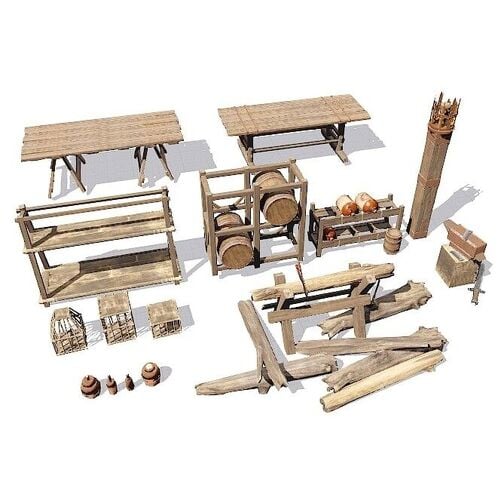
A set of street space placeholders for medieval maps. Contains 23 items: tables, shelves, boxes, cages, jugs, etc.$7.00 -
Version 1.0.0
10 downloads
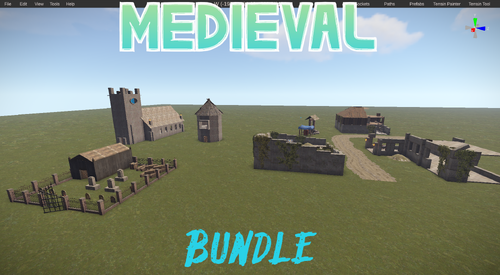
These Are a Pack Of 4 roadside/small monuments used on my primitive server. The Pack Contains 4 Mini Monuments: 1: City Ruins (The Largest of The 4) 2: The Church 3: A Graveyard To Creep Out Your Players 4: A Windmill. These Prefabs Will Fit The Medieval Theme Your Looking For Or Just Look Nice on a Normal Map. The City Ruin Is The Biggest Monument of the pack with easy loot and a small jump puzzle. City Ruins: Normal Crates: 13 Military Crates: 3 Tool Crates: 5 Food And Med Crates: 5 Graveyard: Regular Barrels: 4 Normal Crates: 2 1 oil barrel Food Crate: 2 Med Crate: 2 Church: Normal Crates: 3 Military Crates: 1 Tool Crates: 1 Food Crates: 4 Windmill: Normal Crates: 2 Military Crates: 1 Food Crates: 3$2.00 -
.thumb.png.ca93756d55cb4b45d8880b404e3a90b7.png)
Version 1.0.0
12 downloads
This is a 5 pack medieval junkpile that ive been running on my server. balanced loot and junkpiles that will definitely catch your players attention or make them question your dark side. Junkpile 1 (suicide tree): 1 normal crate 1 tool crate 4 normal barrel spawns Junkpile 2 (fallen soldier): 1 normal crate 4 normal barrels Junkpile 3 (supply wagon): 4 normal barrel spawns 1 tool crate 1 green card spawn Junkpile 4 (Hay Bales): 4 normal barrel spawns 4 oil crate spawns 1 normal crate 1 vehicle parts spawn Junkpile 5 (Boat Wreckage): 5 normal barrel spawns 1 normal crate 1 Hidden Military Crate$1.25-
- 1
-
-
- #medieval
- #primitive
- (and 5 more)
-
Version V3.1
30 downloads
-The new Medieval map is a peculiar island, which I think is perfect for those who enjoy medieval settings. Therefore, this map, whether you like it or not, is for those who truly enjoy medieval settings. Within the world of Rust, there are dungeons and plenty of ruins to loot, and along the way, there's also a ton of medieval junk. This time, I've added several castles that can be inhabited without much modification so as not to break the medieval feel. -This map is not designed for normal Rust play, but rather for roleplay. -Prefab 60k -Size 4500 Monument -Castle Runesacape 1 -King Castle 1 -Castle 3 -House Castrle 1 -Ruin 12 -Lighthouse 4 -Warehouse 2 -Sphere Tank 1 -Port 1 -Tower 4 -Medieval Market 1 -Witch house 1 -Safe Zone 2 -Spawn Point 1 -Volcan 1 -Mine Dungeon 1 -Dungeon 2 Additional Information -There are plugins that can make the map entertaining. Ex: so that the charges or other events that are not medieval do not arise. -The plugin (Automated Events) works very well. Contact For any questions or requests, please contact us through Discord or the platform itself. discord: zeroabsoluto_273$35.00 -
Version 1.0.1
24 downloads
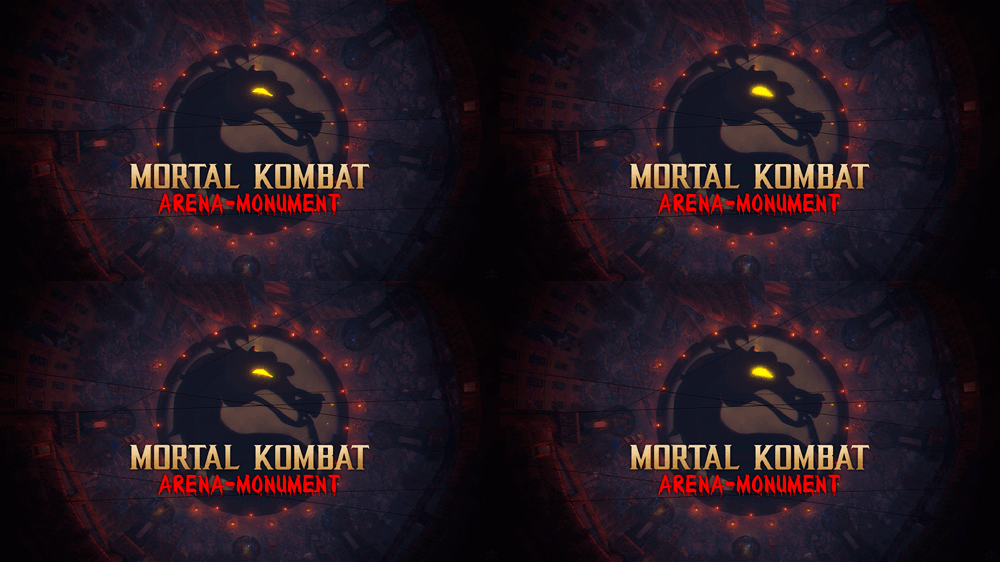
Legendary battlefield, Arena-Monument inspired by the Legendary game Mortal Kombat. Dive into the abyss of doom, a combat Arena forged in the shadows of nightmares inspired by the legendary Mortal Kombat. Wage a brutal battle where your soul is the price. Face hordes of ruthless zombies and relentless warriors. Fire consumes, you traps lurks and towers rise like twisted giants won tower lies ruined under a blanket of rubble. A reminder of the relentless doom reclaim your destiny, spill blood in the arena to achieve glory, prepare to plunge into the darkness in this battlefield, a descent into the depths of terror where only the darkest warriors will find immortality. - INCLUDES • Parkour • Traps • Ziplines • NPCs • Zombies • Towers • Loots • Hackable crates • Flags • Catapults • Siege Towers • Battering Ram • Ballistas • Mortal Kombat logotype - TIPS • You can also use this Arena as a monument for your server. • Use this image for the flags:$14.90- 5 comments
- 1 review
-
- 6
-
-
-
- #mortalkombat
- #mortal kombat
- (and 70 more)
-
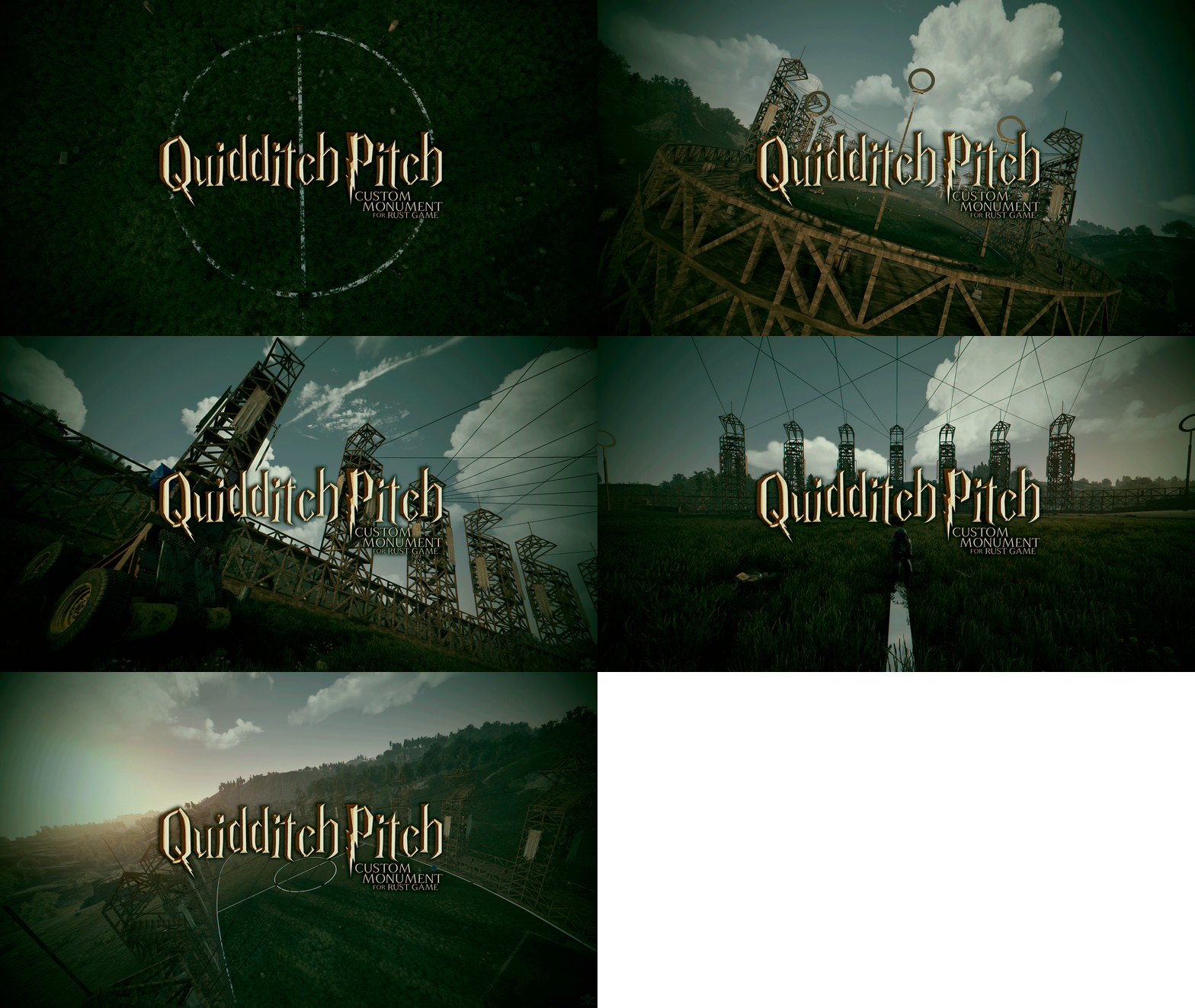
Version 1.0.0
16 downloads
- Quidditch Pitch is a custom monument based on the Harry Potter movies. - Decorate your server and make your Rust players have fun with this pitch. INCLUDES - Ziplines. - Recyclers. - Repair benches. - Catapults. - Ballistas. - Bradley patrols. - Towers. - Loots. - Npcs. TIPS - Go under a tower and press the button to deploy a protection wall against the bradley patrol (Duration of the protection wall 5 minutes). - Have fun$12.90-
- 3
-
-
-
- #quidditch pitch
- #harry potter
- (and 26 more)
-
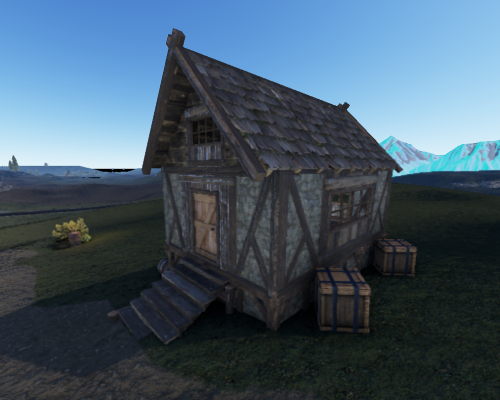
Version 1.0.3
8 downloads
A Medieval Storage House!! This prefab comes with some loot too!$8.00 -
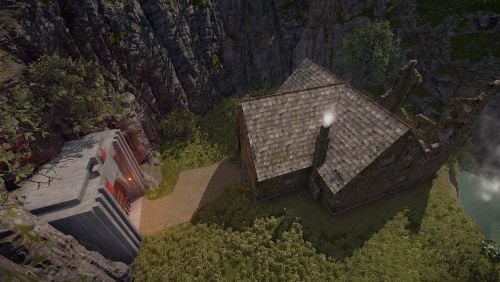
Version 1.0.0
158 downloads
Hey. This is a well-detailed tavern in a small and picturesque gorge made specifically for servers with mini-games. You can use it as a spawn for your players. The pack also includes a tavern building if you want to use it as a small location on any map.Free -
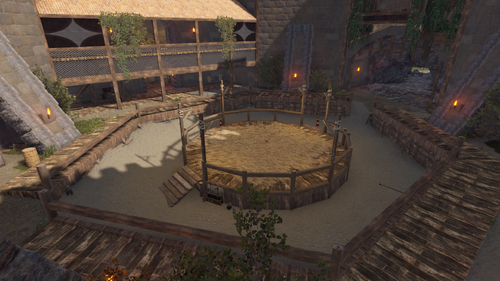
Version 1.0.0
5 downloads
This is a huge medieval castle that represents the anchor location. Inside you will find many rooms, fortifications, corridors and secret passages. There are many loot crates scattered throughout the castle. To find get some of them you will need to try hard enough. Greenrise Stronghold is perfect for both medieval servers and classic vanilla. All its interiors are beautifully detailed and perfectly suit the style not only of the medieval theme, but also of the semi-classic. The castle can be used as a separate location or as an arena for a mod server (you just need to block the entrances). This pack is really flexible it contains 3 versions of this monument: with loot, without loot, and with loot + custom building zone.$20.00 -

Version 1.0.0
30 downloads
Step into my latest medieval monument — a stunning castle outpost that combines a bandit camp, stables, and compound all in one! This immersive build features a richly detailed castle, handcrafted set pieces, and unique structures for NPC vendors, including my brand-new bakery, blacksmiths, and fully equipped stables. Prefab Count: 13963 What Are the Vendors Selling? By default, the outpost uses standard RustEdit vending profiles assigned to each NPC. However, I’ve also created an optional custom plugin designed to take the hassle out of editing and updating vendor items. With just a few clicks, you can switch between two built-in presets: one for the classic Rust era and one tailored specifically for the medieval theme — making it easier than ever to match the vibe of your server. No Turrets? Since this monument is designed with a medieval theme in mind, I’ve replaced turrets with NPC guards equipped with hunting bows — they’re accurate, reactive, and run in peacekeeper mode to maintain balance. Want turrets instead? No problem — just shoot me a message and I’ll provide a turret-ready version. Quick Start Watch Install Video Extract the zip file into your RustEdit install folder. Start Rust Edit. Click on Prefabs at the top & open up your Prefab List. Under the Custom category, you will now find RobJs Premium Prefabs. Double-click on the prefab file, which will spawn it into the map for you. Drag it to the general area you want to place it. Apply the Height Mask, Topology Mask, and Splat Mask. Contact And Help If you need to contact me discord is best: RobJ2210#2553 For help/support my discord group is best: Join RobJ Maps Discord$29.99- 1 comment
-
- 11
-
-
-
- #castle
- #medieval castle
- (and 2 more)
-
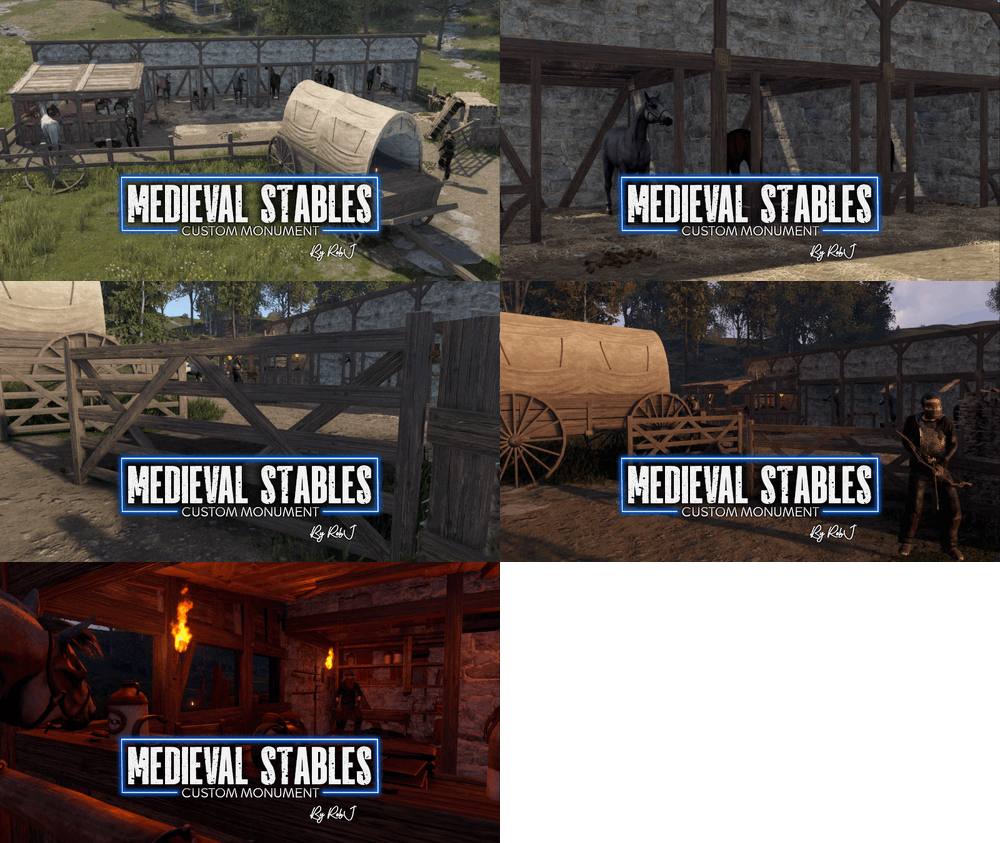
Version 1.0.1
5 downloads
This monument serves as an excellent medieval alternative to stables and ranches. It seamlessly fits into any map and features a safe zone guarded by archers, along with a functional horse seller. NPC’s This monument has built-in peacekeeping NPC’s powered by an included plug-in. If you do not wish to use the built-in bots simply do not install the plug-in and add your own bots at your leisure. Quick Start Extract the zip file into your RustEdit install folder. Start Rust Edit. Click on Prefabs at the top & open up your Prefab List. Under the Custom category, you will now find RobJs Premium Prefabs. Double-click on the prefab file, which will spawn it into the map for you. Drag it to the general area you want to place it. Apply the Height Mask, Topology Mask, and Splat Mask. Contact And Help If you need to contact me discord is best: RobJ2210#2553 For help/support my discord group is best: Join Rust Maps By RobJ Discord$14.99
.thumb.gif.b68fcc45abe70ab7d7235dffc8a0c770.gif)



.thumb.png.ce7dc2cf4b560099acd2420554021a6f.png)