Search the Community
Showing results for tags 'oxide'.
-
Version 0.1.23
1,673 downloads
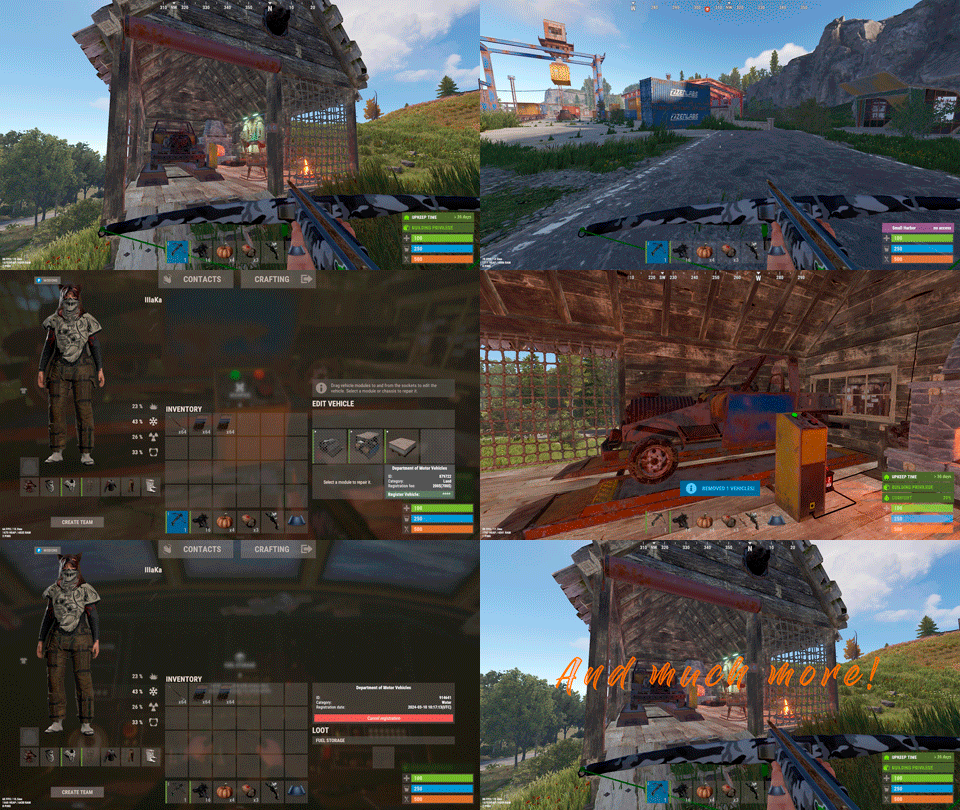
Plugin for Real PvE servers, featuring damage prevention, anti-griefing measures, customizable PvP zones, an automatic loot queue in radtowns and raid zones, and much more. The ability to set "server.pve" to "true", which allows the server to have a "PvE" flag; Damage from NPC's are enabled when server.pve is true; The ability to inflict damage to one's own structures with "server.pve true"; The ability to destroy(including external walls) or rotate one's structures without any time constraints; The ability to toggle the gather resource restriction in someone else's Building Privileges; No one, except the owner or their friends, will be able to open their loot containers (chests, storages, bodies, etc.); Administrators can bypass loot restrictions; The ability to schedule the killing of players if they disconnect within someone else's Building Privilege; Disabling backpack and active item drop upon death, even if backpack is full; The ability to modify the items given at spawn on the beach; The ability to create an unlimited number of custom permissions; The ability to allow players to bypass the queue; The ability to set limits on sleeping bags, shelters and auto turrets for each permission; The ability to set a multiplier for the prices of monuments and events for each permission; The ability to customize the price and amount of vehicles for each of your custom permissions; The ability to assign vehicles to each player; The ability to customize the assigned price and available amount of vehicles for each of your custom permissions; An assigned vehicle can't be damaged, looted or pushed by other players, but it can be pushed if it is within someone else's Building Privilege; The ability to loot monuments through a queue system; The ability to configure monuments, setting their looting price and time, and adjusting status bars for each monument; The ability to acquire the privilege to loot events (helicopters, bradleys, and raidable bases) through a purchase; The ability to customize the price of each event types and loot attempts (lives); NPCs only aggress against players who are looting monuments, events or raidable bases; Only players who are looting monuments, events or raidable bases can inflict damage to NPCs; RaidableBases are protected from griefing(no damage, no loot and etc). Only the owner can interact with the raid; Neutral RaidableBases can be purchased; Prices for purchasing neutral raids are configurable for each difficulty level; Configurable raid limits (currently available) along with discount multipliers for purchases, for each permission. File location: *SERVER*\oxide\data\RealPVE\PermissionConfig.json Default: https://pastebin.com/5VtWZZVr All permissions are created and configured in the config file under the "List of permissions" section. You can create as many permissions as needed and customize them flexibly. It is recommended to use the prefix "realpve" in the permission's name, for example: "realpve.vip". NOTE: The first permission will serve as the default permission for those who do not have any permissions. { "List of permissions. NOTE: The first permission will be used by default for those who do not have any permissions.": [ { "Permission Name": "realpve.default", "Bypass Queue": false, "Limit of beds": 15, "Limit of shelters": 1, "Limit of auto turrets": 12, "Seconds that will be skipped when opening HackableLockedCrate": 0.0, "Monuments price multiplier": 1.0, "Events price multiplier": 1.0, "Limit of RaidableBases(at the time)": 1, "RaidableBases price multiplier": 1.0, "Vehicles settings": { "Horse": { "Limit": 1, "Price": 10.0 }, "Bike": { "Limit": 1, "Price": 5.0 }, "MotorBike": { "Limit": 1, "Price": 20.0 }, "Car": { "Limit": 1, "Price": 25.0 }, ... } }, { "Permission Name": "realpve.vip", "Bypass Queue": true, "Limit of beds": 20, "Limit of shelters": 2, "Limit of auto turrets": 15, "Seconds that will be skipped when opening HackableLockedCrate": 450.0, "Monuments price multiplier": 0.9, "Events price multiplier": 0.9, "Limit of RaidableBases(at the time)": 2, "RaidableBases price multiplier": 0.9, "Vehicles settings": { "Horse": { "Limit": 5, "Price": 9.0 }, "Bike": { "Limit": 5, "Price": 4.5 }, "MotorBike": { "Limit": 5, "Price": 18.0 }, "Car": { "Limit": 5, "Price": 22.5 }, ... } } ], "Version": { "Major": 0, "Minor": 1, "Patch": 1 } } An example of a monument/event/rb multipliers using default permissions. For example, if you set the price for the Harbor at $1000, a player with the default permission(1.0) will pay $1000 * 1 = $1000. Meanwhile, a player with a VIP permission(0.9) will pay $1000 * 0.9 = $900. However, if a player possesses a misbehaving permission with a value of 1.1, they will need to pay $1000 * 1.1 = $1100. { "Chat command": "realpve", "Chat admin command": "adminpve", "Is it worth forcibly implementing PvE for a server?": true, "Is it worth forcing the tutorial mode support?": true, "Is it worth enabling GameTips for messages?": true, "Is it worth rechecking the limits when removing permissions?": true, "Is it worth preventing death on logout in safe zones?": true, "Is it worth preventing the pickup of plants spawned by the server in someone else's building privilege zone?": false, "Is it worth forcibly blocking damage from the patrol helicopter to building blocks and deployables?": false, "Is it worth preventing players from handcuffing others?": true, "Is it worth assigning portals(Halloween and Christmas) to the first player?": true, "Is it worth preventing a backpack from dropping upon player death?": true, "Is it worth preventing damage to the laptop of the Hackable Crate?": true, "Is it worth removing the penalties for recyclers in safe zones?": true, "Is it worth allowing all players to pick up items dropped by others? If enabled, personal settings will be ignored": false, "Is it worth protecting sleeping players from animals?": true, "List of forbidden resource gathering types in someone else's building privilege area. 0 - no restrictions, 1 - trees, 2 - ores, 3 - flesh": [ 1, 2, 3 ], "The format that will be used for prices": "${0}", "Vehicles - Time in seconds to display the marker when searching for a vehicle. A value of 0 disables the marker": 15.0, "Anti-Sleeper - Time in seconds after which a player will be killed if they disconnect while inside someone else's Building Privilege. Set to 0 to disable": 1200.0, "Is it worth enabling support for the 'Npc Random Raids' plugin?": true, "List of language keys for creating language files(excluding ru)": [ "en" ], "Is friendly fire enabled by default when creating a new team?": false, "PvP - Is it worth adding map markers for PvP zones?": true, "PvP - Name of the map maker": "PvP Zone!", "PvP - Settings for the status bar": { "Order": 9, "Height": 26, "Main_Color(Hex or RGBA)": "1 0.39 0.28 0.7", "Main_Transparency": 0.8, "Main_Material": "", "Image_Url": "https://i.imgur.com/oi5vIkk.png", "Image_Local(Leave empty to use Image_Url)": "RealPVE_PvP", "Image_Sprite(Leave empty to use Image_Local or Image_Url)": "", "Image_IsRawImage": false, "Image_Color(Hex or RGBA)": "1 0.39 0.28 1", "Image_Transparency": 1.0, "Is it worth enabling an outline for the image?": false, "Image_Outline_Color(Hex or RGBA)": "0.1 0.3 0.8 0.9", "Image_Outline_Transparency": 0.0, "Image_Outline_Distance": "0.75 0.75", "Text_Size": 12, "Text_Color(Hex or RGBA)": "1 1 1 1", "Text_Font(https://umod.org/guides/rust/basic-concepts-of-gui#fonts)": "RobotoCondensed-Bold.ttf", "Is it worth enabling an outline for the text?": false, "Text_Outline_Color(Hex or RGBA)": "#000000", "Text_Outline_Transparency": 1.0, "Text_Outline_Distance": "0.75 0.75", "SubText_Size": 12, "SubText_Color(Hex or RGBA)": "1 1 1 1", "SubText_Font": "RobotoCondensed-Bold.ttf", "Is it worth enabling an outline for the sub text?": false, "SubText_Outline_Color(Hex or RGBA)": "0.5 0.6 0.7 0.5", "SubText_Outline_Transparency": 0.0, "SubText_Outline_Distance": "0.75 0.75" }, "PvP - Settings for the progress status bar": { "Main_Color(Hex or RGBA)": "1 1 1 0.15", "Main_Transparency": 0.15, "Progress_Reverse": true, "Progress_Color": "#FF6347", "Progress_Transparency": 0.7, "Progress_OffsetMin": "0 0", "Progress_OffsetMax": "0 0" }, "Wipe ID": null, "Version": { "Major": 0, "Minor": 1, "Patch": 21 } } ENG: https://pastebin.com/ZMUL6pYL RUS: https://pastebin.com/Mx8cbMts Main commands(/realpve) : autobuy - Toggle autobuy for monuments, vanilla events and raid bases with a total price greater than 0; pickup - Toggle access to pick up your items from the ground for all players; share - Manage access to looting your entities by other players(outside of the team): status *entityID*(optional) - Display information about the settings of the entity you are looking at or the one you specified; add *nameOrID* *entityID*(optional) - Add the specified player to the entity list you are looking at or the one you specified; remove *nameOrID* *entityID*(optional) - Remove the specified player from the entity list you are looking at or the one you specified; toggle *entityID*(optional) - Toggle the entity list you are looking at or the one you specified; delete *entityID*(optional) - Delete the settings for the entity you are looking at or the one you specified; clear - Delete the settings for all your entities. team - Manage your team: ff - Toggle the ability to damage your teammates. vehicle - Manage your vehicles: list - List of IDs for all your vehicles; find *vehicleID*(optional) - Help finding the vehicle you are looking at or the one you specified; unlink *vehicleID*(optional) - Unlink the vehicle you are looking at or the one you specified; clear - Unlink all your vehicles. Admin commands(/adminpve). Permission "realpve.admin" required: autobuy - Manage autobuy for monuments, vanilla events and raid bases: *nameOrId* - Toggle autobuy for the specified player; force monument/event/rb - Toggle forced autobuy. If enabled, player settings will be ignored; clear - Disable autobuy for everyone. config - Manage settings for values in the configuration file: forcepve *boolValue*(optional) - Is it worth forcibly implementing PvE for a server? forcetutorial *boolValue*(optional) - Is it worth forcing the tutorial mode support? gametips *boolValue*(optional) - Is it worth enabling GameTips for messages? perm_limits *boolValue*(optional) - Is it worth rechecking the limits when removing permissions? safe_death *boolValue*(optional) - Is it worth preventing death on logout in safe zones? heli_damage *boolValue*(optional) - Is it worth forcibly blocking damage from the patrol helicopter to building blocks and deployables? handcuffs *boolValue*(optional) - Is it worth assigning portals(Halloween and Christmas) to the first player? portals *boolValue*(optional) - Is it worth preventing players from handcuffing others? backpack_drop *boolValue*(optional) - Is it worth preventing a backpack from dropping upon player death? laptop_damage *boolValue*(optional) - Is it worth preventing damage to the laptop of the Hackable Crate? recycler_safezone *boolValue*(optional) - Is it worth removing the penalties for recyclers in safe zones? item_pickup *boolValue*(optional) - Is it worth allowing all players to pick up items dropped by others? If enabled, personal settings will be ignored; safe_sleep *boolValue*(optional) - Is it worth protecting sleeping players from animals? loot_privilege *stringValues* - Entities spawned by the server allowed to be looted in someone else's building privilege zone(None, Wood, Ore, Flesh, Collectible, All) ; priceformat *stringValue* - The format that will be used for prices; vehicle_marker_time *floatValue* - Vehicles - Time in seconds to display the marker when searching for a vehicle. A value of 0 disables the marker; antisleeper *floatValue* - Anti-Sleeper - Time in seconds after which a player will be killed if they disconnect while inside someone else's Building Privilege. Set to 0 to disable; randomraids *boolValue*(optional) - Is it worth enabling support for the 'Npc Random Raids' plugin? teamff *boolValue*(optional) - Is friendly fire enabled by default when creating a new team? pvpmarkers *boolValue*(optional) - PvP - Is it worth adding map markers for PvP zones? pvpmarkersname *stringValue* - PvP - Name of the map maker. loot - Manage player access to entities without restrictions: *nameOrId* - Toggle unrestricted access for the specified player; self - Toggle unrestricted access for yourself; clear - Revoke unrestricted access for all players. monument - Manage monuments: list - List of available monuments; ignore *nameOrID* *boolValue* - Add or remove a player from the monument entry ignore list; *monumentID*/this - Instead of the monumentID, you can use the word "this", but you must be inside the monument: suffix *boolValue*(optional) - Toggle the suffix display in the monument's name; broadcast *boolValue*(optional) - Toggle notifications about monument occupancy/release; time *intValue* - Set the looting time limit for the monument in seconds; price *floatValue* - Set the cost for looting rights. A value of 0 makes the monument free; offer *floatValue* - Set the offer duration for purchasing the monument in seconds; map_mode *intValue* - Set the marker display mode on the map. 0 - disabled, 1 - enabled, 2 - enabled during PvP mode; map_circle *boolValue*(optional) - Toggle the display of the monument's circle marker on the map; pvp *boolValue*(optional) - Toggle PvP mode for the monument; pvp_delay *floatValue* - Set the PvP mode duration in seconds for players after leaving the PvP monument; bar_progress *boolValue*(optional) - Toggle between TimeProgressCounter and TimeCounter bars for the monument. perm - Manage permissions: add *permName* - Adds a new permission to the list by copying values from the first(default) permission in the list. If the permission name starts with 'realpve', it will also register a new permission; add *permName* *sourcePermName* - Adds a new permission to the list by copying values from an existing permission in the list; remove *permName* - Removes an existing permission from the list; edit *permName* - Edits a permission: queue - Toggle the permission to bypass the server queue; unlockRespawn - Toggle the availability of the Outpost respawn point; beds *intValue* - Restriction on the number of available beds; shelters *intValue* - Restriction on the number of available shelters; turrets *intValue* - Restriction on the number of available turrets; hackable *floatValue* - Number of seconds(0-900) to skip when opening a hackable crate; monuments *floatValue* - Price multiplier for monuments; events *floatValue* - Price multiplier for vanilla events; rb_limit *intValue* - Restriction on the number of raid bases available simultaneously; rb_mult *floatValue* - Price multiplier for raid bases; vehicles *vehType* - Vehicles settings: limit *intValue* - Limit on the number of available vehicles by type; price *floatValue* - Price for registering a vehicle by type. clear - Removes all permissions from the list except the first one. pickup - Manage access to picking up another player's items from the ground: *nameOrId* - Toggle access to picking up a specific player's items from the ground; clear - Revoke access for all players to pick up items from the ground. share - Manage access to looting entities by other players(outside of the team): status *entityID*(optional) - Display information about the settings of the entity you are looking at or the one you specified; add *nameOrID* *entityID*(optional) - Add the specified player to the entity list you are looking at or the one you specified; remove *nameOrID* *entityID*(optional) - Remove the specified player from the entity list you are looking at or the one you specified; toggle *entityID*(optional) - Toggle the entity list you are looking at or the one you specified; delete *entityID*(optional) - Delete the settings for the entity you are looking at or the one you specified; clear *nameOrID*(optional) - Delete the settings for all entities or all entities of the specified player. tc - Manage building privilege: add self/*entityID* *nameOrID*(optional) - Add yourself or a specified player to the building privilege of the area you or the specified entity are in; remove self/*entityID* *nameOrID*(optional) - Remove yourself or a specified player from the building privilege of the area you or the specified entity are in; clear self/*entityID* - Clear the list of authorized players in the building privilege of the area you or the specified entity are in; info self/*entityID* - Get information about the building privilege of the area you or the specified entity are in. vehicle - List of all available vehicle types: types - List of available vehicle types. Example: /realpve pickup /realpve vehicle find *netID* /realpve team ff /adminpve config loot_privilege wood, ore /adminpve perm add realpve.vip2 /adminpve perm add realpve.vip2 realpve.vip /adminpve perm edit realpve.vip2 queue true /adminpve perm edit realpve.vip2 vehicles horse limit 5 /adminpve monument list /adminpve monument *monumentID* pvp /adminpve monument *monumentID* price 7.5 /adminpve loot iiiaka /adminpve pickup iiiaka /adminpve tc info self /adminpve tc info 6959689 /adminpve vehicle types This plugin provides the ability to claim vehicles, thereby preventing theft and griefing from other players. In permissions, you can set the price and quantity restrictions for each type of vehicle, ensuring flexible customization according to your preferences. An assigned vehicle can't be damaged, looted or pushed by other players, but it can be pushed if it is within someone else's Building Privilege. File location: *SERVER*\oxide\data\RealPVE\MonumentConfig.json Default: https://pastebin.com/XY1d9YaM This plugin introduces queue system and loot purchases for monuments. You can customize the price and time for looting for each monument. Within monuments, only the "Looter" and his friends have the ability to loot, pick up items or damage entities. Additionally and NPCs within monuments do not aggress against other players and do not receive damage from them. If a player dies within the monument, they will have a grace period to return. This allows players to safely loot monuments without fear of griefing. Example of monument configuration: "ferry_terminal_1": { "Type(This parameter is just a hint. Changes won’t have any effect)": "RadTown", "Is it worth displaying the suffix(if any) in the monument's name?": true, "Is it worth notifying all players about the occupation/release of the monument?": true, "The cost for the right to loot the monument. A value of 0 makes the monument free": 15.0, "The time in seconds(1-3600) given for looting the monument": 900, "The time in seconds(1-15) given to make a decision to purchase the monument": 5.0, "Map marker display mode: 0 - disabled, 1 - enabled, 2 - enabled during PvP mode": 1, "Is it worth creating a circle in the map marker?": true, "PvP - Is PvP enabled at this monument? If so, players will be able to kill each other and loot will be publicly accessible": false, "PvP - The time in seconds(0-60) during which the player retains PvP mode after leaving the PvP monument": 10.0, "Is it worth using a progress bar for bars with a counter?": true, "Settings for the status bar": { "Order": 10, "Height": 26, "Main_Color(Hex or RGBA)": "#FFBF99", "Main_Transparency": 0.8, "Main_Material": "", "Image_Url": "https://i.imgur.com/awUrIwA.png", "Image_Local(Leave empty to use Image_Url)": "RealPVE_ferry_terminal_1", "Image_Sprite(Leave empty to use Image_Local or Image_Url)": "", "Image_IsRawImage": false, "Image_Color(Hex or RGBA)": "#FFDCB6", "Image_Transparency": 1.0, "Is it worth enabling an outline for the image?": false, "Image_Outline_Color(Hex or RGBA)": "0.1 0.3 0.8 0.9", "Image_Outline_Transparency": 0.0, "Image_Outline_Distance": "0.75 0.75", "Text_Size": 12, "Text_Color(Hex or RGBA)": "1 1 1 1", "Text_Font(https://umod.org/guides/rust/basic-concepts-of-gui#fonts)": "RobotoCondensed-Bold.ttf", "Is it worth enabling an outline for the text?": false, "Text_Outline_Color(Hex or RGBA)": "#000000", "Text_Outline_Transparency": 1.0, "Text_Outline_Distance": "0.75 0.75", "SubText_Size": 12, "SubText_Color(Hex or RGBA)": "1 1 1 1", "SubText_Font": "RobotoCondensed-Bold.ttf", "Is it worth enabling an outline for the sub text?": false, "SubText_Outline_Color(Hex or RGBA)": "0.5 0.6 0.7 0.5", "SubText_Outline_Transparency": 0.0, "SubText_Outline_Distance": "0.75 0.75" }, "Settings for the progress status bar": { "Main_Color(Hex or RGBA)": "1 1 1 0.15", "Main_Transparency": 0.15, "Progress_Reverse": true, "Progress_Color": "#FFBF99", "Progress_Transparency": 0.7, "Progress_OffsetMin": "0 0", "Progress_OffsetMax": "0 0" } } Type - This field serves only as an indicator for you. The changes won't have any impact; ShowSuffix - Suffix display. Some monuments (for example Warehouses) have suffixes in the name, like "Warehouse #12"; Broadcast - Enabling or disabling broadcasts when a monument is occupied or vacated; LootingTime - Time allocated for looting the monument; Price - The price for which you can start looting the monument. 0 means looting is free; BarSettings - Settings for the Advanced Status Bar. You can also choose the types of monuments by specifying them under the "List of tracked types of monuments" section. A list of all available types can be viewed on the MonumentsWatcher's page in the "Developer API" section. "List of tracked types of monuments": [ "RadTown", "RadTownWater", "RadTownSmall", "TunnelStation", "Custom" ] Events, similar to monuments, offer the opportunity to claim events. All events are configured in the config file under the "Settings for the events" section. You can customize the price of looting and looting attempts(deaths, including friends). Just like in monuments, only the "Looter" and his friends have the ability to loot and damage entities. Additionally, in events, NPCs do not aggress against other players. If a player(including friends) exceeds the death limit, the event became free, thereby providing other players with the opportunity to claim the event. Example of event configuration: { "Is it worth enabling forced auto-buy for vanilla events where the final price is greater than 0?": false, "Settings for the PatrolHelicopter events": { "IsEnabled": true, "Time in seconds (1-15) given to respond for purchasing this event. Note: This is shown to everyone who deals damage, and the first person to buy it will claim it": 5.0, "Is it worth removing fire from crates?": true, "The price to claim the event. A value of 0 means it's free": 50.0, "The number of deaths after which the event becomes public. A value of 0 disables the limit": 5, "The time in seconds for which the event is locked to the player. A value of 0 disables the time limit": 1800.0 }, "Settings for the BradleyAPC events": { "IsEnabled": true, "Time in seconds (1-15) given to respond for purchasing this event. Note: This is shown to everyone who deals damage, and the first person to buy it will claim it": 5.0, "Is it worth removing fire from crates?": true, "The price to claim the event. A value of 0 means it's free": 50.0, "The number of deaths after which the event becomes public. A value of 0 disables the limit": 5, "The time in seconds for which the event is locked to the player. A value of 0 disables the time limit": 1800.0 }, "Version": { "Major": 0, "Minor": 1, "Patch": 0 } } Price - The price to claim the event. 0 means looting is free; DeathLimit - Limit of deaths after which the event becomes free. File location: *SERVER*\oxide\data\RealPVE\NewbieConfig.json Default: https://pastebin.com/QHZCqpji An example of an item list given for the main inventory: "List of items for the main inventory": [ { "ShortName": "note", "Slot": 0, "Amount": 1, "SkinID": 0, "Text": "MsgNoteText" } ] P.S. In the Text field, you need to specify the language key. Or, you can just write any text, but there won't be a translation of the text. File location: *SERVER*\oxide\data\RealPVE\RaidableBasesConfig.json Default: https://pastebin.com/rpDng7Fd Integration with the RaidableBases plugin does not restrict its functionality in any way. On the contrary, it adds an anti-grief system that protects bases from malicious players. In raid bases, NPCs and other entities can only receive damage from the raid owner or their friends; Turrets and traps do not aggress against outsiders; You can customize the price of claiming to each difficulty and set individual discounts for each permission. You can still purchase raid bases using the /buyraid command. Raid bases without owners(buyable, maintained, manual and scheduled) can be bought for a price set in the configuration file or assigned to the first player who enters its radius, if the final price(price * discount) less or equals to 0. Additionally, as a bonus, upon buying this plugin, you receive 5 free bases for 3 difficulty levels, along with configured loot for them. [PluginReference] private Plugin RealPVE; There are 6 universal hooks that the plugin is subscribed to, the use of which allows interaction with PVP in various PVE plugins: OnPlayerEnterPVP OnPlayerExitPVP OnEntityEnterPVP OnEntityExitPVP CreatePVPMapMarker DeletePVPMapMarker OnPlayerEnterPVP: Used to add a player to PVP mode/zone. To call the OnPlayerEnterPVP hook, you need to pass 2 parameters: <BasePlayer>player - The player to add to PVP; <string>zoneID - A unique identifier for your PVP zone. This parameter is very important because a player can be in multiple PVP zones at the same time and passing the zoneID in this case allows for correct processing of the player's location within them. Interface.CallHook("OnPlayerEnterPVP", player, "*Your unique zone identifier*");//Calling the OnPlayerEnterPVP hook to tell PVE plugins that the player needs to be added to the specified PVP zone. OnPlayerExitPVP: Used to remove a player from PVP mode/zone. Calling this hook guarantees the player’s removal from the specified PVP zone, but does not guarantee the removal from PVP mode, as there may be other zones in addition to yours. Also, when a player dies, they are automatically removed from all PVP zones. To call the OnPlayerExitPVP hook, you need to pass 3 parameters, 1 of which is optional: <BasePlayer>player - The player to remove from PVP; <string>zoneID - A unique identifier for your PVP zone; <float>pvpDelay - Optional. When the player exits your PVP zone, you can also pass the PVP delay time. However, if the player still has other active PVP zones, your PVP delay will not take effect. Interface.CallHook("OnPlayerExitPVP", player, "*Your unique zone identifier*", 10f);//Calling the OnPlayerExitPVP hook to tell PVE plugins that the player needs to be removed from the specified PVP zone, with the pvpDelay(10 seconds) specified if the player no longer has any active PVP zones. OnEntityEnterPVP: Used to add an entity to PVP mode/zone. In the case of RealPVE, this hook is only necessary to add entities with an owner(player) to a PVP, allowing other players to interact with them, such as a player's corpse after death(PlayerCorpse) or a backpack after the corpse disappears(DroppedItemContainer). To call the OnEntityEnterPVP hook, you need to pass 2 parameters: <BaseEntity>entity - The entity to add to PVP; <string>zoneID - A unique identifier for your PVP zone. Interface.CallHook("OnEntityEnterPVP", entity, "*Your unique zone identifier*");//Calling the OnEntityEnterPVP hook to tell PVE plugins that the entity needs to be added to the specified PVP zone. OnEntityExitPVP: Used to remove an entity from PVP mode/zone. When an entity dies, it is automatically removed from all PVP zones. To call the OnEntityExitPVP hook, you need to pass 3 parameters, 1 of which is optional: <BaseEntity>entity - The entity to remove from PVP; <string>zoneID - A unique identifier for your PVP zone; <float>pvpDelay - Optional. When the entity exits your PVP zone, you can also pass the PVP delay time. However, if the entity still has other active PVP zones, your PVP delay will not take effect. Interface.CallHook("OnEntityExitPVP", entity, "*Your unique zone identifier*", 10f);//Calling the OnEntityExitPVP hook to tell PVE plugins that the entity needs to be removed from the specified PVP zone, with the pvpDelay(10 seconds) specified if the entity no longer has any active PVP zones. CreatePVPMapMarker: Used to create a map marker for the PVP zone. To call the CreatePVPMapMarker hook, you need to pass 5 parameters, 2 of which is optional: <string>zoneID - A unique identifier for your PVP zone; <Vector3>pos - The position of your PVP zone; <float>radius - The radius of the circle for your PVP zone; <string>displayName - Optional. The display name for the map marker; <BaseEntity>entity - Optional. The entity to which the map marker should be attached. Interface.CallHook("CreatePVPMapMarker", "*Your unique zone identifier*", pos, 25f, "ATTENTION! This is a PVP zone!");//Calling the CreatePVPMapMarker hook to tell PVE plugins to create a map marker for the specified zone, at the specified position with the given radius, but without specifying a parent entity. DeletePVPMapMarker: Used to delete a map marker for the PVP zone. To call the DeletePVPMapMarker hook, you need to pass only 1 parameter: <string>zoneID - A unique identifier for your PVP zone. Interface.CallHook("DeletePVPMapMarker", "*Your unique zone identifier*");//Calling the DeletePVPMapMarker hook to tell PVE plugins to delete a map marker for the specified zone. There are 5 hooks that the plugin calls: OnPlayerPVPDelay OnPlayerPVPDelayed OnPlayerPVPDelayRemoved OnZoneStatusText CanRedeemKit OnPlayerPVPDelay: Called when a player exits the last active PVP zone, allowing other plugins to overwrite the value for pvpDelay. Returning a float value allows changing the pvpDelay for the player. A value less than zero disables the pvpDelay. When calling the OnPlayerPVPDelay hook, 3 parameters are passed: <BasePlayer>player - The player to whom the pvpDelay is applied; <float>pvpDelay - The initial value of pvpDelay; <string>zoneID - A unique identifier of PVP zone. object OnPlayerPVPDelay(BasePlayer player, float pvpDelay, string zoneID) { Puts($"Attempting to set a PvP delay of {pvpDelay} seconds for player {player.displayName} in zone {zoneID}!"); if (zoneID == "*Your unique zone identifier*") { return 15f;//Overriding the values for pvpDelay } return null;//Leave unchanged } OnPlayerPVPDelayed: Called after the PVP delay has been set for the player. When calling the OnPlayerPVPDelayed hook, 3 parameters are passed: <BasePlayer>player - The player to whom the pvpDelay is applied; <float>pvpDelay - The value of pvpDelay; <string>zoneID - A unique identifier of PVP zone. void OnPlayerPVPDelayed(BasePlayer player, float pvpDelay, string zoneID) { Puts($"A PvP delay of {pvpDelay} seconds has been set for player {player.displayName} in zone {zoneID}!"); } OnPlayerPVPDelayRemoved: Called when the PVP delay is removed from the player after they enter a PVP zone with an active PVP delay. When calling the OnPlayerPVPDelayRemoved hook, only 1 parameter is passed: <BasePlayer>player - The player from whom the PVP delay has been removed. void OnPlayerPVPDelayRemoved(BasePlayer player) { Puts($"PVP delay has been removed for player {player.displayName} as they entered a PVP zone!"); } OnZoneStatusText: Called when the text with the nice name for the specified zone is needed, to be displayed in the status bar. When calling the OnZoneStatusText hook, 2 parameters are passed: <BasePlayer>player - The player for whom the nice name for the zone is being requested; <string>zoneID - A unique identifier of PVP zone. object OnZoneStatusText(BasePlayer player, string zoneID) { Puts($"Text for the status bar is required for zone {zoneID}"); if (zoneID == "*Your unique zone identifier*") { return lang.GetMessage("*langKey*", this, player.UserIDString);//<string>Overriding the value for the status bar text } return null;//Leave unchanged } CanRedeemKit: Called before giving the starter kit, in the OnDefaultItemsReceive hook. A non-zero value cancels this action. When calling the CanRedeemKit hook, only 1 parameter is passed: <BasePlayer>player - The player to whom the kit is being attempted to be given. object CanRedeemKit(BasePlayer player) { Puts($"Attempting to give the kit to player {player.displayName}!"); if (player.IsAdmin) { return false;//Cancel the action } return null;//Leave unchanged }$39.99 -

Version 0.1.8
1,128 downloads
Useful plugin for managing temporary permissions, temporary groups and temporary permissions for groups. This is done through chat commands, built-in Oxide commands, and API methods. Note: The dates is in UTC format. The ability to grant players temporary permissions by specifying either the number of seconds, an exact expiration date or until the wipe occurs; The ability to add players to temporary groups by specifying either the number of seconds, an exact expiration date or until the wipe occurs; The ability to grant groups temporary permissions by specifying either the number of seconds, an exact expiration date or until the wipe occurs; The ability to revoke temporary permissions from players and groups prematurely; The ability to remove players from groups prematurely; The ability to perform all the above actions using existing and familiar console commands(e.g., o.grant), simply by adding the number of seconds, the expiration date or the word "wipe" at the end; The ability to perform all the above actions using a chat command (by default /tperm); The ability to perform all the above actions using API methods; The ability to remove all temporary permissions and groups upon wipe detection. temporarypermissions.admin - Grants access to the admin command(by default /tperm). { "Chat command": "myperm", "Chat admin command": "tperm", "Is it worth enabling GameTips for messages?": true, "List of language keys for creating language files": [ "en" ], "Is it worth saving logs to a file?": true, "Is it worth using console logging?": true, "Interval in seconds for expiration check": 1.0, "Interval in seconds for checking the presence of temporary permissions and temporary groups. A value of 0 disables the check": 600.0, "Is it worth restoring removed temporary permissions and temporary groups if the timer hasn't expired? There are cases where removal cannot be tracked in the usual way": true, "Is it worth revoking temporary permissions and temporary groups when unloading the plugin, without removing them from the data file?": true, "Is it worth revoking temporary permissions and temporary groups that haven't expired yet upon detecting a wipe?": false, "Custom wipe date(detected only during initialization). Only required if you're experiencing issues with the Wipe ID. Leave empty to use the Wipe ID. Example: 2025-06-25 13:00": "", "Wipe ID": null, "Version": { "Major": 0, "Minor": 1, "Patch": 8 } } EN: { "CmdAdmin": "Available admin commands:\n\n<color=#D1CBCB>/tperm</color> <color=#D1AB9A>grant user *nameOrId* realpve.vip wipe</color> - Grants or extends the specified permission for the specified player until the end of the current wipe\n<color=#D1CBCB>/tperm</color> <color=#D1AB9A>grant user *nameOrId* realpve.vip *intValue* *boolValue*(optional)</color> - Grants or extends the specified permission for the specified player for the given number of seconds\n<color=#D1CBCB>/tperm</color> <color=#D1AB9A>grant user *nameOrId* realpve.vip *expirationDate* *assignmentDate*(optional)</color> - Grants or extends the specified permission for the specified player until the given date\n<color=#D1CBCB>/tperm</color> <color=#D1AB9A>grant group *groupName* realpve.vip wipe</color> - Grants or extends the specified permission for the specified group until the end of the current wipe\n<color=#D1CBCB>/tperm</color> <color=#D1AB9A>grant group *groupName* realpve.vip *intValue* *boolValue*(optional)</color> - Grants or extends the specified permission for the specified group for the given number of seconds\n<color=#D1CBCB>/tperm</color> <color=#D1AB9A>grant group *groupName* realpve.vip *expirationDate* *assignmentDate*(optional)</color> - Grants or extends the specified permission for the specified group until the given date\n<color=#D1CBCB>/tperm</color> <color=#D1AB9A>revoke user *nameOrId* realpve.vip</color> - Revokes the specified permission from the specified player\n<color=#D1CBCB>/tperm</color> <color=#D1AB9A>revoke group *groupName* realpve.vip</color> - Revokes the specified permission from the specified group\n<color=#D1CBCB>/tperm</color> <color=#D1AB9A>add *nameOrId* *groupName* wipe</color> - Adds or extends the specified player's membership in the specified group until the end of the current wipe\n<color=#D1CBCB>/tperm</color> <color=#D1AB9A>add *nameOrId* *groupName* *intValue* *boolValue*(optional)</color> - Adds or extends the specified player's membership in the specified group for the given number of seconds\n<color=#D1CBCB>/tperm</color> <color=#D1AB9A>add *nameOrId* *groupName* *expirationDate* *assignmentDate*(optional)</color> - Adds or extends the specified player's membership in the specified group until the given date\n<color=#D1CBCB>/tperm</color> <color=#D1AB9A>remove *nameOrId* *groupName*</color> - Removes the specified player from the specified group\n<color=#D1CBCB>/tperm</color> <color=#D1AB9A>wipe *wipeDate*</color> - Set a custom wipe date. Used in case of issues with the Wipe ID. Format: yyyy-MM-dd HH:mm\n<color=#D1CBCB>/tperm</color> <color=#D1AB9A>wipe reset</color> - Reset the custom wipe date\n\n<color=#D1CBCB>Optional values:</color>\n*boolValue* - If false(default) and an existing permission or group membership has not expired, the specified time will be added to the existing time. Otherwise, including when true, the specified time will be counted from the current time\n*assignmentDate* - If the assignment date is not specified and there is no existing permission or group membership, the assignment date will be set to the current time. If the assignment date is specified, it will be applied regardless of existing permissions or group memberships\n\n--------------------------------------------------", "CmdPermissionNotFound": "Permission '{0}' not found!", "CmdPlayerNotFound": "Player '{0}' not found! You must provide the player's name or ID.", "CmdMultiplePlayers": "Multiple players found for '{0}': {1}", "CmdGroupNotFound": "Group '{0}' not found!", "CmdGrantWrongFormat": "Incorrect command format! Example: /tperm grant user/group *nameOrId* realpve.vip *secondsOrDateTime*", "CmdRevokeWrongFormat": "Incorrect command format! Example: /tperm revoke user/group *nameOrId* realpve.vip", "CmdUserGroupWrongFormat": "Incorrect command format! Example: /tperm group add/remove *nameOrId* *groupName*", "CmdUserGranted": "Permission '{0}' granted to player '{1}'.", "CmdGroupGranted": "Permission '{0}' granted to group '{1}'.", "CmdUserGroupAdded": "Player '{0}' has been added to group '{1}'.", "CmdUserRevoked": "Permission '{0}' has been revoked for player '{1}'.", "CmdGroupRevoked": "Permission '{0}' has been revoked for group '{1}'.", "CmdUserGroupRemoved": "Player '{0}' has been removed from group '{1}'.", "CmdWipeNew": "New wipe date successfully set to '{0}'. The wipe will take effect only after the plugin is loaded following this date.", "CmdWipeReset": "The custom wipe date has been reset. The wipe is now determined by the Wipe ID.", "CmdWipeFailed": "The specified date '{0}' has an invalid format(yyyy-MM-dd HH:mm) or has already passed. Example: '{1}'.", "CmdCheckNoActive": "You have no active temporary permissions or temporary groups!", "CmdCheckTargetNoActive": "Player '{0}' has no active temporary permissions or temporary groups!", "CmdCheckPermissions": "<color=#D1AB9A>You have {0} temporary permissions(time in UTC):</color>\n{1}", "CmdCheckGroups": "<color=#D1AB9A>You have {0} temporary groups(time in UTC):</color>\n{1}", "CmdCheckTargetPermissions": "<color=#D1AB9A>Player '{2}' has {0} temporary permissions(time in UTC):</color>\n{1}", "CmdCheckTargetGroups": "<color=#D1AB9A>Player '{2}' has {0} temporary groups(time in UTC):</color>\n{1}", "CmdCheckFormatPermissions": "'{0}' - {1}({2})", "CmdCheckFormatGroups": "'{0}' - {1}({2})", "CmdUntilWipe": "Until Wipe" } RU: { "CmdAdmin": "Доступные админ команды:\n\n<color=#D1CBCB>/tperm</color> <color=#D1AB9A>grant user *имяИлиАйди* realpve.vip wipe</color> - Выдать или продлить указанный пермишен указанному игроку до конца текущего вайпа\n<color=#D1CBCB>/tperm</color> <color=#D1AB9A>grant user *имяИлиАйди* realpve.vip *числовоеЗначение* *булевоеЗначение*(опционально)</color> - Выдать или продлить указанный пермишен указанному игроку на указанное количество секунд\n<color=#D1CBCB>/tperm</color> <color=#D1AB9A>grant user *имяИлиАйди* realpve.vip *датаИстечения* *датаНазначения*(опционально)</color> - Выдать или продлить указанный пермишен указанному игроку до указанной даты\n<color=#D1CBCB>/tperm</color> <color=#D1AB9A>grant group *имяГруппы* realpve.vip wipe</color> - Выдать или продлить указанный пермишен указанной группе до конца текущего вайпа\n<color=#D1CBCB>/tperm</color> <color=#D1AB9A>grant group *имяГруппы* realpve.vip *числовоеЗначение* *булевоеЗначение*(опционально)</color> - Выдать или продлить указанный пермишен указанной группе на указанное количество секунд\n<color=#D1CBCB>/tperm</color> <color=#D1AB9A>grant group *имяГруппы* realpve.vip *датаИстечения* *датаНазначения*(опционально)</color> - Выдать или продлить указанный пермишен указанной группе до указанной даты\n<color=#D1CBCB>/tperm</color> <color=#D1AB9A>revoke user *имяИлиАйди* realpve.vip</color> - Снять указанный пермишен у указанного игрока\n<color=#D1CBCB>/tperm</color> <color=#D1AB9A>revoke group *имяГруппы* realpve.vip</color> - Снять указанный пермишен у указанной группы\n<color=#D1CBCB>/tperm</color> <color=#D1AB9A>add *имяИлиАйди* *имяГруппы* wipe</color> - Добавить или продлить пребывание в указанной группе указанному игроку до конца текущего вайпа\n<color=#D1CBCB>/tperm</color> <color=#D1AB9A>add *имяИлиАйди* *имяГруппы* *числовоеЗначение* *булевоеЗначение*(опционально)</color> - Добавить или продлить пребывание в указанной группе указанному игроку на указанное количество секунд\n<color=#D1CBCB>/tperm</color> <color=#D1AB9A>add *имяИлиАйди* *имяГруппы* *датаИстечения* *датаНазначения*(опционально)</color> - Добавить или продлить пребывание в указанной группе указанному игроку до указанной даты\n<color=#D1CBCB>/tperm</color> <color=#D1AB9A>remove *имяИлиАйди* *имяГруппы*</color> - Отменить пребывание в указанной группе указанному игроку\n<color=#D1CBCB>/tperm</color> <color=#D1AB9A>wipe *датаВайпа*</color> - Установка кастомной даты вайпа. Используется при проблемах с Wipe ID. Формат: yyyy-MM-dd HH:mm\n<color=#D1CBCB>/tperm</color> <color=#D1AB9A>wipe reset</color> - Сброс кастомной даты вайпа\n\n<color=#D1CBCB>Опциональные значения:</color>\n*булевоеЗначение* - Если false(по умолчанию) и существующий пермишен или группа не истекли, указанное время будет добавлено к существующему времени. В противном случае, в т.ч. при true, указанное время будет отсчитываться от текущего времени\n*датаНазначения* - Если дата назначения не указана и нет существующего пермишена или группы, дата назначения будет равна текущей. Если дата назначения указана, то вне зависимости от существования пермишенов или групп, присвоится указанная дата\n\n--------------------------------------------------", "CmdPermissionNotFound": "Пермишен '{0}' не найден!", "CmdPlayerNotFound": "Игрок '{0}' не найден! Вы должны указать имя или ID игрока.", "CmdMultiplePlayers": "По значению '{0}' найдено несколько игроков: {1}", "CmdGroupNotFound": "Группа '{0}' не найдена!", "CmdGrantWrongFormat": "Не верный формат команды! Пример: /tperm grant user/group *имяИлиАйди* realpve.vip *секундыИлиДата*", "CmdRevokeWrongFormat": "Не верный формат команды! Пример: /tperm revoke user/group *имяИлиАйди* realpve.vip", "CmdUserGroupWrongFormat": "Не верный формат команды! Пример: /tperm group add/remove *имяИлиАйди* *имяГруппы*", "CmdUserGranted": "Пермишен '{0}' выдан игроку '{1}'.", "CmdGroupGranted": "Пермишен '{0}' выдан группе '{1}'.", "CmdUserGroupAdded": "Игрок '{0}' был добавлен в группу '{1}'.", "CmdUserRevoked": "Пермишен '{0}' был удален для игрока '{1}'.", "CmdGroupRevoked": "Пермишен '{0}' был удален для группы '{1}'.", "CmdUserGroupRemoved": "Игрок '{0}' был удален из группы '{1}'.", "CmdWipeNew": "Новая дата вайпа успешно установлена на '{0}'. Вайп вступит в силу только при загрузке плагина после этой даты.", "CmdWipeReset": "Кастомная дата вайпа была сброшена. Вайп снова определяется по Wipe ID.", "CmdWipeFailed": "Указанная дата '{0}' имеет неверный формат(yyyy-MM-dd HH:mm) или уже прошла. Пример: '{1}'.", "CmdCheckFormatGroups": "'{0}' - {1}({2})", "CmdCheckNoActive": "У вас нет активных временных пермишенов или временных групп!", "CmdCheckTargetNoActive": "У игрока '{0}' нет активных временных пермишенов или временных групп!", "CmdCheckPermissions": "<color=#D1AB9A>У вас есть {0} временных пермишенов(время по UTC):</color>\n{1}", "CmdCheckGroups": "<color=#D1AB9A>У вас есть {0} временных групп(время по UTC):</color>\n{1}", "CmdCheckTargetPermissions": "<color=#D1AB9A>У игрока '{2}' есть {0} временных пермишенов(время по UTC):</color>\n{1}", "CmdCheckTargetGroups": "<color=#D1AB9A>У игрока '{2}' есть {0} временных групп(время по UTC):</color>\n{1}", "CmdCheckFormatPermissions": "'{0}' - {1}({2})", "CmdUntilWipe": "До вайпа" } /myperm - Displays a list of all your temporary permissions and temporary groups; /myperm *NameOrId* - Displays a list of all temporary permissions and temporary groups of the specified player. Permission "temporarypermissions.admin" required. Admin commands(/tperm). Permission "temporarypermissions.admin" required: grant - Grants a temporary permission to a player or group. user *NameOrId* realpve.vip wipe - Grants a temporary permission to a player until the next wipe by specifying the player's name or Id, the permission name and the word "wipe"; *NameOrId* realpve.vip 3600 true/false - Grants a temporary permission to a player by specifying the player's name or Id, the permission name, the number of seconds and true/false(optional). If false(default) and an existing permission has not expired, the specified time will be added to the existing time. Otherwise, including when true, the specified time will be counted from the current time; *NameOrId* realpve.vip "2024-08-19 17:57" "2024-08-19 16:57" - Grants a temporary permission to a player by specifying the player's name or Id, the permission name, the expiration date and the assigned date(optional). If the assignment date is not specified and there is no existing permission, the assignment date will be set to the current time. If the assignment date is specified, it will be applied regardless of existing permissions. group *GroupName* realpve.vip wipe - Grants a temporary permission to a group until the next wipe by specifying the group's name, the permission name and the word "wipe"; *GroupName* realpve.vip 3600 true/false - Grants a temporary permission to a group by specifying the group's name, the permission name, the number of seconds, and true/false(optional). If false(default) and an existing group membership has not expired, the specified time will be added to the existing time. Otherwise, including when true, the specified time will be counted from the current time; *GroupName* realpve.vip "2024-08-19 17:57" "2024-08-19 16:57" - Grants a temporary permission to a group by specifying the group's name, the permission name, the expiration date and the assigned date(optional). If the assignment date is not specified and there is no existing group membership, the assignment date will be set to the current time. If the assignment date is specified, it will be applied regardless of existing group memberships. revoke - Revokes a temporary permission from a player or group. user *NameOrId* realpve.vip - Revokes a temporary permission from a player by specifying the player's name or Id and the permission name; group *GroupName* realpve.vip - Revokes a temporary permission from a group by specifying the group's name and the permission name. add - Temporary addition of a player to a group. *NameOrId* *GroupName* wipe - Temporary addition of a player to a group until the next wipe by specifying the player's name or Id, the group name and the word "wipe"; *NameOrId* *GroupName* 3600 true/false - Temporary addition of a player to a group by specifying the player's name or Id, the group name, the number of seconds, and true/false(optional). If true, the specified seconds will count from the current moment, otherwise(default), they will be added to the existing time; *NameOrId* *GroupName* "2024-08-19 17:57" "2024-08-19 16:57" - Temporary addition of a player to a group by specifying the player's name or Id, the group name, the expiration date and the assigned date(optional). If not specified, the assigned date will default to the current date, otherwise, it will be set to the provided date. remove *NameOrId* *GroupName* - Removal of a player from a temporary group by specifying the player's name or Id and the group name. wipe - Setting a custom wipe date. Used if you're experiencing issues with using the Wipe ID. *wipeDate* - Set a custom wipe date(yyyy-MM-dd HH:mm). Used in case of issues with the Wipe ID; reset - Reset the custom wipe date. Example: /tperm grant user iiiaka realpve.vip wipe /tperm grant user iiiaka realpve.vip 3600 true /tperm grant user iiiaka realpve.vip "2024-08-19 17:57" "2024-08-19 16:57" /tperm wipe "2025-06-25 13:00" Note: To access the commands, the player must be an admin(console or owner) or have the temporarypermissions.admin permission. P.S. Templates for the commands above can also be used with existing console commands. For example: o.grant user iiiaka realpve.vip 3600 true All developer documentation can be found in the Docs section.Free -
Version 1.5.1
17,225 downloads
Spawns set numbers of customised npcs at monuments, various events, supply drops, biomes, custom locations, and 'toplayer'. Plugin Description. Highly customisable and intuitive npc plugin, setup exclusively via UI. See images for an overview of the available options globally, and per npc profile. Every option in the UI is clickable, showing a detailed description of its use. Optional dependencies - Kits (free at uMod.org) CustomLoot Permissions. botrespawn.allowed - Required for non-admin use Chat commands. /botrespawn - Opens UI. /botrespawn add *profilename* - Adds a custom profile then opens UI. (please don't use spaces or hyphens) /botrespawn remove *profilename* - Removes a custom profile. /botrespawn info - Tells you about the npc you're looking at. Console commands. bot.count - Gives total number of spawned npcs. bots.count - Gives a breakdown of spawned npcs per profile. botrespawn toplayer NameOrId ProfileName amount(optional) botrespawn enable/disable "Profile name here" botrespawn tempspawn "Profile name here" - Spawns npcs from a profile at random points around that profile's location addspawn - Enabled via UI, in Edit Spawnpoints menu - for keybinding. botrespawn showspawns - Added for binding convenience. botrespawn checknav - Added for binding convenience. * Note = addspawn and showspawns commands require the user to select "Edit with console commands" first, from a profile's spawnpoints menu. Default locations. All major monuments are automatically included, plus profiles for the four biomes. The following events also have default profiles Airdrop (supply grenade optional) Locked Crate Spawn Locked Crate Hack Start APC Kill PatrolHeli Kill CH47 Kill Configurable via json, per profile. BotNames BotNamePrefix Announcement_Text Instant_Death_From_Headshot_Allowed_Weapons (accepts item shortnames) See note at end for weapon list formatting. Everything else is configurable via UI - All options have a description in UI, accessible by clicking the name/label. Kits. Kits are managed, per profile, in UI. As with BotSpawn, kit probability can be balanced by assigning a number to a kit. When selecting multiple kits, increasing a kit's number increases its chances of being picked. Only kits with weapons in the belt are shown in UI. Most weapons are supported for npc use, including normal bullet and melee weapons, rocket launchers, bows, crossbows, MGLs, nailguns, flamethrowers, etc. Throwable explosives can be used but throwable melee (like spears) can be used but will not be thrown. Spawnpoints. Adding and managing spawnpoints is done, per profile, in UI, or by enabling 'add by command' in spawnpoints menu, then using 'addspawn' console command. You can bind this command for your convenience. When opting to use the 'addspawn' command, a button will show in UI main page, allowing you to quickly return to the profile you were editing. A new feature is that each spawn point can have overrides, forcing that specific npc to have different values to the rest of the profile's npcs. At present you can override Stationary Kits Health RoamRange If you choose to use Parent_Monument, you can select it via UI, but do so before you add custom spawn points (if applicable). Parent_Monument ensures that your profile and its spawn points will relocate after a map change, so that they are in the same place, relative to that chosen monument. If a profile uses custom spawn points, but does not have enough custom spawn points to cover the whole population, it will spawn randomly placed npcs to make up the numbers, in accordance with the profile "Radius" setting. EG : Day_Time_Spawn_Amount 10 Number of custom spawn points 5 Result : 5 npcs on custom spawn points, and 5 randomly placed around the area, within the specified radius. Murderer Murderer true/false is no longer an option. Instead, the AI will respond differently based on the weapons you give it. If you want the AI to run directly at victims and attack, give it melee weapons only. I believe you can still make murderer-style kits, although you also have Frankenstein clothing options built into the the UI options now. Peacekeeper Peacekeeper is now based on whether or not players are marked hostile. An additional option 'Peacekeeper_Uses_Damage' restores the old behaviour, where peacekeeper npcs will completely ignore players until attacked by them. Configuration. "DataPrefix": "default", (tells BotReSpawn which data files to load), Allow_Parented_HackedCrates Allow_HackableCrates_With_OwnerID Allow_HackableCrates_From_CH47 Allow_HackableCrates_At_Oilrig Allow_All_Other_HackedCrates Disable_WaterWells Disable_Substations Disable_UndergroundCaves Disable_UnderwaterLabs "UseServerTime": Uses server IsNight check, instead of manual day/hour settings, "Show_Profiles_Seconds": 10, "DayStartHour": 8, "NightStartHour": 20, "SuicideBoom": true, (toggles explosion sound for suicide npcs), "Animal_Safe": true, "Supply_Enabled": false, (spawn 'airdrop' bots for user-called supplys), "Ignore_Skinned_Supply_Grenades": true, "Remove_BackPacks_Percent": 100 is always : 0 is never, "Remove_KeyCard": true, (any keycards in bot default loot will be destroyed), "Remove_Frankenstein_Parts": true, (any frankenstein parts in bot default loot will be destroyed), "Ignore_Sleepers": true/false, "Pve_Safe": true, (bots will not be injured by fire/barbs, etc.), "Max_Chute_Fall_Speed": 100, "Chute_Speed_Variation": 100, "Staggered_Despawn": false, "Disable_Non_Parented_Custom_Profiles_After_Wipe": false "Announce_Toplayer": false "RustRewards_Whole_Numbers": true "XPerience_Whole_Numbers: true "NPCs_Damage_Armour": true "Limit_ShortRange_Weapon_Use": false "Allow_Ai_Dormant": false "Prevent_Biome_Ai_Dormant": false "Scale_Meds_To_Health": false (increases npc heal amount relative to npc's max health. "Ignore_Factions": false - Makes all profiles fight all profiles if true. "Reduce_Damage_Over_Distance: false "Deaggro_Memory_Duration: 20 - Number of seconds it takes an npc to forget you outside deaggro range/line of sight. "Ignore_HackableCrates_With_OwnerID" - Makes hackable crate profiles only respond to crates with OwnerID 0 (server spawned) "NPCs_Assist_NPCs" - true/false. When a botrespawn npc is attacked, nearby botrespawn npcs will also respond and defend. "Enable_Targeting_Hook": false "Allow_AlphaLoot": true Can be used to prevent AlphaLoot from giving loot to BotReSpawn npcs. "Parachute_From_Height": 200 "Smooth_Damage_Scale": false "Allow_Oilrigs": false - NPCs here must be custom spawn point and stationary true. "Show_Spawns_Duration": 20, These values are adjustable and described in detail in in-game UI, with the exception of DataPrefix. Profile values. Each profile value and description is not listed here, but all (apart from text strings) are now configurable via UI, and have sensible default values. Every option has a full in-game description, accessible by clicking an option's name/label. If any specific setting/value is unclear, please just ask in CF discord, my discord, or the support section here. Notes : Durations which used to be in seconds are now in minutes. "Type" is an internal use variable - Users should not change this option. Profile copy/paste does not include location, Parent_Monument, or custom spawnpoints. BotNames, and Headshot weapons should be formatted as follows: ["name1"], for single or ["name1", "name2", "name3"], for many. ["rifle.lr300"], for single or [ "rifle.lr300", "pistol.m92" ], for many. Faction and Subfaction of 0 means this profile will not fight any other, and will not be attacked by any other. Faction and Subfaction settings greater than 1 are used for configuring which profiles should be allies / enemies. API : string[] AddGroupSpawn(Vector3 location, string profileName, string group, int quantity) string[] RemoveGroupSpawn(string group) string NPCProfile(NPCPlayer npc) (returns "No Name" for non BotReSpawn npcs) object OnBotReSpawnNPCTarget(ScientistNPC npc, BasePlayer player) void OnBotReSpawnNPCSpawned(ScientistNPC npc, string profilename, string group) void OnBotReSpawnNPCKilled(ScientistNPC npc, string profilename, string group, HitInfo info) bool IsBotReSpawn(NPCPlayer npc) bool IsBotReSpawn(ulong id) For preventing BotReSpawn npc spawns for event profiles. object OnBotReSpawnCrateDropped(HackableLockedCrate crate) object OnBotReSpawnCrateHackBegin(HackableLockedCrate crate) object OnBotReSpawnAPCKill(BradleyAPC apc) object OnBotReSpawnPatrolHeliKill(PatrolHelicopterAI heli) object OnBotReSpawnCH47Kill(CH47HelicopterAIController ch) object OnBotReSpawnAirdrop(SupplyDrop drop) Example usage. [PluginReference] private Plugin BotReSpawn; Vector3 location = new Vector3(0,0,0); string[] Spawn = BotReSpawn?.Call("AddGroupSpawn", location, "The Dome 0", "MadeUpNameHere", 5) as string[]; Puts($"{Spawn[0]}"); Puts($"{Spawn[1]}"); Passing 0 for quantity will spawn the appropriate amount of npcs for the time of day, according to the profile. Method call OnBotReSpawnNPCSpawned(ScientistNPC npc, string profile, string group, notifies of spawned npcs. Example. void OnBotReSpawnNPCSpawned(ScientistNPC npc, string profile, string group) { if (String.IsNullOrEmpty(group)) Puts($"BotReSpawn spawned an npc from profile {profile}"); else Puts($"BotReSpawn spawned an npc from profile {profile} - API group name {group}"); } FAQ. Q: My npcs don't move and/or won't attack A: If you have any PVE plugins or settings please try disabling those temporarily to test. A: Make sure the server has the following settings. nav_wait true nav_disable false ai.think true A: If you use Rust Admin, please ensure that the animal AI option is enabled. A: If you have Vanish installed please try unloading it. If this worked, check you don't have the permission for permanent Vanish. Q: There's a million options. Where do I start? A: Open the UI with /botrespawn and set AutoSpawn to true for at least one monument, then click the button to reload that profile. A: Everything else is preference/user customisation. A: If the monument has a building/structure near the middle, like Dome, you may need to increase the spawn radius option to get going. Q: My bots won't die / my bots take damage when attacking people. A: Make sure Godmode permissions allow you to do damage. A: Same for vanish ^. A: Ensure you don't have a PVE plugin which is causing this damage behaviour. Q: I take damage when attacking my bots. A: This can also be caused by server, or plugin, PVE settings. Q: Will X kill my bots? A: Radiation, drowning, falling, and helicopters should not kill your bots. A: Turrets targeting bots can be toggled. Bradleys targeting bots can be toggled. A: Fire (campfires etc) will kill your bots. Damage from barbs, cacti etc will kill your bots, but can be prevented with the 'Pve_Safe' config option set to true. Q: What weapons can my bots use? A: As far as I know they should use all weapons except for throwable melee (eg. spears). A: Flamethrowers, nail guns, rocket launchers, bows, grenade launchers, etc were added in a recent update. A: Throwable explosives can be used as 'backup' weapons and are thrown when line-of-sight is temporarily broken. A: All npcs, even those with throwables, must have at least one valid held weapon to use. Q: Can I have custom profile locations? A: Yes. Your custom locations are stored in data with a filename of *YourPrefix*-CustomProfiles.json. Use chat command '/botrespawn add NewNameHere' to create a profile at your present location. A: Doing so will open the UI, at the page for your new profile's settings. Q: Can I spawn bots at events. A: Yes. There are event profiles for aidrop, hackable crate spawn and hack start, and the destruction of CH47, Patrol Heli, and APC. For the airdrop profile, spawn at user-supply call is an additional option, found in the global config. Q: Can I have specific custom spawn points? (underground, etc) A: Yes. Use the built in UI to create custom spawn points and set UseCustomSpawns to true, for some profile.. A: That BotReSpawn profile will now ignore radius settings and use the precise spawn points from your file. A: Event profiles which can occur underground should work automatically now (crate spawn/crate hack). A: Even if parachutes are enabled, these profiles should still work with underground-spawning npcs, if the event takes place under ground. Q: My bot kits aren't working. A: Kits which don't have a valid weapon in the belt will not be made available in the UI. A: Please redeem the kit yourself to an empty inventory, to ensure that the expected items are definitely in it. Q: How can I prove that bots have spawned? I can't find them. A: Type bot.count into console for a total number, or bots.count for a per-profile breakdown. A: Respawn timer is taken into account so if you spawn one and kill him, bot.count will show 0 until respawn. Q: bot.count console command shows that there are 0 bots. A: Double check that at least one monument is set "AutoSpawn": true in your config, and reload the plugin. A: Also, don't forget their respawn timer. If they're all dead when you do bot.count, it will show 0.$40.00 -
Version 1.0.4
17 downloads
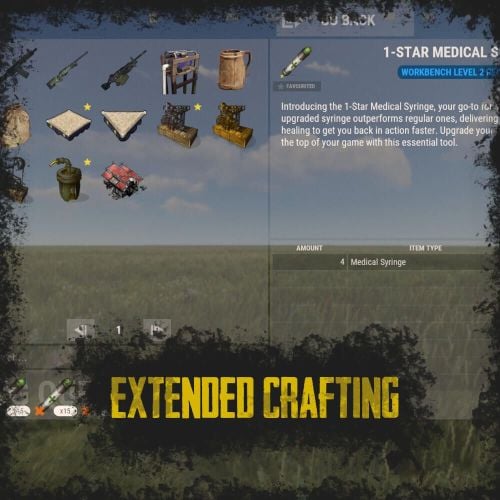
RUST Plugin Test Server TEST MY PLUGINS THERE! connect play.thepitereq.ovh:28050 Extended Crafting creates another look-like RUST Crafting menu where you can create an infinite amount of custom crafting recipes. It fully supports custom item creation and a few additional systems like daily crafts, cooldowns and support for crafting plugins. Almost exact RUST UI design with few required add-ons (new features, rust UI limitations) Fully customizable layout, categories and items. Written with performance in mind. Mark your favorite crafts. Sectional UI updates and live UI updates (crafting queue, time, etc.) Support for crafting speed-up plugins. (ZLevelsRemastered, SkillTree) Ability to enable Status display. (Requires Simple Status Plugin) Crafting cooldowns, daily limits, and per-wipe limits. Huge possibilities with permission configuration for VIP players. extendedcrafting.admin - Gives admin options. Few options still need to be enabled in config in order to use them, like GIVE option. There are more permissions possible, but they are modified and created by user, so won't list them here. All user commands are configurable on top of the config. By default, it's /craft. Run Commands On Craft You can create crafts that run the CONSOLE command when they are finished. Here you can find a full list of variables that can be added there. {userId} - Will be replaced with steamId of user. {userName} - Will be replaced with nickname of user. {userPosX} - Coordinate X of user. {userPosY} - Coordinate Y of user. {userPosZ} - Coordinate Z of user. void OnCustomItemCraft(BasePlayer player, string category, string itemKey, int craftAmount) Configuration from the video preview. Contains many craft recipes that require plugins that are paid, or unavailable. Recommend using only the test/preview configuration. ExtendedCrafting.json { "Commands": [ "c", "craft" ], "UI And Command Delay Between Actions (performance option, in seconds)": 0.1, "Clear Wipe Cooldowns On Wipe": true, "Enable Crafting Statistics": true, "Drop Queued Crafting Items To Ground On Death": true, "Format Crafting Time To Minutes (will round values)": false, "Enable Admin Give (click recipe with SPRINT button, required permission extendedcrafting.admin)": true, "Enable Logging": true, "Enable Crafting Status Indicator (Requires SimpleStatus Plugin)": false, "New Day Check Interval (in seconds, used for per-day limits, 0 to disable)": 600, "Max Queued Craftings": 10, "Workbench Bonus Higher By 1 Than Required Time Multiplier (0 to disable)": 0.5, "Workbench Bonus Higher By 2 Than Required Time Multiplier (0 to disable)": 0.25, "Workbench Bonus Higher By 3 Than Required Time Multiplier (0 to disable)": 0.0, "Used Craft Time Divider Plugin (see website documentation for plugin IDs, 0 to disable)": 0, "Skill Tree Bonuses - Enable Craft Speed": false, "Skill Tree Bonuses - Enable Craft Duplicate": false, "Crafting Time Multiplier Modify Permissions (for all craftings, from best to worst)": { "extendedcrafting.crafttime.admin": 0.1, "extendedcrafting.crafttime.vip": 0.5 }, "Max Craft Amount Per Task": 100000, "WARNING! Categories can't have spaces in their names!": "Each category name have their translation in language file in /lang/en/ExtendedCrafting.json!", "Craftings - Categories and Items": { "FirstTestCat": { "Icon - Item Shortname or URL or Sprite Directory": "", "Icon - Use Normalized Colour And Style (For Shortname and URL)": true, "Required Permission": "", "Crafting Time Multiplier Modify Permissions (for whole category, from best to worst)": { "extendedcrafting.crafttime.test.1": 0.25, "extendedcrafting.crafttime.test.2": 0.75 }, "Display Blacklist Permissions (need to have all)": [ "extendedcrafting.hideme.test.1", "extendedcrafting.hideme.test.2" ], "WARNING! Item recipe key values must be unique and have no spaces!": "They are only key values for config and better performance. They are not visible anywhere!", "Item Recipes": { "TestItem_1": { "Item Details": { "Shortname": "metal.refined", "Skin ID": 0, "Amount": 2, "Custom Name": "" }, "Commands Ran On Craft": [ "say Player {userName} crafted test item!", "say Player {userName} crafted item and his ID is {userId}." ], "Craft Requirements": { "Disable Craft Plugin Time Bonus": false, "Workbench Level Required": 1, "Crafting Time (in seconds, 0 - insta-craft)": 5, "Crafting Cooldown (in seconds, 0 - disable cooldown)": 0.0, "Max Craft Amount Per Task Override (0 to disable)": 0, "Crafting Time Modify Permissions (per crafting recipe, from best to worst)": {}, "Max Daily Crafts (0 to disable)": 0, "Max Daily Crafts Permissions (per crafting recipe, from best to worst)": {}, "Max Per-Wipe Crafts (0 to disable)": 0, "Max Per-Wipe Crafts Permissions (per crafting recipe, from best to worst)": {}, "Required Items (max 8 visible)": [ { "Shortname": "gunpowder", "Skin ID": 0, "Amount": 10, "Custom Name": "" }, { "Shortname": "wood", "Skin ID": 0, "Amount": 1, "Custom Name": "" }, { "Shortname": "metal.fragments", "Skin ID": 0, "Amount": 1, "Custom Name": "" }, { "Shortname": "sulfur.ore", "Skin ID": 0, "Amount": 5, "Custom Name": "" } ] }, "Custom Icon URL": "", "Required Permission": "", "Blacklist Permission": "", "Display As Locked With Missing Permission": true }, "TestItem_2": { "Item Details": { "Shortname": "halloween.lootbag.large", "Skin ID": 0, "Amount": 1, "Custom Name": "Ultra Lootbag" }, "Commands Ran On Craft": [], "Craft Requirements": { "Disable Craft Plugin Time Bonus": false, "Workbench Level Required": 1, "Crafting Time (in seconds, 0 - insta-craft)": 5, "Crafting Cooldown (in seconds, 0 - disable cooldown)": 0.0, "Max Craft Amount Per Task Override (0 to disable)": 0, "Crafting Time Modify Permissions (per crafting recipe, from best to worst)": {}, "Max Daily Crafts (0 to disable)": 0, "Max Daily Crafts Permissions (per crafting recipe, from best to worst)": {}, "Max Per-Wipe Crafts (0 to disable)": 0, "Max Per-Wipe Crafts Permissions (per crafting recipe, from best to worst)": {}, "Required Items (max 8 visible)": [ { "Shortname": "metal.refined", "Skin ID": 0, "Amount": 50, "Custom Name": "" }, { "Shortname": "techparts", "Skin ID": 0, "Amount": 3, "Custom Name": "" }, { "Shortname": "cloth", "Skin ID": 0, "Amount": 100, "Custom Name": "" } ] }, "Custom Icon URL": "", "Required Permission": "", "Blacklist Permission": "", "Display As Locked With Missing Permission": true } } }, "SecondTestCat": { "Icon - Item Shortname or URL or Sprite Directory": "", "Icon - Use Normalized Colour And Style (For Shortname and URL)": true, "Required Permission": "", "Crafting Time Multiplier Modify Permissions (for whole category, from best to worst)": {}, "Display Blacklist Permissions (need to have all)": [], "WARNING! Item recipe key values must be unique and have no spaces!": "They are only key values for config and better performance. They are not visible anywhere!", "Item Recipes": { "AnotherItem_1": { "Item Details": { "Shortname": "wood", "Skin ID": 0, "Amount": 1000, "Custom Name": "" }, "Commands Ran On Craft": [], "Craft Requirements": { "Disable Craft Plugin Time Bonus": false, "Workbench Level Required": 3, "Crafting Time (in seconds, 0 - insta-craft)": 60, "Crafting Cooldown (in seconds, 0 - disable cooldown)": 0.0, "Max Craft Amount Per Task Override (0 to disable)": 0, "Crafting Time Modify Permissions (per crafting recipe, from best to worst)": {}, "Max Daily Crafts (0 to disable)": 0, "Max Daily Crafts Permissions (per crafting recipe, from best to worst)": {}, "Max Per-Wipe Crafts (0 to disable)": 0, "Max Per-Wipe Crafts Permissions (per crafting recipe, from best to worst)": {}, "Required Items (max 8 visible)": [ { "Shortname": "charcoal", "Skin ID": 0, "Amount": 1000, "Custom Name": "" } ] }, "Custom Icon URL": "", "Required Permission": "", "Blacklist Permission": "", "Display As Locked With Missing Permission": true }, "AnotherItem_2": { "Item Details": { "Shortname": "lmg.m249", "Skin ID": 0, "Amount": 1, "Custom Name": "" }, "Commands Ran On Craft": [], "Craft Requirements": { "Disable Craft Plugin Time Bonus": false, "Workbench Level Required": 3, "Crafting Time (in seconds, 0 - insta-craft)": 180, "Crafting Cooldown (in seconds, 0 - disable cooldown)": 0.0, "Max Craft Amount Per Task Override (0 to disable)": 0, "Crafting Time Modify Permissions (per crafting recipe, from best to worst)": {}, "Max Daily Crafts (0 to disable)": 0, "Max Daily Crafts Permissions (per crafting recipe, from best to worst)": {}, "Max Per-Wipe Crafts (0 to disable)": 0, "Max Per-Wipe Crafts Permissions (per crafting recipe, from best to worst)": {}, "Required Items (max 8 visible)": [ { "Shortname": "metal.refined", "Skin ID": 0, "Amount": 500, "Custom Name": "" }, { "Shortname": "techparts", "Skin ID": 0, "Amount": 20, "Custom Name": "" }, { "Shortname": "scrap", "Skin ID": 0, "Amount": 5000, "Custom Name": "" } ] }, "Custom Icon URL": "", "Required Permission": "", "Blacklist Permission": "", "Display As Locked With Missing Permission": true } } } } }$25.00 -

Version 0.4.6
2,027 downloads
Bring your Rust server to life with Roaming NPCs — AI bots that act just like real players. They gather, loot, and fight, making your server feel active and alive. Features: Realistic AI Behavior • NPCs roam the map and simulate player-like behavior. • Customizable behaviour: friendly, aggressive, defensive • Spawn bots on beaches or random points around the map. • Random or custom names and appearances. Resource Farming • Bots harvest wood, stone, metal, and sulfur using tools like rocks, hatchets, or pickaxes. • Automatically pick up nearby dropped resources, food, and more. • Loot crates and barrels found across the map. • Automatically equip better gear found during looting. Dynamic Combat • Bots attack wild animals like wolves, bears, and boars. • Uses ranged and melee weapons – from bows to rifle ak. Spawn Loadouts • Configure bot spawn kits – tools, weapons, clothes, and other. • Choose whether bots spawn with kit or start with rock and torch. Customization • Setup health, damage rates, respawn timers and other. • Record your own voice phrases that bot will replay on some actions using voice chat. • Define bot's behavior: - Friendly (doesn't attack, runs away) - Defensive (defends if attacked) - Aggressive (attacks first) See It in Action! Watch the Video Don't forget to download data files that include default voice phrases for bots. You can find them here (put this folder in oxide/data) Commands (roamingnpcs.admin permission): /rnpc vis - shows all RoamingNPC's bots /rnpc stashvis - shows all RoamingNPC's stashes /rnpc killall - kills all RoamingNPC's bots /rnpc tp - teleports all RoamingNPC's bots to you /rnpc totp - teleports you to closest RoamingNPC bot /rnpc init - clears all data and respawns bot (needs to be done after editing config) /rnpc recvoice start - start recording /rnpc recvoice stop - stop recording /rnpc recvoice replay - listen to current recording (recording will be stopped) /rnpc recvoice save <file name> - save current recording /rnpc recvoice replay <file name> - listen to the recording from file /rnpc recvoice clear - clear current recording Configuration: { "Specify the ID of the bot generator (8 - 15)": 9, "Bots settings": { "bob_resources_farmer": { "Enable bot?": true, "Bot appearance (Use the id in the range of the specified number of digits for the bot ID generator or leave 0 for random appearance)": 100000000, "Bot name (leave empty for random)": "Bob", "Respawn timer (3 - 60 seconds)": 300.0, "Use for respawn a random place on the map? (false - will respawn on the beach)": false, "Maximum health": 100.0, "What spawns on death (PlayerCorpse, NpcCorpse, Backpack)": "PlayerCorpse", "How many items will be destroyed when Backpack is selected (0 - 100%)": 50.0, "Bot behaviour - Aggressive, Friendly, Defensive": "Friendly", "Controller setup": { "Brain timer tick (0.01 - 1)": 0.1, "Controls timer tick (0.01 - 1)": 0.5, "Accuracy of fire (lower is better)": 10.0, "Find entities radius": 30.0, "Movement speed (1 - 4)": 4, "Movement speed in water (1 - 4)": 2, "Suicide timer if the bot does not reach the destination point (0 - disables the timer)": 600.0, "Timer attempt to avoid obstacle if the bot does not reach the target route": 3.0, "Damage rate from water": 1.0, "Allowed distance to teleport if the bot does not reach the destination point within this distance (-1 - allowed for any distance)": 0.0, "Damage rate to NPC targets": 2.0, "Damage rate to animals": 2.0, "Damage rate to players": 0.8, "Damage rate from NPCs": 0.2, "Damage rate from animals": 0.2, "Damage rate from players": 0.8 }, "Wear items (on respawn)": { "Lock container? (true - after death loot won't drop)": true, "Allow bot to wear found clothes?": false, "List of items": [ { "Item shortname or ID": "hazmatsuit.lumberjack", "Item skin": 0 } ] }, "Resource collection": { "Allow to gather wood?": true, "Allow to use fuel for chainsaw?": false, "Allow to mine ore?": true, "Allow to loot barrels?": false, "Allow to loot road signs?": false, "Allow to pickup resources?": true, "Allow to pickup dropped items?": false, "Allow to loot containers?": false, "Allow to loot corpses?": false, "Allow to harvest corpses?": false, "List of prefabs of corpses to harvest": [ "assets/rust.ai/agents/boar/boar.corpse.prefab", "polarbear.corpse", "bear.corpse", "stag.corpse", "wolf.corpse", "crocodile.corpse", "panther.corpse", "tiger.corpse", "chicken.corpse" ], "List of prefabs blocked for mining": [ "assets/bundled/prefabs/autospawn/resource/vine_swinging/vineswingingtree03.prefab", "assets/bundled/prefabs/autospawn/resource/vine_swinging/vineswingingtreeprefab.prefab", "assets/bundled/prefabs/autospawn/resource/vine_swinging/vineswingingtree02.prefab" ] }, "Fights with NPCs and players": { "Maximum distance for attack from weapon": 30.0, "Maximum distance for attack from melee": 1.0 }, "Animal hunting": { "Allow to hunt? (true - will attack animals even if they are not attacking)": false, "Make melee weapons preferred for hunting?": true, "Maximum distance for attack from weapon": 30.0, "Maximum distance for attack from melee": 2.0, "List of prefabs of animals to block hunting them": [] }, "Inventory overflow": { "Stash setup (bot will put items in the stash)": { "Enable?": true, "Hide stash?": true, "Life time (0 - will exist until restart)": 3600.0, "Maximum amount to use (0 - without limit)": 10 }, "Box setup (bot will put items in the box)": { "Enable?": true, "Use small box?": true, "Box skin": 0, "Life time (0 - will exist until restart or until it dies)": 3600.0, "Maximum amount to use (0 - without limit)": 5, "Another container prefab (you can leave it empty)": "" } }, "Monuments visit setup": { "Amount of random positions to visit on monument": 5, "List of monument prefabs blocked for visiting": [] }, "Items for ore mining": { "List of items (in priority order)": [ { "Allow to create item if it is not in inventory?": false, "Allow to give item when respawning?": false, "Item": { "Item shortname or ID": "jackhammer", "Item skin": 0 } }, { "Allow to create item if it is not in inventory?": false, "Allow to give item when respawning?": false, "Item": { "Item shortname or ID": "lumberjack.pickaxe", "Item skin": 0 } }, { "Allow to create item if it is not in inventory?": false, "Allow to give item when respawning?": false, "Item": { "Item shortname or ID": "diverpickaxe", "Item skin": 0 } }, { "Allow to create item if it is not in inventory?": true, "Allow to give item when respawning?": true, "Item": { "Item shortname or ID": "pickaxe", "Item skin": 0 } }, { "Allow to create item if it is not in inventory?": false, "Allow to give item when respawning?": false, "Item": { "Item shortname or ID": "stone.pickaxe", "Item skin": 0 } }, { "Allow to create item if it is not in inventory?": false, "Allow to give item when respawning?": false, "Item": { "Item shortname or ID": "rock", "Item skin": 0 } } ] }, "Items for tree gathering": { "List of items (in priority order)": [ { "Allow to create item if it is not in inventory?": false, "Allow to give item when respawning?": false, "Item": { "Item shortname or ID": "chainsaw", "Item skin": 0 } }, { "Allow to create item if it is not in inventory?": false, "Allow to give item when respawning?": false, "Item": { "Item shortname or ID": "lumberjack.hatchet", "Item skin": 0 } }, { "Allow to create item if it is not in inventory?": false, "Allow to give item when respawning?": false, "Item": { "Item shortname or ID": "frontier_hatchet", "Item skin": 0 } }, { "Allow to create item if it is not in inventory?": true, "Allow to give item when respawning?": true, "Item": { "Item shortname or ID": "hatchet", "Item skin": 0 } }, { "Allow to create item if it is not in inventory?": false, "Allow to give item when respawning?": false, "Item": { "Item shortname or ID": "stonehatchet", "Item skin": 0 } }, { "Allow to create item if it is not in inventory?": false, "Allow to give item when respawning?": false, "Item": { "Item shortname or ID": "rock", "Item skin": 0 } } ] }, "Items for fights": { "Use ammo?": false, "List of items (in priority order)": [ { "Allow to create item if it is not in inventory?": true, "Allow to give item when respawning?": true, "Item": { "Item shortname or ID": "bow.hunting", "Item skin": 0 } }, { "Allow to create item if it is not in inventory?": false, "Allow to give item when respawning?": false, "Item": { "Item shortname or ID": "1965232394", "Item skin": 0 } }, { "Allow to create item if it is not in inventory?": false, "Allow to give item when respawning?": false, "Item": { "Item shortname or ID": "salvaged.cleaver", "Item skin": 0 } } ], "Amount of ammo to give for weapon if respawning is allowed": 128 }, "Items for harvesting animals": { "List of items (in priority order)": [ { "Allow to create item if it is not in inventory?": true, "Allow to give item when respawning?": false, "Item": { "Item shortname or ID": "knife.skinning", "Item skin": 0 } } ] }, "Items for healing": { "List of items (in priority order)": [ { "Allow to create item if it is not in inventory?": false, "Allow to give item when respawning?": true, "Item": { "Item shortname or ID": "syringe.medical", "Item skin": 0 }, "Amount of items to give when respawning": 5 }, { "Allow to create item if it is not in inventory?": true, "Allow to give item when respawning?": false, "Item": { "Item shortname or ID": "bandage", "Item skin": 0 }, "Amount of items to give when respawning": 1 } ] }, "Voice phrases for different actions": { "Use voice phrases?": true, "Phrases for the Miner state": { "Phrases when picking up resources": { "Phrases": [ "uinston/miner/pickup_collectable/1" ], "Chance of using phrases (% 0 - 100)": 30.0 }, "Phrases when picking up items": { "Phrases": [ "uinston/miner/pickup_collectable/1" ], "Chance of using phrases (% 0 - 100)": 30.0 }, "Phrases when gathering trees": { "Phrases": [ "uinston/miner/mining_tree/1" ], "Chance of using phrases (% 0 - 100)": 30.0 }, "Phrases when mining ore": { "Phrases": [ "uinston/miner/mining_ore/1" ], "Chance of using phrases (% 0 - 100)": 30.0 }, "Phrases when looting containers": { "Phrases": [ "uinston/miner/looting/1" ], "Chance of using phrases (% 0 - 100)": 30.0 }, "Phrases when breaking containers (barrels, signs and etc.)": { "Phrases": [ "uinston/miner/breaking/1" ], "Chance of using phrases (% 0 - 100)": 30.0 }, "Phrases when looting corpses": { "Phrases": [ "uinston/miner/looting/1" ], "Chance of using phrases (% 0 - 100)": 30.0 }, "Phrases when harvesting corpses": { "Phrases": [ "uinston/miner/butcher_corpse/1" ], "Chance of using phrases (% 0 - 100)": 30.0 } }, "Phrases for the Hunter state": { "Phrases before starting to attack": { "Phrases": [ "uinston/hunter/start_attack/1", "uinston/hunter/start_attack/2" ], "Chance of using phrases (% 0 - 100)": 30.0 } }, "Phrases for the Fight state": { "Phrases before starting to attack": { "Phrases": [ "uinston/attacker/start_attack/1" ], "Chance of using phrases (% 0 - 100)": 30.0 }, "Phrases when the bot does not see the target": { "Phrases": [ "uinston/attacker/not_visible/1", "uinston/attacker/not_visible/2", "uinston/attacker/not_visible/3" ], "Chance of using phrases (% 0 - 100)": 30.0 }, "Phrases when the bot runs away from the attacker": { "Phrases": [ "uinston/attacker/run_away/1", "uinston/attacker/run_away/2", "uinston/attacker/run_away/3" ], "Chance of using phrases (% 0 - 100)": 30.0 } }, "Phrases for the Researcher state": { "Phrases before starting to move to the monument point": { "Phrases": [ "uinston/researcher/before_move/1" ], "Chance of using phrases (% 0 - 100)": 30.0 }, "Phrases when reaching the destination": { "Phrases": [ "uinston/researcher/after_move/1" ], "Chance of using phrases (% 0 - 100)": 30.0 } }, "Phrases when creating a container with resources": { "Phrases": [ "uinston/full_state/1", "uinston/full_state/2" ], "Chance of using phrases (% 0 - 100)": 30.0 }, "Phrases when healing": { "Phrases": [ "uinston/medical_state/1", "uinston/medical_state/2", "uinston/medical_state/3" ], "Chance of using phrases (% 0 - 100)": 30.0 } } }, "john_looter": { "Enable bot?": true, "Bot appearance (Use the id in the range of the specified number of digits for the bot ID generator or leave 0 for random appearance)": 0, "Bot name (leave empty for random)": "John", "Respawn timer (3 - 60 seconds)": 300.0, "Use for respawn a random place on the map? (false - will respawn on the beach)": false, "Maximum health": 120.0, "What spawns on death (PlayerCorpse, NpcCorpse, Backpack)": "PlayerCorpse", "How many items will be destroyed when Backpack is selected (0 - 100%)": 50.0, "Bot behaviour - Aggressive, Friendly, Defensive": "Defensive", "Controller setup": { "Brain timer tick (0.01 - 1)": 0.1, "Controls timer tick (0.01 - 1)": 0.5, "Accuracy of fire (lower is better)": 10.0, "Find entities radius": 30.0, "Movement speed (1 - 4)": 4, "Movement speed in water (1 - 4)": 2, "Suicide timer if the bot does not reach the destination point (0 - disables the timer)": 600.0, "Timer attempt to avoid obstacle if the bot does not reach the target route": 3.0, "Damage rate from water": 1.0, "Allowed distance to teleport if the bot does not reach the destination point within this distance (-1 - allowed for any distance)": 0.0, "Damage rate to NPC targets": 2.0, "Damage rate to animals": 2.0, "Damage rate to players": 0.8, "Damage rate from NPCs": 0.2, "Damage rate from animals": 0.2, "Damage rate from players": 0.8 }, "Wear items (on respawn)": { "Lock container? (true - after death loot won't drop)": true, "Allow bot to wear found clothes?": false, "List of items": [ { "Item shortname or ID": "hazmatsuit.nomadsuit", "Item skin": 0 } ] }, "Resource collection": { "Allow to gather wood?": false, "Allow to use fuel for chainsaw?": false, "Allow to mine ore?": false, "Allow to loot barrels?": true, "Allow to loot road signs?": true, "Allow to pickup resources?": true, "Allow to pickup dropped items?": true, "Allow to loot containers?": true, "Allow to loot corpses?": true, "Allow to harvest corpses?": false, "List of prefabs of corpses to harvest": [ "assets/rust.ai/agents/boar/boar.corpse.prefab", "polarbear.corpse", "bear.corpse", "stag.corpse", "wolf.corpse", "crocodile.corpse", "panther.corpse", "tiger.corpse", "chicken.corpse" ], "List of prefabs blocked for mining": [ "assets/bundled/prefabs/autospawn/resource/vine_swinging/vineswingingtree03.prefab", "assets/bundled/prefabs/autospawn/resource/vine_swinging/vineswingingtreeprefab.prefab", "assets/bundled/prefabs/autospawn/resource/vine_swinging/vineswingingtree02.prefab" ] }, "Fights with NPCs and players": { "Maximum distance for attack from weapon": 30.0, "Maximum distance for attack from melee": 1.0 }, "Animal hunting": { "Allow to hunt? (true - will attack animals even if they are not attacking)": false, "Make melee weapons preferred for hunting?": true, "Maximum distance for attack from weapon": 30.0, "Maximum distance for attack from melee": 2.0, "List of prefabs of animals to block hunting them": [] }, "Inventory overflow": { "Stash setup (bot will put items in the stash)": { "Enable?": true, "Hide stash?": true, "Life time (0 - will exist until restart)": 3600.0, "Maximum amount to use (0 - without limit)": 10 }, "Box setup (bot will put items in the box)": { "Enable?": true, "Use small box?": true, "Box skin": 0, "Life time (0 - will exist until restart or until it dies)": 3600.0, "Maximum amount to use (0 - without limit)": 5, "Another container prefab (you can leave it empty)": "" } }, "Monuments visit setup": { "Amount of random positions to visit on monument": 5, "List of monument prefabs blocked for visiting": [] }, "Items for ore mining": { "List of items (in priority order)": [ { "Allow to create item if it is not in inventory?": false, "Allow to give item when respawning?": false, "Item": { "Item shortname or ID": "jackhammer", "Item skin": 0 } }, { "Allow to create item if it is not in inventory?": false, "Allow to give item when respawning?": false, "Item": { "Item shortname or ID": "lumberjack.pickaxe", "Item skin": 0 } }, { "Allow to create item if it is not in inventory?": false, "Allow to give item when respawning?": false, "Item": { "Item shortname or ID": "diverpickaxe", "Item skin": 0 } }, { "Allow to create item if it is not in inventory?": true, "Allow to give item when respawning?": true, "Item": { "Item shortname or ID": "pickaxe", "Item skin": 0 } }, { "Allow to create item if it is not in inventory?": false, "Allow to give item when respawning?": false, "Item": { "Item shortname or ID": "stone.pickaxe", "Item skin": 0 } }, { "Allow to create item if it is not in inventory?": false, "Allow to give item when respawning?": false, "Item": { "Item shortname or ID": "rock", "Item skin": 0 } } ] }, "Items for tree gathering": { "List of items (in priority order)": [ { "Allow to create item if it is not in inventory?": false, "Allow to give item when respawning?": false, "Item": { "Item shortname or ID": "chainsaw", "Item skin": 0 } }, { "Allow to create item if it is not in inventory?": false, "Allow to give item when respawning?": false, "Item": { "Item shortname or ID": "lumberjack.hatchet", "Item skin": 0 } }, { "Allow to create item if it is not in inventory?": false, "Allow to give item when respawning?": false, "Item": { "Item shortname or ID": "frontier_hatchet", "Item skin": 0 } }, { "Allow to create item if it is not in inventory?": true, "Allow to give item when respawning?": true, "Item": { "Item shortname or ID": "hatchet", "Item skin": 0 } }, { "Allow to create item if it is not in inventory?": false, "Allow to give item when respawning?": false, "Item": { "Item shortname or ID": "stonehatchet", "Item skin": 0 } }, { "Allow to create item if it is not in inventory?": false, "Allow to give item when respawning?": false, "Item": { "Item shortname or ID": "rock", "Item skin": 0 } } ] }, "Items for fights": { "Use ammo?": true, "List of items (in priority order)": [ { "Allow to create item if it is not in inventory?": false, "Allow to give item when respawning?": true, "Item": { "Item shortname or ID": "rifle.ak.diver", "Item skin": 0 } }, { "Allow to create item if it is not in inventory?": true, "Allow to give item when respawning?": true, "Item": { "Item shortname or ID": "bow.hunting", "Item skin": 0 } }, { "Allow to create item if it is not in inventory?": true, "Allow to give item when respawning?": false, "Item": { "Item shortname or ID": "1965232394", "Item skin": 0 } }, { "Allow to create item if it is not in inventory?": true, "Allow to give item when respawning?": false, "Item": { "Item shortname or ID": "salvaged.cleaver", "Item skin": 0 } } ], "Amount of ammo to give for weapon if respawning is allowed": 300 }, "Items for harvesting animals": { "List of items (in priority order)": [ { "Allow to create item if it is not in inventory?": true, "Allow to give item when respawning?": false, "Item": { "Item shortname or ID": "knife.skinning", "Item skin": 0 } } ] }, "Items for healing": { "List of items (in priority order)": [ { "Allow to create item if it is not in inventory?": false, "Allow to give item when respawning?": true, "Item": { "Item shortname or ID": "syringe.medical", "Item skin": 0 }, "Amount of items to give when respawning": 5 }, { "Allow to create item if it is not in inventory?": true, "Allow to give item when respawning?": false, "Item": { "Item shortname or ID": "bandage", "Item skin": 0 }, "Amount of items to give when respawning": 1 } ] }, "Voice phrases for different actions": { "Use voice phrases?": true, "Phrases for the Miner state": { "Phrases when picking up resources": { "Phrases": [ "uinston/miner/pickup_collectable/1" ], "Chance of using phrases (% 0 - 100)": 30.0 }, "Phrases when picking up items": { "Phrases": [ "uinston/miner/pickup_collectable/1" ], "Chance of using phrases (% 0 - 100)": 30.0 }, "Phrases when gathering trees": { "Phrases": [ "uinston/miner/mining_tree/1" ], "Chance of using phrases (% 0 - 100)": 30.0 }, "Phrases when mining ore": { "Phrases": [ "uinston/miner/mining_ore/1" ], "Chance of using phrases (% 0 - 100)": 30.0 }, "Phrases when looting containers": { "Phrases": [ "uinston/miner/looting/1" ], "Chance of using phrases (% 0 - 100)": 30.0 }, "Phrases when breaking containers (barrels, signs and etc.)": { "Phrases": [ "uinston/miner/breaking/1" ], "Chance of using phrases (% 0 - 100)": 30.0 }, "Phrases when looting corpses": { "Phrases": [ "uinston/miner/looting/1" ], "Chance of using phrases (% 0 - 100)": 30.0 }, "Phrases when harvesting corpses": { "Phrases": [ "uinston/miner/butcher_corpse/1" ], "Chance of using phrases (% 0 - 100)": 30.0 } }, "Phrases for the Hunter state": { "Phrases before starting to attack": { "Phrases": [ "uinston/hunter/start_attack/1", "uinston/hunter/start_attack/2" ], "Chance of using phrases (% 0 - 100)": 30.0 } }, "Phrases for the Fight state": { "Phrases before starting to attack": { "Phrases": [ "uinston/attacker/start_attack/1" ], "Chance of using phrases (% 0 - 100)": 30.0 }, "Phrases when the bot does not see the target": { "Phrases": [ "uinston/attacker/not_visible/1", "uinston/attacker/not_visible/2", "uinston/attacker/not_visible/3" ], "Chance of using phrases (% 0 - 100)": 30.0 }, "Phrases when the bot runs away from the attacker": { "Phrases": [ "uinston/attacker/run_away/1", "uinston/attacker/run_away/2", "uinston/attacker/run_away/3" ], "Chance of using phrases (% 0 - 100)": 30.0 } }, "Phrases for the Researcher state": { "Phrases before starting to move to the monument point": { "Phrases": [ "uinston/researcher/before_move/1" ], "Chance of using phrases (% 0 - 100)": 30.0 }, "Phrases when reaching the destination": { "Phrases": [ "uinston/researcher/after_move/1" ], "Chance of using phrases (% 0 - 100)": 30.0 } }, "Phrases when creating a container with resources": { "Phrases": [ "uinston/full_state/1", "uinston/full_state/2" ], "Chance of using phrases (% 0 - 100)": 30.0 }, "Phrases when healing": { "Phrases": [ "uinston/medical_state/1", "uinston/medical_state/2", "uinston/medical_state/3" ], "Chance of using phrases (% 0 - 100)": 30.0 } } }, "alfred_hunter": { "Enable bot?": true, "Bot appearance (Use the id in the range of the specified number of digits for the bot ID generator or leave 0 for random appearance)": 0, "Bot name (leave empty for random)": "Alfred", "Respawn timer (3 - 60 seconds)": 300.0, "Use for respawn a random place on the map? (false - will respawn on the beach)": false, "Maximum health": 100.0, "What spawns on death (PlayerCorpse, NpcCorpse, Backpack)": "PlayerCorpse", "How many items will be destroyed when Backpack is selected (0 - 100%)": 50.0, "Bot behaviour - Aggressive, Friendly, Defensive": "Defensive", "Controller setup": { "Brain timer tick (0.01 - 1)": 0.1, "Controls timer tick (0.01 - 1)": 0.5, "Accuracy of fire (lower is better)": 10.0, "Find entities radius": 30.0, "Movement speed (1 - 4)": 4, "Movement speed in water (1 - 4)": 2, "Suicide timer if the bot does not reach the destination point (0 - disables the timer)": 600.0, "Timer attempt to avoid obstacle if the bot does not reach the target route": 3.0, "Damage rate from water": 1.0, "Allowed distance to teleport if the bot does not reach the destination point within this distance (-1 - allowed for any distance)": 0.0, "Damage rate to NPC targets": 2.0, "Damage rate to animals": 2.0, "Damage rate to players": 0.8, "Damage rate from NPCs": 0.2, "Damage rate from animals": 0.2, "Damage rate from players": 0.8 }, "Wear items (on respawn)": { "Lock container? (true - after death loot won't drop)": true, "Allow bot to wear found clothes?": false, "List of items": [ { "Item shortname or ID": "hazmatsuit.frontier", "Item skin": 0 } ] }, "Resource collection": { "Allow to gather wood?": false, "Allow to use fuel for chainsaw?": false, "Allow to mine ore?": false, "Allow to loot barrels?": false, "Allow to loot road signs?": false, "Allow to pickup resources?": false, "Allow to pickup dropped items?": true, "Allow to loot containers?": false, "Allow to loot corpses?": false, "Allow to harvest corpses?": true, "List of prefabs of corpses to harvest": [ "assets/rust.ai/agents/boar/boar.corpse.prefab", "polarbear.corpse", "bear.corpse", "stag.corpse", "wolf.corpse", "crocodile.corpse", "panther.corpse", "tiger.corpse", "chicken.corpse" ], "List of prefabs blocked for mining": [ "assets/bundled/prefabs/autospawn/resource/vine_swinging/vineswingingtree03.prefab", "assets/bundled/prefabs/autospawn/resource/vine_swinging/vineswingingtreeprefab.prefab", "assets/bundled/prefabs/autospawn/resource/vine_swinging/vineswingingtree02.prefab" ] }, "Fights with NPCs and players": { "Maximum distance for attack from weapon": 30.0, "Maximum distance for attack from melee": 1.0 }, "Animal hunting": { "Allow to hunt? (true - will attack animals even if they are not attacking)": true, "Make melee weapons preferred for hunting?": false, "Maximum distance for attack from weapon": 25.0, "Maximum distance for attack from melee": 2.0, "List of prefabs of animals to block hunting them": [] }, "Inventory overflow": { "Stash setup (bot will put items in the stash)": { "Enable?": true, "Hide stash?": true, "Life time (0 - will exist until restart)": 3600.0, "Maximum amount to use (0 - without limit)": 10 }, "Box setup (bot will put items in the box)": { "Enable?": true, "Use small box?": true, "Box skin": 0, "Life time (0 - will exist until restart or until it dies)": 3600.0, "Maximum amount to use (0 - without limit)": 5, "Another container prefab (you can leave it empty)": "" } }, "Monuments visit setup": { "Amount of random positions to visit on monument": 5, "List of monument prefabs blocked for visiting": [] }, "Items for ore mining": { "List of items (in priority order)": [ { "Allow to create item if it is not in inventory?": false, "Allow to give item when respawning?": false, "Item": { "Item shortname or ID": "jackhammer", "Item skin": 0 } }, { "Allow to create item if it is not in inventory?": false, "Allow to give item when respawning?": false, "Item": { "Item shortname or ID": "lumberjack.pickaxe", "Item skin": 0 } }, { "Allow to create item if it is not in inventory?": false, "Allow to give item when respawning?": false, "Item": { "Item shortname or ID": "diverpickaxe", "Item skin": 0 } }, { "Allow to create item if it is not in inventory?": true, "Allow to give item when respawning?": true, "Item": { "Item shortname or ID": "pickaxe", "Item skin": 0 } }, { "Allow to create item if it is not in inventory?": false, "Allow to give item when respawning?": false, "Item": { "Item shortname or ID": "stone.pickaxe", "Item skin": 0 } }, { "Allow to create item if it is not in inventory?": false, "Allow to give item when respawning?": false, "Item": { "Item shortname or ID": "rock", "Item skin": 0 } } ] }, "Items for tree gathering": { "List of items (in priority order)": [ { "Allow to create item if it is not in inventory?": false, "Allow to give item when respawning?": false, "Item": { "Item shortname or ID": "chainsaw", "Item skin": 0 } }, { "Allow to create item if it is not in inventory?": false, "Allow to give item when respawning?": false, "Item": { "Item shortname or ID": "lumberjack.hatchet", "Item skin": 0 } }, { "Allow to create item if it is not in inventory?": false, "Allow to give item when respawning?": false, "Item": { "Item shortname or ID": "frontier_hatchet", "Item skin": 0 } }, { "Allow to create item if it is not in inventory?": true, "Allow to give item when respawning?": true, "Item": { "Item shortname or ID": "hatchet", "Item skin": 0 } }, { "Allow to create item if it is not in inventory?": false, "Allow to give item when respawning?": false, "Item": { "Item shortname or ID": "stonehatchet", "Item skin": 0 } }, { "Allow to create item if it is not in inventory?": false, "Allow to give item when respawning?": false, "Item": { "Item shortname or ID": "rock", "Item skin": 0 } } ] }, "Items for fights": { "Use ammo?": false, "List of items (in priority order)": [ { "Allow to create item if it is not in inventory?": false, "Allow to give item when respawning?": true, "Item": { "Item shortname or ID": "shotgun.spas12", "Item skin": 0 } }, { "Allow to create item if it is not in inventory?": true, "Allow to give item when respawning?": false, "Item": { "Item shortname or ID": "bow.hunting", "Item skin": 0 } }, { "Allow to create item if it is not in inventory?": true, "Allow to give item when respawning?": false, "Item": { "Item shortname or ID": "1965232394", "Item skin": 0 } }, { "Allow to create item if it is not in inventory?": true, "Allow to give item when respawning?": false, "Item": { "Item shortname or ID": "salvaged.cleaver", "Item skin": 0 } } ], "Amount of ammo to give for weapon if respawning is allowed": 300 }, "Items for harvesting animals": { "List of items (in priority order)": [ { "Allow to create item if it is not in inventory?": true, "Allow to give item when respawning?": false, "Item": { "Item shortname or ID": "knife.skinning", "Item skin": 0 } } ] }, "Items for healing": { "List of items (in priority order)": [ { "Allow to create item if it is not in inventory?": false, "Allow to give item when respawning?": true, "Item": { "Item shortname or ID": "syringe.medical", "Item skin": 0 }, "Amount of items to give when respawning": 5 }, { "Allow to create item if it is not in inventory?": true, "Allow to give item when respawning?": false, "Item": { "Item shortname or ID": "bandage", "Item skin": 0 }, "Amount of items to give when respawning": 1 } ] }, "Voice phrases for different actions": { "Use voice phrases?": true, "Phrases for the Miner state": { "Phrases when picking up resources": { "Phrases": [ "uinston/miner/pickup_collectable/1" ], "Chance of using phrases (% 0 - 100)": 30.0 }, "Phrases when picking up items": { "Phrases": [ "uinston/miner/pickup_collectable/1" ], "Chance of using phrases (% 0 - 100)": 30.0 }, "Phrases when gathering trees": { "Phrases": [ "uinston/miner/mining_tree/1" ], "Chance of using phrases (% 0 - 100)": 30.0 }, "Phrases when mining ore": { "Phrases": [ "uinston/miner/mining_ore/1" ], "Chance of using phrases (% 0 - 100)": 30.0 }, "Phrases when looting containers": { "Phrases": [ "uinston/miner/looting/1" ], "Chance of using phrases (% 0 - 100)": 30.0 }, "Phrases when breaking containers (barrels, signs and etc.)": { "Phrases": [ "uinston/miner/breaking/1" ], "Chance of using phrases (% 0 - 100)": 30.0 }, "Phrases when looting corpses": { "Phrases": [ "uinston/miner/looting/1" ], "Chance of using phrases (% 0 - 100)": 30.0 }, "Phrases when harvesting corpses": { "Phrases": [ "uinston/miner/butcher_corpse/1" ], "Chance of using phrases (% 0 - 100)": 30.0 } }, "Phrases for the Hunter state": { "Phrases before starting to attack": { "Phrases": [ "uinston/hunter/start_attack/1", "uinston/hunter/start_attack/2" ], "Chance of using phrases (% 0 - 100)": 30.0 } }, "Phrases for the Fight state": { "Phrases before starting to attack": { "Phrases": [ "uinston/attacker/start_attack/1" ], "Chance of using phrases (% 0 - 100)": 30.0 }, "Phrases when the bot does not see the target": { "Phrases": [ "uinston/attacker/not_visible/1", "uinston/attacker/not_visible/2", "uinston/attacker/not_visible/3" ], "Chance of using phrases (% 0 - 100)": 30.0 }, "Phrases when the bot runs away from the attacker": { "Phrases": [ "uinston/attacker/run_away/1", "uinston/attacker/run_away/2", "uinston/attacker/run_away/3" ], "Chance of using phrases (% 0 - 100)": 30.0 } }, "Phrases for the Researcher state": { "Phrases before starting to move to the monument point": { "Phrases": [ "uinston/researcher/before_move/1" ], "Chance of using phrases (% 0 - 100)": 30.0 }, "Phrases when reaching the destination": { "Phrases": [ "uinston/researcher/after_move/1" ], "Chance of using phrases (% 0 - 100)": 30.0 } }, "Phrases when creating a container with resources": { "Phrases": [ "uinston/full_state/1", "uinston/full_state/2" ], "Chance of using phrases (% 0 - 100)": 30.0 }, "Phrases when healing": { "Phrases": [ "uinston/medical_state/1", "uinston/medical_state/2", "uinston/medical_state/3" ], "Chance of using phrases (% 0 - 100)": 30.0 } } }, "austin_fighter": { "Enable bot?": true, "Bot appearance (Use the id in the range of the specified number of digits for the bot ID generator or leave 0 for random appearance)": 0, "Bot name (leave empty for random)": "Austin", "Respawn timer (3 - 60 seconds)": 300.0, "Use for respawn a random place on the map? (false - will respawn on the beach)": false, "Maximum health": 120.0, "What spawns on death (PlayerCorpse, NpcCorpse, Backpack)": "PlayerCorpse", "How many items will be destroyed when Backpack is selected (0 - 100%)": 0.0, "Bot behaviour - Aggressive, Friendly, Defensive": "Aggressive", "Controller setup": { "Brain timer tick (0.01 - 1)": 0.1, "Controls timer tick (0.01 - 1)": 0.5, "Accuracy of fire (lower is better)": 3.0, "Find entities radius": 30.0, "Movement speed (1 - 4)": 4, "Movement speed in water (1 - 4)": 2, "Suicide timer if the bot does not reach the destination point (0 - disables the timer)": 600.0, "Timer attempt to avoid obstacle if the bot does not reach the target route": 3.0, "Damage rate from water": 0.0, "Allowed distance to teleport if the bot does not reach the destination point within this distance (-1 - allowed for any distance)": 0.0, "Damage rate to NPC targets": 2.0, "Damage rate to animals": 2.0, "Damage rate to players": 0.8, "Damage rate from NPCs": 0.2, "Damage rate from animals": 0.2, "Damage rate from players": 0.8 }, "Wear items (on respawn)": { "Lock container? (true - after death loot won't drop)": true, "Allow bot to wear found clothes?": false, "List of items": [ { "Item shortname or ID": "hazmat.krieg", "Item skin": 0 } ] }, "Resource collection": { "Allow to gather wood?": false, "Allow to use fuel for chainsaw?": false, "Allow to mine ore?": false, "Allow to loot barrels?": true, "Allow to loot road signs?": false, "Allow to pickup resources?": false, "Allow to pickup dropped items?": true, "Allow to loot containers?": true, "Allow to loot corpses?": true, "Allow to harvest corpses?": false, "List of prefabs of corpses to harvest": [ "assets/rust.ai/agents/boar/boar.corpse.prefab", "polarbear.corpse", "bear.corpse", "stag.corpse", "wolf.corpse", "crocodile.corpse", "panther.corpse", "tiger.corpse", "chicken.corpse" ], "List of prefabs blocked for mining": [ "assets/bundled/prefabs/autospawn/resource/vine_swinging/vineswingingtree03.prefab", "assets/bundled/prefabs/autospawn/resource/vine_swinging/vineswingingtreeprefab.prefab", "assets/bundled/prefabs/autospawn/resource/vine_swinging/vineswingingtree02.prefab" ] }, "Fights with NPCs and players": { "Maximum distance for attack from weapon": 30.0, "Maximum distance for attack from melee": 1.0 }, "Animal hunting": { "Allow to hunt? (true - will attack animals even if they are not attacking)": false, "Make melee weapons preferred for hunting?": false, "Maximum distance for attack from weapon": 30.0, "Maximum distance for attack from melee": 2.0, "List of prefabs of animals to block hunting them": [] }, "Inventory overflow": { "Stash setup (bot will put items in the stash)": { "Enable?": true, "Hide stash?": true, "Life time (0 - will exist until restart)": 3600.0, "Maximum amount to use (0 - without limit)": 10 }, "Box setup (bot will put items in the box)": { "Enable?": true, "Use small box?": true, "Box skin": 0, "Life time (0 - will exist until restart or until it dies)": 3600.0, "Maximum amount to use (0 - without limit)": 5, "Another container prefab (you can leave it empty)": "" } }, "Monuments visit setup": { "Amount of random positions to visit on monument": 5, "List of monument prefabs blocked for visiting": [] }, "Items for ore mining": { "List of items (in priority order)": [ { "Allow to create item if it is not in inventory?": false, "Allow to give item when respawning?": false, "Item": { "Item shortname or ID": "jackhammer", "Item skin": 0 } }, { "Allow to create item if it is not in inventory?": false, "Allow to give item when respawning?": false, "Item": { "Item shortname or ID": "lumberjack.pickaxe", "Item skin": 0 } }, { "Allow to create item if it is not in inventory?": false, "Allow to give item when respawning?": false, "Item": { "Item shortname or ID": "diverpickaxe", "Item skin": 0 } }, { "Allow to create item if it is not in inventory?": true, "Allow to give item when respawning?": true, "Item": { "Item shortname or ID": "pickaxe", "Item skin": 0 } }, { "Allow to create item if it is not in inventory?": false, "Allow to give item when respawning?": false, "Item": { "Item shortname or ID": "stone.pickaxe", "Item skin": 0 } }, { "Allow to create item if it is not in inventory?": false, "Allow to give item when respawning?": false, "Item": { "Item shortname or ID": "rock", "Item skin": 0 } } ] }, "Items for tree gathering": { "List of items (in priority order)": [ { "Allow to create item if it is not in inventory?": false, "Allow to give item when respawning?": false, "Item": { "Item shortname or ID": "chainsaw", "Item skin": 0 } }, { "Allow to create item if it is not in inventory?": false, "Allow to give item when respawning?": false, "Item": { "Item shortname or ID": "lumberjack.hatchet", "Item skin": 0 } }, { "Allow to create item if it is not in inventory?": false, "Allow to give item when respawning?": false, "Item": { "Item shortname or ID": "frontier_hatchet", "Item skin": 0 } }, { "Allow to create item if it is not in inventory?": true, "Allow to give item when respawning?": true, "Item": { "Item shortname or ID": "hatchet", "Item skin": 0 } }, { "Allow to create item if it is not in inventory?": false, "Allow to give item when respawning?": false, "Item": { "Item shortname or ID": "stonehatchet", "Item skin": 0 } }, { "Allow to create item if it is not in inventory?": false, "Allow to give item when respawning?": false, "Item": { "Item shortname or ID": "rock", "Item skin": 0 } } ] }, "Items for fights": { "Use ammo?": false, "List of items (in priority order)": [ { "Allow to create item if it is not in inventory?": false, "Allow to give item when respawning?": true, "Item": { "Item shortname or ID": "krieg.shotgun", "Item skin": 0 } }, { "Allow to create item if it is not in inventory?": true, "Allow to give item when respawning?": false, "Item": { "Item shortname or ID": "krieg.chainsword", "Item skin": 0 } } ], "Amount of ammo to give for weapon if respawning is allowed": 300 }, "Items for harvesting animals": { "List of items (in priority order)": [ { "Allow to create item if it is not in inventory?": true, "Allow to give item when respawning?": false, "Item": { "Item shortname or ID": "knife.skinning", "Item skin": 0 } } ] }, "Items for healing": { "List of items (in priority order)": [ { "Allow to create item if it is not in inventory?": true, "Allow to give item when respawning?": false, "Item": { "Item shortname or ID": "syringe.medical", "Item skin": 0 }, "Amount of items to give when respawning": 5 } ] }, "Voice phrases for different actions": { "Use voice phrases?": true, "Phrases for the Miner state": { "Phrases when picking up resources": { "Phrases": [ "uinston/miner/pickup_collectable/1" ], "Chance of using phrases (% 0 - 100)": 30.0 }, "Phrases when picking up items": { "Phrases": [ "uinston/miner/pickup_collectable/1" ], "Chance of using phrases (% 0 - 100)": 30.0 }, "Phrases when gathering trees": { "Phrases": [ "uinston/miner/mining_tree/1" ], "Chance of using phrases (% 0 - 100)": 30.0 }, "Phrases when mining ore": { "Phrases": [ "uinston/miner/mining_ore/1" ], "Chance of using phrases (% 0 - 100)": 30.0 }, "Phrases when looting containers": { "Phrases": [ "uinston/miner/looting/1" ], "Chance of using phrases (% 0 - 100)": 30.0 }, "Phrases when breaking containers (barrels, signs and etc.)": { "Phrases": [ "uinston/miner/breaking/1" ], "Chance of using phrases (% 0 - 100)": 30.0 }, "Phrases when looting corpses": { "Phrases": [ "uinston/miner/looting/1" ], "Chance of using phrases (% 0 - 100)": 30.0 }, "Phrases when harvesting corpses": { "Phrases": [ "uinston/miner/butcher_corpse/1" ], "Chance of using phrases (% 0 - 100)": 30.0 } }, "Phrases for the Hunter state": { "Phrases before starting to attack": { "Phrases": [ "uinston/hunter/start_attack/1", "uinston/hunter/start_attack/2" ], "Chance of using phrases (% 0 - 100)": 30.0 } }, "Phrases for the Fight state": { "Phrases before starting to attack": { "Phrases": [ "uinston/attacker/start_attack/1" ], "Chance of using phrases (% 0 - 100)": 30.0 }, "Phrases when the bot does not see the target": { "Phrases": [ "uinston/attacker/not_visible/1", "uinston/attacker/not_visible/2", "uinston/attacker/not_visible/3" ], "Chance of using phrases (% 0 - 100)": 30.0 }, "Phrases when the bot runs away from the attacker": { "Phrases": [ "uinston/attacker/run_away/1", "uinston/attacker/run_away/2", "uinston/attacker/run_away/3" ], "Chance of using phrases (% 0 - 100)": 30.0 } }, "Phrases for the Researcher state": { "Phrases before starting to move to the monument point": { "Phrases": [ "uinston/researcher/before_move/1" ], "Chance of using phrases (% 0 - 100)": 30.0 }, "Phrases when reaching the destination": { "Phrases": [ "uinston/researcher/after_move/1" ], "Chance of using phrases (% 0 - 100)": 30.0 } }, "Phrases when creating a container with resources": { "Phrases": [ "uinston/full_state/1", "uinston/full_state/2" ], "Chance of using phrases (% 0 - 100)": 30.0 }, "Phrases when healing": { "Phrases": [ "uinston/medical_state/1", "uinston/medical_state/2", "uinston/medical_state/3" ], "Chance of using phrases (% 0 - 100)": 30.0 } } } } }$29.90 -
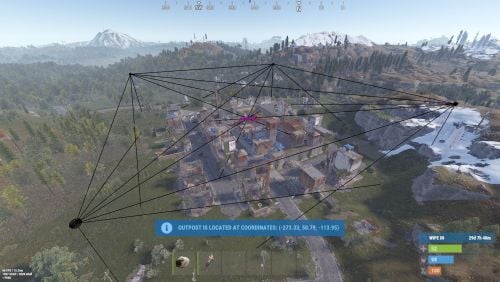
Version 0.1.10
1,566 downloads
A plugin that allows other plugins to interact with players and entities in monuments via API. The list of all monuments can be viewed in the: Default(Source of monument boundaries when changing the map or recreating boundaries) - *SERVER*\oxide\data\MonumentsWatcher\DefaultBounds.json Vanilla - *SERVER*\oxide\data\MonumentsWatcher\MonumentsBounds.json Custom - *SERVER*\oxide\data\MonumentsWatcher\CustomMonumentsBounds.json Note: MonumentsWatcher is utilized as an API for other plugins. You won't obtain any functionality beyond displaying monument boundaries without an additional plugin. The ability to automatically generate boundaries for vanilla and custom monuments; The ability to automatically regenerate boundaries for monuments on wipe; The ability to automatically adding languages for custom monuments; The ability to manually configure boundaries for monuments; The ability to track the entrance and exit of players, npcs and entities in a Monument and CargoShip; The ability to display boundaries. monumentswatcher.admin - Provides the capability to recreate or display monument boundaries. { "Chat command": "monument", "Is it worth enabling GameTips for messages?": true, "List of language keys for creating language files": [ "en" ], "Is it worth recreating boundaries(excluding custom monuments) upon detecting a wipe?": true, "List of tracked categories of monuments. Leave blank to track all": [], "Wipe ID": null, "Version": { "Major": 0, "Minor": 1, "Patch": 10 } } Note: The list of available categories for monuments can be found in the Developer API section. ENG: https://pastebin.com/nsjBCqZe RUS: https://pastebin.com/ut2icv9T Note: After the plugin initialization, keys for custom monuments will be automatically added. show *monumentID*(optional) *floatValue*(optional) - Display the boundary of the monument you are in or specified. The display will last for the specified time or 30 seconds; list - List of available monuments; rotate *monumentID*(optional) *floatValue*(optional) - Rotate the monument you are in or specified, either in the direction you are looking or in the specified direction; recreate custom/all(optional) - Recreate the boundaries of vanilla/custom/all monuments. Note: Instead of a monumentID, you can leave it empty, but you must be inside a monument. You can also use the word 'closest' to select the nearest monument to you. Example: /monument show closest /monument show gas_station_1 /monument show gas_station_1_4 /monument rotation /monument rotation closest /monument rotation gas_station_1_0 256.5 /monument recreate void OnMonumentsWatcherLoaded() Called after the MonumentsWatcher plugin is fully loaded and ready. void OnCargoWatcherCreated(string monumentID, string type, CargoShip cargoShip) Called when a watcher is created for a CargoShip. void OnCargoWatcherDeleted(string monumentID) Called when a watcher is removed for a CargoShip. void OnSpawnableWatcherCreated(string monumentID, string type, BaseEntity entity) Called when a watcher is created for a Spawnable monument. void OnSpawnableWatcherDeleted(string monumentID) Called when a watcher is removed for a Spawnable monument. void OnMonumentsWatcherLoaded() { Puts("MonumentsWatcher plugin is ready!"); } void OnCargoWatcherCreated(string monumentID, string type, CargoShip cargoShip) { Puts($"Watcher for monument {monumentID}({type}) has been created!"); } void OnCargoWatcherDeleted(string monumentID) { Puts($"Watcher for monument {monumentID} has been deleted!"); } void OnSpawnableWatcherCreated(string monumentID, string type, BaseEntity entity) { Puts($"Watcher for monument {monumentID}({type}) has been created!"); } void OnSpawnableWatcherDeleted(string monumentID) { Puts($"Watcher for monument {monumentID} has been deleted!"); } Monument entry hooks: void OnPlayerEnteredMonument(string monumentID, BasePlayer player, string type, string oldMonumentID) Called when a player enters any monument. void OnNpcEnteredMonument(string monumentID, BasePlayer npcPlayer, string type, string oldMonumentID) Called when an NPC player enters any monument. void OnEntityEnteredMonument(string monumentID, BaseEntity entity, string type, string oldMonumentID) Called when any other BaseEntity enters any monument. void OnPlayerEnteredMonument(string monumentID, BasePlayer player, string type, string oldMonumentID) { Puts($"{player.displayName} entered to {monumentID}({type}). His previous monument was {oldMonumentID}"); } void OnNpcEnteredMonument(string monumentID, BasePlayer npcPlayer, string type, string oldMonumentID) { Puts($"Npc({npcPlayer.displayName}) entered to {monumentID}({type}). Previous monument was {oldMonumentID}"); } void OnEntityEnteredMonument(string monumentID, BaseEntity entity, string type, string oldMonumentID) { Puts($"Entity({entity.net.ID}) entered to {monumentID}({type}). Previous monument was {oldMonumentID}"); } Monument exit hooks: void OnPlayerExitedMonument(string monumentID, BasePlayer player, string type, string reason, string newMonumentID) Called when a player exits any monument. void OnNpcExitedMonument(string monumentID, BasePlayer npcPlayer, string type, string reason, string newMonumentID) Called when an NPC player exits any monument. void OnEntityExitedMonument(string monumentID, BaseEntity entity, string type, string reason, string newMonumentID) Called when any other BaseEntity exits any monument. void OnPlayerExitedMonument(string monumentID, BasePlayer player, string type, string reason, string newMonumentID) { Puts($"{player.displayName} left from {monumentID}({type}). Reason: {reason}. They are now at '{newMonumentID}'."); } void OnNpcExitedMonument(string monumentID, BasePlayer npcPlayer, string type, string reason, string newMonumentID) { Puts($"Npc({npcPlayer.displayName}) left from {monumentID}({type}). Reason: {reason}. They are now in {newMonumentID}"); } void OnEntityExitedMonument(string monumentID, BaseEntity entity, string type, string reason, string newMonumentID) { Puts($"Entity({entity.net.ID}) left from {monumentID}({type}). Reason: {reason}. They are now in {newMonumentID}"); } [PluginReference] private Plugin MonumentsWatcher; There are 15 categories of monuments: SafeZone(0): Bandit Camp, Outpost, Floating City, Fishing Village, Ranch and Large Barn. RadTown(1): Airfield, Arctic Research Base, Abandoned Military Base, Giant Excavator Pit, Ferry Terminal, Harbor, Junkyard, Launch Site; Military Tunnel, Missile Silo, Power Plant, Sewer Branch, Satellite Dish, The Dome, Toxic Village(Legacy Radtown), Train Yard, Water Treatment Plant. RadTownWater(2): Oil Rigs, Underwater Labs, Cargo Ships and Ghost Ships. RadTownSmall(3): Lighthouse, Oxum's Gas Station, Abandoned Supermarket and Mining Outpost. TunnelStation(4) MiningQuarry(5): Sulfur Quarry, Stone Quarry and HQM Quarry. BunkerEntrance(6) Cave(7) Swamp(8) IceLake(9) PowerSubstation(10) Ruins(11): Jungle Ruins and Tropical Ruins. WaterWell(12) DeepSeaIsland(13) Custom(14) There are 29 api methods: IsReady: Used to check if the MonumentsWatcher plugin is loaded and ready to work. The IsReady method returns true if it is ready, or null if it is not. (bool)MonumentsWatcher?.Call("IsReady"); GetAllMonuments: Used to retrieve an array of IDs for all available monuments. (string[])(MonumentsWatcher?.Call("GetAllMonuments") ?? Array.Empty<string>()); GetAllMonumentsCategories: Used to retrieve a dictionary of IDs and categories for all available monuments. (Dictionary<string, string>)(MonumentsWatcher?.Call("GetAllMonumentsCategories") ?? new Dictionary<string, string>()); GetMonumentsByCategory: Used to retrieve all available monuments by category. To call the GetMonumentsByCategory method, you need to pass 1 parameter: monument category as a string. (string[])(MonumentsWatcher?.Call("GetMonumentsByCategory", "SafeZone") ?? Array.Empty<string>()); GetMonumentCategory: Used to retrieve the category of the specified monument. Returns an empty string on failure. To call the GetMonumentCategory method, you need to pass 1 parameter: monumentID as a string. (string)(MonumentsWatcher?.Call("GetMonumentCategory", monumentID) ?? string.Empty); GetMonumentDisplayName: Used to retrieve the nicename of a monument in the player's language. Returns an empty string on failure. To call the GetMonumentDisplayName method, you need to pass 3 parameters: monumentID as a string; Available options: userID as a ulong or a string; player as a BasePlayer or an IPlayer. displaySuffix as a bool. Should the suffix be displayed in the name if there are multiple such monuments? This parameter is optional. (string)(MonumentsWatcher?.Call("GetMonumentDisplayName", monumentID, player.userID, true) ?? string.Empty);//(ulong)userID (string)(MonumentsWatcher?.Call("GetMonumentDisplayName", monumentID, player, true) ?? string.Empty);//(BasePlayer/IPlayer)player (string)(MonumentsWatcher?.Call("GetMonumentDisplayName", monumentID, player.UserIDString, true) ?? string.Empty);//(string)userID ***recommended option*** GetMonumentDisplayNameByLang: Used to retrieve the nicename of a monument in the specified language. Returns an empty string on failure. To call the GetMonumentDisplayNameByLang method, you need to pass 3 parameters: monumentID as a string; two-char language as a string; displaySuffix as a bool. Should the suffix be displayed in the name if there are multiple such monuments? This parameter is optional. (string)(MonumentsWatcher?.Call("GetMonumentDisplayNameByLang", monumentID, "en", true) ?? string.Empty); GetMonumentPosition: Used to retrieve the Vector3 position of the specified monument. Returns Vector3.zero on failure. To call the GetMonumentPosition method, you need to pass 1 parameter: monumentID as a string. (Vector3)(MonumentsWatcher?.Call("GetMonumentPosition", monumentID) ?? Vector3.zero); GetMonumentByPos: Used to retrieve the monument at the specified position. Returns an empty string on failure. To call the GetMonumentByPos method, you need to pass 1 parameter: position as a Vector3. (string)(MonumentsWatcher?.Call("GetMonumentByPos", pos) ?? string.Empty); Note: This method returns the first encountered monument. Occasionally, there may be multiple monuments at a single point. Therefore, it is recommended to use the GetMonumentsByPos method. GetMonumentsByPos: Used to retrieve all monuments at the specified position. Returns null on failure. To call the GetMonumentsByPos method, you need to pass 1 parameter: position as a Vector3. (string[])(MonumentsWatcher?.Call("GetMonumentsByPos", pos) ?? Array.Empty<string>()); GetClosestMonument: Used to retrieve the nearest monument to the specified position. Returns an empty string on failure. To call the GetClosestMonument method, you need to pass 1 parameter: position as a Vector3. (string)(MonumentsWatcher?.Call("GetClosestMonument", pos) ?? string.Empty); IsPosInMonument: Used to check whether the specified position is within the specified monument. Returns a false on failure. To call the IsPosInMonument method, you need to pass 2 parameters: monumentID as a string; position as a Vector3. (bool)(MonumentsWatcher?.Call("IsPosInMonument", monumentID, pos) ?? false); ShowBounds: Used to display the boundaries of the specified monument to the specified player. To call the ShowBounds method, you need to pass 3 parameters: monumentID as a string; player as a BasePlayer; displayDuration as a float. Duration of displaying the monument boundaries in seconds. This parameter is optional. MonumentsWatcher?.Call("ShowBounds", monumentID, player, 20f); Note: Since an Admin flag is required for rendering, players without it will be temporarily granted an Admin flag and promptly revoked. PLAYERS API GetMonumentPlayers: Used to retrieve an array of all players located in the specified monument. Returns null on failure. To call the GetMonumentPlayers method, you need to pass 1 parameter: monumentID as a string. (BasePlayer[])(MonumentsWatcher?.Call("GetMonumentPlayers", monumentID) ?? Array.Empty<BasePlayer>()); GetMonumentPlayersNoAlloc: Used to fill your existing list with players located in the specified monument. Returns true if at least one player is added, otherwise null. To call the GetMonumentPlayersNoAlloc method, you need to pass 2 parameters: monumentID as a string; list as List<BasePlayer>. (bool)(MonumentsWatcher?.Call("GetMonumentPlayersNoAlloc", monumentID, yourList) ?? false); MonumentsWatcher?.Call("GetMonumentPlayersNoAlloc", monumentID, yourList); GetPlayerMonument: Used to retrieve the monument in which the specified player is located. Returns an empty string on failure. To call the GetPlayerMonument method, you need to pass 1 parameter: Available options: player as a BasePlayer; userID as a ulong or a string. (string)(MonumentsWatcher?.Call("GetPlayerMonument", player.UserIDString) ?? string.Empty);//(string)userID (string)(MonumentsWatcher?.Call("GetPlayerMonument", player) ?? string.Empty);//(BasePlayer)player (string)(MonumentsWatcher?.Call("GetPlayerMonument", player.userID) ?? string.Empty);//(ulong)userID ***recommended option*** GetPlayerMonuments: Used to retrieve all monuments in which the specified player is located. Returns null on failure. To call the GetPlayerMonuments method, you need to pass 1 parameter: Available options: player as a BasePlayer; userID as a ulong or a string. (string[])(MonumentsWatcher?.Call("GetPlayerMonuments", player.UserIDString) ?? Array.Empty<string>());//(string)userID (string[])(MonumentsWatcher?.Call("GetPlayerMonuments", player) ?? Array.Empty<string>());//(BasePlayer)player (string[])(MonumentsWatcher?.Call("GetPlayerMonuments", player.userID) ?? Array.Empty<string>());//(ulong)userID ***recommended option*** GetPlayerClosestMonument: Used to retrieve the nearest monument to the specified player. Returns an empty string on failure. To call the GetPlayerClosestMonument method, you need to pass 1 parameter: Available options: player as a BasePlayer; userID as a ulong or a string. (string)(MonumentsWatcher?.Call("GetPlayerClosestMonument", player.UserIDString) ?? string.Empty);//(string)userID (string)(MonumentsWatcher?.Call("GetPlayerClosestMonument", player.userID) ?? string.Empty);//(ulong)userID (string)(MonumentsWatcher?.Call("GetPlayerClosestMonument", player) ?? string.Empty);//(BasePlayer)player ***recommended option*** IsPlayerInMonument: Used to check whether the specified player is in the specified monument. Returns a false on failure. To call the IsPlayerInMonument method, you need to pass 2 parameters: monumentID as a string; Available options: player as a BasePlayer; userID as a ulong or a string. (bool)(MonumentsWatcher?.Call("IsPlayerInMonument", monumentID, player.UserIDString) ?? false);//(string)userID (bool)(MonumentsWatcher?.Call("IsPlayerInMonument", monumentID, player) ?? false);//(BasePlayer)player (bool)(MonumentsWatcher?.Call("IsPlayerInMonument", monumentID, player.userID) ?? false);//(ulong)userID ***recommended option*** NPCS API GetMonumentNpcs: Used to retrieve an array of all npcs located in the specified monument. Returns null on failure. To call the GetMonumentNpcs method, you need to pass 1 parameter: monumentID as a string. (BasePlayer[])(MonumentsWatcher?.Call("GetMonumentNpcs", monumentID) ?? Array.Empty<BasePlayer>()); GetMonumentNpcsNoAlloc: Used to fill your existing list with npcs located in the specified monument. Returns true if at least one npc is added, otherwise null. To call the GetMonumentNpcsNoAlloc method, you need to pass 2 parameters: monumentID as a string; list as List<BasePlayer>. (bool)(MonumentsWatcher?.Call("GetMonumentNpcsNoAlloc", monumentID, yourList) ?? false); MonumentsWatcher?.Call("GetMonumentNpcsNoAlloc", monumentID, yourList); GetNpcMonument: Used to retrieve the monument in which the specified npc is located. Returns an empty string on failure. To call the GetNpcMonument method, you need to pass 1 parameter: Available options: npcPlayer as a BasePlayer; netID as a ulong; netID as a NetworkableId. (string)(MonumentsWatcher?.Call("GetNpcMonument", npcPlayer) ?? string.Empty);//(BasePlayer)npcPlayer (string)(MonumentsWatcher?.Call("GetNpcMonument", npcPlayer.net.ID.Value) ?? string.Empty);//(ulong)netID (string)(MonumentsWatcher?.Call("GetNpcMonument", npcPlayer.net.ID) ?? string.Empty);//(NetworkableId)netID ***recommended option*** GetNpcMonuments: Used to retrieve all monuments in which the specified npc is located. Returns null on failure. To call the GetNpcMonuments method, you need to pass 1 parameter: Available options: npcPlayer as a BasePlayer; netID as a ulong; netID as a NetworkableId. (string[])(MonumentsWatcher?.Call("GetNpcMonuments", npcPlayer) ?? Array.Empty<string>());//(BasePlayer)npcPlayer (string[])(MonumentsWatcher?.Call("GetNpcMonuments", npcPlayer.net.ID.Value) ?? Array.Empty<string>());//(ulong)netID (string[])(MonumentsWatcher?.Call("GetNpcMonuments", npcPlayer.net.ID) ?? Array.Empty<string>());//(NetworkableId)netID ***recommended option*** IsNpcInMonument: Used to check whether the specified npc is in the specified monument. Returns a false on failure. To call the IsNpcInMonument method, you need to pass 2 parameters: monumentID as a string; Available options: npcPlayer as a BasePlayer; netID as a ulong; netID as a NetworkableId. (bool)(MonumentsWatcher?.Call("IsNpcInMonument", monumentID, npcPlayer.net.ID) ?? false);//(NetworkableId)netID (bool)(MonumentsWatcher?.Call("IsNpcInMonument", monumentID, npcPlayer.net.ID.Value) ?? false);//(ulong)netID (bool)(MonumentsWatcher?.Call("IsNpcInMonument", monumentID, npcPlayer) ?? false);//(BasePlayer)npcPlayer ***recommended option*** ENTITIES API GetMonumentEntities: Used to retrieve an array of all entities located in the specified monument. Returns null on failure. To call the GetMonumentEntities method, you need to pass 1 parameter: monumentID as a string. (BaseEntity[])(MonumentsWatcher?.Call("GetMonumentEntities", monumentID) ?? Array.Empty<BaseEntity>()); GetMonumentEntitiesNoAlloc: Used to fill your existing list with entities located in the specified monument. Returns true if at least one entity is added, otherwise null. To call the GetMonumentEntitiesNoAlloc method, you need to pass 2 parameters: monumentID as a string; list as List<BaseEntity>. (bool)(MonumentsWatcher?.Call("GetMonumentEntitiesNoAlloc", monumentID, yourList) ?? false); MonumentsWatcher?.Call("GetMonumentEntitiesNoAlloc", monumentID, yourList); GetEntityMonument: Used to retrieve the monument in which the specified entity is located. Returns an empty string on failure. To call the GetEntityMonument method, you need to pass 1 parameter: Available options: entity as a BaseEntity; netID as a ulong; netID as a NetworkableId. (string)(MonumentsWatcher?.Call("GetEntityMonument", entity) ?? string.Empty);//(BaseEntity)entity (string)(MonumentsWatcher?.Call("GetEntityMonument", entity.net.ID.Value) ?? string.Empty);//(ulong)netID (string)(MonumentsWatcher?.Call("GetEntityMonument", entity.net.ID) ?? string.Empty);//(NetworkableId)netID ***recommended option*** GetEntityMonuments: Used to retrieve all monuments in which the specified entity is located. Returns null on failure. To call the GetEntityMonuments method, you need to pass 1 parameter: Available options: entity as a BaseEntity; netID as a ulong; netID as a NetworkableId. (string[])(MonumentsWatcher?.Call("GetEntityMonuments", entity) ?? Array.Empty<string>());//(BaseEntity)entity (string[])(MonumentsWatcher?.Call("GetEntityMonuments", entity.net.ID.Value) ?? Array.Empty<string>());//(ulong)netID (string[])(MonumentsWatcher?.Call("GetEntityMonuments", entity.net.ID) ?? Array.Empty<string>());//(NetworkableId)netID ***recommended option*** IsEntityInMonument: Used to check whether the specified entity is in the specified monument. Returns a false on failure. To call the IsEntityInMonument method, you need to pass 2 parameters: monumentID as a string; Available options: entity as a BaseEntity; netID as a ulong; netID as a NetworkableId. (bool)(MonumentsWatcher?.Call("IsEntityInMonument", monumentID, entity.net.ID) ?? false);//(NetworkableId)netID bool)(MonumentsWatcher?.Call("IsEntityInMonument", monumentID, entity.net.ID.Value) ?? false);//(ulong)netID (bool)(MonumentsWatcher?.Call("IsEntityInMonument", monumentID, entity) ?? false);//(BaseEntity)entity ***recommended option***Free -
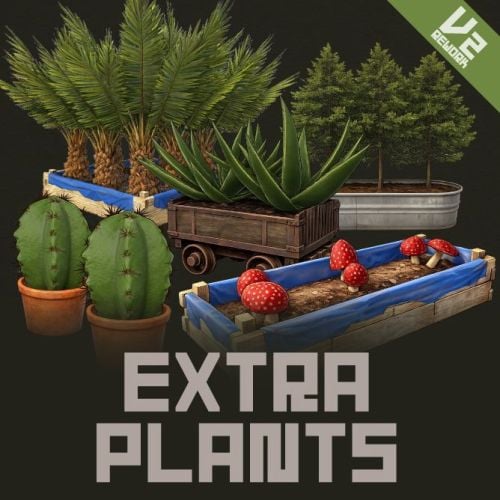
Version 2.0.6
120 downloads
ExtraPlants Expand your farming with 20 unique cultivatable plants ! ExtraPlants introduces a brand-new farming system that goes beyond vanilla crops. Grow mushrooms, harvest resources from grubs, cultivate fruits, vegetables, herbs, and more. By default, all custom items are based on apples, etc. We recommend that you set them to items that can be used with Cooking plugins, etc. This plugin has a trial version. If you are considering purchasing it, please download it here. FEATURES Harvestable Plants Aloe - Produces Aloe Vera Cactus - Low water requirement, yields cactus flesh Sugarcane - Produces sugar cane Wood Tree - Grow your own wood supply Fruits Tree - 15 fruit varieties: Apple, Apricot, Strawberry, Fig, Orange, Kiwi, Plum, Cherry, Pomegranate, Loquat, Grape, Lemon, Persimmon, Peach, and Pear. Tropical Fruits Tree - 11 exotic fruits: Avocado, Guava, Star Fruit, Dragon Fruit, Pineapple, Passion Fruit, Banana, Papaya, Mango, Mangosteen, and Lychee. Nuts Tree - 10 nut varieties: Almond, Cashew, Walnuts, Peanuts, Brazil Nuts, Hazelnuts, Chestnut, Pistachio, Pine Nuts, and Coconut. Sulfur Grub - Harvestable grub that yields sulfur ore — explodes when attacked! You need to raise the larvae without being detected by enemies. Zombie Soul - Mysterious Soul that yields bones. Emits a scream sound when grown. Mushroom - 9 mushroom varieties including Enoki, King Oyster, Maitake, Shiitake, Shimeji, and rare drops like Truffles and Matsutake. Metal Grub - Harvestable grub that yields metal ore Rice - Produces rice (high water requirement) Narcotic Herb - 4 herb varieties: Marijuana leaf, Tobacco leaves, Damiana leaves, and Coca leaves. Potato Plants - 6 tuber varieties: Potato, Sweet Potato, Konjac taro, Nagaimo, Taro, and Yacon. Yellow Plants - 5 varieties: Onion, Burdock, Carrots, Zucchini, and Hop. Green Plants - 5 varieties: Broccoli, Cucumber, Green pepper, Parsley, and Spinach. Black Plants - 3 varieties: Black Raspberries, Coffee Beans, and Black pepper. Blue Plants - 8 varieties: Blueberries, Eggplant, Purple cabbage, Lettuce, Chinese cabbage, Cabbage, Beets, and Asparagus. White Plants - 6 varieties: Radish, Turnip, Lotus root, Green onion, Bamboo shoots, and Garlic. Red Plants - 4 varieties: Tomato, Paprika, Swiss chard, and Chili peppers. By default, all custom items are based on apples, etc. We recommend that you set them to items that can be used with Cooking plugins, etc. Custom Seeds System • Seeds use the fertilizer item with custom skins • Place seeds in any planter box to start growing • Each plant type has unique growth requirements Fully Configurable Every plant type can be customized: • Growth time intervals • Growth success chance • Water requirements • Drop items and quantities • Custom item names and skins • Death/consume probability for grubs COMMANDS Chat Commands (Admin Only) /seed Obtain 100 seeds of each type. ServerConsole Commands giveseed <steamID> <skinID> <amount> - Give special seeds to a player. Entering only "giveseed" will show the names of all plants. Seed Skin IDs Aloe Sapling 3601726840 Cactus Sapling 3601727134 Tropical Fruits Tree Sapling 3601727963 Fruits Tree Sapling 3601727819 Wood Sapling 3601729292 Sulfur Grub 3601729483 Metal Grub 3601729552 Zombie Soul 3601727291 Sugarcane Sapling 3601727002 Nuts Tree Sapling 3601727388 Mushroom mycelium 3675820909 Rice Seedlings 3675814595 Narcotic Herb Seedlings 3675814321 Seed Tuber 3675814757 Yellow Plants Seed 3675815517 Green Plants Seed 3675815146 Black Plants Seed 3675814927 Blue Plants Seed 3675815024 White Plants Seed 3675815400 Red Plants Seed 3675815276 Give Seed Example: giveseed 76561198000000000 3601726840 10 (Give 10 Aloe Sapling to 76561198000000000) Configuration Options For All Plants: Growth Time (seconds) - Time between growth checks Growth Chance (0.0-1.0) - Probability of successful growth Water Required - Minimum water level needed Seed Skin ID - Custom skin ID for the seed item Max Drop Types Per Harvest - Number of different items dropped Drop Items - List of items with amounts and drop chances For Grubs (Sulfur Grub, Metal Grub, Zombie Soul): Probability Of Death (0.0-1.0) - Chance the seed is consumed after a growth cycle For Sulfur Grub: Enable Explosion (true/false) - Whether the grub explodes when attacked For Zombie Soul: Enable Sound (true/false) - Whether a scream sound plays when grown HOW IT WORKS 1. Obtain Seeds - Admins give seeds using the giveseed command 2.Plant the seeds - Place the seeds (fertilizer with custom skin) in the storage box for fertilizer in any planter. 3. Water Plants - Ensure adequate water level for growth 4. Wait for Growth - Plants grow based on configured intervals 5. Harvest - grown plants to collect resources Special Mechanics • Sulfur Grub - Explodes when attacked Explosion Conditions The player attacks the sulfurous body with an axe or gun. The planter box containing the sulfurous is destroyed by the player or NPC, or is destroyed by weathering. (Pickup collection does not cause an explosion.) FAQ Q: How do players obtain seeds? A: Seeds can only be given by server admins using the console command: giveseed <steamID> <skinID> <amount> You can integrate this with your server's shop plugin or reward system. Q: Do plants survive server restarts? A: Yes! All plant data is automatically saved and restored when the server restarts. The plugin uses persistent data files to track all planted seeds and their growth states. Q: Can I customize the drop items and amounts? A: Absolutely. Every plant type has fully configurable drop settings in the config file. You can change item types, quantities, drop chances, custom names, and skin IDs. Q: What happens if I attack the Sulfur Grub? A: The Sulfur Grub will explode, dealing 500 damage within a 12-meter radius. This is intentional — harvest it normally by interacting with it instead of attacking. Q: Why aren't my plants growing? A: Check the following: • Ensure the planter has enough water (each plant type has different requirements) • Verify the growth chance in config is set properly (0.0-1.0) • Wait for the configured growth interval to pass Q: Can I add my own custom plants? A: The current version supports 20 pre-configured plant types. Each plant type's drops, growth times, and requirements are fully customizable through the config file. Q: Do the fruit trees drop all fruits at once? A: No. The "Max Drop Types Per Harvest" setting controls how many different fruit types drop each harvest. For example, if set to 3, players will receive 3 random fruit types from the configured list. Q: What's the difference between Grubs and other plants? A: Grubs (Sulfur Grub, Metal Grub, Zombie Soul) have a "Probability Of Death" setting. After each growth cycle, there's a chance the grub will die and need to be replanted. Regular plants like trees continue producing indefinitely. Q: Which planters are supported? A: All vanilla planter types are supported: • Large Planter Box • Small Planter Box • Bathtub Planter • Minecart Planter • Railroad Planter • Triangle Planter • Single Plant Pot Q: Can players craft the seeds? A: No, seeds cannot be crafted by default. They must be distributed by admins. This gives you full control over your server's economy and progression. Q: Are the custom skins included? A: Yes, all skin IDs are pre-configured and included. The skins are applied automatically when seeds and harvested items are created. Q: Item skin images aren't displayed in the UI. A: Please install the Image Library. Q: Can I change the seed item from fertilizer to something else? A: The current version uses fertilizer items with custom skins as seeds. Changing the base item would require code modification. Q: How do I give seeds to offline players? A: The giveseed command works with sleeping players too. As long as the player has logged in at least once, you can give them seeds using their Steam ID. Q: What happens if a player's inventory is full when receiving seeds? A: The seeds will be dropped on the ground near the player's position. Contact VOID / NINJA WORKS DISCORD : https://discord.gg/U8uxePjSyA MADE IN JAPAN$25.00- 25 comments
- 1 review
-
- 4
-

-
- #rust
- #facepunch
- (and 12 more)
-

Version 0.1.0
2 downloads
Help your players skip the genetics grind with Auto Breeder — a smart planter that crossbreeds and propagates plant clones to achieve perfect genetics, all on its own. Features: Automated Crossbreeding • Set a target gene combination (Y, G, H, W, X) and the AutoBreeder will calculate the best crossbreeding recipe automatically. • Supports multi-generation recipes — creates intermediate clones when needed to reach the desired result. • Automatically plants seeds and takes clones. • Shows real-time status: calculating recipes, planting, cloning, waiting for growth and etc. Score-Based Breeding • Alternatively, crossbreed by genes quality score instead of exact gene targets. • Gene scoring: Y, G = 1 point; H = 0.5 points; W, X = 0. Max score is 6. • Set a minimum quality threshold and the AutoBreeder selects the best possible recipe from available clones. Clone Propagation • Select any clone from your storage and AutoBreeder will begin propagation. • Browse clones in a scrollable GUI — sorted by gene quality, showing genes and amount of clones. • Ideal for filling your farm with perfect genetics for further use. GUI & Notifications • Easy to use GUI panel opens when you loot the planter — select seeds, toggle modes, adjust targets. • Floating 3D text above the planter shows current mode and status in real time. • Chat notifications keep you informed — both 3D text and chat messages can be disabled or enabled. Fully Configurable • Make multiple AutoBreeder presets with separate permissions and settings. • Configure work interval, water update interval, storage scan radius, and more. • Set max AutoBreeder amount per player, enable/disable pickup, and toggle ideal plants conditions. • Automatic water saturation can keep plants in ideal conditions. See It in Action! Watch The Video Configuration: { "Auto Breeders setup": { "autobreeder.default": { "The name of the AutoBreeder to be selected through the command when spawning": "default", "Item": { "Item name": "Auto Breeder", "Item skin": 3693280509 }, "Keep ideal water amount in planter?": true, "Keep ideal conditions for plants in planter?": true, "Enable chat messages by default": true, "Enable 3D text by default": true, "Work interval (seconds)": 3.0, "Storage rescan interval (seconds)": 60.0, "Water update interval (seconds, if keep ideal water amount in planter enabled)": 10.0, "Storage scan radius": 30.0, "Max AutoBreeders per player (0 = unlimited)": 0, "Allow picking up": true } } }$14.90 -
Version 1.1.2
246 downloads
Adds a marketplace terminal to each tool cupboard. This way, players can buy items without leaving home. The plugin is easy to install on your server; no additional settings are needed. You can also change the delivery fee (but the player must still have an additional 20 scrap in their inventory) This plugin uses the permission system Permissions: homeMarketplace.use - required to be able to use the marketplace To assign a permission, use: oxide.grant <user or group> <name or steam id> homeMarketplace.use To remove a permission, use: oxide.revoke <user or group> <name or steam id> homeMarketplace.use Config: { "Terminal offset": { "x": 0.42, "y": 0.68, "z": 0.3 }, "Delivery fee": 20 }$9.99 -
Version 2.0.4
3,620 downloads
Take your server experience to new level using Personal NPC companions that can fight, loot, gather, drive, fly, and assist! Whether combat, gathering resources, or traveling is on your to-do list, your bot is on hand to help out! Features: Battle-Ready AI • Command your bot to attack players, enemies, buildings, barrels, and more. • Protects you against enemies attacks. • Assist in combat by attacking targets that you engage with (/pnpc combat). • Raid using rocket/grenade launchers (addon required). Resource Collection • Auto-farm of wood, metal, sulfur, and stone. • Pick up dropped items and collectable resources. • Enable auto-pickup within a 50m radius along with auto-farm. Smart Assistant • Follow you or stay in position. • Loot containers. • Recovers you while wounded. • Travel with you in minicopters, cars, boats, and more. • Can drive cars, helicopters and boats (addon required). Full Control & Personalization Bot Setup: • Set bot name, health, speed, and appearance. • Enable unlimited ammo and on map visibility. • Setup bot abilities: combat, looting, resource gathering, and more. • Setup damage rates, player interactions, and turret targeting. Other Customization: • Adjust spawn delays, task buttons, and 3D arrow displays. • Personalize the GUI interface – refresh rate, position, colors, and shortcut keys. • Blacklist specific items from the bot’s inventory. Commands: /pnpc where (shows a location of the bot in chat) /pnpc health (shows current bot's health in chat) /pnpc follow (bot will follow you) /pnpc hover (hover over a place, for Heli AI Addon) /pnpc inventory (open inventory, if enabled "Can player open bot's inventory through '/pnpc inventory' command?' option) /pnpc farm {resource name} (bot will farm exactly this resource, no need to write a lot of /pnpc auto-farm commands to make him work) /pnpc pickup {resource name} (same as "farm" but bot will pickup resources) /pnpc auto-pickup {resource name}/enable/disable /pnpc auto-farm {resource name}/enable/disable /pnpc ignore (bot will ignore everybody who deal damage to him or the owner) /pnpc loot-all (bot will loot everything in radius) /pnpc pvp (bot will fight anybody who's in radius) /pnpc combat (bot will fight only players who attack him or owner) Expand with Addons! Enhance your bot’s features using add-ons: • PNPC Helicopter AI Addon • PNPC Car AI Addon • PNPC Boat AI Addon • PNPC Raid Addon See It in Action! Watch The Video Configuration: { "Control setup": { "Which button will assign tasks to the bot, kill/get/collect, etc. (MIDDLE_MOUSE, SECOND_MOUSE, E, RELOAD, SPRINT)": "MIDDLE_MOUSE", "Range of the task assignment button": 25.0, "Display 3D arrows over a target?": true, "Arrow display duration": 2 }, "GUI customization": { "How many seconds to update the GUI?": 6.0, "Panel layer (Hud, Overlay, Overall, Hud.Menu, Under)": "Overlay", "Panel position adjustment": { "type": "RectTransform", "anchormin": "1 1", "anchormax": "1 1", "offsetmin": "-170 -104", "offsetmax": "-10 -10" }, "1 panel color": "#7f8c8d", "2 panel color": "#bdc3c7", "Health bar color": "#2ecc71", "Shortcut buttons": [ { "Text on button": "Auto-Farm: Wood", "Executable chat commands": [ "pnpc auto-farm wood", "pnpc auto-farm enable" ] }, { "Text on button": "Auto-Farm: Stone", "Executable chat commands": [ "pnpc auto-farm stone", "pnpc auto-farm enable" ] }, { "Text on button": "Auto-Pickup: Wood", "Executable chat commands": [ "pnpc auto-pickup wood", "pnpc auto-pickup enable" ] }, { "Text on button": "Auto-Pickup: Stone", "Executable chat commands": [ "pnpc auto-pickup stone", "pnpc auto-pickup enable" ] } ] }, "Bot settings by permission": { "personalnpc.bot1": { "Bot spawn delay": 300.0, "The name of the bot to be selected through the command when spawning": "bot1", "Bot name": "Personal bot of player %OWNER_NAME%", "Bot appearance (0 - random)": 0, "Maximum health": 150.0, "Bot speed (slowest, slow, normal, fast)": "normal", "Enable infinite ammo for the bot?": true, "Enable display of the bot on the map? (frankenstein icon)": true, "Start kit": [ { "Item name": "", "Item shortname": "shoes.boots", "Item skin": 0, "Item amount": 1, "In which container to place? (belt, main, wear)": "wear" }, { "Item name": "", "Item shortname": "pants", "Item skin": 0, "Item amount": 1, "In which container to place? (belt, main, wear)": "wear" }, { "Item name": "", "Item shortname": "hoodie", "Item skin": 0, "Item amount": 1, "In which container to place? (belt, main, wear)": "wear" }, { "Item name": "", "Item shortname": "mask.bandana", "Item skin": 0, "Item amount": 1, "In which container to place? (belt, main, wear)": "wear" }, { "Item name": "", "Item shortname": "hat.boonie", "Item skin": 0, "Item amount": 1, "In which container to place? (belt, main, wear)": "wear" }, { "Item name": "", "Item shortname": "sunglasses", "Item skin": 0, "Item amount": 1, "In which container to place? (belt, main, wear)": "wear" } ], "Functions setup": { "Can a bot loot crates?": true, "Can the bot mine trees and stones?": true, "Can the bot pick up resources? (wood, sulfur and metal ore, stones)": true, "Should the bot protect the owner?": true, "Should the bot defend itself?": true, "Can the bot travel by car/copter and other vehicles?": true, "Can the bot pick up dropped items?": true, "Recover the owner from a wounded state": { "Can the bot recover the owner if he is in a wounded state?": true, "Recover time": 6.0 }, "Can the bot attack other people's buildings?": true, "Can a bot attack its owner's buildings?": false, "Can the bot collect resources within a radius of 50 meters? (/pnpc auto-pickup)": true, "Can the bot farm resources within a radius of 50 meters? (/pnpc auto-farm)": true }, "Gather setup": { "Shortname of items that can harvest trees": [ "hatchet", "chainsaw", "hammer.salvaged", "stonehatchet", "axe.salvaged" ], "Shortname of items that can mine stones and ore": [ "pickaxe", "stone.pickaxe", "hammer.salvaged", "jackhammer", "icepick.salvaged" ], "Setting up mining rates": { "stones": 2.0, "wood": 5.0 } }, "Damage and interactions setup": { "Bot damage rate": 2.0, "Bot recive damage rate": 0.5, "Can players damage the bot?": true, "Can the bot damage players?": true, "Can turrets target and kill a bot? (all turrets will not be able to damage the bot)": false, "Prevent bot owner turrets from aiming and killing the bot? (bot owner's turrets will not be able to damage the bot)": true, "Blacklist of objects that the bot will ignore when owner selecting a target (short prefab name)": [ "barricade.sandbags" ] }, "Black list of items that cannot be put into the inventory of the bot": [ "rocket.launcher" ] } }, "Bot install by item": [ { "Item name": "PersonalNPC", "Item shortname": "furnace", "Item skin": 2741314889, "Bot info": { "Bot spawn delay": 300.0, "The name of the bot to be selected through the command when spawning": "bot1", "Bot name": "Personal bot of player %OWNER_NAME%", "Bot appearance (0 - random)": 0, "Maximum health": 150.0, "Bot speed (slowest, slow, normal, fast)": "normal", "Enable infinite ammo for the bot?": true, "Enable display of the bot on the map? (frankenstein icon)": true, "Start kit": [ { "Item name": "", "Item shortname": "shoes.boots", "Item skin": 0, "Item amount": 1, "In which container to place? (belt, main, wear)": "wear" }, { "Item name": "", "Item shortname": "pants", "Item skin": 0, "Item amount": 1, "In which container to place? (belt, main, wear)": "wear" }, { "Item name": "", "Item shortname": "hoodie", "Item skin": 0, "Item amount": 1, "In which container to place? (belt, main, wear)": "wear" }, { "Item name": "", "Item shortname": "mask.bandana", "Item skin": 0, "Item amount": 1, "In which container to place? (belt, main, wear)": "wear" }, { "Item name": "", "Item shortname": "hat.boonie", "Item skin": 0, "Item amount": 1, "In which container to place? (belt, main, wear)": "wear" }, { "Item name": "", "Item shortname": "sunglasses", "Item skin": 0, "Item amount": 1, "In which container to place? (belt, main, wear)": "wear" } ], "Functions setup": { "Can a bot loot crates?": true, "Can the bot mine trees and stones?": true, "Can the bot pick up resources? (wood, sulfur and metal ore, stones)": true, "Should the bot protect the owner?": true, "Should the bot defend itself?": true, "Can the bot travel by car/copter and other vehicles?": true, "Can the bot pick up dropped items?": true, "Recover the owner from a wounded state": { "Can the bot recover the owner if he is in a wounded state?": true, "Recover time": 6.0 }, "Can the bot attack other people's buildings?": true, "Can a bot attack its owner's buildings?": false, "Can the bot collect resources within a radius of 50 meters? (/pnpc auto-pickup)": true, "Can the bot farm resources within a radius of 50 meters? (/pnpc auto-farm)": true }, "Gather setup": { "Shortname of items that can harvest trees": [ "hatchet", "chainsaw", "hammer.salvaged", "stonehatchet", "axe.salvaged" ], "Shortname of items that can mine stones and ore": [ "pickaxe", "stone.pickaxe", "hammer.salvaged", "jackhammer", "icepick.salvaged" ], "Setting up mining rates": { "stones": 2.0, "wood": 5.0 } }, "Damage and interactions setup": { "Bot damage rate": 2.0, "Bot recive damage rate": 0.5, "Can players damage the bot?": true, "Can the bot damage players?": true, "Can turrets target and kill a bot? (all turrets will not be able to damage the bot)": false, "Prevent bot owner turrets from aiming and killing the bot? (bot owner's turrets will not be able to damage the bot)": true, "Blacklist of objects that the bot will ignore when owner selecting a target (short prefab name)": [ "barricade.sandbags" ] }, "Black list of items that cannot be put into the inventory of the bot": [ "rocket.launcher" ] } } ], "How many seconds will the bot update the information? (affects the performance and operation of the bot)": 0.01, "Spawn a backpack with his items when a bot dies? (otherwise his corpse will spawn)": false, "List of prefabs that the bot can loot (useful if the bot attacks loot instead of looting it)": [ "vehicle_parts" ] }$39.90 -

Version 1.3.4
479 downloads
This plugin adds a taxi to the server. About There can be only 4 taxis in total. Their parking is located on the territory of Peaceful or Bandit city. You can take a taxi there and fly home or to another place you need, as well as using the command /taxi to call one of them Settings Changing the name/clothing of the driver's NPC. Change Peaceful or Bandit city or Custom spawns Change in flight speed. The number of taxis on the map (from 1 to 4) The privilege to use a taxi Privileges for discounts Detailed setup of payment for services (Item - regular items, CustomItem - custom item, plugins: Economics, IQEconomic and ServerRewards) Interface configuration Localization Commands / taxi - allows you to call a helicopter to yourself [FOR ADMIN with custom spawn points] /cpos info - show spawns /cpos add - add spawn /cpos clear - clear all spawns /cpos spawn - respawn all copters Permissions You can set permission in config "Privilege to use a taxi": "coptertaxi.use" "Privileges for discounts": { "coptertaxi.discount10": 10, "coptertaxi.discount20": 20, "coptertaxi.discount30": 30 } Video https://youtu.be/CKg-2JOFcK Config { "Taxi Settings": { "Name for the taxi driver": "Vitalya", "Taxi driver's clothes": { "hat.cap": 2275597860, "tshirt": 2442749397, "pants": 2346785436, "shoes.boots": 1427198029 }, "How much to create a taxi (from 1 to 4)": 4, "Taxi flight altitude (from 80 to 150) (change with caution!)": 80.0, "Taxi flight speed (change with caution!)": 2.0, "Taxi flight acceleration speed (change with caution!)": 0.2, "Taxi flight deceleration speed (change with caution!)": 0.5, "How long does the taxi driver wait for the player to assign a route (in seconds)": 300, "How often a player can call a taxi (in seconds)": 600, "Privilege to use a taxi": "coptertaxi.use", "Privileges for discounts": { "coptertaxi.discount10": 10, "coptertaxi.discount20": 20, "coptertaxi.discount30": 30 }, "Avatar for notification in the chat (SteamID)": 76561198976168730 }, "Taxi fare settings": { "Payment type for taxi Item, CustomItem, Economics, IQEconomic, ServerRewards": "Item", "The cost of 1km": 100, "Item ShortName (for Item, CustomItem)": "scrap", "Item SkinID (for CustomItem)": 0, "Link to the image of the item/currency (except Item)": "https://i.imgur.com/jBaVKHu.png" }, "Configuring the UI": { "Background color": "0 0 0 0.3", "Outline color": "1.00 0.64 0.28 1.00", "Link to the logo": "https://i.imgur.com/tgSooQl.png", "Color of the 'Call' button": "1.00 0.75 0.50 0.5", "Color of the 'Pay' button": "0.09 0.39 0.14 0.85", "The color of the 'Refuse' button": "0.39 0.09 0.14 0.85" }, "Config version": { "Major": 1, "Minor": 1, "Patch": 2 } } There may be problems on custom maps$20.00 -
.thumb.png.b2f9c78b89a732f9b2d2eec74424679b.png)
Version 1.1.4
83 downloads
This plugin adds a Big Barrel to the server, which fills with rewards for breaking barrels all over the server. About The barrel is attached to the city of the NPC or the administrator himself assigns a point for the Big Barrel. When players break the barrels, the Big Barrel fills with rewards and grows in size. As soon as it is 100% full, the countdown begins until these rewards are thrown around the Big Barrel. Settings Number of barrels to break before filling How many barrels do you need to break to add a reward to the Big Barrel How many barrels need to be broken to notify the chat about the fullness of the Big Barrel in% Configurable spawn point of the Big Barrel (by default it is tied to the NPC city) Creating a prefab for the Big Barrel Configuring which barrels on the map will count towards the Big Barrel. Setting up rewards and supporting custom 3D text near the barrel with all information Commands /bb pos - Set the spawn point for the Big Barrel (only for admin) /bb test - Artificially fills the Big Barrel with rewards to 100% (only for admin Video Config { "General settings": { "How many barrels do players need to break to start emptying the barrels": 100, "Every how many barrels a reward is added": 10, "How many seconds will items start pouring from the Big Barrel": 30, "BigBarrel spawn point (0, 0, 0 - the spawn will be tied to the NPC city)": { "x": 0.0, "y": 0.0, "z": 0.0 }, "Every N broken barrels notify about fullness of Big Barrel (0 - off)": 10, "What is the radius from the barrel to draw 3D text with information": 15.0, "Which barrel is taken as the basis for BigBarrel": "assets/bundled/prefabs/radtown/loot_barrel_1.prefab", "What barrels count towards BigBarrel": [ "loot_barrel_1", "loot_barrel_2", "oil_barrel", "loot-barrel-1", "loot-barrel-2" ] }, "Rewards setting": [ { "Item shortname": "sulfur", "Item amount": 500, "Item skinID": 0, "Item name (if custom)": "" }, { "Item shortname": "stones", "Item amount": 1000, "Item skinID": 0, "Item name (if custom)": "" }, { "Item shortname": "rifle.ak", "Item amount": 1, "Item skinID": 0, "Item name (if custom)": "" }, { "Item shortname": "glue", "Item amount": 10, "Item skinID": 2409891781, "Item name (if custom)": "$" }, { "Item shortname": "techparts", "Item amount": 10, "Item skinID": 0, "Item name (if custom)": "" }, { "Item shortname": "weapon.mod.8x.scope", "Item amount": 1, "Item skinID": 0, "Item name (if custom)": "" } ], "Marker settings": { "Include marker": false, "Marker radius": 0.5, "Marker transparency": 0.4, "Marker color": "#10c916", "Marker name": "Big Barrel" }, "Config version": { "Major": 1, "Minor": 1, "Patch": 0 } }$10.00 -

Version 1.0.8
109 downloads
This plugin adds a war for map's monuments. About Any clan can start capturing monuments, if the marker on the map is green, after the start of the capture, points are awarded for each player in the zone every 1 second, any clan can join the capture, even if it did not start, for this you just need to enter any clan member into the capture zone. After the end of the capture of the monument, the clan that scored the most points captures it and items from the config are added to the inventory (which is in the / tw menu) every N seconds. Settings You can choose the type of work Team (game teams), when this parameter is selected, if the team completely disintegrates, then it will lose the inventory of awards, so the advice is to wipe the inventory after the wipe for this parameter Solo works well for Solo servers Clans support for clans, suitable for the server where the clan system is installed Setting up rewards for each monument Support for custom rewards Setting the frequency of issuing rewards Duration of capture and cooldown until the next capture 3D text in the game itself with all the information when entering the capture area Dynamic markers on the map allow you to visually assess the state of the monument Detailed setting of markers on the map Interface customization Plugin localization for EN and RU languages Commands / tw - allows you to open a menu to take items from the inventory and start capturing the monument Video Config { "General settings": { "Plugin type of work: Team - game teams, Solo - for solo server, Clans - clan support ClanReborn(Chaos), ClansUI(RP), Clans(Umod), Clans(CF)": "Clans", "Frequency of distribution of awards in seconds": 1800, "Items from the inventory can only be taken by the head of the clan": false, "Only the leader of a clan or group can start a capture": false, "Whether to delete inventory of items after wipe": true, "Waiting until the next capture in seconds": 14400, "How many seconds does the capture take": 1800, "Whether to add visible spheres to indicate the capture boundaries": true, "Minimum players on the server to start capturing (0 - off)": 0 }, "Marker settings": { "Marker radius": 0.5, "Marker transparency": 0.4, "Marker color when monument can be captured": "#10c916", "Marker color when monument is captured": "#ed0707", "Marker color when monument cannot be captured": "#ffb700", "Added marker to the map with the name of who last captured monument": true }, "Monuments settings": { "assets/bundled/prefabs/autospawn/monument/large/trainyard_1.prefab": { "Monument name": "Train Yard", "What distance from the center of the monument to gain capture points": 85, "Rewards": [ { "Item shortname": "stones", "Item amount": 10000, "Item skinID": 0, "Item name (if custom)": "", "Link to picture (if custom)": "", "Command to execute %STEAMID% (to upload a picture, think of any number skinID and shortname)": "" }, { "Item shortname": "sulfur", "Item amount": 5000, "Item skinID": 0, "Item name (if custom)": "", "Link to picture (if custom)": "", "Command to execute %STEAMID% (to upload a picture, think of any number skinID and shortname)": null }, { "Item shortname": "rifle.ak", "Item amount": 1, "Item skinID": 0, "Item name (if custom)": "", "Link to picture (if custom)": "", "Command to execute %STEAMID% (to upload a picture, think of any number skinID and shortname)": "" }, { "Item shortname": "techparts", "Item amount": 10, "Item skinID": 0, "Item name (if custom)": "", "Link to picture (if custom)": "", "Command to execute %STEAMID% (to upload a picture, think of any number skinID and shortname)": "" }, { "Item shortname": "lmg.m249", "Item amount": 1, "Item skinID": 0, "Item name (if custom)": "", "Link to picture (if custom)": "", "Command to execute %STEAMID% (to upload a picture, think of any number skinID and shortname)": "" }, { "Item shortname": "weapon.mod.8x.scope", "Item amount": 1, "Item skinID": 0, "Item name (if custom)": "", "Link to picture (if custom)": "", "Command to execute %STEAMID% (to upload a picture, think of any number skinID and shortname)": "" }, { "Item shortname": "glue", "Item amount": 10, "Item skinID": 2409891781, "Item name (if custom)": "$", "Link to picture (if custom)": "https://i.imgur.com/jBaVKHu.png", "Command to execute %STEAMID% (to upload a picture, think of any number skinID and shortname)": "" } ] }, "assets/bundled/prefabs/autospawn/monument/large/airfield_1.prefab": { "Monument name": "Airfield", "What distance from the center of the monument to gain capture points": 55, "Rewards": [ { "Item shortname": "stones", "Item amount": 10000, "Item skinID": 0, "Item name (if custom)": "", "Link to picture (if custom)": "", "Command to execute %STEAMID% (to upload a picture, think of any number skinID and shortname)": "" }, { "Item shortname": "sulfur", "Item amount": 5000, "Item skinID": 0, "Item name (if custom)": "", "Link to picture (if custom)": "", "Command to execute %STEAMID% (to upload a picture, think of any number skinID and shortname)": "" }, { "Item shortname": "rifle.ak", "Item amount": 1, "Item skinID": 0, "Item name (if custom)": "", "Link to picture (if custom)": "", "Command to execute %STEAMID% (to upload a picture, think of any number skinID and shortname)": "" }, { "Item shortname": "glue", "Item amount": 10, "Item skinID": 2409891781, "Item name (if custom)": "$", "Link to picture (if custom)": "https://i.imgur.com/jBaVKHu.png", "Command to execute %STEAMID% (to upload a picture, think of any number skinID and shortname)": "" } ] }, "assets/bundled/prefabs/autospawn/monument/xlarge/launch_site_1.prefab": { "Monument name": "Launch Site", "What distance from the center of the monument to gain capture points": 100, "Rewards": [ { "Item shortname": "stones", "Item amount": 10000, "Item skinID": 0, "Item name (if custom)": "", "Link to picture (if custom)": "", "Command to execute %STEAMID% (to upload a picture, think of any number skinID and shortname)": "" }, { "Item shortname": "sulfur", "Item amount": 5000, "Item skinID": 0, "Item name (if custom)": "", "Link to picture (if custom)": "", "Command to execute %STEAMID% (to upload a picture, think of any number skinID and shortname)": "" }, { "Item shortname": "rifle.ak", "Item amount": 1, "Item skinID": 0, "Item name (if custom)": "", "Link to picture (if custom)": "", "Command to execute %STEAMID% (to upload a picture, think of any number skinID and shortname)": "" }, { "Item shortname": "glue", "Item amount": 10, "Item skinID": 2409891781, "Item name (if custom)": "$", "Link to picture (if custom)": "https://i.imgur.com/jBaVKHu.png", "Command to execute %STEAMID% (to upload a picture, think of any number skinID and shortname)": "" } ] }, "assets/bundled/prefabs/autospawn/monument/xlarge/military_tunnel_1.prefab": { "Monument name": "Military Tunnel", "What distance from the center of the monument to gain capture points": 50, "Rewards": [ { "Item shortname": "stones", "Item amount": 10000, "Item skinID": 0, "Item name (if custom)": "", "Link to picture (if custom)": "", "Command to execute %STEAMID% (to upload a picture, think of any number skinID and shortname)": "" }, { "Item shortname": "sulfur", "Item amount": 5000, "Item skinID": 0, "Item name (if custom)": "", "Link to picture (if custom)": "", "Command to execute %STEAMID% (to upload a picture, think of any number skinID and shortname)": "" }, { "Item shortname": "rifle.ak", "Item amount": 1, "Item skinID": 0, "Item name (if custom)": "", "Link to picture (if custom)": "", "Command to execute %STEAMID% (to upload a picture, think of any number skinID and shortname)": "" }, { "Item shortname": "glue", "Item amount": 10, "Item skinID": 2409891781, "Item name (if custom)": "$", "Link to picture (if custom)": "https://i.imgur.com/jBaVKHu.png", "Command to execute %STEAMID% (to upload a picture, think of any number skinID and shortname)": "" } ] }, "assets/bundled/prefabs/autospawn/monument/large/powerplant_1.prefab": { "Monument name": "Power Plant", "What distance from the center of the monument to gain capture points": 85, "Rewards": [ { "Item shortname": "stones", "Item amount": 10000, "Item skinID": 0, "Item name (if custom)": "", "Link to picture (if custom)": "", "Command to execute %STEAMID% (to upload a picture, think of any number skinID and shortname)": "" }, { "Item shortname": "sulfur", "Item amount": 5000, "Item skinID": 0, "Item name (if custom)": "", "Link to picture (if custom)": "", "Command to execute %STEAMID% (to upload a picture, think of any number skinID and shortname)": "" }, { "Item shortname": "rifle.ak", "Item amount": 1, "Item skinID": 0, "Item name (if custom)": "", "Link to picture (if custom)": "", "Command to execute %STEAMID% (to upload a picture, think of any number skinID and shortname)": "" }, { "Item shortname": "glue", "Item amount": 10, "Item skinID": 2409891781, "Item name (if custom)": "$", "Link to picture (if custom)": "https://i.imgur.com/jBaVKHu.png", "Command to execute %STEAMID% (to upload a picture, think of any number skinID and shortname)": "" } ] }, "assets/bundled/prefabs/autospawn/monument/large/water_treatment_plant_1.prefab": { "Monument name": "Water Treatment Plant", "What distance from the center of the monument to gain capture points": 85, "Rewards": [ { "Item shortname": "stones", "Item amount": 10000, "Item skinID": 0, "Item name (if custom)": "", "Link to picture (if custom)": "", "Command to execute %STEAMID% (to upload a picture, think of any number skinID and shortname)": "" }, { "Item shortname": "sulfur", "Item amount": 5000, "Item skinID": 0, "Item name (if custom)": "", "Link to picture (if custom)": "", "Command to execute %STEAMID% (to upload a picture, think of any number skinID and shortname)": "" }, { "Item shortname": "rifle.ak", "Item amount": 1, "Item skinID": 0, "Item name (if custom)": "", "Link to picture (if custom)": "", "Command to execute %STEAMID% (to upload a picture, think of any number skinID and shortname)": "" }, { "Item shortname": "glue", "Item amount": 10, "Item skinID": 2409891781, "Item name (if custom)": "$", "Link to picture (if custom)": "https://i.imgur.com/jBaVKHu.png", "Command to execute %STEAMID% (to upload a picture, think of any number skinID and shortname)": "" } ] }, "assets/bundled/prefabs/autospawn/monument/small/sphere_tank.prefab": { "Monument name": "Sphere Tank", "What distance from the center of the monument to gain capture points": 40, "Rewards": [ { "Item shortname": "stones", "Item amount": 10000, "Item skinID": 0, "Item name (if custom)": "", "Link to picture (if custom)": "", "Command to execute %STEAMID% (to upload a picture, think of any number skinID and shortname)": "" }, { "Item shortname": "sulfur", "Item amount": 5000, "Item skinID": 0, "Item name (if custom)": "", "Link to picture (if custom)": "", "Command to execute %STEAMID% (to upload a picture, think of any number skinID and shortname)": "" }, { "Item shortname": "rifle.ak", "Item amount": 1, "Item skinID": 0, "Item name (if custom)": "", "Link to picture (if custom)": "", "Command to execute %STEAMID% (to upload a picture, think of any number skinID and shortname)": "" }, { "Item shortname": "glue", "Item amount": 10, "Item skinID": 2409891781, "Item name (if custom)": "$", "Link to picture (if custom)": "https://i.imgur.com/jBaVKHu.png", "Command to execute %STEAMID% (to upload a picture, think of any number skinID and shortname)": "" } ] }, "assets/bundled/prefabs/autospawn/monument/small/satellite_dish.prefab": { "Monument name": "Satellite Dish", "What distance from the center of the monument to gain capture points": 40, "Rewards": [ { "Item shortname": "stones", "Item amount": 10000, "Item skinID": 0, "Item name (if custom)": "", "Link to picture (if custom)": "", "Command to execute %STEAMID% (to upload a picture, think of any number skinID and shortname)": "" }, { "Item shortname": "sulfur", "Item amount": 5000, "Item skinID": 0, "Item name (if custom)": "", "Link to picture (if custom)": "", "Command to execute %STEAMID% (to upload a picture, think of any number skinID and shortname)": "" }, { "Item shortname": "rifle.ak", "Item amount": 1, "Item skinID": 0, "Item name (if custom)": "", "Link to picture (if custom)": "", "Command to execute %STEAMID% (to upload a picture, think of any number skinID and shortname)": "" }, { "Item shortname": "glue", "Item amount": 10, "Item skinID": 2409891781, "Item name (if custom)": "$", "Link to picture (if custom)": "https://i.imgur.com/jBaVKHu.png", "Command to execute %STEAMID% (to upload a picture, think of any number skinID and shortname)": "" } ] } }, "UI settings": { "Background color": "0 0 0 0.3", "Outline color": "0.75 0.60 0.20 1.00", "'Start Capture' button color": "0.00 0.17 0.33 1", "'Inventory' button color": "0.00 0.17 0.33 1" }, "Config version": { "Major": 1, "Minor": 0, "Patch": 3 } }$12.99 -

Version 2.0.3
414 downloads
This plugin adds animal farms on the server. Create a farm A player who has the required privilege can create a farm by going into the animal feeder and clicking on the type of animal available to him. After that, you need to put a box next to it, into which all resources will come. Animal capture Catching animals is done with bait traps that can be crafted in the menu of the created farm or you can sell these traps in the in-game or donate store using the command. Plugin settings Max farms per player Attach button No rotting food Changing animal pictures in the interface Localization for RU and EN languages Detailed farm settings and the ability to create new ones Trap Skin Change Changing the name of a trap Trap model changes Trap range Customization of which animals can be caught with a trap Changing the skin of an animal item after being caught Enable / disable crafting in the interface Changing the trap picture in the interface List of necessary items for crafting Detailed farm settings and the ability to create new ones Farm creation privilege for each species The name of the animal that will bring the resources (should be ShortPrefabName) The interval for obtaining resources from the farm How much to take away HP from an animal Maximum number of animals Farm range The amount of food needed per 1 tick (0 - off) What food do you need for a farm (ShortName) Detailed settings for rewards that are placed in a connected box to the farm Video Player Permissions (Standard, change in config) myanimalfarm.bear myanimalfarm.boar myanimalfarm.stag myanimalfarm.wolf myanimalfarm.tiger myanimalfarm.polarbear myanimalfarm.panther myanimalfarm.crocodile Administrator Permissions myanimalfarm.give.animal - allows you to give animals by skin myanimalfarm.give.trap - allows you to give traps by skin Commands for administrator and shops ganimal "name|steamid" "SkinId" - gives an animal by skin gtrap "name|steamid" "SkinId" - gives a trap by skin Note For traps to work correctly, AI must be enabled on the server Animals GEN2 - Wolf, Tiger, Panther, Crocodile have no build zone, it is processed on the clientside, so the plugin cannot allow build, warn players to build farms of these animals a little further on their base TEST SERVER Join our test server to view and experience all our unique features yourself! Copy the IP Address below to start playing! connect 194.147.90.147:28015 Config v2.0$20.00 -
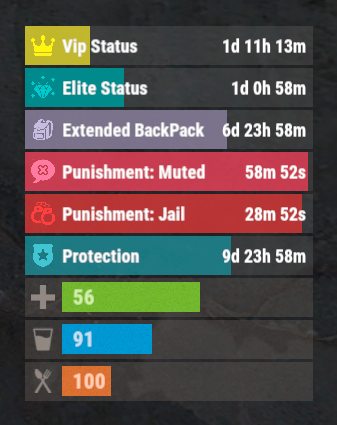
Version 0.1.4
330 downloads
The plugin that displays temporary permissions and groups in the status bar. Depends on AdvancedStatus plugin. The ability to display temporary and permanent permissions; The ability to display temporary and permanent groups; The ability to display temporary and permanent permissions from groups; The ability to automatically generate language files for different languages(filled in English); The ability to customize the bar for each permission and group; The ability to choose between bar types(TimeCounter and TimeProgressCounter); The ability to specify the order of the bar; The ability to change the height of the bar; The abillity to customize the color and transparency of the background; The ability to set a material for the background; The ability to switch between CuiRawImageComponent and CuiImageComponent for the image; The ability to get images from the local folder(*SERVER*\oxide\data\AdvancedStatus\Images); The abillity to set own image and customize the color and transparency of the image; The abillity to set sprite instead of the image; The ability to customize the color, size, font and outline of the text. { "Chat command": "pstatus", "Is it worth enabling GameTips for messages?": true, "List of language keys for creating language files": [ "en" ], "Is it worth clearing saved settings for permissions and groups upon detecting a wipe?": false, "Is it worth displaying the status bar only when players are in the safe zone or have building privilege?": false, "Default display mode for new permissions(Disabled, Temporary, UntilWipe, Permanent, All)": "Temporary, UntilWipe", "Default display mode for new groups(Disabled, Temporary, UntilWipe, Permanent, All)": "Temporary, UntilWipe", "Wipe ID": null, "Version": { "Major": 0, "Minor": 1, "Patch": 4 } } P.S. The default status bar configuration can be adjusted in *SERVER*\oxide\data\PermissionsStatus\BarsConfig.json under the key "_default". EN: { "CmdFailed": "The entered command is incorrect! Try '/{0} display'", "CmdDisplayEnabled": "Displaying the bar is enabled!", "CmdDisplayDisabled": "Displaying the bar is disabled!", "BarUntilWipe": "Until wipe", "BarPermanent": "Permanent" } RU: { "CmdFailed": "Введена не верная команда! Попробуйте '/{0} display'", "CmdDisplayEnabled": "Отображение бара включено!", "CmdDisplayDisabled": "Отображение бара выключено!", "BarUntilWipe": "До вайпа", "BarPermanent": "Постоянный" } The language file is generated during the plugin initialization process. Additionally, when creating a new permission or group, a key for it will be automatically added. Note: You can also specify in the configuration file the generation of language files for other languages besides en and ru. In the "\data\PermissionsStatus\" folder, there are three files: BarsConfig.json - stores status bar settings with their unique keys. GroupsConfig.json - contains settings for groups. PermissionsConfig.json - contains settings for permissions.$9.99 -
Version 1.0.1
5 downloads
Adds a blacksmith to your server who can repair your items and add slots to your armor or backpack. By default, you can find a blacksmith at the outpost and bandit camp monuments. The plugin is ready to use right out of the box. You can also customize it with great flexibility. Commands (only for admin): balacksmith_add_spawnpoint -adds a blacksmith spawn point to your current location and links it to the nearest monument; balacksmith_add_kit - writes to the config the kit of clothes for the blacksmith that you are currently wearing. Config: { "Repair cost multiplier(For example, if the multiplier is 0.5f, then a full repair will require half the resources required for crafting. The less damaged the item, the lower the repair cost.)": 0.5, "Cost to add the first armor slot": [ { "Resource name": "scrap", "Amount": 100 } ], "Cost to add a second armor slot": [ { "Resource name": "scrap", "Amount": 200 } ], "Cost to add a third armor slot": [ { "Resource name": "scrap", "Amount": 300 }, { "Resource name": "metal.fragments", "Amount": 500 } ], "Cost to add a fourth armor slot": [ { "Resource name": "scrap", "Amount": 500 }, { "Resource name": "metal.refined", "Amount": 50 } ], "Cost to add a backpack slot": [ { "Resource name": "scrap", "Amount": 50 }, { "Resource name": "metal.fragments", "Amount": 100 } ], "Blacksmith's clothing list": [ { "Short name of the item": "woodarmor.gloves", "Item SkinID": 0 }, { "Short name of the item": "metal.plate.torso", "Item SkinID": 0 }, { "Short name of the item": "santabeard", "Item SkinID": 0 }, { "Short name of the item": "attire.hide.pants", "Item SkinID": 0 }, { "Short name of the item": "wood.armor.pants", "Item SkinID": 0 }, { "Short name of the item": "hat.beenie", "Item SkinID": 0 }, { "Short name of the item": "attire.hide.boots", "Item SkinID": 0 }, { "Short name of the item": "parachute", "Item SkinID": 0 } ], "Object in hands": { "Short name of the item": "concretehatchet", "Item SkinID": 0 }, "List of blacksmith spawn points": [ { "Monument name": "assets/bundled/prefabs/autospawn/monument/medium/bandit_town.prefab", "Spawn point parameters": [ { "x": -2.49, "y": 1.758, "z": -16.743, "w": 47.0 } ] }, { "Monument name": "assets/bundled/prefabs/autospawn/monument/medium/compound.prefab", "Spawn point parameters": [ { "x": -16.3726, "y": 0.1346, "z": 13.543, "w": -3.0 } ] } ] }$12.99 -
Version 3.3.4
3,516 downloads
Auto plant and pick crops in planter. Also auto water or require a water hookup to water. When crops become ripe it will auto pick them if they have seeds in the box it will replant them in the open space. The plant and the checks are on timers it can take anywhere from 1 to 10 min before it gets picked / planted. There are 2 small stashes mounted to the box one will not accept items and that is where the picked items will go.. the other is to place your seeds in. Hooks void OnAutoFarmCutting (GrowableEntity, Item, StorageContainer) void OnAutoFarmGathered (GrowableEntity, Item, StorageContainer) Videos Below Config { "Settings": { "Disable autofarm placement by default /autofarm": false, "How far can sprinkler water": 1.0, "Large Box Sprinkler On Soil Saturation Level": 5100, "Large Box Sprinkler OFF Soil Saturation Level": 6000, "Small Box Sprinkler On Soil Saturation Level": 1650, "Small Box Sprinkler OFF Soil Saturation Level": 1750, "Enable for use in plugins that require CallHookOnCollectiblePickup": false, "Enable weed pick from Ganja plugin": false }, "Permission needed and options": { "autofarm.allow": { "How many auto farms they allowed to have": 5, "How many slots in seed container": 6, "How many slots in output container": 6, "Add sprinkler to planter": false, "Sprinkler needs water hookup to work": true, "Add storage adapters": false, "Always Light Exposure 100%": false, "Always Temperature Exposure 100%": false, "Allowed seed itemID's and multiplier amount to get on auto gather": { "803954639": 1, "998894949": 1, "1911552868": 1, "-1776128552": 1, "-237809779": 1, "-2084071424": 1, "-1511285251": 1, "830839496": 1, "-992286106": 1, "-520133715": 1, "838831151": 1, "-778875547": 1, "-1305326964": 1, "-886280491": 1, "1512054436": 1, "1898094925": 1, "2133269020": 1, "1533551194": 1, "390728933": 1, "-798662404": 1, "1004843240": 1, "912235912": 1, "1412103380": 1, "924598634": 1, "-1790885730": 1, "1414245519": 1, "-19360132": 1 }, "Enable cloning with knife": false, "Allowed To Clone And Stage ": { "orchid": "Sapling", "sunflower": "Sapling", "wheat": "Sapling", "rose": "Sapling", "blue_berry": "Sapling", "white_berry": "Sapling", "red_berry": "Sapling", "green_berry": "Sapling", "black_berry": "Sapling", "yellow_berry": "Sapling", "pumpkin": "Sapling", "potato": "Sapling", "hemp": "Sapling", "corn": "Sapling" }, "Available tools And Clone Multiplier": { "1814288539": 0, "-194509282": 0, "2040726127": 0, "-2073432256": 0 } }, "autofarm.vip": { "How many auto farms they allowed to have": 5, "How many slots in seed container": 6, "How many slots in output container": 6, "Add sprinkler to planter": false, "Sprinkler needs water hookup to work": true, "Add storage adapters": false, "Always Light Exposure 100%": false, "Always Temperature Exposure 100%": false, "Allowed seed itemID's and multiplier amount to get on auto gather": { "803954639": 1, "998894949": 1, "1911552868": 1, "-1776128552": 1, "-237809779": 1, "-2084071424": 1, "-1511285251": 1, "830839496": 1, "-992286106": 1, "-520133715": 1, "838831151": 1, "-778875547": 1, "-1305326964": 1, "-886280491": 1, "1512054436": 1, "1898094925": 1, "2133269020": 1, "1533551194": 1, "390728933": 1, "-798662404": 1, "1004843240": 1, "912235912": 1, "1412103380": 1, "924598634": 1, "-1790885730": 1, "1414245519": 1, "-19360132": 1 }, "Enable cloning with knife": false, "Allowed To Clone And Stage ": { "orchid": "Sapling", "sunflower": "Sapling", "wheat": "Sapling", "rose": "Sapling", "blue_berry": "Sapling", "white_berry": "Sapling", "red_berry": "Sapling", "green_berry": "Sapling", "black_berry": "Sapling", "yellow_berry": "Sapling", "pumpkin": "Sapling", "potato": "Sapling", "hemp": "Sapling", "corn": "Sapling" }, "Available tools And Clone Multiplier": { "1814288539": 0, "-194509282": 0, "2040726127": 0, "-2073432256": 0 } }, "autofarm.advanced": { "How many auto farms they allowed to have": 10, "How many slots in seed container": 12, "How many slots in output container": 12, "Add sprinkler to planter": true, "Sprinkler needs water hookup to work": false, "Add storage adapters": true, "Always Light Exposure 100%": false, "Always Temperature Exposure 100%": false, "Allowed seed itemID's and multiplier amount to get on auto gather": { "803954639": 1, "998894949": 1, "1911552868": 1, "-1776128552": 1, "-237809779": 1, "-2084071424": 1, "-1511285251": 1, "830839496": 1, "-992286106": 1, "-520133715": 1, "838831151": 1, "-778875547": 1, "-1305326964": 1, "-886280491": 1, "1512054436": 1, "1898094925": 1, "2133269020": 1, "1533551194": 1, "390728933": 1, "-798662404": 1, "1004843240": 1, "912235912": 1, "1412103380": 1, "924598634": 1, "-1790885730": 1, "1414245519": 1, "-19360132": 1 }, "Enable cloning with knife": false, "Allowed To Clone And Stage ": { "orchid": "Sapling", "sunflower": "Sapling", "wheat": "Sapling", "rose": "Sapling", "blue_berry": "Sapling", "white_berry": "Sapling", "red_berry": "Sapling", "green_berry": "Sapling", "black_berry": "Sapling", "yellow_berry": "Sapling", "pumpkin": "Sapling", "potato": "Sapling", "hemp": "Sapling", "corn": "Sapling" }, "Available tools And Clone Multiplier": { "1814288539": 0, "-194509282": 0, "2040726127": 0, "-2073432256": 0 } } }, "Version": { "Major": 3, "Minor": 1, "Patch": 4 } }$22.50- 263 comments
- 5 reviews
-
- 9
-

-
-
- #auto plant
- #auto farm
- (and 5 more)
-

Version 2.2.7
2,891 downloads
Makes animals spawn with random HP and Strength with optional config to show each spawn in console and integrated chat listing on current server setup. Features : Animals can spawn as Alpha animal with increased stats and spawnrates (new in v2.0.0) Spawns any animal (vanilla or playerspawned) with altered stats Set Min/Max Health Set Min/Max Strength This will give each animal a random value in hp and strength !!! Option to change any animal type true/false Option to set populations through plugin or use the servers variables. Can print to console each animal stating hp and strength lvls true/false on spawning. Chatcommand printing current populations/health/and Total animal count per animal type to the chat (with permission) Animal list : Bear PolarBear Wolf Wolf2 Boar Stag Horse Chicken Tiger Crocodile Panther Permissions : backtothewild.Admin Commands : /bttw animals : for a full listing of cfg setup and total animal count Rust native API : Using Rusts native commands and checks like the example below in console del assets/rust.ai/agents/wolf/wolf.prefab you now can use a simpler method like below in console del bear del alpha bear del polarbear del alpha polarbear del boar del chicken del horse del stag del wolf del alpha wolf Example API to determin of a animal is a Normal or a Alpha animal void OnEntityDeath(BaseAnimalNPC animal, HitInfo info) { if (animal == null) return; BasePlayer attacker = info.InitiatorPlayer; if (attacker != null && animal.name.Contains("Alpha")) { Puts($"The animal was a {animal.name}"); } return; } Configuration Normal animals : Change animal stats on spawns : true/false Minimum Health Maximum Health Minimum Strength Maximum Strength Running Speed Configuration Alpha animals : Can spawn as Alpha : True/False Spawnrate (0-100) : based on % with 100% as always spawn as Alpha Health Multiplier : ea 1.5 multiplies the base randomisation value with 1.5x value Strength Multiplier (Att dmg) : ea 3.0 multiplies the base randomisation value with 3x value Speed Multiplier : ea 1.2 multiplies the base speed value with 1.2x value Animals will have any stat between minimum and maximum, giving a random stat. { "Skip Huntsman when using ChickenBow Plugin": true, "Console Logging settings": { "Show Bear spawns in Console": false, "Show PolarBear spawns in Console": false, "Show Wolf spawns in Console": false, "Show Boar spawns in Console": false, "Show Stag spawns in Console": false, "Show Horse spawns in Console": false, "Show Chicken spawns in Console": false }, "Population settings": { "Set population variables ?": true, "Bear population": 5.0, "PolarBear population": 3.0, "Wolf population": 5.0, "Boar population": 5.0, "Stag population": 6.0, "Horse population": 6.0, "Ridable Horse population": 4.0, "Chicken population": 6.0 }, "Bear settings": { "Change Bear stats on spawns": true, "Minimum Health": 400, "Maximum Health": 600, "Minimum Strength (Att dmg)": 30, "Maximum Strength (Att dmg": 40, "Running Speed": 0.1, "Alpha": { "Can spawn as alpha": true, "Spawnrate (0-100)": 100, "Health Multiplier": 3.0, "Strength Multiplier(Att dmg)": 1.5, "Speed Multiplier": 1.0 } }, "PolarBear settings": { "Change PolarBear stats on spawns": true, "Minimum Health": 400, "Maximum Health": 600, "Minimum Strength (Att dmg)": 32, "Maximum Strength (Att dmg": 44, "Running Speed": 6.0, "Alpha": { "Can spawn as alpha": true, "Spawnrate (0-100)": 10, "Health Multiplier": 3.0, "Strength Multiplier(Att dmg)": 1.5, "Speed Multiplier": 1.0 } }, "Wolf settings": { "Change Wolf stats on spawns": true, "Minimum Health": 150, "Maximum Health": 300, "Minimum Strength (Att dmg)": 20, "Maximum Strength (Att dmg)": 30, "Running Speed": 0.1, "Alpha": { "Can spawn as alpha": true, "Spawnrate (0-100)": 10, "Health Multiplier": 3.0, "Strength Multiplier(Att dmg)": 1.5, "Speed Multiplier": 1.0 } }, "Boar settings": { "Change Boar stats on spawns": true, "Minimum Health": 150, "Maximum Health": 450, "Minimum Strength (Att dmg)": 15, "Maximum Strength (Att dmg)": 25, "Running Speed": 0.1 }, "Stag settings": { "Change Stag stats on spawns": true, "Minimum Health": 150, "Maximum Health": 425, "Minimum Strength (Att dmg)": 15, "Maximum Strength (Att dmg)": 25, "Running Speed": 1.0 }, "Horse settings": { "Change Horse stats on spawns": true, "Minimum Health": 150, "Maximum Health": 600, "Minimum Strength (Att dmg)": 15, "Maximum Strength (Att dmg)": 25, "Running Speed": 1.0 }, "Chicken settings": { "Change Chicken stats on spawns": true, "Minimum Health": 25, "Maximum Health": 100, "Minimum Strength (Att dmg)": 1, "Maximum Strength (Att dmg)": 5, "Running Speed": 1.0 } } Localisation : English language file included to use a diffrent language just make a new file in the language folder. { "InvalidInput": "<color=red>Please enter a valid command!</color>", "Version": "\nVersion : V", "Info": "\n<color=green>List of current Population(KM2)/Health min/max settings\nAnd counts how many are on the map</color>", "NoPermission": "<color=red>You do not have permission to use that command!</color>" } Credits : Thx @Horus for making a awsome iconFree -
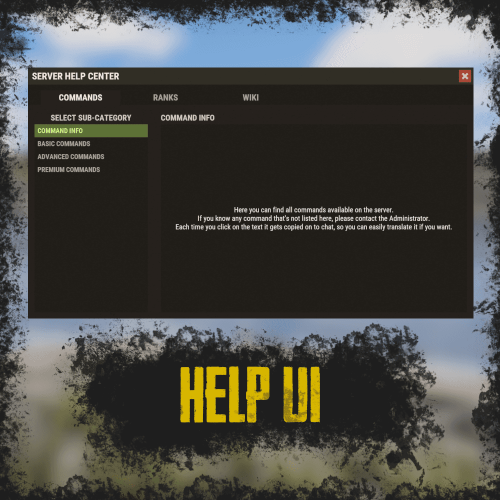
Version 1.0.4
117 downloads
RUST Plugin Test Server TEST MY PLUGINS THERE! connect play.thepitereq.ovh:28050 Help UI lets you create unlimited help pages with ease, allowing players to navigate them effortlessly. All wrapped in a sleek RUST-themed interface with smooth, seamless UI updates. High quality RUST-themed UI. Up to 5 main categories. Almost infinite sub-category limit. Scrollable informations, when clicked printed on chat for easy copy-paste. Full language support. The Commands section values, are the redirect values of the page configurations below. So for example if default config contains "wiki": "wikipedia Page1" it means, that plugin will register command /wiki that will open an Page1 page on wikipedia category. All commands are configured in main config by default you have command like /help, but every command can be edited! { "Commands": { "help": "", "helppage": "", "wiki": "wikipedia Page1" }, "Pages": { "commands": { "Page1": { "Font Size": 15, "Center": false, "Increase Height Value": 0 } }, "ranks": { "Page1": { "Font Size": 15, "Center": false, "Increase Height Value": 0 } }, "wikipedia": { "Page1": { "Font Size": 15, "Center": false, "Increase Height Value": 0 }, "Page2": { "Font Size": 15, "Center": false, "Increase Height Value": 0 } } } }$9.99 -
Version 0.1.13.1
868 downloads
Allows automating the entire manure collection process and adds other useful features in this area, by adding Industial Adapters and BoxStorage to the HitchTrough and Composter. Also auto spliting dungs in the Composter container. Note: During plugin unloading, modified entities are not removed, to prevent the removal of pipes every time the plugin/server is restarted. To remove modifications from entities, you should use the "idung unload" command. industrialdung.admin - Provides unrestricted access to the plugin's functionality. This includes the ability to add/remove or clear modificated entities from other players. Note: In the configuration file, within the "Max ammount of modified entites per group" section, you can specify limits for any existing permission by simply listing its name. "Max amount of modified entites for each permission. Leave null or empty to recreate the default": { "industrialdung.default": { "HitchTroughs": 5, "Composters": 2 }, ... }, ... If you want to create a new permission, you can also include it in the list, but the name must begin with "industrialdung". { "Chat command": "idung", "Is it worth enabling GameTips for messages?": true, "Is it worth using Notify plugins for messages instead of the vanilla UI?": false, "Specify the regular message type for notify": 0, "Specify the warning message type for notify": 1, "List of language keys for creating language files": [ "en" ], "Is it worth ignoring Facepunch's rules regarding skins and DLCs?": false, "Is it worth removing modifications when permissions or groups are revoked if they exceed the limit?": true, "Use auto-splitting in the Composter?": true, "Item's short name for auto-splitting in the Composter. Leave the field empty to use the default": "horsedung", "AutoModify - Default value for new players": true, "Wood Storage Box Workshop Skin ID": 850379673, "Wood Storage Box Scale": 0.5, "The list of items(short name) available for the composter. Leave empty to use vanilla": [ "horsedung", "fertilizer", "plantfiber" ], "Popup - Duration": 6.0, "Popup - Position AnchorMin": "0 0.9", "Popup - Position AnchorMax": "0.25 1", "Popup - Position OffsetMin": "20 0", "Popup - Position OffsetMax": "0 -30", "Popup - Icon Url": "https://i.ibb.co/dJW6zfTk/4Adzkb8.png", "Popup - Icon Color(Hex or RGBA)": "#CCE699", "Popup - Icon Transparency": 0.8, "Popup - Text Font(https://docs.oxidemod.com/guides/developers/basic-cui/basic-cui#fonts)": "RobotoCondensed-Bold.ttf", "Popup - Text Font Size": 14, "Popup - Text Font Color(Hex or RGBA)": "#FFFFFF", "Popup - Description Font": "RobotoCondensed-Regular.ttf", "Popup - Description Font Size": 12, "Popup - Description Font Color(Hex or RGBA)": "#FFFFFF", "Popup - Text FadeIn": 1.0, "Popup - Sound Prefab Name": "assets/bundled/prefabs/fx/invite_notice.prefab", "Max amount of modified entites for each permission. Leave null or empty to recreate the default": { "industrialdung.default": { "HitchTroughs": 5, "Composters": 2, "DungMultiplier": 1.0 }, "industrialdung.vip": { "HitchTroughs": 10, "Composters": 4, "DungMultiplier": 2.0 }, "realpve.default": { "HitchTroughs": 5, "Composters": 2, "DungMultiplier": 1.0 }, "realpve.vip": { "HitchTroughs": 15, "Composters": 6, "DungMultiplier": 2.0 } }, "Version": { "Major": 0, "Minor": 1, "Patch": 13 } } EN: { "PopupTitleHitch": "Modify this hitch trough?", "PopupTitileComposter": "Modify this composter?", "PopupDescription": "Click on the notification to confirm", "CmdNotAllowed": "You do not have permission to use this command!", "CmdPlayerNotFound": "Player '{0}' not found! You must provide the player's name or ID.", "CmdMultiplePlayers": "Multiple players found: {0}", "CmdEntityNotFound": "Entity not found! You must specify the entity ID or look directly at it.", "CmdEntityNotOwned": "This entity has no owner!", "CmdEntityNotOwner": "You are not the owner of this entity!", "CmdEntityNotModified": "This entity has no modifications!", "CmdAdmin": "Available admin commands:\n\n<color=#D1CBCB>/idung</color> <color=#D1AB9A>auto</color> - Toggle automatic modification of HitchTroughs and Composters\n<color=#D1CBCB>/idung</color> <color=#D1AB9A>add *entityID*(optional)</color> - Add modifications to HitchTroughs or Composters you are looking at or specified\n<color=#D1CBCB>/idung</color> <color=#D1AB9A>remove *entityID*(optional)</color> - Remove modifications from HitchTroughs or Composters you are looking at or specified\n<color=#D1CBCB>/idung</color> <color=#D1AB9A>clear</color> - Remove all modifications from your HitchTroughs and Composters\n<color=#D1CBCB>/idung</color> <color=#D1AB9A>clear *nameOrId*</color> - Remove all modifications from HitchTroughs and Composters of the specified player\n<color=#D1CBCB>/idung</color> <color=#D1AB9A>clear all</color> - Remove all modifications from HitchTroughs and Composters, from all players\n<color=#D1CBCB>/idung</color> <color=#D1AB9A>aclear</color> - Remove all modifications from HitchTroughs and Composters that were not saved in the data file for some reason\n<color=#D1CBCB>/idung</color> <color=#D1AB9A>unload</color> - Unload the plugin and removing all modifications from HitchTroughs and Composters without deleting them from the data file\n\n--------------------------------------------------", "CmdAdminClearTarget": "Successfully removed {1} modifications from HitchTroughs and Composters for player '{0}'!", "CmdAdminClear": "Successfully removed all modifications from HitchTroughs and Composters for all players!", "CmdAdminAclear": "Successfully removed all modifications from HitchTroughs and Composters that were not in the data file!", "CmdAdminUnload": "Plugin '{0}' has been successfully unloaded with the removal of all modifications from HitchTroughs and Composters, but without deleting from the data file!", "CmdMain": "Available commands:\n\n<color=#D1CBCB>/idung</color> <color=#D1AB9A>auto</color> - Toggle automatic modification of HitchTroughs and Composters\n<color=#D1CBCB>/idung</color> <color=#D1AB9A>add *entityID*(optional)</color> - Add modifications to HitchTroughs or Composters you are looking at or specified\n<color=#D1CBCB>/idung</color> <color=#D1AB9A>remove *entityID*(optional)</color> - Remove modifications from HitchTroughs or Composters you are looking at or specified\n<color=#D1CBCB>/idung</color> <color=#D1AB9A>clear</color> - Remove all modifications from your HitchTroughs and Composters\n\n--------------------------------------------------", "CmdAutoModifyEnabled": "Automatic entity modification is enabled!", "CmdAutoModifyDisabled": "Automatic entity modification is disabled!", "CmdLimitReached": "You cannot to modify this entity as you have reached your limit of {0}!", "CmdHitchTroughModified": "The hitch trough has been successfully modified!", "CmdComposterModified": "The composter has been successfully modified!", "CmdEntityRemoved": "Entity modifications have been successfully removed!", "CmdEntityClear": "All modifications of your entities have been successfully removed!" } RU: { "PopupTitleHitch": "Модифицировать данную кормушку?", "PopupTitileComposter": "Модифицировать данный компостер?", "PopupDescription": "Нажмите на уведомление для подтверждения", "CmdNotAllowed": "У вас недостаточно прав для использования этой команды!", "CmdPlayerNotFound": "Игрок '{0}' не найден! Вы должны указать имя или ID игрока.", "CmdMultiplePlayers": "Найдено несколько игроков: {0}", "CmdEntityNotFound": "Сущность не найдена! Вы должны указать ID сущности или смотреть прямо на нее.", "CmdEntityNotOwned": "У этой сущности нет владельца!", "CmdEntityNotOwner": "Вы не являетесь владельцем этой сущности!", "CmdEntityNotModified": "Данная сущность не имеет модификаций!", "CmdAdmin": "Доступные админ команды:\n\n<color=#D1CBCB>/idung</color> <color=#D1AB9A>auto</color> - Переключение автоматической модификации кормушек и компостеров\n<color=#D1CBCB>/idung</color> <color=#D1AB9A>add *айдиСущности*(опционально)</color> - Добавить модификации к кормушке или компостеру, на который вы смотрите или указали\n<color=#D1CBCB>/idung</color> <color=#D1AB9A>remove *айдиСущности*(опционально)</color> - Удалить модификации у кормушки или компостера, на который вы смотрите или указали\n<color=#D1CBCB>/idung</color> <color=#D1AB9A>clear</color> - Удалить все модификации у ваших кормушек и компостеров\n<color=#D1CBCB>/idung</color> <color=#D1AB9A>clear *имяИлиАйди*</color> - Удалить все модификации у кормушек и компостеров, указанного игрока\n<color=#D1CBCB>/idung</color> <color=#D1AB9A>clear all</color> - Удалить все модификации у кормушек и компостеров, всех игроков\n<color=#D1CBCB>/idung</color> <color=#D1AB9A>aclear</color> - Удалить все модификации у кормушек и компостеров, которые по некоторым причинам не попали в дата файл\n<color=#D1CBCB>/idung</color> <color=#D1AB9A>unload</color> - Выгрузить плагин с удалением модификаций у всех кормушек и комспостеров, без удаления из даты файла\n\n--------------------------------------------------", "CmdAdminClearTarget": "Успешно удалено {1} модификации у кормушек и компостеров, игрока '{0}'!", "CmdAdminClear": "Успешно удалены все модификации у кормушек и компостеров, всех игроков!", "CmdAdminAclear": "Успешно удалены все модификации у кормушек и компостеров, которых не было в дата файле!", "CmdAdminUnload": "Плагин '{0}' был успешно выгружен с удалением всех модификации у кормушек и компостеров, но без удаления из дата файла!", "CmdMain": "Доступные команды:\n\n<color=#D1CBCB>/idung</color> <color=#D1AB9A>auto</color> - Переключение автоматической модификации кормушек и компостеров\n<color=#D1CBCB>/idung</color> <color=#D1AB9A>add *айдиСущности*(опционально)</color> - Добавить модификации к кормушке или компостеру, на который вы смотрите или указали\n<color=#D1CBCB>/idung</color> <color=#D1AB9A>remove *айдиСущности*(опционально)</color> - Удалить модификации у кормушки или компостера, на который вы смотрите или указали\n<color=#D1CBCB>/idung</color> <color=#D1AB9A>clear</color> - Удалить все модификации у ваших кормушек и компостеров\n\n--------------------------------------------------", "CmdAutoModifyEnabled": "Автоматическая модификация сущностей включена!", "CmdAutoModifyDisabled": "Автоматическая модификация сущностей выключена!", "CmdLimitReached": "Вы не можете модифицировать данную сущность, так как вы превысили свой лимит в {0}!", "CmdHitchTroughModified": "Кормушка успешно модифицирована!", "CmdComposterModified": "Компостер успешно модифицирован!", "CmdEntityRemoved": "Модификации сущности успешно удалены!", "CmdEntityClear": "Все модификации ваших сущностей успешно удалены!" } auto - Toggle automatic modification of HitchTroughs and Composters; add *entityID*(optional) - Add modifications to HitchTroughs or Composters you are looking at or specified; remove *entityID*(optional) - Remove modifications from HitchTroughs or Composters you are looking at or specified; clear - Remove all modifications from your HitchTroughs and Composters; clear *nameOrId* - Remove all modifications from HitchTroughs and Composters of the specified player. Permission "industrialdung.admin" required; clear all - Remove all modifications from HitchTroughs and Composters, from all players. Permission "industrialdung.admin" required; aclear - Remove all modifications from HitchTroughs and Composters that were not saved in the data file for some reason. Permission "industrialdung.admin" required; unload - Unload the plugin and removing all modifications from HitchTroughs and Composters without deleting them from the data file. Permission "industrialdung.admin" required. Example: /idung auto /idung add /idung add *netID* /idung clear all$9.99- 76 comments
- 2 reviews
-
- 1
-
-
- #rust
- #industrial
- (and 25 more)
-
.thumb.jpg.3f3648006ead45d4324c5a9f83d4993e.jpg)
Version 1.2.4
2,470 downloads
Discover the beauty of the open sea, with versatile barges perfect for transforming into your floating abode. Glide across the water effortlessly, by attaching a Tugboat, a Submarine, a RHIB, and more! You can traverse the waters of your Rust server with a custom Barge motor as well. Elevate your gaming experience, go on a wet and wild adventure with Barges, take the fight into the waves and beyond! The plugin includes 7 configurable platform shapes, each of which has it's own customization options in the config file. Note that the modules are configured within the config file, not in game. With proper TC authorization teammates can also access the Barge and it's modules. In the config file you can also adjust the maximum building height, movement speed, and several other parameters. Modules Barges each come with a variety of modules that you can enable, disable, or swap out for alternate modules, all within the config file. Regarding access to the modules in the game, this is restricted to players who have TC authorization. Connector Connector module allows attaching to a tugboat, a RHIB, or another barge. To allow attachment, press the button on the connector. You cannot install more than one Connector module on each Barge. Dock Dock module allows attaching boats and submarines to the Barge. Just approach it with your vehicle to activate and attach it. Mutliple Dock modules can be added to any Barge with available slots. Cabin Cabin module is used to drive the Barge. If this module is installed, the Barge can be driven with the help of an engine. To get into the Cabin, use the button on the door. To start the engine, fuel must be placed in the fuel tank behind the cabin. You can only connect one Cabin module on each Barge. Ramp Ramp module is used for loading and unloading vehicles, like motorcycles, cars, or minis! To open cor close the gate, use the button on the post. Multiple Ramp modules can be installed to each Barge. Anchor Anchor module will be the most used module for many who brave the sea on a Barge! Press the button to drop the Anchor, and stop movement so that you can build, or if you get a little seasick. Press the button again to go with the flow! Features and limitations • By default the construction on any Barge is restricted to either wood or metal. Stone and high quality are not currently an option. Those building parts will automatically receive the Legacy and Container skins. You can disable the restriction in the config, but this will negatively impact the performance on some servers and appear to have rougher movement of build parts with a large number of barges on the server • These actions are available only while the Barge is Anchored, not while moving - Base construction - Use of chairs and sofas - Installation of objects - Interact with wires pipes or conveyors • For optimization installing Wallpaper on Barges is not allowed • Building parts can not exceed the boundaries of the Barge itself • Frankenstein tables are not able to be installed on any Barge • By default you are not able to approach Fishing Village by Barge Please consider this plugin in BETA testing. The plugin is functional but I cannot make it compatible with the many plugins out there without your help. Please feel free to reach out with ideas but be patient with new ideas, as many common functions of a base are not so easy to do on a constantly moving rocking and rolling unique water base. Please give feedback and make tickets for support. Please be patient as all support requests are always going to be answered. If you are willing to join the Mad Mapper Discord this is a great resource for creating tickets for suggestions feedback and support. Chat commands (admin only) /spawnbarge PresetName - spawn the barge in your position /killbarge - destroys the barge you're looking at /killallbarges - destroys all barges on the server /givebarge PresetName - give the barge to yourself Console commands (RCON only) givebarge PresetName userID - give the barge to the player API bool IsEntityOnBarge(BaseEntity entity) Plugin Config en – example of plugin configuration in English ru – example of plugin configuration in Russian Check out the rest of my work: Adem's Codefling Library You can reach out to me in Discord: Adem's Discord Profile Join the Mad Mappers Discord!$29.99 -
Version 1.5.6
9,465 downloads
Sputnik is a server event that allows players to contest fallen sputnik satellite fragments that fall around the map. Players will need to battle their way past patrol helicopters, NPCs, turrets, and mines to gain access to loot locked behind keycards that require 'Space Cards,' which can be added to loot tables or sold in a shop! Alternatively, you can use standard keycards. Overview By default, there are five types of debris that can fall in any quantity and combination. The fragment can be guarded by a helicopter, NPCs, turrets, and mines. For each preset, you can configure the location and number of crates. A radiation zone can be created around the fragment. By default, there is a card reader in one of the locations that open a locked crate. It is activated using the "Space card.” For more information, see the "Space card” section. Space Card A card reader can be placed on any type of sputnik debris. By default, it is activated using a purple "Space Card." This card reader opens the crates specified in a special section of the config. A custom card can be added to the loot tables of standard crates and crates of this event. It can also be given with the help of a command or sold in the server store. If necessary, the card reader can be removed, and the card can be replaced with any type of standard card. Location presets The location preset is specified for each wreckage preset separately. By default, a data file with five types of prefabs is included: sputnik_1 debris_1 debris_2 debris_3 debris_4 They are shown in pictures 6 - 10. The first location includes a locked crate that opens with the help of a "Space Map." Chat commands (only for administrators) /sputnikstart– launches the event in a random configuration /sputnikstart <eventPresetName> – launches the event in the <eventPresetName> configuration /sputnikstop – stops the event /givespacecard – give yourself a "Space Card". Console commands (RCON only) sputnikstart– launches the event in a random configuration sputnikstart <eventPresetName> – launches the event in the <eventPresetName> configuration givespacecard <userID> – give a "Space Card" to player Config en – example of plugin configuration in English ru – example of plugin configuration in Russian Dependencies (optional, not required) True PVE PveMode GUI Announcements Notify DiscordMessages AlphaLoot CustomLoot Economics Server Rewards IQEconomic Hooks OnSputnikEventStart () OnSputnikEventStop () OnSputnikEventWin (ulong userID) OnPlayerEnterSputnik{BasePlayer player} OnPlayerExitSputnik{BasePlayer player} My Discord: Adem#9554 Join the Mad Mappers Discord here! Check out more of my work here!$29.99 -
Version 1.5.2
4,163 downloads
The plugin allows players to visit a cold atmospheric Space void of gravity and oxygen, and visit an International Space Station! A Space Station appears high in the sky, and is surrounded by Meteorites, Spaceships, and Balloons. There is no gravity in Space, the temperature is very low and there is no oxygen. You can get to Space by a Spaceship or by a Balloon which also spawn near roads or in loot tables. The Space Station is guarded by customizable NPCs and a Space Bradley. Outer Space Meteorites, Crates, NPCs, Balloons and Spaceships will spawn in Outer Space near the Space Station, the number of each can be configured and customized. In order to survive in Outer Space, the player will need a Spacesuit. A Spacesuit can be customized to be any piece of clothing. In the config you can customize items that will perform the functions of the Spacesuit in whole or in part. To make space dark for players at any time of the day, use the NightVision plugin Space Station The Space Station consists of several compartments that are separated from each other by doors. Optionally, the doors can be locked and they will need to be raided. Inside the station there are crates with loot, NPCs, turrets, and fire turrets. At the end of the corridor there are two doors that open with blue cards and one door that opens with red. The spawn of the space station can be disabled. All objects on the space station are configured in the Data file of this station Spaceship The plugin includes spaceships that can spawn near roads, in Space, or can be added to loot tables. The ship has separate settings for flying in the normal atmosphere and in zero gravity in Space. It can shoot torpedoes, which will help the player in capturing the space station. There are two seats in each spaceship. Shuttle Control Guide: Balloon A balloon is an ordinary balloon with which you can ride into outer space. The balloon can spawn near roads, in Space, or can be added to loot tables. Also, this function can be applied to all balloons on the server. If the balloon is in zero gravity, it can be used as an escape capsule! If necessary, the player can enter, press a button, and be taken out of Space into the normal atmosphere. Dependencies Required NpcSpawn Chat commands (only for administrators) /spacestart – launches the event in a random configuration /spacestart <eventPresetName> – launches the event in the <eventPresetName> configuration /spacestop – stops the event /spawnshuttle – spawn the shuttle in your position /spawnaerostat – spawn the aerostat in your position /spacepoint – creates a custom spawn point of the event in your position (after that, you need to enable custom spawn points in the config) Console commands (RCON only) spacestart – launches the event in a random configuration spacestart <eventPresetName> – launches the event in the <eventPresetName> configuration spacestop – stops the event givepurplecard <userId> <amount> – gives a space card to a player giveshuttle <userId> <amount> – gives a shuttle to a player giveaerostat <userId> <amount> – gives a shuttle to a player givespacesuit <space_suit_preset> <userId> <amount> – gives <space_suit_preset> to a player Config plugin_en – example of plugin configuration in English station_en – example of station configuration in English plugin_ru – example of plugin configuration in Russian station_ru – example of station configuration in Russian Dependencies (optional, not required) True PVE PveMode GUI Announcements Notify DiscordMessages AlphaLoot CustomLoot Economics Server Rewards IQEconomic Hooks void OnSpaceEventStop() void OnSpaceEventStart() API bool IsPositionInSpace(Vector3 position) float GetMinSpaceAltitude() bool IsEventActive() My Discord: adem9554 Join the Mad Mappers Discord here! Check out more of my work here!$39.99 -
![More information about "Dynamic Monuments [Jungle Bundle]"](https://codefling.com/uploads/monthly_2026_02/adem_prev_aztec_prev.thumb.jpg.33a76c6b835053171351d3129d5bbe88.jpg)
Version 1.0.2
309 downloads
Note: This is an add-on, not a standalone plugin. It requires the Dynamic Monuments plugin to be installed (sold separately). Enhance your Rust world with Jungle Bundle — a rich and immersive monument pack for the Dynamic Monuments plugin! Explore dense jungle environments and mysterious ancient sites, or configure them to appear in any biome you prefer. Included in the addon: 7 land monuments 1 coastal location 1 dam 2 modified in-game locations Player-placeable locations: The Mayan Pyramid The Tree House Eye of the Jungle Eclipse Fort Bone Cape The Ancient Dam Installation Instructions: Make sure you have the latest version of the Dynamic Monuments plugin installed Move the contents of the data/DynamicMonuments folder from the archive you downloaded into the oxide/data/DynamicMonuments folder on your server Reload the plugin Check out the rest of my work: Adem's Codefling Library Join the Mad Mappers Discord!$39.99 -
![More information about "Building Sites [Super Sized Bundle]"](https://codefling.com/uploads/monthly_2025_09/adem_prev_sites_prev_1.thumb.jpg.e63b8b7d1ba98b9e3733caa76fff8f17.jpg)
Version 1.0.0
339 downloads
Note: This is an add-on, not a standalone plugin. It requires the BuildingSites plugin to be installed (sold separately). SuperSized is an add-on for BuildingSites that introduces 10 new locations — one coastal and nine land-based. Its defining feature is massive buildable areas, perfectly suited for ambitious structures, large bases, or clan settlements. Installation Instructions: Make sure you have the latest version of the BuildingSites plugin installed Move the contents of the data/BuildingSites folder from the archive you downloaded into the oxide/data/BuildingSites folder on your server Reload the plugin Check out the rest of my work: Adem's Codefling Library You can reach out to me in Discord: Adem's Discord Profile Join the Mad Mappers Discord!$19.99- 5 comments
- 3 reviews
-
- 7
-
-
- #building
- #building site
- (and 5 more)