Search the Community
Showing results for tags 'raidablebases'.
-
Version 0.1.23
1,673 downloads
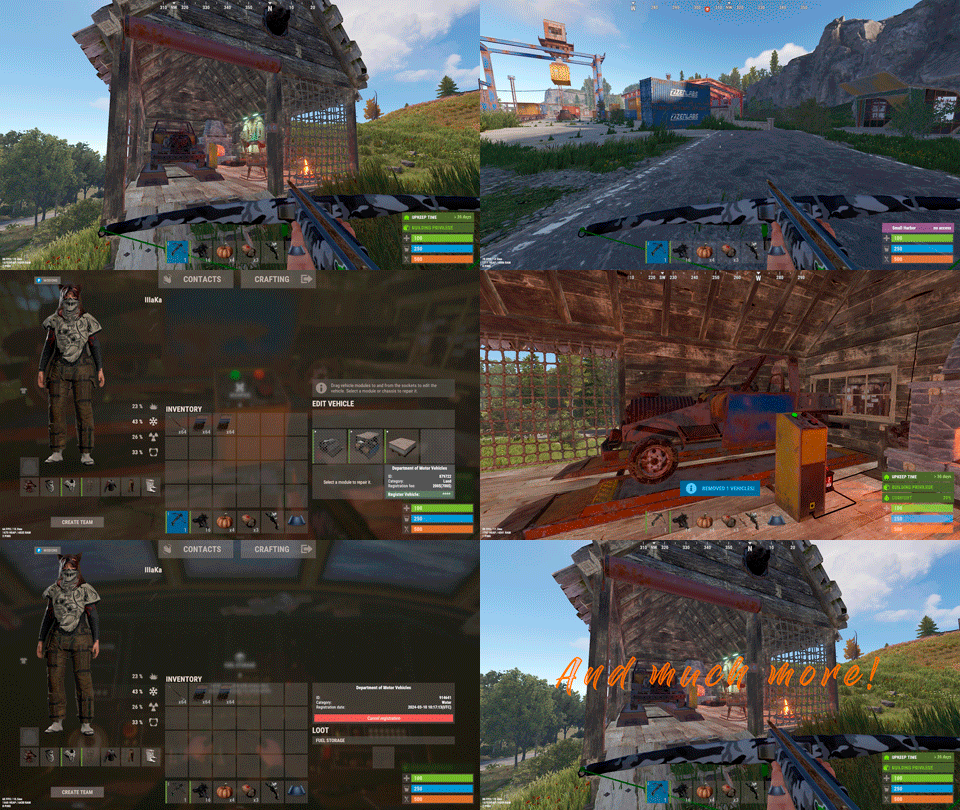
Plugin for Real PvE servers, featuring damage prevention, anti-griefing measures, customizable PvP zones, an automatic loot queue in radtowns and raid zones, and much more. The ability to set "server.pve" to "true", which allows the server to have a "PvE" flag; Damage from NPC's are enabled when server.pve is true; The ability to inflict damage to one's own structures with "server.pve true"; The ability to destroy(including external walls) or rotate one's structures without any time constraints; The ability to toggle the gather resource restriction in someone else's Building Privileges; No one, except the owner or their friends, will be able to open their loot containers (chests, storages, bodies, etc.); Administrators can bypass loot restrictions; The ability to schedule the killing of players if they disconnect within someone else's Building Privilege; Disabling backpack and active item drop upon death, even if backpack is full; The ability to modify the items given at spawn on the beach; The ability to create an unlimited number of custom permissions; The ability to allow players to bypass the queue; The ability to set limits on sleeping bags, shelters and auto turrets for each permission; The ability to set a multiplier for the prices of monuments and events for each permission; The ability to customize the price and amount of vehicles for each of your custom permissions; The ability to assign vehicles to each player; The ability to customize the assigned price and available amount of vehicles for each of your custom permissions; An assigned vehicle can't be damaged, looted or pushed by other players, but it can be pushed if it is within someone else's Building Privilege; The ability to loot monuments through a queue system; The ability to configure monuments, setting their looting price and time, and adjusting status bars for each monument; The ability to acquire the privilege to loot events (helicopters, bradleys, and raidable bases) through a purchase; The ability to customize the price of each event types and loot attempts (lives); NPCs only aggress against players who are looting monuments, events or raidable bases; Only players who are looting monuments, events or raidable bases can inflict damage to NPCs; RaidableBases are protected from griefing(no damage, no loot and etc). Only the owner can interact with the raid; Neutral RaidableBases can be purchased; Prices for purchasing neutral raids are configurable for each difficulty level; Configurable raid limits (currently available) along with discount multipliers for purchases, for each permission. File location: *SERVER*\oxide\data\RealPVE\PermissionConfig.json Default: https://pastebin.com/5VtWZZVr All permissions are created and configured in the config file under the "List of permissions" section. You can create as many permissions as needed and customize them flexibly. It is recommended to use the prefix "realpve" in the permission's name, for example: "realpve.vip". NOTE: The first permission will serve as the default permission for those who do not have any permissions. { "List of permissions. NOTE: The first permission will be used by default for those who do not have any permissions.": [ { "Permission Name": "realpve.default", "Bypass Queue": false, "Limit of beds": 15, "Limit of shelters": 1, "Limit of auto turrets": 12, "Seconds that will be skipped when opening HackableLockedCrate": 0.0, "Monuments price multiplier": 1.0, "Events price multiplier": 1.0, "Limit of RaidableBases(at the time)": 1, "RaidableBases price multiplier": 1.0, "Vehicles settings": { "Horse": { "Limit": 1, "Price": 10.0 }, "Bike": { "Limit": 1, "Price": 5.0 }, "MotorBike": { "Limit": 1, "Price": 20.0 }, "Car": { "Limit": 1, "Price": 25.0 }, ... } }, { "Permission Name": "realpve.vip", "Bypass Queue": true, "Limit of beds": 20, "Limit of shelters": 2, "Limit of auto turrets": 15, "Seconds that will be skipped when opening HackableLockedCrate": 450.0, "Monuments price multiplier": 0.9, "Events price multiplier": 0.9, "Limit of RaidableBases(at the time)": 2, "RaidableBases price multiplier": 0.9, "Vehicles settings": { "Horse": { "Limit": 5, "Price": 9.0 }, "Bike": { "Limit": 5, "Price": 4.5 }, "MotorBike": { "Limit": 5, "Price": 18.0 }, "Car": { "Limit": 5, "Price": 22.5 }, ... } } ], "Version": { "Major": 0, "Minor": 1, "Patch": 1 } } An example of a monument/event/rb multipliers using default permissions. For example, if you set the price for the Harbor at $1000, a player with the default permission(1.0) will pay $1000 * 1 = $1000. Meanwhile, a player with a VIP permission(0.9) will pay $1000 * 0.9 = $900. However, if a player possesses a misbehaving permission with a value of 1.1, they will need to pay $1000 * 1.1 = $1100. { "Chat command": "realpve", "Chat admin command": "adminpve", "Is it worth forcibly implementing PvE for a server?": true, "Is it worth forcing the tutorial mode support?": true, "Is it worth enabling GameTips for messages?": true, "Is it worth rechecking the limits when removing permissions?": true, "Is it worth preventing death on logout in safe zones?": true, "Is it worth preventing the pickup of plants spawned by the server in someone else's building privilege zone?": false, "Is it worth forcibly blocking damage from the patrol helicopter to building blocks and deployables?": false, "Is it worth preventing players from handcuffing others?": true, "Is it worth assigning portals(Halloween and Christmas) to the first player?": true, "Is it worth preventing a backpack from dropping upon player death?": true, "Is it worth preventing damage to the laptop of the Hackable Crate?": true, "Is it worth removing the penalties for recyclers in safe zones?": true, "Is it worth allowing all players to pick up items dropped by others? If enabled, personal settings will be ignored": false, "Is it worth protecting sleeping players from animals?": true, "List of forbidden resource gathering types in someone else's building privilege area. 0 - no restrictions, 1 - trees, 2 - ores, 3 - flesh": [ 1, 2, 3 ], "The format that will be used for prices": "${0}", "Vehicles - Time in seconds to display the marker when searching for a vehicle. A value of 0 disables the marker": 15.0, "Anti-Sleeper - Time in seconds after which a player will be killed if they disconnect while inside someone else's Building Privilege. Set to 0 to disable": 1200.0, "Is it worth enabling support for the 'Npc Random Raids' plugin?": true, "List of language keys for creating language files(excluding ru)": [ "en" ], "Is friendly fire enabled by default when creating a new team?": false, "PvP - Is it worth adding map markers for PvP zones?": true, "PvP - Name of the map maker": "PvP Zone!", "PvP - Settings for the status bar": { "Order": 9, "Height": 26, "Main_Color(Hex or RGBA)": "1 0.39 0.28 0.7", "Main_Transparency": 0.8, "Main_Material": "", "Image_Url": "https://i.imgur.com/oi5vIkk.png", "Image_Local(Leave empty to use Image_Url)": "RealPVE_PvP", "Image_Sprite(Leave empty to use Image_Local or Image_Url)": "", "Image_IsRawImage": false, "Image_Color(Hex or RGBA)": "1 0.39 0.28 1", "Image_Transparency": 1.0, "Is it worth enabling an outline for the image?": false, "Image_Outline_Color(Hex or RGBA)": "0.1 0.3 0.8 0.9", "Image_Outline_Transparency": 0.0, "Image_Outline_Distance": "0.75 0.75", "Text_Size": 12, "Text_Color(Hex or RGBA)": "1 1 1 1", "Text_Font(https://umod.org/guides/rust/basic-concepts-of-gui#fonts)": "RobotoCondensed-Bold.ttf", "Is it worth enabling an outline for the text?": false, "Text_Outline_Color(Hex or RGBA)": "#000000", "Text_Outline_Transparency": 1.0, "Text_Outline_Distance": "0.75 0.75", "SubText_Size": 12, "SubText_Color(Hex or RGBA)": "1 1 1 1", "SubText_Font": "RobotoCondensed-Bold.ttf", "Is it worth enabling an outline for the sub text?": false, "SubText_Outline_Color(Hex or RGBA)": "0.5 0.6 0.7 0.5", "SubText_Outline_Transparency": 0.0, "SubText_Outline_Distance": "0.75 0.75" }, "PvP - Settings for the progress status bar": { "Main_Color(Hex or RGBA)": "1 1 1 0.15", "Main_Transparency": 0.15, "Progress_Reverse": true, "Progress_Color": "#FF6347", "Progress_Transparency": 0.7, "Progress_OffsetMin": "0 0", "Progress_OffsetMax": "0 0" }, "Wipe ID": null, "Version": { "Major": 0, "Minor": 1, "Patch": 21 } } ENG: https://pastebin.com/ZMUL6pYL RUS: https://pastebin.com/Mx8cbMts Main commands(/realpve) : autobuy - Toggle autobuy for monuments, vanilla events and raid bases with a total price greater than 0; pickup - Toggle access to pick up your items from the ground for all players; share - Manage access to looting your entities by other players(outside of the team): status *entityID*(optional) - Display information about the settings of the entity you are looking at or the one you specified; add *nameOrID* *entityID*(optional) - Add the specified player to the entity list you are looking at or the one you specified; remove *nameOrID* *entityID*(optional) - Remove the specified player from the entity list you are looking at or the one you specified; toggle *entityID*(optional) - Toggle the entity list you are looking at or the one you specified; delete *entityID*(optional) - Delete the settings for the entity you are looking at or the one you specified; clear - Delete the settings for all your entities. team - Manage your team: ff - Toggle the ability to damage your teammates. vehicle - Manage your vehicles: list - List of IDs for all your vehicles; find *vehicleID*(optional) - Help finding the vehicle you are looking at or the one you specified; unlink *vehicleID*(optional) - Unlink the vehicle you are looking at or the one you specified; clear - Unlink all your vehicles. Admin commands(/adminpve). Permission "realpve.admin" required: autobuy - Manage autobuy for monuments, vanilla events and raid bases: *nameOrId* - Toggle autobuy for the specified player; force monument/event/rb - Toggle forced autobuy. If enabled, player settings will be ignored; clear - Disable autobuy for everyone. config - Manage settings for values in the configuration file: forcepve *boolValue*(optional) - Is it worth forcibly implementing PvE for a server? forcetutorial *boolValue*(optional) - Is it worth forcing the tutorial mode support? gametips *boolValue*(optional) - Is it worth enabling GameTips for messages? perm_limits *boolValue*(optional) - Is it worth rechecking the limits when removing permissions? safe_death *boolValue*(optional) - Is it worth preventing death on logout in safe zones? heli_damage *boolValue*(optional) - Is it worth forcibly blocking damage from the patrol helicopter to building blocks and deployables? handcuffs *boolValue*(optional) - Is it worth assigning portals(Halloween and Christmas) to the first player? portals *boolValue*(optional) - Is it worth preventing players from handcuffing others? backpack_drop *boolValue*(optional) - Is it worth preventing a backpack from dropping upon player death? laptop_damage *boolValue*(optional) - Is it worth preventing damage to the laptop of the Hackable Crate? recycler_safezone *boolValue*(optional) - Is it worth removing the penalties for recyclers in safe zones? item_pickup *boolValue*(optional) - Is it worth allowing all players to pick up items dropped by others? If enabled, personal settings will be ignored; safe_sleep *boolValue*(optional) - Is it worth protecting sleeping players from animals? loot_privilege *stringValues* - Entities spawned by the server allowed to be looted in someone else's building privilege zone(None, Wood, Ore, Flesh, Collectible, All) ; priceformat *stringValue* - The format that will be used for prices; vehicle_marker_time *floatValue* - Vehicles - Time in seconds to display the marker when searching for a vehicle. A value of 0 disables the marker; antisleeper *floatValue* - Anti-Sleeper - Time in seconds after which a player will be killed if they disconnect while inside someone else's Building Privilege. Set to 0 to disable; randomraids *boolValue*(optional) - Is it worth enabling support for the 'Npc Random Raids' plugin? teamff *boolValue*(optional) - Is friendly fire enabled by default when creating a new team? pvpmarkers *boolValue*(optional) - PvP - Is it worth adding map markers for PvP zones? pvpmarkersname *stringValue* - PvP - Name of the map maker. loot - Manage player access to entities without restrictions: *nameOrId* - Toggle unrestricted access for the specified player; self - Toggle unrestricted access for yourself; clear - Revoke unrestricted access for all players. monument - Manage monuments: list - List of available monuments; ignore *nameOrID* *boolValue* - Add or remove a player from the monument entry ignore list; *monumentID*/this - Instead of the monumentID, you can use the word "this", but you must be inside the monument: suffix *boolValue*(optional) - Toggle the suffix display in the monument's name; broadcast *boolValue*(optional) - Toggle notifications about monument occupancy/release; time *intValue* - Set the looting time limit for the monument in seconds; price *floatValue* - Set the cost for looting rights. A value of 0 makes the monument free; offer *floatValue* - Set the offer duration for purchasing the monument in seconds; map_mode *intValue* - Set the marker display mode on the map. 0 - disabled, 1 - enabled, 2 - enabled during PvP mode; map_circle *boolValue*(optional) - Toggle the display of the monument's circle marker on the map; pvp *boolValue*(optional) - Toggle PvP mode for the monument; pvp_delay *floatValue* - Set the PvP mode duration in seconds for players after leaving the PvP monument; bar_progress *boolValue*(optional) - Toggle between TimeProgressCounter and TimeCounter bars for the monument. perm - Manage permissions: add *permName* - Adds a new permission to the list by copying values from the first(default) permission in the list. If the permission name starts with 'realpve', it will also register a new permission; add *permName* *sourcePermName* - Adds a new permission to the list by copying values from an existing permission in the list; remove *permName* - Removes an existing permission from the list; edit *permName* - Edits a permission: queue - Toggle the permission to bypass the server queue; unlockRespawn - Toggle the availability of the Outpost respawn point; beds *intValue* - Restriction on the number of available beds; shelters *intValue* - Restriction on the number of available shelters; turrets *intValue* - Restriction on the number of available turrets; hackable *floatValue* - Number of seconds(0-900) to skip when opening a hackable crate; monuments *floatValue* - Price multiplier for monuments; events *floatValue* - Price multiplier for vanilla events; rb_limit *intValue* - Restriction on the number of raid bases available simultaneously; rb_mult *floatValue* - Price multiplier for raid bases; vehicles *vehType* - Vehicles settings: limit *intValue* - Limit on the number of available vehicles by type; price *floatValue* - Price for registering a vehicle by type. clear - Removes all permissions from the list except the first one. pickup - Manage access to picking up another player's items from the ground: *nameOrId* - Toggle access to picking up a specific player's items from the ground; clear - Revoke access for all players to pick up items from the ground. share - Manage access to looting entities by other players(outside of the team): status *entityID*(optional) - Display information about the settings of the entity you are looking at or the one you specified; add *nameOrID* *entityID*(optional) - Add the specified player to the entity list you are looking at or the one you specified; remove *nameOrID* *entityID*(optional) - Remove the specified player from the entity list you are looking at or the one you specified; toggle *entityID*(optional) - Toggle the entity list you are looking at or the one you specified; delete *entityID*(optional) - Delete the settings for the entity you are looking at or the one you specified; clear *nameOrID*(optional) - Delete the settings for all entities or all entities of the specified player. tc - Manage building privilege: add self/*entityID* *nameOrID*(optional) - Add yourself or a specified player to the building privilege of the area you or the specified entity are in; remove self/*entityID* *nameOrID*(optional) - Remove yourself or a specified player from the building privilege of the area you or the specified entity are in; clear self/*entityID* - Clear the list of authorized players in the building privilege of the area you or the specified entity are in; info self/*entityID* - Get information about the building privilege of the area you or the specified entity are in. vehicle - List of all available vehicle types: types - List of available vehicle types. Example: /realpve pickup /realpve vehicle find *netID* /realpve team ff /adminpve config loot_privilege wood, ore /adminpve perm add realpve.vip2 /adminpve perm add realpve.vip2 realpve.vip /adminpve perm edit realpve.vip2 queue true /adminpve perm edit realpve.vip2 vehicles horse limit 5 /adminpve monument list /adminpve monument *monumentID* pvp /adminpve monument *monumentID* price 7.5 /adminpve loot iiiaka /adminpve pickup iiiaka /adminpve tc info self /adminpve tc info 6959689 /adminpve vehicle types This plugin provides the ability to claim vehicles, thereby preventing theft and griefing from other players. In permissions, you can set the price and quantity restrictions for each type of vehicle, ensuring flexible customization according to your preferences. An assigned vehicle can't be damaged, looted or pushed by other players, but it can be pushed if it is within someone else's Building Privilege. File location: *SERVER*\oxide\data\RealPVE\MonumentConfig.json Default: https://pastebin.com/XY1d9YaM This plugin introduces queue system and loot purchases for monuments. You can customize the price and time for looting for each monument. Within monuments, only the "Looter" and his friends have the ability to loot, pick up items or damage entities. Additionally and NPCs within monuments do not aggress against other players and do not receive damage from them. If a player dies within the monument, they will have a grace period to return. This allows players to safely loot monuments without fear of griefing. Example of monument configuration: "ferry_terminal_1": { "Type(This parameter is just a hint. Changes won’t have any effect)": "RadTown", "Is it worth displaying the suffix(if any) in the monument's name?": true, "Is it worth notifying all players about the occupation/release of the monument?": true, "The cost for the right to loot the monument. A value of 0 makes the monument free": 15.0, "The time in seconds(1-3600) given for looting the monument": 900, "The time in seconds(1-15) given to make a decision to purchase the monument": 5.0, "Map marker display mode: 0 - disabled, 1 - enabled, 2 - enabled during PvP mode": 1, "Is it worth creating a circle in the map marker?": true, "PvP - Is PvP enabled at this monument? If so, players will be able to kill each other and loot will be publicly accessible": false, "PvP - The time in seconds(0-60) during which the player retains PvP mode after leaving the PvP monument": 10.0, "Is it worth using a progress bar for bars with a counter?": true, "Settings for the status bar": { "Order": 10, "Height": 26, "Main_Color(Hex or RGBA)": "#FFBF99", "Main_Transparency": 0.8, "Main_Material": "", "Image_Url": "https://i.imgur.com/awUrIwA.png", "Image_Local(Leave empty to use Image_Url)": "RealPVE_ferry_terminal_1", "Image_Sprite(Leave empty to use Image_Local or Image_Url)": "", "Image_IsRawImage": false, "Image_Color(Hex or RGBA)": "#FFDCB6", "Image_Transparency": 1.0, "Is it worth enabling an outline for the image?": false, "Image_Outline_Color(Hex or RGBA)": "0.1 0.3 0.8 0.9", "Image_Outline_Transparency": 0.0, "Image_Outline_Distance": "0.75 0.75", "Text_Size": 12, "Text_Color(Hex or RGBA)": "1 1 1 1", "Text_Font(https://umod.org/guides/rust/basic-concepts-of-gui#fonts)": "RobotoCondensed-Bold.ttf", "Is it worth enabling an outline for the text?": false, "Text_Outline_Color(Hex or RGBA)": "#000000", "Text_Outline_Transparency": 1.0, "Text_Outline_Distance": "0.75 0.75", "SubText_Size": 12, "SubText_Color(Hex or RGBA)": "1 1 1 1", "SubText_Font": "RobotoCondensed-Bold.ttf", "Is it worth enabling an outline for the sub text?": false, "SubText_Outline_Color(Hex or RGBA)": "0.5 0.6 0.7 0.5", "SubText_Outline_Transparency": 0.0, "SubText_Outline_Distance": "0.75 0.75" }, "Settings for the progress status bar": { "Main_Color(Hex or RGBA)": "1 1 1 0.15", "Main_Transparency": 0.15, "Progress_Reverse": true, "Progress_Color": "#FFBF99", "Progress_Transparency": 0.7, "Progress_OffsetMin": "0 0", "Progress_OffsetMax": "0 0" } } Type - This field serves only as an indicator for you. The changes won't have any impact; ShowSuffix - Suffix display. Some monuments (for example Warehouses) have suffixes in the name, like "Warehouse #12"; Broadcast - Enabling or disabling broadcasts when a monument is occupied or vacated; LootingTime - Time allocated for looting the monument; Price - The price for which you can start looting the monument. 0 means looting is free; BarSettings - Settings for the Advanced Status Bar. You can also choose the types of monuments by specifying them under the "List of tracked types of monuments" section. A list of all available types can be viewed on the MonumentsWatcher's page in the "Developer API" section. "List of tracked types of monuments": [ "RadTown", "RadTownWater", "RadTownSmall", "TunnelStation", "Custom" ] Events, similar to monuments, offer the opportunity to claim events. All events are configured in the config file under the "Settings for the events" section. You can customize the price of looting and looting attempts(deaths, including friends). Just like in monuments, only the "Looter" and his friends have the ability to loot and damage entities. Additionally, in events, NPCs do not aggress against other players. If a player(including friends) exceeds the death limit, the event became free, thereby providing other players with the opportunity to claim the event. Example of event configuration: { "Is it worth enabling forced auto-buy for vanilla events where the final price is greater than 0?": false, "Settings for the PatrolHelicopter events": { "IsEnabled": true, "Time in seconds (1-15) given to respond for purchasing this event. Note: This is shown to everyone who deals damage, and the first person to buy it will claim it": 5.0, "Is it worth removing fire from crates?": true, "The price to claim the event. A value of 0 means it's free": 50.0, "The number of deaths after which the event becomes public. A value of 0 disables the limit": 5, "The time in seconds for which the event is locked to the player. A value of 0 disables the time limit": 1800.0 }, "Settings for the BradleyAPC events": { "IsEnabled": true, "Time in seconds (1-15) given to respond for purchasing this event. Note: This is shown to everyone who deals damage, and the first person to buy it will claim it": 5.0, "Is it worth removing fire from crates?": true, "The price to claim the event. A value of 0 means it's free": 50.0, "The number of deaths after which the event becomes public. A value of 0 disables the limit": 5, "The time in seconds for which the event is locked to the player. A value of 0 disables the time limit": 1800.0 }, "Version": { "Major": 0, "Minor": 1, "Patch": 0 } } Price - The price to claim the event. 0 means looting is free; DeathLimit - Limit of deaths after which the event becomes free. File location: *SERVER*\oxide\data\RealPVE\NewbieConfig.json Default: https://pastebin.com/QHZCqpji An example of an item list given for the main inventory: "List of items for the main inventory": [ { "ShortName": "note", "Slot": 0, "Amount": 1, "SkinID": 0, "Text": "MsgNoteText" } ] P.S. In the Text field, you need to specify the language key. Or, you can just write any text, but there won't be a translation of the text. File location: *SERVER*\oxide\data\RealPVE\RaidableBasesConfig.json Default: https://pastebin.com/rpDng7Fd Integration with the RaidableBases plugin does not restrict its functionality in any way. On the contrary, it adds an anti-grief system that protects bases from malicious players. In raid bases, NPCs and other entities can only receive damage from the raid owner or their friends; Turrets and traps do not aggress against outsiders; You can customize the price of claiming to each difficulty and set individual discounts for each permission. You can still purchase raid bases using the /buyraid command. Raid bases without owners(buyable, maintained, manual and scheduled) can be bought for a price set in the configuration file or assigned to the first player who enters its radius, if the final price(price * discount) less or equals to 0. Additionally, as a bonus, upon buying this plugin, you receive 5 free bases for 3 difficulty levels, along with configured loot for them. [PluginReference] private Plugin RealPVE; There are 6 universal hooks that the plugin is subscribed to, the use of which allows interaction with PVP in various PVE plugins: OnPlayerEnterPVP OnPlayerExitPVP OnEntityEnterPVP OnEntityExitPVP CreatePVPMapMarker DeletePVPMapMarker OnPlayerEnterPVP: Used to add a player to PVP mode/zone. To call the OnPlayerEnterPVP hook, you need to pass 2 parameters: <BasePlayer>player - The player to add to PVP; <string>zoneID - A unique identifier for your PVP zone. This parameter is very important because a player can be in multiple PVP zones at the same time and passing the zoneID in this case allows for correct processing of the player's location within them. Interface.CallHook("OnPlayerEnterPVP", player, "*Your unique zone identifier*");//Calling the OnPlayerEnterPVP hook to tell PVE plugins that the player needs to be added to the specified PVP zone. OnPlayerExitPVP: Used to remove a player from PVP mode/zone. Calling this hook guarantees the player’s removal from the specified PVP zone, but does not guarantee the removal from PVP mode, as there may be other zones in addition to yours. Also, when a player dies, they are automatically removed from all PVP zones. To call the OnPlayerExitPVP hook, you need to pass 3 parameters, 1 of which is optional: <BasePlayer>player - The player to remove from PVP; <string>zoneID - A unique identifier for your PVP zone; <float>pvpDelay - Optional. When the player exits your PVP zone, you can also pass the PVP delay time. However, if the player still has other active PVP zones, your PVP delay will not take effect. Interface.CallHook("OnPlayerExitPVP", player, "*Your unique zone identifier*", 10f);//Calling the OnPlayerExitPVP hook to tell PVE plugins that the player needs to be removed from the specified PVP zone, with the pvpDelay(10 seconds) specified if the player no longer has any active PVP zones. OnEntityEnterPVP: Used to add an entity to PVP mode/zone. In the case of RealPVE, this hook is only necessary to add entities with an owner(player) to a PVP, allowing other players to interact with them, such as a player's corpse after death(PlayerCorpse) or a backpack after the corpse disappears(DroppedItemContainer). To call the OnEntityEnterPVP hook, you need to pass 2 parameters: <BaseEntity>entity - The entity to add to PVP; <string>zoneID - A unique identifier for your PVP zone. Interface.CallHook("OnEntityEnterPVP", entity, "*Your unique zone identifier*");//Calling the OnEntityEnterPVP hook to tell PVE plugins that the entity needs to be added to the specified PVP zone. OnEntityExitPVP: Used to remove an entity from PVP mode/zone. When an entity dies, it is automatically removed from all PVP zones. To call the OnEntityExitPVP hook, you need to pass 3 parameters, 1 of which is optional: <BaseEntity>entity - The entity to remove from PVP; <string>zoneID - A unique identifier for your PVP zone; <float>pvpDelay - Optional. When the entity exits your PVP zone, you can also pass the PVP delay time. However, if the entity still has other active PVP zones, your PVP delay will not take effect. Interface.CallHook("OnEntityExitPVP", entity, "*Your unique zone identifier*", 10f);//Calling the OnEntityExitPVP hook to tell PVE plugins that the entity needs to be removed from the specified PVP zone, with the pvpDelay(10 seconds) specified if the entity no longer has any active PVP zones. CreatePVPMapMarker: Used to create a map marker for the PVP zone. To call the CreatePVPMapMarker hook, you need to pass 5 parameters, 2 of which is optional: <string>zoneID - A unique identifier for your PVP zone; <Vector3>pos - The position of your PVP zone; <float>radius - The radius of the circle for your PVP zone; <string>displayName - Optional. The display name for the map marker; <BaseEntity>entity - Optional. The entity to which the map marker should be attached. Interface.CallHook("CreatePVPMapMarker", "*Your unique zone identifier*", pos, 25f, "ATTENTION! This is a PVP zone!");//Calling the CreatePVPMapMarker hook to tell PVE plugins to create a map marker for the specified zone, at the specified position with the given radius, but without specifying a parent entity. DeletePVPMapMarker: Used to delete a map marker for the PVP zone. To call the DeletePVPMapMarker hook, you need to pass only 1 parameter: <string>zoneID - A unique identifier for your PVP zone. Interface.CallHook("DeletePVPMapMarker", "*Your unique zone identifier*");//Calling the DeletePVPMapMarker hook to tell PVE plugins to delete a map marker for the specified zone. There are 5 hooks that the plugin calls: OnPlayerPVPDelay OnPlayerPVPDelayed OnPlayerPVPDelayRemoved OnZoneStatusText CanRedeemKit OnPlayerPVPDelay: Called when a player exits the last active PVP zone, allowing other plugins to overwrite the value for pvpDelay. Returning a float value allows changing the pvpDelay for the player. A value less than zero disables the pvpDelay. When calling the OnPlayerPVPDelay hook, 3 parameters are passed: <BasePlayer>player - The player to whom the pvpDelay is applied; <float>pvpDelay - The initial value of pvpDelay; <string>zoneID - A unique identifier of PVP zone. object OnPlayerPVPDelay(BasePlayer player, float pvpDelay, string zoneID) { Puts($"Attempting to set a PvP delay of {pvpDelay} seconds for player {player.displayName} in zone {zoneID}!"); if (zoneID == "*Your unique zone identifier*") { return 15f;//Overriding the values for pvpDelay } return null;//Leave unchanged } OnPlayerPVPDelayed: Called after the PVP delay has been set for the player. When calling the OnPlayerPVPDelayed hook, 3 parameters are passed: <BasePlayer>player - The player to whom the pvpDelay is applied; <float>pvpDelay - The value of pvpDelay; <string>zoneID - A unique identifier of PVP zone. void OnPlayerPVPDelayed(BasePlayer player, float pvpDelay, string zoneID) { Puts($"A PvP delay of {pvpDelay} seconds has been set for player {player.displayName} in zone {zoneID}!"); } OnPlayerPVPDelayRemoved: Called when the PVP delay is removed from the player after they enter a PVP zone with an active PVP delay. When calling the OnPlayerPVPDelayRemoved hook, only 1 parameter is passed: <BasePlayer>player - The player from whom the PVP delay has been removed. void OnPlayerPVPDelayRemoved(BasePlayer player) { Puts($"PVP delay has been removed for player {player.displayName} as they entered a PVP zone!"); } OnZoneStatusText: Called when the text with the nice name for the specified zone is needed, to be displayed in the status bar. When calling the OnZoneStatusText hook, 2 parameters are passed: <BasePlayer>player - The player for whom the nice name for the zone is being requested; <string>zoneID - A unique identifier of PVP zone. object OnZoneStatusText(BasePlayer player, string zoneID) { Puts($"Text for the status bar is required for zone {zoneID}"); if (zoneID == "*Your unique zone identifier*") { return lang.GetMessage("*langKey*", this, player.UserIDString);//<string>Overriding the value for the status bar text } return null;//Leave unchanged } CanRedeemKit: Called before giving the starter kit, in the OnDefaultItemsReceive hook. A non-zero value cancels this action. When calling the CanRedeemKit hook, only 1 parameter is passed: <BasePlayer>player - The player to whom the kit is being attempted to be given. object CanRedeemKit(BasePlayer player) { Puts($"Attempting to give the kit to player {player.displayName}!"); if (player.IsAdmin) { return false;//Cancel the action } return null;//Leave unchanged }$39.99 -
Version 1.0.0
13 downloads
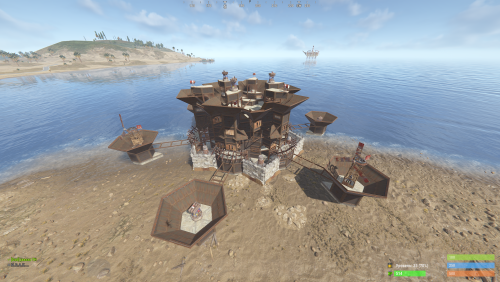
New Plugin: Custom Raidable Bases (Raidable Bases Extension) Hello Rust Community! I'm JaaaaaThomas I'm excited to introduce my first plugin: an exclusive collection of custom raid bases designed to enhance your server's PVE/PVP experience! 37 bases This is just the beginning, but we are ready to bring a fresh breath of air to how players interact with the Raidable Bases plugin. What You Get with This Package This package is not a standalone plugin, but a Content Extension that adds a selection of unique, handcrafted, and optimized Raid Bases directly to your server. Key Features: New Bases, New Challenges: I've included an entirely new difficulty category (ClanBase), featuring smart layouts designed to test even the most experienced raiders. Custom Loot: The bases come with a revised loot scheme, specifically balanced for a clan-level experience. Optimization & Configuration: All bases are designed to work seamlessly with popular difficulty settings. Attention: Required Dependencies For this base pack to function, your server MUST have the following two plugins installed and working: [Oxide/uMod Plugin] Raidable Bases (The main event plugin). [Oxide/uMod Plugin] Copy Paste (Required to correctly import the base structures). Without these two plugins, the base pack will NOT work. Future Vision This is only the first step! In the future, we plan to expand the package by: Adding new difficulty categories (Solo, Duo, Mega-Base). Introducing unique puzzles and traps within the structures. Providing constant updates with new bases for every major wipe. Thank you so much for your support! I hope you enjoy the new bases. I wish you all a good game and successful raids! — Sincerely, JaaaaaThomas.$15.00 -
![More information about "Advanced Air Strike [F15]"](https://codefling.com/uploads/monthly_2026_03/AirStrike.thumb.gif.47fdfe99eef58849e23d9781f29468c4.gif)
Version 1.3.0
70 downloads
Features Target Designator System: Players receive a binocular designator. Aim and left-click to mark a target point and call in an airstrike Strike and Nuke Support: Supports both standard F15 Strike and F15 Nuke runs, each with independent settings for planes, shots, rocket speed, delay, cooldown, and more Strike Modes: Includes multiple strike patterns: precise, circle, line, and carpet Custom F15 Flight: Flight altitude, plane speed, and pre-fire distance are fully configurable Aircraft spawn, fly their attack run, fire, and clean up automatically when the strike is complete Rocket Mechanics: Configurable rocket speed, rate of fire, shots per plane, plane stagger, and impact spread Direct Designator Delivery: Admins can deliver Strike or Nuke designators directly to players using the give subcommand In-Game Store: Optional in-game store support for purchasing Strike and Nuke designators. Supports Auto, Economics, and ServerRewards providers Admin Control Panel: Includes an in-game admin panel for managing store settings, strike settings, warnings, and zone restrictions without editing the config manually Combat Alerts: Includes target-marked warnings, inbound warnings, and countdown alerts with map grid support Blocked Use Zones: Can block strike usage while the caller is inside a safe zone, and can also block target points inside safe zones or monument bounds Commands are configurable from the config Permissions f15estrike.strike → allows using Strike designators f15estrike.nuke → allows using Nuke designators f15estrike.strike.give → allows giving Strike designators to other players f15estrike.nuke.give → allows giving Nuke designators to other players f15estrike.admin → full admin access and admin panel access Commands /f15 → opens the in-game F15 store /strike → gives the player an F15 Strike designator /nuke → gives the player an F15 Nuke designator /strike give <name|SteamId64> → gives an F15 Strike designator to another player /nuke give <name|SteamId64> → gives an F15 Nuke designator to another player Config { "Config Version": 3, "Flight altitude (m)": 250.0, "Plane speed (m/s)": 200.0, "Pre-fire distance (m)": 750.0, "Chat prefix": "[F15]", "Commands": { "Strike": { "Enabled": true, "Primary": "strike", "Aliases": [] }, "Nuke": { "Enabled": true, "Primary": "nuke", "Aliases": [] } }, "Blocked use zones": { "Block caller while inside a safe zone": true, "Block target point inside a safe zone": true, "Block target point inside monument bounds": false }, "Global warnings": { "Enabled": true, "Broadcast when target is marked": true, "Broadcast countdown reminders": true, "Countdown warning seconds": 5, "Broadcast when aircraft are inbound": true, "Include map grid": true, "Include world coordinates": true }, "Purchases": { "Enabled": false, "Provider (Auto/Economics/ServerRewards)": "Auto", "Strike": { "Enabled": true, "Cost": 1500.0 }, "Nuke": { "Enabled": true, "Cost": 10000.0 } }, "Strike": { "Planes (count)": 1, "Shots per plane": 10, "Rocket speed (m/s)": 150.0, "Rate of fire (shots/sec)": 2.5, "Stagger between planes (s)": 0.25, "Impact spread radius (m)": 3.0, "Confirm delay (s)": 5.0, "Cooldown (s)": 5.0, "Default mode": "circle", "Designator display name": "F15 Strike" }, "Nuke": { "Planes (count)": 5, "Shots per plane": 10, "Rocket speed (m/s)": 200.0, "Rate of fire (shots/sec)": 1.5, "Stagger between planes (s)": 0.35, "Impact spread radius (m)": 6.0, "Confirm delay (s)": 6.0, "Cooldown (s)": 120.0, "Default mode": "circle", "Designator display name": "F15 Nuke" } } Need Support?$14.99 -
(1).thumb.png.59d4d814de3c4b23b989d50bf95336ca.png)
Version 1.0.7
282 downloads
VirtualRecycler Plugin The VirtualRecycler Plugin, developed by M&B-Studios, is a powerful tool designed for Rust server administrators and VIP players. This plugin allows players to use virtual recycling machines to quickly and efficiently recycle their surplus items. Features: Commands: The plugin offers a set of chat commands that enable players to open and use their virtual recycling machine. Permissions: Various permissions are supported, including: virtualrecycler.use: Grants players permission to use the virtual recycling machine. virtualrecycler.admin: Provides admins with instant recycling capabilities. virtualrecycler.vip: Offers VIP players a customized recycling speed. virtualrecycler.raidablebases: Allows players to open the VirtualRecycler only in the raidable bases Automatic Recycling: When a player opens their virtual recycling machine, the recycling process starts automatically. The recycling speed may vary depending on permissions. Ease of Use: Operating the virtual recycling machine is straightforward and user-friendly. Players can quickly and conveniently recycle their surplus items. Efficient Management: The plugin offers efficient management of recycling machines, ensuring that each player can only use their own machine. With the VirtualRecycler Plugin, you can enhance the recycling experience on your Rust server while simplifying the management and control of recycling machines. If you have any questions or problems, join my discord https://discord.gg/D2zTWCEnrN { "Commands": [ "vrec", "vr", "virtualrec", "vrecycler", "virtualrecycler" ], "DefaultPermission": "virtualrecycler.use", "DefaultSpeed": 1.0, "AutoStart": false, "PermissionSpeeds": { "virtualrecycler.admin": 0.1, "virtualrecycler.raidablebases": 0.5, "virtualrecycler.vip": 0.5 }, "StaticRecyclerSpeeds": { "virtualrecycler.static1": 1.0, "virtualrecycler.static2": 0.5, "virtualrecycler.vipstatic": 0.1 } }$11.95 -

Version 1.1.0
8 downloads
Expert Raid Pack – High-Intensity Raidable Bases Greetings, raider. Expert Raid Pack is a collection of high-difficulty raid bases designed for skilled and well-prepared Rust players. These bases deliver serious defensive pressure and require coordination, planning, and solid resource investment to complete successfully. This is advanced-tier content built for experienced raiders. What’s Included • 5 unique Expert-difficulty raid bases • Complex layouts with strong internal and external defenses • Heavy use of turrets, traps, and controlled combat zones • Tight corridors, calculated peek angles, and layered protection • Clean and optimized schematic files (no unnecessary assets or bloat) • Fully compatible with the Raidable Bases plugin Designed For ✔ Experienced players and organized teams ✔ Servers that want challenging endgame-style content ✔ PvE servers seeking high-pressure raid events ✔ PvP servers looking for valuable and contested raid targets Quality & Optimization All files are compact, clean, and optimized. No unnecessary images, duplicated data, or unused assets are included. File sizes reflect only actual base complexity and content. Support & Future Updates If you encounter any issues, need help with installation, or have ideas for future raid bases, feel free to contact me. Feedback is always welcome and helps improve future content. Discord: _real_krw_ Thank you for supporting independent Rust content creation. More packs and updates are planned.$12.00 -
Version 1.0.0
3 downloads
Medium Raid Pack – Balanced Challenge Greetings, raider. Medium Raid Pack is a collection of raid bases designed for players seeking a fair and strategic Rust experience. These bases provide moderate difficulty suitable for organized players who want engaging content without being overwhelming. What’s Included • 5 unique Medium-difficulty raid bases • Multiple raid paths in each base (no single correct solution) • Balanced defensive setups: turrets, traps, and tactical chokepoints • Strategic layouts that encourage planning and decision-making • Clean and optimized schematic files (no unnecessary assets or bloat) • Fully compatible with the Raidable Bases plugin Designed For ✔ Players looking for a tactical challenge at moderate difficulty ✔ Servers that want balanced and engaging raid content ✔ PvE servers seeking event-style bases with fair risk ✔ PvP servers looking for competitive but accessible raid targets Quality & Optimization All files are compact, clean, and optimized. No unnecessary images, duplicated data, or unused assets are included. File sizes reflect only actual base content and complexity. Support & Future Updates If you encounter any issues, need help with installation, or have ideas for future raid bases, feel free to contact me. Feedback is always welcome and helps improve future content. Discord: _real_krw_ Thank you for supporting independent Rust content creation. More packs and updates are planned.$3.50 -

Version 1.0.2
219 downloads
The Ultimate Expansion for Skill Tree Progression Skill Tree Items: Pro is a powerful DLC plugin for the Skill Tree system that breathes new life into your server's loot tables. Instead of players just earning XP through grinding, they can now discover unique, consumable items that boost their progression, provide instant rewards, or grant temporary buffs directly from Skill Tree. Whether it’s a rare XP injection found on a Scientist or a biome-specific gathering boost hidden in an Arctic crate, this plugin adds a layer of excitement and strategy to every lootable object on your map. Advanced Consumable Types This plugin introduces four distinct item categories, each fully customizable to fit your server's economy: XP Boosters: Provide temporary XP multipliers. Go granular with filters for specific gather types, time-of-day restrictions (e.g., "Night Owl" boosts), or biome-specific requirements. XP Injections: Instant gratification. Set up various "vials" or "manuals" that grant a flat or randomized range of XP upon consumption. SP Injections: Extremely rare rewards that grant Skill Points directly, bypass the grind, and give players a reason to hunt for high-tier loot. Temporary Buffs: Grant any buff from the Skill Tree—including Ultimates—for a limited time. These stack with existing skills, allowing players to feel the power of high-level perks early on. Dynamic Loot Distribution The core of Skill Tree Items: Pro is its highly sophisticated loot engine. You aren't limited to just crates and barrels; you can inject these items into almost every interaction in Rust. See a comprehensive list of supported LootSources below. Granular Configuration For the power users, the LootProfile system allows for surgical precision. You don't just set "Crates"; you can target specific prefab names, specific NPC profiles, or even the tier of a Raidable Base. Key Profile Features: Identifier System: Target specific entities (e.g., only "Elite" crates or a specific Boss from BossMonster). Skin ID Filtering: Require specific skin IDs for the source to trigger. Blacklisting: Exclude specific items or entities from dropping loot. Modifier Integration: Toggle whether player "ItemPerk" modifiers should influence the drop rates. Weight-Based Tables: Use a weighted dictionary system to determine exactly which items drop and how often. Command: stip.give <target> <profile> Tyoe: Console Permission required: skilltreeitemspro.admin Action: Gives the target player the specified item. Command: stip.giveall Tyoe: Chat Permission required: skilltreeitemspro.admin Action: Gives the user all items in the config. Command: stip.moveicon Tyoe: Chat Permission required: skilltreeitemspro.admin Action: Moves the active boost icon for all players. This is a comprehensive list of loot sources that can be used to setup loot profiles. Crate: Triggered when a player opens a crate for the first time. Barrel: Triggered when a player breaks a barrel. BossMonster: Triggered when a boss monster is killed by a player. Event: Triggered when an event is completed (Convoy, SurvivalArena, Armored train, Powerplant etc). ScientistNPC: Triggered when a scientist NPC is killed. HumanNPC: Triggered when a human npc, such as a tunner dweller, is killed. BetterNPC: Triggered when a NpcSpawn npc is killed. Woodcutting: Triggered when a tree is fully cut down. Mining: Triggered when a node is fully mined out. Skinning: Triggered when an animal is fully skinned. Foraging: Triggered when the player collects a map collectible (hemp, pumpkins, diesel barrels etc). Farming: Triggered when the player collects a player-grown collectible. Fishing: Triggered when the player catches a fish. Crafting: Triggered when an item is successfully crated. BotReSpawn: Triggered when an BotReSpawn npc is killed. NpcRaider: Triggered when an npc from NpcRaider is killed. RaidableBase: Triggered when a Raidable Base is spawned. The effect types dictate how the item will behave. You can have any number of effect types attached to an item. For example, you can create an item that gives the player 1000xp with the XPInjection type, gives them a temporary boost with the XPBoost type, and gives them access to the Raiding Ultimate from Skill Tree with the TemporaryBuff type. XPInjection: Provides the player with an injection of xp when consumed. SPInjection: Provides the player with an injection of skill points when consumed. TemporaryBuff: Provides the player with temporary access to any Skill Tree buff (including ultimates). XPBoost: Provides the player with a temporary xp boost when consumed. XP Source can be set so only the specified xp source provides the bonus. Timeframe can be set, so the player can only get xp during the specified time of day (ie 6pm to 6pm etc). Multiple Biomes can be added to restrict the xp bonus to sources inside of those biome types (ie a player can only gain xp while in the Arctic or Jungle). Biomes: Any, Arid, Temperate, Tundra, Arctic, Jungle. Here is a list of Skill Tree XP Sources that can be used with the XPBoost effect. All NodeHit NodeHitFinal TreeHit TreeHitFinal SkinHit SkinHitFinal CollectWildPlant CollectGrownPlant BuildingBlockDeployed FishCaught CatchOrangeRoughy CatchSalmon CatchSmallShark CatchSmallTrout CatchYellowPerch CatchAnchovy CatchHerring CatchSardine CatchTrash Crafting ScientistNormal TunnelDweller UnderwaterDweller ScientistHeavy SmallAnimal MediumAnimal LargeAnimal RoadSign Barrel Scarecrow Mission BradleyAPC LootHackedCrate LootHeliCrate LootBradleyCrate CookingMealXP RaidableBaseCompletion_Easy RaidableBaseCompletion_Medium RaidableBaseCompletion_Hard RaidableBaseCompletion_Expert RaidableBaseCompletion_Nightmare Win_HungerGames Win_ScubaArena Win_Skirmish Gut_Fish default_botrespawn crate_basic crate_elite crate_mine crate_normal crate_normal_2 crate_normal_2_food crate_normal_2_medical crate_tools crate_underwater_advanced crate_underwater_basic crate_ammunition crate_food_1 crate_food_2 crate_fuel crate_medical supply_drop detect_diggable Harbor_Event_Winner Junkyard_Event_Winner PowerPlant_Event_Winner Satellite_Event_Winner Water_Event_Winner Air_Event_Winner Armored_Train_Winner Convoy_Winner SurvivalArena_Winner swipe_card_level_1 swipe_card_level_2 swipe_card_level_3 boss_monster Zombie Raider JetPilot ArcticBaseEvent_Winner GasStationEvent_Winner SputnikEvent_Winner ShipWreckEvent_Winner Triangulation_Winner Caravan_Winner SupermarketEvent_Winner GingerbreadNPC PVP AutoTurret You can get a list of Skill Tree Buffs from the Skill Tree plugin page.$11.99- 10 comments
- 1 review
-
- 1
-

-
- #skilltree
- #skill
- (and 10 more)
-
Version 2.0.1
2 downloads
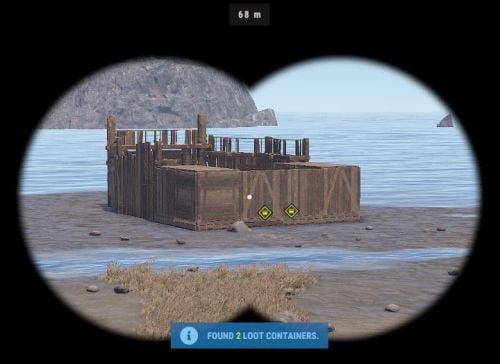
Base Insight provides players with the ability to ping loot containers and tool cupboards inside buildings. This allows players to quickly identify valuable loot containers and strategic tool cupboards within a specified radius. Features • Loot Container Pinging – Ping supported storage containers inside a base including large wooden boxes, coffins, barrels, fridges, lockers, vending machines, wall cabinets, drop boxes, and weapon racks. • Tool Cupboard Pinging – Locate Tool Cupboards inside a scanned base. • Allowed Container List – Choose exactly which storage containers can be pinged using the allowed container list in the config. • Loot-Only Pinging – Optionally only ping supported containers that currently contain loot. • Raidable Bases Only Option – Optionally restrict the scanner so it can only be used on **Raidable Bases**. • Customizable Scanner Settings – Adjust scan radius, max distance, ping delay, ping duration, scanner skin, scanner display name, ping types, and more. • Permission-Based Cooldowns – Set a default scan cooldown and override it with permission-based cooldowns. • Chat and Console Distribution – Give the scanner to players through chat command aliases or via console command. • Loot Support – Optionally add the scanner item into supported loot containers with configurable chances and min/max amounts. Permissions • baseinsight.use – Required to use the Base Insight scanner. • baseinsight.give – Required to use the chat command to receive a scanner. Commands Chat Commands • /bis – Gives the Base Insight scanner item to the player. Console Commands • bis [SteamID] – Gives the Base Insight scanner item to the target player. • bi_wipe – Manually wipe the cooldown data file *(automatically wipes on new wipes)*. Configuration Options Scanner Settings • Scanner Display Name – Display name of the Base Insight scanner item. • Scanner Skin ID – Skin ID used for the scanner item. • Enable Storage Containers – Enable or disable storage container pinging. • Enable Tool Cupboard – Enable or disable tool cupboard pinging. • Only Use On RaidableBases – Restrict scanner use to Raidable Bases only. • Only Ping Containers with Loot – Only ping supported containers that currently contain loot. • Destroy Scanner After Use – Destroy the scanner item after one successful use. • Max Distance from Base – Maximum distance the player can be from the base they are scanning. • Scan Radius – Radius around the targeted base used for scanning. • Ping Delay – How long the player must hold before the scan completes. • Ping Duration – How long pings remain visible. • Ping Type – Loot Containers – Ping type used for storage containers. • Ping Type – Tool Cupboard – Ping type used for tool cupboards. • Ping Types – List of available ping types included in the config for reference. Allowed Storage Containers Settings • Allowed Storage Container List – List of storage container prefab names that the scanner is allowed to ping. Permissions & Cooldown Settings • Chat Command Cooldown – Cooldown for receiving a scanner via chat command. • Default Scan Cooldown – Default cooldown between scans. • Scan Cooldowns By Permission – Permission-based scan cooldown overrides. Chat Command Settings • Chat Command Aliases – List of chat commands that give the scanner item. Loot Settings • Add Scanner To Loot Containers – Enable or disable adding the scanner item into loot containers. • Min Scanners Per Container – Minimum number of scanners that can be added. • Max Scanners Per Container – Maximum number of scanners that can be added. • Loot Containers List – Loot container prefab names and the chance for the scanner to be added. Default Configuration { "Scanner Settings": { "Scanner Display Name": "Base Insight Scanner", "Scanner Skin ID": 3242988854, "Enable Storage Containers": true, "Enable Tool Cupboard": true, "Only Use On RaidableBases": false, "Only Ping Containers with Loot": true, "Destroy Scanner After Use": false, "Max Distance from Base": 100, "Scan Radius": 50, "Ping Delay": 5, "Ping Duration": 20, "Ping Type - Loot Containers": 3, "Ping Type - Tool Cupboard": 2, "Ping Types": { "Hostile": 0, "GoTo": 1, "Dollar": 2, "Loot": 3, "Node": 4, "Gun": 5, "Build": 6 } }, "Allowed Storage Containers Settings": { "Allowed Storage Container List": [ "abyss_barrel_horizontal", "abyss_barrel_vertical", "bamboo_barrel", "box.wooden.large", "coffinstorage", "component.box.ammo.large", "component.box.armor.large", "component.box.charcoal.large", "component.box.clothing.large", "component.box.comps.large", "component.box.explosives.large", "component.box.food.large", "component.box.guns.large", "component.box.meds.large", "component.box.metal.large", "component.box.ore.large", "component.box.scrap.large", "component.box.stone.large", "component.box.sulfur.large", "component.box.tools.large", "component.box.wood.large", "dropbox.deployed", "electric.wallcabinet.deployed", "fridge.deployed", "krieg_storage_horizontal", "krieg_storage_vertical", "locker.deployed", "medieval.box.wooden.large", "minifridge.deployed", "pilot_hazmat_woodbox_deployed", "storage_barrel_b", "storage_barrel_c", "twitch_dropbox.deployed", "vendingmachine.deployed", "weaponrack_horizontal.deployed", "weaponrack_single1.deployed", "weaponrack_single2.deployed", "weaponrack_single3.deployed", "weaponrack_stand.deployed", "weaponrack_tall.deployed", "weaponrack_wide.deployed", "wicker_barrel", "woodbox_deployed" ] }, "Permissions & Cooldown Settings": { "Chat Command Cooldown": 3600, "Default Scan Cooldown": 60, "Scan Cooldowns By Permission": { "baseinsight.vip": 30, "baseinsight.elite": 10 } }, "Chat Command Settings": { "Chat Command Aliases": [ "bis", "givebis" ] }, "Loot Settings": { "Add Scanner To Loot Containers": false, "Min Scanners Per Container": 1, "Max Scanners Per Container": 1, "Loot Containers List": { "crate_elite": 0.2, "heli_crate": 0.8, "bradley_crate": 0.8, "codelockedhackablecrate": 0.5, "codelockedhackablecrate_oilrig": 0.5 } }, "Version": { "Major": 2, "Minor": 0, "Patch": 1 } } Language { "Cooldown": "Scan cooldown. Please wait {0} seconds.", "ChatCooldown": "You need to wait {0} seconds to use this command!", "ScanResult": "Found {0} loot containers and {1} Tool Cupboards.", "ScanResultLootOnly": "Found {0} loot containers.", "ScanResultTCOnly": "Found {0} Tool Cupboards.", "NoPerm": "You do not have permission for this command!", "RaidableBasesOnly": "Only Usable On RaidableBases!", "ItemReceived": "You Received A {0}", "NoPermission": "You Don't Have Permission To Use {0}", "TooFar": "Too far away from base! Max distance is {0}m.", "Error": "ERROR: No scannable targets are enabled in the config." }$5.00 -

Version 4.9.142
145 downloads
WHAT IS RAIDSELECTOR? A user-friendly raid base purchasing system for Rust servers that transforms how players engage with raidable content. Featuring an intuitive UI, multilingual support, and seamless integration with popular server plugins. Perfect for server owners who want: • Professional player experience with modern UI • Monetization through VIP raid access • Multi-language support for international players • Easy integration with existing economy systems ═══════════════════════════════════════════════════════════════════ WHY CHOOSE RAIDSELECTOR? ═══════════════════════════════════════════════════════════════════ PLAYER EXPERIENCE • Intuitive point-and-click interface - no complex commands • Automatic per-player language via Oxide's lang system • Beautiful image previews of raid bases • Clear cost display with multiple currency support • Instant raid spawning after purchase MONETIZATION FEATURES • VIP-only difficulty tiers (Expert, Nightmare) • Permission-based purchase restrictions • Tiered access system for progression servers • Browse-only mode for non-VIP players MULTILINGUAL SUPPORT (NEW!) • Full localization system with external JSON files • Translates ALL UI text, errors, and base descriptions • Automatic language detection per player • Easy translation management for server admins • Admin command to generate language templates PROFESSIONAL INTEGRATION • Works standalone OR with ServerPanel unified menu • Seamless Economics, ServerRewards, and Custom Costs integration • Automatic base detection from RaidableBases profiles • No manual cost configuration needed • Russian RaidableBases config support (auto key translation) COMPLETE CUSTOMIZATION • 24+ customizable UI colors for branding • Custom base names, descriptions, and credits • Image preview support via ImageLibrary/ImageDatabase • Unlimited difficulty levels - automatically detected from RaidableBases profiles • Individual permission control per difficulty tier• Five difficulty levels with individual permission control PERFORMANCE OPTIMIZED • Memory-efficient object pooling • Cross-platform: Oxide AND Carbon support • Minimal server impact • Tested on high-population servers • Difficulties auto-sorted by cost (cheapest first) • New bases auto-detected from RaidableBases profiles ═══════════════════════════════════════════════════════════════════ FLEXIBLE PERMISSION SYSTEM ═══════════════════════════════════════════════════════════════════ Granular permissions for complete control: ✓ raidselector.can.use Open the UI ✓ raidselector.admin Manage translations & admin tools ✓ raidselector.difficulty.easy Access Easy raids ✓ raidselector.difficulty.medium Access Medium raids ✓ raidselector.difficulty.hard Access Hard raids (VIP) ✓ raidselector.difficulty.expert Access Expert raids (VIP) ✓ raidselector.difficulty.nightmare Access Nightmare raids (VIP) ✓ raidselector.buyraidspecific Purchase selected bases ✓ raidselector.buyraidrandom Purchase random bases Smart UI: Buttons automatically hide when players lack permissions Perfect for VIP tiers: Grant higher difficulties to premium players Flexible control: Allow browsing but restrict purchasing ═══════════════════════════════════════════════════════════════════ GETTING STARTED - 5 MINUTES TO LAUNCH ═══════════════════════════════════════════════════════════════════ INSTALLATION (2 minutes) 1. Install RaidableBases plugin (required) 2. Drop RaidSelector.cs into oxide/plugins/ or carbon/plugins/ 3. Server automatically loads plugin and creates config 4. Done! Players can immediately use /rs FOR PLAYERS (30 seconds) 1. Type /rs in chat (or click RAID SELECTOR in ServerPanel) 2. Pick a difficulty level from the left panel 3. Browse bases in the middle or click "Random" 4. Hit "Buy" button - raid spawns instantly! FOR ADMINS (Optional customization) • Grant basic access: o.grant group default raidselector.can.use • Create VIP tiers: o.grant group vip raidselector.difficulty.expert • Add translations: /rsinitlang es (Spanish, French, German, etc.) • Customize colors and base info in config file • Add base images via ImageLibrary/ImageDatabase • Enable Debug mode in config for detailed startup diagnostics and troubleshooting logs MULTILINGUAL SETUP (1 minute per language) 1. Run: /rsinitlang <language> (e.g., /rsinitlang es) 2. Edit: oxide/lang/es/RaidSelector.json 3. Reload: o.reload RaidSelector 4. Players see their Steam language automatically! PLUGIN INTEGRATION REQUIRED • RaidableBases - Core raid system and base configurations OPTIONAL (Enhance functionality) • Economics - Use server currency ($) for purchases • ServerRewards - Use reward points (RP) for purchases • ImageLibrary (Oxide) - Show base preview images • ImageDatabase (Carbon) - Show base preview images • ServerPanel - Unified menu integration (/info command) Works with ANY combination of optional plugins Costs automatically detected from RaidableBases config Supports dual currency: Economics + ServerRewards together! KEY CONFIGURATION OPTIONS Config automatically created at: oxide/config/RaidSelector.json BRANDING & APPEARANCE • ChatCommand - Change /rs to your preferred command • Colors - 24+ RGBA colors for complete UI theming • Base info - Custom names, descriptions, builder credits • Images - Add preview images via URLs ACCESS CONTROL • RequiresOxidePermission - Public or permission-based access • DifficultyPermissions - Enable/disable difficulties, require permissions • BuyButtonPermissions - Control who can purchase raids INTEGRATION • ServerPanelConfig - Enable/configure ServerPanel integration - Works standalone, embedded, or both modes - Perfect for unified server menu systems All settings hot-reload with: o.reload RaidSelector SMART PAYMENT SYSTEM AUTOMATIC COST DETECTION • Reads costs from RaidableBases config (no duplicate setup!) • Supports Economics, ServerRewards, Custom Costs, or any combination • Plugin-based currencies supported via RaidableBases custom costs • Free raids supported (no payment required) FLEXIBLE DISPLAY • Economics only: "Easy ($500)" • ServerRewards only: "Easy (100 RP)" • Dual currency: "Easy ($500 + 100 RP)" • Custom costs: item and plugin currency amounts displayed • Free raids: "Easy" PLAYER-FRIENDLY • Clear cost display before purchase • Payment handling delegated to RaidableBases (balance checks, charges, refunds) • Supports free raids with no payment required USE CASES & SERVER TYPES PERFECT FOR: • PvE servers wanting organized raid content • PvX servers with economy-based raid access • VIP/donor servers with tiered content access • International servers needing multi-language support • High-population servers requiring performance optimization • Servers using ServerPanel for unified menu systems POPULAR CONFIGURATIONS: • Public Easy/Medium, VIP-only Hard/Expert/Nightmare • Browse free, purchase requires VIP subscription • Progressive unlocking: rank up to access harder raids • Multi-language: Spanish, French, German, Russian supported • Branded UI matching your server's color scheme WHAT PLAYERS WILL LOVE ✓ No complicated commands - just /rs or click ServerPanel ✓ See exactly what you're buying with images and descriptions ✓ Know the cost before clicking - clear pricing display ✓ Interface in their own language automatically ✓ Instant raid spawning - no waiting ✓ Professional, polished experience WHAT ADMINS WILL LOVE ✓ 5-minute setup, works immediately out of box ✓ No manual cost configuration - reads from RaidableBases ✓ Permission system perfect for VIP monetization ✓ Easy translation management for international players ✓ Extensive customization without code editing ✓ Works on both Oxide AND Carbon servers ✓ Detailed configuration documentation included ✓ Debug mode for troubleshooting configuration issues ✓ Automatic Russian config key translation for RaidableBases ✓ New bases auto-detected on reload - zero maintenance DOCUMENTATION & SUPPORT INCLUDED DOCUMENTATION: • CONFIGURATION.md - Complete setup guide with examples • User changelog - All features and updates • Design documents - Technical architecture details FULL CONFIGURATION GUIDE: Comprehensive 1900+ line documentation covering: • Installation walkthrough • Permission system examples • Color customization guide • Multi-currency setup • Localization system • ServerPanel integration • Troubleshooting solutions • Real-world configuration examples Base Image Library I've started a git repository with images we've started collecting of different bases. Feel free to create a pull request if you have any additional base images you'd like to share with others. See the README for information about contributing and creating the pull request. CONFIGURATION.md.zip$30.00 -
Version 1.0.0
152 downloads
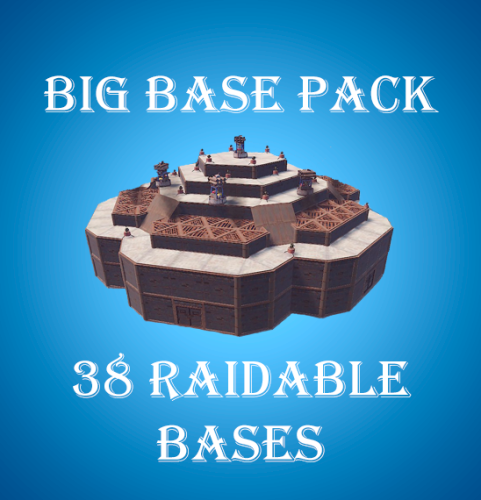
A set of 38 bases for plugin Raidable Bases. 12 Easy Bases 12 Medium Bases 12 Hard Bases 1 Expert Base 1 Nightmare Base To use the bases, the contents of the archive must be unpacked to the oxide\data\copypaste folder on your server. After extracting the files, enter the following commands into the server console: rb.config add "Easy Bases" EZ1 EZ2 EZ3 EZ4 EZ5 EZ6 EZ7 EZ8 EZ9 EZ10 EZ11 EZ12 rb.config add "Medium Bases" MB1 MB2 MB3 MB4 MB5 MB6 MB7 MB8 MB9 MB10 MB11 MB12 rb.config add "Hard Bases" HB1 HB2 HB3 HB4 HB5 HB6 HB7 HB8 HB9 HB10 HB11 HB12 rb.config add "Expert Bases" EXP1 rb.config add "Nightmare Bases" NMB1$15.00- 5 comments
-
- 1
-
-
- #raidable bases
- #raid bases
- (and 9 more)
-
Version 1.0.0
8 downloads
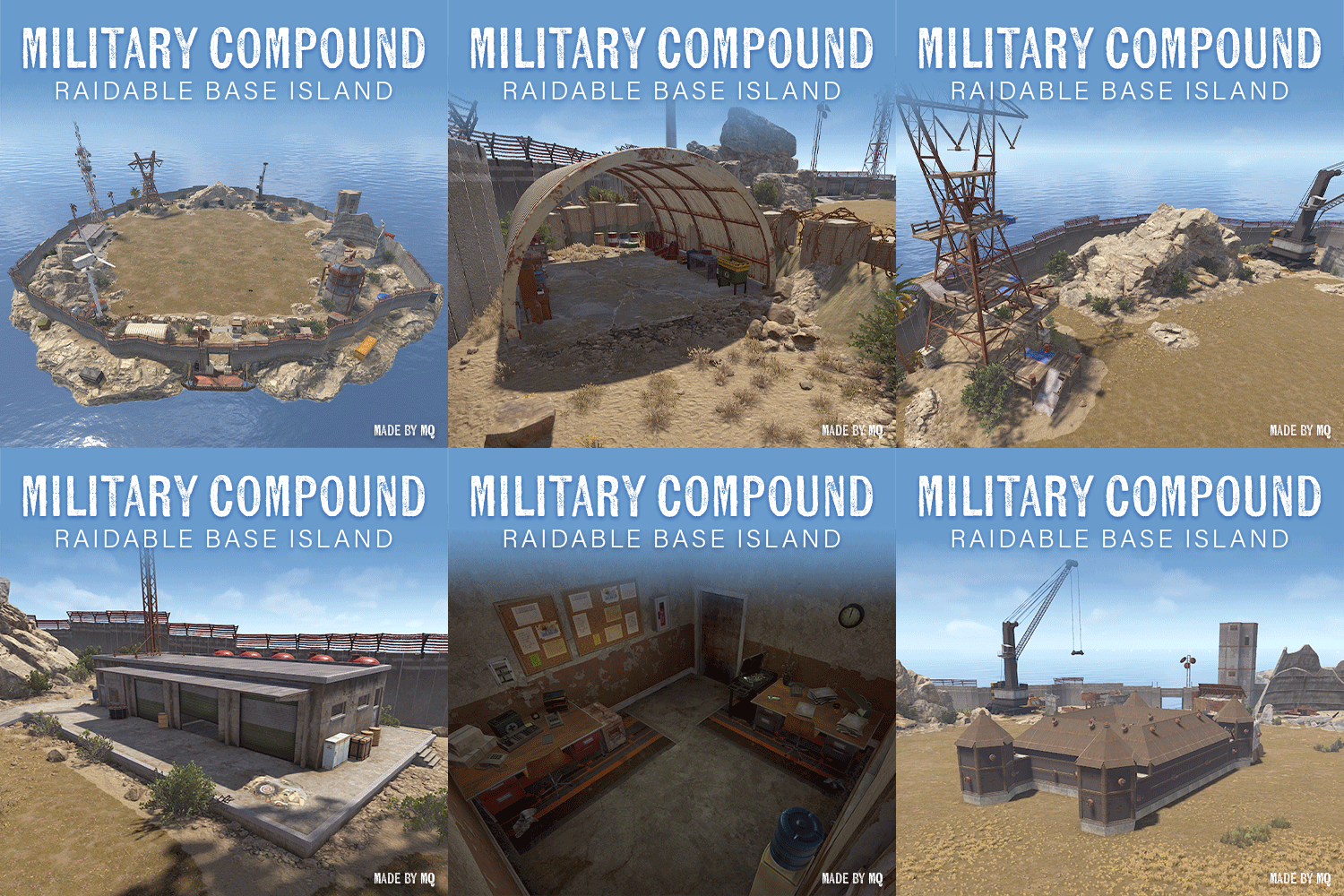
ABOUT This islands was created to be an event location for your custom maps and was made with Raidable Bases in mind. This island is approved by nivex for the use of Raidable Bases. To use custom Spawn Points with Raidable Bases you use the Spawns Database PlugIn by k1lly0u INCLUDED • 1 Standard Sized Raidable Base-fitting Island FEATURES • 2x Recycler + Repair Bench within monument decor • Loot containers scattered around the island encouraging exploration • Different vantage points around the islands for unique base raiding angles INSTALLATION NOTE: Clear the ocean topology layer layer over the islands after placing. This floating prefab works best when placed at the specified height (Y Value): • Military Compound Raidable Base Island - Y Height: 5.036 HELPFUL LINKS Rustedit Training: HOW TO INSTALL RUSTEDIT RustEdit - Working With Custom Prefabs Tutorial Tutorial for Spawns Database Feel free to reach out to me on Discord (MonsterQueen) for any questions or help needed.$12.00 -
Version 1.0.0
46 downloads
Ultimate Raidable Bases Bundle Give your server an upgrade with this bundle, featuring five great raidable base packs! With 101 unique bases, this bundle has something for everyone—from easy beginner bases to tough challenges for experienced players. 100+ bases Bundle Contents: 51 Noob-Extreme bases RaidableBases Pack 1 A big pack with 52 bases of different difficulties, perfect for all types of players. https://codefling.com/bases/raidablebases-pack1 20 Easy Raidable Bases Pack 2 This pack has 20 simple bases, great for new players to practice raiding. https://codefling.com/bases/20-easy-raidable-bases-pack-2 4 Nightmare++ Bases Pack 3 These 4 huge and tricky bases are made for the best raiders. https://codefling.com/bases/4-ultimate-nightmare-bases-pack-3 10 Hard Raidable Bases Pack 4 With 10 strong bases, this pack is perfect for players who like a challenge. https://codefling.com/bases/10-hard-raidable-bases-pack-4 15 Medium Raidable Bases Pack 5 This pack has 15 balanced bases. https://codefling.com/bases/15-medium-raidable-bases-pack-5 As always if you have any problems, wanna chat or have suggestions join the discord here - discord.gg/4j3FvSYAFd$29.00 -

Version 1.0.0
18 downloads
Mario World is a world inspired by the legendary Mario Bross game. In Mario World you can build your house anywhere in this gigantic construction zone. Build on firm ground, build underwater, in mountains, build wherever you want. In Mario World you will find a fantastic and beautiful decoration in which you would think to be in another game. In addition to finding construction resources and food, you can visit the castle located at the top of the mountain. This castle is a safe area, it is equipped with everything you need for your needs, the castle is a hybrid between the Outpost and Bandit. Mario World is compatible with the Raideable Bases plugin. INCLUDES Character Mario Bross. Character Luigi. Donkey Kong character. Three different enemy characters. Underwater construction areas. Pipes to build inside. Construction resources. Food and Water. Helicopter vendor. Work tables. Bandit guards and turrets. Recycling machines. Shops. TIPS This prefab contains a height layer, it is not necessary to apply the height layer, this option has been added to make the Raideable Bases plugin functional in Mario World. Climb the walls to reach the heights. Have fun SUPPORT: https://discord.gg/ASxJynGndj$24.90- 6 comments
-
- 7
-

-
- #marioworld
- #mario world
- (and 45 more)
-
Version 1.0.8
69 downloads
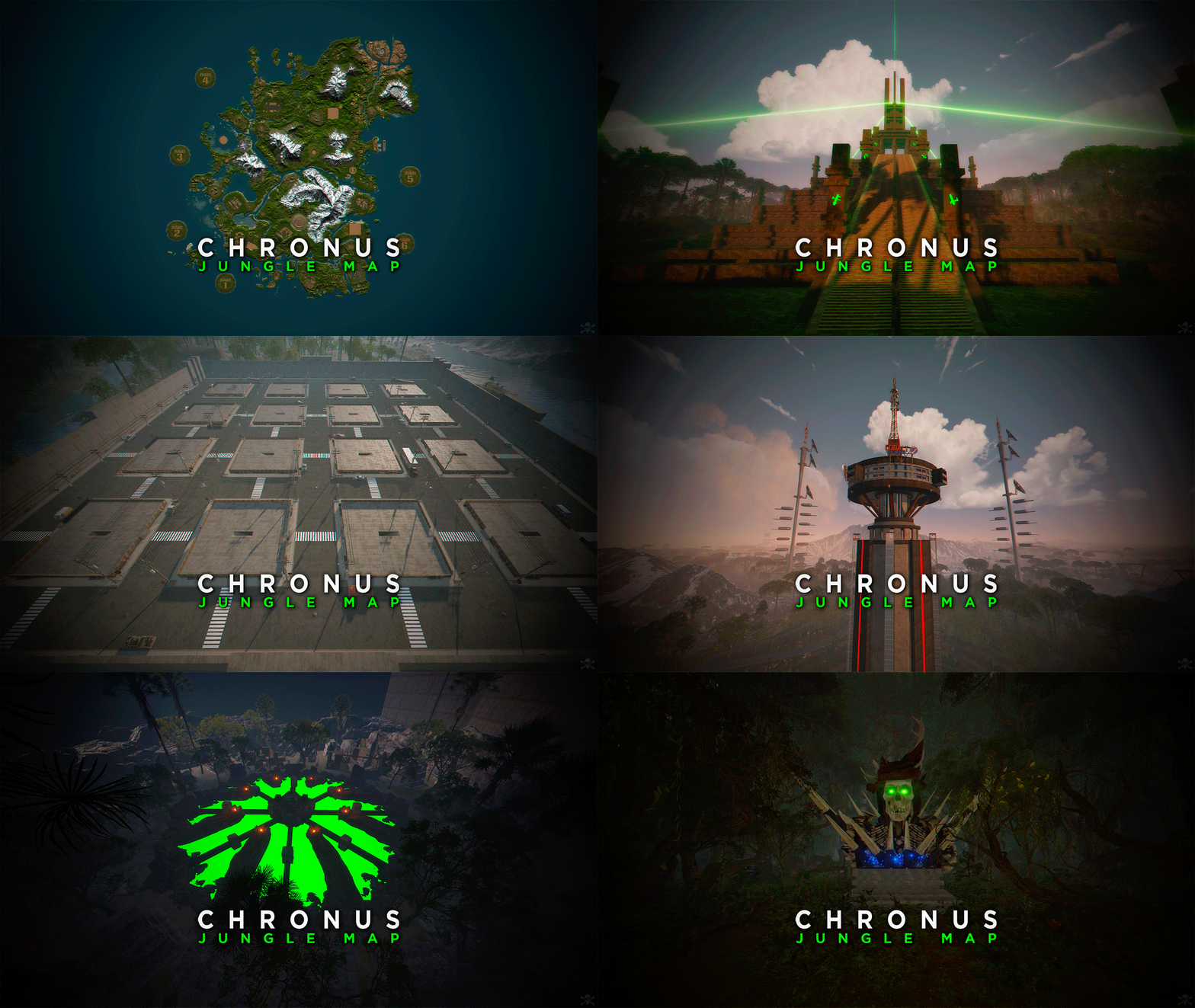
CHRONUS - Jungle Map is a planet with an intense Jungle biome. Get ready to explore a world full of ancient monuments inspired by the Aliens saga. Build on monuments located in the sky, sea and land. Use the RAID Islands for your favorite events. - HISTORY LONG AGO, A RACE CALLED CHRONERS WERE FORCED TO ABANDON THEIR HOME PLANET. EXPLORERS AND INSEMINATORS OF WORLDS, THE CRONERS FOUND A PLANET WITH A PRIMITIVE HUMANOID SPECIES. PRIMITIVES AND CRONERS MINGLED WITH A SINGLE GOAL, TO DEFEAT TIME, EXPLORE SPACE AND FIND THE TRUE CREATORS. THE REASON FOR THE EXTINCTION OF BOTH RACES IS UNKNOWN, BUT IN AN ANCIENT TEMPLE THEY LEFT EVIDENCE OF A THIRD SPECIES. - FEATURES • Size: 5000. • Objects: 114875. • Map protection plugin included. • The map can be edited: Yes. - CONTAINS ALL OFFICIAL MONUMENTS • Ziggurat temple • Jungle ruins • Radtown • Ferry Terminal • Nuclear missile silo • Large oil platform • Small oil platform • Submarine laboratories • Harbor • Large fishing villages • Fishing villages • Launch site • Satellite dish • The Dome • HQM Quarry • Stone quarry • Sulfur quarry • Arctic Research Base • Sewer Branch • Train yard • Junkyard • Abandoned military bases • Military tunnel • Caves • Large barns • Ranch • Bandit camp • Power plant • Swamp • Airfield • Giant excavation • Outpost • Lighthouse - PREFABS AND CUSTOM MONUMENTS • Bradley Arena, A great battle against Helldivers style tanks. • Train Stations, With waiting room, loot and NPC, with secondary rail respawn. • Temple of Rebirth, A temple where players will start their adventure (respawn room). • Air Plataforms, Construction area. • Power Towers, Construction area. • Cuesta Verde, Residential Construction area (Inspired by the movie Poltergeist). • Underwater Train Station. • Power Towers, Construction area. • Mars Attacks, An arena with NPCs and loot (Inspired by the movie Mars Attacks). • Arena Dome, Contains NPCs, loot, walls for players to cover their backs, and several towers for players to shoot from above. • Heli Tower, A public self-defense tower against patrol helicopters. • Volcanic Research, A volcano with parkour, puzzles, loot and NPCs. • Crater, Area with resources and zombies. • Six islands for events, Located around the map. You can use the islands for the Raidable Bases plugin. • Custom rivers. • Chrons Temple, This Custom Monument with a touch of the movie Alien challenges you with a variety of tests and traps you'll have to overcome to get the loot from the Chrons Temple. • Facehugger, Creatures from the Aliens saga. • Alien eggs, Eggs from the Aliens saga. - TIPS • If you want your players to respawn on the beaches, remove the Temple of Rebirth respawn points with Rust Edit. • Equip yourself with a rock, pickaxe or jackhammer to be able to leave Chrons Temple. • Have fun$45.90 -
Version 1.5.0
58 downloads
30 Raid Pack Unlock 30 meticulously crafted Raidable Bases for Rust, each uniquely designed with its own flair, perfect for players who crave variety and a new challenge every time! [ATTENTION] Art in bases may include semi nude pictures Number of bases per difficulty: Easy: 11 Medium: 5 Hard; 9 Expert: 4 Nightmare: 1 In main config file /config/raidablebases.json set parameter below to true to keep pre defined skins and keep the vibe of the bases "Ignore If Skinned Already": true, Rename bases or just add bases with these commands (note that your profiles may vary): Easy Bases: rb.config add "Easy Bases" Boom-Easy-Art Boom-Easy-BewareOfBob Boom-Easy-Cottage Boom-Easy-ElectricFence Boom-Easy-Fishing Boom-Easy-Glencoe Boom-Easy-Manik Boom-Easy-Pumpkin Boom-Easy-Saloon Boom-Easy-Tie Boom-Easy-WoodyTower Medium Bases: rb.config add "Medium Bases" Boom-Medium-Bricks Boom-Medium-HomerHouse Boom-Medium-OnAir Boom-Medium-Pyramid Boom-Medium-Xipil Hard Bases: rb.config add "Hard Bases" Boom-Hard-Brutal Boom-Hard-Caretaker Boom-Hard-Disfear Boom-Hard-Dragon Boom-Hard-Enterprise Boom-Hard-JoesGarage Boom-Hard-Molecule Boom-Hard-TheCube Boom-Hard-Triskelion Expert Bases: rb.config add "Expert Bases" Boom-Expert-Camelot Boom-Expert-Demonology Boom-Expert-Squaw Boom-Expert-Trimurti Nightmare Bases: rb.config add "Nightmare Bases" Boom-Nightmare-Virus Boom approx amount through doors to find all loot: Boom-Easy-Glencoe = 3 Boom-Easy-Manik = 3 Boom-Easy-Art = 3-4 Boom-Easy-Fishing = 3-4 Boom-Easy-ElectricFence = 4-5 Boom-Easy-Cottage = 5 Boom-Easy-BewareOfBob = 5-6 Boom-Easy-Pumpkin = 6 Boom-Easy-Tie = 6 Boom-Easy-WoodyTower = 6 Boom-Easy-Saloon = 7-8 Boom-Medium-Bricks = 5-6 Boom-Medium-OnAir = 11 Boom-Medium-Pyramid = 11 Boom-Medium-Xipil = 12 Boom-Medium-HomerHouse = 16 Boom-Hard-Brutal = 11 Boom-Hard-Disfear = 10-16 Boom-Hard-Triskelion = 15-20 Boom-Hard-JoesGarage = 22 Boom-Hard-Caretaker = 25 Boom-Hard-Enterprise = 25 Boom-Hard-Dragon = 28 Boom-Hard-TheCube = 35 Boom-Expert-Squaw = 25-30 Boom-Expert-Molecule = 30-34 Boom-Expert-Camelot = 40-45 Boom-Expert-Demonology = 40-45 Boom-Expert-Trimurti = 40-45 Boom-Nightmare-Virus = 40-45 Please note: The images are hardcoded into the copypaste file, which is causing the file size to be quite large. All bases made by Boom$25.00 -
Version 1.0.2
40 downloads
Discover the brand new RaidableBasesDB plugin that takes your gaming experience to the next level! This innovative plugin automatically stores a player's Raidable Ladder statistics in the SQL database after each successful raid, making it easy to track player progress. You can also manually update player statistics using the "rb.update" command, with the SteamID option allowing for targeted updates to individual players. The RaidableBasesDB plugin is an essential addition to the Nivex RaidableBases plugin, providing an efficient and effortless way to keep track of your players' statistics. Easy to configure and use, this plugin offers server administrators a powerful tool for managing player statistics. And the best part is, I'm already working on an Azuriom RaidableBases plugin that will be released soon! The RaidableBases Azuriom Plugin is now available. Display your RaidableBases data on your Azuriom site. Interested? DM me! Plugin commands at a glance: rb.update: Updates the statistics of all players. rb.update <SteamID>: Updates the statistics of a single player with the specified SteamID. rb.wipe: Deletes all content in the database.$25.00 -
Version 1.0.1
41 downloads
Halloween 2024 Raidable Base Pack! Include Bike Raidable Parkour Prepare for the ultimate Halloween Raid Challenge with our brand new Raidable Base Pack 2024—a spine-chilling, action-packed adventure designed to test your raiding skills. With 12 terrifying bases ranging from easy to nightmare, there’s something for every type of raider. Here’s what you get: Base Pack Breakdown: 1 Easy Base: Perfect for warm-up raids, no tricks here—just treats! 2 Medium Bases: Test your teamwork and coordination as the difficulty ramps up. 4 Hard Bases: Intense action awaits, full of hidden traps and creative builds to outsmart. 2 Expert Bases: Only for the most skilled raiders—prepare for high-risk and high-reward! 2 Nightmare Bases: These aren't for the faint of heart. Expect the unexpected in these terrifying raids. Nightmare Bases - Enter if You Dare! New Parkour Madness: A haunted Halloween parkour that you can drive through on a bike while simultaneously raiding! Twisting paths, impossible jumps, and horrifying surprises around every corner. Think you can raid while keeping your balance? Beware! Every fall brings you closer to the abyss. The Demon: This terrifying underworld-themed base features demonic tentacles rising from the ground, sprawling across land and sea! The Demon base can be defended underwater or above, giving raiders nowhere to hide. With eerie decorations and mind-bending architecture, it's a raid to remember! Halloween Theming & Custom Decor Every base is meticulously decorated with Halloween flair—spooky props, eerie lighting, and terrifying surprises await you in every room. No two rooms are the same, and each base will haunt you with its dark, twisted design. Prepare to raid through creepy crypts, haunted halls, and cursed chambers, each more spine-tingling than the last! Limited Sale Time Offer! Get the Raidable Base Pack 2024 and experience the scariest raid challenges ever created. Whether they raiding solo or with a squad, these uniquely themed bases will push your Raiders to the limit. Are they ready to face there worst nightmares this Halloween? Grab the Halloween 2024 Raidable Base Pack today... if you dare!$19.98 -
Version 1.0.0
4 downloads
Here are 10 easy raid bases you can use on your server with the Raidable Bases plugin Please note that some bases may include DLC items or officially skinned workshop deployables and weapons. To stay compliant with Facepunch’s updated Terms of Service regarding DLC and workshop content, it's recommended to take the following precautions: Prevent players from picking up deployables that may include DLC/workshop skins. In each Raidable Bases profile (found in the data folder), set this to false: "Allow Players To Pickup Deployables": false Disable loot drops from turrets and other entities that might contain DLC or skinned weapons. In the main Raidable Bases config, update the following section: "Entities Allowed To Drop Loot": { "Despawn These Dropped Loot Bags When Base Despawns": true, "Auto Turrets": false, "Flame Turret": false, "Fog Machine": false, "Gun Trap": false, "SAM Site": false These steps will help ensure your server avoids distributing restricted items and stays within Facepunch’s guidelines. but always remember responsibility rests with the user/server owner Setup Suggestions & Installation Instructions I recommend reviewing and customizing each base to better suit your server's preferences and balance. Additionally, you may want to adjust the spawn height for some bases to ensure proper placement. This can be done inside each profile located in the Raidable Bases data folder: easyarrowhead - Height: 2.0 easybowtie - Height: 2.2 easylogcabin - Height: 2.0 easyplainjane - Height: 2.3 easythebox - Height: 3.0 easytreehouse - Height: 3.0 How to Install: Drop all the provided base files into your CopyPaste folder. Then, run the following command in your server console to add them as a group: rb.config add "Easy Bases" easyarrowhead easybowtie easybunker easyhillbilly easylogcabin easyplainjane easythebox easytower easytreehouse easytwig$4.99 -
Version 1.0.0
7 downloads
Raidable Bases Pack – 30 Bases This package contains 30 prepared bases for the Raidable Bases plugin: ● 10x Easy ● 10x Medium ● 10x Hard Each base is pre-built and ready to use. The pack is ideal for servers that want to provide players with high-quality PvE raiding content without spending hours building their own bases. Installation: 1. Upload all files from the package into the directory: oxide/data/copypaste/ 2. You can rename the files as you like (recommended to keep the easy/medium/hard naming structure). Registering the bases in the plugin: After uploading the files, you need to register them in the plugin using the console. Use the following commands: Easy Bases rb.config add "Easy Bases" SW_project_base_easy_001 SW_project_base_easy_002 SW_project_base_easy_003 SW_project_base_easy_004 SW_project_base_easy_005 SW_project_base_easy_006 SW_project_base_easy_007 SW_project_base_easy_008 SW_project_base_easy_009 SW_project_base_easy_010 Medium Bases rb.config add "Medium Bases" SW_project_base_medium_001 SW_project_base_medium_002 SW_project_base_medium_003 SW_project_base_medium_004 SW_project_base_medium_005 SW_project_base_medium_006 SW_project_base_medium_007 SW_project_base_medium_008 SW_project_base_medium_009 SW_project_base_medium_010 Hard Bases rb.config add "Hard Bases" SW_project_base_hard_001 SW_project_base_hard_002 SW_project_base_hard_003 SW_project_base_hard_004 SW_project_base_hard_005 SW_project_base_hard_006 SW_project_base_hard_007 SW_project_base_hard_008 SW_project_base_hard_009 SW_project_base_hard_010 Summary: ● 30 prepared raid bases (Easy, Medium, Hard) ● Simple installation and registration ● Ready to use instantly on your server All bases were built with the help of members of SW-PROJECT$10.00 -
Version 1.0.0
8 downloads
About This Raid Pack This Pack contains 10 Beginner/Eco Raid bases with the insides filled, decorated and skinned! The idea behind this was to get players into raiding, especially for beginner or new players. You can add these into your Easy raid bases or even create a new Category that would be easier than easy! The Pack Doesn't include, Loot table or DLC content, All skinned Items at the time of uploading are also free on the workshop, does not contain paid skins. Installation: Make sure you have Raidable Bases and copy-paste plugin installed. Copy and paste the files into your folder oxide\data\copypaste Enter the following command into your console window rb.config add "Easy Bases" EcoRaid01 EcoRaid02 EcoRaid03 EcoRaid04 EcoRaid05 EcoRaid06 EcoRaid07 EcoRaid08 EcoRaid09 EcoRaid10 You can rename the files to suit the difficulty you want to put them in or even create a new difficulty.$2.99 -
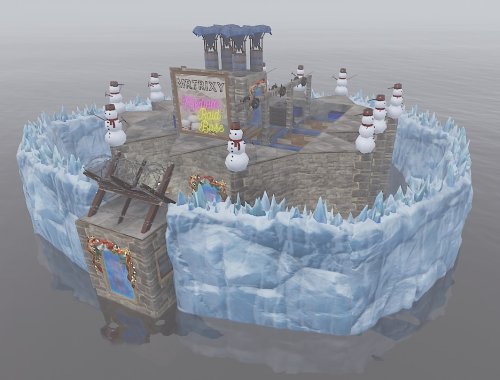
Version 1.0.1
130 downloads
In the "Bases" Folder you will find 60 bases total that you can add to your server. They are ranked easy, medium, hard, expert and nightmare. They are all Unique and fun to raid. There are simple raid bases like you would see on a normal rust server. But there are alot of maze / puzzle bases in there, with secret loot rooms and hidden tc's. Watch out for the special traps that are placed, on places you wouldn't care to look! Never a doll moment when you see one of my raidbases, they are all tested on an active server and everyone loves to see my raidbases. You can't go wrong with this pack! 6 Easy 9 Medium 18 Hard 16 Expert 11 Nightmare Loot Tables: As said on Raidable Bases plugin you need your own loot tables. The plugin comes with some very basic items (Default_Loot.json) that only serve as a demo loot list for you to either delete or expand upon. In order to make any use of the plugin (beyond demonstration) you will have to create your own loot lists instead. These are al made on Enchanted.gg server. Made with for pluggins: https://umod.org/plugins/copy-paste$65.00 -
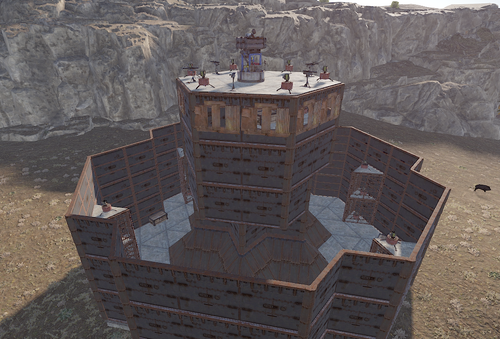
Version 1.0.0
866 downloads
This pack comes with 2 nightmare raidable bases complete with TC, boxes, doors, Furnaces, etc use command in config "rb.config add "nightmare" nightmarecustom11, nightmare22" to add to your raidable Bases files. join the discord for more infodiscord: https://discord.gg/vTs3226q5tFree- 1 comment
-
- 2
-
-
-
- #rust
- #raidablebases
- (and 1 more)
-
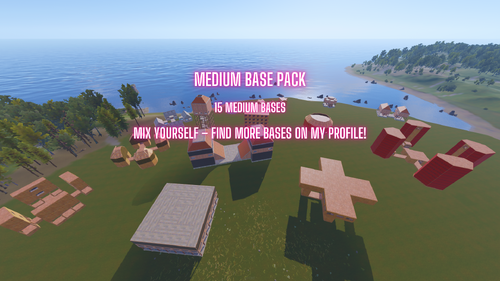
Version 1.0.0
8 downloads
This pack features 15 pre-built bases designed to deliver an exciting raiding experience. Perfect for all level of raiders looking to test their skills! Mix yourself – find more bases on my profile! A mix of challenging designs suitable for both new and advanced players. Ready to use and easy to import to your server. Need help or have suggestions? Join the community on Discord: discord.gg/4j3FvSYAFd$5.00 -
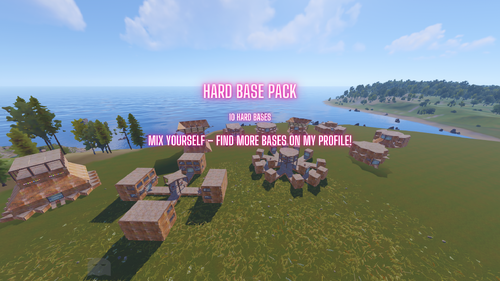
Version 1.0.0
7 downloads
This pack features 10 pre-built bases designed to deliver an exciting raiding experience. Perfect for more experienced raiders looking to test their skills! Mix yourself – find more bases on my profile! A mix of challenging designs suitable for both medium and advanced players. Ready to use and easy to import to your server. Need help or have suggestions? Join the community on Discord: discord.gg/4j3FvSYAFd$5.00 -
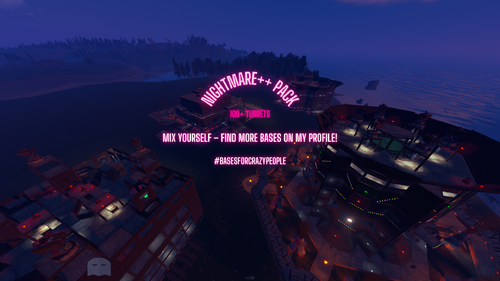
Version 1.0.0
19 downloads
Ultimate Nightmare Base Pack – 4 Massive Designs for Elite Players Are you ready to dominate with some of the most impressive and challenging bases available? This pack includes 4 NightmareCrazy++ bases, designed for experienced players who crave the ultimate in base defense and raiding challenges. These are not your average builds—prepare for massive layouts, overwhelming defenses, and a real test of skill for both owners and raiders alike. This package contains 4x next level nightmare bases Made for Maniacs – Are You One of Them? Important Information FPS KILLER - These bases are extremely large, which may result in low FPS. Only suitable for experienced raiders due to their high complexity and intense defenses. Base Specifications Entity Count: RB1: 1,005 RB2: 1,506 RB3: 1,459 RB4: 743 Turrets: RB1: 58 RB2: 66 RB3: 108 RB4: 50 Need help or have suggestions? Join the community on Discord: discord.gg/4j3FvSYAFd$8.00