Search the Community
Showing results for tags 'raidlimit'.
Found 8 results
-
Version 1.3.2
4,693 downloads
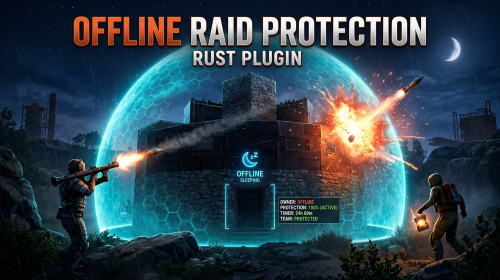
The Offline Raid Protection plugin is a comprehensive solution designed to protect players' structures and vehicles while they are offline. It offers a range of customisable protection levels based on real-time or the length of time a player has been offline, and integrates with the Clans plugin and the in-game teams feature to determine protection status based on the online status of all clan or team members and authorised players. Key Features Configurable Protection Levels: Set protection levels based on real time or the amount of time since a player went offline. For example, a building can have 100% protection one hour after a player goes offline, and 50% protection after two hours. This feature is highly configurable. Clan/Team Integration: The plugin integrates with the Clans plugin and the in-game teams feature. The protection status of a structure or vehicle is determined by the online status of all clan or team members and authorised players. Penalty System: An optional penalty system is implemented to prevent abuse of the protection feature. For example, if a player leaves a clan or team, a penalty can be applied to all members and protection can be disabled for a configurable period of time. Game Tip Messages: The plugin displays game tip messages to players when they hit a protected structure or vehicle. The message includes the percentage of protection and is colour coded according to the level of protection. It supports all the languages available in Rust. Commands: Players with permission can use commands to check the protection status of other players, change the offline time of other players, and change the penalty status. Cache System: The plugin uses a caching system to optimise performance and keep the impact on the server to a bare minimum. Configuration: The plugin includes a configuration file that allows you to customise the behaviour of the plugin. Modular Boat and Tugboat protection: These can optionally be protected just like player bases. Commands All commands can be configured. /orp or /ao <steam id or full name> — Check a player's offline protection status. You can type the command without a name when looking at a player's structure. /raidprot — Display offline raid protection information. /orp.fill.onlinetimes — Fill all players offline times. (Chat & Console command) /orp.test.offline <steam id or full name> <hours> — Change a player's offline time. /orp.test.online <steam id or full name> — Change a player's offline time to the current time. /orp.test.penalty <steam id or full name> <hours> — Change the duration of a player's penalty. A negative value or zero would disable the penalty. /orp.update.permission — Update the permissions status (offlineraidprotection.protect) for all players. orp.update.prefabs <true> - Updates the 'Prefabs to protect' list in the configuration. Overwrites the list with the 'true' argument. (Console command) orp.dump.prefabs - Clears the 'Prefabs to protect' list in the configuration. (Console command) Permissions All permissions can be configured. offlineraidprotection.protect — Allows a player to be protected from raids. offlineraidprotection.check — Allows a player to check the offline protection status of other players. offlineraidprotection.admin — Allows a player to use all admin commands of the plugin. To grant a permission, use carbon/oxide.grant <user or group> <steamname or ID> <permission>. To revoke a permission, use carbon/oxide.revoke <user or group> <steamname or ID> <permission>. Configuration The configuration is to a large extent self-explanatory. Raid Protection Options Only mitigate damage caused by players: Choose whether or not to only mitigate damage caused directly by players. Enable this to prevent players from causing base damage by baiting patrol helicopters, etc. Protect players that are online: Choose whether or not to protect the bases of the players who are online. Works when "Scale of damage depending on the current hour of the real day" is configured. Scale of damage depending on the current hour of the real day: Defines the protection levels based on the current hour of the real day. The key is the hour of the day (0-23), and the value is the protection scale (0 — 340282300000000000000000000000000000000). Example: "0": 0.0, "1": 0.0, "2": 0.0, "3": 0.0 This means that the protection level is 100% from midnight to 3am. Scale of damage depending on the offline time in hours: Defines the protection levels based on the time since the player went offline. The key is the number of hours since the player went offline, and the value is the protection scale (0 — 340282300000000000000000000000000000000). The value of the hours can also be a decimal number. Example: "12": 0.25, "24": 0.5, "48": 1.0, "96": 2.0 This means that 12 hours after the player goes offline, the protection level will be 75%. After 24 hours it will be 50% and after 48 hours it will be 0%. After 96 hours, the damage is increased by 200%. Cooldown in minutes: During this time, damage levels will remain vanilla. Raids are possible. Set this to a positive value to discourage defenders from interrupting raids by logging off. Scale of damage between the cooldown and the first configured time: During this time, the level of damage between the cooldown and the first configured time can be set to a specific value, such as 0.0 Online time to qualify for offline raid protection in minutes: Time to qualify for offline raid protection after a player connects Set this to a positive value to discourage players from quickly logging on and back off solely to reset protection. Protect all prefabs: Choose whether to protect all prefabs or only specific ones. This will protect anything in the TC range. Protect AI (animals, NPCs, Bradley and attack helicopters etc.) if 'Protect all Prefabs' is enabled: Choose whether or not to protect AI entities if "Protect all Prefabs" is enabled. Set to false to reduce hook times, and to avoid protecting wild animals that wander by offline bases. Protect modular and tug boats: Choose whether to protect modular boats and tugboats and their deployables. Checks wheel authorisation list, plus optionally lock authorisation lists. Protect vehicles: Choose whether to protect vehicles or not. Vehicle lock authorisation always has priority. If you want to exclude certain vehicles from protection, add them to the blacklist. Tugboats and modular boats are separate from this. Protect twigs: Choose whether to protect twigs or not. Protect decaying buildings: Choose whether to protect buildings that are either decaying, or have at least 50% of building blocks below 90% health. Ignore decay if due solely to twig: Choose whether to ignore decay state caused solely due to the presence of twig building blocks combined with a lack of wood in the TC. Set to true to ensure raiders cannot disable protection by building twig onto an offline base. Prefabs to protect: List of prefabs that will be protected. Make sure you remove the prefabs you don't want to protect, some of them are pointless. Prefabs blacklist: List of prefabs that will not be protected. Prefabs in the blacklist will always have priority to be unprotected. Timezone Options The fallback timezone is UTC if you leave it blank in the configuration, or if your configured timezone doesn't exist. The timezone identifiers are different for Windows and Linux. You can check the appendices to find your preferred timezone. Conclusion: The Offline Raid Protection plugin provides a comprehensive solution for protecting players' structures and vehicles. This plugin is essential for any Rust server owner who wants to provide a fair and enjoyable gaming experience for their players. Acknowledgments Special thanks to @Kulltero for his valuable feedback and suggestions during the development of this plugin. Windows_Timezones.txt Linux_Timezones.txt Prefabs.txtFree -

Version 1.0.0
1 download
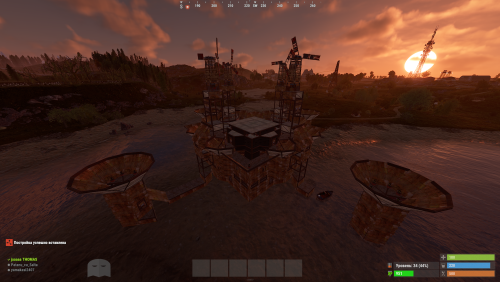
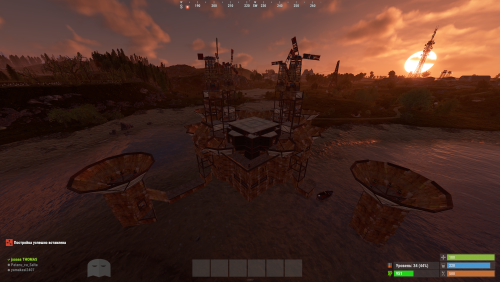
"Hello! This is my Full Pack. Attention: If you already own the previous packs of 38 or 52 bases, do not purchase this! This collection includes all my bases in one place, plus the configuration for normal and balanced loot within the bases. By purchasing this file, you are paying for my hard work—and quality work costs money! If you are wondering if it’s worth it, try building a series of bases yourself, editing them, perfecting them, and then working on the configuration. This is the path I’ve chosen, and the price reflects how much I value my effort. Thank you to those who appreciate and support my projects! As I’ve said before, this is not my last project; there is more to come. Setup Guide for Your New Bases To ensure a clean installation, start by disabling the current plugin. Enter the following command into your server console: o.unload RaidableBases. If you have used this plugin before, it is essential to clear out any old settings. Please delete the following: The configuration file: oxide/config/RaidableBases.json The entire data directory: oxide/data/RaidableBases/ Now, access your server files via FTP and locate the main /oxide/ directory. Inside this download, you will see two folders: config and data. Simply drag and drop these into your server's /oxide/ folder. When prompted by your FTP client, choose "Overwrite" or "Merge" to ensure the new files are correctly placed. Once the transfer is complete, reactivate the plugin by typing: o.reload RaidableBases. You should see the updated loot tables appearing in the console logs. To verify that the bases have been recognized, use the command: rb.config list. This will display all the new schematic files now located in oxide/data/copypaste/. If the list appears empty, please double-check your file paths and try the process again. In the future, we will continue to increase the number of bases and perfect every single one.$35.99 -
Version 1.0.0
5 downloads
Hello everyone! This is already my second project, and I’ve put a lot of heart into it. My team and I have worked hard to make it as interesting as possible and to include even more bases. Inside, you’ll find very cool features and lifehacks, so I can guarantee that once you purchase this package, you’ll truly enjoy using it. We have focused on creating more level 4, 5, and 6 bases, as these are the most popular choices! As mentioned before, this package also includes the acquisition and configuration for the level 6 pack—something brand new that hasn't been seen before. That’s why we highly recommend it! Setup Guide for Your New Bases To ensure a clean installation, start by disabling the current plugin. Enter the following command into your server console: o.unload RaidableBases. If you have used this plugin before, it is essential to clear out any old settings. Please delete the following: The configuration file: oxide/config/RaidableBases.json The entire data directory: oxide/data/RaidableBases/ Now, access your server files via FTP and locate the main /oxide/ directory. Inside this download, you will see two folders: config and data. Simply drag and drop these into your server's /oxide/ folder. When prompted by your FTP client, choose "Overwrite" or "Merge" to ensure the new files are correctly placed. Once the transfer is complete, reactivate the plugin by typing: o.reload RaidableBases. You should see the updated loot tables appearing in the console logs. To verify that the bases have been recognized, use the command: rb.config list. This will display all the new schematic files now located in oxide/data/copypaste/. If the list appears empty, please double-check your file paths and try the process again. Thank you for appreciating our work and for standing by us!$25.99 -
Version 1.3.12
2,012 downloads
Features: Setting up safe and raid times 6 variations of GUI display for players Ability to configure blocked activities during safe time Ability to set the time for the day of the week (Used by default), and for a specific date Flexible and intuitive plugin settings Real-time UI(Has 6 variations) with date, time and raid/safe time info. A menu where players can find out the safe and raid times for any given day Convenient in-game menu for plugin settings You can set safe days after wipe How to open setup RTM UI Default command for open setup RTM UI: /rtm Configuration: { "Command for open Raid Time Managment UI": "rtm", "Timezone(Difference between UTC and your time)": 60, "Time format for UI(True - 24H format, False - 12H format)": false, "Display UI": true, "Enable Alerts": true, "Allow players to close the UI": true, "[RaidableBases] Allow raiding RB bases in SafeTime": true, "[TruePVE] Safe Time RuleSet": "default", "[TruePVE] Raid Time RuleSet": "default", "[ZoneManager] The plugin will work on entities in the zones": "DISABLED", "[ZoneManager] Zone ID List": [], "UI Position": "UPPER_LEFT", "NPP amount": 0, "Block only offline raids": true, "Add safe days after wipe": 1, "Commands to be executed when raid time starts": [], "Commands to be executed when safe time starts": [], "Forbidden actions during the blocking of the raid": { "Default Raid By Player": true, "Damage Own Buildings": false, "Raid By Patrol Helicopter": true, "Raid By MLRS": true, "Using Ladders In Building Block": true, "Damage By Fire": true, "Build Ceiling In Building Block": true, "Build Turrets In 2x Building Block Radius": true, "Break down twig buildings": false }, "List of prefabs that can always be damaged": [], "Manage raids by day of the week (Used by default)": { "Monday": [ { "Start Raid Block(Hours)": 18, "Start Raid Block(Minutes)": 0, "Stop Raid Block(Hours)": 22, "Stop Raid Block(Minutes)": 0 } ], "Tuesday": [ { "Start Raid Block(Hours)": 14, "Start Raid Block(Minutes)": 0, "Stop Raid Block(Hours)": 22, "Stop Raid Block(Minutes)": 0 } ], "Wednesday": [ { "Start Raid Block(Hours)": 18, "Start Raid Block(Minutes)": 0, "Stop Raid Block(Hours)": 22, "Stop Raid Block(Minutes)": 0 } ], "Thursday": [ { "Start Raid Block(Hours)": 18, "Start Raid Block(Minutes)": 0, "Stop Raid Block(Hours)": 22, "Stop Raid Block(Minutes)": 0 } ], "Friday": [ { "Start Raid Block(Hours)": 18, "Start Raid Block(Minutes)": 0, "Stop Raid Block(Hours)": 22, "Stop Raid Block(Minutes)": 0 } ], "Saturday": [ { "Start Raid Block(Hours)": 10, "Start Raid Block(Minutes)": 0, "Stop Raid Block(Hours)": 22, "Stop Raid Block(Minutes)": 0 } ], "Sunday": [ { "Start Raid Block(Hours)": 8, "Start Raid Block(Minutes)": 0, "Stop Raid Block(Hours)": 22, "Stop Raid Block(Minutes)": 0 } ] }, "Raid management for specific days(Takes precedence over raid management by day of the week)": {} } Explanation of some options: "Default Raid by Player" : players will be able to use items for the raid Lang: { "UI_ALERT": "ALERT", "UI_TURRETBLOCK": "You cannot place turrets in double TC radius during safe time", "UI_LADDERBLOCK": "You may not place ladders in a Building Block during safe times.", "UI_CEILINGBLOCK": "You cannot place ceilings in the Building Block during safe times.", "UI_CANDAMAGE": "You cannot damage other people's buildings during safe times", "UI_CANDAMAGEOWN": "You cannot damage own buildings during safe times", "UI_START_RAID_TIME": "Raid time has begun! All restrictions removed", "UI_STOP_RAID_TIME": "The raid time is over. Restrictions are in effect!", "CM_CLOSE_HUD": "You closed the RTM HUD, to open it again use the /rtm hud command", "UI_RAIDTIMESCHEDULE": "RAID TIME SCHEDULE", "UI_SAFE_TIME": "Safe Time", "UI_RAID_TIME": "Raid Time", "UI_Monday": "Monday", "UI_Tuesday": "Tuesday", "UI_Wednesday": "Wednesday", "UI_Friday": "Friday", "UI_Saturday": "Saturday", "UI_Sunday": "Sunday", "UI_AM": "AM", "UI_PM": "PM", "UI_January": "January", "UI_February": "February", "UI_March": "March", "UI_April": "April", "UI_May": "May", "UI_June": "June", "UI_July": "July", "UI_August": "August", "UI_September": "September", "UI_October": "October", "UI_November": "November", "UI_December": "December", "UI_Thursday": "Thursday" }$14.99 -
Version 1.0.0
2 downloads
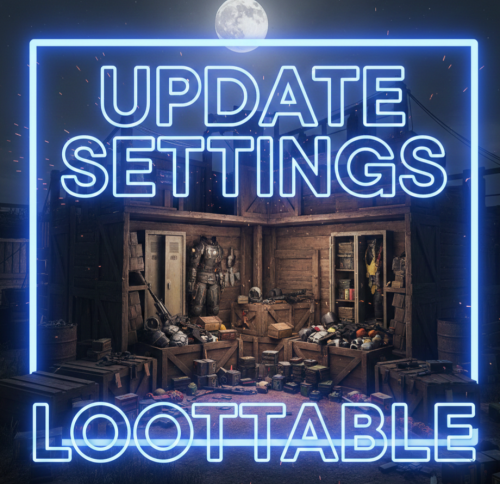
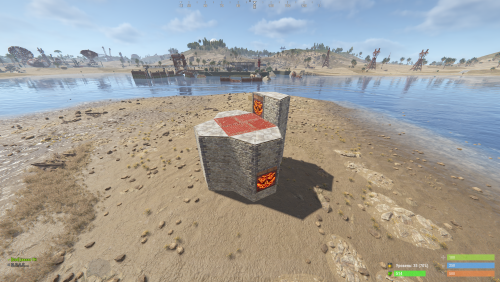
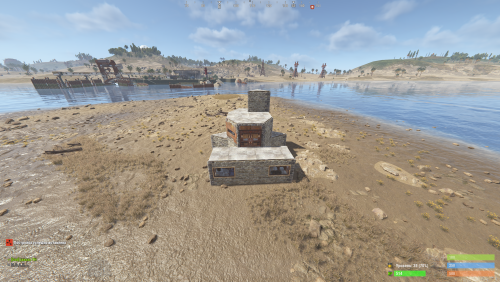
Hello everyone! These files contain the newly updated settings, not the plugin itself. I have worked very hard on these files to ensure that loot containers are no longer empty and to fix the issue of resource stacks reaching 1 million. In the attached photos, you can see the results of my work—how the containers looked before versus how they look now! I will continue to work on this project and implement many more changes in the future. After extensive testing, I’ve concluded that these updates are essential. If you are tired of finding empty containers, that's over—now they will be full! Regarding resources and explosives, they have been balanced to ensure they still spawn correctly without being underpowered. I have also modified the stack sizes for a better experience! Thank you so much for your support. I would greatly appreciate a like and a share for this page!$9.99 -
Version 1.0.0
2 downloads
Custom Raid Base Pack: Medium to Hard Difficulty (12 Bases) Hello Rust Community! I'm JaaaaaThomas I'm excited to present my latest base pack: an exclusive collection of 12 custom raid bases specifically designed to challenge experienced players on your server! If you are looking for raids that require planning, resources, and skill, this pack is the right choice for your community. What You Get with This Package This package is a Content Extension that adds 12 challenging, handcrafted Raid Bases directly to your server's rotation. Key Features: 12 Highly Challenging Bases: Each base is manually designed and optimized for Medium to Hard difficulty, featuring complex layouts, clever traps, and demanding defense setups. Intense Planning Required: These bases are meant to test resource management and raiding strategy, pushing players beyond standard easy raids. Premium Builds: All structures are ready to use and compatible with the necessary plugins (Raidable Bases and Copy Paste). Attention: Required Dependencies For this base pack to function, your server MUST have the following two plugins installed and working: [Oxide/uMod Plugin] Raidable Bases (The main event plugin). [Oxide/uMod Plugin] Copy Paste (Required to correctly import the base structures). Without these two plugins, the base pack will NOT work. Important Note for Buyers: THIS 12-BASE PACK IS PART OF MY PREVIOUS 37-BASE COLLECTION. IF YOU HAVE ALREADY PURCHASED THE FULL 37-BASE PACK, PLEASE DO NOT PURCHASE THIS FILE, AS YOU ALREADY OWN THESE BUILDS. Thank you for your support, and good luck mastering these challenging builds!$9.99 -
Version 1.0.0
2 downloads
Custom Raid Base Pack: Easy Difficulty (11 Bases) We present this exclusive package containing 11 Raid Bases specially designed for Easy difficulty! This set is perfect for servers looking to offer beginners an accessible, yet engaging, raid experience in PvE or PvP mode. Key Features: 11 Unique Bases: Each base is manually designed and optimized to ensure variety and prevent repetition, offering your players something new to discover every time. Balanced Difficulty: Bases are crafted to be solved quickly and with mid-tier gear, making them ideal for players' first raids. Perfect Optimization: All bases are ready to use and compatible with the necessary plugins (Raidable Bases and Copy Paste). Important Note for Buyers: THIS 11-BASE PACK IS PART OF MY PREVIOUS 37-BASE COLLECTION. IF YOU HAVE ALREADY PURCHASED THE FULL 37-BASE PACK, PLEASE DO NOT PURCHASE THIS FILE, AS YOU ALREADY OWN THESE BUILDS. Thank you for your understanding, and enjoy your raids!$5.99 -
Hello, description: I would like to limit raids on my server. I know there is a plugin on umod but the author is not too active to fix some bugs Functionality: - block all types of damage (must be compatible with TruePVE for the Schedule part) - When Schedule is activated, raid is authorized by limiting the number to 1 raid / day only purchasable with RP points * * this requires a command => / raidlimit add <steamid64> <value> (requires compatibility with the serverrewards and timedexecuted plugin) - Data reset every day - A gui indicating the number of raid remaining - Regarding the restriction, this applies to friends, clan etc ... (the server is a max trio) Permission: No need i think There may be more ideas coming in the next few hours so I will edit my request. Price: free would be generous otherwise make me a proposal by private messaging Thank you