Search the Community
Showing results for tags 'raidstats'.
Found 7 results
-

Version 1.0.0
1 download
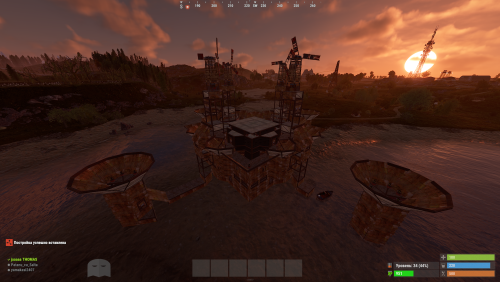
"Hello! This is my Full Pack. Attention: If you already own the previous packs of 38 or 52 bases, do not purchase this! This collection includes all my bases in one place, plus the configuration for normal and balanced loot within the bases. By purchasing this file, you are paying for my hard work—and quality work costs money! If you are wondering if it’s worth it, try building a series of bases yourself, editing them, perfecting them, and then working on the configuration. This is the path I’ve chosen, and the price reflects how much I value my effort. Thank you to those who appreciate and support my projects! As I’ve said before, this is not my last project; there is more to come. Setup Guide for Your New Bases To ensure a clean installation, start by disabling the current plugin. Enter the following command into your server console: o.unload RaidableBases. If you have used this plugin before, it is essential to clear out any old settings. Please delete the following: The configuration file: oxide/config/RaidableBases.json The entire data directory: oxide/data/RaidableBases/ Now, access your server files via FTP and locate the main /oxide/ directory. Inside this download, you will see two folders: config and data. Simply drag and drop these into your server's /oxide/ folder. When prompted by your FTP client, choose "Overwrite" or "Merge" to ensure the new files are correctly placed. Once the transfer is complete, reactivate the plugin by typing: o.reload RaidableBases. You should see the updated loot tables appearing in the console logs. To verify that the bases have been recognized, use the command: rb.config list. This will display all the new schematic files now located in oxide/data/copypaste/. If the list appears empty, please double-check your file paths and try the process again. In the future, we will continue to increase the number of bases and perfect every single one.$35.99 -
Version 1.0.0
5 downloads
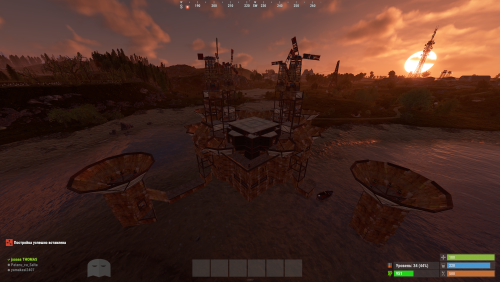
Hello everyone! This is already my second project, and I’ve put a lot of heart into it. My team and I have worked hard to make it as interesting as possible and to include even more bases. Inside, you’ll find very cool features and lifehacks, so I can guarantee that once you purchase this package, you’ll truly enjoy using it. We have focused on creating more level 4, 5, and 6 bases, as these are the most popular choices! As mentioned before, this package also includes the acquisition and configuration for the level 6 pack—something brand new that hasn't been seen before. That’s why we highly recommend it! Setup Guide for Your New Bases To ensure a clean installation, start by disabling the current plugin. Enter the following command into your server console: o.unload RaidableBases. If you have used this plugin before, it is essential to clear out any old settings. Please delete the following: The configuration file: oxide/config/RaidableBases.json The entire data directory: oxide/data/RaidableBases/ Now, access your server files via FTP and locate the main /oxide/ directory. Inside this download, you will see two folders: config and data. Simply drag and drop these into your server's /oxide/ folder. When prompted by your FTP client, choose "Overwrite" or "Merge" to ensure the new files are correctly placed. Once the transfer is complete, reactivate the plugin by typing: o.reload RaidableBases. You should see the updated loot tables appearing in the console logs. To verify that the bases have been recognized, use the command: rb.config list. This will display all the new schematic files now located in oxide/data/copypaste/. If the list appears empty, please double-check your file paths and try the process again. Thank you for appreciating our work and for standing by us!$25.99 -
Version 1.0.0
13 downloads
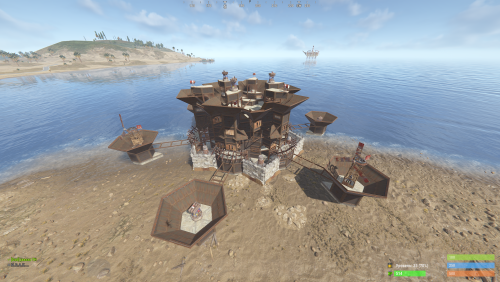
New Plugin: Custom Raidable Bases (Raidable Bases Extension) Hello Rust Community! I'm JaaaaaThomas I'm excited to introduce my first plugin: an exclusive collection of custom raid bases designed to enhance your server's PVE/PVP experience! 37 bases This is just the beginning, but we are ready to bring a fresh breath of air to how players interact with the Raidable Bases plugin. What You Get with This Package This package is not a standalone plugin, but a Content Extension that adds a selection of unique, handcrafted, and optimized Raid Bases directly to your server. Key Features: New Bases, New Challenges: I've included an entirely new difficulty category (ClanBase), featuring smart layouts designed to test even the most experienced raiders. Custom Loot: The bases come with a revised loot scheme, specifically balanced for a clan-level experience. Optimization & Configuration: All bases are designed to work seamlessly with popular difficulty settings. Attention: Required Dependencies For this base pack to function, your server MUST have the following two plugins installed and working: [Oxide/uMod Plugin] Raidable Bases (The main event plugin). [Oxide/uMod Plugin] Copy Paste (Required to correctly import the base structures). Without these two plugins, the base pack will NOT work. Future Vision This is only the first step! In the future, we plan to expand the package by: Adding new difficulty categories (Solo, Duo, Mega-Base). Introducing unique puzzles and traps within the structures. Providing constant updates with new bases for every major wipe. Thank you so much for your support! I hope you enjoy the new bases. I wish you all a good game and successful raids! — Sincerely, JaaaaaThomas.$15.00 -
Version 1.0.0
2 downloads
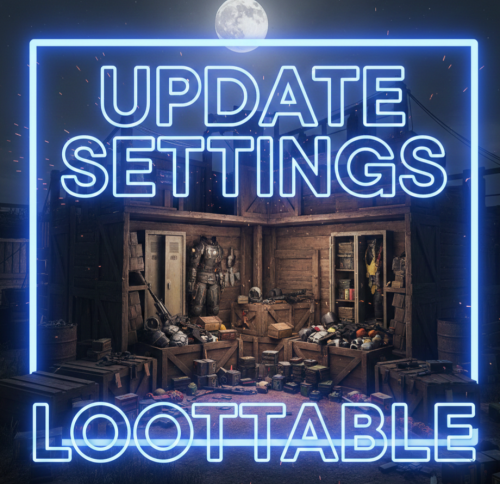
Hello everyone! These files contain the newly updated settings, not the plugin itself. I have worked very hard on these files to ensure that loot containers are no longer empty and to fix the issue of resource stacks reaching 1 million. In the attached photos, you can see the results of my work—how the containers looked before versus how they look now! I will continue to work on this project and implement many more changes in the future. After extensive testing, I’ve concluded that these updates are essential. If you are tired of finding empty containers, that's over—now they will be full! Regarding resources and explosives, they have been balanced to ensure they still spawn correctly without being underpowered. I have also modified the stack sizes for a better experience! Thank you so much for your support. I would greatly appreciate a like and a share for this page!$9.99 -
Version 1.0.0
2 downloads
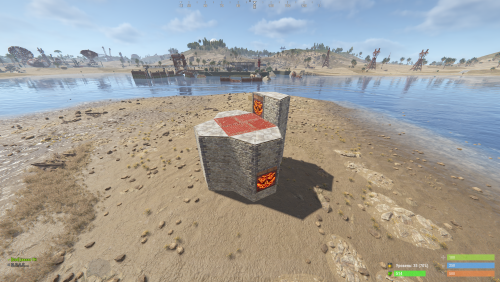
Custom Raid Base Pack: Medium to Hard Difficulty (12 Bases) Hello Rust Community! I'm JaaaaaThomas I'm excited to present my latest base pack: an exclusive collection of 12 custom raid bases specifically designed to challenge experienced players on your server! If you are looking for raids that require planning, resources, and skill, this pack is the right choice for your community. What You Get with This Package This package is a Content Extension that adds 12 challenging, handcrafted Raid Bases directly to your server's rotation. Key Features: 12 Highly Challenging Bases: Each base is manually designed and optimized for Medium to Hard difficulty, featuring complex layouts, clever traps, and demanding defense setups. Intense Planning Required: These bases are meant to test resource management and raiding strategy, pushing players beyond standard easy raids. Premium Builds: All structures are ready to use and compatible with the necessary plugins (Raidable Bases and Copy Paste). Attention: Required Dependencies For this base pack to function, your server MUST have the following two plugins installed and working: [Oxide/uMod Plugin] Raidable Bases (The main event plugin). [Oxide/uMod Plugin] Copy Paste (Required to correctly import the base structures). Without these two plugins, the base pack will NOT work. Important Note for Buyers: THIS 12-BASE PACK IS PART OF MY PREVIOUS 37-BASE COLLECTION. IF YOU HAVE ALREADY PURCHASED THE FULL 37-BASE PACK, PLEASE DO NOT PURCHASE THIS FILE, AS YOU ALREADY OWN THESE BUILDS. Thank you for your support, and good luck mastering these challenging builds!$9.99 -
Version 1.0.0
2 downloads
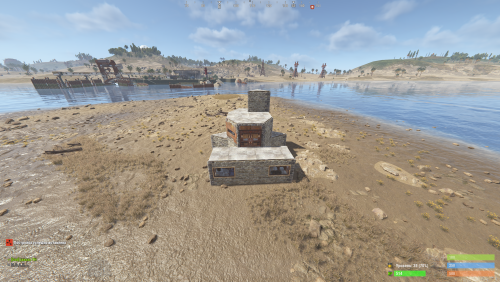
Custom Raid Base Pack: Easy Difficulty (11 Bases) We present this exclusive package containing 11 Raid Bases specially designed for Easy difficulty! This set is perfect for servers looking to offer beginners an accessible, yet engaging, raid experience in PvE or PvP mode. Key Features: 11 Unique Bases: Each base is manually designed and optimized to ensure variety and prevent repetition, offering your players something new to discover every time. Balanced Difficulty: Bases are crafted to be solved quickly and with mid-tier gear, making them ideal for players' first raids. Perfect Optimization: All bases are ready to use and compatible with the necessary plugins (Raidable Bases and Copy Paste). Important Note for Buyers: THIS 11-BASE PACK IS PART OF MY PREVIOUS 37-BASE COLLECTION. IF YOU HAVE ALREADY PURCHASED THE FULL 37-BASE PACK, PLEASE DO NOT PURCHASE THIS FILE, AS YOU ALREADY OWN THESE BUILDS. Thank you for your understanding, and enjoy your raids!$5.99 -
Version 3.4.5
212 downloads
Features Automatically detects when offline players are being raided Notifies online players about raids in progress Tracks and stores raid statistics for each player Provides map markers at raid locations Optional Discord webhook integration for raid notifications Customizable notification cooldowns Notifies players of raids that occurred while they were offline Team-based notification system Commands | Command | Description | Permission | |---------|-------------|------------| | /raidinfo | View your own raid statistics | offlineraidannouncer.stats | | /raidinfo [player] | View raid statistics for another player | offlineraidannouncer.admin | | /raidstats | Alias for /raidinfo | Same as raidinfo | | /ofra.clear | Clear all stored raid data | offlineraidannouncer.admin | Permissions | Permission | Description | |------------|-------------| | offlineraidannouncer.receive | Allows a player to receive raid notifications | | offlineraidannouncer.bypasscooldown | Allows a player to bypass the notification cooldown | | offlineraidannouncer.admin | Grants administrative access to commands and features | | offlineraidannouncer.stats | Allows a player to view raid statistics | Configuration Options | Option | Description | Default | |--------|-------------|---------| | NotificationCooldown | Time in seconds before sending another notification to the same player | 600 | | IncludeOwnerName | Whether to include the name of the base owner in raid alerts | true | | IncludeRaiderName | Whether to include the name of the raider in raid alerts | true | | WipeDataOnWipe | Whether to clear all stored data when the server wipes | false | | NotifyRaidersTeam | Whether to notify the raider's team members about the raid | true | | SaveRaidStatistics | Whether to save and track raid statistics for each player | true | | NotifyOfflineOnReconnect | Whether to notify players about raids that happened while they were offline | true | | RecentlyOfflineTime | Time in seconds to consider a player 'recently offline' after disconnecting | 300 | | UseDiscordWebhook | Whether to send raid alerts to a Discord webhook | false | | DiscordWebhookUrl | The URL of your Discord webhook for raid notifications | https://discord.com/api/webhooks/your/webhook/url | | ExcludedZones | List of zone names where raid notifications won't be triggered (requires ZoneManager) | [] | | RaidThreshold | The minimum number of raid events before triggering notifications | 3 | | ShowMapMarker | Whether to show a map marker at the location of a raid | true | | MapMarkerDuration | Duration in seconds that a raid map marker will remain visible | 300 | | AdminOnlyNotifications | Whether to only send raid notifications to admins | false | | MonitoredEntities | Entity types to monitor for raid detection | [BuildingBlock, Door, StorageContainer, ExternalWall, Lock, Trap, Barricade, SleepingBag, Turret, Furnace, Workbench] | Dependencies Optional: ZoneManager - Required for zone exclusion functionality Discord Integration To enable Discord notifications: Create a webhook in your Discord server settings Set UseDiscordWebhook to true in the plugin config Add your webhook URL to the DiscordWebhookUrl setting The plugin will now send raid notifications to your Discord server whenever an offline raid is detected.$12.99